
Insight Blog
Agility’s perspectives on transforming the employee's experience throughout remote transformation using connected enterprise tools.
1 hour and 25 minutes reading time
(16968 words)
10 Best Team Communication Tools for Deskless Workers in 2026 for Sending Important Updates

10 Best Team Communication Tools for Deskless Workers in 2026 for Sending Important Updates
Compare the 10 Best Team Communication Tools in 2026 fro Deskless Workers, including mobile access, alerts, chat, knowledge sharing and frontline engagement.
10 Best Team Communication Tools for Deskless Workers in 2026 for Sending Important Updates

How do you keep every employee informed when some work at a desk, others work remotely, and many are on shifts, in the field or serving customers?
The best team communication tools solve this problem by giving people a simple, reliable way to receive updates, find information and ask questions wherever they work.
If an important message only reaches employees sitting at a laptop, it is not a true internal communication strategy—it is an office-only one.
Disconnected communication wastes time, creates inconsistent experiences and leaves frontline teams feeling like the last to know.
Communication overload
When information is hard to find, work slows down
28%
of the workweek
McKinsey estimates employees can spend up to 28% of their workweek searching for information across disconnected systems.
Source: McKinsey Global Institute68%
struggle with work volume
Microsoft found that 68% of people struggle with the pace and volume of work, showing why more messages are not always the answer.
Source: Microsoft Work Trend Index
Information overload
Lost productivity
Communication silos
McKinsey has estimated that knowledge workers can spend up to 28% of their workweek searching for information, while Microsoft found that 68% of people struggle with the pace and volume of work.
The answer is not sending more messages.
It is choosing the right mix of mobile-first communication, searchable knowledge and clear channels for urgent updates, everyday conversations and company news.
In this article, you will get a practical list of communication tools with examples, plus clear guidance on which options are best for remote, frontline and deskless teams.
Key Takeaways
- The best team communication tools give remote, deskless and office-based employees one reliable place to receive updates, find information and ask questions.
- Email and desktop chat alone can exclude frontline employees who work shifts, use shared devices or do not have a company email address.
- Mobile access, targeted announcements, searchable knowledge and read acknowledgements are essential when important information must reach every employee.
- The right platform depends on whether your priority is frontline operations, company-wide communication, employee engagement or a complete digital workplace.
- This guide compares 10 best team communication tools to help organisations choose a solution that improves alignment without adding more communication noise.
What is an team communication tools?
An team communication tools for deskless workers is a mobile-first platform that helps organisations keep frontline, field-based, shift and remote employees informed wherever they work.
It gives people one simple place to receive company news, access policies and training, ask questions, share feedback and stay connected with their team.
This matters because deskless employees are not always sitting in front of a laptop or checking a company inbox.
They may be working on a shop floor, visiting customers, driving between jobs, supporting residents or patients, or moving between sites.
The best team communication tools makes important information available on a phone or shared device, so employees do not have to rely on word of mouth or wait for their next meeting.
It is helpful to understand how these apps differ from other workplace tools:
- Team chat apps are best for quick conversations and day-to-day messages, but important information can quickly disappear in busy chat threads.
- Employee intranets are usually designed to be a central home for company news, policies, documents and knowledge. Many modern intranets also include communication and engagement features.
- Workforce-management apps focus on operational work, such as scheduling shifts, tracking time, managing tasks or completing compliance checks.
- Project-management platforms help teams plan work, assign tasks and monitor deadlines, rather than communicate company-wide updates.
- Email newsletters can share news with office-based teams, but they are less reliable for employees without regular email access and do not make information easy to find later.
The strongest solutions combine the most useful parts of these tools: fast updates, mobile access, searchable information and a simple way for employees to respond.
Why communication breaks down when employees do not work the same way
Deskless employees often need fast, accurate information to do their jobs safely and effectively, but they are less likely to be sitting in front of a computer when an update is sent.
They may be on a production line, visiting customers, working in a warehouse, supporting patients, driving between jobs or serving people face-to-face.
The main reasons they are harder to reach include:
- No company email address: Many frontline employees do not have a corporate inbox, so email-only updates never reach them directly.
- Shift patterns and limited meeting access: A message shared in a morning meeting may not reach evening, night or weekend teams until much later—if at all.
- Shared or personal devices: Employees may use a shared tablet, kiosk or personal phone, which limits when and how they can access work information.
- Limited time away from the job: Retail, warehouse, care and customer-facing employees cannot always pause work to check an inbox, join a call or scroll through chat messages.
- Unreliable internet access: Field teams may be travelling or working in locations with poor Wi-Fi or mobile signal.
- Language and accessibility needs: Messages must work for people with different first languages, reading levels and accessibility requirements.
- Verbal updates lose detail: When managers or colleagues pass information along informally, key details can be missed, misunderstood or changed between shifts.
Without one dependable place for official updates, employees can end up relying on rumours, outdated information or whoever happens to be available to explain what is going on.
The goal is not to force deskless teams into office-based communication habits. It is to give them a simple, mobile-friendly and accessible way to receive the same trusted information as everyone else.
What separates a useful app from another forgotten download?
It is easy to buy an employee app.
It is much harder to choose one that people will genuinely use after the first few weeks.
For deskless employees, the best communication app must fit around the way people actually work. If it is difficult to sign into, only works well on a laptop or fills employees' phones with irrelevant notifications, it will quickly become another forgotten download.
Before comparing providers, look for features that make communication simple, relevant and dependable.
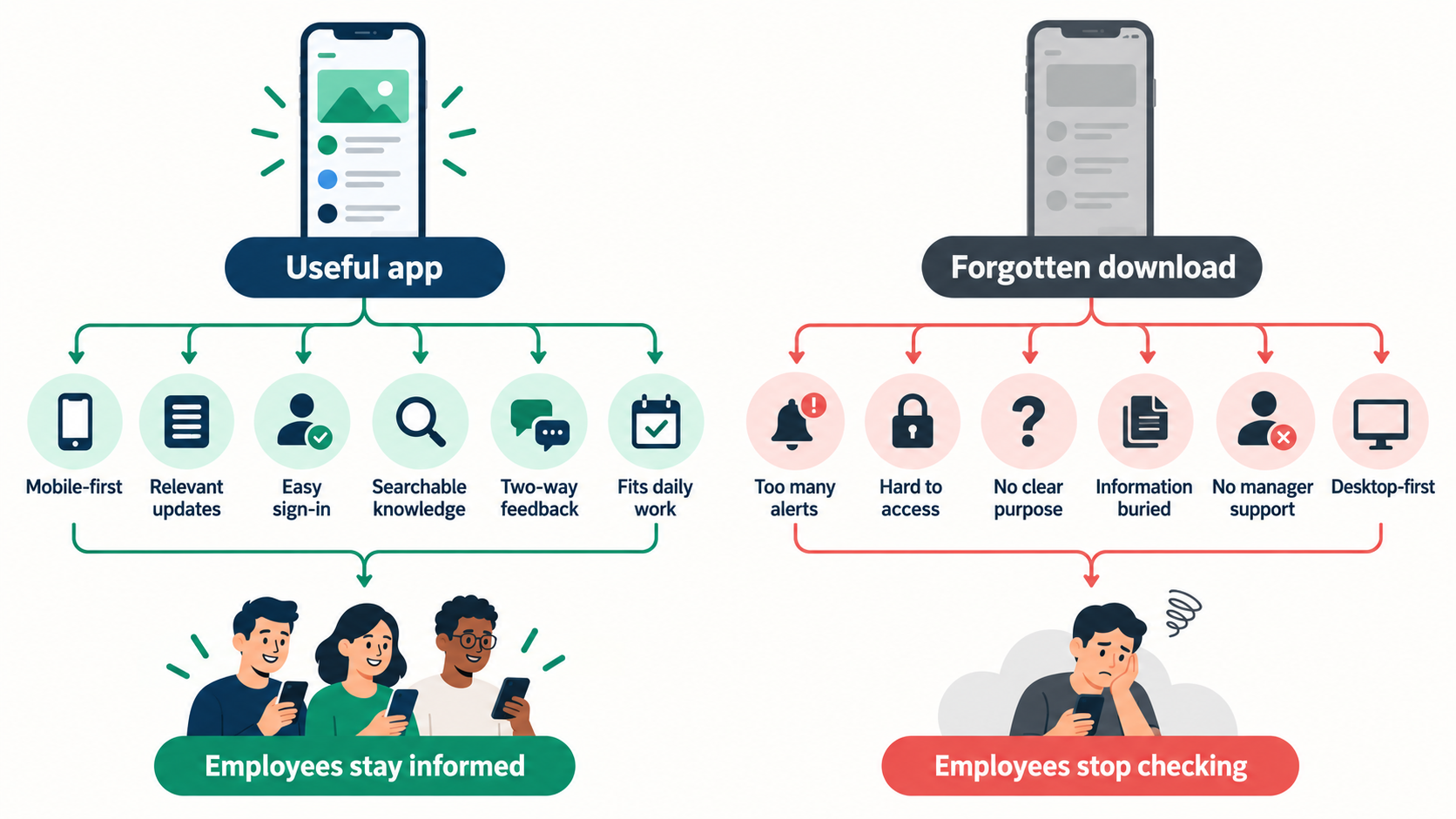
What separates a useful app from another forgotten download?
| Feature | Why it matters for deskless teams |
| Mobile app and push notifications | Reaches employees when they are on the move, working shifts or away from a desk. |
| Audience targeting | Lets managers send relevant updates by location, role, department or team, reducing unnecessary messages and alert fatigue. |
| No-email sign-in options | Makes the app accessible to frontline employees who do not have a corporate email address. |
| News feed and announcements | Creates one trusted place for company news, operational updates and important notices. |
| Searchable knowledge base | Keeps policies, procedures, training materials and FAQs easy to find long after the original announcement. |
| Chat, comments or Q&A | Gives employees a simple way to ask questions, share feedback and clarify what an update means for them. |
| Read acknowledgements | Helps organisations confirm that employees have seen critical policy, compliance or safety messages. |
| Translations and accessibility | Supports employees with different first languages, reading needs and accessibility requirements. |
| Role-based permissions | Ensures sensitive content is available only to the employees who need access to it. |
| HRIS and Microsoft 365 integrations | Reduces manual administration by keeping employee data, identities and workplace tools connected. |
The right app should make important information easier to access than workplace rumours, old email threads or asking a busy manager.
If it cannot do that, it is unlikely to become part of employees' everyday routine.
Related Team Communication and Employee Communication Guides
Choosing the right team communication tools is only part of the challenge. These AgilityPortal guides explore internal communication, employee apps, company news, mobile access and practical ways to keep remote, frontline and deskless employees informed and connected.
- Top Internal Communication Tools to Enhance Employee Engagement
- Staff Communication App: How to Choose the Best Solution
- Best Employee Communication Apps to Fix Poor Internal Communication
- Employee News App: Stop Important Company Updates From Getting Lost
- Best Employee Communication Platforms: Buyer’s Guide
- How to Improve Internal Communication Within an Organization
- Employee Engagement Platforms for Businesses
- What Is an Employee Experience Platform and Why Does It Matter?
Together, these guides support a stronger topic cluster around team communication, internal communication tools, employee communication apps, employee engagement, digital workplace technology and frontline workforce connection.
How we chose the best team communication tools for deskless workers
We did not rank these apps simply by how many features they offer.
A platform can look impressive in a demo but still fail if frontline employees find it difficult to access, managers do not use it consistently or important information remains hard to find.
Instead, we focused on the factors that determine whether an team communication tools becomes part of everyday work:
- Mobile ease of use — Can employees quickly check updates, find information and respond from a phone or shared device?
- Access for non-desk employees — Does the platform work for people without a company email address, laptop or regular desk time?
- Communication fit — Is it designed for company announcements, local team updates, chat, knowledge sharing, feedback or a combination of these?
- Adoption potential — Is the experience simple enough for employees across different roles, locations, shifts and levels of digital confidence?
- Search and knowledge access — Can people find policies, procedures and past updates when they need them, rather than relying on old messages or managers?
- Security and admin controls — Can the organisation manage permissions, protect sensitive content and maintain appropriate oversight?
- Integrations — Does it connect with the HR, identity, Microsoft 365, Google Workspace or operational systems the business already uses?
- Overall value — Does it reduce the cost and confusion of disconnected tools, rather than creating another app employees have to check?
The main lesson is simple: adoption matters more than a long feature list.
The best team communication tools is the one that gives deskless workers a practical, trusted way to stay informed, while giving managers and administrators the controls they need to communicate consistently.
Our top team communication software picks
The best team communication tools do more than let employees send messages.
For deskless teams, they need to make company news, urgent updates, policies and everyday conversations easy to access from a phone or shared device—without relying on corporate email or a desktop computer.
The options below are suited to different needs.
Some are built around frontline operations, such as shift planning and task management, while others focus on company-wide communication, employee engagement or a complete digital workplace.
The right choice depends on whether your priority is reaching employees quickly, centralising knowledge, supporting day-to-day work or bringing several disconnected tools together.
| App | Best for | Free plan / trial | Starting price | Standout feature |
| AgilityPortal | Businesses wanting an all-in-one team communication tools | 14-day free trial | Custom quote | Company news, knowledge, forms, chat and employee spaces in one digital workplace |
| Connecteam | Operational frontline teams | 14-day free trial; free plan for up to 10 users | From $29/month for the first 30 users | Mobile-first communication alongside scheduling, time tracking and tasks |
| Staffbase | Large, distributed enterprise workforces | Demo available | Custom quote | Targeted employee communications across mobile, intranet, email and other channels |
| Blink | Mobile-first frontline communication | Free trial | From £2.95/user/month | Simple employee experience app built around frontline adoption |
| Beekeeper | Hospitality, manufacturing and shift-based teams | Free trial available | From $4/user/month | Frontline communication, workflows, tasks and translations |
| Workvivo | Culture, recognition and employee engagement | No free trial; tailored demo | From $20,000/year | Social employee experience with news, recognition and community features |
| LumApps | Large organisations using Microsoft or Google | Demo available | Custom quote | Enterprise employee hub connecting people, knowledge and workplace tools |
| Microsoft Teams | Microsoft 365 organisations | Free plan; free trial for paid plans | From £3.10/user/month | Familiar chat, meetings and Microsoft 365 integration |
| Firstup | Enterprise-wide personalised communications | Demo available | Custom quote | Multi-channel communication journeys and engagement analytics |
| Haiilo | Internal communications, engagement and advocacy | Free sandbox access available | Custom quote | Employee communications, listening and advocacy in one platform |
Disclaimer
Prices and trial availability can change, particularly for enterprise platforms, so confirm the current package directly with each provider before publishing. Public pricing and trial information is available from AgilityPortal, Connecteam, Staffbase, Blink, Microsoft Teams, Workvivo, Firstup and Haiilo.
Prices and trial availability can change, particularly for enterprise platforms, so confirm the current package directly with each provider before publishing. Public pricing and trial information is available from AgilityPortal, Connecteam, Staffbase, Blink, Microsoft Teams, Workvivo, Firstup and Haiilo.
1. AgilityPortal — Best for All-in-One Team Communication and Digital Workplace Needs
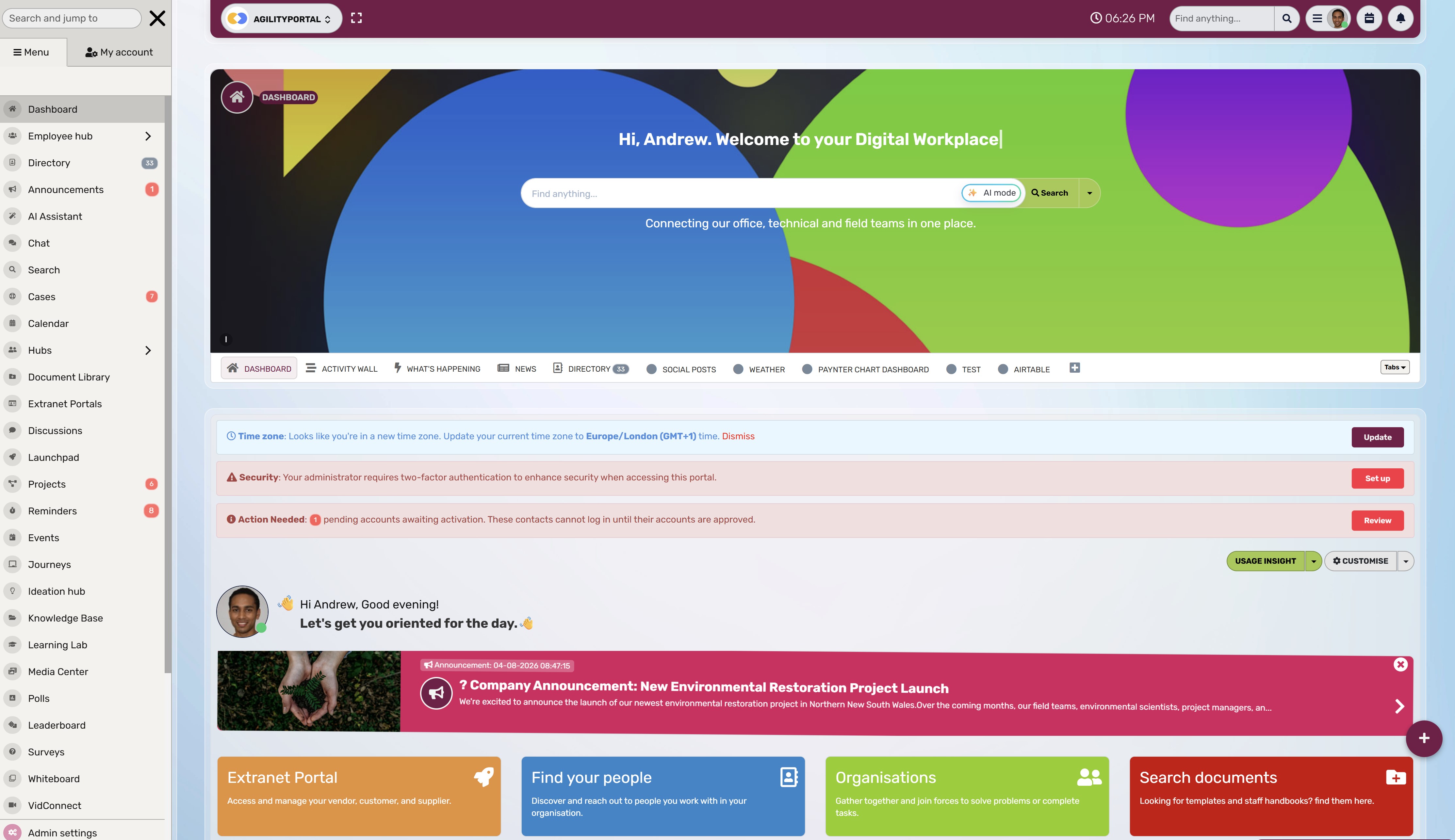
AgilityPortal — Best for All-in-One Team Communication and Digital Workplace Needs
- Rating: 4.7/5
- Pricing: From $99/month for 25–99 employees
- Free trial: 14 days, no credit card required
- Best for: Small and mid-sized organisations that need employee communication, knowledge and everyday collaboration in one platform.
AgilityPortal helps remote, deskless and office-based employees stay connected through one central digital workplace. Rather than relying on separate tools for company news, documents, employee directories, forms, chat and team spaces, organisations can bring them together in a single mobile-friendly platform.
Who Is AgilityPortal Best For?AgilityPortal is a strong fit for HR, internal communications, operations and IT teams that need to reach all employees—not only people with a desk and company email address. It works particularly well for growing businesses that want to replace scattered communication channels with one accessible place for news, knowledge, policies, feedback and collaboration.
Why We Picked AgilityPortalWell becasue we developed it and we expect it to be the best based on our cleints feedback and support.
AgilityPortal stands out because it goes beyond a standard employee communication app. It gives organisations a way to publish important updates, but also gives employees a clear place to find documents, policies, training, team discussions and the people they need to contact.
That matters for deskless workforces.
A safety update or new policy should not disappear in a busy chat thread or only be available in an email inbox. With mobile access, targeted announcements, Spaces, acknowledgements and searchable knowledge, AgilityPortal can help make important information easier to reach and easier to find again.
It may be broader than a business needs if its only requirement is basic shift scheduling or lightweight chat.
But for organisations looking to consolidate several workplace tools into a connected employee experience, it is one of the strongest all-in-one options.
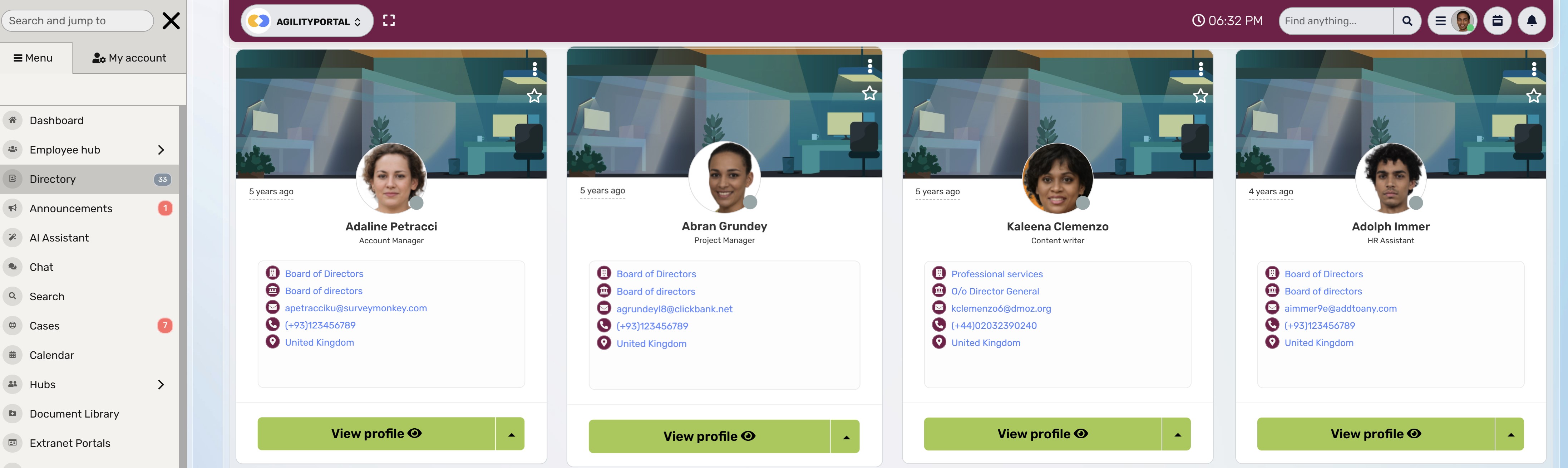
AgilityPortal Key Features
- Targeted announcements and company news: Share updates with the right employees based on department, location, role, team or audience group.
- Spaces and team communities: Give departments, projects, locations and employee groups their own secure area for updates, discussions and shared resources.
- Knowledge base and document library: Store policies, procedures, files, training materials and company guidance in a searchable central location.
- Forms, approvals and acknowledgements: Collect employee feedback, manage requests, automate approval workflows and confirm that critical information has been read.
- Employee directory and org chart: Help employees find colleagues, teams, reporting lines and the right point of contact more easily.
- Mobile access: Keep remote and deskless employees connected whether they are in the field, on a shift or away from a computer.
- Chat, discussions and engagement tools: Support day-to-day communication, questions, reactions, recognition and employee participation.
- Pages, wikis and notes: Create easy-to-maintain internal pages for team guidance, onboarding information, FAQs, project updates and company knowledge.
- Advanced workplace search: Help employees find people, documents, policies, pages and resources without searching through disconnected folders or old chat messages.
- Polls, surveys and Q&A: Gather employee views, run pulse surveys, answer common questions and make internal communication more two-way.
- Employee recognition and kudos: Let managers and colleagues celebrate achievements, reinforce company values and recognise good work across the organisation.
- Learning and onboarding: Share training resources, learning pathways and onboarding materials so new employees can get up to speed faster.
- Tasks, reminders and goals: Assign work, set reminders, track team goals and give employees more visibility over what needs to happen next.
- Events, calendars and timelines: Promote company events, meetings, deadlines, training sessions and important dates in one shared workplace calendar.
- Personalised dashboards: Give employees a tailored view of the news, tasks, documents, spaces and updates most relevant to their role.
- Integrations and single sign-on: Connect AgilityPortal with Microsoft 365, Teams, SharePoint, Google Workspace, HR systems and identity providers to reduce duplicate work.
- Role-based permissions and audit controls: Manage access to sensitive information, protect company data and maintain clear oversight of workplace content.
AgilityPortal Integrations
AgilityPortal supports integrations with Microsoft 365, Microsoft Teams, SharePoint, OneDrive, Google Workspace, Google Drive, Zoom, Slack, Entra ID, Okta, HR systems and other workplace tools through integrations and APIs.
AgilityPortal's published pricing starts at $99 per month for 25–99 employees, with a 14-day trial available. Pricing details and the current 4.7/5 rating displayed on its comparison page should be checked again before publication, as plans and review scores can change.
Our Verdict · #1
AgilityPortal
Best for all-in-one employee communication and digital workplace needs
#1
Our pick
Starting price
From $99/month for 25–99 employees, with a 14-day free trial.
Best feature
Employee news, knowledge, documents, forms, chat and team spaces in one mobile-friendly workplace.
Pricing, product features and plan availability can change. Confirm details
with AgilityPortal before purchasing.
2. Connecteam — Best for Frontline Operations, Scheduling and Workforce Management
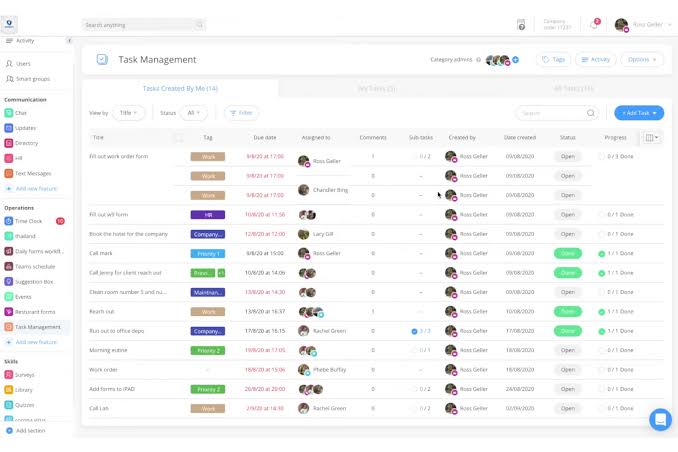
2. Connecteam — Best for Frontline Operations, Scheduling and Workforce Management
- Rating: 4.6/5
- Pricing: From $29/month, billed annually
- Free plan: Available for businesses with up to 10 employees
- Free trial: 14 days
- Best for: Retail, hospitality, construction, healthcare, security and other deskless teams that need communication alongside daily operational tools.
Connecteam is a mobile-first employee management platform built for teams that do not spend their day at a desk. It combines employee communication with shift scheduling, time tracking, task management, forms, training and HR tools, making it a practical choice for businesses managing hourly, field-based or frontline workers.
Who Is Connecteam Best For?Connecteam is a strong fit for operational businesses where managers need to coordinate shifts, track time, share updates and assign everyday work from one app. It is particularly useful for teams working across customer sites, stores, warehouses, care settings or construction projects.
Why We Picked ConnecteamConnecteam earns its place on this list because it addresses more than internal communication. Managers can send updates and chat with employees, but they can also publish schedules, manage time-off requests, assign tasks, create digital forms and keep operational information close to the work itself.
That makes it useful when communication needs to lead directly to action. For example, a manager can notify a retail team about a new process, attach the relevant checklist and ensure the right employees can access it before their next shift.
The trade-off is that Connecteam is more operations-focused than a full employee intranet. Businesses mainly looking for a central company knowledge hub, richer document management or a broader digital workplace may prefer a platform such as AgilityPortal.
Connecteam Key Features- Employee scheduling: Create and share shifts, manage availability and notify employees about changes.
- Time clock and timesheets: Enable mobile, kiosk and location-aware clock-ins for frontline teams.
- Updates and chat: Send company announcements, targeted updates and direct or group messages.
- Tasks, checklists and forms: Turn operational processes into repeatable digital workflows for employees in the field.
- Knowledge base and documents: Give employees mobile access to policies, procedures and job information.
- Training and onboarding: Deliver mobile training content and track completion for new and existing staff.
- Surveys and recognition: Gather employee feedback and support day-to-day engagement.
Connecteam integrates with payroll and business tools including QuickBooks, Gusto, Xero and Zapier. Its wider integration options, API access and advanced administration features depend on the selected plan.
Connecteam has a 4.6/5 rating from more than 3,500 verified G2 reviews and advertises a 14-day trial, with a free option for small teams. Its paid plans start from $29 per month when billed annually.
Our Verdict · #2
Connecteam
Best for frontline operations, scheduling and workforce management
#2
Our pick
Starting price
From $29/month, billed annually, with a free plan for eligible small teams.
Best feature
Combines employee communication with shift scheduling, time tracking, tasks and frontline workflows.
Pricing, product features and plan availability can change. Confirm current
details with the provider before purchasing.
3. Staffbase — Best for Enterprise Employee Communications Across Multiple Channels
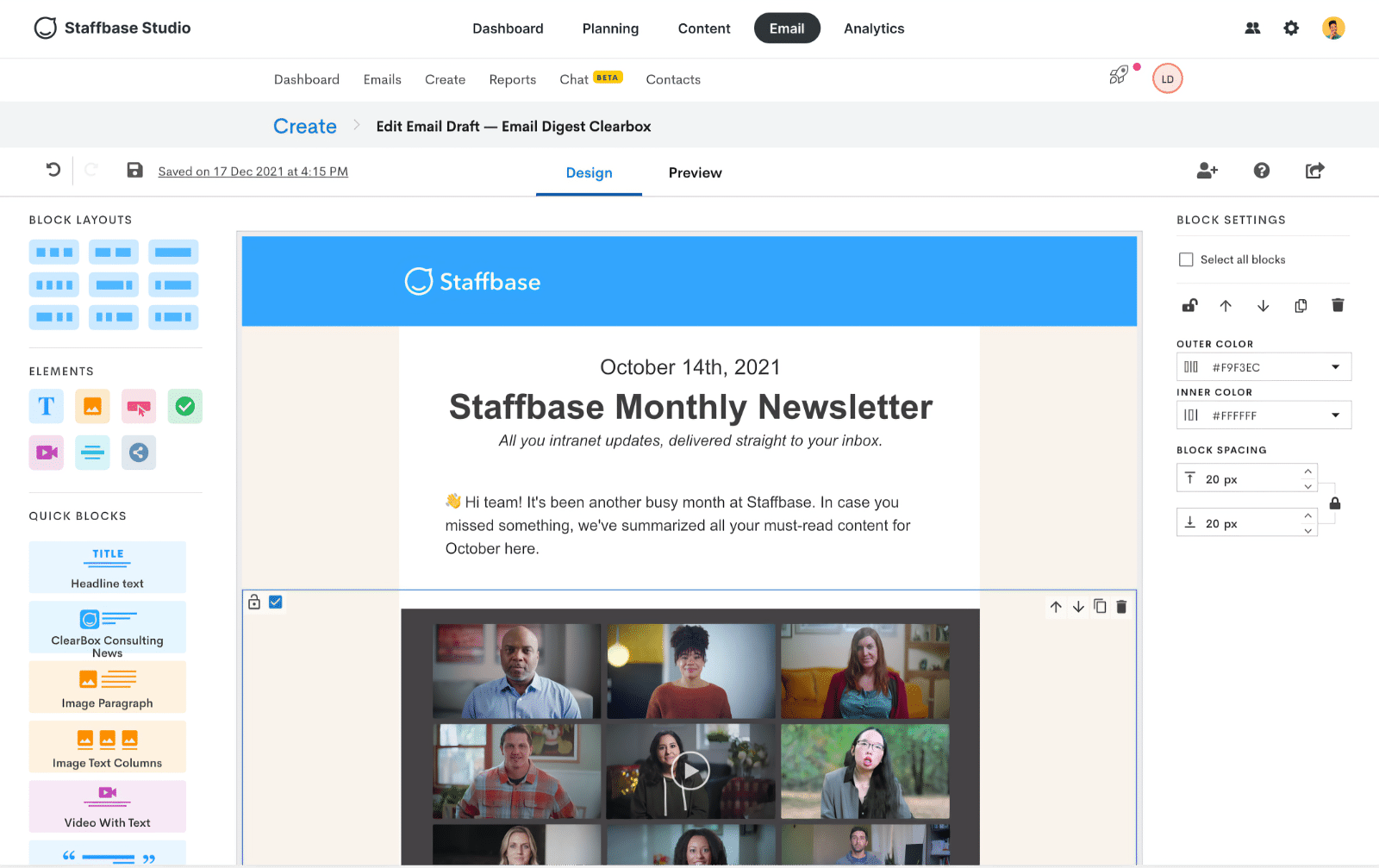
3. Staffbase — Best for Enterprise Employee Communications Across Multiple Channels
- Rating: 4.6/5
- Pricing: Custom quote
- Free trial: Demo available
- Best for: Large organisations that need to reach frontline, desk-based and distributed employees through coordinated, targeted communications.
Staffbase is an enterprise employee communications platform designed to help internal communications teams reach employees wherever they work. It combines an employee app, intranet, email communications, digital signage and analytics, allowing organisations to publish one message and deliver it through the channels most relevant to each audience.
Who Is Staffbase Best For?Staffbase is a strong fit for larger organisations with complex workforces, multiple locations and a mix of frontline and office-based employees. It is particularly relevant for communications teams that need stronger targeting, campaign planning, analytics and governance than a basic chat tool can provide.
Why We Picked StaffbaseStaffbase stands out for its multi-channel approach to internal communications. Instead of expecting every employee to check the same channel, communications teams can use mobile, intranet, email and digital signage to help important messages reach people in the way that suits their working environment.
Its employee app and intranet capabilities are useful for organisations trying to connect employees without regular desk or email access. The platform also gives communications teams more control over publishing, targeting and measuring whether messages have been read or acted on.
The trade-off is that Staffbase is built primarily for larger, enterprise-scale communication programmes. Smaller businesses that need a simpler all-in-one digital workplace, with collaboration, documents, forms and day-to-day operational tools included, may find a platform such as AgilityPortal more practical and cost-effective.
Staffbase Key Features- Employee app and intranet: Give employees one central place for company news, information and resources across desktop and mobile.
- Multi-channel publishing: Distribute communications through the employee app, intranet, email and digital signage from a coordinated publishing workflow.
- Audience targeting: Send role-, location-, department- and language-specific communications to reduce irrelevant updates.
- Internal email: Create and measure internal email campaigns alongside other employee communications.
- Campaign planning and approvals: Help communications teams plan content, manage publishing permissions and maintain governance.
- Analytics and insights: Track reach, engagement and performance to understand which messages are working.
- AI-assisted search and knowledge access: Help employees find trusted answers and relevant information more quickly.
Staffbase supports enterprise integrations with systems such as Microsoft 365, Microsoft Teams, SharePoint, Workday and other HR or workplace platforms, depending on the selected configuration and implementation.
Staffbase uses tailored, workforce-based pricing rather than publishing a standard starting price, and it offers demos for prospective customers. It has a 4.6/5 rating from 249 verified G2 reviews.
Our Verdict · #3
Staffbase
Best for enterprise employee communications across multiple channels
#3
Our pick
Starting price
Custom pricing based on workforce size, channels and selected capabilities.
Best feature
Coordinates employee communications across mobile, intranet, email and digital signage.
Pricing, product features and plan availability can change. Confirm current
details with the provider before purchasing.
4. Blink — Best for Mobile-First Frontline Employee Communication
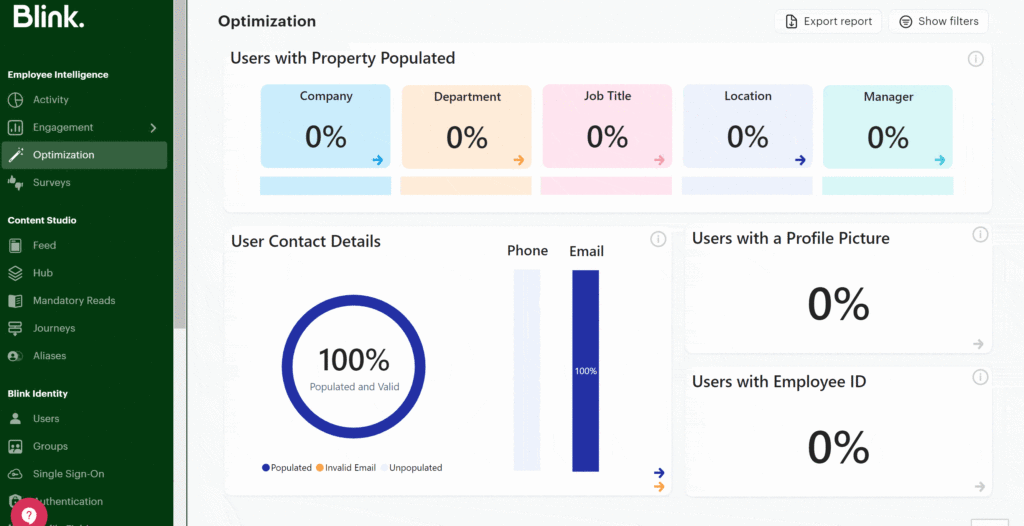
4. Blink — Best for Mobile-First Frontline Employee Communication
- Rating: 4.7/5
- Pricing: From £2.95 per user/month, billed annually
- Free trial: Available
- Best for: Mid-sized and enterprise organisations that need a simple, mobile-first app to keep frontline and deskless employees informed.
Blink is an employee experience platform designed to make workplace communication easier for people who are not regularly at a desk. Its mobile app brings company updates, chat, knowledge, employee directories and workplace shortcuts together in one branded experience.
Who Is Blink Best For?Blink is a strong fit for organisations with large frontline workforces in retail, hospitality, transport, manufacturing and other shift-based industries. It is particularly useful when the main challenge is helping employees access news, messages and everyday workplace information from their own phone.
Why We Picked BlinkBlink earns its place on this list because it is built around mobile adoption. Its feed, chat and knowledge hub are designed to be quick to access and easy to understand, helping employers move important communication away from email-only and desktop-first processes.
The platform also includes useful controls for critical communications, including mandatory reads, acknowledgement tracking and reminders. This makes it a practical option for policy updates, compliance information and operational announcements that employees need to see and act on.
The trade-off is that Blink is primarily focused on employee communication and experience. Organisations looking for deeper document management, project collaboration, forms, approvals and a more complete digital workplace may need additional tools or a broader platform.
Blink Key Features- Personalised news feed: Share company and local updates in a mobile-friendly feed tailored to each employee.
- Secure employee chat: Support one-to-one and group conversations, file sharing, mentions and message history.
- Mandatory reads and acknowledgements: Flag important posts as required reading and track employee acknowledgement.
- Knowledge hub: Give employees a central place to access policies, documents, guides and everyday workplace resources.
- Employee directory: Help people find colleagues and the right contacts quickly.
- Translation and multilingual publishing: Support diverse workforces with multi-language content and translation options.
- Publishing approvals and moderation: Control who can publish, review communications before release and maintain message quality.
- Offline access: Allow employees to view recent messages and create messages when they have limited connectivity.
Blink supports workplace integrations with Microsoft 365, Google Workspace, Microsoft Teams, Zoom and Google Meet. Higher plans add deeper integrations, API access, enhanced administration and enterprise security controls.
Blink publicly lists plans from £2.95 per user per month when billed annually, with a free trial available. It also states a 4.7/5 G2 rating.
Our Verdict · #4
Blink
Best for mobile-first frontline employee communication
#4
Our pick
Starting price
From £2.95 per user/month when billed annually, with a free trial available.
Best feature
A simple mobile employee app that combines news, chat, knowledge and workplace shortcuts.
Pricing, product features and plan availability can change. Confirm current
details with the provider before purchasing.
5. Beekeeper — Best for Frontline Teams Managing Daily Workflows and Processes
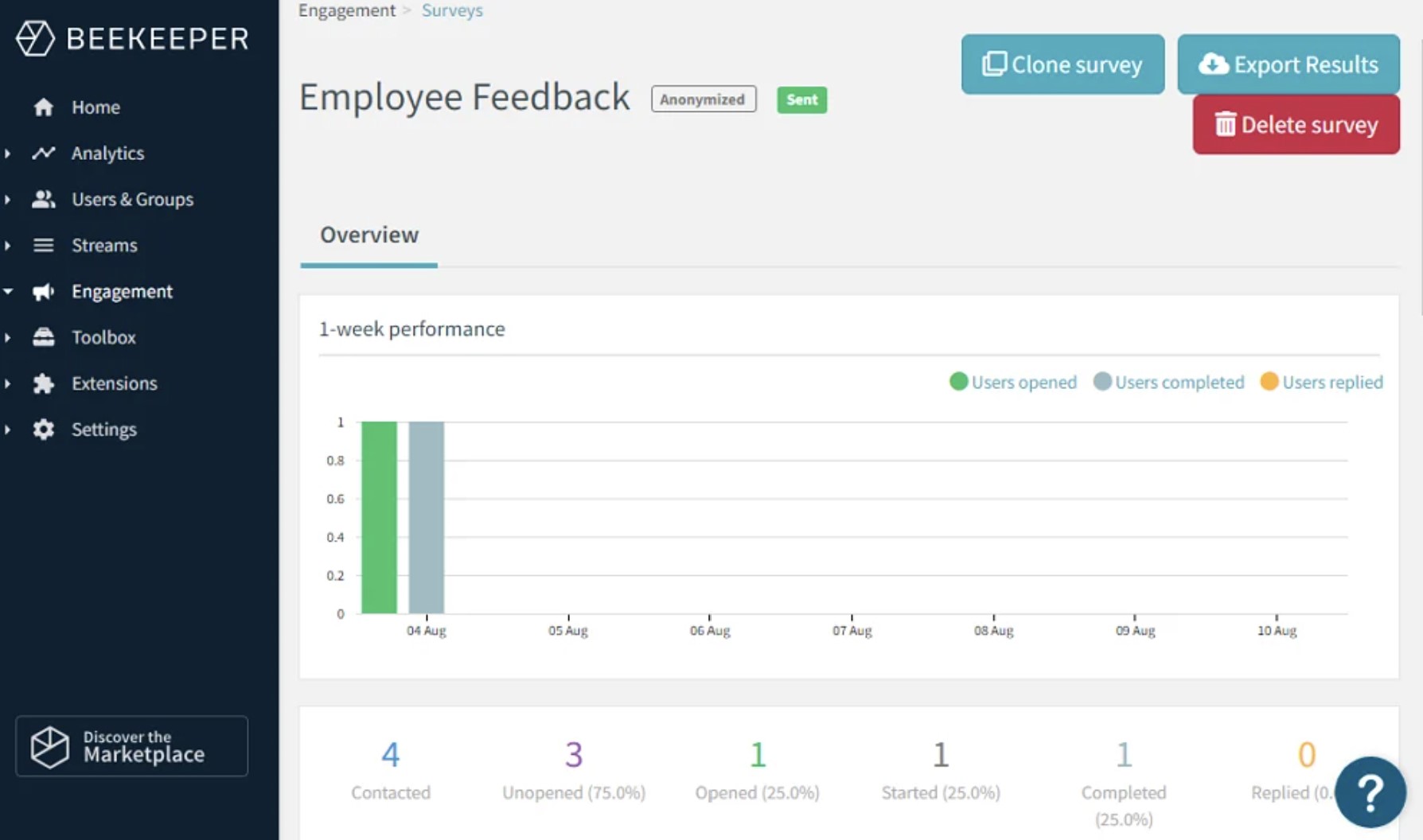
Beekeeper — Best for Frontline Teams Managing Daily Workflows and Processes
- Rating: 4.0/5 on Gartner Peer Insights*
- Pricing: Custom quote
- Free trial: 14-day trial reported
- Best for: Manufacturing, hospitality, retail, healthcare and other frontline organisations that need communication alongside digital tasks, forms and workflows.
Beekeeper is a mobile-first frontline success platform that brings employee communication, operational workflows and self-service information into one app. It is designed for organisations that want to replace paper-based processes, verbal shift handovers and disconnected frontline tools with a more structured digital experience.
Who Is Beekeeper Best For?Beekeeper is a strong fit for businesses with large shift-based or operational workforces. It is particularly relevant where employees need quick access to shift information, task lists, safety checklists, training, pay information and company updates without relying on a desktop computer or corporate email address.
Why We Picked BeekeeperBeekeeper makes sense for organisations where communication and frontline execution are closely linked. Instead of only sending an update, managers can use the platform to attach a checklist, collect a form, share a procedure or guide employees through a repeatable process.
This is especially useful in environments where missed information can affect safety, service quality, compliance or day-to-day operations. Features such as targeted streams, secure chat, task management, digital forms and inline translations help managers communicate clearly across departments, locations and languages.
The trade-off is that Beekeeper is heavily focused on frontline operational processes. Organisations looking for a broader employee intranet, deeper document collaboration or a more flexible all-in-one digital workplace may need to compare it carefully with platforms such as AgilityPortal or LumApps.
Beekeeper Key Features- Streams and targeted announcements: Share company, location or team updates through organised communication channels.
- Secure chat and calls: Support direct and group conversations, file sharing and real-time collaboration between frontline teams.
- Digital forms and workflows: Replace paper checklists, safety inspections, maintenance requests and routine operational processes.
- Tasks and shift support: Give employees access to tasks, schedules, shift-related updates and operational instructions from a mobile device.
- Knowledge and document access: Centralise policies, procedures, training materials and other important workplace resources.
- Surveys, polls and recognition: Collect frontline feedback, understand employee sentiment and recognise good work.
- Inline translations: Help multilingual workforces understand communications and collaborate more easily.
- Analytics and engagement insights: Track communication reach and participation to identify where additional support is needed.
Beekeeper supports integrations with systems such as Workday, ADP, SAP, Microsoft Azure and other HR, payroll and operational tools. It also offers API options for organisations with more specialised workflow or system requirements.
Beekeeper uses tailored pricing based on workforce size, selected modules and implementation needs. Its Gartner Peer Insights score is 4.0/5, although that rating is based on a small number of reviews, so it should not be overemphasised.
Our Verdict · #5
Beekeeper
Best for frontline teams managing daily workflows and processes
#5
Our pick
Starting price
Custom pricing based on workforce size, selected features and implementation needs.
Best feature
Connects frontline communication with tasks, forms, checklists and operational workflows.
Pricing, product features and plan availability can change. Confirm current
details with the provider before purchasing.
6. Workvivo — Best for Building Culture and Employee Engagement
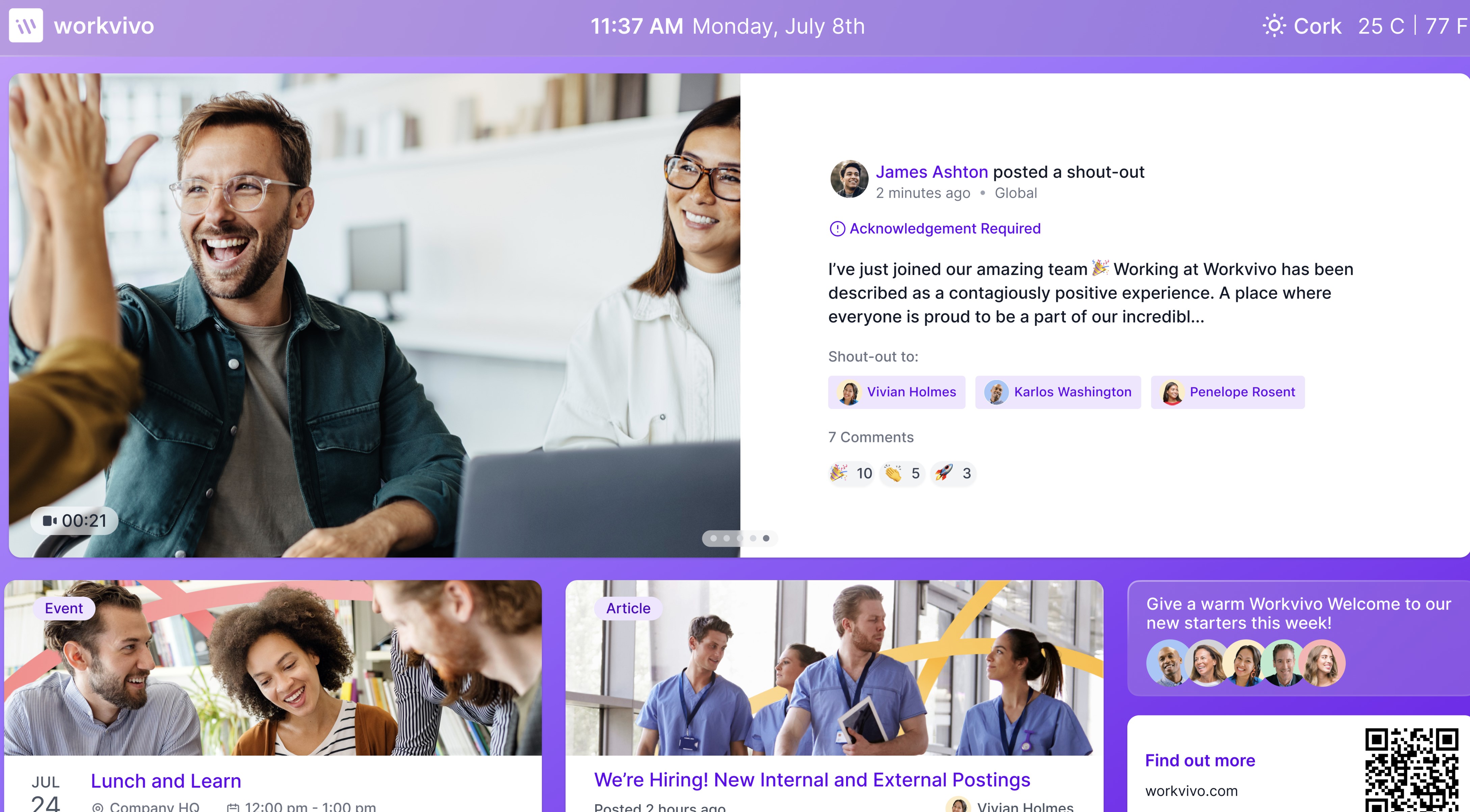
Workvivo — Best for Building Culture and Employee Engagement
- Rating: 4.8/5
- Pricing: From $20,000/year
- Free trial: No; tailored demo available
- Best for: Mid-sized and enterprise organisations that want to strengthen culture, recognition and social connection across remote, deskless and office-based employees.
Workvivo is an employee experience platform from Zoom that gives organisations a digital home for company news, employee communities, recognition, knowledge and social interaction.
Its experience feels closer to a familiar social platform than a traditional company intranet, helping employees engage with updates, celebrate achievements and connect across teams.
Who Is Workvivo Best For?Workvivo is a strong fit for organisations where employee engagement, culture and belonging are the main priorities. It works well for businesses with dispersed workforces that want to make company communication feel more inclusive and two-way, rather than relying on top-down email announcements.
Why We Picked WorkvivoWorkvivo earns its place because it makes internal communication more engaging. Employees can react to updates, post their own content, join communities, recognise colleagues and take part in company conversations from desktop or mobile.
Its social-style feed is useful for organisations trying to make employees feel more connected to the wider business, especially when teams are spread across locations, shifts or remote working arrangements. Workvivo also includes spaces for company knowledge, live streams, chat and employee listening features.
The trade-off is that Workvivo is strongest as an employee experience and culture platform. Businesses with more operational needs—such as detailed forms, approvals, document workflows, project work or frontline task management—should make sure those capabilities meet their requirements or consider a broader digital workplace platform.
Workvivo Key Features- Company news feed: Share leadership updates, news and stories in a social-style feed that employees can react to and discuss.
- Employee recognition: Let managers and colleagues celebrate achievements, anniversaries and contributions publicly.
- Communities and spaces: Create places for departments, offices, interests and employee groups to share updates and resources.
- Knowledge hubs: Centralise policies, documents, guides and answers so employees can find trusted information more easily.
- Chat and calls: Support real-time conversations, video calls and AI-generated summaries for teams.
- Live streams and events: Host company broadcasts and help employees catch up on important sessions afterwards.
- Surveys and employee listening: Gather feedback and understand how employees feel about workplace topics.
- Mobile access: Keep deskless and remote employees connected to company culture and communication from their phone.
Workvivo integrates with Microsoft 365, Microsoft Teams, SharePoint, Google Workspace, Slack, Zoom and a range of HR systems including Workday, BambooHR, HiBob, Personio and Sage HR.
Workvivo does not offer a free trial, but it provides a tailored demo. Its Business plan is publicly described as starting from $20,000 per year, though the final price depends on workforce size and requirements.
The 4.8/5 rating is commonly reported by comparison sources, but should be rechecked before publishing. See Workvivo's current pricing information.
Our Verdict · #6
Workvivo
Best for building culture and employee engagement
#6
Our pick
Starting price
From $20,000/year, with final pricing based on workforce size and requirements.
Best feature
Creates a social-style employee hub for company news, recognition, communities and knowledge.
Pricing, product features and plan availability can change. Confirm current
details with the provider before purchasing.
7. LumApps — Best for Enterprise Employee Hubs in Microsoft and Google Workplaces
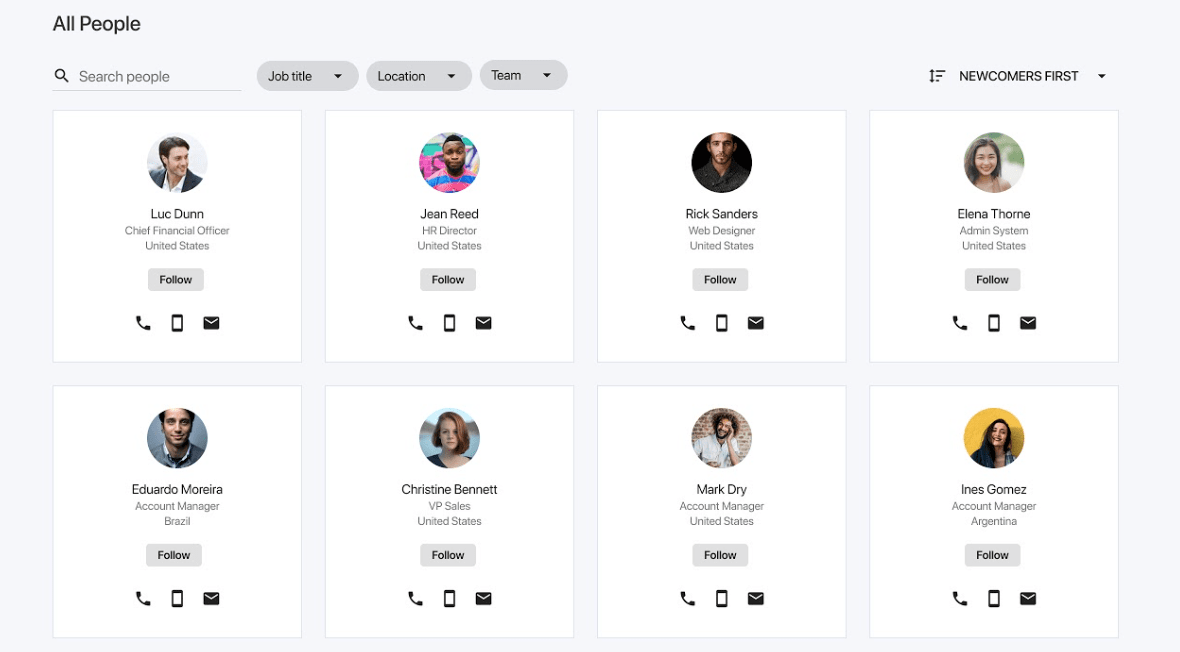
7. LumApps — Best for Enterprise Employee Hubs in Microsoft and Google Workplaces
- Rating: 4.5/5
- Pricing: Custom quote
- Free trial: Demo available
- Best for: Large organisations that need a highly configurable employee hub connected to Microsoft 365, Google Workspace, HR systems and other business tools.
LumApps is an enterprise employee experience platform that combines internal communications, intranet content, knowledge access and employee self-service in one personalised hub. It is designed for organisations with complex, distributed workforces that need to give employees a single entry point to company information and workplace systems.
Who Is LumApps Best For?LumApps is a strong fit for large enterprises with multiple locations, business units, languages and employee audiences. It is particularly useful for organisations that already rely heavily on Microsoft 365 or Google Workspace and want a more polished, personalised employee experience layer on top of those systems.
Why We Picked LumAppsLumApps stands out because of its deep integration with existing workplace technology. Rather than asking employees to move away from Microsoft 365 or Google Workspace, it aims to bring relevant content, documents, services and knowledge into one central employee hub.
Its targeting and personalisation features are useful for large organisations where different employees need different information. HR and internal communications teams can tailor content by role, location, language and business unit, while employees can use AI-powered search to find information across connected systems.
The trade-off is that LumApps is an enterprise platform that can require more implementation planning, governance and internal resources than a smaller business may need. It is best suited to organisations with a clear intranet strategy and the capacity to manage a more configurable platform.
LumApps Key Features- Personalised employee hub: Give each employee a tailored homepage with relevant news, tools, services and resources.
- Targeted internal communications: Publish updates by department, location, role, language or business unit.
- Enterprise intranet and content management: Build branded pages, organise information and manage permissions without relying on static shared drives.
- AI-powered search: Help employees find content, documents and answers across the intranet and connected workplace systems.
- Multi-language publishing: Support global workforces with translated content and language-specific communication.
- Employee self-service: Surface HR, IT and workplace services through one familiar employee experience.
- Communities and social features: Support collaboration, knowledge sharing and employee connection across departments.
- Mobile access: Make company information and services available to deskless, remote and travelling employees.
LumApps integrates with Microsoft 365, Microsoft Teams, Google Workspace, Workday and other HR, identity and business applications. Its integration framework is one of its main strengths for enterprises that need to connect several workplace systems in one employee-facing experience.
LumApps does not publicly list standard pricing, so organisations need to request a quote based on workforce size, modules and implementation requirements. It is commonly rated 4.5/5 on G2.
Our Verdict · #7
LumApps
Best for enterprise employee hubs in Microsoft and Google workplaces
#7
Our pick
Starting price
Custom pricing based on workforce size, selected modules and implementation requirements.
Best feature
Connects communications, knowledge and employee services across Microsoft 365, Google Workspace and business systems.
Pricing, product features and plan availability can change. Confirm current
details with the provider before purchasing.
8. Microsoft Teams — Best for Organisations Already Using Microsoft 365
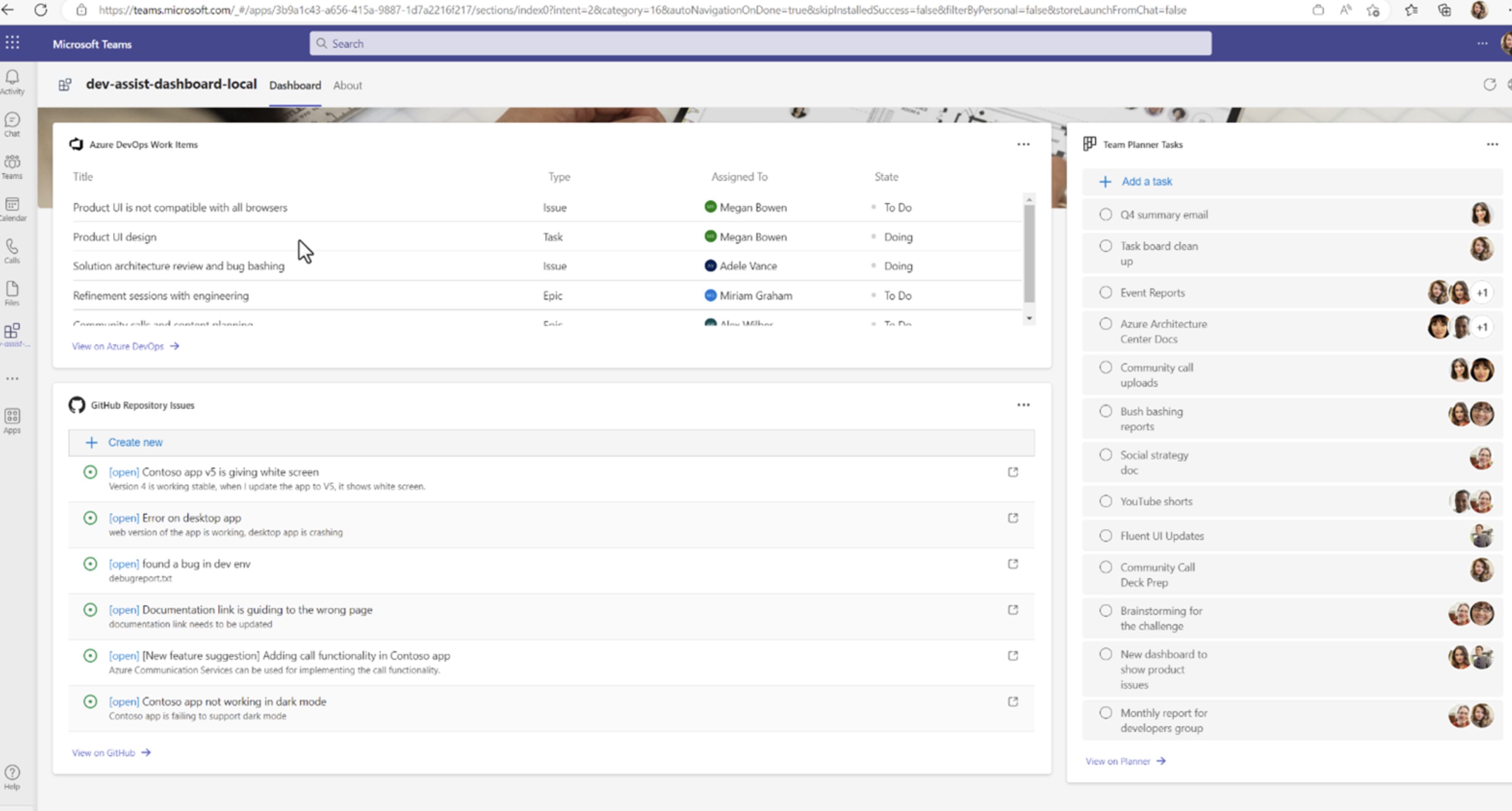
Microsoft Teams — Best for Organisations Already Using Microsoft 365
- Rating: 4.4/5
- Pricing: Free plan available; Teams Essentials from £3.10 per user/month, paid annually
- Free trial: Available for eligible paid plans
- Best for: Businesses already using Microsoft 365 that need familiar chat, video meetings, file collaboration and day-to-day team communication.
Microsoft Teams is one of the most widely used workplace collaboration tools. It brings chat, meetings, calls, file sharing and collaboration around Microsoft 365 documents into one place, making it a natural option for organisations already using Outlook, SharePoint, OneDrive and Office applications.
Who Is Microsoft Teams Best For?Microsoft Teams is a strong fit for desk-based, hybrid and remote teams that already work inside the Microsoft ecosystem. It is particularly useful when employees need to message colleagues quickly, hold video meetings, collaborate on documents and work in project- or department-based channels.
Why We Picked Microsoft TeamsMicrosoft Teams earns its place because it is familiar, widely adopted and deeply connected to Microsoft 365. Employees can chat, meet, call and collaborate on Word, Excel, PowerPoint and SharePoint files without constantly switching between different applications.
It can also support frontline teams through Microsoft's frontline plans and mobile app. However, Teams works best for active collaboration between colleagues—not necessarily as the only destination for company-wide communication. Important announcements can easily get lost in busy channels, while policies and knowledge may still be spread across chats, SharePoint sites and email.
The trade-off is that Teams can become noisy and difficult to govern when it is used for everything. Organisations that need a clearer employee news feed, mobile-first policy hub, acknowledgement tracking and a more structured communication experience may use Teams alongside a dedicated employee communication platform.
Microsoft Teams Key Features- One-to-one and group chat: Support quick day-to-day conversations, file sharing, reactions, mentions and threaded discussions.
- Video meetings and calls: Host meetings, training sessions and team catch-ups with screen sharing and recording options.
- Channels and teams: Create dedicated spaces for departments, projects, locations and workstreams.
- Microsoft 365 file collaboration: Co-author and share Word, Excel, PowerPoint and OneDrive files directly within Teams.
- Meeting scheduling and calendar access: Connect with Outlook to schedule, join and manage meetings.
- Mobile app: Give employees access to chats, meetings, calls and files from a phone or tablet.
- Frontline capabilities: Support shift management, task coordination and communication for frontline workers through Microsoft's frontline-focused options.
- Security and administration: Apply Microsoft identity, permissions, compliance and governance controls across the platform.
Microsoft Teams integrates natively with Microsoft 365 applications including Outlook, SharePoint, OneDrive, Word, Excel, PowerPoint, Planner and Power BI. It also supports a large marketplace of third-party apps, workflow automations and business-system integrations.
Our Verdict · #8
Microsoft Teams
Best for organisations already using Microsoft 365
#8
Our pick
Starting price
Free plan available; Teams Essentials starts from £3.10 per user/month when paid annually.
Best feature
Brings chat, video meetings, calls and Microsoft 365 file collaboration into one familiar workspace.
Pricing, product features and plan availability can change. Confirm current
details with the provider before purchasing.
9. Firstup — Best for Personalised Employee Communications at Enterprise Scale
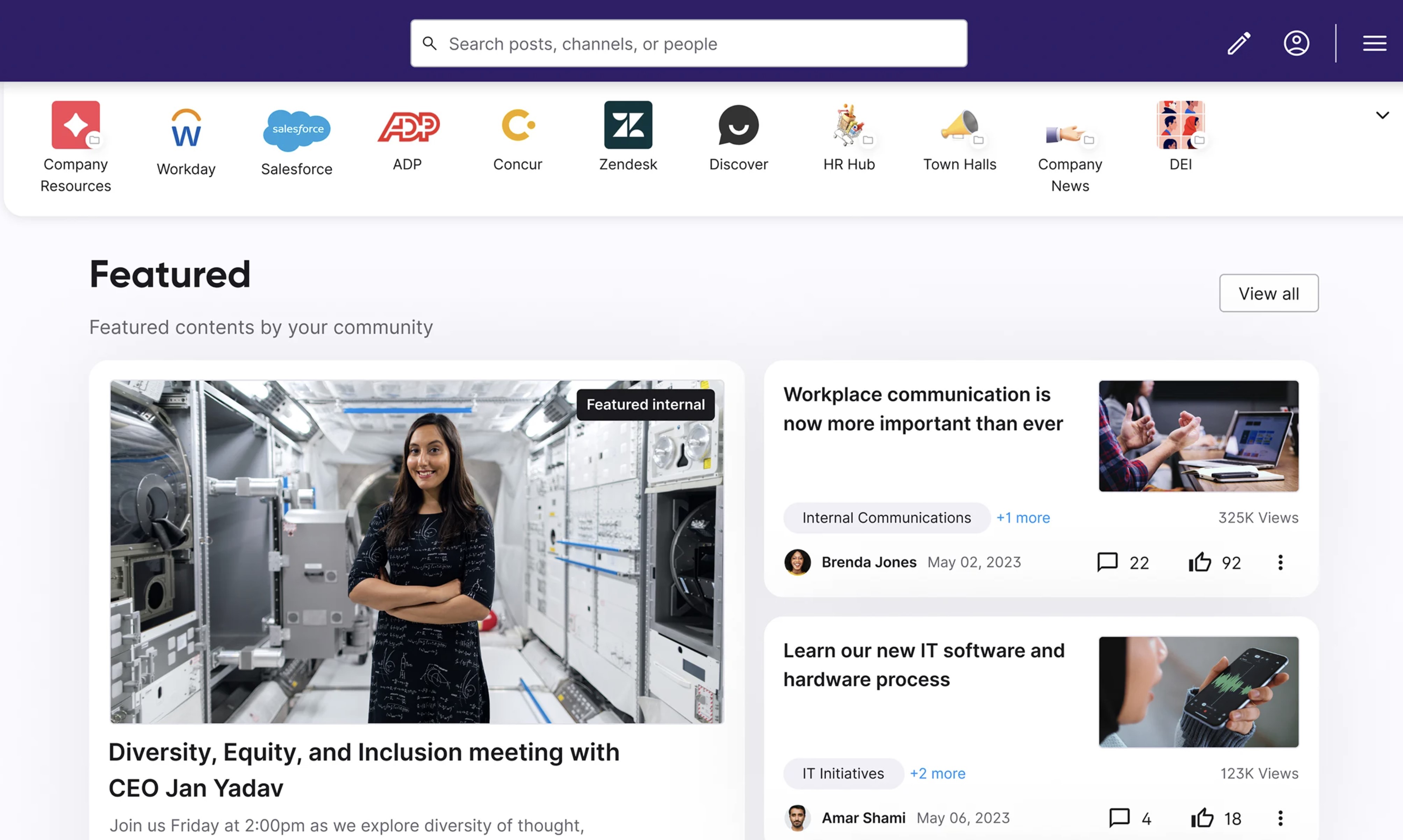
Firstup — Best for Personalised Employee Communications at Enterprise Scale
- Rating: 4.4/5
- Pricing: Custom quote
- Free trial: No; demo available
- Best for: Large enterprises that need to deliver targeted communications across mobile, email, intranet, SMS and digital signage.
Firstup is an employee communications platform built for organisations with large, dispersed workforces.
It helps internal communications teams create, target and measure messages across several channels, so employees can receive relevant information whether they work at a desk, on a production line, in a store or out in the field.
Who Is Firstup Best For?Firstup is a strong fit for large enterprises in industries such as healthcare, manufacturing, retail, hospitality and transport.
It is especially useful for communications teams that need to reach thousands of employees across different roles, locations, shifts and languages without sending the same message to everyone.
Why We Picked FirstupFirstup stands out for its ability to personalise employee communication journeys. Rather than publishing one broad announcement and hoping it reaches the right people, communications teams can target content based on employee attributes such as role, location, department and audience behaviour.
It also supports multi-channel delivery, helping organisations reach employees through an employee app, intranet, email, SMS and digital signage. This is valuable for deskless workers, who may not regularly access a company inbox or desktop collaboration tool.
The trade-off is that Firstup is designed for complex, enterprise-level communication programmes. It is likely to be more than a smaller organisation needs if it simply wants a straightforward employee app, basic team chat or a small-business intranet.
Firstup Key Features- Multi-channel communication: Publish content across mobile, intranet, email, SMS and digital signage from one coordinated platform.
- Audience targeting: Deliver relevant messages based on role, location, department, language and other employee attributes.
- Employee app: Give deskless and frontline employees mobile access to company updates, resources and communications.
- Communication journeys: Build automated, personalised sequences that guide employees from awareness to action.
- Content creation and publishing tools: Create branded announcements and campaigns without relying entirely on IT support.
- Engagement analytics: Track reach, opens, clicks and employee interaction to understand which communications are working.
- AI-assisted communication: Support content creation, targeting and employee access to information through AI features.
- Translation and frontline support: Help reach distributed workforces across shifts, locations and languages.
Firstup integrates with enterprise systems including Microsoft, Workday, ServiceNow, Salesforce, Google Workspace, Microsoft Teams, Slack, Zoom and major identity platforms. These integrations help organisations connect employee communications with the tools people already use.
Our Verdict · #9
Firstup
Best for personalised employee communications at enterprise scale
#9
Our pick
Starting price
Custom pricing based on workforce size, channels and communication requirements.
Best feature
Delivers targeted employee campaigns across mobile, intranet, email, SMS and digital signage.
Pricing, product features and plan availability can change. Confirm current
details with the provider before purchasing.
10. Haiilo — Best for Internal Communications, Employee Listening and Advocacy
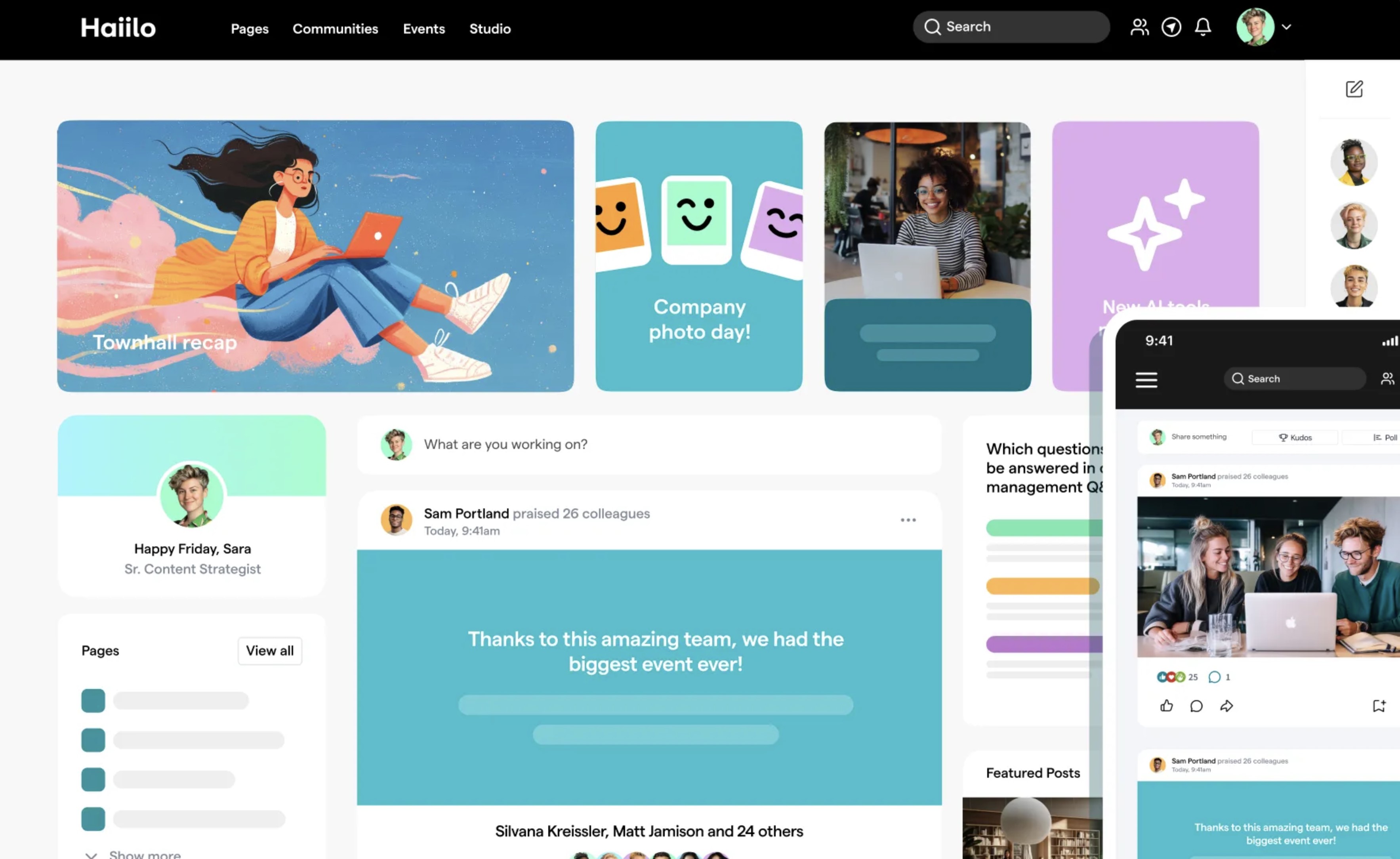
Haiilo — Best for Internal Communications, Employee Listening and Advocacy
- Rating: 4.3/5
- Pricing: Custom quote
- Free trial: No standard trial; free sandbox access is available
- Best for: Mid-sized and enterprise organisations that want to combine employee communications, engagement feedback and employee advocacy in one platform.
Haiilo is an employee experience platform that helps organisations share internal communications, build a social intranet, gather employee feedback and encourage employees to share approved company content externally. It is designed to give employees a more active role in workplace communication, rather than treating them only as recipients of company announcements.
Who Is Haiilo Best For?
Haiilo is a strong fit for internal communications, HR and employer-brand teams that want to improve employee engagement while also supporting employee advocacy. It is particularly relevant for organisations with distributed workforces that need a central place for company news, knowledge, feedback and community interaction.
Why We Picked Haiilo
Haiilo earns its place because it combines several employee experience needs in one platform: internal communication, employee listening, social intranet content and advocacy. This can be useful for organisations that want employees to understand company updates, share feedback and become more informed advocates for the brand.
Its communication and employee-listening features help internal communications teams move beyond one-way announcements. Employees can engage with updates, take part in conversations, access knowledge and contribute feedback through the same digital workplace.
The trade-off is that employee advocacy is a more specialised requirement. If a business mainly needs frontline communication, operational workflows, shift management or a simple company intranet, a more focused platform may provide better value and be easier to roll out.
Haiilo Key Features
- Internal communications hub: Publish company news, leadership messages and targeted updates in a central employee platform.
- Social intranet: Create pages, communities and knowledge areas where employees can access information and collaborate.
- Employee listening: Use surveys, feedback tools and engagement insights to understand employee sentiment and act on concerns.
- Employee advocacy: Give employees approved content they can share externally to support employer brand and company visibility.
- Personalised content: Target communications by role, location, department or employee audience.
- Communities and conversations: Give employees a place to connect, comment, share ideas and participate in company dialogue.
- Analytics and insights: Measure engagement with communications, content and advocacy activity.
- Mobile access: Help remote and deskless employees access news, resources and workplace communities from their phone.
Haiilo Integrations
Haiilo supports integrations with common workplace and business systems through its integration framework and APIs.
Organisations should confirm the exact availability of Microsoft 365, Google Workspace, HRIS, identity and collaboration integrations during the buying process, as requirements vary by implementation.
Our Verdict · #10
Haiilo
Best for internal communications, employee listening and advocacy
#10
Our pick
Starting price
Custom pricing based on workforce size, selected modules and implementation requirements.
Best feature
Combines internal communication, employee feedback, social intranet content and employee advocacy.
Pricing, product features and plan availability can change. Confirm current
details with the provider before purchasing.
How to choose the right app without buying too much software
Choosing between employee communication apps is not about finding the platform with the longest feature list. It is about finding the one that solves the communication problem your employees are experiencing right now—without creating another app they have to remember to check.
The best team communication tools should make it easier for employees to receive updates, find answers and work together. Before comparing providers, use this practical checklist.
- Identify who is currently being missed.Is the problem mainly frontline workers without email, remote employees in different time zones, field teams with limited connectivity or office staff overwhelmed by too many messages? The answer should shape your shortlist.
- Check how employees access work technology. Confirm whether people have a company email address, managed mobile device, personal phone, shared tablet or regular laptop access. A best team communication app for office staff may not work well for shift-based teams.
- Separate urgent alerts from everyday communication. Decide where safety updates, company news, team discussions, policies and social conversations should live. Strong communication tools for teams reduce confusion by giving each type of message a clear home.
- Decide what employees need to find again later. Chat is useful for quick questions, but policies, procedures, training and important decisions should remain searchable in a knowledge base or employee hub.
- List the integrations you actually need. Consider HR systems, Microsoft 365, Google Workspace, SharePoint, identity providers and payroll or workforce-management platforms. The right integration should reduce manual admin, not simply look impressive on a feature page.
- Involve IT early on security and permissions. Set clear requirements for single sign-on, role-based access, data protection, mobile security and audit trails before committing to a platform.
- Pilot with a realistic mix of employees. Test the app with people from different shifts, locations, job roles, languages and levels of digital confidence. A platform that works only for head office is not ready for a full rollout.
- Measure whether communication is actually improving. Track activation, read rates, search success, employee feedback and repeat questions. These measures show whether your remote team collaboration tools are reducing friction or adding to it.
- Choose a platform that can grow with the business. Your immediate need may be company announcements, but future needs could include knowledge sharing, forms, onboarding, employee feedback or mobile access. The right remote work collaboration tools should give you room to grow without forcing another disruptive software change next year.
Key Features to Look for in the Best Team Communication Tools
The best team communication tools do more than give employees another place to send messages.
They make it easier to share updates, find information, work together and keep important conversations from getting lost.
When comparing options, look for features that support how your employees actually work—whether they are office-based, remote, on shifts or out in the field.
- Instant messaging and group chat: Help employees ask quick questions, share updates and solve day-to-day issues without relying on long email chains. Look for threaded replies, message reactions, file sharing, mentions and the ability to organise conversations by department, project or location. These features keep routine communication moving while making it easier to follow the context behind a decision.
- Video meetings and calls: Support real-time discussions, training sessions and team catch-ups when a conversation is easier than a written message. Screen sharing, recording, captions and meeting summaries are particularly useful for remote teams, as employees who could not attend can catch up without needing another meeting.
- Company news and announcements: Give leaders and managers a reliable way to share business updates, policy changes and important notices with the right employee groups. The strongest platforms allow messages to be targeted by location, department, role or shift, rather than sending every announcement to the entire workforce.
- File sharing and document access: Make it simple for employees to access documents, policies, guides and shared resources without switching between several platforms. For important files, look for version control, permissions and clear ownership so employees are not accidentally working from an outdated document.
- Searchable knowledge: Employees should be able to find past updates, procedures, files and answers quickly instead of asking the same questions repeatedly. A useful search function should cover company news, documents, policies, conversations and people, while clearly showing which information is current and approved.
- Task management and workflows: Useful for teams that need to assign work, follow checklists, manage approvals or keep operational tasks on track. This is especially valuable for frontline teams, where a communication update may need to lead directly to an action, such as completing a safety check, confirming a policy or following a new procedure.
- Integrations with existing systems: Connections with HR platforms, Microsoft 365, Google Workspace, project-management tools, calendars and CRM systems can reduce duplicate work and keep information current. Before choosing a platform, focus on the integrations employees will genuinely use every day—not simply the longest integration list.
- Targeted notifications and alerts: Let managers send urgent updates to the right employees without overwhelming everyone else with irrelevant notifications. Good tools offer controls for push notifications, priority posts, reminders and read acknowledgements, so critical messages stand out while routine updates do not create alert fatigue.
- User roles and permissions: Give administrators control over who can view, edit or publish sensitive information. Role-based access is important when teams handle confidential HR information, customer data, financial documents or internal policies that should only be available to specific groups.
- Mobile access: A mobile communication app is essential for deskless, frontline and field employees who do not spend their day at a computer. The app should be easy to use on a small screen, work reliably on different devices and allow employees to access key information during shifts or while travelling between locations.
- Security and compliance controls: Look for secure sign-in, permissions, audit trails, data protection and compliance support that match your organisation's requirements. IT teams should also check whether the platform supports single sign-on, multi-factor authentication, data retention controls and secure mobile access.
The right platform will not necessarily include every feature on this list.
What matters is choosing a tool that removes communication friction, fits into employees' daily routines and gives the business one dependable place for the information that matters.
5 Benefits of Team Communication Tools
The right team communication tools make it easier for employees to stay informed, work together and access the information they need without moving between email threads, chat channels, shared drives and disconnected apps.
They are particularly valuable for organisations with a mix of office-based, remote, frontline and deskless employees, where people do not always work the same hours, use the same devices or have access to the same information.
Here are five practical benefits.
- Better day-to-day collaboration. Team communication tools give employees a quicker way to ask questions, share updates, exchange ideas and solve problems together. Instead of waiting for long email replies or arranging a meeting for every small issue, teams can use chat, comments, shared spaces and video calls to keep work moving.This is especially useful when employees work across different locations, shifts or time zones. A colleague can leave an update, document or answer that others can review when they start work, helping teams collaborate without everyone needing to be online at the same time.
- Less time wasted searching for information. When important updates, documents and decisions are spread across inboxes, chat threads and shared folders, employees can waste a surprising amount of time trying to find the correct information. A central communication platform creates a clearer home for company news, policies, files, procedures and team conversations.It also reduces repetitive questions. Instead of asking a manager where to find a form, policy or past decision, employees can search for it themselves and get back to work faster.
- Clearer communication and fewer misunderstandings. Important workplace messages can easily be missed when they are sent through informal chat groups, passed on verbally or buried in an email chain. Team communication tools help organisations create clearer channels for company announcements, urgent updates, everyday team conversations and searchable knowledge.This gives employees a more reliable version of the truth. They can check the original update, read supporting guidance and ask questions when something is unclear, rather than relying on second-hand explanations or workplace rumours.
- Stronger operational coordination. Many platforms now include more than messaging. They can support task assignment, checklists, forms, approvals, reminders and read acknowledgements. This helps managers turn communication into action.For example, a new safety procedure can be shared with the relevant team, stored in a searchable knowledge area, assigned as required reading and followed up with a digital acknowledgement. That is much more dependable than hoping every employee has seen an email or heard the update during a shift handover.
- More flexibility and inclusion for every employee. Mobile access allows remote, frontline and field-based employees to receive updates, access resources and stay connected without needing to be at a desk. This is particularly important for employees working in retail, hospitality, construction, healthcare, manufacturing and customer-facing roles.A good communication platform helps level the playing field. Employees should not need a company laptop, a corporate email address or a personal connection to the right manager to know what is happening in the business and what they need to do next.
Investing in team communication tools is not simply about sending messages faster.
It is about creating a more connected workplace where employees can find information, contribute ideas, complete work and stay aligned—regardless of where or how they work.
Signs Your Organisation Needs a Team Communication App
Most organisations do not realise they have a communication problem until employees start missing updates, managers repeat themselves and important information becomes difficult to find.
If any of the situations below sound familiar, a team communication app could help.
- Employees regularly say they did not see an important update. Policy changes, company news or operational instructions may be shared by email or chat, but not everyone has the same access, working hours or device.
- Frontline and deskless workers feel left out of company communication. Employees on shifts, in the field or away from a desk may hear updates late, second-hand or only when a manager has time to explain them.
- Managers are answering the same questions repeatedly. When policies, procedures and decisions are difficult to find, employees naturally ask colleagues or managers instead of searching for a trusted answer.
- Important information is spread across too many tools. If staff need to check email, Teams, WhatsApp, shared drives, noticeboards and several separate apps to stay informed, communication is already too fragmented.
- Different teams are working from different versions of the truth. Outdated documents, verbal handovers and chat messages can lead to inconsistent processes, missed deadlines and unnecessary mistakes.
- Company announcements are one-way. Employees need a simple way to ask questions, share feedback and confirm they understand important updates—not just receive another broadcast message.
- Remote, hybrid or multi-site working has made communication harder. What worked when everyone was in one office may no longer work when employees are spread across locations, time zones and shift patterns.
- You cannot tell whether critical messages have been read. For safety notices, compliance updates and policy changes, read acknowledgements and reminders can provide more confidence than sending an email and hoping for the best.
- Employee onboarding takes too long because knowledge is scattered. New starters should not have to rely entirely on asking colleagues where to find systems, policies, training and everyday guidance.
A team communication app will not fix unclear leadership or poor management on its own.
But it can give your organisation the structure, visibility and shared source of information needed to communicate more consistently—and make sure every employee has a way to stay connected.
Some Common Mistakes That Make Team Communication Apps Fail
A team communication app can be a major improvement, but only if it is introduced with clear purpose and realistic employee needs in mind.
Most failures are not caused by the technology itself.
They happen when businesses treat the app as another broadcast channel, do not train managers or make the experience difficult for frontline and deskless employees.
Treating the app as an announcement tool only
A communication app should not become a digital noticeboard where leadership posts updates and employees are expected to quietly read them. If the platform is only used for top-down announcements, people have little reason to return once the initial launch excitement has faded.
The impact is low adoption. Employees may only open the app when they are told to, while useful conversations continue in unofficial WhatsApp groups, email threads or verbal shift handovers.
For example, a retail business might use the app only to post head-office news.
Store employees may read the occasional announcement, but they will still rely on group chats to ask questions about stock issues, local promotions or shift changes. The app then becomes another channel rather than the trusted place for work information.
Launching without manager training or local champions
Managers play a major role in whether employees trust and use a new communication platform. If they do not understand where to post updates, how to answer questions or how to encourage adoption, teams will quickly return to their old habits.
The impact is inconsistent use across the organisation. One department may actively use the app, while another continues using email, text messages or verbal updates. Employees working across teams then have to check multiple places to stay informed.
For example, a manufacturing business may launch an app for all sites but only train the central HR team. Site managers who have not been shown how to use it may continue printing notices or passing updates along at shift handovers, leaving some employees with incomplete information.
Requiring employees to search across multiple channels
A new app cannot solve communication problems if employees still need to check email, chat, shared drives, noticeboards and several other tools to find the full answer. Each channel needs a clear purpose.
The impact is frustration and wasted time. Employees do not know where the official version of information lives, managers are asked the same questions repeatedly and important updates can be missed.
For example, a new health-and-safety policy may be announced in Teams, stored in SharePoint and explained in a manager's email.
A frontline employee who only sees one of those messages may not know where to find the full procedure or whether there has been a later update.
Sending every update as a push notification
Push notifications are valuable for urgent messages, but they lose their impact when every routine update is treated as urgent. Employees will eventually mute notifications or ignore them altogether.
The impact is alert fatigue.
When a genuinely important safety alert, service disruption or urgent shift change is sent, employees may miss it because they have learned that most notifications do not need immediate attention.
For example, a hospitality business might send a push notification for every company post, birthday message, survey and routine policy reminder. After a few weeks, employees turn off notifications and may not see a genuine emergency update until much later.
Publishing long, desktop-style content with no mobile summary
Deskless employees often read updates on a phone between tasks, during breaks or before a shift. Long blocks of text, large attachments and desktop-style pages are difficult to read and easy to postpone.
The impact is poor understanding and low engagement. Employees may open the message but not absorb the key action they need to take.
For example, instead of publishing a two-page policy update with no context, a business could begin with a short summary: what has changed, who it affects, what employees need to do and where to find the full guidance. The detailed policy can still be available for people who need it.
Ignoring language, accessibility and data-use concerns
ot every employee has the same first language, reading confidence, device access or accessibility requirements. Employees may also be cautious about installing a work app on their personal phone if the business does not clearly explain what data is collected and how it is used.
The impact is exclusion and mistrust. Some employees may avoid using the app entirely, while others may receive information they cannot easily understand or access.
For example, a logistics company with a multilingual workforce may publish every update in English only and require staff to download the app on personal devices without explaining its privacy settings. Employees may feel uncomfortable using it, while key messages are misunderstood or missed.
Failing to show employees what happened after they shared feedback
Collecting feedback through polls, surveys or Q&A tools is useful only when employees see that someone has listened. If questions disappear without an answer, employees quickly learn that participating makes little difference.
The impact is lower trust and weaker engagement. Employees may stop responding to future surveys, even when the business genuinely needs their input.
For example, a care provider may ask staff what information they struggle to find, then receive repeated requests for clearer rota updates and policy access.
If leaders make improvements but never communicate them, staff may assume their feedback was ignored. A simple follow-up message explaining what changed—and what could not change yet—helps close the loop and builds confidence in the platform.
What are the best tools for team communication to help every employee communicate with each other?
The best team communication tools are not necessarily the ones with the longest feature list.
A platform can include chat, video calls, AI, dashboards and dozens of integrations, but it will not improve communication if employees cannot easily access it or do not know where to find what they need.
The real test is whether every employee has a dependable route to the information, people and actions relevant to their job.
That means a frontline worker should be able to receive an urgent update on their phone, a remote employee should be able to find the latest policy without searching old chat threads, and a manager should be able to share clear instructions without repeating the same message across several channels.
For some organisations, that may mean combining a chat tool, video platform and searchable knowledge hub.
For others, it may mean using one mobile-first employee platform that brings communication, documents, forms and team spaces together.
The important thing is to design communication around how employees work, rather than expecting everyone to follow office-based habits.
When people can quickly find trusted information, ask the right question and act on an update, communication becomes less of a daily frustration and more of a useful part of getting work done.
So to answer the question What are the best tools for team communication?
To compare options built for this challenge, see our guide to best team communication tools for remote and deskless teams.
Final Thoughts on choosing the best team communication tools for remote teams
The best team communication tools depend on the problem you are trying to solve. A small remote team may only need a simple way to chat, meet and share files.
A frontline business may need mobile updates, shift communication, forms and task management. A larger organisation may need a full digital workplace that brings company news, knowledge, documents, employee feedback and everyday collaboration into one secure place.
In practice, most teams settle on two or three connected tools:
- A chat tool for quick questions, updates and everyday back-and-forth conversations.
- A video meeting tool for real-time discussions, training and team catch-ups.
- A searchable knowledge hub where policies, decisions, documents and important updates are written down and remain easy to find.
The key is not to add more apps than employees can realistically use. Choose a setup with clear rules about where different types of communication belong, then make sure it works equally well for office-based, remote and deskless employees.
The right solution should help people find answers without chasing colleagues, understand what is changing without relying on rumours and stay connected without needing to sit at a desk or know exactly who to ask.
FAQ on Team Communication Tools for Remote Teams
What are the best tools for team communication?
The best tools depend on how your team works. AgilityPortal, Connecteam and Staffbase are better for company-wide and frontline communication, while Microsoft Teams and Slack are useful for everyday chat and collaboration.
Most organisations need a mix of chat, video meetings and searchable knowledge.
Are all team communication tools free?
No.
Some tools offer free plans or trials, but most professional team communication tools charge for advanced features such as administration, security controls, integrations, message history, analytics and larger user numbers.
What is the best team communication app free of charge?
For small teams, free options can include Slack, Microsoft Teams, Google Chat, Discord and Pumble.
Check the limits carefully: free plans may restrict message history, meeting length, file storage or admin controls.
Slack's free plan, for example, limits accessible message history.
What are some free apps for team communication?
Popular free apps for team communication include Slack, Microsoft Teams, Google Chat, Discord and Pumble.
They can be useful for quick messaging and calls, but businesses with frontline employees often need paid tools that include targeted updates, mobile knowledge access and better governance.
What are the best free sports team communication apps?
Spond is a useful free option for sports clubs and teams, with event planning, member management, registrations and payments.
TeamSnap is another popular choice for team chat, rosters, schedules and parent communication. Spond describes its core app and club-management tools as free, while TeamSnap supports team messaging, alerts and roster management.
What are internal communication tools? Give examples.
Internal communication tools help organisations share company news, policies, updates and feedback with employees.
Examples include employee intranets such as AgilityPortal and LumApps, frontline apps such as Connecteam and Blink, and collaboration platforms such as Microsoft Teams and Slack.
What are apps for communication with foreigners?
For international teams, look for apps with built-in translation, multilingual publishing, captions and easy mobile access.
Microsoft Teams, Google Meet, Zoom and employee communication platforms with translation support can help colleagues communicate across languages, but important policies should still be professionally translated when accuracy matters.
What are the six communication tools?
A practical set of six workplace communication tools includes:
- Email for formal external and internal messages.
- Instant messaging for quick conversations.
- Video conferencing for live discussions.
- Employee intranets for company news and knowledge.
- Project-management tools for work updates and tasks.
- Document-sharing platforms for policies, files and collaboration.
What are the 5 C's of collaboration?
There is no single universal version, but a useful workplace framework is:
- Clarity — everyone understands the goal and their role.
- Communication — information is shared openly and consistently.
- Coordination — work, decisions and deadlines are organised.
- Collaboration — people contribute ideas and solve problems together.
- Commitment — team members follow through on agreed actions.
What are communication tools in the workplace?
Communication tools in the workplace are digital or physical channels employees use to share information and work together.
They include email, chat apps, video meeting platforms, intranets, company news feeds, project-management systems, shared documents and mobile employee apps.
Do professional team communication tools need to replace every existing app?
No.
The aim is not to replace everything.
The best setup gives each tool a clear purpose: chat for quick questions, video for live conversations and a searchable knowledge hub for policies, decisions and information employees need to find again.
How do I choose from a list of communication tools with examples?
Start with the problem you need to solve.
For example, choose Microsoft Teams for Microsoft-based chat and meetings, Connecteam for frontline operations and scheduling, Workvivo for culture and engagement, or AgilityPortal for a broader employee communication and digital workplace platform.
Then test the tool with real employees before rolling it out across the organisation.
AI Summary
- The best team communication tools help remote, deskless and office-based employees receive updates, find information and work together without relying on scattered email threads or informal group chats.
- Chat and video tools are useful for quick conversations, but important policies, decisions and procedures should also be stored in a searchable knowledge hub where employees can find them later.
- Frontline and deskless employees need mobile access, targeted notifications, simple sign-in options and clear communication that works around shifts, locations and limited desk time.
- Organisations should choose software based on their main need: daily frontline operations, company-wide communication, employee engagement, Microsoft 365 collaboration or a complete digital workplace.
- The strongest setup often combines a chat tool for fast conversations, a video tool for live meetings and a central platform for company news, documents, policies and employee feedback.
- AgilityPortal helps organisations bring employee news, knowledge, documents, forms, team spaces, chat and mobile access into one secure digital workplace.
Most Popular Posts

Effective communication among team members is vital for the productivity and success of any organization. Surprisingly, 60% of companies lack a long-term internal communication strategy, which p...


Businesses thrive on communication for efficiency, productivity and accomplishment. When the right information is passed from the right designation in the organization, it promotes positivity an...

Categories
Blog
(3242)
Business Management
(398)
Employee Engagement
(236)
Digital Transformation
(223)
Growth
(151)
Intranets
(142)
Internal communications
(110)
Remote Work
(68)
Sales
(53)
Collaboration
(53)
Customer Experience
(33)
Culture
(30)
Project management
(30)
Knowledge Management
(29)
Leadership
(20)
Comparisons
(9)
News
(1)

Related Posts

Does your team still message HR to ask where the holiday policy is? Employee self service should make everyday tasks easier, giving people a straightforward way to find answers, access documents and submit requests. But when policies are buried...

How quickly can a new partner go from signing an agreement to confidently working with your business? If the answer involves chasing documents, forwarding training links and answering the same questions repeatedly, your onboarding process may n...

Looking for the best GraphQL CMS because keeping several brands organised is becoming a headache? You update a product description for one website, then realise two other brands are still showing the old version. Meanwhile, your frontend ...

Are you weighing up an employer of record vs local entity to hire overseas—and wondering which option will help you grow without creating expensive compliance problems? If you're a business owner, HR director or people operations leader struggling to...

Why does your internet connection seem fast until everyone joins a video call or starts uploading files? Understanding the factors to consider when choosing an internet service provider can help you avoid a package that looks good on paper but ...


Jill Romford
I am a digital nomad, lover of exploring new places and making friends.
I love to travel and I love the internet. I take pictures of my travels and share them on the internet using Instagram.
Traveler, entrepreneur, and community builder. I share my insights on digital marketing and social media while inspiring you to live your fullest life.
Ready to learn more? 👍
One platform to optimize, manage and track all of your teams. Your new digital workplace is a click away. 🚀
Free for 14 days, no credit card required.