
Insight Blog
Agility’s perspectives on transforming the employee's experience throughout remote transformation using connected enterprise tools.
42 minutes reading time
(8333 words)
7 Partner Onboarding Software Platforms to Help New Partners Get Started for 2027

7 Partner Onboarding Software Platforms to Help New Partners Get Started for 2027
Compare 7 partner onboarding software platforms for training, documents, onboarding workflows and collaboration. Find the right fit for your partner programme.
7 Partner Onboarding Software Platforms to Help New Partners Get Started for 2027

How quickly can a new partner go from signing an agreement to confidently working with your business?
If the answer involves chasing documents, forwarding training links and answering the same questions repeatedly, your onboarding process may need attention.
Partner onboarding software helps organise those first steps, giving partners a clearer route to the resources, training and support they need.
The pressure to get this right is real. Salesforce's Trailhead guidance cites that 66% of partners expect to be onboarded within 60 days or less.
66%:
of partners expect onboarding to take 60 days or less,
according to Salesforce’s Trailhead guidance
New partners need a clear route to getting started. Organise essential documents, training and initial tasks so partners know what to do next. This figure describes expectations, rather than a universal onboarding deadline. The cited page does not specify the underlying study’s date or sample.
Source: Salesforce Trailhead — Recruit and Onboard Your Channel Partners
That is an expectation, rather than a universal deadline, but it highlights why a confusing start can put your partner relationships under pressure.
Your partners need to understand what to do next, where to find reliable information and who can help when they get stuck.
In this guide, we compare seven partner onboarding software platforms for different business needs.
As you explore the options, look beyond the feature lists: check how each platform guides new partners, delivers training, tracks incomplete steps and connects with your existing systems.
Most importantly, choose one that fits the partners you actually work with—whether they are resellers, referral partners, agencies or technology providers.
Key Takeaways
- Partner onboarding software helps businesses organise registration, document access, training and initial activities so new partners understand what to do next.
- Choose a platform that fits your partner type: resellers, referral partners, agencies and technology partners need different onboarding journeys.
- Compare guided workflows, resource management, training, progress visibility and integrations against your actual onboarding requirements.
- AgilityPortal brings partner resources, learning and communication together, while other platforms offer different strengths in CRM integration, certification or technology partner activation.
- Define what makes a partner ready to begin, assign responsibility for each step and measure completion and meaningful activity—not just portal logins.
Why Partner Onboarding Breaks Down—and Where Software Can Help
Signing a partner agreement is only the beginning.
Your new partner still needs to understand your products, find the right resources and learn how to work with your team.
When those steps are scattered across emails, shared folders and spreadsheets, even a motivated partner can struggle to get started.
The problem often comes down to a few familiar obstacles:
| Common problem | How partner onboarding software can help |
| Partners don't know what to do next | Organises onboarding into clear steps, with tasks and responsibilities |
| Documents are difficult to find or outdated | Provides a central location for current, approved resources |
| Training varies between partners | Offers a more consistent learning journey, with completion tracking where supported |
| Your team repeatedly answers basic questions | Makes introductory guides, FAQs and contact information easier to access |
| Incomplete onboarding goes unnoticed | Gives managers visibility into outstanding activities, where progress tracking is available |
| Every partner receives the same onboarding | Supports different resources or journeys by partner type, depending on the platform |
Imagine welcoming a new reseller.
They receive a contract, a folder of brochures and an invitation to a training call—but no clear explanation of what happens next.
Two weeks later, your team is still chasing attendance, and the reseller is asking which pricing document to use.
A structured onboarding platform can bring those activities together: show the reseller where to begin, provide the correct materials and help your team identify unfinished steps.
Software still needs a clear process behind it.
You must decide what partners need to learn, who owns each activity and what "ready to start" means. The right platform makes that process easier to deliver and manage—it cannot make those decisions for you.
Quick Comparison: Which Partner Onboarding Software Fits Your Programme?
The right platform depends on what your partners need to get started.
A reseller may need product training and sales materials, while a technology partner may need help submitting an integration for review. Use this table to narrow your shortlist before exploring each platform in detail.
| Platform | Main onboarding focus | Best suited to |
| AgilityPortal | Bringing onboarding documents, learning resources and communication into one secure workspace | Organisations that want partners to find information, complete learning activities and stay connected |
| Introw | Connecting partner onboarding journeys with HubSpot or Salesforce | Partnership teams that want onboarding to work alongside their existing CRM |
| Magentrix | Combining a configurable partner portal with training and certification | Businesses that need structured partner education and a tailored portal experience |
| ZINFI | Managing onboarding programmes, partner records, contracts and learning workflows | Channel programmes with multiple partner types or more complex requirements |
| Partner Fleet | Guiding technology partners through applications, reviews and marketplace listing preparation | Software companies building integration and marketplace ecosystems |
| Partnerhub | Coordinating shared tasks, documentation and partnership activities | Agency and technology partnerships that need a collaborative approach to getting started |
| Elioplus | Giving channel partners access to onboarding content, training and sales resources | Software vendors establishing or expanding reseller networks |
When shortlisting, ask each vendor to demonstrate your actual onboarding process.
Check which capabilities are included in the proposed package, what requires configuration and how easily a new partner can complete the essential steps.
What Is Partner Onboarding Software?
Partner onboarding software helps businesses guide new external partners through the steps needed to start working together.
These typically include registration, account setup, access to essential documents, product training and initial tasks.
Think of it as a structured starting point. Instead of sending a new reseller several emails and hoping they find everything, a partner onboarding platform gives them a clear path to follow.
Your team can see what they have completed and where they need help.
You may also encounter these related terms when comparing tools:
- Channel partner onboarding software: Supports the initial setup of resellers, distributors and other channel partners.
- Automated partner onboarding: Uses workflows to assign tasks, send reminders or trigger the next step.
- Partner enablement: The ongoing training, resources and support that help partners succeed after their initial onboarding. Read our guide to partner enablement.
- Partner relationship management (PRM) software: Covers a broader partner lifecycle, potentially including onboarding, deal registration, performance tracking and incentives.
The distinction matters: onboarding gets partners ready to begin; ongoing enablement helps them keep improving. A platform may support both, but the features included will depend on the product and package.
How We Selected These Partner Onboarding Platforms
We selected these platforms by reviewing publicly available product pages and documentation, looking for capabilities that help businesses get new external partners started.
This is a research-based comparison; we have not hands-on tested every platform.
Our review focused on six practical criteria:
- Partner onboarding relevance: How the platform supports external partners, such as resellers, agencies or technology partners.
- Resource access: How partners find essential documents, product information and approved materials.
- Guided onboarding: Whether tasks, journeys or workflows help partners understand what to do next.
- Training: The availability of learning resources, courses or certifications, where documented.
- Progress and administration: How teams can monitor onboarding activities and what setup or ongoing management may be required.
- Partner fit: Which partnership models each platform is designed to support.
The list is a shortlist for different needs, rather than a numerical ranking. We have highlighted each platform's onboarding focus to help you decide which deserves a closer look.
Publisher disclosure: AgilityPortal publishes this guide and is included in the comparison. Features, integrations and pricing can change, so confirm your requirements and package details directly with each vendor before purchasing.
7 Partner Onboarding Software Platforms to Consider
1. AgilityPortal — For Partner Resources, Learning and Communication

AgilityPortal gives businesses a central workspace where new partners can find onboarding information, access training and communicate with the people supporting them.
It brings documents, knowledge sharing, learning and collaboration together, helping your team create a more organised introduction to the partnership.
For a new reseller, that could mean finding a welcome guide, completing introductory product training and accessing approved sales materials without requesting each resource separately.
Standout USP: Learning, knowledge and communication in one partner workspace. Partners can move from reading product documentation to completing training or asking a question within the same platform.

1. AgilityPortal — For Partner Resources, Learning and Communication
This makes AgilityPortal particularly relevant when your onboarding challenges involve scattered information and disconnected communication.
Best For- Businesses onboarding resellers, distributors, consultants or other external partners.
- Organisations that want documents, training and communication in one place.
- Teams that need to organise resources for different partner groups.
- Partner programmes that prioritise knowledge sharing and ongoing collaboration.
- Welcome information and contacts: Give partners a clear introduction to your organisation and the people who can help.
- Document library and knowledge base: Organise product guides, approved sales materials, policies and frequently asked questions.
- LMS and learning pathways: Structure introductory learning and onboarding activities.
- Announcements and collaboration: Share updates and give partners a route for asking questions.
- Controlled access: Use permissions to manage access to relevant information and resources.
AgilityPortal's focus here is onboarding through learning, resources and collaboration.
If your requirements include deal registration, commission calculations or market development fund management, confirm how those workflows would be handled and whether additional systems or integrations are needed.
Your team will also need to prepare the content, assign owners and define the onboarding journey.
PricingRequest a quote for your partner programme, confirming external user licensing, included features, setup support and any integration costs.
What to Confirm in a Demo"Can you show us how a new reseller would receive access, find their welcome resources, complete introductory learning and ask for help—and how an administrator would manage this for different partner groups?"
Partner Resources, Learning & Communication
Give New Partners One Place to Learn, Connect and Get Started
AgilityPortal brings onboarding resources, learning and communication into one secure partner workspace. Businesses can organise welcome information, product documentation, approved sales materials and learning activities, helping new partners understand their next steps and find the people who can support them.
Standout feature:
Combine a document library, knowledge base, learning pathways and
partner communication in one platform, giving partners a connected
starting point for onboarding and ongoing collaboration.
Best suited to organisations that want partner documents, learning and communication together. Discuss your partner groups, access requirements and onboarding journey during your demo.
#2. Introw — For CRM-Connected Partner Onboarding
#2. Introw — For CRM-Connected Partner Onboarding
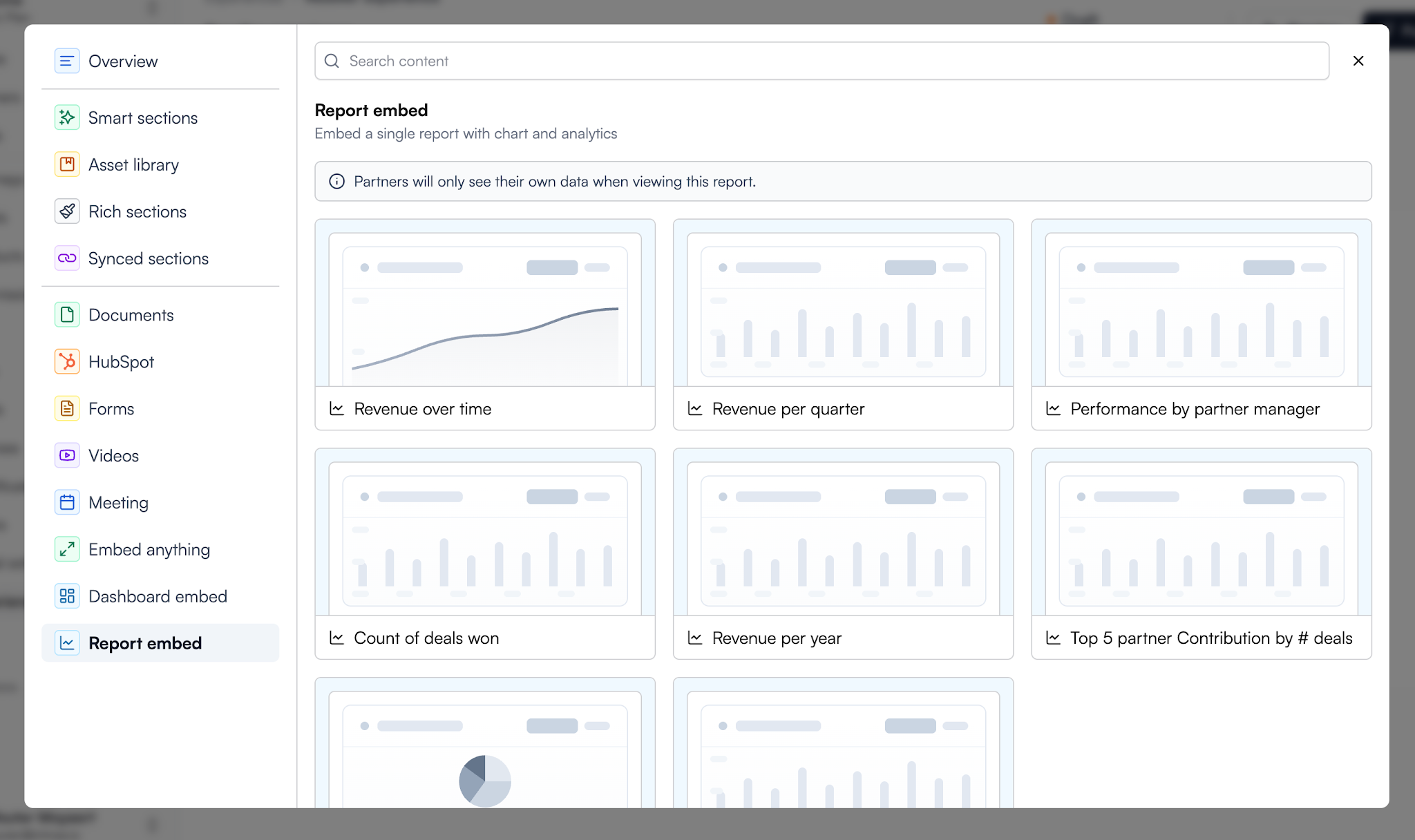
Introw helps businesses organise partner onboarding around their existing HubSpot or Salesforce records. It connects applications, onboarding checklists and partner access, giving managers visibility into how new partners are progressing.
Partner onboarding connected to your CRM. Introw brings onboarding progress alongside the partner information your team already manages, making it worth considering when CRM integration is a priority, click here to Start for Free.
Best For- Partnership teams using HubSpot or Salesforce.
- Businesses onboarding resellers, referral partners or agencies.
- Channel managers who need visibility into unfinished onboarding steps.
- Partner applications: Collect information and create associated CRM records.
- Guided checklists: Show partners their next steps and track completion.
- Progressive access: Make additional portal resources available as partners qualify.
- Training and resources: Provide content, courses and certificates, with learning progress synced to the CRM.
A software company could guide a new reseller through registration, introductory training and initial sales preparation while keeping the partner manager informed.
Potential LimitationsIts CRM focus makes integration fit an essential buying consideration. Confirm your required workflows, data mappings and subscription tier before committing.
PricingIntrow offers a free Starter plan limited to one partner, plus paid Pro, Scale and Enterprise plans. Request a quote and check which onboarding capabilities are included.
What to Confirm in a Demo"Can you demonstrate a partner application becoming a CRM record, triggering onboarding steps and showing our manager where the partner needs help?"
CRM-Connected Partner Onboarding
Connect Partner Onboarding With HubSpot or Salesforce
Introw helps businesses organise partner applications, onboarding journeys and training around their CRM records. Partners receive clear steps to follow, while internal teams can monitor progress alongside the partner information they already manage in HubSpot or Salesforce.
Standout feature:
CRM-connected onboarding journeys that bring partner information,
learning progress and initial activities together, with portal
access expanding as partners qualify.
Best suited to partnership teams using HubSpot or Salesforce. Confirm CRM compatibility, workflow configuration and the onboarding capabilities included in your proposed plan.
#3. Magentrix — For Partner Training and Certification
#3. Magentrix — For Partner Training and Certification
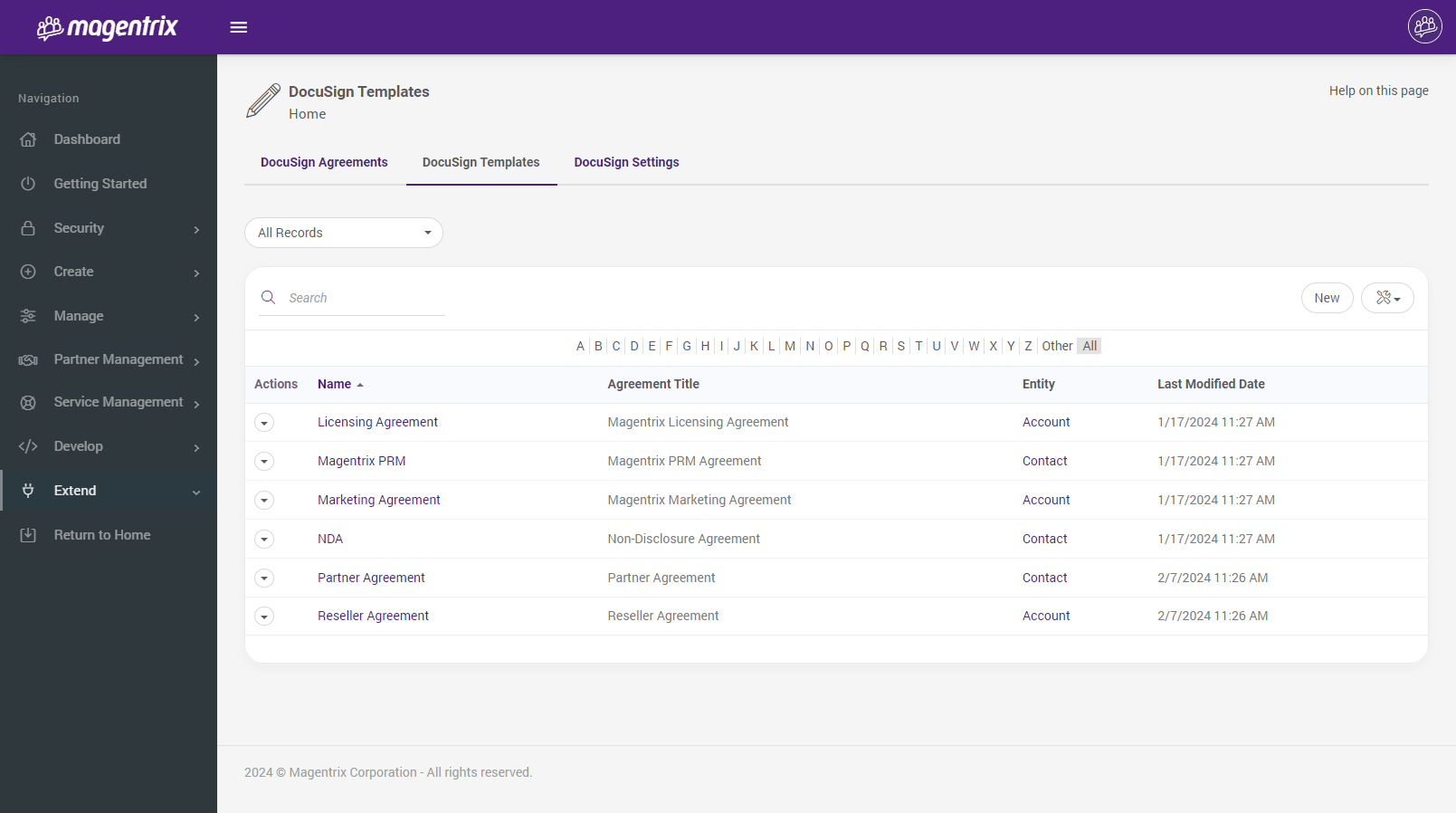
Magentrix combines a partner portal with document management, training and broader partner relationship management capabilities.
It is worth considering when new partners need a structured learning programme before they begin representing your products.
Built-in partner learning paths with assessments and certification renewal. Magentrix lets you organise courses into learning paths, assess understanding and issue certificates.
It also supports automatic course reassignment before a certification expires, helping extend initial onboarding into ongoing education.
Best For- Vendors that require partners to complete product training.
- Channel programmes with certification or renewal requirements.
- Organisations assigning different learning paths to different partner groups.
- Structured courses: Combine documents, videos and lessons into multi-chapter training.
- Learning paths: Group courses into a guided programme.
- Knowledge assessments: Use quizzes and manually marked submissions to check understanding.
- Targeted assignments: Assign learning to individuals, groups or security roles.
- Progress reporting: Monitor learning activity and identify partners who need support.
- Partner resource library: Organise product guides, sales presentations and onboarding documents with access permissions.
A technology vendor could assign new resellers introductory product courses, assess their understanding and award a certificate when they complete the required learning path.
Potential LimitationsA structured training programme needs someone to build courses, maintain assessments and manage renewal rules. If your partners only need a welcome checklist and a few documents, consider whether you need this depth of learning functionality.
PricingRequest a current quote from Magentrix. Confirm whether your proposed package includes the LMS, required integrations and implementation support.
What to Confirm in a Demo"Can you show us how to assign different learning paths to partner groups, identify incomplete training and manage certification renewals?"
Partner Training & Certification
Build a Structured Learning Journey for New Partners
Magentrix combines a partner portal with built-in learning management, helping businesses organise introductory courses, product training and certification. Teams can assign learning paths to different partner groups, assess understanding and monitor progress as partners work through their onboarding.
Standout feature:
Structured partner learning paths with assessments, certificates
and automatic course reassignment before certification expires.
Best suited to partner programmes that require structured product education and certification. Confirm LMS package inclusions, content requirements and administration needs during a demo.
#4. ZINFI — For Structured Channel Partner Onboarding
ZINFI helps businesses organise partner recruitment, programme enrolment, contracts and joint business planning within its Unified Partner Management platform. It is worth considering when onboarding involves several departments, approval stages or partner categories.
Configurable onboarding workflows that connect applications, approvals and agreements.
ZINFI supports a structured journey from a prospective partner's initial application through qualification and contract signing, helping teams coordinate steps that might otherwise sit in separate emails and spreadsheets.
Best For- Businesses managing reseller, distributor or other channel programmes.
- Organisations requiring multiple onboarding approvals.
- Partner operations teams coordinating applications, contracts and programme requirements.
- Partner applications: Collect business information using forms that adapt to partner type and programme requirements.
- Qualification and approvals: Route applications to reviewers, including multiple approval levels where required.
- Digital agreements: Support electronic signing and store agreements against partner records.
- Central partner records: Bring partner information together across the programme.
- Joint business planning: Coordinate plans between partners and channel account managers.
An exmaple is, a manufacturer could collect a distributor's application, route it for regional approval and arrange agreement signing before progressing with programme setup.
Potential LimitationsIts breadth makes configuration an important consideration. Your team will need to define qualification rules, approval responsibilities and onboarding stages. Ask which applications your proposed package includes, particularly if you also need training and content management.
PricingRequest a current proposal through ZINFI's pricing page. Confirm the applications, implementation services, integrations and support included in the total cost.
What to Confirm in a Demo"Can you demonstrate an application moving through regional approval, agreement signing and programme enrolment—and show how we identify a partner waiting at each stage?"
Structured Channel Partner Onboarding
Connect Partner Applications, Approvals and Agreements
ZINFI helps businesses coordinate partner recruitment, qualification, programme enrolment and contract workflows. Its ONBOARD applications bring partner records and initial activities together, helping channel teams manage onboarding across different partner types and approval requirements.
Standout feature:
Configurable onboarding workflows that connect application forms,
multi-level approvals and digital agreements within a broader
partner management platform.
Best suited to channel programmes with multiple onboarding stages, partner categories or approval requirements. Confirm which applications, integrations and implementation services are included.
#5. Partner Fleet — For Technology Partner Applications and Activation
Partner Fleet helps software companies guide technology partners through applications, integration submissions, reviews and publishing. Its Developer Lifecycle Management module gives partners a self-service journey while internal teams manage progress through a shared pipeline.
Connecting technology partner onboarding with integration review and marketplace publishing.
This makes it particularly relevant when getting a partner started involves technical submissions and approval gates.
Best For- Software companies building integration ecosystems.
- Teams onboarding third-party developers.
- Businesses managing app submissions and marketplace listings.
- Application intake: Collect information from prospective technology partners.
- Guided partner journeys: Show partners the steps and resources relevant to their stage.
- Review and approval gates: Coordinate submissions before partners progress.
- Administrative pipelines: Identify where applications are waiting or need attention.
- Marketplace connections: Connect onboarding with public or in-app marketplace modules.
A SaaS company could guide an integration partner through application, technical review and listing preparation, with clear actions for both the partner and internal reviewers.
Potential LimitationsIts main focus is technology ecosystems. If your priority is reseller product training or certification, check those requirements separately. External workflow connections through webhooks also require configuration.
PricingPartner Fleet provides custom pricing by module and usage, with a separate implementation fee. Its pricing page describes annual subscriptions with a default two-year term, so confirm the full commitment in your proposal.
What to Confirm in a Demo"Can you demonstrate a technology partner moving from application through technical review to an approved marketplace listing, including how we handle rejected submissions?"
Technology Partner Onboarding & Activation
Guide Technology Partners From Application to Marketplace Launch
Partner Fleet helps software businesses manage technology partner applications, integration submissions and approval workflows. Its Developer Lifecycle Management module gives partners a guided self-service journey, while internal teams track progress and coordinate reviews through a shared pipeline.
Standout feature:
Connect technology partner onboarding with integration reviews and
marketplace publishing, giving partners clear steps and your team
control over approval stages.
Best suited to software companies building integration and developer ecosystems. Confirm which lifecycle and marketplace modules are included, along with implementation and integration requirements.
#6. MyPRM — For Partner Tasks, Documents and Channel Coordination
MyPRM supports partner management across recruitment, onboarding and ongoing channel activities.
Its published Docaposte case study describes shared tasks, document libraries, confidential file sharing and centralised partner information.
Standout USP: Bringing partner coordination and shared resources into a broader channel management workspace.
This approach may suit teams that want onboarding activities connected to the relationship they manage afterwards.
Best For- Businesses developing indirect sales channels.
- Partner managers coordinating shared activities.
- Organisations that need partner documents and relationship information together.
MyPRM's published customer example documents:
- Central partner information: Organise information used by the channel team.
- Shared tasks: Coordinate activities between internal teams and partners.
- Document access: Provide a library and confidential document sharing.
- Partner updates: Make news and event information available.
- Business planning: Connect partner activities with agreed plans.
A channel manager could coordinate introductory tasks, share product documentation and agree initial activities with a new distribution partner.
Potential LimitationsThe cited customer example is older and describes a particular implementation. Confirm current functionality and package availability directly. Do not assume built-in courses, assessments or certification management without a demonstration.
PricingRequest a current quote covering your partner numbers, required modules, integrations and implementation support.
What to Confirm in a Demo"Can you show us the current onboarding workflow, including shared tasks, document permissions and how managers identify partners who have not completed their initial activities?"
Partner Onboarding & Channel Coordination
Bring Partner Tasks, Documents and Communication Together
MyPRM helps businesses organise partner onboarding and ongoing channel activities within a shared management platform. Teams can centralise partner information, share documents and coordinate activities, giving new partners a more organised introduction to the relationship.
Standout feature:
Shared partner tasks and resources connected to broader channel
management, helping teams carry onboarding activities into the
ongoing partnership.
Best suited to businesses coordinating partner resources and shared activities across an indirect sales programme. Confirm current onboarding workflows, training functionality and package inclusions during a demo.
#7. Elioplus — For Reseller Onboarding and Resource Sharing
Elioplus helps software vendors manage channel partners, with onboarding features focused on providing the information partners need to begin selling.
Administrators can upload files and videos, organise them into categories and make them available through partners' resource dashboards.
A straightforward onboarding resource hub within a wider PRM platform.
Its documented approach centres on making product, marketing and sales materials available to new channel partners, with email notifications when resources are added.
Best For- Software vendors onboarding resellers.
- Small channel teams establishing a partner resource library.
- Businesses wanting resource sharing alongside broader PRM functions.
- File and video uploads: Share introductory product and sales resources.
- Content categories: Organise materials by purpose, with custom categories available.
- Partner resource dashboard: Give resellers a place to access vendor materials.
- Resource notifications: Notify partners by email when new materials are uploaded.
A software vendor could provide new resellers with product videos, pricing guidance and sales presentations, then notify them when updated resources become available.
Potential LimitationsThe documented onboarding feature emphasises content distribution. If you need mandatory learning paths, assessments, completion tracking or automated reminders for unfinished tasks, ask the vendor to demonstrate those capabilities.
PricingElioplus lists a free plan for up to five partners, including onboarding and 2 GB of library storage. Its Start-Up plan is listed at $298 per month for up to 100 partners. Confirm current prices, currency and package terms before purchasing.
What to Confirm in a Demo"Can we see which onboarding resources each partner has accessed, and how would we track required activities beyond uploading and sharing documents?"
Channel Partner Onboarding & Resources
Give New Resellers a Clear Starting Point
Elioplus combines partner onboarding and resource sharing with broader partner relationship management tools. Businesses can organise product videos, documentation, marketing assets and sales materials in a partner resource dashboard, helping new resellers find the information they need to begin working with the business.
Standout feature:
A categorised onboarding resource hub with email notifications
when new materials are uploaded.
Best suited to software vendors that need to organise onboarding materials for channel partners. Confirm learning assessments, completion tracking and workflow requirements during a demo.
How to Choose Partner Onboarding Software for Your Business
Start with the journey your partners need to complete.
A platform might look impressive in a demo, but the real test is whether a new partner can understand their next steps and your team can manage the process without constant chasing.
Use this checklist to build your shortlist.
1. Identify Your Partner Type
A reseller needs product knowledge and sales resources.
A referral partner needs to understand a qualified lead and how to submit it. A technology partner may need technical documentation, development access and integration reviews.
Write down the requirements for each group.
If you are still deciding how partners should access these resources, our guide to what is a partner portal explains the role a central workspace can play.
2. Define the Onboarding Finish Line
What must a partner know or complete before they are ready to begin?
Depending on your programme, that could mean:
- Accepting the partnership agreement.
- Completing essential product training.
- Passing an assessment.
- Submitting a first qualified referral.
- Receiving approval for an integration.
Choose a meaningful readiness milestone.
Creating an account shows that someone has access; it does not tell you whether they are prepared to work with your business.
3. Map the Essential Steps
List the activities between approval and readiness, then assign an owner to each one. Include account access, documents, training, support contacts and initial activities.
Keep the first journey manageable. Give partners the information they need for their current stage, with additional resources available as they progress.
Salesforce's guidance on recruiting and onboarding channel partners recommends providing relevant knowledge and support at the appropriate point in the partner journey.
4. Check Your Existing Systems
Confirm how the platform will work with your CRM, identity provider and learning tools.
Ask which integrations are included and which require additional development or subscriptions.
Be specific during the demo:
- Which system holds the main partner record?
- What information syncs, and in which direction?
- How are access changes and departures handled?
- Who investigates failed integrations?
- Can you export partner records and learning progress?
5. Test the Partner Experience
Ask someone unfamiliar with your process to complete a sample onboarding journey.
Can they find the welcome information, understand their next task, open the correct document and ask for help? Try it on the devices your partners actually use.
Watch where they hesitate.
Those moments can reveal unclear instructions, unnecessary steps or navigation problems before you launch.
6. Calculate the Full Cost
Compare the cost of running the process, including:
- Subscription fees and partner licences.
- Required modules and storage.
- Implementation and content migration.
- Integrations and configuration.
- Training and ongoing administration.
- Support, renewals and contract commitments.
Ask each shortlisted vendor to price the same requirements.
A lower headline subscription may offer less value if essential onboarding capabilities require extra modules or substantial manual work.
Before choosing, request a demonstration using your partner type, your onboarding steps and your readiness milestone. That makes it easier to judge whether the platform fits your business.
Related Partner Guides You May Want to Read Next
Choosing partner onboarding software is one part of building a successful partner programme. Explore these related guides for advice on partner enablement, secure resource sharing, collaboration and platform selection.
- What Is a Partner Portal? Features, Benefits and Use Cases
- Why Email Is Killing Partner Collaboration—and What to Use Instead
- Partner Enablement: A Guide to Supporting Your Partner Network
- Best Partner Enablement Software to Train, Engage and Support Partners
- AgilityPortal vs SharePoint for External Partner Collaboration
- Extranet Software for Secure Client Collaboration
- How to Pick a Supplier Portal That Actually Saves Time
- Best Client and Partner Portal Platforms for Secure Collaboration
- AgilityPortal vs Highspot: Compare Features and Platform Fit
Use these resources to connect your onboarding process with ongoing partner training, communication and access to reliable information.
What Should You Ask During a Partner Onboarding Software Demo?
A useful demo should show how the platform handles your onboarding process, including the moments when something gets delayed or goes wrong.
Share a sample partner journey with the vendor beforehand, then use these questions to guide the conversation.
| Question to ask | What to look for |
| Can you demonstrate a complete onboarding journey for our partner type? | Follow a new partner from application or approval through access, required activities and readiness. Ask to see both the partner and administrator views. |
| Can different partners receive different tasks and resources? | Check how journeys vary by partner type, role, region or programme tier—and how much configuration this requires. |
| Can we identify incomplete steps and assign follow-up actions? | Look for clear progress information, task ownership and reminders. Ask the vendor to demonstrate a partner who has stopped progressing. |
| How are outdated documents replaced? | Check version control, permissions and what happens to previously shared links. Partners should be able to identify the current approved resource. |
| What training and certification features are included? | Confirm whether the package includes courses, assessments, completion tracking, certificates and renewal reminders, or requires a separate learning system. |
| What data moves between the platform and our CRM? | Ask which records and fields sync, in which direction and how often. Find out how failed updates and duplicate records are handled. |
| What will setup cost, and who maintains the process afterwards? | Request a breakdown of implementation, migration, integrations and training. Establish which changes your team can make independently and which need paid support. |
Finish by asking the vendor to separate what is included today from what requires an upgrade, custom development or a future release.
Record those answers alongside the quote so you can compare platforms against the same requirements.
How to Measure Whether Partner Onboarding Is Working
An account activation tells you a partner has access.
It does not tell you whether they understand your product, know the process or are ready to work with your business.
Measure how partners move through the required steps—and what they can do afterwards.
| Measure | How to track it | What it helps you understand |
| Time to complete onboarding | Measure days from your agreed starting point to completion of all required steps. Report the median alongside the number still onboarding. | How long the journey takes, without overlooking unfinished partners. |
| Completion rate | Divide partners completing within a defined period by partners who started and have had that full period available. Multiply by 100. | Whether partners finish within your intended timeframe. |
| Drop-off by step | Count partners who reach each stage but do not progress within your chosen period. | Where instructions, requirements or approvals may be causing delays. |
| Training assessment results | Review pass rates, repeat attempts and frequently missed questions. | Which essential topics partners understand and where learning needs improvement. |
| Time to first meaningful activity | Track days from onboarding start to a defined action relevant to that partner type. | How quickly partners begin contributing beyond completing administrative tasks. |
| Onboarding support requests | Categorise questions and record requests per onboarding partner. | Which steps repeatedly require clarification or assistance. |
Define "meaningful activity" for each partner type.
For a referral partner, it might be submitting a qualified referral. For a reseller, it could be registering an accepted opportunity.
For a technology partner, it might be submitting an integration for review.
Track onboarding completion separately from commercial outcomes. A first closed sale also depends on the sales cycle, customer decisions and other factors outside onboarding.
Review results by partner type and starting cohort so you compare similar journeys. Use the findings to improve confusing instructions, remove unnecessary steps and follow up where partners need help.
Partner Enablement Checklist: From Onboarding to Ongoing Engagement
Download this practical checklist to plan partner onboarding, organise resources and training, assign responsibilities and measure progress. Includes checks for access, communication and ongoing partner support.
Partner-Enablement-Implementation-Checklis_20261022-151723_1
109 kb
Which Partner Onboarding Software Should You Choose?
Choose the platform that supports the journey your partners actually need to complete.
Your shortlist should reflect your partner types, existing systems and the work your team can realistically maintain.
- AgilityPortal: Consider it when bringing documents, learning resources and partner communication into one workspace is the priority.
- Introw: Evaluate it when onboarding needs to connect closely with HubSpot or Salesforce.
- Magentrix: Explore it when structured training, assessments and certification are central requirements.
- ZINFI: Review it for channel programmes involving applications, approvals, agreements and coordinated onboarding workflows.
- Partner Fleet: Consider it for technology partner applications, integration reviews and marketplace preparation.
- MyPRM: Assess its current offering when shared tasks, documents and wider channel coordination matter.
- Elioplus: Explore it when your initial need is organising and distributing onboarding resources to resellers.
Before committing, ask shortlisted vendors to demonstrate the same sample journey and price the same requirements. Check the partner experience, administrator workload and full implementation cost.
Want to give new partners a clearer starting point?
Request an AgilityPortal demo to explore how onboarding resources, learning and communication can work together in one workspace, or view pricing to review the available plans.
Conclusion: Give Every New Partner a Clear Starting Point
A signed agreement should lead to a clear next step.
Partner onboarding software can help you organise documents, deliver training and spot unfinished activities before partners lose momentum. Its value depends on how well it supports the process you build.
Start by defining what each partner needs to know and complete.
Then compare platforms against that journey, test the experience and confirm the full cost. After launch, measure readiness and meaningful activity—not just account access.
If your priority is bringing partner resources, learning and communication together, request an AgilityPortal demo to see how it could support your programme.
FAQ
What is partner onboarding software?
Partner onboarding software helps businesses guide new external partners through the steps needed to start working together.
These can include registration, account setup, document access, training and initial tasks. Depending on the platform, it can also help managers monitor progress and follow up on incomplete activities.
How does partner onboarding software differ from PRM software?
Partner onboarding software focuses on getting new partners ready to begin.
Partner relationship management (PRM) software covers a broader relationship lifecycle, potentially including recruitment, deal registration, lead distribution, incentives and performance reporting.
Some PRM platforms include onboarding features, so the categories overlap. Check the actual capabilities and package inclusions rather than relying on the product label.
What should a partner onboarding programme include?
A partner onboarding programme should give partners clear instructions, relevant resources and an accessible support contact.
Depending on the partnership, include:
- A welcome guide explaining responsibilities and expectations.
- Agreements and any required business checks.
- Account access and permission setup.
- Product, sales or technical documentation.
- Training and assessments where needed.
- Initial tasks with clear owners.
- A defined milestone showing the partner is ready to begin.
Tailor the journey to the partner's role instead of giving everyone the same requirements.
Can partner onboarding software connect to a CRM?
Yes, some platforms offer CRM integrations that connect partner records, onboarding activities or learning progress. Others may require connectors, API development or manual updates.
Before buying, confirm which CRM versions are supported, what information syncs, how often updates run and whether the integration costs extra.
Ask the vendor to demonstrate how failed updates and duplicate records are handled.
How do you measure partner onboarding success?
Track completion time, completion rate, delays at individual steps, assessment results and onboarding support requests.
Also measure the time to a first meaningful activity, such as an accepted referral, registered opportunity or integration submission.
Use consistent starting points and compare similar partner groups. A login or document download shows activity, but does not establish that a partner is ready.
Which software suits reseller versus technology partner onboarding?
Reseller onboarding usually prioritises product knowledge, sales materials, pricing guidance and referral or deal processes.
Look for suitable resource management, training and channel workflows.
Technology partner onboarding often requires developer documentation, technical submissions, review stages and marketplace preparation. Partner Fleet is one option discussed in this guide for those requirements.
Choose according to the work partners must complete. A platform that supports reseller training may need additional tools to manage technical reviews, and vice versa.
AI Summary
- Partner onboarding software helps businesses guide new external partners through registration, resource access, training and initial activities. A clear process shows partners what to do next and who can help.
- This guide compares AgilityPortal, Introw, Magentrix, ZINFI, Partner Fleet, MyPRM and Elioplus. These platforms address different requirements, so choose according to your partner type and onboarding process.
- AgilityPortal brings partner resources, learning and communication together. Introw focuses on CRM-connected onboarding, while Magentrix offers structured training and certification.
- ZINFI supports structured channel onboarding workflows. Partner Fleet focuses on technology partner applications and activation. MyPRM supports shared partner activities, while Elioplus provides onboarding resource sharing within its PRM.
- Compare guided workflows, document permissions, training, progress visibility and integrations. Ask vendors to demonstrate your actual onboarding journey and confirm package inclusions, implementation costs and ongoing administration.
- Define what makes a partner ready to begin and assign owners to each onboarding step. Measure completion, delays and the first meaningful partner activity, rather than relying on portal logins alone.
Most Popular Posts

Effective communication among team members is vital for the productivity and success of any organization. Surprisingly, 60% of companies lack a long-term internal communication strategy, which p...


Businesses thrive on communication for efficiency, productivity and accomplishment. When the right information is passed from the right designation in the organization, it promotes positivity an...

Categories
Blog
(3240)
Business Management
(398)
Employee Engagement
(235)
Digital Transformation
(223)
Growth
(151)
Intranets
(142)
Internal communications
(110)
Remote Work
(68)
Sales
(53)
Collaboration
(53)
Customer Experience
(33)
Culture
(30)
Project management
(30)
Knowledge Management
(29)
Leadership
(20)
Comparisons
(9)
News
(1)

Related Posts

How quickly can a new partner go from signing an agreement to confidently working with your business? If the answer involves chasing documents, forwarding training links and answering the same questions repeatedly, your onboarding process may n...

Looking for the best GraphQL CMS because keeping several brands organised is becoming a headache? You update a product description for one website, then realise two other brands are still showing the old version. Meanwhile, your frontend ...

Are you weighing up an employer of record vs local entity to hire overseas—and wondering which option will help you grow without creating expensive compliance problems? If you're a business owner, HR director or people operations leader struggling to...

Why does your internet connection seem fast until everyone joins a video call or starts uploading files? Understanding the factors to consider when choosing an internet service provider can help you avoid a package that looks good on paper but ...

Is your vendor invoice management process keeping client projects moving, or leaving your team chasing approvals and questioning what's ready to pay? When several suppliers work on the same project, small gaps can quickly become expensive problems.&n...


Jill Romford
I am a digital nomad, lover of exploring new places and making friends.
I love to travel and I love the internet. I take pictures of my travels and share them on the internet using Instagram.
Traveler, entrepreneur, and community builder. I share my insights on digital marketing and social media while inspiring you to live your fullest life.
Ready to learn more? 👍
One platform to optimize, manage and track all of your teams. Your new digital workplace is a click away. 🚀
Free for 14 days, no credit card required.