FEATURES
Connect and Engage Your Workforce
An all-in-one app for communication, engagement, recognition, intranet,
and analytics—enhancing the employee experience seamlessly.
*14-days free trial. No credit card is required.
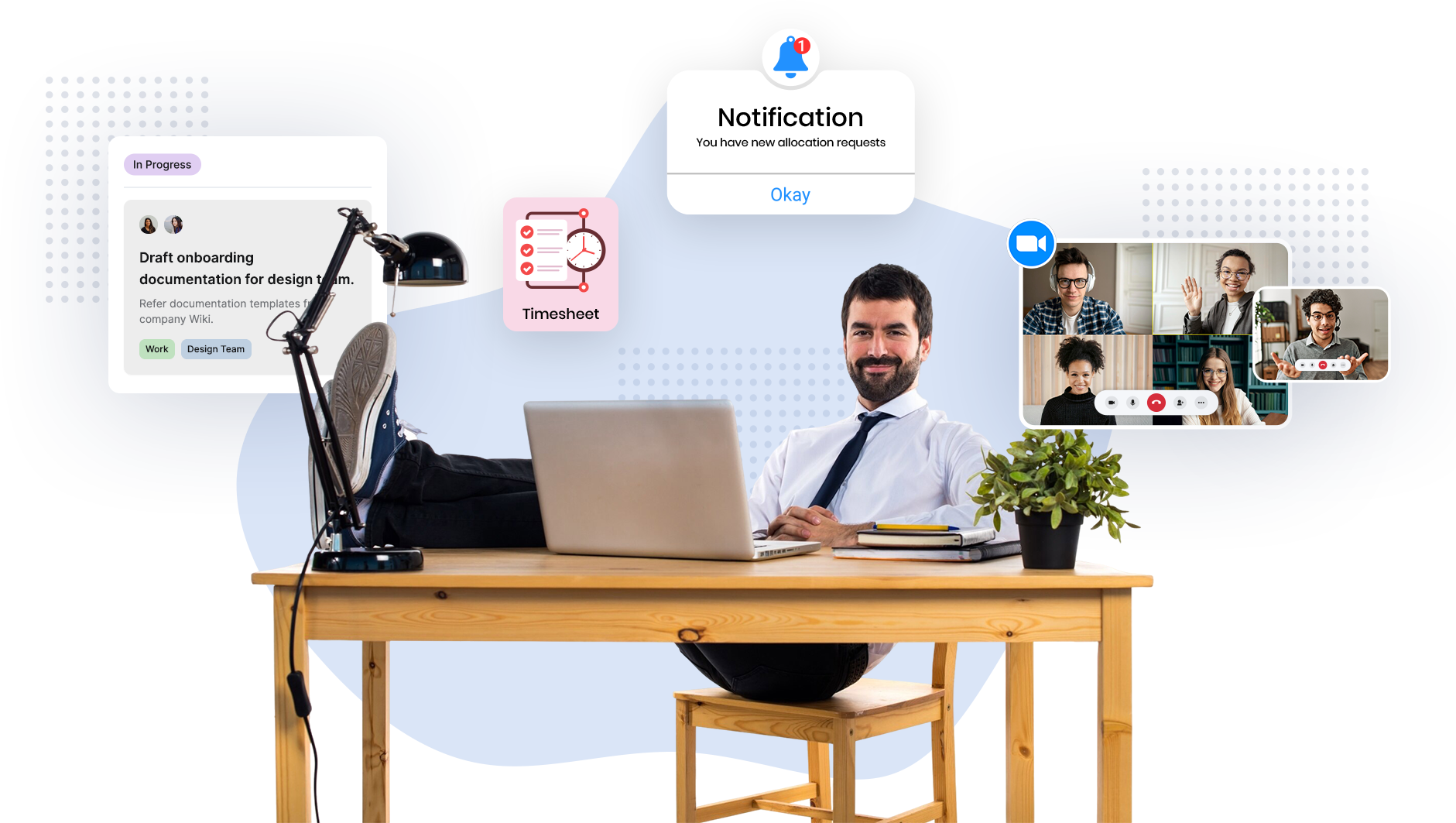
AgilityPortal is loaded with various features for digital workplace and internal communication use.
AgilityPortal is equipped with a wide range of useful tools and features and add-ons. You have the flexibility to disable any features or add-ons that you don't require, allowing you to create a comprehensive solution that caters to all your employees' needs. If you're interested in elevating your intranet experience, you've come to the right place.
Our clients love us as much as we love them



Unlock The Power Of A Modern Intranet
AgilityPortal: We’re here to help you succeed! One platform to optimize, manage, and track all of your work, and connect your team in one app.
Everything You Need to Connect, Communicate and Collaborate
Discover the essential intranet features that bring your people, information and everyday work together. From company announcements and employee directories to document management, team collaboration and mobile access, AgilityPortal gives everyone one connected digital workplace.
-
Internal Communications
Keep employees informed with company news, targeted announcements and important updates. Reach the right teams, request acknowledgements and keep everyone aligned across locations.
-
Employee Directory & Org Chart
Find colleagues, contact details and expertise in seconds. Explore departments, teams and reporting relationships through a searchable directory and organisational chart.
-
Team Spaces & Communities
Create dedicated spaces for departments, offices, teams and shared interests. Bring conversations, files and updates together in communities built around how your organisation works.
-
Document & Knowledge Management
Organise company documents, policies, guides and knowledge resources in one searchable location. Make important information easier to find, share and access securely.
-
Employee Engagement
Encourage participation through surveys, polls, discussions and employee feedback. Give everyone a voice and help leaders understand what matters to their teams.
-
Employee Recognition
Celebrate achievements with recognition posts, badges and employee shout-outs. Highlight outstanding contributions and build a workplace culture where people feel appreciated.
-
Team Chat & Messaging
Keep conversations moving with direct messages, group chats and team channels. Help colleagues ask questions, exchange ideas and collaborate in real time.
-
Employee Onboarding
Welcome new starters with dedicated onboarding resources, company policies, team introductions and essential information. Help employees settle in and get productive sooner.
-
Projects & Task Management
Organise projects, assign tasks and track progress from one shared workspace. Give teams visibility into responsibilities, deadlines and the work that needs to get done.
-
Employee Hub & Self-Service
Give employees convenient access to their profiles, workplace information, leave requests and shift details. Bring everyday employee resources together in one central hub.
-
Events & Calendars
Keep teams organised with company events, shared calendars and important workplace dates. Make it easier for employees to discover upcoming activities and stay involved.
-
Mobile Intranet Access
Keep office, remote and frontline employees connected wherever they work. Access announcements, conversations, documents and workplace resources from a mobile device.
One Digital Workplace. Everything Your Teams Need to Get Work Done.
Bring people, projects, documents and everyday workflows together in one connected workspace. AgilityPortal helps teams collaborate, stay organised and work more efficiently, whether they're in the office, remote or on the frontline.
-
Digital Workplace Dashboard
Give employees a personalised starting point for their workday. Bring together announcements, tasks, team updates, shortcuts and important resources in one convenient dashboard.
-
Team Collaboration
Work together in shared team spaces where colleagues can exchange ideas, discuss updates, share resources and coordinate activities across departments and locations.
-
Project & Task Management
Plan projects, assign responsibilities, organise tasks and monitor progress. Keep deadlines, milestones and collaboration visible so teams know what needs to happen next.
-
Workflows & Approvals
Keep workplace processes organised with structured requests, content approvals and clear responsibilities. Help teams review information, manage decisions and reduce unnecessary back-and-forth.
-
Document Collaboration
Store, organise and share important workplace files in one accessible location. Give colleagues the information they need while maintaining appropriate permissions and document access.
-
Workplace Chat & Messaging
Communicate quickly through direct messages, group conversations and team channels. Ask questions, share updates and keep work moving without relying on long email threads.
-
Employee Self-Service
Make everyday employee information easier to access. Give staff a central place to view profiles, workplace resources, leave requests and relevant employee details.
-
Shift Planning & Attendance
Help managers organise employee schedules and give staff visibility into their assigned shifts. Support clock-in, clock-out and attendance tracking for teams working across different locations.
-
Workplace Integrations
Connect AgilityPortal with supported Microsoft, Google, cloud storage and workplace applications. Bring useful tools and information closer together without replacing every system your organisation already uses.
-
Events & Scheduling
Coordinate workplace activities with shared calendars, company events and important dates. Help employees stay aware of upcoming meetings, activities and team commitments.
-
Search & Knowledge Discovery
Spend less time hunting for answers. Find documents, colleagues, discussions and workplace resources through searchable information that helps employees get what they need faster.
-
Mobile & Remote Working
Keep work accessible wherever employees are based. Give office, remote and frontline teams access to conversations, tasks, updates and important workplace resources from their mobile devices.
Everything Your Teams Need to Work Better Together
Bring conversations, projects, tasks and shared knowledge into one connected workspace. AgilityPortal gives teams the tools to collaborate, stay organised and make progress together, wherever they work.
-
Team Spaces & Communities
Create dedicated spaces for departments, teams, offices and shared interests. Bring people, conversations, documents and updates together in one organised collaboration hub.
-
Project Collaboration
Keep projects moving with shared workspaces, milestones and progress tracking. Give team members visibility into responsibilities, project updates and the work that matters most.
-
Task Management
Assign tasks, set deadlines and track progress across your team. Keep work organised with clear ownership, priorities and visibility into what needs to happen next.
-
Team Chat & Messaging
Keep conversations flowing through direct messages, group chats and team channels. Share ideas, ask questions and coordinate work without relying on lengthy email threads.
-
Document Sharing
Share files, policies and important resources within team spaces. Keep documents organised and accessible so colleagues can find the information they need to collaborate.
-
Team Discussions & Q&A
Encourage open conversations where employees can ask questions, share knowledge and solve problems. Keep useful answers and ideas visible to the wider team.
-
Shared Calendars & Events
Coordinate team activities, meetings and important dates through shared calendars. Help colleagues stay aware of upcoming events and workplace commitments.
-
Knowledge Sharing
Build a shared library of guides, resources and useful information. Help teams capture knowledge, answer common questions and reduce repeated work.
-
Project Collaborators
Bring the right colleagues into projects and tasks. Keep collaborators connected to shared work, responsibilities and progress within their team or project space.
-
Team Polls & Feedback
Gather opinions and encourage participation through polls and feedback. Give teams a simple way to share perspectives and support more informed group decisions.
-
Team Notifications & Updates
Keep collaborators informed about relevant team activity, announcements and updates. Help employees stay connected to conversations and work that needs their attention.
-
Mobile Team Collaboration
Stay connected to your team wherever work happens. Access conversations, tasks, documents and important updates from a mobile device, whether working remotely or on the frontline.
Bring Your People Together, Wherever They Work
Make it easier for employees to find colleagues, build relationships and feel connected to your organisation. AgilityPortal brings employee directories, team communities, conversations and workplace celebrations together in one connected employee experience.
-
Employee Directory
Help employees find colleagues and contact information in seconds. Search across teams, departments and locations to discover the right people and build stronger workplace connections.
-
Interactive Org Chart
Give employees a clearer picture of your organisation. Explore departments, reporting relationships and team structures to understand how colleagues are connected.
-
Employee Profiles & Expertise
Help colleagues learn more about one another through employee profiles, job roles and workplace information. Make it easier to discover skills, expertise and shared interests.
-
Team & Department Spaces
Connect employees through dedicated spaces for departments and teams. Give colleagues a shared place to communicate, exchange updates and build relationships with the people they work alongside.
-
Office & Location Communities
Bring employees together across offices, branches and workplace locations. Share local news, activities and conversations while keeping everyone connected to the wider organisation.
-
Employee Introductions
Welcome new colleagues and help employees get acquainted. Highlight new starters, encourage introductions and make it easier for people to feel part of their teams from day one.
-
Social Connections & Discussions
Encourage meaningful workplace conversations through discussions, comments and shared updates. Give employees opportunities to exchange ideas and connect beyond their immediate teams.
-
Employee Recognition & Celebrations
Celebrate colleagues who make a difference. Share recognition, achievements and success stories that help employees feel valued and connected to their workplace.
-
Birthdays & Work Anniversaries
Recognise the personal milestones that matter. Highlight birthdays, work anniversaries and other important occasions to help create a more welcoming workplace community.
-
Employee Events & Activities
Bring colleagues together through company events, team activities and shared experiences. Help employees discover opportunities to participate and connect with others.
-
Direct Messaging & Team Chat
Make it easier for employees to reach one another through direct messages and group conversations. Help colleagues ask questions, build connections and stay in touch.
-
Mobile Employee Connections
Stay connected with colleagues wherever work happens. Give office, remote and frontline employees mobile access to people, conversations and workplace communities.
Build a Workplace Where Every Employee Feels Heard, Valued and Connected
Give employees more opportunities to participate, share feedback and celebrate achievements. AgilityPortal brings surveys, polls, recognition, workplace conversations and engagement insights together to help organisations build a more connected employee experience.
-
Employee Surveys
Gather meaningful employee feedback through structured surveys. Understand opinions, workplace experiences and areas for improvement to support more informed decisions.
-
Pulse Polls & Quick Feedback
Ask simple questions and gather employee opinions quickly. Use polls to encourage participation, understand team preferences and keep a regular conversation going with your workforce.
-
Employee Recognition
Celebrate great work through employee shout-outs, recognition posts and badges. Encourage colleagues to acknowledge contributions and build a culture of appreciation.
-
Employee of the Month
Highlight employees who go above and beyond. Showcase achievements, celebrate contributions and give outstanding team members recognition across the organisation.
-
Gamification & Rewards
Make workplace participation more engaging with points, badges and recognition. Encourage employees to contribute, interact and celebrate positive activity.
-
Points & Leaderboards
Recognise employees who actively participate in workplace activities. Use points and leaderboards to highlight contributions and encourage positive engagement.
-
Employee Mood Feedback
Give employees opportunities to share how they feel at work. Gather workplace sentiment and identify areas where additional support or improvements may be needed.
-
Employee Discussions & Ideas
Encourage open workplace conversations where employees can ask questions, share ideas and exchange perspectives. Create more opportunities for two-way communication.
-
Birthdays & Work Anniversaries
Celebrate the milestones that matter to employees. Highlight birthdays, work anniversaries and special occasions to help colleagues feel recognised and appreciated.
-
Employee Events & Activities
Bring employees together through company events, team activities and shared experiences. Encourage participation and create more opportunities to connect.
-
Employee Communities
Connect colleagues through communities built around shared interests, teams and workplace activities. Encourage relationships and participation beyond everyday responsibilities.
-
Engagement Analytics & Insights
Understand how employees participate in workplace activities and content. Review engagement and activity insights to identify opportunities for stronger participation.
All Your Workplace Tools. One Connected Platform.
Simplify everyday work with the tools your employees need in one place. From projects and tasks to employee support, document sharing and workplace communication, AgilityPortal helps teams stay organised and productive.
-
Workspaces
Create dedicated workspaces for teams, departments and groups. Organise conversations, resources, tasks and projects around the people who work together.
-
Tasks
Assign responsibilities, organise to-do lists and track progress. Help employees understand what needs to be done, who owns each task and when work is due.
-
Projects
Plan and manage projects in a shared workspace. Track milestones, responsibilities and progress while keeping team members informed and aligned.
-
Helpdesk
Give employees a central place to request assistance, submit support tickets and report incidents. Help support teams organise and respond to workplace issues.
-
CRM
Keep customer and sales information organised with CRM tools. Give teams a central place to manage relationships and coordinate customer-facing activities.
-
Chat
Keep colleagues connected through direct messages and group conversations. Ask questions, share updates and communicate without switching between multiple tools.
-
Webmail
Bring email communication into the workplace experience. Access connected email accounts and shared inboxes to help teams stay informed and coordinate their work.
-
Drive
Store and share workplace documents, images and other files in one accessible location. Keep team resources organised and available when employees need them.
-
Meetings
Help teams coordinate meetings and stay aware of upcoming sessions. Bring meeting information and supported video conferencing tools closer to everyday work.
-
Shift Planner
Organise employee shifts and workplace schedules. Help managers plan coverage and give employees visibility into their assigned working hours.
-
Launch Pad
Give employees quick access to the applications and tools they use most. Create a convenient starting point for opening important workplace systems.
-
Bookmarks
Keep frequently used websites and important links together in one place. Help employees find the resources and external tools they need faster.
-
Employee Directory
Find colleagues, contact details and workplace information quickly. Search across teams and departments to connect with the right people.
-
Birthdays & Anniversaries
Celebrate employee birthdays and work anniversaries. Help teams recognise important milestones and create a more connected workplace culture.
-
Forms
Collect information through online forms with different question types. Simplify employee requests, gather responses and reduce reliance on paper forms.
Keep Your Teams Connected. Stay in Control of Your Workplace.
Bring workplace messaging and administration together in one connected platform. AgilityPortal helps employees communicate while giving administrators the tools to manage users, permissions, content and workplace settings.
-
Direct Messaging
Help colleagues communicate through one-to-one conversations. Ask questions, exchange updates and connect with teammates without relying on email.
-
Group Chat & Channels
Bring teams together through group conversations and messaging channels. Keep discussions organised around departments, projects and shared work.
-
Messaging Notifications
Keep employees aware of new messages and relevant conversations. Help colleagues respond to important communication while working across different locations.
-
File & Media Sharing
Share useful files and information with colleagues during conversations. Keep relevant documents and resources close to the discussions where employees need them.
-
User & Member Management
Add, invite and manage employees from a central administration area. Organise member accounts, update user information and manage access as teams change.
-
Roles & Permissions
Control access to workplace features and information. Assign appropriate permissions so employees and administrators can access the tools and content relevant to their roles.
-
Departments, Teams & Offices
Organise employees around your workplace structure. Manage departments, teams and office locations to support relevant access and targeted communication.
-
Single Sign-On (SSO)
Simplify employee access with supported identity providers including Microsoft Entra ID and Okta. Help organisations manage sign-in through their existing identity systems.
-
Content Moderation & Approvals
Review and approve selected workplace content before publication. Give administrators more control over what appears in shared spaces and employee communications.
-
Module & Feature Management
Configure the workplace tools available to your organisation. Enable or disable supported modules through administration settings to create a more relevant employee experience.
-
User Activity & Analytics
Review employee activity and workplace participation. Use available analytics to understand engagement and identify areas where teams may need additional support.
-
Branding & Workspace Settings
Configure your organisation's workplace experience with branding and administrative settings. Keep your portal aligned with company identity and internal requirements.
Make Your Digital Workplace Truly Your Own
Create a workplace that reflects your organisation. Customise pages, navigation, dashboards and widgets to bring the right tools and information together. With AgilityPortal, you can shape an employee experience that works for your teams.
-
Custom Tabs & Navigation
Organise your workplace navigation around the way your organisation operates. Create custom tabs and make important pages, tools and resources easier to access.
-
Custom Widgets
Add tailored content and useful tools to your workplace dashboards. Bring together announcements, links, resources and other information in widgets that suit your teams.
-
Custom Pages
Create dedicated pages for company information, internal resources and workplace content. Give employees a consistent place to find the information that matters to them.
-
Dashboard Customization
Shape your homepage around the information employees need most. Organise dashboard widgets and workplace content to create a practical starting point for everyday work.
-
Branding & Themes
Bring your company identity into your digital workplace. Personalise supported branding settings, colours and visual elements to create a familiar experience for employees.
-
Custom Menus & Quick Links
Help employees reach important applications, pages and websites faster. Organise navigation and useful shortcuts around your organisation's priorities.
-
Department & Team Pages
Create dedicated content areas for departments, teams and offices. Give different workplace groups access to relevant information, resources and shared updates.
-
Custom HTML Content
Extend supported content areas with custom HTML and formatted information. Create richer workplace pages and content experiences where HTML customization is available.
-
Personalized Employee Experience
Make workplace information more relevant to employees. Organise content around teams, departments and locations so people can focus on what matters to their roles.
-
Custom Forms
Create online forms for employee requests, feedback and workplace information. Collect responses through structured questions and simplify everyday processes.
-
Module & Feature Configuration
Tailor your platform by enabling or disabling supported modules. Keep your digital workplace focused on the features your organisation needs.
-
Mobile Experience Customization
Configure supported mobile navigation and workplace access options. Help employees reach important features and information from their mobile devices.
Turn Workplace Knowledge Into Learning, Growth and Better Work
Bring company knowledge, employee training, onboarding and essential resources together in one connected platform. AgilityPortal helps employees find answers, learn new skills and access the information they need to succeed.
-
Knowledge Base
Create a central source of company knowledge, guides and frequently asked questions. Help employees find trusted information without searching through scattered systems.
-
Learning Management System (LMS)
Bring employee learning and training resources together. Organise learning materials and help staff access the information they need for onboarding and ongoing professional development.
-
Employee Onboarding
Welcome new starters with a dedicated place for company information, policies, training materials and team introductions. Help employees settle in and become productive sooner.
-
Document Management
Store, organise and share workplace documents in one accessible location. Keep important files, policies and resources available to the people who need them.
-
Training Courses & Materials
Make training videos, guides and learning resources easier to discover and access. Organise useful materials so employees can learn at their own pace.
-
Policies & Procedures
Keep company policies, procedures and workplace guidelines organised and easy to access. Help employees understand important requirements and follow consistent processes.
-
Knowledge Search
Find answers, documents and workplace information faster. Help employees locate relevant resources without wasting time searching across multiple folders and conversations.
-
Team Knowledge Spaces
Organise knowledge by department, team or office. Give employees dedicated spaces for relevant documents, guides, resources and shared workplace information.
-
Employee Training & Development
Support continuous learning with accessible training resources and development materials. Help employees build knowledge and strengthen skills throughout their careers.
-
Knowledge Sharing & Q&A
Encourage employees to share expertise, ask questions and contribute useful answers. Capture valuable workplace knowledge through team discussions and shared resources.
-
Content Permissions & Approvals
Control who can access important workplace information. Use permissions and supported approval processes to manage content shared across your organisation.
-
Mobile Learning & Knowledge Access
Give employees access to workplace knowledge and learning resources wherever they work. Support office, remote and frontline teams with information available on mobile.



Helping 1,000+ businesses grow a vibrant community!

Ready to learn more? 👍
One platform to optimize, manage and track all of your teams.
Your new digital workplace is a click away. 🚀
Free for 14 days, no credit card required.
