
Insight Blog
Agility’s perspectives on transforming the employee's experience throughout remote transformation using connected enterprise tools.
1 hour and 27 minutes reading time
(17358 words)
The Best Internal Communication Platform: Buyer's Guide for 2026

The Best Internal Communication Platform: Buyer's Guide for 2026
Compare the best internal communication platform solutions, features, pricing, and buying tips to choose the right software for your business.
The Best Internal Communication Platform: Buyer's Guide for 2026

If you've ever sent an important company update by email only to have people miss it, you're not alone.
In many organisations, communication is scattered across emails, chat apps, shared drives, and countless documents.
A documents in the shared drive sits unread for months.
Team updates get buried in long email threads. Frontline employees often miss important announcements because they don't spend their day behind a desk. Before long, people are wasting time searching for information instead of getting work done.
That's exactly why more businesses are investing in an Internal Communication Platform.
Instead of relying on disconnected tools, an internal business communication platform brings company news, messaging, documents, knowledge, collaboration, and employee engagement together in one place that's accessible from desktop or mobile.
The need has never been greater.
According to Microsoft's 2024 Work Trend Index, employees are interrupted by meetings, emails, or chat notifications every 2 minutes, making it increasingly difficult to stay focused and productive. When communication is spread across multiple systems, those interruptions only multiply.
2
Minutes
According to the Microsoft 2024 Work Trend Index, employees are interrupted by meetings, emails, or chat notifications every two minutes, making it increasingly difficult to maintain focus and complete meaningful work. When communication is spread across multiple platforms, those interruptions become even more frequent, reducing productivity and increasing digital fatigue.
Source: Microsoft Work Trend Index 2024
Modern platforms also go beyond simple messaging.
They use AI-powered search to help employees find answers faster, deliver personalised updates, connect remote, hybrid, and frontline workers, and create a more engaged workforce without adding yet another app to the technology stack.
In this guide, you'll discover what separates a great platform from an average one, the must-have features buyers should look for, how the leading solutions compare on pricing and functionality, and which Internal Communication Platform is the best fit for your organisation's size, workforce, and communication goals.
This guide compares the best Internal Communication Platform solutions, explains the features that matter most, and helps you choose the right platform for your business.
Key Takeaways
- The best internal communication platforms centralise company news, employee messaging, knowledge sharing, collaboration, and mobile communication into one connected digital workplace.
- Businesses relying on disconnected email, chat apps, shared drives, and multiple workplace tools often experience lower productivity, communication silos, and reduced employee engagement.
- Modern employee communication platforms now include AI-powered search, workflow automation, social intranet features, document management, and communication analytics to improve the overall employee experience.
- When comparing internal communication software, organisations should evaluate scalability, security, mobile access, integrations, ease of use, and total cost of ownership—not just monthly subscription pricing.
- The right workplace communication platform helps organisations improve collaboration, strengthen company culture, reduce app fatigue, and create a more connected workforce across office, remote, and frontline teams.
What Is an Internal Communication Platform?
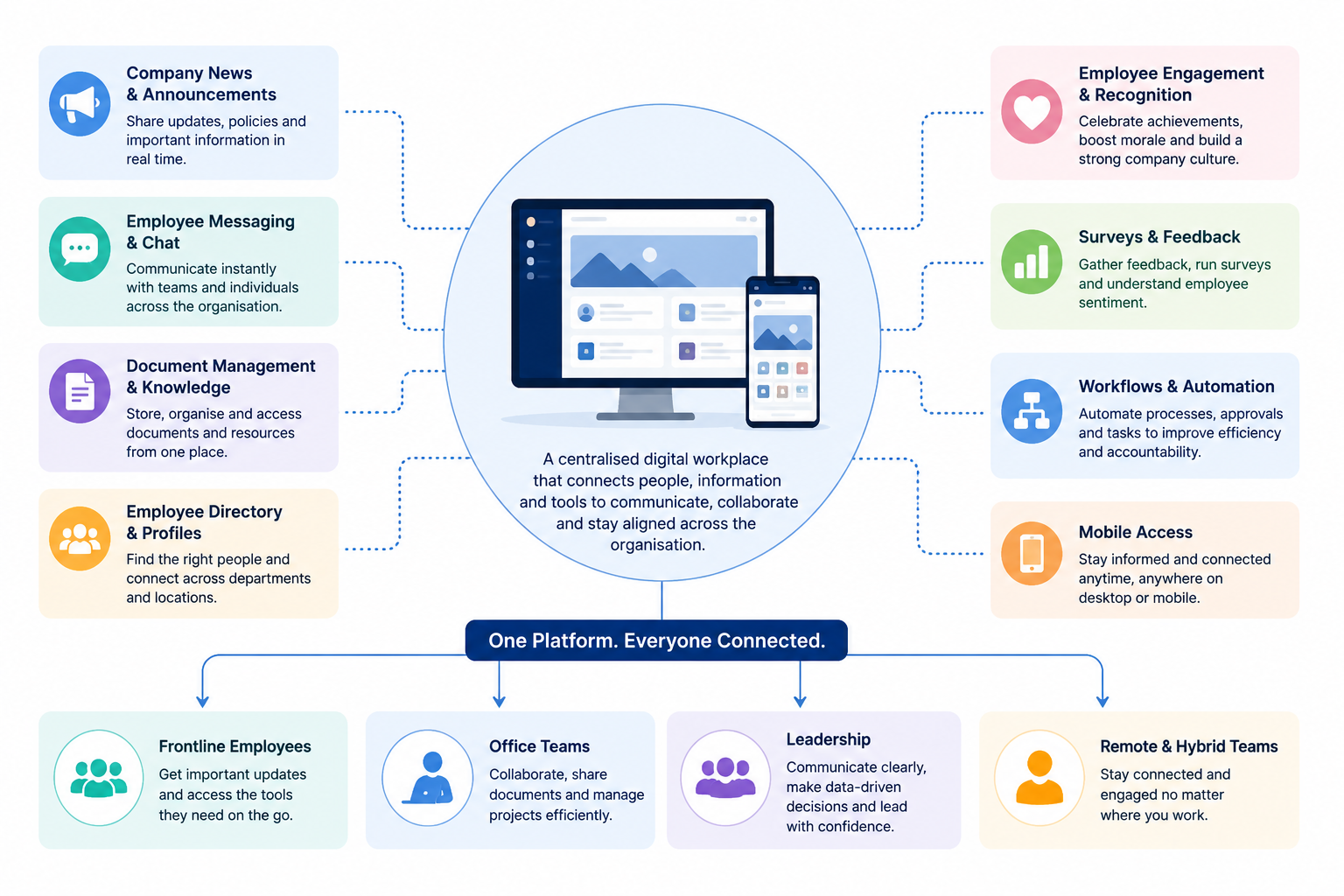
An Internal Communication Platform is a central hub that helps businesses share announcements, employee messaging, company updates, documents, and knowledge in one secure place.
It supports mobile employee communication, making it easy for office, remote, and frontline teams to stay connected from anywhere.
Many organisations also use an internal intranet social intranet for employee interaction, enabling employees to collaborate, share ideas, recognise achievements, and build a stronger workplace culture beyond traditional email.
What Is an Internal Communication Platform
Why Choosing the Right Internal Communication Platform Matters
Choosing the right Internal Communication Platform is more important than ever.
As businesses rely on more workplace apps, communication becomes fragmented across email, chat, shared drives, and intranets, making it harder for employees to stay informed.
Modern employee communication platforms solve this by bringing everything together in one digital workplace.
Many internal communications teams still duplicate announcements across multiple channels, yet employees—especially remote and frontline workers—often miss important updates.
According to Gallagher's State of the Sector report, more than 70% of internal communication professionals say proving the value of their work is a major challenge.
Without one central platform, measuring engagement is difficult.
That's why organisations are adopting a unified internal business communication platform with a social intranet that combines company news, messaging, knowledge sharing, employee recognition, and mobile employee communication.
The right platform helps employees stay connected, improves engagement, and creates a single digital home for your workforce.
70%
of IC professionals
According to the Gallagher State of the Sector Report, more than 70% of internal communication professionals say proving the value of their work is one of their biggest challenges. Without a central communication platform, measuring readership, employee engagement, and campaign performance becomes significantly more difficult.
Source: Gallagher State of the Sector Report
Why Your Business Needs an Internal Communication Platform in 2026
The way we work has changed dramatically over the last few years.
Employees are now spread across offices, homes, customer sites, and frontline locations, making it much harder to keep everyone informed.
While technology has made collaboration easier, it has also introduced new challenges.
Many organisations now rely on a mix of email, chat apps, shared drives, video meetings, project management tools, and outdated intranets, leaving employees unsure where to find the latest information.
An Communication Platform solves this problem by bringing communication, collaboration, company knowledge, and employee engagement into one secure, easy-to-use hub.

An Internal Communication Platform solves this problem by bringing communication, collaboration, company knowledge, and employee engagement into one secure, easy-to-use hub.
Instead of switching between multiple applications, employees have a single place to receive company announcements, access important documents, collaborate with colleagues, and stay connected wherever they work.
- Supports Remote and Hybrid Teams - Remote and hybrid work are now part of everyday business. Employees need instant access to company updates, policies, documents, and conversations without relying on long email chains. A modern platform ensures everyone receives the same information at the same time, regardless of location.
- Keeps Frontline Employees Connected - Deskless workers are often the hardest employees to reach because they don't regularly use company email. With mobile employee communication, frontline teams can receive push notifications, safety updates, shift changes, and company news directly on their phones, helping everyone stay informed.
- Reduces Workplace App Fatigue - Many businesses use separate tools for chat, file sharing, announcements, surveys, video meetings, and employee recognition. Constantly switching between applications wastes time and creates confusion. A unified internal business communication platform replaces multiple disconnected systems with one digital workplace.
- Improves Employee Engagement - Employees are more engaged when communication is clear, timely, and interactive. Features such as company news, social feeds, polls, recognition, comments, and feedback encourage two-way communication rather than simply broadcasting information.
- Increases Productivity - When employees know exactly where to find information, they spend less time searching through emails or shared folders. Teams can focus on their work instead of chasing documents or asking colleagues where the latest version is stored.
- Prevents Missed Announcements - Critical updates shouldn't disappear inside crowded inboxes. A central Internal Communication Platform makes important announcements visible through targeted news feeds, notifications, and personalised content, ensuring the right people receive the right information.
- Breaks Down Communication Silos - Departments often work in isolation using their own tools and processes. A central communication platform connects teams across the organisation, making it easier to share knowledge, collaborate on projects, and build a stronger company culture.
Whether your workforce is office-based, remote, hybrid, or frontline, a modern Internal Comms Platform helps eliminate communication gaps, reduce app overload, improve collaboration, and create a more connected, engaged workforce.
As organisations continue to embrace flexible working, having one trusted place for communication is no longer a nice-to-have—it's a business necessity.
Related Internal Communication Guides You May Want to Read Next
This Internal Communication Platform guide helps you compare software and choose the right solution for your organisation. The related resources below explore internal communication strategies, campaign planning, team structures, common challenges, AI, and practical ways to improve communication across the workplace.
- Internal Communication Strategies for a More Connected Workforce
- Types of Internal Communication Campaigns With Practical Examples
- How to Write an Internal Communication Mission Statement
- Internal Communication Plan and Strategy Template
- How to Structure an Internal Communications Department
- How to Improve Internal Communication Across Your Business
- What Is an Internal Communication System and How Does It Work?
- Best Practices for a Successful Internal Communication Strategy
- Common Internal Communication Problems and How to Overcome Them
- How to Improve Internal Communication Within an Organisation
- Building an Effective Internal Communications Strategy
- Internal Communication Strategy: Steps, Goals, and Examples
- AI in Internal Communications: Benefits, Risks, and Use Cases
Together, these resources create a practical internal communications knowledge hub covering strategy, technology, employee engagement, campaign planning, communication measurement, and the use of AI in the modern workplace.
Signs Your Business Has Outgrown Email
Email is still useful for one-to-one conversations and external communication, but it was never designed to be the centre of workplace communication.
As businesses grow, relying on email alone makes it harder to keep employees informed, collaborate effectively, and share knowledge across the organisation.
Signs Your Business Has Outgrown Email
Email is still useful for one-to-one conversations and external communication, but it was never designed to be the centre of workplace communication.
As businesses grow, relying on email alone makes it harder to keep employees informed, collaborate effectively, and share knowledge across the organisation.
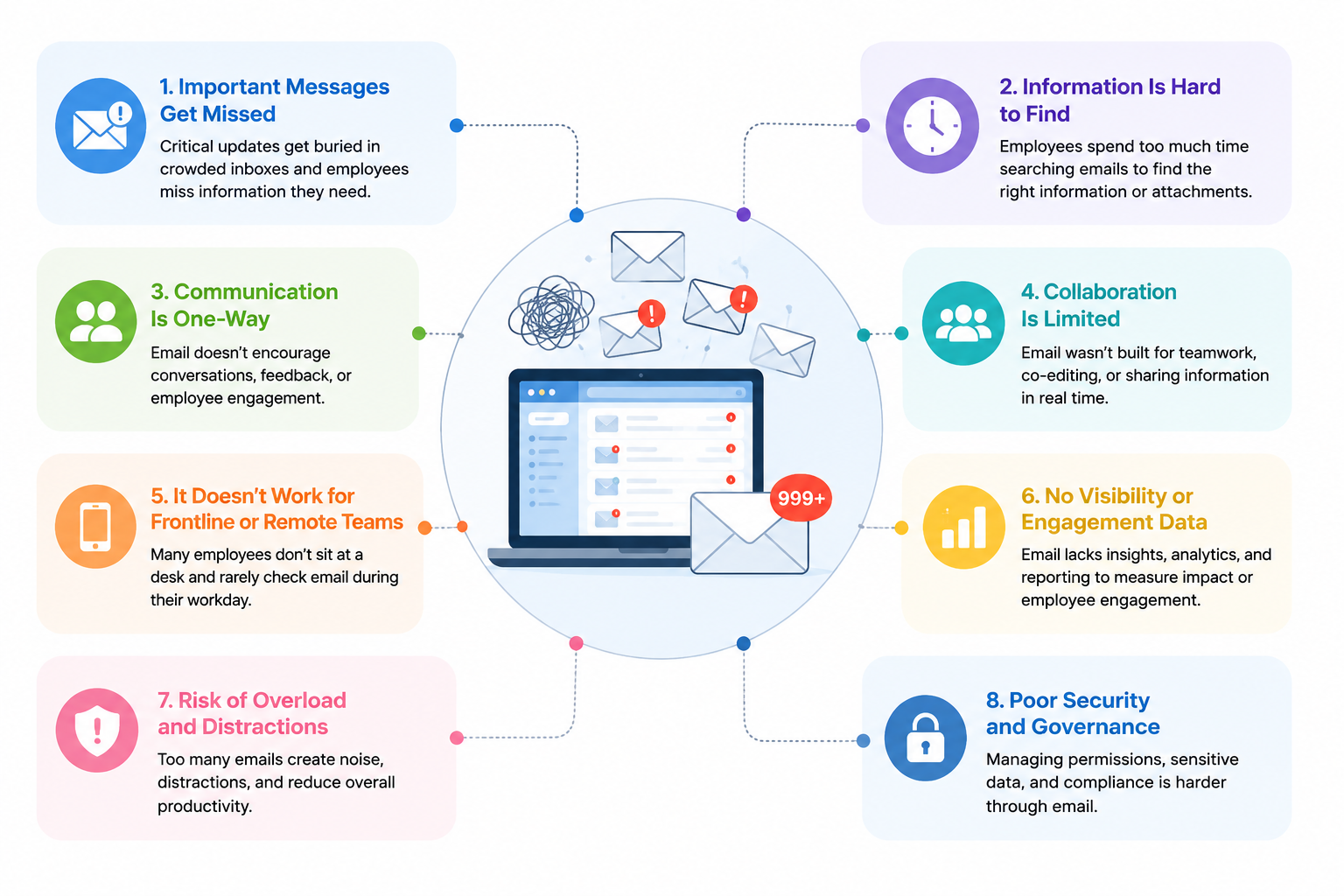
If any of the signs below sound familiar, it may be time to invest in an Internal Communication Platform that centralises communication, knowledge, and employee engagement.
- Important Messages Get Lost - Company announcements compete with hundreds of emails every week. Critical updates are buried in inboxes, making it easy for employees to overlook important information or read it too late.
- Employees Can't Find Information - Instead of knowing where to look, employees waste valuable time searching through old emails, shared folders, and multiple applications for documents, policies, or previous conversations.
- Too Many Communication Apps - When communication is spread across email, chat apps, shared drives, video meetings, and project tools, employees constantly switch between platforms. This creates confusion, duplicates work, and reduces productivity.
- Teams Work in Silos - Different departments often use different communication methods, making collaboration more difficult. Information stays within teams instead of being shared across the wider organisation.
- Frontline Employees Miss Updates - Deskless workers rarely spend their day checking company email. Without mobile employee communication, many never receive important announcements, operational updates, or policy changes when they need them.
- Knowledge Is Scattered - Important documents, training materials, meeting notes, and procedures end up stored in different locations. Employees don't know which version is current, leading to mistakes and duplicated effort.
- New Employees Take Longer to Onboard - When company knowledge is spread across inboxes and shared drives, new hires spend weeks asking colleagues where information is stored instead of becoming productive quickly.
- No Visibility Into Engagement - One of the biggest limitations of email is that you rarely know whether employees have actually read or understood important communications. A modern Internal Communication Platform provides analytics that show message reach, engagement, and employee interaction, helping internal communications teams measure what works.
If your organisation recognises several of these challenges, it's a strong indication that email is no longer enough.
A modern internal business communication platform gives employees one trusted place to access company news, documents, conversations, and knowledge—helping everyone stay connected, informed, and engaged regardless of where they work.
Key Features You Should Look For in an Internal Communication Platforms
Not all communication tools are created equal.
Some focus only on messaging, while others act as a complete employee communication and engagement platform that connects your workforce, improves collaboration, and keeps everyone informed from a single location.
The best workplace internal communication platform should do much more than replace email. It should become the digital hub where employees communicate, collaborate, access company knowledge, and engage with the business every day.
Whether your workforce is office-based, remote, hybrid, or frontline, the right solution should simplify communication instead of adding another app to manage.
Here are the essential features every modern internal company communication software should include.
Company News & Announcements for Sharing Business Updates
One of the biggest advantages of an Internal Communication Platform is having a single place to publish company news, leadership updates, policy changes, business announcements, and operational communications.
Instead of sending multiple emails or posting the same message across different apps, communications teams can publish content once and instantly reach the right employees through desktop, web, or a mobile app.
This ensures everyone—from office staff to frontline workers—receives consistent, up-to-date information.
Imagine your company introduces a new hybrid working policy that takes effect next Monday. Rather than emailing every employee and hoping they read it, HR publishes the announcement on the platform with the updated policy attached.
Employees receive a push notification, managers can pin the announcement for their teams, and anyone who misses it can easily find it later in the company news feed.
Built-in analytics also show exactly who has viewed the update, giving leadership confidence that the message has reached the entire workforce.
Employee Chat & Messaging to Connect Office, Remote and Frontline Teams Faster
Real-time messaging allows employees to communicate instantly through one-to-one conversations, group chats, team channels, and department discussions. Instead of waiting for email replies, employees can ask questions, share updates, exchange files, and make decisions in real time.
A modern Internal Communication Platform also keeps conversations organised, searchable, and accessible from desktop and mobile devices, making collaboration faster across the entire organisation.
Project Collaboration: A marketing team creates a group chat to coordinate a product launch, share design files, and provide real-time feedback without endless email chains
Knowledge Base & Wiki for Storing Company Policies and Procedures
Employees should be able to quickly find policies, procedures, FAQs, onboarding guides, and company documentation.
A searchable knowledge base saves time and ensures everyone works from the latest information.
Knowledge management and document sharing
Employees should be able to quickly find policies, procedures, FAQs, onboarding guides, and company documentation.
A searchable knowledge base saves time and ensures everyone works from the latest information.
Employee Directory for Finding and Connecting With Everyone in Your Organisation
A modern employee directory makes it easy to locate colleagues by department, office, role, skills, or location, helping employees connect with the right people faster.
Team Collaboration for Working Together Across Departments and Teams
The best platforms support collaboration through shared workspaces, project discussions, file sharing, comments, task management, and team communities, making it easier to work together regardless of location.
Document Management for Storing, Sharing and Managing Company Files
Instead of storing files across shared drives and email attachments, documents should be securely managed with version control, permissions, approvals, and easy search functionality.
Internal Communications Mobile App for Keeping Every Employee Connected Anywhere
A dedicated internal communications mobile app ensures employees can stay connected wherever they work.
Frontline workers, field staff, and remote teams can receive announcements, access documents, join conversations, and collaborate directly from their smartphones.
Push Notifications for Delivering Time-Sensitive Updates Instantly
Urgent updates should never go unnoticed.
Push notifications help deliver time-sensitive announcements, safety alerts, operational updates, and company news instantly to the right employees.
Surveys & Polls for Collecting Employee Feedback and Measuring Engagement
Gathering employee feedback is essential for improving engagement.
Built-in surveys, pulse polls, and feedback tools help organisations measure sentiment and encourage two-way communication.
Employee Recognition & Engagement for Building a Stronger Workplace Culture
An effective employee communication and engagement platform should include employee recognition, social feeds, reactions, comments, badges, and celebrations that help build a stronger workplace culture and improve engagement.
Workflow Automation for Streamlining Repetitive Business Processes
Automating routine processes such as approvals, onboarding, forms, reminders, and notifications saves time, reduces manual work, and improves operational efficiency.
AI Search for Finding Company Information in Seconds
AI-powered search allows employees to find documents, policies, people, conversations, and answers in seconds instead of searching through multiple systems.
AI Assistant for Employee Self-Service and Everyday Productivity
Integrated AI assistants can answer employee questions, summarise documents, recommend knowledge articles, and help employees find information more quickly, reducing the workload on HR and IT teams.
Business Integrations for Connecting All Your Workplace Applications
Your communication platform should connect with the software your business already uses, including Microsoft 365, Google Workspace, HR systems, payroll, CRM platforms, cloud storage, and project management tools.
Enterprise Security & Compliance for Protecting Company Data
Protecting company information is critical.
Look for internal company communication software that includes role-based permissions, single sign-on (SSO), multi-factor authentication, encryption, audit logs, GDPR compliance, and enterprise-grade security controls.
Ultimately, the best workplace internal communication platform brings communication, collaboration, knowledge management, employee engagement, and mobile employee communication into one connected experience.
Rather than juggling multiple disconnected tools, employees have a single, trusted place to find information, communicate with colleagues, and stay engaged—whether they're in the office, working remotely, or on the frontline.
Compare the Best Internal Communication Platforms at a Glance
Before diving into the detailed reviews, here's a quick overview of the leading Internal Communication Platform solutions.
This table highlights who each platform is best suited for, the type of workforce it supports, and whether it includes some of the features businesses look for most.
Use it to narrow down your shortlist before reading the full reviews.
| Platform | Best For | Mobile App | AI Features | Free Trial |
| AgilityPortal ⭐ | All-in-one workplace operations | ✅ | ✅ | ✅ |
| Slack | Team Messaging & Collaboration | ✅ | ✅ | ✅ |
| Microsoft Viva Engage | Microsoft 365 Organisations | ✅ | ✅ | ❌ |
| Google Workspace | Google-Based Businesses | ✅ | Gemini AI | Free Plan |
| Axero | Company Intranets | ✅ | ✅ | Demo |
| Happeo | Google Workspace Intranets | ✅ | ✅ | Demo |
| Igloo Software | Knowledge Management | ✅ | Limited | Demo |
| Staffbase | Enterprise Communications | ✅ | ✅ | ❌ |
| Firstup | Enterprise Employee Communications | ✅ | ✅ | ❌ |
| Sociabble | Frontline & Employee Advocacy | ✅ | All | Demo |
| Interact | Employee Experience & Intranet | ✅ | ✅ | Demo |
| Cerkl Broadcast | Internal Email & Communications | ✅ | All | Demo |
Detailed Review of the Best Workplace Operations Platforms
#1. AgilityPortal
Best for: Businesses looking for an all-in-one Internal Communication Platform that combines employee communication, collaboration, knowledge management, and employee engagement in a single solution.
Best for: Businesses looking for an all-in-one Internal Communication Platform that combines employee communication, collaboration, knowledge management, and employee engagement in a single solution.
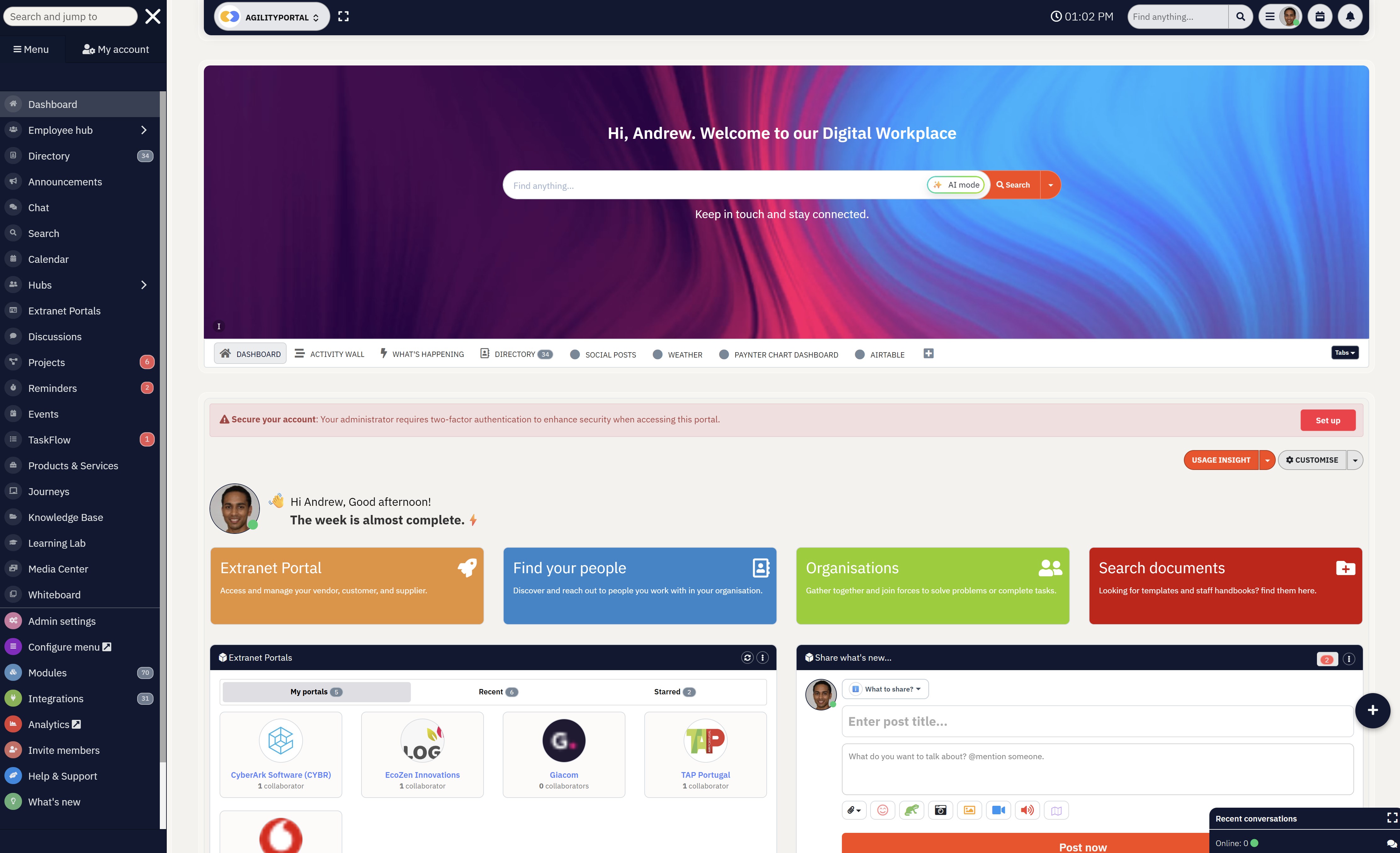
If your organisation is juggling email, Microsoft Teams, shared drives, and multiple communication tools, AgilityPortal brings everything together into one modern digital workplace. Rather than simply offering chat or company news, it provides a complete employee communication and engagement platform designed to keep office, remote, hybrid, and frontline employees connected from anywhere.
At its core, AgilityPortal helps organisations centralise internal communications. Company announcements, leadership updates, operational alerts, policy changes, and department news can all be published from one place and targeted to specific teams, departments, offices, or locations. Employees receive updates through the web platform or the internal communications mobile app, ensuring important information reaches everyone, regardless of where they work.
Unlike traditional intranets that become outdated document repositories, AgilityPortal combines a modern social intranet with interactive communication tools. Employees can comment on announcements, react to posts, participate in discussions, recognise colleagues, and engage with leadership, creating meaningful two-way communication instead of one-way broadcasts.
Real-time communication is another area where the platform stands out. Employees can communicate instantly through one-to-one chat, group conversations, department channels, voice messages, file sharing, GIFs, and broadcasts, reducing reliance on internal email while improving collaboration across teams.
The platform also acts as a central knowledge hub. Policies, procedures, onboarding guides, training materials, company documents, and FAQs are stored in a searchable knowledge base with version control and permission management. Employees spend less time searching through shared drives and more time finding the information they need.
For organisations with deskless or distributed workforces, AgilityPortal's employee communication app delivers push notifications, company news, chat, forms, documents, and team updates directly to employees' smartphones, making it ideal for frontline workers who rarely access company email.
Built-in workflow automation further improves communication by streamlining approvals, digital forms, employee requests, onboarding tasks, and recurring business processes. Managers can automate routine communication instead of relying on manual emails and follow-ups.
The platform also includes AI-powered capabilities that help employees search for information, summarise documents, locate policies, and quickly find answers across the organisation, reducing the burden on HR and internal communications teams.
Finally, detailed communication analytics allow administrators to measure employee engagement, announcement reach, document views, mobile adoption, and overall communication effectiveness. These insights help businesses understand what employees are reading and where communication can be improved.
Key Internal Communication Features- Company news and targeted announcements
- Employee chat, messaging, and voice messages
- Social intranet with comments, reactions, and discussions
- Broadcast messaging with push notifications
- Employee directory and organisation chart
- Internal communications mobile app for iOS and Android
- AI-powered enterprise search and assistant
- Knowledge base and document management
- Communities, departments, and team workspaces
- Employee recognition and engagement tools
- Digital forms and workflow automation
- Learning management system (LMS) and onboarding
- Advanced communication analytics and reporting
- Microsoft 365, Google Workspace, and HR system integrations
- Comprehensive all-in-one communication platform
- Excellent support for office, remote, hybrid, and frontline employees
- Combines communication, engagement, collaboration, and knowledge management
- Mobile-first experience with real-time push notifications
- Strong workflow automation and AI capabilities
- Highly configurable with enterprise-grade security
- Broad feature set may require a structured onboarding process
- Some advanced modules are more than smaller organisations may initially need
- Custom pricing based on the number of users and business requirements. A free 14-day trial is available for organisations that want to evaluate the platform before purchasing.
Overall Rating: ⭐⭐⭐⭐⭐ (5/5)
Why We Recommend It
AgilityPortal is more than just an Internal Communication Platform—it's a complete digital workplace built to replace disconnected communication tools with one secure, centralised solution.
For organisations that want to improve employee communication, increase engagement, reduce email overload, and provide a better experience for office, remote, and frontline employees, it offers one of the most complete feature sets available today.
AgilityPortal
One Internal Communication Platform for Every Employee
Looking for an Internal Communication Platform that does more than simply send company announcements? AgilityPortal combines employee communication, a social intranet, knowledge management, collaboration, employee engagement, mobile communication, and workflow automation into one secure digital workplace. Instead of switching between multiple workplace apps, employees have one place to access company news, chat with colleagues, share documents, find information, and stay connected from anywhere.
Starts from $99/month for up to 100 employees
14-day free trial available
No credit card required
#2. Slack
Best for: Businesses looking for a fast and reliable messaging platform that keeps teams connected through real-time conversations, channels, and integrations.
Best for: Businesses looking for a fast and reliable messaging platform that keeps teams connected through real-time conversations, channels, and integrations.
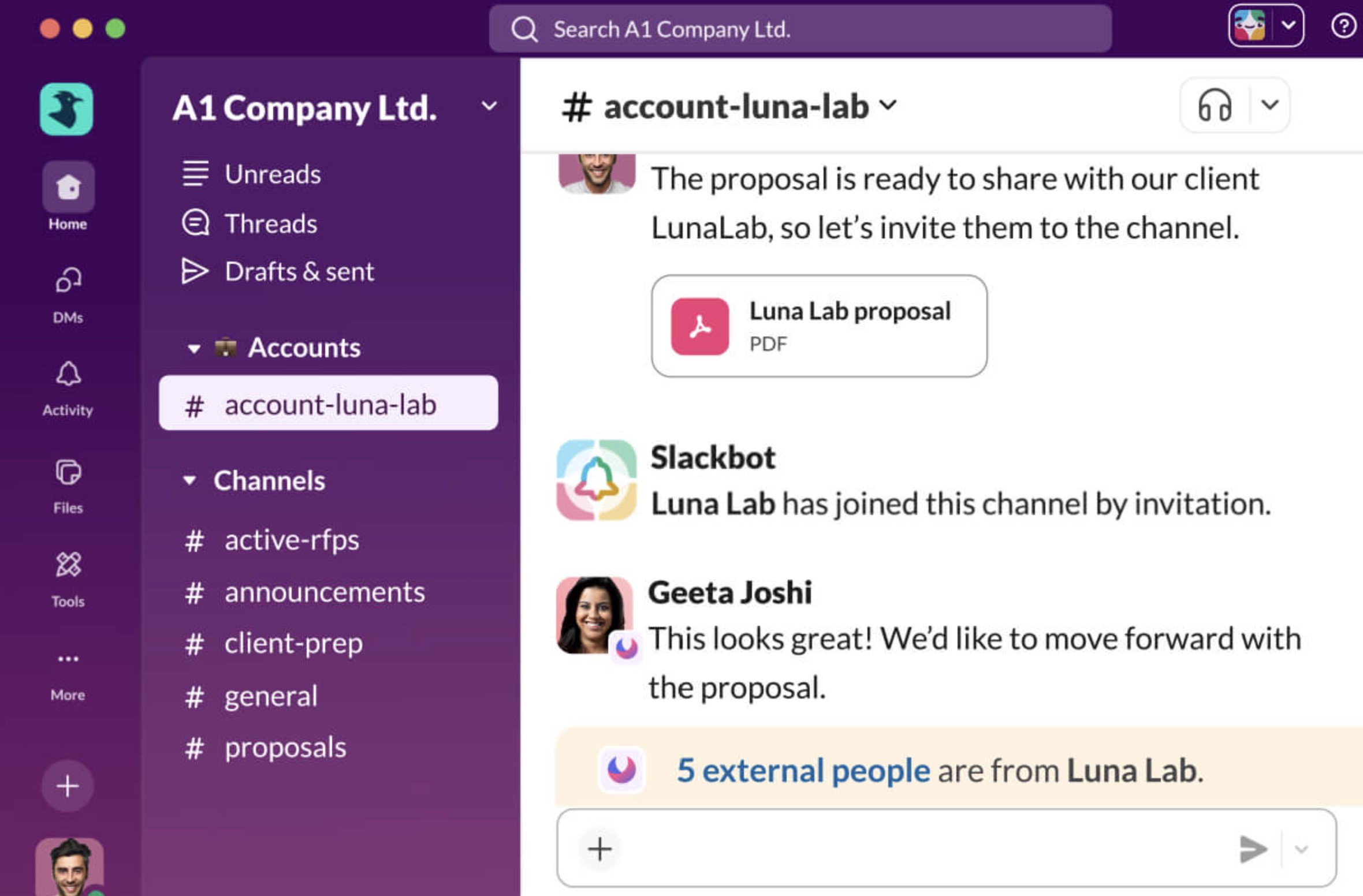
If your organisation relies on quick conversations rather than long email chains, Slack is one of the best workplace messaging platforms available. It helps employees communicate through organised channels, direct messages, audio and video huddles, and searchable conversations, making it particularly popular with remote, hybrid, and technology-focused teams.
Slack is designed around channels, allowing organisations to separate discussions by department, project, customer, or topic. Instead of important updates becoming buried in email inboxes, employees can easily find conversations, documents, and shared files in one searchable workspace.
Key Internal Communication Features
- Organised channels for departments, teams, and projects
- One-to-one and group messaging
- Audio and video huddles
- File sharing and searchable message history
- Slack AI for search and conversation summaries
- Workflow Builder for automating routine processes
- Mobile apps for iOS and Android
- Push notifications and mentions
- Over 2,600 business integrations
- Enterprise-grade security and administration
- Excellent real-time employee messaging experience
- Easy to organise conversations using channels and threads
- Extensive integrations with business applications
- Strong mobile experience for remote and hybrid employees
- AI-powered search and conversation summaries
- Simple and intuitive user interface
- Limited social intranet and employee engagement capabilities
- No built-in employee directory or knowledge hub comparable to a modern intranet
- Company announcements can easily become buried in busy channels
- Advanced AI, governance, and security features require higher-tier plans
- Slack offers a Free plan alongside Pro, Business+, and Enterprise Grid plans. Pricing varies depending on the number of users and the features required, with AI capabilities and advanced administration available on selected paid plans.
Overall Rating: ⭐⭐⭐⭐☆ (4.3/5)
Why We Recommend ItSlack is one of the strongest workplace messaging platforms available and remains an excellent choice for businesses that prioritise fast communication and collaboration.
Slack
Real-Time Team Communication for Fast-Moving Businesses
Slack is one of the world's most popular workplace messaging platforms, helping teams communicate through channels, direct messages, voice and video huddles, and thousands of integrations. It's an excellent choice for organisations that prioritise fast collaboration and real-time conversations. While Slack excels at messaging, businesses looking for a complete internal communication platform may still need additional tools for company news, knowledge management, and employee engagement.
Free plan available
Paid plans start from approximately US$7.25 per user/month (billed annually)
Enterprise plans available for large organisations
#3. Microsoft Viva Engage
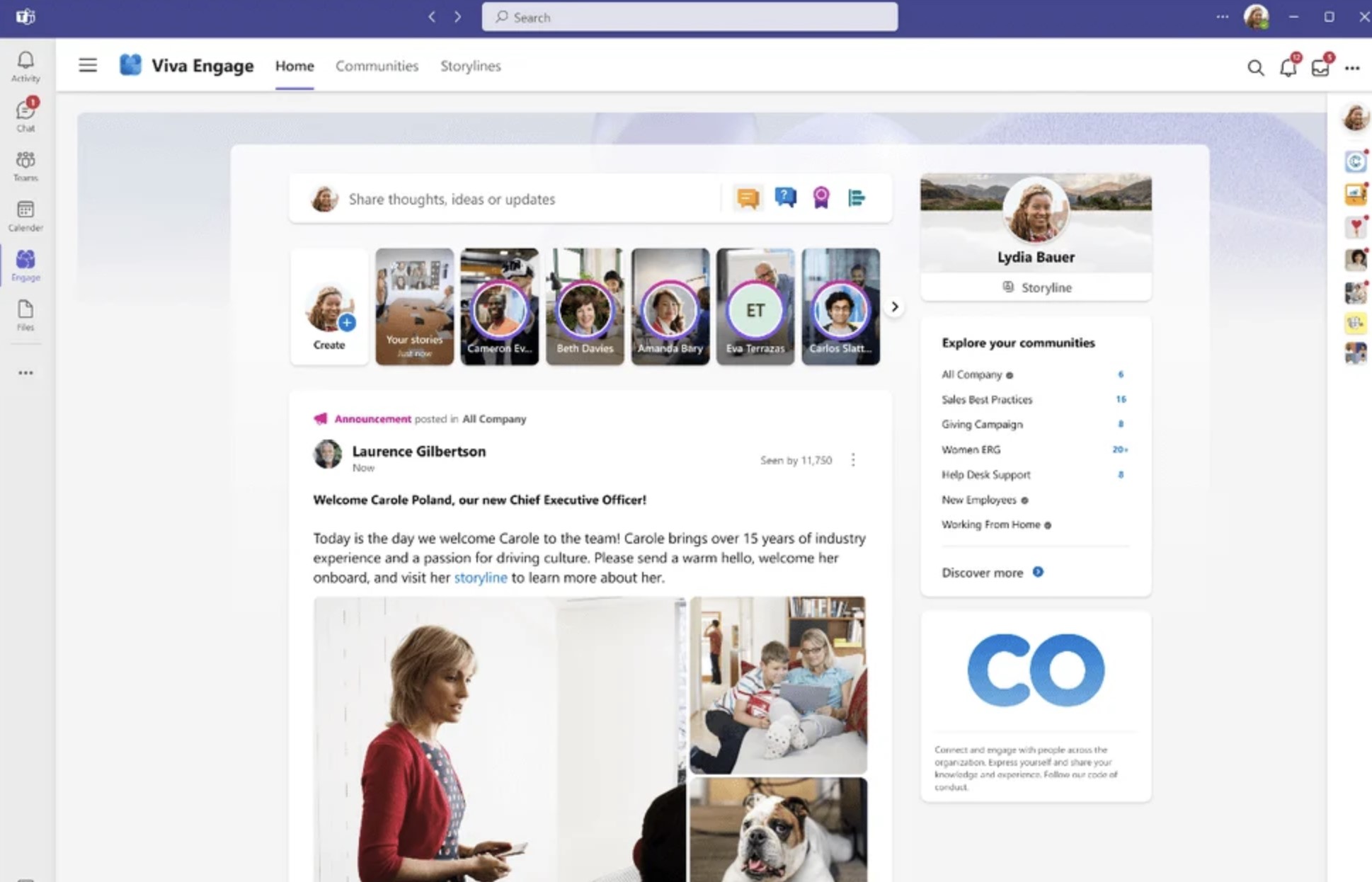
Best for: Organisations already using Microsoft 365 that want to improve employee engagement, leadership communication, and company-wide conversations.
Best for: Organisations already using Microsoft 365 that want to improve employee engagement, leadership communication, and company-wide conversations.
Microsoft Viva Engage is Microsoft's enterprise social networking platform, built on the foundation of Yammer and integrated into the Microsoft Viva employee experience suite. Rather than focusing on instant messaging like Microsoft Teams, Viva Engage is designed to strengthen company culture by encouraging organisation-wide discussions, leadership engagement, employee communities, and knowledge sharing.
One of Viva Engage's biggest advantages is its seamless integration with Microsoft 365. Employees can access conversations directly from Microsoft Teams, SharePoint, Outlook, and other Microsoft applications without switching platforms. This creates a more connected digital workplace for organisations already invested in the Microsoft ecosystem.
Microsoft has also introduced AI-powered features through Microsoft Copilot, helping employees summarise conversations, discover relevant discussions, and quickly find workplace knowledge. Leadership Corner and Ask Me Anything (AMA) events provide executives with structured ways to communicate with employees and gather feedback at scale.
While Viva Engage is excellent for community building and employee engagement, it is less comprehensive than a dedicated Internal Communication Platform. Businesses looking for advanced document management, workflow automation, onboarding, forms, learning management, or complete intranet capabilities will typically combine Viva Engage with SharePoint and other Microsoft services.
Key Internal Communication Features- Company announcements and organisation-wide updates
- Employee communities and discussion groups
- Leadership communication and AMA events
- Employee recognition and praise
- Personalised news feeds
- AI-powered conversation summaries with Microsoft Copilot
- Knowledge sharing and community discussions
- Mobile apps for iOS and Android
- Microsoft Teams, SharePoint, Outlook, and Microsoft 365 integration
- Enterprise security and compliance
- Deep integration with Microsoft 365 and Microsoft Teams
- Excellent for employee engagement and leadership communication
- Strong community-building capabilities
- AI-powered insights and conversation summaries
- Familiar experience for existing Microsoft users
- Enterprise-grade security and governance
- Requires Microsoft 365 to deliver its full value
- Limited workflow automation compared to dedicated digital workplace platforms
- Document management depends heavily on SharePoint
- May require multiple Microsoft products to create a complete employee communication solution
- Microsoft Viva Engage is included with many Microsoft 365 enterprise plans, while additional Viva Suite and Microsoft Copilot features require separate licensing. Pricing depends on your Microsoft subscription and any optional Viva add-ons.
Overall Rating: ⭐⭐⭐⭐☆ (4.4/5)
Why We Recommend ItMicrosoft Viva Engage is an excellent choice for organisations already using Microsoft 365 that want to strengthen internal communications, improve leadership visibility, and encourage employee participation across the business.
Microsoft Viva Engage
Best for Employee Communities and Leadership Communication
Microsoft Viva Engage helps organisations strengthen employee engagement through company communities, leadership conversations, and social networking. Built on the foundation of Yammer and tightly integrated with Microsoft 365, it enables businesses to share company news, recognise employees, host leadership discussions, and encourage two-way communication across the organisation. It is an excellent choice for organisations already invested in the Microsoft ecosystem.
Included with selected Microsoft 365 plans
Additional Viva Suite and Copilot licences may be required
Enterprise pricing depends on your Microsoft subscription
#4. Google Workspace
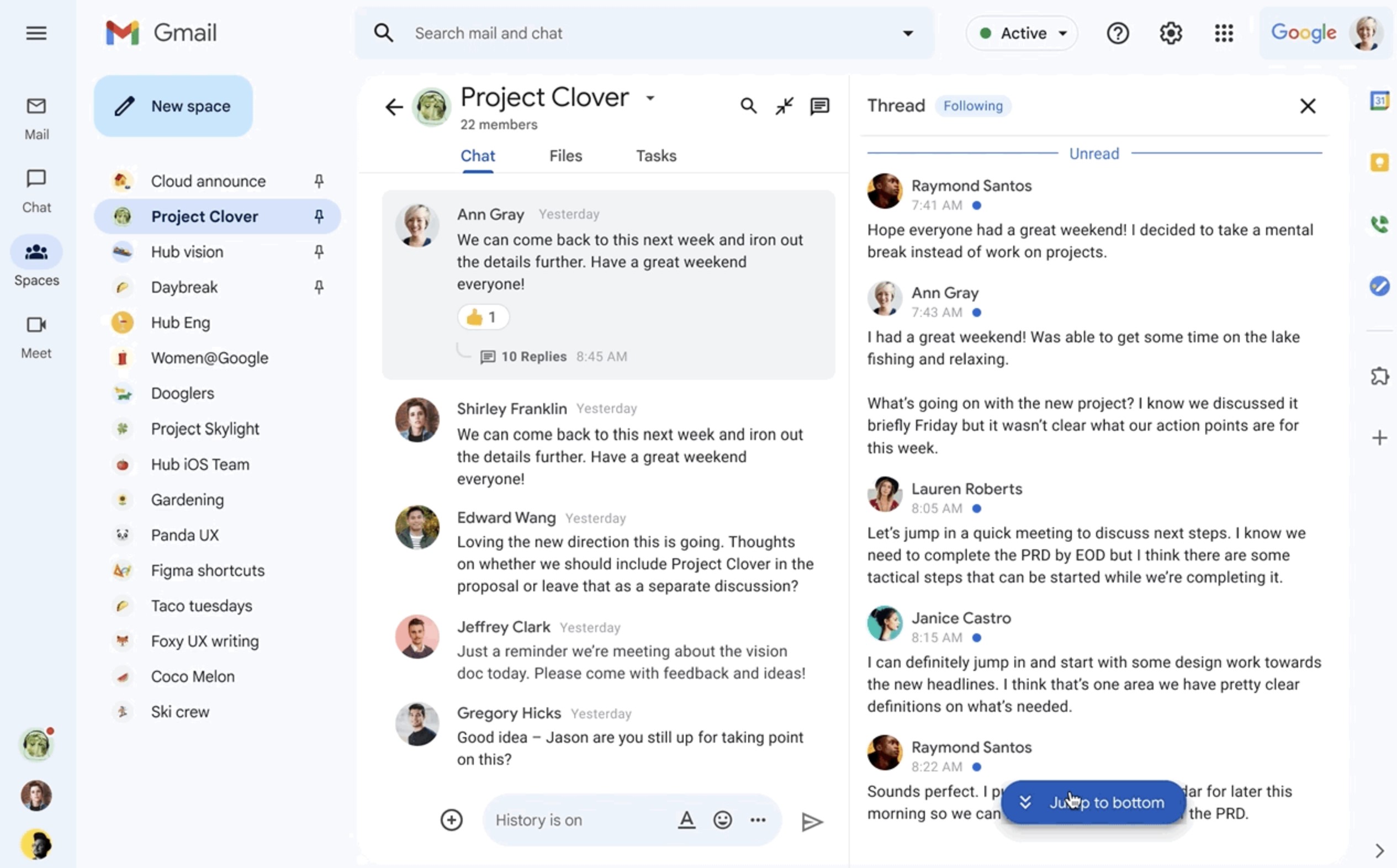
Best for: Businesses that want a cloud-based collaboration suite with email, file sharing, document collaboration, and team communication in one ecosystem.
Best for: Businesses that want a cloud-based collaboration suite with email, file sharing, document collaboration, and team communication in one ecosystem.
Google Workspace is widely recognised as a productivity suite, but it also provides many of the tools organisations need for day-to-day internal communication.
With Gmail, Google Chat, Google Meet, Google Drive, Docs, Sheets, Sites, and Gemini AI working together, employees can communicate, collaborate, and share information from virtually anywhere.
Although Google Workspace offers excellent collaboration tools, it is not a dedicated IC Platform.
It lacks many features organisations expect from an employee communication and engagement platform, such as company-wide news feeds, employee recognition, social communities, advanced internal communications, and engagement analytics.
Businesses with larger or distributed workforces often pair Google Workspace with a dedicated social intranet or employee communication platform.
Key Internal Communication Features- Gmail for company-wide communication
- Google Chat for instant messaging and team conversations
- Google Meet for video meetings
- Google Drive for cloud file storage and sharing
- Google Docs, Sheets, and Slides for real-time collaboration
- Google Sites for simple company intranet pages
- Gemini AI for writing assistance, search, and productivity
- Mobile apps for iOS and Android
- Shared calendars and scheduling
- Enterprise security and administration
- Excellent real-time collaboration across documents and files
- Easy to use with a clean and familiar interface
- Strong cloud storage and file sharing capabilities
- Built-in AI features with Gemini
- Reliable mobile apps for remote and hybrid employees
- Integrates with thousands of third-party business applications
- Limited employee engagement and social intranet functionality
- No built-in employee recognition or community features
- Company announcements rely on email or Google Sites
- Lacks advanced internal communication analytics and engagement reporting
- Google Workspace is available through Business Starter, Business Standard, Business Plus, and Enterprise plans. Pricing varies depending on storage, security, AI features, and administration requirements.
Overall Rating: ⭐⭐⭐⭐☆ (4.2/5)
Why We Recommend ItGoogle Workspace is an excellent collaboration suite for organisations that need secure email, document sharing, cloud storage, and real-time teamwork.
However, it should not be viewed as a complete Internal Comms tool.
Businesses looking to improve employee communication, strengthen engagement, deliver targeted company announcements, and build a modern digital workplace will often benefit from combining Google Workspace with a dedicated employee communication and engagement platform, internal company communication software, or a workplace internal communication platform that offers richer communication and social intranet capabilities.
Google Workspace
Best for Cloud-Based Communication and Real-Time Collaboration
Google Workspace brings Gmail, Google Chat, Meet, Drive, Docs, Sheets, Calendar, Sites, and Gemini into one cloud-based productivity suite. It is a strong option for businesses that need reliable email, instant messaging, video meetings, file sharing, and live document collaboration. However, it is not a complete employee communication platform, so larger organisations may still need a dedicated intranet for targeted news, recognition, communities, and communication analytics.
Business and enterprise subscription plans available
Pricing varies by storage, security, AI, and administration features
Best suited to businesses already using Google's cloud ecosystem
#5. Axero
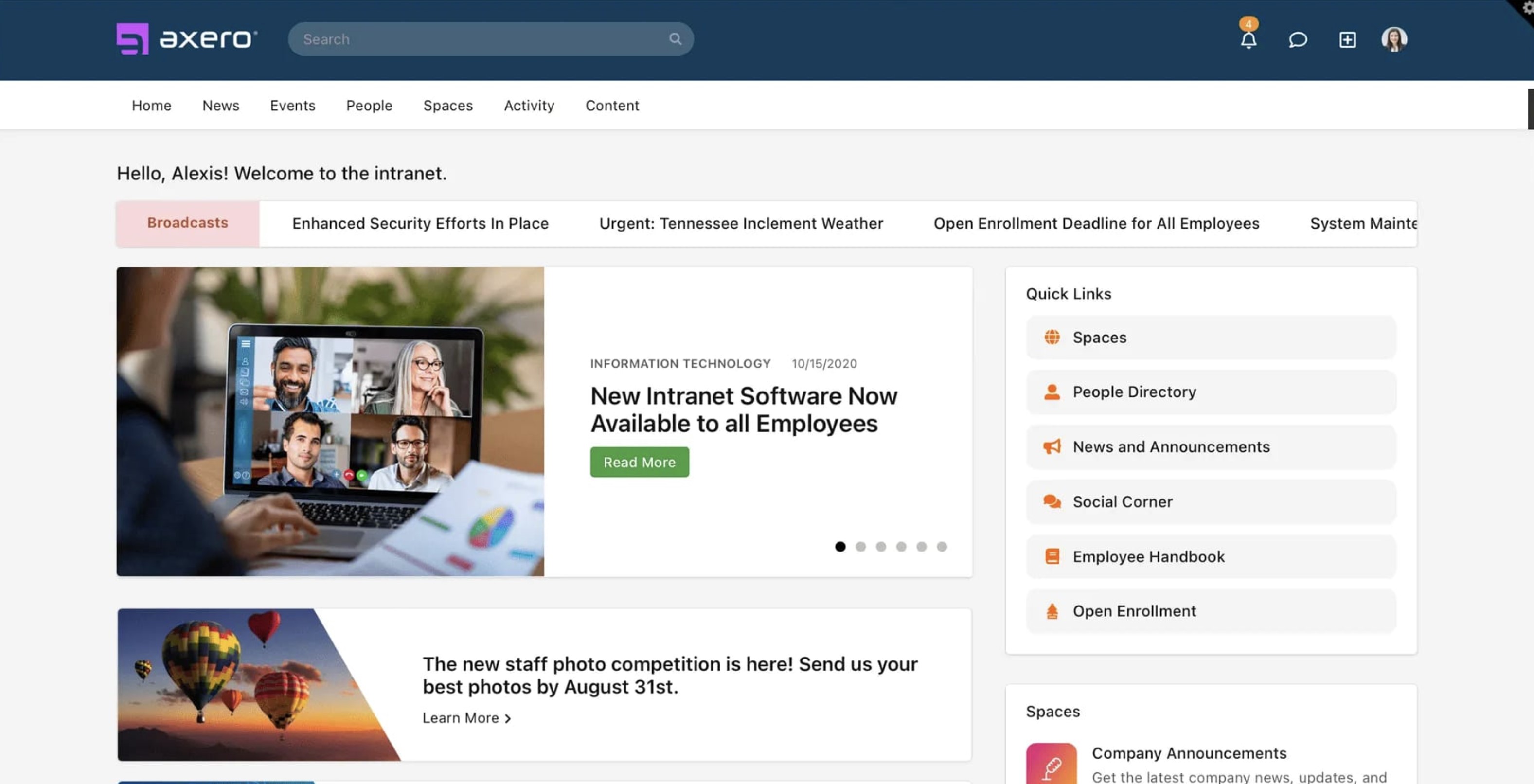
Best for: Mid-sized and enterprise organisations looking for a modern Internal Communication Platform that combines a social intranet, employee communication, collaboration, and knowledge management.
Best for: Mid-sized and enterprise organisations looking for a modern Platform that combines a social intranet, employee communication, collaboration, and knowledge management.
Axero is a digital workplace platform designed to help organisations centralise internal communications, company knowledge, and team collaboration.
It combines traditional intranet functionality with social networking features, allowing employees to stay informed, collaborate on projects, and access business resources from one secure platform.
While Axero provides strong intranet and collaboration capabilities, its real-time messaging experience is less comprehensive than platforms built primarily around chat, such as Slack or Microsoft Teams.
Organisations that rely heavily on instant messaging may still require a dedicated communication tool alongside Axero.
Key Internal Communication Features- Company announcements and news publishing
- Social intranet with communities and discussions
- Employee directory and organisation profiles
- Knowledge base and wiki
- Document management with version control
- Enterprise search
- Team workspaces and collaboration tools
- Task management and calendars
- Mobile apps for iOS and Android
- Microsoft 365 and Google Workspace integrations
- Strong social intranet and knowledge management capabilities
- Centralises company news, documents, and collaboration
- Excellent employee directory and enterprise search
- Good customisation and branding options
- Mobile access for remote and hybrid employees
- Suitable for growing and enterprise organisations
- Messaging capabilities are less advanced than dedicated chat platforms
- Workflow automation is more limited than some digital workplace solutions
- AI functionality is not as extensive as newer employee experience platforms
- Pricing is available through quotation only
- Axero provides custom pricing based on the number of users, deployment requirements, and selected features. Organisations can request a personalised demonstration to explore the platform before purchasing.
Overall Rating: ⭐⭐⭐⭐☆ (4.3/5)
Why We Recommend ItAxero is a strong choice for organisations that want a feature-rich Platform focused on company communication, knowledge sharing, and collaboration.
Its social intranet, employee directory, document management, and enterprise search capabilities make it well suited for businesses replacing a traditional intranet.
However, organisations looking for advanced employee engagement, richer mobile communication, AI-powered workplace features, or built-in workflow automation may find more comprehensive solutions elsewhere.
Axero
Best for Social Intranets and Knowledge Management
Axero is a digital workplace platform that combines an intranet, employee communication, document management, and collaboration tools in one solution. It's designed for organisations that want a central place for company news, knowledge sharing, employee directories, and team collaboration. While Axero offers strong intranet capabilities, businesses looking for advanced workflow automation or AI-powered employee experiences may require additional solutions.
Custom pricing based on organisation size
Personalised demonstrations available
Enterprise deployment options available
#6. Happeo
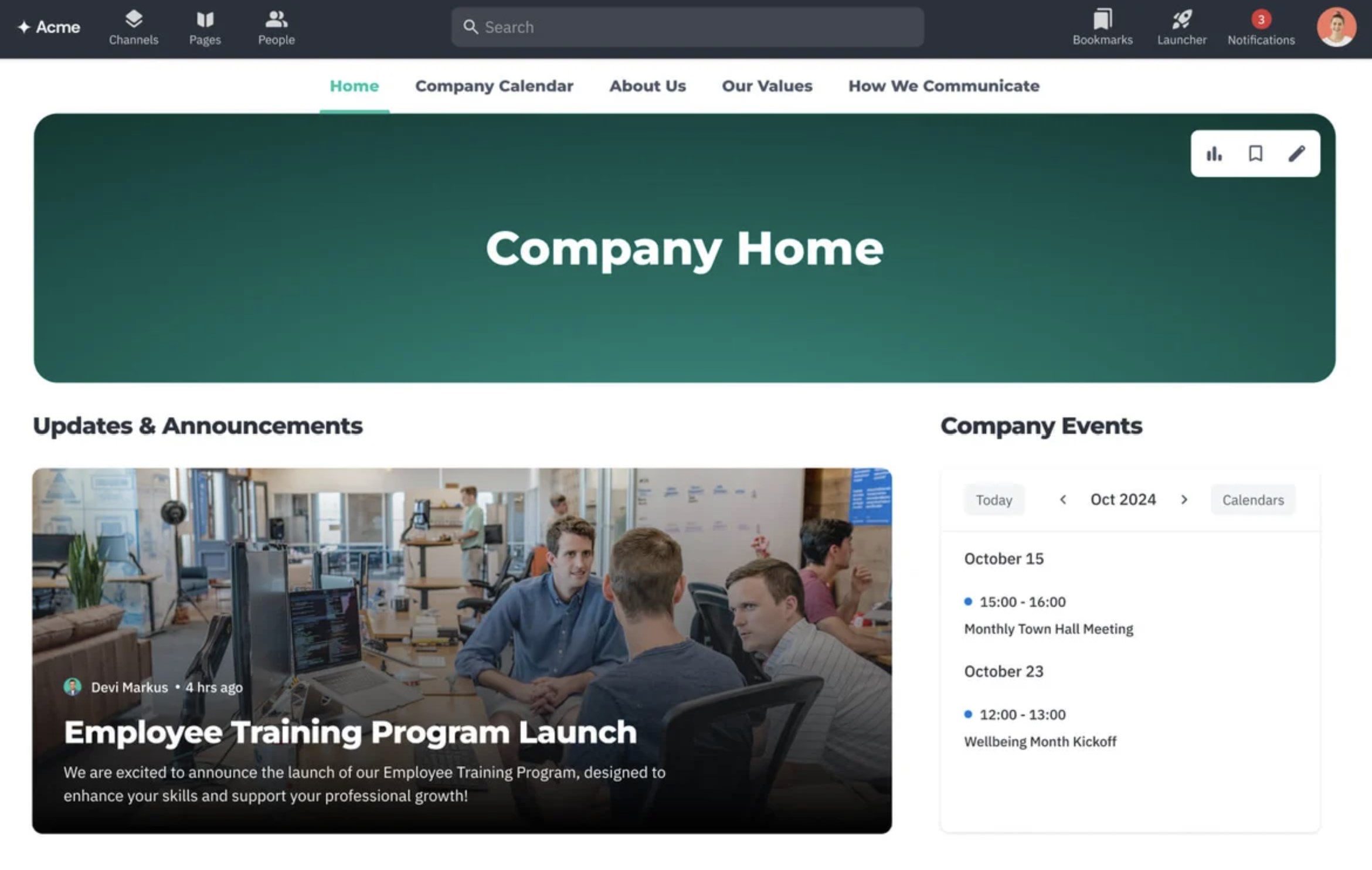
Best for: Organisations using Google Workspace that want to improve knowledge sharing, company communications, and cross-team collaboration.
Best for: Organisations using Google Workspace that want to improve knowledge sharing, company communications, and cross-team collaboration.
Happeo is a digital workplace platform built specifically for businesses that rely on Google Workspace. It combines an intelligent intranet with collaborative workspaces, helping employees access company information, communicate across departments, and stay connected regardless of where they work.
Instead of relying on email for every update, Happeo allows organisations to publish news through dedicated pages and channels. Employees receive personalised content based on their department, office, or interests, making communication more relevant while reducing information overload.
The platform also places a strong emphasis on knowledge management. Company policies, onboarding resources, training materials, and project documentation can all be organised within searchable pages, making it easier for employees to find trusted information without searching through multiple Google Drive folders.
Happeo integrates closely with Google Workspace, allowing employees to access Google Drive, Calendar, Meet, Gmail, and other Workspace applications from a single interface. Its AI-powered enterprise search also helps surface documents, people, and company knowledge more quickly.
While Happeo delivers an excellent intranet experience for Google-first organisations, businesses that require advanced workflow automation, built-in forms, or more comprehensive employee engagement tools may need additional software to complete their digital workplace.
Key Features- Personalised company news channels
- Modern intranet pages and knowledge hub
- AI-powered enterprise search
- Employee profiles and people directory
- Department and project spaces
- Google Workspace integration
- Mobile applications for iOS and Android
- File sharing and document collaboration
- Employee communities and discussions
- Analytics for content engagement
- Excellent integration with Google Workspace
- Modern and easy-to-use interface
- Strong knowledge management capabilities
- Personalised news feeds improve content visibility
- Good mobile experience for distributed teams
- Powerful enterprise search
- Best suited for organisations already invested in Google Workspace
- Limited workflow automation compared to some competitors
- Employee engagement features are less comprehensive than dedicated engagement platforms
- Custom pricing requires contacting the sales team
- Happeo offers customised pricing based on organisation size and requirements. Businesses can request a personalised demonstration and quotation directly from the vendor.
Overall Rating: ⭐⭐⭐⭐☆ (4.3/5)
Why We Recommend ItHappeo is an excellent option for organisations that have standardised on Google Workspace and want to create a modern digital workplace without abandoning their existing tools.
Its personalised news channels, searchable knowledge base, and seamless Google integration make it particularly effective for improving information sharing across distributed teams.
While it may not offer every feature found in larger employee experience platforms, it delivers a polished and user-friendly solution for organisations focused on communication, collaboration, and knowledge management.
Happeo
Best for Google Workspace-Based Digital Workplaces
Happeo is a modern employee communication platform built specifically for organisations using Google Workspace. It combines a social intranet, personalised news channels, knowledge management, and collaboration tools into one digital workplace. Happeo is ideal for businesses that want to improve internal communication, centralise company information, and keep employees connected without leaving the Google ecosystem.
Custom pricing based on organisation size
Product demonstrations available
Designed for businesses using Google Workspace
#7. Igloo Software
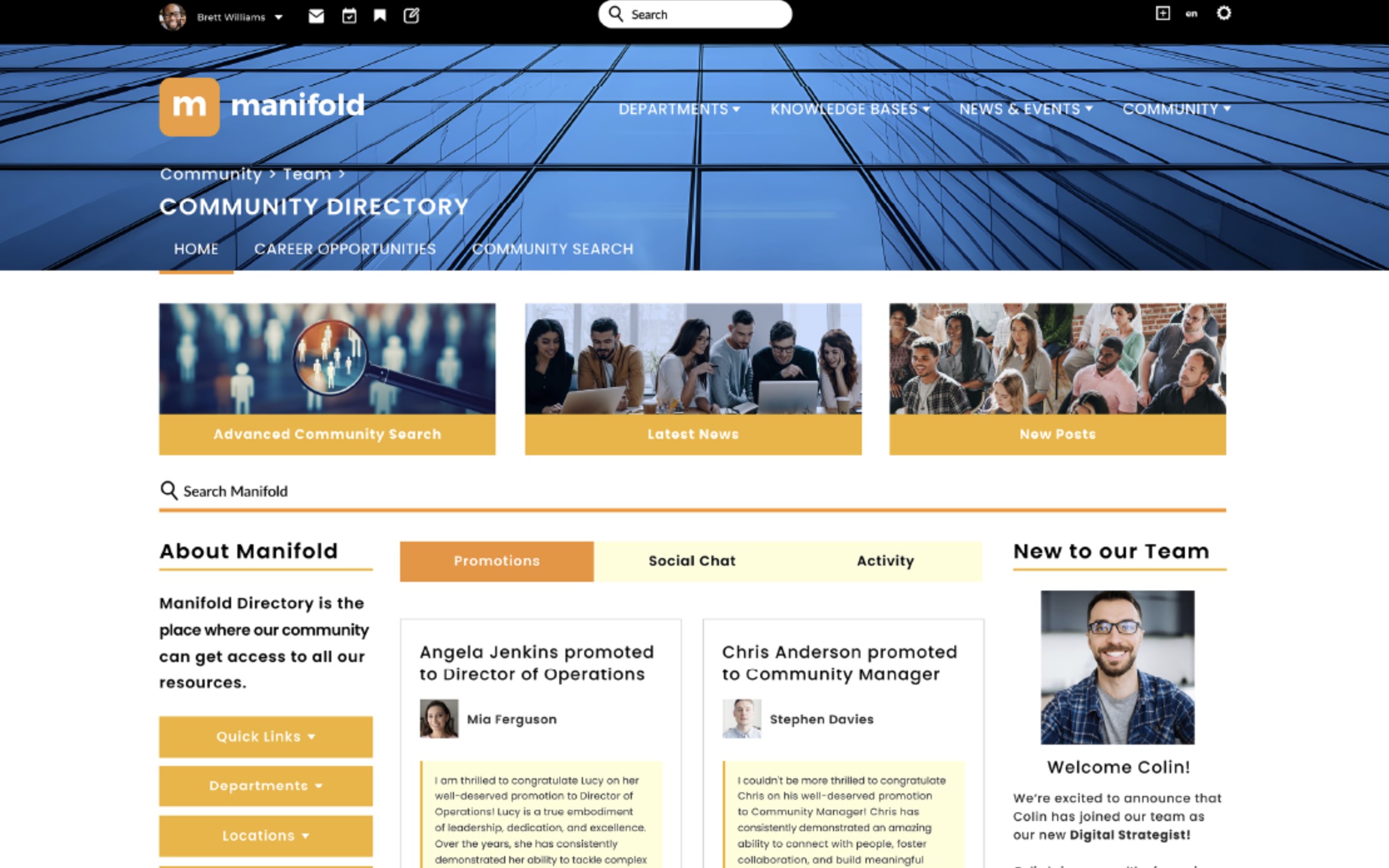
Best for: Mid-sized and enterprise organisations that need a secure digital workplace for knowledge sharing, document collaboration, and company-wide communication.
Best for: Mid-sized and enterprise organisations that need a secure digital workplace for knowledge sharing, document collaboration, and company-wide communication.
Igloo Software is a cloud-based digital workplace platform that helps organisations bring together employees, business information, and collaboration tools in one central location. Rather than focusing on instant messaging, Igloo is designed to improve how employees access company knowledge, share information, and stay informed through structured communication.
The platform allows organisations to create branded digital workspaces where employees can access company news, business updates, documents, policies, and departmental resources. Teams can collaborate within dedicated workspaces, contribute to knowledge bases, and participate in discussions, making it easier to keep information organised and accessible.
One of Igloo's strongest capabilities is document collaboration. Employees can securely store files, manage document versions, control permissions, and collaborate on shared content without relying on multiple file repositories. Its powerful search functionality also helps users quickly locate documents, policies, people, and business information.
Igloo integrates with Microsoft 365, Google Workspace, Salesforce, and other enterprise applications, allowing businesses to connect existing systems while maintaining a single destination for company information.
Although Igloo offers strong knowledge management and collaboration features, organisations looking for advanced employee engagement, built-in workflow automation, or AI-powered communication tools may find some competing platforms offer a broader feature set.
Key Features- Company news and corporate announcements
- Digital workplace and branded intranet
- Knowledge base and wiki
- Secure document management and version control
- Team workspaces and collaboration areas
- Enterprise search
- Employee directory
- Mobile access for iOS and Android
- Microsoft 365 and Google Workspace integrations
- Content permissions and governance
- Strong knowledge management and document collaboration
- Highly customisable digital workplace
- Excellent document security and permission controls
- Powerful enterprise search
- Easy integration with major business applications
- Suitable for regulated and enterprise organisations
- Employee engagement features are less extensive than some modern platforms
- Limited built-in workflow automation
- AI capabilities are less developed than newer competitors
- Pricing is available by quotation only
- Igloo Software offers customised pricing based on organisation size, deployment requirements, and selected functionality. Businesses need to contact the sales team for a personalised quotation and product demonstration.
Overall Rating: ⭐⭐⭐⭐☆ (4.2/5)
Why We Recommend ItIgloo Software is a solid choice for organisations that want to centralise company information, improve collaboration, and build a secure digital workplace.
Its strengths lie in knowledge management, document sharing, and structured communication rather than real-time messaging.
For businesses that prioritise governance, information accessibility, and collaboration across distributed teams, Igloo remains one of the more established digital workplace solutions available.
Igloo Software
Best for Secure Knowledge Sharing and Enterprise Intranets
Igloo Software is a cloud-based digital workplace designed to help organisations centralise company communication, documents, and knowledge in one secure location. It combines a modern intranet with collaboration and document management features, making it well suited for businesses that want employees to easily access company news, policies, shared files, and workplace resources from anywhere.
Custom pricing based on business requirements
Enterprise deployment and onboarding available
Product demonstrations available on request
#8. Staffbase
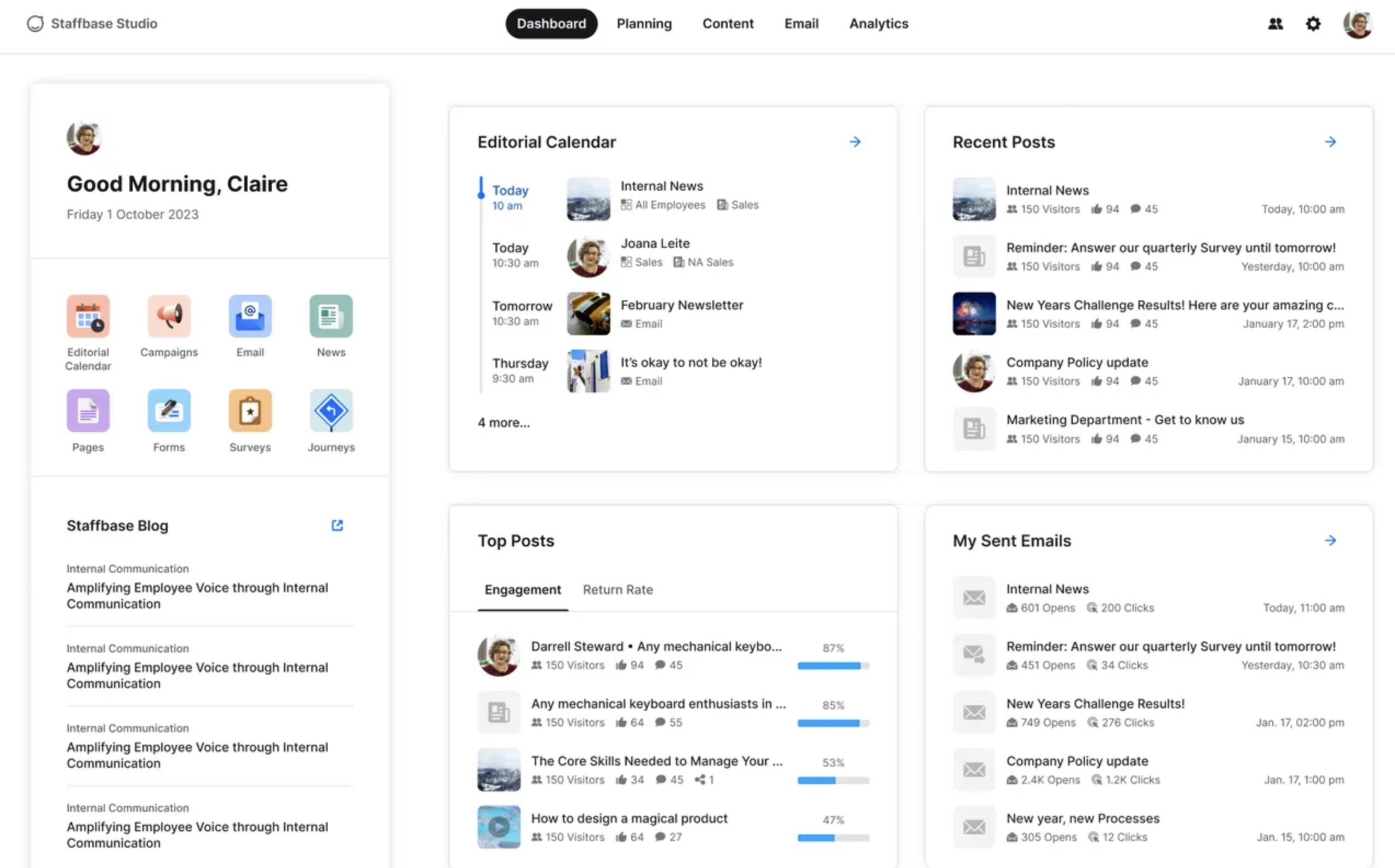
Best for: Large enterprises that need to deliver company news, executive communications, and employee updates across office, remote, and frontline workforces.
Best for: Large enterprises that need to deliver company news, executive communications, and employee updates across office, remote, and frontline workforces.
Staffbase is an enterprise communication platform built specifically for internal communications teams. Unlike collaboration platforms that focus on day-to-day messaging, Staffbase helps organisations plan, publish, and measure company-wide communications across multiple channels from a single platform.
It helps internal communications teams understand which content performs well and continuously improve communication strategies.
The platform integrates with Microsoft 365, SharePoint, Microsoft Teams, Active Directory, and a range of HR systems, allowing organisations to connect employee data and existing workplace tools without disrupting current workflows.
While Staffbase excels at enterprise communication, it is less focused on everyday collaboration. Organisations looking for project management, workflow automation, document collaboration, or advanced knowledge management may need additional workplace platforms alongside Staffbase.
Key Features
- Company news and executive announcements
- Employee communications mobile app
- Corporate intranet
- Employee email campaigns
- Targeted audience segmentation
- Push notifications
- Employee surveys and feedback
- Communication analytics and reporting
- Microsoft 365 and HR system integrations
- Multi-language communication support
Pros
- Designed specifically for enterprise internal communications
- Excellent audience targeting and message personalisation
- Strong mobile experience for frontline employees
- Comprehensive communication analytics
- Supports multiple communication channels from one platform
- Enterprise-grade security and scalability
Cons
- Collaboration features are more limited than all-in-one digital workplace platforms
- Document management and knowledge sharing are not its primary strengths
- Workflow automation capabilities are limited
- Pricing is only available through a customised enterprise quotation
Pricing
- Staffbase provides customised pricing based on organisation size, communication requirements, and deployment options. Businesses can request a personalised demonstration and quotation directly from the vendor.
Overall Rating: ⭐⭐⭐⭐☆ (4.5/5)
Why We Recommend It
Staffbase is one of the strongest platforms available for enterprise internal communications.
Its audience targeting, branded employee app, communication analytics, and multi-channel publishing capabilities make it an excellent choice for organisations that need to keep large, distributed workforces informed.
While it isn't intended to replace every collaboration or productivity tool, it excels at helping communication teams deliver consistent, measurable, and engaging company communications at scale.
Staffbase
Best for Enterprise Employee Communications and Frontline Workforces
Staffbase is an enterprise employee communication platform built to help large organisations deliver company news, leadership updates, and business-critical announcements across multiple channels. It combines a branded employee app, modern intranet, email campaigns, and communication analytics, making it particularly effective for businesses with remote, frontline, and distributed employees.
Enterprise pricing available on request
Custom implementation and onboarding services
Designed for medium and large organisations
#9. Firstup
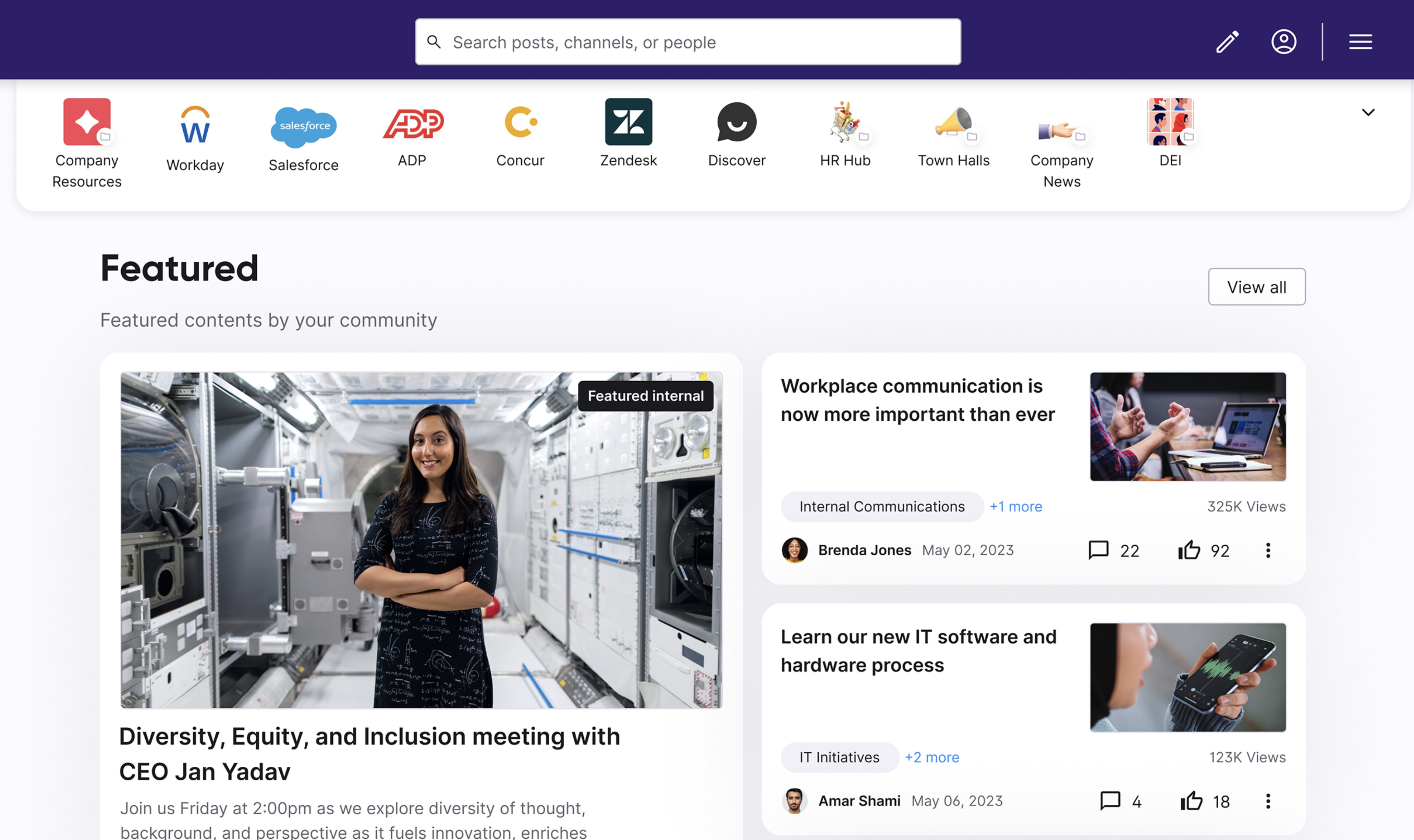
Best for: Large organisations that want to deliver personalised employee communications across multiple channels while improving workforce engagement.
Best for: Large organisations that want to deliver personalised employee communications across multiple channels while improving workforce engagement.
Firstup is an enterprise employee communications platform designed to help organisations deliver the right message to the right employees at the right time.
It focuses on personalised communication rather than team collaboration, making it particularly well suited for large businesses with geographically dispersed, remote, and frontline workforces.
One of Firstup's biggest strengths is its intelligent audience targeting. Communications can be personalised based on role, department, location, language, shift pattern, or employee profile, helping organisations reduce information overload while increasing engagement with company content.
Key Features
- Company announcements and executive communications
- Personalised employee news feeds
- Employee communication mobile app
- Multi-channel communication delivery
- Audience segmentation and targeting
- Push notifications and alerts
- AI-powered content recommendations
- Employee engagement analytics
- Microsoft 365 and HR system integrations
- Multi-language communication support
- Excellent personalised employee communication capabilities
- Strong mobile experience for frontline and deskless workers
- Delivers communications across multiple channels from one platform
- Powerful audience segmentation and targeting
- Detailed communication analytics and reporting
- Scales well for global enterprises
- Limited collaboration and team messaging capabilities
- Does not provide a complete intranet or knowledge management solution
- Workflow automation features are limited
- Enterprise pricing requires contacting the sales team
- Firstup offers customised enterprise pricing based on workforce size, communication channels, and deployment requirements. Organisations can request a personalised demonstration and quotation directly from the vendor.
Overall Rating: ⭐⭐⭐⭐☆ (4.4/5)
Why We Recommend ItFirstup is an excellent choice for organisations that prioritise enterprise-wide employee communications and personalised content delivery. Its intelligent targeting, mobile-first experience, and advanced analytics make it particularly effective for communicating with large, distributed workforces.
While it isn't intended to replace a complete digital workplace platform, it is one of the strongest solutions available for organisations focused on improving communication reach, employee engagement, and communication performance across multiple channels.
Firstup
Best for AI-Powered Employee Communication and Personalised Content Delivery
Firstup is an enterprise employee communication platform designed to help organisations deliver personalised communications across email, mobile, Microsoft Teams, SharePoint, and other workplace channels. Using AI, it automatically delivers relevant content to employees based on their role, location, interests, and engagement, helping businesses improve communication reach while reducing information overload.
Enterprise pricing available on request
Tailored implementation for large organisations
Designed for enterprise and global workforces
#10. Sociabble
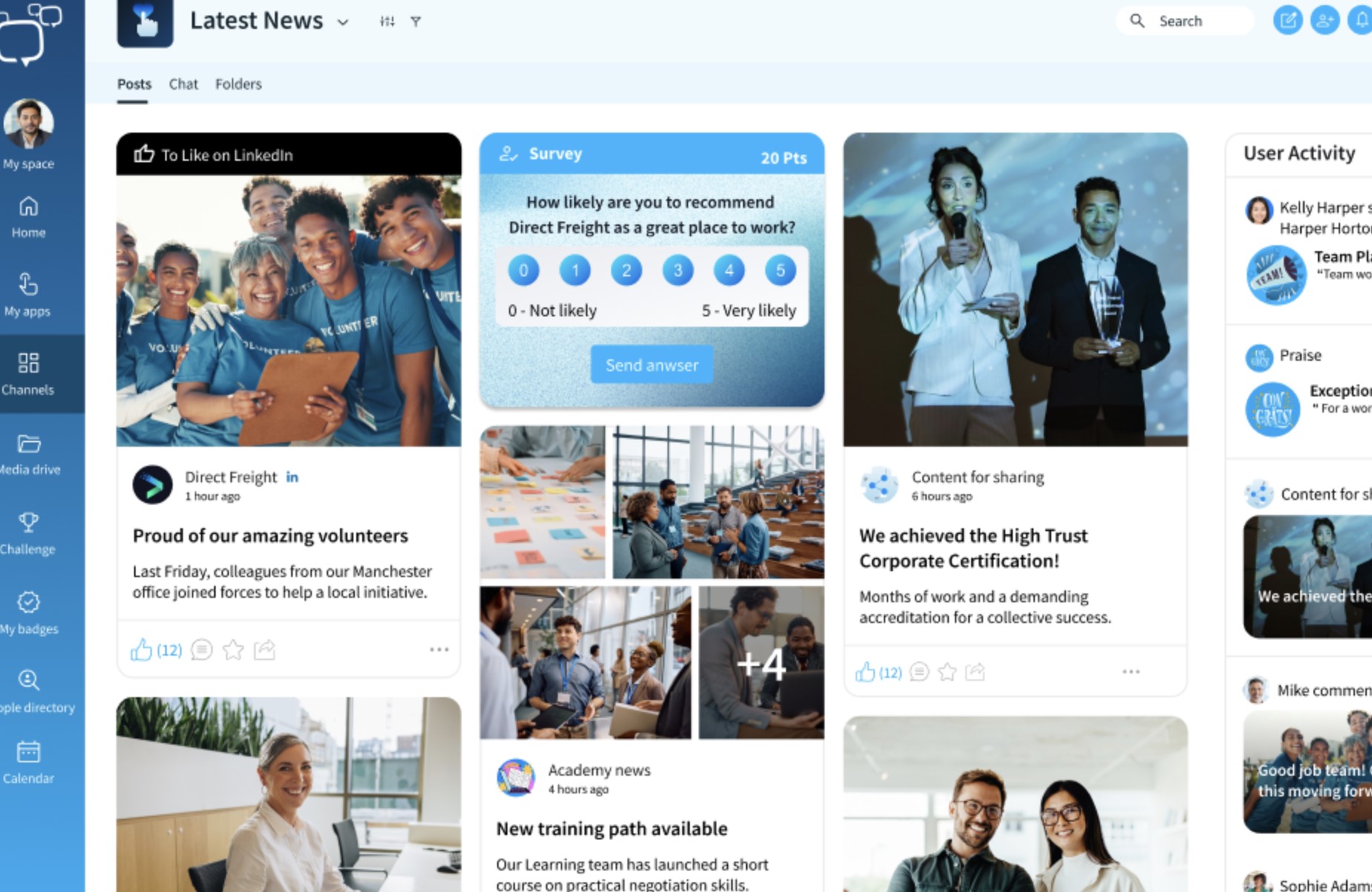
Best for: Organisations that want to improve frontline communication, employee advocacy, and workforce engagement through a mobile-first communication platform.
Best for: Organisations that want to improve frontline communication, employee advocacy, and workforce engagement through a mobile-first communication platform.
Sociabble is an employee communication and advocacy platform designed to keep employees informed while encouraging them to become active ambassadors for the organisation. It combines company news, personalised content, mobile communication, and social sharing into a single platform, making it particularly popular with organisations that have large frontline or geographically distributed workforces.
The platform enables communication teams to publish company announcements, leadership updates, HR communications, and operational news through a personalised employee news feed. Content can be targeted to specific departments, locations, business units, or employee groups, helping organisations deliver more relevant communications while reducing information overload.
While Sociabble provides excellent communication and advocacy capabilities, it is less focused on document management, workflow automation, or knowledge management than broader digital workplace platforms.
Key Features- Company news and targeted announcements
- Personalised employee news feeds
- Employee advocacy and social media sharing
- Mobile employee communication app
- Push notifications
- Employee recognition and gamification
- Surveys, polls, and quizzes
- Audience segmentation
- Analytics and engagement reporting
- Microsoft 365, SharePoint, and HR system integrations
- Excellent employee advocacy capabilities
- Strong mobile experience for frontline and deskless employees
- Personalised content delivery improves communication relevance
- Built-in engagement tools including recognition and gamification
- Detailed communication and engagement analytics
- Easy integration with Microsoft 365 and other workplace systems
- Knowledge management features are more limited than dedicated intranet platforms
- Document collaboration is not a primary focus
- Workflow automation capabilities are relatively limited
- Enterprise pricing requires contacting the sales team
- Sociabble offers customised pricing based on workforce size, required modules, and deployment requirements. Organisations can request a personalised demonstration and quotation directly from the vendor.
Overall Rating: ⭐⭐⭐⭐☆ (4.3/5)
Why We Recommend ItSociabble is a strong choice for organisations that want to strengthen employee communications while encouraging employees to become brand advocates.
Its personalised news feeds, mobile-first design, employee recognition features, and advocacy capabilities make it particularly well suited for organisations with frontline or distributed workforces.
While it isn't intended to replace a complete digital workplace, it delivers an effective solution for businesses focused on improving communication reach, employee engagement, and workforce participation.
Sociabble
Best for Employee Advocacy and Frontline Communication
Sociabble is an employee communication platform designed to keep employees informed while encouraging them to become brand advocates. It combines company news, personalised content, mobile communication, employee recognition, and social sharing into one platform. It's particularly well suited for organisations with frontline, remote, or geographically distributed workforces that need to improve communication and employee engagement.
Enterprise pricing available on request
Custom deployment and onboarding services
Designed for medium and large organisations
#11. Interact
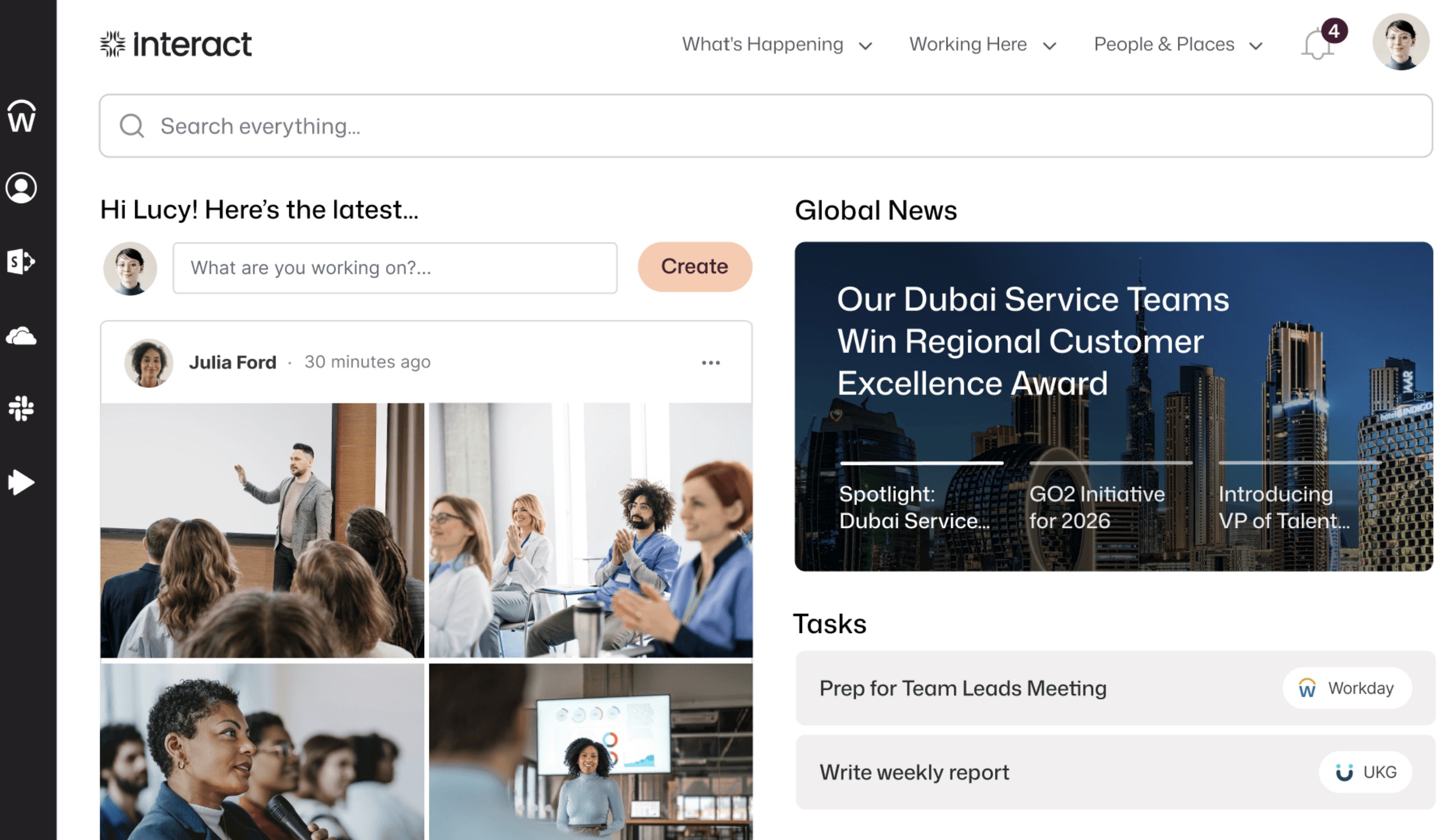
Best for: Organisations that want a modern intranet to improve internal communications, knowledge sharing, and employee engagement across the business.
Best for: Organisations that want a modern intranet to improve internal communications, knowledge sharing, and employee engagement across the business.
Interact is an employee experience platform that helps organisations centralise company information, improve workplace communication, and make it easier for employees to find the resources they need. It combines a modern intranet with communication and engagement tools, making it a popular choice for medium and large organisations looking to replace outdated intranets.
One of Interact's biggest strengths is its focus on knowledge management. Employees can quickly search for company policies, procedures, HR documents, FAQs, and business resources using intelligent enterprise search. This reduces the time employees spend looking for information and helps create a single source of truth across the organisation.
While Interact delivers an excellent intranet experience, organisations looking for advanced workflow automation, built-in project collaboration, or comprehensive team messaging may need additional workplace tools alongside the platform.
Key Features- Company news and targeted announcements
- Modern intranet and personalised homepages
- Knowledge base and enterprise search
- Employee directory
- Communities, blogs, and discussion spaces
- Employee recognition and social engagement
- Surveys and feedback tools
- Mobile apps for iOS and Android
- Microsoft 365 and Google Workspace integrations
- Analytics and content performance reporting
- Excellent intranet and internal communication capabilities
- Powerful enterprise search and knowledge management
- Personalised content improves employee engagement
- Strong mobile experience for distributed workforces
- Easy integration with Microsoft 365 and business applications
- Flexible branding and customisation options
- Team messaging is less comprehensive than dedicated chat platforms
- Workflow automation capabilities are limited
- Some advanced features require additional configuration
- Pricing is available by quotation only
- Interact offers customised pricing based on organisation size, deployment requirements, and selected features. Businesses can request a personalised demonstration and quotation from the vendor.
Overall Rating: ⭐⭐⭐⭐☆ (4.4/5)
Why We Recommend ItInteract is an excellent choice for organisations that want to modernise their intranet while improving internal communications and knowledge sharing.
Its personalised news feeds, enterprise search, employee communities, and mobile experience help keep employees informed and connected without overwhelming them with information.
For businesses looking to replace an outdated intranet with a more engaging digital workplace, Interact is one of the strongest platforms available
Interact
Best for Modern Intranets and Employee Knowledge Sharing
Interact is an employee experience platform that combines a modern intranet with company communications, knowledge management, and employee engagement tools. It helps organisations centralise company news, policies, documents, and business resources while making it easier for employees to find information through powerful enterprise search. It's particularly well suited for medium and large organisations replacing outdated intranets.
Custom enterprise pricing available
Product demonstrations available on request
Designed for medium and large organisations
#12. Cerkl Broadcast
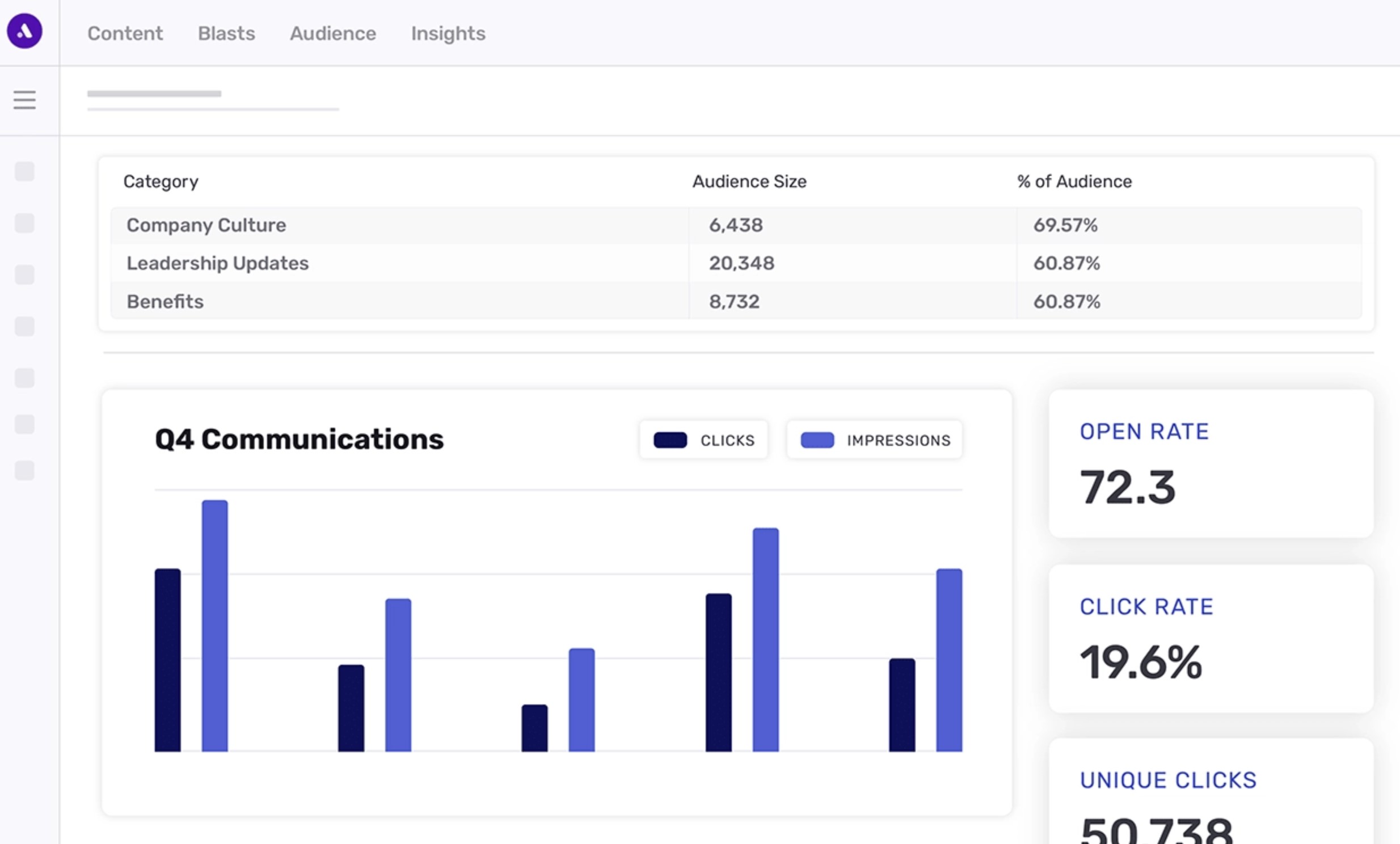
Best for: Organisations that want to personalise internal communications using AI while improving employee engagement across email, mobile, and workplace channels.
Best for: Organisations that want to personalise internal communications using AI while improving employee engagement across email, mobile, and workplace channels.
Cerkl Broadcast is an AI-powered internal communications platform designed to help organisations deliver more personalised employee communications. Rather than sending the same message to every employee, the platform uses artificial intelligence to recommend and distribute relevant content based on employee interests, behaviour, role, and engagement patterns.
While Cerkl Broadcast excels at personalised communication delivery, it is not designed to replace a full digital workplace.
Organisations looking for document management, employee communities, project collaboration, or knowledge management will typically integrate Cerkl Broadcast with an intranet or employee experience platform.
Key Features- AI-powered personalised employee communications
- Company announcements and leadership updates
- Multi-channel content delivery
- Email newsletters and campaigns
- Microsoft Teams and Slack integrations
- Mobile communication support
- Audience segmentation and targeting
- Communication analytics and reporting
- AI content recommendations
- Enterprise security and administration
- Excellent AI-powered content personalisation
- Delivers communications across multiple channels
- Strong analytics for measuring communication performance
- Helps reduce information overload with personalised content
- Integrates with Microsoft 365, Teams, SharePoint, and Slack
- Easy for communication teams to manage campaigns
- Not a complete digital workplace or social intranet
- Limited document management and knowledge-sharing capabilities
- Does not include built-in project collaboration tools
- Enterprise pricing requires contacting the vendor
- Cerkl Broadcast offers customised pricing based on organisation size, communication requirements, and deployment needs. Businesses can request a personalised demonstration and quotation directly from the Cerkl team.
Overall Rating: ⭐⭐⭐⭐☆ (4.2/5)
Why We Recommend ItCerkl Broadcast is an excellent choice for organisations that want to improve the effectiveness of their internal communications through AI-powered personalisation.
Its intelligent content recommendations, audience targeting, and communication analytics help ensure employees receive the information that matters most to them.
For communication teams focused on increasing engagement and reducing communication overload, Cerkl Broadcast is a strong specialist solution.
However, organisations seeking a complete Internal Communication Platform with collaboration, knowledge management, employee engagement, and workplace productivity tools will likely need to pair it with a broader digital workplace solution.
Cerkl Broadcast
Best for AI-Powered Personalised Internal Communications
Cerkl Broadcast is an AI-powered employee communication platform designed to deliver personalised company communications across multiple channels. Instead of sending the same message to every employee, Cerkl uses artificial intelligence to tailor content based on employee interests, roles, and engagement. This helps organisations improve message visibility, increase engagement, and reduce communication overload while keeping employees informed wherever they work.
Enterprise pricing available on request
Personalised onboarding and implementation
Designed for medium and enterprise organisations
How to Choose the Right Internal Communication Platform
Choosing the right Internal Communication Platform isn't just about comparing feature lists. The best solution is one that fits your workforce, supports your business goals, and can continue growing with your organisation over time.
A platform that works well for a 100-person company may struggle in an enterprise with thousands of employees spread across multiple countries. Likewise, software built for office workers might not meet the needs of frontline or deskless employees who rarely use a computer.
Before making a decision, consider the following factors.
1. Company Size and Future Growth
Start by looking at your current workforce, but don't stop there. Think about where your business will be in two or three years.
Many companies quickly outgrow communication tools that were originally designed for small teams, resulting in costly migrations later.
Look for a platform that can:
- Scale from hundreds to thousands of employees
- Support multiple business units and locations
- Handle international offices and languages
- Grow without requiring a complete system replacement
Tip: Don't buy for today's workforce—buy for where your business is heading.
2. Workforce Type
Not every employee communicates in the same way.
Office staff typically work from laptops, while frontline employees, warehouse workers, retail staff, healthcare professionals, and field engineers often rely entirely on mobile devices.
The platform should provide an experience that works equally well for everyone.
Consider whether your workforce includes:
- Office employees
- Remote workers
- Hybrid teams
- Frontline employees
- Deskless workers
- Contractors or external partners
3. Remote, Hybrid, or Office-Based Teams
The way employees work should influence your software choice.
Remote and hybrid teams often need stronger collaboration features, while office-based organisations may prioritise company news, document sharing, and employee engagement.
A modern employee communication platform should allow everyone to stay connected regardless of where they work.
Look for features such as:
- Mobile applications
- Push notifications
- Team chat
- Video meeting integrations
- File sharing
- Cloud access
4. Frontline Employee Communication
Many communication platforms are designed around office workers and email users.
If your workforce includes retail associates, healthcare staff, manufacturing employees, delivery drivers, or field engineers, ensure the platform supports employees who spend most of their day away from a desk.
Important capabilities include:
- Mobile-first design
- Instant push notifications
- Shift and location-based messaging
- Offline access where possible
- QR code or kiosk access
- Simple login experience
5. Security
Internal communication platforms store sensitive company information, making security a top priority.
Whether you're sharing HR documents, executive announcements, or confidential policies, your data should always be protected.
Look for:
- Single Sign-On (SSO)
- Multi-factor authentication (MFA)
- Role-based permissions
- Data encryption
- Audit logs
- Secure cloud hosting
6. Compliance
Many industries must comply with strict security and privacy regulations.
Choosing a platform that already supports recognised compliance standards can reduce risk and simplify audits.
Common certifications include:
- GDPR
- SOC 2
- ISO 27001
- HIPAA (Healthcare)
- FINRA (Financial Services)
- Data residency options
7. Scalability
Your communication platform should continue performing as your organisation grows.
Adding more users, offices, departments, or countries shouldn't require replacing the software.
Questions to ask:
- Can it support thousands of users?
- Can different departments have their own spaces?
- Does performance remain consistent at scale?
- Can permissions be managed centrally?
8. Ease of Use
The most feature-rich platform won't deliver value if employees avoid using it.
Adoption depends heavily on simplicity.
Employees should be able to find company news, documents, and conversations without needing extensive training.
Look for:
- Clean interface
- Fast search
- Simple navigation
- Mobile-friendly experience
- Minimal learning curve
Tip: Ask vendors to demonstrate common employee tasks instead of only showcasing administrative features.
9. Integrations
Your communication software should connect with the systems employees already use every day.
Strong integrations reduce duplicate work and eliminate the need to constantly switch between applications.
Common integrations include:
- Microsoft 365
- Google Workspace
- Microsoft Teams
- SharePoint
- Slack
- HR systems
- Active Directory
- Salesforce
- Jira
- Zoom
10. Total Cost of Ownership
Subscription pricing is only part of the investment.
Consider the full cost of implementing and maintaining the platform over several years.
Include costs such as:
- Software licences
- Implementation
- Data migration
- Training
- Premium support
- Additional storage
- Third-party integrations
- Future upgrades
A platform with a slightly higher monthly subscription may actually cost less if it replaces several separate applications.
11. AI Capabilities
Artificial intelligence is becoming a standard feature in modern workplace communication platforms.
AI can improve productivity by helping employees find information faster and reducing the workload for communication teams.
Useful AI features include:
- AI-powered enterprise search
- Content recommendations
- Announcement summaries
- Writing assistance
- Knowledge discovery
- Automated translations
- Employee self-service chatbots
Choose AI features that solve real business problems rather than simply checking a marketing box.
12. Vendor Support and Customer Success
Even the best software requires good implementation and ongoing support.
A responsive vendor can make the difference between a successful rollout and poor employee adoption.
Evaluate:
- Onboarding assistance
- Product training
- Dedicated account management
- Customer success programme
- Support availability
- Product documentation
- Release frequency
- Customer reviews
Tip: Read independent customer reviews on G2 or Capterra to understand how the vendor performs after implementation—not just during the sales process.
Quick Buying Checklist
Before selecting an Platform, make sure it can:
- Support your current and future workforce
- Communicate effectively with remote and frontline employees
- Meet your security and compliance requirements
- Integrate with your existing business applications
- Deliver an intuitive employee experience
- Scale as your organisation grows
- Provide meaningful communication analytics
- Include practical AI capabilities
- Offer reliable onboarding and customer support
- Deliver long-term value, not just the lowest subscription price
Choosing the right platform isn't about finding the one with the longest feature list—it's about selecting a solution that helps employees communicate more effectively, access information quickly, and stay engaged as your organisation grows.
Questions to Ask Vendors Before Buying
Use this checklist during product demos or vendor evaluations. Tick each item as you receive a satisfactory answer and track your progress.
Buyer Evaluation Tool
Internal Communication Platform Vendor Checklist
Use this interactive checklist during software demonstrations and vendor evaluations. Tick each requirement once the supplier has provided a satisfactory answer.
Evaluation progress
0 of
12 completed
0%
Start your vendor evaluation
Tick the requirements that each platform meets to see whether you have enough information to make a confident buying decision.
Tip: Complete a separate checklist for every platform on your shortlist.
Common Internal Communication Platform Buying Mistakes
Choosing an Internal Communication Platform is a senior-level business decision, not just another software purchase.
The platform will influence how employees receive important updates, find company knowledge, connect with leadership, and collaborate across departments.
The wrong choice can create more complexity, reduce employee adoption, and increase software costs.
The mistakes below are common because buyers often focus on features and pricing while overlooking the wider impact on people, processes, security, and long-term business growth.
Buying Based Only on the Lowest Price
Price matters, but choosing internal communication software purely because it has the lowest monthly fee can become expensive later.
A cheaper platform may lack mobile access, integrations, analytics, customer support, or knowledge management features, forcing the business to purchase additional tools.
For example, a company might choose a low-cost messaging app, then later add separate software for company announcements, surveys, document storage, employee recognition, and onboarding.
What looked affordable at the beginning becomes a complicated and expensive technology stack.
Business impact:
- Higher long-term software costs
- More applications for employees to manage
- Duplicate data and administration
- Expensive platform migration later
Senior buyers should compare the total cost of ownership, including implementation, training, integrations, support, storage, and future upgrades.
Ignoring Frontline and Mobile Employees
Many buyers evaluate a workplace platform from the perspective of office employees sitting behind laptops. This can leave frontline, field-based, retail, healthcare, manufacturing, and deskless workers disconnected from company communication.
For example, an organisation may select an email-heavy solution that works well for head office but fails to reach warehouse workers who rarely access corporate email. Important health and safety updates, policy changes, or shift information may then be missed.
A modern internal communications mobile app should provide simple access to company news, push notifications, documents, forms, training, and employee messaging.
Business impact:
- Frontline employees miss critical updates
- Communication becomes inconsistent across locations
- Lower workforce engagement
- Increased operational and compliance risks
Senior leaders should test the mobile experience themselves and ask frontline employees to participate in the buying process.
Selecting Too Many Standalone Communication Tools
Adding a new tool for every communication problem often creates the exact issue the organisation is trying to solve. Employees end up switching between email, chat, shared drives, survey tools, intranets, video platforms, and project applications.
For example, HR may use one platform for announcements, IT another for support updates, and operations a separate messaging app for frontline teams. Employees then struggle to remember where information was published.
An all-in-one employee communication and engagement platform can reduce app fatigue by centralising company news, messaging, documents, knowledge, employee feedback, and collaboration.
Business impact:
- Information becomes fragmented
- Employees miss or duplicate messages
- Productivity drops due to app switching
- IT administration and licence costs increase
Senior decision-makers should identify which existing tools the new platform can replace before approving the purchase.
Failing to Plan for Employee Adoption
A platform can have excellent features and still fail if employees do not use it. Adoption should be treated as part of the implementation, not something that happens automatically after launch.
For example, a company may introduce a new workplace internal communication platform without explaining why it is being launched or how employees should use it. Staff continue relying on email and old shared drives, while the new platform becomes another unused system.
A successful adoption plan should include:
- Clear launch communication
- Department champions
- Employee training
- Leadership participation
- Useful content available from day one
- Feedback during the rollout
Business impact:
- Low return on investment
- Employees continue using old systems
- Duplicate communication channels remain
- Leadership loses confidence in the project
Senior sponsors should define adoption targets, such as active users, mobile downloads, announcement readership, and employee participation.
Launching Without Executive Sponsorship
Employees pay attention to the communication channels leaders actively use. When senior executives do not participate, the platform can quickly be viewed as an HR or IT project rather than the official digital workplace.
For example, if the CEO continues sending company-wide updates by email while the communications team publishes content on the new platform, employees will naturally keep checking email first.
Executive sponsors should use the platform for leadership updates, company announcements, employee recognition, questions, and business priorities.
Business impact:
- Employees do not see the platform as important
- Adoption remains limited to a few departments
- Company communication stays fragmented
- Cultural change becomes harder to achieve
A visible senior sponsor gives the project authority and signals that the platform is the organisation's trusted communication channel.
Providing Little or No Employee Training
Even user-friendly internal company communication software requires some guidance. Employees need to understand where to find information, how notifications work, which channels to use, and how the new platform fits into their daily work.
For example, managers may continue creating unnecessary email groups because they do not understand how to target announcements by team or location. Employees may also disable notifications because they were never shown how to personalise them.
Training does not need to be complicated. Short videos, live sessions, FAQs, onboarding guides, and department champions can make a major difference.
Business impact:
- Employees use features incorrectly
- Important functionality is ignored
- Support requests increase
- Adoption varies widely between departments
Training should be role-based so administrators, managers, office employees, and frontline workers receive guidance relevant to how they will use the platform.
Overlooking Integrations With Existing Systems
An Internal Communication Platform should fit into the existing digital workplace, not operate as an isolated system.
Weak integrations create extra work and force employees to duplicate information.
For example, if the platform does not connect with the organisation's HR system, administrators may need to manually update employee records, departments, job titles, and access permissions. This creates outdated profiles and security risks.
Important integrations may include:
- Microsoft 365 and SharePoint
- Google Workspace
- HR and payroll systems
- Single sign-on providers
- Cloud storage
- CRM and project management tools
- Calendar and video meeting software
Business impact:
- Duplicate administration
- Outdated employee information
- More app switching
- Poor user experience
- Increased security risks
Senior buyers should ask vendors to demonstrate the exact integrations required rather than accepting a generic list of supported applications.
Overlooking Security, Privacy, and Compliance
Internal communication platforms often contain sensitive information, including HR policies, employee data, business plans, leadership messages, and confidential documents. Security should never be treated as a final checklist item.
For example, a platform without role-based permissions could allow employees to access documents intended only for managers or specific departments. Weak account controls could also expose company data if an employee leaves the business.
Buyers should review:
- Single sign-on
- Multi-factor authentication
- Role-based access controls
- Data encryption
- Audit logs
- Data retention
- Backup and recovery
- GDPR and industry compliance
- Data residency requirements
Business impact:
- Data breaches
- Regulatory penalties
- Loss of employee trust
- Legal and reputational damage
- Operational disruption
Security reviews should involve IT, legal, compliance, HR, and procurement before a contract is signed.
Final Buying Advice for Senior Decision-Makers
The best Internal Communication Platform is not necessarily the cheapest option or the product with the longest feature list.
It is the platform that fits how your workforce actually operates, integrates with your existing systems, protects company data, and gives employees one reliable place to communicate and find information.
Before making a final decision, senior leaders should confirm that the platform:
- Solves clearly defined communication problems
- Works for office, remote, hybrid, and frontline employees
- Replaces unnecessary standalone tools
- Includes a realistic adoption and training plan
- Has visible executive sponsorship
- Integrates with core workplace systems
- Meets security and compliance requirements
- Can scale with future business growth
A poor buying decision creates another disconnected app.
A strong decision creates a trusted digital workplace that improves employee communication, engagement, productivity, and organisational alignment.
What ROI Can You Expect From an Employee Communication Solution?
Investing in the right employee communication solution delivers benefits that extend far beyond sending company announcements. When employees have one central place to access business updates, policies, documents, and team conversations, they spend less time searching for information and more time focusing on meaningful work. Instead of switching between email, chat apps, shared drives, and disconnected workplace tools, everyone works from a single digital workplace that improves collaboration and keeps information organised.
The return on investment is often seen in improved productivity, higher employee engagement, faster onboarding, and fewer communication gaps. Gallup research shows that organisations with highly engaged employees achieve 23% higher profitability, while Microsoft's Work Trend Index found that workers lose valuable time every day searching for information and moving between different applications. Consolidating workplace communication into one platform reduces these inefficiencies, helping teams make decisions faster and complete work with fewer interruptions.
For example, replacing several standalone communication and collaboration tools with one integrated workplace platform can reduce software licensing costs, simplify IT administration, and improve the overall employee experience. New hires can quickly access training materials, company policies, and business knowledge without relying on lengthy email chains or outdated shared folders. Managers can also measure message reach, monitor engagement, and confirm employees have received important updates through built-in analytics. Over time, these improvements lead to lower operating costs, stronger organisational alignment, better knowledge sharing, and a measurable return from investing in a modern digital workplace.
Internal Communication Trends Shaping the Modern Workplace in 2026 and Beyond
The way organisations communicate with employees is changing rapidly.
Traditional communication methods built around email, shared drives, and disconnected workplace apps are being replaced by more intelligent, integrated digital workplaces.
As businesses become increasingly distributed, leaders are looking for communication strategies that improve engagement, reduce information overload, and help employees find what they need faster.
Below are the biggest trends influencing employee communication in 2026 and beyond.
1. Companies Are Consolidating Workplace Applications
One of the biggest shifts is the move away from dozens of standalone communication tools towards a single digital workplace. Employees are increasingly frustrated by having to switch between messaging apps, shared drives, email, video meetings, document libraries, and collaboration software just to complete everyday tasks.
Research found that 69% of workers waste up to 60 minutes every day navigating between workplace applications, while many switch between apps as many as 10 times every hour. This constant context switching costs businesses valuable productivity and creates unnecessary frustration.
Instead of adding another communication tool, organisations are looking for platforms that combine company news, messaging, knowledge management, document sharing, collaboration, and employee engagement into one connected experience.
2. AI Is Becoming Part of Everyday Employee Communication
Artificial intelligence is no longer just a productivity tool for developers and marketers. It is becoming a core feature of modern workplace communication.
Today's platforms use AI to help employees find documents, summarise lengthy announcements, recommend relevant content, translate communications, and answer routine workplace questions through intelligent assistants.
According to the RingCentral research, employees believe AI will provide the greatest value by organising information, securing company data, simplifying everyday work, and streamlining business processes.
For communication teams, this means spending less time manually distributing content and more time creating meaningful employee experiences.
3. Mobile-First Communication Is Replacing Email-First Strategies
For years, email has been the default communication channel inside most organisations.
While it still plays an important role, businesses are recognising that many employees—particularly frontline, retail, healthcare, manufacturing, and field workers—rarely sit behind a desk.
Modern communication strategies increasingly prioritise mobile apps, push notifications, personalised news feeds, and targeted announcements that reach employees wherever they work.
This shift ensures important updates are delivered instantly rather than waiting for employees to check an inbox they may only access once a day.
4. Personalised Communication Is Replacing Mass Email Blasts
Sending every employee the same message is becoming less effective as organisations grow.
Modern employee experience platforms allow communications to be personalised based on department, office location, language, job role, or interests.
Instead of overwhelming everyone with every announcement, employees receive information that is relevant to their daily work.
Personalised communication improves engagement while reducing the information overload that many organisations experience today.
5. Team Messaging Continues to Grow
Real-time team messaging has evolved from a convenience into an essential business communication channel.
The RingCentral study found that younger employees increasingly prefer team messaging over email because it feels less disruptive and supports faster collaboration.
Workers who regularly use team messaging are also more likely to prefer a unified communication platform rather than relying on multiple disconnected applications.
This trend explains why many organisations are replacing isolated chat tools with integrated digital workplace platforms that combine messaging, company news, knowledge, and collaboration.
6. Employee Experience Is Driving Technology Decisions
Senior leaders are no longer evaluating communication software based solely on features.
Today's buying decisions increasingly focus on improving the overall employee experience.
Organisations want technology that makes it easier to communicate with leadership, locate company information, collaborate across departments, recognise achievements, and access workplace resources from a single location.
The platform has become a central part of workplace culture rather than simply another business application.
7. Communication Analytics Are Becoming Executive KPIs
Simply publishing company announcements is no longer enough.
Leadership teams now expect measurable insights showing whether employees actually receive, read, and engage with business communications.
Modern platforms provide dashboards that track readership, engagement, search activity, mobile adoption, acknowledgement rates, and employee participation.
This data allows internal communication teams to demonstrate business value instead of relying on assumptions about message reach.
8. Integrated Digital Workplaces Are Becoming the New Standard
Perhaps the most important trend is the move towards unified digital workplaces.
The RingCentral research found that 66% of employees want a single platform for all workplace communications. Workers believe this would improve workflow, increase productivity, and make work feel significantly less chaotic.
Instead of managing separate systems for announcements, messaging, documents, employee directories, surveys, and collaboration, organisations are increasingly investing in integrated platforms that bring everything together.
This approach not only simplifies communication but also creates a better employee experience, reduces software sprawl, and provides leadership with a single source of truth for workplace communication.
Final Thoughts on Choosing the Internal Communication Platform
Choosing the right Platform is no longer just an IT decision—it's a strategic investment in how your organisation communicates, collaborates, and performs.
As businesses become more distributed, employees expect a single place to access company news, find documents, communicate with colleagues, and stay connected regardless of where they work.
Relying on email, shared drives, and disconnected workplace apps simply creates information silos, app fatigue, and unnecessary complexity.
When comparing solutions, look beyond feature lists and marketing claims. The best platforms combine an intuitive user experience, mobile accessibility for frontline and remote employees, AI-powered search and automation, enterprise-grade security, and seamless integrations with the business systems your teams already use.
These capabilities don't just improve communication—they increase productivity, simplify knowledge sharing, and create a better employee experience across the organisation.
It's also important to think beyond the monthly subscription price. A platform with a lower upfront cost can quickly become more expensive if you need to purchase additional tools for messaging, document management, employee engagement, surveys, workflow automation, or knowledge sharing.
Evaluating the total cost of ownership, including implementation, support, integrations, training, and future scalability, provides a far more accurate picture of long-term value.
After reviewing the leading solutions in this guide, AgilityPortal stands out as the strongest all-around choice for organisations that want more than just another communication tool.
Rather than focusing on a single feature, it brings together internal communications, a modern intranet, team collaboration, employee engagement, knowledge management, document sharing, AI-powered search, workflow automation, forms, approvals, onboarding, and mobile access within one connected digital workplace.
This unified approach reduces software sprawl, improves adoption, and gives employees one trusted place to communicate, collaborate, and get work done.
If your goal is to build a more connected, informed, and productive workforce, investing in a comprehensive digital workplace platform like AgilityPortal is likely to deliver greater long-term value than assembling multiple standalone applications.
The result is simpler communication, stronger employee engagement, lower operational complexity, and a workplace that is better equipped to support future growth.
Frequently Asked Questions About Internal Communication Platforms
1. What is an Internal Communication Platform?
An Internal Communication Platform is a central digital workspace where organisations can communicate with employees, share company news, collaborate on projects, store documents, and improve engagement.
Unlike relying solely on email or chat, modern employee communication platforms combine announcements, messaging, knowledge sharing, mobile access, and collaboration into one connected experience.
The goal is to ensure every employee receives the right information at the right time, regardless of where they work.
2. How is an Internal Communication Platform different from Microsoft Teams or Slack?
Many organisations use Microsoft Teams internal communication or Slack internal communications to support daily conversations, but these tools are primarily designed for messaging and collaboration.
A workplace internal communication platform goes much further by providing company-wide announcements, employee directories, document management, knowledge bases, employee recognition, analytics, and mobile communication.
While Microsoft Teams for internal communications and Slack for internal communications are excellent for team discussions, they often work best when integrated into a broader communication strategy.
3. What features should I look for?
The best internal communication platforms should include much more than chat.
Look for company news feeds, targeted announcements, document management, enterprise search, employee recognition, surveys, analytics, workflow automation, mobile access, and AI-powered knowledge discovery.
Many organisations also benefit from internal social media platforms for businesses, allowing employees to collaborate, recognise colleagues, and participate in workplace discussions.
The right employee communication and engagement platform should bring these capabilities together in one easy-to-use solution.
4. Can an Internal Communication Platform replace email?
Not entirely.
Email will continue to play an important role for external communication and formal business correspondence.
However, many organisations are replacing traditional company-wide emails with modern internal communications email platform capabilities that deliver announcements through mobile apps, personalised news feeds, notifications, and digital workplaces.
An internal email tool can still support newsletters and executive updates, but employees increasingly expect information to be available through one central workplace platform rather than buried inside overflowing inboxes.
5. Is Mailchimp a good choice for internal communications?
Some businesses consider using Mailchimp for internal communications, particularly for newsletters or company-wide announcements.
While it works well for email campaigns, it lacks employee collaboration, document sharing, messaging, knowledge management, and engagement features.
As organisations grow, they often move from standalone email marketing tools to internal company communication software that supports every aspect of workplace communication, not just email delivery.
6. Is WhatsApp suitable for employee communication?
Many small businesses start with WhatsApp for employee communication because it is familiar and easy to use.
However, WhatsApp was designed for consumer messaging rather than enterprise communication.
It lacks governance, document management, employee directories, communication analytics, and company-wide announcement capabilities.
Organisations looking for a secure staff communication platform typically choose dedicated business solutions that provide better administration, compliance, and employee engagement features.
7. Why is mobile communication so important?
Today's workforce is increasingly mobile.
Frontline employees, field engineers, healthcare professionals, warehouse staff, and retail workers often spend little or no time at a desk.
A modern employee communication mobile app ensures employees receive company updates, policies, and important notifications wherever they are working.
The best solutions provide both an internal communications mobile app for administrators and a mobile employee communication app for staff, helping organisations improve engagement while reducing reliance on email.
8. Is an intranet still relevant?
Absolutely.
Modern organisations are increasingly using an internal intranet social intranet for employee interaction because it combines company news, collaboration, knowledge sharing, and employee communities in one place.
Unlike traditional intranets, today's platforms function as internal corporate social media platforms, allowing employees to comment, recognise colleagues, ask questions, and collaborate across departments.
These social media platforms for internal communications create a far more engaging digital workplace than static document repositories.
9. Can small and medium-sized businesses benefit?
Yes. While large enterprises often invest in enterprise-grade communication systems, smaller organisations also benefit from internal communication platforms for companies of every size.
A modern employee internal communication platform helps growing businesses centralise communication, reduce app switching, improve onboarding, and keep everyone aligned without investing in multiple disconnected tools.
As the business grows, the platform can scale alongside the organisation.
10. What is the best Internal Communication Platform?
The answer depends on your business requirements, workforce, and existing technology stack.
If your priority is messaging, internal chat software such as Microsoft Teams or Slack may be sufficient.
However, organisations looking for a complete corporate internal communication platform or internal business communication platform should evaluate solutions that combine communication, collaboration, knowledge management, employee engagement, document management, mobile communication, and analytics within a single digital workplace.
The most effective platforms simplify communication, improve productivity, and provide one trusted source of information for every employee.
AI Summary
- Internal communication platforms help organisations centralise company news, employee messaging, collaboration, document sharing, and workplace knowledge in one secure digital workplace.
- The best solutions combine employee communication, social intranet capabilities, mobile apps, AI-powered search, employee engagement, workflow automation, and enterprise-grade security.
- Many businesses outgrow standalone chat tools like Slack and Microsoft Teams as they require stronger knowledge management, targeted communication, analytics, and employee engagement features.
- This guide compares leading solutions including AgilityPortal, Slack, Microsoft Viva Engage, Google Workspace, Staffbase, Firstup, Happeo, Axero, Igloo Software, Interact, Sociabble, and Cerkl Broadcast.
- When evaluating internal communication software, buyers should compare usability, mobile experience, integrations, security, AI capabilities, scalability, customer support, and total cost of ownership.
- Choosing the right employee communication platform can improve productivity, reduce app fatigue, strengthen company culture, and create a more connected workforce across office, remote, and frontline teams.
Most Popular Posts

Effective communication among team members is vital for the productivity and success of any organization. Surprisingly, 60% of companies lack a long-term internal communication strategy, which p...


Businesses thrive on communication for efficiency, productivity and accomplishment. When the right information is passed from the right designation in the organization, it promotes positivity an...

Categories
Blog
(3220)
Business Management
(396)
Employee Engagement
(235)
Digital Transformation
(220)
Growth
(150)
Intranets
(142)
Internal communications
(108)
Remote Work
(68)
Sales
(53)
Collaboration
(53)
Customer Experience
(33)
Culture
(30)
Knowledge Management
(29)
Project management
(29)
Leadership
(20)
Comparisons
(9)
News
(1)

Related Posts

Where can I send a fax from in my area when a document needs to go out today? The answer might be a nearby print or shipping shop, a library or an online fax service, but what's available depends on your location. The UPS Store lists a ne...

AI in internal communications can help a small team turn one important update into useful messages, answers and resources for employees—but only when the information is accurate and a person checks the result. Comms teams are expected to keep p...

How is Edge AI changing business operations in 2026, and when does it make sense to process data near where it is created instead of sending it all to the cloud? The investment forecasts point to growing interest: Capgemini Research Institute's...

Choosing the best ERP for Shopify often starts when the workarounds stop working. Your store shows stock that the warehouse can't find. Wholesale orders live in spreadsheets. Finance spends days reconciling payouts, while customer service...

Could choosing the wrong proxy disrupt your team's work or increase costs without improving results? When comparing rotating proxies vs static proxies, the answer depends on what your business needs: a consistent IP address for an ongoing sessi...


Jill Romford
I am a digital nomad, lover of exploring new places and making friends.
I love to travel and I love the internet. I take pictures of my travels and share them on the internet using Instagram.
Traveler, entrepreneur, and community builder. I share my insights on digital marketing and social media while inspiring you to live your fullest life.
Ready to learn more? 👍
One platform to optimize, manage and track all of your teams. Your new digital workplace is a click away. 🚀
Free for 14 days, no credit card required.