
Insight Blog
Agility’s perspectives on transforming the employee's experience throughout remote transformation using connected enterprise tools.
34 minutes reading time
(6843 words)
7 Best Dynamic QR Code Generators for Employee Intranets in 2026 (Free and Paid)

7 Best Dynamic QR Code Generators for Employee Intranets in 2026 (Free and Paid)
Compare 7 of the best dynamic QR code generators for employee intranets in 2026, including free limits, analytics, pricing and security considerations.
7 Best Dynamic QR Code Generators for Employee Intranets in 2026 (Free and Paid)

The best dynamic QR code generators give internal communications and HR teams a simple way to connect physical workplaces with their employee intranet.
A QR code on a noticeboard, new-starter pack, training-room door or safety poster can take an employee straight to the latest policy, form, shift schedule or company update.
That matters because important workplace information still gets split between physical locations and digital systems.
A poster may stay on the wall for months, while the page it needs to point to can change overnight.
Dynamic QR codes solve that problem by letting teams update the destination without reprinting every poster, leaflet or training pack.
146%
increase in one quarter
Microsoft reported that QR-code phishing volumes rose from 7.6 million in January to 18.7 million in March 2026. This sharp increase shows why employers should make official workplace QR codes easy to recognise and link them to trusted destinations.
But QR codes should be treated as a managed communication channel, not just a convenient graphic.
An outdated link frustrates employees; an unrecognised or tampered-with code can create a security risk.
Microsoft reported that QR-code phishing volumes rose from 7.6 million in January to 18.7 million in March 2026, a 146% increase in one quarter.
That does not make workplace QR codes unsafe, but it does mean employees need to know which codes and destinations they can trust. Microsoft Security
In this guide, we compare six dynamic QR code generators by their free allowances, scan limits, expiry rules, pricing and suitability for employee intranets.
Key Takeaways
- Dynamic QR codes let teams update intranet destinations without replacing printed posters, signage, welcome packs or training materials.
- The best dynamic QR code generator depends on code limits, scan allowances, analytics needs, subscription continuity and ease of management.
- Free QR-code plans can support a small workplace pilot, but teams should check what happens to active codes when plan terms change or a subscription ends.
- QR codes should point employees to trusted, mobile-friendly intranet pages or company-controlled destinations they can recognise.
- Clear ownership, a QR-code register, device testing and employee security awareness are essential for a safe, scalable rollout.
What Makes a QR Code "Dynamic" in the First Place?
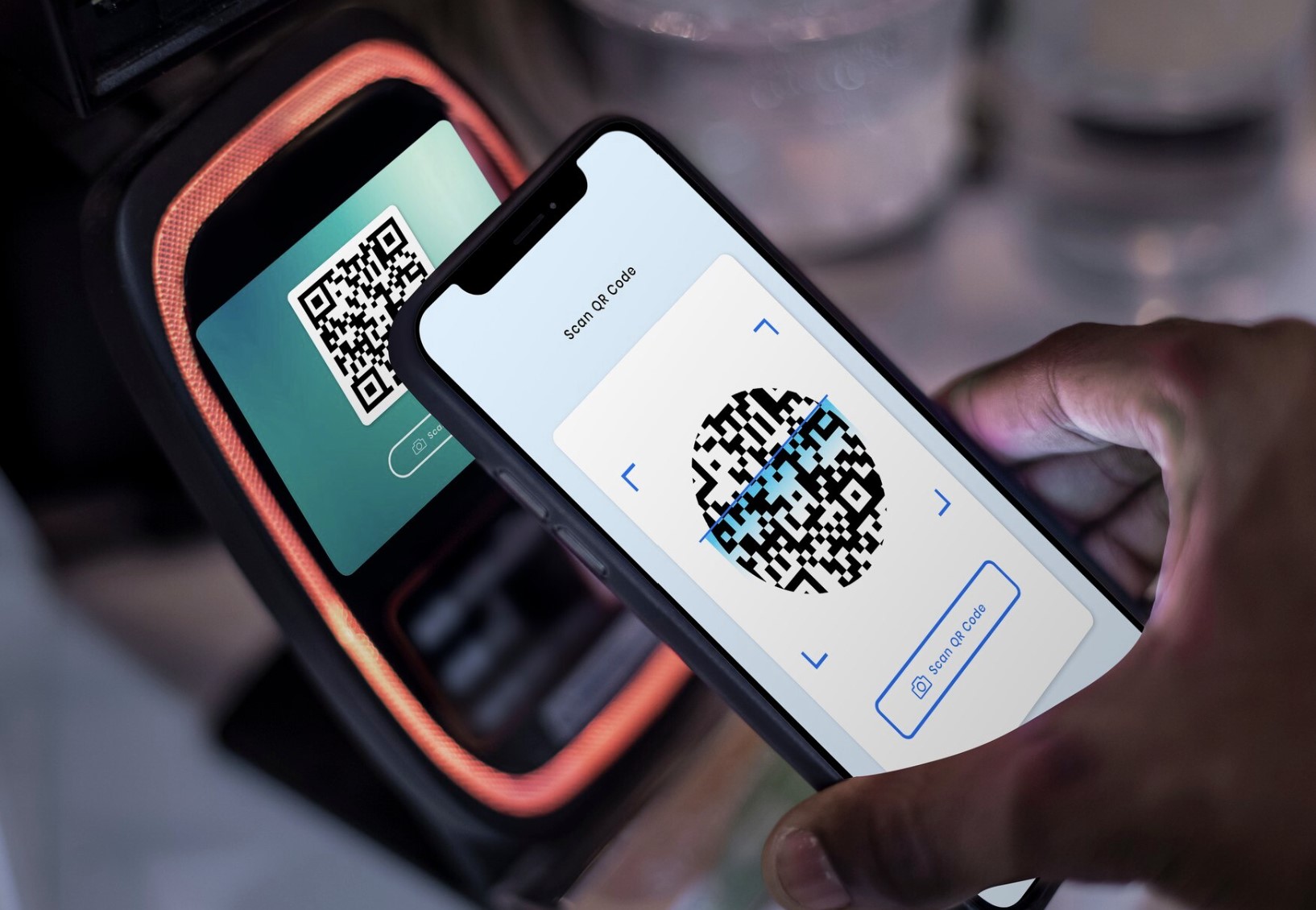
What Makes a QR Code "Dynamic" in the First Place?
A QR code can look simple, but the technology behind it makes a big difference to how useful it is at work.
A static QR code stores the final destination directly inside the code.
If it links to a policy PDF, a web page or a Wi-Fi network, that information is fixed once the code is created. If the page moves or the document is replaced, the printed QR code cannot be updated. You need to create and distribute a new one.
A dynamic QR code works differently. It usually contains a short redirect link managed by the QR-code provider. When an employee scans it, they are sent through that link to the final destination. The owner can later update where it goes while keeping the same QR code on the wall, in a welcome pack or inside a training document.
Most dynamic QR code generators als
o provide scan reporting.
Depending on the platform and plan, this can include scan totals, timing, device type and approximate location. That can help internal communications teams understand whether employees are finding and using an important resource.
For example, an HR team could place a code beside a workplace benefits poster, then update its destination when enrolment dates or guidance change. No redesign, reprint or replacement posters needed.
| Feature | Static QR code | Dynamic QR code |
| Change destination after printing | No | Usually yes |
| Scan analytics | Usually no | Usually yes |
| Best for | Permanent, low-risk information | Evolving intranet content and campaigns |
| Ongoing dependency | None after creation | Depends on provider and plan remaining active |
The Real Intranet Opportunity — and Where It Can Go Wrong
Dynamic QR codes can make workplace information far easier to reach.
In a warehouse, shop, care setting, office or other frontline environment, employees may not be sitting at a laptop when they need a policy, incident form, training resource or shift update. A quick scan can take them straight to the relevant intranet page.
The problem is that QR codes are only helpful when they are managed properly. Dead links, unclear destinations, cancelled subscriptions and employees creating their own unapproved codes can quickly turn a useful shortcut into confusion.
There is also the security concern of QR-code phishing, often called "quishing", where a malicious code sends someone to a fake sign-in page or unsafe website.
Imagine a facilities manager posts a QR code beside a first-aid station linking staff to the latest incident-reporting form.
Three months later, the form changes. A dynamic QR code can be updated in minutes — but only if the organisation still controls the account and someone owns the link.
The practical answer is simple: give QR codes clear ownership, approve the use cases, maintain a basic QR-code register and direct employees to trusted intranet pages wherever possible.
Related Workplace QR Code, Intranet Access & Security Guides
Dynamic QR codes work best when they make trusted workplace information easier to reach. These AgilityPortal guides cover workplace QR-code use, mobile intranet access, frontline communication, knowledge discovery, onboarding and the security controls organisations need when sharing employee information.
- How to Use WiFi QR Codes for Your Workplace: A Simple Guide for Employees and Visitors
- How Wi-Fi Sharing Enhances Intranet Access and Smarter Team Communication
- What Is QR Phishing? How Quishing Attacks Can Steal Your Data
- The Best Intranet for Frontline Workers and How to Get Yours Right
- How to Access the Intranet from Mobile and Reach Frontline Workers
- Employee News Apps: How to Stop Important Company Updates Being Missed
- Employees Can't Find Information at Work — Here's Why It Matters
- How a Knowledge Management Intranet Transforms Information Sharing
- What Is Employee Onboarding? The Role of HR and Its Benefits
- 7 Intranet Security Threats Smart Businesses Can't Afford to Ignore
Together, these guides support a safer approach to workplace QR codes by connecting employees to trusted intranet content, mobile resources, knowledge and secure communication channels.
How We Compared the Best Dynamic QR Code Generators
We compared each platform based on the things that matter when QR codes are used for employee communications, not just one-off marketing campaigns.
That includes how many free dynamic codes are available, scan or analytics limits, published starter pricing, and what happens to existing codes if a paid subscription ends.
We also considered whether each tool is practical for an employee intranet.
Can teams update destinations easily?
Can ownership be handed over if someone leaves? Is it straightforward to manage several codes across offices, sites or departments?
Branding options, reporting, destination editing and available security controls all influence whether a platform is suitable for long-term use.
Free-tier rules and pricing can change.
Verify current plan terms directly with each provider before purchasing or printing QR codes at scale.

How We Compared the Best Dynamic QR Code Generators
At a Glance: Six Dynamic QR Code Generators Compared
The right platform depends on how many QR codes your organisation needs, whether the links must remain active long term, and how much reporting your internal communications team actually needs.
A free option may be enough for a small pilot, while a larger rollout may need more codes, clearer ownership and stronger ongoing management.
| Tool | Free dynamic-code allowance | Scan / analytics allowance | If paid plan ends | Starting price stated |
| TQRCG - Small teams wanting a low-cost, editable starting point | 2, never expire | None published | Yes, stated | $5/month, billed yearly |
| QR TIGER - Teams wanting broad QR-code formats and campaign flexibility | 3 | 500 per code | Codes stop | US$16/month, billed annually |
| QRCodeChimp - Teams wanting broad QR-code formats and campaign flexibility | 10 | 1,000 per account/month | Last 10 only | $6.99/month, paid yearly |
| QR Code Prime - Basic trials and low-volume use — confirm long-term controls | 10 | 500 per month | No paid tier to lapse | None published |
| Hovercode - Straightforward ongoing workplace QR-code management | 3, never expire | Unlimited | First 3, stated | $12/month, billed monthly |
| Flowcode - Teams prioritising branded experiences and data capture | 2 | 500 analytics scans | Codes marked as always scannable | $25/month, billed annually |
| Bitly - Teams already managing workplace links alongside QR codes | 0; no dynamic redirects on free plan | Unlimited scans | N/A | $10/month, billed annually |
These figures provide a useful starting point, but they should not be the only basis for a decision.
Before committing, check each provider's current plan terms, renewal rules, code-continuity policy and account-management options directly.
Also, do not assume that a platform offers GDPR compliance, SSO, audit trails, enterprise permissions or unlimited codes unless its current documentation explicitly confirms it.
Important: Features and plan terms can change. Always check each provider's current documentation before relying on claims around GDPR compliance, SSO, audit trails, enterprise permissions, unlimited QR codes or other security and administration controls.
#1. TQRCG — Best for Small Teams Creating Low-Cost, Editable Intranet QR Codes
Recommended for: Small teams that need a few editable QR codes for long-lived employee intranet links, without starting on an expensive plan. The QR Code Generator's free dynamic QR Codes are the strongest starting point on this page, and the reason is a clause rather than a number.
Best features:
- Two free dynamic QR codes that reportedly never expire
- Editable destinations, so teams can update a link without replacing printed materials
- Low advertised entry price of $5 per month when billed yearly
- Suitable for core workplace resources such as an employee handbook, onboarding hub or IT helpdesk page
Limitations:
- Free allowance is limited to two dynamic QR codes
- No scan or analytics allowance was published in the comparison research
- May become restrictive if several departments need separate codes for campaigns, events or local sites
Pricing:
- Free: Two dynamic QR codes that reportedly do not expire
- Paid: Starts from $5 per month, billed yearly
TQRCG is a sensible place to start when your organisation needs only a small number of editable QR codes. For example, HR could add one code to a new-starter pack linking to the onboarding hub, while IT uses another beside shared devices to direct employees to the helpdesk or password-reset guidance.
It is particularly useful for testing whether QR codes genuinely make intranet information easier for employees to find before committing to a larger QR-code management platform.
However, teams should confirm current analytics, account ownership and plan-continuity terms directly with TQRCG before printing codes across multiple locations.
Our Verdict
Small teams
TQRCG
Best for low-cost, editable intranet QR codes
From $5/month, billed yearly
Two dynamic codes stated to never expire
A practical starting point for a small business that needs a few editable links to core intranet resources, such as onboarding, policies or IT support.
Search user reviews Editorial verdict based on this article’s comparison criteria. It is not a customer-review rating.#2. QR TIGER — Best for Flexible Employee Communication Campaigns
Recommended for: Internal communications and HR teams that need a broader range of QR-code formats for campaigns, events, training and employee resources.
Best features:
- Three free dynamic QR codes to test workplace use cases
- Up to 500 scans per dynamic code on the free allowance
- Flexible QR-code options for linking employees to forms, documents, event pages, videos and intranet updates
- Editable destinations, allowing teams to change a campaign page or policy link without replacing printed materials
- Useful for communications campaigns across multiple offices, departments or frontline locations
Limitations:
- The free dynamic-code allowance is limited to three codes
- Free scan limits may be restrictive for high-traffic workplace locations
- Codes may stop working if a paid subscription ends, so it may not suit permanent materials unless the subscription is actively maintained
- Teams should check current account ownership, analytics and renewal terms before rolling it out widely
Pricing:
- Free: Three dynamic QR codes, with up to 500 scans per code
- Paid: Starts from US$16 per month, billed annually, based on the plan reviewed for this comparison
QR TIGER is a strong option for teams that want to do more than place one or two static-looking links around the workplace. HR could use a QR code to promote benefits enrolment, while Internal Communications creates separate codes for a town hall, employee survey, training resource or new policy update.
Its flexibility makes it useful for active workplace campaigns, especially where the final destination may need to change after posters or leaflets have already been distributed. The main consideration is continuity: if a code is printed on long-term signage, make sure someone owns the account, tracks the renewal date and has a backup plan if the subscription changes.
Our Verdict
Small teams
TQRCG
Best for low-cost, editable intranet QR codes
From $5/month, billed yearly
Two dynamic codes stated to never expire
A practical starting point for a small business that needs a few editable links to core intranet resources, such as onboarding, policies or IT support.
Search user reviews Editorial verdict based on this article’s comparison criteria. It is not a customer-review rating.#3. QRCodeChimp — Best for Branded Intranet QR Codes Across Multiple Campaigns
Recommended for: HR and internal communications teams that need more QR codes for multiple workplace campaigns, with stronger visual customisation options. QR Code Prime's dynamic codes come with a free account and no paid tier underneath, which makes this the most straightforward offer in the comparison.
Best features:
- Ten free dynamic QR codes, giving teams more room to test different intranet use cases
- Up to 1,000 scans per account each month on the free allowance
- Editable destinations, so employees can keep using the same printed QR code when a policy, form or campaign page changes
- Suitable for branded QR codes used in wellbeing campaigns, employee events, onboarding materials and learning programmes
- Useful when several departments or locations need their own employee communication links
Limitations:
- The 1,000 monthly scan allowance is shared across the account, which may be restrictive for busy sites
- If a paid plan ends, only the last 10 codes may remain available, based on the comparison research
- A larger number of codes also creates a greater need for clear ownership and a QR-code register
- Confirm current analytics, code-continuity and account-management rules before using it for business-critical resources
Pricing:
- Free: Up to 10 dynamic QR codes and 1,000 scans per account per month
- Paid: Starts from $6.99 per month, paid yearly
QRCodeChimp is a practical choice when one or two QR codes are not enough. An internal communications team could create separate branded codes for the employee benefits hub, onboarding checklist, annual engagement survey, workplace events calendar and health-and-safety guidance.
That makes it well suited to organisations that want QR codes to become part of their wider employee communication approach. However, the platform should still be managed carefully. Every QR code needs a named owner, a trusted destination and a review date, particularly when it directs employees to important intranet content.
Our Verdict
Small teams
TQRCG
Best for low-cost, editable intranet QR codes
From $5/month, billed yearly
Two dynamic codes stated to never expire
A practical starting point for a small business that needs a few editable links to core intranet resources, such as onboarding, policies or IT support.
Search user reviews Editorial verdict based on this article’s comparison criteria. It is not a customer-review rating.#4. QR Code Prime — Best for Testing Low-Volume Intranet QR Code Use Cases
Recommended for: Small teams that want to trial dynamic QR codes for a limited number of employee resources before committing to a paid platform.
Best features:
- Up to 10 dynamic QR codes for testing different workplace links
- Up to 500 scans per month, based on the comparison research
- Editable QR-code destinations, helping teams update links without replacing printed materials
- Suitable for low-volume use cases, such as linking to a staff handbook, feedback form, event sign-up page or health-and-safety guidance
- No paid tier was identified in the comparison, which may appeal to organisations starting with a simple pilot
Limitations:
- A 500-scan monthly allowance may be too low for busy sites or organisation-wide campaigns
- No published paid tier was identified, so confirm how the service supports larger-scale requirements
- Check how account ownership, code transfer, analytics retention and long-term link management work before using it for critical employee information
- It may be better suited to experimentation than an organisation-wide QR-code programme
Pricing:
- Free: Up to 10 dynamic QR codes and 500 scans per month
- Paid: No paid tier was identified in the research used for this comparison
QR Code Prime can be a useful starting point for organisations that want to see whether QR codes actually improve access to intranet information. For example, an HR team could test codes in a new-starter welcome pack, on a staff noticeboard and beside a training room, then review whether employees use them.
It is a reasonable choice for a small pilot, but it should not automatically become the long-term home for important workplace links. Before placing codes on permanent safety signage, employee documents or multiple sites, confirm the provider's current terms and make sure your organisation retains control of every destination.
Our Verdict
Branding
QRCodeChimp
Best for branded intranet QR codes across campaigns
From $6.99/month, paid yearly
Ten free dynamic QR codes for broader testing
A useful option for teams that want visually branded QR codes across onboarding, wellbeing, learning and internal event communications.
Read user reviews Editorial verdict based on this article’s comparison criteria. It is not a customer-review rating.#5. Hovercode — Best for Simple, Long-Term Workplace QR Code Management
Recommended for: Organisations that want a straightforward way to manage a small number of long-lived QR codes for employee intranet resources.
Best features:
- Three free dynamic QR codes that reportedly never expire
- Unlimited scans, making it suitable for codes placed in busy workplace locations
- Editable destinations, so teams can keep physical materials in place when intranet links or resources change
- The first three codes are stated to remain active if a paid plan ends
- Monthly billing from $12 per month, which may suit teams that do not want an annual commitment
Limitations:
- The free allowance is limited to three dynamic QR codes
- Teams with multiple sites, departments or communication campaigns may outgrow the free plan quickly
- Confirm current features for team access, analytics, ownership transfer and security before using it at scale
- Unlimited scans do not remove the need to review every destination regularly
Pricing:
- Free: Three dynamic QR codes that reportedly never expire, with unlimited scans
- Paid: Starts from $12 per month, billed monthly
Hovercode is a good fit when an organisation needs QR codes that will stay in the workplace for a long time. A facilities team might use one beside a first-aid station, HR might use another in a new-starter pack, and IT could use a third for a helpdesk or password-reset page.
Because the same code can continue working while its destination changes, it can reduce the hassle of replacing posters and printed materials. The key is to keep it simple: assign an owner to each code, link it to a trusted intranet destination and review it whenever the related process changes.
Our Verdict
Branding
QRCodeChimp
Best for branded intranet QR codes across campaigns
From $6.99/month, paid yearly
Ten free dynamic QR codes for broader testing
A useful option for teams that want visually branded QR codes across onboarding, wellbeing, learning and internal event communications.
Read user reviews Editorial verdict based on this article’s comparison criteria. It is not a customer-review rating.#6. Flowcode — Best for Branded Employee Campaigns and Scan Measurement
Recommended for: Internal communications teams that want branded QR codes and clearer insight into how employees engage with campaigns, events or workplace resources.
Best features:
- Two free dynamic QR codes for testing employee communication use cases
- Up to 500 analytics scans on the free allowance
- Editable destinations, allowing teams to update a campaign or intranet page without reprinting QR materials
- Codes are stated to remain scannable even if a paid plan ends
- Well suited to high-visibility campaigns, such as benefits enrolment, wellbeing initiatives, employee surveys and internal events
Limitations:
- Two free dynamic codes may not be enough for teams managing several departments or sites
- The 500 analytics-scan allowance can be reached quickly during organisation-wide campaigns
- Starting pricing is higher than several other tools in this comparison
- Employee scan data should be handled carefully, with a clear purpose and transparent privacy communication
Pricing:
- Free: Two dynamic QR codes with up to 500 analytics scans
- Paid: Starts from $25 per month, billed annually
Flowcode may suit organisations that see QR codes as part of a broader internal communication campaign, rather than simply a shortcut to a single document. For example, Internal Communications could use a branded code in an employee wellbeing campaign to direct staff to a central intranet page, then review overall scan activity to understand whether the campaign is reaching people.
That reporting can be useful, but it should be used responsibly. Focus on whether a communication is reaching its intended audience, rather than trying to monitor individual employees. Before rollout, confirm the current plan limits, analytics controls and privacy options directly with Flowcode.
Our Verdict
Branding
QRCodeChimp
Best for branded intranet QR codes across campaigns
From $6.99/month, paid yearly
Ten free dynamic QR codes for broader testing
A useful option for teams that want visually branded QR codes across onboarding, wellbeing, learning and internal event communications.
Read user reviews Editorial verdict based on this article’s comparison criteria. It is not a customer-review rating.#7. Bitly — Best for Teams That Already Manage Workplace Links
Recommended for: Internal communications and marketing teams that already use Bitly to manage links and want to add dynamic QR codes to the same workflow.
Best features:
- Combines QR codes and branded link management in one platform
- Unlimited scans, based on the plan comparison
- Useful for teams already sharing intranet links through email, messaging, posters and digital displays
- Can help keep QR-code destinations aligned with the links used across wider employee communication campaigns
- Starting paid price is relatively accessible for organisations that need a more managed link-and-QR approach
Limitations:
- The free plan includes no dynamic QR-code redirects, so it is not a free option for editable workplace QR codes
- Dynamic QR-code functionality requires a paid subscription
- Teams should confirm which QR-code, analytics, user-access and branding features are available on their chosen plan
- It may be more than a small organisation needs if it only requires a few basic intranet QR codes
Pricing:
- Free: No dynamic QR-code redirects included
- Paid: Starts from $10 per month, billed annually
Bitly is a sensible choice for organisations that already use short links in employee communications. Instead of managing intranet links in one system and QR codes in another, teams can keep both connected to the same link-management process.
For example, Internal Communications could use a Bitly link in an email announcing a new benefits page, then use a QR code linked to the same destination on office posters or digital signage. Before printing at scale, confirm Bitly's current QR-code features, plan limits and account permissions. What Bitly does give away is export formats, with PNG, JPEG, and SVG on every tier including free, and unlimited scans throughout.
Data History runs 30 days on Core, 120 days on Growth, one year on Premium, and two years on Enterprise, which is the deepest retention ladder here. Full details of every tier sit on the Bitly pricing page.It makes sense for teams already running Bitly for links, where QR Codes are a secondary output
Our Verdict
Link management
Bitly
Best for teams already managing workplace links
From $10/month, billed annually
Combines link management with QR-code workflows
A good fit when Internal Communications already manages shortened links and wants QR codes to sit within the same workplace communication workflow.
Read user reviews Editorial verdict based on this article’s comparison criteria. It is not a customer-review rating.Which Dynamic QR Code Generator Is Right for Your Intranet?
The best option depends on how your organisation plans to use QR codes.
A small business may only need two or three editable links for onboarding, HR policies or IT support.
A larger organisation may need branded codes across several locations, departments and internal campaigns.
Start with the practical question: what must employees be able to access, and who will own the QR code after it is printed? That answer should guide the platform choice more than design features alone.
| If your priority is… | Start by considering… | Why |
| A few long-lived, editable workplace links | TQRCG or Hovercode | Low entry point and stated non-expiring free-code options |
| More campaign formats and flexibility | QR TIGER | Better suited to broader employee communication campaigns |
| Multiple visually branded codes | QRCodeChimp | Larger free dynamic-code allowance in the provided comparison data |
| A small, basic pilot | QR Code Prime | Low-volume testing option, subject to due diligence |
| Branded campaigns and response measurement | Flowcode | Combines editable codes with campaign-focused scan analytics |
| QR codes alongside managed workplace links | Bitly | Keeps QR codes and shortened employee communication links in one workflow |
Whichever platform you choose, test it with a few high-value intranet links first.
What Should HR, IT and Internal Communications Agree Before Printing a Single Code?
QR codes are easy to create, but they still need the same care as any other employee communication channel. Before placing one on a poster, noticeboard, new-starter pack or workplace sign, HR, IT and Internal Communications should agree how it will be used and who is responsible for it.
- Choose useful, low-risk use cases.
Start with destinations that make work easier, such as onboarding hubs, wellbeing support, safety guidance, room booking, training and staff events. - Name a business owner.
Internal Communications should usually own the content and purpose of the code, while IT reviews the QR-code platform, account access and security approach. - Use trusted destinations.
Link employees to the intranet, a company-controlled domain or a clearly branded, approved page wherever possible. - Maintain a QR-code register.
Record each code, its physical location, purpose, named owner, target URL and review date. This makes it far easier to find and update codes later. - Never place sensitive information inside the code.
Do not encode passwords, confidential employee data, private documents or information that should require authentication. - Test before deployment.
Scan every code on iPhone and Android devices, using both workplace Wi-Fi and mobile data. Also test the final printed size, placement and contrast. - Give employees a way to verify official codes.
Publish an intranet page explaining how to recognise trusted company QR codes. Employees should know to report suspicious stickers, unexpected redirects or unfamiliar sign-in pages. - Use analytics proportionately.
Scan data can show whether an important communication is reaching people. It should not be used to monitor individual employees without a clear lawful basis, a genuine business purpose and transparent privacy information.
Who Should Own QR Code Governance at Work?
QR-code governance should not sit with one person alone.
QR codes can point employees to policies, forms, training, benefits and other important business resources, so ownership needs to be shared between the teams responsible for content, technology, privacy and physical workplaces.
| Role | Responsibility | Why it matters |
| Internal Communications lead | Defines approved employee communication use cases and content standards | Prevents confusing, duplicate or outdated codes |
| IT Director / CIO | Reviews provider security, account controls and resilience | QR codes often point into corporate systems |
| Data Protection Officer | Reviews analytics and privacy implications | Scan data may be personal data depending on context and implementation |
| HR Director | Ensures codes used for policies, benefits and people processes are accurate and accessible | Employees need reliable, equitable access to information |
| Facilities or Operations Manager | Maintains physical placement and reports tampering | Physical QR-code stickers can be replaced or overlaid |
| Department managers | Check that local codes still serve a current purpose | Reduces clutter, outdated information and unowned links |
The aim is not to create unnecessary approval steps. It is to ensure every workplace QR code has a clear purpose, trusted destination and named owner.
QR Codes Will Become More Useful at Work — but Only if People Trust Them
QR codes can be a practical bridge between the physical workplace and digital information, particularly for deskless and frontline employees who may not be sitting at a computer when they need an answer.
A code on a noticeboard, equipment area, staff room poster or training pack can give employees quick access to the right resource from their phone.
However, QR codes should support your wider employee communication strategy, not replace it.
Important information must still be easy to find through intranet navigation, email updates, manager conversations and printed guidance where appropriate.
Employees should never feel that scanning a code is the only way to access a policy, form or critical update.
As workplace technology becomes more mobile-first, employees will increasingly expect QR codes to open current, fast and easy-to-use resources. That expectation creates a responsibility for employers too.
The organisations that get real value from QR codes will treat them like any other communication asset: with a clear owner, accessible content, secure destinations and regular review.
Final Thoughts - A QR Code Is Only as Useful as the Information Behind It
The best dynamic QR code generator is not necessarily the one with the flashiest designs or the largest feature list.
What matters most is whether your team can update destinations easily, work within realistic code and scan limits, understand what happens if a subscription ends, and keep clear ownership of every QR code it publishes.
For an employee intranet, the destination matters just as much as the code itself. Employees should land on a current, mobile-friendly page they recognise and can trust — not a confusing third-party page, an outdated document or a broken link.
Start with one high-value pilot, such as an onboarding hub, health-and-safety guidance or IT support page.
Assign an owner, record where the code is displayed and test it on real employee devices before expanding it to other locations.
An employee intranet such as AgilityPortal can give QR-code users one recognisable, central destination for policies, knowledge, forms and updates, rather than sending staff between disconnected tools.
The code may be small, but the employee experience behind it should feel dependable.
Frequently Asked Questions About Dynamic QR Code Generators
What is a dynamic QR code generator?
A dynamic QR code generator creates QR codes with editable destinations. Unlike a static code, you can change where the code sends employees after it has been printed. The best dynamic QR code generator for your business should also make it easy to manage code ownership, review links and understand any scan limits.
What is the difference between a static and dynamic QR code?
A static QR code stores a fixed destination and cannot normally be changed later. A dynamic QR code uses a redirect link, allowing the owner to update the final page without creating a new code. This makes dynamic codes more useful for intranet pages, policies and forms that may change.
Can a dynamic QR code be used for an employee intranet?
Yes. A dynamic QR code can take employees directly to onboarding pages, policies, training, benefits information, safety guidance, shift updates or internal event details. The best dynamic QR code generator for intranet use should point staff to a trusted, mobile-friendly company destination.
Do dynamic QR codes stop working if I cancel a subscription?
It depends on the provider and plan. Some platforms keep a limited number of codes active, while others stop redirects when a subscription ends. Check the provider's current terms before using a code on permanent workplace signs or printed materials.
What should a QR code link to at work?
Where possible, link to a secure intranet page, company-controlled domain or clearly branded approved resource. Avoid sending employees to unclear third-party links, unprotected documents or pages that require them to enter sensitive information unexpectedly.
Are QR codes safe for employees to scan?
They can be, but they can also be used in QR-code phishing attacks, often called quishing. Use branded, controlled codes, keep a register of official QR codes and train employees to report suspicious stickers, redirects or unfamiliar sign-in pages.
Can employers track employees through QR-code analytics?
Some platforms provide scan totals, approximate location, device type or timing data. Employers should use this information to measure the reach of a communication, not to monitor individuals without a clear legal basis and transparent privacy information.
How many QR codes does a business need for an intranet?
Start with a few high-value use cases rather than putting codes everywhere. For example, test codes for onboarding, IT help, safety reporting or employee benefits first. Expand only when every code has a clear purpose, owner and review date.
What is the best dynamic QR code generator free option?
The best dynamic QR code generator free option depends on how many codes you need, scan limits and whether codes stay active over time.
In this comparison, TQRCG, QR TIGER, QRCodeChimp, QR Code Prime, Hovercode and Flowcode all offer different free-plan trade-offs.
Is there a dynamic QR code generator free no expiration option?
Some providers state that a limited number of their free dynamic QR codes do not expire. However, this does not automatically mean every related feature is free forever.
Check current terms for scan analytics, editing rights, account access and code continuity before relying on a dynamic QR code generator free no expiration offer.
Is there a Google dynamic QR code generator?
Google does not provide a dedicated, fully featured Google dynamic QR code generator for creating editable QR-code redirects and campaign analytics.
Chrome can create basic QR codes for webpages, but businesses typically need a specialist platform for dynamic destinations, branding and reporting.
Can I use a dynamic QR code generator online without installing software?
Yes. Most QR-code platforms are browser-based, so you can use a dynamic QR code generator online to create, edit and download codes without installing software.
For workplace use, choose one with a clear account structure and secure access controls.
Is there a dynamic QR code generator machine?
A dynamic QR code generator machine is not usually a separate physical device. Dynamic codes are normally created through an online platform, then printed on posters, labels, cards or signage.
The machine is generally the printer or label-production equipment, not the QR-code service itself.
Can I find a dynamic QR code generator on GitHub?
You can find a dynamic QR code generator GitHub project, often as open-source code libraries or self-hosted tools. However, these require technical setup and ongoing maintenance.
For most HR or Internal Communications teams, a managed platform is more practical; IT should assess any self-hosted option for security, hosting, updates and redirect management.
Should I use Reddit to choose a dynamic QR code generator?
Searching dynamic QR code generator Reddit can help you find candid user experiences, particularly around billing, support and code-expiry problems.
But Reddit comments are not a substitute for checking the provider's current pricing, security documentation and terms of service directly.
AI Summary
- Dynamic QR code generators let teams update a QR code’s destination after it has been printed, making them useful for employee intranet pages, onboarding resources, policies, forms and workplace campaigns.
- Static QR codes suit permanent, low-risk information, while dynamic codes are better for links that may change and for teams that need scan reporting or campaign management.
- Free-plan limits matter. Check the number of dynamic codes, scan allowances, analytics access and whether existing codes continue to work when a paid subscription ends.
- TQRCG, QR TIGER, QRCodeChimp, QR Code Prime, Hovercode, Flowcode and Bitly each offer different trade-offs around price, code limits, scan reporting and long-term code continuity.
- Employee QR codes should point to a trusted, mobile-friendly intranet page or company-controlled domain rather than an unclear third-party destination.
- Before rollout, organisations should assign an owner to every QR code, keep a basic register, test printed codes on common devices and give employees a way to report suspicious QR codes or redirects.
Most Popular Posts

Effective communication among team members is vital for the productivity and success of any organization. Surprisingly, 60% of companies lack a long-term internal communication strategy, which p...


Businesses thrive on communication for efficiency, productivity and accomplishment. When the right information is passed from the right designation in the organization, it promotes positivity an...

Categories
Blog
(3228)
Business Management
(396)
Employee Engagement
(235)
Digital Transformation
(220)
Growth
(151)
Intranets
(142)
Internal communications
(110)
Remote Work
(68)
Sales
(53)
Collaboration
(53)
Customer Experience
(33)
Culture
(30)
Knowledge Management
(29)
Project management
(29)
Leadership
(20)
Comparisons
(9)
News
(1)

Related Posts

Have you ever welcomed a new employee, shared a mountain of information, and wondered how much they'll remember by tomorrow? A clear presentation can make the first day easier by showing new starters who to contact, where to find key informatio...

What would your leadership team do if a serious allegation about your business started spreading online before anyone knew whether it was true? That's where crisis communication and management really matter. An employee spots the post, screensh...

AI for personal injury law firms is becoming part of everyday casework. These tools can help teams sort through medical records, build timelines, draft demand packages and find details buried in a big case file. That could free up attorneys and...

Ever left an online meeting unsure what was decided—and wondered how to run an effective meeting without wasting everyone's time? A call can bring a distributed team together quickly, but when it starts late, includes people who don't know why ...

Where can I send a fax from in my area when a document needs to go out today? The answer might be a nearby print or shipping shop, a library or an online fax service, but what's available depends on your location. The UPS Store lists a ne...


Jill Romford
I am a digital nomad, lover of exploring new places and making friends.
I love to travel and I love the internet. I take pictures of my travels and share them on the internet using Instagram.
Traveler, entrepreneur, and community builder. I share my insights on digital marketing and social media while inspiring you to live your fullest life.
Ready to learn more? 👍
One platform to optimize, manage and track all of your teams. Your new digital workplace is a click away. 🚀
Free for 14 days, no credit card required.