
Insight Blog
Agility’s perspectives on transforming the employee's experience throughout remote transformation using connected enterprise tools.
55 minutes reading time
(11035 words)
10 Best Labor Management Systems for Workforce Productivity

10 Best Labor Management Systems for Workforce Productivity
Compare the best workforce management software, features, pricing, compliance tools, and top work force management system apps for growing businesses.
10 Best Labor Management Systems for Workforce Productivity

Let me ask you something.
Do you actually know how much your labor costs are increasing every quarter — or are you just seeing it after payroll closes and hoping it stabilizes next month?
For most companies, labor is the single largest operating expense. In many industries, it accounts for 50% to 70% of total operating costs.
And according to the U.S. Bureau of Labor Statistics, wages and salaries continue to trend upward year over year.
At the same time, productivity growth hasn't kept pace in many sectors.
50–70%
of operating costs
For most companies, labor is the single largest operating expense. In many industries, it represents 50% to 70% of total operating costs — making workforce visibility and cost control mission-critical.
Source: Industry workforce cost benchmarks
That gap?
That's where profits disappear.
This is exactly why businesses are turning to a Labor Management System instead of relying on manual scheduling or disconnected tools.
And it's also why demand for modern wfm software continues to surge — the global workforce management market is projected to exceed $12 billion within the next few years, driven largely by cost control and compliance pressure.
But here's the uncomfortable truth.
Most companies don't have a staffing problem.
They have a visibility problem.
$12B+
global market size
Demand for modern wfm software continues to surge. The global workforce management market is projected to exceed $12 billion in the coming years — largely driven by cost control needs and increasing compliance pressure.
Source: Global workforce management market projections
Key Takeaways
- The best workforce management software provides real-time visibility into labor costs, helping businesses control overtime before payroll closes.
- A modern work force management system must combine scheduling, time tracking, compliance automation, and payroll integration in one connected platform.
- Workforce software with predictive analytics improves staffing accuracy, reduces burnout, and aligns labor supply with operational demand.
- Mobile access through a workforce management app increases frontline adoption and improves accuracy in time capture and shift coordination.
- Advanced workforce performance management software helps leadership identify productivity trends, reduce inefficiencies, and scale operations with confidence.
What Is a Labor Management System?

What Is a Labor Management System
Let's break this down properly — because a lot of people throw the term around without really understanding what it means.
A labor management system (often called labor management system software) is a technology platform that helps businesses plan, schedule, track, measure, and optimize their workforce in real time.
It connects labor demand (what work needs to be done) with labor supply (who's available to do it) — and makes sure you're not overpaying, understaffed, or out of compliance.
It helps you put the right people in the right place at the right time — without bleeding money in overtime or inefficiency.
Modern labor management system software goes far beyond just scheduling shifts.
It monitors performance, forecasts labor needs, tracks productivity, and integrates with payroll and time systems to create a complete operational view.
Why Businesses Switch to a Different Labor Management System
Switching platforms isn't something companies do lightly. Moving workforce data, retraining managers, updating integrations — it's disruptive.
So when a business decides to replace its existing setup, it's usually because something isn't working.
Here are the real reasons companies make the change.

Why Businesses Switch to a Different Labor Management System
Overtime Is Out of Control
One of the biggest triggers for switching systems is payroll shock.
Leaders start noticing:
- Overtime creeping up every month
- Budget overruns despite stable headcount
- Managers approving extra hours too late
- No early warning system
A modern platform provides:
- Real-time visibility into hours worked
- Automatic alerts before thresholds are breached
- Forecasting based on historical trends
- Department-level overtime tracking
Instead of reacting after payroll closes, managers can make corrections mid-shift or mid-week.
That alone is often enough reason to move.
Scheduling Feels Like Chaos
Manual processes, disconnected tools, and reactive planning create constant fire-fighting.
Common frustrations include:
- Constant shift gaps
- Overlapping coverage
- Last-minute call-outs with no backup
- Managers spending hours rebuilding schedules
When businesses upgrade, they're looking for:
- Demand-based scheduling
- Automated shift planning
- Clear visibility across teams and locations
- Faster schedule adjustments
The goal isn't just filling shifts — it's aligning staffing with real workload.
Productivity Isn't Measurable
If leadership can't see performance clearly, decisions become guesswork.
Companies switch when they realize they can't answer basic questions like:
- Which shift performs best?
- Where are we losing time?
- Who consistently exceeds standards?
- Which departments are underutilized?
Modern solutions provide:
- Workforce analytics dashboards
- Performance benchmarking
- Utilization reporting
- Trend analysis over time
Once leadership sees what's possible with real data, it's hard to go back.
Compliance Risk Is Increasing
Regulatory exposure is a serious wake-up call.
Missed breaks, incorrect classifications, or inconsistent documentation can result in penalties and legal action.
Businesses often switch after:
- A compliance warning
- An audit request
- A legal dispute
- Internal policy inconsistencies
What they're looking for is:
- Automated labor law tracking
- Break and overtime enforcement
- Built-in audit trails
- Standardized rule application
Risk reduction becomes a priority very quickly.
The System Doesn't Scale
Some tools work fine at 25 employees.
They struggle at 250.
As organizations grow, they need:
- Multi-location management
- Department-level controls
- Role-based permissions
- Advanced reporting
- Integration with payroll and HR platforms
If a system can't grow with the business, it eventually gets replaced.
Employees Hate Using It
This one gets overlooked — but it matters.
If managers avoid the system or frontline staff find it confusing, adoption drops.
Low adoption leads to:
- Inaccurate data
- Manual workarounds
- Shadow spreadsheets
- Frustration
Companies switch when usability becomes a barrier to performance.
The Real Pattern Behind the Switch
Most businesses don't switch because they want "more features."
They switch because:
- Costs are rising
- Visibility is poor
- Risk is growing
- Efficiency is dropping
- The platform no longer supports growth
When workforce management stops being strategic and becomes reactive, leadership starts looking for something better.
And that's usually when the evaluation process begins.
Related Workforce Management & Remote Team Guides You Should Explore Next
If you're evaluating workforce software, labor management systems, or looking to improve scheduling, compliance, and team performance, these practical guides will help you dive deeper into workforce strategy, remote management, and operational optimization.
- Workforce Management: What Is WFM?
- Most Common Workforce Management Metrics
- Top Workforce Management Companies
- Workforce Management vs Human Resource Management
- Best Workforce Scheduling App Options
- Remote Workforce: Must-Have Tools
- Distributed Workforce Strategies for Successful Management
- Deskless Workforce Training: Challenges and Solutions
- Maintaining Employee Mental Health with a Remote Workforce
- Overcoming Remote Work Challenges & Workforce Disruptions
- Frontline Workforce Inclusion Examples
- Building High-Performance Teams: Real Examples
- Factors That Influence Workforce Management
- AI’s Impact on Workforce Diversity and Inclusion
- Financial Stress, Employee Wellbeing & Employer Support
How It's Different From Workforce Management, Scheduling & HR Software
This is where confusion usually happens.
Labor Management System Software
Focuses on:
- Productivity
- Labor cost control
- Performance standards
- Operational efficiency
- Demand forecasting
It answers questions like:
- Are we overstaffed?
- Why is overtime increasing?
- Which shift underperforms?
- Where are we losing labor hours?
Workforce Management Software
Broader category. It may include:
- Scheduling
- Time tracking
- Attendance
- Basic compliance
But it doesn't always provide deep labor analytics or productivity benchmarking.
HR Software
Handles:
- Hiring
- Onboarding
- Payroll
- Benefits
- Performance reviews
HR systems manage people records.
Labor management systems manage how work gets done.
Why Spreadsheets Fail
Spreadsheets feel safe. Familiar. Cheap.
But here's the problem:
- No real-time visibility
- No automated compliance alerts
- No performance benchmarking
- No demand forecasting
- No integration with payroll
- No mobile visibility for frontline workers
Once your team grows beyond 20–30 people, spreadsheets stop being "simple" and start becoming a liability.
Industries That Benefit Most
A strong labor management system software solution delivers the biggest ROI in labor-intensive industries:
- Retail
- Healthcare
- Warehousing & Logistics
- Hospitality
- Manufacturing
- Field services & mobile teams
Which brings us to a closely related solution:
1,000+
cloud apps per enterprise
According to Gartner, the average enterprise now uses over 1,000 cloud applications, with nearly 70% introduced without IT approval.
Source: Gartner
What Is Field Workforce Management Software?
Field workforce management software is a specialized version of labor management tools built specifically for distributed, mobile, or deskless teams.
Think:
- Technicians
- Engineers
- Delivery drivers
- Home healthcare staff
- Construction crews
- Field sales teams
It adds capabilities like:
- GPS tracking
- Mobile task updates
- Route optimization
- On-site time capture
- Real-time dispatch
While traditional labor management focuses heavily on warehouse or facility environments, field workforce management software focuses on managing people who don't sit behind desks. For field sales teams, dedicated field sales software can connect route planning, customer visits, order capture, and real-time inventory visibility in one mobile workflow.
Core Capabilities of Modern Labor Management System Software
Let's rewrite and modernize those capabilities into something that actually reflects today's expectations.
Strategic Planning & Resource Optimization
Workforce Empowerment & Self-Direction
Performance Standards & Labor Analytics
Real-Time Visibility & Drill-Down Reporting
Payroll & Time Integration
Mobile Performance Monitoring
The Real Value Today
In today's world, labor costs are rising. Compliance rules are tightening. Employees expect flexibility. And margins are under pressure.
That's why both labor management system software and field workforce management software have become mission-critical — not just operational tools, but strategic cost-control systems.
When implemented correctly, they help organizations:
- Reduce overtime
- Improve scheduling accuracy
- Increase productivity
- Prevent compliance penalties
- Boost employee accountability
- Scale operations without increasing chaos
And that's the difference between just managing people — and truly optimizing labor.
Key Takeaways
- Enterprise collaboration software must reduce security, compliance, and operational risk as teams scale, not introduce new blind spots.
- Disconnected tools create hidden productivity loss, with employees spending significant time searching for information across systems.
- A true business collaboration platform connects communication, documents, tasks, and context in one governed environment.
- Advanced capabilities like contextual search, analytics, mobile access, and role-based permissions separate platforms from basic tools.
- Enterprises outgrow standalone collaboration tools quickly; long-term success depends on governance, adoption, and scalability.
Why Businesses Are Rapidly Moving to Modern Workforce Apps
Let's be honest — companies aren't investing in new workforce platforms because it's trendy. They're doing it because the old way is costing them money, creating risk, and slowing down growth.
Here's what's really driving the shift.
Getting Overtime Under Control
Unplanned extra hours are one of the fastest ways to destroy margins.
Most organizations don't realize how much they're overspending until payroll hits. By then, it's too late.
Modern workforce platforms solve this by:
- Providing live visibility into hours worked
- Sending proactive alerts before thresholds are breached
- Projecting staffing needs based on historical patterns
- Highlighting departments or shifts consistently exceeding targets
Instead of reacting to payroll reports, managers can make adjustments in real time. That shift alone can reduce labor waste dramatically.
Increasing Output Without Hiring More Staff
Throwing more people at a problem isn't sustainable. Smart businesses are focusing on efficiency instead.
Advanced workforce tools help by:
- Matching staffing levels to actual demand
- Identifying underperforming time blocks
- Tracking productivity at team and individual levels
- Spotting idle time and bottlenecks
- Using historical data to improve future planning
This means teams can do more with the same headcount — without burning employees out.
Reducing Legal and Compliance Exposure
Regulations aren't getting simpler. They're getting stricter.
Manual processes leave room for errors — missed breaks, misclassified roles, incorrect calculations. And those mistakes are expensive.
Modern systems protect organizations by:
- Monitoring rule adherence automatically
- Enforcing required rest periods
- Creating detailed digital records for inspections
- Storing documentation for audits
- Standardizing processes across departments
Instead of scrambling when an investigation happens, everything is already documented and accessible.
Businesses aren't switching tools just to improve scheduling.
They're doing it to:
- Protect margins
- Reduce risk
- Improve visibility
- Increase accountability
- Make smarter operational decisions
When leadership can see exactly how time is being used — and how it connects to performance and cost — workforce management stops being reactive and becomes strategic.
That's the real reason the shift is happening.
How We Evaluated These Workforce Apps (Our Methodology)
There are a lot of platforms claiming to fix staffing problems. Most of them look impressive on a landing page.
But flashy marketing doesn't reduce overtime. And long feature lists don't guarantee results.
So instead of repeating vendor claims, we used a structured evaluation framework to assess each platform objectively.
Here's exactly how we broke it down.
Feature Depth
First, we looked beyond surface-level scheduling.
We examined whether each platform could:
- Forecast labor demand
- Track productivity against benchmarks
- Monitor overtime in real time
- Capture direct, indirect, and idle time
- Provide performance scoring
- Offer operational visibility across departments
Basic scheduling tools didn't score highly. We prioritized systems that actually optimize performance — not just assign shift
Usability & Adoption
A powerful system is useless if managers and frontline staff avoid it.
We assessed:
- Interface clarity
- Ease of onboarding
- Mobile experience quality
- Dashboard simplicity
- Workflow automation
If a system required heavy training or complex setup to function properly, it scored lower. Ease of use drives adoption — and adoption drives ROI.
Scalability
Some platforms work well for 20 employees but collapse under 500.
We evaluated:
- Multi-location management
- Department-level visibility
- Permission controls
- Enterprise configuration options
- Performance at higher user volumes
Solutions that support both growing companies and enterprise environments scored higher.
Compliance & Risk Controls
Regulatory exposure is a serious operational threat.
We looked at whether each system could:
- Enforce break and overtime rules automatically
- Track rule violations
- Generate audit trails
- Maintain historical workforce records
- Support multi-region compliance
Platforms that rely heavily on manual oversight were ranked lower than those with built-in safeguards.
Reporting & Analytics
Data without insight is noise.
We assessed:
- Real-time dashboards
- Customizable reports
- Department-level drill-downs
- Historical trend analysis
- Export capabilities
- Visual clarity of analytics
Systems that turn workforce data into actionable decisions — not just spreadsheets — performed best.
Integrations
No platform operates in isolation.
We evaluated integration capabilities with:
- Payroll systems
- Time and attendance tools
- HR platforms
- ERP systems
- Warehouse or operational software
- Communication platforms
Seamless integration reduces duplication and prevents costly errors.
Pricing Transparency
Hidden fees destroy trust.
We examined:
- Clear pricing tiers
- Publicly available cost breakdowns
- Add-on pricing visibility
- Contract flexibility
- Implementation costs
Platforms that required multiple sales calls just to understand pricing scored lower on transparency.
Customer Support & Vendor Reliability
When operations depend on software, downtime isn't acceptable.
We looked at:
- Support availability (live chat, phone, ticketing)
- Response time reputation
- Training resources
- Knowledge bases
- Implementation assistance
Reliable support increases long-term platform success.
Real User Feedback
Finally, we reviewed verified user ratings and feedback from trusted review platforms.
We analyzed:
- Consistent complaints
- Reported implementation challenges
- Long-term satisfaction trends
- Common performance concerns
- Reported ROI outcomes
Marketing claims were not considered without validation from user experience.
Why This Matters
Too many comparison articles rank platforms based on popularity or affiliate partnerships.
We didn't.
Our evaluation focused on operational impact, scalability, cost control, and real-world usability — because those are the factors that determine whether a platform actually improves workforce performance.
Transparency builds trust. And when you're choosing a system that directly impacts payroll, productivity, and compliance, trust matters.
The 12 Best Labor Management System Apps (Ranked & Compared)
Below is a structured comparison table designed for SEO visibility.
Each platform includes its main ranking keywords so search engines clearly associate this article with those solution terms.
And yes — AgilityPortal is positioned at the top based on overall operational control, communication integration, and workforce coordination capabilities.

The 12 Best Labor Management System Apps
Labor Management System & WFM Software Comparison Table
| Rank | App | Features | Best For | Overtime Control |
| 1 | AgilityPortal | Labor management system, workforce management software, employee scheduling software, internal communication platform | Growing & multi-location teams needing operations + communication | Real-time alerts & labor visibility |
| 2 | Deputy | Shift scheduling software, employee scheduling app, workforce scheduling tool | Retail & hospitality | Overtime alerts & cost controls |
| 3 | UKG Ready | Enterprise workforce management, HCM platform, workforce analytics | Enterprise organizations | Advanced labor forecasting |
| 4 | BambooHR | HR software, employee management system, HRIS software | HR-focused small to mid teams | Limited overtime analytics |
| 5 | ADP Workforce Now | Payroll software, workforce management system, HR payroll integration | Payroll-integrated environments | Payroll-driven overtime monitoring |
| 6 | When I Work | Employee shift scheduling app, small business scheduling software | Small businesses | Basic overtime visibility |
| 7 | Workday | Enterprise HCM software, workforce planning software, HR analytics platform | Large enterprises | Predictive labor analytics |
| 8 | Connecteam | Deskless workforce management app, employee communication app, field scheduling software | Deskless & field teams | Basic overtime tracking |
| 9 | Rippling | HR and IT management platform, payroll automation software | Fast-scaling companies | Payroll-integrated monitoring |
| 10 | SAP SuccessFactors | Global HCM software, workforce analytics, enterprise HR suite | Global compliance-heavy organizations | Advanced workforce analytics |
| 11 | Paycor | Mid-size payroll software, HR and workforce management system | Mid-sized businesses | Payroll overtime monitoring |
| 12 | Zoho People | Affordable HR software, employee database system, time tracking software | Budget-conscious teams | Basic tracking |
#1. AgilityPortal: Operational Control, Compliance & Workforce Visibility in One Platform
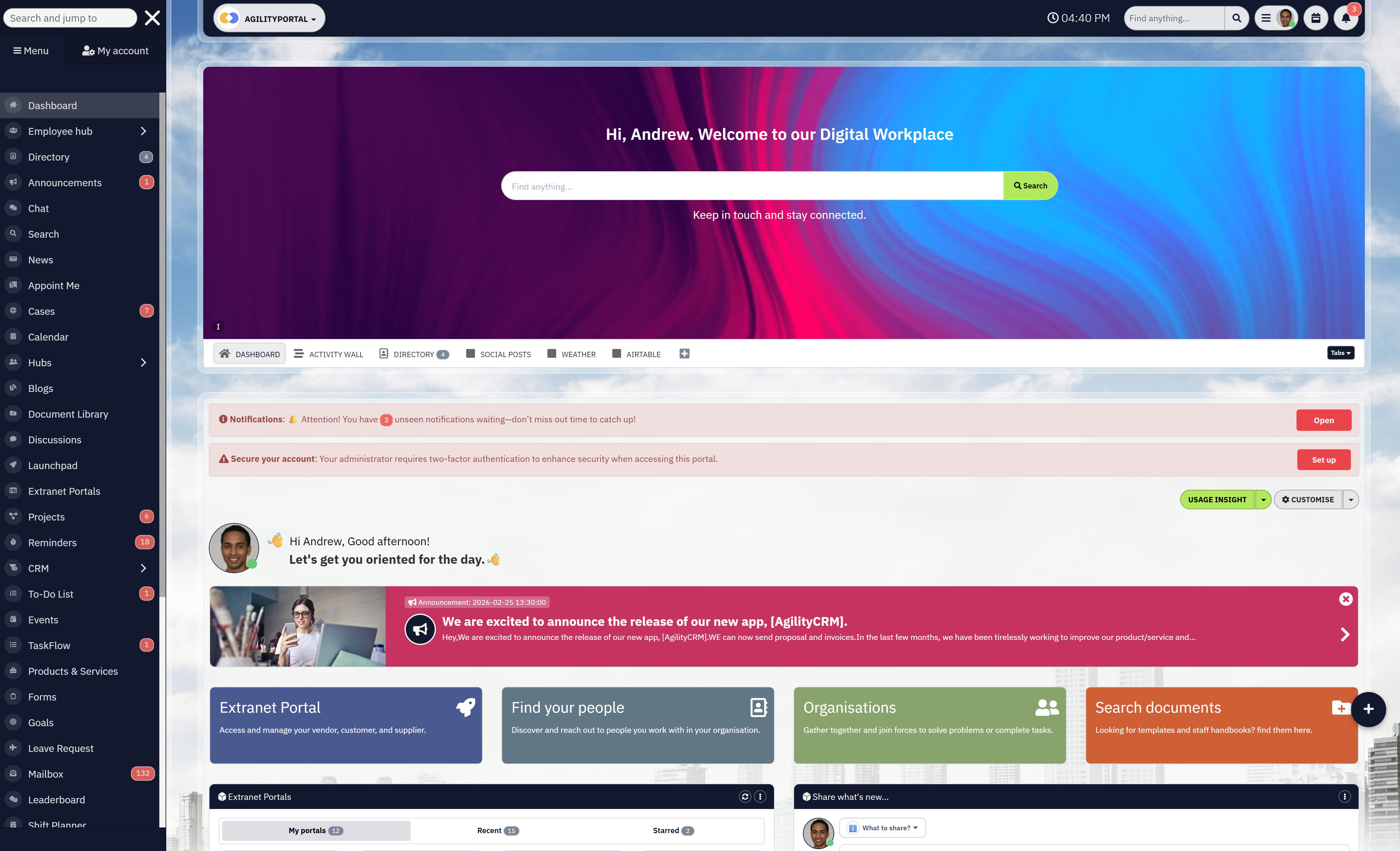
#1. AgilityPortal: Operational Control, Compliance & Workforce Visibility in One Platform
AgilityPortal is a modernworkforce management wfm software designed for businesses that need more than just shift scheduling.
While many tools focus only on workforce planning, AgilityPortal combines scheduling, communication, compliance tracking, and operational visibility into a single unified platform.
For organizations struggling with overtime, fragmented systems, or disconnected teams, this isn't just another wfm software — it's a centralized control layer for workforce operations.
You can explore AgilityPortal through a demo environment and see how workforce coordination, department dashboards, and real-time labor visibility work together in one system.
AgilityPortal is cloud-based and works across desktop and mobile devices, making it accessible for both office-based managers and frontline teams.
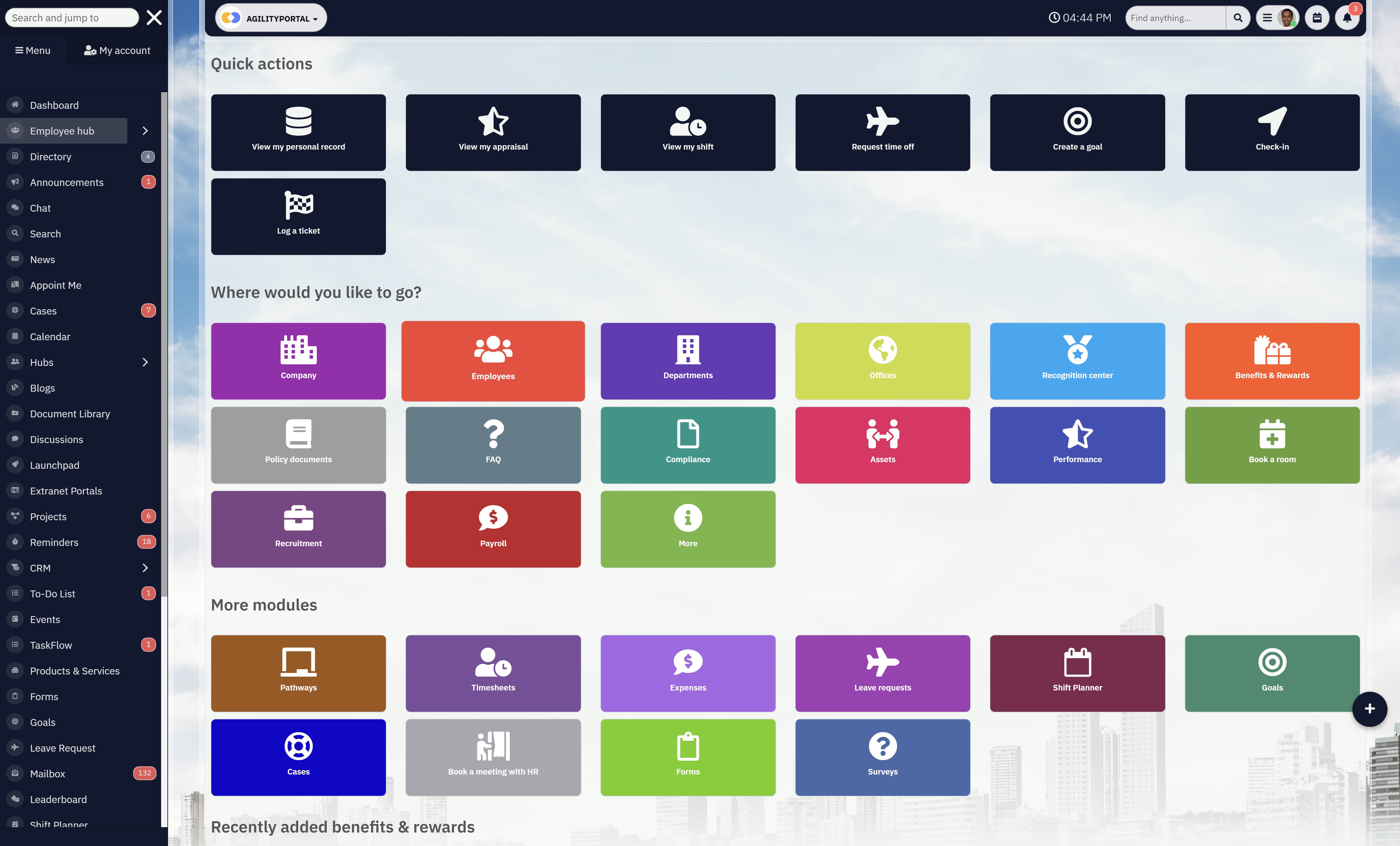
What our customers like
AgilityPortal stands out because it doesn't treat scheduling as an isolated function.
Workforce coordination is connected to internal communication, document management, and engagement tracking — which means managers aren't jumping between platforms.
The interface is structured and role-based, allowing department heads to see exactly what matters to them.
Real-time dashboards provide insight into performance, overtime exposure, and workforce activity without needing complicated reports.
Compliance support is built into workflows, with audit trails, structured approvals, and centralized policy documentation.
That reduces operational risk while improving accountability.
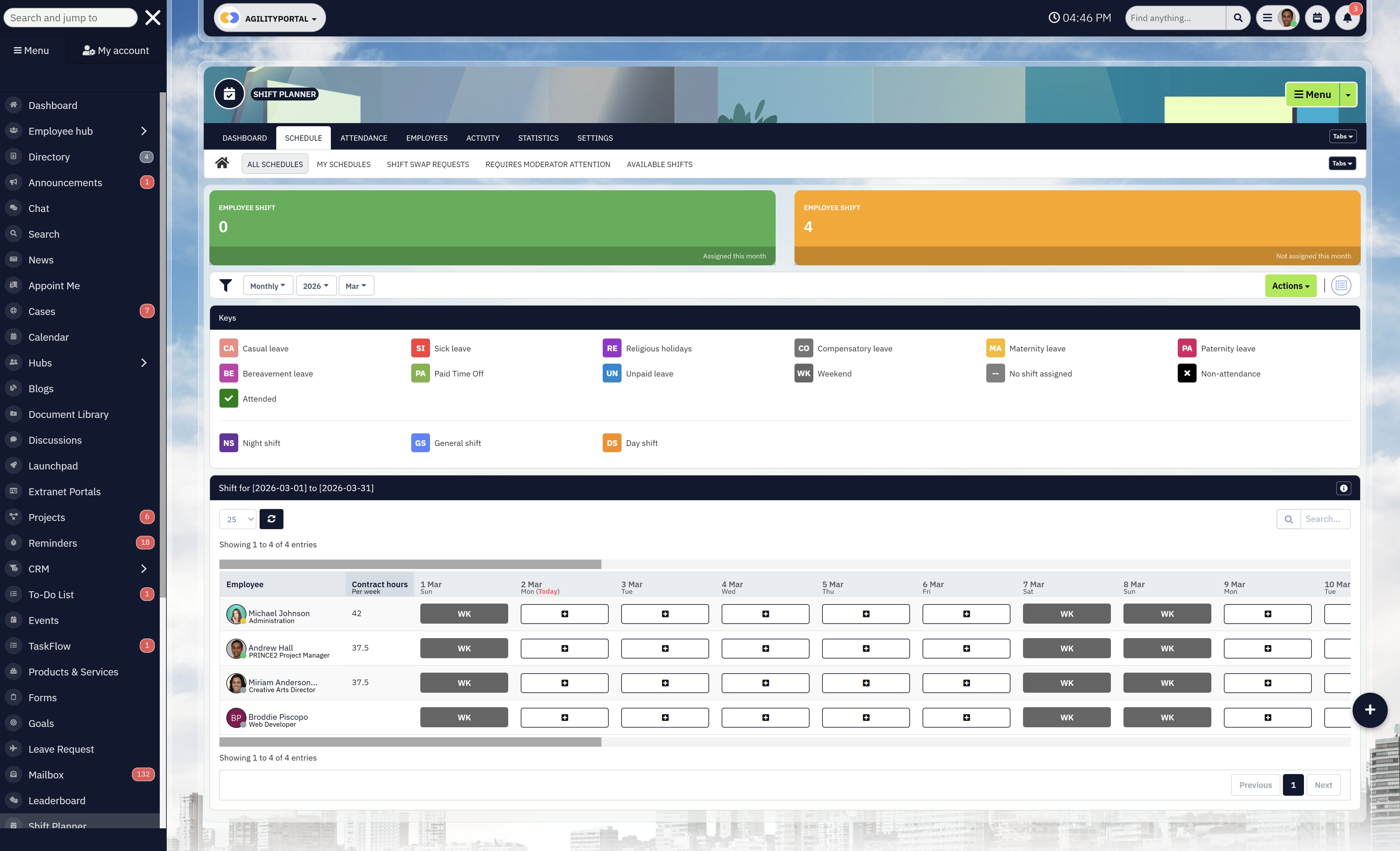
Who is AgilityPortal for?
AgilityPortal is ideal for:
- Growing businesses managing multiple departments
- Operations leaders who need real-time workforce visibility
- Companies replacing spreadsheets or disconnected scheduling tools
- Organizations under increasing compliance pressure
- Teams that want workforce management and internal communication in one system
It works particularly well for industries where labor cost control and compliance are critical.
What we don't like
AgilityPortal isn't positioned as a lightweight scheduling app. Businesses looking for a very basic, low-cost shift planner may find the broader feature set more than they need.
Companies that only require simple time tracking — without operational dashboards or compliance workflows — might prefer a smaller tool.
How much does AgilityPortal cost?
AgilityPortal operates on a SaaS subscription model based on company size and required modules.
Pricing scales as your organization grows, making it suitable for both expanding teams and established businesses.
Because it combines workforce coordination, communication, and document management, many companies use it to replace multiple systems — which can offset overall software costs.
AgilityPortal
Workforce & Labor Management Software for Modern Industries
AgilityPortal is a modern workforce management software platform designed to centralize scheduling, workforce coordination, and operational oversight for labor-intensive industries.
Starts at flexible SaaS pricing — scalable for growing teams.
#2. Deputy: Flexible Scheduling & Cost Control for Frontline Teams
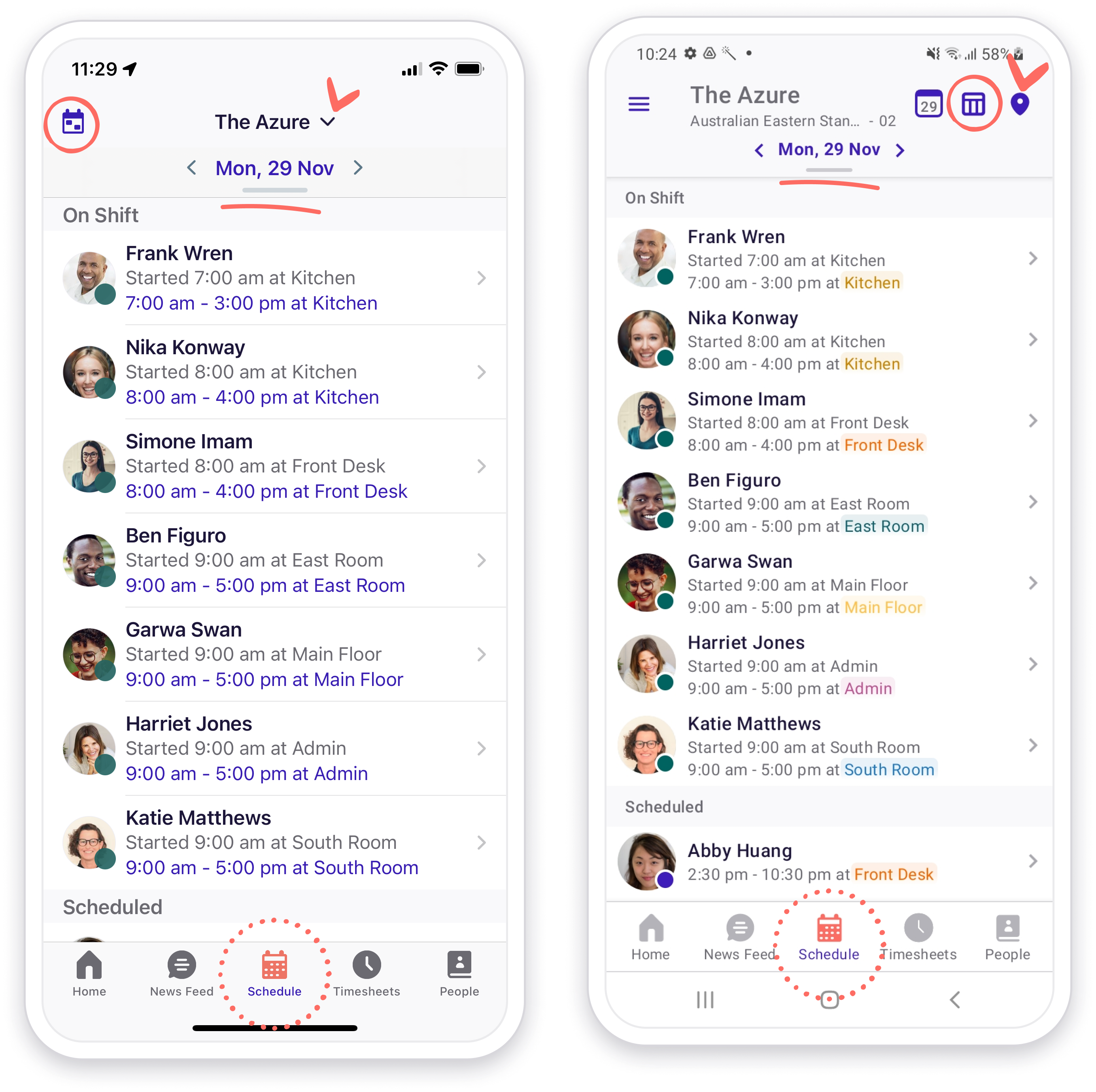
#2. Deputy: Flexible Scheduling & Cost Control for Frontline Teams
Deputy is one of the more recognized work force management tools for businesses that rely heavily on shift-based staff. It focuses on employee scheduling, time tracking, and basic labor cost control — particularly in retail and hospitality environments.
The platform is cloud-based and works across desktop and mobile devices, making it easy for managers to build schedules and for employees to swap shifts or clock in remotely.
What we likeDeputy is easy to set up and intuitive for managers who need fast scheduling without a steep learning curve. The system includes:
- Smart shift planning
- Overtime alerts
- Time and attendance tracking
- Basic compliance notifications
Among work force management tools aimed at shift-driven businesses, Deputy keeps things simple and efficient.
Who is Deputy for?Deputy is best suited for:
- Retail and hospitality businesses
- Restaurants and cafes
- Small to mid-sized shift-based teams
- Companies that prioritize scheduling over advanced workforce analytics
If your primary challenge is organizing shifts quickly and tracking hours accurately, Deputy can be a practical solution.
What we don't likeDeputy focuses heavily on scheduling and time tracking. Businesses looking for deeper operational dashboards, advanced productivity analytics, or broader compliance workflows may find it limited compared to more comprehensive systems.
How much does Deputy cost?Deputy offers tiered per-user pricing, making it accessible for smaller teams. Costs increase as you add features and users, which is typical among work force management tools in this category.
Deputy
Shift Scheduling & Workforce Management Platform
Deputy is a cloud-based workforce management software designed for shift scheduling, time tracking, and labor cost control — particularly in retail and hospitality environments.
#3. UKG Ready: Enterprise-Grade Workforce Software for Growing Organizations
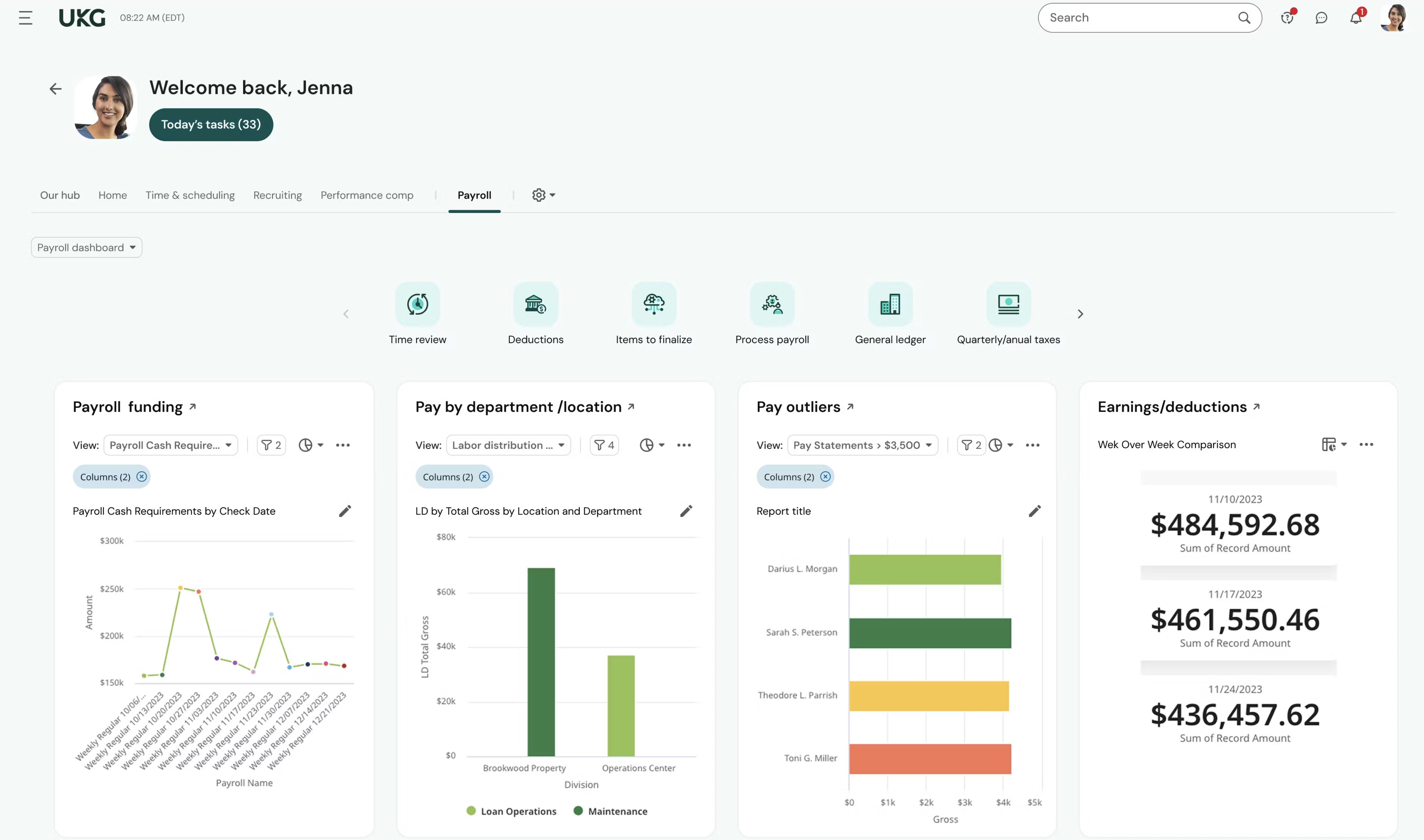
#3. UKG Ready: Enterprise-Grade Workforce Software for Growing Organizations
UKG Ready is positioned as comprehensive workforce software built for mid-sized to enterprise organizations that need deep workforce visibility, compliance controls, and advanced reporting.
Unlike lightweight scheduling tools, UKG Ready focuses on broader workforce management — including time tracking, HR integration, payroll connectivity, and analytics.
It's designed for companies that have outgrown basic tools and need scalable infrastructure.
What we like
UKG Ready stands out for its depth and enterprise capability. Key strengths include:
- Advanced workforce analytics
- Automated compliance monitoring
- Time and attendance tracking
- Payroll and HR integration
- Multi-location workforce visibility
For organizations that require structured oversight, this workforce software delivers strong reporting and forecasting tools.
Who is UKG Ready for?
UKG Ready is best suited for:
- Mid-sized to enterprise businesses
- Organizations with complex compliance requirements
- Multi-location operations
- Companies needing integrated HR and payroll systems
If your workforce spans departments, regions, or regulatory environments, UKG Ready offers structured control.
What we don't like
UKG Ready can feel complex for smaller teams. Implementation may require onboarding support, and pricing is not publicly transparent, which can slow evaluation.
For companies that only need scheduling, it may be more system than necessary.
How much does UKG Ready cost?
UKG Ready uses custom enterprise pricing based on company size, features, and integrations. As with most advanced workforce software, costs scale depending on configuration and support needs.
UKG Ready
Enterprise Workforce Software for Time, Payroll & HR
UKG Ready is a cloud-based workforce software suite built for mid-market and enterprise teams that need time and attendance, payroll workflows, and structured workforce administration in one platform.
#4. BambooHR: HR-Focused Platform with Mobile Workforce Management Apps Capabilities
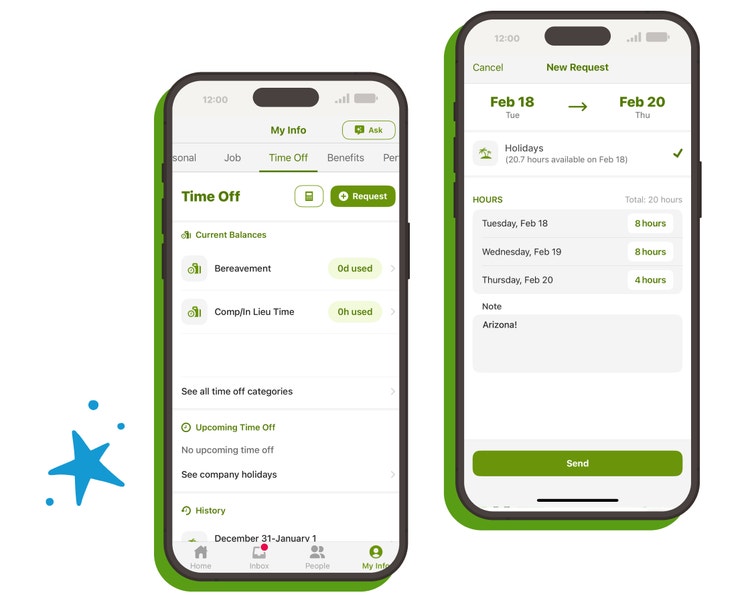
#4. BambooHR: HR-Focused Platform with Mobile Workforce Management Apps Capabilities
BambooHR is primarily known as an HR management system, but it also offers features that overlap with mobile workforce management apps, especially for companies that prioritize employee data, onboarding, and performance tracking.
While it's not a heavy operational scheduling tool, it provides mobile access for managers and employees to handle time-off requests, employee records, and basic time tracking on the go.
It's best described as HR-first with workforce add-ons.
What we like
BambooHR is clean, simple, and easy to navigate. For teams exploring mobile workforce management apps that integrate closely with HR processes, it offers:
- Mobile access to employee records
- Time-off tracking
- Basic time tracking
- Performance management tools
- Payroll integrations
The mobile app is intuitive and works well for distributed teams who need HR access remotely.
Who is BambooHR for?
BambooHR is best suited for:
- Small to mid-sized businesses
- HR-led organizations
- Companies prioritizing employee lifecycle management
- Teams needing HR access through mobile workforce management apps
If your main focus is employee management rather than deep labor analytics, BambooHR fits well.
What we don't like
BambooHR is not built specifically for complex scheduling or advanced operational workforce control. Businesses needing detailed labor forecasting, productivity benchmarking, or compliance-heavy workflows may find it limited.
How much does BambooHR cost?
BambooHR uses tiered pricing based on company size and selected modules. Pricing is not publicly listed, and businesses must request a quote.
BambooHR
HR & Workforce Management Software for Growing Teams
BambooHR is a cloud-based workforce software platform focused on HR management, employee records, time tracking, and performance tools — ideal for small to mid-sized businesses.
#5. ADP Workforce Now: Payroll-Driven Workforce Management System for Established Businesses
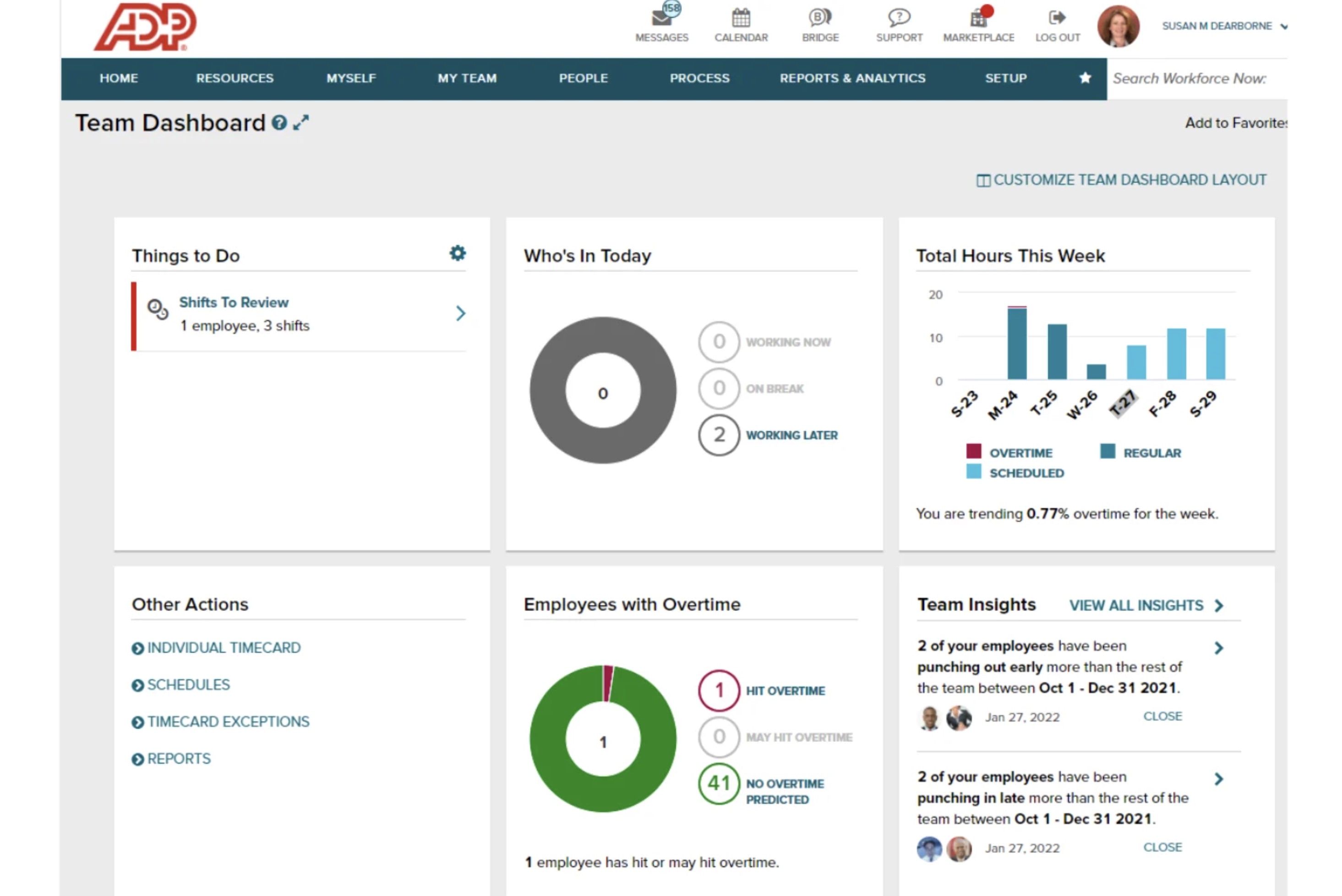
#5. ADP Workforce Now: Payroll-Driven Workforce Management System for Established Businesses
ADP Workforce Now is a well-known workforce management system that combines payroll, HR, time tracking, and compliance tools into one enterprise-ready platform.
Unlike lightweight scheduling apps, ADP's strength lies in payroll integration. It's built for companies that want workforce operations tightly connected to compensation and regulatory requirements.
For businesses already using ADP payroll, this system often becomes the logical extension.
What we like
ADP Workforce Now is strong in areas where compliance and payroll accuracy matter most. Key advantages include:
- Deep payroll integration
- Automated overtime calculations
- Compliance tracking and reporting
- Time and attendance management
- Enterprise-level reporting
As a workforce management system, it offers reliable infrastructure and established market credibility.
Who is ADP Workforce Now for?
ADP Workforce Now is best suited for:
- Mid-sized to large businesses
- Organizations prioritizing payroll accuracy
- Compliance-heavy industries
- Companies already using ADP services
If payroll and regulatory tracking are central concerns, ADP provides structured control.
What we don't like
The platform can feel payroll-centric rather than operations-focused. Businesses seeking advanced productivity analytics or highly flexible scheduling features may find it less dynamic than newer platforms.
Pricing transparency is also limited, requiring direct consultation.
How much does ADP Workforce Now cost?
ADP uses custom pricing based on company size, modules, and integration needs. Costs scale with features and support services, typical for enterprise workforce management systems.
ADP Workforce Now
Payroll-Driven Workforce Software for HR, Time & Compliance
ADP Workforce Now is a cloud-based workforce software platform built around payroll, combining HR, time tracking, and compliance workflows to help organizations manage employee operations at scale.
#6. When I Work: Simple Scheduling Tool — But Not a Full Enterprise Labor Management System
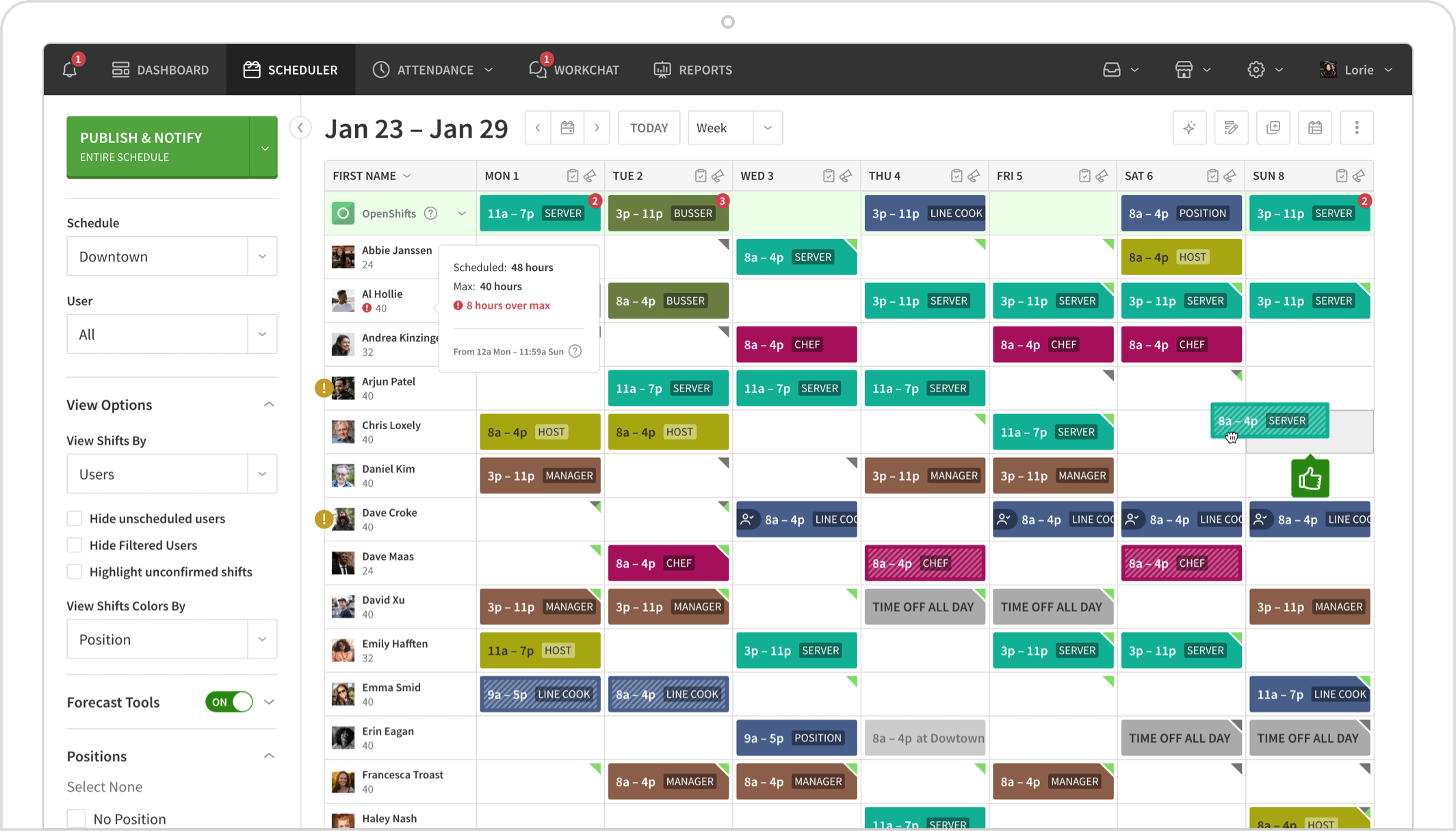
#6. When I Work: Simple Scheduling Tool — But Not a Full Enterprise Labor Management System
When I Work is a popular scheduling and time-tracking platform built primarily for small to mid-sized businesses. While it's often compared to more advanced platforms, it's important to note that it's not a full enterprise labor management system.
It focuses mainly on shift planning, time tracking, and basic team communication — keeping things straightforward and easy to deploy.
For businesses that don't require complex compliance tracking or deep operational analytics, it offers a lightweight alternative.
What we like
When I Work is simple, clean, and easy to adopt. Key strengths include:
- Quick shift scheduling
- Mobile clock-in and clock-out
- Shift swaps and availability management
- Basic labor cost visibility
For teams that want minimal setup and fast scheduling, it performs well.
Who is When I Work for?
When I Work is best suited for:
- Small businesses
- Restaurants and retail stores
- Shift-based teams
- Companies not yet needing an enterprise labor management system
If your priority is ease of use rather than deep operational insight, it's a practical option.
What we don't like
When I Work lacks the advanced forecasting, compliance automation, and multi-layer reporting expected from an enterprise labor management system. As companies scale, they often outgrow its capabilities.
How much does When I Work cost?
When I Work offers tiered per-user pricing, making it accessible for small teams. Costs increase with added features and users, but it remains positioned as a mid-market scheduling solution rather than a full enterprise platform.
When I Work
Scheduling & Time Tracking Workforce Management App
When I Work is a lightweight workforce management app built for shift scheduling, time tracking, and team coordination — a practical fit for small businesses that want fast setup and simple workflows.
#7. Workday: Enterprise Labor Software for Global Workforce Planning
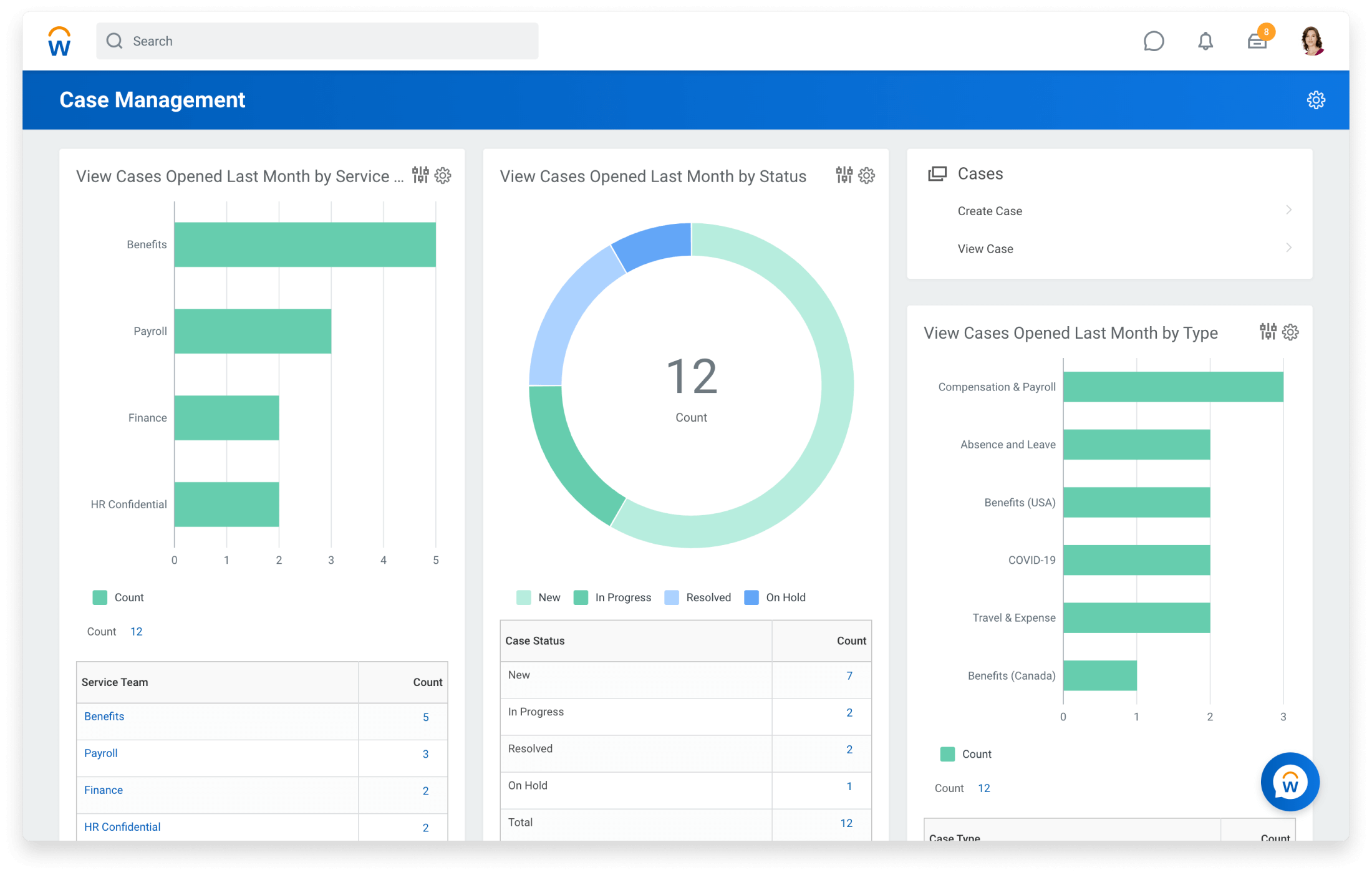
#7. Workday: Enterprise Labor Software for Global Workforce Planning
Workday is a powerful enterprise-grade labor software platform designed for large organizations that need deep workforce planning, HR integration, and global compliance management.
It goes far beyond scheduling. Workday connects finance, HR, payroll, and workforce analytics into one large ecosystem, making it suitable for complex, multinational operations.
For enterprises managing thousands of employees, it's often considered a strategic infrastructure tool rather than just workforce software.
What we likeWorkday stands out for scale and analytics depth. Key strengths include:
- Advanced workforce planning
- Predictive labor analytics
- Global compliance controls
- Integrated HR and finance data
- Enterprise-level reporting dashboards
As labor software, it delivers serious data visibility across regions and departments.
Who is Workday for?Workday is best suited for:
- Large enterprises
- Multinational organizations
- Compliance-heavy industries
- Companies requiring integrated HR and finance systems
If your workforce strategy connects directly to financial forecasting and long-term planning, Workday fits well.
What we don't likeWorkday can be complex and resource-intensive to implement. Smaller businesses may find it overwhelming, both in scope and cost. It's not designed as a lightweight scheduling tool.
How much does Workday cost?Workday uses enterprise-level custom pricing based on size, modules, and implementation scope. Costs are typically aligned with large-scale organizations rather than small or mid-sized teams.
Workday
Enterprise Workforce & HCM Software Platform
Workday is an enterprise-grade workforce software platform that combines HR, payroll, finance, and workforce planning into one integrated cloud ecosystem for large and global organizations.
#8. Connecteam: Mobile-First Cloud Based Workforce Management Software for Deskless Teams
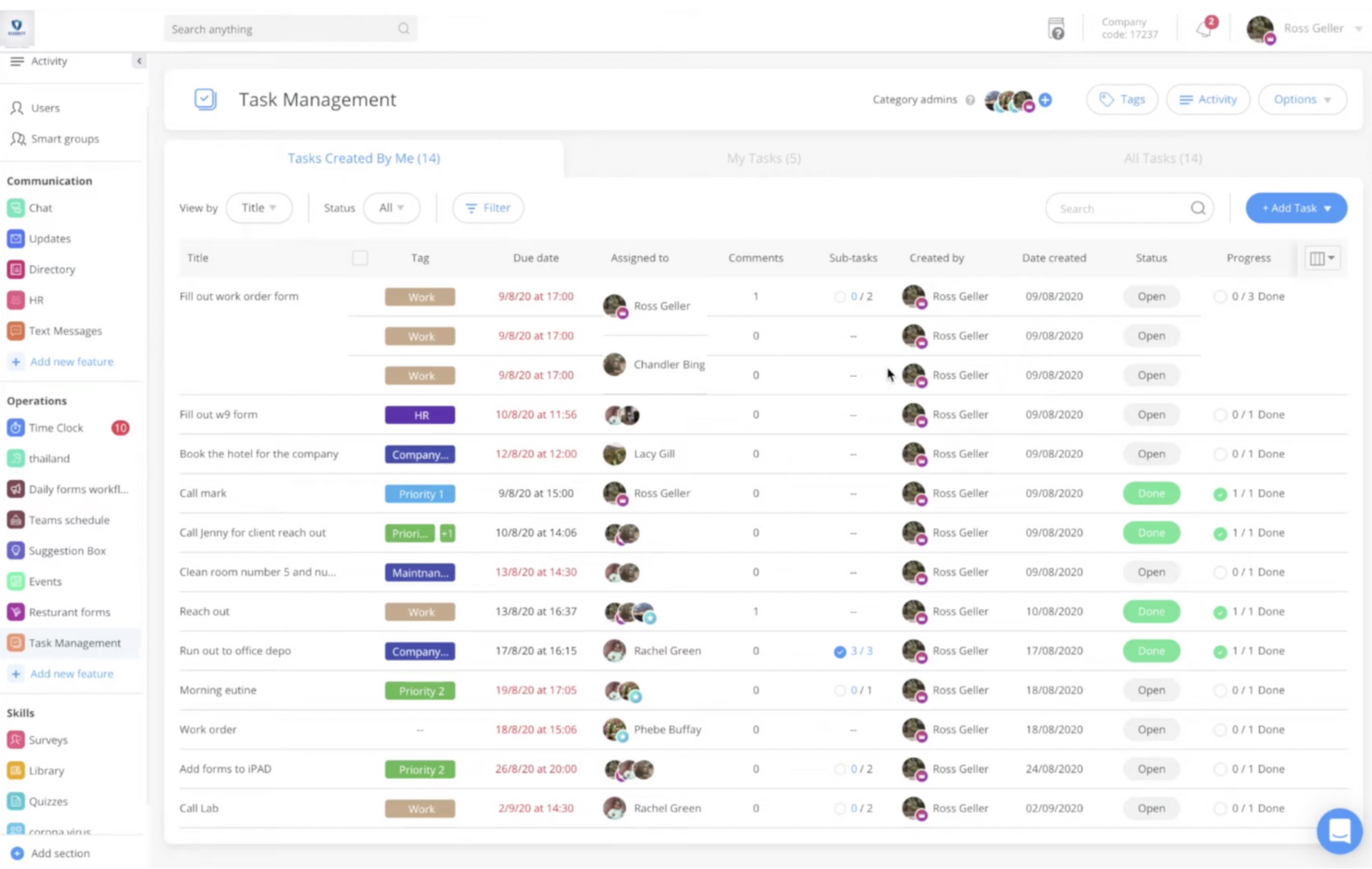
#8. Connecteam: Mobile-First Cloud Based Workforce Management Software for Deskless Teams
Connecteam is a mobile-focused, cloud based workforce management software platform designed primarily for deskless and field teams. It combines scheduling, task management, time tracking, and internal communication into a centralized mobile app.
Because it's fully cloud-based, managers and employees can access schedules, updates, and reports from anywhere — making it especially attractive for distributed workforces.
It positions itself as an all-in-one solution for companies managing non-desk employees.
What we likeConnecteam is built with mobility in mind. Key strengths include:
- Mobile shift scheduling
- GPS time tracking
- Task and checklist management
- In-app team communication
- Cloud-based dashboards
As cloud based workforce management software, it's easy to deploy and doesn't require on-premise infrastructure.
Who is Connecteam for?Connecteam is best suited for:
- Field service companies
- Construction teams
- Logistics and delivery operations
- Hospitality and retail
- Businesses with deskless employees
If your workforce operates primarily outside a traditional office, Connecteam fits naturally.
What we don't likeWhile strong in mobility, Connecteam may lack the deeper enterprise analytics and forecasting tools found in more advanced workforce systems. Larger organizations may eventually require more complex compliance and reporting capabilities.
How much does Connecteam cost?Connecteam offers tiered pricing based on features and number of users. It's generally positioned as an affordable cloud based workforce management software option for small to mid-sized teams.
Connecteam
Mobile-First Workforce Management Software for Deskless Teams
Connecteam is a mobile-first, cloud based workforce management software designed for deskless and field teams. It combines scheduling, time tracking, task management, and team communication in one centralized app.
#9. Rippling: HR-Driven Workforce Performance Management Software with IT Integration
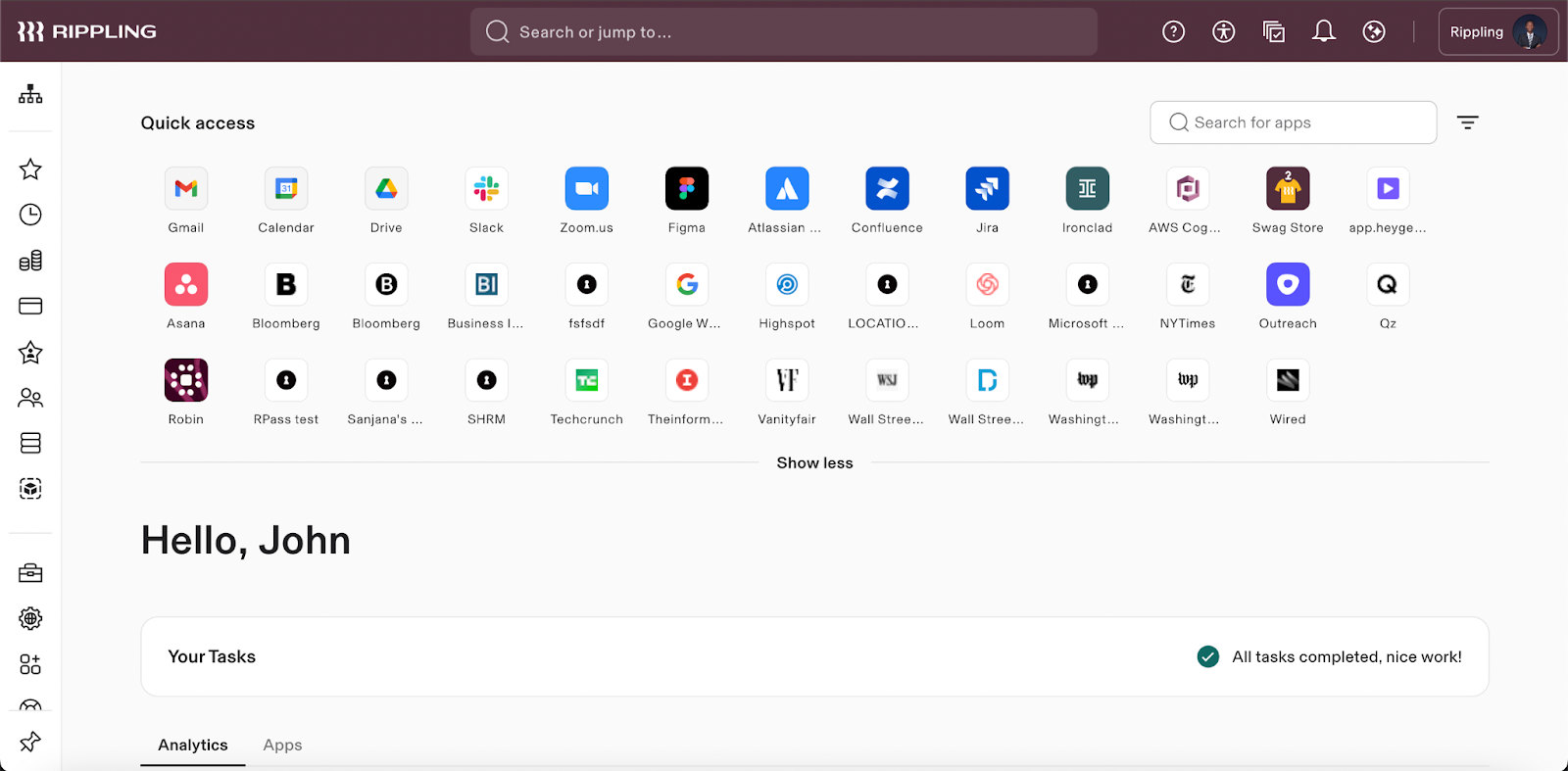
#9. Rippling: HR-Driven Workforce Performance Management Software with IT Integration
Rippling is best known as an all-in-one HR and payroll platform, but it also positions itself within the broader workforce performance management software space by connecting employee data, compensation, device management, and compliance into one system.
Unlike tools focused purely on scheduling, Rippling emphasizes automation across HR and IT — making it attractive for fast-scaling companies that want centralized control.
It's more about employee infrastructure than operational shift planning.
What we likeRippling's biggest strength is automation and integration. Key highlights include:
- Payroll automation
- Performance tracking tools
- Role-based access controls
- HR and IT system integration
- Compliance documentation
As workforce performance management software, it allows leadership to connect employee data with compensation and performance oversight in a structured way.
Who is Rippling for?Rippling is best suited for:
- Fast-growing companies
- Tech-driven organizations
- Businesses wanting HR + IT integration
- Teams prioritizing automation and compliance
If your focus is centralized employee control rather than deep labor forecasting, Rippling makes sense.
What we don't likeRippling is not primarily designed for complex shift-based operations. Companies requiring advanced labor analytics, forecasting, or operational dashboards may find it less specialized in that area.
How much does Rippling cost?Rippling uses modular pricing based on selected features and number of employees. Costs scale depending on payroll, compliance, and performance modules included.
Rippling
HR, Payroll & Workforce Performance Management Software
Rippling is a modern workforce performance management software platform that combines HR, payroll, IT management, and employee lifecycle automation into one unified cloud system for growing businesses.
#10. SAP SuccessFactors: Enterprise Remote Workforce Management System for Global Operations
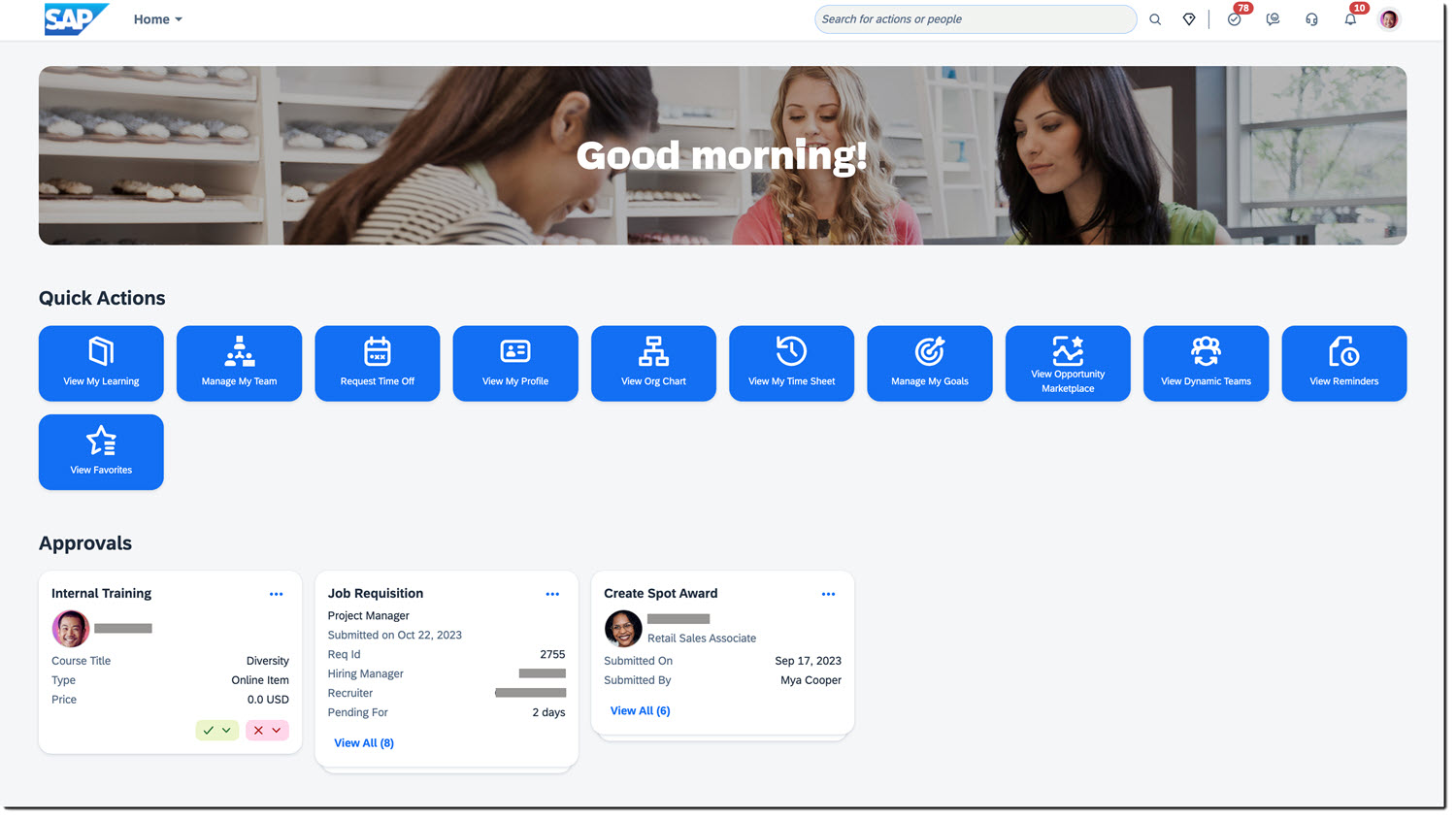
#10. SAP SuccessFactors: Enterprise Remote Workforce Management System for Global Operations
SAP SuccessFactors is a large-scale enterprise platform designed to support global HR, compliance, and workforce planning. As a remote workforce management system, it helps multinational organizations manage distributed teams across countries, regulations, and business units. Businesses running payroll and vendor payments across that many countries usually also need a currency risk management platform to stop exchange rate swings from eating into margins.
It goes far beyond scheduling — connecting HR data, workforce analytics, performance tracking, and compliance into one enterprise ecosystem.
For global companies managing remote and hybrid employees, it provides centralized oversight.
What we likeSAP SuccessFactors delivers strong enterprise capabilities. Key strengths include:
- Global workforce visibility
- Remote employee management tools
- Advanced analytics and reporting
- Multi-country compliance controls
- Integrated HR and performance management
As a remote workforce management system, it's built to handle scale, regulatory complexity, and cross-border operations.
Who is SAP SuccessFactors for?SAP SuccessFactors is best suited for:
- Large multinational organizations
- Enterprises with remote or hybrid teams
- Compliance-heavy industries
- Companies requiring centralized global oversight
If your workforce spans regions and regulatory environments, this platform offers structured control.
What we don't likeSAP SuccessFactors can be complex and resource-intensive to implement. Smaller or mid-sized businesses may find it excessive for their needs, both operationally and financially.
How much does SAP SuccessFactors cost?SAP SuccessFactors uses enterprise-level custom pricing based on modules, employee count, and implementation scope. It is positioned for large organizations rather than small or budget-conscious teams.
SAP SuccessFactors
Enterprise Remote Workforce Management System
SAP SuccessFactors is an enterprise-grade remote workforce management system designed to support global HR operations, compliance tracking, workforce planning, and employee performance management across distributed teams.
#11. Paycor: Mid-Market Labor Management System Software with Strong Payroll Integration
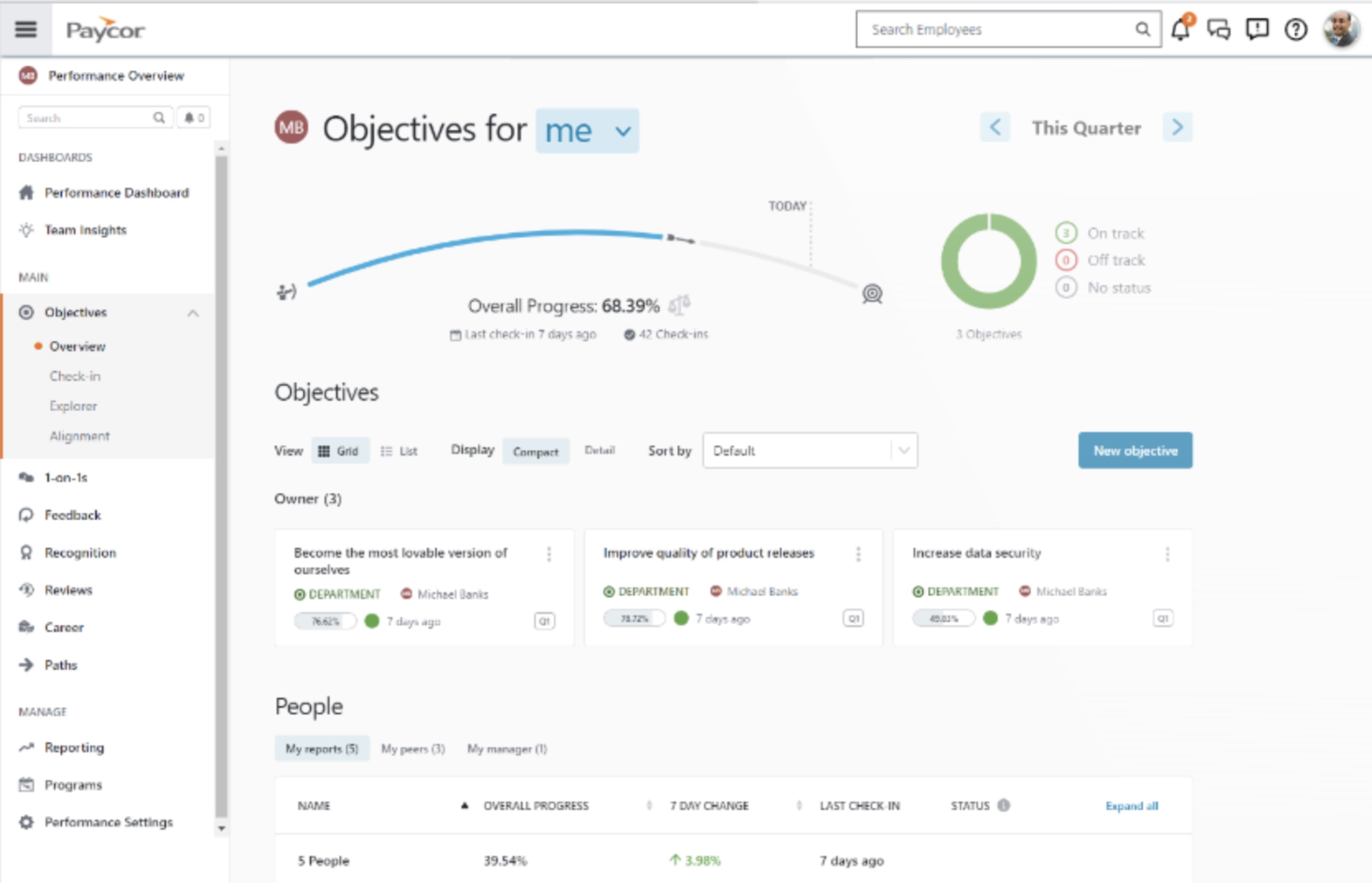
#11. Paycor: Mid-Market Labor Management System Software with Strong Payroll Integration
Paycor is a mid-sized business-focused labor management system software platform that blends payroll, HR, time tracking, and workforce reporting into one solution.
It's positioned between lightweight scheduling apps and enterprise-heavy systems — making it appealing to growing companies that need more structure without full enterprise complexity.
For organizations looking to connect payroll with workforce visibility, Paycor provides a balanced approach.
What we like
Paycor's strength lies in payroll-connected workforce oversight. Key features include:
- Integrated payroll and time tracking
- Overtime monitoring
- Compliance workflows
- Workforce reporting dashboards
- Talent and performance tracking tools
As labor management system software, it offers enough operational control for mid-sized businesses without overwhelming them.
Who is Paycor for?
Paycor is best suited for:
- Mid-sized businesses
- HR-led organizations
- Companies needing payroll-driven workforce oversight
- Growing teams transitioning from basic scheduling tools
If you need more structure than entry-level tools but aren't ready for enterprise platforms, Paycor fits well.
What we don't like
Paycor is more payroll-centric than operations-centric. Businesses seeking advanced forecasting, deep labor analytics, or large-scale workforce modeling may eventually require a more specialized system.
How much does Paycor cost?
Paycor uses tiered pricing based on company size and selected modules. Pricing is not fully transparent and requires consultation, typical for labor management system software in the mid-market segment.
Paycor
Payroll & Labor Management System Software
Paycor is a mid-market labor management system software platform combining payroll, HR, time tracking, and workforce reporting to help businesses manage compliance and employee operations more efficiently.
#12. Zoho People: Affordable Employee Workforce Management Software for Small Teams
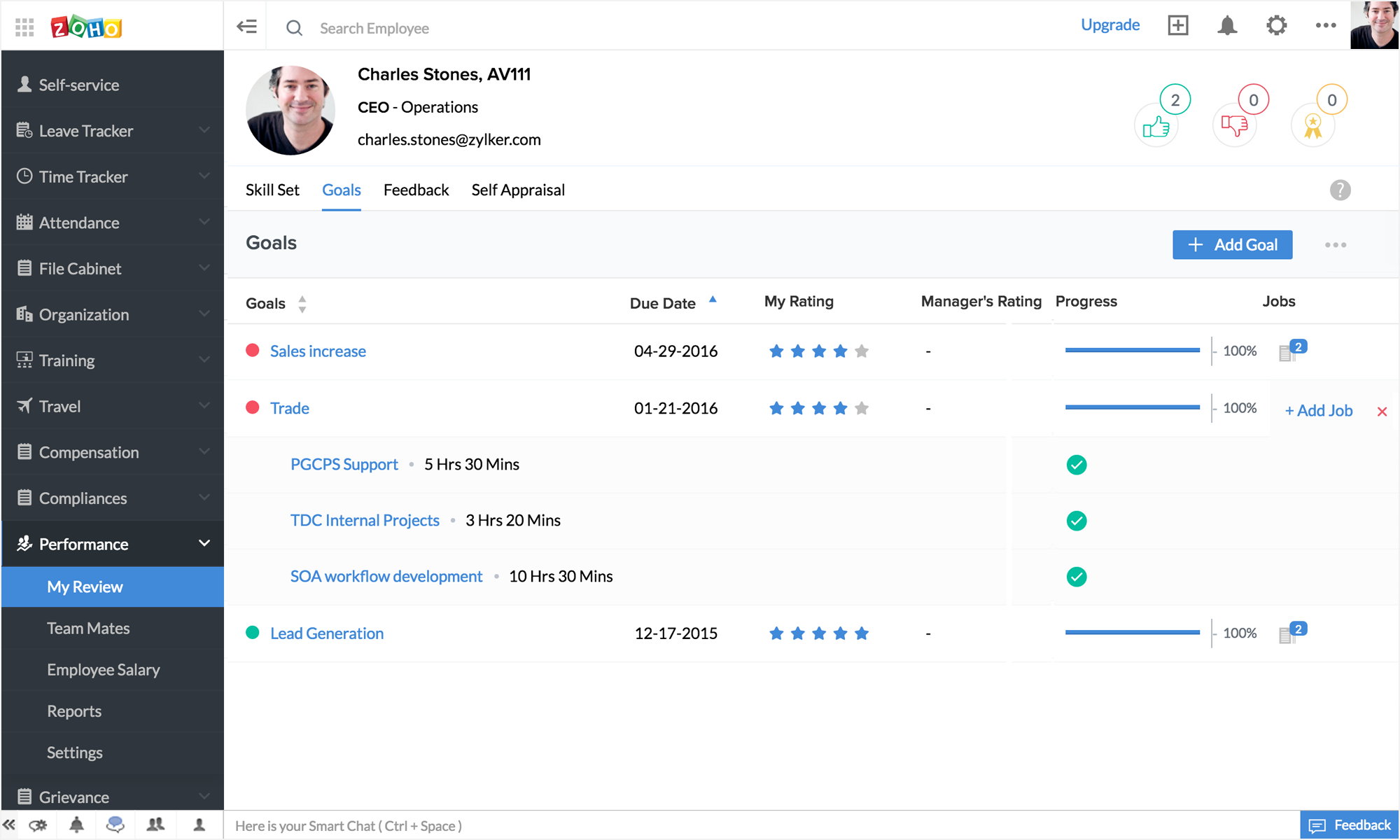
#12. Zoho People: Affordable Employee Workforce Management Software for Small Teams
Zoho People is a budget-friendly employee workforce management software platform focused primarily on HR administration, time tracking, and basic performance management.
It's part of the broader Zoho ecosystem, which makes it appealing for small businesses already using Zoho apps for CRM or finance.
While it's not built for complex labor forecasting, it provides foundational workforce oversight at a lower entry cost.
What we likeZoho People is simple, affordable, and easy to deploy. Key features include:
- Time and attendance tracking
- Leave management
- Employee database management
- Basic performance tracking
- Integration with other Zoho tools
As employee workforce management software, it covers the essentials without unnecessary complexity.
Who is Zoho People for?Zoho People is best suited for:
- Small businesses
- Startups
- Budget-conscious teams
- Companies already using Zoho products
If your needs are primarily HR-focused rather than operational workforce optimization, it's a practical option.
What we don't likeZoho People lacks advanced labor analytics, predictive forecasting, and deep compliance automation. Growing businesses may eventually outgrow its capabilities as operational complexity increases.
How much does Zoho People cost?Zoho People offers transparent, tiered pricing based on features and number of users. It's positioned as one of the more affordable employee workforce management software solutions in the market.
Zoho People
Affordable Employee Workforce Management Software
Zoho People is an accessible employee workforce management software solution focused on HR administration, time tracking, leave management, and basic performance tools for small and growing businesses.
Labor Management System Apps: Must-Have Features Checklist (And Why They Matter Today)
Let's be honest.
Today's labor management software can't just "schedule shifts." That might have worked 10 years ago. It doesn't anymore.
With rising labor costs, stricter regulations, hybrid teams, and tighter margins, your system needs to do more than assign hours. It needs to protect profitability and reduce risk.
Here's what absolutely must be included — and why it matters.
Real-Time Labor Tracking
If you only see labor data after payroll closes, you're already too late.
Modern labor management software must provide live visibility into hours worked, overtime exposure, and workforce activity. Real-time tracking allows managers to make adjustments before costs spiral.
Predictive Scheduling
Demand fluctuates. Labor markets are tight.
Predictive scheduling uses historical trends and demand patterns to build smarter schedules.
Instead of guessing coverage needs, you align staffing with actual workload — reducing both overstaffing and burnout.
Overtime Alerts
Overtime is one of the biggest hidden cost drivers.
Automated alerts notify managers before employees exceed thresholds.
That early warning system can prevent thousands in unnecessary payroll expenses each month.
Labor Forecasting
Why it matters today:
Planning without forecasting is just reacting.
Modern labor management software should help you estimate workforce needs based on business growth, seasonal trends, and operational targets.
This allows leadership to plan budgets and hiring proactively.
Break Compliance Automation
Compliance fines are expensive — and increasing.
Automated break enforcement ensures employees take required rest periods. The system should document everything, creating an audit trail in case of regulatory review.
Manual tracking simply isn't safe anymore
Payroll Integration
Disconnected systems create errors.
Labor data should flow directly into payroll systems to eliminate duplicate entry, reduce mistakes, and ensure accurate compensation. Integration saves time and lowers compliance risk.
Analytics Dashboard
Why it matters today:
Data without insight is noise.
Your labor management software should provide clear dashboards showing:
- Labor cost trends
- Department performance
- Utilization rates
- Overtime exposure
- Workforce efficiency metrics
If you can't see patterns, you can't fix problems.
Mobile App Access
Work isn't desk-based anymore.
Managers and employees need mobile access for scheduling, time tracking, approvals, and updates. A system that only works on desktop slows everything down.
Frontline teams expect flexibility.
Role-Based Permissions
Why it matters today:
Not everyone should see everything.
Role-based access ensures sensitive payroll and performance data is only available to authorized personnel. It also improves accountability and reduces internal risk.
If a labor management software solution doesn't include these capabilities, it's not built for today's operational realities.
Modern workforce environments demand:
- Real-time visibility
- Cost control
- Predictive planning
- Compliance protection
- Mobile accessibility
Anything less isn't optimization — it's just digital scheduling.
And that difference directly impacts your margins.
Here Are The Common Mistakes People Make When Choosing a Labor Management System (And Why They Cost You)
Choosing a Labor Management System isn't just a software decision — it's an operational decision. The wrong choice doesn't just frustrate managers.
It affects payroll accuracy, compliance exposure, productivity, and long-term scalability.
Here are the most common mistakes businesses make — and why they matter more than you think.
❌ 1. Choosing the Cheapest Option Instead of a Scalable One
On paper, the cheaper platform always looks attractive.
Lower monthly fee.
Basic scheduling.
Quick setup.
But here's the problem:
As your team grows, complexity increases. You need better reporting, compliance tracking, integrations, and performance visibility. Many low-cost tools don't scale — which means you end up switching systems again in 12–24 months.
That second migration?
It costs more than choosing correctly the first time.
A Labor Management System should support growth, not limit it.
❌ 2. Ignoring Compliance Automation
This is one of the most expensive mistakes.
Manual compliance tracking might seem manageable — until:
- Break rules are missed
- Overtime limits are exceeded
- Documentation can't be produced during an audit
Labor regulations are tightening globally. Without automation and audit trails, your organization is exposed.
Compliance automation isn't a "nice to have."
It's risk insurance.
❌ 3. Overcomplicating Setup
Some platforms are incredibly powerful — but painfully complex.
If implementation requires months of configuration, heavy IT involvement, and extensive training, adoption suffers.
When adoption drops:
- Managers revert to spreadsheets
- Employees bypass the system
- Data becomes unreliable
The best Labor Management System balances depth with usability. Power is meaningless if no one uses it properly.
❌ 4. Not Checking Integration Compatibility
This one quietly causes operational chaos.
If your system doesn't integrate with:
- Payroll
- HR software
- ERP systems
- Time and attendance tools
You create duplicate work and increase error rates.
Disconnected systems lead to:
- Manual data entry
- Payroll mistakes
- Reporting inconsistencies
- Compliance gaps
Integration reduces friction. And friction drains productivity.
❌ 5. Forgetting Frontline Worker Usability
Leadership often evaluates platforms from a desktop view.
But frontline employees are the ones clocking in, checking schedules, requesting time off, and swapping shifts.
If the system isn't mobile-friendly or intuitive:
- Adoption drops
- Errors increase
- Frustration rises
- Managers spend time troubleshooting
A Labor Management System must work for both executives and frontline teams. If one group struggles, the entire system suffers.
Why These Mistakes Matter More Today
Labor costs are rising.
Regulations are stricter.
Workforces are more distributed.
Margins are tighter.
A weak system doesn't just inconvenience your team — it directly impacts profitability and compliance risk.
Choosing correctly means:
- Lower overtime exposure
- Stronger audit readiness
- Better workforce visibility
- Higher adoption
- Long-term scalability
And in today's environment, that difference is significant.
How to Choose the Right Labor Management System for Your Business
Let's make this simple.
Choosing a Labor Management System isn't about picking the platform with the most features. It's about picking the one that fits your operational reality.
If you get this wrong, you either overpay for complexity you don't use — or underinvest and outgrow it in a year.
Here's a practical decision framework you can use.
Focus on Your Company Size
Why it matters:
A 20-person team doesn't need the same infrastructure as a 2,000-person organization.
- Small teams (under 50 employees):
Look for ease of use, fast setup, and core scheduling + time tracking. - Mid-sized companies (50–500 employees):
Prioritize compliance automation, department-level reporting, and payroll integration. - Enterprise organizations (500+ employees):
Focus on scalability, advanced analytics, multi-location management, and structured permissions.
If your team is growing fast, choose for where you'll be in 24 months — not where you are today.
Think about Compliance and Industry Regulations First
Why it matters:
Compliance mistakes are expensive. Some industries carry heavier labor rules than others.
- Healthcare, logistics, manufacturing → high compliance sensitivity
- Retail and hospitality → overtime and scheduling regulation risk
- Professional services → lighter scheduling complexity
If you operate in a compliance-heavy industry, automation and audit trails should be non-negotiable.
Consider Growth and Scalability
Why it matters:
Your system must support expansion — new departments, new locations, more employees.
Ask yourself:
- Are you planning to open new locations?
- Expanding internationally?
- Hiring aggressively this year?
If growth is aggressive, avoid basic tools that lack forecasting and advanced reporting.
Switching twice costs more than choosing correctly once.
Integration Needs
Why it matters:
Disconnected systems create errors and manual work.
Your Labor Management System should integrate with:
- Payroll
- HR software
- ERP systems
- Time and attendance platforms
- Communication tools
If data has to be manually exported and re-entered, that's a red flag.
Integration reduces friction. Friction reduces efficiency.
Budget Tolerance
Why it matters:
The cheapest tool often becomes the most expensive long term.
Think beyond subscription cost:
- Implementation time
- Training requirements
- Overtime savings potential
- Compliance risk reduction
- Tool consolidation
If the platform prevents payroll leakage and compliance penalties, it's not a cost — it's a margin protector.
Reporting & Visibility Needs
Why it matters:
If you can't measure workforce performance, you can't improve it.
Ask:
- Do you need department-level dashboards?
- Do you want productivity benchmarking?
- Do you need overtime forecasting?
- Do executives require high-level reporting?
If leadership relies on spreadsheets to understand labor trends, your system isn't doing enough.
Quick Decision Tree (Simplified)
Are you a small team with basic scheduling needs?
→ Choose a lightweight, easy-to-deploy solution.
Are compliance and payroll integration critical?
→ Choose a structured system with automation and audit trails.
Are you scaling across departments or locations?
→ Choose a scalable platform with advanced reporting.
Do you need workforce visibility plus communication?
→ Choose a unified system, not separate tools.
Final Thought
The right Labor Management System should:
- Reduce overtime
- Protect against compliance risk
- Provide operational visibility
- Scale with growth
- Improve workforce accountability
If it doesn't clearly improve at least three of those areas, it's probably not the right fit.
And that's the difference between buying software… and strengthening your operations.
Final Verdict: Which Labor Management System App Is Best?
Here's the simple breakdown.
- Small teams → Go with a lightweight scheduling-focused tool.
- Mid-sized businesses → Choose a platform with payroll integration and compliance automation.
- Enterprise organizations → Prioritize scalability, advanced analytics, and multi-location control.
- Growing operations needing visibility + communication → A unified Labor Management System will deliver more long-term value.
Before deciding, run through this quick checklist:
- Does it reduce overtime risk?
- Does it automate compliance tracking?
- Does it scale with growth?
- Does it integrate with payroll and HR?
- Will managers and frontline staff actually use it?
If the answer isn't clearly "yes" to most of those, keep evaluating.
And if you want to see how a connected approach works in practice, book a demo and explore how modern labor management software can give you real operational control — not just better scheduling.
Wrapping up: Control the Chaos Before It Controls You
Labor costs aren't going down.
Compliance risk is increasing.
Manual scheduling doesn't scale.
If you're still relying on spreadsheets or disconnected tools, you're operating reactively — and that's expensive.
The right Labor Management System app brings structure, visibility, and control back into your operations. It helps you reduce overtime, protect compliance, and make smarter workforce decisions in real time.
If you're serious about improving workforce performance:
- Book a demo and see it in action
- Explore our related workforce management guides
- Compare the platforms above and choose what truly fits your business
Better workforce control starts with the right system.
Frequently Asked Questions (FAQs)
What is the best workforce management software?
The best workforce management software depends on your company size and operational complexity.
- Small businesses may prefer simple scheduling tools.
- Mid-sized companies often need a scalable work force management system with payroll integration.
- Enterprises typically require advanced workforce software with analytics, forecasting, and compliance automation.
The best solution is one that reduces overtime, improves visibility, and integrates with payroll and HR systems.
What are the top 5 HCM systems?
The top HCM (Human Capital Management) systems commonly include:
- Workday
- SAP SuccessFactors
- UKG
- ADP Workforce Now
- Oracle HCM Cloud
These platforms combine HR, payroll, talent management, and broader workforce management app capabilities into enterprise-level solutions.
What are examples of EPM software?
EPM (Enterprise Performance Management) software focuses on financial planning and performance tracking.
Examples include:
- Oracle Hyperion
- SAP BPC
- Anaplan
- Workday Adaptive Planning
- IBM Planning Analytics
While different from workforce tools, EPM platforms often integrate with workforce performance management software to align labor planning with financial strategy.
What is workforce management software used for?
Workforce management software is used to:
- Schedule employees
- Track time and attendance
- Monitor overtime
- Ensure compliance with labor laws
- Forecast labor demand
- Analyze workforce performance
Modern workforce management software examples go beyond scheduling and provide real-time dashboards, mobile access, and predictive analytics.
What is a workforce login or workforce management login?
A workforce login or workforce management login is the secure access portal employees and managers use to:
- View schedules
- Clock in and out
- Request time off
- Approve shifts
- Access reports
Most modern workforce systems provide both desktop and mobile login access for convenience.
Is there workforce performance management software free?
Some vendors offer limited versions of workforce performance management software free, typically with restricted features or user limits.
However, advanced tools — especially those considered the best workforce performance management software — usually require a paid subscription due to analytics, compliance automation, and integration capabilities
Is workforce software certification important?
For larger organizations, workforce software certification can be important. Certified administrators better understand:
- Compliance settings
- Reporting configurations
- Integration management
- Performance optimization
Certification reduces implementation errors and improves long-term ROI.
AI Summary
- The best workforce management software helps businesses reduce overtime, improve scheduling accuracy, and gain real-time visibility into labor costs instead of reacting after payroll closes.
- A modern work force management system connects scheduling, time tracking, compliance automation, and payroll integration to reduce errors and protect margins.
- Workforce software with predictive analytics enables smarter labor forecasting, preventing overstaffing, understaffing, and productivity gaps across departments.
- Compliance automation is critical in today’s environment, as automated break enforcement, audit trails, and documentation tracking reduce regulatory risk and legal exposure.
- Mobile access through a workforce management app improves frontline adoption, allowing employees to manage shifts, clock in, and access updates without friction.
- Advanced workforce performance management software provides dashboards and reporting tools that help leadership identify trends, control costs, and scale operations confidently.
Most Popular Posts

Effective communication among team members is vital for the productivity and success of any organization. Surprisingly, 60% of companies lack a long-term internal communication strategy, which p...


Businesses thrive on communication for efficiency, productivity and accomplishment. When the right information is passed from the right designation in the organization, it promotes positivity an...

Categories
Blog
(3228)
Business Management
(396)
Employee Engagement
(235)
Digital Transformation
(220)
Growth
(151)
Intranets
(142)
Internal communications
(110)
Remote Work
(68)
Sales
(53)
Collaboration
(53)
Customer Experience
(33)
Culture
(30)
Knowledge Management
(29)
Project management
(29)
Leadership
(20)
Comparisons
(9)
News
(1)

Related Posts

Have you ever welcomed a new employee, shared a mountain of information, and wondered how much they'll remember by tomorrow? A clear presentation can make the first day easier by showing new starters who to contact, where to find key informatio...

What would your leadership team do if a serious allegation about your business started spreading online before anyone knew whether it was true? That's where crisis communication and management really matter. An employee spots the post, screensh...

AI for personal injury law firms is becoming part of everyday casework. These tools can help teams sort through medical records, build timelines, draft demand packages and find details buried in a big case file. That could free up attorneys and...

Ever left an online meeting unsure what was decided—and wondered how to run an effective meeting without wasting everyone's time? A call can bring a distributed team together quickly, but when it starts late, includes people who don't know why ...

Where can I send a fax from in my area when a document needs to go out today? The answer might be a nearby print or shipping shop, a library or an online fax service, but what's available depends on your location. The UPS Store lists a ne...


Jill Romford
I am a digital nomad, lover of exploring new places and making friends.
I love to travel and I love the internet. I take pictures of my travels and share them on the internet using Instagram.
Traveler, entrepreneur, and community builder. I share my insights on digital marketing and social media while inspiring you to live your fullest life.
Ready to learn more? 👍
One platform to optimize, manage and track all of your teams. Your new digital workplace is a click away. 🚀
Free for 14 days, no credit card required.