
Insight Blog
Agility’s perspectives on transforming the employee's experience throughout remote transformation using connected enterprise tools.
25 minutes reading time
(4978 words)
List of Communication Tools in the Workplace by Industry Guide

List of Communication Tools in the Workplace by Industry Guide
Discover the best workplace communication tools across industries and learn which platforms work best for frontline and hybrid teams.
List of Communication Tools in the Workplace by Industry Guide

If you're searching for a List of communication tools in the workplace, you're probably trying to solve a familiar problem: teams are using too many disconnected apps, messages get lost, and employees waste time hunting for information instead of getting work done.
In fact, research from the McKinsey Global Institute found that employees can spend up to 28% of their workweek searching for information across different systems and tools. That's more than a full workday every week lost to inefficient communication.
28%
of the workweek
Research from McKinsey Global Institute shows employees can spend up to 28% of their workweek searching for information across disconnected systems and workplace tools. That’s roughly one full workday every week lost to inefficient communication.
Source: McKinsey Global Institute – The Social Economy Study
The challenge becomes even more complicated when you consider that different industries rely on very different communication needs. Healthcare teams require secure messaging and rapid alerts.
Construction companies need mobile-first tools that work on job sites. Retail and hospitality teams often rely on simple apps that keep frontline workers informed across multiple locations.
That's why this guide explores a List of communication tools in the workplace by industry, helping organizations identify platforms that actually match how their teams operate.
Instead of choosing a generic messaging app, businesses can select communication tools designed for their workforce structure, operational environment, and collaboration needs.
Whether you're managing frontline employees, running a nonprofit organization, or leading a distributed corporate team, choosing the right communication platform can significantly improve productivity, streamline collaboration, and ensure employees always have access to the information they need.
Key Takeaways
- Communication tools in the workplace vary widely by industry, with healthcare, retail, construction, and technology teams all requiring different communication capabilities.
- Organizations lose productivity when communication is fragmented across email, messaging apps, and disconnected systems.
- Industry-specific communication platforms help teams share updates, collaborate faster, and keep employees aligned across locations.
- Modern workplace communication tools combine messaging, document sharing, task coordination, and mobile access in one platform.
- Choosing the right communication tool depends on workforce structure, operational complexity, and the need for scalable collaboration.
Why Workplace Communication Tools Matter More Than Ever

Modern organizations rely heavily on communication tools in the workplace to keep employees connected, informed, and aligned.
As businesses expand across multiple locations and teams increasingly work remotely or on flexible schedules, the ability to communicate efficiently has become a critical part of maintaining productivity and collaboration.
One of the biggest drivers behind this shift is the rapid growth of hybrid and remote work models. Teams are no longer always sitting in the same office, which means companies must rely on digital platforms to share updates, collaborate on projects, and maintain visibility across departments.
At the same time, many industries are seeing a rise in frontline and deskless workers who rarely access traditional office systems. Retail employees, construction crews, healthcare staff, and hospitality teams all need mobile-first solutions that allow them to receive updates, communicate with managers, and access essential information while on the move.
Another challenge organizations face is information overload caused by fragmented systems.
When communication happens across emails, messaging apps, documents, and internal systems that don't connect well, employees often struggle to find the information they need.
Research from the McKinsey Global Institute shows that employees can spend up to 28% of their workweek searching for information, highlighting how disconnected communication environments can significantly impact productivity.
To solve these challenges, many companies are exploring communication tools in the workplace examples that bring messaging, collaboration, document sharing, and company updates into a single platform.
By centralizing communication and improving accessibility, organizations can reduce confusion, improve transparency, and help employees focus on the work that truly matters.
28%
of the workweek
Research from McKinsey Global Institute shows that employees can spend up to 28% of their workweek searching for information, highlighting how disconnected communication environments can significantly impact productivity across organizations.
Source: McKinsey Global Institute
What Makes a Good Workplace Communication Tool?
Before choosing the right platform, it's important to understand what is communication tools in a business context.
In simple terms, communication tools are digital platforms that allow employees to share information, collaborate on tasks, and stay connected across teams, departments, and locations.
The best internal communication tools in an organization go beyond basic messaging and help centralize information, streamline workflows, and support collaboration across the entire workforce.
Below are the core capabilities businesses should look for when evaluating a workplace communication platform.
- Real-Time Messaging - Real-time messaging allows employees to communicate instantly through direct messages, group chats, or team channels. This makes it easier to share quick updates, coordinate tasks, and respond to issues without waiting for email responses. Instant communication helps teams resolve problems faster and stay aligned throughout the day.
- Document and Knowledge Sharing - A strong workplace communication tool should provide a centralized place for storing and sharing company knowledge. This includes policies, procedures, training materials, and internal documentation. When employees can easily access the information they need, organizations reduce confusion and eliminate the need to search through multiple systems.
- Mobile Accessibility for Frontline Workers - Many industries rely heavily on deskless workers who do not regularly use desktop computers. Retail staff, construction teams, manufacturing workers, and hospitality employees often depend on mobile devices to receive updates and communicate with colleagues. A good communication tool should therefore provide a mobile-first experience that allows employees to stay connected wherever they are working.
- Integrations With Business Tools - Modern businesses rely on many systems such as project management platforms, HR systems, document storage solutions, and customer relationship management tools. Communication platforms should integrate with these systems so teams can access important information without constantly switching between different applications.
- Security and Compliance - For industries such as healthcare, finance, and government, security is a major concern. Communication platforms must provide strong data protection, user access controls, and compliance features to ensure sensitive information remains secure while still allowing teams to collaborate effectively.
Related Reading
Want to explore more ways to improve workplace communication, support frontline teams, and compare internal communication platforms? These guides are a strong next step.
- Top 5 Internal Communication Tools to Enhance Employee Engagement
- Employee Communication Apps: Everything You Need To Know
- The Best Intranet for Frontline Workers
- Internal Comms Tools for Modern Workplaces
- AgilityPortal vs. Slack: Which Communication Platform Is Best for Your Team?
- Best Intranet Software for Large Enterprises
List of Communication Tools in the Workplace by Industry
This is the format
Communication Tools in the Workplace – Comparison Table
| Platform | Best For | Industry Fit | Key Communication Features | Mobile Support |
| AgilityPortal | Enterprise internal communication | Corporate, healthcare, nonprofit, retail | Company news feeds, document management, team spaces, employee directory | Yes |
| Peak PTT | Field operations communication | Construction, logistics, transportation, public safety | Push-to-talk voice, GPS tracking, real-time messaging, radio integration | Yes |
| Slack | Tech and startup collaboration | Technology, software development, startups | Channels, integrations with development tools, workflow automation, huddles | Yes |
| Doximity | Secure clinical communication | Healthcare, hospitals, clinics | HIPAA-compliant messaging, secure calling, video consultations, verified profiles | Yes |
| Discord | Creative collaboration | Creative studios, media teams, design agencies | Servers, voice rooms, screen sharing, live feedback sessions | Yes |
| Chanty | Small business communication | Small businesses, startups, agencies | Team chat, task management, voice and video calls, integrations | Yes |
| Beekeeper | Secure self-hosted businesses | Government, enterprise, regulated industries, IT teams | Chat and company news | Yes |
| Rocket.Chat | Secure self-hosted team communication | Government, enterprise, regulated industries, IT teams | Team messaging, self-hosting, omnichannel chat, integrations, role-based permissions | Yes |
| Callhippo | Secure communication | Small businesses, startups, agencies | AI-powered voice agents, and deep CRM integrations | Yes |
#1. AgilityPortal (Best for Enterprise Internal Communication)
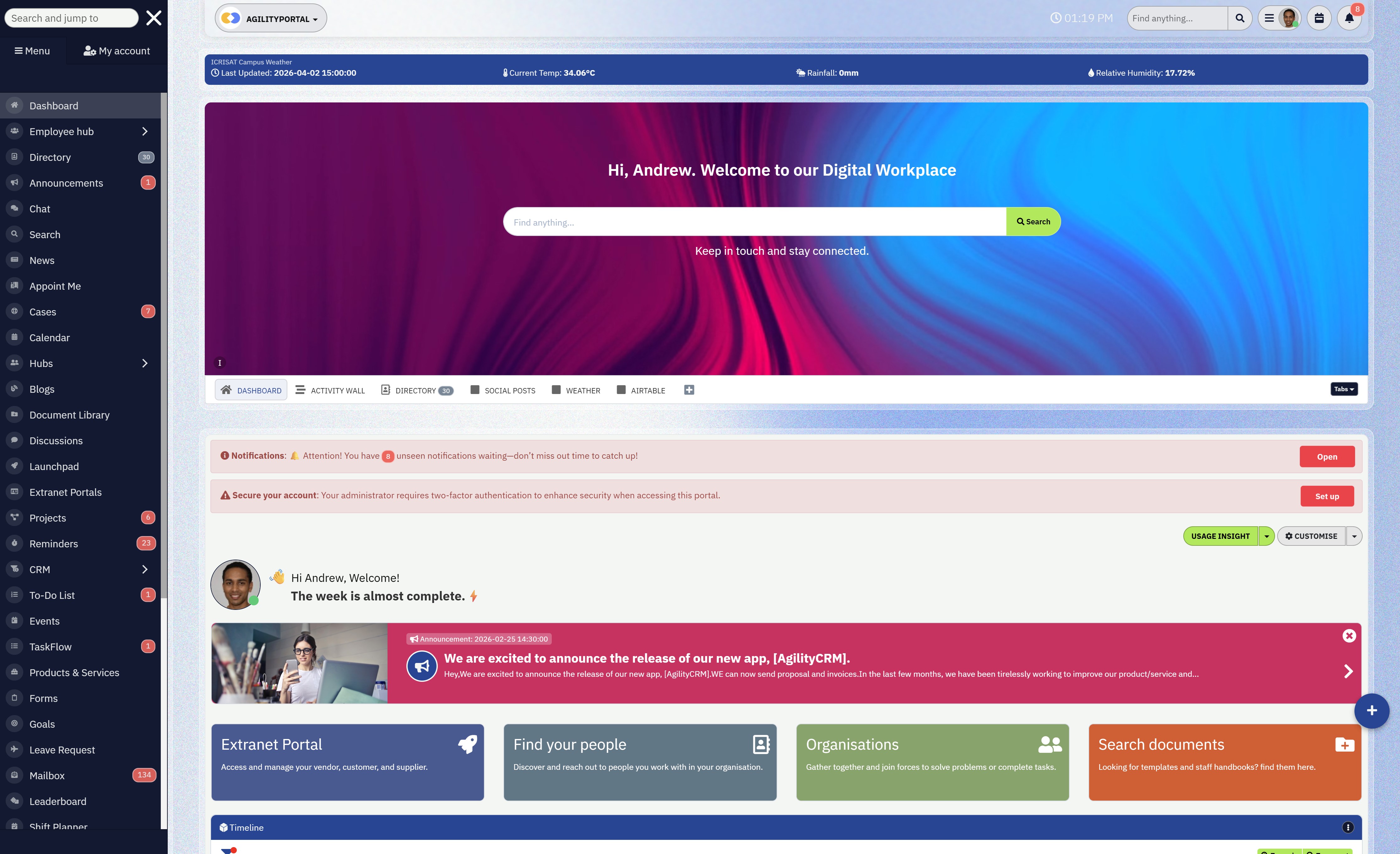
AgilityPortal is a modern digital workplace and intranet platform designed for organizations that need far more than simple chat or messaging. Instead of relying on scattered emails, disconnected apps, and multiple document repositories, the platform centralizes communication, collaboration, and knowledge management into one structured environment.
For many organizations, communication breaks down because information lives in too many places—emails, shared drives, messaging apps, and internal systems that rarely connect well. AgilityPortal solves this by providing a single hub where employees can access company updates, collaborate with colleagues, find documents, and stay informed about what's happening across the organization.
The platform works particularly well for companies with remote, hybrid, and distributed teams, where maintaining alignment and visibility across departments can be challenging. By combining internal communications, collaboration tools, and employee engagement features into one platform, businesses can significantly reduce information silos and improve productivity.
Another advantage is its mobile-first design, which makes it accessible for both desk-based employees and frontline workers who rely on smartphones to stay connected throughout their shifts. This helps organizations ensure that critical updates, announcements, and operational information reach every employee regardless of where they work.
Core features
- Company-wide announcements, news feeds, and internal updates
- Centralized document management and knowledge base
- Employee directory with organizational charts
- Task management and project collaboration tools
- Mobile-friendly access for frontline and desk-based workers
- Integrations with HR systems and workplace productivity tools
- Team spaces for departments, projects, or locations
- Employee engagement tools such as surveys, recognition, and activity feeds
Overall, AgilityPortal is particularly well suited for mid-size and enterprise organizations looking to improve employee communication, strengthen collaboration between departments, and create a unified digital workplace where information is easy to find and teams stay connected.
#2. Peak PTT (Best for Field Operations Teams)
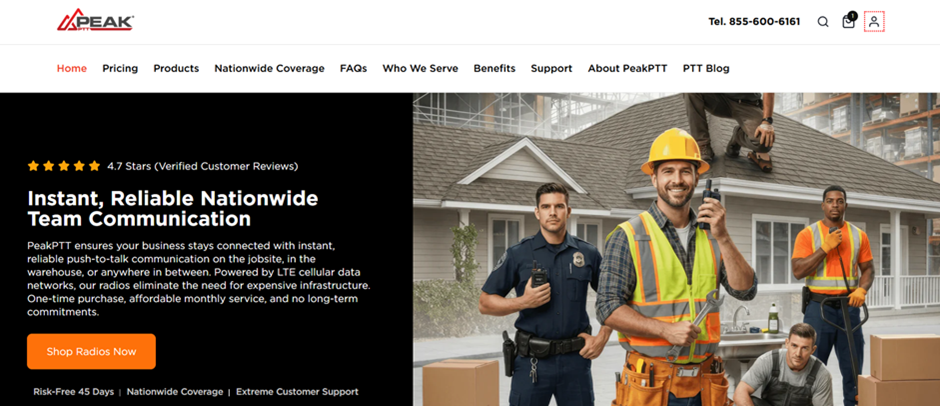
Peak PTT is a communication solution designed specifically for field operations, logistics teams, construction crews, and public safety organizations that require instant voice communication.
Unlike traditional workplace messaging apps, Peak PTT focuses on real-time push-to-talk communication, enabling workers to connect instantly with the press of a button.
For industries where delays can impact safety or operational efficiency, speed and reliability are critical.
Peak PTT provides one-second push-to-talk latency and operates with a 99.999% uptime SLA, ensuring teams can communicate without the lag often experienced with standard mobile or radio communication systems.
The platform works over cellular data and Wi-Fi networks, allowing teams to communicate across wide geographic areas without the range limitations of traditional two-way radios.
This makes it particularly useful for organizations managing operations across multiple job sites, transport routes, or large facilities.
Peak PTT also offers rugged walkie-talkie style devices designed to withstand demanding environments. These devices arrive pre-configured and ready to use, and are built to resist drops, dust, water, dirt, and extreme temperatures, making them suitable for industries where durability is essential.
Another advantage is its ability to integrate with existing radio infrastructure through a Land Mobile Radio (LMR) bridge, allowing organizations to extend their current communication systems rather than replacing them entirely.
Core features
- One-second push-to-talk call latency with AES-256 encryption
- High-availability redundant servers with 99.999% uptime SLA
- GPS location tracking with updates every 60 seconds
- Online dashboard and mobile app for fleet and workforce visibility
- Real-time text messaging for individuals, dispatchers, and group communication
- Compatible with Android and iOS devices
- LMR Bridge Gateway to connect with legacy radio systems
- Rugged push-to-talk devices designed for harsh environments
Peak PTT also offers a lifetime warranty on devices, no long-term contracts, and 24/7 live support, making it a practical choice for organizations that rely on dependable, instant voice communication to coordinate field operations and maintain situational awareness across large distances.
#3. Slack (Best for Tech and Startup Teams)
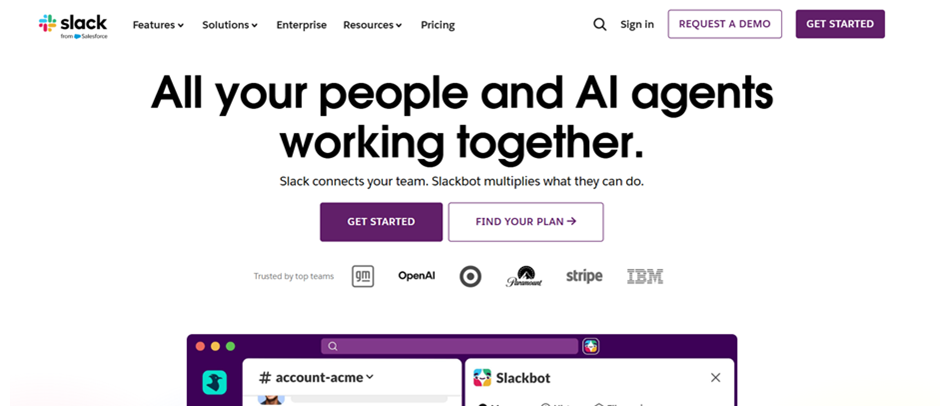
Slack is one of the most widely adopted platforms for tech companies and startups because of its integration-first approach and flexibility across fast-moving teams.
Instead of relying on long email threads or scattered updates across multiple platforms, Slack organizes conversations into structured channels that can be created around projects, departments, or specific topics. This makes it easier for teams to keep discussions focused and ensures that important information stays accessible and searchable.
Slack also supports real-time collaboration, enabling teams to quickly jump into voice conversations, share files, or resolve issues without scheduling formal meetings. This flexibility makes it particularly useful for distributed teams working across different locations and time zones.
Core features
- Organized communication channels by project, team, or topic
- Extensive integrations with development, productivity, and project management tools
- Workflow Builder to automate recurring processes and notifications
- Huddles for quick voice or video conversations
- Fully searchable message history across channels and conversations
- Slack Connect for secure collaboration with external partners and clients
- File sharing and collaboration within conversations
- Mobile apps for iOS and Android to support remote teams
For organizations that move quickly and rely on multiple software tools, Slack helps centralize team communication and automate updates, allowing employees to stay aligned while reducing unnecessary meetings and manual status reporting.
#4. Doximity (Best for Healthcare Clinical Teams)
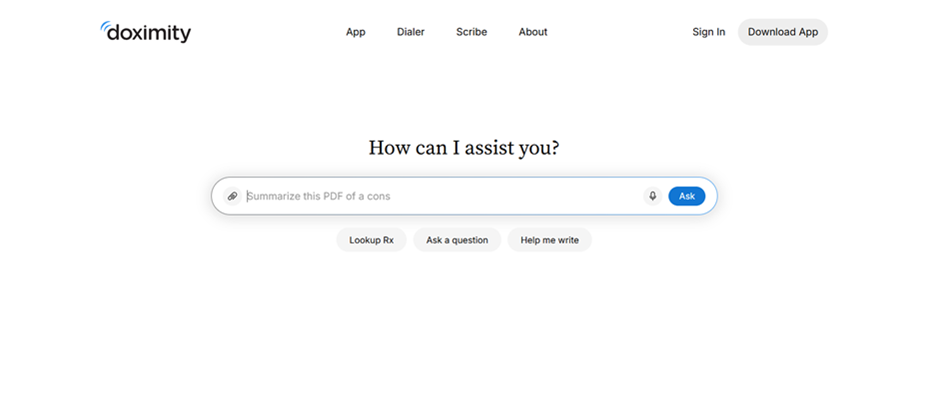
Doximity is a communication platform built specifically for clinical collaboration and healthcare environments, where privacy, compliance, and rapid coordination are critical.
Unlike general messaging apps, Doximity is designed to meet HIPAA compliance requirements by default, helping healthcare organizations communicate securely without exposing sensitive patient data.
Doximity also includes tools designed for everyday clinical workflows.
Healthcare providers can make patient calls without revealing their personal phone numbers, send secure faxes directly from mobile devices, and conduct video consultations with specialists when quick decisions are required.
Core features
- HIPAA-compliant encrypted messaging for secure clinical communication
- Doximity Dialer to protect physician phone numbers during patient calls
- Secure fax capabilities directly from mobile devices
- Video calling for specialist consultations and remote collaboration
- Verified professional profiles with confirmed medical credentials
- Department and care unit communication channels
- Mobile access for clinicians working across hospitals and care facilities
For healthcare organizations and clinical teams, Doximity provides a communication platform that balances speed, compliance, and professional verification, helping medical professionals collaborate efficiently while maintaining strict privacy and security standards.
#5. Discord (Best for Creative Studios)

Discord originally gained popularity within the gaming community, but it has increasingly become a practical communication platform for creative studios, design agencies, media teams, and content creators.
Its flexible structure makes it easy for teams to organize conversations, share creative work, and collaborate in real time without rigid communication workflows.
Unlike traditional workplace communication tools that rely heavily on formal channels or structured project management systems, Discord allows teams to create servers with multiple channels dedicated to projects, topics, or departments.
This makes it particularly useful for creative teams who often need quick feedback, informal brainstorming sessions, and ongoing discussions around design or media assets.
The platform also supports screen sharing and live collaboration, making it easier for teams to review visual content, provide immediate feedback during design reviews, or present new creative ideas.
Larger teams can even host Stage events, which function as live presentations where project leads can share updates, run creative critiques, or host team-wide discussions.
Today, Discord reports over 19 million active servers, reflecting how widely the platform has expanded beyond gaming into professional collaboration spaces.
Core features
- Customizable servers with channels organized by project, team, or topic
- Persistent voice rooms for continuous collaboration
- Screen sharing for live feedback during design reviews
- Stage events for team presentations, workshops, or critiques
- Simple onboarding with minimal setup requirements
- File, image, and media sharing across channels
- Text, voice, and video communication within the same workspace
For creative organizations that thrive on open collaboration and rapid feedback, Discord provides a flexible and informal communication environment where designers, writers, producers, and creative leads can exchange ideas quickly and keep projects moving forward.
#6. Chanty (Best for Small Businesses)
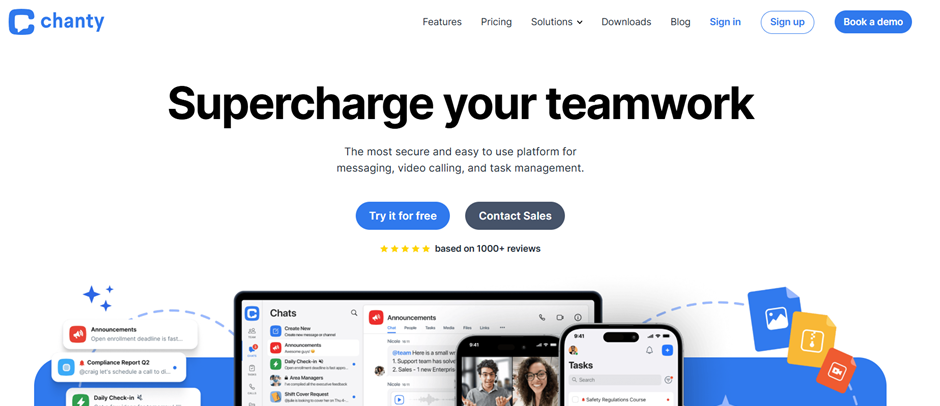
Chanty is a lightweight communication platform designed for small businesses and growing teams that want organized internal communication without the complexity of large enterprise tools.
Many small organizations struggle with platforms that are either too expensive or require significant setup and training. Chanty focuses on simplicity, affordability, and ease of use.
For teams with fewer than 50 employees, communication tools need to be quick to adopt and easy to manage without dedicated IT support.
Chanty addresses this by providing a clean, intuitive interface that allows teams to start communicating and collaborating almost immediately. Its simple setup makes it particularly appealing for startups, small agencies, and local businesses that want to replace email chains with structured team conversations.
One of Chanty's advantages is the ability to turn conversations directly into actionable tasks, helping teams move from discussion to execution without switching between multiple platforms.
This makes it useful for small teams where employees often manage multiple responsibilities and need a streamlined workflow.
The platform also combines messaging with built-in voice and video calls, allowing teams to collaborate in real time without needing separate conferencing tools. Integrations with popular productivity apps such as Trello, Asana, and Google Drive help teams connect their communication with everyday work processes.
Core features
- Team messaging with organized conversations and channels
- Unlimited message history on paid plans
- Built-in task management created directly from messages
- Audio and video calls without requiring external apps
- Integrations with tools like Trello, Asana, and Google Drive
- Simple interface that requires minimal onboarding
- Affordable pricing with a generous free plan
For small businesses that need clear communication and simple collaboration tools, Chanty provides a practical solution that keeps teams connected without adding unnecessary complexity or high subscription costs
#7. Beekeeper (For Retail and Hospitality Frontline Workers)
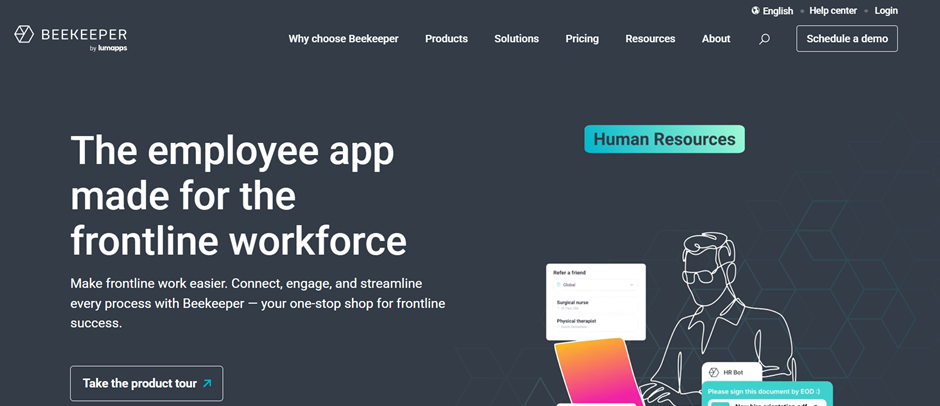
Beekeeper is a mobile-first communication platform built for industries where most employees work without a desk.
Retail chains, hotels, restaurants, and manufacturing facilities use it to reach frontline staff directly on their phones.
Research consistently shows that frontline workers make up 80% of the global workforce but remain the least connected segment when it comes to digital communication tools.
Core features:
- Mobile-first design built for non-desk workers
- Instant broadcasts for shift updates and announcements
- Multi-language support for diverse workforces
- Digital forms for checklists and operational tasks
- Manager dashboards to track engagement and reach
- Integrations with HR and scheduling systems
For organizations focused on closing the gap in frontline worker communication, Beekeeper provides a direct channel that reaches staff where they actually are.
#8. Rocket Chat (For IT Teams)
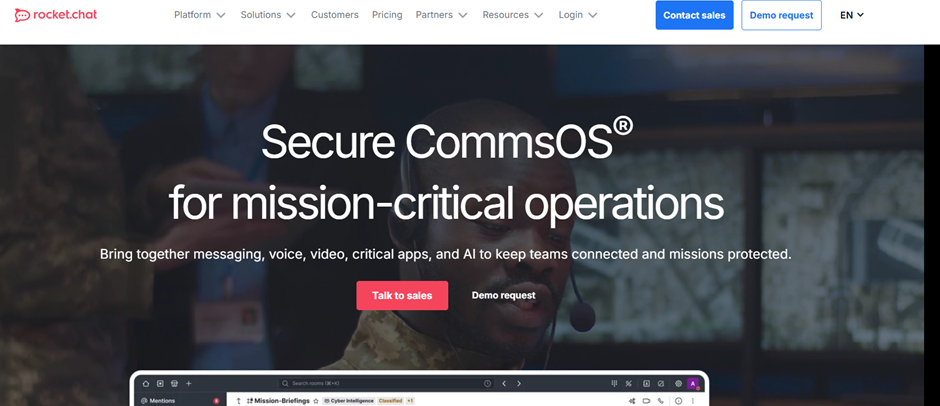
Rocket Chat is a self-hosted, open-source communication platform favored by IT departments, developer communities, and organizations that require full data sovereignty.
Unlike cloud-based tools, Rocket Chat lets teams host the platform on their own servers, giving complete control over data storage, security configurations, and custom integrations.
Core features:
- Self-hosted or cloud deployment options
- End-to-end encryption for sensitive internal communications
- Extensive API for building custom integrations
- Omnichannel support for combining internal and external communication streams
- Role-based permissions and access controls
- Active open-source community driving ongoing development
For organizations in regulated industries with strict data policies, Rocket Chat is a strong alternative to relying on third-party cloud vendors.
#9. CallHippo (Best for Mid-Size and Enterprise Business Communication)
#9. CallHippo (Best for Mid-Size and Enterprise Business Communication)
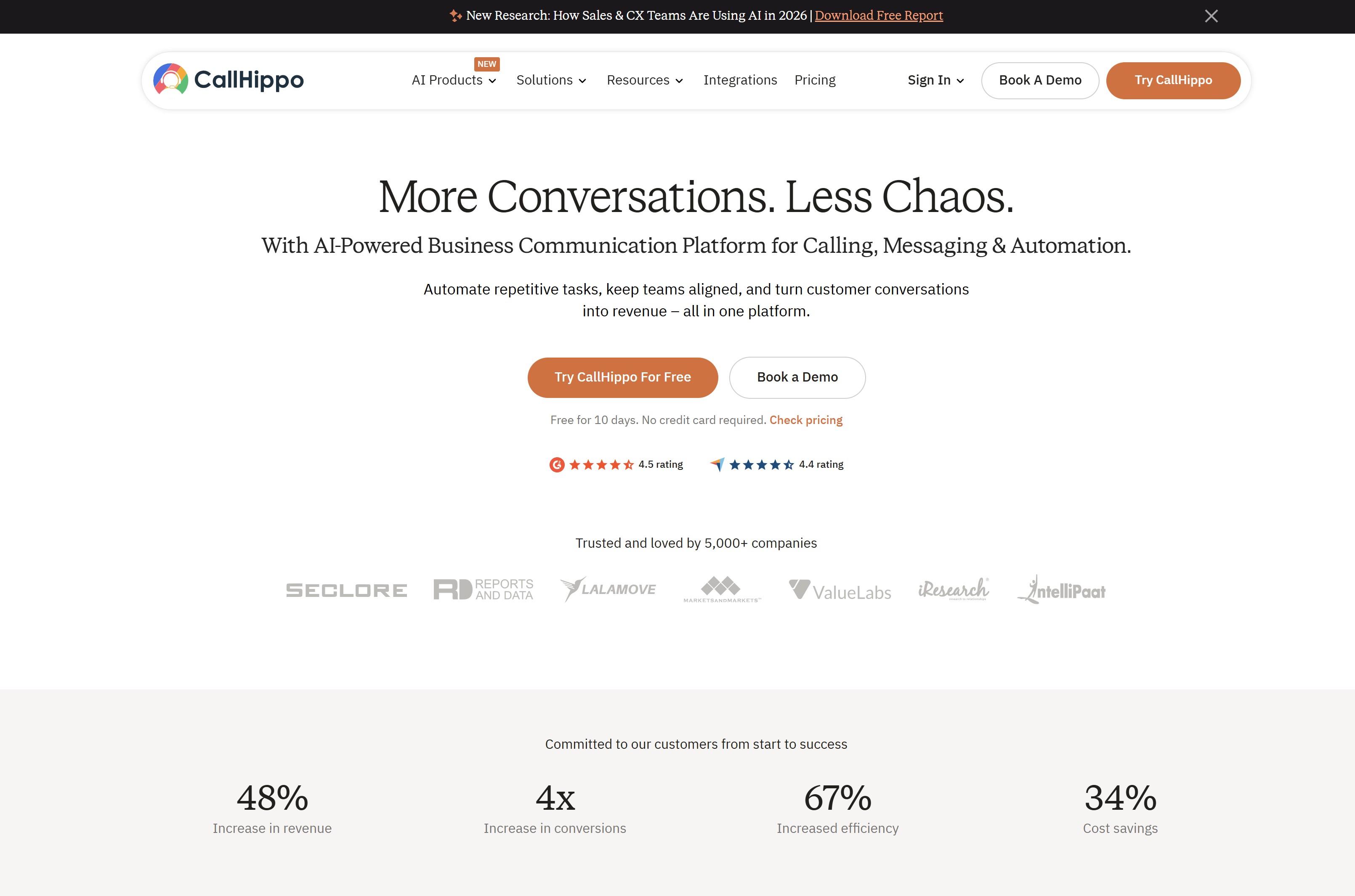
CallHippo is a business communication platform built for mid-size and enterprise teams that need reliable calling and text services at scale. It gives teams virtual phone numbers across 170+ countries, AI-powered voice agents, and deep CRM integrations — all in one place, without complex infrastructure.
Core features
- Virtual phone numbers in 170+ countries for local market presence
- Power dialer and auto-dialer for high-volume outbound calling
- AI voice agent with support for 35+ languages
- Call recording, transcription, and conversation analytics
- Intelligent IVR and call routing for inbound queue management
- 50+ CRM and helpdesk integrations, including Salesforce, HubSpot, and Zoho
Overall, CallHippo suits enterprise and mid-size teams that rely on voice and text communication to drive customer-facing operations across multiple markets.
How to Choose the Right Communication Tool for Your Industry
Choosing the right workplace communication platform isn't just about picking the most popular tool.
Different industries operate in very different ways, which means the communication platform that works well for a software company might fail completely in a hospital, factory, or retail environment.
Before investing in a new platform, organizations should evaluate how their teams actually work, where communication breaks down, and which features will genuinely improve productivity rather than add another layer of complexity.
Below are the most important factors to consider when selecting a communication tool for your industry.
Workforce Structure
One of the biggest considerations is whether your workforce is primarily desk-based or frontline.
Desk-based employees often work on computers throughout the day and can easily access messaging platforms, collaboration tools, and shared documents.
For these teams, communication tools that integrate with productivity software and project management systems tend to work well.
Frontline workers, however, operate very differently. Retail staff, healthcare professionals, construction crews, and manufacturing teams rarely sit at desks.
They rely heavily on mobile devices and need communication platforms that deliver quick updates, alerts, and information directly to their phones.
A tool that works perfectly for office teams may fail entirely if it doesn't support mobile access, offline functionality, or simple notifications for field workers.
Communication Complexity
Another key factor is the scale and complexity of communication within the organization.
Small teams may only need simple messaging and file sharing to stay aligned.
However, larger organizations often require more structured communication systems that support departments, locations, projects, and leadership announcements.
For example, a company with multiple offices or job sites may need communication channels organized by region, department, or operational unit.
Platforms that provide structured communication environments—such as channels, hubs, or spaces—can help prevent conversations from becoming disorganized.
Organizations with complex operations should also look for tools that support company-wide announcements, leadership updates, and centralized knowledge sharing so that employees can easily find important information.
Integration Requirements
Most organizations already rely on multiple software tools to run their operations.
Because of this, communication platforms should integrate smoothly with the systems employees use every day.
Common integrations include HR systems, document storage platforms, project management tools, and customer relationship management software.
When communication tools connect with these systems, employees can receive updates, share information, and collaborate without constantly switching between applications.
For example, project updates can automatically appear in team conversations, new employee announcements can sync with HR platforms, and shared documents can be accessed directly within communication channels.
These integrations reduce manual work and help keep information flowing across the organization.
Scalability
Finally, organizations should consider whether the communication platform can scale as the company grows.
A tool that works well for a team of ten employees may not support the needs of a company with hundreds or thousands of staff members across different locations.
As organizations expand, they often need more advanced capabilities such as user management, role-based permissions, departmental spaces, and analytics for tracking engagement.
Choosing a scalable platform from the beginning helps avoid the disruption of migrating to a new system later.
The right communication tool should be able to support both current needs and future growth, ensuring the organization can maintain clear communication as teams and operations expand.
Emerging Trends in Workplace Communication
Workplace communication technology is evolving rapidly as organizations adapt to hybrid work, distributed teams, and increasingly digital operations.
Modern businesses are no longer looking for simple messaging apps—they want platforms that bring communication, collaboration, and knowledge sharing together in smarter and more efficient ways.
Below are some of the most important trends shaping the future of workplace communication.
Look out for AI-Powered Search and Summarization
Artificial intelligence is transforming how employees access information inside organizations.
Instead of manually searching through documents, chat conversations, and knowledge bases, AI-powered systems can quickly locate relevant information and summarize long discussions or documents.
This helps employees save time, reduces information overload, and makes it easier for teams to stay informed without reading through endless messages or reports.
AI-driven search also improves knowledge discovery by surfacing relevant resources, policies, or project updates when employees need them most.
Expansion on Mobile-First Employee Apps
With millions of workers operating outside traditional office environments, communication platforms are increasingly designed with mobile-first experiences.
Industries such as retail, construction, manufacturing, and healthcare depend heavily on frontline employees who rely on smartphones rather than desktop computers.
Mobile-first communication apps allow organizations to send announcements, share updates, distribute training materials, and receive feedback directly through employees' mobile devices.
This ensures that important information reaches every worker, regardless of their location.
Better Unified Digital Workplace Platforms
Many organizations are moving away from fragmented communication systems toward unified digital workplace platforms that combine messaging, collaboration, document management, and employee engagement tools in one environment.
Instead of switching between multiple applications for chat, file sharing, project coordination, and company announcements, employees can access everything from a single platform.
This approach reduces information silos, improves transparency across departments, and helps teams collaborate more effectively.
Insight into Employee Engagement Analytics
Another growing trend is the use of analytics to measure employee engagement and communication effectiveness.
Modern communication platforms can track how employees interact with announcements, internal content, and collaboration spaces.
These insights allow leadership teams to understand what information employees are actually reading, how teams are communicating, and where engagement may be declining.
By analyzing these patterns, organizations can improve communication strategies, ensure critical messages reach employees, and create a more connected workplace environment.
Wrapping up
Choosing from a list of communication tools in the workplace is not simply about selecting a platform with messaging features.
The real goal is to find a solution that aligns with how employees actually work, how information flows through the organization, and how teams collaborate across departments, locations, and roles.
Different industries face very different communication challenges. Healthcare teams need secure, compliant communication.
Construction crews rely on mobile access and instant updates from job sites. Retail and hospitality organizations must keep frontline staff informed across multiple locations. Because of these differences, selecting the right communication platform requires understanding both the operational environment and the structure of the workforce.
Many organizations are now shifting toward unified digital workplace platforms that combine communication, collaboration, document management, and employee engagement in one place.
Instead of relying on disconnected systems such as email, messaging apps, shared drives, and project tools, businesses are centralizing communication into a single hub where employees can easily find information and stay aligned.
When the right communication platform is implemented, the benefits extend beyond simple messaging. Teams collaborate more efficiently, employees gain faster access to knowledge and updates, and organizations reduce the time wasted searching for information across multiple systems.
Ultimately, effective communication tools help create a more connected workplace where employees can focus on meaningful work rather than navigating fragmented technology.
AI Summary
- Communication tools in the workplace help organizations keep employees informed, aligned, and connected across departments, locations, and teams.
- Different industries require different communication solutions, with healthcare, construction, retail, and technology teams all relying on specialized platforms.
- Disconnected systems can reduce productivity, forcing employees to search across emails, chat tools, and documents to find important information.
- Modern workplace communication platforms combine messaging, collaboration, document sharing, and knowledge management into a single environment.
- Mobile-first communication tools are becoming essential for industries with frontline and deskless workers who rarely access desktop systems.
- Organizations that implement unified communication platforms improve information flow, reduce communication silos, and support more efficient collaboration.
Most Popular Posts

Effective communication among team members is vital for the productivity and success of any organization. Surprisingly, 60% of companies lack a long-term internal communication strategy, which p...


Businesses thrive on communication for efficiency, productivity and accomplishment. When the right information is passed from the right designation in the organization, it promotes positivity an...

Categories
Blog
(3196)
Business Management
(395)
Employee Engagement
(235)
Digital Transformation
(218)
Growth
(150)
Intranets
(141)
Internal communications
(106)
Remote Work
(68)
Sales
(53)
Collaboration
(52)
Customer Experience
(32)
Culture
(30)
Knowledge Management
(29)
Project management
(29)
Leadership
(20)
Comparisons
(9)
News
(1)

Related Posts

Could AI produce your next workplace video faster—and still deliver a message your employees can trust? As more businesses use video for onboarding, training and leadership updates, one question keeps coming up: will AI replace video editors in...

Could the best machine learning systems help your employees spend less time sorting requests, updating spreadsheets and chasing information—and more time doing useful work? That's the opportunity, but finding the right system starts with knowin...

What would happen to your team's work and customer information if an employee's MacBook disappeared today? If you're wondering how to protect your Mac physically, the answer goes beyond buying a case. A MacBook used at home, on a train or in a ...

Welcome to AgilityPortal's guide to the best VPN for Remote teams. How do you give employees secure access to company systems when they work from home, the office and everywhere in between? It's a question more businesses need to answer: 28% of worki...

Have you ever left a meeting thinking everyone agreed on the next step, only to discover a week later that each person remembered something different? Open source meeting transcription can help teams keep a searchable record of the conversation...


Jill Romford
I am a digital nomad, lover of exploring new places and making friends.
I love to travel and I love the internet. I take pictures of my travels and share them on the internet using Instagram.
Traveler, entrepreneur, and community builder. I share my insights on digital marketing and social media while inspiring you to live your fullest life.
Ready to learn more? 👍
One platform to optimize, manage and track all of your teams. Your new digital workplace is a click away. 🚀
Free for 14 days, no credit card required.