
Insight Blog
Agility’s perspectives on transforming the employee's experience throughout remote transformation using connected enterprise tools.
39 minutes reading time
(7885 words)
7 Best Machine Learning Systems to Reduce Busywork and Build a Smarter Workplace

7 Best Machine Learning Systems to Reduce Busywork and Build a Smarter Workplace
ompare the 7 best machine learning systems for a smarter workplace. Explore practical uses, costs and safeguards to reduce busywork and support employees.
7 Best Machine Learning Systems to Reduce Busywork and Build a Smarter Workplace

Could the best machine learning systems help your employees spend less time sorting requests, updating spreadsheets and chasing information—and more time doing useful work?
That's the opportunity, but finding the right system starts with knowing which tasks are slowing your team down.
of surveyed employees and leaders reported lacking enough time or energy to do their work
Microsoft’s 2025 Work Trend Index found that 80% of surveyed employees and leaders lacked enough time or energy to do their work. The survey covered 31,000 knowledge workers across 31 markets. For organisations considering machine learning, the practical starting point is identifying tasks that create avoidable effort, then testing whether a new workflow reduces that burden.
Source: Microsoft, 2025 Work Trend Index: The year the Frontier Firm is born
Microsoft's 2025 Work Trend Index found that 80% of surveyed employees and leaders lacked enough time or energy to do their work, while 53% of leaders said productivity needed to increase.
That's a difficult gap to close when teams already feel stretched.
Machine learning can help by spotting patterns, forecasting workloads and classifying incoming information. But getting useful results takes reliable data, the right skills and a clear process for checking mistakes.
For HR leaders, business owners and operations managers, the question is practical: where could this technology make work easier, and which decisions still need human judgment?
In this guide, we'll compare seven machine learning platforms, explore realistic workplace examples and explain what to consider before investing.
You'll learn how to choose a suitable system, plan a manageable pilot and measure whether it actually reduces busywork.
Key Takeaways
- The best machine learning systems match a defined workplace problem, the organisation’s existing infrastructure and its available skills.
- Machine learning can support request classification, workload forecasting and document tagging when suitable data and integrations are available.
- Simpler forms, routing rules or better-organised information may solve some problems with less cost and maintenance.
- Reliable results depend on data quality, human review and clear routes for employees to question or correct mistakes.
- A controlled pilot should measure time saved alongside rework, service quality, employee feedback and total operating costs.
- Clear ownership, accessible guidance and practical training help teams maintain useful systems as workplace needs change.
Less busywork sounds great. What needs to happen first?
Automatically sorting requests, forecasting workloads and preparing reports sounds like a welcome break for a stretched team. But a system only reduces busywork when it improves the whole workflow.
Saving a few minutes on sorting means little if employees spend longer correcting mistakes.
Imagine an employee submits an urgent payroll query.
A machine learning model suggests the wrong category, sending it to a routine administrative queue. The sorting process is faster, but the employee waits longer for help.
A sensible approach would include human review for sensitive requests, checks on uncertain predictions and a clear way to escalate mistakes.
Before choosing a platform, get three things straight:
- A clearly defined problem. Identify the task you want to improve, who it affects and how you'll measure success. "Reduce manual request sorting" gives you a clearer starting point than "bring AI into HR."
- Relevant, reliable data. Check whether your records are accurate, consistently labelled and representative of the work the system will handle.
- Someone accountable for the outcome. Assign an owner who can monitor results, coordinate fixes and decide when a person needs to step in.
For teams building a custom solution, the design also needs to fit existing applications, working practices and support arrangements.
Teams can explore Tensorway's machine learning work here, including its approach to assessing business processes, developing models and supporting them after deployment.
The goal is straightforward: give employees less work to chase and fewer mistakes to untangle. Start with one manageable task, test the complete process and expand when the results justify it.
What does a machine learning system actually do?
A machine learning system uses patterns learned from data to make predictions or classify information.
In a workplace, that might mean forecasting support demand, suggesting a category for an incoming request or identifying unusual patterns in operational records.
The idea is straightforward: give a model relevant examples, test what it learns and use its predictions where they help people complete a task.
Think of it as learning from previous examplesImagine a service team with thousands of resolved requests. Those records include the request wording and the department that handled each issue. A model could learn patterns linking certain phrases to categories, then suggest where new requests should go.
That's one practical use of machine learning for business, but the examples matter. Incomplete records or incorrect categories can produce unreliable suggestions. Even the best machine learning systems need suitable data and regular evaluation.
A platform, a model and an employee app are different things
When comparing machine learning platforms and workplace automation tools, it helps to understand what each part does.
| Term | Plain-language explanation | Workplace example |
| Machine learning model | The component that makes a prediction or classification | Predicting next week's request volume |
| Machine learning platform | Tools for developing, deploying and managing models | Azure Machine Learning |
| Business application | The interface employees use | A helpdesk displaying suggested categories |
| Workflow automation | Rules that move work between steps | Sending approved requests to the correct team |
Buying machine learning software doesn't automatically give you a finished HR or operations solution.
You still need to connect the data, test the model and fit its output into a process employees can use.
Where could machine learning make everyday work easier?
The most useful machine learning applications in the workplace tackle specific, repeatable tasks.
Here are four examples, the benefits they could offer and where people still need to check the results.

Where could machine learning make everyday work easier?
Sorting requests without starting from scratch
An administrator might read every incoming IT or facilities request before assigning it to a team.
A classification model could suggest a category using patterns learned from previously resolved, correctly labelled requests.
For example, a request saying "The meeting room projector won't connect" receives a suggested IT category. The potential benefit is less manual sorting and faster routing.
A service coordinator checks uncertain suggestions and reviews sensitive or urgent requests.
Forecasting demand before teams get overwhelmed
Managers often estimate future workloads by reviewing spreadsheets.
Predictive analytics could use historical request volumes, seasonal patterns and planned events to forecast aggregate demand.
Another example, an IT manager forecasts additional support requests around a scheduled equipment rollout. The potential benefit is better capacity planning and fewer last-minute staffing adjustments.
The manager checks the forecast against upcoming changes that historical data might miss.
Making recurring analysis easier to repeat
An operations analyst may spend hours combining records and checking unusual figures each month. Reusable workflows can handle routine data preparation, while an anomaly-detection model flags patterns worth investigating.
For example, the system highlights an unexpected increase in unresolved facilities requests.
The potential benefit is less repetitive preparation and more time to investigate problems.
The analyst checks whether the change reflects a genuine issue or a reporting error.
Helping teams organise growing information collections
Knowledge managers often classify documents manually. With suitable training examples and integrations, machine learning software could suggest tags based on document content.
For example, a new equipment guide receives suggested "IT," "onboarding" and "laptop setup" tags. The potential benefit is more consistent organisation and easier information discovery.
The document owner checks the tags and access permissions. This classification task differs from generative AI tools that draft summaries or answers.
Related Guides You May Want to Read Next
Choosing the best machine learning systems is only one part of building a smarter workplace. These guides explore practical AI tools, workflow automation, employee trust and the organised information that helps businesses introduce new technology effectively.
- 9 Best AI Workflow Automation Tools for Teams in 2026
- 11 Powerful AI Tools for Remote Teams That Make Collaboration Faster and Far Less Chaotic
- Best AI Tool for Business: How to Choose the Right One in 2026
- AI/ML Consulting Services: What Your AI Initiative Should Deliver Before Intranet Deployment
- HR and Artificial Intelligence in 2026: Is Disorganized HR Costing Your Business More Than You Think?
- Shadow AI in the Workplace: The Hidden Employee Behaviour HR Can No Longer Ignore
- AI Privacy and Security in Collaboration Tools: What’s Really Happening to Your Data?
- How to Use AI Assistants in Internal Comms to Reduce Noise, Not Add to It
- Employees Can't Find Information at Work — Here's Why It's Costing More Than You Think
- How a Knowledge Management Intranet Transforms Knowledge Management in Organisations
Together, these resources help organisations connect technology choices with clearer processes, accessible knowledge and practical support for the employees using them.
How we selected the best machine learning systems
To shortlist the best machine learning systems, we reviewed official product information across cloud-based development platforms, visual analytics tools and enterprise AI systems.
We focused on what business, HR and IT teams need to understand before committing to a project.
Each platform was considered against seven practical factors:
- Workplace relevance — the tasks it could help teams address.
- Technical skills — the expertise needed to build and operate a solution.
- Data preparation and integration — how data and existing applications fit together.
- Deployment and maintenance — what happens after a prototype is built.
- Access controls and governance — how permissions, oversight and accountability are supported.
- Cost structure — licensing, infrastructure and ongoing operating considerations.
- Pilot suitability — whether teams could start with a manageable project.
The recommendations reflect different organisational needs. Your existing infrastructure, available skills and intended use should guide your shortlist.
Disclaimer: This comparison is based on published product information, rather than hands-on testing of every platform. Workplace examples are illustrative projects and do not imply that vendors provide ready-made HR applications or native AgilityPortal integrations. Features, availability and pricing can change, so confirm your requirements with each provider before purchasing.
The 7 best machine learning systems at a glance
Which platform deserves a place on your shortlist?
That depends on the work you want to improve, the skills your team has and the infrastructure you already use.
This comparison summarises each system's suggested fit and a potential workplace project.
The recommendations are editorial assessments based on documented capabilities, rather than performance benchmark results.
| System | Suggested fit | Example workplace project | Main consideration |
| Microsoft Azure Machine Learning | Organisations developing machine learning solutions within Azure | Suggesting categories for incoming service requests | Needs technical ownership for development, deployment and maintenance |
| Amazon SageMaker AI | Development teams already working with AWS | Forecasting aggregate operational demand | Check that the required features are available to your account |
| Google Cloud machine learning services | Teams using Google Cloud data infrastructure | Forecasting support request volumes | Confirm current product naming, service scope and deployment requirements |
| Dataiku | Analysts and data scientists working together | Building reusable workflows for operational analysis | Assess deployment options, governance needs and team training |
| DataRobot | Organisations developing and operating predictive AI solutions | Predicting service backlogs to support capacity planning | Validate integration requirements, product capabilities and commercial terms |
| Databricks | Organisations with substantial shared data infrastructure | Developing models from consolidated operational records | Its scope and operating requirements may exceed a small project's needs |
| KNIME Analytics Platform | Analysts exploring visual workflows and early prototypes | Preparing data and testing predictive models | Free desktop software still requires staff time and operational planning |
These examples describe projects teams could develop with suitable data, skills and integrations.
They don't mean each platform includes a finished employee-facing application.
of survey respondents reported regular AI use in at least one business function at their organisations
McKinsey’s 2025 State of AI survey found that 88% of respondents reported regular AI use in at least one business function at their organisations. This finding covers AI broadly. For businesses assessing machine learning systems, adoption elsewhere provides context; a controlled pilot should establish whether a particular system improves their own workflow.
Source: McKinsey, The state of AI in 2025: Agents, innovation, and transformation
A closer look at the seven platforms
The best machine learning systems suit different teams and different problems.
Some provide cloud infrastructure for custom development, while others offer visual workflows that help analysts prepare data and build models.
The following profiles explain their potential workplace relevance, the expertise required and the questions organisations should address before investing.
1. Microsoft Azure Machine Learning — for teams already building in Azure
Microsoft Azure Machine Learning supports the development, training, deployment and ongoing management of machine learning models It includes automated machine learning, visual development tools and support for established open-source frameworks. Its MLOps capabilities help technical teams manage models throughout their working lifecycle.
For organisations already using Azure, this makes it a relevant platform to investigate. HR and operations leaders would typically define the business problem, while IT and data specialists handle model development, integration and evaluation.
For example, an IT team could build a classifier using previously resolved support requests. The model would suggest categories for new tickets, with uncertain or sensitive requests passed to a service coordinator. The potential benefit is less manual sorting and more consistent routing, provided the suggestions prove reliable.
Before choosing Azure Machine Learning, organisations should discuss:
- Whether historical requests have accurate, consistent labels.
- How predictions would reach the service-management application.
- Who would evaluate, deploy and maintain the model.
- How employees and coordinators would correct mistakes.
Verdict: A shortlist candidate for organisations with Azure expertise, suitable data and a clearly defined workplace automation project.
2. Amazon SageMaker AI — for AWS-based teams developing custom models
Amazon SageMaker AI provides managed infrastructure and tools for building, training and deploying AI models. It is the model-development service within the broader SageMaker offering, which brings together additional data and analytics capabilities. AWS
Its relevance is strongest where AWS already forms part of the organisation's infrastructure and technical teams can take responsibility for development. Managed infrastructure still requires spending controls, reliable data and a plan for ongoing operation.
For example, an operations team could work with developers to forecast aggregate service demand from historical request volumes. The potential benefit is better capacity planning, with managers reviewing forecasts against planned changes and unusual events.
Before choosing SageMaker AI, organisations should discuss:
- Model training requirements and how predictions would be generated.
- The availability of required features for their account.
- Monitoring arrangements and alternatives.
- Infrastructure ownership and spending limits.
AWS currently lists several features, including Model Monitor and Clarify, as unavailable to new customers. Buyers should check current availability rather than rely on older comparisons.
Verdict: Worth investigating for AWS-based organisations with the technical capacity to develop and operate custom machine learning solutions.
3. Google Cloud machine learning services — for Google Cloud data teams
Google Cloud's machine learning documentation covers AutoML and custom-training routes, including classification, regression and forecasting. These capabilities give data teams different ways to develop models around their business requirements. cloud.google.com
Readers may recognise the Vertex AI name from previous machine learning platform comparisons. Its former introduction URL currently redirects to documentation titled "Introduction to machine learning on Gemini Enterprise Agent Platform," making current naming and service scope important checks during procurement.
For example, a data team could use historical support records to forecast weekly request volumes. The potential benefit is earlier visibility of workload changes, helping managers plan coverage while retaining responsibility for staffing decisions.
Before choosing Google Cloud's services, organisations should discuss:
- Supported data types and modelling approaches.
- Current product names and feature availability.
- Deployment and maintenance requirements.
- Connections to the applications managers use.
Verdict: A relevant candidate for organisations with existing Google Cloud infrastructure and the skills to develop predictive analytics workflows.
4. Dataiku — for analysts and data scientists working together
Dataiku combines visual machine learning, AutoML and code-based development within a shared platform. It also documents data preparation, deployment and model lifecycle governance capabilities. This gives analysts and technical specialists ways to contribute to the same project. Learn more about dataiku.com
Its appeal lies in connecting business knowledge with technical development. An analyst can help establish what the data means, while a data scientist evaluates whether a model produces useful, dependable results.
For example, an operations analyst could prepare historical request records while a data scientist develops and validates a demand forecast. The potential benefit is a reusable analytical process with clearer collaboration between the people who understand the work and those building the model.
Before choosing Dataiku, organisations should discuss:
- Who would build, review and approve workflows.
- Deployment options and operational ownership.
- Data access and governance requirements.
- Training needed by participating analysts.
Verdict: A relevant option for mixed teams seeking shared data preparation and machine learning workflows, with clear responsibilities throughout development.
5. DataRobot — for developing and operating predictive AI solutions
DataRobot's platform includes predictive AI alongside governance and observability capabilities. Its offering addresses the development and operation of AI solutions, making it relevant to organisations assessing how models could become part of established business processes.
The practical question is how a prediction would influence action. A model that identifies a potential backlog only becomes useful when someone reviews the output and decides what to do about it.
For example, an operations team could test whether historical request volumes and resolution times help predict service backlogs.
The potential benefit is earlier warning of capacity pressure, allowing managers to investigate and adjust resources.
Before choosing DataRobot, organisations should discuss:
- Which product capabilities the project requires.
- Integration with existing operational systems.
- Model evaluation and approval processes.
- Commercial scope, support and maintenance responsibilities.
Verdict: Worth investigating when an organisation needs to develop and operate predictive AI beyond an initial prototype.
6. Databricks — for organisations bringing data engineering and ML together
Databricks supports data preparation, collaborative development, model training and serving. Its documented capabilities include classical machine learning alongside generative AI, with managed MLflow supporting model lifecycle work.
It is particularly relevant to assess where an organisation already has substantial shared data infrastructure. Teams need to consider whether their data engineering capacity and ongoing development plans justify the platform's scope.
For example, a data team could combine operational records from several departments and develop a demand forecast for managers.
The potential benefit is a more coordinated view of workload patterns, provided the underlying records are consistent and appropriately governed.
Before choosing Databricks, organisations should discuss:
- Existing investment in data infrastructure.
- Available data engineering and modelling skills.
- Access controls and the ability to trace data sources and transformations.
- Whether the project warrants the operating complexity.
Verdict: A candidate for organisations with substantial data infrastructure and continuing enterprise machine learning requirements.
7. KNIME Analytics Platform — for visual analysis and early experimentation
KNIME Analytics Platform is free and open source. It offers visual workflows for accessing, preparing and analysing data, with coding optional and integrations with machine learning libraries.
For analysts exploring machine learning for business, it offers a way to experiment with data and repeatable workflows. A successful desktop prototype still needs an operational plan before colleagues depend on it.
For example, an analyst could prepare service records, explore workload patterns and prototype a predictive model. The potential benefit is a practical way to assess the data and test an idea before committing to a wider implementation.
Before choosing KNIME, organisations should discuss:
- Analyst skills and training requirements.
- How workflows would run reliably.
- Sharing, deployment and support arrangements.
- Costs beyond the free desktop software.
Verdict: A useful starting point for visual analysis, reusable workflows and early machine learning prototypes.
The workplace examples above are illustrative. Each would require suitable data, evaluation and integration work before becoming a dependable employee-facing solution.
Do you need machine learning, or would a simpler tool do?
Before investing in machine learning software, organisations should ask a straightforward question: does the task require a prediction, or does it need a clearer process?
A team manually forwarding every facilities request may only need a form with routing rules.
Employees struggling to find policies may benefit more from better document organisation and search. Neither problem automatically requires a custom model.
The sensible starting point depends on what is causing the difficulty.
| Workplace problem | Sensible first step |
| Employees cannot find current policies | Improve document ownership, organisation and search |
| Requests need routing by fixed rules | Use forms and workflow automation |
| Reports involve repeated data preparation | Create reusable analytical workflows |
| Demand varies in complex, recurring patterns | Test forecasting against a simple baseline |
| Employees need help drafting text | Assess an approved generative AI application |
For example, requests submitted through a form with an "IT support" option can follow a fixed routing rule. Free-text requests with varied wording may justify testing a classification model if manual sorting creates a measurable burden.
Similarly, a demand forecast should be compared with a straightforward approach, such as using recent weekly averages.
Extra complexity needs to deliver enough improvement to justify development, review and maintenance costs.
Even the best machine learning systems cannot compensate for unclear responsibilities or poorly maintained information.
Choosing the simplest approach that reliably solves the problem can reduce spending, ease maintenance and help employees see useful results sooner.
Here's where employee trust can get complicated
A machine learning project can change how work is assigned, reviewed or prioritised. That makes employee trust part of the project from the beginning.
Organisations need to consider who could be affected by a mistake and how that person could challenge it.
Predicting workload is different from judging employees
Forecasting the number of support requests expected next month helps managers plan resources. Scoring an individual employee's performance could influence opportunities, treatment or employment decisions.
Those uses deserve different levels of scrutiny.
And a prediction about someone should never be treated as a complete explanation of their circumstances.
Managers need to understand its limitations, examine relevant context and take responsibility for decisions.
Historical data can carry historical mistakes
Models learn from the examples supplied to them. Incomplete records, inconsistent categories and underrepresented teams can weaken the results.
For example, a request classifier trained mainly on head-office tickets might struggle with the language and issues reported by frontline employees.
The potential consequence is slower routing for the people whose needs were poorly represented.
Teams should check data coverage, review errors across relevant groups and correct unreliable labels before expanding a pilot.
Employees need to understand what the system influences
Clear explanations help employees understand how machine learning in the workplace affects them.
Organisations should explain:
- What data the system uses.
- What its predictions or classifications mean.
- Whether its output influences a decision.
- Who can review and correct mistakes.
- How employees can escalate concerns.
An employee should have a practical route to question an outcome, with a named person responsible for reviewing it.
Privacy and security need their own review
IT, security and privacy specialists should examine access permissions, retention periods, vendor arrangements and intended uses. They should also consider whether the project needs all the proposed data.
NIST's AI Risk Management Framework provides a useful structure for organising AI risk discussions and assigning ongoing responsibilities.
Platform controls can support that work, but compliance depends on how the organisation designs, operates and oversees the complete solution.
What happens when the system gets a request wrong?
A machine learning model can perform well overall and still make a mistake that matters deeply to one employee.
The following fictional scenario shows why human review and clear escalation routes are essential.
Imagine an employee submits a request explaining that their wages appear incorrect. A classifier routes it into a routine administrative queue because the wording resembles previous low-priority enquiries.
The suggested category is accepted automatically, and the payroll team never receives an immediate alert.
The employee waits, follows up and becomes increasingly worried. When someone discovers the mistake, staff must reroute the request, investigate the pay issue and respond to the complaint.
The problem extends beyond an incorrect prediction. The workflow allowed that prediction to determine what happened next without an adequate check.
A better process would include:
- Review of potentially sensitive requests, including payroll concerns, with checks that do not depend solely on the model's classification.
- An accessible escalation route so employees can flag urgency or challenge incorrect routing.
- A named owner responsible for resolving mistakes and keeping the employee informed.
- Regular error reviews to improve training examples, evaluation and routing rules.
In this scenario, the potential benefit of those safeguards is earlier intervention and less frustration when classification fails.
Even the best machine learning systems need processes that account for mistakes.
Overall accuracy is useful, but organisations should also examine which requests are misclassified, who experiences the consequences and how quickly the problem is corrected.
Who should own the system—and who owns its mistakes?
A machine learning project needs a named business owner and clear responsibilities across the people building, operating and using it. Otherwise, an incorrect prediction can leave everyone waiting for another team to act.
The business owner should remain accountable for whether the system improves the intended workflow.
Technical specialists manage the model and infrastructure, while HR, security and other relevant teams review how its use affects employees and the organisation.
| Role | Responsibility |
| Business owner or Operations Director | Defines the problem, agrees success measures and remains accountable for operational outcomes |
| CIO or IT Director | Oversees architecture, integration, technical ownership and ongoing support |
| Data scientist or ML engineer | Evaluates data quality, tests models, monitors performance and investigates changes or errors |
| HR Director or Chief People Officer | Reviews employee impact, communication, training and how managers use predictions |
| CISO | Reviews security controls, access permissions and arrangements for responding to security incidents |
| Data Protection Officer, where applicable | Advises on personal-data use, privacy assessments and relevant safeguards |
| Legal Counsel or Compliance Officer | Reviews requirements relevant to the system's intended use and vendor arrangements |
| Department managers | Review exceptions, apply workplace context and report operational problems |
| Employees | Receive training and an accessible route to question outcomes, report errors and request review |
For example, if a model repeatedly misroutes payroll requests, the service manager should coordinate the immediate response. The technical team investigates the cause, while HR reviews the employee impact.
The business owner decides whether automated routing should continue, change or pause.
Smaller organisations may combine several roles or use external specialists.
What matters is that responsibilities remain explicit. Employees should know who can resolve their issue, and managers should know who has authority to change or stop the workflow.
A practical checklist for your first workplace ML project
A first workplace machine learning project should be small enough to evaluate properly and useful enough to address a real problem. Starting with one defined workflow helps organisations understand the costs, benefits and employee impact before committing to a wider rollout.
The following checklist takes a project from its initial purpose through to a decision about expansion.
- Choose one problem. Describe the task, who handles it and what causes delays or unnecessary effort. "Reduce time spent sorting support requests" gives the project a clearer purpose than "improve productivity with AI."
- Record a baseline. Measure current request volumes, handling times, errors and rework. These figures provide a starting point for judging whether the new process improves anything.
- Check simpler alternatives. Compare machine learning with fixed routing rules, clearer forms, process changes and features in existing applications. Choose an approach that matches the problem.
- Assess the data. Review completeness, accuracy, relevance and permissions. Check whether historical examples represent the teams and situations the model will encounter.
- Set boundaries. Document permitted uses and decisions the model must not make. Specify when its output is a suggestion and when human approval is required.
- Assign owners. Name the business owner, technical lead and people responsible for reviewing exceptions. Give someone clear authority to pause the workflow.
- Review employee and privacy implications. Involve HR, security, privacy and other relevant specialists. Consider who could be affected by errors and how concerns will be addressed.
- Choose a shortlist. Compare machine learning platforms against the organisation's existing infrastructure, skills, integration requirements and support capacity.
- Estimate total costs. Include data preparation, implementation, computing resources, integration, training, monitoring and maintenance. A low software price does not necessarily mean a low project cost.
- Test against a simple baseline. Compare the model with the existing process or a straightforward alternative. Check whether the improvement justifies the extra complexity.
- Pilot with human review. Run a controlled trial with a limited scope. Keep consequential actions subject to approval and record incorrect suggestions.
- Explain the workflow to employees. Describe what the system does, its limitations and who reviews its output. Show employees how to report errors or request help.
- Publish guidance centrally. Keep approved uses, responsibilities, instructions and escalation routes somewhere employees can easily find them.
- Measure the complete outcome. Track time saved alongside correction work, service quality, employee feedback and operating costs. Faster predictions only matter if the overall process improves.
- Review before expanding. Document what worked, what failed and what needs to change. Expand when the evidence supports it, with clear ownership and resources for ongoing operation.
A successful pilot should leave the organisation with a practical answer: whether the system makes the task easier, what it costs to maintain and what safeguards employees need.
What should organisations measure?
A workplace machine learning project should be judged on whether it improves the complete process. Faster predictions mean little if employees spend more time correcting mistakes.
During the pilot and after rollout, organisations should track:
- Net handling time — the total time needed to complete a task, including reviewing and correcting predictions.
- Incorrect classifications — how often requests are misrouted, which categories are affected and how serious the consequences are.
- Rework — the effort spent fixing outputs, repeating tasks or resolving problems caused by the system.
- Service-level performance — whether response times, resolution times and agreed service targets improve.
- Employee feedback — whether employees find the process useful, understandable and easy to challenge when something goes wrong.
- Total operating cost — spending on software, infrastructure, support, maintenance and staff time.
- Model performance as data changes — whether predictions remain reliable when workloads, terminology or business processes evolve.
Compare these measures with the original baseline. The strongest evidence of success is a measurable improvement that holds up after costs, corrections and employee experience are taken into account.
Give employees somewhere to find the rules and ask questions
A machine learning rollout needs guidance employees can find when they need it. Scattered emails and outdated documents can leave people unsure about approved uses, their responsibilities or how to report a mistake.
A digital workplace platform can bring that information together, giving employees a central place to access:
- Approved-use guidance explaining permitted tasks and when human review is required.
- Training resources showing how the workflow operates and where its limitations lie.
- Process owners with clear contact details and responsibilities.
- Change announcements explaining updates to tools, policies or working practices.
- FAQs and discussion spaces where employees can ask questions.
- Reporting instructions for errors, concerns and requests for review.
AgilityPortal can support this communication and training through its knowledge base, document library, announcements, learning resources and discussion spaces.
This role centres on helping employees understand and adopt the process. Any connection to a shortlisted machine learning platform would require a separate technical assessment.
Clear guidance gives employees a practical way to participate, ask for help and flag problems early.
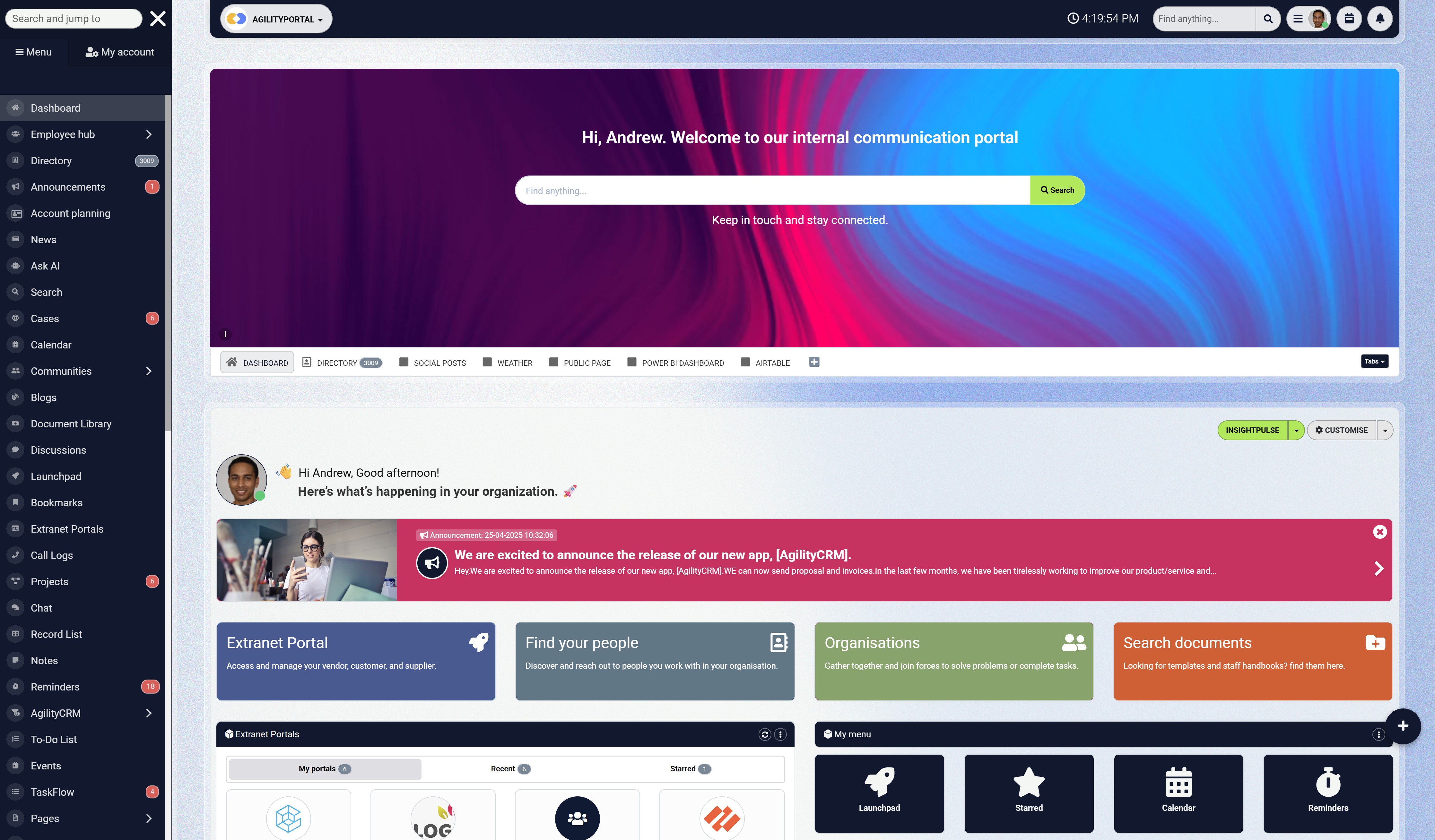
Give employees somewhere to find the rules and ask questions
Secure access is the start. Bring the working day together.
Once employees sign in, they still need an easy way to find company updates, documents, conversations and colleagues. AgilityPortal brings those everyday resources together in one digital workplace.
- Share company news and team updates
- Keep documents and knowledge easier to find
- Connect people through conversations and a staff directory
A smarter workplace still needs skilled people
Introducing machine learning can change the work employees do, but it also creates responsibilities that need human judgment.
When a system suggests categories or forecasts demand, someone still needs to assess whether its output makes sense and decide what happens next.
As workplace automation develops, responsibilities may shift towards:
- Checking data quality so models use accurate, relevant information.
- Evaluating suggestions against real working conditions.
- Handling exceptions that fall outside the usual process.
- Redesigning workflows when automation creates new bottlenecks.
- Explaining outcomes to colleagues affected by a prediction.
- Maintaining systems as data and business needs change.
of workers’ existing skills are expected by employers to change or become outdated between 2025 and 2030
The World Economic Forum’s Future of Jobs Report 2025 found that employers expect 39% of workers’ existing skills to change or become outdated between 2025 and 2030. The forecast reflects multiple economic and technological forces. For a workplace machine learning rollout, practical training should help employees assess suggestions, handle exceptions and report errors.
Source: World Economic Forum, Future of Jobs Report 2025: Skills outlook
The World Economic Forum's Future of Jobs Report 2025 found that employers expect 39% of workers' existing skills to change or become outdated between 2025 and 2030. That forecast reflects several economic and technological forces, including technological change, rather than machine learning alone.
For organisations, the practical response is to build training into the rollout. Employees need to understand what the system can do, where it can fail and when to involve another person.
For example, a service coordinator reviewing suggested request categories needs practice recognising incorrect routing, handling sensitive cases and reporting recurring errors. Managers need guidance on interpreting forecasts without treating them as guarantees.
The best machine learning systems become more useful when employees have the skills and authority to evaluate them. Training should help people make informed decisions throughout the workflow, including when the technology gets something wrong.
Final Thoughts on Choose a system that makes work better for the people doing it
The best machine learning systems earn their place by improving a specific task.
An impressive demonstration can spark interest, but lasting value depends on what happens when the system meets everyday workloads, imperfect data and employee needs.
For some organisations, a cloud platform that fits existing infrastructure will be a sensible starting point. Others may benefit from visual workflows or a small analytical prototype. Sometimes, clearer processes and better-organised information will solve the problem sooner.
The first step is understanding where employees lose time, what causes frustration and which decisions require human judgment. A controlled pilot can then establish whether machine learning improves the outcome after implementation, review and maintenance are considered.
Clear ownership, accessible guidance and a practical way to challenge mistakes help turn a promising experiment into a dependable process.
A smarter workplace gives employees more room to contribute.
Success means less time untangling avoidable problems and more time applying the knowledge, care and judgment that make their work valuable.
Frequently asked questions
What are machine learning systems?
Machine learning systems combine data, trained models and supporting software to make predictions or classify information.
A workplace system might suggest categories for support requests or forecast demand. Machine learning platforms provide tools for developing, deploying and maintaining those models.
Which machine learning system is best for a business?
The best machine learning system depends on the business problem, available data, existing infrastructure, team skills and budget.
Organisations should compare suitable platforms and test a shortlist against a defined task before committing to a wider rollout.
Can machine learning reduce administrative work?
Machine learning can help with repetitive tasks such as classifying requests, tagging documents and forecasting workloads. The benefit depends on the complete workflow.
Organisations should measure time saved alongside the effort required to review outputs, correct mistakes and maintain the system.
Can machine learning be used without coding?
Some platforms offer visual workflows and automated machine learning, allowing users to complete parts of model development without writing code.
However, teams still need to understand their data, evaluate predictions and arrange reliable deployment. Coding-optional tools do not remove the need for informed oversight.
Are there free machine learning platforms?
Yes. KNIME Analytics Platform is free and open source, with visual tools for data preparation and analysis.
A business project can still incur costs for staff time, training, infrastructure, deployment and support. Free software does not necessarily mean a free operational solution.
How much does a workplace machine learning system cost?
Costs vary according to licensing, computing usage, data preparation, integration and support requirements.
Organisations should estimate the full project cost, including training, human review, monitoring and maintenance. Comparing subscription prices alone can overlook substantial implementation and operating expenses.
How accurate are machine learning predictions?
Accuracy depends on the task, training data, model and evaluation method. Organisations should test predictions on representative data that was not used for training and compare results with a straightforward baseline.
They should also examine the consequences of mistakes, particularly those affecting sensitive or urgent requests.
Should HR be involved in machine learning projects?
HR should be involved when a project affects employees, working practices or employment processes. Its role includes reviewing employee impact, supporting communication and training, and helping establish ways to challenge mistakes.
Technical teams remain responsible for model development and operation.
What is the difference between machine learning and workflow automation?
Workflow automation follows predefined rules, such as sending a request to the department selected on a form.
Machine learning uses patterns learned from examples to suggest a category or make a prediction. A workflow can combine both approaches, with human review where appropriate.
How should a business start using machine learning?
A business should choose one manageable problem, measure the current process and check whether suitable data is available.
It should then assess simpler alternatives and run a controlled pilot with clear ownership, human review and success measures. Expansion should follow evidence of useful results.
AI Summary
- The best machine learning systems match a specific business problem, the organisation’s existing infrastructure, available data and team skills.
- Microsoft Azure Machine Learning, Amazon SageMaker AI and Google Cloud machine learning services are candidates for technical teams developing models within their existing cloud environments.
- Dataiku supports collaboration between analysts and data scientists. DataRobot addresses predictive AI development and operation, while Databricks brings data engineering and machine learning together.
- KNIME Analytics Platform offers free, open-source visual workflows for data preparation, analysis and early experimentation. Deployment, training and ongoing support can still create costs.
- Machine learning can support request classification and workload forecasting, but simpler forms, routing rules or better-organised information may solve some workplace problems sooner.
- A controlled pilot should compare results with a baseline, measure total costs and rework, and establish clear ownership, human review, employee training and routes for correcting mistakes.
Most Popular Posts

Effective communication among team members is vital for the productivity and success of any organization. Surprisingly, 60% of companies lack a long-term internal communication strategy, which p...


Businesses thrive on communication for efficiency, productivity and accomplishment. When the right information is passed from the right designation in the organization, it promotes positivity an...

Categories
Blog
(3194)
Business Management
(395)
Employee Engagement
(235)
Digital Transformation
(218)
Growth
(150)
Intranets
(141)
Internal communications
(106)
Remote Work
(68)
Sales
(53)
Collaboration
(52)
Customer Experience
(32)
Culture
(30)
Knowledge Management
(29)
Project management
(29)
Leadership
(20)
Comparisons
(9)
News
(1)

Related Posts

Could the best machine learning systems help your employees spend less time sorting requests, updating spreadsheets and chasing information—and more time doing useful work? That's the opportunity, but finding the right system starts with knowin...

What would happen to your team's work and customer information if an employee's MacBook disappeared today? If you're wondering how to protect your Mac physically, the answer goes beyond buying a case. A MacBook used at home, on a train or in a ...

Welcome to AgilityPortal's guide to the best VPN for Remote teams. How do you give employees secure access to company systems when they work from home, the office and everywhere in between? It's a question more businesses need to answer: 28% of worki...

Have you ever left a meeting thinking everyone agreed on the next step, only to discover a week later that each person remembered something different? Open source meeting transcription can help teams keep a searchable record of the conversation...

The best ai image editors can save a team hours of repetitive work. A marketing manager can remove a distracting background, an HR team can improve a staff event photo, and an online shop can turn a basic product shot into something ready to pu...


Annet Herges
I am a digital nomad, lover of exploring new places and making friends.
I love to travel and I love the internet. I take pictures of my travels and share them on the internet using Instagram.
Traveler, entrepreneur, and community builder. I share my insights on digital marketing and social media while inspiring you to live your fullest life.
Ready to learn more? 👍
One platform to optimize, manage and track all of your teams. Your new digital workplace is a click away. 🚀
Free for 14 days, no credit card required.