
Insight Blog
Agility’s perspectives on transforming the employee's experience throughout remote transformation using connected enterprise tools.
54 minutes reading time
(10874 words)
9 Best AI Workflow Automation Tools for Teams in 2026

9 Best AI Workflow Automation Tools for Teams in 2026
Discover the best AI workflow automation tools for teams in 2026. Compare Zapier, Make, n8n, Power Automate, ClickUp, Notion AI, Lindy, and Phygital+ to automate work and boost productivity.
9 Best AI Workflow Automation Tools for Teams in 2026

If you'd asked me a few years ago what AI could actually do, I'd probably have said, "Answer questions and write a few paragraphs."
That was impressive at the time, but it didn't take long before everything changed.
Then AI stopped being just another chatbot.
It started connecting with the apps we use every day, handling repetitive tasks, moving data between platforms, drafting content, scheduling meetings, responding to customers, and automating entire business processes without constant human input.
That's when AI workflow automation tools really took off.
The numbers tell the story.
According to recent industry reports, the global workflow automation market is expected to exceed $78 billion by 2030, growing at a compound annual growth rate (CAGR) of over 23%.
Meanwhile, studies show that automation can reduce operational costs by up to 30% and save employees an average of 10–20 hours per week on repetitive tasks.
In fact, nearly 70% of organizations now use some form of automation, and over 90% of knowledge workers say automation has improved their productivity.
90%
improved productivity
Recent industry research shows that nearly 70% of organizations now use some form of workflow automation, while more than 90% of knowledge workers say automation has made them more productive by reducing repetitive tasks and streamlining everyday work.
Source: Industry research and workplace productivity studies
Today, businesses of every size are looking for the best AI workflow automation tools to eliminate manual work, improve productivity, and help employees focus on higher-value tasks.
Whether you're running a small business, managing an enterprise team, or simply trying to save a few hours every week, there's now an automation platform built for almost every workflow imaginable.
The challenge is choosing the right one.
A quick search for a workflow automation tools list returns hundreds of options.
Some are incredibly powerful, while others promise AI-driven automation but deliver little more than basic task scheduling with a fancy interface.
It's also easy to get distracted by tools claiming to be the best free AI workflow automation tools, only to discover important features are locked behind expensive paid plans.
After testing dozens of platforms and following the rapid evolution of AI automation over the past few years, it's clear that only a handful genuinely stand out.
The best solutions don't just automate repetitive work—they connect your entire tech stack, use AI to make smarter decisions, and scale alongside your business.
In this guide, we'll compare eight of the best AI workflow automation tools available in 2026, including Phygital+, Zapier, Make, n8n, Microsoft Power Automate, ClickUp, Notion AI, and Lindy.
We'll break down their features, pricing, strengths, weaknesses, and ideal use cases, so you can confidently choose the platform that best fits your team and workflow.
Key Takeaways
- AI workflow automation tools help teams reduce repetitive manual work, connect business apps, and improve productivity across departments.
- The best AI workflow automation platform depends on your use case, technical skills, integrations, security needs, and budget.
- Zapier and Make are strong for no-code and visual automation, while n8n is better suited to developers and open-source AI workflows.
- Microsoft Power Automate is ideal for enterprises using Microsoft 365, while ClickUp and Notion AI support project management and knowledge work.
- AI agents and workflow builders are becoming more important as businesses move from simple task automation to intelligent business process automation.
What Is AI Workflow Automation?
AI workflow automation is the process of using artificial intelligence to automate repetitive tasks, make decisions based on data, and connect the software your business relies on every day.
Instead of simply following fixed rules, modern AI can understand context, analyze information, and take actions that previously required human involvement.
Traditional workflow automation relies on predefined rules such as "if this happens, then do that."
While this approach is still useful, AI takes things much further. It can summarize documents, classify emails, generate content, extract information from files, prioritize support tickets, and even recommend the next action without requiring someone to manually intervene.
This evolution has also led to Agentic AI, where intelligent AI agents can plan, reason, and complete multi-step tasks with minimal supervision. Rather than automating a single action, these agents can manage entire business processes from start to finish.

If you're researching a workflow automation tools list, you'll quickly notice that today's platforms combine automation, AI assistants, integrations, and business intelligence into a single solution.
Platforms such as the AI workflow automation platform n8n demonstrate how businesses can build sophisticated automations using open-source technology while integrating large language models and custom APIs. As AI adoption continues to grow, organizations increasingly need professionals who understand not only how to use these tools but also how to design, deploy, and optimize AI-driven solutions.
Programs such as the HCL GUVI AI/ML Course help learners develop practical skills in machine learning, generative AI, model deployment, and real-world AI workflows, enabling them to contribute effectively to modern automation and intelligent application development initiatives.
Some of the most common workflow automation tools examples include automatically onboarding new employees, routing invoices for approval, responding to customer enquiries, generating reports, updating CRM records, scheduling meetings, and sending notifications across collaboration platforms.
If you're just getting started, there are also several best free AI workflow automation tools that allow individuals and small businesses to experiment with AI-powered workflows before investing in more advanced enterprise solutions.
Common AI Workflow Automation Examples
One of the biggest advantages of AI workflow automation is its flexibility.
Almost any repetitive, time-consuming business process can be streamlined with the right combination of AI and automation.
Whether you're running a startup, managing a marketing team, or overseeing enterprise operations, there are countless ways to put AI to work using modern AI workflow automation tools or an intuitive AI workflow builder.
Here are a few AI automation examples in real life that businesses are already using today.
- Marketing and Content Creation - Marketing teams are using AI to produce content faster while reducing manual effort. For example, a workflow can automatically convert webinar recordings into blog articles, generate social media posts from long-form content, create email campaigns, or monitor online brand mentions and summarize customer sentiment for the marketing team.
- Sales and Customer Engagement - Sales departments are automating lead generation and customer outreach using AI-powered workflows. These automations can identify potential prospects, enrich contact information, qualify leads, draft personalized follow-up emails, update CRM records, and even notify sales representatives when a high-value opportunity appears.
- HR and Employee Operations - Human resources teams are using AI to simplify employee onboarding, answer common HR questions, route leave requests for approval, generate employment documents, and remind managers about outstanding tasks. This reduces administrative work while creating a smoother employee experience.
- Customer Service and IT Support - Support teams can automatically classify incoming tickets, suggest responses using AI, escalate urgent requests, search internal knowledge bases for answers, and provide instant assistance through AI-powered chatbots. IT departments also use automation to reset passwords, provision user accounts, and manage software requests without manual intervention.
- Business Productivity - Everyday administrative work is becoming easier with AI. Businesses are creating workflows that summarize emails, generate meeting notes, organize files, prepare weekly reports, schedule appointments, approve invoices, and send notifications across collaboration platforms, allowing employees to spend more time on strategic work instead of repetitive administration.
These examples only scratch the surface. As AI models become more capable and integrations continue to expand, organizations are discovering new ways to automate increasingly complex workflows.
From simple task automation to intelligent AI agents that can complete multi-step business processes, the possibilities continue to grow with the help of advanced AI workflow automation tools and customizable AI workflow builder platforms.
Next, let's look at how AI workflow automation actually works before comparing the best tools available in 2026.
Why Businesses Are Investing in AI Workflow Automation
AI workflow automation is no longer just a way to save time—it's becoming a competitive advantage.
Organizations are under increasing pressure to improve productivity, reduce costs, and deliver better customer and employee experiences, all while doing more with the resources they already have.
The numbers show why businesses are making automation a priority.
Research from McKinsey & Company estimates that up to 60–70% of employees' daily activities have the potential to be automated using today's technologies.
While that doesn't mean replacing people, it does mean eliminating repetitive work so employees can spend more time solving problems, collaborating with colleagues, and delivering value to customers.
70%
automation potential
According to McKinsey & Company, as much as 60–70% of employees' daily activities could be automated using today's technologies. Rather than replacing employees, AI helps eliminate repetitive work so people can spend more time solving problems, collaborating with colleagues, and delivering greater value to customers.
Source: McKinsey & Company
Another major productivity challenge is application overload. Modern employees regularly switch between email, chat platforms, CRMs, project management software, document systems, and countless other business applications.
Research from the University of California, Irvine found that after an interruption, it takes an average of 23 minutes and 15 seconds for someone to fully regain focus. AI workflow automation reduces these constant interruptions by connecting systems together and automatically moving information between them.
Industry analysts also expect AI to play a much larger role in business decision-making over the next few years. Gartner predicts that organizations will increasingly rely on AI assistants and autonomous agents to support operational decisions, automate complex workflows, and improve business efficiency.
Rather than simply completing individual tasks, AI is evolving into a digital co-worker that can coordinate entire business processes.
The financial benefits are equally compelling. Studies consistently show that workflow automation can reduce operational costs by as much as 30%, while improving accuracy, speeding up approvals, reducing human error, and increasing overall productivity. Businesses also benefit from faster response times, improved compliance through standardized processes, and greater visibility into how work moves across the organization.
For employees, the advantages are just as significant. Instead of spending hours copying data between systems, chasing approvals, creating repetitive reports, or manually updating spreadsheets, they can focus on higher-value work that requires creativity, collaboration, and critical thinking.
The result is a more engaged workforce, better customer experiences, and a business that's able to scale without proportionally increasing administrative overhead.
Simply put, AI workflow automation isn't about replacing people—it's about removing the repetitive work that prevents them from doing their best work.
How We Evaluated These AI Workflow Automation Tools

How We Evaluated These AI Workflow Automation Tools
With dozens of AI workflow automation platforms now available, choosing the right one isn't always straightforward.
Some tools are designed for beginners with simple drag-and-drop builders, while others cater to developers building complex, enterprise-grade automations.
Rather than focusing on marketing claims alone, we evaluated each platform using the criteria that matter most to businesses looking to automate their workflows.
- Ease of Use - An automation platform should make building workflows simple, not overwhelming. We considered how easy each tool is to learn, whether it offers no-code or low-code capabilities, the quality of its user interface, and how quickly someone can create their first automation without extensive technical knowledge.
- AI Capabilities - Not all AI features are created equal. We assessed how each platform incorporates artificial intelligence, including AI assistants, intelligent agents, content generation, workflow recommendations, natural language prompts, document processing, and decision-making capabilities that go beyond traditional rule-based automation.
- Integrations - A workflow automation platform is only as useful as the applications it can connect. We looked at the number and quality of native integrations, API support, third-party connectors, cloud services, and whether the platform can connect popular business applications such as CRM systems, project management software, communication platforms, and productivity tools.
- Pricing and Overall Value - Every organization has a different budget, so we compared free plans, entry-level pricing, premium features, scalability, and overall value for money. Rather than recommending the cheapest option, we considered which platforms deliver the best return on investment based on their capabilities.
- Security and Compliance -Business automation often involves sensitive company data. We reviewed each platform's security features, including encryption, authentication options, access controls, audit logs, compliance certifications, and enterprise security capabilities to help organizations protect their workflows and information.
- Enterprise Readiness - While some tools are ideal for freelancers or small businesses, others are designed to support thousands of users across multiple departments. We evaluated scalability, governance features, administrative controls, team collaboration, monitoring, reliability, and the ability to support enterprise-level automation projects.
- Best Use Cases - Finally, we identified where each platform performs best. Some excel at marketing automation, while others are better suited for software development, IT operations, customer support, HR processes, or enterprise business automation. Understanding these strengths helps you choose a solution that aligns with your business goals instead of selecting the most popular platform.
No single AI workflow automation tool is perfect for every organization.
That's why our recommendations focus on matching each platform to the type of business, technical expertise, and automation requirements it serves best.
Here are 9 AI Workflow Automation Tools Comparison: Features, Pricing, and Best Use Cases
Choosing the right AI workflow automation tool can save your business countless hours while improving productivity, collaboration, and operational efficiency.
However, every platform offers a different combination of AI capabilities, integrations, pricing, and automation features.
The comparison table below provides a side-by-side overview of the leading AI workflow automation platforms in 2026, helping you compare their strengths, ideal use cases, free plans, and starting prices so you can select the solution that best fits your team's needs.
Click on the link to jump to the tool for more information:
| AI Workflow Automation Tool | Best For | Key AI Features | Popular Integrations | Starting Price |
| Phygital+ | Employee experience, digital workplace automation, HR workflows | AI assistants, employee automation, workflow builder, internal communications | Microsoft 365, Google Workspace, Slack, HR systems, business apps | Contact Sales, Free Plan No |
| Zapier | No-code workflow automation for small businesses | AI Agents, AI Chatbots, AI workflow builder, natural language automation | 8,000+ apps including Gmail, Slack, Salesforce, HubSpot, Trello | From $19.99/month, Free Plan Yes |
| Make | Visual workflow automation and API integrations | AI modules, visual automation builder, advanced logic, data transformation | 2,000+ cloud apps, APIs, webhooks | From $10.59/month, Free Plan Yes |
| n8n | Developers, self-hosting, open-source AI workflow automation | AI agents, LLM integrations, custom workflows, code support | APIs, OpenAI, Google Workspace, databases, CRMs | Free (Self-hosted), Free Plan Yes |
| Microsoft Power Automate | Microsoft 365 and enterprise automation | AI Builder, Copilot, robotic process automation (RPA), document processing | Teams, SharePoint, Outlook, Excel, Dynamics 365 | From $15/user/month, Free Plan Lmited |
| ClickUp | AI project management and team productivity | ClickUp AI, task automation, document generation, AI summaries | Slack, Google Drive, GitHub, Zoom, Microsoft Teams | From $10/user/month, Free Plan Yes |
| Notion AI | Knowledge management and documentation | AI writing, AI search, meeting notes, document summarization | Slack, Google Drive, GitHub, Jira, Zapier | AI Add-on Required, Free Plan Lmited |
| Lindy | AI assistants, sales, customer support, email automation | AI employees, voice AI, meeting scheduling, customer service automation | Gmail, Slack, HubSpot, Calendar, CRM platforms | From $49/month, Free Plan Yes |
| HubSpot Agent Hub | Ready-made AI agents and visual workflow automation | Use-case-specific AI agents, no-code workflow builder, direct CRM-based interactions | HubSpot ecosystem, CRMs, email service providers, APIs | From $7/user/month, plus usage-based pricing |
The 9 Best AI Workflow Automation Tools for Teams
The tools below are grouped by use case, starting with creative and content production, then general cross-app automation, technical control, the Microsoft stack, project management, knowledge work and AI agents.
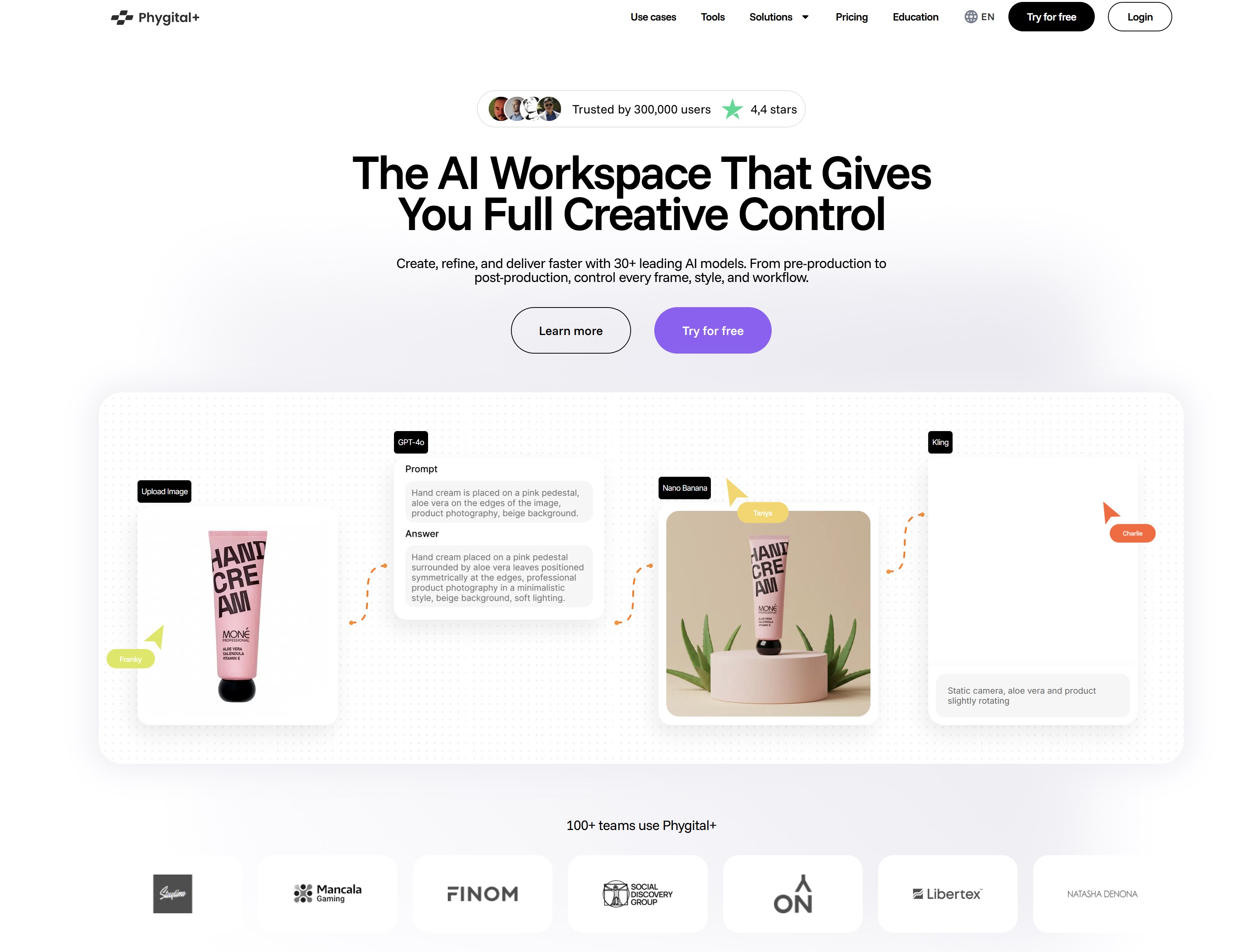
#1. Phygital+ — Best for Employee Workflow Automation and Digital Workplace Management
#1. Phygital+ — Best for Employee Workflow Automation and Digital Workplace Management
Phygital+ helps organizations improve employee communication, collaboration, and workflow automation in one unified platform. It combines AI-powered automation with a digital workplace, allowing teams to manage processes, share knowledge, and collaborate without switching between multiple tools.
The platform streamlines tasks like onboarding, approvals, document management, and internal communications, reducing manual work and improving efficiency across departments.
Key Features- AI-powered workflow automation for HR, IT, and operations
- Employee intranet with communications and announcements
- Knowledge management and document repository
- Onboarding workflows and approval processes
- Team collaboration tools and task management
- Enterprise search and role-based access controls
- Integrations with Microsoft 365, Google Workspace, and Slack
- 8,000+ integrations with managed authentication
- Zapier Agents — AI agents you instruct in plain English to handle tasks across connected apps
- AI guardrails for prompt-injection protection, PII filtering and toxicity controls
- Audit logs and enterprise governance controls
- Free tier; Professional from about $20/month for 750 tasks at the time of writing
- All-in-one platform for communication and workflow automation
- Reduces need for multiple workplace tools
- Easy to use for non-technical teams
- Focused more on employee operations than developer automation
- Fewer integrations than dedicated automation platforms
- Organizations looking to modernize internal operations and improve employee experience, especially HR, operations, and distributed teams.
- Custom pricing based on organization size.
⭐⭐⭐⭐⭐ 4.8/5
Why we recommend it: Phygital+ combines workflow automation with employee communication and collaboration, making it a strong choice for improving efficiency and workplace experience in one platform.
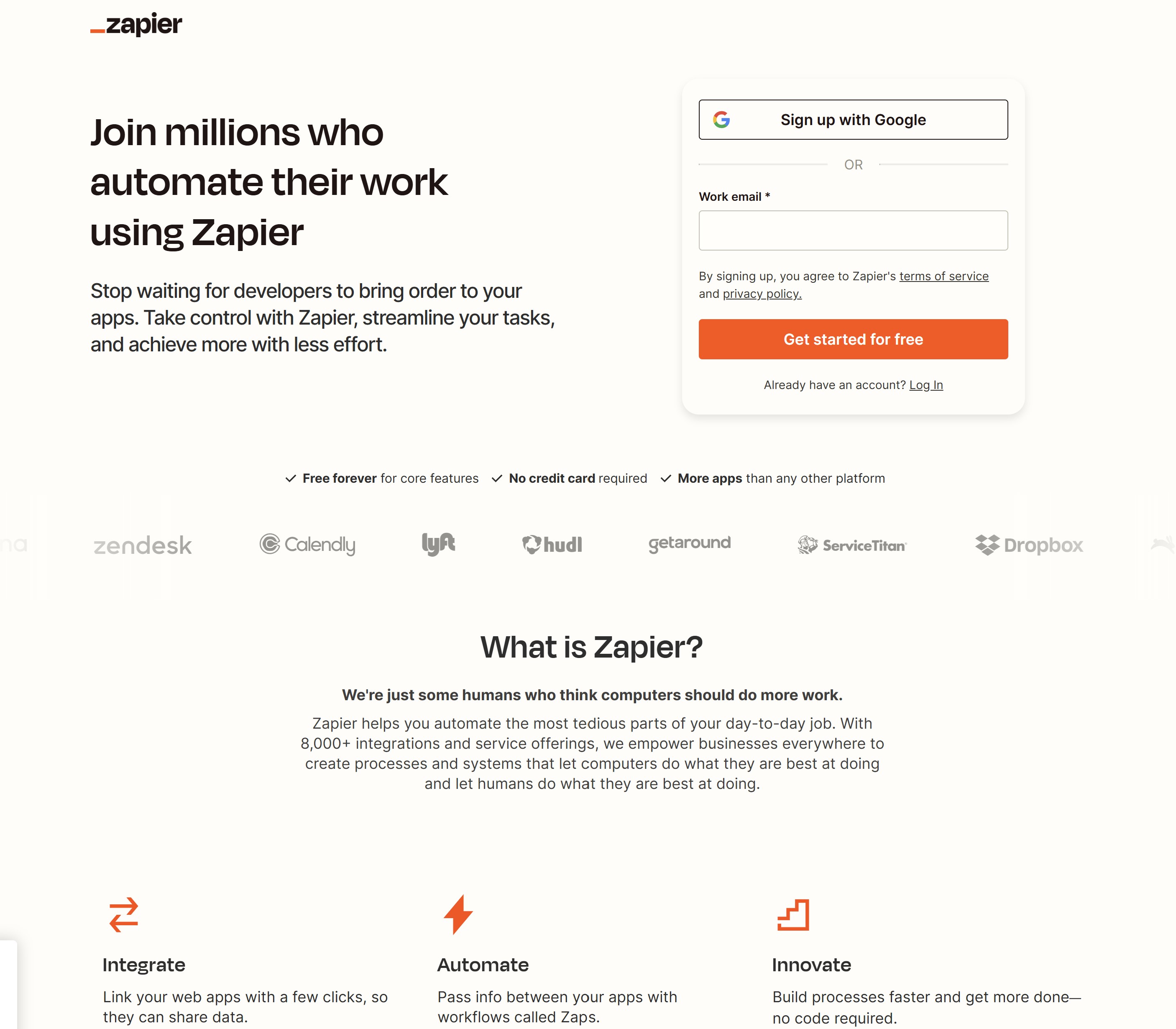
#2. Zapier — Best for No-Code AI Workflow Automation
#2. Zapier — Best for No-Code AI Workflow Automation
Zapier is one of the most widely recognized workflow automation platforms, making it easy for businesses to connect thousands of cloud applications without writing code. Its strength lies in helping users automate repetitive tasks between the software they already use, from email marketing and CRM platforms to accounting systems and project management tools.
More recently, Zapier has expanded beyond simple automations by introducing AI-powered features, including AI Agents, natural language workflow creation, and intelligent chatbots. This allows users to build more advanced business processes that can analyze information, generate content, and perform actions automatically across multiple applications.
For organizations that want to automate everyday work without relying on developers, Zapier remains one of the easiest platforms to learn.
Key Features- Connects more than 8,000 business applications
- No-code workflow builder with drag-and-drop automation
- AI Agents for handling multi-step business tasks
- AI Chatbots for customer interactions and internal support
- Natural language automation builder
- Multi-step workflows with conditional logic and filters
- Built-in scheduling, notifications, and data formatting
- Extensive template library for common business workflows
- Extremely easy to set up and use
- Largest integration library available
- Excellent documentation and learning resources
- Ideal for marketing, sales, HR, finance, and customer support
- Powerful automation templates for beginners
- Monthly task limits can become expensive as automation scales
- Advanced workflows may require premium plans
- Less flexible than developer-focused platforms for highly customized automations
- Small businesses, growing companies, marketing teams, sales departments, and organizations looking to automate cloud-based applications without technical expertise.
- Free plan available, with paid plans starting from approximately $19.99 per month.
⭐⭐⭐⭐⭐ 4.9/5
Why we recommend it: Zapier offers one of the best balances of simplicity, AI capabilities, and integrations available today. If you want to automate business processes quickly without writing code, it's one of the strongest choices on the market.
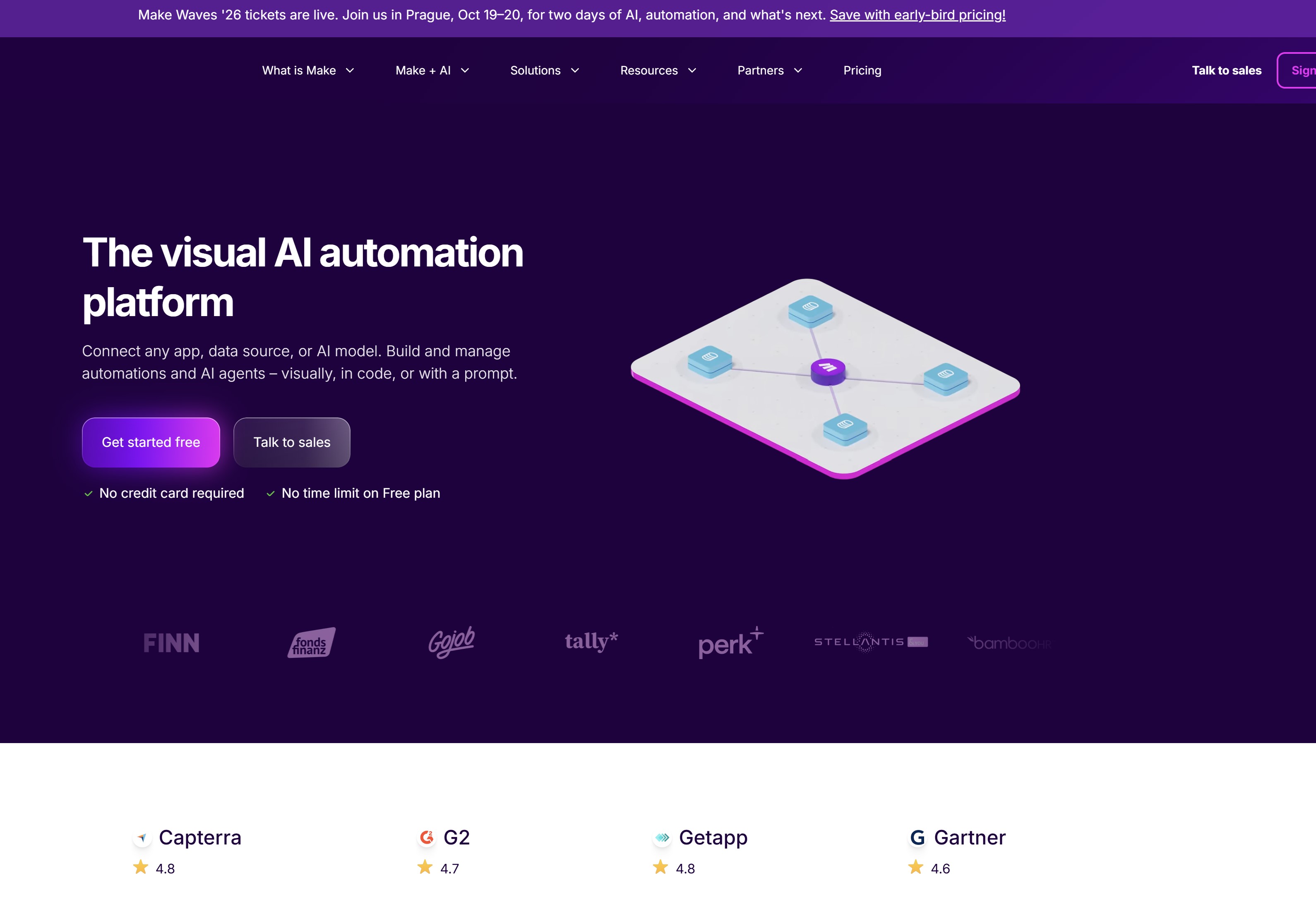
#3. Make — Best for Advanced Visual Workflow Automation
3. Make — Best for Advanced Visual Workflow Automation
Make takes workflow automation a step further by giving users complete control over how their automations are designed. Instead of using a simple linear workflow, Make provides a visual editor where every action, condition, and data transformation is displayed as part of an interactive workflow diagram.
This approach makes it easier to build sophisticated automations that involve multiple applications, branching logic, data manipulation, and API connections. Whether you're synchronizing customer data, processing orders, automating reporting, or orchestrating complex business processes, Make offers far more flexibility than many entry-level automation platforms.
Its growing AI capabilities also allow businesses to incorporate generative AI services into existing workflows, making it possible to summarize documents, classify data, generate content, and automate intelligent decision-making alongside traditional workflow automation.
Key Features- Visual drag-and-drop workflow designer
- Multi-step automations with advanced conditional logic
- AI integrations for content generation and data processing
- Powerful data mapping and transformation tools
- Built-in HTTP, webhook, and API modules
- Thousands of app integrations and custom connectors
- Real-time workflow monitoring and execution history
- Reusable workflow templates for common business processes
- Highly flexible visual workflow builder
- Excellent for handling complex business automations
- Strong support for APIs and custom integrations
- More advanced data processing than many competitors
- Scales well as business requirements grow
- Steeper learning curve for beginners
- Workflow design can become complex for very large automations
- Some advanced features are limited to higher-tier plans
- Operations teams, marketing agencies, IT departments, developers, and businesses that need sophisticated workflow orchestration across multiple systems.
- Free plan available, with paid plans starting from approximately $10.59 per month.
⭐⭐⭐⭐⭐ 4.8/5
Why we recommend it: Make is an excellent choice for businesses that have outgrown simple automation tools and need greater flexibility. Its visual workflow builder, advanced logic, and robust integration capabilities make it one of the most powerful platforms for designing complex business automations without building custom software.
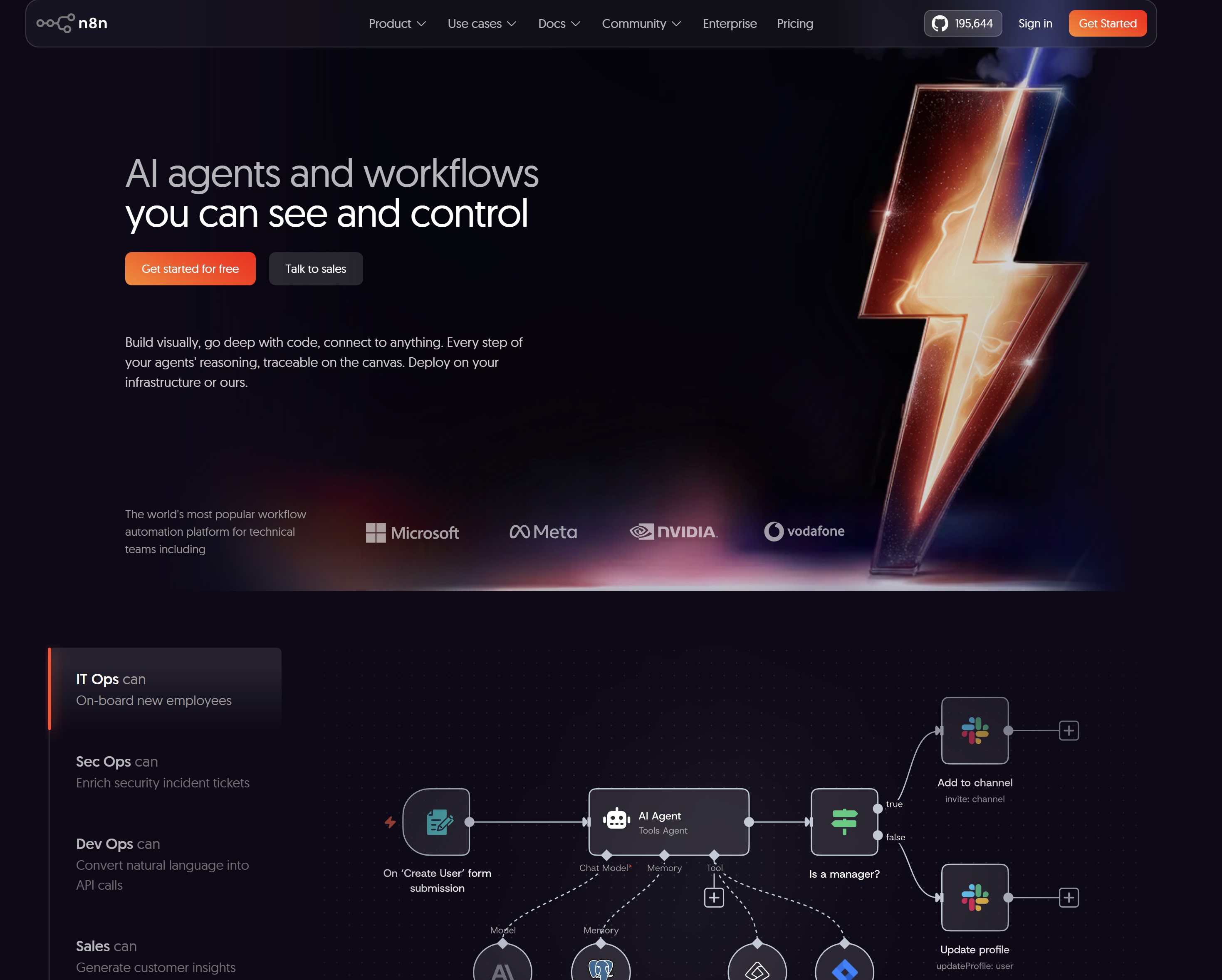
#4. n8n — Best for Open-Source AI Automation and Developers
#4. n8n — Best for Open-Source AI Automation and Developers
If flexibility and customization are your priorities, n8n is one of the most powerful workflow automation platforms available. Unlike many cloud-only services, n8n is open source, giving businesses complete control over where workflows are hosted and how they're built.
What makes n8n particularly attractive is its ability to combine traditional workflow automation with AI. Developers can connect large language models (LLMs), AI agents, vector databases, APIs, and custom code to build intelligent automations that go far beyond simple app integrations. Whether you're creating AI-powered customer support, automating document processing, or building autonomous business agents, n8n provides the flexibility to do it.
Because it's highly customizable, n8n has become a popular choice for technical teams that want to avoid vendor lock-in while maintaining full ownership of their automation infrastructure.
Key Features- Open-source workflow automation platform
- Self-hosted or cloud deployment options
- AI agent support with LLM integrations
- Built-in support for OpenAI, Anthropic, Google Gemini, and other AI models
- Visual workflow editor with custom JavaScript support
- REST API, webhooks, and database connectivity
- Hundreds of pre-built integrations
- Version control and reusable workflow templates
- Free to self-host
- Highly customizable for developers
- Excellent support for AI-powered workflows
- Full control over data and infrastructure
- Active open-source community with frequent updates
- More technical than no-code platforms
- Self-hosting requires server management
- Smaller integration library compared to Zapier
- Developers, IT teams, SaaS companies, AI startups, and enterprises that need complete control over workflow automation, data privacy, and AI integrations.
- Free when self-hosted, with cloud plans available from approximately €20 per month.
⭐⭐⭐⭐⭐ 4.9/5
Why we recommend it: n8n is one of the strongest choices for organizations building advanced AI workflows. Its open-source architecture, developer flexibility, and growing ecosystem of AI integrations make it an excellent platform for businesses that want to create intelligent automations without being restricted by proprietary software.
#5. Microsoft Power Automate — Best for Microsoft 365 and Enterprise Automation
#5. Microsoft Power Automate — Best for Microsoft 365 and Enterprise Automation
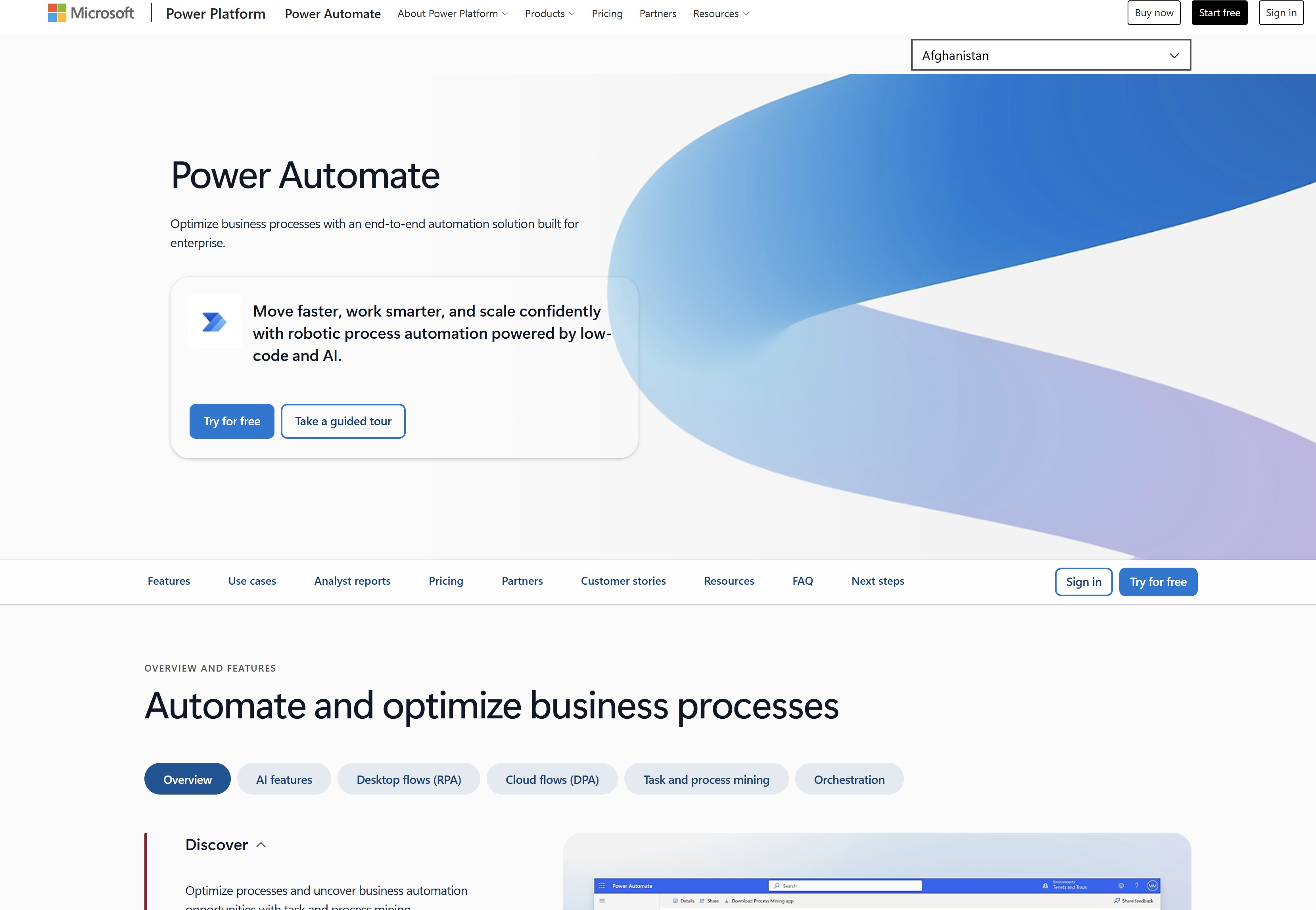
For organizations already invested in the Microsoft ecosystem, Microsoft Power Automate is one of the most comprehensive workflow automation solutions available. It enables businesses to automate repetitive tasks across Microsoft 365 applications while connecting hundreds of third-party services, helping teams reduce manual work and improve operational efficiency.
One of Power Automate's biggest strengths is how tightly it integrates with Microsoft products such as Teams, Outlook, SharePoint, Excel, OneDrive, and Dynamics 365. Combined with Microsoft's AI capabilities through Copilot and AI Builder, organizations can automate document processing, approvals, data extraction, customer communications, and even desktop applications using robotic process automation (RPA).
Unlike many no-code platforms that focus primarily on cloud applications, Power Automate supports both cloud and on-premises systems, making it particularly appealing to large organizations with complex IT environments.
Key Features- Native integration with Microsoft 365 and Dynamics 365
- AI Builder for document processing, predictions, and data extraction
- Microsoft Copilot integration for AI-assisted automation
- Robotic Process Automation (RPA) for desktop applications
- Approval workflows with Microsoft Teams integration
- Cloud and on-premises automation
- Hundreds of pre-built connectors and API support
- Enterprise-grade security, governance, and compliance controls
- Seamless integration with Microsoft products
- Powerful enterprise automation capabilities
- Supports both cloud and legacy business systems
- Strong security and compliance features
- Excellent for large organizations with Microsoft infrastructure
- Can be complex for first-time users
- Premium connectors require additional licensing
- Best value is achieved within the Microsoft ecosystem
- Medium-sized businesses, enterprises, government organizations, healthcare providers, and companies that rely heavily on Microsoft 365, Azure, or Dynamics 365 for their daily operations.
- Limited free capabilities are included with selected Microsoft licenses. Premium plans start from approximately $15 per user per month, with additional licensing available for advanced AI and RPA features.
⭐⭐⭐⭐⭐ 4.8/5
Why we recommend it: Microsoft Power Automate is the ideal choice for organizations that already use Microsoft technologies. Its deep integration with Microsoft 365, combined with enterprise-grade automation, AI capabilities, and robust security, makes it one of the most capable workflow automation platforms for large businesses.
#6. ClickUp — Best for AI Project Management and Team Productivity
#6. ClickUp — Best for AI Project Management and Team Productivity
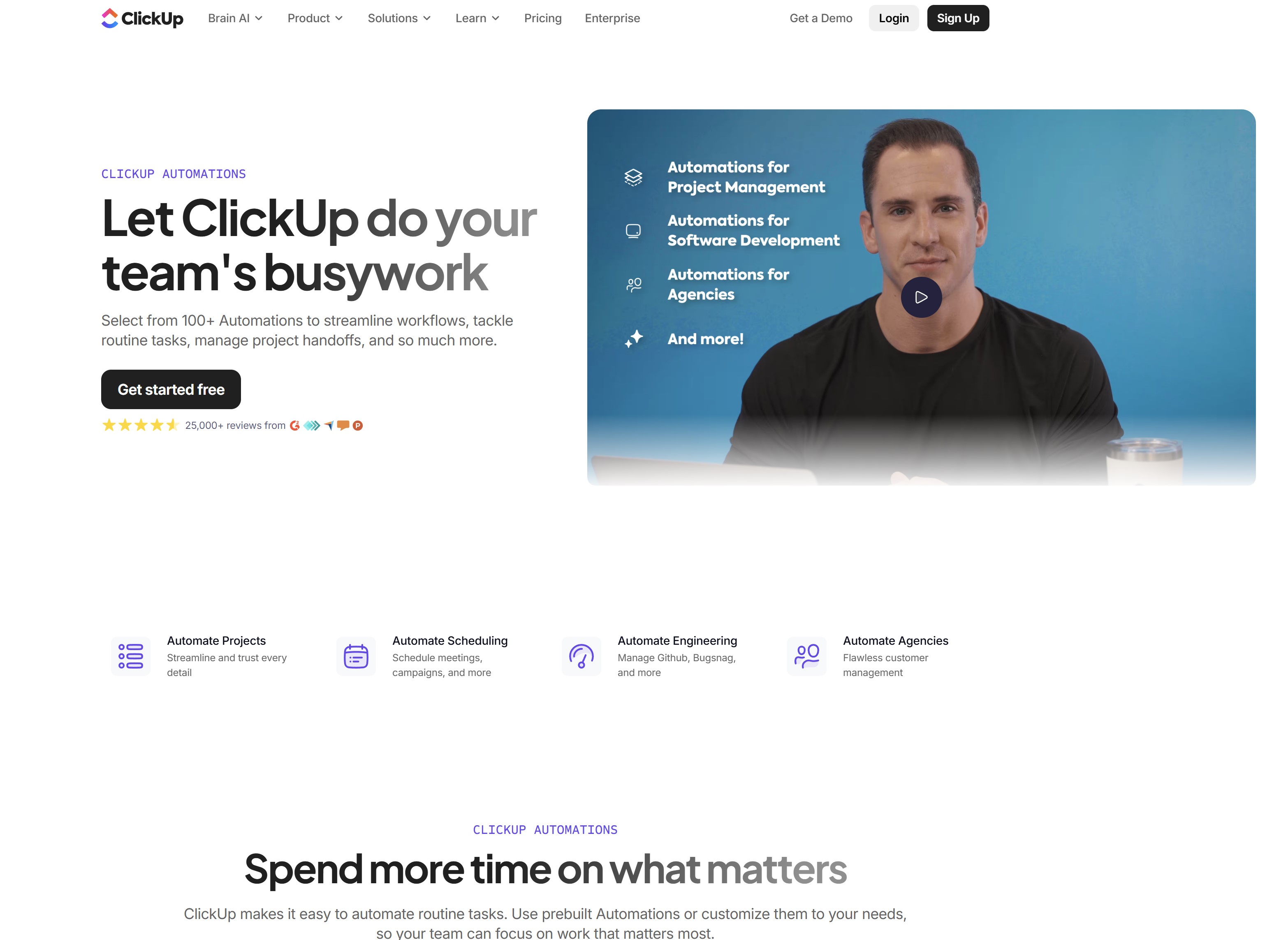
ClickUp has evolved from a project management platform into a comprehensive work management solution that combines task tracking, documentation, collaboration, and AI-powered productivity tools.
Rather than simply automating repetitive tasks, ClickUp helps teams organize work, manage projects, and use AI to accelerate planning, execution, and communication.
Its built-in AI assistant can generate project summaries, create tasks from meeting notes, draft documentation, write emails, answer questions, and help teams stay on top of deadlines.
Combined with ClickUp's automation engine, businesses can automatically assign work, update task statuses, trigger notifications, and streamline project workflows without constant manual intervention.
For organizations that manage multiple projects and collaborate across departments, ClickUp provides a central workspace where AI and automation work together to improve efficiency.
Key Features- AI assistant for writing, summarizing, brainstorming, and task creation
- Custom workflow automation with no-code triggers and actions
- Project management with Gantt charts, Kanban boards, and timelines
- Built-in documents, wikis, and collaborative whiteboards
- Goal tracking, dashboards, and real-time reporting
- Time tracking and workload management
- Integrations with Slack, Microsoft Teams, Google Workspace, GitHub, Zoom, and hundreds of other applications
- Templates for project management, operations, HR, marketing, and software development
- Combines project management and AI in one platform
- Easy-to-build workflow automations
- Excellent collaboration features for distributed teams
- Highly customizable workspaces and dashboards
- Suitable for businesses of all sizes
- Large feature set can feel overwhelming for new users
- Some AI features require paid plans
- Advanced customization takes time to configure
- Project managers, marketing teams, software development teams, operations departments, agencies, and businesses looking to centralize project management while automating routine work.
- Free plan available, with paid plans starting from approximately $10 per user per month. AI features are available as an additional add-on for eligible plans.
⭐⭐⭐⭐⭐ 4.8/5
Why we recommend it: ClickUp is more than a project management tool—it's a complete work management platform enhanced with AI. If your team needs to manage projects, automate repetitive tasks, collaborate in real time, and boost productivity from a single workspace, ClickUp is one of the strongest options available.
#7. Notion AI — Best for AI Knowledge Management and Documentation
#7. Notion AI — Best for AI Knowledge Management and Documentation
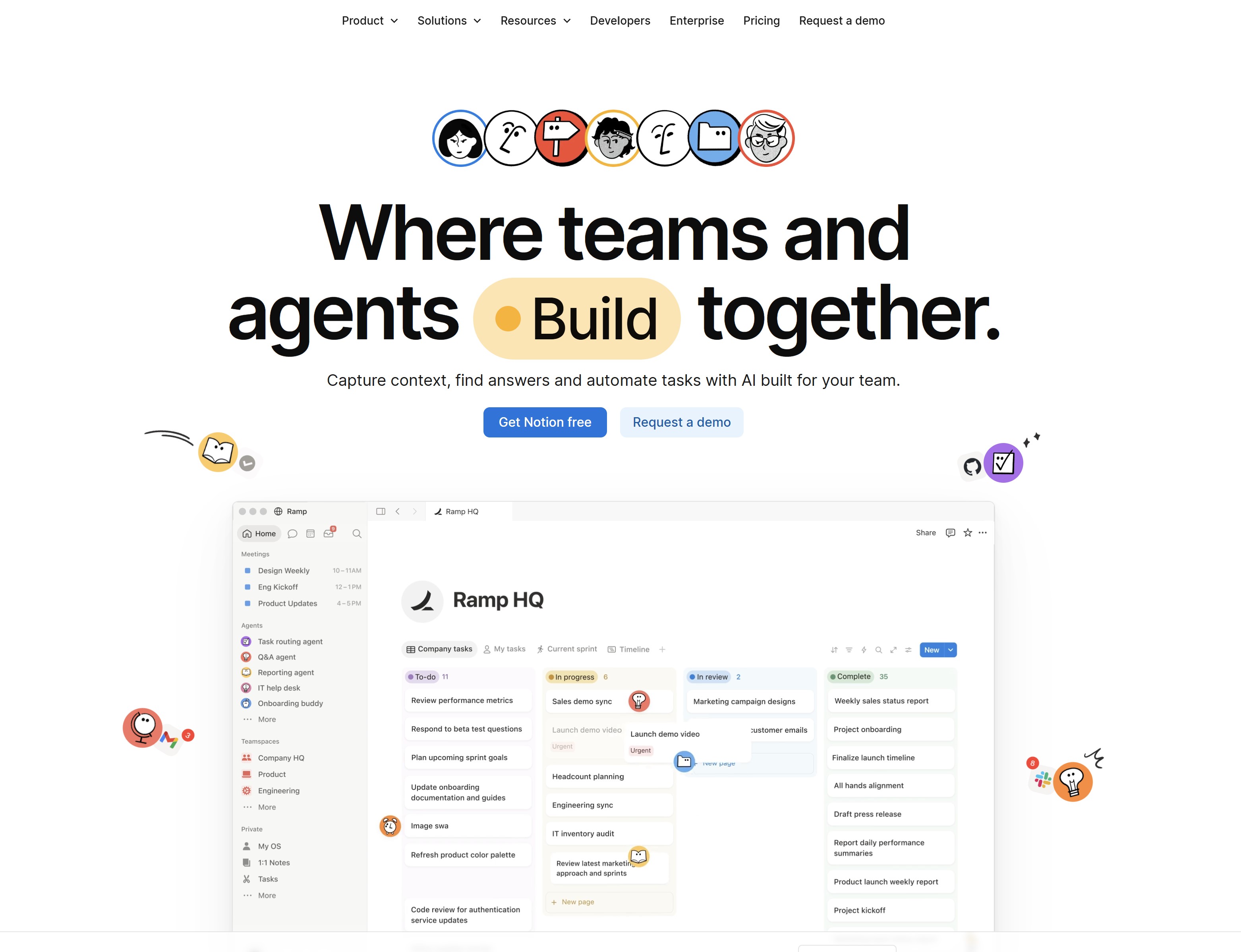
Notion AI is designed to help teams organize information, collaborate more effectively, and work smarter with artificial intelligence. While it isn't a dedicated workflow automation platform like Zapier or Make, it excels at automating knowledge work by helping teams create, manage, and retrieve information faster.
With AI built directly into the workspace, users can draft documents, summarize meeting notes, generate action items, answer questions from company knowledge, and transform scattered information into organized documentation. Combined with Notion's databases, templates, and collaborative workspaces, it becomes a powerful hub for managing projects, SOPs, wikis, and internal knowledge.
For businesses that spend more time creating, sharing, and maintaining information than automating application integrations, Notion AI offers an efficient way to improve productivity while keeping everyone aligned.
Key Features- AI-powered writing and content generation
- Automatic meeting summaries and action items
- Enterprise AI search across documents and knowledge bases
- Collaborative workspaces, wikis, and documentation
- Databases for projects, CRM, HR, and operations
- Custom templates for teams and business processes
- Task management and project tracking
- Integrations with Slack, Google Drive, GitHub, Jira, Microsoft Teams, and other productivity tools
- Excellent for organizing company knowledge
- AI significantly speeds up writing and documentation
- Clean, intuitive interface that's easy to navigate
- Flexible enough for individuals, startups, and enterprises
- Strong collaboration features for distributed teams
- Limited workflow automation compared to dedicated automation platforms
- AI capabilities focus mainly on content and knowledge management
- Some advanced AI features require paid subscriptions
- Knowledge workers, content teams, startups, consultants, HR departments, product teams, and organizations looking to centralize documentation while improving collaboration with AI.
- Free plan available. Paid plans start from approximately $10 per user per month, with Notion AI available as an additional paid feature on eligible plans.
⭐⭐⭐⭐⭐ 4.7/5
Why we recommend it: Notion AI is an excellent choice for businesses that want to transform documents, notes, and company knowledge into a searchable, AI-powered workspace. While it isn't designed for complex cross-platform automation, it's one of the best tools for improving team collaboration, documentation, and everyday productivity.
#8. Lindy — Best for AI Agents and Business Task Automation
#8. Lindy — Best for AI Agents and Business Task Automation
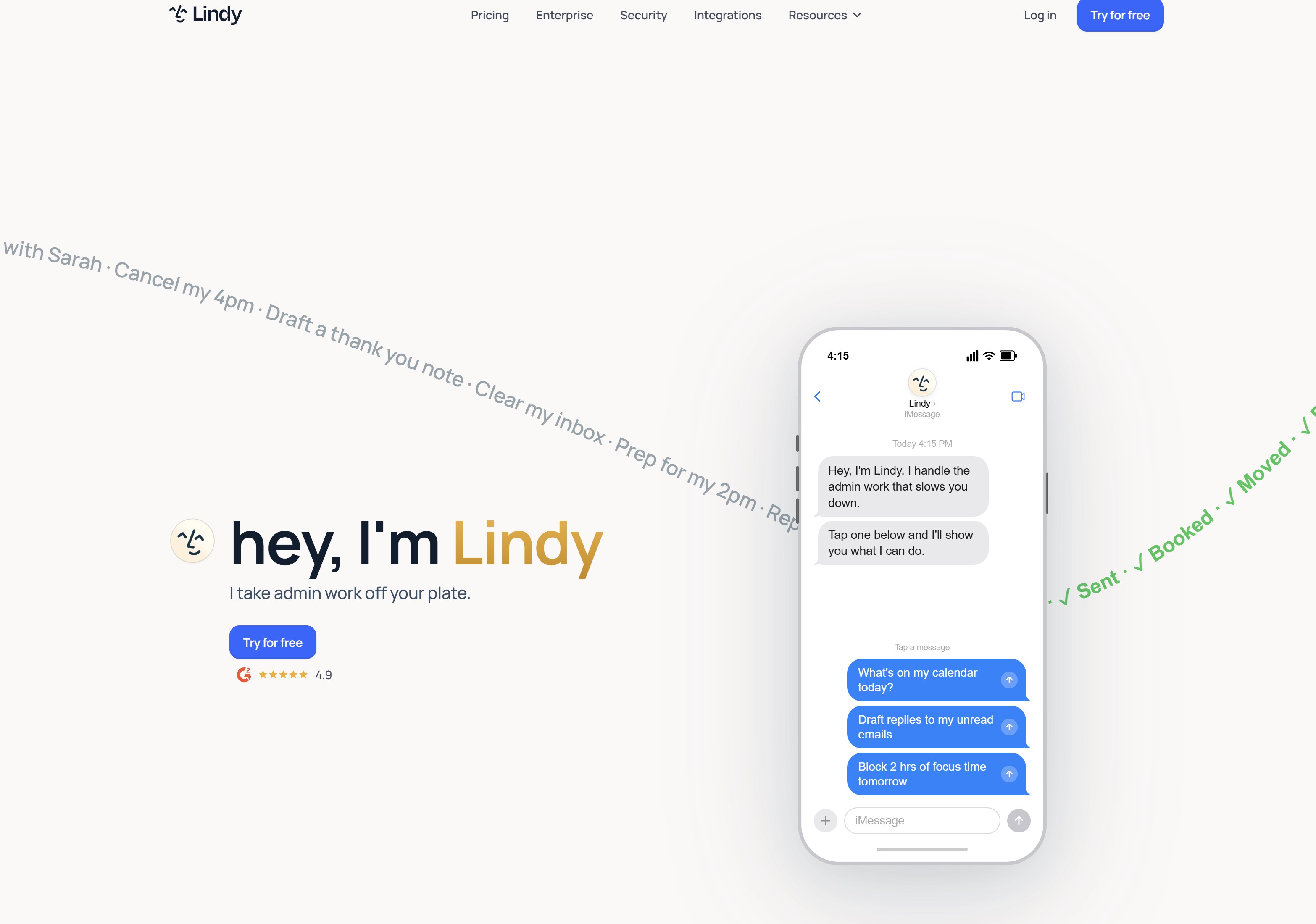
Lindy takes a different approach to workflow automation by focusing on AI agents rather than traditional rule-based workflows. Instead of simply moving data between applications, Lindy enables businesses to create intelligent AI assistants that can carry out tasks, make decisions based on context, and interact with customers, employees, and business systems on your behalf.
These AI agents can manage emails, schedule meetings, qualify leads, answer customer enquiries, update CRM records, summarize conversations, and perform a wide range of administrative tasks without constant human oversight. As businesses continue to adopt agentic AI, Lindy is positioning itself as a platform that helps organizations build digital employees capable of handling routine work across multiple departments.
The platform is designed to be accessible to non-technical users while still providing enough flexibility to create sophisticated AI-powered business processes.
Key Features- AI agents that automate repetitive business tasks
- Email management and automated responses
- Meeting scheduling and calendar coordination
- CRM updates and lead qualification
- Customer support automation
- Voice and conversational AI capabilities
- Integrations with Gmail, Slack, HubSpot, Google Calendar, Salesforce, and other business applications
- No-code workflow builder for creating AI-powered automations
- Easy to build AI agents without coding
- Automates complex business tasks, not just simple workflows
- Strong focus on sales, customer support, and administrative work
- Modern interface with fast deployment
- Continually expanding AI capabilities
- Newer platform than many established competitors
- Smaller integration ecosystem compared to Zapier
- Advanced workflows may require higher-tier plans
- Sales teams, customer service departments, founders, consultants, recruiters, and businesses looking to automate repetitive knowledge work using AI agents instead of traditional workflow automation.
- Free plan available, with paid plans starting from approximately $49 per month, depending on usage and AI agent requirements.
⭐⭐⭐⭐⭐ 4.7/5
Why we recommend it: Lindy stands out by treating AI as a digital teammate rather than just another automation tool. If your business wants AI agents that can manage conversations, perform administrative work, and automate complex daily tasks, Lindy is one of the most innovative platforms currently available.
#9. HubSpot Agent Hub — Best for Custom & Ready-Made AI Agents
#9. HubSpot Agent Hub — Best for Custom & Ready-Made AI Agents
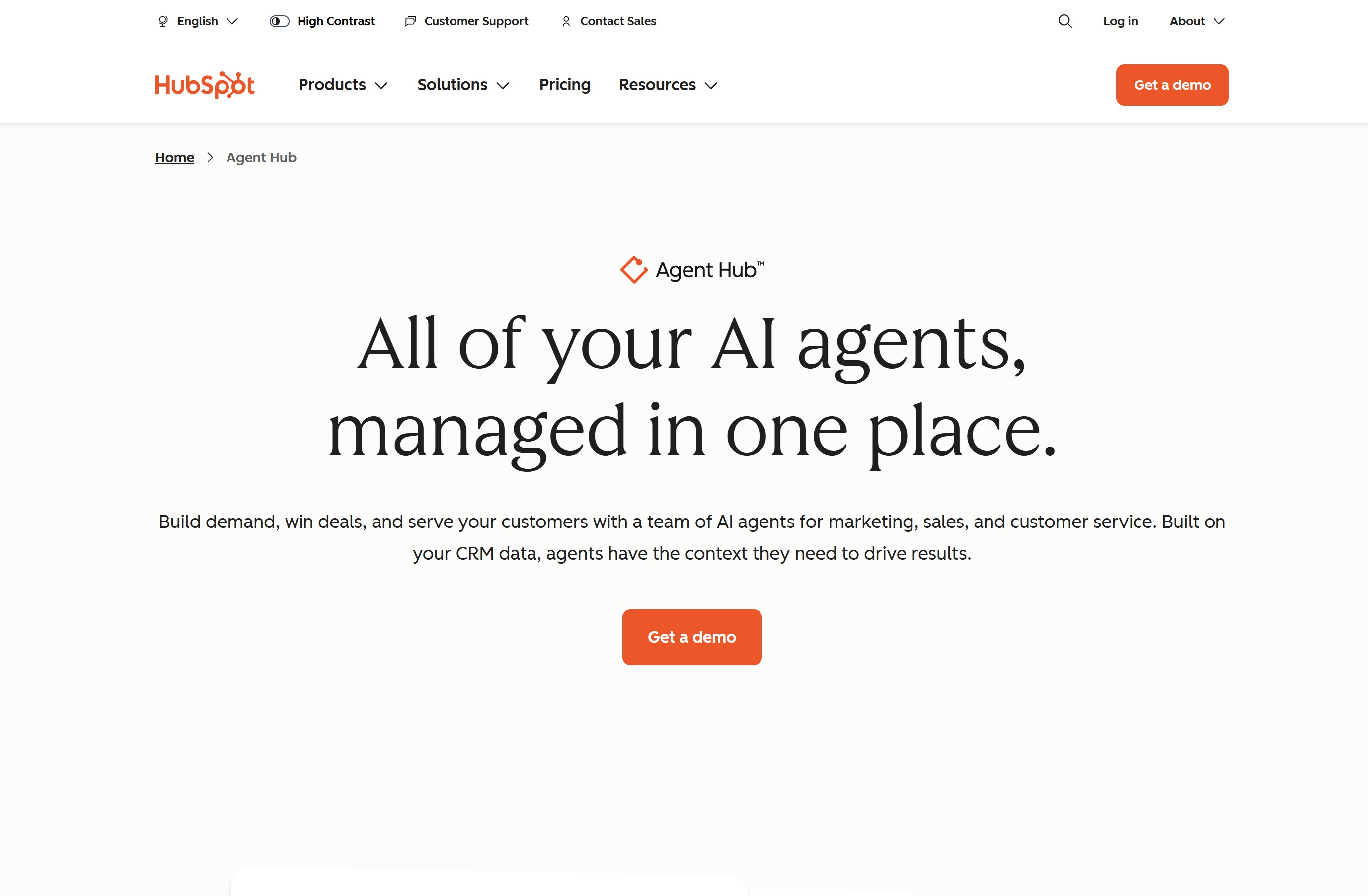
HubSpot Agent Hub is an agentic AI toolset with an ample selection of ready-made AI assistants specialized around particular use cases.
For example, the platform's Prospecting Agent collects prospect details from publicly available resources and uses the gathered data to develop personalized sales outreach campaigns at scale. Customer Agent interacts with customers through live chat to perform routine tasks, like solving support tickets, collecting contact details for lead generation, or booking meetings for sales teams.
Each AI agent interacts directly with your CRM database. That means AI agents perform tasks backed by your particular business processes and data. HubSpot's approach to agentic AI makes it a solid fit for companies looking to deploy AI workflows quickly and with little to no technical setup.
The platform also includes a visual workflow automation builder that allows businesses to set up custom AI agents that also interact with other tools within their tech stack, like Slack or external data platforms, for example.
Key features
- Wide selection of pre-made AI agents
- No-code workflow builder with drag-and-drop automation
- Direct CRM database interactions
- Ample integrations with third-party apps and other HubSpot products
- Access to extra sales, marketing, customer service tools, and more
- AI chatbots for customer support teams
- Advanced AI-powered personalization for sales and marketing teams
- Cross-channel content generation capabilities
Pros
- Easy to set up and has little to no learning curve
- AI agents are suitable for multiple business departments
- Agentic AI is available in entry-level HubSpot products
- Access to extra tools based on your selected HubSpot products
- Live CRM database interactions
Cons
- Steep pricing differences between paid plans may make scalability a challenge
- Some AI agents are only available in particular HubSpot products
- Some HubSpot Agent Hub features are currently in their Beta phase
Ideal For
- Small business owners, as well as sales, marketing, and customer service teams looking to quickly embed agentic AI into their current workflows.
Pricing
- HubSpot's AI agents are available starting from entry-level subscription plans across the platform's product offering. Pricing starts at $7/user/month. Additional usage-based pricing can apply depending on the selected AI agent and HubSpot product.
Overall Rating:
⭐⭐⭐⭐⭐ 4.8/5
Why we recommend it: HubSpot's ready-made AI agents make it one of the fastest ways for companies to embed AI into their current workflows. If your business needs AI agents to automate sales processes, marketing campaigns, and customer service workflows, HubSpot's versatile AI agent toolset will handle it.
How to Choose the Right AI Workflow Automation Tool
With so many AI workflow automation platforms available, it's easy to be distracted by feature lists and marketing promises.
The best approach is to shortlist a few platforms and test them using the same evaluation criteria.
This makes it much easier to compare solutions objectively and select the one that best aligns with your business requirements.
During your trial or product demonstrations, rate each category on a scale of 1 to 5, record your findings, and compare the results before making a final decision.
| Evaluation Criteria | Suggested Weight | Questions to Ask During Testing |
| Ease of Getting Started | 15% | How quickly can someone with little or no technical experience build their first working automation? Is the interface intuitive and well documented? |
| AI Functionality | 20% | Does the platform include built-in AI assistants, AI agents, document processing, content generation, or intelligent decision-making capabilities? |
| Workflow Design & Management | 20% | Can workflows be easily modified, reused, version-controlled, and tested before deployment? Does it support collaboration between team members? |
| Monitoring & Performance | 15% | Can you monitor workflow activity, identify failures, review execution history, measure performance, and troubleshoot issues easily? |
| Security & Compliance | 15% | Does the platform provide role-based permissions, audit logs, encryption, authentication options, and compliance certifications suitable for your business? |
| Deployment & Scalability | 15% | Can the platform scale as your business grows? Does it support cloud, self-hosted, or hybrid deployments, and can it integrate with your existing technology stack? |
No single platform excels in every category, which is why it's important to prioritize the features that matter most to your organization.
For example, a small business may value ease of use and affordability, while an enterprise might place greater importance on security, governance, scalability, and advanced AI capabilities.
Taking a structured approach to evaluating AI workflow automation tools will help you avoid investing in a platform that looks impressive on paper but doesn't meet your long-term business needs.
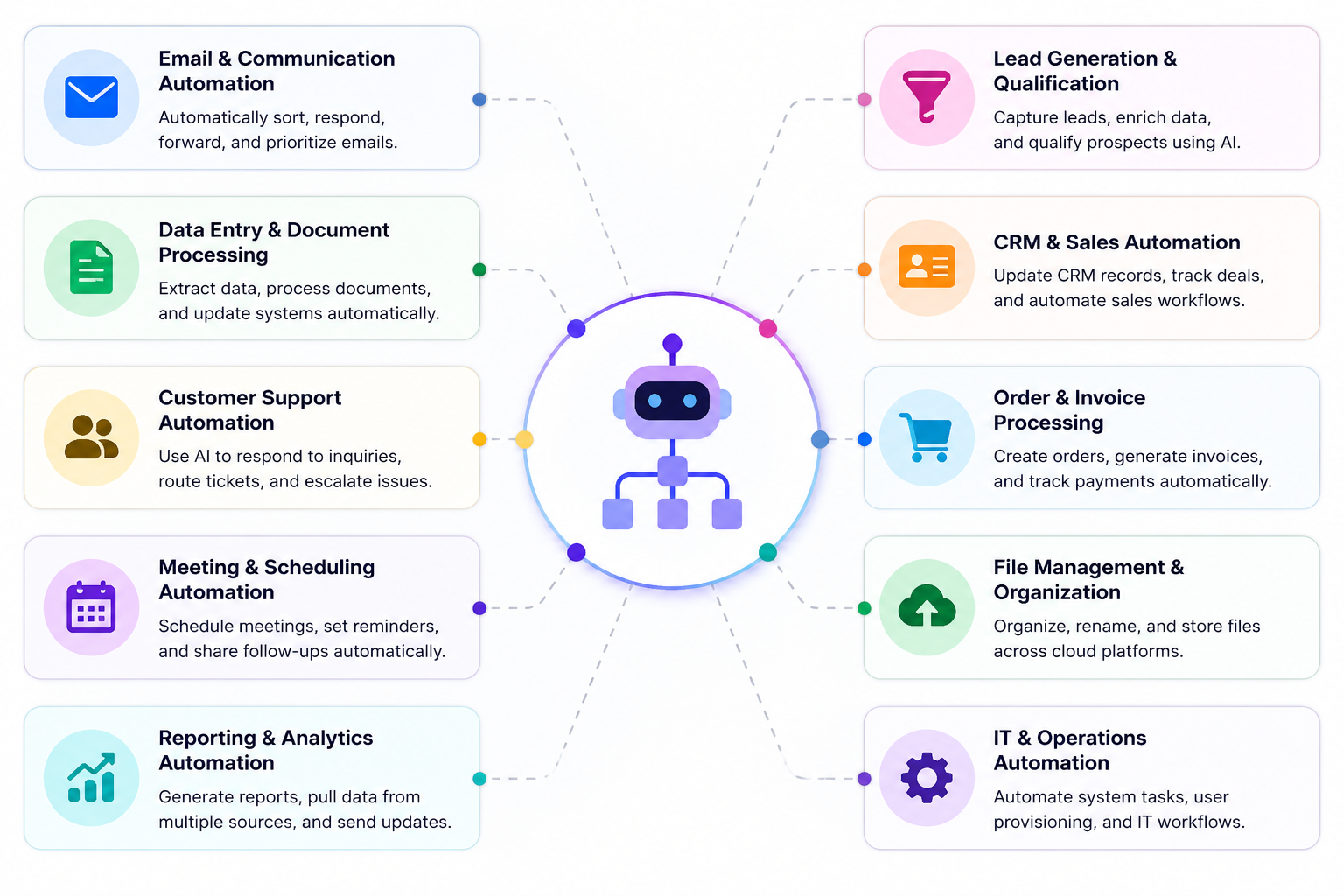
Common AI Workflow Automation Use Cases
One of the biggest reasons organizations invest in AI workflow automation is its versatility. Nearly every department has repetitive, rule-based tasks that consume valuable time and slow down productivity.
By automating these processes, businesses can improve efficiency, reduce errors, and allow employees to focus on more strategic work.
Here are some of the most common ways businesses are using AI workflow automation today.
Common AI Workflow Automation Use Cases
Employee Onboarding
Bringing new employees into the business involves numerous manual tasks, from sending welcome emails and collecting documents to creating user accounts and assigning training.
AI workflow automation can coordinate the entire onboarding process automatically, ensuring every new hire receives a consistent experience while reducing the workload for HR teams.
HR Approvals
HR departments manage a constant flow of requests, including annual leave, flexible working, expenses, and policy acknowledgements.
Automated approval workflows route requests to the appropriate manager, send reminders, notify employees of decisions, and maintain an audit trail without requiring manual follow-up.
IT Support
Many IT requests follow predictable processes, making them ideal candidates for automation.
AI can categorize support tickets, assign priorities, recommend solutions from a knowledge base, provision software access, reset passwords, and escalate complex issues to the appropriate technician, helping reduce response times.
CRM Automation
Keeping customer information up to date is essential for sales and customer service teams.
Workflow automation can automatically capture leads, enrich contact records, synchronize customer data between systems, update sales pipelines, and notify account managers whenever customer activity changes.
Sales Follow-Ups
Following up with every prospect manually isn't always practical.
AI can schedule follow-up emails, personalize outreach based on customer behavior, create reminders for sales representatives, update CRM records, and even identify opportunities that are most likely to convert.
Marketing Automation
Marketing teams use AI to automate campaign creation, lead nurturing, social media publishing, email marketing, customer segmentation, and performance reporting.
This allows marketers to deliver more personalized experiences while spending less time managing repetitive campaign tasks.
Customer Support
These workflows can also help businesses automate customer support by handling routine enquiries and routing complex issues.
Incoming enquiries can be categorized automatically, routed to the correct department, answered by AI assistants, or escalated when human intervention is required, improving both customer satisfaction and operational efficiency.
Document Approvals
Whether it's contracts, company policies, purchase orders, or compliance documents, AI workflow automation ensures documents move through the correct approval process.
Stakeholders receive notifications automatically, version history is maintained, and approvals are recorded for future auditing.
Finance Approvals
Finance teams can automate invoice processing, purchase approvals, expense claims, payment authorizations, and budget requests.
AI can also extract information from invoices, validate data, and reduce manual data entry, helping improve financial accuracy while accelerating approval cycles.
Internal Communications
Keeping employees informed is critical, particularly in larger organizations.
AI can automatically publish company announcements, distribute policy updates, notify employees about important events, deliver personalized communications, and ensure the right information reaches the right audience at the right time.
No matter the industry, the goal remains the same: eliminate repetitive work, improve consistency, and give employees more time to focus on activities that create real business value.
As AI continues to evolve, organizations will be able to automate increasingly complex workflows while improving collaboration, decision-making, and overall operational performance.
Benefits of Using AI Workflow Automation Tools
Benefits of Using AI Workflow Automation Tools
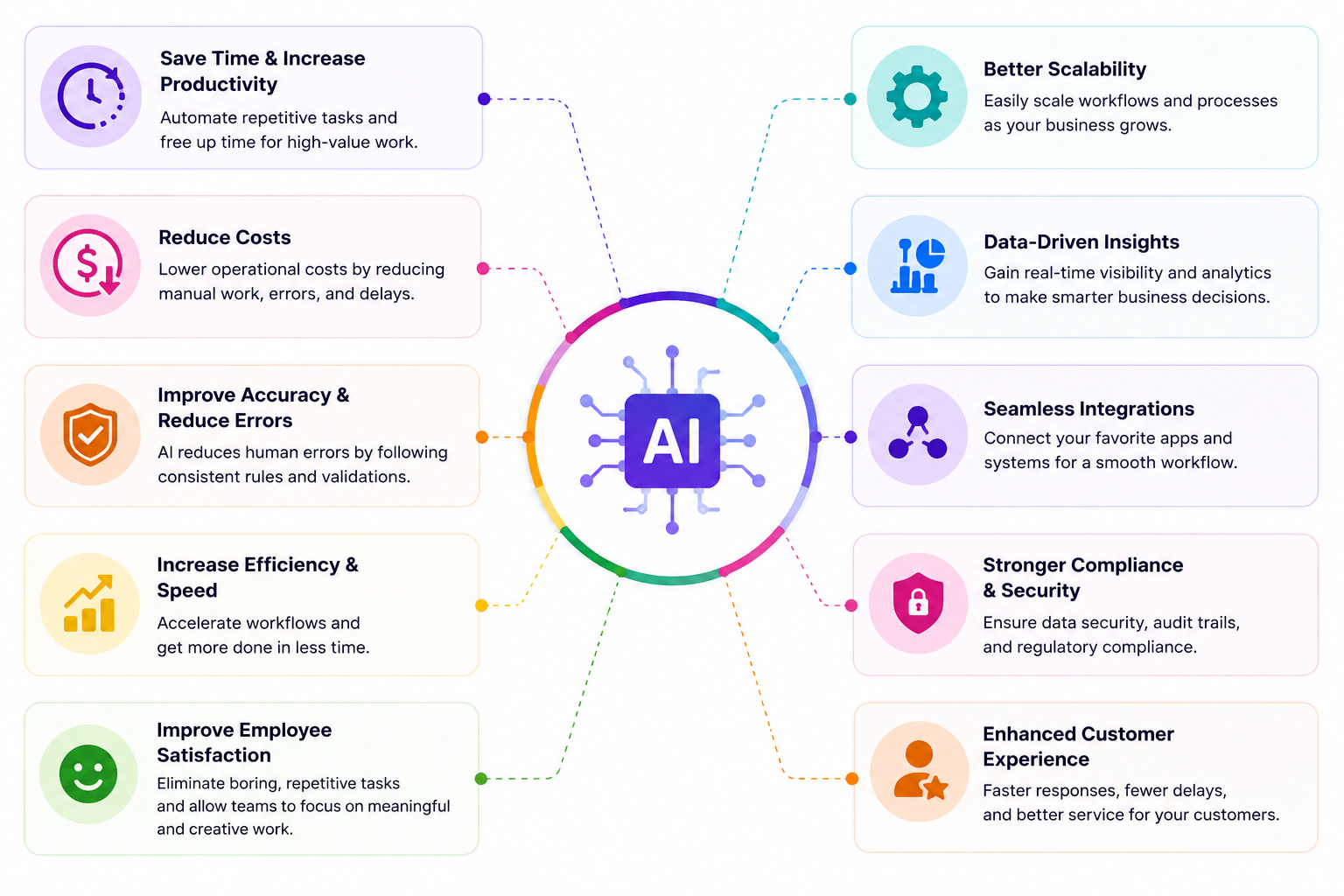
Investing in AI workflow automation isn't just about reducing repetitive work—it's about helping your business operate more efficiently, make smarter decisions, and create better experiences for both employees and customers.
Whether you're a small business looking to save time or a large enterprise managing thousands of daily processes, the right automation platform can deliver measurable improvements across your organization.
Here are some of the biggest benefits businesses are seeing today.
- Save Time on Repetitive Tasks - Employees often spend hours every week performing routine work such as copying data between systems, sending follow-up emails, updating spreadsheets, processing approvals, or generating reports. AI workflow automation handles these repetitive tasks automatically, allowing employees to focus on more meaningful and strategic work.
- Increase Team Productivity - When repetitive work is automated, teams can accomplish more without increasing headcount. AI helps eliminate bottlenecks, speeds up approvals, reduces waiting times, and keeps projects moving forward, enabling departments to become more productive and responsive.
- Reduce Human Error - Manual processes inevitably lead to mistakes, whether that's entering incorrect data, forgetting an approval, or sending information to the wrong person. Automated workflows follow predefined rules consistently, improving accuracy and reducing costly errors that can affect customers or business operations.
- Improve Employee Experience - Few employees enjoy repetitive administrative work. By removing routine tasks, AI allows people to spend more time solving problems, collaborating with colleagues, and delivering value. This not only improves job satisfaction but can also reduce workplace frustration and employee burnout.
- Deliver Faster Customer Service - Customers increasingly expect quick responses and seamless experiences. AI-powered workflows can automatically route enquiries, prioritize urgent requests, generate responses, and provide instant support through AI assistants, helping businesses improve response times while maintaining service quality.
- Strengthen Collaboration Across Teams - Many business processes involve multiple departments working together. Workflow automation keeps everyone aligned by automatically assigning tasks, sending notifications, updating records, and ensuring information flows between HR, finance, IT, sales, marketing, and customer support without unnecessary delays.
- Improve Compliance and Governance - Businesses operating in regulated industries need clear processes and accountability. AI workflow automation helps standardize procedures, maintain audit trails, enforce approval policies, and securely manage sensitive information, making compliance easier to demonstrate during audits.
- Scale Your Business More Efficiently - As businesses grow, manual processes become increasingly difficult to manage. Workflow automation enables organizations to handle larger workloads without proportionally increasing administrative overhead. This makes it easier to support more employees, customers, and business operations while maintaining consistency.
- Gain Better Visibility Into Business Processes - Many automation platforms include dashboards, analytics, and reporting tools that show how work moves through the organization. Managers can identify bottlenecks, monitor workflow performance, measure productivity, and continuously optimize business processes using real-time insights.
- Future-Proof Your Organization - Artificial intelligence is rapidly becoming a core part of modern business operations. Adopting AI workflow automation today helps organizations build more agile, data-driven processes that can adapt as technology evolves. Businesses that embrace automation early are often better positioned to improve efficiency, respond to change, and remain competitive in an increasingly AI-powered workplace.
Ultimately, AI workflow automation isn't about replacing employees—it's about empowering them.
By automating routine work and streamlining complex processes, organizations can improve productivity, reduce operational costs, enhance collaboration, and create more time for innovation and business growth.
How AgilityPortal Helps Teams Automate Work Without Adding More Tools
How AgilityPortal Helps Teams Automate Work Without Adding More Tools
Most teams do not need another standalone app sitting on top of an already crowded tech stack. They need one place where communication, knowledge, tasks, documents, approvals, and employee workflows actually work together.
That is where AgilityPortal fits in.
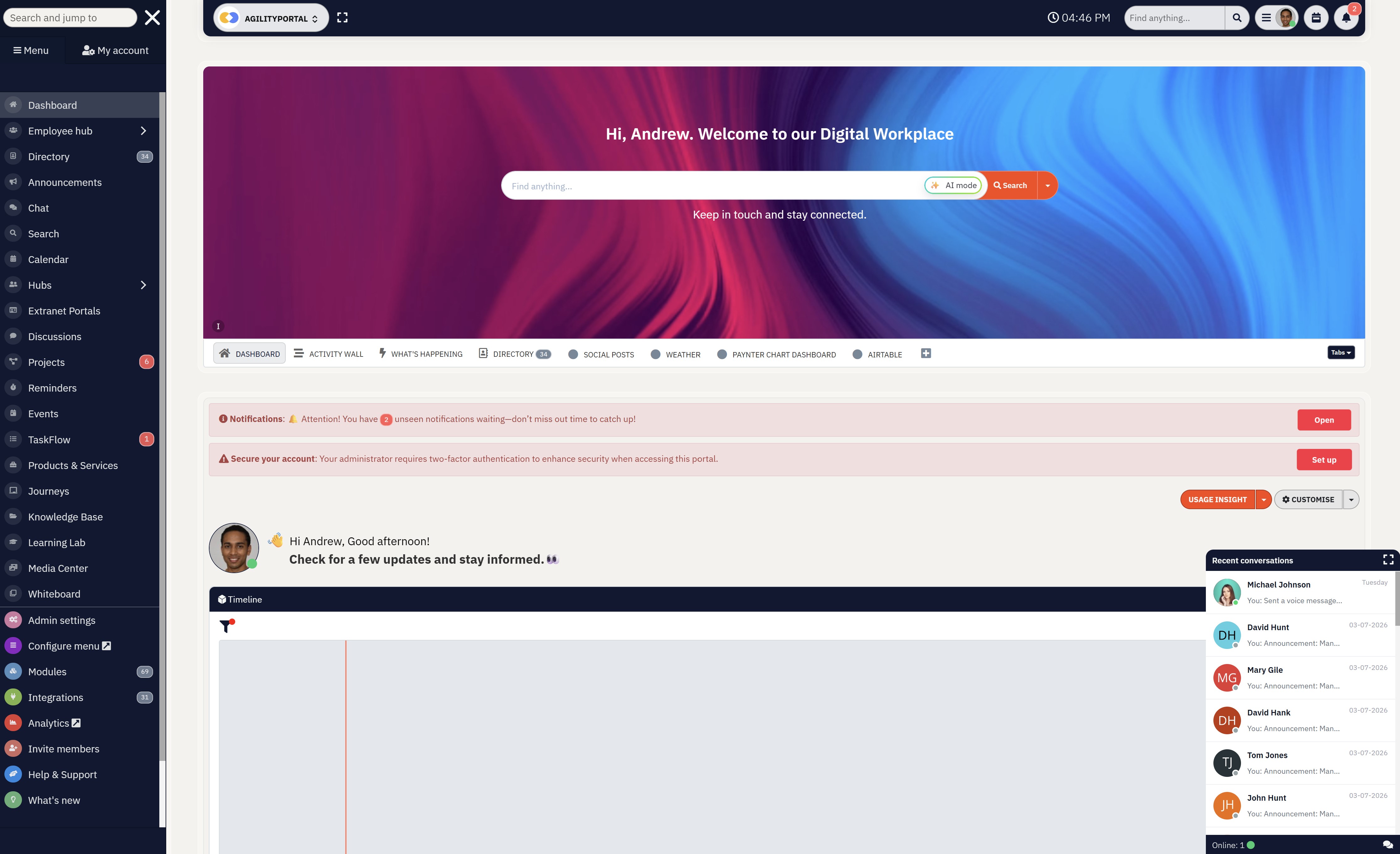
AgilityPortal helps organizations simplify internal operations by combining employee communication, collaboration, document management, knowledge sharing, and workflow automation in one secure digital workplace. Instead of jumping between email, chat, shared drives, spreadsheets, and project tools, employees can manage everyday work from a central hub.
Teams can use AgilityPortal to streamline common processes such as employee onboarding, policy acknowledgements, internal announcements, HR requests, document approvals, task reminders, knowledge base updates, and team collaboration. This reduces manual admin, improves visibility, and helps employees find what they need faster.
For businesses exploring AI workflow automation tools, AgilityPortal is especially useful when the goal is not just connecting apps, but improving how people work together across departments. It brings structure to internal communication while giving managers better control over content, permissions, workflows, and employee engagement.
If your organization wants to reduce repetitive work, improve collaboration, and create a more connected employee experience, AgilityPortal gives you a practical way to bring workflow automation into the everyday workplace.
AgilityPortal
Automate Workflows Without Adding More Software
Many businesses struggle with disconnected systems, repetitive manual tasks, scattered approvals, and employees constantly switching between multiple applications. AgilityPortal solves these workflow automation challenges by bringing employee communication, knowledge management, document collaboration, approvals, onboarding, tasks, forms, and AI-powered workflows into one secure digital workplace. Instead of stitching together dozens of separate tools, your teams can automate everyday business processes from a single platform—saving time, reducing errors, and improving productivity across every department.
Starts from $99 per 100 users/month
14-day free trial available
No credit card required
Experience AI workflow automation with a free 14-day trial.
14-day free trial available
No credit card required
Final Verdict
There's no single AI workflow automation tool that's right for every business.
The best choice depends on your team's size, technical expertise, existing software, and the types of processes you want to automate.
If you're looking for an all-in-one digital workplace that combines workflow automation with employee communication and collaboration, Phygital+ is an excellent choice for modern organizations that want to streamline internal operations from a single platform.
For businesses that need the easiest way to connect thousands of cloud applications without writing code, Zapier remains one of the strongest options. Its extensive integration library and user-friendly interface make it ideal for small businesses and growing teams.
If your workflows involve advanced logic, APIs, or complex data processing, Make offers one of the most flexible visual automation builders available. Meanwhile, n8n is the standout option for developers and organizations that prefer an open-source platform with complete control over their automation infrastructure.
Organizations already using Microsoft 365 will benefit most from Microsoft Power Automate, thanks to its deep integration with Teams, SharePoint, Outlook, and the wider Microsoft ecosystem.
If project management is at the heart of your business, ClickUp combines AI-powered productivity with workflow automation to help teams manage work more efficiently. Businesses focused on documentation, knowledge sharing, and collaboration should consider Notion AI, which excels at organizing company information and improving knowledge management.
Finally, if you're exploring the next generation of automation through intelligent AI agents, Lindy offers an innovative approach that allows businesses to automate conversations, administrative tasks, and customer interactions with minimal manual effort.
Before making a final decision, take advantage of free trials or product demonstrations wherever possible. Build a few real-world workflows, evaluate how each platform integrates with your existing software, and involve the employees who will be using it every day. The platform that delivers the greatest long-term value is the one that fits naturally into your business—not necessarily the one with the longest feature list.
As AI continues to evolve, workflow automation will become an essential part of how organizations operate. Choosing the right platform today can help your business save time, improve productivity, reduce operational costs, and build more efficient processes that scale as your organization grows.
FAQ
What is AI workflow automation?
AI workflow automation uses artificial intelligence to automate repetitive business processes, make intelligent decisions, and connect multiple applications together.
Unlike traditional automation, AI can understand context, summarize information, generate content, classify data, and complete multi-step tasks with minimal human intervention.
Which are the best AI workflow tools?
The best AI workflow tools depend on your requirements.
Zapier is ideal for no-code automations, Make excels at complex visual workflows, n8n is popular with developers, Microsoft Power Automate is a strong choice for Microsoft 365 users, while Phygital+ focuses on employee workflow automation and digital workplace management.
Are there any AI workflow automation free platforms?
Yes. Several vendors offer AI workflow automation free plans or free tiers that allow you to build and test workflows before upgrading.
Platforms such as Zapier, Make, ClickUp, Notion AI, Lindy, and n8n all provide free options, although advanced features, higher usage limits, or premium AI capabilities may require a paid subscription.
What are some AI automation examples in real life?
There are countless AI automation examples in real life, including employee onboarding, invoice approvals, customer support chatbots, CRM updates, lead qualification, email routing, document summarization, meeting transcription, HR approvals, marketing campaign automation, and IT help desk workflows.
These automations help businesses reduce manual work while improving productivity and accuracy.
What is an AI workflow builder?
An AI workflow builder is a visual platform that allows users to create automated workflows using drag-and-drop tools instead of writing code.
Many modern workflow builders also include AI features such as intelligent decision-making, AI agents, document processing, and natural language prompts, making automation accessible to both technical and non-technical users.
Are there any open source AI workflow automation tools?
Yes. Several open source AI workflow automation tools are available, with n8n being one of the most popular.
Open-source platforms allow organizations to self-host workflows, customize automations, integrate AI models, and maintain greater control over data, security, and infrastructure.
Where can I find AI workflow automation examples on GitHub?
If you're looking for AI workflow automation examples GitHub repositories, you'll find thousands of community-built projects covering AI agents, business process automation, customer support workflows, document processing, CRM automation, and integrations with large language models.
These repositories are useful for learning how to build and customize AI-powered workflows before deploying them in production.
What should I look for in an AI workflow platform?
The right AI workflow platform should be easy to use, integrate with your existing business applications, support AI-powered automations, offer strong security and compliance features, and scale as your organization grows.
It's also worth considering pricing, available templates, reporting capabilities, and whether the platform supports cloud, self-hosted, or hybrid deployments.
AI Summary
- The best AI workflow automation tools help businesses eliminate repetitive tasks, connect business applications, improve productivity, and automate complex workflows using artificial intelligence and no-code or low-code builders.
- Modern AI workflow automation platforms go beyond traditional automation by incorporating AI agents, intelligent document processing, natural language prompts, predictive decision-making, and business process orchestration across multiple applications.
- Leading platforms such as Phygital+, Zapier, Make, n8n, Microsoft Power Automate, ClickUp, Notion AI, and Lindy each serve different business needs, from employee workflow automation and enterprise operations to project management, knowledge management, and AI-powered digital assistants.
- When evaluating AI workflow software, businesses should compare AI capabilities, integrations, ease of use, pricing, security, deployment options, scalability, and support for cloud or self-hosted environments before making a long-term investment.
- Organizations that successfully implement AI workflow automation can reduce manual work, improve collaboration, accelerate approvals, enhance customer experiences, strengthen compliance, and free employees to focus on higher-value activities.
- The right AI workflow automation platform should align with your business processes, existing technology stack, technical expertise, and future growth plans rather than simply offering the largest number of features or integrations.
Most Popular Posts

Effective communication among team members is vital for the productivity and success of any organization. Surprisingly, 60% of companies lack a long-term internal communication strategy, which p...


Businesses thrive on communication for efficiency, productivity and accomplishment. When the right information is passed from the right designation in the organization, it promotes positivity an...

Categories
Blog
(3208)
Business Management
(395)
Employee Engagement
(235)
Digital Transformation
(218)
Growth
(150)
Intranets
(142)
Internal communications
(106)
Remote Work
(68)
Sales
(53)
Collaboration
(53)
Customer Experience
(33)
Culture
(30)
Knowledge Management
(29)
Project management
(29)
Leadership
(20)
Comparisons
(9)
News
(1)

Related Posts

The Amazon advertising agency landscape has changed dramatically over the past two years. With the introduction of AI-powered shopping experiences, Amazon Rufus, advanced attribution reporting, Sponsored Brands Video, and Amazon DSP enhancement...

Why do your remote staff still struggle to work together when they have the apps, laptops and access they need? Often, the problem is the small gaps between people and information. Someone can't open the latest document. An approval gets buried...

An AI coworker could help solve a problem most businesses know well: too much knowledge work and too little time. Employees spend their day searching for information, preparing updates and answering the same questions. Having a system tha...

When is the right time to upgrade to a self-hosted AI agent—and how do you know whether switching will solve your team's problems or create more work? Picture an employee asking your AI assistant where to find the latest leave policy. It cannot...

Could an AI coworker take some of the busywork off your team's plate? The best AI coworkers promise to help employees research topics, prepare documents, find information and handle recurring tasks. But choosing one means looking beyond an impressive...


Jill Romford
I am a digital nomad, lover of exploring new places and making friends.
I love to travel and I love the internet. I take pictures of my travels and share them on the internet using Instagram.
Traveler, entrepreneur, and community builder. I share my insights on digital marketing and social media while inspiring you to live your fullest life.
Ready to learn more? 👍
One platform to optimize, manage and track all of your teams. Your new digital workplace is a click away. 🚀
Free for 14 days, no credit card required.