
Insight Blog
Agility’s perspectives on transforming the employee's experience throughout remote transformation using connected enterprise tools.
53 minutes reading time
(10689 words)
Will AI Replace Video Editors in Future? How AI Is Changing the Role of the Video Editor

Will AI Replace Video Editors in Future? How AI Is Changing the Role of the Video Editor
Will AI replace video editors in future? Explore changing roles, workplace risks and practical steps to use AI editing without losing creativity or employee trust.
Will AI Replace Video Editors in Future? How AI Is Changing the Role of the Video Editor

Could AI produce your next workplace video faster—and still deliver a message your employees can trust?
As more businesses use video for onboarding, training and leadership updates, one question keeps coming up: will AI replace video editors in future, or change the skills and judgement their role requires?
of workers’ existing skills are expected to change or become outdated between 2025 and 2030
The World Economic Forum’s Future of Jobs Report 2025 estimates that 39% of workers’ existing skills will change or become outdated by 2030. This is a global workforce forecast, not a prediction specifically about video editors or AI alone. For content teams, it supports preparing employees for changing tools while developing editorial judgement, creative thinking and output verification.
The World Economic Forum's Future of Jobs Report 2025 estimates that 39% of workers' existing skills will change or become outdated by 2030.
This forecast covers the wider workforce, rather than video editors specifically, but it highlights why businesses should prepare their teams for changing responsibilities.
For HR leaders and content management teams, the opportunity is appealing: less repetitive work and more capacity to create useful content. But speed alone doesn't make a video effective.
Someone still needs to check whether captions are accurate, important context survives the edit and employee recordings are handled appropriately.
In this article, you'll learn what AI can do in video editing, which decisions still need human oversight and how editing roles could evolve.
You'll also get a practical checklist for introducing AI into your workflow while protecting content quality, employee trust and your production budget.
Key Takeaways
- AI can automate editing tasks and reshape some jobs, but its impact depends on the content, quality requirements and business decisions.
- Routine, repeatable workplace videos are practical starting points for testing AI-assisted production.
- Human reviewers should check context, factual accuracy, captions, translations and whether instructions remain clear.
- Employee footage, synthetic voices and generated likenesses need clear usage rules, appropriate permissions and approved workflows.
- Measure total cost per approved video, including production, review, corrections and tool charges, alongside employee understanding.
- Training, named content owners and review dates help teams adapt their skills and keep published videos accurate.
Will AI Replace Video Editors in Future? The Answer Depends on the Work
AI may reduce the editing hours needed for some videos, but its effect on jobs depends on what the work involves.
A weekly update built from an approved template has different requirements from a sensitive leadership announcement or a detailed training demonstration.
For businesses, the question is how much production can be automated while keeping the finished message accurate, understandable and appropriate for employees.
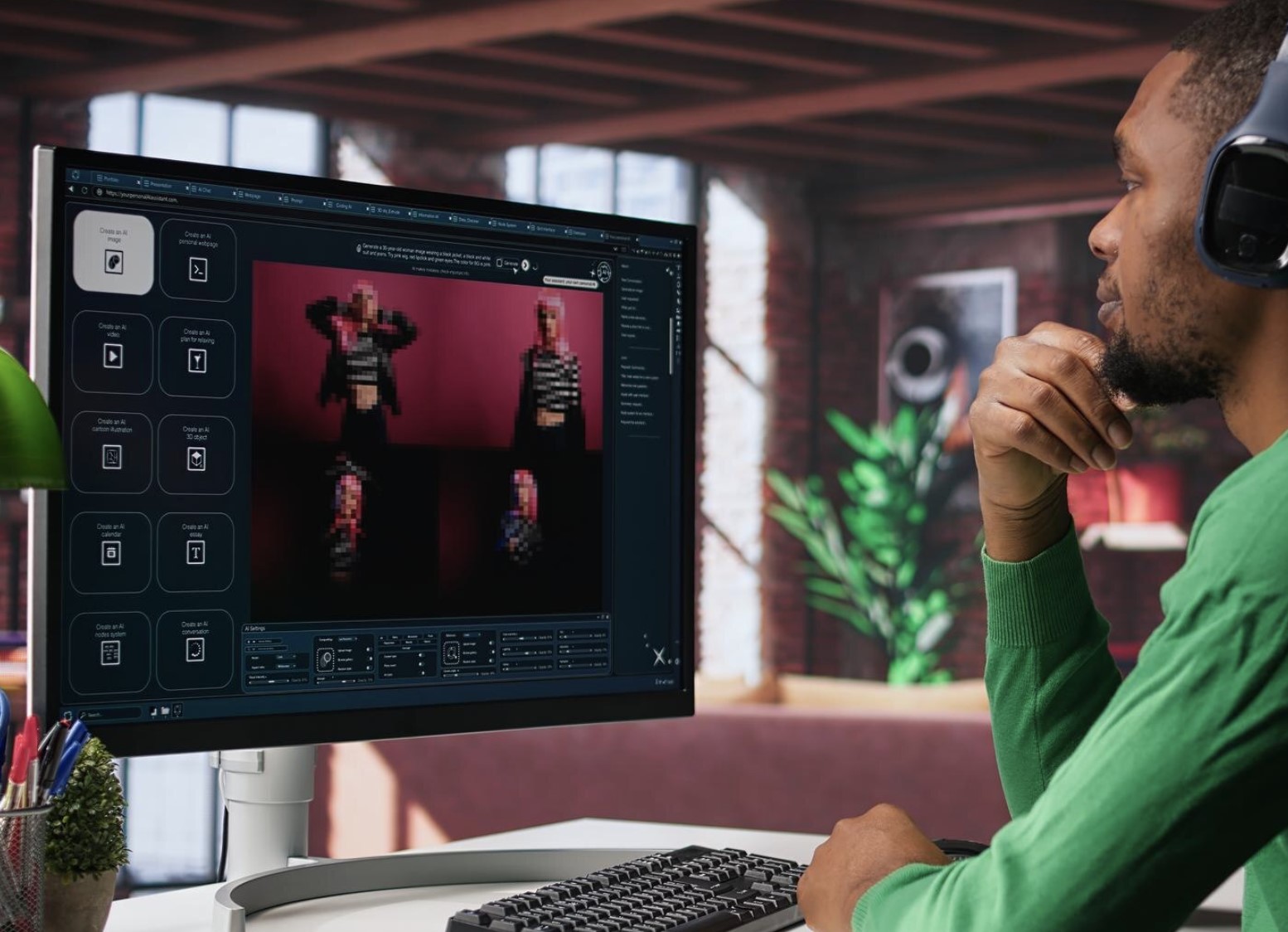
Will AI Replace Video Editors in Future? The Answer Depends on the Work
Automating a Task Is Different From Owning the Finished Message
Video editing involves a series of technical and editorial decisions.
Some tasks offer opportunities for automation; others require someone who understands the brief, the audience and the consequences of publishing.
It helps to separate production assistance from responsibility:
- Finding a clip: Locating material that appears relevant.
- Preparing captions: Creating text that still needs checking.
- Assembling a template-based video: Arranging approved material into a familiar format.
- Interpreting a brief: Understanding what the business wants employees to know.
- Checking context: Making sure a cut preserves the speaker's intended meaning.
- Approving publication: Deciding whether the video meets the required standard.
- Handling corrections: Taking ownership when information needs changing.
Imagine a short extract from a leadership update.
The selected footage might accurately capture one sentence while leaving out the explanation that makes it understandable.
A tool might assemble a video, but the business still needs someone to decide whether that video should be published.
Some Production Work Is Easier to Automate
Repeatable formats provide a practical starting point for testing automation.
Think of a weekly operational update with an approved script, consistent branding and a predictable structure.
Businesses can test how much assistance works for:
- Routine announcements using established templates.
- Short tutorials based on verified instructions.
- Caption drafts for existing recordings.
- Different versions of previously approved content.
These workflows may require fewer manual editing hours.
A business could use that capacity to publish more useful content, give editors more demanding projects or change how production responsibilities are shared. Some organisations may also reduce staffing.
Those outcomes depend on business decisions and demonstrated results. Review time, corrections and rework must be included before concluding that automation has saved money.
What Employment Forecasts Actually Tell Us
The US Bureau of Labor Statistics projects 4% employment growth for film and video editors between 2025 and 2035.
projected employment growth for US film and video editors between 2025 and 2035
The US Bureau of Labor Statistics projects 4% employment growth for film and video editors from 2025 to 2035. This is a US occupational forecast, not a measurement of AI’s isolated impact or a guarantee of individual job security. Businesses should assess which editing tasks are changing and what expertise their production workflows still require.
Source: US Bureau of Labor Statistics, Occupational Outlook Handbook
That provides useful context when considering claims that the profession is about to disappear. www.bls.gov
However, this is a US occupational forecast. It doesn't measure AI's isolated impact, describe every national market or guarantee security for individual editors.
Employment can grow overall while particular tasks, entry-level opportunities and staffing arrangements change.
So, will AI replace video editors in future? It may replace parts of the work and reshape some roles. Businesses should assess their actual workflows, test the results and identify the expertise they still need before making staffing decisions.
Video editing is part of a wider discussion about changing job roles. Our guide to what jobs AI has already replaced explores that broader context, helping businesses consider how automation could affect responsibilities across their teams.
What Does AI Video Editing Actually Mean?
AI video editing means using artificial intelligence to help create or change a video.
Depending on the tool, that might involve finding footage, preparing captions, improving audio or generating additional material.
For businesses, it can form part of AI workflow automation for teams, helping reduce repetitive production work. The important question is which tasks can be automated reliably—and where someone still needs to check the result.
An ai video editor can be useful when these tasks are part of a larger production process rather than treated as isolated features.
The key is to keep a human checkpoint after important changes. Editors should review AI-generated cuts before publishing, especially when the video contains brand messaging, customer information, legal claims, or sensitive material.
That approach keeps automation useful without giving up creative control, the next question is how does it help editors?
Helping Editors Work With Existing Footage
Imagine your internal communications team has an hour-long leadership recording and needs a five-minute employee update. Finding the relevant moments and preparing a clear edit can take considerable effort.
AI-assisted features can help with tasks such as:
- Footage search: Finding clips using spoken words, visual descriptions or metadata.
- Transcription: Turning speech into text to make recordings easier to navigate.
- Caption preparation: Producing draft captions for review.
- Audio improvement: Helping reduce distracting noise or improve speech clarity.
- Reframing: Adjusting the composition for different screen formats.
- Text-based editing: Where supported, allowing cuts through selections in a transcript.
Adobe's Media Intelligence, for example, supports searching footage using visual descriptions, spoken words and metadata. Its documentation says the analysis and search happen locally on the computer.
The editor still needs to check that the five-minute version preserves the leadership message. A shorter video is only useful if employees receive the information they need.
Generating New Content Raises Different Questions
Some AI features create material that wasn't captured in the original recording. This could include additional frames, synthetic narration or a virtual presenter.
Adobe's Generative Extend illustrates the distinction. It uses a cloud AI model to extend clips with generated material, but its documented limitations include being unable to create or extend spoken dialogue.
Generating content introduces questions that teams should resolve before publication:
- Authenticity: Could employees mistake generated material for a real recording?
- Permission: Has the proposed use of a person's voice or likeness been approved?
- Licensing: Are the assets and intended use covered by suitable rights and terms?
- Audience expectations: Does the video need an explanation of what was generated?
A synthetic presenter delivering an approved tutorial needs a different approval process from a generated representation of a real executive. Teams should establish who reviews each use and what viewers need to know.
Video Editing Is Part of a Wider Content Lifecycle
A workplace video moves through several stages: brief, source material, edit, review, publication and maintenance.
The brief establishes what employees need to understand. Review checks the message and instructions. Publication makes the approved version available. Maintenance keeps that information useful as the business changes.
Imagine an onboarding video that clearly demonstrates how to request annual leave—but shows a system the company stopped using six months ago.
The production quality is good, yet the guidance could send new employees in the wrong direction.
Give each important video:
- A named content owner.
- A clearly identified approved version.
- A review date appropriate to the subject.
- Links to current supporting guidance.
- A process for updating or withdrawing outdated content.
AI can help teams produce videos more efficiently. Clear ownership helps ensure those videos remain accurate and useful after they're published.
Related Guides You May Want to Read Next
Understanding how AI is changing video editing is one part of building a better workplace content workflow. These guides explore video creation, translation, employee communication and the practical controls that help teams use AI responsibly.
- Best AI Video Generators in 2026: Which Ones Are Worth Paying For?
- Reasons Why Video is the Right Internal Communication Method
- Can AI Video Translation Make or Break Your Content Creation for Social Media Strategy in 2026?
- How to Compress Video Files and Reduce Video Size for Internal Communication
- 9 Best AI Workflow Automation Tools for Teams in 2026
- Shadow AI in the Workplace: The Hidden Employee Behaviour HR Can No Longer Ignore
- AI Privacy and Security in Collaboration Tools: What’s Really Happening to Your Data?
- How to Use AI Assistants in Internal Comms to Reduce Noise, Not Add to It
Together, these resources help content teams connect faster production with accessible videos, clear communication and responsible handling of workplace information.
Where AI Can Help Modern Content Management Teams
If your team produces onboarding videos, training guides and leadership updates, you'll know how much work happens before anyone clicks play.
Finding the right clip, preparing captions and creating shorter versions can take time away from planning the message itself.
AI can assist with these production tasks, giving teams more capacity to prepare useful content. The best starting point is a specific task with a clear way to check the result.
| Workplace situation | Potential benefit | Human check |
| Finding clips from a recorded town hall | Less time spent searching manually | More flexibility around transitions |
| Preparing training captions | Faster preparation of a first draft | Check names, terminology and instructions |
| Translating an employee update | Easier preparation of language versions | Review important wording and meaning |
| Creating short extracts | More opportunities to reuse approved recordings | Preserve qualifications and essential explanations |
| Extending a shot | More flexibility around transitions | Inspect continuity and generated material |
Adobe provides documented examples of these capabilities.
Media Intelligence helps editors search footage, while Generative Extend can add generated material to extend clips.
Adobe's April 2025 announcement also described caption translation in 27 languages. That figure describes the capability announced at the time; it doesn't establish translation accuracy.
Imagine your L&D team updating a software tutorial. AI assistance could help prepare captions and locate the relevant footage. The trainer then checks that the instructions match the current system, while the editor confirms that every necessary step remains visible.
For employees, a well-managed workflow can support:
- More accessible content: Reviewed captions help people follow videos when audio is unavailable or difficult to hear.
- Clearer procedures: Focused extracts can make individual steps easier to find and revisit.
- More timely training updates: Reduced production effort may help teams refresh guidance sooner.
- Better language support: Reviewed translations can help multilingual teams understand important messages.
These benefits depend on the finished video. Incorrect captions, missing context or unclear instructions can undermine the time saved during production.
Use AI to assist the workflow, then check whether employees can understand and act on the result.
Why Businesses Want Faster Video Production
A single recording can create several jobs for a content team. A leadership update might need a full-length version for the intranet, a short summary for frontline employees, captions and translated versions for colleagues in different locations.
For a small team already managing announcements, newsletters and training resources, those requests quickly add up. The pressure comes from keeping useful information available while the business continues to change.
Several workplace needs can push organisations towards faster production:
- Small teams supporting multiple channels: The same people may manage intranet content, email updates, employee apps and video production.
- Backlogs of recorded material: Town halls, webinars and demonstrations can sit unused because nobody has time to turn them into accessible resources.
- Frequent policy and process changes: A new system or revised procedure can make existing videos outdated.
- Growing demand for training: New starters, changing responsibilities and software rollouts all require clear guidance.
- Requests for shorter versions: Employees may need a quick explanation of one task rather than a lengthy recording.
- Multilingual audiences: Preparing and checking several language versions adds work to each production cycle.
AI assistance is appealing because it offers opportunities to reduce repetitive effort. However, businesses need to assess whether the faster workflow produces videos that are accurate, useful and affordable to maintain.
Faster Drafts Don't Automatically Mean Cheaper Videos
Producing an initial edit quickly is only one part of the cost. The video still needs checking, corrections and approval before employees can rely on it.
An automated caption draft might save preparation time but require substantial corrections to technical terminology. A generated sequence might need several attempts before it fits the brief.
Those additional steps belong in the calculation.
Use this measure when evaluating savings:
Total cost per approved video = production labour + review labour + allocated tool costs + rework costs.
Each part captures a different expense:
| Cost category | What to include |
| Production labour | Preparing material, editing, generating drafts and exporting |
| Review labour | Editorial, subject-matter, accessibility and language checks |
| Allocated tool costs | Relevant subscriptions, usage credits and other production charges |
| Rework costs | Correcting rejected drafts, regenerating material and fixing published mistakes |
Count each hour once. If corrections are recorded as rework, don't also include those same hours under production labour.
Initial setup matters too. Training employees, establishing templates and approving workflows can create upfront costs. Track those separately so you can distinguish the cost of introducing the process from its ongoing running cost.
Compare Like With Like
Compare the same type of video before and after introducing AI.
A short announcement and a detailed safety demonstration have different production and approval needs.
For a recurring format, record:
- Production and review hours.
- Number of correction rounds.
- Tool costs.
- Time from brief to approval.
- Whether the finished video meets the same quality standard.
Here is an example, a tutorial previously required four production hours and one review hour. With AI assistance, production falls to two hours, but review and corrections take two hours.
The labour saving is one hour, before accounting for tool costs.
That may still be worthwhile. It simply gives the business a more realistic result than measuring draft speed alone.
Also distinguish capacity gained from cash saved. Freeing an employee's time can help clear a backlog or improve other communications, but it doesn't automatically reduce payroll expenditure.
More Output Can Create More Maintenance Work
Every published workplace video becomes another resource that may need updating. Increasing production without planning maintenance can leave employees with a larger collection of unreliable guidance.
Imagine a company producing separate onboarding videos for several departments and languages.
When its expenses process changes, the team must identify every affected version, update the instructions and withdraw the old material.
Each important video should therefore have:
- A named owner: Someone responsible for its accuracy.
- An approved version: A clear indication of which recording employees should use.
- A suitable review date: Based on how quickly the subject changes.
- Supporting guidance: Links to the current policy or procedure.
- An update trigger: A system, policy or operational change that prompts review.
- A retirement process: A way to remove or clearly mark superseded content.
Shorter extracts and translated versions need to be included in that process. Updating the original video won't help if an outdated clip remains available elsewhere.
Decide Whether Another Video Is Actually Needed
Before accelerating production, ask what the employee needs to understand or do.
A video can help demonstrate a task or explain a complex change.
A brief written update may be easier to maintain when only a deadline or contact detail has changed. Some subjects work best with a short video supported by searchable written instructions.
Ask:
- Does this need a new video, an update or a different format?
- Who needs it, and where will they find it?
- Can an existing resource answer the question?
- Who will keep it accurate?
- How will we know it helped?
Production capacity should match the team's ability to maintain useful content. Faster editing creates value when it helps employees get dependable information sooner—and gives the business a workflow it can sustain.
How AI Is Changing the Role of the Video Editor
When AI assists with repetitive production work, businesses have an opportunity to rethink where an editor's time adds the most value.
That could mean more attention to planning the message, checking the output and making sure employees understand what they're watching.
The wider skills picture supports preparing for change.
The World Economic Forum's Future of Jobs Report 2025 estimates that 39% of workers' existing skills will change or become outdated by 2030, and identifies creative thinking and technological literacy among skills expected to grow in importance. These findings cover the wider workforce; applying them to editing roles is an interpretation rather than an editor-specific forecast.
For content teams, the practical question is how to develop those skills while keeping production standards consistent.
More Attention to the Audience and Message
A useful workplace video begins with understanding the brief. What do employees need to know? What should they do afterwards? What background information might they be missing?
Editors help answer those questions through decisions about:
- Structure: Putting information in an order viewers can follow.
- Pacing: Giving important explanations enough time.
- Context: Keeping qualifications and background information where they matter.
- Clarity: Making instructions understandable to someone unfamiliar with the task.
- Audience needs: Adapting the presentation to the people watching.
Consider a realistic workplace example: an operations team records a demonstration of its new stock-management system. The presenter moves quickly because they use the software every day. A new employee may need more time to see which button is selected and understand why.
An editor can identify that gap, hold the relevant screen longer and request an explanation of the missing step.
The impact: Employees receive a tutorial they can follow, potentially reducing confusion and repeat questions. A shorter edit wouldn't necessarily deliver the same result.
A documented example of production assistance is Adobe's Media Intelligence, which lets editors search footage using visual descriptions, spoken words and metadata.
That capability can help locate material; deciding whether the material explains the subject properly remains an editorial decision.
More Responsibility for Checking Automated Output
Using AI introduces another layer of material to inspect. An output can look convincing while containing an error that matters to the business.
Editors should check for:
- Incorrect captions: Especially names, figures and technical terminology.
- Misleading cuts: Statements separated from their qualifications.
- Translation errors: Wording that changes an instruction or commitment.
- Visual inconsistencies: Generated details that don't match the surrounding footage.
- Missing steps: Demonstrations that skip necessary actions.
- Unapproved changes to meaning: Edits that misrepresent the speaker.
Imagine a safety-training recording where a caption omits the word "not." The picture and sound may look professional, but the written instruction now contradicts the approved procedure.
The impact: Employees could misunderstand an important instruction. The appropriate response is to compare captions with the recording and have the relevant safety expert approve the guidance.
Translation offers another practical example. Adobe's April 2025 announcement described caption translation in 27 languages. That illustrates the scale of assistance available, but the language count doesn't establish accuracy for company terminology or safety instructions.
For a multilingual onboarding video, the editor should coordinate review of important wording by someone who understands both the language and the process.
The impact: Translation assistance can broaden access to information, while review helps prevent different employee groups receiving different instructions.
These workplace scenarios are illustrative, rather than reported customer incidents.
Junior Editors Still Need Opportunities to Learn
And as far as automation goes it can remove repetitive work, but some basic tasks also teach valuable lessons. Reviewing footage develops an eye for useful moments.
Preparing captions reveals unclear speech. Making cuts helps junior editors learn how timing changes meaning.
If businesses automate those tasks and give junior staff only finished outputs to approve, they may reduce opportunities to develop the judgement that approval requires.
workers are expected to need training by 2030
The World Economic Forum’s Future of Jobs Report 2025 estimates that 59 out of every 100 workers would need training by 2030. This estimate covers the global workforce, rather than video editors specifically. Businesses introducing AI-assisted editing should plan learning time alongside production, including supervised projects, technical fundamentals and reviews of automated output.
The WEF report estimates that 59 out of every 100 workers would need training by 2030. Again, this is a global workforce estimate, but it reinforces the need to plan learning alongside changes to tools and responsibilities.
For editing teams, a practical development plan should include:
- Supervised projects: Give junior editors responsibility with experienced support.
- Reviews of editing decisions: Discuss why a sequence works and what an alternative would change.
- Training in approved workflows: Teach tool limitations and review requirements.
- Input into briefs and storytelling: Let junior staff help shape the message.
- Time for technical fundamentals: Maintain skills in audio, captions, continuity and export quality.
For example, ask a junior editor to prepare a short employee update, then review it together. Have them explain why they selected each clip, what they removed and how they checked that the meaning remained intact.
The impact: The exercise builds both production skills and editorial judgement. It also gives managers evidence of where further training is needed.
As workflows change, businesses should make learning part of the job.
Editors need opportunities to understand the tools, question their output and make sound decisions about the messages employees receive.
What Can Go Wrong With an Otherwise Polished Video?
A video can look professional and still give people the wrong information.
Clear audio, smooth transitions and attractive graphics won't reveal whether an edit has removed important context or a caption has changed an instruction.
For workplace teams, review needs to cover what employees will understand and do after watching. The following documented incidents and illustrative scenarios show why that matters.
An Automated Cut Changes a Leadership Message
Imagine your internal communications team creating a short extract from a leadership update. The clip includes "we're changing how teams work" but leaves out the next sentence explaining that reporting lines will stay the same.
Employees could interpret the shorter version as a restructuring announcement. Managers then have to answer questions and clarify a message that should have been clear from the start.
A real example of editing changing meaning occurred at the BBC. In November 2025, the broadcaster apologised over a Panorama documentary that combined separate portions of Donald Trump's January 2021 speech.
The BBC acknowledged the editing problem and said it had no plans to rebroadcast the programme, while rejecting the basis for a defamation claim. This was an editorial incident; the reporting cited here does not establish AI involvement. The workplace lesson is that individually authentic clips can create a misleading message when combined or shortened.
Before publishing an extract:
- Compare it with the complete recording.
- Check whether qualifications or explanations have disappeared.
- Make transitions between separate statements clear.
- Obtain approval from the person responsible for the message.
The impact of skipping these checks: Avoidable confusion, correction work and reduced confidence in company communications.
A Translated Caption Changes an Instruction
Small wording changes can have significant consequences. In an illustrative safety-training scenario, a translated caption drops a negative and turns "do not restart the machine" into "restart the machine."
The footage hasn't changed, but employees relying on the captions receive a different instruction.
A documented subtitle incident affected Japan's NHK in 2025. OECD.AI's incident monitor records that NHK ended an AI-assisted multilingual subtitle service after it displayed "Senkaku Islands" using the Chinese name "Diaoyu Islands."
The naming issue prompted controversy and illustrates how context-sensitive terminology can cause problems in automated translation. The monitor links to contemporary reporting about the incident. OECD.AI
For businesses, comparable concerns include technical terminology, policy wording and instructions whose meaning depends on a precise phrase.
Important translated videos should receive two checks:
- Language review: Does the translation preserve the intended meaning?
- Subject-matter review: Are the instructions and terminology correct for the task?
Use an approved glossary where appropriate, and check captions against the source recording before publication.
The potential impact: Employees may misunderstand procedures, receive inconsistent guidance or lose trust in translated resources. Safety-critical instructions require particular care.
An Outdated Video Keeps Circulating
Sometimes a video becomes misleading without anyone changing the edit.
Imagine an onboarding tutorial that accurately demonstrated the company's expenses process when it was published. Months later, the business introduces a new approval system, but the old recording remains available in the intranet and several departmental pages.
New employees follow the outdated instructions. Claims go to the wrong place, payments are delayed and support teams repeatedly explain the new process.
This is an illustrative workplace scenario, rather than a reported customer incident. It shows how maintenance can undermine otherwise good production.
To prevent it, give each important video:
- A named owner responsible for its accuracy.
- A review date appropriate to how often the subject changes.
- An update trigger when a policy, system or procedure changes.
- A replacement process covering the original, short extracts and language versions.
- A clear status so employees can identify current guidance.
If inaccurate content is already circulating, withdraw or clearly flag it, publish the correction and notify affected employees where necessary.
A video's quality includes its meaning, accuracy and continued relevance. Human review before publication—and clear ownership afterwards—helps keep polished content dependable.
Employee Trust Matters When AI Changes Their Words or Image
How would you feel if a workplace video made it appear that you said something you'd never approved? Even if the intention was to save production time, seeing your words, voice or image altered could damage your confidence in the team publishing it.
Employees should understand how their recordings will be used. An interview for an internal newsletter, for example, shouldn't quietly become material for a synthetic presenter or an unrelated campaign.
Before recording, explain the intended audience, purpose and planned editing. If that purpose changes, discuss the proposed use with the employee before proceeding.
Make Approval Meaningful
Routine trimming and material changes to someone's representation need different levels of attention. Removing a long pause may leave the message intact.
Combining answers from separate questions could create an impression the speaker never intended.
Give employees an opportunity to review changes that materially affect how they are portrayed. That includes edits involving sensitive personal experiences or generated speech attributed to them.
Imagine an employee sharing how a manager helped them through a difficult period. Cutting out the explanation of the support they received could turn a positive story into an apparent criticism of the organisation.
The impact goes beyond that video: The employee may become reluctant to contribute again, and colleagues may question how their own contributions will be handled.
Set Clear Rules for Synthetic Voices and LikenessesUsing someone's synthetic voice or likeness needs a defined approval process. Employees should know what is being created, where it will appear and who can authorise further use.
A practical policy should cover:
- The permitted purpose and audience.
- Who can create or access synthetic assets.
- Approval of scripts attributed to a real person.
- How generated material will be explained to viewers.
- How assets will be stored, reviewed and retired.
- How employees can raise concerns about their representation.
Approval should be specific enough to be useful. Agreeing to one training video shouldn't be treated as open-ended permission for future generated messages.
Where Businesses Should Require Closer Review
Some videos carry greater consequences if their meaning or authenticity is misunderstood.
As a governance recommendation, require additional approval for:
| Content type | Recommended review |
| Synthetic leadership messages | The leader and communication owner approve the script, representation and audience explanation |
| Employee voice cloning | The employee approves the intended use; relevant specialists assess the arrangement |
| Personal employee stories | The contributor reviews sensitive edits before publication |
| Safety demonstrations | A qualified subject-matter expert checks instructions and generated visuals |
| Organisational change announcements | Leadership, HR and communications check wording, context and timing |
These are recommended controls. Specific legal obligations depend on the circumstances and should be assessed by the appropriate specialists.
Finally, provide a straightforward way to report misleading edits or unwanted use. Name a contact, explain how concerns will be reviewed and make it possible to withdraw disputed content while the issue is assessed.
Trust grows when employees understand the process and have a meaningful voice in it. Faster production should preserve that relationship.
Before Uploading Your Footage, Check Where It Goes
Before dropping a recording into an AI editing tool, ask a simple question: what information are we sharing, and what will happen to it?
A workplace video can contain more than the presenter's face and voice. Screen recordings may reveal customer details, internal dashboards or financial information. A town hall might include confidential plans, while an employee interview could contain personal information.
Start by reviewing the recording itself. Remove unnecessary information and check whether the remaining material is suitable for the proposed workflow.
The ICO's AI and data protection guidance provides a useful reference for organisations assessing AI use involving personal data
Check the Feature, Not Just the Application
Different features within the same application can process footage differently.
Adobe says its Premiere Media Intelligence analysis and search run locally: footage, analysis data and searches remain on the computer. Generative Extend, however, uses a cloud AI model and requires an internet connection.
Adobe states that media submitted for this feature is not used to train its AI model.
That distinction matters. Approving an application for local footage search doesn't automatically establish that every cloud feature is suitable for confidential recordings.
Imagine an IT team approving a tool for searching training footage. A communicator then uses another feature to process an unreleased leadership announcement online. The application is the same, but the information-sharing arrangement has changed.
Ask These Questions Before Approving the Workflow
| Question | What the business should establish |
| What information appears in the recording? | Identify personal data, confidential material and unnecessary background details |
| Does processing happen locally or online? | Understand which material leaves company-controlled devices |
| Can uploads be used for model training? | Check the terms and settings applicable to the specific feature and account |
| How long is material retained? | Establish retention arrangements for uploads and generated output |
| Who can access it? | Review sharing controls, account permissions and relevant provider access |
| What contracts and deletion arrangements apply? | Check applicable agreements and how removal requests are handled |
| Are the assets appropriately licensed? | Confirm rights for footage, music, images and the intended use |
| Is specialist review needed? | Involve IT, security, the DPO or Legal Counsel where appropriate |
"Not used for training" answers only one question. It doesn't explain retention, access, deletion or every contractual condition. Review those separately.
Check Content Rights Alongside Data Handling
Privacy and licensing are different considerations. A recording may contain no sensitive information but still include music or footage whose licence restricts the intended use.
Similarly, having permission to record an employee shouldn't be treated as unrestricted approval to generate new speech or a synthetic representation of them.
Keep a record of relevant permissions, licences and approved uses. Where the proposed activity is unclear or sensitive, ask the appropriate specialist to assess it before uploading or generating material.
The practical approach is to give employees approved workflows with clear boundaries: which features they can use, what material they can process and when they need further review. That makes responsible production easier to follow
Who Should Be Responsible for the Workflow?
Who gives the final approval when AI helps produce a workplace video? If the answer is unclear, mistakes can slip between teams. An editor might assume HR checked the wording, while HR assumes the department manager verified the instructions.
Assign one person to own the video from brief to publication, then identify the reviewers needed for its subject matter. The owner coordinates approval and makes sure concerns are resolved before release.
| Job role | Responsibility | Why it matters |
| Head of Internal Communications or Content | Define the purpose, audience and message; coordinate approval and publication | Keeps the video connected to a clear business need |
| Video Editor or Producer | Check edits, continuity, captions, generated material and technical quality | Helps ensure the finished video communicates the intended message |
| HR Director or Chief People Officer | Review sensitive employee-related wording, representation and concerns | Protects employee experience and trust |
| L&D Manager | Check learning objectives, explanations and training structure | Helps employees understand and apply the guidance |
| IT Director or CISO | Assess tools, access controls and information-security arrangements | Protects company information throughout production |
| DPO or Legal Counsel | Review relevant privacy, content-rights and contractual questions within their expertise | Helps the business address obligations and permissions |
| Department Manager or Subject-Matter Expert | Verify operational facts, procedures and demonstrations | Prevents polished videos from teaching incorrect instructions |
Match the Review to the Content
Every video doesn't need approval from every role. A routine office update may need the content owner and editor. A safety demonstration needs someone qualified to verify the procedure. A sensitive organisational announcement may require leadership, HR and communications approval.
For example, when producing a tutorial for a new expenses system:
- The finance process owner confirms the steps and approval rules.
- The editor checks that the demonstration and captions match those instructions.
- The L&D manager, where involved, checks whether employees can follow the explanation.
- The content owner confirms approval, publishes the video and assigns a review date.
IT or security should assess the production tool and any proposed use outside an already approved workflow.
Keep Ownership After Publication
Responsibility continues once employees can watch the video. Name someone to receive error reports, coordinate corrections and review the content when its underlying policy or process changes.
Keep a simple approval record showing which version was reviewed, who approved it and when. If a material change is made afterwards, return it to the relevant reviewer.
Smaller businesses may combine several responsibilities in one person. What matters is that each check has a clear owner—and that someone remains accountable for keeping the published guidance accurate.
What Should an AI Video Editing Policy Include?
An AI video editing policy should help employees make practical decisions: which tools they can use, what material they can upload and who must approve the finished video.
Keep it clear enough to use during production. Someone preparing a training clip shouldn't have to interpret a lengthy policy before discovering whether a particular feature is approved.
Set Clear Rules for Tools and Source Material
List the approved applications, features and account types, including any settings employees must use. Approval should describe the permitted workflow, especially where different features handle recordings differently.
Explain what employees can process and what needs further review.
For example:
- Approved demonstration footage may be suitable for a routine workflow.
- Recordings containing customer information may need redaction and additional approval.
- Confidential leadership discussions should follow a specifically authorised process.
Include a contact for situations the policy doesn't cover.
Define Permissions and Review Requirements
Explain how employees should handle synthetic voices, likenesses and generated material. Require specific approval for the intended use, including the script, audience and distribution channels where appropriate.
The policy should also make the following checks clear:
| Policy area | What to specify |
| Content review | Who approves routine updates, training, sensitive announcements and generated representations |
| Captions and translations | Who checks names, terminology, instructions, meaning and timing |
| Rights and permissions | How teams confirm and record permission to use footage, music, images, voices and likenesses |
| Original files | Where recordings and editable projects are stored, who can access them and how retention is managed |
| Publication ownership | Who authorises release and remains responsible for the published video |
| Corrections | How employees report errors and who assesses, withdraws or replaces affected content |
| Review dates | When the policy and important videos are reassessed, including after relevant changes |
Explain What Employees Should Do When Something Goes Wrong
Give people a straightforward reporting route. They should know whom to contact if a caption is incorrect, a video misrepresents them or published instructions are outdated.
Define who assesses the concern, when content should be temporarily withdrawn and how corrected versions reach affected employees. Include short extracts and translated versions in the replacement process.
For example, if a training video teaches an incorrect approval step, the owner should check the source guidance, arrange a correction and identify where the inaccurate version has been shared.
Make the Policy Easy to Find and Apply
Publish the policy centrally in the employee intranet or knowledge base, alongside approved-tool guidance and the relevant contacts. Support it with short examples showing acceptable use and situations requiring additional approval.
Assign a policy owner and review it when tools, features or business requirements change.
A useful policy gives employees a clear route to producing approved content. They should finish reading it knowing what they can do, what they must check and where to get help.
A Practical Checklist for Introducing AI Video Editing
Start with one production task you can test and measure. That gives your team a manageable way to find out whether AI saves effort, maintains quality and fits your existing approval process.
For example, you could run a four-week pilot preparing captions for a recurring training video. Four weeks is a suggested planning period, rather than a research-based requirement.
Choose a duration that gives you enough comparable work to assess the results.
- Choose One Production Problem - Identify a specific bottleneck, such as searching long recordings, preparing caption drafts or adapting a recurring update. Define the result you want: "reduce caption preparation time while maintaining accuracy" gives the team something concrete to evaluate.
- Measure the Existing Workflow - Record production time, review time, correction rounds and common errors before introducing AI. Use comparable videos so differences in length or complexity don't distort the assessment.
- Select Suitable Pilot Material - Use approved, lower-risk recordings with a clear purpose. A demonstration using fictional data can provide a useful starting point. Check that the footage is suitable for the proposed tool and workflow before processing it.
- Assess the Specific Feature - Test the feature you intend to use. Check its capabilities, limitations, account settings and data handling. Record what the team must verify manually and which situations fall outside the approved trial.
- Define Acceptable Use - Explain which tasks can be automated and which changes require approval. For instance, preparing caption drafts could be permitted, while generating speech attributed to an employee requires separate authorisation.
- Consult Editors and Communicators - Ask the people doing the work where assistance would help and what might introduce extra effort. Their feedback can reveal practical problems, such as difficult terminology, unsuitable exports or time-consuming corrections.
- Preserve the Source Material - Keep the original recording and editable project in an approved location. Reviewers should be able to compare the output with its source and correct mistakes without rebuilding the video from scratch.
- Assign Reviewers Before Production - Name the message owner and any relevant subject-matter experts. Specify who checks technical quality, factual accuracy and publication readiness. Give reviewers access to the source material they need.
- Check Accessibility - Review caption accuracy, synchronisation, readable text and whether important visual instructions are adequately explained. Check the video on the devices employees are likely to use, including smaller screens where appropriate.
- Review Important Translations - Use a suitable language reviewer to check meaning, terminology and instructions. Pay particular attention to safety guidance, policy wording and statements employees may act on.
- Record Rights and Permissions - Confirm the intended use of footage, music, images, voices and likenesses. Keep relevant licences and approvals accessible so the team can verify them when adapting or republishing content.
- Publish the Approved Version Centrally - Make the current video easy to identify and find. Assign a content owner and review date, and link to supporting guidance. Include short extracts and language versions in the ownership record.
- Create a Correction Route - Tell employees how to report inaccurate captions, misleading edits or outdated instructions. Name someone to assess reports and coordinate withdrawal, replacement and communication where necessary.
- Compare Complete Costs and Outcomes - Include production, review, rework and tool charges in the comparison. Check whether the finished videos meet the same standard and help employees understand the subject. Faster drafts alone don't establish a successful pilot.
- Review Before Expanding - Discuss the results with the team. Identify which tasks worked well, which needed excessive correction and what training or policy changes are required. Expand to similar use cases where the evidence supports it. Assess more sensitive content separately rather than assuming the same process will work everywhere.
Finish the pilot with a clear decision: continue, adjust or stop the tested workflow. That gives the business a practical basis for adoption and helps employees understand what happens next.
Where AgilityPortal Fits Into the Video Workflow
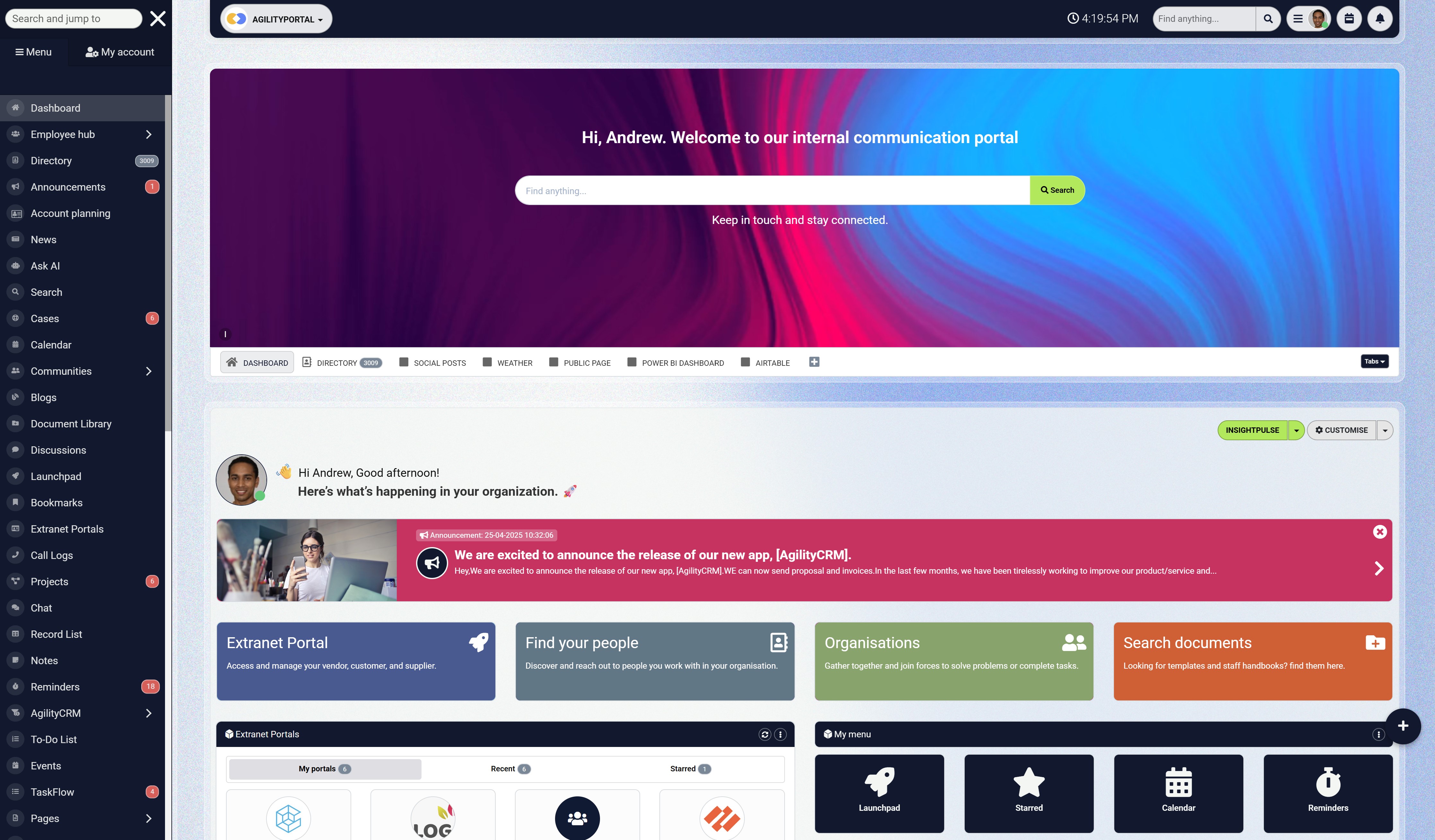
Where AgilityPortal Fits Into the Video Workflow
Once a workplace video is ready, employees need somewhere to find it, understand its purpose and ask questions. A training clip becomes more useful when the relevant instructions and supporting documents are available alongside it.
AgilityPortal can bring workplace videos, policies, learning resources and employee discussions together in one digital workplace. Teams can share an update through announcements, organise guidance in pages or the knowledge base, and use Spaces for questions and discussion.
For example, imagine your business introducing a new expenses process. Employees could access the video explanation alongside the written policy and submission instructions. If something is unclear, they have a place to ask rather than searching through separate email threads.
This approach helps content teams connect:
- Videos with supporting guidance: Give employees access to the details a short recording cannot cover.
- Training with questions: Let people clarify instructions and highlight missing explanations.
- Announcements with resources: Keep related information accessible after the initial update.
- Published content with ownership: Explain whom employees should contact when guidance needs correcting.
Editors and reviewers remain responsible for the video's accuracy. AgilityPortal provides a central place to share that approved content and the workplace information around it.
The value comes from helping employees use the message: finding the guidance, understanding what to do and knowing where to get help.
Secure access is the start. Bring the working day together.
Once employees sign in, they still need an easy way to find company updates, documents, conversations and colleagues. AgilityPortal brings those everyday resources together in one digital workplace.
- Share company news and team updates
- Keep documents and knowledge easier to find
- Connect people through conversations and a staff directory
What Should Content Teams Prepare for Next?
Content teams should prepare for a changing mix of responsibilities. As AI assists with production, businesses may give more employees the tools to create routine videos while asking experienced editors to spend more time shaping messages and checking quality.
These are possible developments to plan for, rather than guaranteed outcomes. The World Economic Forum's Future of Jobs Report 2025 identifies technological literacy and creative thinking among skills expected to grow in importance across the workforce. It doesn't predict exactly how video-editing teams will be organised.
More Self-Service Production for Routine Videos
Department managers and internal communicators may become more involved in preparing straightforward updates using approved templates and tools.
That could help teams respond to smaller requests more quickly. It also means people without editing experience need clear instructions on captions, source material and approval.
Provide templates, training and a named reviewer before expanding access.
Greater Emphasis on Creative Direction and Verification
Experienced editors may spend more time interpreting briefs, choosing a structure and assessing automated output.
Their judgement remains useful when deciding whether a video preserves context, explains a procedure clearly or represents a speaker appropriately. Managers should account for that work when setting deadlines and measuring performance.
Changes to Junior and Senior Responsibilities
If basic tasks become automated, junior editors will need deliberate opportunities to develop their skills. Senior staff may take on more coaching, workflow design and review.
Build supervised projects and discussions of editing decisions into the working week. Employees need to understand why an edit works, as well as how to produce it.
More Language and Accessibility Checks
Creating additional versions can expand access, but each version brings review work. Captions need checking, translations need to preserve meaning and on-screen instructions must remain readable.
Plan that review capacity alongside production. Making more versions available is useful only when employees can rely on them.
Stronger Ownership of Published Content
As video libraries grow, teams will need clearer responsibility for updates and retirement. A process change should trigger a review of affected recordings, extracts and language versions.
Assign owners and keep a record of where each approved version is published. This makes corrections easier to coordinate.
Management Decisions Based on Tested Results
Before changing staffing or expanding automation, assess the complete workflow:
- Has production time fallen?
- How much review and correction is required?
- Has the cost per approved video changed?
- Are employees receiving accurate, understandable guidance?
- Can the team maintain the additional content?
Plan around capabilities you can test today, then revisit job design as the evidence changes. Give employees the training and time to adapt, and use measured results to decide what comes next.
What Should Content Teams Prepare for Next?
Content teams should prepare for a changing mix of responsibilities.
As AI assists with production, businesses may give more employees the tools to create routine videos while asking experienced editors to spend more time shaping messages and checking quality.
These are possible developments to plan for, rather than guaranteed outcomes.
The World Economic Forum's Future of Jobs Report 2025 identifies technological literacy and creative thinking among skills expected to grow in importance across the workforce. It doesn't predict exactly how video-editing teams will be organised.
More Self-Service Production for Routine Videos
Department managers and internal communicators may become more involved in preparing straightforward updates using approved templates and tools.
That could help teams respond to smaller requests more quickly. It also means people without editing experience need clear instructions on captions, source material and approval.
Provide templates, training and a named reviewer before expanding access.
Greater Emphasis on Creative Direction and Verification
Experienced editors may spend more time interpreting briefs, choosing a structure and assessing automated output.
Their judgement remains useful when deciding whether a video preserves context, explains a procedure clearly or represents a speaker appropriately.
Managers should account for that work when setting deadlines and measuring performance.
Changes to Junior and Senior Responsibilities
If basic tasks become automated, junior editors will need deliberate opportunities to develop their skills. Senior staff may take on more coaching, workflow design and review.
Build supervised projects and discussions of editing decisions into the working week. Employees need to understand why an edit works, as well as how to produce it.
More Language and Accessibility Checks
Creating additional versions can expand access, but each version brings review work. Captions need checking, translations need to preserve meaning and on-screen instructions must remain readable.
Plan that review capacity alongside production. Making more versions available is useful only when employees can rely on them.
Stronger Ownership of Published Content
As video libraries grow, teams will need clearer responsibility for updates and retirement. A process change should trigger a review of affected recordings, extracts and language versions.
Assign owners and keep a record of where each approved version is published. This makes corrections easier to coordinate.
Management Decisions Based on Tested Results
Before changing staffing or expanding automation, assess the complete workflow:
- Has production time fallen?
- How much review and correction is required?
- Has the cost per approved video changed?
- Are employees receiving accurate, understandable guidance?
- Can the team maintain the additional content?
Plan around capabilities you can test today, then revisit job design as the evidence changes. Give employees the training and time to adapt, and use measured results to decide what comes next.
Final Thoughts
Will AI replace video editors in future?
Some tasks may become automated, and some roles may change significantly. For businesses, the practical response is to examine their workflows and test where AI delivers reliable results.
Routine updates may need fewer editing hours. Sensitive announcements and detailed training still require careful decisions about context, accuracy and what employees will understand. Those responsibilities should guide how teams introduce automation.
Start with one manageable use case. Provide approved tools, assign reviewers and measure the full cost—including corrections and rework. Give editors time to develop new skills, and preserve original recordings so changes can be checked.
Once the video is published, keep it connected to current policies, supporting resources and a clear route for questions. A central digital workplace such as AgilityPortal can help employees find that information together.
The opportunity is to give content teams more capacity while maintaining dependable communication. Judge success by what employees gain: clearer instructions, useful knowledge and confidence in the messages they receive.
The most valuable video is one that helps someone understand what to do next.
Frequently Asked Questions
Will AI replace video editors completely?
There's no reliable timetable for complete replacement.
AI video editing can automate parts of production, but its impact on jobs depends on the content, quality requirements and business decisions.
Editors still have responsibilities involving context, accuracy, creative direction and publication approval.
What do "will ai replace video editors reddit" discussions tell us?
Searching "will ai replace video editors reddit" can help you find personal experiences and concerns about automation. Treat individual comments as perspectives, rather than evidence of what will happen across the profession.
Check claims against documented tool capabilities and credible employment research.
What is the future of video editing?
The future of video editing may involve more automation of routine tasks alongside greater attention to creative direction, verification and content management.
The balance will vary between straightforward updates, complex productions and sensitive workplace communications.
Will AI affect video editor salary?
AI could change the tasks employers pay editors to perform, but it doesn't establish a universal increase or decrease in video editor salary. Pay depends on location, experience, employment arrangements and responsibilities.
Use current, local salary evidence when assessing compensation.
What skills matter for AI video editor jobs?
Roles described as AI video editor jobs may combine editing fundamentals with experience using AI-assisted tools. Read the actual job description: useful skills can include storytelling, audio and caption checks, output verification, stakeholder communication and managing approved content.
Which editing tasks can AI help with?
Depending on the tool, AI can assist with footage search, transcription, caption preparation, reframing and generating or extending material. Check each feature's limitations and review the output before publication.
Can AI create employee training videos?
AI can assist production, but a subject-matter expert should verify the instructions.
Teams should also check accessibility, captions and whether the demonstration matches the current procedure.
Are AI captions accurate enough for workplace use?
Treat automated captions as drafts until reviewed.
Names, technical terminology, figures and instructions need particular attention because a small error can change the meaning.
Can businesses upload employee recordings to AI tools?
Assess the recording and the specific tool before uploading. Use an approved workflow that addresses personal information, confidentiality, access, retention and permitted uses. Involve the appropriate privacy or security specialist where needed.
Who should approve an AI-edited leadership video?
The communication owner and speaker should approve the message. Include HR, Legal or subject-matter reviewers where the content requires their expertise, especially for sensitive organisational announcements.
How can employers help video editors adapt?
Provide approved tools, learning time and supervised projects. Help editors develop creative direction, verification and content-management skills while maintaining the technical fundamentals needed to assess automated output.
How should businesses measure AI editing savings?
Compare the total cost per approved video, including production, review, corrections and tool charges.
Assess accuracy and employee understanding alongside cost. Faster drafts alone don't establish savings.
Can AI replace graphic designers?
AI may automate parts of design production, but "can AI replace graphic designers?" is better assessed by examining specific tasks.
Producing a visual asset involves different responsibilities from interpreting a brief, developing a brand system and approving work for its intended audience.
What jobs will AI replace?
There's no dependable universal list answering "what jobs will AI replace?" Task automation can change responsibilities, staffing and demand without eliminating an entire occupation.
Assess what can be automated, what review remains necessary and how employers choose to reorganise work.
Will AI replace accountants?
"Will AI replace accountants?" raises a similar distinction between tasks and professional responsibility. Automation can assist with parts of a workflow, while interpretation, checking and accountability require separate assessment.
A prediction about video editing shouldn't be applied directly to accounting.
AI Summary
- AI can automate parts of video editing, but its impact on jobs depends on the tasks involved, quality requirements and business decisions.
- AI-assisted features can help teams search footage, prepare captions, improve audio and create different versions of workplace videos, depending on the tool.
- Editors still need to check context, factual accuracy, instructions, accessibility and whether the finished video preserves the speaker’s intended meaning.
- Employee recordings, synthetic voices and generated likenesses need clear usage rules, appropriate permissions and checks on how each AI feature handles information.
- Businesses should train editors for changing responsibilities and measure total production costs, including review, corrections, tool charges and ongoing maintenance.
- A controlled pilot should use approved material, assign reviewers and content owners, and establish a straightforward process for correcting or replacing inaccurate videos.
Most Popular Posts

Effective communication among team members is vital for the productivity and success of any organization. Surprisingly, 60% of companies lack a long-term internal communication strategy, which p...


Businesses thrive on communication for efficiency, productivity and accomplishment. When the right information is passed from the right designation in the organization, it promotes positivity an...

Categories
Blog
(3196)
Business Management
(395)
Employee Engagement
(235)
Digital Transformation
(218)
Growth
(150)
Intranets
(141)
Internal communications
(106)
Remote Work
(68)
Sales
(53)
Collaboration
(52)
Customer Experience
(32)
Culture
(30)
Knowledge Management
(29)
Project management
(29)
Leadership
(20)
Comparisons
(9)
News
(1)

Related Posts

Could AI produce your next workplace video faster—and still deliver a message your employees can trust? As more businesses use video for onboarding, training and leadership updates, one question keeps coming up: will AI replace video editors in...

Could the best machine learning systems help your employees spend less time sorting requests, updating spreadsheets and chasing information—and more time doing useful work? That's the opportunity, but finding the right system starts with knowin...

What would happen to your team's work and customer information if an employee's MacBook disappeared today? If you're wondering how to protect your Mac physically, the answer goes beyond buying a case. A MacBook used at home, on a train or in a ...

Welcome to AgilityPortal's guide to the best VPN for Remote teams. How do you give employees secure access to company systems when they work from home, the office and everywhere in between? It's a question more businesses need to answer: 28% of worki...

Have you ever left a meeting thinking everyone agreed on the next step, only to discover a week later that each person remembered something different? Open source meeting transcription can help teams keep a searchable record of the conversation...


Jill Romford
I am a digital nomad, lover of exploring new places and making friends.
I love to travel and I love the internet. I take pictures of my travels and share them on the internet using Instagram.
Traveler, entrepreneur, and community builder. I share my insights on digital marketing and social media while inspiring you to live your fullest life.
Ready to learn more? 👍
One platform to optimize, manage and track all of your teams. Your new digital workplace is a click away. 🚀
Free for 14 days, no credit card required.