
Insight Blog
Agility’s perspectives on transforming the employee's experience throughout remote transformation using connected enterprise tools.
51 minutes reading time
(10255 words)
Customer Service AI Agent: 4 Tools Reviewed to Help Your Team Respond Faster in 2027

Customer Service AI Agent: 4 Tools Reviewed to Help Your Team Respond Faster in 2027
Compare four customer service AI agent tools, their pricing, channels and limitations. Learn how to speed up replies while supporting staff and customer trust.
Customer Service AI Agent: 4 Tools Reviewed to Help Your Team Respond Faster in 2027

How many customers could your business lose while your team is too busy to answer—and could a customer service AI agent help close that gap?
Missed calls and unanswered messages can mean lost bookings, frustrated customers and more pressure on employees already juggling competing demands.
The pressure to adopt AI is growing too. Gartner's February 2026 research found that 91% of surveyed customer service and support leaders faced executive pressure to implement AI.
That signals urgency, but it doesn't prove that every tool delivers better service.
of surveyed customer service and support leaders reported executive pressure to implement AI
Gartner’s February 2026 findings show that 91% of surveyed customer service and support leaders faced executive pressure to implement AI. The research surveyed 321 leaders in October 2025. This measures adoption pressure, not successful deployment. For businesses choosing a customer service AI agent, it reinforces the value of a focused pilot, clear ownership and meaningful service-quality checks before a wider rollout.
Source: Gartner, February 2026 customer service leadership findings
Meanwhile, Microsoft's 2025 Work Trend Index reported that 80% of the global workforce lacked the time or energy to do their job.
For business leaders, that wider capacity gap raises a practical question: how can you improve support without simply asking employees to work harder? blogs.microsoft.com
AI agents can handle routine enquiries and approved tasks, but inaccurate answers or difficult handoffs can undo those benefits.
In this article, we'll review SleekFlow, Replify, Zendesk and Voiceflow, compare their capabilities, costs and limitations, and give you a practical checklist for choosing a tool that helps customers get answers faster while supporting your team.
Key Takeaways
- Choose a customer service AI agent around your team’s main support problem, preferred channels and ability to maintain the service.
- SleekFlow, Replify, Zendesk and Voiceflow offer different approaches: messaging-led support, fitness reception, shared helpdesk workflows and custom agent building.
- A fast reply is only useful when it provides accurate information, completes the approved task or passes the request to an employee effectively.
- Starting prices rarely show the full operating cost; compare subscriptions, usage, channel charges, integrations and employee maintenance time.
- Reliable knowledge, restricted permissions, clear ownership and employee training help prevent mistakes and support customer trust.
- Run a focused pilot and assess genuine resolutions, repeat contacts, customer effort and staff workload before expanding automation.
Faster replies are useful. Faster mistakes aren't.
Nobody wants to wait hours for a simple answer.
If a customer needs your opening times, booking instructions or details about a service, an AI agent can help them get that information sooner—even when your team has finished for the day.
That can also give employees breathing room.
Instead of repeatedly answering the same questions, they can focus on customers who need personal attention or a more detailed explanation.
But speed only helps when the answer is right.
An agent that confidently shares an outdated policy or promises an unauthorised refund creates another problem for your team to resolve. The customer expects the business to honour what they've been told, while the employee taking over has to explain the mistake.
Imagine a gym member asking, "What time do you close tonight?" That's a straightforward question, provided the agent has the correct opening hours for that location.
Now consider, "I cancelled last week, so why have you charged me again?"
That requires account verification, payment history and an understanding of the cancellation terms. The agent shouldn't guess or promise a refund before those details are checked.
Before allowing an AI agent to respond or act, put three things in place:
The goal is to resolve the request correctly with less effort for the customer and your team. An instant reply is useful; a trustworthy answer is what earns confidence.
If a customer needs your opening times, booking instructions or details about a service, an AI agent can help them get that information sooner—even when your team has finished for the day.
That can also give employees breathing room.
Instead of repeatedly answering the same questions, they can focus on customers who need personal attention or a more detailed explanation.
But speed only helps when the answer is right.
An agent that confidently shares an outdated policy or promises an unauthorised refund creates another problem for your team to resolve. The customer expects the business to honour what they've been told, while the employee taking over has to explain the mistake.
Imagine a gym member asking, "What time do you close tonight?" That's a straightforward question, provided the agent has the correct opening hours for that location.
Now consider, "I cancelled last week, so why have you charged me again?"
That requires account verification, payment history and an understanding of the cancellation terms. The agent shouldn't guess or promise a refund before those details are checked.
Before allowing an AI agent to respond or act, put three things in place:
- Approved information: Give it current policies and service details, with someone responsible for keeping them accurate.
- Clear action limits: Define what it can do independently and what needs human approval.
- A reliable handoff: Let customers reach a person easily, with the conversation history passed along.
The goal is to resolve the request correctly with less effort for the customer and your team. An instant reply is useful; a trustworthy answer is what earns confidence.
What does a customer service AI agent actually do?
A customer service AI agent is software that uses AI to understand enquiries, find relevant information and, when connected to the right systems, carry out approved support tasks.
Think about the questions your team receives every day: "When are you open?", "Where's my order?" or "Can I change my booking?" An AI support agent may help with these requests, but its capabilities depend on the information, integrations and permissions you give it.
Some tools mainly answer questions from a knowledge base. Others connect to booking platforms, customer relationship management (CRM) systems or helpdesk software to retrieve account details and complete tasks.
That distinction matters when comparing AI customer service tools.
Answering questions and taking action are different capabilities
Explaining your refund policy is one task. Issuing a refund is another.
To explain the policy, the agent needs access to an accurate, approved source. To process the refund, it needs a connection to the relevant payment system, appropriate permissions and checks that establish whether the request qualifies.
For example, a customer might ask:
"My class was cancelled. Can you return my payment?"
An answering assistant could explain the cancellation policy.
A task-performing agent could potentially verify the booking, check eligibility and submit an authorised refund. It should only confirm completion after the payment system reports that the action succeeded.
For customer service automation to work reliably, businesses need to define:
- What the agent can access: Public information, booking records or authenticated account details.
- What it can change: Such as updating an appointment or creating a support ticket.
- What requires approval: Refund exceptions, account closures or other sensitive actions.
- What happens if something fails: A clear explanation and a human handoff, rather than an unsupported promise.
These boundaries help employees understand what the system has actually done when they take over a conversation.
How is it different from a chatbot or an employee copilot?
The terminology can get confusing because vendors use "chatbot", "AI assistant" and "AI agent" in overlapping ways.
Focus on what the product does in your workflow.
| Type of tool | What it typically does | Workplace example |
| Scripted chatbot | Follows predefined questions, rules and responses. | Offers menu options for opening hours, bookings or contacting staff. |
| Generative AI assistant | Creates conversational answers using approved information. | Explains a membership policy from your knowledge base. |
| Task-performing AI agent | Uses connected tools to complete authorised steps. | Checks availability and changes a booking after verification. |
| Employee copilot | Helps a human employee prepare or handle a response. | Drafts a reply or summarises a conversation for staff to review. |
A single conversational AI platform may combine several of these capabilities.
For example, it might answer routine questions automatically, offer AI-powered responses for employees to review and route unresolved requests through a helpdesk.
When evaluating a customer support AI agent, ask three practical questions: Can it answer accurately? Can it complete the task safely? Can it pass the request to a person with useful context?
Those answers will tell you more than the product label alone.
How we compared these four tools
Choosing a customer service AI agent starts with understanding the problem your team needs to solve.
A busy fitness reception handling phone calls has different requirements from a support team managing tickets or a business building a custom website assistant.
We compared SleekFlow, Replify, Zendesk and Voiceflow using seven practical criteria:
- Channel and workflow fit: Does the tool support the channels your customers use, and does it fit how your employees manage enquiries?
- Knowledge quality: How can you provide approved information, update policies and manage questions the agent cannot reliably answer?
- Integrations and authorised actions: Can it connect to relevant booking, CRM or helpdesk systems? What controls govern the actions it can perform?
- Human handoff: Can customers reach an employee easily, with enough conversation history to avoid repeating themselves?
- Security and governance: What access controls, privacy information and oversight options are documented, and which depend on the selected plan?
- Total cost: What will you pay beyond the starting subscription, including seats, locations, AI usage, channel charges and optional services?
- Ongoing maintenance: Who will update information, review errors and maintain workflows as your business changes?
This is a desk-researched comparison based on publicly available product documentation and pricing information checked on 4 October 2026. We haven't conducted hands-on testing or independently measured response speed, accuracy or customer satisfaction.
Our recommendations therefore focus on suitability for different business needs. Before buying, test your own enquiries, confirm the required features and request a cost estimate based on realistic usage.
A tool's documented capabilities can help you build a shortlist; a focused pilot will show how well it works for your team.
Customer Service AI Agent Tools at a Glance, That You Should Consider for 2027
Which tool fits the way your customers contact you?
This comparison gives you a quick view of SleekFlow, Replify, Zendesk and Voiceflow, including their main use cases, support channels and pricing.
Use it to build your shortlist, then check the features and total costs for your team.
| Tool | Best for | Where it answers | Starting price and cost considerations |
| SleekFlow | Teams managing customer support mainly through messaging | WhatsApp, Instagram and supported messaging and website chat channels | Pro displays US$109/month billed annually. Contact limits and channel charges affect the total cost. |
| Replify | Fitness, wellness and recreation businesses with frequent reception calls | Phone, text, email and website chat | Core starts at US$300/month per location, with included usage limits and additional charges for overages. |
| Zendesk | Teams coordinating enquiries through a shared helpdesk | Email, ticketing and messaging; voice depends on the setup | Suite Team starts at US$55 per human agent/month billed annually. Check AI resolution allowances, additional usage and add-ons. |
| Voiceflow | Businesses with a team building and maintaining a custom AI agent | Website chat, voice and connected applications, depending on deployment | Request current business pricing. Budget for the plan, usage credits, optional add-ons and ongoing maintenance. |
Pricing information checked on 4 October 2026. These figures use different billing models, so compare the cost at your expected enquiry volume—not just the starting price.
Channel note: SleekFlow labels email and VoIP as "coming soon" in its navigation. Confirm availability before including either in your rollout.
Disclaimer: This comparison is based on publicly available product documentation and pricing checked on 4 October 2026, rather than hands-on testing. Prices, features and channel availability may change or vary by plan, region and billing terms. Starting prices may exclude taxes, usage charges, integrations and optional add-ons. Confirm current details with each provider and test your own support workflows before purchasing.
How can AI agents help with customer support?
The most useful customer service AI agent takes pressure off your team while helping customers get what they need.
That might mean answering a straightforward question, directing an enquiry to the right department or completing an approved booking change.
Here are some common ways businesses can use AI customer support tools, depending on the platform and its configuration:
- Answer routine questions: Use an approved knowledge base to respond to questions about opening hours, services, membership terms or booking instructions. This can give customers quicker access to information while reducing repetitive work for employees.
- Organise and route enquiries: Identify the subject of an incoming request and send it to the appropriate support queue. For example, a billing question can go to accounts, while a technical problem reaches the IT support team.
- Complete authorised tasks: With suitable integrations and permissions, an agent may retrieve order updates, change appointments or process eligible requests. Sensitive actions, such as refund exceptions, should have clear approval rules.
- Help employees prepare replies: AI-powered assistance can draft responses or summarise previous conversations for staff to review. This is useful when you want faster preparation while keeping a person responsible for the final answer.
- Use relevant customer context: An approved CRM integration can help the agent retrieve account details or previous enquiries, subject to identity checks and access controls. Customers may then spend less time repeating information.
- Highlight recurring problems: Conversation analysis can help teams spot frequently asked questions, confusing policies or repeated service issues. These findings should guide improvements to your knowledge base, employee training and customer experience.
- Support enquiries across channels: Some conversational AI platforms work across messaging, website chat, email or voice. Check which channels support the capabilities you need and whether conversation history carries across them.
These use cases don't all require the same technology. A messaging platform, an AI receptionist, a helpdesk suite and a custom agent builder can each support different parts of customer service automation.
The four tools below represent those different approaches. Our comparison uses publicly available product documentation and pricing, with attention to workflow fit, human handoff, costs and ongoing maintenance.
Our 4 Best Customer Service AI Agent Tools
1. SleekFlow: Best Overall for Messaging-First Clubs
Clubs of any type that want one AI agent handling enquiries, bookings, renewals, and member questions across the apps members already use.
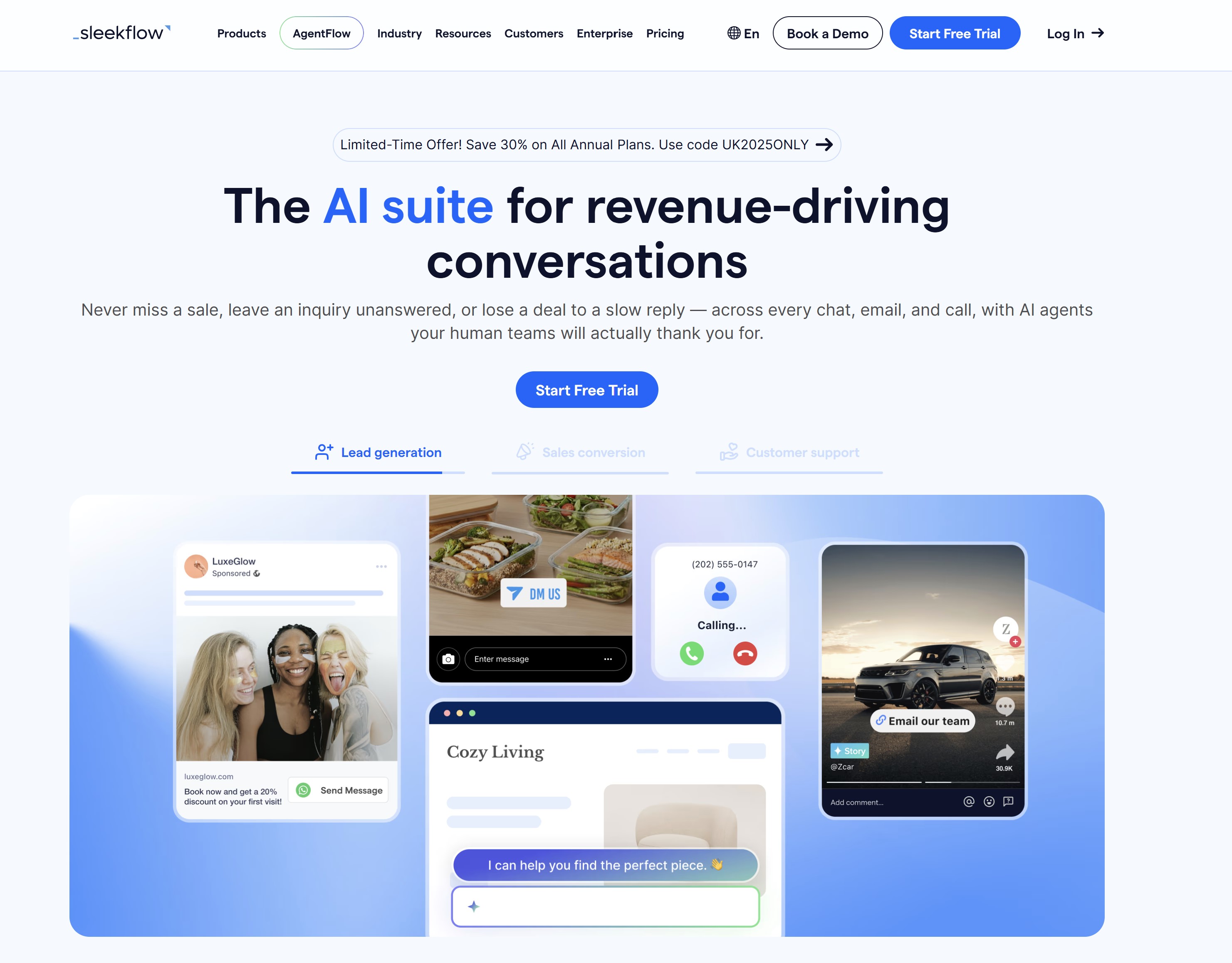
SleekFlow is an omnichannel AI suite used across 70+ countries, and an official Meta partner and WhatsApp Business Solution Provider.
It brings WhatsApp, Instagram, TikTok, website chat, email, and calls into one inbox linked to member profiles, so a prospect who asked about fees on Instagram and later renewed on WhatsApp is just one record, not two.
1. SleekFlow: Best Overall for Messaging-First Clubs
What this looks like at work
Imagine a prospective gym member asking about membership options through WhatsApp. An agent could explain the available tiers using approved club information and capture their interest in a tour.
Booking that tour requires a working connection to the booking system. Similarly, sending a payment link and confirming payment are separate steps. The agent should only report a completed action after receiving confirmation from the relevant system.
If the conversation becomes a complaint about a cancellation charge, staff should take over with enough context to understand what has already happened.
Standout features
- Shared conversation management: An omnichannel inbox helps employees organise enquiries from supported channels.
- Answers based on company information: Approved FAQs, policies and service details can support more relevant responses.
- Configurable automation: Its flow builder supports branching customer journeys and routing rules.
- Connected actions: Documented API and webhook options can support workflows involving external systems, subject to plan and configuration.
- Operational visibility: Analytics can help teams review conversation volumes, workloads and service activity.
Limitations and checks before buying
Don't assume an inbox connection means the AI can perform every task on that channel. Check what AgentFlow supports, which integrations require a higher plan and how employees receive escalated conversations.
SleekFlow's public page also labels email management and VoIP calls as "coming soon" in its navigation, despite broader descriptions elsewhere. Confirm production availability before including either in your rollout.
During a pilot, test:
- Questions involving different locations, prices or membership terms.
- Missing or outdated knowledge.
- Requests to book, change or cancel an appointment.
- Failed integrations and incomplete actions.
- A customer asking to speak to an employee.
- Access permissions for customer information.
Request current security and compliance documentation, including its scope. Certifications alone don't establish that your particular workflow meets every privacy requirement.
Pricing
SleekFlow's public Pro display currently shows US$109 per month billed annually, while Premium displays US$279 per month billed annually. Enterprise pricing is custom. Monthly active contact limits, channel charges and optional services affect the total cost.
The page promotes a free trial; confirm any ongoing free-plan availability separately. Pricing checked on 4 October 2026.
Our verdict
SleekFlow is worth shortlisting for businesses handling substantial customer conversations through messaging. Its suitability depends on whether the required channels, integrations and handoffs work together reliably. Test those connections before expecting the agent to manage bookings, payments or account changes independently.
Managing customer enquiries across messaging channels? Consider SleekFlow
SleekFlow combines a shared conversation inbox with configurable AI agents and automation. It is worth investigating when your customers mainly contact your team through WhatsApp, social messaging or website chat.
- Organise enquiries from supported messaging channels
- Use approved knowledge and configured integrations to support responses and actions
- Test human handoffs, channel availability and contact-based costs
2. Replify: Best for Phone-Heavy Fitness Operators
When reception staff are helping members, showing visitors around and managing bookings, every ringing phone creates another interruption.
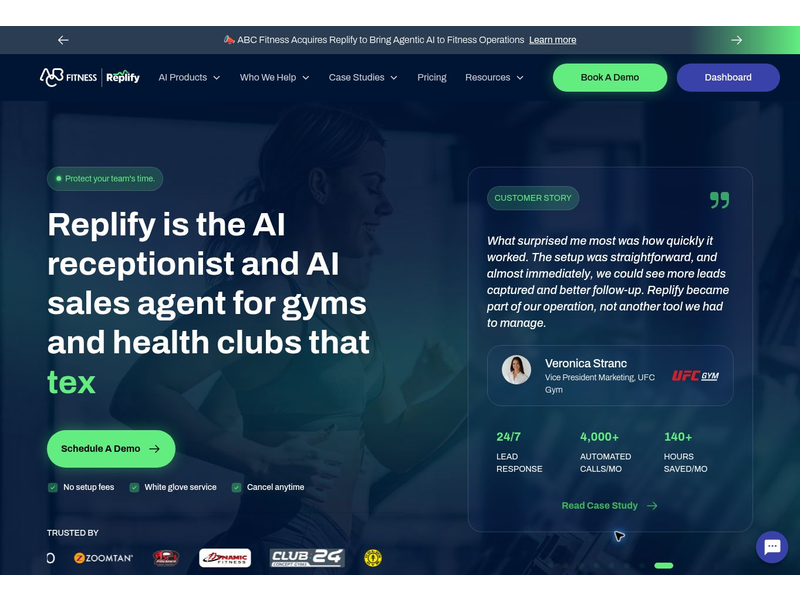
Replify targets this problem with an AI receptionist and customer service platform built for fitness, wellness and recreation businesses. It supports enquiries across phone, text, email and website chat, alongside lead capture and sales follow-up.
For operators comparing customer service AI agent tools, its specialist focus makes it worth investigating.
The important question is whether its configured workflows can handle your members' requests and work with your existing systems.
2. Replify: Best for Phone-Heavy Fitness Operators
Workflow automation and approvals
What this looks like at work
Imagine a receptionist helping a new member while someone calls to ask about opening hours and arranging a tour. In a configured workflow, the AI receptionist could answer the routine question and capture the tour enquiry, allowing the employee to continue helping the person in front of them.
A disputed membership charge needs a different approach. The agent should follow your escalation rules and pass the relevant details to an authorised employee.
Standout features- Phone-based reception support: Inbound call answering is a core part of the offering, making it relevant to businesses where calls regularly interrupt frontline work.
- Support across several channels: Text, email and website chat extend coverage beyond the telephone.
- Enquiry capture and follow-up: Its sales and service tools support operators managing prospective members as well as existing customers.
- Fitness-system connections: Replify names systems including ABC Fitness, ClubReady and Mindbody among its integration options. Confirm the exact connection and supported actions for your setup.
- Conversation review: Downloadable call recordings can help managers review interactions, subject to appropriate privacy and retention arrangements.
Its sector focus is useful, but don't assume every membership, booking or billing workflow is supported automatically.
Ask the provider to demonstrate your actual process, including what happens when an integration fails.
During a pilot, test:
- Accents, background noise and interrupted conversations.
- Different opening hours and policies across locations.
- Whether booking details reach the correct system.
- Requests for a person, including outside staffed hours.
- Sensitive enquiries that should immediately reach an employee.
Check security documentation, access controls and data-handling terms separately. SleekFlow's AgentFlow features and certifications shouldn't be attributed to Replify.
PricingReplify currently lists Core at US$300 per month per location, Plus at US$500 per month per location, and custom Enterprise pricing.
Its public page promotes month-to-month terms with no setup fees. Included usage varies, and additional calls, texts or emails can increase the bill. Pricing checked on 4 October 2026.
Our verdictReplify is worth shortlisting for fitness and recreation businesses whose teams face frequent reception calls. Before committing, make it prove three things: it understands realistic enquiries, completes the required workflow correctly and hands customers over to staff when needed.
Is your fitness reception team constantly answering calls? Consider Replify
Replify provides AI reception and sales support for fitness, wellness and recreation operators. It is worth investigating when frequent calls and routine enquiries interrupt employees helping members in person.
- Explore reception support across phone, text, email and website chat
- Check connections to your existing booking and membership systems
- Test realistic calls, staff transfers and location-specific information
3. Zendesk — when support needs a shared system of record
When customer enquiries arrive through different channels, a fast response is only part of the job.
Employees also need to know who owns the request, what the customer has already been told and whether the issue has actually been resolved.
3. Zendesk — when support needs a shared system of record
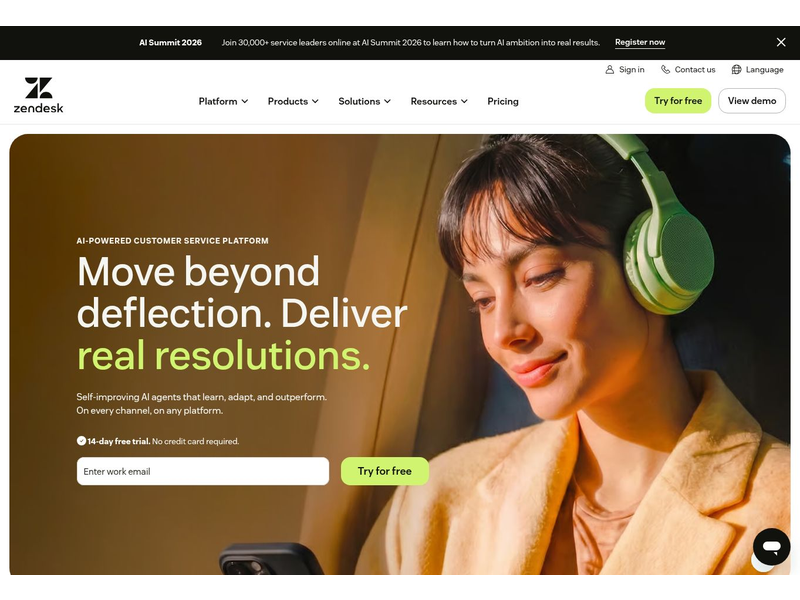
Zendesk brings ticketing, customer context, knowledge and support workflows into a shared helpdesk environment. Its AI agent capabilities can support automated responses and configured actions, while employees manage requests that need further attention. The available channels and features depend on the plan and setup.
For businesses comparing customer service AI agent tools, Zendesk is worth investigating when consistent case management matters—particularly if the team already uses its helpdesk.
What this looks like at workImagine an association member contacting support because they cannot access their account. The AI agent could provide approved troubleshooting guidance and gather details about the problem.
If those steps don't restore access, the enquiry should reach the appropriate employee with the conversation history attached. That gives staff a useful starting point and reduces the need for the member to explain everything again.
The important distinction is between sending instructions and confirming that access works. A quick answer shouldn't close the case while the customer remains locked out.
Standout features- Shared ticket management: Employees can organise enquiries, track ownership and follow requests through to resolution.
- Knowledge-based support: A knowledge base provides information for customer self-service and staff responses.
- Routing and automation: Configured rules help direct enquiries to the appropriate support team.
- Messaging and live chat: Suite plans combine these channels with the wider helpdesk workflow.
- Connected customer context: Keeping relevant information alongside the request can help employees continue a conversation more effectively.
Zendesk offers several plans and optional products, so check the complete configuration your team needs. Don't assume the entry price includes every AI capability, reporting feature or governance control.
Its AI billing also needs attention. Ask how automated resolutions are defined, what usage is included and how additional charges apply. Confirm how reopened cases and unsuccessful interactions are handled.
During a pilot, test:
- A customer returning because the first answer didn't solve the problem.
- An enquiry requiring identity verification.
- A request moving between departments.
- A human handoff with the conversation history intact.
- An outdated or conflicting knowledge article.
- The reported resolution status against what actually happened.
Review access controls, retention settings and supplier terms with your IT and privacy leads.
PricingZendesk Suite Team starts at US$55 per human agent per month billed annually. This is the relevant Suite starting point for the comparison, rather than Zendesk's cheapest overall subscription.
AI automated-resolution allowances, additional usage and optional products can affect the total bill. Confirm the required features and estimate costs using your expected enquiry volume. Pricing checked on 4 October 2026.
Our verdictZendesk is worth shortlisting when your main problem is fragmented support ownership and a lack of continuity between conversations.
Its value depends on well-maintained knowledge, sensible routing and a clear definition of successful resolution. Test those foundations alongside the AI features before expanding automation.
Need clearer ownership of customer support requests? Consider Zendesk
Zendesk brings ticketing, customer context and knowledge into a shared service environment. It is worth investigating when your team needs better continuity between automated responses and employee follow-up.
- Organise support requests with clear routing and case ownership
- Connect knowledge and customer context to service workflows
- Check AI resolution definitions, allowances and required add-ons
4. Voiceflow — when you want to build the conversation yourself
Sometimes, your customer support process needs more flexibility than a ready-made assistant provides.
You may want an agent to ask specific questions, retrieve information from different systems and follow a workflow designed around your business.
4. Voiceflow — when you want to build the conversation yourself
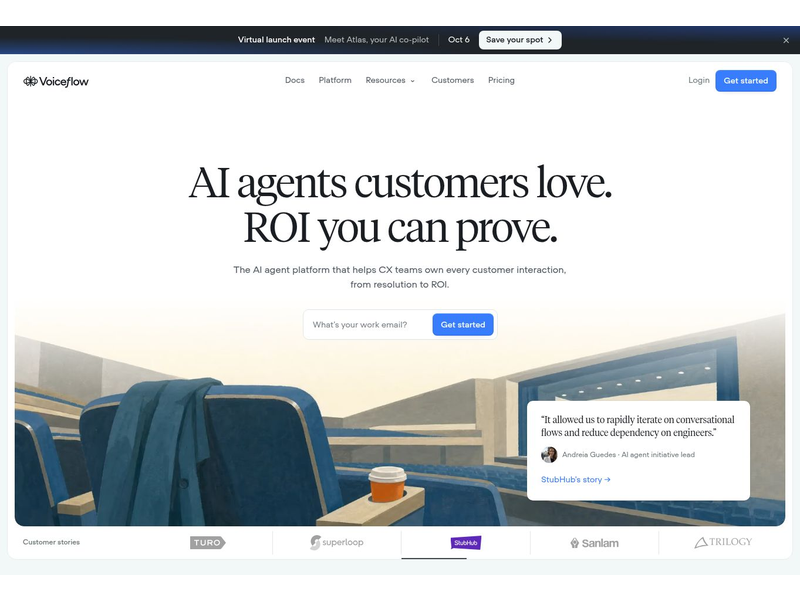
Voiceflow is a platform for building and managing conversational AI agents across chat and voice. Teams can design conversations, connect knowledge and tools, and deploy through supported channels. That makes it worth considering when you want control over how the agent responds and acts.
For businesses comparing customer service AI agent tools, the key question is whether you have the people and time to build, test and maintain a custom solution.
What this looks like at workImagine a recreation business building a website assistant that helps visitors choose a service and enquire about a booking.
A configured agent could ask which location they prefer, explain the available options using approved information and check availability through a connected booking system. It should confirm a reservation only after that system reports success.
If the connection fails or the visitor needs an exception, the workflow should explain what happened and provide a route to staff. Those steps need to be designed and tested alongside the conversation.
Standout features- Visual conversation design: Teams can map out how the agent responds, gathers information and moves between steps.
- Knowledge and tool connections: Agents can combine approved information with configured system interactions.
- Chat and voice deployment: Businesses can build experiences for supported digital and telephone channels.
- Testing and visibility: Documented testing, evaluation and conversation-review capabilities help teams identify problems.
- Configurable handoffs: Human handoff and voice forwarding can support escalation into existing service workflows, depending on the setup.
Custom control brings ongoing responsibility. Someone needs to maintain the knowledge, integrations, permissions and conversation logic as your business changes.
A visual builder can make configuration more approachable, but connecting live systems may still require technical support. Budget for that work, including maintenance after launch.
During a pilot, test:
- Unexpected questions and incomplete customer information.
- Conflicting or outdated knowledge.
- Failed API calls and unavailable systems.
- Attempts to trigger unauthorised actions.
- Human handoffs with useful context.
- Usage costs during longer conversations.
- How changes are tested and reversed if they cause problems.
Assign a maintenance owner so the service doesn't depend entirely on the person who originally built it.
PricingVoiceflow's current public business page asks organisations to request pricing. Its billing documentation describes a combination of plan fees, optional add-ons and usage credits, with current amounts available through its Plans and Billing area.
The US$60 per month figure appears in an April 2025 announcement and should not be treated as a verified current quote. Include build time, maintenance and any telephony costs when comparing the total expense. Pricing information checked on 4 October 2026.
Our verdictVoiceflow is worth shortlisting when your business needs a custom support workflow and has a team prepared to own it.
Before committing, build a small working example and test the complete journey—from the customer's first question to a confirmed outcome or a successful handoff.
Need an AI support workflow built around your business? Consider Voiceflow
Voiceflow helps teams design and manage conversational AI agents across supported chat and voice channels. It is worth investigating when your business wants custom control and can own ongoing maintenance.
- Design conversations around your approved support processes
- Connect knowledge and tools for configured customer-service tasks
- Test failed actions, human handoffs and usage costs before launch
Which tool fits the problem your team actually has?
Start with the work that slows your team down.
Are employees switching between messaging apps, constantly answering the phone or chasing enquiries nobody clearly owns?
Your answer should guide the shortlist.
The right customer service AI agent needs to fit your support channels, existing systems and capacity to maintain it.
| Main problem | Tool to investigate | What to check before choosing |
| Customer conversations mainly happen through messaging | SleekFlow | Whether your required channels are supported, how conversations reach staff and what contact or channel charges apply. |
| Fitness reception staff face frequent calls | Replify | Whether it handles realistic calls, connects to your booking system and transfers sensitive enquiries appropriately. |
| Tickets and support ownership are fragmented | Zendesk | Whether routing, customer history and case ownership improve your workflow, and how AI resolution charges affect costs. |
| The business needs a custom conversational workflow | Voiceflow | Whether you have a named owner and enough technical support to build, test and maintain the agent. |
These are starting points for evaluation. A tool can look suitable on paper and still fall short when it encounters your policies, customer questions or system connections.
Before buying, ask each shortlisted provider to demonstrate the same realistic requests: a routine question, a task requiring account verification, a failed action and a customer asking for a person.
Compare whether the request reaches a useful outcome and how much work remains for employees.
If your policies are outdated or nobody owns escalated enquiries, address those gaps first. Reliable knowledge and clear responsibilities give whichever tool you choose a stronger foundation.
The starting price isn't the cost of running the service
A low monthly price can make an AI customer support tool look affordable. But the subscription may cover only part of what your business needs. Once you add employees, locations, usage and system connections, the total can look quite different.
Before comparing providers, use this budgeting formula:
Total cost = subscriptions + seats or locations + AI usage + channel charges + integrations + maintenance.
Check whether the base subscription already includes seats, locations or usage allowances so you don't count them twice.
Understand what you're paying for
Providers use different billing units, which makes headline prices difficult to compare. Ask what each charge means in practice:
- Automated resolutions: What qualifies as a successfully resolved enquiry? How are reopened cases, abandoned conversations and human handoffs treated?
- Active contacts: Does the allowance count unique customers who interact during the month? What happens when you exceed it?
- Usage credits: Which activities consume credits, and how much might a typical conversation use?
- Channel charges: Are messaging, telephone numbers, calls or other channel costs included or billed separately?
- Overages: What rate applies after your included allowance runs out?
- Automatic top-ups: Can extra credits or a higher usage tier be purchased automatically? Can you set limits and alerts?
Get these definitions in writing. A vendor's billing category may not match your own definition of a customer problem being solved.
Budget for a normal month—and a busy one
Estimate costs using your actual enquiry volumes, preferred channels, staff numbers and locations. Then model a busier period, such as a promotion, seasonal surge or service disruption.
Ask the provider to explain what happens in both scenarios. Will the bill increase, will the agent stop responding, or will enquiries move to staff?
Include the work needed to keep the service useful: updating policies, checking conversations, fixing integrations and training employees. Those tasks consume time even when they don't appear on the software invoice.
Finally, compare cost per successfully resolved enquiry alongside answer quality, repeat contacts and employee workload. An inexpensive reply that sends the customer back to your team still carries a cost.
What happens when the agent confidently gives the wrong answer?
A customer service AI agent can give an incorrect answer in perfectly clear, reassuring language.
That makes the mistake harder for customers to spot—and leaves employees handling expectations the business never intended to create.
The problem might involve outdated information, conflicting policies or an answer the system generates without sufficient evidence. Whatever the cause, customers experience it as advice from your business.
An outdated cancellation policy becomes a frontline problem
Consider this illustrative scenario: a fitness business changes its membership cancellation policy, but its AI agent still uses the previous version.
A member asks whether they qualify for a refund. The agent says yes. When they contact reception, the employee checks the current policy and explains that the refund isn't available under those terms.
The member understandably responds: "But your assistant told me I could have it."
Now, a routine enquiry has become a complaint. The employee must investigate the conversation, involve a manager and explain conflicting information. Any time saved by automation may be lost resolving the mistake.
What should have happened?
The policy update should have reached every approved information source, with a named owner checking the change. An uncertain refund request should have moved to an authorised employee before a promise was made.
Real-world example: Air Canada's chatbot gave incorrect fare advice
In Moffatt v. Air Canada, decided in February 2024, a customer relied on the airline's chatbot advice about applying for a bereavement discount after travelling.
That advice contradicted the airline's actual policy.
When the customer requested the adjustment, Air Canada refused. British Columbia's Civil Resolution Tribunal subsequently found the airline liable for negligent misrepresentation and awarded compensation.
Having correct information elsewhere on the website did not resolve the misleading chatbot answer.
The practical lesson is that linking to a policy page doesn't make an incorrect response reliable. Businesses should test whether generated answers accurately reflect the conditions and exceptions in the source.
Real-world example: New York City's business-information chatbot
An official audit of New York City's MyCity system documented inaccurate information and inconsistent chatbot responses. It also raised concerns about whether the available testing evidence adequately demonstrated checks for those problems.
This illustrates a different weakness: launching an information service is only the beginning. Teams need repeatable tests, records of failures and a process for checking that corrections work.
These examples concern chatbot services, rather than independent tests of the four products reviewed here. They show why conversational support systems need ongoing oversight.
Give employees a clear way to correct mistakes
Build these safeguards into your customer support workflow:
- Maintain approved sources: Remove superseded policies and give current information an owner and review date.
- Test important changes: Check answers about prices, cancellations and eligibility whenever those details change.
- Limit unsupported promises: Escalate uncertain requests before confirming refunds, bookings or exceptions.
- Preserve conversation history: Let staff see what the customer was told and which actions actually completed.
- Record and investigate errors: Correct the immediate problem, then check whether other customers received the same answer.
- Support frontline employees: Give them an escalation route and authority to seek a fair resolution.
A confident answer can create a real expectation. Your team needs the knowledge, authority and support to respond when that expectation rests on a mistake.
Is this really something HR should worry about?
Yes—because introducing a customer service AI agent changes the work employees do, the skills they need and how their performance is judged.
HR should help shape those changes alongside service managers and IT.
If automation handles straightforward enquiries, the remaining workload may contain more complaints, exceptions and sensitive conversations.
Employees could deal with fewer requests while spending more time and emotional energy on each one.
of the global workforce reported lacking the time or energy to do their job
Microsoft’s 2025 Work Trend Index reported that 80% of the global workforce lacked the time or energy to do their job. This is a wider workforce finding, not a customer-service-only statistic or proof that AI reduces workload. For HR and operations leaders, it supports checking whether automation gives employees useful capacity after accounting for complex handoffs, review and correction work.
Source: Microsoft, 2025 Work Trend Index
Involve employees before changing their workflow
Frontline staff know which questions are genuinely repetitive and which only appear simple.
A cancellation request, for example, might involve a billing error, financial difficulty or a customer who has already received conflicting advice.
Before rollout, ask employees:
- Which enquiries could safely be automated?
- Which situations need human judgement from the start?
- What information should accompany an escalated request?
- Where are existing policies unclear or difficult to find?
- What support would help them manage the new workflow?
Explain the purpose of the rollout and any planned changes to responsibilities. Uncertainty about job security or performance expectations can undermine trust before the tool is even introduced.
Train people for the work that reaches them
Employees need more than a demonstration of the software.
They should know how to review an AI conversation, verify completed actions, correct inaccurate information and report recurring problems.
Managers also need training. They must be able to distinguish an employee performance issue from a failure in the agent's knowledge, routing or integration.
Keep approved procedures and escalation guidance easy to find, and give staff a clear contact when they need help.
Don't automatically raise productivity targets
Automating routine enquiries doesn't mean employees can handle twice as many complex cases. A disputed payment or distressed customer requires different effort from an opening-hours question.
Review targets using evidence from the pilot.
Consider:
- The complexity of cases reaching employees.
- Time spent investigating and correcting AI mistakes.
- Repeat contacts and unresolved requests.
- Customer outcomes and service quality.
- Employee workload and feedback.
Update expectations when the evidence supports it, and explain how performance will be assessed.
The aim should be to give employees more capacity to deliver thoughtful support. HR helps ensure that time saved through automation becomes useful breathing room rather than another reason to increase pressure.
Keep customer information inside clear boundaries
A customer service AI agent may need access to booking details or account information to complete a request. That access should have a clear purpose and defined limits.
The ICO's guidance on AI and data protection covers accountability, transparency, accuracy, security and data minimisation. It is currently under review following changes introduced by the Data (Use and Access) Act, so check the latest guidance when planning your deployment.
Give the agent only what it needsStart by separating general questions from account-specific requests. Explaining opening hours needs no customer record. Changing a booking may require verified access to a particular reservation.
As a practical design rule, provide the minimum information needed for each task. Avoid uploading entire customer databases or unrestricted document folders simply because the platform allows it.
Keep confidential employee information separate from public customer-service knowledge. HR records, salary details and internal complaints should never become answer sources for a customer-facing assistant.
Check identity before revealing or changing account detailsKnowing someone's name or email address shouldn't automatically grant access to their account.
Define suitable authentication steps before the agent shares private information or performs an action. Configure permissions so it can access only the records and functions required for its role.
For example, an agent helping with appointments might need permission to retrieve available slots and change a verified booking. It shouldn't receive unrestricted access to billing or employee systems.
Understand where conversations goBefore signing a supplier agreement, ask:
- Data use: Is conversation content used to train models, and what settings or contractual controls apply?
- Storage: Where are records processed and stored, and which other providers handle them?
- Retention: How long are chats, recordings and account details kept? Can you configure deletion?
- Access: Who can view transcripts, export records or change permissions?
- Contracts: What do the supplier terms say about processing responsibilities, security and incident handling?
- Customer information: How will you explain the service and its use of personal information clearly?
Document the answers and have the relevant IT, privacy and legal leads review them.
Assess the actual workflow before launchAssess the risks of what your agent will do, including the information it handles and the consequences of an incorrect disclosure or action.
Determine whether a data protection impact assessment is required rather than assuming every deployment has the same risk.
Test the boundaries too.
Try requests for another customer's details, confidential documents and actions outside the agent's authority.
Check what happens when authentication fails or a customer asks for information to be deleted.
Clear boundaries make the service easier to trust—and give employees a firmer understanding of what the agent can access, change and pass to them.
Who should own the agent after launch?
A customer service AI agent needs a named owner after it goes live.
Someone must be accountable for whether it helps customers, supports employees and operates within the business's rules.
The Head of Customer Service or Operations Director is usually a sensible service owner.
They understand the support workflow and should coordinate decisions about performance, escalation and expansion. Other teams contribute specific expertise
| Area | Suggested owner | Responsibility after launch |
| Service and operations | Head of Customer Service or Operations Director | Review customer outcomes, maintain escalation rules and decide when to expand, restrict or pause automation. |
| Knowledge maintenance | Knowledge Manager and relevant department managers | Keep approved answers, prices and policies current. Remove superseded information and check location-specific details. |
| IT integrations | IT Director or integration lead | Maintain system connections, monitor failed actions and ensure changes don't disrupt bookings, account updates or ticket creation. |
| Security | CISO or security lead | Review permissions, investigate suspicious activity and maintain an incident-response process. |
| Privacy and Legal | Data Protection Officer and Legal Counsel | Review data handling, retention, supplier terms and changes that introduce new privacy or contractual risks. |
| HR and training | HR Director and Learning & Development Manager | Support changing responsibilities, gather employee feedback and train staff to manage handoffs and errors. |
| Internal communications | Internal Communications Manager | Explain workflow changes and publish clear procedures, responsibilities and support contacts. |
| Frontline feedback | Customer service employees and supervisors | Flag inaccurate answers, incomplete actions and difficult handoffs, with enough detail for the responsible team to investigate. |
In a smaller business, one person may cover several areas. What matters is that each responsibility has a clear owner and a backup.
Make ownership part of everyday workEmployees should know where to report a bad answer and what to do while it's being investigated.
Review performance regularly, with additional checks after changes to policies, integrations or the agent's configuration. Look at repeat contacts, unresolved cases, customer feedback and staff workload alongside response speed.
Also define who can pause the agent or disable a particular action if something goes wrong. A named owner needs the authority to act, not simply responsibility for explaining failures afterwards
A practical pilot your team can run before a wider rollout
Start with one task your team understands well.
Opening-hours enquiries, basic service questions or booking guidance can give you a manageable way to evaluate a customer service AI agent before introducing more complex actions.
The pilot should answer a practical question: does this improve support without creating more work elsewhere?
Use the following checklist to organise the trial.
- Choose a narrow problem. Define the enquiries the agent will handle and which requests must go straight to an employee.
- Record your starting point. Measure current response times, resolution times, repeat contacts and staff effort so you have something meaningful to compare.
- Involve frontline employees. Ask them to identify common questions, confusing policies and situations that need human judgement.
- Limit the initial scope. Choose one channel, location or customer group. Keep the trial small enough for staff to review what happens.
- Prepare approved knowledge. Check prices, opening hours, procedures and policy exceptions. Assign an owner and review date to each source.
- Set permissions and action limits. Define what the agent can access or change, when identity verification is needed and which actions require approval.
- Complete the relevant reviews. Check supplier terms, privacy arrangements, security controls and the risks of your chosen workflow.
- Test realistic conversations. Include vague questions, spelling mistakes, conflicting information, unsupported requests and failed system connections.
- Test the human handoff. Ask for a person, then check routing, conversation history and what happens when nobody is available.
- Publish clear operating rules. Give employees an accessible guide covering scope, escalation, ownership and error reporting.
- Train staff and supervisors. Show them how to take over, verify completed actions, correct information and report recurring problems.
- Control spending and service interruptions. Set available usage alerts and spending limits. Agree a fallback for outages or exhausted allowances.
- Launch with close supervision. Review a sample of conversations and invite staff feedback. Investigate serious errors promptly.
- Compare outcomes with your baseline. Check whether customers receive useful results and whether employees gain time after accounting for review and correction work.
- Make an evidence-based decision. Expand, revise or pause the workflow based on agreed criteria. Retest after significant policy or configuration changes.
Measure whether the request was actually resolved
An instant reply doesn't establish that the customer received help.
Use a balanced set of measures:
| Measure | What to check |
| Verified resolution | Was the question answered correctly or the requested action confirmed by the relevant system? |
| Repeat contact | Did the customer return about the same unresolved issue? |
| Customer effort | Did they have to repeat details, switch channels or struggle to reach staff? |
| Answer quality | Was the response accurate, relevant and consistent with approved information? |
| Employee workload | How much time went into handoffs, investigation, corrections and maintaining the agent? |
| Cost per successful case | What did the resolved request cost, including usage and human follow-up? |
Best all-in-one workplace operations platform
Agree your acceptance criteria before launch. A simple information assistant and an agent changing bookings will need different checks.
Expand when the evidence shows that customers get dependable help and employees can manage the service confidently.
A small pilot that exposes a problem early has still done its job.
Your knowledge platform matters as much as your AI platform
An AI agent needs reliable information, and so do the employees who take over its conversations.
If your cancellation policy sits in an old PDF, updated prices appear in a chat message and booking instructions live in someone's inbox, keeping answers consistent becomes difficult.
Choosing a customer service AI agent should therefore prompt another question: where does your team find the approved answer?
Give employees a dependable place to find information
A digital workplace such as AgilityPortal can bring service procedures, knowledge articles, staff updates and training into a central place. That gives employees somewhere to check the current guidance when handling enquiries or reviewing an AI response.
For example, when a membership policy changes, the responsible manager can update the approved procedure, communicate the change and make supporting guidance available to staff.
Employees then have a clearer basis for explaining the policy and spotting outdated answers.
Organise your customer-service knowledge around the work people actually do:
- Approved policies: Prices, eligibility rules, cancellations and service terms.
- Practical procedures: Steps for handling bookings, complaints and account enquiries.
- Escalation guidance: Situations requiring approval and the person responsible.
- Training material: Examples of good responses and instructions for managing handoffs.
- Change notices: What changed, when it takes effect and who needs to act.
Give important documents an owner and review date. Remove superseded versions from everyday use so staff don't have to guess which one applies.
Control what reaches the external AI agent
Centralising internal knowledge doesn't automatically make it available to SleekFlow, Replify, Zendesk or Voiceflow.
Sharing information with an external agent still requires an approved publishing or integration process.
Decide which content is suitable for customer-facing answers, how updates will reach the agent and who will test them. Keep confidential HR records, internal discussions and restricted documents outside that process.
A useful workflow is:
Approve the change → update staff guidance → publish the permitted information to the agent → test its answers.
AgilityPortal can support the internal knowledge, communication and training around that workflow. The external agent's configuration and connections need their own ownership and checks.
When employees and automation work from consistent, approved information, customers are less likely to receive conflicting answers—and staff have a stronger foundation for resolving the requests that reach them.
The future of service work needs stronger human skills
As AI takes on routine enquiries, businesses need to prepare employees for the work that remains.
A customer asking about opening hours needs a clear answer.
Someone dealing with a disputed payment or repeated booking failure may need investigation, reassurance and a person who can make a decision.
of workers’ core skills are expected to change by 2030, according to surveyed employers
The World Economic Forum’s Future of Jobs Report 2025 found that employers expect 39% of workers’ core skills to change by 2030. This is a broad workforce forecast, not a prediction that 39% of customer service jobs will disappear. For support teams, it reinforces the importance of training in exception handling, knowledge maintenance, workflow testing, empathy and quality assurance as responsibilities evolve.
The World Economic Forum's Future of Jobs Report 2025 found that employers expect 39% of workers' core skills to change by 2030.
That's a broad workforce finding, rather than a prediction that 39% of customer service jobs will disappear. It reinforces the importance of planning training alongside technology adoption.
For customer support teams, five areas deserve attention:
- Exception handling: Recognising when a request falls outside normal rules and involving someone with the authority to resolve it.
- Knowledge curation: Keeping answers accurate, removing outdated guidance and turning recurring questions into useful resources.
- Workflow testing: Checking that bookings, account updates and handoffs complete correctly, including when systems fail.
- Empathy and judgement: Understanding the customer's circumstances and responding thoughtfully when a standard answer isn't enough.
- Quality assurance: Reviewing conversations for accuracy, appropriate actions and genuine resolution.
Managers will need to support these responsibilities with time, training and clear authority. Reviewing AI mistakes or maintaining a knowledge base is work that belongs in someone's workload.
The opportunity is to use automation to create more space for human expertise. That requires deliberate job design: decide which tasks the agent handles, what employees take ownership of and how both will be evaluated.
Final verdict — choose better service, then measure the speed
The best customer service AI agent for your business depends on how customers contact you, which tasks need completing and who will maintain the service.
SleekFlow, Replify, Zendesk and Voiceflow offer different approaches. Use their strengths to build a shortlist, then test your own questions, system connections and human handoffs. Compare the complete cost, including the time employees spend reviewing conversations and correcting mistakes.
Start with a focused pilot and expand when the results justify it. Look beyond response time to verified resolution, repeat contacts, customer effort and employee workload. A fast answer has limited value if the customer must return tomorrow or your team spends an hour putting it right.
Reliable knowledge, clear ownership and practical training should be part of the rollout from the beginning. They give automation a dependable foundation and help employees manage the situations that require judgement.
The strongest outcome is straightforward: customers get useful answers with less effort, and employees gain more capacity to help where their experience matters most.
AI Summary
- A customer service AI agent can answer routine enquiries and complete approved tasks when connected to reliable knowledge and the appropriate business systems.
- SleekFlow suits messaging-led support, while Replify is particularly relevant to fitness, wellness and recreation businesses handling frequent reception calls.
- Zendesk suits teams coordinating enquiries through a shared helpdesk, while Voiceflow supports teams building and maintaining custom chat or voice agents.
- Compare total costs, including subscriptions, seats or locations, AI usage, channel charges, integrations and ongoing maintenance.
- Keep information current, restrict access and sensitive actions, and make it easy for customers to reach an employee with their conversation history intact.
- Start with a focused pilot, train employees and measure accurate resolutions, repeat contacts, customer effort and staff workload alongside response speed.
Most Popular Posts

Effective communication among team members is vital for the productivity and success of any organization. Surprisingly, 60% of companies lack a long-term internal communication strategy, which p...


Businesses thrive on communication for efficiency, productivity and accomplishment. When the right information is passed from the right designation in the organization, it promotes positivity an...

Categories
Blog
(3198)
Business Management
(395)
Employee Engagement
(235)
Digital Transformation
(218)
Growth
(150)
Intranets
(141)
Internal communications
(106)
Remote Work
(68)
Sales
(53)
Collaboration
(52)
Customer Experience
(33)
Culture
(30)
Knowledge Management
(29)
Project management
(29)
Leadership
(20)
Comparisons
(9)
News
(1)

Related Posts

How many customers could your business lose while your team is too busy to answer—and could a customer service AI agent help close that gap? Missed calls and unanswered messages can mean lost bookings, frustrated customers and more pressure on employ...

Could AI produce your next workplace video faster—and still deliver a message your employees can trust? As more businesses use video for onboarding, training and leadership updates, one question keeps coming up: will AI replace video editors in...

Could the best machine learning systems help your employees spend less time sorting requests, updating spreadsheets and chasing information—and more time doing useful work? That's the opportunity, but finding the right system starts with knowin...

What would happen to your team's work and customer information if an employee's MacBook disappeared today? If you're wondering how to protect your Mac physically, the answer goes beyond buying a case. A MacBook used at home, on a train or in a ...

Welcome to AgilityPortal's guide to the best VPN for Remote teams. How do you give employees secure access to company systems when they work from home, the office and everywhere in between? It's a question more businesses need to answer: 28% of worki...


Jill Romford
I am a digital nomad, lover of exploring new places and making friends.
I love to travel and I love the internet. I take pictures of my travels and share them on the internet using Instagram.
Traveler, entrepreneur, and community builder. I share my insights on digital marketing and social media while inspiring you to live your fullest life.
Ready to learn more? 👍
One platform to optimize, manage and track all of your teams. Your new digital workplace is a click away. 🚀
Free for 14 days, no credit card required.