
Insight Blog
Agility’s perspectives on transforming the employee's experience throughout remote transformation using connected enterprise tools.
1 hour and 1 minute reading time
(12214 words)
Featured
15 Best Employee Communication Apps (Fix Poor Internal Comms & Tool Overload)

15 Best Employee Communication Apps (Fix Poor Internal Comms & Tool Overload)
Struggling with poor internal communication and too many tools? Discover the 15 best employee communication apps ranked by use case, team size, pricing, and real pros & cons.
15 Best Employee Communication Apps (Fix Poor Internal Comms & Tool Overload)

Effective communication among team members is vital for the productivity and success of any organization.
Surprisingly, 60% of companies lack a long-term internal communication strategy, which puts them at risk. Inadequate internal communication can have detrimental effects, such as decreased morale, lower employee productivity, and increased employee turnover.
Fortunately, there are numerous employee communication tools available to address these challenges. Implementing these tools can enhance employee satisfaction and engagement while reducing the clutter in their inboxes.
However, with the abundance of options, selecting the most suitable tool for your team can be daunting.
In this article, I will evaluate what is an employee communication app and list 15 of the best internal comm apps on the market, the problems it solves, providing insights to help you choose the right functionality that aligns with your specific needs.
Key Takeaways You’ll Get From This Guide
- Employee communication apps are no longer optional in 2026 — they are essential for keeping teams aligned, informed, and engaged.
- The most effective apps combine messaging, updates, and collaboration instead of forcing employees to switch between tools.
- Mobile-first design is critical for reaching frontline, deskless, and remote workers consistently.
- Two-way communication drives engagement far more effectively than one-way announcements.
- Adoption depends on simplicity, relevance, and daily usefulness — not the number of features available.
- Communication tools should reduce email overload, not add another channel employees ignore.
- Analytics and engagement insights are necessary to understand what messages actually reach employees.
- Platforms like AgilityPortal stand out by unifying communication into a single experience employees actually use.
If your messages aren’t reaching employees or teams feel disconnected, this guide shows what modern communication apps must deliver in 2026.
What is an Employee Communication App?

Employee Communication App
Employee communication applications, often called Internal communication tools, Enterprise Social Network, or Employee Social Network, are online Employee Apps platforms that connect businesses with their workforce, primarily through mobile devices.
These applications serve as collaborative tools, offering various features such as personalization, two-way communication chat, and interactive elements.
An employee communication platform refers to a digital tool or software crafted to ease communication and connectivity within an organization. Such platforms are employed to streamline and enrich internal communication among employees, teams, and departments.
Their importance is ensuring that all employees can access materials that actively engage them in their work and contribute to their overall performance. Studies indicate that a lack of employee engagement results in an annual loss of over $4 million.
According to research, the average office worker receives 90 emails daily. Employees are expected to spend around 28% of their workweek reading and responding to emails.
Internal communication tools, typically presented as software or mobile applications, empower employees to engage in work-related discussions. These tools facilitate team collaboration, idea generation, and feedback exchange in an online environment, reducing dependence on in-person interactions.
Whether overseeing a remote or hybrid team, business leaders should establish a preferred communication method with their staff.
The subsequent step involves ensuring that every team member has access to the chosen communication platform, and managers should actively encourage its utilization.
The effectiveness of internal communication tools hinges on their adoption by the workforce. In this regard, companies need to be mindful of the devices employees use for communication.
If employees are expected to use their personal laptops or smartphones for work-related communication, organizations must acknowledge that the company's IT department cannot safeguard data that is outside its network.
However, the implementation of a communication application can significantly reduce this number.
What are the biggest internal communications challenges and how to solve them?
Here are some of the internal communication hurdles that may crop up.
By recognizing these challenges and proactively tackling them, you can foster a workplace that's more efficient and conducive to productivity.
#1.Communication silos
Communication silos, often encountered in businesses, depict isolated pockets of information sharing within teams or departments. This fragmentation obstructs cross-functional collaboration and diminishes organizational efficiency.
To tackle this challenge and dismantle information silos, fostering transparency is crucial.
To tackle this challenge and dismantle information silos, fostering transparency is crucial.
This involves:
- Encouraging open communication via regular cross-team meetings, shared platforms, and collaborative tools.
- Implementing clear communication protocols that underscore the significance of information sharing, with leadership actively promoting inter-departmental interaction.
- App for employee communication can be used for establishing opportunities for employees to engage beyond their immediate teams, fostering a knowledge exchange and collaboration culture.
So of the best internal communication platforms can help solve and improve communication silos.
#2. Information overload
Information overload presents a significant internal communication challenge in today's workplace, as employees are frequently inundated with emails and notifications from various apps and tools throughout the day.
This inundation can leave employees feeling overwhelmed, stressed, and unable to prioritize essential information. Moreover, it can lead to misunderstandings, missed opportunities, and overlooked information.
Several strategies can be employed to overcome information overload in internal communication. Firstly, ensuring that information is well-organized and easily accessible is crucial.Additionally, providing employees with the necessary tools and training to manage their information effectively can help mitigate the issue.
Implementing a dedicated communications channel, like the AgilityPortal announcement module, that circumvents email and ensures the delivery of critical information to employees can also be a valuable solution.
#3. No communication channels
ineffective communication channels pose significant business communication challenges, often resulting in delays, misunderstandings, and diminished productivity.
Critical information may become buried within lengthy email chains or overlooked amidst cluttered chat platforms, undermining team cohesion and increasing the likelihood of errors and frustration.
To address this issue, consider utilizing streamlined tools such as dedicated communication platforms or project management software.
These tools facilitate real-time collaboration, file sharing, and organized discussions, thereby improving information flow, enhancing teamwork, and ensuring alignment on tasks and goals.
Prioritizing efficient communication channels is essential for optimizing internal communication and maximizing productivity.
#4. Bad technology
Using the wrong technology for talking at work can cause a lot of problems.
If the software is hard to use, employees can get confused and annoyed.
Slow or glitchy apps can mean important news is delivered late. This can mess up projects and make it hard to make good choices.
Sometimes, different apps don't work together. This traps information and makes it hard for teams to share and work as a group. Old software can also have security holes, putting private company info at risk.
The best way to fix this is to get a good secure employee communication platform. This is a safe and easy-to-use tool made just for work talk. Make sure everyone knows how to use it with some training.
When you have the right tools, communication is smooth, teamwork is better, and everyone can get more done.
Demo today free for 14 days: Social intranet software businesses use to boost overall employee experience.
What challenges does an employee communication platforms solve in the workplace

Employee communication platforms
Addressing internal communication obstacles holds significant importance for several reasons:
Traditional methods of communication, such as emails, memos, or notice boards, can be inefficient and result in important information being missed or misunderstood.
An Employee Communication App provides a centralized platform for seamless and instant communication between employees and employers, ensuring that messages are delivered and received promptly.
In organizations with remote workers or multiple locations, it can be challenging to foster a sense of unity and collaboration.
An Employee communication platform bridges this gap by creating a virtual space where all employees can connect, share updates, collaborate on projects, and engage in discussions, regardless of their physical location.
- With the abundance of emails, messages, and documents, employees often struggle to filter through the noise and find relevant information. An Employee Communication App allows for targeted and personalized content delivery, ensuring that employees receive the right information at the right time, reducing information overload, and improving productivity.
- Engaged employees are more motivated, productive, and likely to stay with the company. An Employee Communication App facilitates employee engagement by providing interactive features, such as surveys, polls, and feedback mechanisms, enabling employees to actively participate and provide their input. This promotes a sense of involvement and fosters a positive work culture.
- Valuable knowledge and expertise within an organization can often be siloed, making it difficult for employees to access and leverage. An Employee Communication App promotes knowledge sharing by providing a platform for sharing best practices, success stories, and resources, fostering a collaborative environment, and enabling employees to learn from one another.
- Employees may feel disconnected from the organization's goals, strategies, and updates, leading to a lack of trust and engagement. An Employee Communication App enhances transparency by providing real-time updates, announcements, and insights into company initiatives, ensuring that employees are well-informed and aligned with the organization's vision and objectives.
Overall, an Employee Communications Software addresses these challenges by improving communication, fostering collaboration, enhancing employee engagement, facilitating knowledge sharing, promoting transparency, and ultimately contributing to a more connected and productive workforce.
Related Guides You May Want to Read Next
This Employee Communication Apps guide is designed as the main pillar. The resources below explore tools, strategies, and real-world use cases that help organisations improve how employees communicate and collaborate.
- What Are Internal Communication Tools? Definition, Types, and Examples
- Best Staff Communication Apps for Modern Teams
- Internal Communication Tools: What Works and What Doesn’t
- Real-Time Messaging at Work: Benefits, Risks, and Best Practices
- Digital Applications That Focus on Workplace Communication
- Best Apps for Employees to Stay Connected and Productive
- Effective Internal Communication in Retail: A Practical Guide
- Hybrid Work Collaboration Tools That Actually Support Teams
- Employee Portals Explained: Purpose, Features, and Use Cases
- Why Email Still Leads Business Communication in the Digital Age
- 16 Best Apps for Internal Employee Communication
- 7 Best Practices for Choosing the Right Employee Communication App
- How to Improve Team Dynamics Using Employee Communication Tools
- How to Manage IT Overload Inside Your Organisation
- Communication Tools: Types, Use Cases, and Examples
- Communication Software for Businesses: What to Look For
- Why Employees Use Instant Messaging at Work
- What Is a Virtual Workspace? Definition and Examples
Together, these articles form a complete employee communication knowledge hub, supporting the pillar guide with deeper insights and practical examples.
How to select an employee communications platform for your company

How to select an employee communications platform for your company
We will explain the best way to select Employee communication app for employees.
The selection of employee communication apps for staff communication should be based on your specific goals. Various applications excel in different areas, such as sharing up-to-date business news, fostering collaboration, or building communities.
Start by determining the purpose you want your app to serve.
Then, conduct thorough research to compare each app's offerings with your requirements. It's important always to keep your goals in mind, as each app has its own strengths and weaknesses.
Consider the budget you have in mind. Cost often plays a significant role in app selection, as prices can vary. By prioritizing the functionality that aligns with your goals, you can allocate your budget wisely and invest in the essential features for your communication needs.
Remember to consider scalability.
Choose an app that can accommodate your organization's future growth and changing communication demands. A scalable solution ensures the app remains effective and adaptable as your workforce expands.
Here are a few points to consider:
- Clearly identify the objectives you want to achieve with the app. Whether it's improved communication, enhanced collaboration, or community building, understanding your goals will help you narrow down the options and choose the most suitable app.
- Take the time to study and compare different communication apps available in the market. Assess their features, functionalities, and compatibility with your organization's needs. Consider reading reviews, seeking recommendations, and exploring demos or trial versions to get a firsthand experience.
- Evaluate each app based on how well it aligns with your specific requirements. Look for features that directly address your goals and ensure the app can cater to the size of your workforce, preferred communication channels, and integration capabilities with other existing tools or systems.
- Set a budget for the app and consider the cost implications. Some apps may have higher prices due to additional features or advanced functionalities. Prioritize investing in the functionality that directly supports your goals, avoiding unnecessary expenses on features that won't contribute significantly to your communication needs.
- Consider the future growth and scalability of your organization. Choose an app that can accommodate increasing numbers of employees and evolving communication needs. Scalability ensures that the app remains effective and relevant even as your workforce expands or your communication requirements evolve.
By following these tips, you can make an informed decision and select an employee communication app that aligns with your goals, fits your budget, meets your specific requirements, and supports the future growth of your organization.
Employee Communication Apps: Key Features
- Instant Messaging - The fundamental component of any modern communication software is the ability to engage in direct, real-time messaging, enabling team members to instantly communicate one-on-one or in groups.
- Notifications - Clear and timely notifications are essential to ensure that employees are promptly informed when they receive new messages or when relevant updates are posted within a group.
- File Sharing - The capability to share files is crucial, allowing users to distribute documents by easily sharing them from cloud storage or uploading them from their own devices.
- Status Updates - Team members should have the option to provide clear indications of their current availability, enabling others to know if they are free, busy, or away.
- Activity Feed - An activity feed keeps employees updated with messages directed specifically to them or within their groups, ensuring that they stay informed about relevant conversations.
- Search Functionality - Robust search capabilities enable users to efficiently search for and locate old messages using keywords, ensuring quick retrieval of relevant information.
- Surveys and Polls - Interactive tools such as surveys and polls allow managers to gather opinions from team members, facilitating informed decision-making and promoting active participation.
- Knowledge Base - Access to a company-wide knowledge base helps reduce repetitive questions and assists individuals in finding the information they need more efficiently, improving productivity.
These key features are vital when selecting communication software, as they enhance collaboration, streamline information sharing, and promote effective communication within teams and across the organization.
Employeee Communication Software: Comparison Criteria
So you may ask yourself what do you look for when selecting the best employee communication software?
Here's a summary of my evaluation criteria:
- User Interface (UI) - The employee communication tools should prioritize intuitiveness and appeal to a wide range of users across all departments and levels within the organization.
- Usability - It is essential to ensure that employees can easily use the tools both in the office and while on the go. The onboarding, training, and support should cater to employees at all levels of the organization.
- Integrations - The software should seamlessly connect with productivity and collaboration tools that employees use on a daily basis. It should also have pre-existing integrations with popular workforce apps.
- Value for Money - The pricing structure should make sense for both small and large organizations, taking into consideration the number of employees. The pricing should be transparent, clear, and easy for everyone to understand.
Employee Communication Apps & Software Comparison (2026)
Internal communication software varies widely, ranging from single-purpose apps to comprehensive platforms that centralize people, tools, and content.
Below is a list of internal communication platforms for companies to consider when exploring best employee communications platform on the market.
| Tool | Best For |
Key Features |
Pros | Cons |
| AgilityPortal | All-in-one intranet + employee engagement +frontline communication | News feeds, employee app, document hub, chat, workflows |
Combines intranet + comms, strong for internal comms teams | Less known brand vs Slack/Teams |
| Slack | Real-time team messaging | Channels, integrations, file sharing, huddles | Easy to use, huge integrations ecosystem | Not built for internal comms at scale |
| Microsoft Teams | Enterprise collaboration | Chat, video, file sharing, Microsoft 365 integration | Strong enterprise adoption, all-in-one | Cluttered UX, not comms-focused |
| Staffbase | Internal communications teams | Employee app, email, intranet, analytics | Built specifically for internal comms | Expensive, enterprise-focused |
| Workvivo | Employee engagement + comms | Social feed, recognition, surveys, content publishing | Strong engagement features | Limited document/intranet depth |
| Blink | Frontline employees | Mobile-first app, messaging, news, integrations | Excellent for deskless workers | Limited for knowledge-heavy orgs |
| Simpplr | Employee experience platform | Intranet, content targeting, analytics | Clean UX, strong personalization | Less communication depth vs others |
| LumApps | Google Workspace users | Intranet, content management, integrations | Deep Google integration | Complex setup, may need paid setup |
| Unily | Enterprise intranet | Intranet, personalization, integrations | Powerful enterprise features | High cost, long implementation |
| Interact | Knowledge management + comms | Intranet, content hub, collaboration | Strong content management | Less modern UX, dated user experience |
| Zoom | Video communication | Meetings, webinars, chat | Best-in-class video | Not a full communication platform |
| Trello | Task-based communication | Boards, workflows, collaboration | Simple and visual | Not built for internal comms, more for task management |
| Basecamp | Team collaboration | Messaging, tasks, file sharing | Simple all-in-one | Limited scalability, missing alot of must have features for comms |
| Chanty | SMB team chat | Messaging, task management | Affordable Slack alternative | Limited advanced features, you will likely replace after 12 months |
| Bitrix24 | All-in-one SMB platform | CRM, chat, tasks, intranet | Wide feature set | Clunky interface |
15 Top Examples of Employee Communication Apps
Although internal communication tools inherently promote interaction within a company, the most effective applications often serve additional purposes, such as enhancing collaboration.
The ideal communications software for your business will be determined by the specific goals you aim to achieve beyond merely encouraging communication.
Below are several employee communication apps that can be utilized to foster collaboration and connections across your organization. These apps provide a diverse range of features, cater to various forms of communication, and offer different pricing options.
You are likely to find an app that meets your specific needs among the options listed below, but we have collected the best employee communication apps for you to try.
#1. AgilityPortal
#1. AgilityPortal
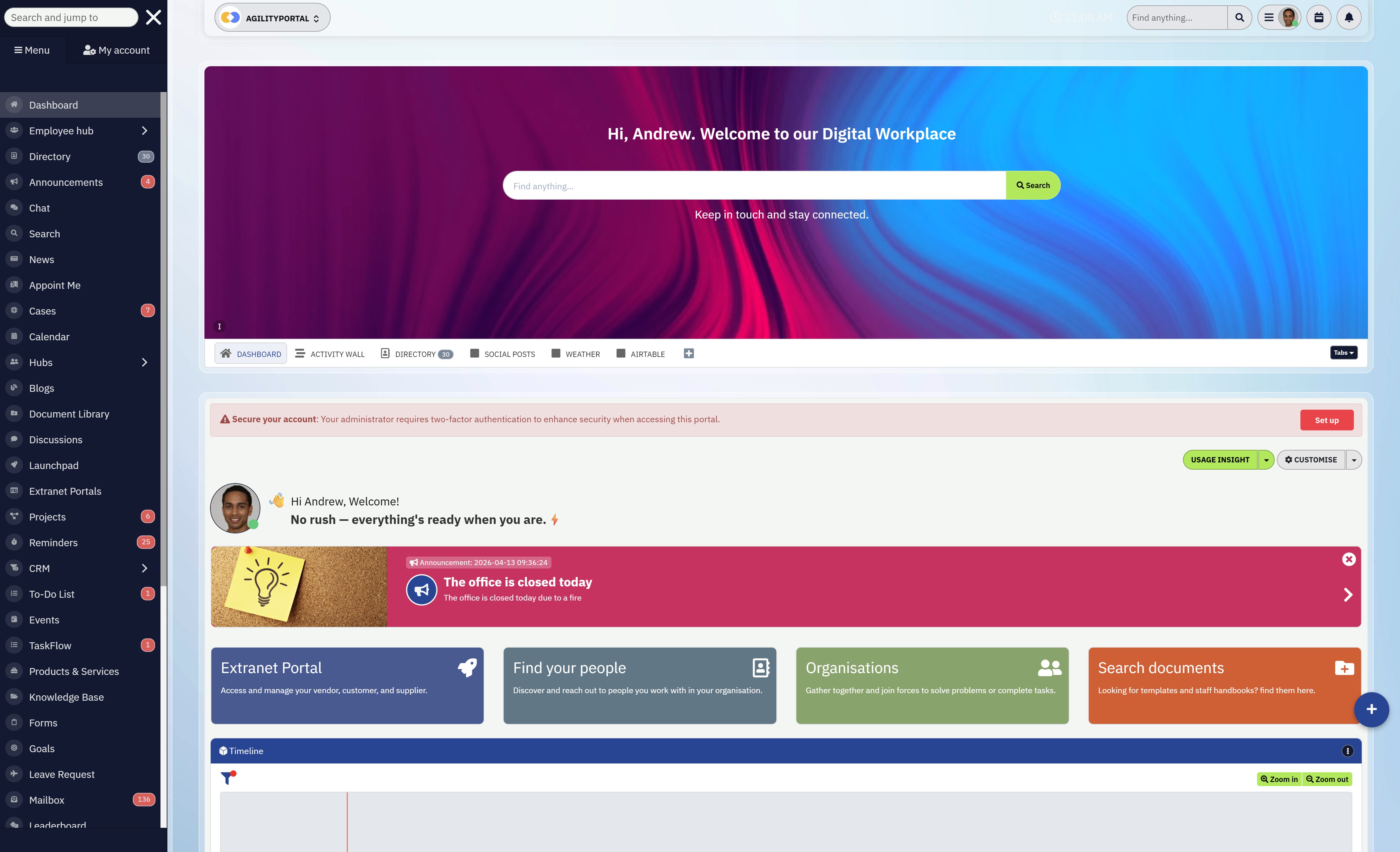
- AgilityPortal is sharePoint communication alternative of Employee communication apps for employees. AgilityPortal is an internal communication tool and intranet that enhances employee engagement and retention by utilizing a familiar newsfeed-style social environment. It allows companies to connect with their employees through a social experience, where they can share internal company news and updates in a format that people are accustomed to.
- In addition to serving remote and in-house personnel, AgilityPortal also provides a mobile app, ensuring that it can be accessed without limitations by frontline workers and those in a mobile workforce.
- Key features of AgilityPortal include team surveys and polls, knowledge base, community groups, event information, and public "shout-outs" to recognize individual achievements. It supports multimedia uploads, including live-streamed videos and podcasts. AgilityPortal also offers audience engagement statistics for the shared content, helping leaders gain insights into what motivates their employees best. The platform aims to foster team collaboration and productivity by intelligently disseminating relevant information.
- The questions and comments feature enables team members to share detailed information, which is particularly valuable in fast-paced industries like hospitality, where prompt and precise instructions are essential.
- AgilityPortal's intranet feature serves as a hosting platform for company content such as podcasts, articles, and other media formats. The people directory and events calendar assist staff in finding the information and individuals they need. Email digests summarize the most important new content of the week or day. Shout-outs to celebrate success are a great feature that contributes to higher employee satisfaction levels. So, where does AgilityPortal rank in Team Communication Apps on g2.com? Well, it's positioned 16th Easiest To Use in Employee Intranet software on g2.com.
Best for:
• Organisations replacing multiple tools with one platform
• Companies with frontline, remote, and hybrid teams
• Businesses focused on communication, engagement, and knowledge sharing
• Teams needing a modern intranet and collaboration solution
Top Features:
• Employee communication and company news feed
• Team chat and collaboration tools
• Document management and knowledge base
• Employee engagement tools and surveys
• Mobile-first experience for frontline workers
• Role-based access and content targeting
• Integrations with Microsoft and Google ecosystems
• Analytics and reporting dashboards
Pros:
• Combines communication, intranet, and collaboration in one platform
• Reduces reliance on multiple disconnected tools
• Designed for both desk and frontline employees
• Quick plug-and-play rollout in days, not months
Cons:
• May include more features than smaller teams initially need
• Advanced features may require user training to fully adopt
• Not as widely recognised as legacy enterprise platforms like SharePoint or Teams
AgilityPortal
Employee Communication Features Every Organization Needs
AgilityPortal brings together the essential features every employee communication app should have into one simple platform. Many businesses struggle with missed messages, low engagement, and disconnected tools. This solution replaces that with a single hub where communication flows clearly across teams, departments, and locations. Whether your workforce is remote, hybrid, or frontline, these features ensure information reaches the right people at the right time without friction or confusion.
Price starts from $99 per 100 users per month
14 days free trial available
No free plan is available, but you can try for 14 days free with no credit card required
Try it free for 14 days – no credit card required
14 days free trial available
No free plan is available, but you can try for 14 days free with no credit card required
#2. Slack
#2. Slack
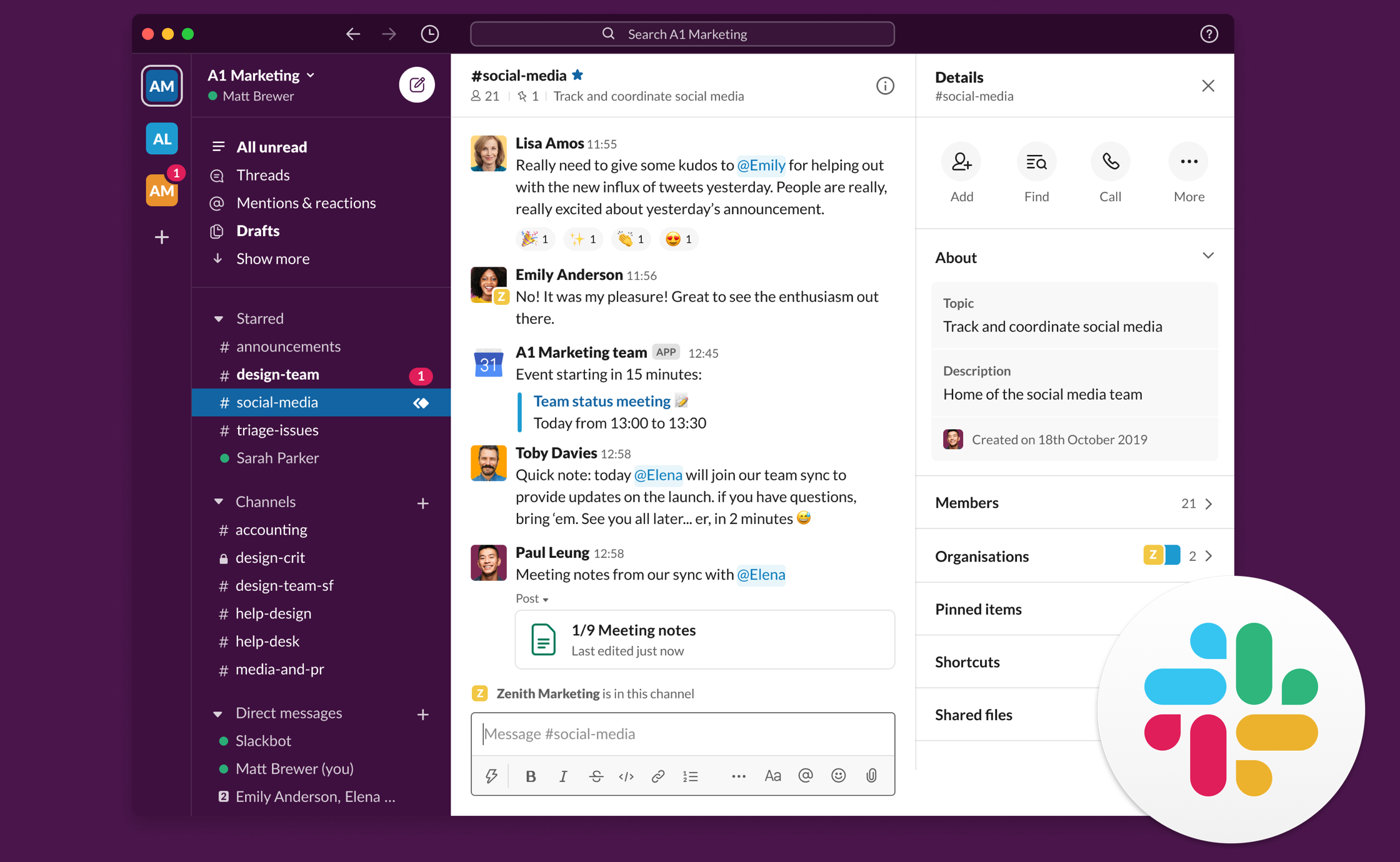
Slack is a team communication platform that organises conversations into channels, making it easier for teams to collaborate and share information in real time.
It is widely used for fast-paced communication and integrates with a wide range of workplace tools.
Best for:
• Startups and fast-moving teams
• Businesses needing real-time communication
• Teams using multiple third-party tools
Top Features:
• Channel-based messaging
• Direct messaging and group chats
• Audio calls and huddles
• File sharing and search
• App integrations
• Workflow automation
Pros:
• Easy to use and widely adopted
• Strong integration ecosystem
• Great for real-time communication
Cons:
• Can become noisy and hard to manage at scale
• Search and message organisation can be challenging
• Costs increase as teams grow
Slack
Fast, Channel-Based Communication for Modern Teams
Slack helps teams communicate faster through channels, messaging, huddles, and integrations in one central workspace.
Paid plans start from $8.75 per user per month when billed monthly
Free plan is available
Free trials for paid plans are available
Free plan is available
Free trials for paid plans are available
#3. Microsoft Teams
#3. Microsoft Teams
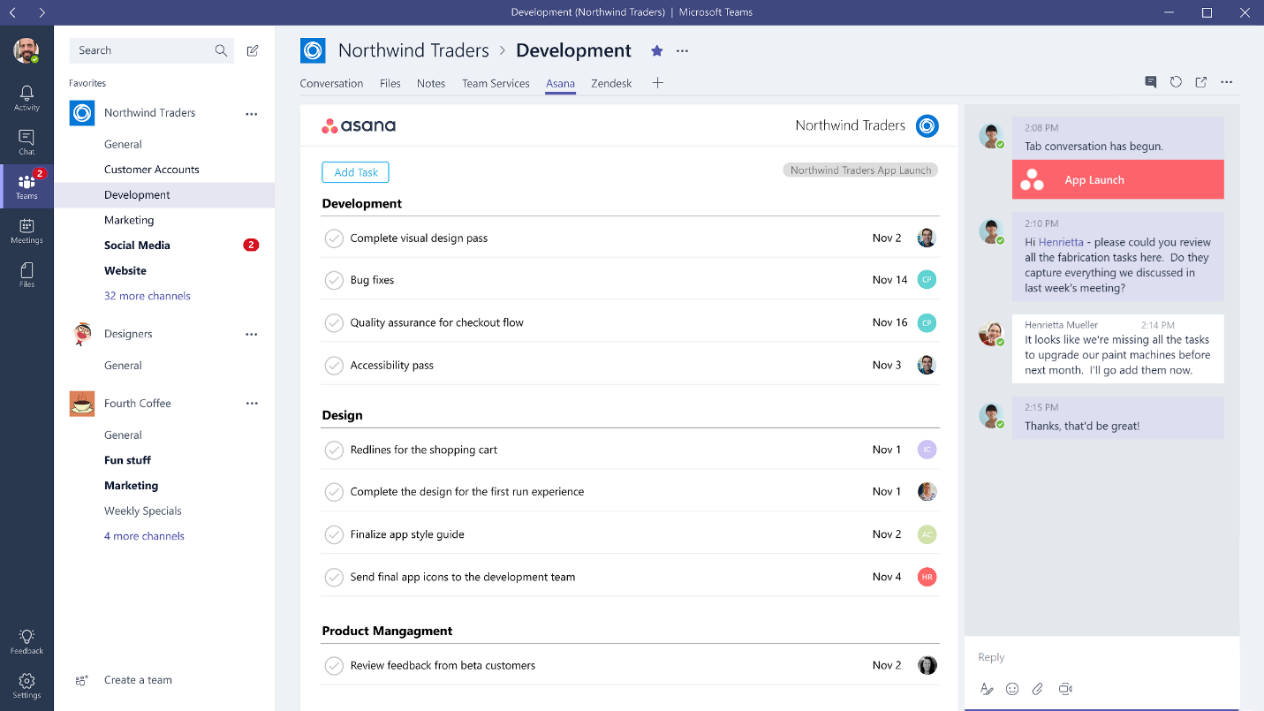
Microsoft Teams is a collaboration platform that combines chat, video meetings, file sharing, and integration with Microsoft 365 into one workspace.
It is widely used by organisations to manage communication and teamwork across departments and remote teams.
Best for:
• Organisations already using Microsoft 365
• Medium to large businesses needing structured collaboration
• Teams working remotely or in hybrid environments
Top Features:
• Team chat and messaging
• Channels for organised communication
• Video meetings and calls
• File sharing and co-authoring
• Integration with Microsoft 365 apps
• Calendar and scheduling
Pros:
• Strong integration with Microsoft ecosystem
• Reliable for meetings and collaboration
• Scalable for large organisations
Cons:
• Interface can feel cluttered and complex
• Can be overwhelming for new users
• Performance can slow down with large teams or heavy usage
Microsoft Teams
Unified Communication for Chat, Meetings, and Team Collaboration
Microsoft Teams brings chat, meetings, file sharing, and collaboration into one connected workspace for employees.
Paid business plans with Teams start from £4.60 per user per month when billed yearly
Free plan is available
Free trials are available on selected business plans
Free plan is available
Free trials are available on selected business plans
#4. Staffbase
#4. Staffbase
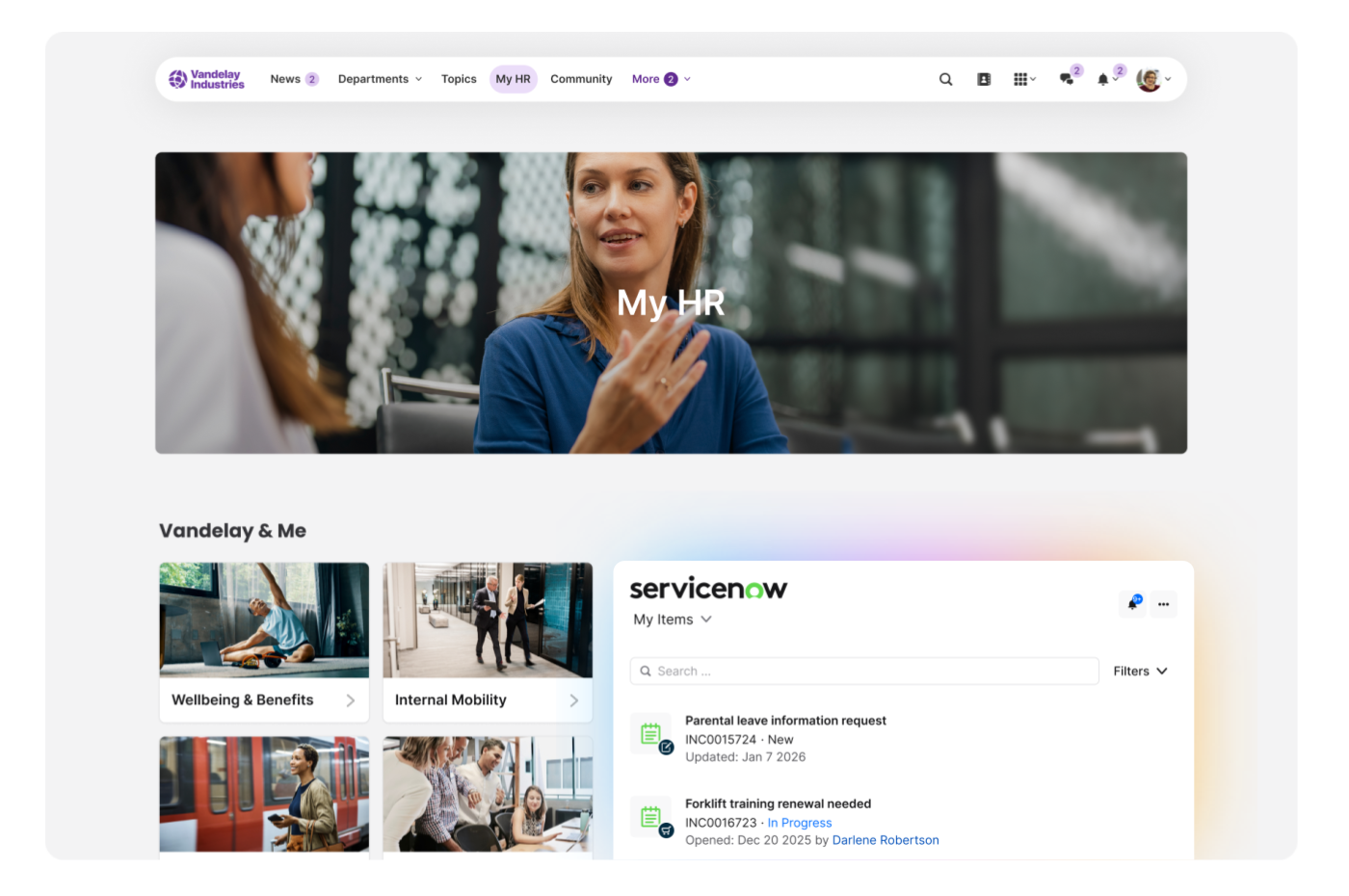
Staffbase is an employee communication platform designed to help organisations deliver news, updates, and content across mobile, intranet, and email channels.
It focuses on improving internal communication and engagement, particularly for large and distributed workforces.
Best for:
• Large organisations with distributed or frontline teams
• Companies needing multi-channel communication
• Teams focused on internal communications and content delivery
Top Features:
• Employee communication app
• Company intranet
• Employee email campaigns
• News and announcements
• Mobile communication
• Content targeting and segmentation
• Surveys and feedback tools
• Analytics and reporting
Pros:
• Strong multi-channel communication capabilities
• Good for reaching frontline and remote employees
• Scalable for large organisations
Cons:
• Sometimes the UI can feel less smooth depending on the browser
• Chat functionality could be improved, especially for uploads and message management
• Lacks depth in chat features and event handling compared to competitors
Staffbase
Multi-Channel Internal Communication for Distributed Workforces
Staffbase helps organizations manage internal communication across mobile, intranet, email, and employee updates from one platform.
Pricing is available on request
Free trial is listed on G2
No public starting price is shown
Free trial is listed on G2
No public starting price is shown
#5. Workvivo
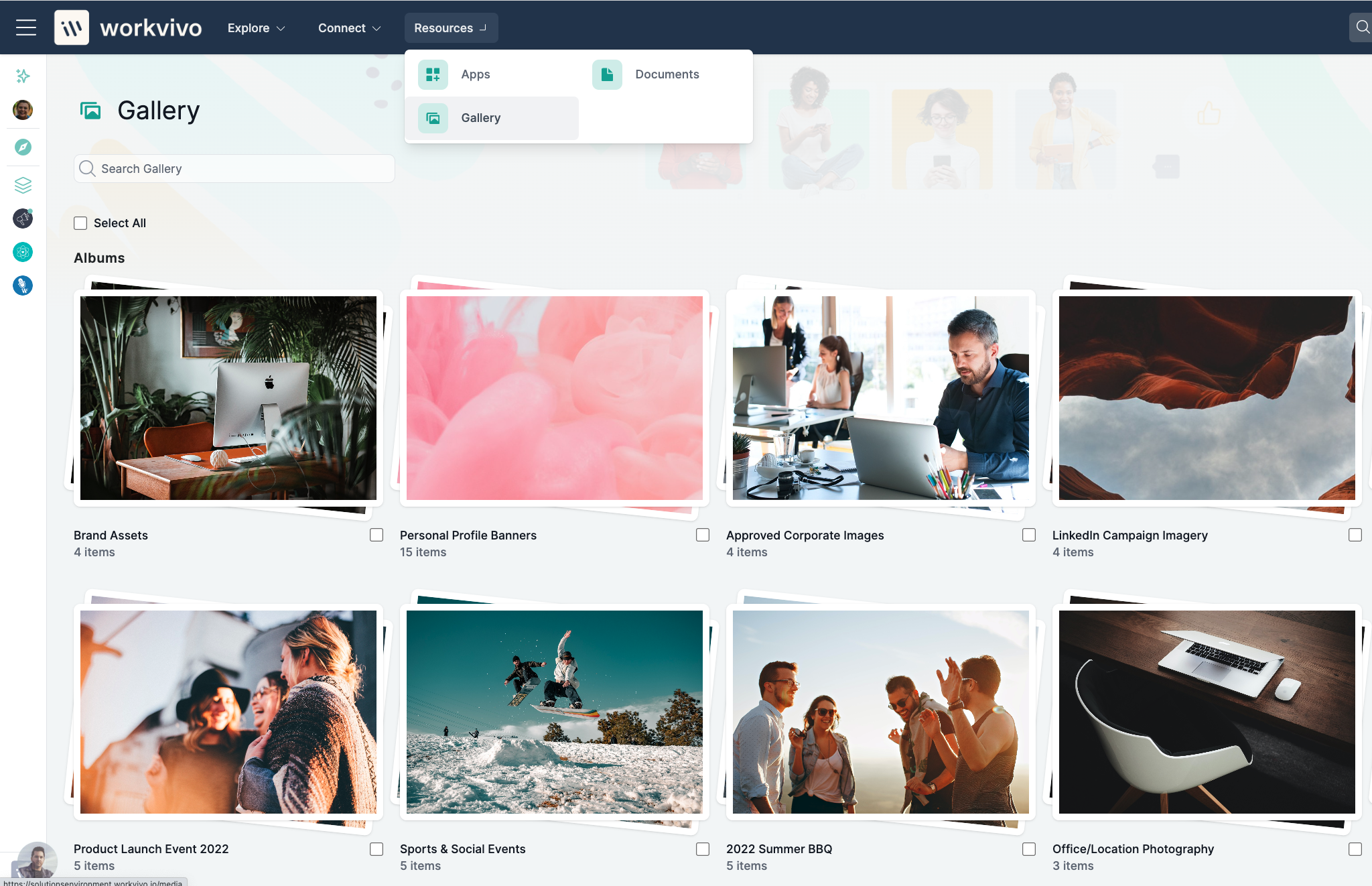
#5. Workvivo
Workvivo is an employee experience platform that combines internal communication, engagement, and social features into a single digital workplace.
It focuses on creating a social-style environment where employees can connect, share updates, and build company culture. Learn more on AgilityPortal vs Workvivo: Which Employee Experience Platform Wins in 2025?
Best for:
• Mid to large organisations focused on engagement and culture
• Companies wanting a social-style communication platform
• Teams prioritising employee experience and interaction
Top Features:
• Social-style activity feed
• Employee recognition and shoutouts
• Company news and announcements
• Employee surveys and polls
• Live streaming and events
• Chat and messaging
• Analytics and engagement tracking
Pros:
• Strong focus on employee engagement and culture
• Easy-to-use, social media-style interface
• Good for internal communication and company updates
Cons:
• No wellbeing or discount scheme included
• Bit of a delay when opening calls and messaging can feel laggy, with a stronger focus on desktop use
• Occasional slow loading times and performance issues
• Pricing can be a factor for smaller organisations depending on size
Workvivo
Social-Style Employee Experience Platform for Engagement and Communication
Workvivo combines internal communication, engagement, and recognition into a social-style platform designed to connect employees.
Pricing starts around $20,000 per year for ~250 users
Pricing is customised based on organisation size
Free trial is available
Pricing is customised based on organisation size
Free trial is available
#6. Blink
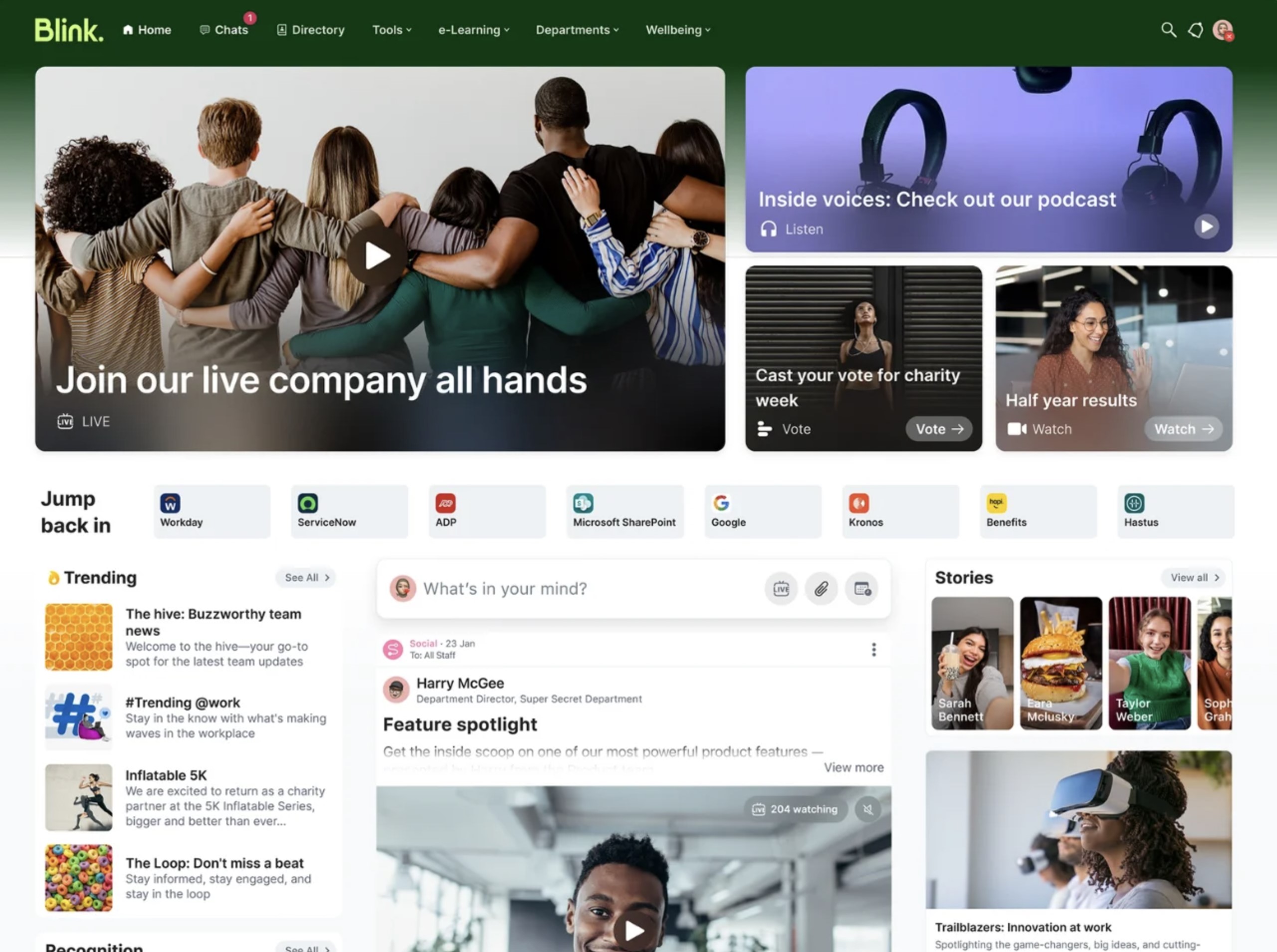
#6. Blink
Blink is a mobile-first employee communication app designed to connect frontline and deskless workers through messaging, updates, and essential tools in one place.
It focuses on delivering quick access to company information and communication for teams that are not desk-based.
Best for:
• Frontline and deskless workforces
• Companies needing a mobile-first communication tool
• Organisations focused on basic communication and updates
Top Features:
• Mobile-first employee app
• Team chat and messaging
• News feed and announcements
• Digital forms and workflows
• Employee surveys
• Single sign-on access
• Resource and document hub
Pros:
• Easy to use for frontline employees
• Strong mobile experience
• Good for quick updates and basic communication
Cons:
• It has very limited feature depth and is not strong on productivity integrations like collaboration tools
• It does everything other chat apps do in a worse manner or is poorly implemented
• Sometimes it takes a little long to load
• A bit like Facebook, once a post moves down the feed it can be difficult to find again, especially for important information
Blink
Mobile-First Communication for Frontline and Deskless Teams
Blink helps frontline and deskless employees stay connected with communication, tools, updates, and workflows in one mobile-first app.
Pricing editions are available
Free trial is available
View current pricing on G2 for the latest plans
Free trial is available
View current pricing on G2 for the latest plans
#7. Simpplr
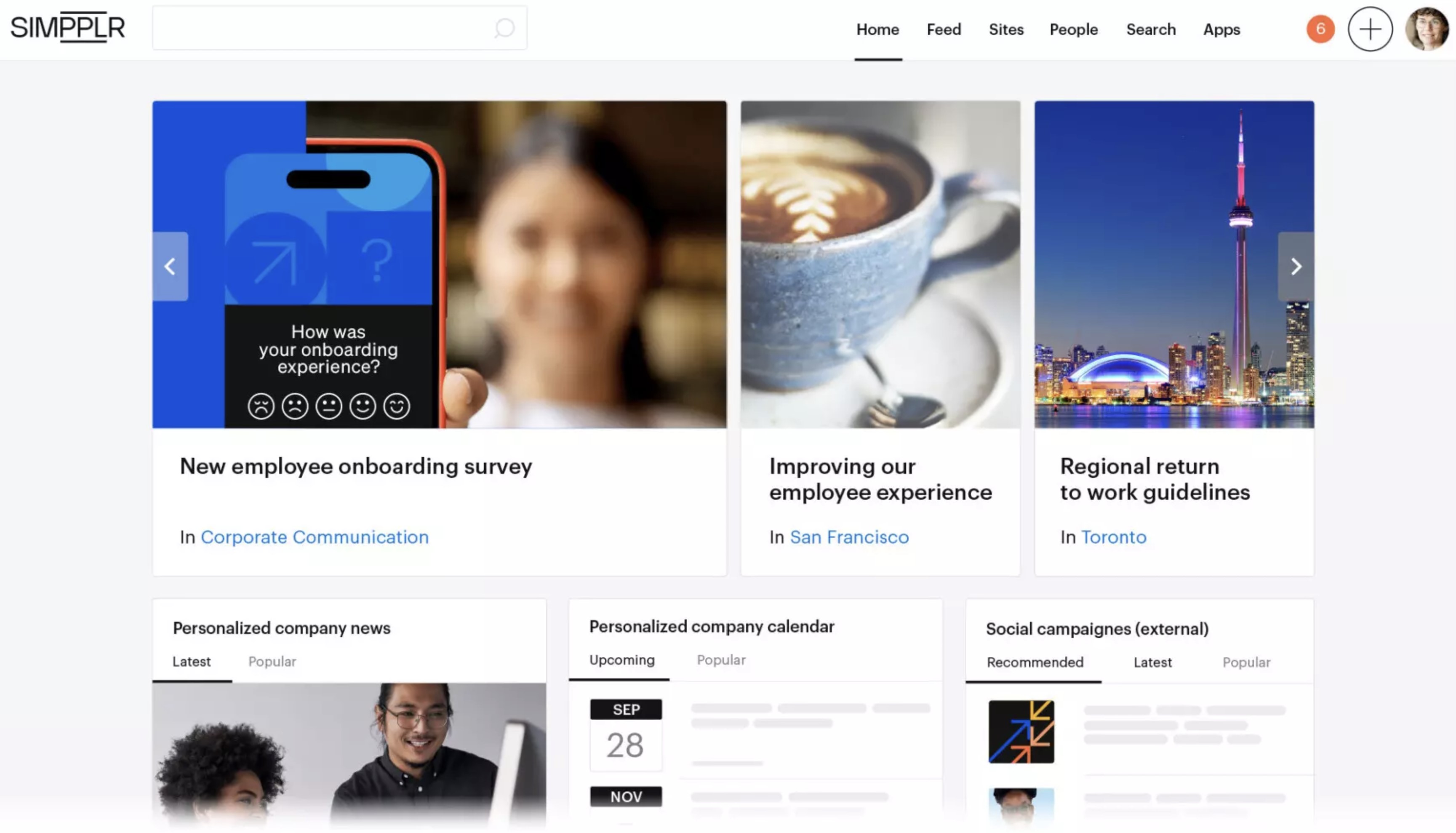
#7. Simpplr
Simpplr is an AI-powered intranet and employee experience platform designed to centralise communication, knowledge, and engagement in one digital workplace.
It helps organisations deliver targeted content, improve internal communication, and simplify access to information across teams.
Best for:
• Mid to large organisations focused on employee experience
• Companies building a modern intranet
• Teams needing strong content delivery and internal communication
Top Features:
• AI-powered intranet
• Company news and announcements
• Employee experience tools
• Enterprise search
• Content targeting and personalisation
• Employee directory
• Mobile communication
Pros:
• Easy-to-use interface compared to traditional intranets
• Strong focus on employee experience and engagement
• Good content targeting and personalisation
Cons:
• Some of the more advanced customisation options can feel a bit limited or require additional support
• It would also be helpful to have more flexibility in design and layout options
• There has been dissatisfaction with the search functionality, including the relevance of the results and how results are displayed
• There are limitations with the home dashboard layout options, especially when using the newsfeed as it takes up significant screen space
Simpplr
AI-Powered Intranet and Employee Experience Platform
Simpplr centralises employee communication, knowledge, and engagement into one AI-powered digital workplace platform.
Pricing is available on request
Free trial is available
No public starting price is disclosed
Free trial is available
No public starting price is disclosed
#8. LumApps
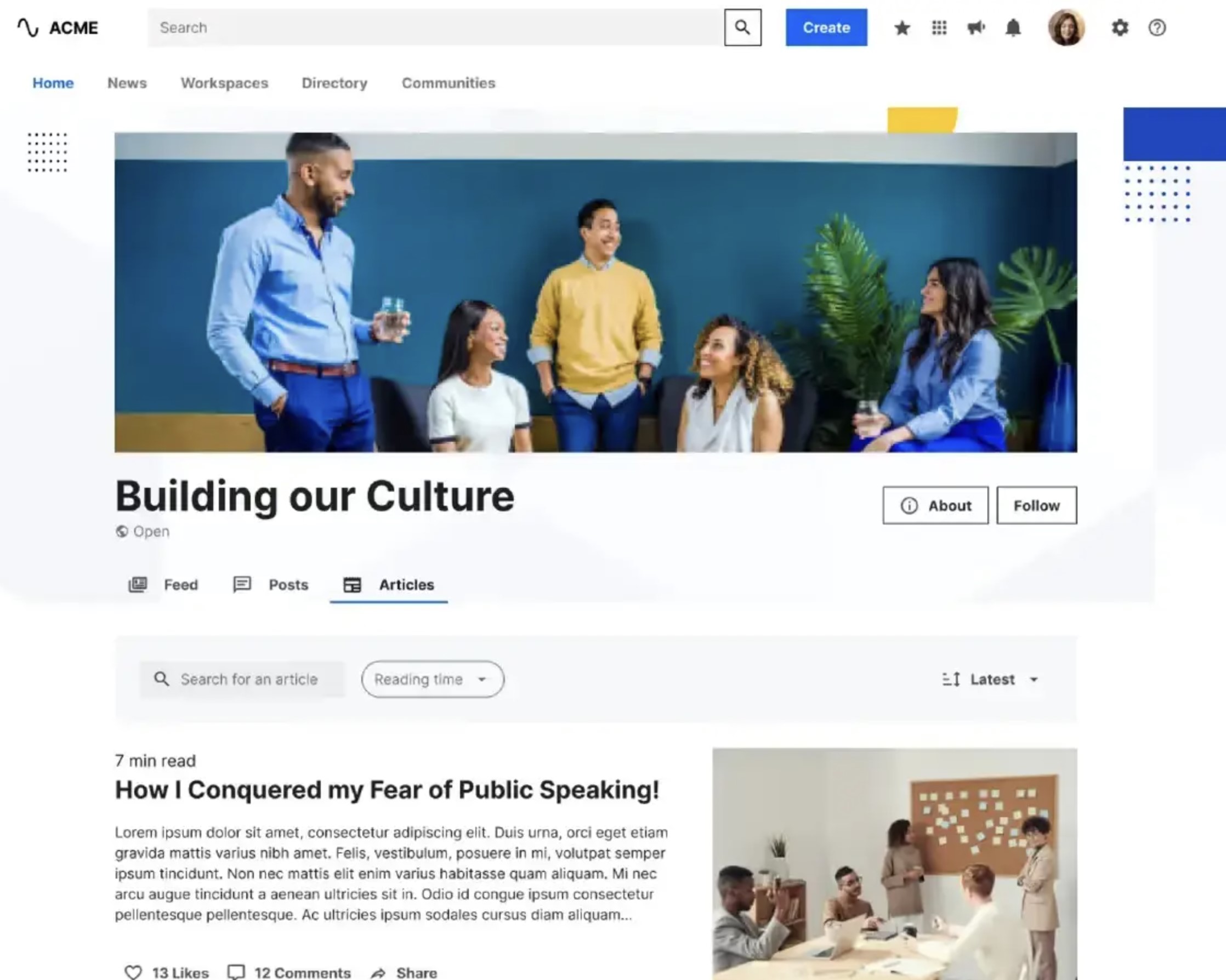
#8. LumApps
LumApps is an enterprise intranet platform designed to centralise employee communication, knowledge, and business tools within a personalised digital workplace.
It integrates closely with Google Workspace and Microsoft 365, helping organisations deliver targeted content and improve internal communication across distributed teams.
Best for:
• Enterprises using Google Workspace or Microsoft 365
• Organisations focused on personalised intranet experiences
• Companies needing strong content delivery and internal communication
Top Features:
• Enterprise intranet platform
• Personalised content and targeting
• Google Workspace and Microsoft 365 integration
• Advanced search and knowledge management
• Mobile employee app
• Analytics and insights
• Multi-language support
Pros:
• Strong integration with major workplace ecosystems
• Good personalisation and content targeting features
• Scalable for large organisations
Cons:
• The ability to customize images is a bit cumbersome, but it also takes a shift in mindset in how/why your company creates imagery with relation to communication
• The page-building interface can sometimes be very slow and very RAM-intensive, bringing page editing to a crawl
LumApps
Enterprise Intranet Platform Built for Google Workspace and Microsoft 365
LumApps connects employees with communication, knowledge, and business tools through a personalised enterprise intranet experience.
Pricing is available on request
Demo and trial options may be available
No public starting price is disclosed
Demo and trial options may be available
No public starting price is disclosed
#9. Unily
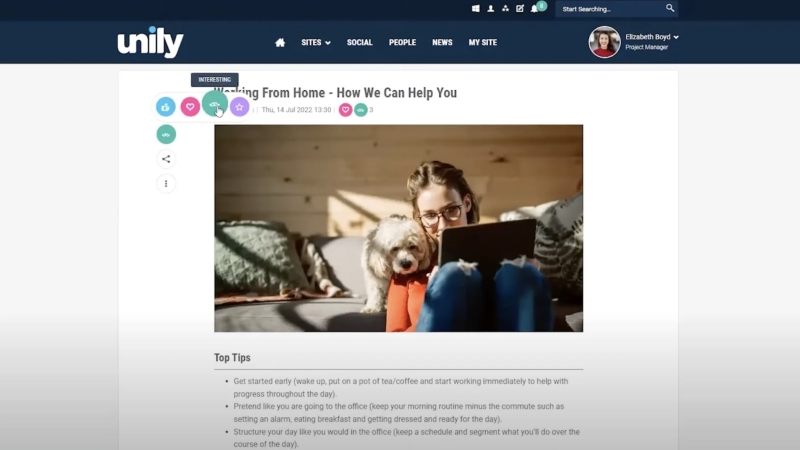
Unily is an enterprise employee experience platform that combines internal communication, knowledge management, and personalised content delivery into a single intranet solution.
It is designed to help large organisations connect employees with the information, tools, and updates they need in one place.
Best for:
• Large enterprises with complex communication needs
• Organisations building a highly personalised intranet
• Companies focused on employee experience and engagement
Top Features:
• Enterprise intranet platform
• Personalised content targeting
• Advanced search and knowledge management
• Employee experience tools
• Mobile app for frontline and remote workers
• Multi-language support
Pros:
• Highly scalable for large organisations
• Strong personalisation and targeting capabilities
• Integrates well with enterprise ecosystems
Cons:
• Pricing is not transparent
• Implementation can be complex and resource-heavy
• May be too advanced for smaller teams
Unily
Enterprise Employee Experience Platform for Communication, Knowledge, and Personalisation
Unily brings employee communication, knowledge, applications, and personalised content into one enterprise employee experience platform.
Pricing is available on request
Free trial is listed on G2
No public starting price is disclosed
Free trial is listed on G2
No public starting price is disclosed
#10. Interact
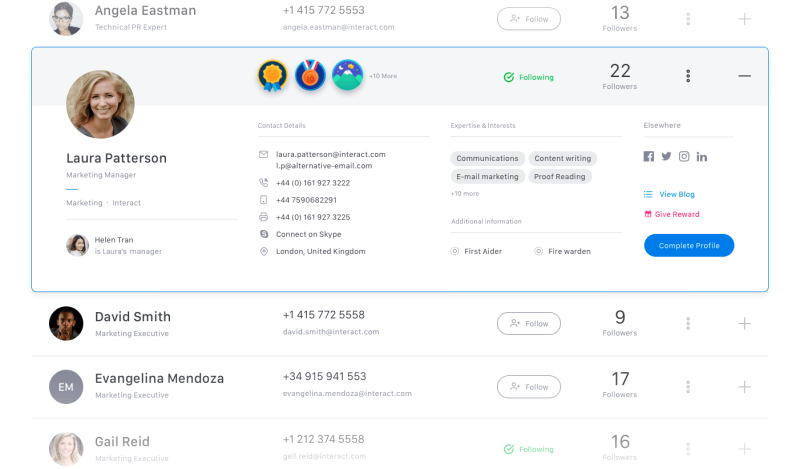
Interact is an intranet platform designed to improve internal communication, knowledge sharing, and employee engagement across organisations.
It helps teams access information, share updates, and stay aligned through a centralised digital workplace.
Best for:
• Mid to large organisations with internal communication needs
• Companies building a structured intranet
• Teams focused on knowledge management and content delivery
Top Features:
• Company intranet and content hub
• Advanced search and AI-powered knowledge discovery
• News and announcements
• Employee directory
• Content targeting and personalisation
• Analytics and reporting
• Microsoft 365 integration
Pros:
• Strong intranet and knowledge management capabilities
• Good content targeting and personalisation features
• Designed for structured internal communication
Cons:
• Can require setup and ongoing management
• Interface may feel dated compared to newer tools
• Less focus on real-time communication features
Interact
Intranet Platform Focused on Internal Communication and Knowledge Sharing
Interact helps organisations manage internal communication, knowledge, and employee engagement through a central intranet platform.
Pricing is available on request
Free trial is listed on G2
No public starting price is disclosed
Free trial is listed on G2
No public starting price is disclosed
#11. Zoom
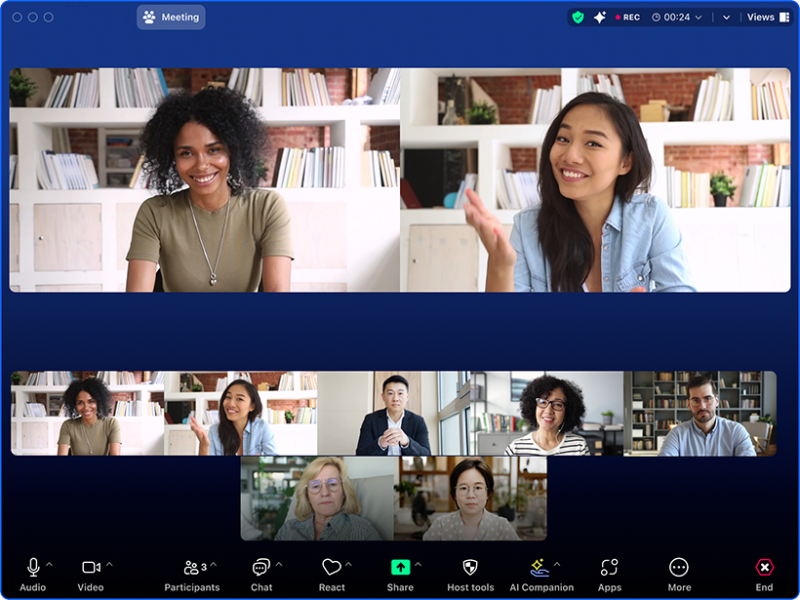
Zoom is a communication platform focused on video meetings, messaging, and collaboration, widely used by businesses for remote and hybrid work.
It enables teams to connect through high-quality video calls, chat, and shared tools across desktop and mobile devices.
Best for:
• Remote and hybrid teams
• Businesses needing reliable video conferencing
• Organisations running webinars and virtual meetings
• Teams focused on real-time communication
Top Features:
• HD video and audio meetings
• Team chat and messaging
• Screen sharing and whiteboarding
• Meeting recording and transcripts
• Webinar and event hosting
• AI-powered meeting tools
Pros:
• Reliable and high-quality video performance
• Easy to use across devices
• Strong feature set for meetings and webinars
Cons:
• Limited as a full employee communication platform
• Requires multiple add-ons for full functionality
• Can become expensive with additional features
Zoom Workplace
Unified Communication for Meetings, Chat, and Team Collaboration
Zoom Workplace brings meetings, team chat, calls, notes, and collaboration tools into one connected platform for modern teams.
Free plan is available
Paid plans start from $13.33 per host per month
Free trial is available
Paid plans start from $13.33 per host per month
Free trial is available
#12. Trello
#12. Trello
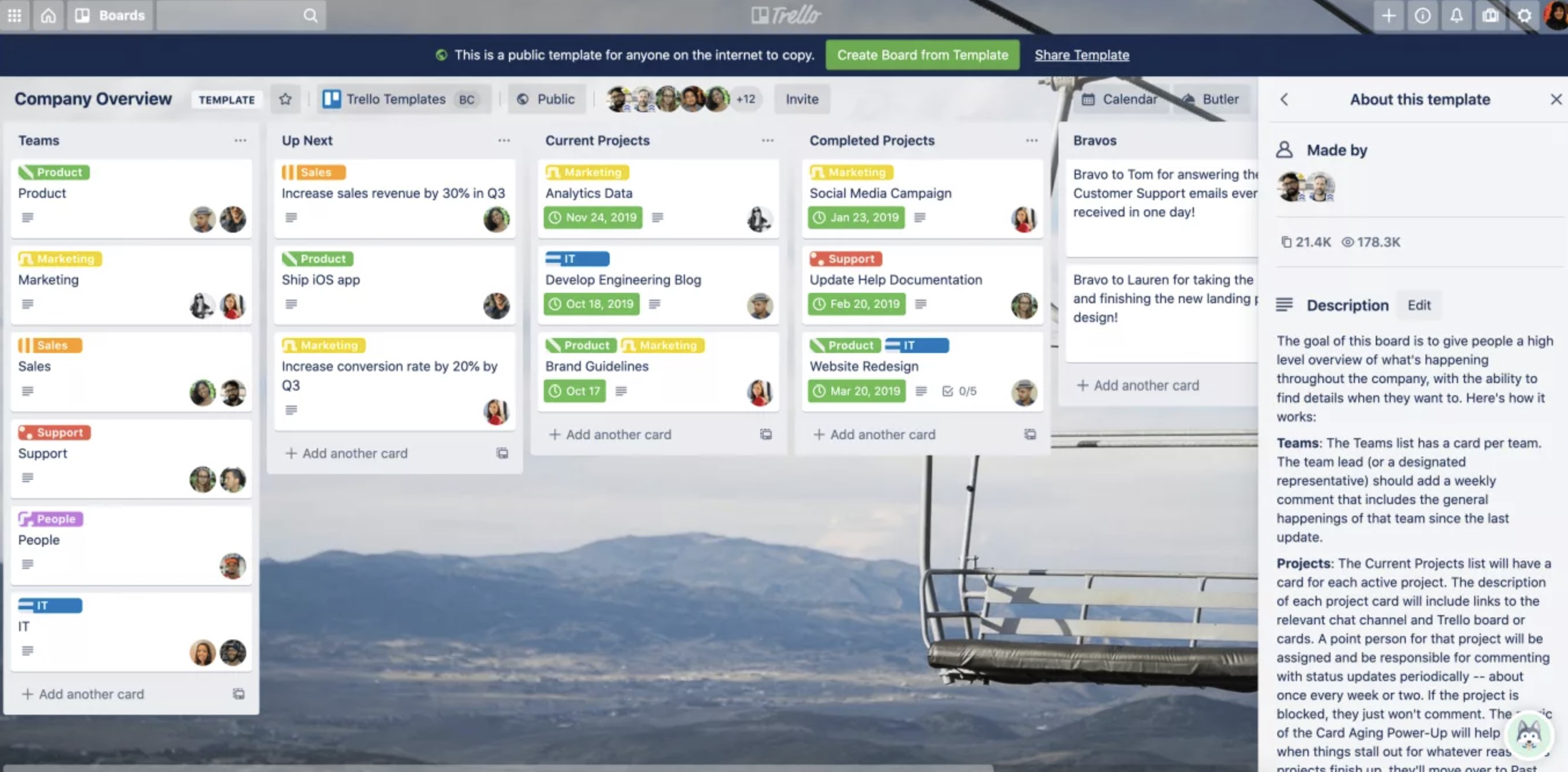
Trello is a visual project management tool that uses boards, lists, and cards to help teams organise tasks and collaborate effectively.
It provides a simple and flexible way to manage workflows, making it popular for teams that prefer a visual approach to task tracking.
Best for:
• Small teams managing simple workflows
• Marketing and creative teams
• Individuals and startups organising tasks
Top Features:
• Kanban-style boards and cards
• Drag-and-drop task management
• Checklists and due dates
• Automation with rules
• Power-Ups and integrations
Pros:
• Very easy to learn and use
• Flexible and visually intuitive
• Strong free plan for small teams
Cons:
• Limited for complex project management
• Lacks built-in communication features
• Can become messy at scale
Trello
Visual Task and Team Collaboration with Kanban Boards
Trello helps teams organise work, tasks, and communication using visual boards, lists, and cards in a simple collaborative workspace.
Free plan is available
Paid plans start from around $5 per user per month
Free trial is available
Paid plans start from around $5 per user per month
Free trial is available
#13. Basecamp
#13. Basecamp
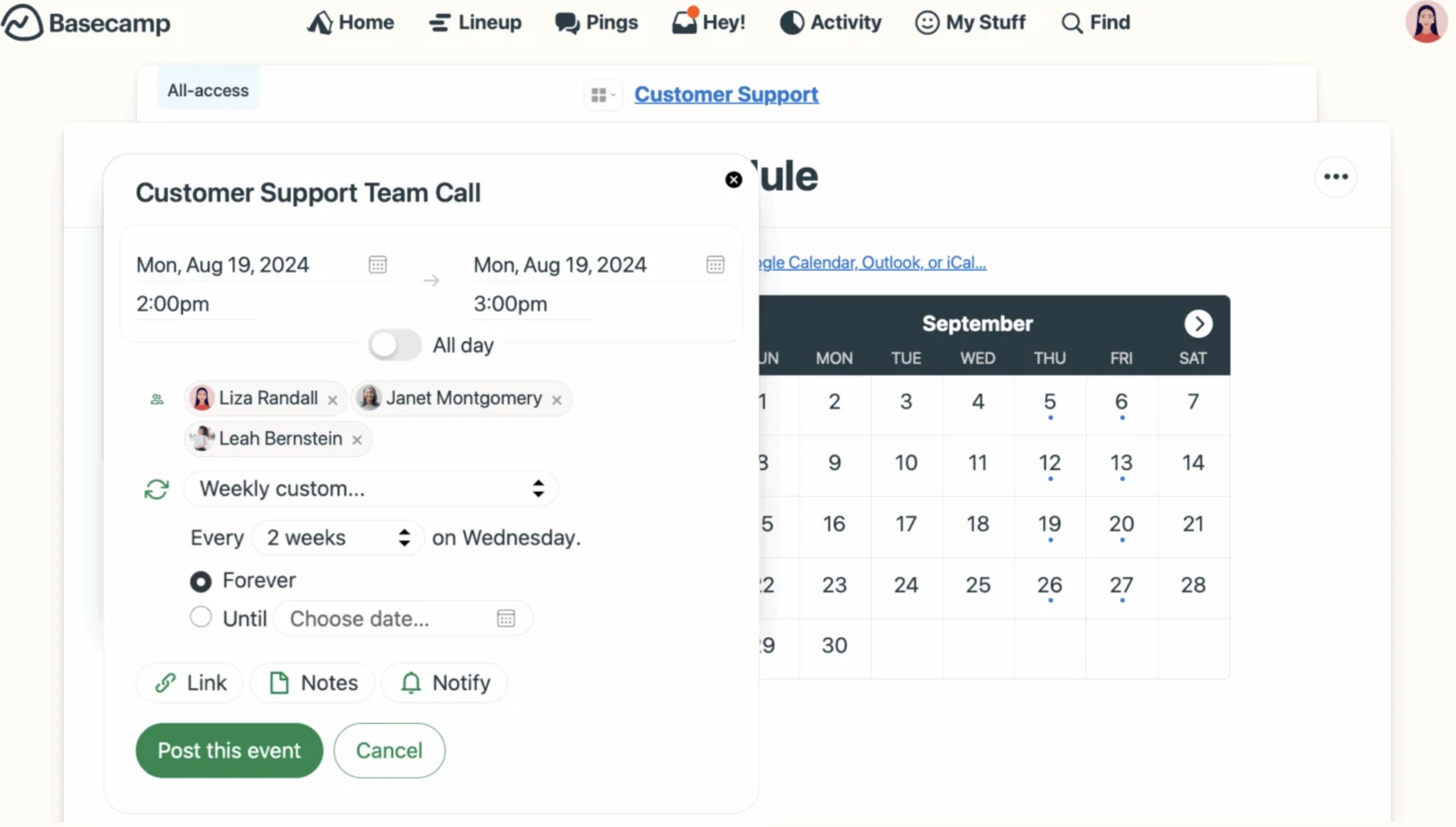
Good option for collaboration, basecamp is a team collaboration and project management tool that brings communication, tasks, and files together in one organised workspace.
It focuses on simplicity by replacing scattered tools with a single platform for managing projects and team discussions.
Best for:
• Small to medium-sized teams managing projects
• Agencies working with clients and external users
• Teams wanting a simple, structured collaboration tool
Top Features:
• Message boards for team discussions
• To-do lists and task tracking
• Real-time group chat
• File and document sharing
• Scheduling and milestones
• Automatic check-ins
Pros:
• Clean and easy-to-use interface
• Strong focus on project organisation
• Flat pricing option available for larger teams
• Good for client collaboration
Cons:
• Limited customisation and flexibility
• Lacks advanced reporting and analytics
• Not built for enterprise employee communication
• Fewer integrations compared to competitors
Basecamp
Simple Team Communication and Project Collaboration in One Workspace
Basecamp combines team communication, task management, file sharing, and project collaboration in one organised workspace.
Free plan is available
Paid plans start from $15 per user per month
Free trial is available
Paid plans start from $15 per user per month
Free trial is available
#14. Chanty
#14. Chanty
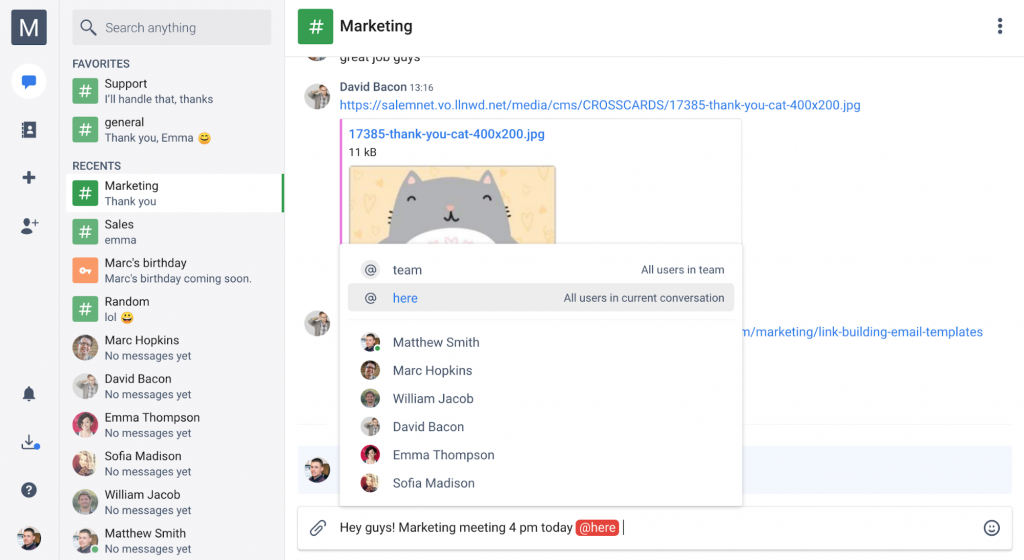
Chanty is a simple team communication tool that combines messaging, collaboration, and basic task management in one easy-to-use platform.
It helps teams organise conversations, share files, and track work without the complexity of larger enterprise systems.
Best for:
• Small teams and startups
• Businesses wanting a simple Slack alternative
• Teams needing chat with built-in task management
Top Features:
• Team chat and messaging
• Built-in task management
• Audio and video calls
• File sharing
• Kanban board view
• Unlimited message history
Pros:
• Easy to set up and use
• Affordable pricing compared to competitors
• Combines chat and task management in one place
Cons:
• Limited advanced features for larger organisations
• Fewer integrations than major competitors
• Not designed for complex internal communication needs
Chanty
Simple Team Chat with Built-In Task Management
Chanty combines team chat, collaboration, and task management into a simple and easy-to-use communication platform.
Free plan is available
Paid plans start from around $3 per user per month
Free trial is available
Paid plans start from around $3 per user per month
Free trial is available
#15. Bitrix24
#15. Bitrix24
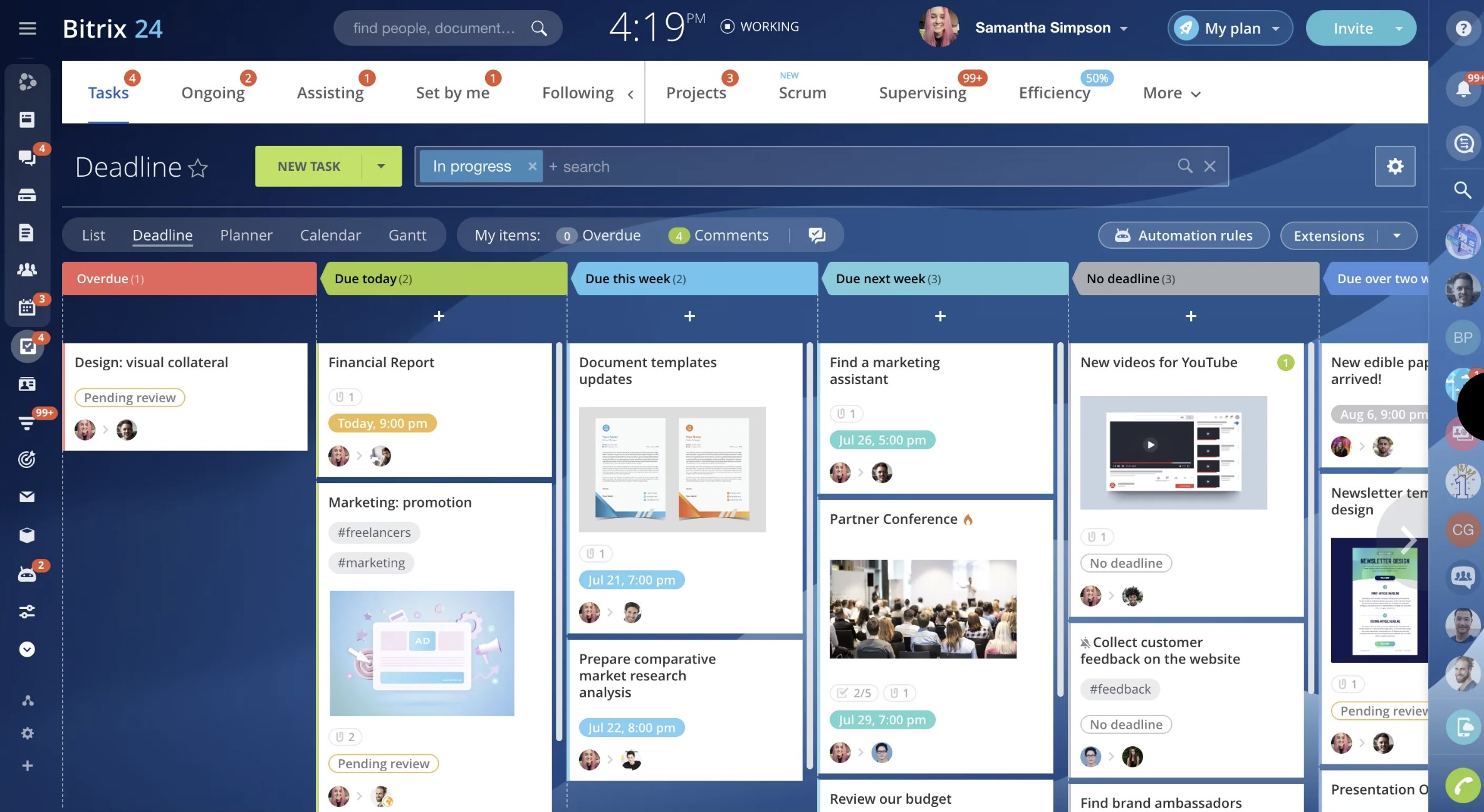
Bitrix24 is an all-in-one business platform that combines employee communication, collaboration, and CRM tools into a single system designed to centralise operations.
It enables teams to manage chat, tasks, documents, and customer relationships from one place, accessible across desktop, web, and mobile devices.
With built-in automation, project management, and intranet features, it is suited for businesses looking to replace multiple tools with one platform.
Best for:
• Small to medium-sized businesses wanting an all-in-one solution
• Organisations that need CRM and internal communication in one platform
• Teams looking to reduce tool sprawl and centralise workflows
• Businesses focused on sales, operations, and collaboration
Top Features:
• Team chat and video conferencing
• Task and project management tools
• Built-in CRM and sales automation
• Document management and file sharing
• Business process automation
• Company intranet and activity feed
Pros:
• Wide range of features in a single platform
• Includes CRM, communication, and project management
• Free plan available for small teams
• Good value compared to using multiple tools
Cons:
• Interface can feel complex and overwhelming
• Setup and configuration can take time
• Not as strong in employee engagement or internal communications
• Performance can vary with large datasets or teams
Bitrix24
All-in-One Workspace for Communication, CRM, and Collaboration
Bitrix24 combines team communication, collaboration, CRM, task management, and file sharing in one all-in-one business platform.
Free plan is available
Paid plans start from $49 per month for 5 users
Free trial is available
Paid plans start from $49 per month for 5 users
Free trial is available
5 Benefits of an Employee Communication App
#1.Employee Communication App can help to Drive Employee Engagement
Employee engagement plays a pivotal role in determining the success or failure of any organization, regardless of its size, whether it employs five, 100, or 1,000 individuals.
The degree of engagement directly impacts the company's financial performance.
Unfortunately, many businesses struggle in this area. Only a tiny fraction of the workforce truly feels engaged. As illustrated in the infographic, most employees fall into "not engaged" or "actively disengaged," with less than one-third displaying genuine engagement.
The financial ramifications of disengagement are profound. A significant portion of the U.S. workforce, approximately 70%, falls into the categories of "not engaged" or "actively disengaged," signifying emotional disconnection from their workplace and reduced productivity. Actively disengaged employees incur annual productivity losses ranging from $450 billion to $550 billion in the United States. They are also more likely to engage in detrimental behaviors such as theft, negative influence on colleagues, absenteeism, and customer dissatisfaction. This stark reality emphasizes the critical need to address employee engagement.
Apps present a significant opportunity to swiftly enhance employee engagement by facilitating direct communication among individuals. Remote or field-based employees can seamlessly connect with HR, management, and peers through mobile devices, mitigating feelings of isolation and detachment often associated with a lack of communication channels.
This offers a promising solution to the challenge of disengagement.
Considering that employees already utilize mobile devices in their daily work, leveraging these tools for communication represents a logical progression, ultimately boosting engagement levels.
#2. Internal Communications Apps Are a One stop shop for everything
In the ever-evolving landscape of technology, the array of software options available can often feel overwhelming. As organizations of varying sizes navigate this digital landscape, the number of applications in use can be staggering:
- Small businesses with 1-100 employees utilize around 102 different apps.
- Medium-sized enterprises, housing 101-1,000 employees, rely on an average of approximately 185 apps.
- More giant corporations, boasting 1,000 or more employees, typically manage a portfolio of around 288 apps.
This proliferation of software presents both opportunities and challenges. While each application may serve a specific purpose, the cumulative effect can lead to fragmentation, inefficiency, and confusion within the organization.
Enter the internal communication app—a versatile solution that addresses these challenges on multiple fronts. Consolidating various applications into a unified platform provides employees with a single, reliable source for accessing essential company information.
The capabilities of such apps are vast and varied, covering a broad spectrum of functions:
- Streamlining human resources management processes
- Providing access to pay stubs and employee benefits information
- Facilitating seamless onboarding experiences for new hires
- Ensuring adherence to workplace safety standards and compliance regulations
- Offering opportunities for employee training and professional development
- Serving as a channel for disseminating company news and announcements
- Simplifying the management of employee schedules and shifts
- Enabling real-time communication through live chat messaging
- Fostering collaborative discussions through hosted message boards
- Providing a centralized employee directory for easy access to contact information
- Offering pertinent details on office locations and facilities
Internal communication apps' versatility extends beyond their core functionalities. For organizations already utilizing other applications for specific tasks, integrating these existing solutions with a custom communication app is entirely feasible. This adaptability streamlines operations and enhances communication efficiency, paving the way for improved productivity and collaboration across the organization.
#3. Communication apps can replace internal email communication
In the realm of internal communication, email is gradually losing its appeal. It must deliver the instant responses that modern workers crave in today's fast-paced communication landscape.
From a productivity standpoint, reliance on email is reshaping how people allocate their time. On average, a single employee sends and receives 130 emails daily, consuming up to 25% of their workday.
Despite the illusion of productivity that email may create, the reality is quite different. While employees may feel accomplished as they clear out their inboxes, this activity often contributes little to overarching organizational objectives. It's merely busy work that detracts from more meaningful tasks.
Communication apps present a compelling alternative, offering swift and direct channels for internal communication. They can even introduce a social media-like experience within the workplace, featuring elements such as an employee communication wall.
While email still remains relevant in the workplace, its usage patterns need to evolve. Recognizing this shift, an increasing number of companies are exploring ways to reduce reliance on email. Employee communication apps are emerging as viable substitutes, promising more efficient and effective internal communication practices.
#4. Employee communication apps boast user-friendly interfaces with minimal learning curves.
When evaluating software solutions for your employees, prioritizing ease of use and user experience is crucial for maximizing productivity and efficiency within your organization. A user-friendly interface and intuitive design can significantly reduce the time and effort required for employees to adapt to new tools and processes. This, in turn, minimizes disruptions to workflow and ensures smoother integration into daily operations.
The prevalence of mobile apps in everyday life has reshaped user expectations, particularly regarding technology in the workplace. Employees are accustomed to mobile apps' seamless functionality and intuitive interfaces across various aspects of their personal and professional lives. Organizations can leverage this familiarity to enhance employee satisfaction and engagement with workplace software solutions.
Research from the Harvard Business Review underscores the importance of investing in the employee experience. Companies that prioritize creating a positive work environment and empowering their employees with user-friendly tools can attract and retain top talent and experience greater profitability. A well-designed software solution that improves the employee experience can lead to increased productivity, reduced turnover rates, and, ultimately, higher organizational profits.
An employee communication app that prioritizes ease of use and enhances the user experience can have a transformative impact on your bottom line. By providing employees with a seamless and intuitive platform for communication and collaboration, organizations can unlock the full potential of their workforce and drive sustainable growth and success.
#5. Communication apps offer a significant return on investment (ROI) for organizations.
Expanding upon the profitability and overall revenue aspects, let's explore the return on investment (ROI) associated with introducing an employee app. Naturally, ensuring a positive ROI from your investment in employee communication is paramount.
We recently published an article that delves into the ROI of utilizing an internal communications app. Give it a read to aid in calculating the potential ROI for your company.
However, here are some key highlights and areas where significant returns can be expected:
- Enhanced Engagement: An employee app cultivates higher engagement levels among your workforce, boosting morale and productivity.
- Improved Productivity: Employee apps optimize productivity throughout the organization by simplifying communication and granting easy access to information.
- Increased Profits: Elevated engagement and productivity directly contribute to higher profits for your enterprise.
- Reduced Employee Turnover: A well-executed employee app has the potential to decrease turnover rates by enhancing employee satisfaction and retention.
- Strengthened Management-Employee Relationships: The app's effective communication fosters stronger bonds between employees and management, fostering a more positive work environment.
- Mitigated Costs Linked to Workplace Safety Incidents: Employee apps can promote workplace safety and diminish the occurrence of incidents, thereby reducing associated costs.
- Lowered Training Expenses: Employee apps streamline employee training efforts by offering accessible resources and training materials, thereby minimizing time and resource investments.
Depending on your organization's scale and specific requirements, implementing an employee app can yield substantial cost savings, reaching hundreds of thousands or even millions of dollars over time.
Furthermore, the ROI from such implementation is often realized almost immediately after deployment, making it a worthwhile venture for businesses aiming to optimize their internal communication processes and enhance overall efficiency and profitability.
How AgilityPortal can facilitate and help overcome internal communications challenges and optimize your communication processes?

AgilityPortal is a robust communication solution designed to streamline internal communication processes within organizations.
With its comprehensive set of features, AgilityPortal enhances the speed, scope, and efficiency of information distribution, ensuring that employees stay well-informed and engaged while addressing common business communication challenges:
- Real-time alerts. AgilityPortal facilitates instantaneous delivery of messages to employees' devices, ensuring that crucial updates, announcements, or emergency alerts are swiftly received. This feature is particularly valuable for disseminating time-sensitive information.
- Centralized communication. The platform serves as a centralized hub for sending communications across various channels, including mobile apps, desktop notifications, scrolling tickers, screensavers, corporate wallpapers, and digital signage displays. This facilitates the adoption of a multi-channel communication approach and ensures consistency and accuracy in messaging.
- Customization and targeting. AgilityPortal allows for the sending of tailored messages, ensuring that information is pertinent to specific departments or teams. This personalized approach enhances engagement and prevents communication overload by delivering only relevant information to relevant employees.
- Multimedia support. Integration of images, videos, and rich media into messages makes communication more engaging and memorable, leading to better retention of information among employees.
- Feedback and surveys. AgilityPortal facilitates real-time feedback collection through surveys, polls, and quizzes, enabling organizations to gauge employee sentiments and gather valuable insights.
- Emergency notifications. During emergency situations, AgilityPortal can swiftly deliver urgent alerts to ensure the safety and well-being of employees.
- Analytics and reporting. The platform provides analytics on message delivery and engagement rates, enabling organizations to refine their communication strategies over time and optimize their effectiveness.
Wrapping up, Connect your workforce with an employee communications app
When a company doesn't mandate employee interactions, there might be a lack of motivation for such engagement.
However, team members who proactively communicate with both colleagues and supervisors tend to exhibit higher levels of work engagement and increased productivity. Internal communication tools, facilitating conversations with any employee regardless of location, contribute to a more collaborative workplace.
This enhancement in collaboration, in turn, fosters improved work engagement and relationships. Explore further ways to empower your staff through effective communication.
There are numerous exceptional employee communication applications to choose from. I have mentioned only a few that are commonly utilized by organizations.
Regardless of your choice, ensure that you select the app that aligns best with your needs and fosters a cohesive team with outstanding communication, engagement, and loyalty!
FAQs about employee communication apps
What is an employee communication app?
An employee communication app like AgilityPortal is a digital tool created to enable smooth communication and information exchange within a company via mobile devices.
Through functionalities like real time chat, news updates, and social walls, it empowers employees to connect, collaborate, and stay updated, all within your branded mobile company application.
Why do organisations need an employee communication app?
Employee communication apps, like AgilityPortal, elevate internal communication, increasing engagement, transparency, and workflow efficiency. They offer a unified platform for sharing information, announcements, and updates, cultivating a workforce that is more connected and well-informed.
How can an employee communication app benefit my organization?
It can enhance internal communication, boost employee engagement, improve transparency, streamline workflows, and create a more connected and informed workforce.
What are the security measures like for an employee communication app?
AgilityPortal employee communication app prioritizes data security. It employs encryption protocols, secure sign-in procedures, and complies with industry standards to protect sensitive information.
For more information about security features, you can check out the Security web page on our website. Security is a top priority for most providers, with features like end-to-end encryption, multi-factor authentication, and compliance with data protection regulations.
How do employees access an employee communication app?
Employees can usually download the app from the app store on their mobile devices and log in using their company credentials.
Are employee communication apps mobile friendly?
Indeed, most modern apps are optimized for mobile devices, allowing employees to easily access communication, updates, and collaboration features while on the move.
AgilityPortal is not only mobile-responsive and compatible with nearly all browsers, but we also offer Android and iOS mobile apps to ensure seamless connectivity for your entire workforce.
Can employee communication apps accommodate frontline workers or remote teams?
Employee communication apps provide substantial benefits to frontline workers and teams operating remotely or in dispersed setups.
They bridge geographical gaps effectively, facilitating seamless communication and fostering connectivity among employees, regardless of their physical location.
How scalable are employee communication apps?
Many apps offer scalability to accommodate the needs of growing organizations, with flexible pricing plans and features that can adapt to changing requirements.
How can we measure the effectiveness of an employee communication app?
Metrics such as message engagement, employee feedback, adoption rates, and productivity improvements can help gauge the app's impact on your organization.
AI Summary
- Employee communication apps help businesses centralise updates, messaging, collaboration, and essential workplace information in one place.
- The best platforms combine internal communication features with chat, file sharing, directories, workflows, and mobile access for frontline and remote teams.
- Many companies outgrow basic chat tools when they need stronger employee engagement, better content distribution, and a more structured internal communication system.
- Tools like AgilityPortal, Microsoft Teams, Slack, Staffbase, and Workvivo serve different use cases depending on company size, workforce type, and communication goals.
- When comparing employee communication software, buyers should focus on usability, integrations, mobile experience, content management, and adoption across the organisation.
- Choosing the right employee communication app can improve alignment, reduce information silos, and give teams a faster, more effective way to stay connected.
Most Popular Posts

Effective communication among team members is vital for the productivity and success of any organization. Surprisingly, 60% of companies lack a long-term internal communication strategy, which p...


Businesses thrive on communication for efficiency, productivity and accomplishment. When the right information is passed from the right designation in the organization, it promotes positivity an...
Categories
Blog
(2976)
Business Management
(373)
Employee Engagement
(223)
Digital Transformation
(192)
Growth
(142)
Intranets
(137)
Remote Work
(63)
Sales
(53)
Collaboration
(48)
Customer Experience
(30)
Culture
(29)
Knowledge Management
(28)
Project management
(28)
Leadership
(20)
Comparisons
(9)
News
(1)

Related Posts

What's next for AI-powered image generation? Rapid generative AI advancements have revolutionised how businesses, artists, and marketers create visual content. As we move into 2026, the industry is poised for even more significant t...

The digital workplace has become the foundation of modern business operations. Whether employees work remotely, in the office, or in a hybrid environment, organizations need effective systems that keep people connected, informed, and productive. This...

If you're searching for a Highspot alternative, you're probably evaluating more than just sales enablement features. Today's organizations need platforms that not only help sales teams find content and engage buyers but also support employee co...

This is why many organizations are investing in a modern client and partner portal to create a centralized, secure environment where external users can access documents, collaborate with teams, complete onboarding tasks, receive updates, and find the...

Partner collaboration has become a critical part of business growth, especially for organizations that rely on distributors, resellers, suppliers, affiliates, consultants, and channel partners to generate revenue. Yet surprisingly, many compani...


Jill Romford
I am a digital nomad, lover of exploring new places and making friends.
I love to travel and I love the internet. I take pictures of my travels and share them on the internet using Instagram.
Traveler, entrepreneur, and community builder. I share my insights on digital marketing and social media while inspiring you to live your fullest life.
Ready to learn more? 👍
One platform to optimize, manage and track all of your teams. Your new digital workplace is a click away. 🚀
Free for 14 days, no credit card required.