
Insight Blog
Agility’s perspectives on transforming the employee's experience throughout remote transformation using connected enterprise tools.
31 minutes reading time
(6138 words)
When Should You Hire IT Consulting Companies? 9 Costly Warning Signs Growing Businesses Can’t Ignore

When Should You Hire IT Consulting Companies? 9 Costly Warning Signs Growing Businesses Can’t Ignore
Wondering when to hire IT consulting companies? Spot nine costly warning signs, compare options and choose the right UK IT support partner.
When Should You Hire IT Consulting Companies? 9 Costly Warning Signs Growing Businesses Can’t Ignore

Is Your Business Growing Faster Than Its IT Can Handle?
Is your business growing faster than the systems, support and people behind it can keep up?
It is an easy problem to miss at first. A few slow laptops, another spreadsheet workaround, or one person constantly fixing access issues can feel manageable—until they start delaying work, frustrating employees and exposing the business to risk.
That is often the point where IT consulting companies become worth considering.
43%
of UK businesses
The UK Government reports that 43% of businesses identified a cyber breach or attack in the previous 12 months.
Rather than simply reacting when something breaks, the right consultant helps you understand what is holding the business back, where your security gaps sit and what technology decisions should come next.
This matters more than ever: the UK government reports that 43% of businesses identified a cyber breach or attack in the previous 12 months.
You do not need to wait for a major outage or costly security incident to get expert help.
In this article, you will learn the nine warning signs that signal it is time to bring in IT consulting support, what consultants actually do, and how to choose a partner that fits your business.
Key Takeaways
- IT consulting companies are most valuable when they help businesses make better technology decisions, not simply react to the next technical issue.
- Recurring support problems, unclear system ownership, scattered information and unpredictable costs are warning signs that your current IT approach may no longer fit the business.
- IT consulting, managed IT support and internal IT teams serve different purposes; many growing businesses benefit from a hybrid approach with clear responsibilities.
- A strong IT consulting partner provides a defined scope, transparent pricing, cybersecurity expertise, project governance and documentation that remains with your business.
- Technology planning should involve leadership, IT, HR, finance and operations because IT decisions affect employee productivity, customer service, security and business continuity.
The Real Reason Businesses Wait Too Long to Get IT Help

The Real Reason Businesses Wait Too Long to Get IT Help
Most businesses do not delay IT support because they do not care about technology.
They delay because the problems feel manageable—right up until they become expensive, disruptive or hard to untangle.
The hesitation is understandable.
Bringing in outside help can improve security, resilience and long-term planning, but choosing the wrong provider can also create unnecessary cost and confusion.
Common reasons businesses wait include:
- "Nothing has gone seriously wrong yet." If systems are still running, it is easy to treat slow performance, recurring access issues and manual workarounds as minor annoyances. The problem is that these small issues often point to bigger weaknesses in infrastructure, security or processes.
- "We do not know what we actually need." Business owners may know their IT is not working as well as it should, but not whether they need an IT consultant, managed support, a cybersecurity review or an internal hire. That uncertainty can delay the decision.
- "Hiring IT consulting companies feels expensive." A visible consulting cost can seem harder to justify than the hidden cost of downtime, lost productivity, duplicated software and staff spending hours fixing avoidable problems. In reality, reactive IT is rarely the cheaper option.
- "We are worried about becoming dependent on an external provider." This is a fair concern. A poor provider may keep knowledge, documentation and decisions to themselves, leaving the business unable to make changes without paying them again. A good consultant does the opposite: they document systems, clarify ownership and leave your team stronger.
- "We have had a bad experience before." Vague invoices, confusing technical language, slow response times and little strategic guidance can make leaders reluctant to try again. The right partner should explain priorities clearly and connect every recommendation to a business outcome.
- "One person is keeping everything together." Many growing businesses rely on a capable employee, founder or outsourced technician who knows where everything is. That works until they are unavailable, overloaded or leave the business. There is no real resilience when critical knowledge sits with one person.
- "IT is seen as support, not strategy." When technology is only discussed after something breaks, businesses miss the chance to plan for growth, improve employee experience and reduce risk before it affects customers or operations.
The key is not to outsource everything blindly.
It is to get the right level of expertise, clear accountability and a practical technology plan before everyday IT issues turn into a bigger business problem.
9 Costly Warning Signs You May Need IT Consulting Companies
The warning signs rarely arrive as one dramatic failure.
More often, they show up as repeated delays, frustrated employees, unclear risks and technology costs that keep creeping up.
If several of these sound familiar, it may be time to speak with IT consulting companies before the problems become harder—and more expensive—to fix.
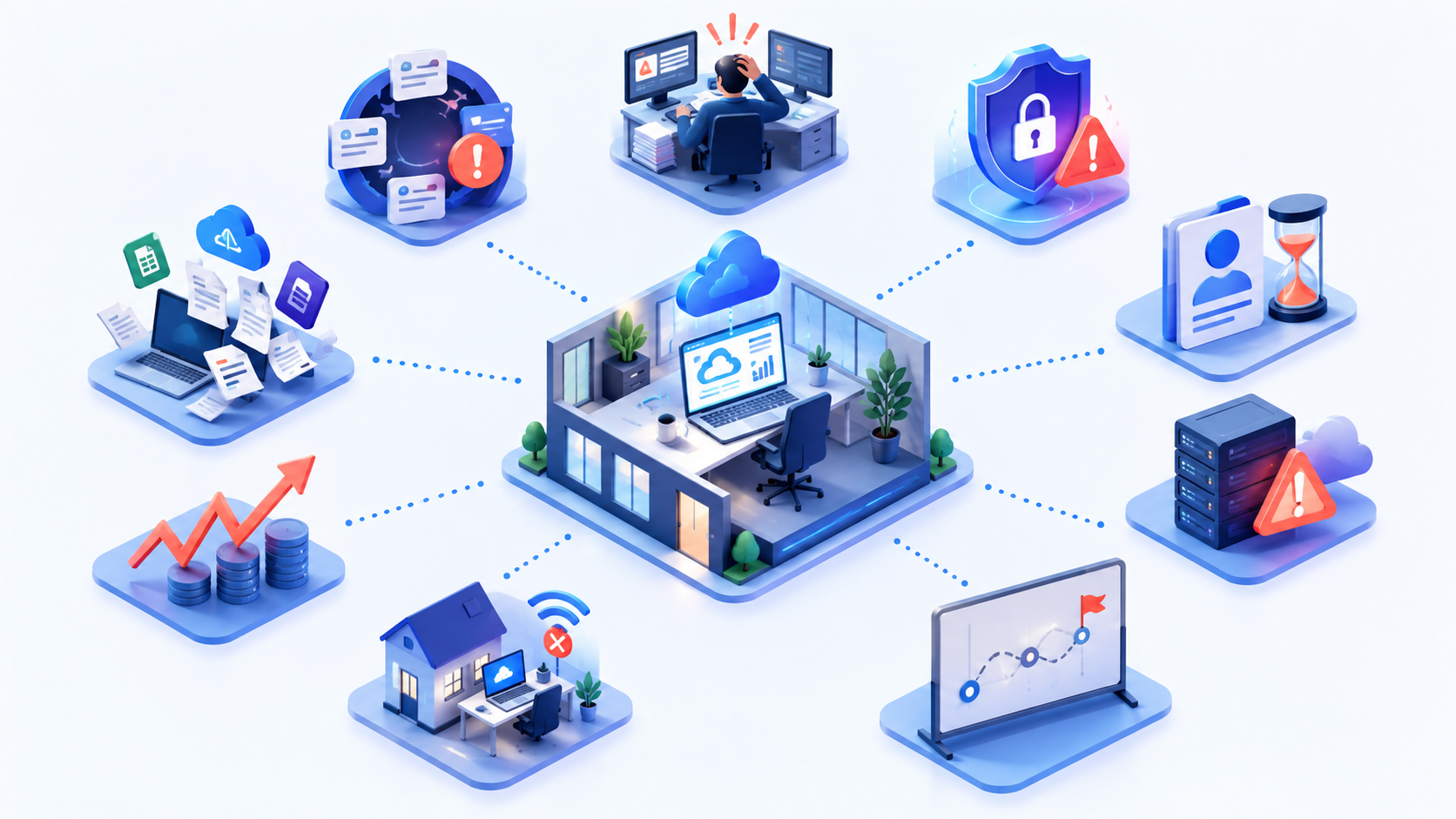
9 Costly Warning Signs You May Need IT Consulting Companies
1. Your team keeps fixing the same problems
When people repeatedly lose access to systems, deal with slow devices, chase missing files or reopen the same support tickets, the issue is usually not the individual problem. It is the lack of a permanent fix.
- Example: The finance team has to restart a shared application every Monday, and staff treat it as "just how it works."
- Impact: Time disappears in small chunks, while the underlying cause remains unresolved.
- Data to track: Count recurring tickets by issue. If the same issue appears three or more times in a quarter, it needs root-cause analysis, not another quick fix.
2. Technology decisions depend on one overstretched person
A founder, office manager or technically confident employee may have become the unofficial IT department. That can work for a while, but it creates a single point of failure as the business grows.
- Example: Only one employee knows the admin passwords, software renewal dates and how new staff are set up.
- Impact: Holidays, illness or resignation can slow the whole business down.
- Data to track: List the systems that only one person can access or explain. If that number is above zero for a critical system, you have a resilience risk.
3. Cybersecurity and compliance responsibilities are unclear
If nobody can clearly answer who owns security updates, user access, backups, incident response and data protection, the business has a gap—not just an administrative inconvenience.
- Example: A former employee still has access to customer files because no one owns the offboarding process.
- Impact: Unnecessary access can lead to data loss, regulatory exposure and reputational damage.
- Data point: 43% of UK businesses identified a cyber breach or attack in the previous 12 months, according to the UK Government's Cyber Security Breaches Survey.
4. New employees cannot become productive quickly
A new starter should not spend their first week waiting for a laptop, searching for documents or asking colleagues which tools they need. Poor onboarding often reveals disconnected systems and unclear ownership.
- Example: A new sales employee receives their email account on day one but has to wait days for CRM, shared-drive and customer-support access.
- Impact: Managers lose time chasing setup tasks, while the new hire cannot do the job they were hired to do.
- Data to track: Measure the average time from signed contract to full system access. More than one working day after a start date is worth investigating for most office-based roles
5. Systems, files and customer information are scattered
When important information sits across personal inboxes, shared drives, chat apps, spreadsheets and disconnected software, employees spend too much time looking for answers—and too little time acting on them.
- Example: Customer notes live in the CRM, pricing is in a spreadsheet, and the latest proposal is buried in someone's email.
- Impact: Teams duplicate work, use outdated information and deliver inconsistent service.
- Data to track: Ask employees how many places they must check to complete a routine task. If the answer is three or more systems, there is likely an integration, process or information-governance issue to solve.
6. Downtime is affecting customers or employees
Even a short outage can have a bigger commercial impact than it first appears. It can stop orders, delay customer responses, interrupt payroll or leave employees unable to work.
- Example: Your internet connection or core cloud system fails during the busiest part of the day, but there is no backup connection, recovery plan or clear escalation route.
- Impact: Lost revenue is only part of the cost; customer confidence and employee morale take a hit too.
- Data to track: Record every outage and its duration. If a business-critical system is unavailable for more than four hours in a quarter, review resilience, backup and recovery arrangements.
7. IT costs are unpredictable
Unexpected support bills, rushed hardware purchases, overlapping subscriptions and emergency security work make budgeting difficult. You should be able to explain what you spend on technology and why.
- Example: Three departments pay for similar software, while nobody knows which licences are active or due for renewal.
- Impact: Money is wasted, and important investments are delayed because the real cost of IT is unclear.
- Data to track: Compare planned IT spend with unplanned spend. If reactive purchases account for more than 20% of the annual IT budget, the business needs better planning and governance.
8. Growth, remote work or a merger has changed your requirements
The technology that supported a 15-person office may not support a 75-person hybrid team, a new location or an acquired business. Growth changes what "good enough" looks like.
- Example: Employees now work from home, but access is managed inconsistently and there is no standard for devices, identity or secure file sharing.
- Impact: Scaling becomes slower, riskier and more expensive because every new employee or location adds another workaround.
- Data to track: Review whether core processes still work at your current headcount. If onboarding, access management or support time has increased by 25% or more over the last year, your IT model may no longer fit.
9. You have no realistic technology roadmap
Without a technology roadmap, businesses tend to buy tools in response to pressure rather than making decisions that support their goals. That is how duplicate platforms and expensive short-term fixes build up.
- Example: Leadership knows the business needs better reporting, stronger security and more automation, but there is no agreed order, budget or owner for the work.
- Impact: IT becomes reactive, and teams invest in tools that do not connect or deliver measurable value.
- Data to track: Look ahead 12 months. If you cannot name the top three technology priorities, their business outcomes, estimated cost and accountable owner, a roadmap is overdue.
For context, businesses may compare local providers—such as Sacramento companies like GitsTel or Gravity's IT consultants in Austin—but the right choice should come down to your needs, sector, internal capability and the provider's ability to give clear ownership and measurable outcomes.
So, What Do IT Consulting Companies Actually Do?
IT consulting companies help you make smarter technology decisions before problems become expensive.
They look at how your business currently works, identify what is slowing people down or creating risk, then build a practical plan to improve it.
The best consultants do more than recommend new software. They connect technology decisions to business goals—whether that means supporting growth, reducing downtime, protecting customer data or helping employees work more efficiently.
Assess Your Current Technology
A consultant starts by reviewing your existing systems, devices, software, suppliers, access controls and support processes.
This gives you a clear picture of what is working, what is outdated and where the biggest risks sit.
- Review infrastructure, cloud applications and user access
- Identify duplicate tools, unnecessary costs and weak processes
- Highlight security, performance and compliance gaps
- Document what the business relies on day to day
Build a Practical IT Strategy
An IT strategy turns vague technology concerns into a prioritised plan. Instead of trying to fix everything at once, you know what should happen first, why it matters and what it is likely to cost.
- Set short-, medium- and long-term technology priorities
- Align IT investment with growth plans and operational goals
- Create realistic budgets and timelines
- Define clear ownership for each project and decision
Plan Cloud and Workplace Technology
Many businesses use cloud tools without a clear plan for access, security, integration or cost control. Consultants can help you choose the right approach without moving systems simply because it sounds modern.
- Assess whether cloud migration makes business sense
- Improve secure access for remote and hybrid employees
- Consolidate overlapping software subscriptions
- Plan integrations between core business systems
Review Cybersecurity and Compliance
Cybersecurity reviews help you understand where the business is exposed and which controls need attention first. This is not about creating panic; it is about protecting data, employees and customers with sensible safeguards.
- Review multi-factor authentication, backups and endpoint protection
- Check access permissions and leaver processes
- Assess policies, incident response and supplier risk
- Support GDPR, Cyber Essentials and sector-specific requirements
Help You Choose Technology Suppliers
Choosing software or IT providers can be time-consuming, especially when every vendor promises the same thing. A consultant can help you compare options against your actual requirements instead of selecting the cheapest or most familiar product.
- Define business and technical requirements
- Shortlist suitable software, hardware and service providers
- Compare cost, integration, support and security considerations
- Support contract, licence and renewal decisions
Deliver IT Projects Properly
Whether you are rolling out a new CRM, replacing hardware, moving to Microsoft 365 or improving your network, consultants can provide the structure that keeps projects moving.
- Define scope, responsibilities and success measures
- Coordinate internal teams and external suppliers
- Manage implementation risks and dependencies
- Test, document and support the rollout
Improve IT Governance and Accountability
Good IT governance makes it clear who makes decisions, who approves spend and who is accountable when something goes wrong. It stops critical technology knowledge from sitting with one person or one supplier.
- Set clear decision-making and escalation paths
- Document systems, vendors and key processes
- Establish regular technology and risk reviews
- Create reporting that leadership can actually use
In short, IT consulting companies give you an independent view of your technology, a clearer plan for what needs to happen next and the expertise to deliver it without losing sight of the business outcome.
| Option | Best for | What it covers | Main limitation |
| IT consulting company | Businesses facing change, risk or a specific technology challenge | IT assessments, technology roadmaps, cybersecurity reviews, cloud planning, vendor selection and project delivery | Usually focused on defined outcomes rather than day-to-day helpdesk support |
| Managed IT service provider (MSP) | Businesses that need ongoing technical support | Monitoring, helpdesk, device management, patching, backups and routine maintenance | May not provide independent strategic advice unless it is included in the agreement |
| Internal IT hire | Larger businesses with consistent, complex IT needs | Daily support, internal knowledge, supplier management and hands-on ownership | Higher fixed cost and may still need specialist external expertise |
| Hybrid approach | Growing businesses that need both support and strategy | Internal ownership or MSP support, plus consultants for audits, planning and major projects | Requires clear responsibilities to avoid gaps or duplicated work |
A simple rule: use an IT consultant when you need a clear plan or specialist project expertise; use an MSP when you need ongoing support; build an internal team when your technology needs justify the full-time cost.
IT Consulting, Managed IT Support or an In-House Hire: What Is the Difference?
Choosing the right model comes down to the problem you are trying to solve. IT consulting is typically best for planning, change and specialist expertise.
Managed IT support keeps day-to-day technology running. An in-house hire gives you dedicated internal ownership, but comes with a higher fixed commitment.
| Option | Best use case | Key strengths | Limitations |
| IT consulting companies | You need an IT assessment, cybersecurity review, cloud migration plan, technology roadmap or major project delivered | Independent expertise, strategic direction, specialist knowledge and project-focused support | Not normally intended to be your everyday helpdesk |
| Managed IT support provider | You need reliable ongoing support for employees, devices, networks, backups and routine maintenance | Predictable support, monitoring, faster issue resolution and access to a wider technical team | Strategy can be limited if the provider only focuses on support tickets |
| In-house IT hire | Your business has a consistent volume of technology needs and requires someone close to daily operations | Strong internal knowledge, direct access for staff and ownership of internal priorities | Salary, training, recruitment and cover for absence can make it expensive |
| Hybrid model | You need ongoing support but also want independent planning or specialist project expertise | Combines daily support with strategic guidance, flexibility and deeper expertise when needed | Needs clear responsibilities so work is not duplicated or overlooked |
For many growing businesses, the hybrid model is the most practical starting point.
A managed provider or internal IT lead handles daily operations, while an IT consultant is brought in for major decisions, audits, security reviews and transformation projects.
A Realistic Example: When a Growing Business's Systems Stop Keeping Up
A 60-person professional services company had grown quickly over two years. Its team used Microsoft 365, a cloud CRM, shared spreadsheets and several smaller apps chosen by different departments.
Nothing appeared seriously broken, so technology decisions were handled whenever an issue became urgent.
Then the cracks started to show. New employees waited several days for access to the right tools. Sales teams could not always find the latest customer information.
Finance was still receiving documents through email attachments, while project teams stored files in multiple locations. When a key employee left, the business discovered that they were the only person with admin access to several critical systems.
The employee impact was immediate. Staff spent time asking where information lived, waiting for permissions and duplicating work that had already been completed elsewhere. Managers became the default route for simple IT decisions, which pulled them away from customers and their core responsibilities.
Customers felt it too.
Responses took longer because teams had to search for accurate information. A few projects were delayed after employees worked from outdated files, and the business looked less organised than it actually was.
An IT consultant would not simply recommend another tool. They would first assess the full technology environment, map the employee journey from onboarding to daily work, identify security and access gaps, and clarify who owned each platform.
From there, they could create a prioritised roadmap covering:
- A single, secure location for shared documents and customer information
- Standard onboarding and offboarding processes
- Clear administrator access and documented system ownership
- Integration or consolidation of overlapping software
- A realistic plan for security, backup, support and future growth
The result is not "more IT." It is a clearer, more reliable way for people to work—so the business can keep growing without creating more confusion behind the scenes.
Why This Matters to HR, Operations and Employees—Not Only IT
Technology issues rarely stay inside the IT department. When systems are unclear, access is poorly managed or processes rely on manual workarounds, HR, operations and employees all feel the impact.
For HR, the biggest issue is often onboarding and offboarding. A new starter needs the right device, account permissions, software access and training from day one. When these steps are inconsistent, new employees lose productive time and managers are forced to chase basic setup tasks. The same applies when someone leaves: access must be removed promptly to protect company and customer information.
Operations teams need reliable systems to keep work moving. If teams cannot find the latest document, access a customer record or use a core platform, everyday processes slow down. That can affect order processing, customer service, reporting, payroll and compliance.
Employees need clear, simple ways to work. They should know where information lives, which tools are approved and who to contact when something goes wrong. Without this clarity, people create their own workarounds—saving files locally, using personal messaging apps or sharing passwords—which creates more risk for the business.
Business continuity also depends on this shared responsibility. If a key system fails or a cyber incident happens, HR needs to communicate with employees, operations needs to keep essential services running, and leadership needs accurate information to make decisions. Clear policies, access controls, documented processes and tested recovery plans make that response far less chaotic.
This is why IT consulting is not only about servers, software or security tools. It is about creating a working environment where employees can start quickly, work confidently, protect information and keep the business moving when something unexpected happens.
How to Choose an IT Consulting Company in the UK
Choosing an IT consulting company should not come down to who has the most technical website or the lowest day rate.
You need a partner that understands your business, explains recommendations clearly and gives you control over your own technology.
| What to check | Why it matters | Questions to ask |
| Relevant sector experience | Different sectors have different security, compliance and operational requirements. | Have you worked with organisations of our size and in our sector? Can you share a comparable project? |
| A clearly defined scope | Vague scopes create delays, change requests and disputes over what is included. | What are the deliverables, timeline, assumptions and success measures? |
| Transparent pricing | You need to understand whether you are paying a fixed project fee, day rate, monthly retainer or a combination. | What is included, what is excluded and what could create an additional charge? |
| Cybersecurity expertise | Security should be built into every recommendation, not added at the end. | How do you assess access controls, backups, incident response, GDPR and supplier risk? |
| Strong project governance | Major IT work needs clear ownership, reporting and decision-making. | Who will lead the project? How often will we receive updates, risks and budget information? |
| Clear support boundaries | Consulting and managed support are not the same service. | What happens after the project ends? Do you provide support, handover or training? |
| References and evidence | Case studies and client references help you check whether the provider delivers what it promises. | Can we speak to a recent client with a similar challenge? |
| Exit planning and documentation | You should never be locked into a supplier because they hold the passwords, system knowledge or key documentation. | Who owns the admin accounts, documentation, licences and project outputs if we change provider? |
The strongest IT consulting companies will be comfortable answering these questions in plain English.
They should be clear about what they can deliver, where they are not the right fit and how they will leave your business with better documentation, stronger internal knowledge and more control—not more dependence.
Who Should Be Involved Before Appointing a Consultant?
Bringing in an IT consultant should not be an IT-only decision.
The consultant may be reviewing technology, but the outcome affects budgets, employee experience, customer service, security and the way every department works.
| Stakeholder | Their role in the decision |
| CEO or business owner | Sets the business priorities, approves investment and ensures the work supports growth, profitability and risk reduction—not technology for its own sake. |
| CIO, IT manager or internal IT lead | Provides an accurate view of current systems, technical risks, supplier relationships and ongoing support requirements. They should also help define what expertise is missing internally. |
| HR leader | Brings the employee perspective, including onboarding, offboarding, access requests, training and the everyday tools people need to work effectively. |
| Finance leader | Reviews the budget, pricing model, expected return and the cost of doing nothing. Finance should also confirm how ongoing support, licences and future project work will be managed. |
| Operations leader | Identifies the systems and processes that keep daily work moving, along with the operational impact of downtime, poor integrations or inefficient workflows. |
| Legal, compliance or data protection lead | Checks how the consultant will handle sensitive data, security obligations, contracts, GDPR requirements and any sector-specific rules. |
| Department managers | Explain the real problems employees face day to day, such as disconnected tools, slow approvals, missing information or customer-service delays. Their input stops the project being designed only around technical assumptions. |
You do not need every stakeholder in every meeting.
But each group should have a clear opportunity to describe its needs, review the proposed scope and understand what will change.
That gives the consultant better information from the start and makes it much easier to gain support once the work begins.
A Practical Checklist Before You Sign an IT Consulting Contract
What Will Change Over the Next Few Years?
Technology planning is becoming more important because businesses are relying on more connected systems than ever. Cloud platforms, SaaS tools, customer data, remote access and third-party suppliers now sit at the centre of everyday operations. The challenge is no longer simply choosing the latest tool. It is making sure those tools are secure, integrated, affordable and easy for employees to use.
AI will increase that pressure. Teams are already using AI for writing, analysis, customer support, reporting and workflow automation. Used well, these tools can save time and improve decision-making. Used without clear policies, access controls or data rules, they can create privacy, security and compliance problems. Businesses will need clear guidance on which AI tools are approved, what information can be shared and who is responsible for monitoring their use.
Cyber resilience will also become a bigger priority. The question is no longer whether a business needs security measures; it is whether it can continue operating if a supplier, employee account, device or core system is compromised. Strong backups, identity controls, incident-response plans and regular testing will become standard business requirements rather than optional IT extras.
Workforce flexibility will keep changing technology needs too. Employees expect to work securely from different locations, access information quickly and use tools that do not create unnecessary friction. At the same time, businesses need to protect sensitive information and keep a consistent experience for office-based, remote and frontline employees.
That is why strategic IT planning matters. It gives leaders a practical way to decide what to adopt, what to improve and what to stop using—without reacting to every new technology trend or waiting until an issue becomes urgent.
The Best IT Partner Helps You Make Better Decisions, Not Just Fix Problems
The right IT consulting partner does more than respond when a laptop fails or a system goes offline.
They help you understand where technology is creating risk, slowing employees down or limiting growth—and give you a practical plan to improve it.
That means more reliable systems, clearer ownership, stronger security and employees who can get on with their work without constantly chasing access, files or support. It also means leaders can make technology decisions with better information, rather than reacting to the next urgent problem.
You do not need to overhaul everything at once. Start by identifying the issues that are costing the business the most time, money or confidence.
From there, the right partner can help you prioritise the next steps and build a technology roadmap that supports where the business is going.
Frequently Asked Questions About IT Consulting Companies
What do IT consulting companies do?
IT consulting companies assess your current technology, identify risks and inefficiencies, and recommend a practical plan for improvement.
Their work can include IT strategy, cybersecurity reviews, cloud planning, software selection, supplier management, project delivery and governance.
When should a small business hire an IT consultant?
A small business should consider an IT consultant when recurring problems are affecting employees or customers, security responsibilities are unclear, technology costs are becoming unpredictable, or the business is preparing for growth, remote work, a new location or a major system change.
What is the difference between IT consulting and managed IT services?
IT consulting focuses on strategy, assessment and defined projects. Managed IT services focus on the day-to-day running of your technology, such as helpdesk support, monitoring, patching, backups and device management.
Many growing businesses use both.
How do I choose an IT consulting company in the UK?
When comparing IT consulting companies in UK, look for relevant sector experience, transparent pricing, clear project scope, cybersecurity capability, client references and a documented handover process.
The best provider should explain technical recommendations in plain English and ensure your business retains control of its systems, accounts and documentation.
How much do IT consulting services cost?
IT consulting costs vary by project size, technical complexity, location and whether the provider charges a fixed fee, day rate or monthly retainer.
Rather than choosing solely on price, compare the full scope, deliverables, assumptions, exclusions and expected ongoing costs. A cheap initial proposal can become expensive if essential work is left out.
Are IT consulting companies worth it for growing businesses?
They can be, especially when the business is relying on outdated systems, one overworked internal person or a collection of disconnected tools.
The value comes from avoiding costly mistakes, improving security and creating a technology plan that supports the next stage of growth.
What should be included in an IT consulting contract?
The contract should clearly state the project scope, deliverables, timeline, pricing, responsibilities, success measures, data-protection obligations, support boundaries and handover arrangements.
It should also confirm that your business owns its admin access, licences, documentation and project outputs.
How do I find top IT consulting companies?
Searching for top IT consulting companies or an IT consulting companies list is a useful starting point, but rankings alone should not decide the outcome.
Shortlist providers based on the problems you need solved, then compare relevant experience, client references, approach, pricing clarity and exit planning.
What should I look for in top IT consulting firms UK?
The top IT consulting firms UK will not necessarily be the largest.
Look for a provider that understands your business size, works within your sector's security and compliance requirements, and can show how it has delivered measurable results for similar organisations.
How can I find IT consulting companies near London or Northolt?
If you are searching for IT consulting companies near London or IT consulting companies near Northolt, local availability can be useful for onsite assessments, hardware projects and face-to-face workshops.
However, expertise, response times and a clear delivery model should matter more than postcode alone.
Should I only choose IT consulting companies near me?
Searching for IT consulting companies near me can help you identify local options, but many consulting projects can be delivered effectively remotely.
Choose the provider that offers the right expertise, clear communication and appropriate onsite support where your business genuinely needs it.
Can I search for IT consulting companies for jobs?
Yes. If you are looking for IT consulting companies for jobs, review their careers pages, technical specialisms, client sectors and development opportunities. Keep in mind that a company may be excellent for employment but not necessarily the right consulting partner for your business, so evaluate each purpose separately.
AI Summary
- IT consulting companies help businesses assess their current technology, reduce operational risk and create a practical plan for security, systems, cloud services and future growth.
- Warning signs that a business may need IT consulting include recurring technical problems, unclear system ownership, scattered information, slow employee onboarding, unpredictable IT costs and no technology roadmap.
- IT consulting is different from managed IT support: consultants focus on strategy, assessments and projects, while managed service providers typically handle ongoing helpdesk, monitoring, patching and maintenance.
- The right consultant should provide a defined scope, transparent pricing, cybersecurity expertise, relevant references, clear project governance and a documented handover when the engagement ends.
- HR, finance, operations, IT and leadership should be involved before appointing a consultant, because technology decisions affect employee productivity, budgets, customer service, compliance and business continuity.
- The goal is not simply to fix today’s IT problems, but to give the business more reliable systems, clearer accountability and a technology roadmap that supports sustainable growth.
Most Popular Posts

Effective communication among team members is vital for the productivity and success of any organization. Surprisingly, 60% of companies lack a long-term internal communication strategy, which p...


Businesses thrive on communication for efficiency, productivity and accomplishment. When the right information is passed from the right designation in the organization, it promotes positivity an...

Categories
Blog
(3252)
Business Management
(399)
Employee Engagement
(237)
Digital Transformation
(226)
Growth
(151)
Intranets
(142)
Internal communications
(110)
Remote Work
(68)
Sales
(53)
Collaboration
(53)
Customer Experience
(33)
Culture
(30)
Project management
(30)
Knowledge Management
(29)
Leadership
(20)
Comparisons
(9)
News
(1)

Related Posts

Which provider gives you better value in the VPSServer vs Hostinger VPS comparison? If you're searching for cheap VPS hosting, it's tempting to focus on the lowest monthly price. But reliability matters too: Hostinger advertises a 99.9% uptime ...

Which mobile EEG system will fit your experiments—and give you usable data beyond a promising specification sheet? With different electrode types, channel configurations and recording modes to compare, choosing a wireless EEG setup can quickly become...

The goal of people operations is to help in increasing employee engagement and retention. It is a strategic element in organizations that focuses on humanizing impersonal processes. Most of the startups have already paid a high price for not having a...

Searching for "communal work spaces near me" but unsure which option will actually suit your growing business? By the end of this guide, you'll know how to compare offices to rent, spot extra costs and ask the right questions before committing....

Do you know what happens to your information after you share it with an AI assistant? That question sits at the heart of AI privacy—and it's easy to overlook when you're trying to finish a task. You paste in a customer email, upload a spr...


Jill Romford
I am a digital nomad, lover of exploring new places and making friends.
I love to travel and I love the internet. I take pictures of my travels and share them on the internet using Instagram.
Traveler, entrepreneur, and community builder. I share my insights on digital marketing and social media while inspiring you to live your fullest life.
Ready to learn more? 👍
One platform to optimize, manage and track all of your teams. Your new digital workplace is a click away. 🚀
Free for 14 days, no credit card required.