
Insight Blog
Agility’s perspectives on transforming the employee's experience throughout remote transformation using connected enterprise tools.
1 hour reading time
(11925 words)
11 Best Accounts Receivable Software Tools for Local Governments in 2026—Ranked and Compared

11 Best Accounts Receivable Software Tools for Local Governments in 2026—Ranked and Compared
Compare 11 leading accounts receivable software tools for local governments in 2026, including features, integrations, limitations and best-use cases.
11 Best Accounts Receivable Software Tools for Local Governments in 2026—Ranked and Compared

Local governments can't afford to lose track of what they're owed.
The scale of the challenge is significant: according to the National Association of State Auditors, Comptrollers and Treasurers, state and local governments collectively manage trillions of dollars in public revenue each year, while the U.S. Government Accountability Office has identified improper payments across government programs as a persistent, billion-dollar problem.
In fiscal year 2023, federal agencies reported an estimated $236 billion in improper payments, according to the GAO.
Even small reconciliation errors or delayed collections can therefore create material pressure on local budgets.
Accounts receivable software gives local governmen
ts a clearer, more consistent way to manage invoices, payments, outstanding balances and revenue collected across different departments. That matters because councils and municipalities don't receive income from a single source.
They may collect money from permits, business licences, utilities, facility hire, inspections, property damage, local taxes, grants and dozens of other public services.
$236B
in improper payments
According to the U.S. Government Accountability Office, federal agencies reported an estimated $236 billion in improper payments during fiscal year 2023.
The problem is that these transactions often sit across departmental systems, spreadsheets and separate payment platforms.
When records don't connect, finance teams spend more time matching payments, correcting errors and working out which balances are genuinely overdue. Residents can also receive confusing information or unnecessary reminders after they've already paid.
Modern platforms can bring billing, payment collection, reconciliation and reporting into a more controlled process while giving residents convenient digital payment options.
However, convenience can't come at the expense of accessibility, security or financial oversight.
The Government Finance Officers Association recommends formal procedures for receiving, safeguarding, reconciling and recording payments, while encouraging electronic receipt methods where practical and cost-effective. GFOA
In this guide, we rank and compare 11 accounts receivable platforms and explain how to choose the right one for your local authority.
Key Takeaways
- The best accounts receivable software for local government must support public-sector billing, fund accounting, audit trails and departmental revenue workflows.
- Connecting invoices, payments and general ledger records reduces manual reconciliation and gives finance teams a clearer view of outstanding revenue.
- Residents need accessible payment choices, including online, telephone, counter and appropriate non-digital options.
- Automation should handle routine reminders and payment matching while sending disputes, hardship cases and unusual transactions for human review.
- The right platform depends on the authority’s size, revenue sources, existing ERP, integration requirements and capacity to manage implementation.
What is accounts receivable software?
Accounts receivable software helps organisations manage money owed by residents, businesses, partner organisations and other customers.
It provides finance teams with a central place to see what has been billed, what has been paid and which balances remain outstanding.
For a local government, this could cover anything from business licences and building permits to utility bills, facility hire, inspection charges and property-related fees.
Rather than asking each department to maintain separate spreadsheets or payment records, the system brings these transactions into a more consistent financial process.
Depending on the platform, finance teams may be able to:
- Create and issue one-time or recurring invoices.
- Record charges, credits and authorised adjustments.
- Accept online, telephone and in-person payments.
- Send scheduled reminders for outstanding balances.
- Match incoming payments with the correct customer accounts.
- Produce reports showing how long debts have been outstanding.
- Manage disputes, payment plans and collection notes.
- Post transactions to the appropriate general ledger accounts.
- Maintain a complete history of payments, changes and user activity.
Not every platform offers all these capabilities. Some products concentrate on invoicing and payment reminders, while others form part of a wider government financial management system.
This distinction matters because a municipality may need to allocate revenue across multiple departments, funds and account codes while maintaining a reliable audit trail.
AR tools, invoicing systems and government ERPs aren't the same thing
The terms are sometimes used interchangeably, but they describe systems with different levels of functionality.
| System | What it primarily does | Potential limitation |
| Invoicing software | Creates invoices, sends them to customers and records payments | May lack advanced collection, reconciliation and fund-accounting controls |
| AR automation platform | Automates reminders, collection workflows, payment matching and cash application | May require integration with an existing government ERP or accounting system |
| Municipal accounting system | Supports public-sector accounting, departmental billing and financial controls | The depth of automation can vary considerably between products |
| Government ERP | Connects finance, procurement, payroll, revenue, budgeting and reporting | Usually requires a larger investment in implementation, migration and training |
A small municipality might only need a straightforward way to issue bills, accept payments and monitor overdue balances.
A larger authority collecting revenue across utilities, permits, taxes and public facilities may require an integrated ERP with fund accounting, departmental reporting and configurable approval controls.
The right choice therefore depends on the problem being solved.
Before comparing vendors, local governments should establish whether they need a dedicated collection tool, a module that connects to their existing finance system or a broader replacement for an ageing ERP.
Why local-government receivables are more complicated than ordinary business invoices
A typical business usually sends an invoice after providing a product or service. Local governments deal with a much broader mix of charges, payment methods and public responsibilities.
Revenue may come from:
- Business licences and renewal fees.
- Planning permits and inspections.
- Water, waste and other utility services.
- Property rental and facility hire.
- Parking and transport charges.
- Recreation programmes and community activities.
- Grants and intergovernmental payments.
- Property damage and enforcement fees.
- Local taxes and other non-tax revenue.
- Department-specific public services.
Each source may follow a different billing schedule, approval process and accounting treatment.
A recreation fee might be paid immediately online, while a business licence could involve an application, inspection, adjustment and later renewal. Grant income may require its own reporting trail, and a disputed property charge could remain unresolved for weeks.
The money may also need to be allocated across different funds, departments, cost centres and general ledger accounts. That makes accurate payment matching far more important than simply marking an invoice as paid.
Automation still needs human judgement
Automating invoices, reminders and payment allocation can make collection more consistent. However, government bodies can't treat every outstanding balance in exactly the same way.
A resident may be disputing a charge, waiting for an adjustment or experiencing genuine financial hardship.
Automatically sending repeated warnings without checking the circumstances could create distress, generate complaints and damage public trust. Authorities therefore need clear escalation rules, accessible payment plans and a way for employees to pause automated action when a case requires human review.
Public access matters too.
Although many residents prefer online payments, others may need to pay by telephone, post or at a service counter.
Any new system should support digital convenience without excluding people who have limited internet access, disabilities or lower confidence using online services.
Strong financial controls can't be an afterthought
Every transaction should leave a reliable record showing what was charged, who made a change, when a payment arrived and where the money was allocated.
Authorities may also need to retain supporting records for specified periods and produce evidence during internal or external audits.
Access must be carefully controlled. The employee who creates or adjusts a charge shouldn't necessarily be able to approve a write-off or complete every stage of reconciliation.
This segregation of duties helps reduce errors, inappropriate changes and fraud risk.
A suitable system should therefore support:
- Role-based permissions and approval limits.
- Complete histories of charges, payments and adjustments.
- Secure handling of resident and payment information.
- Cash, cheque, card and electronic payment reconciliation.
- Payment plans, disputes and hardship arrangements.
- Accessible resident communications and payment journeys.
- Reports that can be traced back to individual transactions.
- Audit-ready records across departments and funds.
This is what makes government receivables different. The objective isn't only to collect money more quickly. It's to create a process that is accurate, fair, accessible and accountable to the public.
How we ranked the best accounts receivable software
There's no single platform that will be right for every local government.
A small municipality collecting a limited number of service fees has very different requirements from a large authority managing utilities, permits, property charges and revenue across multiple departments.
To make the comparison useful, we assessed each platform against criteria that matter in a public-sector finance environment.
We gave greater consideration to government workflow support, financial controls and core receivables capabilities than to marketing claims or the length of a vendor's feature list.
Our evaluation considered:
- Government and municipal workflow fit: Whether the platform supports the way councils, municipalities and public agencies operate.
- Core receivables functionality: Its ability to create invoices, record payments, manage adjustments and monitor outstanding balances.
- Billing and collection automation: Support for recurring billing, scheduled reminders, escalation workflows and payment matching.
- Fund accounting and general ledger integration: Whether transactions can be assigned to the correct funds, departments, cost centres and ledger accounts.
- Online and counter-payment support: The range of electronic and in-person payment methods available to residents.
- Reporting and audit trails: The quality of ageing reports, reconciliation records, adjustment histories and audit evidence.
- Security and access controls: Features such as role-based permissions, approval limits, authentication and user activity records.
- Resident self-service: Whether people can view balances, make payments, access receipts and manage their accounts without contacting the finance team.
- Integration options: Support for APIs, payment gateways, banking systems, service platforms and existing government ERPs.
- Implementation and training: The availability of migration assistance, configuration support, employee training and ongoing customer service.
- Pricing transparency: Whether the vendor publishes useful pricing information or requires buyers to request a customised quote.
- Suitability for different authority sizes: Whether the platform is realistic for a small municipality, larger council or complex public-sector organisation.
What our rankings actually mean
We've used specific categories such as "best for smaller municipalities," "best for resident self-service" and "best for integrated government ERP."
These labels describe where each platform appears strongest rather than suggesting that one product will outperform every alternative in every situation.
A highly capable government ERP may offer excellent financial control but require a substantial implementation project.
A dedicated collection platform may provide stronger automation but depend on integration with an existing accounting system. Those differences are reflected in our individual assessments.
Editorial disclosure
These rankings are based on publicly documented functionality, government-sector suitability, integration options, published product information and available customer evidence.
We haven't conducted hands-on testing of every platform included in this guide.
Features, packaging and pricing can change, and some capabilities may only be available through additional modules or integrations.
Local authorities should confirm their requirements directly with vendors, request demonstrations using realistic government scenarios and complete appropriate security, procurement and compliance checks before making a final decision.
Accounts receivable software comparison at a glance
The table below provides a quick comparison of the 11 platforms included in this guide.
Some are complete government ERP systems, while others focus on financial management, payment collection or advanced receivables automation.
That distinction matters.
A small municipality may benefit from an integrated platform built specifically for lean local-government teams, while a larger public body may need an enterprise system capable of supporting multiple departments, complex reporting and high transaction volumes.
| Accounts receivable software | Best For | Government-specific | Resident payment portal | Fund accounting | Pricing |
| {DELETED} | Small US municipalities and lean finance teams | Yes | Yes, through FrontDesk | Yes | Custom quote |
| Tyler Technologies | Established public-sector ERP operations | Yes | Available through connected solutions | Yes | Custom quote |
| Caselle | Dedicated municipal receivables workflows | Yes | Available through connected modules | Yes | Custom quote |
| Springbrook | Integrated local-government finance and utility billing | Yes | Yes | Yes | Custom quote |
| CentralSquare | Cross-department cash receipting and municipal finance | Yes | Yes | Yes | Custom quote |
| Civica | UK councils and public-sector finance teams | Yes | Depends on selected modules | Yes | Custom quote |
| OneAdvanced | UK local and central government finance | Yes | Depends on configuration | Yes | Custom quote |
| Unit4 | Larger and more complex public-sector organisations | Public-sector focused | Depends on configuration | Configurable | Custom quote |
| Infor Pathway | Connected local-government services and revenue management | Yes | Yes | Yes | Custom quote |
| GovSense | Municipalities using a NetSuite-based government ERP | Yes | Depends on configuration | Yes | Custom quote |
| HighRadius | Large organisations needing advanced AR automation | No—enterprise focused | Yes | Custom quote |
What the table doesn't tell you
A tick in a comparison table doesn't show how well a feature works within a particular authority.
"Payment portal," for example, could mean anything from a basic online checkout page to a complete resident account where users can view balances, manage AutoPay and download receipts.
Before selecting a platform, local governments should confirm:
- Which features are included in the quoted package.
- Whether data moves between modules in real time.
- How transactions are allocated across funds and departments.
- Which payment methods and gateways are supported.
- Whether implementation, migration and training cost extra.
- How the system manages adjustments, disputes and payment plans.
- Whether reports and audit trails meet local requirements.
Features, modules and pricing can change.
The table should be treated as an initial comparison rather than a substitute for demonstrations, security reviews and a formal procurement assessment.
Our List of 11 Best Accounts Receivable Software Tools for Local Governments in 2026
#1. {DELETED}— Best for small local governments
Is a cloud-based financial and operational platform built specifically for municipalities, counties, special districts and public utilities.
Its Finance Hub combines fund accounting, general ledger, bank reconciliation, budgeting, reporting, accounts payable and receivables management.
What distinguishes it from general business accounting products is its focus on municipal workflows.
Revenue can be allocated across the appropriate funds, while transactions from connected services can post to the general ledger without repeated manual entry.
The platform also connects with Utility Billing, which manages meter readings, rate calculations, statements, payments and past-due accounts. FrontDesk adds citizen-facing features such as online payments, AutoPay and email or text notifications.
It uses a modular structure, local governments can select the products they need. However, capabilities such as utility billing and resident self-service may require additional modules.
Pricing isn't published and is based on the size of the community and selected products.
- Core features: Fund accounting, general ledger, bank reconciliation, budgeting and AR/AP
- Payments: Online, telephone and counter payments, including cards and ACH
- Resident tools: Online payments, AutoPay and electronic notifications through FrontDesk
- Integrations: Utility Billing, Payments, HR/Payroll and Operations
- Pricing: Custom quote
- Best for: Small US municipalities, counties, special districts and public utilities wanting connected finance, billing and resident-payment tools
#2. Tyler Technologies — Best for established public-sector ERP operations
Tyler Technologies — Best for established public-sector ERP operations
Tyler Technologies provides financial management and ERP systems built specifically for local, state and federal government organisations. Its ERP Pro and Enterprise ERP platforms connect receivables with general ledger, budgeting, procurement, payroll and other core financial processes.
What distinguishes Tyler is the breadth of its public-sector ecosystem. Its receivables module supports daily billing and collection activity, while centralised customer records can connect a resident's accounts across different departments and billing categories.
Tyler also provides integrated cashiering and payment-processing products for online and in-person transactions. Enterprise ERP customers can use APIs to access customer, bill and payment information, which can help authorities connect financial data with other government systems.
The main consideration is scale.
Tyler's broad product range can support complex government operations, but implementation, configuration and integration may require more time and internal resources than a lighter municipal platform. Product packaging and pricing aren't published in detail.
- Core features: Multi-fund accounting, billing, collections, general ledger, budgeting and financial reporting
- Payments: Integrated payment processing and point-of-sale cashiering
- Customer records: Links multiple departmental accounts to a central customer file
- Integrations: Enterprise ERP APIs provide access to customer, billing and payment data
- Pricing: Custom quote
- Best for: Established local governments and public agencies wanting receivables management within a wider government ERP
Our Verdict
Tyler Technologies
Best for established public-sector ERP operations
4.6
/5
Price
Custom quote based on modules, users and implementation scope
Best feature
Integrated public-sector finance, billing and revenue management
#3. Caselle — Best for dedicated municipal receivables management
Caselle is a government accounting and utility billing platform used by municipalities and public-sector organisations. Its dedicated AR module brings invoicing, payments, statements, reminders and customer records into one system.
What distinguishes Caselle is its focus on everyday municipal billing.
Finance teams can create recurring invoices, calculate charges using flat or quantity-based rates and generate customised statements, letters and delinquency notices.
The module connects with Caselle's General Ledger to generate journal entries automatically. Its Cash Receipting application centralises payments and deposit balancing, while the Citizen Portal lets residents view invoices, access payment history, use AutoPay and make real-time online or telephone payments.
Caselle offers more than 40 integrated applications, so authorities should confirm which modules are included in their proposed package.
Pricing isn't published, and resident payments, cash receipting or other connected functions may involve additional products.
- Core features: Invoicing, recurring billing, payment recording, reminders and delinquency notices
- Payments: Online, telephone, point-of-sale, credit card, debit card and ACH options
- Resident tools: Account history, linked accounts, AutoPay, text-to-pay and electronic notifications
- Integrations: Connects with Caselle General Ledger, Cash Receipting, Utility Management and Citizen Portal
- Pricing: Custom quote
- Best for: Municipalities wanting dedicated receivables functionality within a broader government accounting platform
Our Verdict
Caselle
Best for dedicated municipal receivables management
4.5
/5
Price
Custom quote based on required municipal applications
Best feature
Dedicated municipal invoicing, receipting and resident payments
#4. Springbrook — Best for integrated municipal finance and utility billing
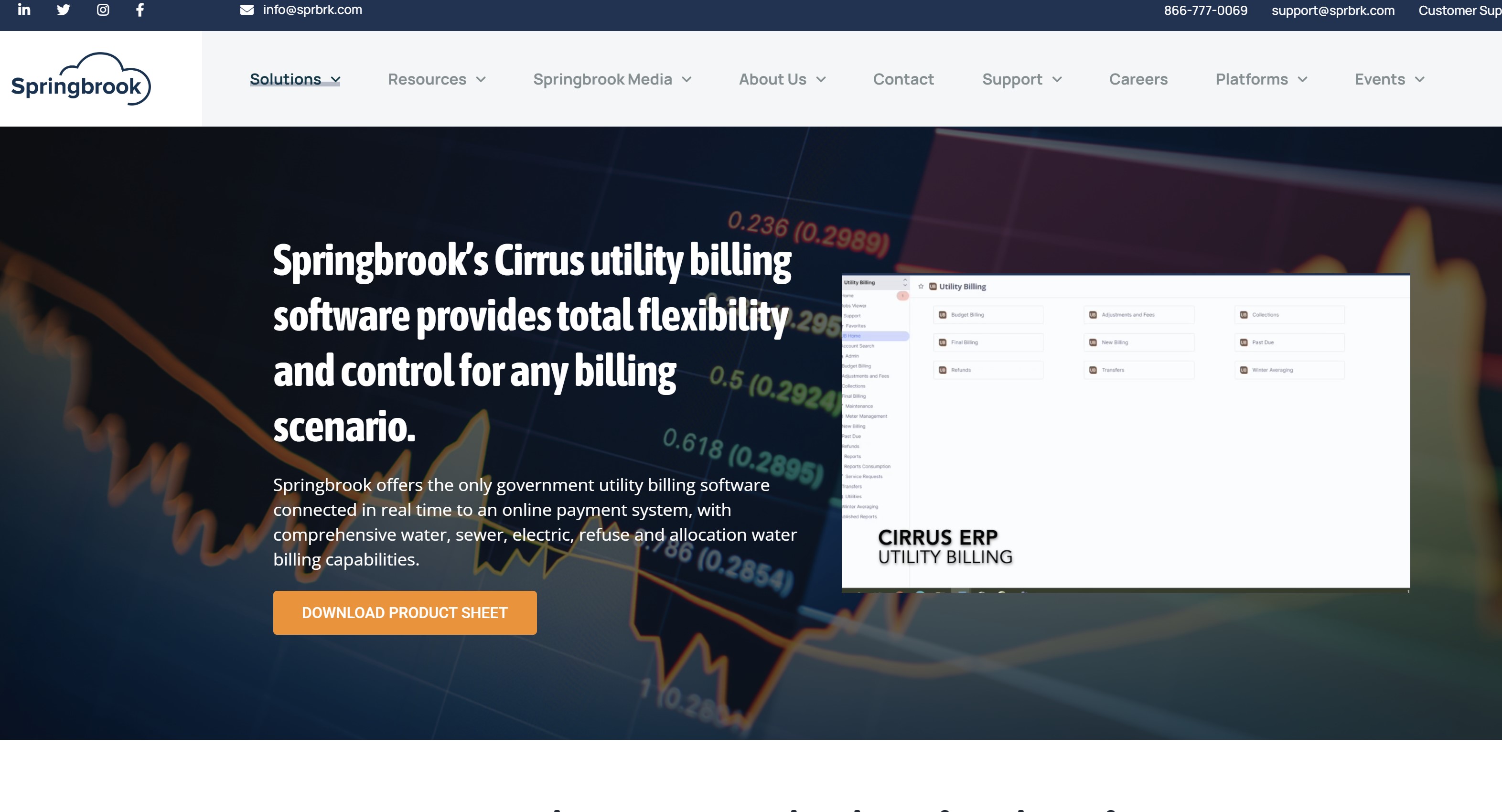
Springbrook — Best for integrated municipal finance and utility billing
Springbrook Cirrus is a cloud-based finance platform designed for local-government agencies.
It connects accounts receivable with general ledger, budgeting, cash receipting, utility billing, payroll and financial reporting.
What distinguishes Springbrook is its combination of government finance and resident payment tools. Its receivables functionality supports municipal billing and collection workflows, while Cirrus Utility Billing manages customer accounts, service charges, statements and revenue collection.
Springbrook's payment solutions allow residents to pay government bills online using multiple payment methods.
Transactions can flow into the wider finance platform, giving employees greater visibility while reducing duplicate entry between billing and accounting systems.
The platform is broad and modular, so implementation may be more involved than adopting a standalone AR tool.
Authorities should confirm which payment, utility-billing, reporting and automation features are included in their proposed package.
- Core features: Billing, collections, general ledger, cash receipting, budgeting and reporting
- Payments: Online payment options through Springbrook's connected payment solutions
- Resident tools: Digital bill payment, account access and utility-billing services
- Integrations: Connects Cirrus Finance with Utility Billing, Payments, Payroll/HR and other Springbrook modules
- Pricing: Custom quote
- Best for: Local governments wanting finance, utility billing and resident payments within a connected cloud platform
Our Verdict
Springbrook
Best for integrated municipal finance and utility billing
4.4
/5
Price
Custom quote based on modules and implementation requirements
Best feature
Connected government finance, utility billing and online payments
#5. CentralSquare — Best for cross-department cash receipting
CentralSquare provides public-administration software for local governments, including financial management, billing, cash receipts and online payments.
Its finance products connect accounts receivable with general ledger, accounts payable, budgeting, property tax and utility billing.
What distinguishes CentralSquare is its focus on collecting payments across multiple government departments.
Its cloud-based Cash Receipts platform can process front-counter and back-office transactions while providing real-time account updates and centralised reconciliation.
The system supports different payment providers, currencies and hardware, while APIs and flat-file integrations allow payment data to move between CentralSquare and other financial applications.
Authorities can also customise receipts and organise batches by location, workstation, cash drawer or transaction date.
CentralSquare offers several public-administration products, so available features will depend on the ERP and payment modules selected. Buyers should confirm how its finance, cashiering and resident-payment tools will connect within their particular environment.
- Core features: Cash receipting, billing, reconciliation, general ledger, budgeting and financial reporting
- Payments: Online, counter and back-office payment processing
- Departmental support: Handles transactions across locations, departments, workstations and cash drawers
- Integrations: Connects through APIs and flat-file exchange with financial systems and payment providers
- Pricing: Custom quote
- Best for: Municipalities needing centralised payment collection and reconciliation across multiple departments
Our Verdict
CentralSquare
Best for cross-department cash receipting
4.3
/5
Price
Custom quote based on agency size, modules and implementation
Best feature
Centralised payment collection across departments and locations
#6. Civica — Best for UK local authorities
Civica Financials is a cloud-based financial management platform developed for UK councils and public-sector finance teams.
It provides real-time financial reporting, automated workflows, approval controls and audit trails across local-government services.
What distinguishes Civica is its alignment with UK public-sector requirements. The platform is CIPFA-aligned, SERCOP-ready, compliant with Making Tax Digital for VAT and delivered with UK data residency.
Civica Income Management adds online, telephone and in-person payment collection.
It helps councils reconcile and distribute income while giving finance teams real-time information about transaction volumes, payment trends and revenue performance.
CivicaCollect is also available for authorities requiring more advanced debt-management and recovery workflows.
Civica's capabilities are distributed across several connected products, so buyers should confirm whether financial management, income collection and debt recovery are included in a single proposal or priced separately.
- Core features: Financial reporting, workflow automation, approvals, audit trails and income management
- Payments: Online, telephone and in-person payment collection
- Security: UK cloud hosting and PCI DSS Level 1 payment security
- Integrations: Connects Civica Financials with Income Management, Revenues and Benefits, and CivicaCollect
- Pricing: Custom quote
- Best for: UK councils wanting financial management, secure payment collection and public-sector compliance support
Our Verdict
Civica Financials
Best for UK local authorities
4.3
/5
Price
Custom quote based on products, users and implementation scope
Best feature
UK public-sector finance, income management and payment controls
#7. OneAdvanced Financials — Best for UK government finance automation
OneAdvanced Financials is a cloud-based financial management platform for government and other complex organisations. It brings accounts payable, receivables, invoicing, credit management, bank reconciliation, budgeting and reporting into one connected system.
What distinguishes OneAdvanced is its focus on automation and real-time financial visibility.
The platform can automate invoice creation, payment reminders, cash application and reconciliation while providing dashboards for monitoring cash flow, ageing balances and operational performance.
The system also supports configurable workflows, customer self-service and integration with ERP, procurement and wider business applications.
This can help public-sector finance teams reduce duplicate entry while maintaining clearer records of transactions and approvals.
OneAdvanced serves several industries rather than focusing exclusively on local government. Authorities should therefore confirm that its fund structures, statutory reporting, payment channels and collection workflows meet their specific public-sector requirements.
- Core features: Invoicing, AR/AP automation, credit management, reconciliation, budgeting and reporting
- Automation: Payment reminders, cash application, approval workflows and bank reconciliation
- Reporting: Real-time dashboards covering cash flow, ageing, approvals and financial performance
- Integrations: Connects with ERP, procurement and existing business systems through integrations and APIs
- Pricing: Custom quote
- Best for: UK government organisations wanting flexible finance automation and real-time reporting
Our Verdict
OneAdvanced Financials
Best for UK government finance automation
4.2
/5
Price
Custom quote based on modules, users and implementation scope
Best feature
Configurable AR automation with real-time financial reporting
#8. Unit4 ERP — Best for larger public-sector organisations
Unit4 ERP is a cloud-based enterprise platform that combines financial management with procurement, projects, payroll and workforce management. Its finance tools cover general ledger, accounts payable and receivable, fixed assets, cash management and multi-entity consolidation.
What distinguishes Unit4 is its ability to support large organisations with complex structures. Finance teams can manage receivables with built-in credit controls, monitor debt and cash flow, automate bank reconciliation and access real-time financial dashboards.
The platform also supports approval workflows, multi-currency operations and electronic invoicing. APIs, web services and file-based integrations allow Unit4 to exchange financial data with other government and departmental systems.
Unit4 serves public-sector organisations but isn't designed exclusively for local government. Smaller municipalities may find its implementation scope and enterprise functionality greater than they require. Authorities should also confirm support for their fund-accounting, resident-payment and statutory-reporting needs.
- Core features: General ledger, receivables, credit control, cash management, fixed assets and consolidation
- Automation: Approval workflows, bank reconciliation, transaction matching and electronic invoicing
- Reporting: Real-time dashboards covering debt, cash flow and financial performance
- Integrations: APIs, web services and file-based connections to existing systems
- Pricing: Custom quote
- Best for: Larger councils and public-sector organisations with complex, multi-entity financial operations
Our Verdict
Unit4 ERP
Best for larger public-sector organisations
4.1
/5
Price
Subscription pricing based on users, modules and deployment
Best feature
Complex multi-entity finance and receivables management
#9. Infor Pathway — Best for Australian and New Zealand councils
Infor Pathway is a cloud-based local-government platform designed for councils in Australia and New Zealand. It connects revenue management with property, regulatory services, customer records and resident self-service.
What distinguishes Pathway is its support for receivables generated across council services. Its AR capabilities include bulk invoicing, statement generation and debt recovery, while specialist modules handle water billing, income receipting and refunds.
The system can generate receipts for payments received directly, through banks or from external agencies, with audit controls covering each transaction. Its general ledger interface exchanges validated accounting entries with external finance systems through configurable import and export formats.
Pathway is strongly tailored to the ANZ local-government market, which may make it less suitable for authorities operating elsewhere. Buyers should also confirm which modules, resident-payment tools and finance-system integrations are included.
- Core features: Bulk invoicing, statements, debt recovery, receipting, refunds and revenue management
- Payments: Online payments and council receipting through resident-facing tools
- Resident tools: Self-service for payments, applications, bookings, licences and account enquiries
- Integrations: Configurable interfaces with general ledger and external financial systems
- Pricing: Custom quote
- Best for: Australian and New Zealand councils wanting connected revenue, property and regulatory-service management
Our Verdict
Infor Pathway
Best for Australian and New Zealand councils
4.0
/5
Price
Custom quote based on council size and selected modules
Best feature
Connected council revenue, property and regulatory management
#10. GovSense — Best for NetSuite-based government finance
GovSense is a cloud-based government resource planning platform built on Oracle NetSuite.
It connects accounting and receivables with budgeting, utility billing, fund management, payroll, assets, permitting, licensing and other municipal operations.
What distinguishes GovSense is its combination of NetSuite's cloud infrastructure with workflows configured for local government.
Finance teams can manage general ledger, accounts payable and receivable from one jurisdiction-wide system, with real-time dashboards and reports available without relying heavily on IT.
The platform supports card payments through PCI-compliant processing, configurable workflows and public-sector reporting requirements. Authorities can purchase the broader platform or introduce individual modules as their requirements grow.
GovSense may be most attractive to organisations that want a NetSuite-based environment.
Buyers should confirm the depth of resident self-service, payment options, API access and implementation support included in their proposed configuration.
- Core features: General ledger, AR/AP, budgeting, fund management, utility billing and reporting
- Payments: PCI-compliant card-payment processing
- Automation: Configurable workflows with internal financial controls
- Integrations: Built on Oracle NetSuite and connects finance with other GovSense modules
- Pricing: Custom quote
- Best for: US local governments wanting a flexible, NetSuite-based finance and municipal operations platform
Our Verdict
GovSense
Best for NetSuite-based government finance
3.9
/5
Price
Custom quote based on modules and implementation requirements
Best feature
Local-government finance and operations built on Oracle NetSuite
#11. HighRadius — Best for advanced enterprise AR automation
HighRadius is an AI-powered receivables platform for enterprise and mid-market finance teams.
It combines collections, cash application, credit management, deductions, electronic invoicing, payments and financial analytics.
What distinguishes HighRadius is the depth of its automation. The platform can prioritise collection activity, match incoming payments with invoices, capture remittance information and synchronise completed transactions with an organisation's ERP.
HighRadius connects with systems including SAP, Oracle, NetSuite, Microsoft Dynamics and Workday, as well as banks, payment processors and customer payment portals. Self-service tools allow customers to access invoices and make online payments without contacting the finance team.
However, HighRadius isn't a government-specific ERP and doesn't provide native municipal fund accounting.
Local authorities would normally use it alongside an existing finance system and should carefully assess public-sector reporting, resident accessibility, data governance and integration requirements.
- Core features: Collections, cash application, deductions, credit, invoicing and AR analytics
- Automation: AI-assisted payment matching, collection prioritisation and remittance capture
- Payments: Customer self-service portal and B2B payment processing
- Integrations: SAP, Oracle, NetSuite, Microsoft Dynamics, Workday, banks and payment processors
- Pricing: Custom quote
- Best for: Larger public-sector organisations needing advanced receivables automation alongside an existing ERP
Our Verdict
HighRadius
Best for advanced enterprise AR automation
3.8
/5
Price
Custom enterprise quote based on modules and transaction volume
Best feature
AI-powered collections, cash application and payment matching
Which accounts receivable features actually matter?
A long feature list can make almost any financial platform look impressive.
The real question is whether those features support the way a local government bills residents, records income and manages outstanding balances.
The best accounts receivable software should make everyday work easier without weakening financial controls or creating barriers for residents. Here are the capabilities that deserve the closest attention.
Billing that reflects how government services work
Local-government billing rarely follows one standard process.
A council might issue a one-time charge for a building inspection, monthly bills for utilities and annual invoices for business licences. Different departments may also apply their own fees, discounts, penalties and approval rules.
A suitable platform should support:
- One-time and recurring charges.
- Department-specific invoice templates.
- Taxes, service fees, penalties and authorised adjustments.
- Multiple funds, cost centres and account codes.
- Bulk invoice generation.
- Configurable approval rules.
- Different billing schedules and payment terms.
- Credits, refunds and cancelled charges.
Flexibility is important, but so is control.
Employees shouldn't be able to create new charges, change payment terms or write off balances without appropriate permissions. The system should record every adjustment and, where necessary, route it to an authorised manager for approval.
Authorities should test this during product demonstrations. Ask the vendor to recreate several real billing scenarios rather than presenting a polished, generic invoicing workflow.
If the system can't comfortably handle the authority's most complicated charge, that problem won't disappear after implementation.
Payment options that don't exclude residents
Online payment portals can reduce administrative work and let people pay outside normal office hours.
However, a digital-first approach shouldn't become a digital-only approach.
Residents may have different levels of internet access, confidence and financial flexibility.
Some will want to pay by card through a mobile portal, while others may need to use direct debit, telephone banking, cash, cheque or an in-person service counter.
Look for support for:
- Online payment portals.
- Direct debit and ACH payments.
- Debit and credit cards.
- Telephone payments.
- Cash and cheque handling.
- In-person counter payments.
- Recurring payments and AutoPay.
- Payment plans.
- Downloadable statements and receipts.
- Multiple languages.
- Accessible forms and payment journeys.
- Non-digital payment alternatives.
The resident experience should be tested on a mobile phone as well as a desktop computer. Forms need clear labels, simple instructions and useful error messages. The portal should also work with assistive technologies and follow the relevant accessibility requirements in the authority's jurisdiction.
Payment flexibility needs to extend beyond the front end. Finance employees should be able to see when a transaction was initiated, how it was paid and whether it has cleared. The system must also allocate the money to the correct account without creating another manual reconciliation task. For businesses looking to automate this process further, bank reconciliation with AI Accountant can help reduce manual matching and improve the accuracy of financial records.
Automation without losing human oversight
Automation can remove hours of repetitive work. It can issue recurring invoices, send reminders, match payments and flag overdue balances without asking an employee to review every routine transaction.
However, not every unpaid balance should follow the same automated collection path.
A charge may be under formal dispute.
A payment could have arrived without enough information to match it. A resident might have an agreed payment plan or be experiencing financial hardship. In these situations, repeatedly sending automated warnings can make the problem worse.
Effective automation should include:
- Scheduled and configurable payment reminders.
- Different workflows for different account types.
- Escalation rules based on age, value or risk.
- Account segmentation.
- Exception queues for unmatched or unusual transactions.
- Dispute and case-management controls.
- Payment-plan and hardship markers.
- The ability to pause reminders.
- Human approval before serious collection action.
- A full history of automated and manual communications.
The aim isn't to remove employees from the process. It's to let the system handle predictable work while directing complicated or sensitive cases to someone who can make an informed decision.
Authorities should also review the language used in automated messages. A reminder about an overdue recreation fee shouldn't necessarily sound like a warning concerning a large commercial debt.
Templates should be clear, proportionate and appropriate to the situation.
Reporting that survives an audit
A dashboard showing total outstanding debt is useful, but it isn't enough.
Finance teams need to understand where each figure came from and prove what happened to an individual transaction.
A reliable system should maintain:
- Complete histories of invoices, payments and adjustments.
- User names, dates and timestamps for important actions.
- Approval records for credits, refunds and write-offs.
- Aged-debt reports showing 30-, 60- and 90-day balances.
- Reconciliation reports across banks, payment processors and ledgers.
- Records of disputes and collection activity.
- Departmental and fund-level reporting.
- Segregation of duties.
- Configurable access permissions.
- Exportable evidence for internal and external auditors.
Another think reporting should also help managers identify operational problems. If one department consistently issues invoices late or produces an unusually high number of adjustments, the system should make that visible.
Ask vendors whether reports show real-time information or rely on scheduled updates. Finance teams should also test whether they can trace a headline figure back to the underlying invoices and payments without exporting several files and rebuilding the calculation in a spreadsheet.
The strongest platform isn't simply the one that automates the most tasks.
It's the one that gives residents practical ways to pay, gives employees enough flexibility to handle exceptions and gives auditors a clear record of every financial decision.
Related Business Software, Finance & Operations Comparisons
Choosing an accounts receivable platform is only one part of building a more connected organisation. These related AgilityPortal listicles compare business management, operations, HR, project management, workforce and knowledge tools that can reduce manual work and replace disconnected spreadsheets.
- Top 10 All-in-One Business Management Software Tools
- Top Software Comparison Platforms for Evaluating Business Tools
- Top Operations Management Software Platforms Ranked and Compared
- Best Project Management Software for Small Businesses and Hybrid Teams
- Best Labor Management System Apps for Workforce Productivity
- Best Online HR Software Platforms Compared
- Best Knowledge Management Software: Top Tools Compared
- Best Customer Database Software to Replace Excel Spreadsheets
- Top Clock-In Clock-Out Apps for Small Business Teams
- Best Team Collaboration Software Tools for Hybrid and Remote Teams
Together, these guides strengthen the topic cluster around business software selection, financial operations, workflow automation, workforce management, data centralisation, reporting and digital transformation.
Who should be responsible for selecting and managing the system?
Choosing a financial platform shouldn't be left entirely to the finance or IT department.
Finance understands the controls and collection processes, while IT understands integrations, security and long-term system support. Department managers also know how charges are created in practice.
The strongest approach is to create a cross-functional selection team with one named senior owner.
That prevents decisions from becoming stuck between departments and makes it clear who is accountable for the final outcome.
| Role | Main responsibility | Why it matters |
| Finance director or CFO | Owns the financial objectives, approves requirements and remains accountable for results | Keeps the project focused on revenue, control and public accountability |
| AR or revenue manager | Defines billing, reminder, payment-plan and exception workflows | Understands the daily realities of collection and reconciliation |
| Treasurer | Oversees receipts, banking, cash management and reconciliation | Ensures payments are protected, recorded and allocated correctly |
| CIO or IT director | Assesses architecture, integrations, migration, resilience and technical support | Prevents the authority from introducing another disconnected system |
| CISO or security lead | Reviews authentication, permissions, encryption, logging and incident response | Protects financial information and residents' personal data |
| Data protection officer | Reviews data collection, retention, sharing and processor arrangements | Helps the authority meet its privacy and data-protection obligations |
| Procurement lead | Manages requirements, vendor evaluation, contracting and commercial terms | Creates a fair and defensible buying process |
| Internal auditor | Tests controls, audit evidence, approvals and segregation of duties | Identifies governance weaknesses before implementation |
| Department managers | Validate billing requirements for utilities, permits, licences and other services | Stops finance from designing workflows that don't reflect operational reality |
| Communications and training lead | Explains changes, coordinates training and maintains guidance | Helps employees understand the new process and reduces avoidable mistakes |
One person must still own the outcome
Cross-functional involvement is valuable, but shared responsibility shouldn't mean that nobody is ultimately accountable.
The finance director or another senior financial leader should normally act as the executive owner.
The AR or revenue manager can then take operational ownership of the system after implementation. This includes monitoring outstanding balances, reviewing exception queues, maintaining reminder rules and checking whether employees follow the agreed procedures.
IT should remain responsible for technical administration, integrations, access provisioning and vendor escalation.
Security, privacy and internal audit teams should review the platform periodically rather than disappearing after procurement.
Department managers need a genuine voice
A central finance team may understand accounting controls but not every departmental billing process.
For example, a utilities team may need consumption-based billing and delinquency workflows, while a licensing department may need annual renewals, inspections and fee adjustments.
Department managers should help document these requirements, test realistic scenarios and approve the final workflow for their service. This involvement also creates local ownership, making employees more likely to adopt the new system.
The selection team should continue meeting after launch.
Regular reviews can examine collection performance, unresolved exceptions, employee feedback, resident complaints, security issues and whether the platform still meets the authority's needs.
The software may run the workflow, but people remain responsible for ensuring that the process is accurate, fair and properly governed.
A 15-step checklist for choosing accounts receivable software
A polished demonstration can make almost any platform look suitable.
The real test is whether it can handle your authority's revenue sources, accounting structure, payment channels and public-service responsibilities under normal and exceptional conditions.
Use this checklist to structure the selection and implementation process:
- Map every source of receivable revenue, including permits, licences, utilities, facility hire, inspections, grants, taxes and enforcement charges.
- Identify where invoices, balances, adjustments and payment records currently live.
- Document existing collection, escalation, dispute, hardship and write-off policies.
- Establish baseline performance before changing the system.
- Separate essential requirements from features that would simply be useful.
- Confirm fund-accounting, cost-centre and general-ledger requirements.
- Review whether residents can pay online, by telephone, at a counter or through non-digital methods.
- Assess encryption, role-based permissions and segregation of duties.
- Check transaction histories, adjustment approvals, audit trails and record-retention controls.
- Test integrations using realistic invoices, partial payments, refunds, adjustments and failed transactions.
- Review data migration requirements and decide who will clean inaccurate or duplicated records.
- Ask vendors for references from comparable public-sector organisations.
- Run demonstrations using your own government billing scenarios rather than the vendor's standard script.
- Pilot the platform within one service or department before wider deployment.
- Review results after launch and adjust workflows, permissions and employee training where necessary.
Which metrics should you measure before implementation?
Without a reliable baseline, it's difficult to prove whether the new platform has improved collections or simply changed how the work is completed.
Record the following measures before implementation:
- Total outstanding receivables
- Balances aged by 30, 60 and 90-plus days
- Average time required to issue an invoice
- Collection rate
- Percentage of payments matched automatically
- Number of manual adjustments
- Number of disputed charges
- Cost per transaction
- Online payment completion rate
- Number of resident support enquiries
- Time required to complete reconciliation
Days sales outstanding can provide useful context, but it shouldn't be the only measure. Government receivables don't behave like ordinary commercial credit sales.
A utility bill, disputed enforcement fee, grant payment and facility-hire invoice can each have different payment terms, collection processes and legal considerations.
Authorities therefore need a balanced set of operational, financial and resident-experience metrics.
How a digital workplace supports a successful rollout
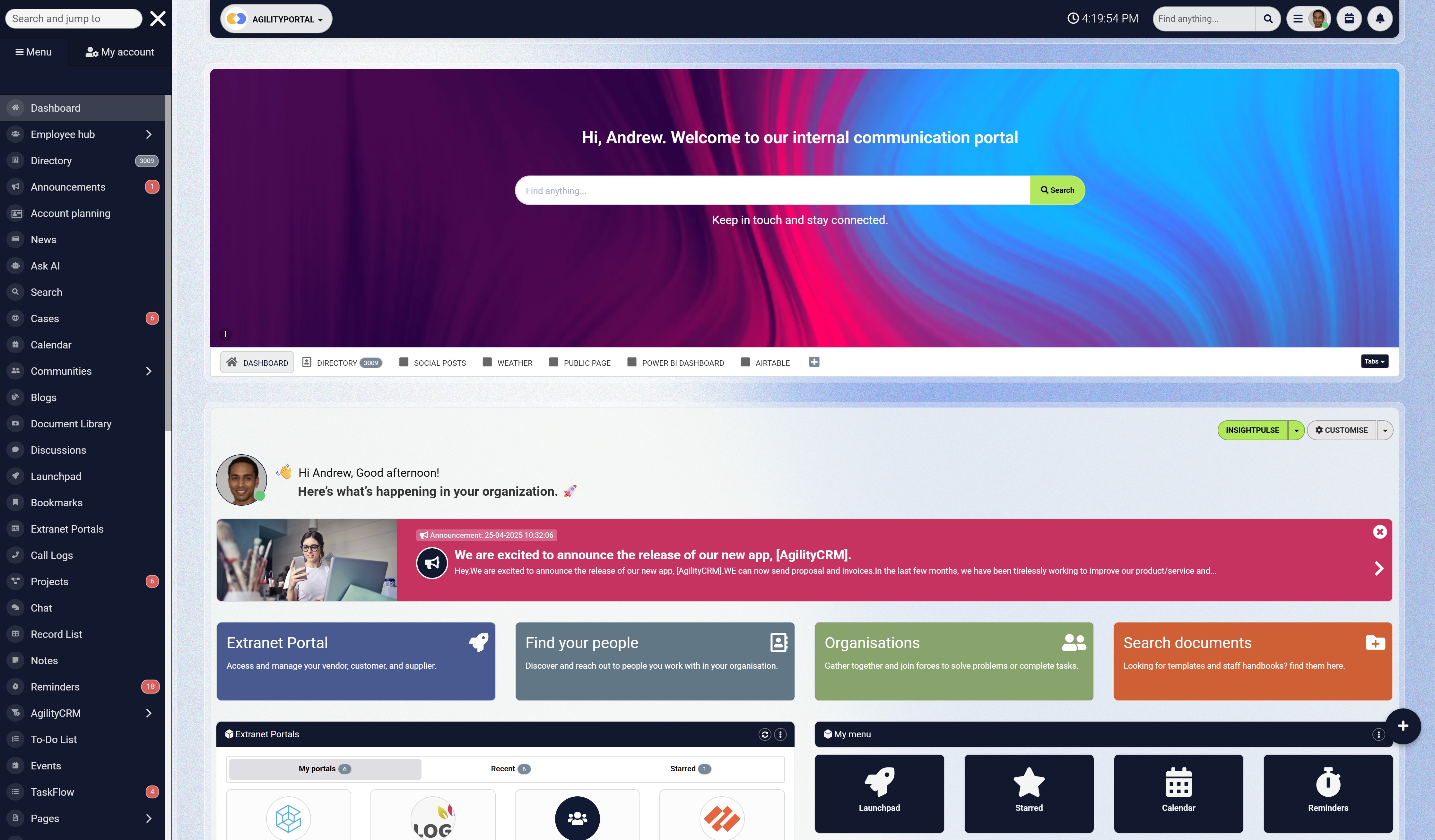
How a digital workplace supports a successful rollout
Introducing a new financial platform affects more than the finance department.
Employees across licensing, utilities, facilities, customer services, IT and other teams may need to follow new billing procedures, use different approval workflows or explain revised payment processes to residents.
The financial system manages invoices, payments and accounting records, but employees still need a reliable place to find current procedures, training and implementation updates.
A digital workplace such as AgilityPortal can centralise this operational knowledge without attempting to replace the accounting platform itself.
Local authorities can use a digital workplace to:
- Publish approved billing, collection and write-off policies
- Centralise process documentation and step-by-step guidance
- Share implementation dates, service interruptions and system updates
- Deliver role-based training to employees and managers
- Record acknowledgements for important policy changes
- Maintain FAQs and troubleshooting resources
- Give employees one searchable source for current procedures
- Communicate changes consistently across departments
- Collect feedback and identify recurring support problems
This matters because even a well-designed financial system can fail to deliver results if employees continue following outdated instructions or creating their own workarounds.
Centralised communication and knowledge management help ensure that everyone understands what is changing, why it matters and where to find support.
The technology processes the transaction. A digital workplace helps the organisation adopt the process correctly and consistently.
AgilityPortal
Give Employees One Trusted Place for Financial Procedures and Training
A new financial platform can process invoices and payments, but it can’t guarantee that employees will follow the correct procedures. Billing policies, collection rules, training materials and implementation updates often become scattered across emails, shared drives and departmental systems.
AgilityPortal gives local authorities a secure digital workplace for centralising the operational knowledge surrounding a financial-system rollout. Teams can publish approved procedures, communicate changes, deliver role-based training and give employees one searchable place to find current guidance.
The financial system manages transactions. AgilityPortal supports adoption.
AgilityPortal does not replace accounting or accounts receivable software. It helps employees understand new processes, access trusted information and apply policies consistently across departments.
Choosing the right system comes down to control, access and confidence
The goal isn't simply to send invoices faster. Local authorities need accurate revenue data, dependable financial controls and a payment experience that works for every resident—including those who need offline options, accessible services or additional support.
There's no single accounts receivable software platform that will suit every council or municipality. Government-native ERP products are generally better suited to organisations that want finance, fund accounting, billing and departmental workflows within one connected environment.
Specialist AR platforms may offer deeper automation, cash application and collection capabilities but often depend on integrations with existing finance systems.
Selection should therefore begin with practical requirements.
What types of revenue does the authority collect? Which funds, departments and account codes are involved? How must the platform connect with the general ledger, payment services and resident-facing systems? These questions matter more than the length of a vendor's feature list.
Implementation also requires more than installing technology.
Authorities must clean existing data, redesign inconsistent processes, train employees, define responsibilities and measure collection performance after launch.
The strongest system is ultimately the one that helps employees work accurately, gives residents a fair and convenient way to pay, and gives public leaders confidence in every figure they report.
FAQ
What is accounts receivable software?
Accounts receivable software helps organisations create and track invoices, collect payments, allocate receipts and monitor outstanding balances.
More advanced systems can also automate reminders, reconcile payments, manage disputes and produce aged-debt reports.
What is the best accounts receivable software for local government?
The best accounts receivable software depends on the authority's size, revenue sources, existing ERP, fund-accounting requirements and payment channels.
Government-native platforms generally provide stronger public-sector controls, while specialist automation tools may offer more advanced collection and cash-application features.
How does accounts receivable automation work?
Automation uses predefined rules and connected financial data to complete repetitive tasks such as issuing invoices, sending reminders, matching payments, updating balances and producing reports.
The best accounts receivable automation software should also flag exceptions for human review rather than escalating every account automatically.
What's the difference between AR software and accounting software?
Accounting software manages the organisation's wider financial position, including ledgers, budgets and financial reporting.
AR systems focus on incoming money, while accounts payable software manages bills and payments owed to suppliers.
Is accounts receivable software for small business suitable for local government?
Accounts receivable software for small business may work for a small authority with straightforward billing requirements.
However, many small-business products lack fund accounting, departmental controls, public-sector audit trails and support for complex government revenue streams.
Similarly, accounts payable software for small business may be useful for basic supplier payments but should not be assumed to meet municipal procurement, approval and reporting requirements.
Is free AR software suitable for a municipality?
Accounts receivable software free plans may suit very small organisations with simple invoicing needs, but they're rarely designed for municipal finance.
Authorities must check transaction limits, security, permissions, integrations, audit evidence, support and data-export options before using any free platform.
How should authorities use an accounts receivable software list?
An accounts receivable software list should be treated as a starting point—not a final procurement decision.
Authorities should shortlist products according to their revenue types, accounting structure, resident payment needs, integrations, security requirements and available implementation resources.
Can AR software integrate with a government ERP?
Many platforms support native integrations, APIs or file-based data exchange.
Buyers should test whether invoices, adjustments and payments move in both directions and post to the correct fund, cost centre and general-ledger account.
Is lease accounting software the same as AR software?
No. Lease accounting software helps organisations manage lease obligations and reporting requirements.
AR systems manage money owed by residents, businesses and other organisations. A local authority may require both, but they perform different financial functions.
How much does government AR software cost, and how long does implementation take?
Many public-sector vendors use quote-based pricing. Total costs can include licences, configuration, integration, migration, payment processing, employee training and ongoing support.
Implementation may take several weeks for a focused module or considerably longer for a full ERP replacement. The schedule depends on procurement, data quality, integrations, testing requirements and staff availability.
AI Summary
- Accounts receivable software helps local governments issue invoices, collect payments, reconcile transactions and monitor outstanding revenue across departments.
- Purpose-built municipal platforms generally provide stronger fund accounting, audit controls and government-specific billing than ordinary invoicing tools.
- The right system should support revenue from utilities, permits, licences, facility hire, inspections, taxes and other department-specific services.
- Residents need accessible payment options, including online, telephone, card, bank transfer, cash, cheque and in-person alternatives where appropriate.
- Automation can manage recurring invoices, payment reminders and transaction matching, but disputes and hardship cases still require human review.
- Finance teams should prioritise role-based permissions, adjustment approvals, transaction histories, reconciliation reports and clear audit trails.
- Government-native ERP products and specialist AR platforms solve different problems, so buyers must assess fund accounting and integration requirements carefully.
- Successful implementation depends on clean data, realistic testing, employee training, departmental involvement and clear ownership after launch.
Most Popular Posts

Effective communication among team members is vital for the productivity and success of any organization. Surprisingly, 60% of companies lack a long-term internal communication strategy, which p...


Businesses thrive on communication for efficiency, productivity and accomplishment. When the right information is passed from the right designation in the organization, it promotes positivity an...

Categories
Blog
(3224)
Business Management
(396)
Employee Engagement
(235)
Digital Transformation
(220)
Growth
(150)
Intranets
(142)
Internal communications
(109)
Remote Work
(68)
Sales
(53)
Collaboration
(53)
Customer Experience
(33)
Culture
(30)
Knowledge Management
(29)
Project management
(29)
Leadership
(20)
Comparisons
(9)
News
(1)

Related Posts

AI for personal injury law firms is becoming part of everyday casework. These tools can help teams sort through medical records, build timelines, draft demand packages and find details buried in a big case file. That could free up attorneys and...

Ever left an online meeting unsure what was decided—and wondered how to run an effective meeting without wasting everyone's time? A call can bring a distributed team together quickly, but when it starts late, includes people who don't know why ...

Where can I send a fax from in my area when a document needs to go out today? The answer might be a nearby print or shipping shop, a library or an online fax service, but what's available depends on your location. The UPS Store lists a ne...

AI in internal communications can help a small team turn one important update into useful messages, answers and resources for employees—but only when the information is accurate and a person checks the result. Comms teams are expected to keep p...

How is Edge AI changing business operations in 2026, and when does it make sense to process data near where it is created instead of sending it all to the cloud? The investment forecasts point to growing interest: Capgemini Research Institute's...


Jill Romford
I am a digital nomad, lover of exploring new places and making friends.
I love to travel and I love the internet. I take pictures of my travels and share them on the internet using Instagram.
Traveler, entrepreneur, and community builder. I share my insights on digital marketing and social media while inspiring you to live your fullest life.
Ready to learn more? 👍
One platform to optimize, manage and track all of your teams. Your new digital workplace is a click away. 🚀
Free for 14 days, no credit card required.