
Insight Blog
Agility’s perspectives on transforming the employee's experience throughout remote transformation using connected enterprise tools.
23 minutes reading time
(4695 words)
Knowledge Base vs Intranet: What’s the Difference (and Which Do You Need?)

Knowledge Base vs Intranet: What’s the Difference (and Which Do You Need?)
Understand the difference between knowledge base vs intranet, when to use each, and how they fit into a modern knowledge management system.
Knowledge Base vs Intranet: What’s the Difference (and Which Do You Need?)

Many organisations struggle to decide between a knowledge base vs intranet, often assuming both tools serve the same purpose.
In reality, this confusion leads to fragmented systems, duplicated information, and a poor employee experience.
Research consistently highlights the scale of the issue.
According to Atlassian, employees can spend up to 25% of their workweek searching for information, while studies from McKinsey & Company suggest that figure can reach nearly 20–28% in knowledge-heavy roles.
5+ hrs
lost per week
Research from Panopto shows employees lose over 5 hours per week either searching for information or recreating knowledge that already exists. Combined with findings from IDC, this highlights how poor knowledge systems directly impact productivity and decision-making.
Sources: Panopto Workplace Knowledge Report, IDC Research
Instead of enabling productivity, poorly structured systems create friction—forcing employees to switch between tools, chase answers, or recreate work that already exists.
The root of the problem is not a lack of tools, but a lack of clarity.
Businesses adopt platforms without understanding how a knowledge base vs intranet fits into a broader strategy.
As a result:
- Knowledge bases become isolated and underused
- Intranets turn into cluttered communication hubs
- Critical information becomes difficult to find or trust
This disconnect ultimately leads to slow decision-making, reduced productivity, and lower employee engagement.
To solve this properly, organisations need to step back and understand how these tools fit within a wider knowledge management system—not as standalone solutions, but as connected parts of a single ecosystem.
Key Takeaways
- A knowledge base and an intranet serve different purposes—one focuses on structured information storage, while the other is designed for communication, collaboration, and employee engagement.
- Most organisations struggle because they treat these tools as interchangeable, leading to duplicated content, scattered systems, and low adoption across teams.
- A knowledge base is best suited for managing documentation, SOPs, and internal resources, helping teams reduce repetitive questions and improve consistency.
- An intranet acts as the central hub for company updates, employee interaction, and visibility, ensuring information is not only stored but actually seen and used.
- The most effective approach is combining both into a unified platform, allowing businesses to centralise knowledge, improve communication, and create a scalable digital workplace.
| What is Knowledge Management System |
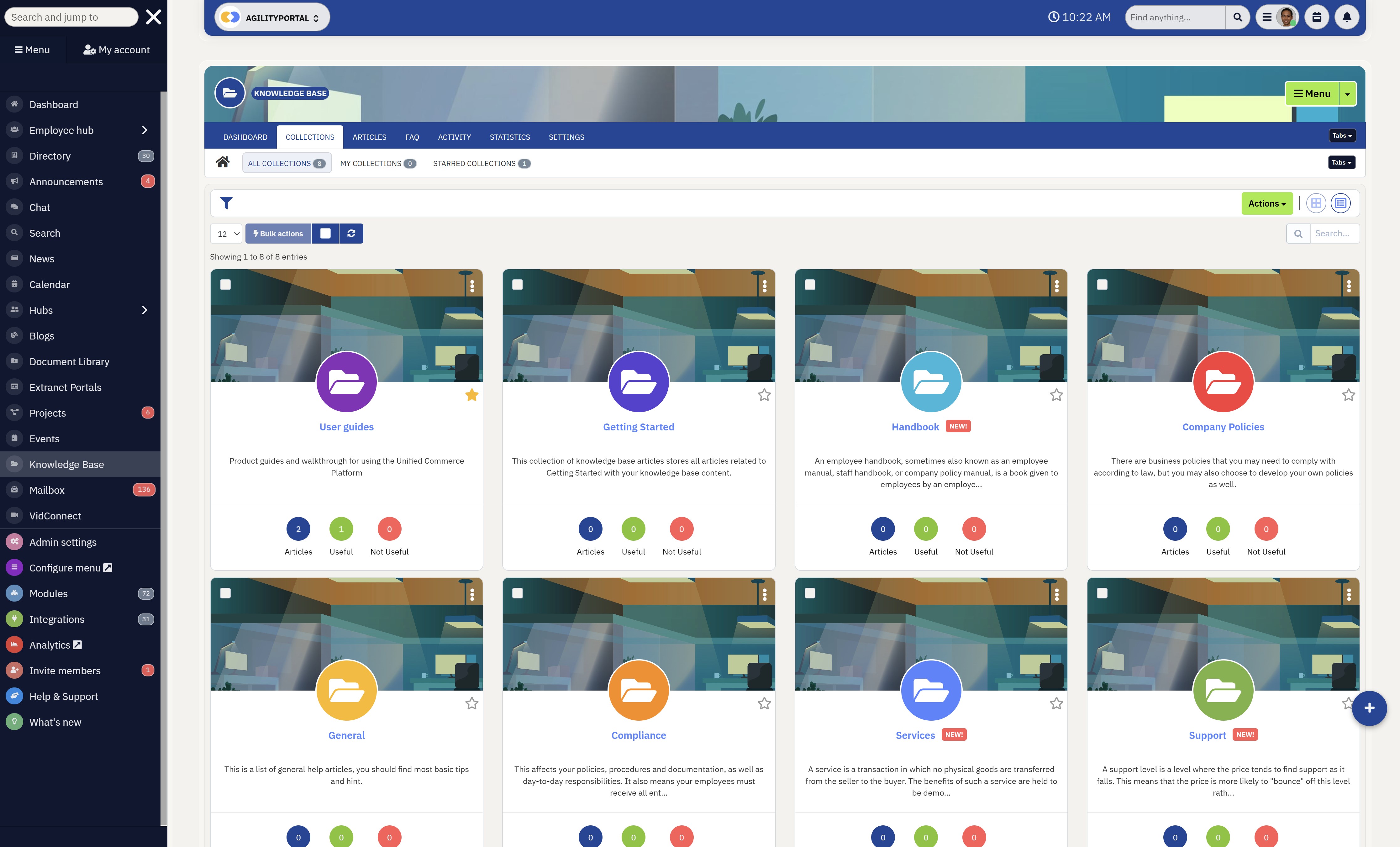
What is Knowledge Management System
A knowledge management system is a structured platform designed to capture, organise, store, and distribute knowledge across an organisation.
Instead of information being scattered across emails, shared drives, and disconnected tools, everything is centralised into one system where employees can easily access what they need.
At its core, a knowledge management system goes beyond simple storage.
It combines different elements—such as documentation, communication tools, and search functionality—to ensure knowledge is not only available, but also usable. This makes it easier for teams to find accurate information quickly, reduce duplication, and make better decisions without relying on tribal knowledge.
A key part of understanding a knowledge base vs intranet is recognising that both are components within a broader knowledge management system.
The knowledge base acts as the structured layer for storing information, while the intranet provides the communication and access layer that connects employees to that knowledge.
In practice, a knowledge management system typically includes features like powerful search, structured content organisation, document management, and collaboration tools.
These features work together to ensure that information is easy to maintain, up to date, and accessible to the right people at the right time.
Knowledge-Based Systems Examples
To make this more practical, here are some knowledge-based systems examples used by modern organisations:
- Internal company knowledge hubs – Platforms like Confluence or Notion where teams store SOPs, onboarding guides, and internal documentation
- Customer support knowledge bases – Help centres built with tools like Zendesk that allow users to find answers without contacting support
- Enterprise intranet platforms – Systems like Microsoft SharePoint that combine document management with internal communication
- AI-powered knowledge systems – Platforms that use search and automation to surface relevant information instantly, reducing time spent searching
For example, a growing company might implement a knowledge management system to bring together internal policies, onboarding materials, and team communication into one place.
Instead of employees searching across multiple platforms or asking colleagues for answers, they can rely on a single, trusted system—improving efficiency, consistency, and overall productivity.
Where Knowledge Bases and Intranets Fit in a Knowledge Management System
To properly understand the difference between a knowledge base vs intranet, it's important to look at the bigger picture.
Both tools are not standalone solutions—they sit within a broader knowledge management system</a> that defines how information is created, stored, and shared across an organisation.
A knowledge management system acts as the umbrella layer, bringing together all the tools, processes, and workflows used to manage organisational knowledge.
Without this structure, businesses often end up with disconnected platforms, duplicated content, and employees struggling to find reliable information.
Within this system, each tool plays a specific role.
A knowledge base serves as the structured knowledge layer, where documentation, guides, and processes are organised and maintained. It ensures that information is consistent, searchable, and easy to reuse across teams.
An intranet, on the other hand, acts as the access and communication layer. It connects employees to that knowledge while also enabling company-wide updates, collaboration, and engagement. Instead of just storing information, it helps distribute and surface it in a way that employees actually use.
When these tools are used without a clear knowledge management strategy, organisations often experience low adoption and information silos.
But when aligned correctly within a single system, they work together to create a seamless flow of knowledge—making it easier for teams to stay informed, aligned, and productive.
So What is an Intranet?
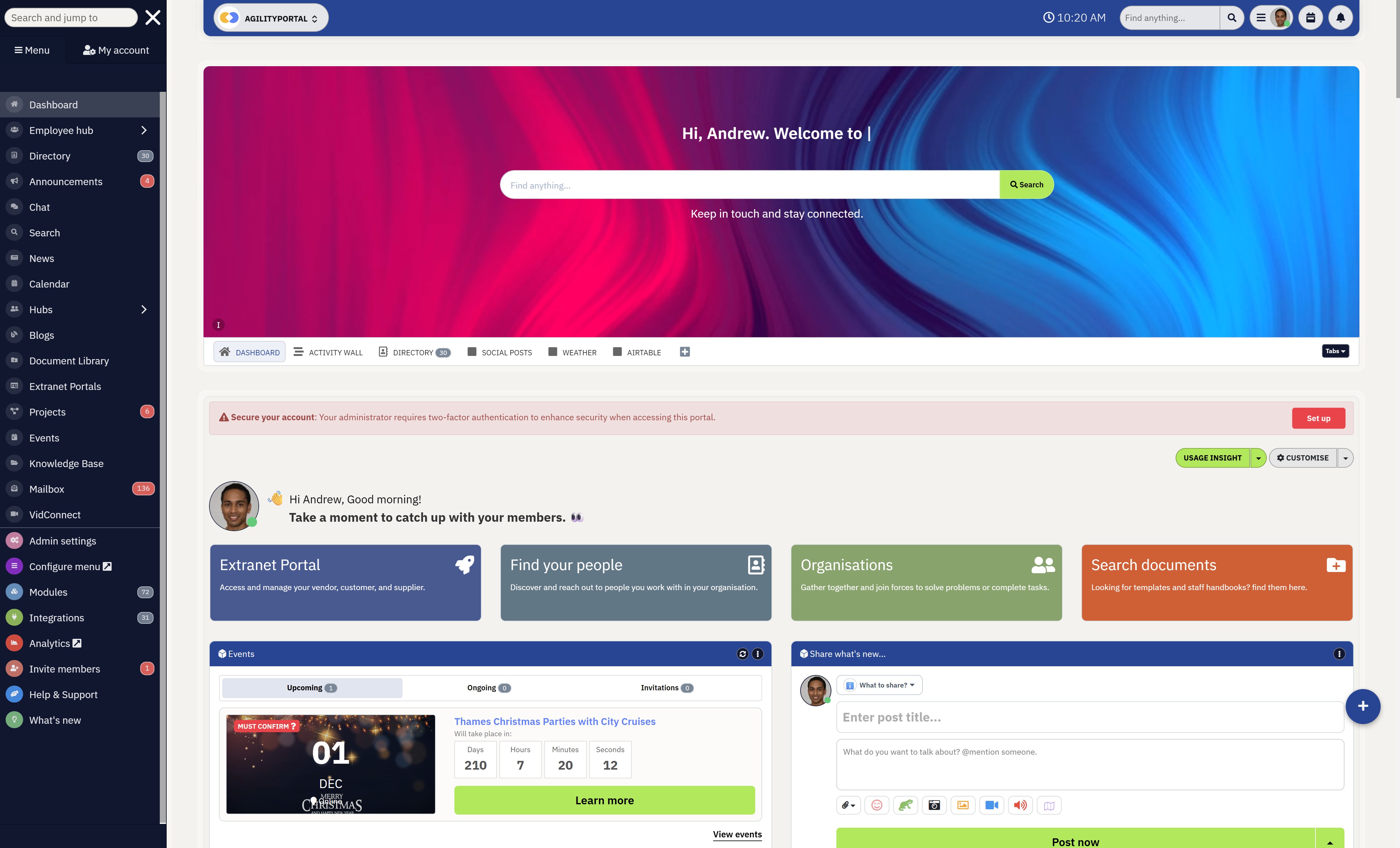
So What is an Intranet
An intranet is a private, internal platform designed to help organisations communicate, collaborate, and share resources in one central place.
Unlike a knowledge base, which focuses on structured information, an intranet is built to connect employees, deliver updates, and make it easier to access tools, documents, and company news.
In the context of a knowledge base vs intranet, the intranet acts as the front door to your digital workplace.
It's where employees log in to stay informed, interact with content, and navigate to the information they need—whether that's documents, policies, or team updates.
Modern intranets are especially important for hybrid and remote teams, where communication can easily become fragmented across emails, chat tools, and shared drives.
A well-structured intranet brings everything together into a single, easy-to-use environment.
Here's how organisations typically use intranets in practice:
- Company news and announcements - A global company uses an intranet homepage to publish leadership updates, policy changes, and weekly announcements so all employees stay aligned
- Employee engagement and culture - Teams use social-style feeds, recognition posts, and shoutouts to celebrate achievements and boost morale across departments
- Internal communication hub - Instead of relying on scattered emails, employees access updates, discussions, and resources in one central platform
- Document and resource access - HR policies, onboarding guides, and training materials are stored and accessed through the intranet
- Team collaboration and visibility - Departments share updates, track projects, and keep everyone aligned without switching tools
A mid-sized company with remote employees across multiple locations uses an intranet as their central hub. Employees log in each day to check announcements, access documents, and stay connected with their teams.
Instead of switching between multiple tools, everything they need is accessible in one place—improving communication, visibility, and overall productivity.
Knowledge Base vs Intranet – Key Differences
When comparing a knowledge base vs intranet, the difference isn't just about features—it's about purpose and how each supports your wider digital workplace.
One is built to organise information, while the other is designed to connect people to that information.
Most organisations run into problems when they expect one tool to handle both roles. That's where confusion, duplication, and low adoption start to creep in.
To make it clear, here's a side-by-side breakdown:
Comparison Table
| Feature | Knowledge Base | Intranet |
| Primary Focus | Centralising internal documentation | Connecting employees and teams |
| Content Style | Structured, organised, and process-driven | Dynamic, social, and communication-led |
| User Interaction | Mostly read and search | Engage, comment, and collaborate |
| Typical Users | Support teams, operations, HR | Entire workforce |
| Business Role | Information management layer | Employee experience layer |
A knowledge base is where information is stored, maintained, and standardised. It's built for accuracy and consistency, making it ideal for processes, policies, and repeatable tasks.
An intranet, on the other hand, is where information is shared, surfaced, and discussed. It helps employees stay informed, aligned, and connected—especially in distributed or hybrid environments.
Companies like Google and Meta invest heavily in separating these layers internally—ensuring knowledge is structured properly while still being accessible through communication channels.
When businesses ignore this distinction, the impact is clear:
- Information becomes harder to find
- Employees rely on guesswork or messaging tools
- Productivity drops due to constant context switching
Understanding the difference between a knowledge base vs intranet isn't just about definitions—it's about building a system where information is both organised and accessible.
Without that balance, even the best tools fail to deliver real value.
Why Most Companies Get This Wrong
They Blur the Line Between Tools
A common issue when evaluating a knowledge base vs intranet is that organisations assume both tools solve the same problem.
They don't.
Companies like IBM and Accenture have long documented that without clear separation between knowledge storage and communication layers, internal systems become bloated and underused.
Instead of clarity, teams end up with overlapping platforms that confuse employees rather than support them.
The impact is immediate:
Employees stop trusting where information lives, and adoption drops before the system even matures.
They Invest in Software Before Defining Workflow
Some businesses jump straight into tools like Microsoft SharePoint or Confluence without mapping how knowledge should flow.
What happens next isn't surprising:
- Teams create content with no structure
- Search becomes unreliable
- Employees default back to asking colleagues
This creates a hidden productivity drain. Instead of speeding up work, systems slow everything down—something explored in how time is wasted searching for information at work.
The real cost here isn't just time—it's decision-making delays and duplicated effort across teams.
They Accidentally Build Duplicate Ecosystems
At the start, everything feels manageable. A few tools here, a few documents there.
But scale changes everything.
As companies grow, poor structure turns into:
- Slower onboarding for new hires
- Repeated questions across departments
- Breakdowns in communication between teams
Large organisations like Deloitte have highlighted that inefficiencies in knowledge sharing compound over time, quietly reducing overall performance.
They Underestimate the Long-Term Impact
At the start, everything feels manageable. A few tools here, a few documents there.
But scale changes everything.
As companies grow, poor structure turns into:
- Slower onboarding for new hires
- Repeated questions across departments
- Breakdowns in communication between teams
Large organisations like Deloitte have highlighted that inefficiencies in knowledge sharing compound over time, quietly reducing overall performance.
The Outcome: Systems That Nobody Uses
When everything is said and done, the pattern is predictable.
Some companies end up with powerful tools that look good on paper—but fail in practice because employees simply don't use them.
Others see partial adoption, where only certain teams engage while the rest fall back to old habits.
In both cases, the result is the same:
a fragmented environment where knowledge exists, but isn't accessible when it matters.
And that's the core issue—this isn't just about choosing between a knowledge base vs intranet.
It's about failing to define how both should work together inside a system that people actually rely on.
Do You Need a Knowledge Base or an Intranet?
It Depends on the Problem You're Trying to Solve
Most organisations don't fail because they picked the wrong tool—they fail because they never clearly defined the problem in the first place.
When comparing a knowledge base vs intranet, the decision becomes much simpler once you understand what's actually broken inside your business.
Companies like PwC and KPMG often highlight that operational inefficiencies usually fall into two categories: information issues or communication issues.
If Your Problem Is Information Chaos → You Need a Knowledge Base
When teams struggle to find accurate, up-to-date information, the issue is rarely communication—it's structure.
You might notice things like:
- Employees asking the same questions repeatedly
- Documentation scattered across different tools
- No clear "source of truth" for processes or policies
This is where a knowledge base becomes essential. It creates a structured, searchable environment where information is organised and maintained properly.
The impact is immediate:
less time wasted searching, fewer mistakes, and more consistent execution across teams.
If Your Problem Is Communication Gaps → You Need an Intranet
Sometimes the issue isn't finding information—it's knowing what's going on.
This often shows up as:
- Employees missing important updates
- Teams working in silos
- Low engagement with company news or initiatives
Organisations using platforms like Workvivo or Staffbase typically focus on solving this by improving visibility and connection across the business.
An intranet helps centralise communication, making it easier for employees to stay informed, aligned, and engaged.
If You're Experiencing Both → You Need a Combined System
Here's the reality: most growing companies don't just have one problem—they have both.
- Information exists, but it's hard to find
- Communication happens, but it's inconsistent
- Tools are in place, but they don't connect
This is where businesses start looking at integrated platforms rather than standalone tools.
Instead of forcing employees to switch between systems, modern organisations combine knowledge management and communication into a single environment—reducing friction and improving adoption.
If you're still unsure, ask this:
- Are people wasting time searching for answers?
- Or are they missing information altogether?
If it's the first, you need structure.
If it's the second, you need visibility.
If it's both, you need a system that does both well.
The key takeaway is straightforward—choosing between a knowledge base vs intranet isn't really about the tools themselves.
It's about understanding how your organisation works, where the gaps are, and how to fix them without creating more complexity.
The Best Approach for Modern Teams
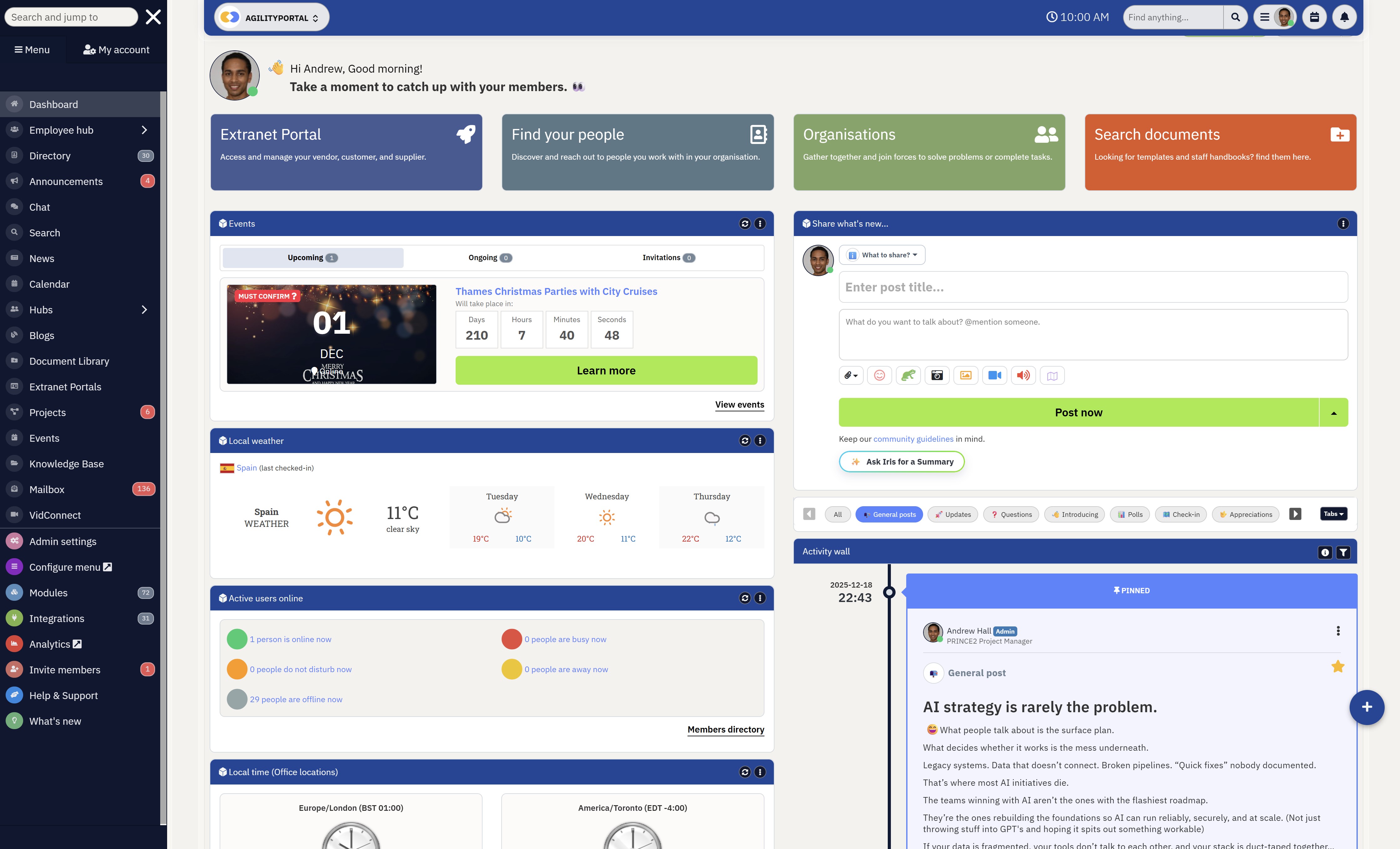
The Best Approach for Modern Teams
Modern organisations are moving away from using separate tools for everything.
Instead of treating knowledge management, communication, and collaboration as individual systems, they're combining them into a single, connected platform.
This shift is happening because fragmented tools create friction.
Employees waste time switching between systems, searching for information, or trying to figure out where something is stored. Over time, this slows down productivity and reduces overall adoption, no matter how good each individual tool is.
Companies like Salesforce and HubSpot have leaned into this approach by integrating knowledge, communication, and workflows into unified environments.
The result is a more streamlined experience where employees don't need to think about which tool to use—they just get the information they need, when they need it.
Instead of choosing strictly between a knowledge base vs intranet, modern teams are building systems where both work together.
Knowledge is structured and easy to find, while communication ensures that information is visible, shared, and actually used across the organisation.
The impact is significant.
Teams move faster, onboarding becomes smoother, and decision-making improves because everyone is working from the same, consistent source of truth.
Rather than adding more tools, the focus shifts to reducing complexity and creating a digital workplace that people actually rely on.
How AgilityPortal Solves Both
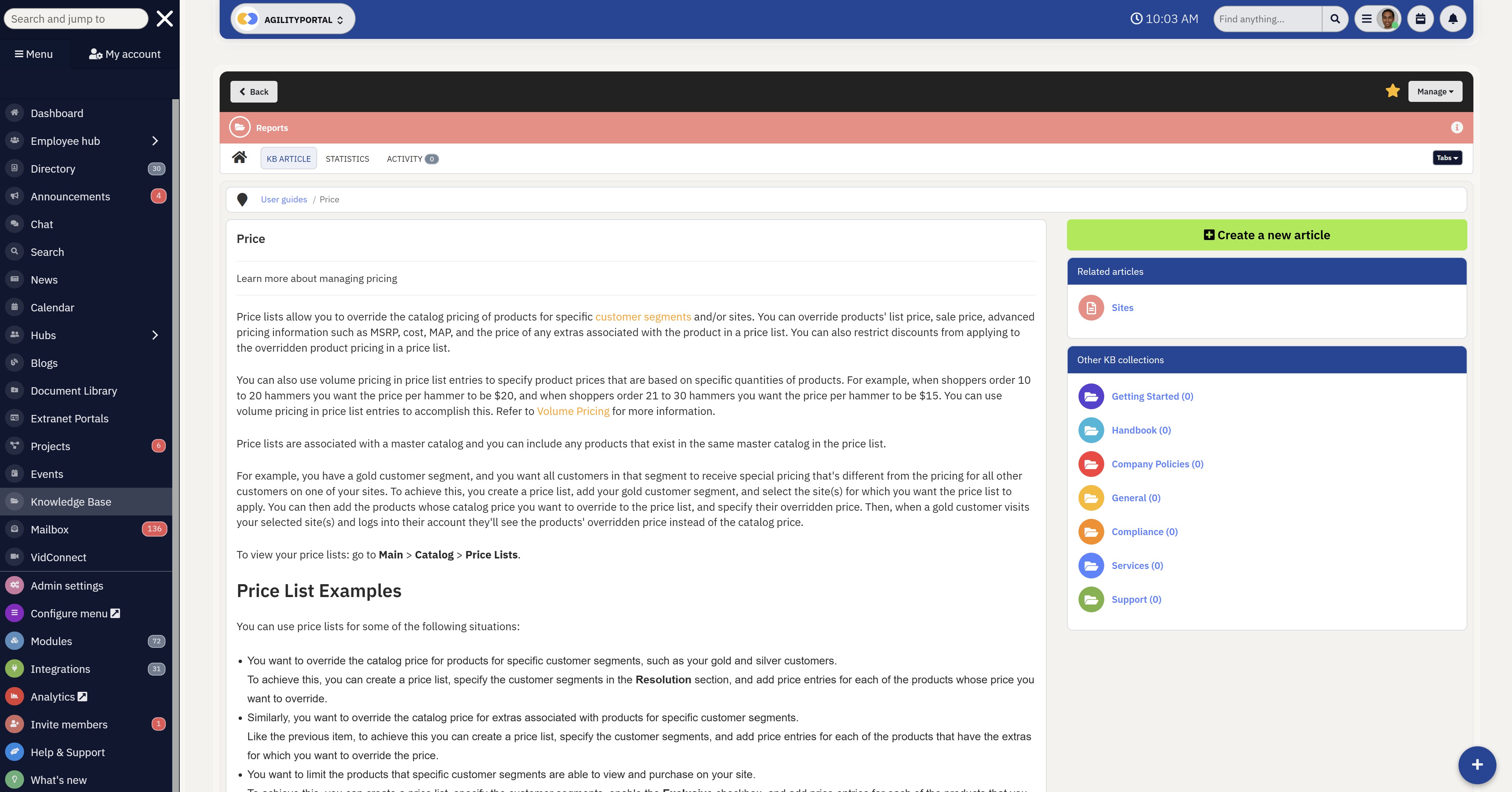
How AgilityPortal Solves Both
A Single Platform Instead of Multiple Tools
One of the biggest challenges with a knowledge base vs intranet is that most businesses end up using separate systems for each.
This creates silos, duplication, and unnecessary complexity.
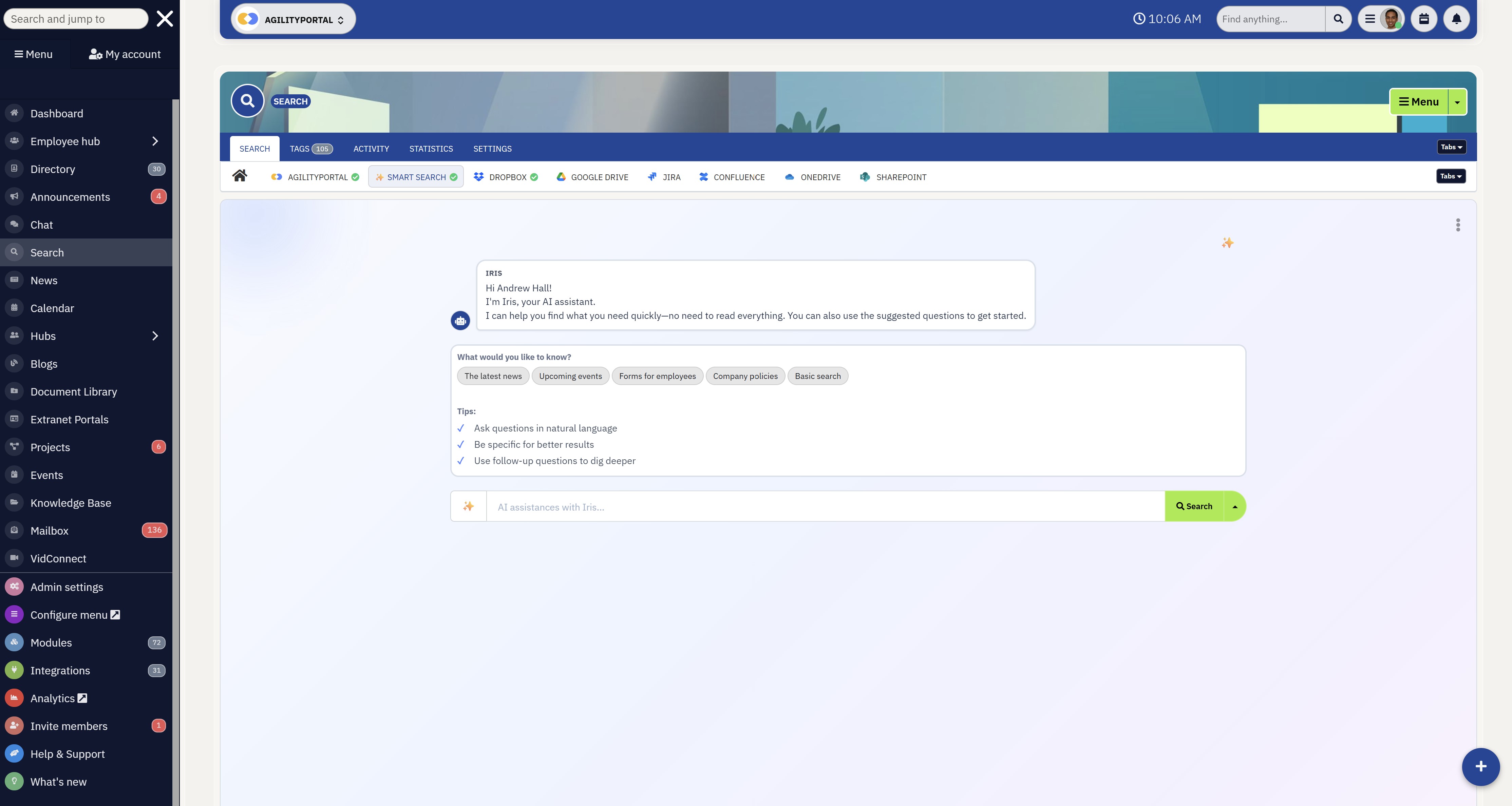
AgilityPortal takes a different approach by combining everything into one connected platform.
Instead of forcing teams to switch between tools, it brings together structured knowledge, communication, and collaboration into a single environment.
At its core, the platform unifies key components that modern teams rely on:
- A centralised knowledge base for storing SOPs, policies, and documentation
- An intranet layer for company news, updates, and employee engagement
- Powerful search functionality to quickly find information across all content
- Built-in communication tools to keep teams aligned and informed
This means employees don't need to think about where something lives—they just access what they need from one place.
A Single Platform Instead of Multiple Tools
What This Means in Practice
Instead of dealing with disconnected systems like Microsoft SharePoint for documents, Slack for communication, and separate knowledge tools, everything is integrated into a single workflow.
The impact is clear:
- Teams spend less time switching between platforms
- Information becomes easier to find and trust
- Adoption improves because the experience is simpler
For growing organisations, this removes one of the biggest barriers to effective knowledge management—complexity.
Companies that combine knowledge and communication into one system see stronger results because they eliminate the gaps between storing information and actually using it.
Instead of having a knowledge base that no one visits, or an intranet filled with outdated content, everything is connected and continuously used.
This creates a more natural flow of information across the organisation, improving both productivity and engagement.
If your team is currently dealing with scattered tools, duplicated information, or low adoption, the solution isn't adding more platforms—it's simplifying your setup.
Start a 14-day free trial of AgilityPortal and see how a combined knowledge base and intranet can transform the way your team works.
AgilityPortal
Bring Your Knowledge Base and Intranet Into One Connected Platform
Struggling to choose between a knowledge base vs intranet? AgilityPortal removes the need to pick by combining both into a single digital workplace solution designed for modern teams.
Instead of managing separate tools for documentation and communication, teams get a centralised knowledge hub where information is structured, searchable, and actively used through built-in communication and collaboration features.
Start your 14-day free trial — no credit card required. Built for teams that want one system for knowledge, communication, and collaboration.Common Mistakes to Avoid
Choosing Tools Without a Clear Strategy
One of the most common mistakes organisations make when comparing a knowledge base vs intranet is jumping straight into tools without defining how knowledge should actually flow across the business.
Companies often invest in platforms like Notion or Microsoft SharePoint expecting them to "fix" internal issues.
But without a clear structure, even the best tools become underused or misused.
The impact?
Teams end up relying on habits instead of systems—asking colleagues, duplicating work, and ignoring the tools entirely.
Overlapping Systems That Do the Same Job
Another issue is running multiple platforms that serve similar purposes without clear boundaries.
For example, a company might have:
- An intranet for updates
- A knowledge base for documentation
- Shared drives for files
On paper, it looks organised. In reality, it creates confusion.
Employees don't know:
- Where to look
- Which version is correct
- What tool to trust
Over time, this leads to low adoption and fragmented knowledge—defeating the purpose of having these systems in the first place.
Ignoring Search and Discoverability
You can have the best content in the world, but if people can't find it, it might as well not exist.
Many organisations overlook search functionality when setting up their systems.
Tools like Elastic have shown how critical search is in large-scale environments, yet it's often treated as an afterthought.
The result is predictable:
- Employees waste time searching
- Content gets recreated unnecessarily
- Productivity drops without anyone noticing why
Search isn't a "nice-to-have"—it's what makes a knowledge system usable.
Poor Content Structure and Ownership
Even with the right tools in place, poor organisation can break the entire system.
This usually shows up as:
- Outdated documents
- Inconsistent naming conventions
- No clear ownership of content
Without structure and accountability, knowledge quickly becomes unreliable.
Employees start questioning whether information is accurate, and once trust is lost, adoption follows.
The long-term impact is serious—slower onboarding, inconsistent processes, and decisions made on outdated or incorrect information.
Focusing on Tools Instead of Adoption
The final mistake is assuming implementation equals success.
Many businesses roll out new platforms and expect employees to automatically start using them. But adoption doesn't happen by default—it requires simplicity, relevance, and clear value.
Companies like Slack grew rapidly not just because of features, but because they were easy to use and fit naturally into workflows.
If a system feels complicated or unnecessary, employees will always find workarounds.
Avoiding these mistakes comes down to one thing—clarity.
It's not just about choosing between a knowledge base vs intranet, but understanding how each tool fits into a system that's structured, searchable, and actually used by your team.
Wrapping up
Choosing between a knowledge base vs intranet often feels like a technical decision, but in reality, it's a strategic one.
A knowledge base is built to organise and store information in a structured way, making it easy for employees to find answers quickly.
An intranet, on the other hand, focuses on communication—helping teams stay informed, connected, and aligned across the organisation.
The problem is that most businesses try to use one tool to do both jobs, and it rarely works.
Companies like Microsoft and Atlassian have shown that separating knowledge and communication without integration often leads to fragmented systems, low adoption, and ongoing inefficiencies.
The smarter approach is to stop thinking in terms of "either/or." Modern teams are moving towards platforms that combine both capabilities into a single experience—where knowledge is structured, accessible, and actively used through communication and collaboration.
If your team is struggling with scattered information and poor communication, it's not about choosing between a knowledge base vs intranet—it's about using the right system that does both well.
FAQs
What is the difference between a company knowledge hub and an employee intranet platform?
A company knowledge hub is designed to organise and store internal resources such as guides, policies, and documentation in a structured way.
An employee intranet platform focuses more on delivering updates, announcements, and enabling collaboration across teams.
One prioritises information structure, while the other enhances visibility and engagement across the organisation.
Can an internal communication platform replace a documentation system?
Not completely.
While internal communication platforms are great for sharing updates and connecting teams, they are not built to manage structured content at scale.
Without a dedicated documentation system, information can quickly become disorganised, harder to search, and less reliable over time.
Do growing businesses need both a document management solution and a workplace communication tool?
In most cases, yes. As businesses scale, the need for both structured information storage and effective communication becomes critical.
A document management solution ensures consistency and accuracy, while a workplace communication tool keeps everyone aligned and informed.
Combining both creates a more efficient and scalable environment.
Is Microsoft SharePoint more suited for document storage or team collaboration?
Microsoft SharePoint is often used for both document storage and collaboration, but it can require significant setup and configuration to work effectively.
Without proper structure, users may find it difficult to navigate, which can impact adoption and overall usability.
What is the best solution for managing internal knowledge and team communication together?
The most effective approach is using a unified digital workplace platform that combines document management, search, and communication features in one place.
This reduces the need for multiple tools, improves accessibility, and helps teams work more efficiently without switching between systems.
AI Summary
- Managing distributed teams at scale introduces operational complexity, especially when organisations rely on multiple tools for global payroll, compliance tracking, and workforce payments across different regions.
- Many global payroll solutions operate in silos, forcing HR and finance teams to manually reconcile data, switch between providers, and manage inconsistent reporting processes.
- International payroll compliance is one of the biggest risks for remote workforce management, with each country requiring different tax rules, employment laws, and reporting standards.
- While businesses often rely on employer of record services for global hiring, these solutions don’t always solve visibility issues or remove fragmented workflows.
- Delays in global team payments and poor system integration can reduce employee trust, slow operations, and create friction across distributed teams.
- The most effective approach is adopting distributed team management software that connects payroll, compliance, communication, and operations into one scalable platform.
Most Popular Posts

Effective communication among team members is vital for the productivity and success of any organization. Surprisingly, 60% of companies lack a long-term internal communication strategy, which p...


Businesses thrive on communication for efficiency, productivity and accomplishment. When the right information is passed from the right designation in the organization, it promotes positivity an...
Categories
Blog
(2918)
Business Management
(363)
Employee Engagement
(221)
Digital Transformation
(189)
Growth
(139)
Intranets
(133)
Remote Work
(63)
Sales
(52)
Collaboration
(46)
Customer Experience
(29)
Culture
(29)
Knowledge Management
(28)
Project management
(28)
Leadership
(20)
Comparisons
(9)
News
(1)

Related Posts

What Is Portal Software? Have you ever wondered why so many businesses struggle with disconnected systems, scattered documents, outdated intranets, and poor communication between teams? Most organisations today rely on dozens of different tools...

What happens when your systems suddenly stop working in the middle of a busy workday? For growing businesses, downtime is no longer just a technical problem — it is a direct threat to productivity, customer trust, revenue, and daily operations. ...

Despite organisations investing heavily in collaboration platforms, employee apps, and hybrid work technology, many businesses still struggle with disconnected communication, low employee engagement, and poor workforce visibility. According to ...

The communication champion role is a valuable addition to any business. In a large organization, communication champions should be numerous, forming a communication network. They keep track of information and assist others in better collaborating, wo...

Featured
In today's fast-paced hybrid work environment, staying connected isn't just nice—it's necessary. With more than 80% of employees now working remotely at least part of the time, the demand for intuitive, powerful collaboration tools has never be...


Jill Romford
I am a digital nomad, lover of exploring new places and making friends.
I love to travel and I love the internet. I take pictures of my travels and share them on the internet using Instagram.
Traveler, entrepreneur, and community builder. I share my insights on digital marketing and social media while inspiring you to live your fullest life.
Ready to learn more? 👍
One platform to optimize, manage and track all of your teams. Your new digital workplace is a click away. 🚀
Free for 14 days, no credit card required.