
Insight Blog
Agility’s perspectives on transforming the employee's experience throughout remote transformation using connected enterprise tools.
29 minutes reading time
(5843 words)
Overbooked, Overwhelmed, and Missing Jobs? Field Service Management Software Can Fix That

Overbooked, Overwhelmed, and Missing Jobs? Field Service Management Software Can Fix That
Discover how field service management software helps businesses schedule technicians, reduce missed jobs, improve communication, and streamline service operations.
Overbooked, Overwhelmed, and Missing Jobs? Field Service Management Software Can Fix That

If your service business feels constantly overbooked, overwhelmed, and struggling to keep track of jobs, you're definitely not alone.
A lot of service companies are still running their day-to-day operations using spreadsheets, phone calls, sticky notes, and manual scheduling.
It might work for a while, but as soon as the business starts growing—or the job volume increases—things quickly start to fall apart.
Schedules get messy, technicians get double-booked, and jobs slip through the cracks.
Dispatchers spend half the day answering calls from technicians asking where they need to be next. Customers get frustrated because appointments are missed or delayed. Before long, the entire operation starts feeling chaotic.
The root of the problem usually isn't the team.
Most service crews work incredibly hard. The issue is that outdated systems simply can't keep up with the complexity of managing technicians, schedules, routes, and customer expectations in real time.
20%
of the workweek
Research from McKinsey & Company found that employees spend nearly 20% of their workweek searching for internal information or tracking down colleagues for updates. For service businesses managing technicians and job schedules, disconnected tools can make this problem even worse, highlighting the need for better coordination systems.
Source: McKinsey Global Institute
That's where field service management software comes in.
Instead of juggling paperwork, endless phone calls, and scattered information, businesses can automate scheduling, dispatch technicians instantly, track job progress in real time, and keep everyone on the same page.
It turns a reactive workflow into a coordinated system where dispatchers, technicians, and managers all have the same visibility into what's happening.
And when teams are working outdoors or across multiple job sites—like arborists or landscaping crews—the need for better coordination becomes even more obvious. In that environment, a tree service app is not just a convenience.
It becomes one of the most practical ways to keep everyone aligned, informed, and accountable throughout the day, but we get into this a little later in the article.
In this guide, we're going to break down the real problems service teams face every day—and more importantly, how the right software can solve them without adding more complexity to your workflow.
Key Takeaways
- Field service management software helps businesses coordinate technicians, manage scheduling, track job progress, and improve communication between office teams and field crews.
- Companies using modern field service management tools can reduce missed appointments, improve technician productivity, and gain real-time visibility into daily operations.
- Mobile service apps allow technicians to access job details, upload photos, update job status, and communicate with dispatchers directly from the job site.
- Specialized tools such as tree service estimate software and apps designed for tree service businesses help crews create quotes, manage equipment, and document work directly in the field.
- Choosing the best field service management software often depends on business size, with many small companies comparing tools like jobber, simpro, and tradify when evaluating service management platforms.
Why Service Teams Become Overbooked and Overwhelmed
If you talk to most service business owners, they'll tell you the same thing: the chaos usually doesn't come from the work itself—it comes from managing the work.
When jobs are coming in all day, technicians are on the road, and customers are calling for updates, things can quickly get messy.
Without the right systems in place, even a well-run team can start to feel overbooked and overwhelmed.
Let's break down some of the most common reasons this happens.

Why Service Teams Become Overbooked and Overwhelmed
Related Workforce Management, CRM & Scheduling Guides You Should Explore Next
If you're researching field service management software, technician scheduling tools, or systems that help coordinate teams and manage service operations, these practical guides will help you explore CRM platforms, employee scheduling solutions, labor management tools, and digital workplace software that improve communication, productivity, and operational visibility.
Manual Scheduling Creates Bottlenecks
Many service companies still schedule jobs the old-fashioned way—using spreadsheets, calendars, whiteboards, or even notebooks. At first, it seems simple enough.
But as the number of jobs and technicians increases, manual scheduling quickly becomes a problem.
Dispatchers have to constantly check availability, shuffle appointments around, and manually communicate changes to technicians. It only takes one small mistake for things to spiral.
For example:
- Two jobs might get double booked for the same technician.
- A technician might be scheduled too far away from the previous job, wasting hours in travel time.
- Dispatchers might not know who is actually available at any given moment.
This is exactly the type of situation field service management software is designed to solve.
So what is it exactly?
Field service management software is a digital platform that helps service businesses coordinate everything related to field work—scheduling jobs, dispatching technicians, tracking progress, communicating with teams, and managing customer information.
Instead of juggling multiple tools and spreadsheets, everything happens inside one system.
Dispatchers can see technician availability instantly, assign jobs in seconds, and track what's happening across the entire operation in real time.
In industries like arboriculture or landscaping, you'll often see specialized versions of this software.
For example, a tree service app is designed specifically for companies that manage tree removal, pruning, inspections, and emergency call-outs.
These apps help crews receive job details, upload photos, track equipment, and update job status while they're out in the field.
In other words, instead of technicians calling the office all day asking where to go next, they simply open the app and everything they need is already there.
Communication Breakdowns Between Office and Field
Another major issue service businesses face is communication.
When technicians are out on the road and the office team is handling scheduling, messages often get lost in the middle.
Dispatchers might call technicians to update a job, only to find out they're already driving to another location.
A customer might change their appointment time, but the technician doesn't hear about it until they arrive at the original time.
Common problems include:
- Technicians missing important updates
- Schedule changes not reaching the field team
- Job details getting lost between calls, texts, and emails
The result? Delays, confusion, and frustrated customers.
Field service management platforms fix this by giving everyone a shared system. Dispatchers can update job details instantly, and technicians receive those updates directly in their mobile app. No phone tag, no confusion, and no guessing.
This becomes especially important for businesses that operate across multiple job sites.
When crews are scattered across a city, having a centralized communication system can make the difference between a smooth day and a logistical nightmare.
Poor Job Tracking Leads to Missed Work
One of the biggest hidden problems in service businesses is poor job tracking.
If technicians are filling out paper job sheets or calling the office with updates, information can easily slip through the cracks.
Paper forms get lost, work orders don't get updated properly, and managers struggle to understand what's actually happening in the field.
This leads to situations like:
- Completed jobs that never get recorded
- Work orders that aren't updated correctly
- Managers having no real-time visibility into job progress
Without accurate tracking, it becomes almost impossible to improve operations or measure performance.
This is another area where field service management software makes a huge difference. Every job, update, photo, and technician action is recorded inside the system.
Managers can see which jobs are in progress, which ones are completed, and which ones need attention.
For teams using tools like a tree service app, this also means crews can upload photos of completed work, document tree conditions, and log service notes directly from the job site.
That level of visibility keeps everyone accountable and ensures nothing falls through the cracks.
In short, most service teams don't become overwhelmed because they lack skilled technicians. They become overwhelmed because their systems can't keep up with the pace of the work.
Once scheduling, communication, and job tracking are handled by the right tools, the entire operation becomes far easier to manage.

“The companies that win in the service economy are the ones that connect their employees, customers, and operations in real time.”
The Real Cost of Poor Field Service Management
When field operations aren't properly organized, the problems don't just stay inside the business—they quickly spill over into customer experience, technician productivity, and overall profitability.
Many service companies underestimate how much inefficiency costs them until the problems start piling up.
Poor coordination, missed updates, and inefficient scheduling create a ripple effect across the entire operation.
What starts as a small scheduling mistake can easily turn into lost revenue, unhappy customers, and exhausted teams trying to keep up.
Let's look at where these costs show up the most.

The Real Cost of Poor Field Service Management
Missed Appointments Damage Customer Trust
For most service businesses, reliability is everything. When a customer books an appointment, they expect the technician to show up on time and ready to do the work.
But when scheduling is handled manually, mistakes happen. Jobs get double-booked, technicians run late, or a dispatch update never reaches the person in the field.
From the customer's perspective, it simply looks like the company didn't show up.
And that's a big problem.
One missed appointment can quickly turn into:
- Negative online reviews
- Cancelled future work
- Lost referrals from unhappy customers
In competitive industries like HVAC, plumbing, landscaping, or arboriculture, trust plays a huge role in winning repeat business.
If customers feel they can't rely on your team to show up when promised, they'll simply call the next company on the list.
Technicians Waste Hours Traveling Inefficient Routes
Another hidden cost comes from inefficient routing.
When dispatchers schedule jobs manually, they often don't have a clear picture of where every technician is located at any given moment. As a result, technicians may end up driving across town between appointments when another nearby job could have been assigned instead.
Those unnecessary miles add up quickly.
Technicians may spend:
- Large portions of their day stuck in traffic
- Driving long distances between appointments
- Arriving late because of inefficient routes
Not only does this waste fuel and vehicle wear, but it also reduces the number of jobs a technician can complete in a single day.
Modern field service management software solves this by providing route optimization tools that automatically suggest the most efficient schedule based on technician location, job priority, and travel time.
Instead of guessing the best route, dispatchers can make smarter decisions instantly.
Administrative Work Slows Down the Entire Team
Behind the scenes, office staff often carry the heaviest administrative burden.
Without automation, dispatchers and administrators spend hours every day doing repetitive tasks like:
- Scheduling and rescheduling appointments
- Updating spreadsheets
- Calling technicians with job updates
- Tracking paperwork and job sheets
This constant back-and-forth creates unnecessary delays and prevents staff from focusing on more valuable work, like improving customer service or growing the business.
By introducing tools like field service management software—or industry-specific platforms such as a tree service app—many of these manual tasks can be automated.
Job assignments, technician updates, and scheduling adjustments happen in real time, dramatically reducing the administrative workload.
Instead of chasing information all day, the office team can finally focus on running the business more efficiently.
When these inefficiencies stack up over time, they don't just slow things down—they hold the entire company back. That's why more service businesses are turning to smarter systems that bring scheduling, communication, and job tracking into one place.
What Is Field Service Management Software?
If you've ever tried to manage a team of technicians using spreadsheets, phone calls, and paper job sheets, you already know how quickly things can become chaotic.
That's exactly the problem field management software is designed to solve.
At its core, field service management software is a digital platform that helps service businesses organize and control everything happening outside the office. It brings scheduling, dispatching, communication, and job tracking into one system so managers, dispatchers, and technicians can stay aligned throughout the day.
Instead of jumping between emails, spreadsheets, and phone calls to figure out where everyone should be, the entire operation runs through a single dashboard.
With the right field service app, dispatchers can see technician availability in real time, assign jobs instantly, and monitor job progress as it happens.
Technicians, on the other hand, receive updates directly on their mobile devices, which means they always know where to go next and what work needs to be completed.
In simple terms, field management software turns what used to be a messy, manual process into a coordinated workflow.
How a Field Service App Helps Teams Stay Organized
A field service app is the mobile side of the system that technicians use while working on-site or traveling between jobs. Instead of calling the office to get job details, everything they need is already inside the app.
For example, technicians can:
- View their daily schedule
- Access job instructions and customer details
- Upload photos or notes from the job site
- Mark work as completed
- Capture customer signatures
This keeps everyone connected without constant phone calls or paperwork.
The office team gets instant updates, customers receive faster service, and technicians spend more time completing jobs instead of chasing information.
Why Tree Service Businesses Need Specialized Tools
Some industries have very specific needs, and tree care is a great example.
Arborists and tree service companies often deal with complex estimates, emergency call-outs, equipment coordination, and multiple crew members working across different locations.
That's why many businesses use specialized tools like tree service estimate software or an app for tree service business operations.
These platforms allow teams to:
- Create and send tree removal or pruning estimates quickly
- Track crew schedules and equipment availability
- Document tree conditions with photos
- Manage job progress across multiple work sites
- Keep communication flowing between the office and field crews
In many cases, a tree service estimate software solution also allows arborists to generate professional quotes directly from the field, which can significantly speed up the sales process.
Instead of writing estimates on paper or waiting until the team returns to the office, technicians can create, approve, and send quotes right from the job site.
Key Features You'll Typically Find in Field Management Software
Most modern field management software platforms include a range of tools designed to keep service operations running smoothly.
While features vary between systems, the core capabilities usually include:
- Automated scheduling to assign jobs quickly
- Mobile field service apps for technicians
- Real-time job tracking and status updates
- Dispatch management to coordinate teams efficiently
- Route optimization to reduce travel time
- Customer communication tools for updates and notifications
- Reporting and analytics to track performance
When everything runs through one system, service businesses gain much better visibility into what's happening across their operations.
Managers can see which jobs are completed, which technicians are available, and where potential delays might occur—without constantly chasing updates.
For growing service companies, this kind of visibility and coordination can completely change how the business operates. Instead of reacting to problems throughout the day, teams can stay organized, productive, and focused on delivering great service.
How Modern Service Operations Software Solves the Biggest Problems
Once service companies move away from manual systems and start using digital tools designed for mobile teams, many of the daily headaches start disappearing almost immediately.
The biggest improvements usually show up in scheduling, communication, job tracking, and travel efficiency.
Let's walk through how these systems actually fix the problems most service businesses deal with every day.
Intelligent Scheduling Eliminates Double Bookings
One of the most frustrating problems for dispatch teams is accidentally assigning the same technician to multiple jobs at the same time.
When schedules are managed through spreadsheets or calendars, it's easy for mistakes to slip through.
Modern workforce scheduling platforms for mobile teams remove that risk by automatically assigning jobs based on technician availability, location, and required skills.
Instead of manually juggling appointments, dispatchers can quickly see:
- Which technicians are available
- Where they are currently located
- What skills or certifications they have
- Which jobs are the highest priority
This allows jobs to be assigned in seconds while avoiding scheduling conflicts.
Live Dispatching Keeps Everyone Updated
Communication between the office and field crews can easily break down when updates rely on phone calls or text messages.
If a job changes or a customer reschedules, technicians may not receive the update until it's too late.
With mobile workforce coordination tools, dispatchers can send updates instantly to technicians working in the field.
That means if a job is delayed, cancelled, or reassigned, technicians see the change immediately on their mobile devices. Everyone stays informed without constant calls back to the office.
Digital Job Records Replace Paperwork
Paper job sheets are one of the biggest sources of lost information in service businesses. Forms get misplaced, notes become hard to read, and important job details never make it back to the office.
Mobile job management tools allow technicians to handle everything digitally while they're on site.
They can easily:
- View full job instructions and service history
- Upload photos of completed work
- Add notes about equipment or site conditions
- Capture customer signatures for job completion
All of this information is stored in the system instantly, which means managers and office staff always have accurate records.
Smart Routing Reduces Time on the Road
Another major inefficiency in service operations comes from poor route planning.
When dispatchers schedule jobs without considering traffic patterns or technician location, crews can waste hours driving between appointments.
Advanced mobile workforce management systems analyze technician locations and job priorities to recommend the most efficient routes.
This helps teams:
- Reduce travel time
- Lower fuel costs
- Complete more jobs per day
- Improve on-time arrival for customers
Instead of guessing the best order for appointments, dispatchers can rely on intelligent routing to keep technicians moving efficiently throughout the day.
When these capabilities come together in one system, the entire operation becomes much easier to manage.
Teams communicate better, schedules stay organized, and technicians spend less time dealing with administrative tasks and more time doing the work that actually generates revenue.
Key Features to Look For in Field Service Management Software
Not all platforms are created equal. Some tools only handle scheduling, while others try to cover everything from dispatching to customer management.
When you're choosing a system for your service business, it's important to focus on features that actually make daily operations easier for both the office team and the technicians in the field.
Here are some of the most important capabilities to look for.
Real-Time Scheduling Dashboard
A good scheduling dashboard should give dispatchers a clear, live view of the entire day's workload.
Instead of flipping through spreadsheets or calendars, managers should be able to see which technicians are available, which jobs are in progress, and where potential delays might occur.
With a real-time dashboard, schedules can be adjusted instantly when a job runs longer than expected or a new urgent request comes in.
This level of visibility helps teams stay organized and prevents scheduling conflicts before they happen.
Technician Mobile Access
Field technicians shouldn't need to call the office every time they need job details.
A mobile interface allows them to view their schedule, access customer information, and receive updates directly on their devices.
This keeps everyone connected throughout the day and eliminates a lot of the back-and-forth communication that slows teams down.
Technicians can simply open the system on their phone or tablet and immediately see their next assignment.
Job Tracking and Status Updates
Knowing the status of every job is critical for running a smooth service operation.
A strong system allows technicians to update progress as they work, whether they're starting a job, pausing work, or marking a task as completed.
These updates give managers real-time insight into what's happening in the field and allow dispatchers to quickly reassign jobs if something changes.
It also helps keep customers informed about when work will be completed.
Automated Notifications
Automation can save a huge amount of time for both the office team and customers.
Instead of manually sending updates, the system can automatically notify technicians and customers about schedule changes, job confirmations, or technician arrival times.
These automated alerts help reduce missed appointments and keep everyone informed without extra effort from the staff.
Route Optimization
Travel time is one of the biggest productivity killers in service industries.
If technicians spend too much time driving between locations, they can complete fewer jobs in a day.
Route optimization tools analyze technician locations and job addresses to recommend the most efficient travel paths.
This reduces unnecessary driving, lowers fuel costs, and helps technicians arrive on time more consistently.
Customer History Tracking
Every service visit generates valuable information.
Being able to see past work orders, service notes, and previous issues can make a big difference when technicians arrive on site.
A good system keeps detailed customer records so teams can quickly understand the history of a property, equipment, or previous service requests.
This improves service quality and makes repeat visits much smoother.
Reporting and Analytics
Finally, reporting tools help business owners understand how their operations are performing.
Managers can track metrics like completed jobs, technician productivity, response times, and revenue trends.
With clear insights into performance, service businesses can identify inefficiencies, improve scheduling strategies, and make smarter decisions about staffing and growth.
When these features work together in one platform, service businesses gain far more control over their operations.
Instead of constantly reacting to problems throughout the day, teams can stay organized, efficient, and focused on delivering better service to their customers.
Industries That Benefit Most from Mobile Workforce Solutions
Many businesses rely on teams that work outside the office—traveling between locations, servicing equipment, or completing on-site jobs.
For these organizations, managing technicians, schedules, and job updates can quickly become complicated without the right digital tools.
This is where mobile workforce platforms and service dispatch systems make a big difference, helping companies coordinate teams, track work progress, and ensure jobs are completed efficiently.
These tools are especially valuable for industries where technicians or crews are constantly moving between job sites.
By giving managers visibility into schedules and giving workers access to job information on their mobile devices, companies can reduce delays, improve communication, and deliver more consistent service to customers.
Industries that commonly benefit from service scheduling platforms and mobile job management systems include:
- Heating and cooling repair businesses
- Residential and commercial plumbing services
- Electrical installation and repair contractors
- IT support and technical service companies
- Property maintenance and facility management teams
- Professional cleaning and sanitation providers
- Telecommunications installation and maintenance crews
Signs Your Business Needs a Better Field Operations System
If your service business is starting to feel disorganized, constantly behind schedule, or harder to manage than it used to be, it's usually a sign that your current tools can't keep up with the demands of the workload.
Many growing service companies begin with simple systems like spreadsheets, shared calendars, phone calls, and paper job sheets.
At first, these methods may seem manageable, but as the number of technicians, customers, and daily jobs increases, the process quickly becomes difficult to control. Schedules start overlapping, communication between the office and field teams becomes inconsistent, and important details can easily get lost.
When a business reaches this stage, relying on manual coordination often slows everything down.
Dispatchers spend more time trying to fix scheduling problems than planning the day efficiently, and technicians may waste time calling the office for updates instead of completing jobs.
This is typically the point where adopting a modern service dispatch platform or mobile workforce solution becomes essential.
These systems help centralize scheduling, communication, and job tracking so managers, dispatchers, and technicians can all see the same information in real time, making the entire operation far easier to manage.
Common warning signs include:
- You regularly miss or reschedule appointments because schedules aren't clear or jobs overlap
- Dispatchers are still managing jobs using spreadsheets, calendars, or whiteboards instead of a centralized system
- Technicians call the office multiple times a day for job details, directions, or schedule updates
- Customers begin complaining about delays, late arrivals, or inconsistent service times
- Managers have little visibility into technician productivity, job completion status, or field activity
- Important job details or service notes get lost between phone calls, text messages, and paperwork
- The office team spends hours each day manually coordinating schedules and tracking work progress
How the Right Software Improves Customer Satisfaction
How the Right Software Improves Customer Satisfaction
Customer satisfaction in service industries often comes down to one simple thing: reliability.
When customers book an appointment, they expect clear communication, accurate arrival times, and a smooth experience from start to finish.
When businesses rely on manual scheduling and disconnected systems, it becomes much harder to meet those expectations consistently. Delays, missed updates, and unclear scheduling windows can quickly frustrate customers and damage trust.
By using modern service operations platforms and mobile job management systems, companies can provide a far more organized and transparent experience.
Dispatchers can coordinate technicians more efficiently, while customers receive timely updates about their appointments and service progress.
When communication improves and scheduling becomes more accurate, customers feel more confident that the business values their time.
Ready to Simplify Your Field Operations?
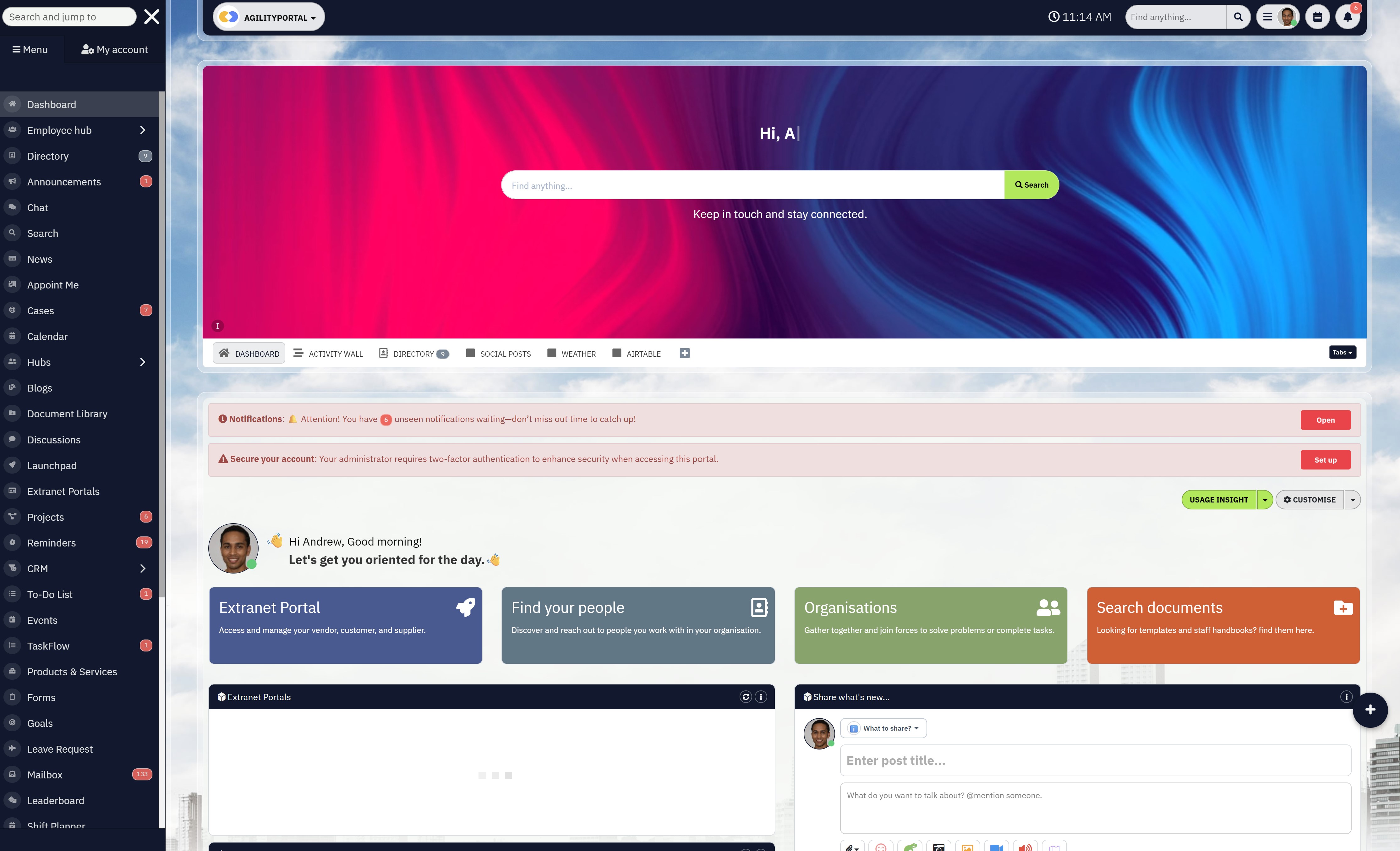
Managing technicians, schedules, customer communication, and service requests across multiple locations can quickly become overwhelming when everything is handled through spreadsheets, emails, and phone calls. AgilityPortal helps service businesses bring everything together in one place so teams can coordinate work, track job progress, and communicate more efficiently.
With AgilityPortal, your team can manage daily operations through a centralized digital workspace designed to improve collaboration, visibility, and productivity across your entire organization.
- Organize communication between office staff and field teams
- Manage projects, tasks, and team collaboration in one platform
- Centralize documents, knowledge sharing, and company updates
- Improve employee engagement and internal communication
- Provide a mobile-friendly workspace for distributed teams
Thousands of organizations use AgilityPortal to streamline internal communication and build a more connected digital workplace.
Start Your Free 14-Day Trial
No credit card required
Faster Response Times
With centralized scheduling and real-time visibility into technician availability, dispatchers can assign the nearest available technician much faster.
This reduces wait times and helps service teams respond quickly to urgent requests or last-minute bookings.
Accurate Appointment Windows
Instead of vague arrival estimates like "sometime this afternoon," digital scheduling tools allow businesses to provide clearer appointment windows.
Customers know when to expect the technician, which makes planning their day much easier.
Real-Time Technician Updates
Many modern systems allow customers to receive automatic notifications when a technician is on the way or when a job status changes.
These updates reduce uncertainty and help customers stay informed throughout the service process.
Consistent Service Quality
When technicians have access to full job details, service history, and customer notes before arriving on site, they can complete work more efficiently and avoid mistakes.
This leads to more consistent service quality and a better overall experience.
Satisfied customers are far more likely to become repeat clients, leave positive reviews, and recommend the business to others.
Over time, these improvements in customer experience can significantly strengthen a company's reputation and growth potential.
Final Thoughts
Running a service business shouldn't feel like a constant scramble to keep everything under control.
Yet for many companies, that's exactly what happens when scheduling, dispatching, and communication are handled through disconnected tools like spreadsheets, phone calls, and paper notes.
When information is scattered across different places, even small mistakes can lead to missed appointments, delayed jobs, and frustrated teams trying to catch up.
This is where modern field service management software makes a real difference.
By bringing scheduling, technician coordination, job tracking, and communication into one centralized system, businesses gain far better visibility over their operations.
Dispatchers can assign work more efficiently, technicians stay informed through mobile tools, and managers can see exactly what's happening across the entire workload in real time.
When everyone is working from the same system, daily operations become far more organized. Teams spend less time chasing information and more time focusing on delivering quality service.
The result is fewer scheduling issues, improved technician productivity, and a much smoother experience for both employees and customers.
FAQ Section
What is field service management software used for?
Field service management software is used to coordinate teams that work outside the office, such as technicians, installers, or maintenance crews. It helps businesses schedule jobs, dispatch workers, track work progress, and manage communication between the office and field staff.
Many companies searching for field service management software uk solutions are looking for systems that bring scheduling, customer information, and technician updates into one place so daily operations run more smoothly.
These platforms are designed to reduce manual administration and improve visibility into what is happening across the business.
Whether a company is exploring field service management software open source options or evaluating commercial platforms, the goal is the same: simplify job coordination and improve efficiency for field teams.
Who needs field service management software?
Any company that manages technicians or service crews working at customer locations can benefit from field service management tools. Businesses that rely on appointments, equipment servicing, or mobile technicians often struggle with scheduling and communication if they rely on spreadsheets or manual processes.
Industries that commonly adopt field service software for small business operations include HVAC, plumbing, electrical services, landscaping, tree care, telecommunications, IT support, and facility maintenance.
Small companies often search for the best field service management software for small business because they need tools that are easy to implement and affordable while still providing scheduling, dispatch, and mobile job management.
Popular field service management software brands used by many service companies include jobber, simpro, and tradify, which are designed specifically to support mobile service teams.
What are some of the top field service management software options?
There are many platforms available depending on the size and complexity of the business. Companies researching the top 10 field service management software solutions will often compare both enterprise systems and tools designed for smaller service teams.
Some widely known platforms in the market include jobber, simpro, and tradify, which are commonly used by small to mid-sized service companies.
Larger organizations may explore enterprise platforms such as field service management software microsoft solutions or field service management software netsuite integrations that connect field operations with broader business systems.
Many business owners also research discussions online, including field service management software reddit communities, to learn how other service businesses evaluate different tools before choosing the best field service management software for their needs.
Does field service management software improve productivity?
Yes, field service management platforms can significantly improve productivity when implemented correctly. By automating scheduling, organizing technician assignments, and tracking job progress digitally, businesses reduce time spent on administrative tasks and manual coordination.
For companies using field service management software for small business operations, this often means technicians spend less time calling the office for instructions and more time completing service jobs. Dispatchers gain a clearer view of schedules, managers gain insight into team performance, and customers receive faster and more reliable service.
Over time, these improvements in organization, communication, and scheduling can help businesses complete more jobs per day while maintaining better service quality.
AI Summary
- Field service management software helps businesses organize technician schedules, dispatch jobs, track work progress, and improve communication between office teams and field workers.
- Companies using digital service management platforms gain better visibility into daily operations, allowing dispatchers to assign jobs faster and managers to monitor job completion in real time.
- Mobile field service apps enable technicians to access job details, upload photos, update work status, and communicate with the office directly from the job site.
- Specialized tools such as tree service estimate software and apps designed for tree service businesses allow crews to generate quotes, document work, and manage jobs while in the field.
- Many small businesses researching the best field service management software compare solutions such as Jobber, Simpro, and Tradify when evaluating field service platforms.
- Modern service management tools help reduce scheduling errors, improve technician productivity, and provide a more reliable experience for customers.
Most Popular Posts

Effective communication among team members is vital for the productivity and success of any organization. Surprisingly, 60% of companies lack a long-term internal communication strategy, which p...


Businesses thrive on communication for efficiency, productivity and accomplishment. When the right information is passed from the right designation in the organization, it promotes positivity an...
Categories
Blog
(2986)
Business Management
(376)
Employee Engagement
(223)
Digital Transformation
(192)
Growth
(143)
Intranets
(137)
Remote Work
(63)
Sales
(53)
Collaboration
(48)
Customer Experience
(30)
Culture
(29)
Knowledge Management
(28)
Project management
(28)
Leadership
(20)
Comparisons
(9)
News
(1)

Related Posts

Recruitment challenges remain one of the biggest obstacles to growth for deep tech companies in 2026. As demand for AI engineers, data scientists, robotics specialists, semiconductor experts, and biotech researchers continues to rise, organizat...

The rise of artificial intelligence is transforming the way SEO professionals research keywords, analyze competitors, monitor rankings, and optimize content. According to a 2024 HubSpot survey, more than 64% of marketers already use AI tools in...

The DEI maturity model represents a structured approach to assessing and enhancing diversity, equity, and inclusion within corporate environments. This model serves as a crucial framework for organizations aiming to not only diversify their wor...

If you've ever managed relationships with partners, distributors, resellers, suppliers, or clients, you've probably experienced the frustration of searching through endless email threads, outdated spreadsheets, and scattered documents just to find a ...

We all know that Fund management plays a critical role in the success of any partner program. Whether you're managing marketing development funds (MDF), co-marketing budgets, partner incentives, rebates, training initiatives, or broader partner ...


Jill Romford
I am a digital nomad, lover of exploring new places and making friends.
I love to travel and I love the internet. I take pictures of my travels and share them on the internet using Instagram.
Traveler, entrepreneur, and community builder. I share my insights on digital marketing and social media while inspiring you to live your fullest life.
Ready to learn more? 👍
One platform to optimize, manage and track all of your teams. Your new digital workplace is a click away. 🚀
Free for 14 days, no credit card required.