
Insight Blog
Agility’s perspectives on transforming the employee's experience throughout remote transformation using connected enterprise tools.
39 minutes reading time
(7817 words)
The Complete Guide to Remote Construction Employee Time Clocking Software

The Complete Guide to Remote Construction Employee Time Clocking Software
Learn how remote construction Employee Time Clocking Software works, what features construction teams need, and how popular time tracking tools compare.
The Complete Guide to Remote Construction Employee Time Clocking Software

Managing construction workers across multiple job sites creates a timekeeping problem that traditional punch clocks were never really designed to solve.
Crews may start their day at different locations, subcontractors can move between projects, and supervisors are often responsible for teams spread across several sites. When hours are still recorded on paper timesheets or entered manually at the end of the week, mistakes, missing hours and inaccurate job costing can quickly creep in.
Some industry estimates suggest inaccurate or manually entered timesheets can contribute to businesses losing 5–10% of labour costs, making reliable timekeeping more than just an administrative issue.
This is where remote construction employee time clocking comes in. Instead of requiring workers to report to a central office or physical punch clock, employees can record their hours using smartphones, tablets, web browsers and other digital clocking methods.
Modern Employee Time Clocking Software can bring those records into one place, automate timesheets and give managers better visibility into who is working, when they started and which construction project their hours should be allocated to.
5–10%
of labour costs
Some industry estimates suggest inaccurate or manually entered timesheets may contribute to businesses losing 5–10% of labour costs, highlighting why accurate employee time tracking can be more than simply an administrative issue.
For construction businesses managing several crews or job sites, that can mean fewer handwritten timesheets, less chasing supervisors for missing information and a clearer picture of labour costs across individual projects.
Depending on the platform, features can also include GPS clock-ins, geofencing, job codes, overtime tracking, timesheet approvals and payroll integrations.
In this article, we've researched, tested, and compared the best employee time-tracking software options from 2026. Of the 5 tools we examined, some are free of charge.
In this guide, we'll explain how remote construction employee time clocking works, which features are genuinely useful on construction sites, what to consider before introducing it and some of the common mistakes to avoid.
Key Takeaways
- Remote construction employee time clocking allows workers to record hours from phones, tablets or browsers without returning to a central office or physical punch clock.
- Construction time tracking should capture more than total hours; assigning time to the correct project, job or cost code is important for accurate labour costing.
- Mobile clocking, GPS and geofencing can help businesses manage employees working across multiple job sites, but location data should only be collected when there is a genuine operational need.
- The best employee time clocking software depends on the use case, with different platforms focusing on mobile clocking, project tracking, timesheets, scheduling or payroll integration.
- Simple clocking, reliable approvals and accurate project allocation usually matter more to construction crews than choosing software with the longest possible feature list.
What Is Remote Construction Employee Time Clocking?

What Is Remote Construction Employee Time Clocking
Remote construction employee time clocking is a digital way for construction workers to record when they start and finish work without needing to use a physical punch clock at a central office.
Instead, employees can clock in and out from a smartphone, tablet or web browser, making it particularly useful for crews working across multiple construction sites.
The basic idea is simple. A worker arrives at a job site, opens the time clock app, selects the relevant project or job and clocks in. When they take a break, move to another project or finish their shift, they update their time accordingly.
Those records are then stored centrally, giving supervisors and payroll teams a more accurate view of hours worked.
Depending on the employee time clocking software being used, workers may be able to:
- Clock in and out remotely from a phone, tablet or browser.
- Record working hours against specific construction projects.
- Select individual jobs, tasks or cost codes.
- Submit digital timesheets without returning to the office.
- Record breaks, overtime and different types of working hours.
- Send completed timesheets to supervisors for review and approval.
- Allow supervisors to see time records across multiple crews and locations.
Some construction time tracking systems go further by adding GPS clock-ins or geofencing. For example, a worker's location might be recorded when they clock in, helping confirm that the time entry was made from the correct job site.
More advanced systems can also connect recorded hours with scheduling, job costing, payroll and workforce reporting.
How Is This Different From a Traditional Punch Clock?
The biggest difference is that a traditional punch clock is tied to a physical location. Employees have to be there to clock in, whether that's by inserting a time card, entering a PIN or using a biometric terminal.
That approach can work well when everyone starts their shift at the same factory, warehouse or office. Construction is different. A company might have crews working on five sites, supervisors moving between projects and subcontractors who never visit the main office.
Cloud-based construction time tracking moves the clock to the worker rather than requiring the worker to come to the clock.
Hours are recorded digitally and sent to a central system where authorised managers can review them from anywhere. This makes it easier to manage distributed construction teams while creating a clearer record of when people worked and which projects consumed those labour hours.
Importantly, remote clocking doesn't have to mean continuously tracking employees. A well-configured system can collect only the information needed for accurate timekeeping, such as the worker's clock-in time, selected project and, where appropriate, their location at the moment they clock in.
Why Is Time Clocking Different for Construction Teams?

Why Is Time Clocking Different for Construction Teams?
Construction time clocking is more complicated than tracking employees in an office or factory. Crews move between job sites, supervisors manage multiple teams, subcontractors work changing schedules, and temporary locations may have unreliable internet access.
The workforce challenge is significant too. Associated Builders and Contractors estimates that the U.S. construction industry needs around 349,000 additional workers in 2026 to meet demand. That puts even more pressure on contractors to understand how existing labour hours are being used. (abc.org)
Remote construction employee time clocking helps businesses track more than when someone starts and finishes.
Depending on the system, teams can record:
- Hours across multiple construction sites
- Different shifts, breaks and overtime
- Subcontractor and temporary worker hours
- Projects, tasks and construction cost codes
- Time from sites with limited connectivity
- Timesheets requiring supervisor approval
Time Tracking Is Closely Connected to Job Costing
Accurate construction time tracking also matters for project profitability. QuickBooks research found that construction businesses considered payroll both their most expensive project cost and the hardest cost to estimate. (quickbooks.intuit.com)
If a worker records eight hours but those hours are assigned to the wrong project, their pay may still be correct while the contractor's job-costing data is wrong.
For example, imagine a contractor managing three sites. An employee spends four hours on Site A before moving to Site C for another four. Simply recording an eight-hour shift isn't enough — the contractor needs four hours charged to each project.
A mobile construction time clock can capture those hours against the correct job or cost code, giving supervisors better visibility while creating more accurate records for payroll, labour costing and project reporting.
That's what makes construction timekeeping different: it's not only about how long someone worked, but where they worked and which project those labour hours belong to.
Remote Construction Employee Time Clocking Software Comparison
The table below provides a quick comparison of the five employee time clocking tools covered in this guide.
We've compared starting prices, mobile clocking, GPS and location features, project tracking and timesheet approvals to help construction businesses see which platforms are better suited to remote crews, multiple job sites and project-based labour tracking.
| Tool | Starting Price | Mobile Clocking | GPS / Location | Project / Job Tracking | Timesheet Approvals | Best Suited For |
| Buddy Punch | $4.99/user/month + $19 base fee | ✓ | ✓ | ✓ | ✓ | Construction and field teams needing location-based clocking |
| My Hours | From $4/user/month | ✓ | — | ✓ | ✓ | Project-based time tracking and job costing |
| DeskTime | From $6.42/user/month | ✓ | ✓ | ✓ | ✓ | Time tracking with workforce productivity insights |
| TimeTackle | From $30/month annually | ✓ | — | ✓ | — | Calendar-driven time tracking and time allocation |
| Harvest | From $9/seat/month annually | ✓ | — | ✓ | ✓ | Project time, labour costs, reporting and billing |
Pricing and features can change and may vary by plan or billing frequency. Check each provider directly for current details.
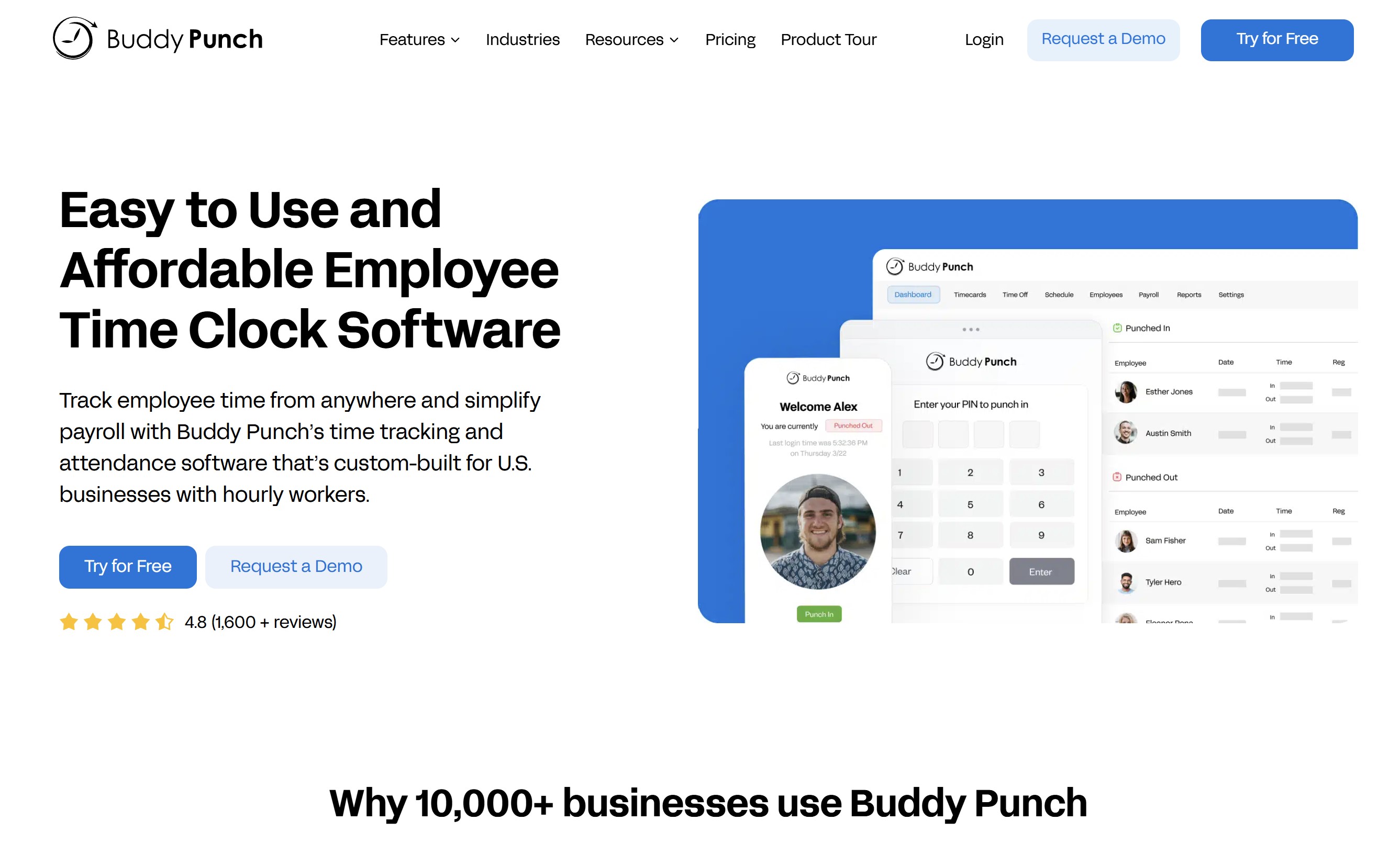
#1. Buddy Punch – Best for Mobile Construction Time Clocking
#1. Buddy Punch – Best for Mobile Construction Time Clocking
Buddy Punch is an employee time clocking platform designed to help businesses manage hourly and remote workers without relying on traditional punch clocks or paper timesheets.
For construction and field-based teams, its combination of mobile clocking, GPS location capture and job tracking makes it particularly relevant when employees are spread across different job sites.
Workers can clock in and out using the Buddy Punch mobile app, while managers can see where a punch was recorded and assign employee hours to particular jobs or locations.
The platform https://buddypunch.com/ allows geofencing can also be used on eligible plans to restrict clock-ins to approved areas, which can be useful when managing multiple construction sites.
Key features include:
- iOS and Android mobile time clock apps
- GPS coordinates captured when employees clock in or out
- Geofencing for approved work locations
- Job and location-based time tracking
- Job costing and labour allocation
- Employee scheduling
- Timesheet review and approvals
- Payroll integrations
- QR code and kiosk clocking options
- Pricing: Plans start from $4.99 per user/month plus a $19 monthly base fee, with pricing varying depending on the features and billing option selected.
- Best suited to: Construction companies and field service teams that want mobile employee clocking combined with GPS and location controls.
- Our take: Buddy Punch is one of the more construction-relevant options in this comparison because its mobile, GPS and job-tracking features address a practical problem for contractors: confirming where employees clocked in while ensuring their hours are allocated to the correct job. However, businesses should check which location, geofencing and job-costing features are included in their chosen plan before subscribing.
Our Verdict
Buddy Punch
Best for mobile construction time clocking with GPS and location controls
4.8
/5
Price
From $4.99 per user/month plus a $19 monthly base fee
Best feature
Mobile clocking with GPS, geofencing and job-location tracking
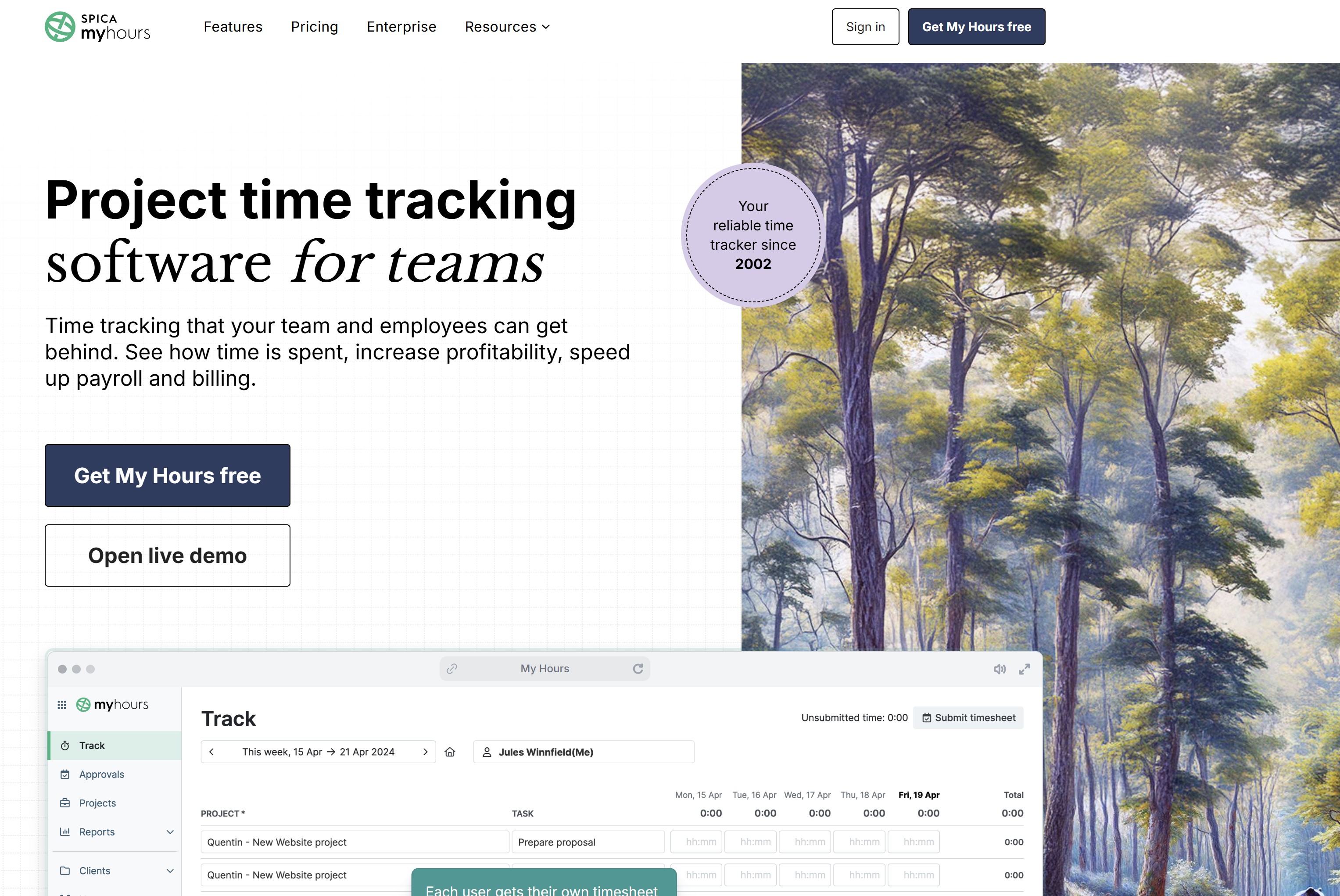
#2. My Hours – Best for Project-Based Construction Time Tracking
#2. My Hours – Best for Project-Based Construction Time Tracking
My Hours is a project-focused time tracking platform that helps businesses understand how employee hours are distributed across projects, tasks and clients.
For construction teams, this approach can be useful when the priority is accurate job costing rather than monitoring where employees clock in.
Workers can record time from desktop or mobile devices and assign their hours directly to specific projects and tasks. Managers can then review timesheets, track project budgets and compare labour hours across different jobs from one central dashboard.
Key features include:
- Web and mobile time tracking
- Project and task-based time entries
- Project budgets and labour costs
- Billable and non-billable hours
- Timesheet approvals
- Detailed time and project reports
- Expense tracking
- Audit logs on eligible plans
- Integrations and data exports
- Pricing: A free plan is available for up to five active users, with paid plans starting from around $4 per user/month when billed annually.
- Best suited to: Construction businesses, contractors and project-based teams that want to allocate employee hours to individual projects and better understand labour costs.
- Our take: My Hours is a stronger fit for project time tracking and job costing than location-based workforce management. If GPS clock-ins and geofencing are essential, other platforms may be better suited. But for construction businesses primarily interested in knowing how many labour hours are being consumed by each project, its straightforward project-based approach is worth considering.
Our Verdict
My Hours
Best for project-based construction time tracking and labour allocation
4.8
/5
Price
Free for up to 5 active users; paid plans from $4 per user/month annually
Best feature
Project and task-based time tracking with budgets and labour cost visibility
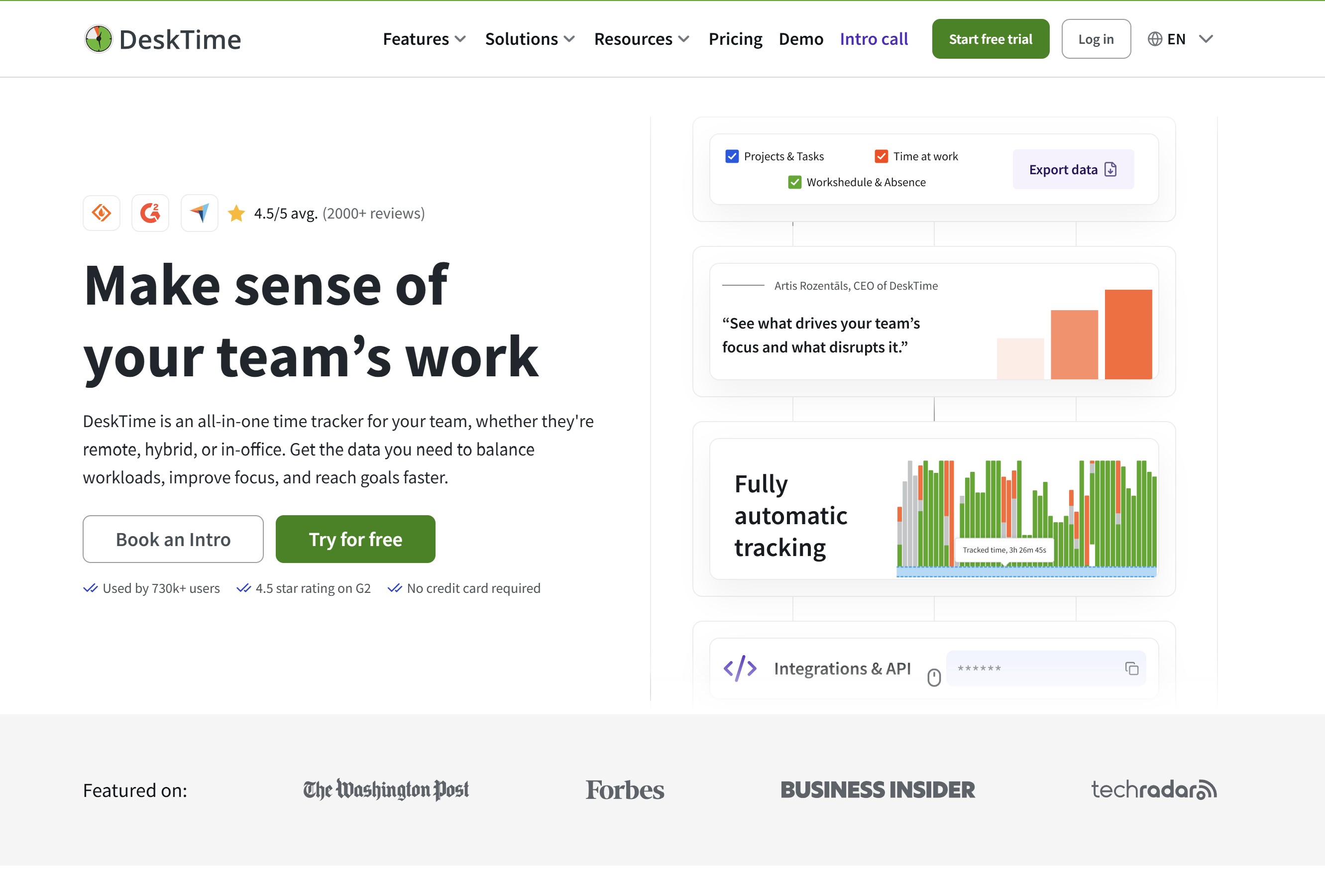
#3. DeskTime – Best for Automatic Time Tracking and Workforce Visibility
#3. DeskTime – Best for Automatic Time Tracking and Workforce Visibility
DeskTime is an employee time tracking and workforce management platform that combines automatic time tracking with manual and mobile tracking options.
For construction businesses, it may be more relevant to supervisors, project managers, estimators and office-based employees than crews that spend their entire working day on active job sites.
The platform can track working hours, projects and employee schedules while providing managers with reports on how time is being used.
Its mobile app extends time tracking beyond desktop workers, although businesses should consider whether DeskTime's productivity-monitoring features are necessary for their particular workforce.
Key features include:
- Automatic employee time tracking
- Mobile time tracking
- Web-based timer
- Project and task tracking
- Employee shift scheduling
- Absence and leave management
- Workforce and productivity reports
- Offline time tracking
- Integrations with third-party business tools
- Pricing: DeskTime Pro starts from around $6.42 per user/month when billed annually, with higher-tier plans adding additional workforce management features.
- Best suited to: Construction businesses that want to combine employee time tracking with project management, scheduling and workforce productivity insights.
- Our take: DeskTime offers broader workforce visibility than a basic construction time clock, but that can also mean paying for features that field crews may not need. It's worth considering for construction companies with a mix of office, remote and field-based employees, particularly where managers want time and productivity data within the same platform.
Our Verdict
DeskTime
Best for automatic time tracking and workforce visibility
4.5
/5
Price
Pro plans from around $6.42 per user/month when billed annually
Best feature
Automatic time tracking combined with project and workforce reporting
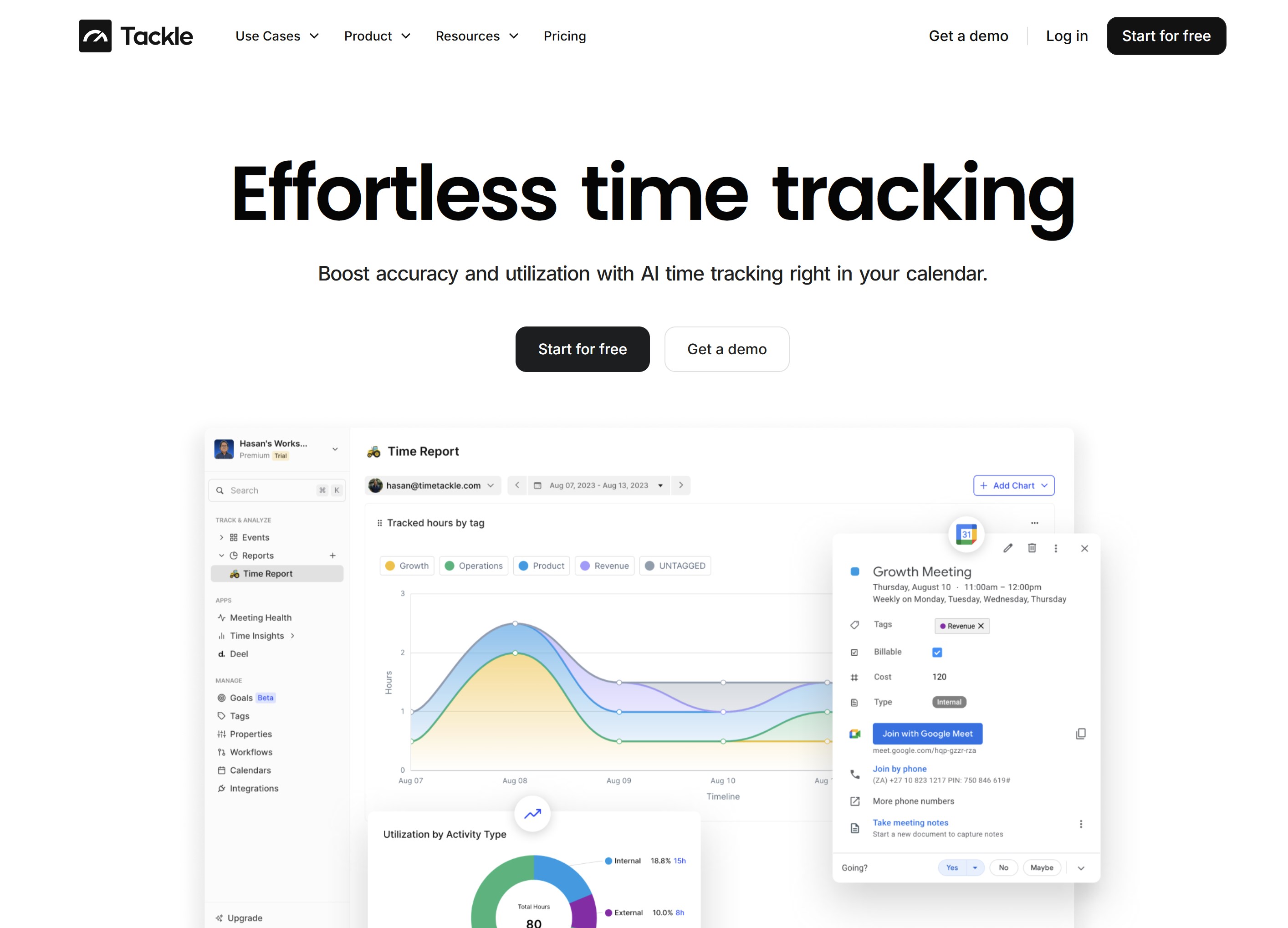
#4. TimeTackle – Best for Calendar-Based Time Tracking
#4. TimeTackle – Best for Calendar-Based Time Tracking
TimeTackle takes a different approach to employee time tracking by using calendar activity to help businesses understand where working hours are being spent.
Rather than functioning primarily as a traditional construction punch clock, it can turn Google Calendar and Microsoft Outlook events into structured time data for projects, clients and other activities.
For construction companies, this approach may be useful for project managers, engineers, consultants and supervisors whose working days are already organised around meetings, site visits and scheduled activities.
Teams can categorise calendar events, add tags and generate reports without manually rebuilding their working day on a separate timesheet.
Key features include:
- Google Calendar and Microsoft Outlook integration
- Calendar-based time tracking
- Automated event tagging and categorisation
- Project and client time allocation
- Manual time entries
- Browser-based stopwatch
- Custom reports and dashboards
- Data exports
- API access on eligible plans
- Pricing: A free plan is available, while paid plans start from around $30 per month when billed annually, depending on the selected plan and features.
- Best suited to: Construction project managers, consultants and office-based teams that already use digital calendars to organise much of their working day.
- Our take: TimeTackle isn't a direct replacement for a GPS-enabled construction employee time clock. Its strength is turning calendar activity into useful time data, making it more suitable for management and professional roles than site crews that simply need to clock in and out.
For construction businesses looking to understand how managers divide their time between projects, however, it offers an interesting alternative to traditional timesheets.
#5. Harvest – Best for Construction Project Time and Cost Tracking
#5. Harvest – Best for Construction Project Time and Cost Tracking
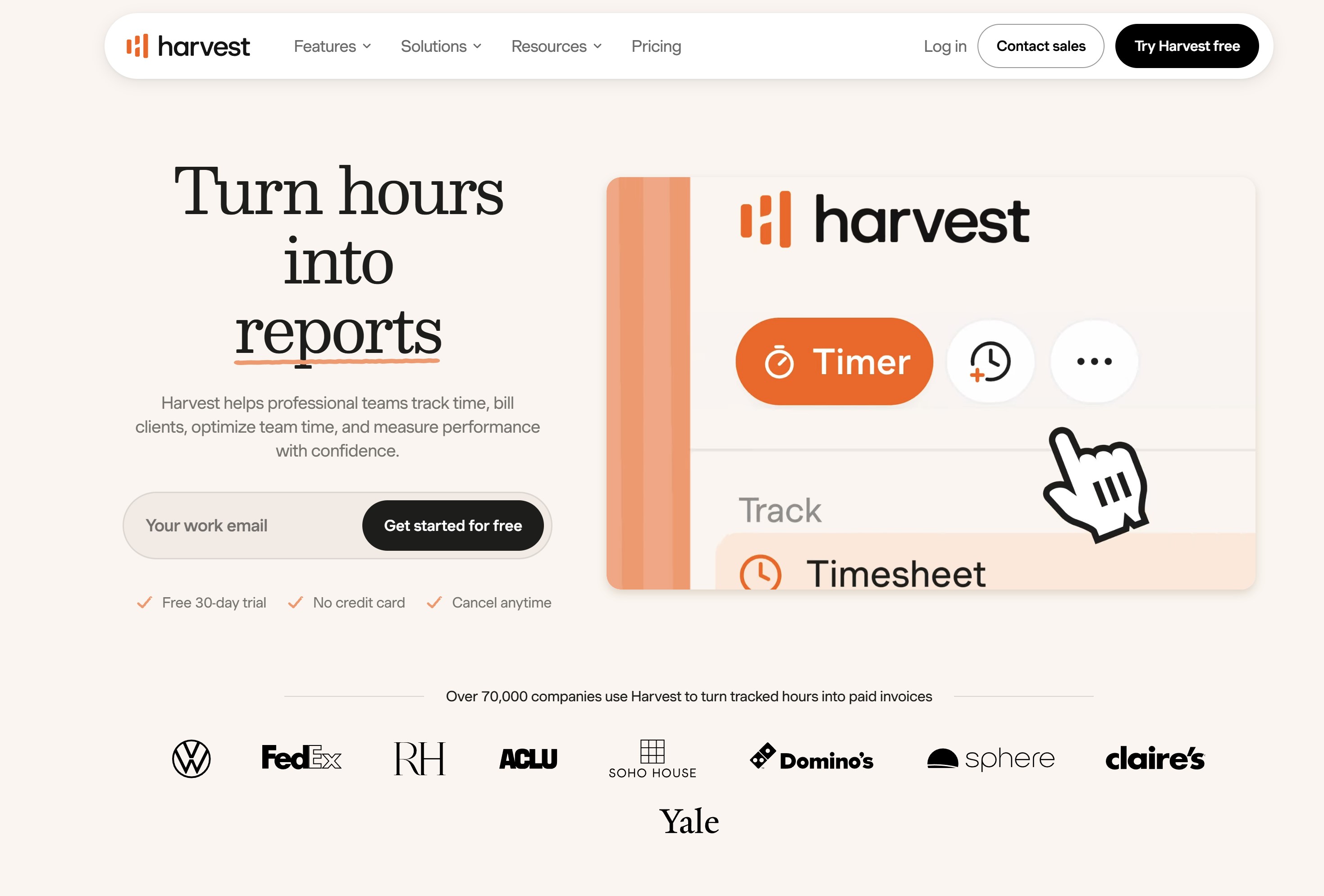
Harvest is a well-established time tracking platform that focuses on connecting employee hours with projects, budgets and costs.
For construction businesses, it can be useful when the main goal is understanding how much labour time is being spent on individual projects rather than verifying employee attendance at specific job sites.
Employees can record their hours using web, desktop and mobile apps and assign that time to particular projects and tasks. Managers can then compare recorded hours against project budgets, review team capacity and use reports to identify where labour time is being consumed.
Key features include:
- Web, desktop and mobile time tracking
- Project and task-based time entries
- Project budget monitoring
- Team capacity reporting
- Timesheet approvals
- Expense tracking
- Invoicing and billable time
- Accounting and business integrations
- Time and project reporting
- Pricing: A free plan is available for individual users with limited projects. Paid team plans start from around $9 per seat/month when billed annually or $11 per seat/month when paid monthly.
- Best suited to: Construction businesses, contractors and project teams that need to connect employee hours with project budgets, labour costs and client billing.
- Our take: Harvest is a strong option for project-based time and cost tracking, but it isn't designed primarily as a construction-site attendance system.
Businesses that need GPS clock-ins, geofencing or strict job-site location controls may find other tools more suitable. Where the priority is understanding how employee time affects project budgets and profitability, Harvest is worth researching.
Our Verdict
Harvest
Best for project time tracking, labour costs and billing
4.6
/5
Price
Free plan available; paid plans from around $9 per seat/month when billed annually
Best feature
Connects employee time with project budgets, labour costs and invoicing
How We Chose Our Remote Construction Time Clocking Picks
To put together this list, we looked beyond general employee time tracking and focused on the practical requirements of construction businesses managing remote, mobile and project-based workers.
We researched each platform's current features, pricing, mobile capabilities and approach to tracking employee hours.
We also considered independent customer ratings and whether the software could realistically support common construction workflows rather than simply having the longest feature list.
Our evaluation focused on:
- Mobile access: Whether employees can clock in and record hours from phones or tablets.
- Job and project tracking: How easily labour hours can be assigned to projects, tasks or cost codes.
- GPS and location features: Whether location-based clocking or geofencing is available for businesses that need it.
- Timesheet management: How supervisors review, correct and approve employee hours.
- Scheduling: Whether the platform can help manage shifts and distributed crews.
- Payroll and integrations: How easily approved time data can move into other business systems.
- Ease of use: Whether the clocking process is practical for workers who may spend most of their day on a construction site.
- Pricing: The likely cost for businesses as their workforce grows.
- Customer feedback: Independent ratings and recurring themes from established software review platforms.
We haven't declared one platform the overall winner because construction businesses have different requirements. Instead, our picks highlight where each tool is strongest, so you can compare them against the way your own crews, projects and payroll processes actually work.
Which Type of Time Clocking System Is Right for a Construction Business?
There isn't one construction employee time clock that will suit every contractor.
The right choice depends on how your crews work, where employees are based and what you actually need to do with the time data once it's collected.
For a small contractor, straightforward digital timesheets may be enough.
A construction company managing hundreds of workers across multiple job sites may need GPS clocking, geofencing, scheduling, job costing and payroll integration.
Here's a practical way to narrow it down:
- Mobile and GPS time clocking: Best when employees regularly move between construction sites. Workers can clock in from their phones, while GPS or geofencing can help confirm that clock-ins happen at the correct location.
- Project-based time tracking: Choose this when job costing is the priority. Employee hours can be allocated to specific projects, tasks or cost codes, giving managers a clearer picture of construction labour costs.
- Digital timesheets and approvals: A good fit when the main problem is replacing paper timesheets. Workers submit hours digitally and supervisors review and approve them before payroll.
- Scheduling and crew management: More useful when you're coordinating different shifts, changing crews and multiple job sites. Combining scheduling with employee time clocking can help managers compare planned hours against actual hours worked.
- Payroll integration: Prioritise this if your team currently enters the same information into timesheets and payroll separately. Moving approved hours directly into payroll can reduce duplicate data entry and administrative mistakes.
The key is to avoid paying for features your construction teams won't actually use. Start with the problem you're trying to solve — whether that's inaccurate timesheets, job costing, remote clock-ins, scheduling or payroll administration — and then choose a time clocking system built around that requirement.
Common Mistakes When Moving Away From Paper Timesheets
Switching from paper timesheets to digital construc
tion time tracking can reduce administration and give managers better labour data, but only when the system fits how crews actually work. Here are some of the most common mistakes to avoid.
Choosing Time Clock Software Based Only on Price
The cheapest employee time clock isn't necessarily the most cost-effective.
A low-cost platform can become expensive if it lacks project tracking, payroll integrations or mobile features and forces managers to continue doing work manually.
Compare software based on the problems you need to solve first, then consider price.
Making Clocking In Too Complicated
Construction workers shouldn't need to navigate several screens simply to start their shift. If the process takes too long, employees are more likely to forget clock-ins or find workarounds.
For most field teams, clocking in should take seconds: open the app, select the job and start the timer.
Requiring Too Much Information
Project and cost-code tracking can be valuable, but asking workers to complete too many fields every time they clock in creates unnecessary friction.
Only collect information that will actually be used for payroll, job costing, compliance or project reporting.
Ignoring Poor Mobile Connectivity
Not every construction site has reliable Wi-Fi or mobile coverage. Basements, remote developments and early-stage sites can all create connectivity problems.
Check whether your construction time clock can work offline or store entries until the device reconnects.
Failing to Train Supervisors
Supervisors often become the link between field workers, timesheets and payroll. They need to understand how to review hours, identify missing entries, approve timesheets and deal with exceptions.
A short supervisor training process can prevent small clocking errors from becoming payroll problems.
Not Defining How Incorrect Clock-Ins Are Fixed
Workers will occasionally forget to clock out, select the wrong project or record the wrong start time.
Establish a clear process for correcting entries, including who can make changes and whether the system maintains an audit trail showing what was edited.
Tracking More Location Data Than You Need
GPS can help verify that employees are at the correct construction site when clocking in, but that doesn't automatically mean continuous location tracking is necessary.
Collect only the location information required for a legitimate business purpose and make sure employees understand what is being recorded and when.
Keeping Payroll Disconnected From Time Tracking
Replacing paper timesheets with an app only solves half the problem if payroll staff then manually re-enter every approved hour into another system.
Where possible, connect approved construction timesheets with payroll or use reliable exports. The goal should be to reduce duplicate data entry from the job site through to payroll.
Imagine a contractor with 60 employees working across four active construction sites. Instead of collecting handwritten timesheets every Friday, workers clock in from their phones and select the project they're working on.
If someone moves to another site during the day, they switch projects so their labour hours are allocated correctly. Supervisors review missing or unusual entries and approve the week's timesheets before the data moves to payroll.
The result isn't simply a digital version of a paper timesheet. The contractor now has a clearer record of hours by employee, job and project, making the same time data more useful for payroll, labour costing and project reporting.
A Practical Example: Managing 60 Employees Across Four Construction Sites
To see how remote construction employee time clocking can work in practice, consider a fictional construction company with 60 employees working across four active job sites.
This is an illustrative example rather than a real customer case study, but it reflects the type of timekeeping challenges contractors commonly face.
The company has electricians, labourers, equipment operators and site supervisors working across four projects.
Some employees remain on the same site all week, while others move between projects depending on workload and skills required.
Before Digital Time Clocking
Previously, each worker completed a handwritten timesheet. At the end of the week, supervisors collected the paperwork, checked the hours and sent everything to the office.
Payroll then had to interpret handwriting, identify missing information and manually enter the hours into another system. If someone had worked across two projects but hadn't recorded the split correctly, managers might need to contact the supervisor before the timesheet could be processed.
The company could pay employees correctly but still struggle to determine exactly how much labour each construction project had consumed.
Workers Clock In From the Job Site
With a mobile construction time clock, employees can record their hours when they arrive at the site.
A worker opens the app on their phone, selects the relevant project and clocks in.
For example:
- 7:00am — Clock in at Project A
- 12:00pm — Finish work at Project A
- 12:30pm — Start work at Project C
- 4:30pm — Clock out from Project C
Instead of simply recording nine hours against the employee, the system can show how those working hours were distributed between the two projects.
Where appropriate, GPS clock-in or geofencing can also help confirm that the employee was at an approved job site when the entry was made.
Supervisors Review Exceptions
Supervisors don't necessarily need to manually inspect every normal clock-in. Instead, they can concentrate on exceptions that require attention.
That might include:
- A missing clock-out
- An unusually long shift
- Unexpected overtime
- Hours assigned to the wrong project
- A clock-in outside the expected job site
- A missed break
- A worker forgetting to select a project
Corrections can be made before the timesheet reaches payroll, ideally with an audit trail showing what was changed and by whom.
Approved Hours Move to Payroll
At the end of the week, supervisors review and approve their crews' digital timesheets.
Instead of payroll staff receiving four piles of paper or separate spreadsheets from each construction site, they receive one approved set of employee time records.
Depending on the employee time clocking software and payroll system being used, those records may be transferred through a direct integration or exported in a compatible format.
This reduces duplicate data entry and gives payroll a cleaner starting point for calculating regular hours, overtime and other payments.
Project Managers Get Better Labour-Cost Visibility
The same information can also be useful beyond payroll.
Because employees selected their projects while recording time, project managers can compare labour hours across all four sites from a central system.
For example, they might see:
| Project | Employees | Labour Hours This Week |
| Project A | 18 | 684 |
| Project B | 14 | 516 |
| Project C | 16 | 602 |
| Project D | 12 | 448 |
| Total | 60 | 2,250 |
If Project A is consuming substantially more labour than originally estimated, the project manager can investigate while the project is still active rather than discovering the difference weeks later when separate timesheets and spreadsheets are reconciled.
That's where remote construction time tracking becomes more valuable than simply replacing paper with an app.
The same time record can support employee payroll, supervisor approvals, project reporting and construction job costing without requiring each department to recreate the information manually.
Final Thoughts
Remote construction employee time clocking is ultimately about solving a practical workforce problem.
When employees are spread across different job sites, paper timesheets and fixed punch clocks can create unnecessary administration, delayed approvals and gaps in the labour data managers need to run projects effectively.
Moving to a digital system can make it easier for workers to clock in from their phones, allocate hours to the correct construction project and submit accurate timesheets without returning to a central office. Supervisors can review exceptions and approve hours centrally, while payroll and project teams get access to cleaner, more consistent information.
The right solution, however, depends on how your construction workforce operates. A contractor primarily concerned with job costing may prioritise project and cost-code tracking, while a company managing mobile crews across multiple locations may place greater value on GPS clock-ins and geofencing. Others may simply want straightforward digital timesheets with reliable payroll integration.
For most construction businesses, mobile accessibility, simple clocking, accurate project allocation, supervisor approvals and payroll compatibility will matter more than choosing the platform with the longest feature list.
Most importantly, employee time tracking shouldn't be about monitoring workers for the sake of it. The goal is to create an accurate and practical record of when people worked, which projects consumed those labour hours and what information needs to reach payroll.
Get those basics right, and construction time tracking becomes more than a replacement for paper timesheets — it becomes useful operational data for managing labour costs, projects and a distributed workforce.
Frequently Asked Questions About Employee Time Clocking Software
What is employee time clocking software?
Employee time clocking software is a digital system used to record when employees start and finish work, take breaks and, depending on the platform, spend time on particular jobs or projects. For construction businesses, it can replace paper timesheets and fixed punch clocks with mobile or cloud-based time tracking that employees can access across different job sites.
Is there employee time clocking software free to use?
Yes. There are employee time clocking software free options available, although free plans usually have limits on users, projects, reporting or advanced features. Businesses should check whether essential functions such as mobile clocking, GPS, timesheet approvals, job costing and payroll integrations require a paid plan.
What is the best employee time clocking software for construction?
The best employee time clocking software depends on how your construction workforce operates. Businesses with mobile crews may prioritise GPS and geofencing, while project-based contractors may need job codes and labour-cost tracking. Companies primarily replacing paper timesheets may only need simple mobile clocking, approvals and payroll integration.
Is there a record my work hours app free to use?
Yes. If you're searching for a record my work hours app free of charge, several time tracking platforms provide free plans for individuals or small teams. These can be useful for recording start and finish times, project hours and personal timesheets, although more advanced workforce management features may require a subscription.
Can I get a time tracking app free for construction workers?
A time tracking app free plan can work for individuals and very small construction teams, but check the restrictions carefully. Features such as GPS clock-ins, geofencing, multiple job sites, supervisor approvals, scheduling and payroll integrations are often reserved for paid plans.
Is Clockify suitable for construction time tracking?
Clockify is a popular time tracking app that allows users to record hours against projects and tasks, with a free plan available for core time tracking. Clockify may suit contractors primarily interested in project hours and digital timesheets, but construction businesses should compare its location, job-site, approval and payroll capabilities with dedicated employee time clocking tools before deciding.
What should I look for in a time tracking app for employees?
A good time tracking app for employees should be quick to use and fit naturally into the working day. For construction teams, useful features can include mobile clocking, project and cost-code selection, GPS or geofencing where required, break and overtime recording, timesheet approvals, offline functionality and payroll integration.
Can I use a time tracking app for personal use?
Yes. A time tracking app for personal use can help freelancers, contractors and self-employed construction professionals understand how much time they spend on individual jobs, clients or activities. If you don't need employee scheduling, approvals or payroll features, a simple personal timer may be enough.
Is Toggl Track suitable for construction workers?
Toggl Track is primarily a time and project tracking platform rather than a dedicated construction workforce management system. It can be useful for individuals, contractors and project-based teams that want to record hours against clients, projects and tasks.
Construction companies requiring job-site attendance controls, GPS verification or advanced crew management should compare Toggl Track with more field-focused alternatives.
What's the difference between Clockify, Toggl Track and an employee time clock?
Clockify and Toggl Track are commonly associated with project-based time tracking, where users record how much time they spend on particular projects or tasks. An employee time clock is generally more focused on attendance — recording when someone starts work, takes a break and finishes their shift.
The distinction is becoming less clear as modern platforms add scheduling, timesheets, approvals, GPS and project tracking. For construction businesses, the important question is whether the software can accurately capture employee hours and allocate them to the correct job, project or cost code.
AI Summary
- Remote construction employee time clocking allows workers to record their hours from smartphones, tablets or browsers instead of relying on paper timesheets or a physical punch clock at a central location.
- Construction time tracking needs to account for mobile crews, changing job sites, subcontractors, different shifts, overtime and employees who may work across several projects during the same day.
- Mobile clocking, GPS, geofencing and project tracking can help contractors connect employee hours with the correct job site, project or cost code while giving supervisors better visibility across distributed crews.
- Project-based time tracking can improve construction job costing by showing how labour hours are distributed between projects rather than simply recording the total number of hours an employee worked.
- Buddy Punch, My Hours, DeskTime, TimeTackle and Harvest take different approaches to employee time tracking, ranging from mobile and location-based clocking to project, productivity and calendar-based time management.
- The right construction employee time clock depends on the operational problem being solved. Mobile accessibility, simple clocking, project allocation, timesheet approvals and payroll integration will often matter more than having the largest possible feature set.
Most Popular Posts

Effective communication among team members is vital for the productivity and success of any organization. Surprisingly, 60% of companies lack a long-term internal communication strategy, which p...


Businesses thrive on communication for efficiency, productivity and accomplishment. When the right information is passed from the right designation in the organization, it promotes positivity an...

Categories
Blog
(3196)
Business Management
(395)
Employee Engagement
(235)
Digital Transformation
(218)
Growth
(150)
Intranets
(141)
Internal communications
(106)
Remote Work
(68)
Sales
(53)
Collaboration
(52)
Customer Experience
(32)
Culture
(30)
Knowledge Management
(29)
Project management
(29)
Leadership
(20)
Comparisons
(9)
News
(1)

Related Posts

Could AI produce your next workplace video faster—and still deliver a message your employees can trust? As more businesses use video for onboarding, training and leadership updates, one question keeps coming up: will AI replace video editors in...

Could the best machine learning systems help your employees spend less time sorting requests, updating spreadsheets and chasing information—and more time doing useful work? That's the opportunity, but finding the right system starts with knowin...

What would happen to your team's work and customer information if an employee's MacBook disappeared today? If you're wondering how to protect your Mac physically, the answer goes beyond buying a case. A MacBook used at home, on a train or in a ...

Welcome to AgilityPortal's guide to the best VPN for Remote teams. How do you give employees secure access to company systems when they work from home, the office and everywhere in between? It's a question more businesses need to answer: 28% of worki...

Have you ever left a meeting thinking everyone agreed on the next step, only to discover a week later that each person remembered something different? Open source meeting transcription can help teams keep a searchable record of the conversation...


Jill Romford
I am a digital nomad, lover of exploring new places and making friends.
I love to travel and I love the internet. I take pictures of my travels and share them on the internet using Instagram.
Traveler, entrepreneur, and community builder. I share my insights on digital marketing and social media while inspiring you to live your fullest life.
Ready to learn more? 👍
One platform to optimize, manage and track all of your teams. Your new digital workplace is a click away. 🚀
Free for 14 days, no credit card required.