
Insight Blog
Agility’s perspectives on transforming the employee's experience throughout remote transformation using connected enterprise tools.
37 minutes reading time
(7392 words)
Digital Workspace Solutions for Healthcare Companies Operating Under Compliance Laws

Digital Workspace Solutions for Healthcare Companies Operating Under Compliance Laws
Digital workspace solutions for healthcare companies operating under compliance laws. Learn how to stay secure, audit-ready, and compliant.
Digital Workspace Solutions for Healthcare Companies Operating Under Compliance Laws

Let's be blunt: healthcare companies can't afford messy digital setups anymore.
Between stricter compliance laws, rising data breaches, constant audits, and a workforce that's now split between on-site, remote, and hybrid roles, the margin for error is basically gone.
What used to work five years ago—email chains, shared drives, WhatsApp groups—now actively puts healthcare organisations at risk.
Here's the reality: healthcare is one of the most targeted industries for cyberattacks, and it's also one of the most expensive when things go wrong.
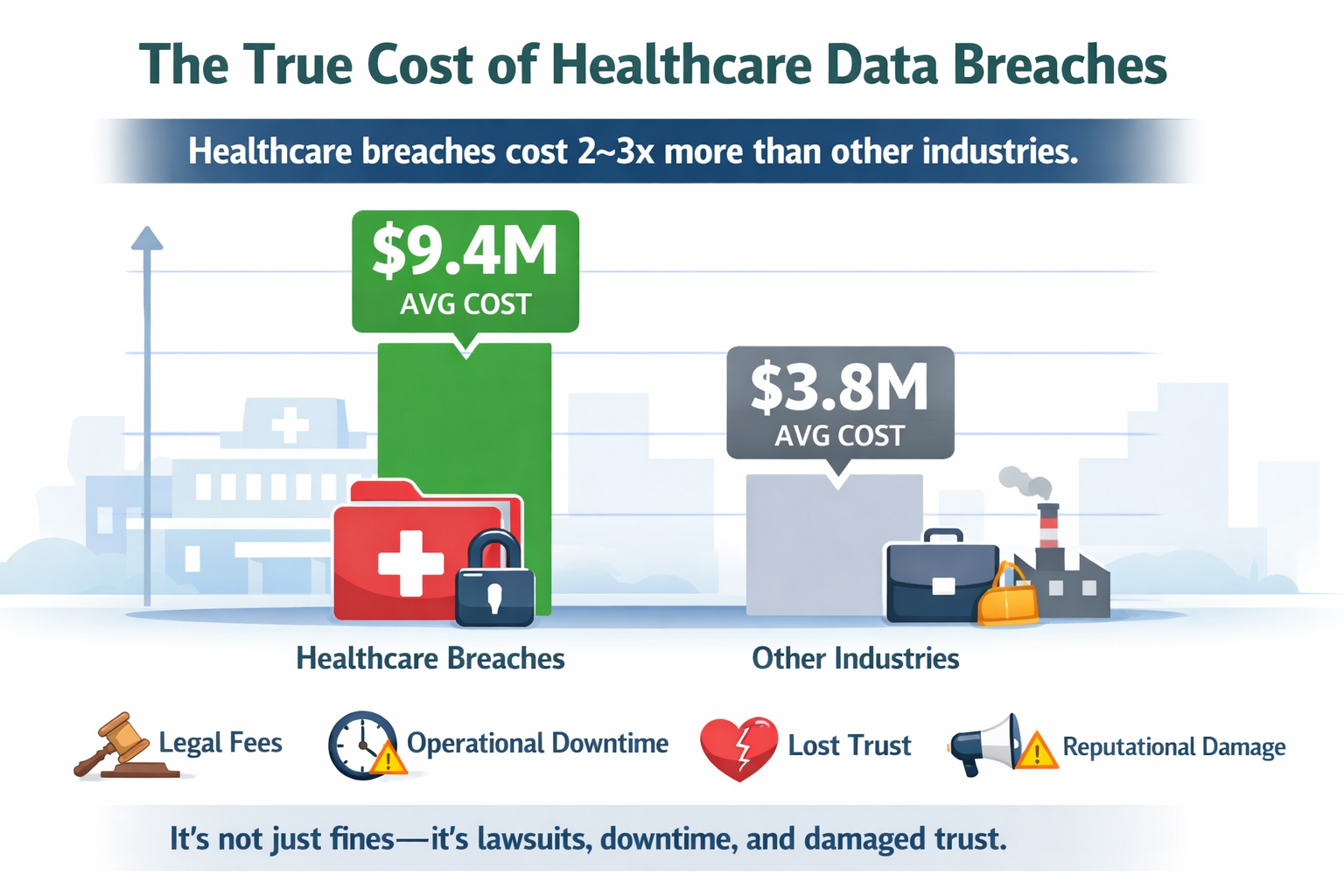
Studies consistently show that healthcare data breaches cost organisations 2–3 times more than breaches in other industries. That's not just fines—it's legal fees, operational downtime, lost trust, and reputational damage that sticks
The problem isn't that healthcare teams don't care about compliance.
It's that they're often forced to work across disconnected tools that were never designed for regulated environments.
One document lives in email, another in a shared drive, updates are sent over chat apps, and suddenly no one knows which version is approved, who accessed what, or whether sensitive data was exposed.
That's where digital workspace solutions for healthcare companies operating under compliance laws come in.
A modern digital workspace isn't just about productivity or collaboration—it's a compliance safeguard. It centralises communication, controls access, tracks activity, and reduces human error by design.
In short: healthcare can't "wing it" anymore. If your digital tools aren't built for compliance, they're quietly working against you.
Key Takeaways You’ll Get From This Guide
- Healthcare compliance is a system issue, not a staff issue. Most breaches happen because tools allow risky behaviour, not because employees ignore rules.
- Tool sprawl creates hidden compliance gaps. Disconnected apps make it harder to control access, track activity, and prove compliance during audits.
- A digital workspace acts as a built-in compliance safeguard. Centralising communication, documents, and access control reduces risk by design.
- Adoption matters more than feature lists. If staff don’t use the platform daily, it won’t protect patient data or support compliance.
- Role-based access and audit trails are non-negotiable in healthcare. Organisations must be able to show who accessed what, when, and why—at any time.
- Centralised documents reduce operational and legal risk. A single source of truth prevents outdated policies, duplicated files, and accidental misuse.
- The compliant workflow must be the fastest workflow. When the safest option is also the easiest, staff stay compliant without extra training.
For healthcare organisations operating under strict compliance laws, the right digital workspace doesn’t slow teams down — it quietly removes risk while improving everyday work.
Read this article: : Top 6 AI-Powered Project Management Tools To Use In 2023
What Is a Digital Workspace in Healthcare?
What Is a Digital Workspace in Healthcare
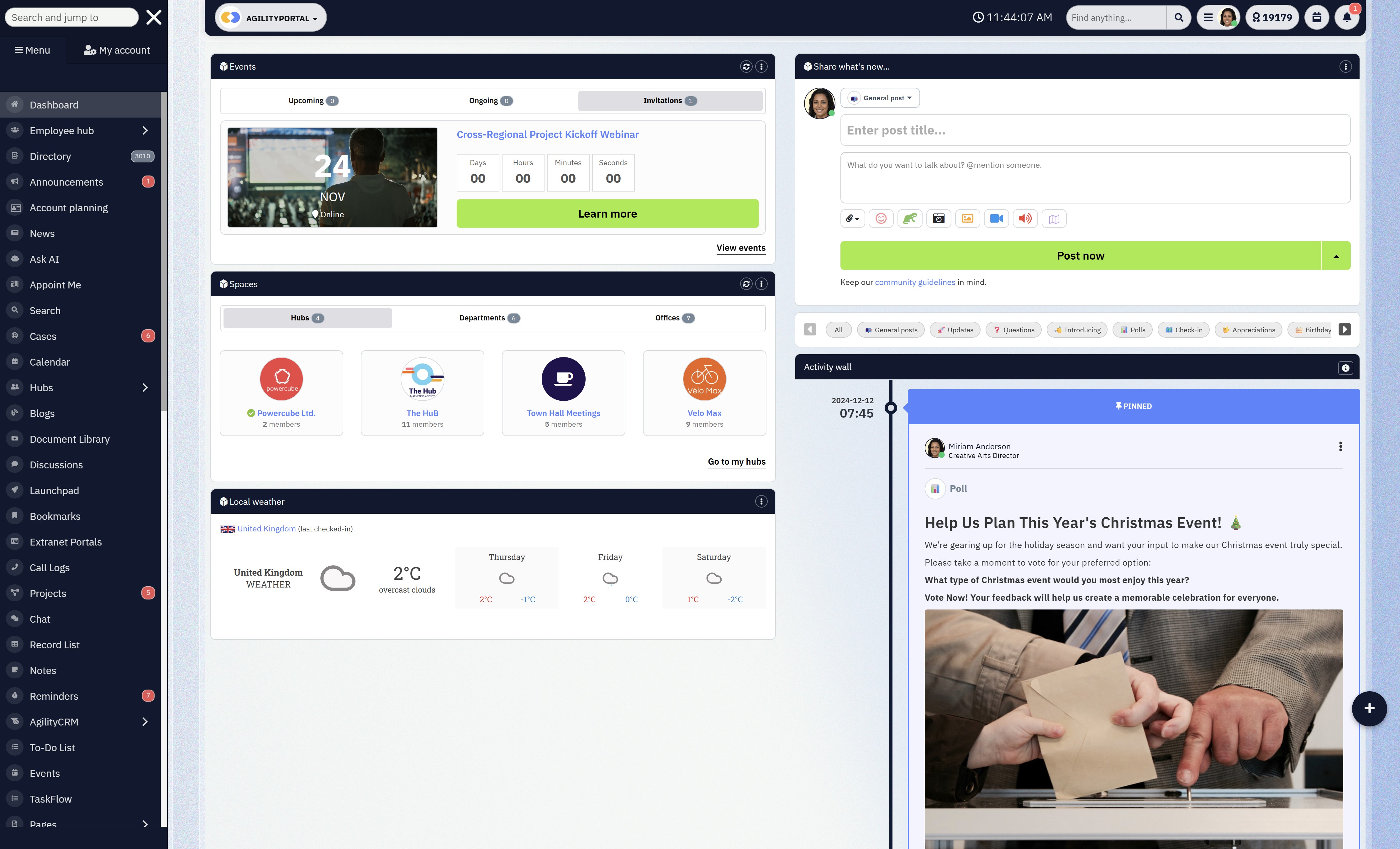
Think of a digital workspace in healthcare as the one place where work actually happens—securely, visibly, and in line with compliance laws. That's exactly why a doctor's office needs IT support to maintain secure access, protect patient data, and ensure systems run smoothly every day.
For hospitals, clinics, labs, NGOs, and healthcare SaaS companies, a digital workspace brings together communication, documents, knowledge, and collaboration under one controlled roof.
Some of the best intranet software healthcare australia stop scattered tools across your business.
Not half in email and half on someone's laptop.
One system of record that leadership, IT, HR, and compliance teams can actually trust.
How healthcare organisations really use it (day to day)
- Hospitals & clinics use it to publish policies, share clinical updates, onboard staff, and control access by role (doctors, nurses, admin, contractors).
- Labs & research teams use it to manage document versions, limit data access, and keep audit trails for inspections.
- Healthcare NGOs use it to coordinate field teams, partners, and headquarters without leaking sensitive data.
- Healthcare SaaS companies use it to align internal teams while staying compliant with GDPR, HIPAA, and client security requirements.
The key difference? Everything is connected—and everything is logged.
How this differs from the tools healthcare teams already use
Most healthcare organisations already use some combination of the tools below. The problem isn't the tools themselves—it's using them without control.
Tools like Google Drive are popular in healthcare because they're easy. Teams upload files, share folders, and collaborate quickly.
But here's the catch:
- Permissions get messy fast
- Files are duplicated and renamed
- It's hard to prove who accessed what during an audit
In fact, studies show that over 60% of data exposure incidents are caused by misconfigured access permissions, not hacking. Shared drives alone weren't built for regulated environments.
Google Shared Workspace
Google Shared Workspace
Platforms like Google Workspace are a step up. You get email, documents, calendars, and chat in one ecosystem.
Healthcare teams typically use it for:
- Internal collaboration
- Document co-editing
- Scheduling and meetings
Still, Workspace wasn't designed as a compliance-first system of record. It lacks:
- Built-in healthcare-specific access models
- Clear governance over internal vs external users
- Centralised audit-friendly oversight
It helps teams work—but it doesn't fully protect them.
Intranets for Healthcare
Traditional intranets are common in hospitals and large healthcare groups.
They're usually used for:
- Posting announcements
- Storing HR policies
- Sharing static documents
The problem? Most intranets suffer from low adoption. Employees log in once, forget passwords, and go back to email or chat apps. And if people don't use it daily, it can't support compliance.
Gallup-style engagement research consistently shows that tools employees don't use daily quickly become compliance blind spots.
Messenger Apps (Slack, WhatsApp, Teams Chats)
Messaging tools like WhatsApp are everywhere in healthcare—especially for quick updates.
They're used for:
- Shift changes
- Quick questions
- Urgent coordination
But from a compliance perspective, this is risky:
- No formal record retention
- Limited audit trails
- Sensitive data shared casually
This is why regulators often flag "informal communication channels" as a major compliance risk during audits.
Why healthcare needs one controlled system of record
Here's the hard truth: compliance breaks down when information lives everywhere.
Healthcare organisations don't need more tools—they need fewer, better-governed ones.
A proper digital workspace:
- Centralises documents, messages, and updates
- Applies role-based access automatically
- Logs every action for audits
- Reduces human error by design
When everything runs through one compliant system, audits become easier, onboarding is faster, and staff stop guessing where the "right" information lives.
And in healthcare, that clarity isn't a nice-to-have—it's the difference between staying compliant and paying for it later.
Related Guides You May Want to Read Next
This Digital Workplace guide is designed as a foundation. The articles below go deeper into specific strategies, use cases, and platform decisions covered in this guide.
- What Is a Digital Workplace? 7 Digital Workplace Platforms for Hybrid Teams in 2026 (Core Guide)
- Digital Workplace vs Intranet: What’s the Difference? (And the Best Digital Workspace Solutions Right Now) (Recommended)
- Defining a Digital Workplace Strategy: Where to Start and What to Avoid
- Digital Workplace Business Case (Updated 2026): A Complete Guide
- Employee-First Digital Workplace App for Your Organisation
- What Is an Intelligent Digital Workplace?
- How Digital Workplaces Are Transforming Healthcare Communication
- Understanding Millennials in the Workplace (And What It Means for Digital Tools)
Why Compliance Laws Change Everything for Healthcare Companies

Why Compliance Laws Change Everything for Healthcare Companies
Here's the thing most non-healthcare vendors don't get: compliance isn't a checklist you finish.
In healthcare, compliance is a design constraint that touches every workflow—how people chat, where files live, who can see what, how long you keep records, and what you can prove during an audit.
If your "digital workspace" doesn't actively enforce the rules, it becomes a risk multiplier.
And the risk is real: healthcare consistently sits at the top for breach costs.
IBM's recent reporting puts the average cost of a healthcare breach around $10.93M (and still higher than other industries).
So what exactly changes when you operate under healthcare compliance laws?
Compliance laws don't care what tool you use — only what you can prove
A lot of teams assume compliance means "we use Microsoft/Google so we're fine."
Nope.
Regulators and auditors don't give points for brand names.
They care about evidence:
- Who accessed sensitive data
- Whether access was appropriate
- What was changed
- Whether you can produce logs
- How you prevent repeat incidents
- How you control data lifecycle
That's why "we think only the right people had access" is useless. You need "here's the audit trail."
The 4 big compliance pressures that change how healthcare must work
1) Patient data privacy becomes everyone's problem (not just IT)
In healthcare, personal data isn't just "names and emails." It's medical history, appointment details, insurance info, lab results—highly sensitive stuff.
Under UK/EU GDPR, the principles include things like integrity/confidentiality and accountability—meaning you must protect data and be able to demonstrate you did it.
What this changes in the real world:
- People can't casually share patient-related documents in chat tools or email threads.
- Teams need safe ways to share data internally and with external parties (labs, insurers, partners).
- "Send the file to my Gmail" becomes a compliance incident waiting to happen.
What a proper digital workspace needs:
- Central storage + controlled sharing
- Clear separation between internal content vs external collaboration
- Governance that doesn't rely on staff "remembering the rules"
2) Access control isn't optional — it must be role-based and enforceable
Healthcare has constant movement: rotating shifts, contractors, locums, agency staff, students, vendors. That's a nightmare if access is manual.
HIPAA's Security Rule expects safeguards like access control and audit controls for ePHI (electronic protected health information).
What this changes:
- Access must be least privilege by default (people only see what they need).
- You need fast deprovisioning (remove access instantly when someone leaves).
- You need proof of who had access during the time window an incident occurred.
What a proper digital workspace needs:
- Role-based permissions that are simple to manage
- External user controls (partners/contractors) that don't blow holes in your internal security
- MFA/2FA enforcement where it matters (especially remote access)
3) Audit trails and accountability become a daily requirement, not an "annual event"
In healthcare, audits aren't rare, and incidents happen. If you can't show what happened, it doesn't matter what your policy says.
HIPAA includes requirements around audit controls (i.e., recording and examining activity).
And in the UK, if you touch NHS patient data/systems, the NHS Data Security and Protection Toolkit (DSPT) is an ongoing self-assessment requirement designed to show you're meeting data security standards.
What this changes:
- You can't run critical work through tools that don't log actions properly.
- You can't have "mystery edits" or uncontrolled file copies.
- You can't rely on screenshots as evidence (auditors want system logs).
What a proper digital workspace needs:
- Logs for viewing, editing, downloading, sharing
- Version control (who changed what, when)
- Exportable audit reports (so compliance isn't scrambling during an investigation)
4) Data retention + deletion policies become operational, not theoretical
Healthcare data often has legal retention rules, internal retention policies, and patient rights requests (depending on jurisdiction). Keeping everything forever is not a solution—because "forever" expands your breach exposure.
Under GDPR, principles like storage limitation mean you shouldn't keep personal data longer than necessary.
And POPIA (South Africa) explicitly requires organisations to secure the integrity and confidentiality of personal information using reasonable technical and organisational measures.
What this changes:
- You need controlled retention by content type (policies vs HR docs vs clinical docs).
- You need deletion rules that don't depend on someone remembering to clean folders.
- You need to reduce uncontrolled duplicates across email attachments, downloads, personal drives.
What a proper digital workspace needs:
- Document lifecycle controls (retention, review, expiry)
- Governance that reduces duplication
- A clear "single source of truth"
The compliance frameworks healthcare companies commonly deal with (and what they force you to do)
HIPAA (United States) — Protecting ePHI With Technical Proo
HIPAA's Security Rule is about protecting ePHI with administrative, physical, and technical safeguards.
It explicitly points to controls like transmission security, and strong technical safeguards around how data is accessed and monitored.
Practical implication: you need secure systems for handling ePHI and a way to prove you did.
GDPR (UK & EU) — Accountability, Governance, and Risk-Based Security
GDPR isn't "just a privacy banner." It's principles + accountability.
Article 5 lays out core principles, and Article 32 sets expectations around "appropriate technical and organisational measures" based on risk.
Practical implication: if your workspace can't show governance, access control, and security-by-design, you're exposed.
NHS Data Security and Protection Toolkit (UK) — Ongoing Evidence, Not One-Time Compliance
If you access NHS patient data/systems, DSPT is the mechanism for demonstrating you meet data security standards. It's an annual assessment and is updated over time.
Practical implication: you need evidence, not vibes—especially around access, training, incident handling, and controls.
POPIA (South Africa) — Reasonable Technical and Organisational Safeguards
POPIA places explicit responsibility on organisations to secure personal information against loss, damage, and unlawful access with reasonable technical and organisational measures.
Practical implication: "we shared it because it was urgent" is not a defence.
Read this article: : Top 6 AI-Powered Project Management Tools To Use In 2023
The hard truth: most compliance failures are human behaviour + bad systems
People don't wake up wanting to break policy.
They break policy because the system makes the right way too hard and the risky way too easy.
If staff have to:
- jump through hoops to find an approved document
- wait on IT for access changes
- use five tools to complete one task
…they'll route around the system. That's how compliance breaks.
So the goal of a healthcare-grade digital workspace isn't "more features." It's this:
Make the compliant workflow the fastest workflow.
That's the only way adoption sticks—and in healthcare, adoption is part of security.
If you want, I can turn this into a "compliance-to-feature mapping" table next (HIPAA/GDPR/DSPT/POPIA → exact workspace controls + examples), which is the kind of section decision-makers love.
The Real Risks of Using Non-Compliant Tools in Healthcare
Let's be honest. Most healthcare organisations don't set out to be non-compliant.
They end up there because day-to-day work quietly drifts onto tools that feel fast and familiar—but are completely wrong for regulated environments.
This is where things usually go wrong.
The Issue: Everyday Tools Create Hidden Compliance Gaps
1. Staff sharing files via email or WhatsApp
When teams are under pressure, they default to what's quickest. A policy gets emailed. A patient-related file gets sent over WhatsApp. A spreadsheet is forwarded "just this once."
The problem:
- Email attachments get downloaded, copied, and forwarded endlessly
- Messaging apps weren't designed for healthcare record-keeping
- Sensitive data leaves controlled systems instantly
Industry data shows that human error is a leading cause of healthcare data breaches, not external hacking. In other words, it's everyday behavior—enabled by the wrong tools.
2. No visibility into who accessed what
With shared drives, inboxes, and chat tools, visibility disappears fast.
You can't reliably answer:
- Who viewed this document?
- Who downloaded it?
- Was it shared externally?
- Which version was accessed during the incident window?
During an audit or investigation, "we think only authorised staff saw it" is not acceptable. Auditors want logs, timestamps, and proof.
3. No way to revoke access instantly
Healthcare has high staff turnover, rotating shifts, contractors, locums, and third-party partners.
If access is scattered across tools:
- Someone leaves, but still has files on their phone
- Contractors keep access longer than needed
- Old links still work months later
This is one of the most common compliance failures in healthcare environments—and one of the easiest to avoid with the right system.
4. Shadow IT grows without oversight
When official systems are slow or clunky, staff find workarounds:
- Personal Google Drives
- Personal email accounts
- Unapproved apps
This "shadow IT" is invisible to compliance teams and impossible to govern.
Studies consistently show that organisations underestimate how many unofficial tools are being used internally—especially in high-pressure sectors like healthcare.
Why This Is So Important for Healthcare Organisations
Healthcare isn't just another regulated industry—it handles the most sensitive category of personal data.
That means:
- Breaches cost more (often millions per incident)
- Regulators take a harder stance
- Public trust erodes faster and takes longer to rebuild
Once trust is gone, it's not just a legal issue—it's a business one. Patients hesitate. Partners question your controls. Staff lose confidence in leadership.
And the harsh truth? Many organisations only fix these issues after something goes wrong.
How Solving This Benefits the Organisation
Moving away from non-compliant tools isn't just about avoiding fines. It creates real, operational benefits.
1. Lower compliance risk by design
When communication and documents live in a controlled digital workspace:
- Access is role-based by default
- Sharing is intentional, not accidental
- Every action is logged automatically
Compliance stops relying on people "remembering the rules."
2. Faster audits, less disruption
With proper visibility:
- Audit requests don't trigger panic
- Logs can be produced quickly
- Investigations are factual, not speculative
This alone can save weeks of leadership time and legal cost.
3. Better staff behavior without more training
When the compliant path is the easiest path:
- Staff naturally follow it
- Risky shortcuts decrease
- Adoption improves without constant policing
Good systems change behavior quietly.
4. Stronger trust with patients, partners, and regulators
A healthcare organisation that can clearly demonstrate control:
- Builds confidence with regulators
- Reassures partners and insurers
- Protects patient trust long term
The Bottom Line for Healthcare Leaders
And trust, in healthcare, is everything.
Using non-compliant tools isn't a small technical issue—it's a structural risk.
Every unmanaged email attachment, every WhatsApp file share, every unrevoked account increases exposure. A healthcare-grade digital workspace closes those gaps by design, not policy.
If your tools can't show control, visibility, and accountability, they're quietly working against you.
Core Features a Compliant Digital Workspace Must Have
Core Features a Compliant Digital Workspace Must Have
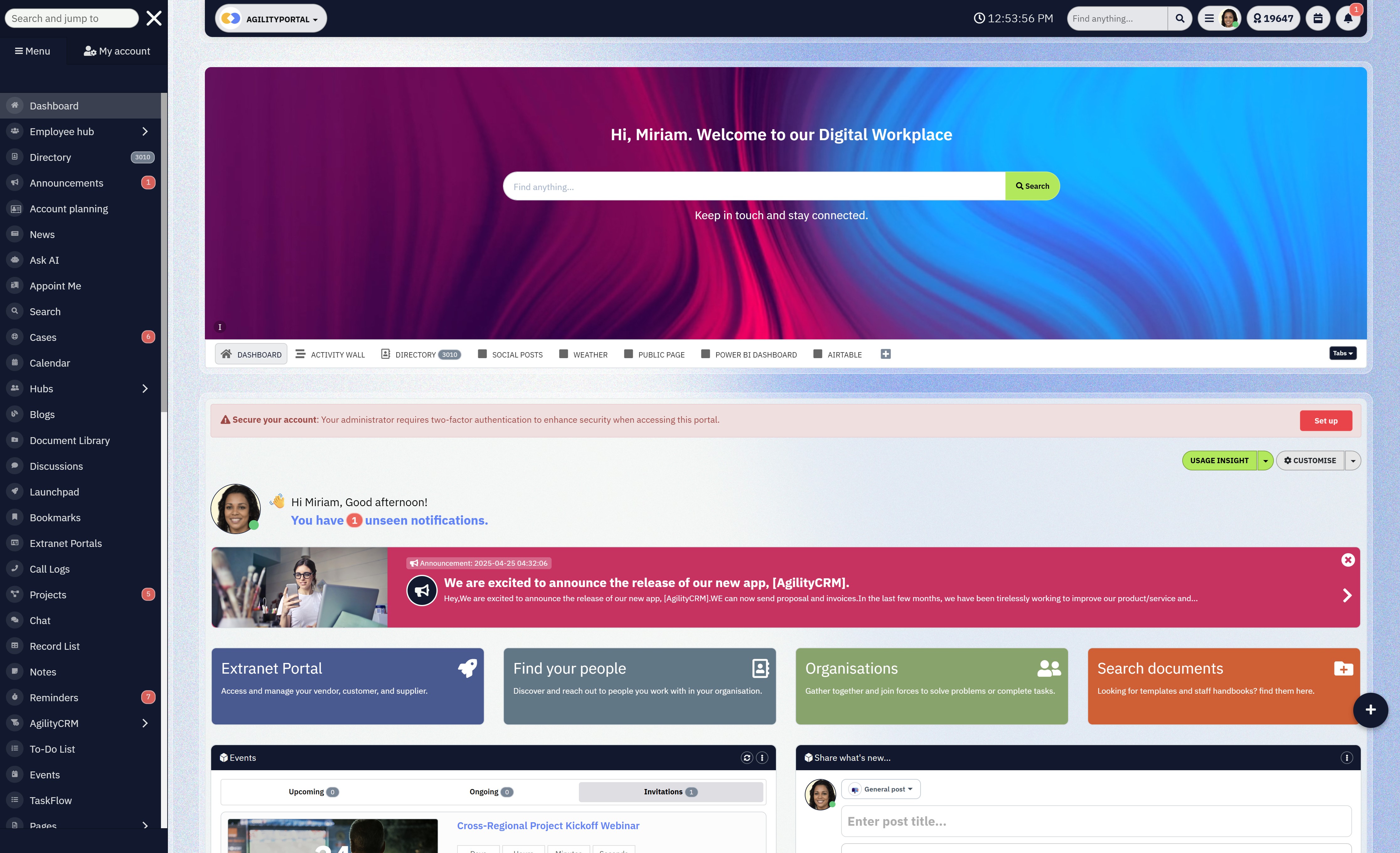
If a digital workspace is going to survive in healthcare, it has to do more than "help people collaborate." It has to actively reduce compliance risk while still being easy enough that staff actually use it.
Below are the non-negotiables—and why they matter in real healthcare environments.
Secure Access & Identity Control
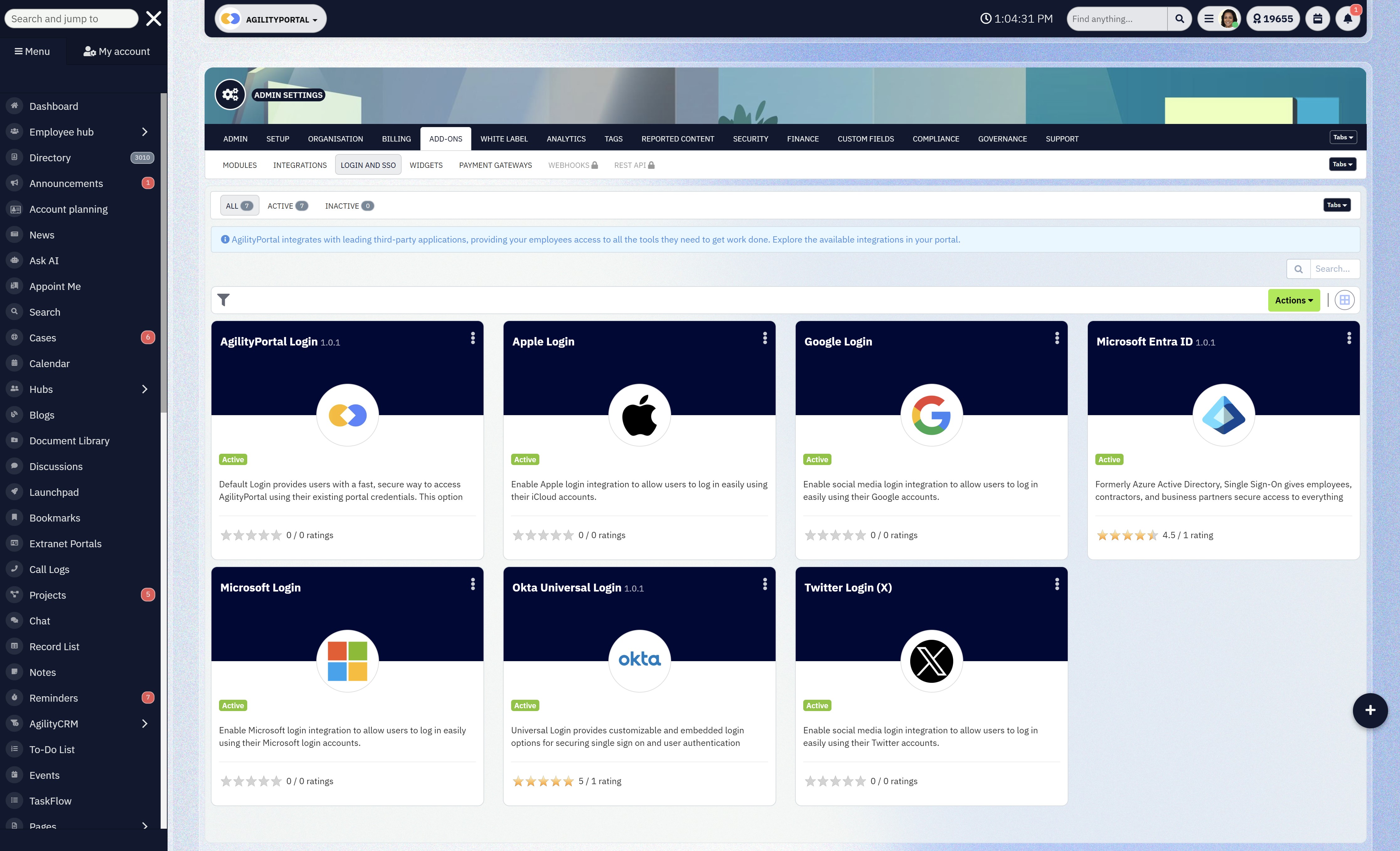
Secure Access & Identity Control
Healthcare organisations deal with constant movement—new hires, rotating shifts, agency staff, contractors, students, and partners.
When access is managed manually or spread across tools, people end up seeing things they shouldn't, or keeping access longer than they should.
Most healthcare breaches don't start with hackers.
They start with over-permissioned accounts and forgotten users. Regulators expect organisations to enforce "least privilege," not just talk about it.
How this benefits the organisation:
- Role-based permissions mean staff only see what they need to do their job—nothing more.
- MFA / 2FA enforcement dramatically reduces the risk of compromised accounts, especially for remote access.
- Instant user deactivation ensures that when someone leaves, access is cut immediately—no loose ends, no risk window.
Bottom line: access control stops being a manual chore and becomes automatic protection.
Centralised Document Management
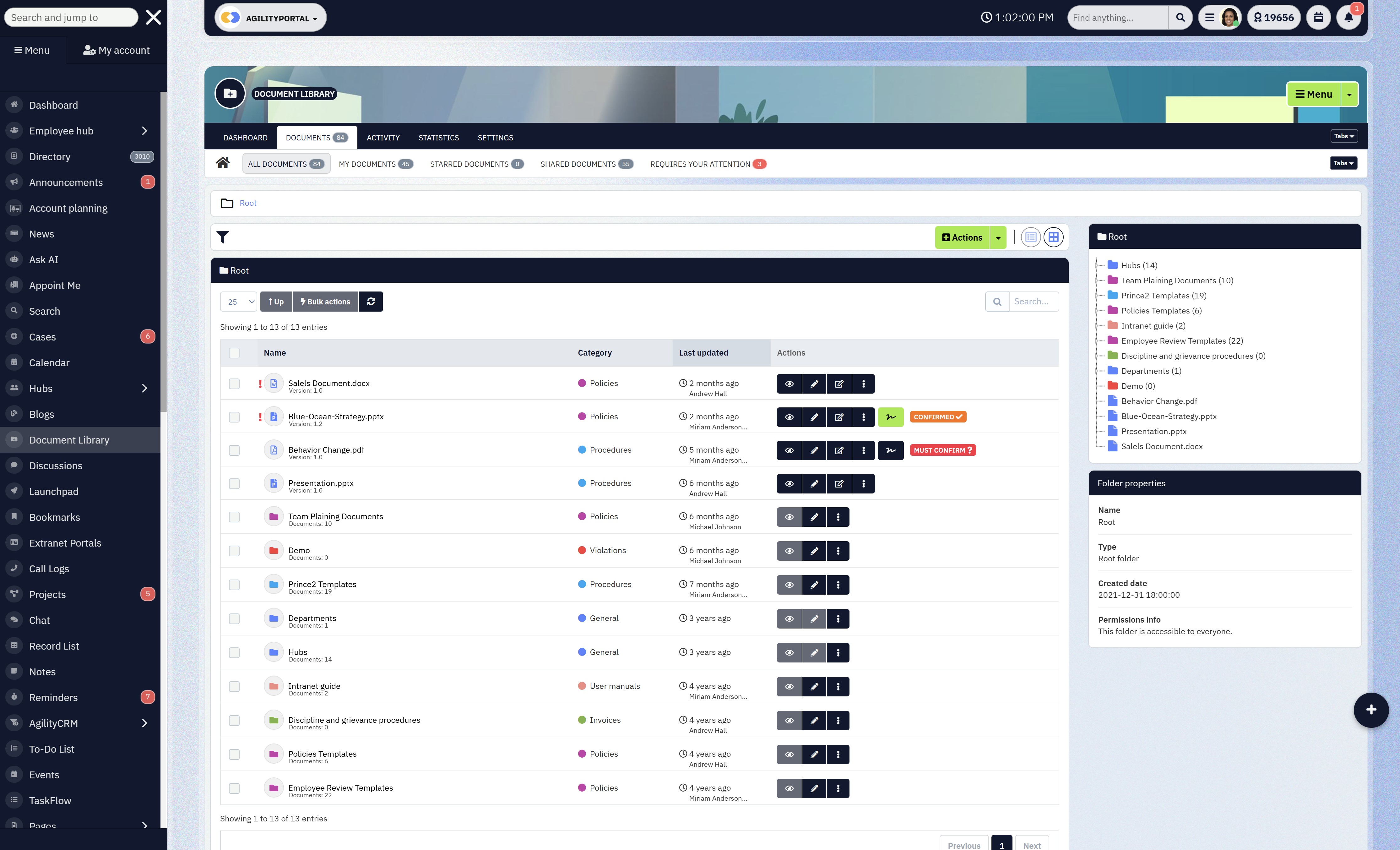
Centralised Document Management
Healthcare documents are everywhere—policies, procedures, patient-related files, training materials. When files live across shared drives, inboxes, and personal folders, version chaos kicks in fast.
Using the wrong version of a policy or procedure isn't just inefficient—it can be a compliance incident. Auditors want to know which version was active, who accessed it, and when.
How this benefits the organisation:
- Version control ensures everyone works from the latest approved document.
- Access logs show exactly who viewed or downloaded sensitive files.
- Expiry rules for sensitive documents reduce the risk of outdated or no-longer-valid content being used.
This creates a single source of truth—which is critical when compliance is on the line.
Audit Trails & Activity Logs
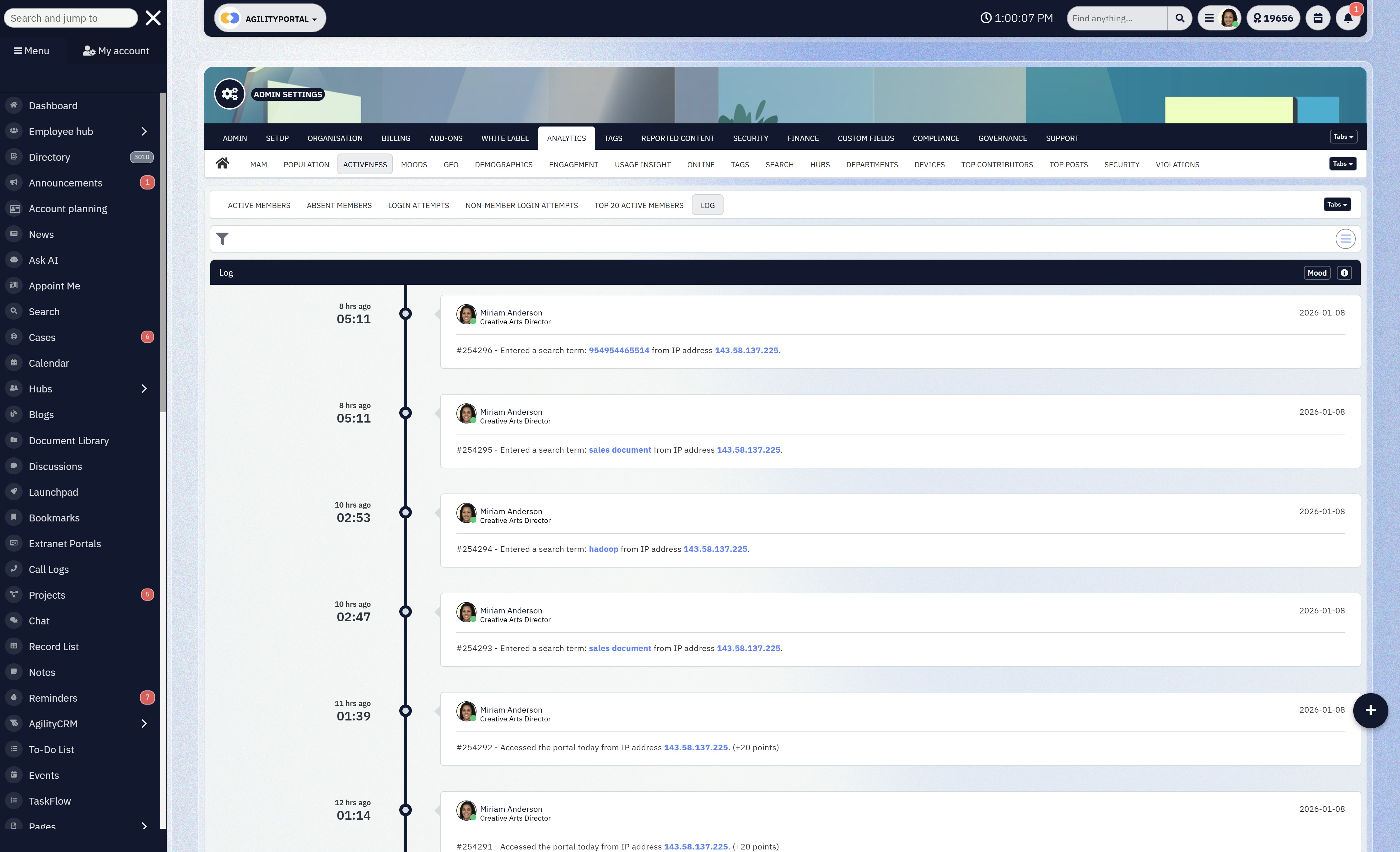
Audit Trails & Activity Logs
During audits or investigations, many healthcare organisations realise too late that they can't prove what actually happened. Policies exist, but evidence doesn't. Regulators don't accept assumptions.
They expect verifiable system records showing how data was handled.
How this benefits the organisation:
- Clear visibility into who viewed, edited, downloaded, or shared content
- Time-stamped records that remove guesswork
- Exportable logs that make audits faster and far less disruptive
With proper audit trails, compliance becomes defensible—not stressful.
Secure Communication Channels
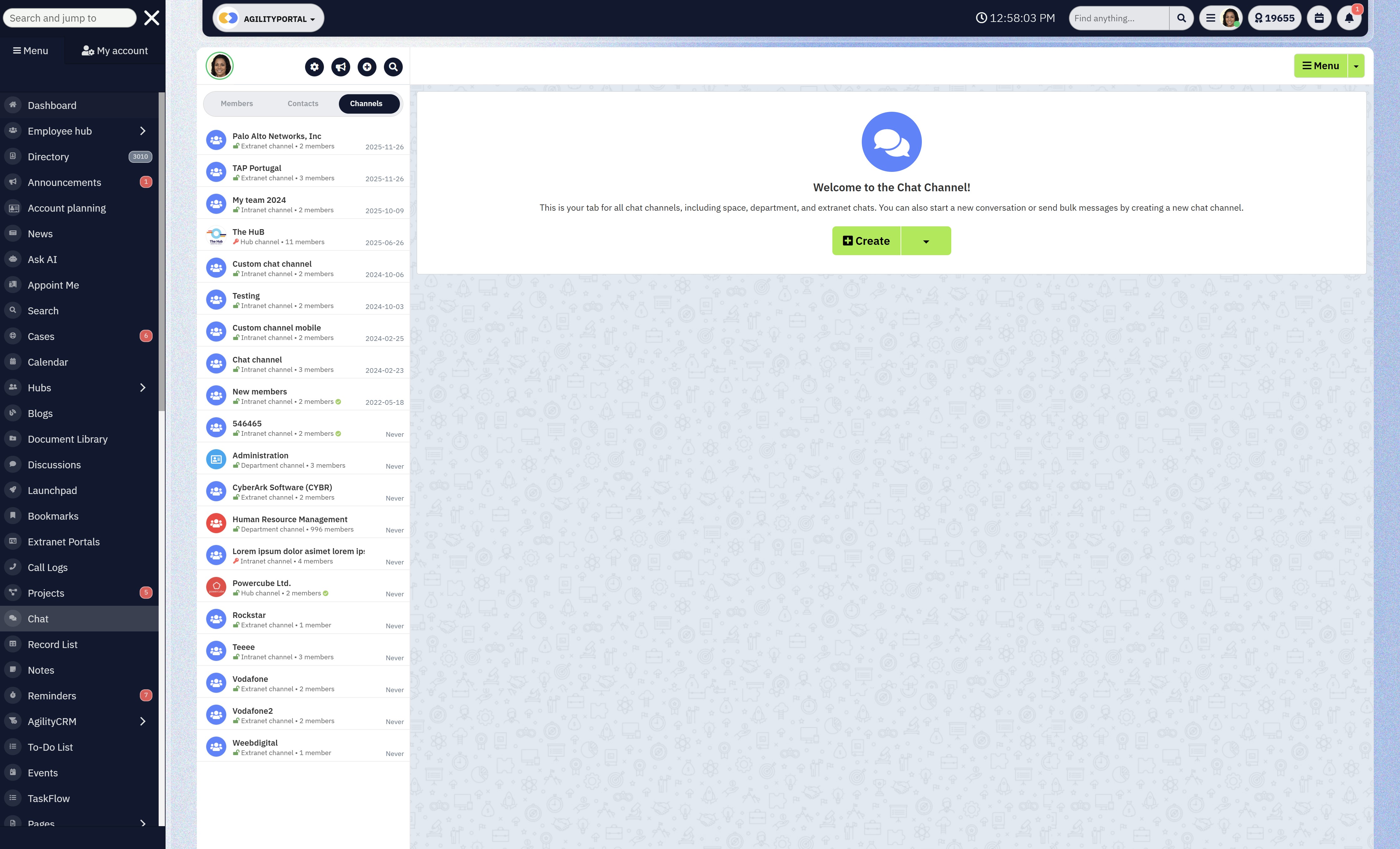
Secure Communication Channels
Healthcare teams rely heavily on informal messaging tools because they're fast.
Unfortunately, those tools weren't built for regulated communication. Sensitive information shared in uncontrolled chat apps is difficult (or impossible) to audit, retain, or secure properly.
That's a red flag for compliance teams.
How this benefits the organisation:
- Internal announcements ensure critical updates reach everyone consistently
- Team messaging without external apps keeps communication inside a controlled environment
- Controlled knowledge sharing reduces accidental data leakage
Staff still get speed—but without creating compliance blind spots.
Data Residency & Hosting Transparency
Many healthcare organisations don't fully know where their data is stored, who can access it, or how it's backed up—until they're asked during an audit.
Compliance laws often require organisations to understand and justify:
- Data location
- Access controls
- Backup and recovery processes
Not knowing isn't an acceptable answer.
How this benefits the organisation:
- Clear visibility into where data is stored
- Defined rules around who can access it and under what conditions
- Transparent backup and recovery processes that support business continuity
This builds confidence with regulators, partners, and internal leadership.
A compliant digital workspace isn't about adding friction—it's about removing risk without slowing people down.
When these core features are in place, compliance stops being a constant fire drill and becomes part of how the organisation naturally operates.
And in healthcare, that shift isn't just helpful—it's essential.
How Digital Workspace Solutions Support Healthcare Compliance (In Practice)
This is where theory stops and real-world pressure starts.
Healthcare compliance doesn't fail in boardrooms—it fails on busy Mondays, night shifts, and understaffed wards. A digital workspace proves its value when it quietly supports compliance without slowing people down.
Here's how that actually plays out inside healthcare organisations.
Onboarding New Staff With Pre-Defined Access Rules
Healthcare onboarding is fast and frequent. New nurses, clinicians, admin staff, students, and locums need access now. When onboarding is manual, access is often over-granted "just to be safe," and never fully cleaned up later.
Over-permissioned users are one of the biggest compliance risks. If someone can see patient data they don't need, you've already failed the "least privilege" principle.
How a digital workspace helps:
- New staff are assigned a role, not a random set of permissions
- Access is granted automatically based on job function
- No guessing, no shortcuts, no "we'll fix it later"
Staff get productive on day one, and compliance doesn't rely on IT heroics or memory.
Managing Contractors and Temporary Clinicians Safely
Healthcare relies heavily on temporary workers—agency nurses, specialists, consultants, third-party service providers. They need access, but only for a limited time.
What usually happens:
- Accounts stay active too long
- Shared links keep working
- No one remembers what external users can still see
Auditors pay close attention to third-party access. Forgotten accounts are a common—and very preventable—compliance failure.
How a digital workspace helps:
- External users get restricted, time-bound access
- Permissions are tightly scoped to what they actually need
- Access can be revoked instantly from one place
You reduce risk exposure without slowing down operations or blocking essential external collaboration.
Sharing Policies, SOPs, and Clinical Updates Centrally
Policies and SOPs change often.
But in many organisations, updates are shared via email, PDFs are reattached, and different teams end up working from different versions.
That's dangerous. Using an outdated procedure—especially in clinical or safety-related contexts—can lead to compliance breaches, operational errors, or worse.
How a digital workspace helps:
- Policies live in one central, controlled location
- Updates replace old versions automatically
- Staff don't need to search inboxes or guess which file is correct
Everyone works from the same approved information, and leadership can prove it during audits.
Ensuring Staff Always See the Latest Approved Documents
Healthcare teams are busy. If finding the right document takes too long, people reuse what they already have—even if it's outdated.
Compliance isn't just about having the right documents. It's about ensuring people actually use them.
How a digital workspace helps:
- Version control removes outdated files automatically
- Clear indicators show which documents are approved
- Access logs prove who viewed what and when
Compliance shifts from "we published it" to "we can show it was accessed."
A healthcare-grade digital workspace doesn't lecture staff about compliance—it builds it into everyday work.
- Onboarding is faster and safer
- Temporary access is controlled and auditable
- Policies are consistent and up to date
- Audits are based on evidence, not assumptions
That's what real compliance support looks like in practice—not more rules, but better systems that make the right behaviour the default.
Digital Workspace vs Traditional Intranet in Healthcare
At first glance, a traditional intranet and a modern digital workspace can look similar.
Both promise a "central place" for information. Both are often positioned as internal platforms.
And many healthcare organisations already have an intranet in place.
But this is where the similarity ends.
The table below breaks down the practical differences that actually matter in healthcare, especially for organisations operating under strict compliance laws.
This isn't a feature checklist—it's a comparison of how these platforms behave in the real world, under pressure, with busy clinical and administrative teams.
The key question this table answers is simple:
| Area | Traditional Intranet | Digital Workspace |
| Adoption | Low | High |
| Mobile access | Poor | Built-in |
| Audit trails | Limited | Full visibility |
| Compliance readiness | Weak | Strong |
| User experience | Static | Daily-use platform |
Why this difference matters
Traditional intranets were designed mainly for publishing information, not for managing how work actually happens.
In healthcare, that's a problem. If staff only log in occasionally, the platform can't reliably control access, enforce versioning, or capture audit evidence.
A digital workspace, on the other hand, is designed to be part of daily workflows—communication, document access, updates, and collaboration all happen in one controlled environment.
Because people actually use it, compliance controls are applied consistently and automatically.
If staff don't use a system daily, it can't protect you.
And in healthcare, a platform that isn't used consistently won't keep you compliant—no matter how good the policies look on paper.
Use Cases by Healthcare Organization Type
Digital workspace solutions aren't one-size-fits-all in healthcare.
The way a hospital uses one is very different from how a research lab or healthcare NGO does.
What they all have in common is the need for control, visibility, and compliance without slowing people down. Here's how it plays out by organisation type.
Hospitals & Clinics
Hospitals and clinics operate in fast-moving, high-risk environments. Information has to move quickly, but it also has to be correct, secure, and traceable.
A digital workspace is typically used to centralise staff communications, replacing fragmented emails and noticeboards with a single place for announcements, shift updates, and operational messages.
This ensures everyone sees the same information at the same time—critical in clinical settings.
It's also used for policy distribution.
Clinical guidelines, safety procedures, and internal policies are stored in one controlled location, with version control ensuring staff always access the latest approved documents. No more outdated PDFs floating around inboxes.
For incident reporting, a digital workspace provides a secure, auditable way to submit, track, and review incidents. This improves transparency, supports regulatory reporting, and helps leadership identify patterns without exposing sensitive information.
The benefit: better communication, fewer errors, and clear evidence during audits.
Healthcare NGOs & Nonprofits
Healthcare NGOs often work across regions, partners, and field teams—sometimes in challenging environments.
Their biggest challenge is balancing collaboration with control.
A digital workspace enables secure partner collaboration, allowing external organisations to access only what they need—no more, no less. This is especially important when sharing reports, care plans, or operational updates across organisational boundaries.
It also supports donor and field team access control. Different groups see different information, based on role and responsibility. Sensitive data stays protected, while field teams still get the resources they need to operate effectively.
The benefit: stronger governance without blocking collaboration or slowing mission-critical work.
Labs & Research Organizations
Labs and research organisations live and die by accuracy, traceability, and documentation. Compliance requirements are strict, and mistakes are costly.
Digital workspaces are used heavily for document versioning, ensuring research protocols, reports, and procedures are updated, tracked, and never overwritten without a record. Every change is logged, creating a clear history.
They also enforce controlled data access, limiting sensitive datasets to authorised researchers only. This reduces the risk of accidental exposure and supports regulatory expectations around data protection.
For compliance reporting, activity logs and audit trails make it easier to demonstrate how data was handled, who accessed it, and when—without scrambling to reconstruct events after the fact.
The benefit: higher data integrity, smoother audits, and reduced compliance risk.
Private Healthcare Groups
Private healthcare groups often operate across multiple locations, each with its own teams and workflows. The challenge is consistency without micromanagement.
A digital workspace enables multi-location governance, allowing leadership to define global policies while still accommodating local operational needs. Access rules, document standards, and communication structures stay aligned across the organisation.
At the same time, it provides central oversight with local autonomy. Local teams can manage their own content and day-to-day work, while leadership maintains visibility, control, and compliance at scale.
The benefit: consistent standards, better oversight, and the flexibility needed to grow without losing control.
The bigger picture
Across all healthcare organisation types, the value of a digital workspace is the same:
it turns compliance from a constant risk into a built-in capability—while still supporting how people actually work.
What to Look for When Choosing a Digital Workspace for Healthcare
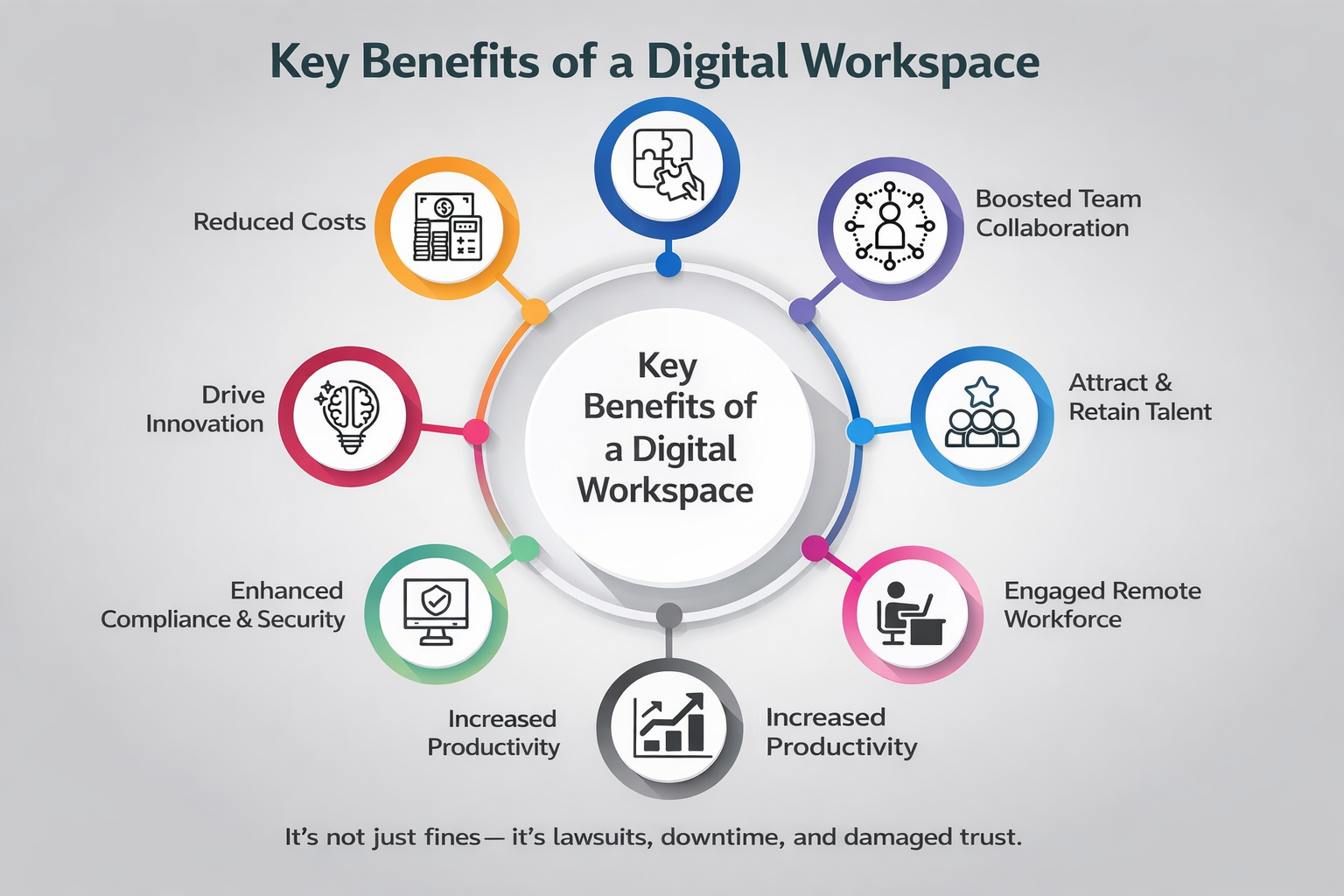
What to Look for When Choosing a Digital Workspace for Healthcare
If you're evaluating digital workspace solutions for healthcare, here's the hard truth: most platforms sound compliant on the surface.
The real difference only shows up once you look at how the system behaves under pressure—audits, staff turnover, remote access, and real clinical workflows.
This section focuses on what actually matters to decision-makers in healthcare, not marketing claims.
Proven Compliance Features (Not "Roadmap Promises")
Many vendors talk about being "HIPAA-ready" or "GDPR-aligned" without actually enforcing compliance in the product today. Too often, critical controls are listed as "coming soon."
In healthcare, compliance gaps aren't theoretical. If a feature isn't live, enforced, and auditable, it doesn't protect you. Regulators don't care about product roadmaps.
What to look for:
- Built-in HIPAA compliant digital workspace controls
- GDPR-aligned access, logging, and data handling
- Real audit trails you can export today
- Compliance baked into workflows, not optional settings
You reduce regulatory risk immediately and avoid costly rework or tool replacement later.
Clear and Enforceable Permission Structure
Healthcare organisations often struggle with complex access needs—clinicians, admin staff, contractors, partners, students. If permissions are confusing, they're misused.
Over-permissioned users are one of the most common causes of data exposure in healthcare. Manual permission management doesn't scale.
What to look for:
- Role-based access control (RBAC)
- Clear separation between internal and external users
- Easy access reviews and instant revocation
- No reliance on "shared links" for sensitive data
Access becomes predictable, auditable, and easy to manage—even with high staff turnover.
Easy Adoption for Non-Technical Staff
If a platform is hard to use, staff will bypass it. In healthcare, that usually means email, messaging apps, or personal drives—exactly what compliance teams don't want.
Compliance only works if people actually use the system. Low adoption equals blind spots.
What to look for:
- Simple, intuitive interface
- Minimal training required
- Clear navigation for documents, updates, and communication
- Designed for daily use, not occasional logins
Higher adoption means fewer workarounds, safer behaviour, and less need for constant enforcement or retraining.
Mobile-First Access (Especially for Frontline Teams)
A large portion of healthcare staff don't sit at desks. If the platform only works well on desktop, adoption drops immediately.
When frontline workers can't easily access policies, updates, or documents, they fall back on informal channels.
What to look for:
- Fully functional mobile experience (not just "mobile-friendly")
- Secure access on personal devices
- Consistent permissions and audit logs across devices
Frontline staff stay informed and compliant without slowing down care delivery.
Transparent Security and Data Handling Documentation
Many platforms are vague about where data is stored, how it's secured, or who can access it behind the scenes.
Healthcare organisations are expected to understand and justify their security posture—especially during audits and vendor risk assessments.
What to look for:
- Clear documentation on data hosting and residency
- Defined access controls and security measures
- Backup, recovery, and incident response transparency
- Willingness to answer security questions directly
Easier vendor approvals, smoother audits, and stronger trust with regulators and partners.
Choosing a digital workspace for healthcare isn't about picking the platform with the longest feature list. It's about choosing one that enforces compliance quietly, supports real workflows, and people actually use.
If a tool can't do that, it doesn't matter how good the demo looks—it's a liability waiting to surface.
Why Healthcare Teams Are Moving Away From Tool Sprawl
For years, healthcare organisations kept adding tools to solve individual problems—one for messaging, one for documents, one for onboarding, one for audits.
On paper, it looked efficient. In reality, it created tool sprawl, and that sprawl is now one of the biggest hidden compliance risks in healthcare.
Teams aren't moving away from tool sprawl because it's trendy.
They're moving away from it because it doesn't hold up under compliance pressure.
Fewer Systems = Fewer Compliance Gaps
Every additional system introduces:
- Another login
- Another permission model
- Another place data can leak
- Another set of logs to reconcile (or forget)
In healthcare, gaps appear at the seams—when data moves between tools, when access is copied instead of controlled, or when no one is sure which system is the "official" one.
By reducing the number of systems, organisations reduce the number of places things can go wrong. Fewer tools mean fewer handoffs, fewer blind spots, and fewer chances for accidental non-compliance.
Put simply: you can't secure what you can't see.
One Source of Truth Reduces Risk
Tool sprawl creates confusion fast:
- Multiple versions of the same policy
- Different answers depending on where you look
- Staff guessing which document is correct
In healthcare, guessing is dangerous.
A single digital workspace gives teams one source of truth—one place where policies live, updates are published, and approved documents are accessed. When everyone knows where to go, risky workarounds disappear.
This matters because many compliance failures aren't about missing rules—they're about people unknowingly using the wrong information.
Easier Audits, Faster Onboarding, Better Visibility
When tools are scattered, audits become painful. Compliance teams have to:
- Pull logs from multiple systems
- Reconstruct timelines manually
- Chase different owners for evidence
With a unified digital workspace, visibility is built in. Access, activity, and document history live in one place. Audits become faster, more factual, and far less disruptive.
The same applies to onboarding. Instead of provisioning access across five or six tools, new staff are onboarded once—based on role—and are productive immediately without overexposure.
Leadership benefits too. With everything in one platform, they gain real visibility into how information flows, where risks exist, and how teams actually work—not how policies assume they work.
The real reason tool sprawl is disappearing
Healthcare teams aren't trying to simplify for simplicity's sake. They're doing it because compliance, security, and efficiency all improve when systems are consolidated.
One platform. Clear governance. Fewer assumptions.
That's why modern healthcare organisations are stepping away from tool sprawl—and why digital workspaces are becoming the backbone of compliant operations.
Final Thoughts: Compliance Is a System Problem, Not a Staff Problem
Here's the uncomfortable truth: most healthcare compliance failures aren't caused by careless staff. They're caused by systems that make the right behaviour hard and the risky behaviour easy.
Healthcare professionals already work under intense pressure. They want to follow policies, protect patient data, and do things properly—but when the tools slow them down, force workarounds, or scatter information across platforms, people adapt just to get their jobs done.
That's when mistakes happen.
Bad tools quietly train bad behaviour. If the fastest way to share information is email, staff will email. If the easiest place to store a file is a personal drive, that's where it will go. Over time, these shortcuts become normal—even though they create serious compliance risk.
A well-designed digital workspace changes this dynamic entirely. It doesn't rely on constant reminders or stricter rules.
Instead, it guides behaviour through design:
- The right information is easy to find
- Access is automatic and appropriate
- Sharing happens inside controlled systems
- Accountability is built in, not bolted on
When compliance is embedded into everyday workflows, staff don't have to think about "being compliant"—they just work, and the system does the rest.
In healthcare, that matters deeply. It protects patients, whose data and safety depend on secure systems. And it protects staff, who shouldn't carry the burden of compliance failures caused by poor tools.
The takeaway is simple:
If you want better compliance outcomes, stop blaming people—and start fixing the systems they're forced to use.
Ready to Reduce Compliance Risk Without Slowing Your Teams Down?
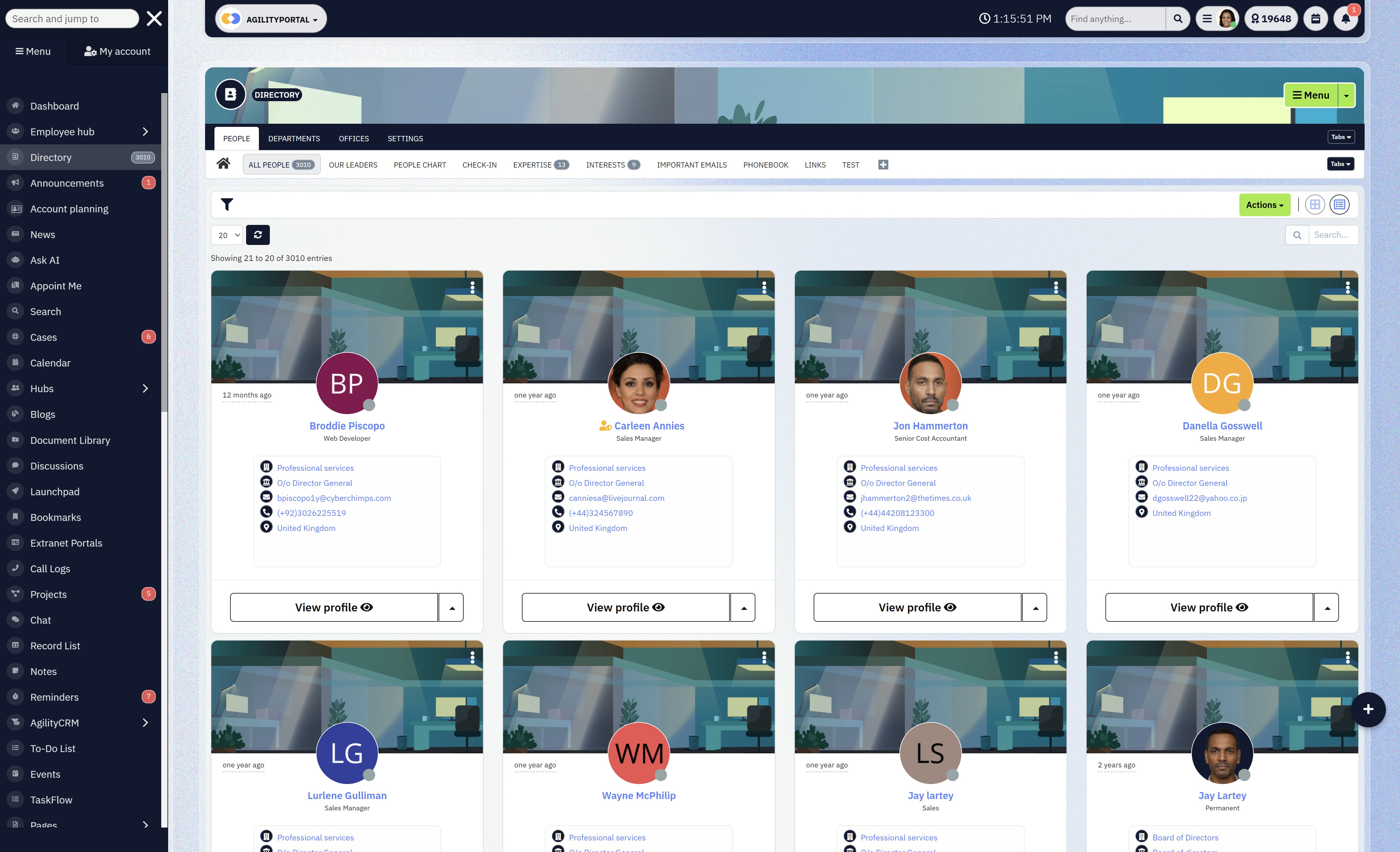
Ready to Reduce Compliance Risk Without Slowing Your Teams Down
Healthcare organisations don't fail compliance audits because they lack policies.
They fail because their systems weren't built for regulated work.
AgilityPortal gives healthcare companies a secure, compliant digital workspace where communication, documents, and collaboration live in one controlled platform—without adding friction for staff.
Why healthcare teams choose AgilityPortal
- Compliance by design – Role-based access, audit trails, and secure collaboration built in
- One source of truth – No more policy chaos, duplicate files, or risky workarounds
- Built for real adoption – Simple enough for frontline staff, powerful enough for compliance teams
- Audit-ready at any time – Know who accessed what, when, and why
- Works across teams, partners, and locations – Without opening security gaps
Instead of stitching together intranets, shared drives, chat tools, and task apps, healthcare teams use one platform people actually return to every day.
Start with less risk, not more tools
AgilityPortal is trusted by organisations that need clarity, control, and confidence in how work gets done—especially under strict compliance laws.
No credit card. No pressure. Just see how a compliant digital workspace should actually work.
Frequently Asked Questions (FAQ)
How is digital technology used in health care?
Digital technology is used in healthcare to securely manage data, streamline workflows, and improve decision-making.
Common uses include electronic health records (EHRs), secure communication platforms, digital workspaces, telemedicine, clinical decision support tools, and compliant collaboration software.
For healthcare organisations operating under compliance laws, digital technology also plays a critical role in access control, audit logging, and data protection, helping teams stay compliant while working efficiently.
What is an example of a digital workplace?
A digital workplace is a centralised platform where employees communicate, access documents, and collaborate securely.
In healthcare, an example would be a system that combines internal communication, document management, role-based access, and audit trails into one place—so staff don't rely on email, shared drives, or messaging apps for sensitive work.
The key difference is that a digital workplace is designed for daily use with governance built in, not just information storage.
What is a digital healthcare company?
A digital healthcare company uses technology as a core part of how it delivers, supports, or manages healthcare services.
This can include healthcare SaaS providers, telehealth platforms, digital health startups, and service organisations that rely on secure digital systems to manage patient data, internal operations, and regulatory compliance.
These companies must prioritise HIPAA, GDPR, and healthcare data security from day one.
What is an example of digital healthcare?
Examples of digital healthcare include:
- Telemedicine platforms for remote consultations
- Patient portals for accessing records and appointments
- Clinical decision support software used by clinicians
- Secure digital workspaces that manage internal communication and compliance
All of these reduce manual processes while improving access, safety, and accountability.
What is the digital marketing strategy for an NGO?
A digital marketing strategy for an NGO focuses on trust, transparency, and reach rather than aggressive sales.
This often includes content marketing, email campaigns, social media engagement, and digital platforms that support secure collaboration with partners and donors.
For healthcare NGOs, digital tools must also ensure data protection, role-based access, and compliance, especially when working with sensitive populations or cross-border partners.
What is the difference between a digital workplace and a digital workspace?
The terms are often used interchangeably, but there's a subtle difference:
- A digital workplace refers to the overall environment where work happens—tools, culture, processes, and governance.
- A digital workspace usually refers to the technology platform itself that enables that environment.
In healthcare, both matter. The platform must support the workplace with secure access, audit trails, and compliance controls, not just productivity features.
What is a digital workplace platform?
A digital workplace platform is software that brings together communication, documents, collaboration, and governance into a single system.
In healthcare, this platform must also support HIPAA-compliant workflows, role-based permissions, activity logging, and secure external collaboration.
It becomes the system of record for how work is done—not just another tool in the stack.
What is HIPAA-compliant project management software?
HIPAA-compliant project management software allows healthcare teams to plan, track, and manage work without exposing protected health information (PHI).
This includes secure access controls, audit logs, encrypted data, and strict user permissions. Standard task tools often fail here because they weren't designed for regulated environments.
What is HIPAA-compliant task management?
HIPAA-compliant task management ensures that tasks involving patient data or sensitive operations are handled in systems that log activity, restrict access, and prevent unauthorised sharing.
This is critical in healthcare, where even task descriptions or attachments can contain sensitive information.
What are clinical decision support software companies?
Clinical decision support software companies build tools that help clinicians make informed decisions using data, alerts, guidelines, and evidence-based recommendations.
These systems must integrate securely with healthcare workflows and comply with data protection regulations, as they often interact with highly sensitive clinical information.
What is HIPAA-compliant project management software?
HIPAA-compliant project management software allows healthcare teams to plan, track, and manage work without exposing protected health information (PHI). This includes secure access controls, audit logs, encrypted data, and strict user permissions.
Standard task tools often fail here because they weren't designed for regulated environments.
What is HIPAA-compliant task management?
HIPAA-compliant task management ensures that tasks involving patient data or sensitive operations are handled in systems that log activity, restrict access, and prevent unauthorised sharing.
This is critical in healthcare, where even task descriptions or attachments can contain sensitive information.
What are clinical decision support software companies?
Clinical decision support software companies build tools that help clinicians make informed decisions using data, alerts, guidelines, and evidence-based recommendations.
These systems must integrate securely with healthcare workflows and comply with data protection regulations, as they often interact with highly sensitive clinical information.
What is Dock Health?
Dock Health is an example of a healthcare-focused collaboration and task management platform designed to support care teams while maintaining compliance.
It's often referenced in discussions around HIPAA-compliant collaboration tools because it focuses on structured workflows and accountability in healthcare settings.
Are there free compliant collaboration tools for healthcare?
There are some free or freemium tools that offer limited compliant collaboration features, but most healthcare organisations quickly outgrow them.
Free tools often lack advanced audit logs, granular permissions, or formal compliance support. For regulated healthcare environments, relying solely on free tools usually increases risk over time.
What are examples of compliant collaboration tools for healthcare?
Compliant collaboration tools for healthcare typically include:
- Secure digital workspaces
- HIPAA-compliant messaging platforms
- Controlled document management systems
- Role-based task and project management tools
The defining feature is not collaboration itself, but how access, data, and activity are governed.
What are the best compliant collaboration tools for healthcare?
The best compliant collaboration tools for healthcare are platforms that:
- Centralise communication and documents
- Enforce role-based access by default
- Provide full audit trails
- Support mobile and frontline workers
- Are actually adopted by staff
The "best" option depends on organisation size, regulatory exposure, and workflows—but tools that combine usability with built-in compliance consistently outperform fragmented stacks.
Most Popular Posts

Effective communication among team members is vital for the productivity and success of any organization. Surprisingly, 60% of companies lack a long-term internal communication strategy, which p...


Businesses thrive on communication for efficiency, productivity and accomplishment. When the right information is passed from the right designation in the organization, it promotes positivity an...

Categories
Blog
(3214)
Business Management
(396)
Employee Engagement
(235)
Digital Transformation
(219)
Growth
(150)
Intranets
(142)
Internal communications
(107)
Remote Work
(68)
Sales
(53)
Collaboration
(53)
Customer Experience
(33)
Culture
(30)
Knowledge Management
(29)
Project management
(29)
Leadership
(20)
Comparisons
(9)
News
(1)

Related Posts

Choosing the best ERP for Shopify often starts when the workarounds stop working. Your store shows stock that the warehouse can't find. Wholesale orders live in spreadsheets. Finance spends days reconciling payouts, while customer service...

Could choosing the wrong proxy disrupt your team's work or increase costs without improving results? When comparing rotating proxies vs static proxies, the answer depends on what your business needs: a consistent IP address for an ongoing sessi...

What happens when a buyer asks Google for the best employee communication platform—and discovers competing brands before reaching your website? Choosing the best link building services can help a digital workplace business strengthen its broade...

Could gaps in digital accessibility be stopping your employees from completing the training they need to do their jobs? Imagine a new starter opening a mandatory course, only to discover they can't follow the audio, navigate the quiz with a keyboard ...

The Amazon advertising agency landscape has changed dramatically over the past two years. With the introduction of AI-powered shopping experiences, Amazon Rufus, advanced attribution reporting, Sponsored Brands Video, and Amazon DSP enhancement...


Jill Romford
I am a digital nomad, lover of exploring new places and making friends.
I love to travel and I love the internet. I take pictures of my travels and share them on the internet using Instagram.
Traveler, entrepreneur, and community builder. I share my insights on digital marketing and social media while inspiring you to live your fullest life.
Ready to learn more? 👍
One platform to optimize, manage and track all of your teams. Your new digital workplace is a click away. 🚀
Free for 14 days, no credit card required.