
Insight Blog
Agility’s perspectives on transforming the employee's experience throughout remote transformation using connected enterprise tools.
32 minutes reading time
(6366 words)
How to Manage an Intranet Through Your Organisation’s Internal Network: An Intranet Network Example in Business

How to Manage an Intranet Through Your Organisation’s Internal Network: An Intranet Network Example in Business
Learn how to manage an intranet through your internal network, with practical governance, security, ownership and migration advice for businesses.
How to Manage an Intranet Through Your Organisation’s Internal Network: An Intranet Network Example in Business

An intranet network example in business could be as simple as a central employee hub where people find company policies, announcements, forms, training, documents and team updates.
In practice, managing it well takes more than putting files behind a login screen.
Employees lose confidence quickly when the intranet is full of expired policies, unclear navigation or documents they cannot open. Security matters too.
43%
of businesses
The UK Government’s 2025/26 Cyber Security Breaches Survey found that 43% of businesses identified a cyber breach or attack in the previous 12 months, with phishing remaining the most common type of attack.
The UK Government's 2025/26 Cyber Security Breaches Survey found that 43% of businesses identified a cyber breach or attack in the previous 12 months, with phishing remaining the most common type.
That makes access controls, employee awareness and clear ownership essential—not optional.
This guide explains how to manage an intranet through your organisation's internal network, who should be responsible, where businesses go wrong and how to create a workplace hub employees actually use.
Key Takeaways
- An intranet network example in business should give employees one trusted place to find current policies, updates, documents and workplace support.
- Successful intranets need shared ownership: IT manages access and security, while HR, Internal Communications and department leaders manage relevant content.
- Role-based permissions, regular access reviews and clear privacy rules help protect sensitive employee and business information.
- Every important page and document should have a named owner, a review date and a clear process for reporting inaccurate content.
- Simple navigation, useful search and mobile access are essential for office, remote, hybrid and frontline employees.
- Before migrating an intranet to SharePoint Online or another platform, remove outdated content and rebuild the experience around employee needs.
So, what does an intranet network actually mean in business?
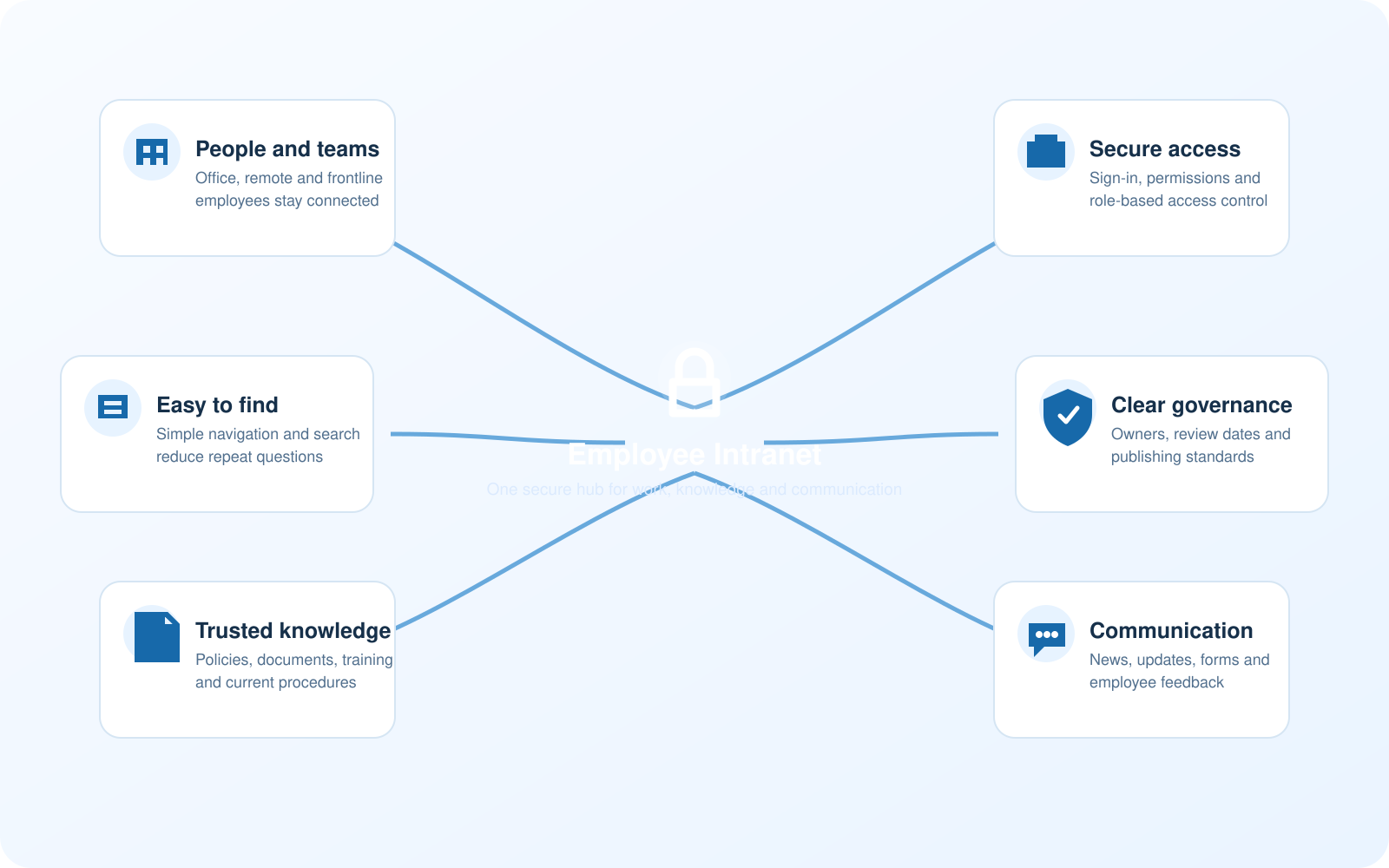
So, what does an intranet network actually mean in business?
An intranet is a private digital environment that gives employees a secure place to access company information, workplace tools and everyday support.
Traditionally, intranets sat entirely within an organisation's local internal network and were mainly available to office-based staff. Today, most businesses use cloud-based intranets that authorised employees can access securely from approved devices, whether they are in the office, working remotely or out in the field.
The principle is still the same: an intranet provides a trusted internal network for workplace information. It should bring important resources together without making employees search through old emails, shared drives or multiple chat channels.
A practical intranet may include:
- Company news and leadership updates
- HR policies, employee handbooks and benefits information
- Staff directories and organisation charts
- Department spaces and project updates
- Forms, approvals and employee requests
- Training, onboarding and knowledge articles
- Secure document libraries
- Employee recognition, polls and discussion areas
For the intranet to remain reliable, the wider network behind it also needs to be properly maintained.
For example, partnering with a dedicated network support team at Inspirica IT allows businesses to tap into a wealth of experience without the expense of hiring and training a full-time internal team.
This can help organisations maintain secure connectivity, resolve network issues quickly and give employees dependable access to the workplace tools they rely on.
The important point is that an intranet should help people do their jobs. It should not become a second website that HR and IT have to chase employees into using.
The opportunity is real, but this is where things get complicated
A well-run intranet makes information easier to find, reduces repeat questions and gives employees one reliable place to check for updates. It can also make communication more consistent across office, remote, hybrid and frontline teams.
However, an intranet is only as useful as the structure behind it.
When nobody owns the content, permissions are not reviewed or teams publish information in different places, the intranet can quickly become another dumping ground for outdated files and unclear messages.
Microsoft recommends planning intranet governance early, with defined roles, responsibilities and controls that prevent content sprawl. That applies whether a business uses SharePoint, AgilityPortal or another employee intranet platform.
Some organisations may also need outside technical support when reviewing their network, security controls or wider IT setup.
Businesses that want specialist guidance can browse Keytel Systems online to explore IT consulting support alongside their internal intranet planning.
The balance is straightforward:
| What the business wants | What can go wrong | Practical response |
| One source of truth | Outdated or duplicate documents | Give every key page and document a named owner |
| Easy employee access | Sensitive information is visible too widely | Use role-based permissions and regular access reviews |
| Fast publishing | Unchecked messages create confusion | Set approval rules for company-wide announcements |
| Better collaboration | Too many spaces and channels fragment information | Use clear content categories and archive inactive spaces |
| Mobile access | Personal-device security concerns | Set BYOD, sign-in and device-access standards |
An intranet network example in business: what good looks like

An intranet network example in business: what good looks like
Imagine a 350-person logistics company with office staff, warehouse teams and drivers.
The business is creating an intranet network example in business plan to bring its employee communication, policies and support resources into one secure place.
Before improving its intranet, employees receive updates through email, WhatsApp groups, printed notices and word of mouth. A warehouse manager changes a safety procedure, but the latest version is buried in a shared drive.
New starters ask HR the same questions repeatedly because onboarding information is spread across different systems.
A better intranet setup would look like this:
- IT manages secure sign-in, permissions and access logs.
- HR owns people policies, onboarding content and employee forms.
- Internal Communications publishes company-wide announcements.
- Operations owns safety procedures and working instructions.
- Department managers review their pages every quarter.
- Employees use search or clear menus to find current information.
- Important policy changes request acknowledgement rather than relying on an email being opened.
What happened?
Employees relied on informal communication because there was no trusted central source for current workplace information.
The impact
People could follow an old process, miss an important policy update or waste time asking for information that should have been easy to find.
What should have happened?
The business should have published the approved procedure centrally, assigned it to a named owner, set a review date and made the update easy to access on mobile devices.
This is the practical value of including ownership, access and content standards in an intranet network example in business plan.
Who should actually be responsible for the intranet?
No single department can manage a useful intranet alone.
IT may run the technology, but it should not be expected to write HR policies or operational guidance. Equally, HR should not have to make technical security decisions.
| Role | Main responsibility | Why it matters |
| CIO or IT Director | Platform, integrations, access and technical roadmap | Keeps the intranet reliable and connected to the wider workplace technology stack |
| CISO or security lead | Security controls, access risk and incident response | Reduces the chance of inappropriate access or compromised accounts |
| HR Director | People policies, onboarding content and employee information | Ensures employees can find accurate people-related information |
| Internal Communications lead | Publishing standards, news and campaign planning | Stops company-wide messages becoming inconsistent or excessive |
| Data Protection Officer | Privacy, data retention and GDPR guidance | Helps protect employee information and support compliance |
| Department managers | Team content and subject-matter accuracy | Keeps local information useful and current |
| Employees | Reporting errors and using approved channels | Provides feedback on what is working and what needs improving |
A small business may have one person covering several of these responsibilities.
That is fine, provided ownership is clearly defined and regularly reviewed.
How to manage your intranet through an internal network
Managing an intranet well is less about adding every feature available and more about making useful workplace information easy, secure and reliable for employees to access.
These steps provide a practical starting point.
1. Start with the employee problem, not the platform
Ask employees what they struggle to find most often.
Common answers include HR policies, payslip guidance, training materials, business updates, contact details and current operating procedures.
Do not begin by adding every possible feature. First, solve the information problems that create the most repeated questions, delays or confusion.
2. Decide what belongs on the intranet
Create a clear content structure so employees know where to look and content owners know where to publish.
- Company-wide content: policies, leadership news, mandatory training and employee benefits.
- Department content: operating procedures, project updates and team resources.
- Restricted content: legal, finance, HR case information and sensitive commercial documents.
- Collaborative content: discussions, recognition, ideas and employee questions.
This helps prevent confidential documents being placed in a general employee space simply because it was convenient.
3. Use role-based access, not one-size-fits-all permissions
Employees should only have access to the information they need to do their jobs.
This is particularly important where the intranet contains personal data, disciplinary processes, salary information or customer records.
Create access groups based on department, location, job role or employment status. Permissions should also be reviewed when someone joins, changes role or leaves the organisation.
The UK Government's 2025/26 Cyber Security Breaches Survey found that only 25% of businesses had a formal incident response plan.
A clear access model, backed by an incident response process, puts the business in a stronger position if an account is compromised. Source: UK Government
4. Give every important page an owner and review date
Every key page should clearly show:
- Who owns the information
- When it was last reviewed
- When it is due for review again
- Who employees should contact if something is incorrect
This is one of the simplest and most effective ways to stop an intranet becoming outdated.
5. Make search and navigation do the hard work
Employees should not need to know which department created a document before they can find it.
Use plain-language menu labels such as "People and HR," "Policies," "Training," "IT Help," "Company News" and "My Team."
Use consistent tags, descriptive document names and clear page titles.
Search performs far better when content is organised properly from the beginning.
6. Create a publishing process that reflects the level of risk
Not every update needs three levels of approval.
A team social post is very different from a revised health and safety procedure or a new HR policy.
A sensible publishing process could be:
- Team updates: manager review where appropriate
- Company announcements: Internal Communications or leadership approval
- HR policies: HR and Legal review
- Security procedures: IT and security approval
- Regulatory or safety content: a formal owner, version history and employee acknowledgement
This keeps publishing practical while protecting important information.
7. Keep communication separate from the official record
An announcement can tell employees that a policy has changed. The policy page or approved document within the intranet should remain the official source of truth.
This prevents employees relying on an old email, chat message or PDF saved to their desktop when they need the current approved information.
Common intranet management mistakes to avoid
Even well-funded intranet projects can fail when the focus is placed on launch day rather than long-term management. Employees will only keep using the intranet if it remains easy to navigate, reliable and relevant to their daily work.
Here are some of the most common mistakes businesses should avoid.
Treating the intranet as an IT-only project
IT should manage the platform, security, integrations and user access. However, an intranet cannot succeed if IT is expected to create every policy, write every update or decide what employees need from HR and Operations.
Bring HR, Internal Communications, department managers and employees into the planning process. Each team should have clear responsibilities for the information it owns.
Moving every old file into the new intranet
Many organisations migrate years of documents, folders and old pages without reviewing whether employees still need them. This creates the same problem in a newer system: too much content, duplicate files and no clear source of truth.
Audit content before publishing or migrating it. Remove expired policies, merge duplicates and identify the approved version of every important document.
Giving everyone access to everything
Broad access can feel simple at first, but it creates privacy, security and compliance risks. Employees may see information that is irrelevant to their role or confidential documents may be shared more widely than intended.
Use role-based access so people can view the information they need while restricted HR, Finance, Legal and leadership content remains protected.
Creating navigation around departments rather than employee needs
Employees often do not know which department owns a piece of information. A new starter looking for holiday guidance should not need to understand the difference between HR Operations and People Services before finding it.
Use task-based labels such as "People and HR," "Training," "IT Help," "Policies" and "My Team." Test navigation with employees and update it when they struggle to find common information.
Publishing updates without clear ownership or review dates
A policy can become inaccurate because a manager changes a process, a benefit provider changes its terms or contact details become outdated. Without a named owner and review date, old information can remain visible for years.
Every important page should have an owner responsible for checking accuracy and updating it when needed.
Measuring page views but ignoring employee frustration
High page views do not always mean the intranet is working well. Employees may be repeatedly visiting a page because they cannot find the answer they need.
Track failed searches, broken links, feedback submissions and repeated support questions. These signals often show where information is missing or unclear.
Launching once and then leaving it alone
An intranet should evolve with the organisation. Teams change, policies are updated, new tools are introduced and employees' needs shift over time.
Review the intranet regularly, archive inactive content and act on employee feedback. The best intranets are managed as an ongoing workplace service, not a one-off project.
How do you know your intranet is actually working?
Launching an intranet is only the beginning.
The real test is whether employees can find the information they need, trust that it is current and use it instead of relying on emails, old shared folders or informal chat groups.
Do not rely only on page views.
A page may receive a high number of visits because it is genuinely useful, but it may also be receiving repeated visits because employees cannot find the answer they need.
Instead, monitor a mix of practical measures:
- Successful and failed searches: Review what employees search for and whether they find a useful result. Repeated failed searches often show that content is missing, unclear or poorly labelled.
- Employee access and adoption: Track how many employees visit the intranet regularly, including office-based, remote and frontline teams. Low use in one group may highlight an access, communication or mobile-experience problem.
- Policy acknowledgement rates: Monitor whether employees have opened and acknowledged important policies, procedures and mandatory updates.
- Repeat HR and IT questions: If employees continue asking the same questions about holiday, expenses, passwords or procedures, the relevant information may be hard to find or difficult to understand.
- Broken links and outdated-content reports: These are useful warning signs that content ownership or review processes need attention.
- Employee feedback: Give employees a simple way to report inaccurate content, suggest improvements or request missing information.
Review these measures regularly with the people responsible for HR, Internal Communications, IT and department content. The goal is not to chase vanity metrics. It is to make everyday work easier by helping employees find reliable answers without unnecessary delays.
Should you migrate an intranet to SharePoint Online?
Many businesses choose to migrate intranet to SharePoint Online because they already use Microsoft 365, Teams and OneDrive.
It can be a sensible route when your organisation needs close integration with those tools and has the in-house capability to manage site structure, permissions, content and governance over time.
However, migration should not be treated as a simple file-moving exercise. Copying every old page and document into a new SharePoint environment usually recreates the same clutter employees struggled with before.
Before migrating, take the time to:
- Audit existing pages, files, links and permissions.
- Remove outdated, duplicate and unused content.
- Identify the information employees need to access quickly.
- Assign an owner to each major content area.
- Rebuild navigation around employee tasks rather than old folder structures.
- Test the new experience with employees from different departments and locations.
- Train content owners before launch so they understand their responsibilities.
- Redirect or properly retire old systems, links and document locations.
SharePoint Online can be a strong option, but it is not automatically the best fit for every business. Some organisations need a more focused employee experience that combines internal communication, social collaboration, knowledge, forms, tasks and mobile access in one straightforward environment.
A modern employee intranet such as AgilityPortal can support this approach without requiring employees to work through a heavily customised SharePoint setup.
The right choice depends on your workforce, existing integrations, governance capacity and how much of the intranet experience your internal team can realistically manage.
Should You Outsource Network Support and IT Consulting?
Outsourcing network support and IT consulting can make sense when your internal team does not have the time, specialist knowledge or capacity to manage network security, system upgrades, user access and day-to-day technical issues alongside everything else.
It does not mean giving up control.
A good IT partner works alongside your internal team, providing specialist support when needed while helping the business make better technology decisions.
This can be particularly useful for small and growing organisations that need reliable expertise without the cost of recruiting, training and retaining a full-time in-house network team.
Outsourced support may help with:
- Network monitoring, maintenance and troubleshooting
- Cybersecurity controls and incident-response planning
- User access, permissions and device management
- Cloud migration and Microsoft 365 support
- Backup, disaster recovery and business continuity planning
- IT strategy, budgeting and technology roadmaps
However, outsourcing is not automatically the right answer for every business.
You still need a clear internal owner who understands the organisation's priorities, approves major decisions and makes sure the provider is meeting agreed service levels.
For many businesses, the most effective approach is a shared model: internal teams retain ownership of employee experience and business systems, while external IT specialists provide the technical depth and additional capacity needed to keep the network secure, reliable and ready to scale.
Privacy, security and trust cannot be an afterthought
An intranet can hold far more than company news. It may contain employee records, HR policies, business plans, customer-facing procedures and operational knowledge.
That is why privacy and security need to be built into the intranet from the start, rather than added once employees are already using it.
The aim is not to make access difficult. It is to make sure the right people can access the right information, while sensitive content remains protected.
Focus on the following controls:
- Multi-factor authentication where appropriate
- Role-based access controls
- Strong joiner, mover and leaver processes
- Clear document retention and deletion rules
- Audit trails for sensitive changes
- Approved external-sharing settings
- Regular permission and access reviews
- Employee guidance on phishing, suspicious links and password security
For example, an employee who moves from Finance into Operations should no longer have access to restricted financial folders simply because their old permissions were never removed.
Equally, a new starter should receive the access they need from day one without being given visibility of confidential HR or leadership information.
Privacy also affects how the organisation uses intranet analytics.
Usage data can help teams improve search, navigation and content, but employees should understand what information is collected, why it is needed and who can access it. The intranet should support employees, not become an employee-monitoring tool.
Trust is easier to protect than to rebuild.
Practical intranet management checklist
Managing an intranet is an ongoing responsibility, not a one-time launch project.
The platform may be built by IT, but its long-term success depends on whether employees can find accurate information, managers keep their content current and the organisation has clear rules around access, publishing and ownership.
Before introducing a new intranet, relaunching an existing one or moving content to a new system, work through the following steps.
1. Identify the employee problems the intranet needs to solve
Start by speaking to employees across different departments, locations and job roles.
Ask what information they struggle to find, what questions they repeatedly ask managers or HR, and which systems they currently use to get answers.
For some businesses, the biggest problem may be scattered policies. For others, it may be poor communication with frontline teams, hard-to-find training materials or a lack of visibility around company news.
Defining these issues first helps prevent the intranet becoming a collection of features without a clear purpose.
2. Appoint an executive sponsor and a day-to-day intranet owner
An executive sponsor gives the intranet visibility, support and authority across the business. This may be a CIO, HR Director, Chief People Officer or Internal Communications leader.
The day-to-day owner is responsible for keeping the project moving. They do not need to write every page or manage every permission, but they should coordinate content owners, manage standards, review feedback and make sure the intranet continues to meet employee needs.
Without these roles, decisions can be delayed and nobody is accountable when content becomes outdated.
3. Set clear content categories, publishing rules and approval processes
Employees should quickly understand where information belongs.
Create clear areas for company news, HR information, operational procedures, training, IT support, team resources and employee collaboration.
You should also decide who can publish in each area and when approval is required. A department update may only need manager approval, while a policy change may need HR, Legal or Compliance review.
This keeps publishing practical while ensuring important content is accurate before it reaches employees.
4. Give every important page, policy and document a named owner
Every key item on the intranet should have a named person or team responsible for it. This includes employee policies, health and safety procedures, benefits information, department guides and training materials.
The owner should know when the information was last reviewed, when it needs to be checked again and what to do if employees report an error.
A review date is particularly important for information that can quickly become inaccurate, such as contact details, benefit providers, compliance guidance or business procedures.
5. Apply role-based permissions and test access properly
Employees should only see the information they need for their role. A general employee may need access to company policies and news, while HR teams, finance staff and senior leaders may need access to restricted information.
Set permissions based on job role, department, location or employment status rather than giving broad access to everyone. Test the experience with real employee groups before launch. This helps identify both problems: people who can see something they should not, and people who cannot access something they genuinely need.
6. Review privacy, GDPR, retention and wider security requirements
Before moving content into an intranet, review what data is being stored and whether it is appropriate to make it available to each audience. Personal employee information, sensitive HR records, legal documents and customer data need stronger controls than general company news.
The organisation should also define how long documents are kept, when they are archived and when they should be deleted. If you operate in the UK or handle UK employee data, your approach should support GDPR obligations around lawful use, data minimisation, security and retention.
7. Remove old, duplicate and untrusted documents
Most organisations have more content than they need. Before launching or migrating, review existing shared drives, old intranet pages, departmental folders and email attachments.
Remove documents that are no longer relevant, merge duplicates and identify the approved version of key policies and procedures. It is better to launch with a smaller amount of useful, trusted content than to move years of unstructured files into a new system.
8. Create straightforward navigation and test real employee searches
Employees should not have to understand the company's internal structure to find help. Navigation should be based on common tasks and questions, using labels employees recognise.
For example, "People and HR," "Training," "Policies," "IT Help," "Company News" and "My Team" are more useful than internal department names that may not mean anything to a new starter.
Test search using the words employees actually use. If staff search for "holiday request," "sick pay" or "laptop help," the intranet should lead them to the correct information even if the official document uses more formal terminology.
9. Put a process in place for urgent updates and employee acknowledgements
Some information cannot wait for a monthly newsletter. Businesses need a clear process for publishing urgent safety updates, operational changes, IT incidents or policy changes.
Decide who can publish urgent notices, who approves them and how employees will be notified. For critical policies or mandatory procedures, use acknowledgements so the business can confirm that employees have received and read the update.
10. Train content owners, managers and employees
A good intranet can still fail if people do not understand how to use it. Content owners need training on writing clear pages, uploading documents, checking permissions and reviewing their content. Managers need to know where to direct their teams, while employees need a simple introduction to the areas that matter to them.
Training does not need to be complicated. Short videos, quick-start guides, onboarding content and regular reminders can make a big difference.
11. Give employees a reason to visit from day one
Do not launch an intranet with an empty homepage and expect employees to return. Make the launch useful by including information that employees genuinely need, such as updated HR guidance, a new employee directory, important company announcements, onboarding resources or practical self-service forms.
The first experience matters. If employees find what they need quickly, they are more likely to use the intranet again.
12. Monitor what is not working, not only what is popular
Page views are useful, but they do not tell the whole story. Track failed searches, broken links, outdated-content reports, unanswered questions and feedback from employees.
For exampl
e, if many employees search for "expenses" but do not find a relevant result, that is a clear sign that navigation or content needs improving. These insights are often more valuable than simply knowing which news article received the most views.
13. Review governance, permissions and ownership every quarter
An organisation changes constantly. Employees join and leave, departments change, systems are introduced and policies are updated.
Review your governance plan regularly to make sure roles, permissions and publishing standards are still appropriate.
Quarterly reviews are a sensible starting point. They create a regular opportunity to remove inactive spaces, update ownership lists and address issues before they become larger problems.
14. Archive inactive spaces, announcements and expired content
Not every page should remain visible forever.
Old announcements, completed projects, expired campaigns and inactive team spaces can make the intranet harder to navigate.
Archive content that no longer serves employees, while keeping records where legal, operational or compliance requirements apply. Clearly mark historical information so staff do not mistake it for current guidance.
15. Keep improving based on employee feedback
The strongest intranets evolve with the business.
Give employees an easy way to suggest improvements, report outdated information or ask for missing resources.
Review the feedback regularly and communicate what has changed. When employees can see that their input leads to practical improvements, the intranet becomes more trusted and more likely to be used.
A well-managed intranet stays valuable because it has clear ownership, current content, secure access and an ongoing commitment to improving the employee experience.
What changes as work becomes more distributed?
The old intranet model assumed that most employees worked at a desk, in one building, on a company-owned computer. T
hat no longer reflects how many organisations operate. Employees may work remotely, move between sites, work shifts, travel to customers, use shared devices or have no company email address at all.
This changes what businesses need from an intranet. It is no longer enough to build an internal site that works well for office-based employees during standard working hours. Information needs to be available when employees need it, on the devices they are approved to use and in a format that is easy to understand quickly.
For example, a frontline employee may need to check a safety update before starting a shift.
A remote employee may need to find an HR policy without asking their manager. A new starter may need access to onboarding resources from their phone before they receive a company laptop.
If the information is difficult to access, people will return to informal workarounds such as chat groups, old email threads and printed documents.
A modern intranet should therefore support:
- Mobile-friendly pages, documents and announcements
- Secure access for approved personal and shared devices
- Targeted updates for specific teams, locations or job roles
- Trackable policy acknowledgements and mandatory learning
- Simple publishing tools that managers can use without specialist technical knowledge
- Search that helps employees find answers using everyday language
- Clear notifications that keep people informed without overwhelming them
Distributed work also makes content ownership more important. When employees cannot simply walk over to someone's desk to ask which document is current, the intranet must provide a reliable answer. Policies need owners, procedures need review dates and important updates need to be clearly marked.
The future of intranet management is not about adding more workplace apps. It is about reducing unnecessary app switching and giving employees one trusted place to find information, understand what has changed and take action.
When an intranet supports the real working conditions of office, remote and frontline teams, it becomes part of how the organisation stays connected rather than another system people forget to use.
Final Thoughts
Managing an intranet through your organisation's internal network is not simply an IT project.
It is an ongoing workplace responsibility that affects how employees find information, communicate with colleagues, complete everyday tasks and stay connected to the wider business.
The technology matters, but the employee experience matters more. A successful intranet gives people a reliable answer when they need a policy, process, document or company update. That requires clear ownership, sensible permissions, useful navigation and regular reviews to remove information that is no longer accurate or relevant.
A strong intranet network example in business gives IT greater control over access, security and system integrations. It gives HR and Internal Communications a dependable way to publish policies, support employees and share important updates.
It also gives department managers a clearer way to keep their teams aligned, especially when employees work across different locations, shifts or devices.
Whether your organisation uses an on-premise internal network, plans to migrate intranet content to SharePoint Online or adopts a modern employee platform, the principle remains the same: make trusted information easy to find, keep it current and protect it properly.
The best intranets do not overwhelm employees with more tools or more content. They reduce confusion by bringing the right information together in one accessible place.
When employees trust the intranet, they spend less time chasing answers and more time doing meaningful work.
FAQ on Workplace Operations Platform
What is an intranet network in business?
An intranet network is a private digital workspace that gives employees secure access to company information, documents, communication tools and everyday resources.
It is designed for internal use, rather than public customers or website visitors.
What is an intranet network example in business?
A business may use an intranet to publish HR policies, company news, safety procedures, employee directories, training materials, forms, team updates and IT support guidance.
Employees can log in to find approved information without searching through old emails or shared folders.
Who should manage a company intranet?
Managing an intranet should be shared across the business.
IT usually manages security, permissions, integrations and technical support. HR owns people-related information, Internal Communications manages company updates, and department leaders are responsible for keeping their own team content accurate.
Can employees access an intranet outside the office?
Yes. Most modern intranets are cloud-based, allowing approved employees to access them remotely through secure sign-in methods. Businesses should use appropriate security controls, such as single sign-on, multi-factor authentication and role-based permissions.
How do you keep intranet content up to date?
Give every important page and document a named owner, a last-reviewed date and a future review date.
Businesses should also archive expired content, check broken links and give employees an easy way to report incorrect information.
Is SharePoint Online good for an intranet?
SharePoint Online can be a good intranet option for organisations that already use Microsoft 365, Teams and OneDrive.
However, it needs clear governance, well-managed permissions and trained content owners to avoid creating a complicated experience for employees.
How do you migrate an intranet to SharePoint Online?
Start by auditing existing content, removing duplicates and deciding what employees actually need.
Then redesign navigation, map permissions, test the intranet with real users, train content owners and properly retire the previous system.
What policies should a business have for its intranet?
Businesses should have policies covering acceptable use, publishing standards, access management, privacy, data retention, document ownership, security and incident reporting.
The level of detail should reflect the size of the organisation and the information held on the intranet.
How can an intranet improve employee communication?
An intranet provides one trusted place for news, policy updates, documents and discussions.
This reduces reliance on scattered emails, informal chat groups and outdated shared files, helping employees stay informed and find answers more quickly.
AI Summary
- An intranet is a secure internal workplace hub where employees can find company updates, policies, documents, training, forms and practical support.
- Managing an intranet effectively requires shared ownership: IT manages security and access, while HR, Internal Communications and department leaders keep information accurate and useful.
- Role-based permissions, regular access reviews, clear document ownership and sensible retention rules help protect sensitive employee and business information.
- Employees are more likely to use an intranet when navigation is simple, search works well and important content is accessible from approved mobile and remote devices.
- Businesses planning to migrate an intranet to SharePoint Online should remove outdated content, map permissions and test real employee journeys before launch.
- The strongest intranets are managed as ongoing workplace services, with regular content reviews, employee feedback and clear governance rather than a one-time IT project.
Most Popular Posts

Effective communication among team members is vital for the productivity and success of any organization. Surprisingly, 60% of companies lack a long-term internal communication strategy, which p...


Businesses thrive on communication for efficiency, productivity and accomplishment. When the right information is passed from the right designation in the organization, it promotes positivity an...

Categories
Blog
(3256)
Business Management
(399)
Employee Engagement
(237)
Digital Transformation
(226)
Growth
(152)
Intranets
(142)
Internal communications
(110)
Remote Work
(68)
Sales
(53)
Collaboration
(53)
Customer Experience
(34)
Culture
(30)
Project management
(30)
Knowledge Management
(29)
Leadership
(20)
Comparisons
(9)
News
(1)

Related Posts

What is a case management system, and could it save your team from chasing emails, missing updates, and wondering who's handling what? Imagine a customer complaint or employee enquiry lands in your inbox. Before you can sort it out, you're alre...

AI-assisted software development is rapidly changing how modern businesses build software, and it's happening much faster than many companies expected. From AI coding tools that generate code suggestions in seconds to intelligent testing automation a...

In-house marketing vs agency—where should you put your budget to give your business the best chance of growth? Hiring your own marketer can bring valuable brand knowledge into the business. Working with an agency can give you access to specialist ski...

Are you juggling everything in your business—but struggling to stay on top of your finances? You're not alone. Over 60% of solo entrepreneurs admit they don't feel confident managing their business finances, according to recent surveys. And hon...

Which provider gives you better value in the VPSServer vs Hostinger VPS comparison? If you're searching for cheap VPS hosting, it's tempting to focus on the lowest monthly price. But reliability matters too: Hostinger advertises a 99.9% uptime ...


Jill Romford
I am a digital nomad, lover of exploring new places and making friends.
I love to travel and I love the internet. I take pictures of my travels and share them on the internet using Instagram.
Traveler, entrepreneur, and community builder. I share my insights on digital marketing and social media while inspiring you to live your fullest life.
Ready to learn more? 👍
One platform to optimize, manage and track all of your teams. Your new digital workplace is a click away. 🚀
Free for 14 days, no credit card required.