
Insight Blog
Agility’s perspectives on transforming the employee's experience throughout remote transformation using connected enterprise tools.
50 minutes reading time
(9927 words)
Featured
Knowledge Database Software That Actually Works for Teams in 2026 (Tested & Compared)

Knowledge Database Software That Actually Works for Teams in 2026 (Tested & Compared)
Struggling with messy knowledge? Discover knowledge database software that teams actually use—compare features, pricing, and top platforms.
Knowledge Database Software That Actually Works for Teams in 2026 (Tested & Compared)

What if the real reason your team keeps asking the same questions isn't laziness—but the fact your system simply doesn't work?
Be honest for a second… how much time are you actually losing every week trying to find information, double-check documents, or chasing someone for answers?
You're not alone—according to McKinsey & Company, employees spend up to 20–28% of their workweek just searching for information. That's not a small inefficiency—that's a massive, expensive problem hiding in plain sight.
28%
of the workweek
You're not alone—according to McKinsey & Company, employees spend up to 20–28% of their workweek searching for information across disconnected systems. That’s not a small inefficiency—it’s a massive, expensive problem hiding in plain sight.
Source: McKinsey Global Institute
Here's the uncomfortable truth: most businesses think they have a system, but what they really have is scattered files, outdated docs, and zero trust in where the "real" answer lives.
That's exactly where the right knowledge database software changes everything.
So if you're tired of wasted time, repeated questions, and information chaos, this guide is here to show you what actually works—and what doesn't.
Key Takeaways
- Knowledge database software should eliminate information silos and give teams a single, reliable place to find answers quickly.
- Scattered documents and disconnected tools lead to wasted time, duplicated work, and poor decision-making across teams.
- A well-implemented knowledge base system improves productivity by making information searchable, structured, and easy to maintain.
- Features like fast search, integrations, mobile access, and clear content ownership are critical for long-term adoption.
- Businesses that prioritise usability and adoption over features are more likely to build a knowledge system their team actually uses.
The Real Problem: No System, No Control, No Clarity
Let's call it out properly—most companies don't have a knowledge problem, they have a control problem.
Information is everywhere… but nowhere useful.
You've got documents in Google Drive, conversations buried in Slack or Teams, random PDFs emailed around, and "important" files sitting on someone's desktop.
On paper, it looks like everything exists. In reality, no one knows where anything is—or worse, which version is correct.
This is what happens when there's no real knowledge base management system in place.
Here's what that looks like in day-to-day reality:
- Employees constantly asking the same questions
- Time wasted searching instead of working
- Outdated or duplicated documents everywhere
- New hires struggling to get up to speed
- Teams relying on specific people instead of systems
And over time, it gets worse.
As your business grows, so does the chaos. More tools, more content, more confusion. What started as "we'll just store it here for now" turns into a full-blown bottleneck that slows everything down.
“We had documents everywhere—Google Drive, emails, Slack threads—and no one knew which version was right. People kept asking the same questions, and we were wasting hours every week just trying to find basic information. It felt like we had the knowledge, but no system to actually use it.”
The Hidden Cost Most Companies Ignore
This isn't just annoying—it's expensive.
When your team can't quickly find accurate information:
- Productivity drops
- Mistakes increase
- Decisions get delayed
- Customers feel the impact
And the biggest issue? There's no single source of truth.
Without a proper knowledge database management system, your business ends up relying on memory, guesswork, and constant interruptions. That's not scalable—and it's definitely not sustainable.
Why This Keeps Happening
Most companies don't ignore knowledge management on purpose.
They just:
- Outgrow basic tools
- Add systems without structure
- Never define ownership of content
- Focus on storing information, not making it usable
So instead of a system, they end up with a mess.
And that's exactly why getting the right foundation in place isn't optional anymore—it's the difference between a team that moves fast… and one that's constantly stuck chasing information.
1,000+
cloud apps per enterprise
According to Gartner, the average enterprise now uses over 1,000 cloud applications, with nearly 70% introduced without IT approval.
Source: Gartner
What Is Knowledge Database Software (And Why Most Fail)
Let's break this down properly—because this is where most businesses get it wrong.
Knowledge database software isn't just a place to dump documents.
It's a structured system designed to capture, organise, manage, and deliver knowledge across your entire organisation—so the right people can access the right information at the exact moment they need it.
Think of it like this…
Without a system, knowledge lives in people's heads, scattered files, and endless conversations.
With a proper knowledge database management system, that same knowledge becomes a scalable business asset—something your entire team can rely on, not just a few individuals.
But here's the issue…
Most companies think they have this covered. In reality, they're operating with disconnected tools that were never designed to manage knowledge properly.

What Is Knowledge Database Software
Knowledge Base Management System vs Shared Folders (The Misconception)
This is where the confusion starts—and it's costing companies more than they realise.
A lot of teams rely on tools like Google Drive or Microsoft SharePoint and assume that's their "knowledge base."
It's not.
Those tools are built for storage and collaboration, not knowledge management.
A shared folder setup typically looks organised at the start, but quickly breaks down because:
- Files are uploaded without consistent naming conventions, making them harder to locate over time
- There's no clear ownership, so documents aren't reviewed, updated, or maintained
- Multiple versions of the same file start appearing, creating confusion about what's accurate
- Search results often return too many irrelevant files, forcing users to manually dig through content
- Knowledge is stored as static files rather than structured, reusable information

Knowledge Base Management System vs Shared Folders
On the other hand, a proper knowledge base management system is designed with usability and scale in mind.
- Structures information into categories, topics, and workflows so users can navigate logically
- Assigns ownership to content, ensuring someone is accountable for keeping it accurate and relevant
- Standardises how information is created using templates, making content consistent and easier to consume
- Uses advanced search (often AI-powered) to surface the exact answer, not just a list of files
- Turns knowledge into dynamic, reusable content instead of static documents
So the difference is simple—but critical:
- Shared folders store information.
- Knowledge systems deliver it.
Structured vs Unstructured Knowledge (Why Most Information Becomes Useless)
Here's another problem most companies don't even realise they have.
Not all knowledge is equal—especially when it comes to how it's stored.
Unstructured knowledge is what most businesses are dealing with right now:
- Information scattered across emails, chat tools, PDFs, spreadsheets, and random documents
- No consistent format, meaning every piece of content looks and reads differently
- Context missing, so users don't fully understand how or when to use the information
- Difficult to update, leading to outdated or conflicting content
- Almost impossible to scale as the business grows
This kind of setup creates friction everywhere. Even when the information exists, it's buried, unclear, or unreliable.
Structured knowledge, on the other hand, is intentional. It's built to be used:
- Content follows clear templates (e.g., processes, FAQs, onboarding guides)
- Information is categorised by function, department, or use case
- Each piece of knowledge has context, making it easier to understand and apply
- Updates are controlled and tracked, ensuring accuracy over time
- Content is designed for quick consumption, not long-winded documents
When knowledge is structured properly, your team doesn't just find information—they actually use it confidently.
Why Most Knowledge Database Software Fails in Real Companies

Why Most Knowledge Database Software Fails in Real Companies
Now here's where it gets interesting.
It's not that businesses don't invest in tools—they do.
The problem is that most knowledge database software implementations fail after launch.
And it usually comes down to the same issues.
- The User Experience Is Too Complicated - If your team has to think too hard to use the system, they won't use it at all. People default to what's easiest—asking a colleague, sending a message, or digging through old files.
- There's No Clear Adoption Strategy - Rolling out a tool without a plan is one of the biggest mistakes companies make. Without onboarding, training, and clear expectations, the platform becomes optional—and optional tools don't get used.
- Search Doesn't Deliver Real Answers - Most systems rely on basic keyword matching, which returns a long list of results instead of the exact answer. If users can't find what they need within seconds, they abandon the system completely.
- No One Owns the Content - This is a silent killer. When no one is responsible for maintaining knowledge, it quickly becomes outdated. Once trust is lost, usage drops—and the system becomes irrelevant.
- Open Source Isn't Always the Shortcut It Seems - Many businesses explore knowledge database software open source options to save costs.
While they offer flexibility and control, they often come with hidden trade-offs:
- Time-consuming setup and configuration
- Ongoing maintenance and updates
- Limited support when things break
- Slower rollout compared to ready-to-use platforms
For some teams, it works. For most, it becomes a resource drain.
A knowledge database management system isn't just about having a place to store information—it's about creating a system your team actually trusts and relies on.
Because if people can't find it…
If they don't trust it…
Or if it's easier to ask someone instead…
Then your "knowledge system" isn't a system at all.
It's just another tool being ignored.
Key Features That Actually Matter (Not Just Marketing Fluff)
Let's cut through the noise—because most vendors will throw a long list of features at you, but only a handful actually make a difference in the real world.
If you're investing in knowledge database software, these are the features that directly impact whether your team uses it… or completely ignores it.
Key Features That Actually Matter
Powerful Search & AI Retrieval (This Is Make or Break)
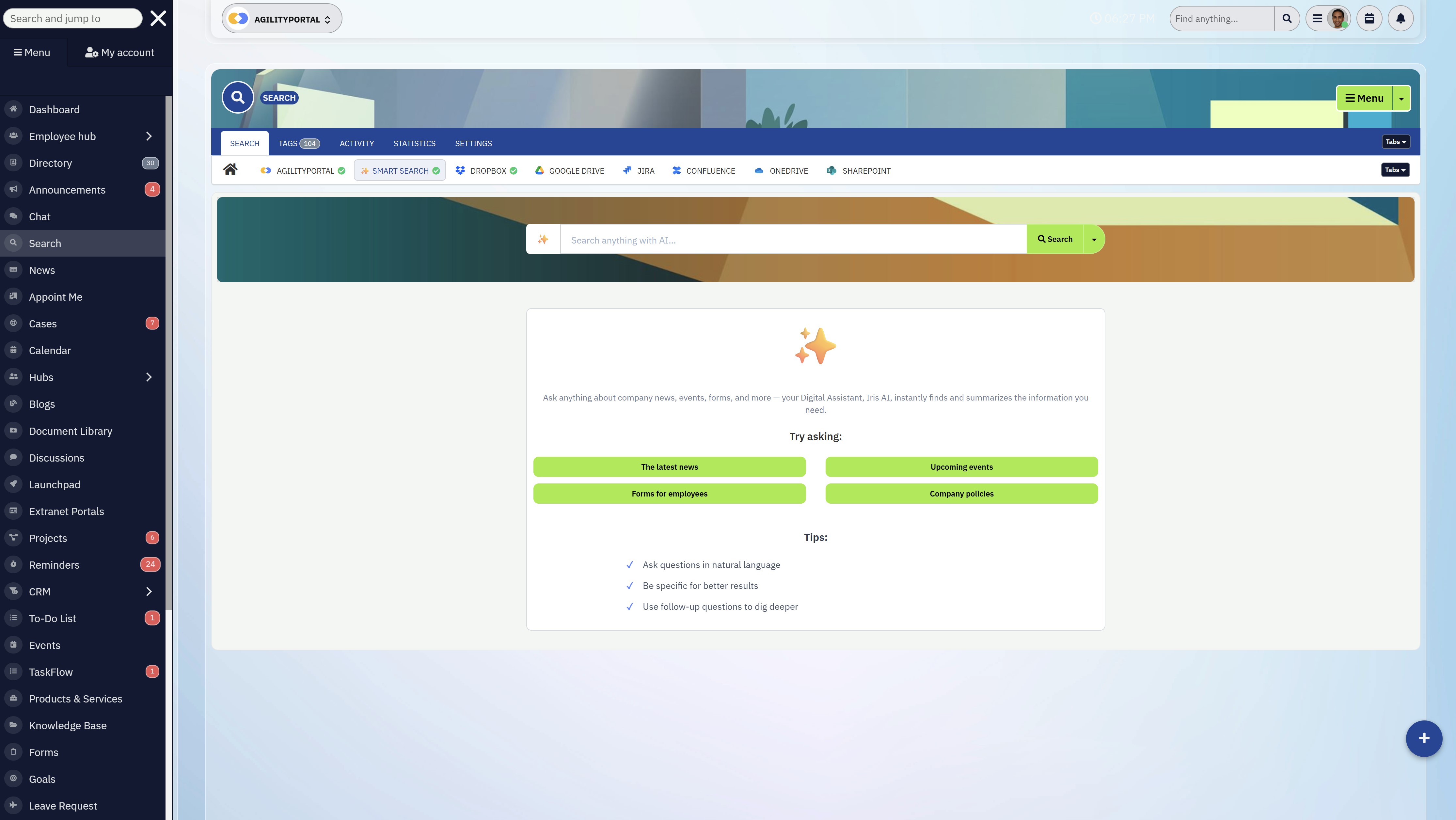
Powerful Search & AI Retrieval
If search doesn't work, nothing else matters.
It doesn't matter how well your content is organised—if users can't find what they need in seconds, they'll go straight back to asking colleagues or digging through old messages.
A strong knowledge database management system should:
- Deliver accurate results instantly, not a long list of irrelevant documents
- Understand context, not just keywords (this is where AI makes a big difference)
- Pull answers from multiple sources, not just one folder or database
- Improve over time based on user behaviour and search patterns
In reality, search is the core experience. Get this wrong, and adoption drops fast.
Easy Content Creation & Editing (If It's Hard, No One Contributes)
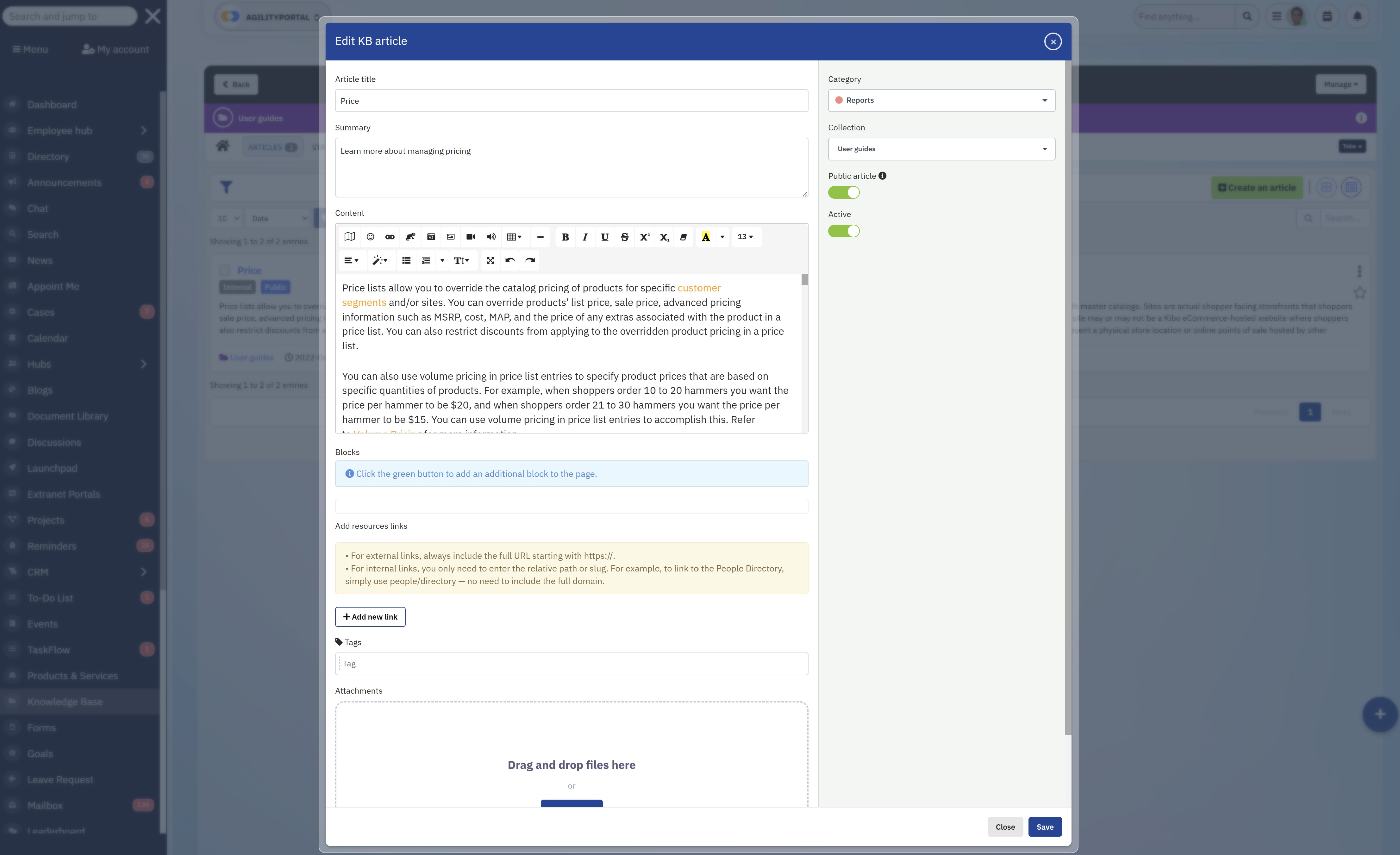
Easy Content Creation & Editing (If It's Hard, No One Contributes)
Here's the truth—your system is only as good as the content inside it.
If creating or updating content feels like a chore, your team simply won't do it. That's how systems become outdated within weeks.
A good knowledge base management system makes it easy for anyone—not just technical users—to contribute by:
- Offering simple, clean editors (similar to writing a document or email)
- Providing templates for common use cases like SOPs, FAQs, and onboarding guides
- Allowing quick edits without needing approvals for every small change
- Supporting collaboration so multiple people can improve content together
The easier it is to contribute, the faster your knowledge base grows—and stays relevant.
Permissions & Access Control (Who Sees What Matters)
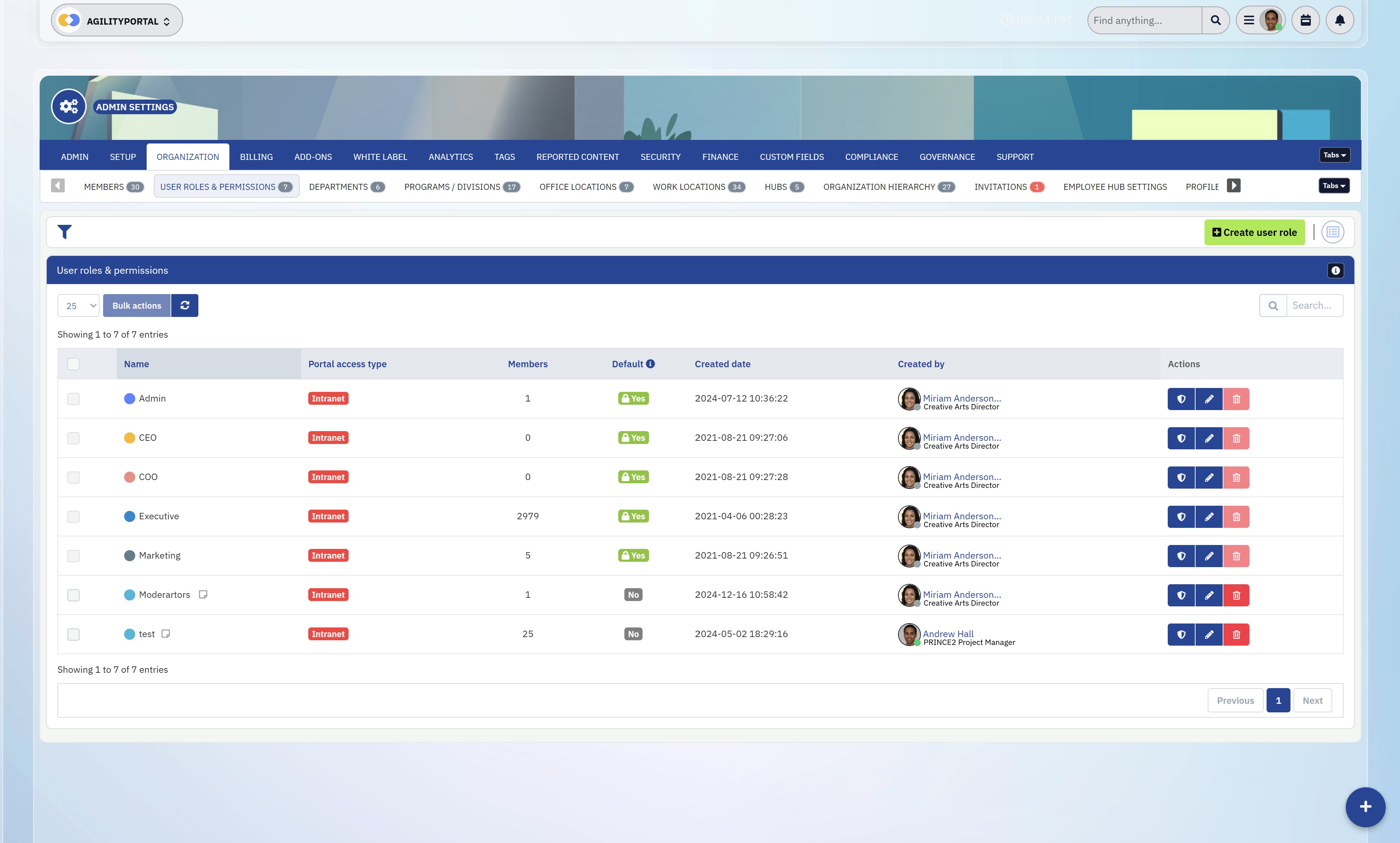
Permissions & Access Control (Who Sees What Matters)
Not all knowledge should be available to everyone—and that's where many systems fall short.
You need a setup where information is accessible but controlled.
A proper system should allow you to:
- Define access by role, department, or team
- Separate internal knowledge from external (customers, partners, suppliers)
- Protect sensitive information while still enabling collaboration
- Ensure users only see what's relevant to them, reducing noise
This is especially important as your business scales. Without it, your system either becomes too restricted—or too messy to trust.
Integrations with Existing Tools (Don't Add Another Silo)
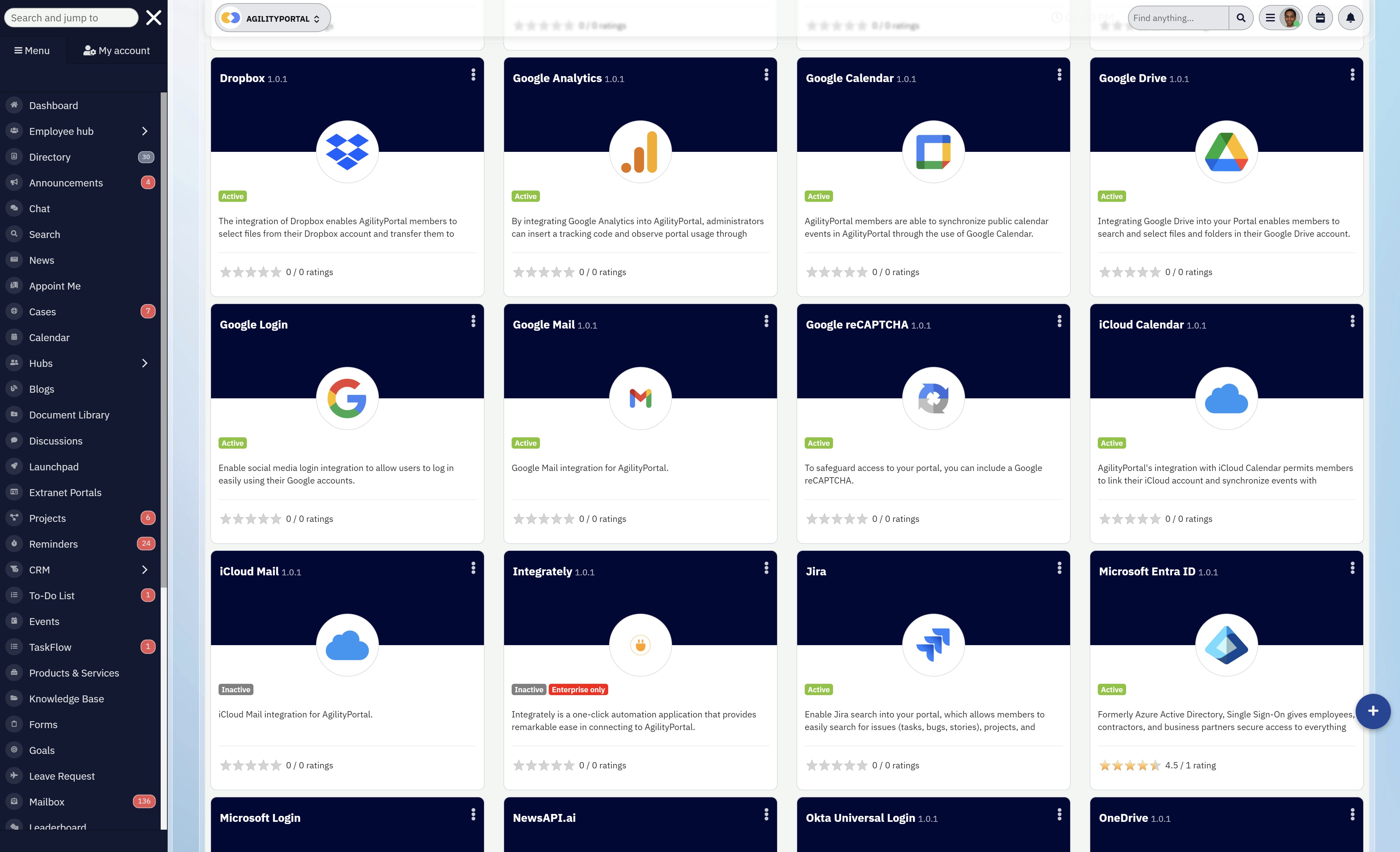
Integrations with Existing Tools (Don't Add Another Silo)
One of the biggest mistakes companies make is introducing a new tool that doesn't connect with anything else.
Your knowledge database software should sit at the centre of your workflow—not off to the side.
That means integrating with tools like:
- Slack or Microsoft Teams for communication
- CRM systems for customer knowledge and support
- Project management tools for processes and documentation
- File storage systems to centralise existing content
When everything connects, your team doesn't have to switch between tools to find answers—the system works with them, not against them.
Analytics & Usage Tracking (Know What's Working—and What's Not)
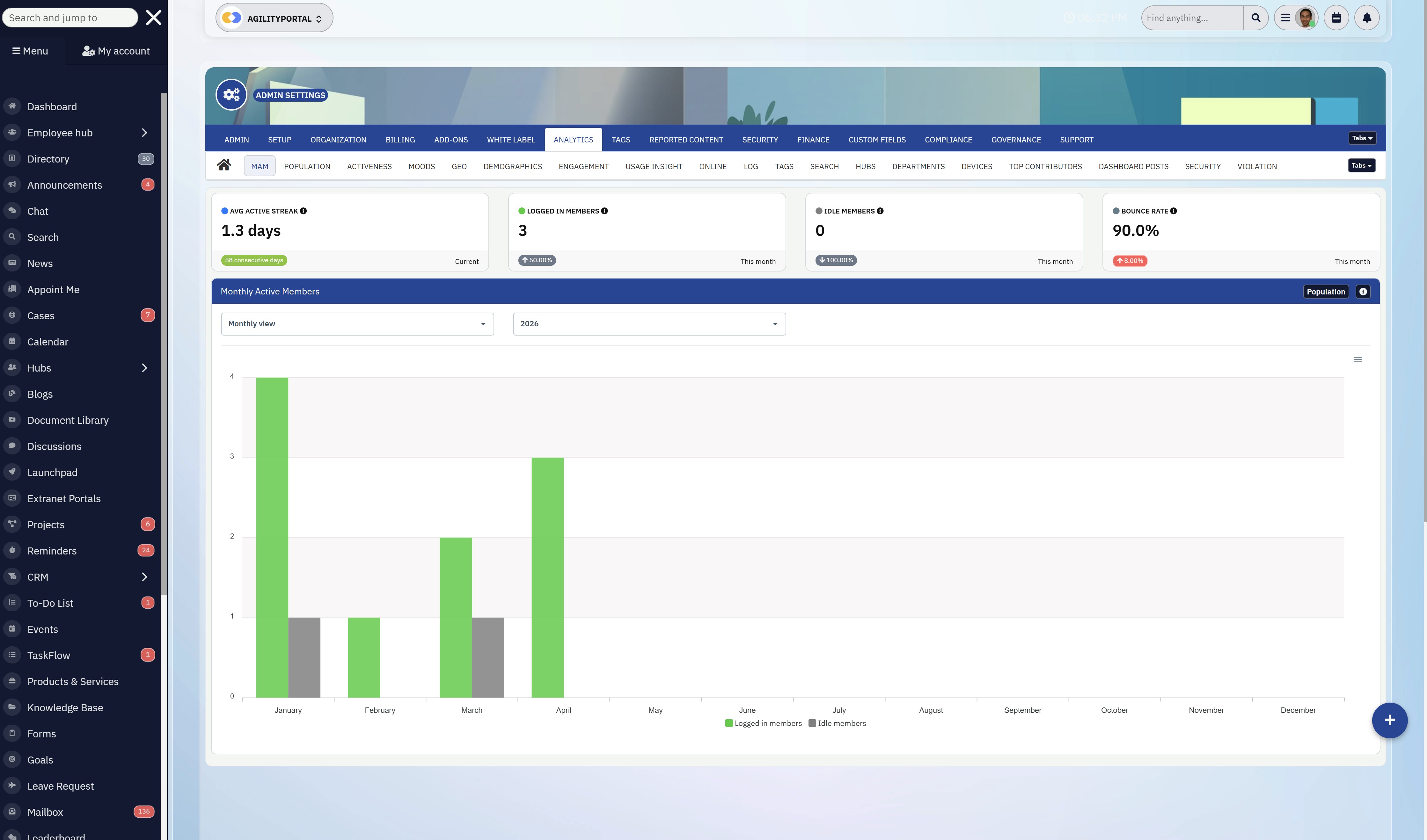
Analytics & Usage Tracking (Know What's Working—and What's Not)
Most companies never measure how their knowledge is being used—and that's a huge mistake.
Without data, you're guessing.
A strong knowledge database management system should give you visibility into:
- What content is being viewed the most
- What users are searching for (and not finding)
- Which documents are outdated or ignored
- Where knowledge gaps exist across the business
This allows you to continuously improve your system, instead of letting it decay over time.
A lot of tools will tick these boxes on paper—but very few execute them well.
And that's the difference between:
- A system your team relies on daily
- And another platform that gets forgotten after a few weeks
If you focus on these core features—and how well they actually work in practice—you'll avoid 90% of the mistakes most businesses make when choosing a knowledge platform.
How We Evaluated These Knowledge Database Software Tools
Let's be clear—this isn't one of those generic lists pulled together from product pages or marketing claims.
Every tool included here was tested properly, with a focus on how it performs in real-world use—not just what it promises on paper.
The goal was simple: figure out which platforms actually function as a reliable knowledge database software solution, and which ones fall apart once you start using them.
Here's exactly how the evaluation was done.
Real Usage, Not Just Feature Lists
Instead of relying on documentation, each platform was explored hands-on. That meant navigating the interface, creating content, testing workflows, and pushing the system to see how it behaves under normal business conditions.
This approach quickly separates tools that look good in demos from those that actually work day to day.
Testing Core Capabilities That Actually Matter
A lot of platforms tick boxes—but very few deliver where it counts. So the testing focused on the areas that directly impact usability and adoption.
1. Navigation and Ease of Use - The first thing tested was how easy it is to move around the platform. If users can't quickly understand where things are or how to find information, the system becomes a barrier instead of a solution. The key question was: Can someone log in and find what they need without training?
2. Search Accuracy and Speed - Search is the backbone of any knowledge database management system, so this was tested heavily.
Different queries were used—common phrases, partial keywords, and real-world questions—to see:
- Whether the system returns accurate, relevant results
- How quickly those results appear
- Whether users get direct answers or just a list of documents
If search fails, the entire system fails—so this carried serious weight in the evaluation.
3. Integration and API Functionality - No tool works in isolation, so each platform was tested against how well it integrates with existing systems.
- Native integrations with communication and productivity tools
- API flexibility for custom workflows
- Whether the platform runs smoothly when connected to other tools—or starts to slow down
A strong system should enhance your workflow, not complicate it.
4. Flexibility and Customisation - Every business works differently, so rigid systems don't last long.
Testing here focused on:
- Whether templates can be customised for different use cases
- How easy it is to structure content in a way that fits the organisation
- Whether the platform allows you to adapt it as your business grows
Tools that force you into a fixed structure usually get abandoned over time.
5. Security and Multi-Language Support - For any serious knowledge base management system, these aren't optional—they're essential.
Each tool was checked for:
- Role-based permissions and access control
- Data protection and compliance features
- Multi-language capabilities for global teams
If a system can't scale securely across teams and regions, it's not built for long-term use.
This wasn't about finding tools with the most features—it was about identifying which ones actually deliver a reliable, usable knowledge database software experience.
Because at the end of the day, the best tool isn't the one with the longest feature list…
It's the one your team will actually use.
Best Knowledge Database Software Platforms (Compared)
Alright—before we jump into individual tools, let's get something straight…
Not all knowledge database software is built the same. Some are flexible but chaotic, some are structured but painful to use, and a few actually strike the right balance.
So instead of wasting time going tool by tool blindly, here's a quick comparison table to give you a clear snapshot of what you're dealing with.
Quick Comparison Table
| Platform | Best For | Ease of Use | Search Quality | Integrations | Scalability |
| AgilityPortal | All-in-one teams & operations. Combines knowledge + communication | High | High | Strong | High |
| Notion | Flexible setups. Customisable but unstructured | Medium | Medium | Moderate | Medium |
| Confluence | Technical/document-heavy teams. Structured documentation | Low-Medium | Medium | Strong | High |
| Document360 | External knowledge bases. Customer-facing documentation | High | High | Moderate | Medium |
| Guru | Real-time knowledge access. Works inside workflows | High | High | Strong | Medium |
Now that you've got the overview, let's break these down properly—because the differences matter more than you think.
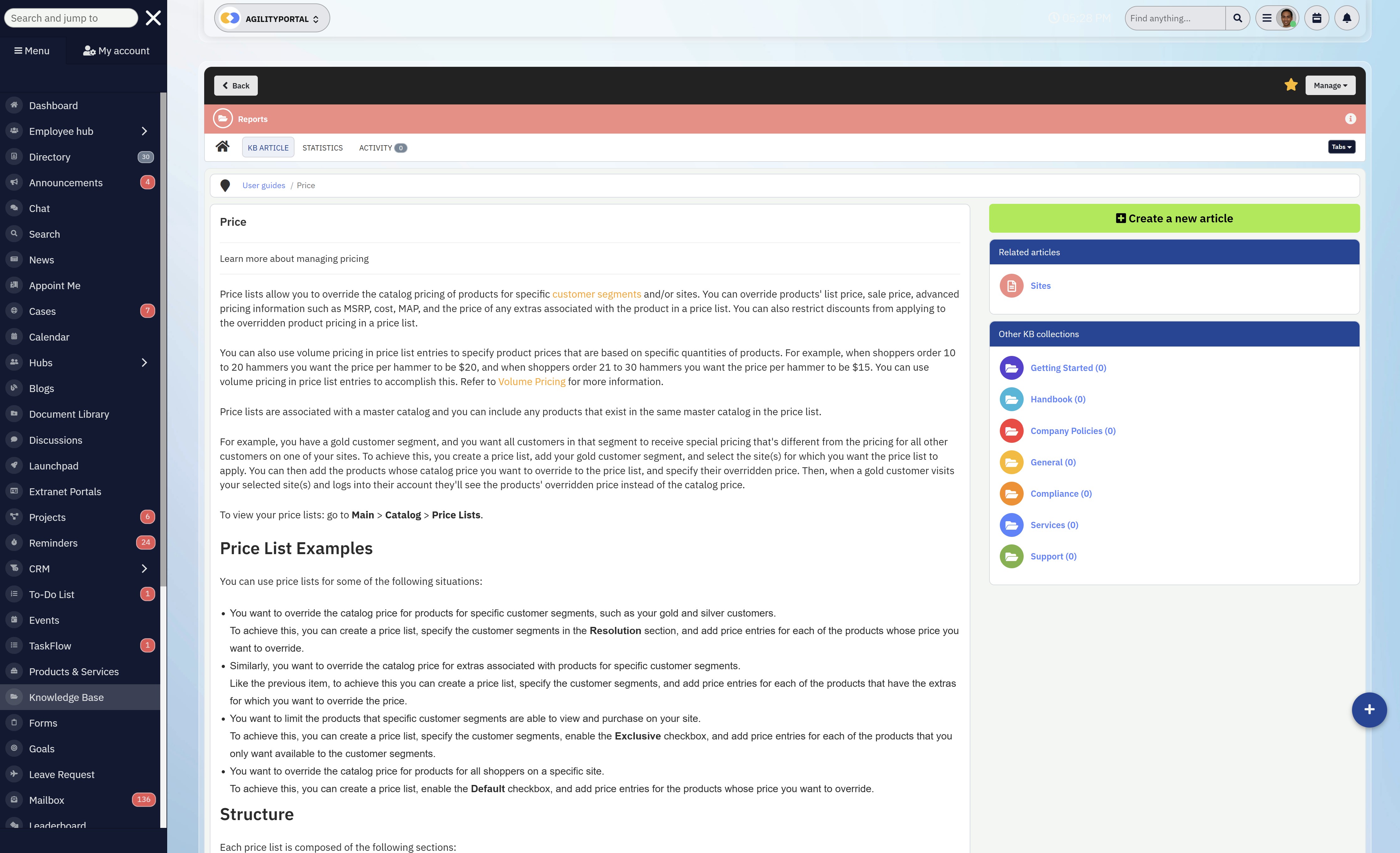
AgilityPortal (Best All-in-One Digital Workplace)
AgilityPortal isn't just another tool trying to act as a knowledge base—it's designed to solve the bigger problem most companies face: fragmented systems.
Instead of forcing teams to jump between multiple tools, AgilityPortal brings communication, documents, knowledge, and workflows into one place. The result is a true knowledge database software experience, where information isn't just stored—it's actually used.
What makes it stand out is how naturally knowledge fits into daily work.
You're not asking employees to "go update the knowledge base." Instead, knowledge is created and shared through conversations, updates, documents, and workflows—all within the same platform. That's a huge shift from traditional knowledge base management systems, where content quickly becomes outdated because it lives in isolation.
For teams struggling with scattered information across tools like Google Drive, Slack, or email, this kind of centralisation removes friction instantly.
Everything becomes easier to find, easier to manage, and more importantly—easier to trust.
Another key advantage is how the platform supports both office-based employees and frontline workers. With mobile-first access, multilingual support, and role-based dashboards, it ensures that knowledge reaches the right people, regardless of where they are.
And when it comes to adoption—which is where most systems fail—AgilityPortal is built with usability in mind. The interface is simple, content is easy to create, and search is designed to surface relevant information quickly, not overwhelm users with results.
Why it works
- Combines communication, collaboration, and knowledge into one unified platform
- Eliminates tool switching by centralising information across the business
- Makes knowledge part of daily workflows instead of a separate task
- Strong role-based permissions ensure users only see relevant information
- Designed for high adoption with a clean, intuitive user experience
Growing organisations that want to move away from disconnected tools and build a single source of truth, without sacrificing usability or team adoption.
JM
James M.
Operations Manager
“We replaced multiple tools with AgilityPortal and finally have one place for communication and knowledge. Our team spends far less time searching.”
AgilityPortal
Why Choose AgilityPortal for Knowledge Database Software?
AgilityPortal is a modern knowledge database software platform built to help you centralize company knowledge, documents, communication, and workflows in one place. Instead of relying on scattered files, disconnected tools, and outdated information, you get a single platform where employees can quickly find answers, access important resources, and stay aligned across teams. Designed for growing businesses, hybrid teams, and frontline workers, AgilityPortal helps you create a trusted single source of truth, reduce time wasted searching for information, and improve how your teams share and use knowledge every day.
See how your knowledge hub could look in under 30 minutes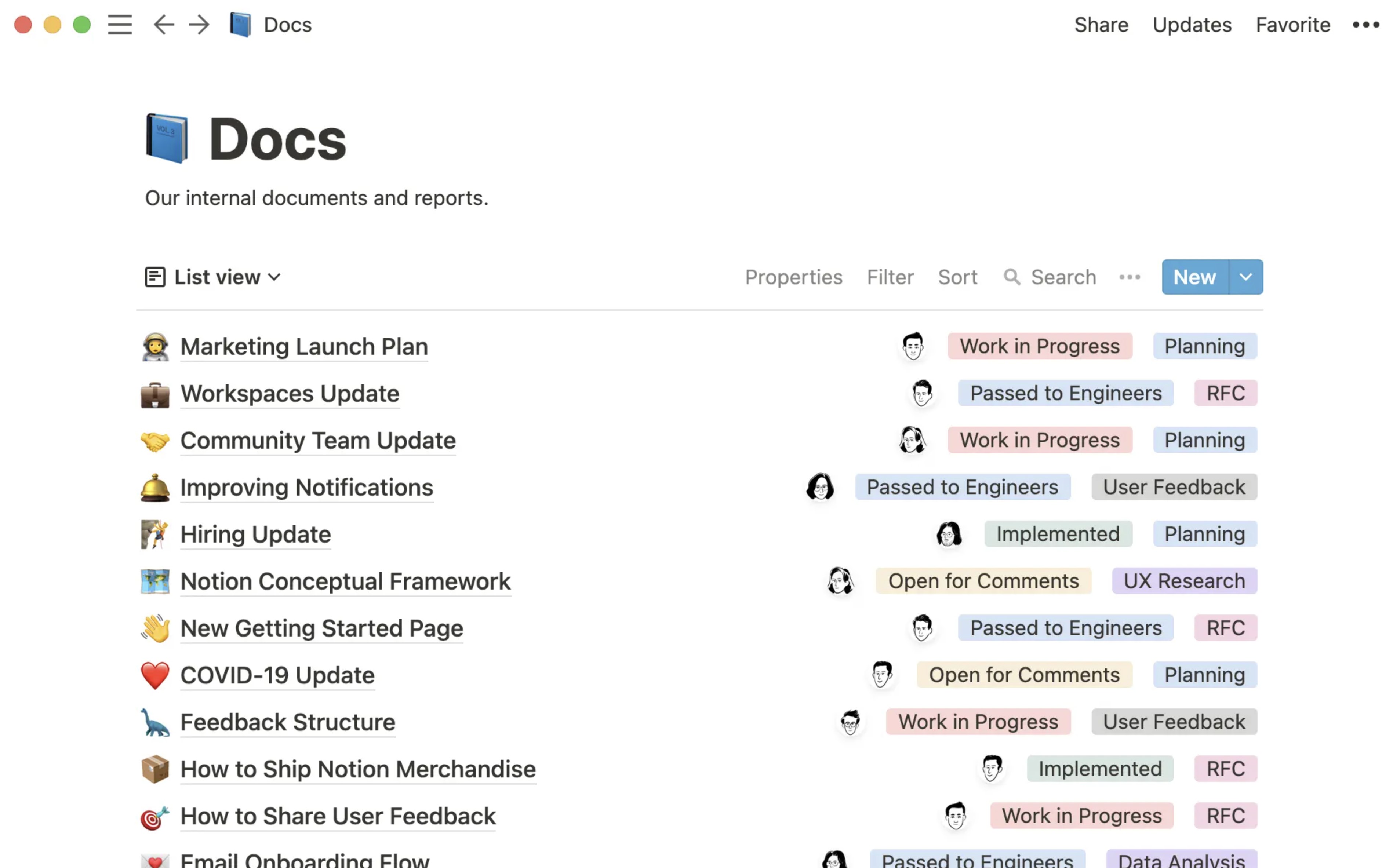
Notion (Flexible Knowledge Database Software for Custom Setups)
Notion has become one of the most talked-about tools in the knowledge database software space—and for good reason.
It gives you complete freedom to build your own knowledge base management system, whether that's a simple wiki, internal documentation hub, or a fully customised workspace combining notes, tasks, and databases.
At first glance, that flexibility feels like a huge win.
You can structure pages however you like, create linked databases, and design workflows that match your team's exact needs. For startups or smaller teams, this makes Notion a powerful entry point into knowledge database management systems without heavy setup or cost.
But here's where things get real…
That's why many teams outgrow Notion as their primary knowledge database software and start looking for more structured, scalable solutions.
Why it works- Highly flexible, allowing teams to build a custom knowledge database management system from scratch
- Clean, user-friendly interface that makes it easy to get started quickly
- Combines notes, documents, and lightweight databases in one place
- Cost-effective option for startups and small teams
- Strong ecosystem with templates and community-driven setups
Startups and small teams looking for a flexible, low-cost knowledge base management system, and who are willing to actively manage structure and organisation as they scale.
AL
Alex L.
Startup Founder
“Notion gave us the flexibility to build our own internal system. It worked really well early on, but we had to add more structure as the workspace grew.”
Notion
Why Choose Notion for Flexible Knowledge Database Software?
Notion is a flexible knowledge database software option for teams that want to build their own system around notes, internal documentation, wikis, and lightweight databases. Instead of forcing you into a fixed structure, Notion gives you the freedom to create a custom workspace that fits your team’s way of working. It works well for startups and smaller teams that need a low-friction way to organise company knowledge, create internal resources, and manage information in one place. Based on G2 feedback, users value its flexibility and ease of use, though larger teams often need to enforce structure as content grows.
Compare real user reviews before choosing your knowledge platform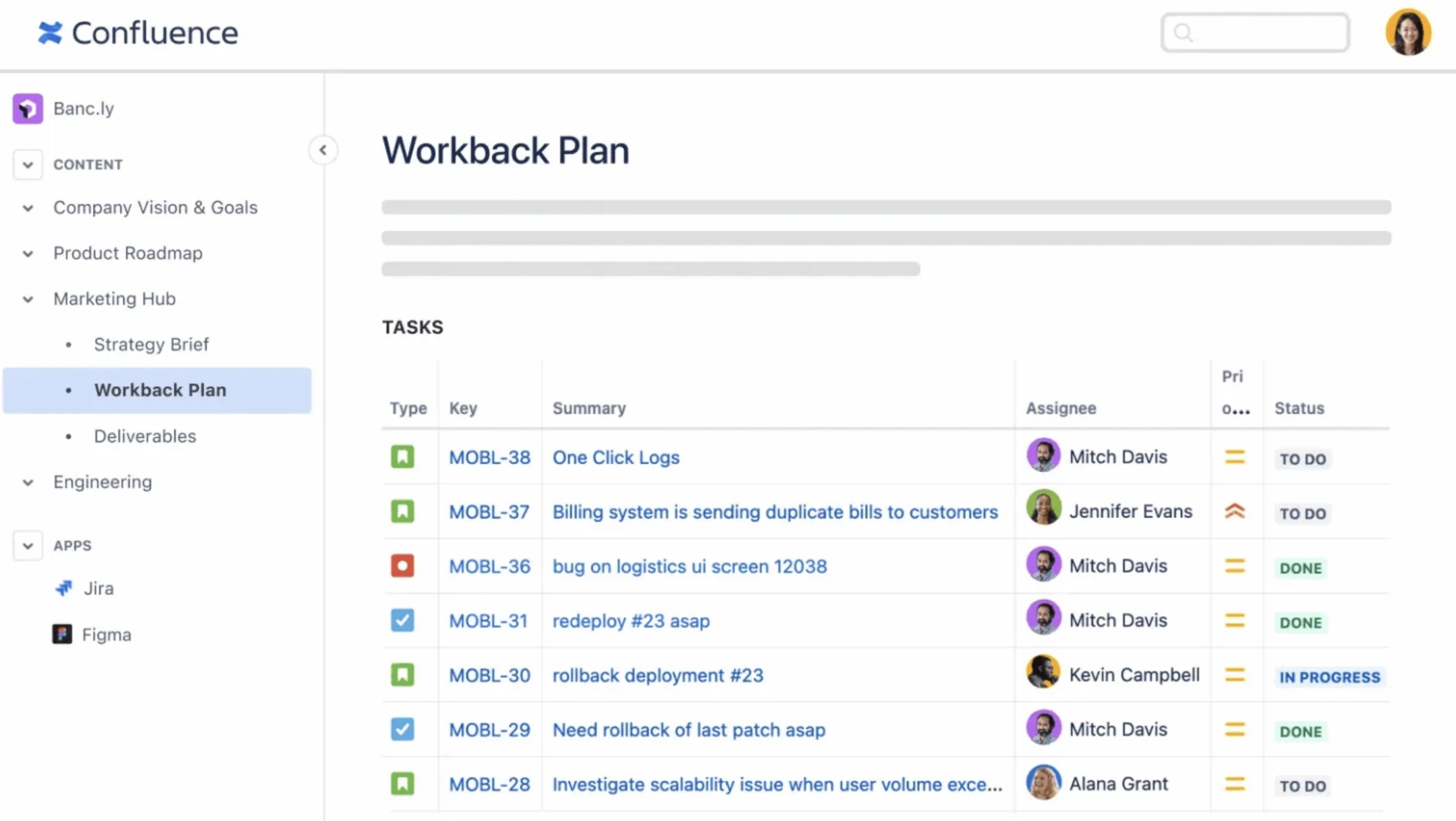
Confluence (Structured Knowledge Database Software for Technical Teams)
Atlassian Confluence is one of the most established tools in the knowledge database software space, especially for engineering and product teams.
It's built with structure at its core, making it a go-to knowledge database management system for organisations that need to manage large volumes of technical documentation, processes, and internal knowledge.
On the surface, Confluence does exactly what you'd expect—it helps teams document everything from internal processes to product specs and company knowledge. And when paired with other Atlassian tools like Jira, it becomes part of a wider ecosystem that supports development workflows end to end.
For teams that rely heavily on documentation, this level of structure can be a huge advantage.
Why it works
- Strong structure for building scalable knowledge database management systems
- Deep integration with development tools like Jira
- Ideal for managing complex documentation and technical content
- Provides control and consistency across large teams
- Widely adopted and trusted in enterprise environments
Engineering teams and process-driven organisations that need a structured knowledge base management system, and are willing to prioritise control and documentation over simplicity and ease of use.
RK
Ravi K.
Engineering Lead
“Confluence is strong for structured documentation and technical processes. It works well for engineering, but it can feel heavier for non-technical teams.”
Confluence
Why Choose Confluence for Structured Knowledge Database Software?
Confluence is a structured knowledge database software designed for teams that need to manage large volumes of documentation, processes, and internal knowledge. Built by Atlassian, it’s widely used by engineering and product teams to create organised, scalable documentation across projects. Its structured approach—using spaces, pages, and hierarchies—makes it ideal for businesses that require consistency and control. However, while it excels in structure, some G2 users note that usability and navigation can become challenging for non-technical teams as content grows.
Compare real user reviews before choosing your knowledge platform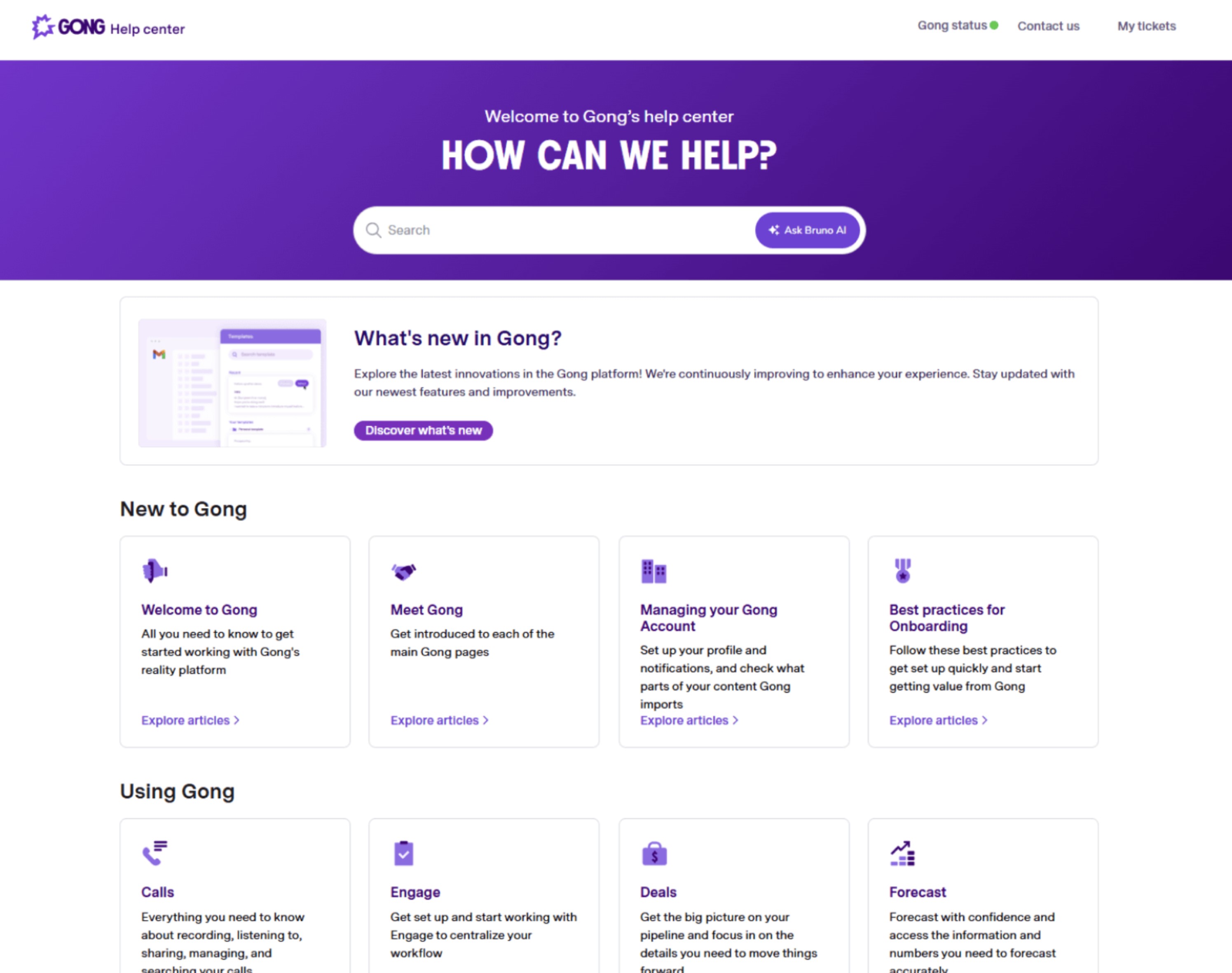
Document360 (Knowledge Database Software for Customer-Facing Documentation)
Document360 is built specifically for businesses that need a polished, external-facing knowledge database software—think help centres, FAQs, and customer support documentation.
Unlike broader tools that try to handle everything, Document360 focuses heavily on delivering a clean, structured knowledge base management system for customers, not internal teams.
And to be fair—it does that really well.
From the moment you start using it, it's clear the platform is designed for creating professional, easy-to-navigate knowledge bases that customers can rely on without needing to contact support. The interface is built around categories, subcategories, and articles, making it simple to organise large volumes of content in a way that actually makes sense to end users.
Where Document360 really stands out is in how it combines usability with presentation.
You can create documentation that not only answers questions but also looks polished, branded, and optimised for search engines. This makes it a strong choice for businesses that want their knowledge base to double as a support channel and a traffic driver.
Why it works
- Purpose-built for customer-facing knowledge database software use cases
- Clean, structured layout that makes content easy for users to navigate
- Strong SEO capabilities to drive organic traffic to help articles
- Easy-to-use editor for creating and managing documentation
- Scales well for growing support libraries and documentation hubs
Support teams and businesses that need a dedicated, external knowledge base management system to reduce support tickets and deliver self-service documentation for customers.
LT
Laura T.
Support Manager
“Document360 helped us build a clean and professional help centre for customers. It reduced support tickets, but we still used another tool for internal knowledge.”
Document360
Why Choose Document360 for Customer-Facing Knowledge Database Software?
Document360 is a purpose-built knowledge database software designed for creating customer-facing help centres, FAQs, and support documentation. It focuses on delivering a clean, structured experience that allows businesses to provide self-service support and reduce ticket volumes. With strong content organisation, version control, and SEO-friendly layouts, it helps teams publish professional knowledge bases that customers can easily navigate. According to G2 reviews, users value its ease of use and clean interface, though it’s primarily suited for external documentation rather than full internal knowledge management.
Compare real user reviews before choosing your knowledge platform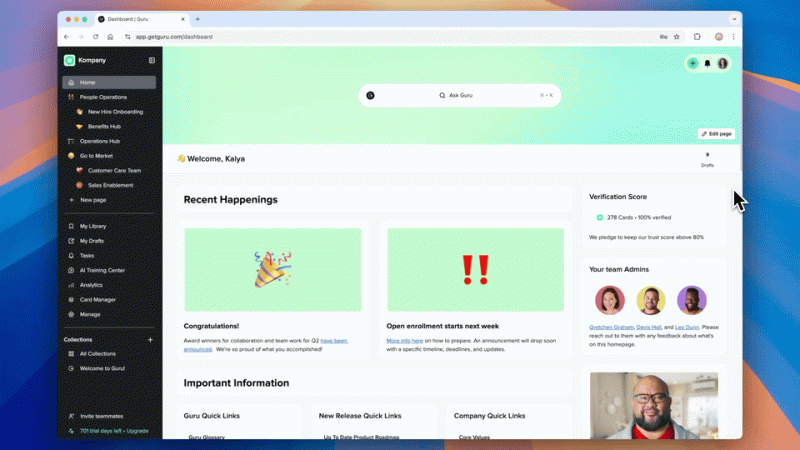
Guru takes a completely different approach to traditional knowledge database software.
Instead of expecting your team to go searching for information inside a central system, Guru brings knowledge directly into the tools they already use—whether that's Slack, browsers, or internal apps.
That shift changes everything.
Rather than interrupting workflows to "go find something," employees get answers surfaced in real time, exactly where they're working. This makes Guru feel less like a standalone knowledge base management system, and more like a layer that sits across your entire tech stack.
For fast-moving teams, that's a big advantage.
Guru uses a card-based system to deliver bite-sized knowledge, making it easier to consume and update compared to long-form documentation. It also includes a verification system, where content is regularly reviewed and validated—helping maintain trust in the information being shared.
But here's the trade-off…
Because Guru focuses on delivering knowledge in context, it doesn't always function as a fully centralised knowledge database management system. If not managed carefully, knowledge can feel distributed across tools rather than anchored in a single source of truth.
That means it works best when paired with clear processes and ownership—otherwise, you risk replacing one form of fragmentation with another.
Why it works- Delivers knowledge directly inside workflows, reducing the need to search
- Integrates deeply with tools like Slack and browser environments
- Uses real-time delivery to improve speed and productivity
- Built-in verification system keeps content accurate and up to date
- Ideal for quick answers and operational knowledge sharing
Teams that prioritise speed and accessibility, and want knowledge database software that works inside their existing tools rather than as a separate destination.
DN
Daniel N.
Customer Success Lead
“Guru makes it easy to surface quick answers inside Slack and the browser. It’s fast, but you still need a solid structure behind the scenes.”
Guru
Why Choose Guru for Real-Time Knowledge Inside Your Workflow?
Guru is a real-time knowledge database software built to deliver information directly inside the tools your team already uses. Instead of forcing employees to search through a central system, Guru surfaces answers within workflows like Slack, browsers, and internal apps. Its card-based approach makes knowledge easy to consume, update, and verify, helping teams access accurate information without interrupting their work. Based on G2 feedback, users value its speed and workflow integration, though it may require structure and ownership to avoid fragmented knowledge across systems.
Compare real user reviews before choosing your knowledge platformFinal Thought Before You Choose
Here's the honest truth…
There's no "perfect" tool—only the one that fits how your team actually works.
If you want flexibility, you'll sacrifice structure.
If you want structure, you might sacrifice usability.
If you want both—you need to choose carefully.
And that's exactly why most companies get this wrong.
Open Source Knowledge Database Software (Pros & Cons)
Let's talk about something a lot of companies consider early on—knowledge database software open source.
On paper, it sounds like the perfect solution.
No licensing fees, full control, and the flexibility to build exactly what you want. For teams trying to keep costs down or avoid vendor lock-in, knowledge database open source tools can look like a smart move.
And to be fair, in the right situation—they are.
But here's where most businesses get caught off guard…
Popular Open Source Knowledge Database Tools
There are some solid options out there that can function as a basic knowledge database management system:
- BookStack – Simple, structured wiki-style documentation
- Outline – Clean, modern interface with team collaboration features
- Wiki.js – Powerful and highly customisable with multiple integrations
These tools give you a foundation—but what you build on top of that is entirely on you.
The Advantages (Why It Looks So Attractive)
At first glance, open source ticks a lot of boxes.
- Lower upfront cost - You're not paying monthly subscription fees, which can make it appealing for startups or budget-conscious teams.
- Full control and customisation - You can host it yourself, modify the code, and tailor the system to your exact needs—something most commercial knowledge base management systems won't allow.
- No vendor lock-in - You're not tied to a provider's roadmap, pricing changes, or limitations.
The Reality (Where Things Start to Break Down)
This is the part most companies underestimate.
- Setup takes time—and technical expertise - You're not just "installing a tool." You're configuring infrastructure, permissions, backups, and integrations. Without the right technical resources, this becomes a bottleneck fast.
- Ongoing maintenance is your responsibility - Updates, security patches, performance issues—it's all on you. What looks like a one-time setup turns into a continuous effort.
- Limited support when things go wrong - There's no dedicated support team. You're relying on community forums, documentation, or internal expertise to troubleshoot issues.
- Scaling becomes complex - As your business grows, so do your requirements. What worked for a small team can struggle under the weight of more users, more content, and more complexity.
- Slower innovation compared to paid platforms - Commercial knowledge database software often invests heavily in AI, search improvements, and user experience. Open source tools can lag behind in these areas.
The Hidden Cost Most Businesses Miss
Here's the straight truth…
You might save money on licensing, but you'll often pay for it in:
- Developer time
- Infrastructure costs
- Maintenance effort
- Slower adoption
And in many cases, that ends up costing more than a ready-to-use solution.
When Open Source Actually Makes Sense
Open source knowledge database software can be the right choice if:
- You have a strong technical team in-house
- You need full control over data and infrastructure
- You're willing to invest time into setup and maintenance
But for most businesses?
They don't need to build a system—they need something that works out of the box.
Open source sounds appealing, but it's not a shortcut—it's a commitment.
If your goal is to quickly implement a reliable knowledge database management system that your team will actually use, you need to weigh the trade-offs carefully.
Because what looks "free" upfront can become expensive in all the ways that matter.
How to Choose the Right Knowledge Database Management System
This is where most companies get it wrong.
They jump straight into comparing tools, features, and pricing… without actually understanding what they need. And that's exactly how you end up with knowledge database software that looks great in a demo—but fails in real use.
So instead of guessing, here's a simple way to approach it properly.
1. Define Your Use Case (Internal vs External)
Start with the basics—who is this system for?
Are you building:
- An internal knowledge base management system for employees?
- A customer-facing help centre?
- Or both?
This decision shapes everything.
Internal systems need collaboration, permissions, and workflow integration. External systems focus more on usability, structure, and self-service support.
Get this wrong, and you'll pick the wrong type of knowledge database software from day one.
2. Identify Who Will Use It Daily
Not every user is the same—and this matters more than most people think.
Ask yourself:
- Is this for technical teams, or non-technical staff?
- Will frontline employees need access on mobile?
- Who is responsible for creating and updating content?
A system that works for developers might completely fail for HR, operations, or customer support teams.
The best knowledge database management system is the one your actual users can navigate without friction.
3. Check Integration Requirements (Avoid Another Silo)
Here's a big one…
If your system doesn't connect with your existing tools, you're just creating another silo.
Your knowledge database software should integrate with:
- Communication tools like Slack or Teams
- CRM platforms
- Project management tools
- File storage systems
The goal is simple: knowledge should flow into your workflows—not sit outside them.
4. Test Search Performance (Don't Skip This One)
his is the most underrated step—and the most important.
You need to test how the system actually performs when searching for real information.
Try:
- Common employee questions
- Partial keywords
- Full natural-language queries
Then ask:
- Does it return the right answer quickly?
- Or does it give you a list of documents to dig through?
If search doesn't work properly, your knowledge base management system won't get used. It's that simple.
5. Measure Ease of Adoption (This Decides Everything)
You can choose the most powerful tool on the market—and it will still fail if your team doesn't use it.
So before committing, ask:
- How easy is it to onboard new users?
- Can employees contribute without training?
- Does the interface feel intuitive or complicated?
Adoption is what separates successful systems from wasted investments.
Most companies don't fail because they chose the wrong tool…
They fail because they chose a tool their team didn't want to use.
Choosing the right knowledge database management system isn't about features—it's about fit.
If it matches your use case, integrates with your tools, delivers fast search, and is easy to adopt…
You'll get a system your team actually relies on.
Miss any of those—and you'll end up right back where you started.
What Are The 5 Common Mistakes to Avoid (That Kill Adoption Fast)
Here's the part most companies don't want to hear…
It's not usually the tool that fails—it's how it's implemented.
You can invest in the best knowledge database software on the market, but if you fall into these traps, your system will get ignored within weeks.
Let's break down the biggest mistakes that quietly kill adoption.
Mistakes #1 Choosing Tools Based on Features, Not Usability
This is the most common mistake—and it's easy to see why it happens.
Vendors showcase long feature lists, advanced capabilities, and impressive demos. On paper, everything looks perfect.
But here's the reality…
Your team doesn't care about features—they care about how easy it is to get what they need.
If your knowledge base management system feels complicated, slow, or confusing:
- People won't explore it
- They won't trust it
- And they definitely won't rely on it
What matters isn't how powerful the tool is—it's how quickly someone can log in and find an answer without thinking twice.
Mistakes #2 No Ownership of Content
This one kills systems quietly over time.
When no one is responsible for maintaining content, things start to slip:
- Documents become outdated
- Processes change but aren't updated
- Duplicate or conflicting information appears
And once users realise the information isn't reliable, they stop using the system altogether.
A strong knowledge database management system needs clear ownership:
- Who creates content
- Who reviews it
- Who keeps it up to date
Without that, your system loses trust—and once trust is gone, adoption follows.
Mistakes #3 No Onboarding or Training
Another big mistake is assuming people will "just figure it out."
They won't.
Even the simplest knowledge database software needs some level of onboarding:
- How to search effectively
- Where to find key information
- How to contribute or update content
If this isn't clearly communicated from the start, users fall back into old habits—asking colleagues, searching emails, or ignoring the system entirely.
Adoption isn't automatic. It needs to be driven.
Mistakes #4 Overcomplicating the Structure
This usually comes from good intentions.
Teams try to build the "perfect" structure with:
- Too many categories
- Deep folder hierarchies
- Overly detailed organisation
But instead of making things easier, it creates friction.
Users don't want to think about where something should be—they just want to find it quickly.
The best knowledge base management system setups are simple, intuitive, and flexible. If your structure requires explanation, it's already too complex.
Mistakes #5 Ignoring Mobile Users
This is a big one—especially for growing teams.
Not everyone is sitting at a desk all day.
If your knowledge database software doesn't work well on mobile:
- Frontline workers can't access key information
- Updates get missed
- Adoption drops across entire teams
Modern knowledge systems need to be accessible anywhere, anytime—not just on a desktop.
0Most knowledge systems don't fail because of the tool…
They fail because of poor decisions during setup and rollout.
Avoid these mistakes, and you're already ahead of most companies trying to implement a knowledge database management system.
Ignore them—and you'll end up with just another tool your team doesn't use.
Why Most Knowledge Systems Fail (And How to Fix It)
Let's be honest—most companies don't fail because they lack information.
They fail because that information is disconnected, underused, and impossible to rely on.
You can have thousands of documents, guides, and resources… but if your team isn't engaging with them or trusting them, the system is already broken.
Here's what's really going wrong—and how to fix it.
Lack of Engagement (If No One Uses It, It's Dead)
This is the silent killer.
A system can be perfectly set up, well-organised, and packed with content—but if your team doesn't actively use it, it becomes irrelevant fast.
Why does this happen?
Because most platforms sit outside of daily work. Employees are expected to stop what they're doing, log in, search, and then come back to what they were doing. That extra friction is enough to push people back to old habits—asking colleagues, sending messages, or guessing.
How to fix it:
- Embed information directly into everyday workflows
- Make access instant and effortless
- Encourage contributions as part of daily tasks, not separate activities
When knowledge becomes part of how work gets done—not something extra—engagement naturally increases.
No Single Source of Truth (Too Many Versions, No Clarity)
This is where confusion creeps in.
Different teams store information in different places. Documents get copied, edited, renamed, and shared again. Before long, you've got multiple versions of the same thing—and no one knows which one is correct.
That uncertainty leads to hesitation, mistakes, and constant double-checking.
And once people stop trusting the system, they stop using it altogether.
How to fix it:
- Centralise all critical information in one unified platform
- Assign clear ownership so content is maintained and updated
- Eliminate duplicate sources and outdated documents
When there's one clear place to go—and people trust what they find—everything moves faster.
Too Many Tools (Fragmentation Kills Productivity)
This is probably the biggest issue most businesses are dealing with right now.
You've got one tool for communication, another for documents, another for tasks, another for updates… and none of them truly connect.
So what happens?
Information gets scattered. Context gets lost. And employees waste time jumping between systems trying to piece things together.
It's not just inefficient—it's exhausting.
How to fix it:
- Consolidate tools wherever possible
- Bring communication, documents, and processes into a single environment
- Reduce context switching by making information accessible in one place
The fewer places your team has to look, the faster they can work.
Where Most Systems Go Wrong
Most companies try to fix these problems by adding another tool.
But that usually makes things worse.
What actually works is simplifying your setup and creating a connected environment where information flows naturally across the business.
That's where platforms like AgilityPortal come in.
Instead of treating information as something separate, it brings everything—communication, updates, documents, and collaboration—into one place. That means your team isn't chasing information anymore… it's right where they need it.
Systems don't fail because of a lack of content.
They fail because people don't use them, don't trust them, or can't find what they need.
Fix those three things—and everything else starts to fall into place.
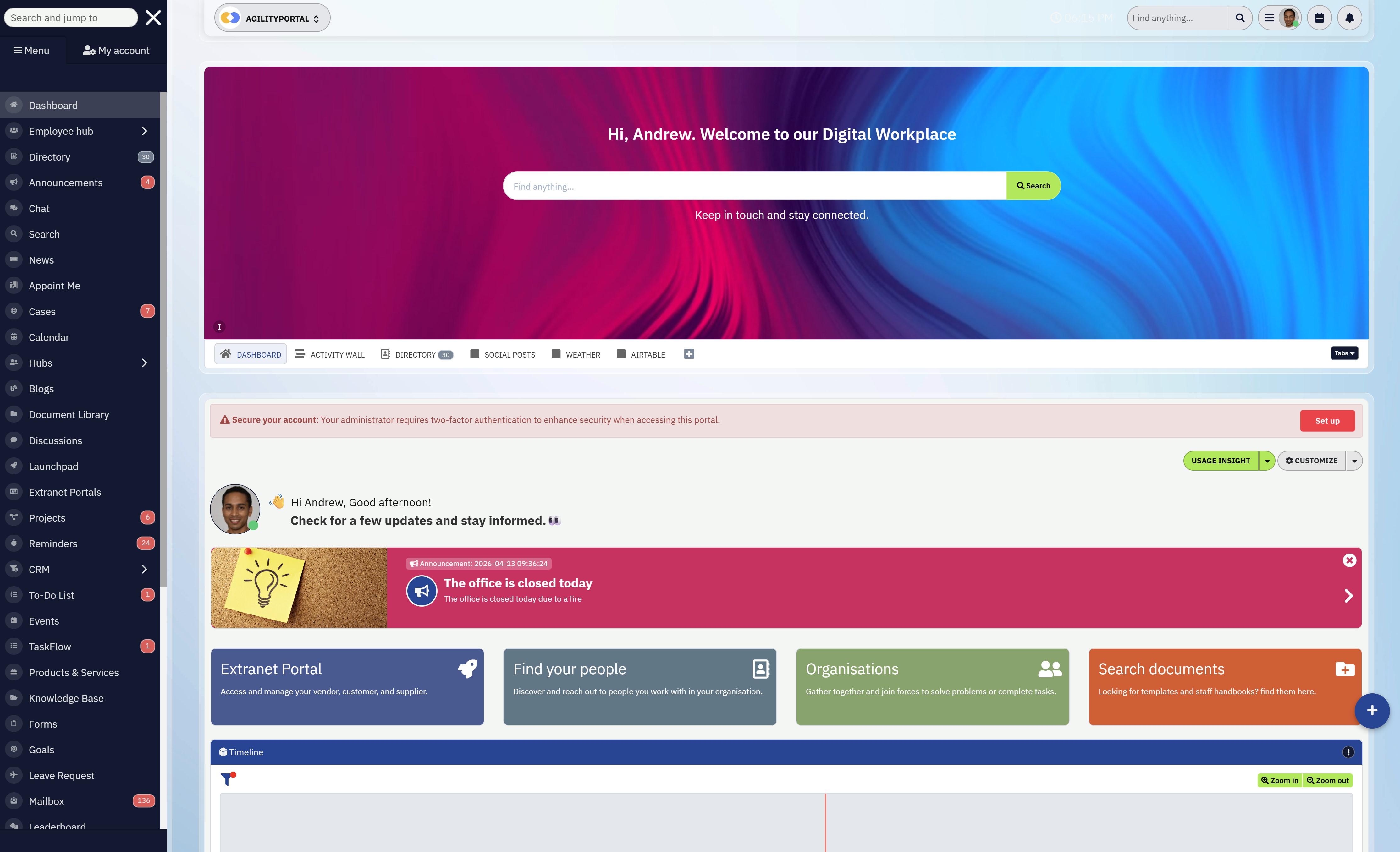
Bring everything your team needs to know—and everyone they need to work with—into one place with AgilityPortal
Bring everything your team needs to know—and everyone they need to work with—into one place with AgilityPortal
Knowledge should be the foundation of how your business operates—but for most companies, it's still scattered across multiple tools, buried in documents, and difficult to access when it actually matters.
- Your team wastes time searching.
- Your customers struggle to find answers.
- And critical information becomes outdated the moment it's created.
Instead of enabling better decisions and faster service, knowledge becomes a bottleneck.
The problem? Most platforms treat knowledge as a static repository—just another place to store documents—rather than something that actively supports how your business runs.
That's where AgilityPortal is different.
AgilityPortal transforms knowledge into something your team can actually use. It brings together your people, processes, and information into a single, connected platform—so answers are easy to find, content stays relevant, and everyone works from the same source of truth.
Whether it's internal documentation, company updates, or customer-facing resources, AgilityPortal ensures the right information is always accessible at the right time—without the need to jump between systems or rely on outdated content.
The result? Faster decisions, better collaboration, and a more efficient, connected workplace.
Try AgilityPortal free for 14 days—no credit card required—and see how your knowledge can actually start working for you.
Wrapping up: What Actually Works
Alright—no fluff, no overthinking it. Here's the straight answer based on how these tools perform in the real world.
If your priority is simplicity and flexibility, then Notion is a solid choice. It's easy to get started, highly customisable, and works well for smaller teams that don't need heavy structure. Just be aware—it can get messy fast if you don't manage it properly.
If you're focused on structure and documentation control, then Atlassian Confluence does the job. It's built for organising large amounts of content, especially in technical environments. But that structure comes at a cost—it's not the easiest tool for everyday users.
If you want something that actually scales and gets used across the business, then AgilityPortal is where things start to make more sense. It brings everything together—communication, documents, and workflows—so your team isn't jumping between tools just to find answers.
So what's the real takeaway?- Go with flexibility → if your team is small and disciplined
- Go with structure → if documentation is your main priority
- Go with adoption and scalability → if you want something your whole business will actually use
At the end of the day, the "best" option isn't about features—it's about what your team will consistently rely on without friction.
Because if they don't use it…
It doesn't matter how good it is.
FAQs About Knowledge Database Software
Here are the most common questions people are searching for—answered properly, without fluff.
What is knowledge database software?
Knowledge database software is a tool that helps businesses store, organise, and retrieve information in a structured way.
Instead of scattered documents and messages, it creates a central place where employees or customers can quickly find accurate answers.
It's commonly used for internal documentation, customer support, onboarding, and process management.
Which is the best software for creating a knowledge database?
The best knowledge database software depends on your needs:
- For all-in-one usage → AgilityPortal
- For flexibility → Notion
- For structured documentation → Atlassian Confluence
There's no single "best" option—only the one your team will actually use consistently.
What is a knowledge database?
A knowledge database is a centralised system where information is stored, organised, and made accessible for users. It acts as a single source of truth, helping teams or customers find answers without relying on individuals.
Think of it as a structured library for your business knowledge.
What is the difference between a knowledge base and a database?
A database stores raw data (like records, numbers, or entries), while a knowledge base stores usable information such as guides, processes, and answers.
In simple terms:
- Database = data storage
- Knowledge base = information people actually use
Does ChatGPT have a knowledge base?
ChatGPT doesn't function as a traditional knowledge base.
It generates answers based on training data and context, but it doesn't replace a structured internal knowledge base software where your company's specific information is stored and controlled.
Many businesses actually combine AI tools like ChatGPT with a knowledge system to improve search and accessibility.
What is an example of a KMS?
A KMS (Knowledge Management System) is software used to manage and share knowledge across an organisation.
Examples include:
- AgilityPortal
- Atlassian Confluence
- Guru
These platforms help teams document, access, and maintain company knowledge efficiently.
Is there any knowledge database software free to use?
Yes—there are options for knowledge database software free and free knowledge base software, including:
- Free plans from tools like Notion
- Open-source solutions like Wiki.js
However, free tools often come with limitations in scalability, features, or support.
Is knowledge base software open source a good option?
Knowledge base software open source can be a good choice if you have technical resources in-house.
It offers flexibility and control, but requires setup, maintenance, and ongoing management. For most businesses, the hidden cost in time and effort outweighs the savings.
What is personal knowledge base software?
Personal knowledge base software is designed for individual use—helping users organise notes, ideas, and information.
Tools like Notion or Obsidian are commonly used for this purpose.
What is customer knowledge base software?
Customer knowledge base software is used to create help centres, FAQs, and support documentation for customers.
Platforms like Document360 allow businesses to reduce support tickets by enabling self-service access to information.
What is internal knowledge base software?
Internal knowledge base software is designed for employees, helping teams access company processes, policies, and documentation.
It improves productivity by reducing repeated questions and ensuring everyone has access to the same information.
What is Microsoft knowledge base software?
Microsoft offers solutions like Microsoft SharePoint, which can function as a Microsoft knowledge base software when configured correctly.
However, it often requires setup and structure to work effectively as a true knowledge management system.
AI Summary
- Knowledge database software helps organizations centralize information, making it easier for employees and customers to find accurate answers quickly.
- Many companies struggle with scattered documents, duplicated content, and outdated information due to the lack of a structured knowledge management system.
- Modern knowledge platforms improve productivity by combining powerful search, content organization, and integrations with everyday tools like Slack and Google Drive.
- Choosing the right solution depends on your use case, whether it’s internal knowledge sharing, customer support documentation, or a scalable company-wide system.
- Open source and free knowledge base software can reduce upfront costs, but often require more technical effort, maintenance, and ongoing management.
- Businesses that invest in a well-structured knowledge system can reduce wasted time, improve decision-making, and create a reliable single source of truth.
Most Popular Posts

Effective communication among team members is vital for the productivity and success of any organization. Surprisingly, 60% of companies lack a long-term internal communication strategy, which p...


Businesses thrive on communication for efficiency, productivity and accomplishment. When the right information is passed from the right designation in the organization, it promotes positivity an...
Categories
Blog
(2976)
Business Management
(373)
Employee Engagement
(223)
Digital Transformation
(192)
Growth
(142)
Intranets
(137)
Remote Work
(63)
Sales
(53)
Collaboration
(48)
Customer Experience
(30)
Culture
(29)
Knowledge Management
(28)
Project management
(28)
Leadership
(20)
Comparisons
(9)
News
(1)

Related Posts

What's next for AI-powered image generation? Rapid generative AI advancements have revolutionised how businesses, artists, and marketers create visual content. As we move into 2026, the industry is poised for even more significant t...

The digital workplace has become the foundation of modern business operations. Whether employees work remotely, in the office, or in a hybrid environment, organizations need effective systems that keep people connected, informed, and productive. This...

If you're searching for a Highspot alternative, you're probably evaluating more than just sales enablement features. Today's organizations need platforms that not only help sales teams find content and engage buyers but also support employee co...

This is why many organizations are investing in a modern client and partner portal to create a centralized, secure environment where external users can access documents, collaborate with teams, complete onboarding tasks, receive updates, and find the...

Partner collaboration has become a critical part of business growth, especially for organizations that rely on distributors, resellers, suppliers, affiliates, consultants, and channel partners to generate revenue. Yet surprisingly, many compani...


Jill Romford
I am a digital nomad, lover of exploring new places and making friends.
I love to travel and I love the internet. I take pictures of my travels and share them on the internet using Instagram.
Traveler, entrepreneur, and community builder. I share my insights on digital marketing and social media while inspiring you to live your fullest life.
Ready to learn more? 👍
One platform to optimize, manage and track all of your teams. Your new digital workplace is a click away. 🚀
Free for 14 days, no credit card required.