
Insight Blog
Agility’s perspectives on transforming the employee's experience throughout remote transformation using connected enterprise tools.
25 minutes reading time
(5091 words)
HRMS vs HCM vs HRIS vs HR: What’s the Difference in 2026 (And Why It Matters)

HRMS vs HCM vs HRIS vs HR: What’s the Difference in 2026 (And Why It Matters)
HRMS vs HCM vs HRIS explained. Learn the real differences, use cases, and which HR system fits your business today.
HRMS vs HCM vs HRIS vs HR: What’s the Difference in 2026 (And Why It Matters)

HR software didn't start complicated.
Vendors made it complicated. Somewhere along the way, simple people operations turned into a mess of overlapping terms: HR, HRIS, HRMS, and HCM.
Now everyone's arguing about HRMS vs HCM, while others are still trying to understand HRIS vs HR in the first place.
And this confusion isn't harmless.
According to Gallup, only 23% of employees worldwide feel engaged at work. At the same time, Deloitte reports that organisations now use an average of 7–10 HR tools, many of which overlap or don't integrate properly.
Translation: companies are buying more HR software than ever, yet engagement, productivity, and trust keep dropping.
Here's the core problem:
Most teams buy tools before they understand what problem they're solving.
- HR is a function
- HRIS is a system of record
- HRMS is an operational upgrade
- HCM is a people-growth platform
But vendors blur the lines, rebrand the same software every few years, and leave HR leaders stuck explaining tools they barely understand to employees who don't want another system to log into.
This article clears the fog.
By the end of this guide, you'll understand:
- The real difference between HRIS vs HR
- How HRMS vs HCM actually plays out in real organisations
- Which system fits your size, maturity, and goals
- Why buying the "biggest" HR platform often backfires
Keep read to learn more.
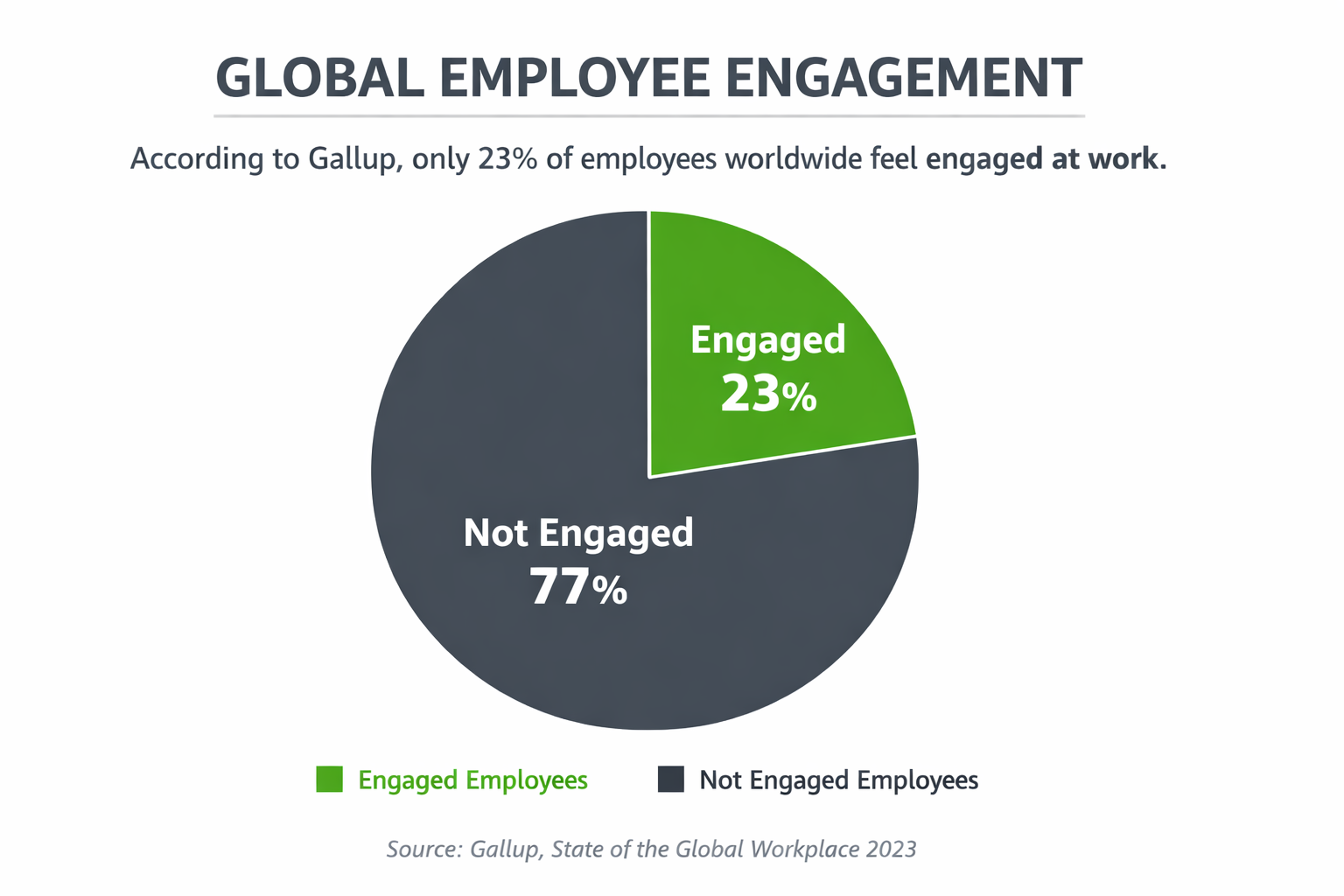
only 23% of employees worldwide feel engaged at wor
Key Takeaways You’ll Get From This Guide
- The real difference between HR as a function and HRIS as a system of record
- What HRMS actually means today and how it expands beyond basic HRIS
- How HRMS vs HCM compares in scope, complexity, and business impact
- Which HR system types fit small teams, scaling companies, and enterprises
- Why buying the wrong HR platform leads to low adoption and tool sprawl
- How to evaluate HR software based on outcomes, not vendor labels
If HR feels overloaded, fragmented, or stuck in admin mode, this guide will reset how you think about HR technology.
What Is HR (Human Resources) and What Do They Do?
To understand HRIS vs HR, you first need to be clear on one thing: HR is not software. HR is a business function. The systems came later.
So, what is human resource management and its functions?
Human Resource Management (HRM) is responsible for managing people throughout their entire lifecycle in a company — from the moment someone applies for a role to the day they leave.
At its core, HR exists to make sure the organisation has the right people, in the right roles, working in a safe, fair, and productive environment.
Typical HR responsibilities include:
- Recruiting, interviewing, and onboarding new employees
- Training and development to help people grow their skills
- Managing employee benefits such as pensions, insurance, and leave
- Supporting career progression, promotions, and pay reviews
- Running bonus and reward schemes
- Implementing and updating health and safety policies
- Managing life events like parental leave and flexible working
- Supporting sickness absence and wellbeing
- Handling exits properly, whether through resignation, retirement, or redundancy

This is where many people get confused.
When someone asks "what is HR?", they're often really thinking about the systems HR uses.
But HR existed long before any HRIS, HRMS, or HCM platforms were around. Spreadsheets, paper files, and manual processes came first. Software was introduced to support HR — not replace it.
Another key part of HR is human resource planning. So, what is human resource planning with example?
Human resource planning is about making sure the business has enough people, with the right skills, at the right time.
For example, if a company plans to open three new offices next year, HR must forecast hiring needs, plan recruitment timelines, and ensure training is ready before expansion happens.
Without proper planning, growth stalls or costs spiral.
HR often gets a bad reputation.
For some employees, "HR" brings to mind disciplinary meetings or layoffs. But in reality, HR touches almost every part of the business and affects every employee in some way. When HR works well, people feel supported, informed, and able to do their jobs properly.
Understanding HR as a function — not a tool — makes the difference between choosing the right system later on and buying software that never quite fits.
Related Guides You May Want to Read Next
This HRMS management guide is designed as a starting point. The articles below go deeper into specific areas that often require more detailed explanation.
Each guide expands on a specific topic mentioned in this article and links back here as part of a complete HRMS knowledge hub.
What Is HRIS? (Human Resource Information System)
So, what does HRIS stand for?
HRIS stands for Human Resources Information System. It's the point where HR as a function meets technology as a tool.
At a basic level, an HRIS is a central system of record for employee data. It doesn't replace HR. It supports HR by organising, storing, and protecting people information in one place.
This is where HRIS vs HR becomes clear:
- HR is the people and processes
- HRIS is the system that holds the data behind those processes
Most modern HRIS platforms create individual employee profiles that store everything related to an employee, including:
- Personal details and job information
- Payroll and compensation data
- Benefits and leave records
- Time, attendance, and scheduling
- Compliance and reporting data
Years ago, this information lived in filing cabinets, folders, and spreadsheets.
That approach was slow, risky, and expensive. Today, companies use HRIS software to run secure, paperless HR operations, reduce admin work, and protect sensitive employee data.
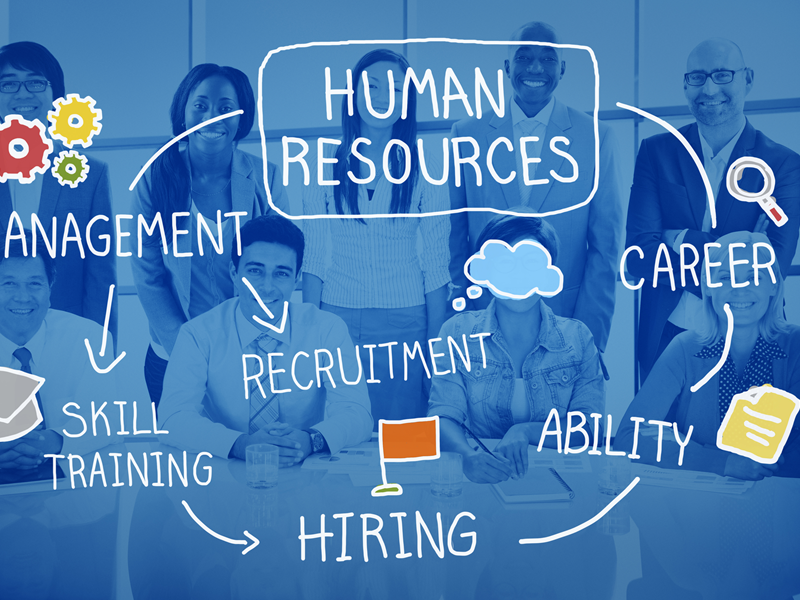
What Is HRIS
This leads to a common question: what should an HRIS system have?
While features vary by vendor, most HRIS platforms include:
- A central employee database
- Payroll and benefits administration
- Time and attendance tracking
- Compliance and reporting tools
- Role-based access and data security
Another frequent question is what are 3 different types of HRIS?
In practice, HRIS systems usually fall into three categories:
- Operational HRIS – focused on payroll, attendance, and employee records
- Tactical HRIS – supports recruiting, training, and performance tracking
- Strategic HRIS – adds workforce analytics and planning insights
People also ask what HRIS software is most popular?
Well-known examples typically include systems like Workday, ADP, BambooHR, and similar platforms, though popularity often depends on company size, region, and industry.
Small businesses tend to favour simpler HRIS tools, while large organisations adopt enterprise platforms that go beyond core HR data.
One thing to be clear about: an HRIS is sometimes loosely grouped with HRMS, but they are not the same thing. An HRIS focuses on data storage and administration.
It does not excel at talent development, engagement, or long-term people strategy. That's where HRMS and HCM systems start to come into play later in this guide.
Think of HRIS as the foundation. If the data isn't accurate, secure, and centralised, everything built on top of it eventually breaks.
What Is an HCM Solution? (Human Capital Management)
So, what is an HCM solution and what is human capital management software really about?
Human Capital Management (HCM) is the evolution of HR systems from managing records to developing people. While HRIS and HRMS focus heavily on administration and operations, HCM shifts the conversation toward long-term workforce value.
In simple terms, an HCM solution treats employees as assets to grow, not just data to manage.
That's the key difference.
An HCM system combines core HR data with tools designed to improve performance, skills, engagement, and future workforce readiness. It's not just software — it's a people strategy supported by technology.
How HCM Differs From HRIS and HRMS.This is where HCM vs HRIS becomes clear:
- HRIS answers: Who works here and what are their details?
- HRMS answers: How do we run HR processes efficiently?
- HCM answers: How do we build, retain, and grow our workforce over time?
HCM systems still rely on HRIS data, but they sit on top of it, expanding the scope from administration to optimisation.

What Is an HCM Solution
What Does Human Capital Management Software Include?
Most human capital management software platforms include advanced capabilities such as:
- Talent management (recruitment, succession planning)
- Performance management (goal tracking, reviews, feedback)
- Learning and development (training, upskilling, certifications)
- Workforce planning (forecasting skills and staffing needs)
- Analytics and insights (turnover risk, engagement trends)
These tools help organisations move from reactive HR to proactive people strategy.
Why Enterprises Prefer HCM Systems
Large and growing organisations tend to favour HCM because:
- They manage complex, global workforces
- They need visibility into future skills and capacity
- They focus on retention, leadership pipelines, and performance
- They want data-driven decisions about people, not guesswork
That's why HCM platforms are often more expensive, more complex, and more powerful than basic HRIS tools.
If HRIS is the foundation and HRMS is the engine, HCM is the roadmap — focused on where your workforce is going next, not just where it is today.
HRMS Meaning: What Is HRMS?
Let's clear this up properly, because this is where most confusion starts.
HRMS meaning is Human Resource Management System. An HRMS is software designed to manage and automate HR processes, not just store employee data.
This is the key shift.
If HRIS is about record-keeping, HRMS is about running HR operations.
How HRMS Evolved From HRISHRMS didn't appear out of nowhere. It evolved directly from HRIS.
As organisations grew, HR teams realised that simply storing employee data wasn't enough.
They needed systems that could:
- Reduce manual HR work
- Standardise HR processes
- Scale as headcount increased
So vendors expanded HRIS platforms with workflow automation, approvals, and process management. That expanded system became what we now call HRMS.
In short:
- HRIS = data and administration
- HRMS = data plus process execution
Here's the practical difference you'll feel inside a business:
- HRIS answers: "Where is the employee data?"
- HRMS answers: "How do HR processes actually run day to day?"
An HRMS typically includes:
- All core HRIS features (employee records, payroll, compliance)
- Automated onboarding and offboarding
- Leave and absence workflows
- Performance review processes
- Manager and employee self-service portals
- Policy acknowledgements and approvals
HRIS stores information.
HRMS moves work forward.
Most companies don't start with an HRMS. They grow into it.
You've likely outgrown a basic HRIS when:
- HR spends too much time chasing approvals
- Onboarding feels manual and inconsistent
- Managers rely on HR for simple updates
- Processes break as headcount increases
- Spreadsheets are still holding things together
That's when an HRMS becomes necessary. It brings structure, consistency, and scale to HR operations without jumping straight into complex enterprise HCM platforms.
An HRMS sits between HRIS and HCM. It's the operational backbone that turns HR from an admin function into a scalable business operation.
HRIS vs HRMS vs HCM: Side-by-Side Comparison (What Actually Changes)
This is the point in the article where things usually click.
Once you see these side by side, the confusion around HRIS vs HRMS vs HCM disappears.
Here's the straight comparison — no vendor fluff.
| Area | HR | HRIS | HRMS | HCM |
| What it is | A business function | A software system | A management system | A platform + people strategy |
| Primary focus | People, policy, compliance | Records & administration | HR operations & workflows | Talent, performance & growth |
| Core role | Hire, support, protect employees | Store employee data | Run HR processes | Develop and optimise workforce |
| Typical features | Policies, procedures, decision-making | Employee profiles, payroll data, reporting | Onboarding, leave, approvals, reviews | Talent management, L&D, analytics |
| Complexity level | Low | Low–medium | Medium | High |
| Best suited for | Any organisation | Small to mid-sized teams | Growing companies | Large / enterprise organisations |
Difference Between e-HRM and HRIS (And Why People Mix Them Up)
This is one of the most misunderstood areas in HR technology, so let's straighten it out properly.
The difference between e-HRM and HRIS is not about which one is "better" — it's about what role each one plays.
What e-HRM Actually Means
e-HRM stands for electronic Human Resource Management.
It's not a system in the same way HRIS is. It's a way of delivering HR services digitally.
e-HRM focuses on how HR services are provided to employees and managers using technology.
That includes:
- Online onboarding experiences
- Employee self-service portals
- Digital leave requests and approvals
- Web-based performance reviews
- Online learning and policy acknowledgements
Think of e-HRM as the front-facing experience of HR.
Why e-HRM Is About Delivery, Not Databases
Here's the key distinction most articles miss:
- HRIS is about data storage and structure
- e-HRM is about access, interaction, and delivery
e-HRM doesn't care where the data lives as long as employees and managers can use HR services easily and digitally. That's why e-HRM can exist across multiple tools — portals, intranets, mobile apps, and workflows.
In other words, e-HRM is not a database. It's a digital HR operating model.
How HRIS Supports e-HRM Initiatives
An HRIS plays a critical supporting role in e-HRM.
HRIS provides:
- Accurate employee records
- Payroll and benefits data
- Job roles, departments, and permissions
- Compliance and reporting foundations
e-HRM then surfaces and delivers that data through digital experiences.
Without a solid HRIS, e-HRM breaks down.
Employees see outdated information, workflows fail, and trust in HR systems disappears. HRIS is the backbone; e-HRM is the delivery layer built on top of it.
Common Misconceptions Cleared Up
Let's kill the confusion directly:
- e-HRM is not software → it's an approach
- HRIS is not employee experience → it's infrastructure
- You don't "buy" e-HRM → you implement it using tools
- HRIS alone does not equal e-HRM → delivery still matters
Many vendors label their platforms as "e-HRM systems," but what they're usually selling is an HRIS or HRMS with a web interface. That doesn't automatically mean e-HRM is happening in practice.
HRIS manages HR data. e-HRM determines how that HR actually shows up for employees.
If employees still rely on emails, PDFs, and manual forms, you don't have e-HRM — no matter how expensive your HR system is.
Is Oracle an HRIS System?
This is a common question, especially from teams comparing platforms and asking "is Oracle an HRIS system?" The confusion is understandable, but the label matters.
Where Oracle Fits in the HR Software Landscape
Oracle is not a simple HRIS. While it does include HRIS-style capabilities (employee records, payroll data, compliance), Oracle sits much higher up the HR software stack.
Oracle is best described as a full Human Capital Management (HCM) suite.
That means it goes far beyond storing employee information. It combines:
- Core HR data (HRIS foundations)
- HR process management (HRMS capabilities)
- Talent, performance, and workforce strategy (HCM layer)
So while an HRIS might answer "Who works here?", Oracle is designed to answer "How do we manage, develop, and plan our workforce at scale?"
Why Oracle Is Usually Classified as an HCM Suite
Oracle is classified as HCM because its primary focus is enterprise workforce management, not just HR administration.
Typical Oracle HCM capabilities include:
- Core HR and global employee records
- Payroll and benefits across multiple regions
- Talent acquisition and recruitment
- Performance and goal management
- Learning and development
- Workforce analytics and planning
This is why Oracle is often compared to platforms like Workday, not lightweight HRIS tools. It's built for complex organisations with global operations, layered permissions, and advanced reporting needs.
Calling Oracle "just an HRIS" seriously undersells what it does.
When Oracle Makes Sense (And When It Doesn't)
Oracle makes sense if:
- You're a large or enterprise organisation
- You operate across multiple countries
- You need advanced workforce analytics
- You have the budget and IT resources to support it
Oracle usually does not make sense if:
- You're a small or mid-sized business
- You mainly need core HR records and workflows
- You want fast rollout and simple adoption
- You don't need deep enterprise-level configuration
This is where many companies go wrong.
They buy enterprise HCM platforms like Oracle too early, then struggle with low adoption, high costs, and systems that feel heavy for everyday HR work.
Oracle includes HRIS functionality, but it is not an HRIS system. It's a full HCM platform designed for scale, complexity, and long-term workforce strategy.
Which One Do You Actually Need? (A Practical Decision Guide)
This is the question that really matters.
Not what vendors call their software, but what your organisation actually needs right now.
Most HR tech mistakes happen when companies buy for where they hope to be, not where they are.
If You're a Small Team → Start With HRIS
If you're a small or early-stage organisation, an HRIS is usually enough.
At this stage, your priorities are simple:
- Keeping employee records accurate
- Running payroll and benefits smoothly
- Staying compliant
- Reducing basic admin work
An HRIS gives you structure without complexity. It creates a clean, central source of truth for employee data without overwhelming your team with features you won't use.
Buying anything bigger at this point usually leads to wasted spend and low adoption.
If You're Scaling Fast → You Need HRMS
If headcount is growing and HR feels stretched, you've probably outgrown a basic HRIS.
This is where HRMS makes sense.
HRMS is built for:
- Automated onboarding and offboarding
- Consistent HR processes across teams
- Self-service for managers and employees
- Fewer manual handovers and follow-ups
When companies scale without HRMS, HR becomes a bottleneck.
Processes break, approvals get missed, and spreadsheets quietly creep back in. HRMS adds operational muscle without jumping straight into enterprise complexity.
If You're Enterprise or Global → HCM Fits
If you're managing a large, complex workforce — especially across regions — HCM is usually the right fit.
HCM platforms are designed for:
- Talent management and succession planning
- Performance and goal alignment at scale
- Learning, upskilling, and workforce planning
- Deep analytics and long-term people strategy
At this level, HR isn't just support. It's a strategic function, and HCM systems are built to support that role.
Why Buying "Too Much HR Software" Backfires
Here's the uncomfortable truth:
More HR software doesn't mean better HR.
Buying an enterprise HCM too early often results in:
- Low employee and manager adoption
- Over-customised, hard-to-use systems
- Long implementation timelines
- High ongoing costs with little ROI
HR tech should grow with your organisation, not outpace it.
The smartest approach is progressive:
- Build a solid HRIS foundation
- Add HRMS when operations demand it
- Move to HCM only when people strategy becomes central
If your HR system feels heavy, slow, or underused, it's usually a sign you've bought more than you need — not less.
Common Mistakes Companies Make When Choosing HR Software
This is where a lot of HR technology decisions quietly go wrong.
Not because the software is "bad," but because the buying logic is flawed from the start.
Here are the mistakes that show up again and again.
Buying Based on Buzzwords Instead of Real Needs
Too many organisations buy HR software based on labels like AI-powered, enterprise-grade, or all-in-one without mapping those claims to real problems.
Vendors sell futures. HR teams live in the present.
If your core issue is messy onboarding or scattered employee records, buying a heavyweight HCM platform won't magically fix that. It usually adds complexity before fundamentals are in place.
The result is shelfware — expensive tools that look good in demos but don't get used day to day.
Good HR systems solve today's pain points first, not hypothetical ones.
Confusing Compliance Tools With Engagement Tools
This is a big one.
Compliance-focused tools exist to protect the business.
Engagement-focused tools exist to support employees.
They are not the same thing.
Many companies assume that once payroll, policies, and audits are handled, engagement will follow automatically. It doesn't. Employees don't feel engaged because compliance is efficient. They feel engaged because communication is clear, feedback is easy, and tools fit into how they work.
When compliance systems are mistaken for engagement platforms, employees disengage quietly while HR assumes the tech is "doing its job."
Ignoring Employee Experience Altogether
HR software often gets selected by HR and IT, then handed to employees with no real consideration for usability.
If employees:
- Need training just to book leave
- Avoid logging in unless forced
- Rely on email instead of the system
Then the software has already failed, regardless of its feature list.
Employee experience isn't a "nice to have." It directly affects adoption, data accuracy, and trust in HR systems. If people don't want to use the tool, they won't — and HR ends up back in spreadsheets.
Forgetting Integration With Intranets and Digital Workplaces
HR software doesn't live in isolation. Or at least, it shouldn't.
One of the most common mistakes is choosing an HR system that doesn't integrate with:
- Intranets
- Employee portals
- Communication platforms
- Collaboration tools
This creates fragmented experiences where HR data lives in one place, communication lives in another, and employees bounce between systems all day.
Modern employees expect HR tasks, updates, policies, and people information to connect seamlessly with their daily digital workspace. When HR systems sit outside that flow, adoption drops and confusion grows.
The pattern is simple:
When HR software is bought in isolation, it creates silos.
When it's chosen as part of a wider digital workplace, it actually works.
Most HR software failures aren't technical. They're decision failures made early — long before implementation ever starts.
How Modern Digital Workplaces Fit Alongside HR Systems (And Why It Matters)
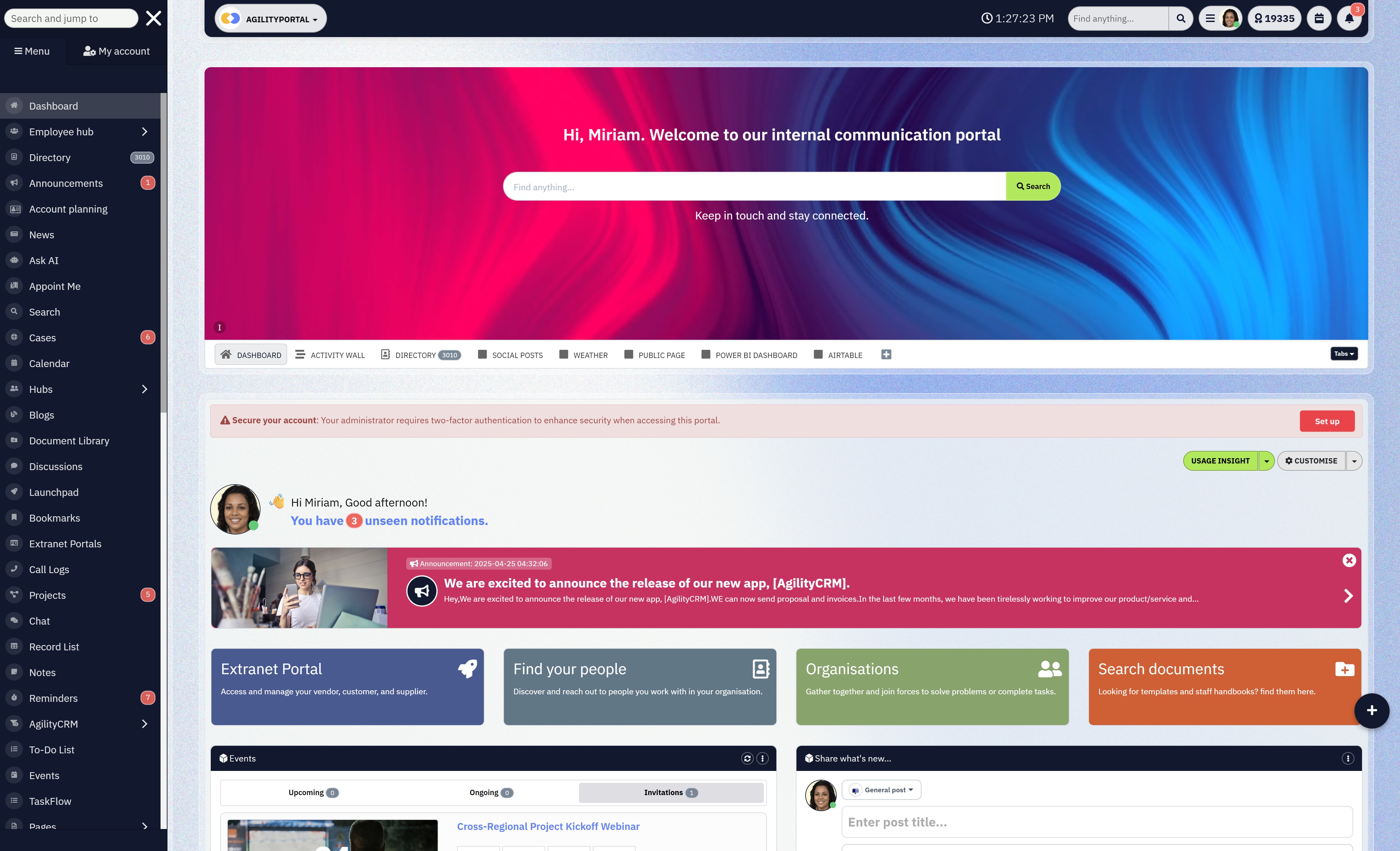
How Modern Digital Workplaces Fit Alongside HR Systems
Here's the uncomfortable truth most vendors won't say out loud:
HR systems alone do not fix communication, alignment, or engagement.
HRIS, HRMS, and even HCM platforms are excellent at managing people data and HR processes. But they are not designed to be the place where work actually happens day to day.
That gap is where modern digital workplaces come in.
Why HR Systems Alone Don't Fix Communication
HR systems are transactional by nature.
Employees log in to:
- Request leave
- Update personal details
- Complete reviews
- Read mandatory policies
That's it.
They're not built for ongoing communication, collaboration, or culture.
So when companies rely on HR systems to "engage employees," they end up disappointed.
Engagement drops, messages get missed, and HR wonders why adoption is low even though the system is technically "working."
The issue isn't the HR system.
It's asking it to do a job it was never designed to do.
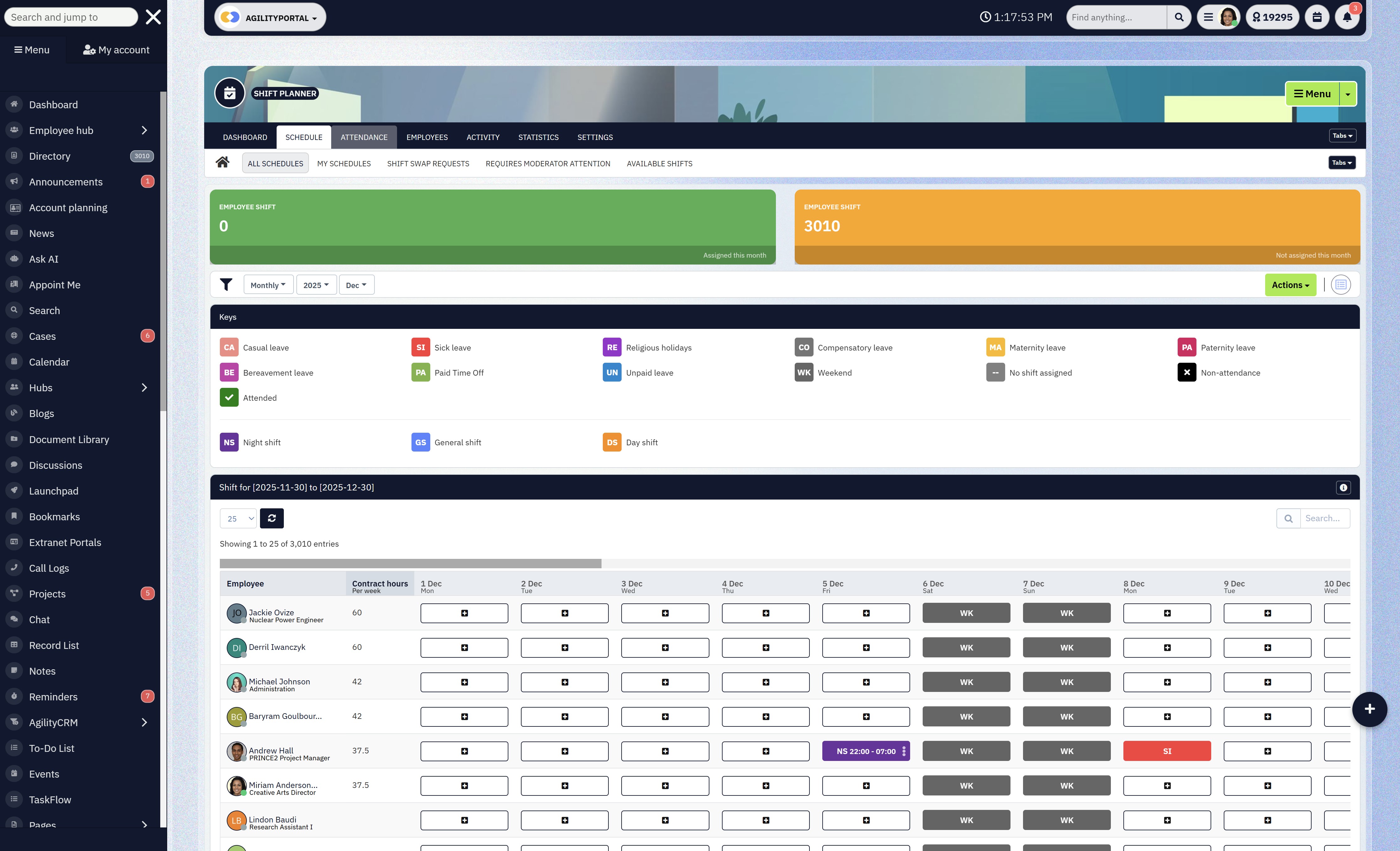
Where Intranets, Employee Portals, and Collaboration Tools Sit
This is where digital workplace platforms earn their place.
Intranets and employee portals sit alongside HR systems, not on top of them.
They handle:
- Company-wide communication and updates
- Team collaboration and shared knowledge
- Easy access to policies, people, and resources
- Day-to-day employee experience
Think of it like this:
- HR systems manage the rules and records
- Digital workplaces manage the daily reality of work
When these are disconnected, employees bounce between tools and disengage. When they're connected, everything feels simpler and more intentional.

Where Intranets, Employee Portals, and Collaboration Tools Sit
How HR Data and Employee Experience Platforms Work Together
The strongest setups don't replace HR systems — they connect to them.
HR data (roles, departments, locations, managers) becomes the intelligence layer that powers:
- Targeted communication
- Personalised employee experiences
- Smarter onboarding and updates
- Relevant content delivered to the right people
This is where platforms like AgilityPortal come into play — acting as the employee-facing layer that brings HR data, communication, and collaboration together in one place.
HR keeps control of data and compliance.
Employees get a workspace they actually want to use.
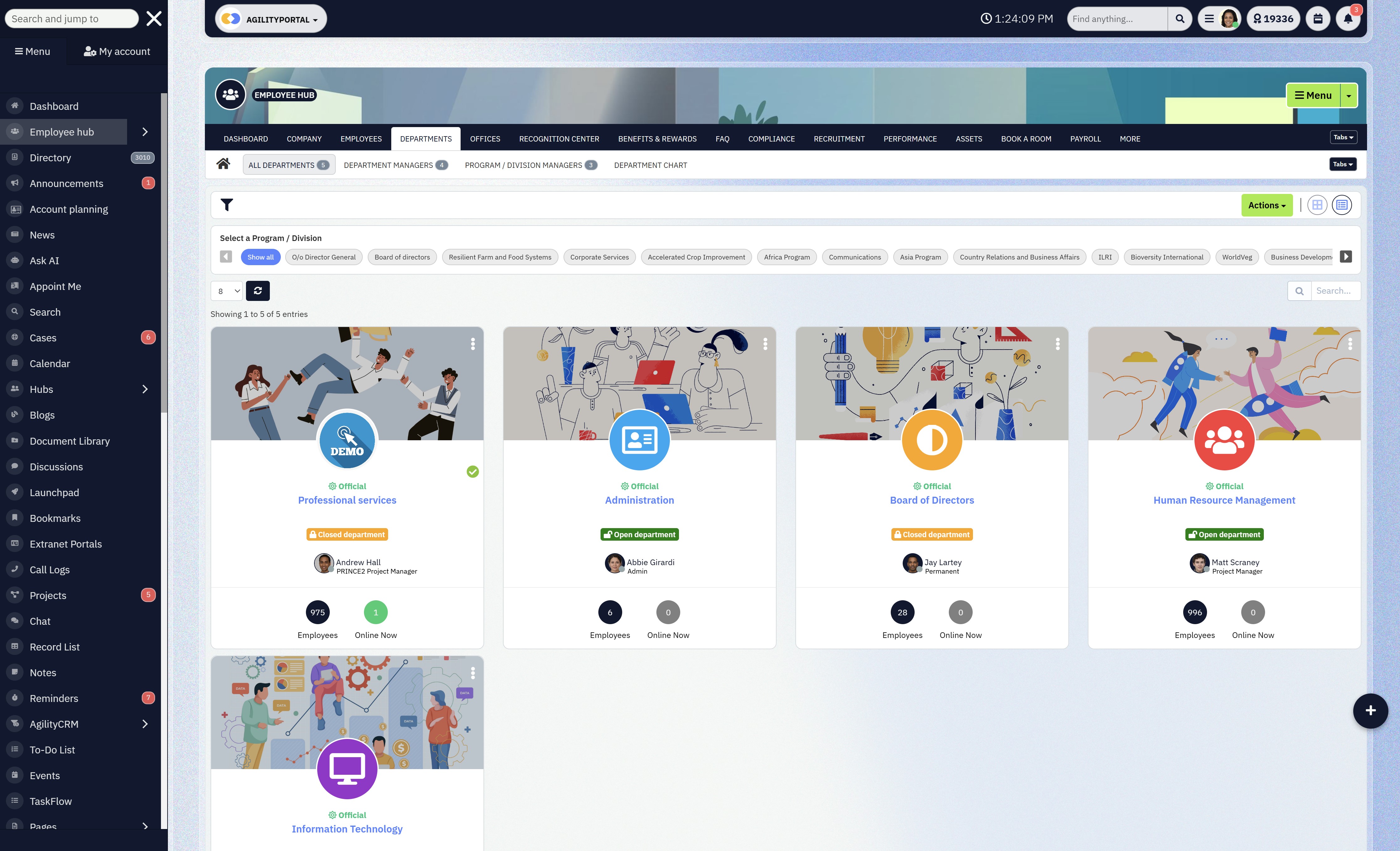
How HR Data and Employee Experience Platforms Work Together
Call to Action: Stop Treating HR Tech as a Single Tool
If your HR system feels heavy, fragmented, or invisible to employees, the problem isn't HR — it's the lack of a connected digital workplace.
Before buying more HR software, ask yourself:
- Where do employees actually go to get work done?
- Where do company updates live?
- How easily can people find policies, colleagues, and information?
If those answers point to multiple disconnected tools, it's time to rethink the setup.
HR systems manage people.
Digital workplaces engage them.
When you bring the two together, HR finally stops firefighting — and starts working strategically.
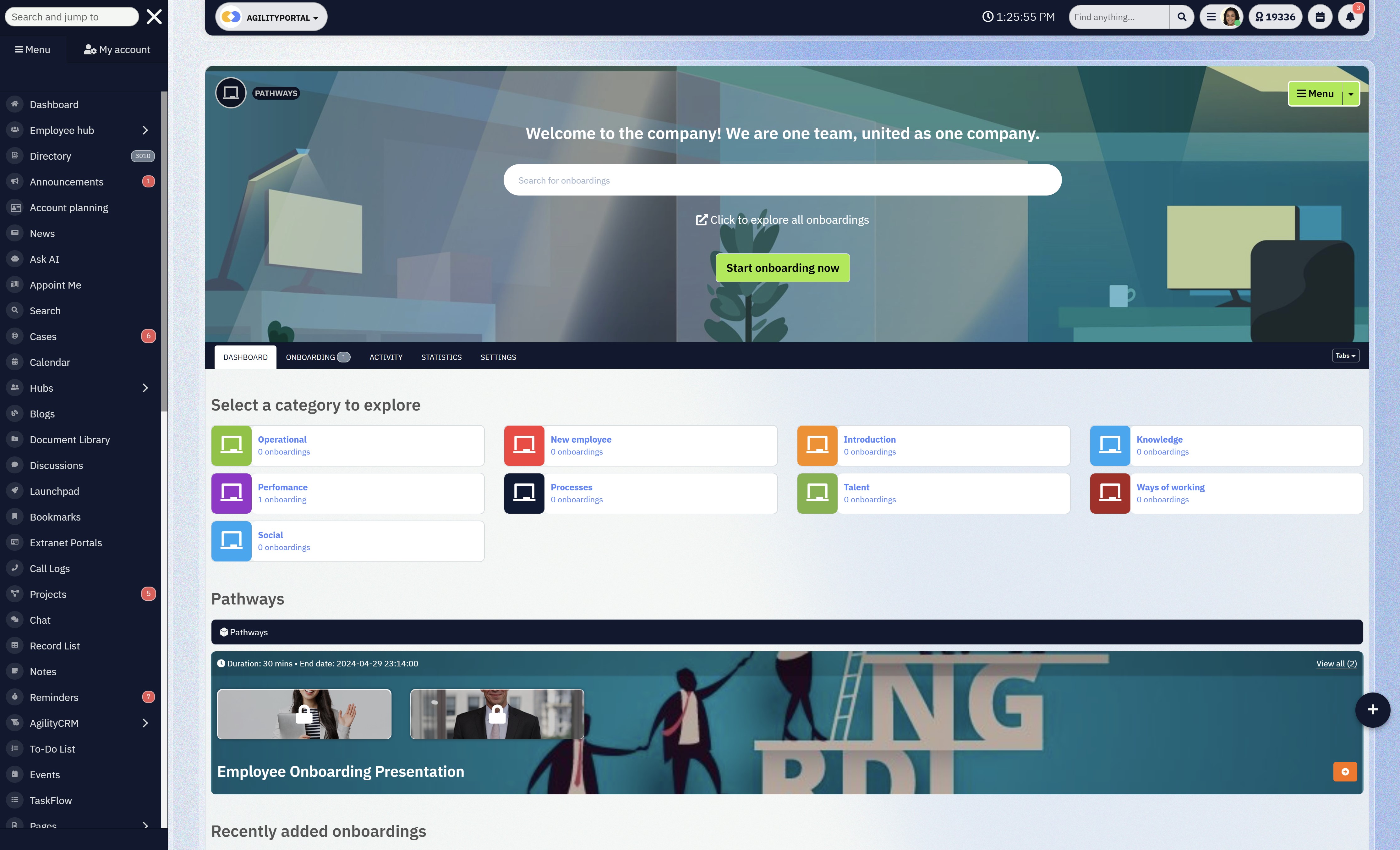
Stop Treating HR Tech as a Single Tool
Final Takeaway: Stop Chasing Acronyms, Start Solving Problems
At this point, the labels shouldn't matter anymore — because the pattern is clear.
- HR is the job - It's the function responsible for people, policies, compliance, and culture. Software supports HR, but it never replaces it.
- HRIS stores data - It's your system of record. Accurate employee information, payroll data, and compliance live here. If this foundation is weak, everything built on top of it eventually cracks.
- HRMS manages processes - This is where HR work actually flows. Onboarding, approvals, reviews, and self-service move from manual effort to structured, repeatable operations.
- HCM develops people - HCM focuses on growth — performance, learning, succession, and long-term workforce planning. It's strategic by design, not administrative.
- The "best" system depends on the problem you're solving - Not your company size alone. Not vendor hype. Not what sounds most advanced.
If your problem is messy records, you need HRIS.
If your problem is broken processes, you need HRMS.
If your problem is retention, performance, and future skills, you need HCM.
Most HR tech failures happen because organisations chase acronyms instead of fixing real pain points.
The smartest teams start with clarity, build progressively, and choose systems that match their reality — not their ambition slide deck.
Solve the problem first.
The right HR system becomes obvious after that.
Frequently Asked Questions (FAQ)
What is human capital management software?
Human capital management software is a category of HR technology designed to manage, develop, and optimise a company's workforce.
Unlike basic HRIS tools that focus on employee records, HCM software includes talent management, performance management, learning and development, workforce planning, and analytics.
Its goal is not just to manage employees, but to improve long-term business performance through people.
What is an HCM solution?
An HCM solution is an integrated platform that combines core HR data with tools for hiring, performance, learning, compensation, and workforce analytics.
HCM solutions are commonly used by mid-to-large organisations that need visibility into skills, productivity, and future workforce needs.
What does HCM stand for in Workday?
In Workday, HCM stands for Human Capital Management.
Workday HCM refers to the full suite of people management tools offered by Workday, including core HR, payroll, talent management, and analytics.
What is Workday HCM?
Workday HCM is a cloud-based human capital management platform used by medium and large organisations.
It combines core HR, talent management, workforce planning, and analytics in a single system.
It is often chosen by enterprises looking to replace multiple legacy HR systems.
What is Workday Core HCM?
Workday Core HCM is the foundational module within Workday HCM.
It focuses on employee records, organisational structure, job roles, compensation data, and reporting.
Other Workday modules, such as payroll and talent management, build on top of Core HCM.
What is included in Workday HCM?
Workday HCM typically includes:
- Core HR and employee records
- Organisational management
- Talent acquisition and performance management
- Learning and development
- Workforce analytics and reporting
Exact features vary depending on modules purchased.
What is PeopleSoft HCM?
PeopleSoft HCM is an enterprise human capital management system originally developed by PeopleSoft and later acquired by Oracle.
It is widely used by large organisations, universities, and government bodies for HR, payroll, and workforce administration.
What is PeopleSoft HCM used for?
PeopleSoft HCM is used for managing employee data, payroll, benefits, recruiting, and compliance at scale.
It is especially common in public sector and highly regulated environments where stability and long-term system support matter.
What is PeopleSoft HRMS?
PeopleSoft HRMS refers to the HR management components within the broader PeopleSoft suite.
While often used interchangeably with PeopleSoft HCM, HRMS typically focuses more on HR operations and administration rather than talent strategy.
What is SAP HR?
SAP HR is the human resources functionality within SAP's enterprise software ecosystem.
It historically referred to SAP's on-premise HR modules before the shift toward SAP HCM and cloud-based solutions.
What is SAP HCM?
SAP HCM (Human Capital Management) is SAP's HR platform used to manage employee data, payroll, time management, and talent processes.
It has been widely adopted by large enterprises with complex HR needs.
What does SAP HCM stand for?
SAP HCM stands for SAP Human Capital Management.
It reflects SAP's approach to managing the full employee lifecycle, from hiring to retirement.
What is SAP human capital management?
SAP human capital management refers to SAP's suite of tools for managing workforce data, payroll, talent, and compliance.
Many organisations are now transitioning from SAP HCM to SAP SuccessFactors, SAP's cloud-based HCM platform.
What is SAP human resources?
SAP human resources is a general term used to describe SAP's HR capabilities, including SAP HCM and SAP SuccessFactors.
It is not a single product, but a category within SAP's enterprise software offerings.
What is SAP HCM payroll?
SAP HCM payroll is the payroll module within SAP HCM.
It handles salary calculations, tax deductions, statutory reporting, and compliance across different countries and regulations.
What is HCM Oracle?
Oracle HCM (often called Oracle Cloud HCM) is Oracle's cloud-based human capital management platform.
It includes core HR, payroll, talent management, and workforce analytics and is designed for enterprise-scale organisations.
What is Oracle Cloud HCM?
Oracle Cloud HCM is Oracle's modern replacement for older on-premise HR systems like PeopleSoft.
It delivers HR, payroll, and talent management through a unified cloud platform.
What is ADP Vantage?
ADP Vantage is an enterprise-level HR and payroll solution from ADP designed for large organisations.
It focuses on payroll processing, workforce management, and compliance, often alongside other HR or HCM platforms.
What is a SAP HCM consultant?
A SAP HCM consultant is a specialist who implements, configures, and maintains SAP HCM systems.
They help organisations align SAP HR technology with business processes, payroll rules, and regulatory requirements.
Most Popular Posts

Effective communication among team members is vital for the productivity and success of any organization. Surprisingly, 60% of companies lack a long-term internal communication strategy, which p...


Businesses thrive on communication for efficiency, productivity and accomplishment. When the right information is passed from the right designation in the organization, it promotes positivity an...

Categories
Blog
(3196)
Business Management
(395)
Employee Engagement
(235)
Digital Transformation
(218)
Growth
(150)
Intranets
(141)
Internal communications
(106)
Remote Work
(68)
Sales
(53)
Collaboration
(52)
Customer Experience
(32)
Culture
(30)
Knowledge Management
(29)
Project management
(29)
Leadership
(20)
Comparisons
(9)
News
(1)

Related Posts

Could AI produce your next workplace video faster—and still deliver a message your employees can trust? As more businesses use video for onboarding, training and leadership updates, one question keeps coming up: will AI replace video editors in...

Could the best machine learning systems help your employees spend less time sorting requests, updating spreadsheets and chasing information—and more time doing useful work? That's the opportunity, but finding the right system starts with knowin...

What would happen to your team's work and customer information if an employee's MacBook disappeared today? If you're wondering how to protect your Mac physically, the answer goes beyond buying a case. A MacBook used at home, on a train or in a ...

Welcome to AgilityPortal's guide to the best VPN for Remote teams. How do you give employees secure access to company systems when they work from home, the office and everywhere in between? It's a question more businesses need to answer: 28% of worki...

Have you ever left a meeting thinking everyone agreed on the next step, only to discover a week later that each person remembered something different? Open source meeting transcription can help teams keep a searchable record of the conversation...


Jill Romford
I am a digital nomad, lover of exploring new places and making friends.
I love to travel and I love the internet. I take pictures of my travels and share them on the internet using Instagram.
Traveler, entrepreneur, and community builder. I share my insights on digital marketing and social media while inspiring you to live your fullest life.
Ready to learn more? 👍
One platform to optimize, manage and track all of your teams. Your new digital workplace is a click away. 🚀
Free for 14 days, no credit card required.