
Insight Blog
Agility’s perspectives on transforming the employee's experience throughout remote transformation using connected enterprise tools.
43 minutes reading time
(8557 words)
Comparing 10 Digital Workspace Software and Applications How to Choose For Modern Teams

Comparing 10 Digital Workspace Software and Applications How to Choose For Modern Teams
Digital workplace apps unify communication, documents, tasks and engagement to reduce tool sprawl, boost productivity and improve team alignment.
Comparing 10 Digital Workspace Software and Applications How to Choose For Modern Teams

Here's a common conundrum almost every growing company faces.
Your team is working harder than ever.
You're paying for Slack, Microsoft 365, maybe a project tool, maybe an intranet, maybe Google Drive. Notifications are flying. Documents are duplicated. People are asking the same questions in five different channels. And yet… productivity still feels messy.
Sound familiar?
This is exactly why comparing digital workspace software and applications is no longer optional.
The modern digital work space is supposed to simplify operations, not multiply tools. But many organizations end up with fragmented systems that create more confusion than clarity.
And the cost of choosing the wrong platform is not small.
Research from McKinsey shows employees spend up to 20–25% of their workweek searching for information or clarifying context. That's basically one full day every week lost to inefficiency.
Even more concerning, studies consistently report that over 70% of workplace transformation initiatives underperform, largely due to poor alignment and tool fragmentation rather than lack of effort.
That's not a people problem. It's a systems problem.
Modern teams don't just need chat. They don't just need file storage.
They don't just need task tracking.
They need integrated digital workspace solutions that bring communication, documents, visibility, engagement, and governance into one structured environment.
25%
of the workweek
According to McKinsey, employees can spend up to 20–25% of their workweek searching for information or clarifying context — roughly one full day every week lost to inefficiency.
Source: McKinsey Global Institute
70%+
underperform
Even more concerning, studies consistently report that over 70% of workplace initiatives underperform — often due to misalignment, poor coordination, and execution gaps rather than lack of effort.
Source: Industry studies and change management research

That's not a people problem. It's a systems problem.
Modern teams don't just need chat. They don't just need file storage. They don't just need task tracking.
They need integrated digital workspace solutions that bring communication, documents, visibility, engagement, and governance into one structured environment.
A true digital work space should:
- Reduce tool sprawl
- Centralize knowledge
- Improve cross-team visibility
- Support hybrid and frontline workers
- Provide measurable adoption and engagement data
- Scale as the organization grows
If your platform doesn't do those things, it's not a digital workspace solution. It's just another app.
This guide is built for decision-makers who can't afford to get this wrong — HR leaders trying to improve engagement, IT teams managing governance and security, Operations leaders demanding visibility, Internal Comms teams fighting information overload, and CEOs looking for productivity without chaos.
And because this is a top article, it connects to deeper comparisons you'll want to explore next — Slack versus digital workplace platforms, SharePoint alternatives, intranet software for frontline teams, and enterprise collaboration tools that actually scale.
If you're serious about building a digital work space that works for modern teams, not against them, this is where you start.
Key Takeaways: Comparing Digital Workspace Software for Modern Teams
- Most digital workplace tools specialize in one function — messaging, documents, or tasks — but few operate as a complete digital workplace platform.
- Feature lists don’t guarantee results; evaluate platforms based on alignment, governance, and long-term scalability, not surface-level capabilities.
- Employees lose up to 20–25% of their workweek searching for information — fragmentation is a systems problem, not a people problem.
- Over 70% of workplace initiatives underperform due to poor coordination and misalignment, highlighting the need for unified digital workspace solutions.
- All-in-one platforms reduce tool sprawl, improve visibility, and centralize communication, documents, and task tracking.
- The right decision depends on workforce structure — hybrid teams, frontline staff, and enterprises all require different levels of control and mobility.
1,000+
cloud apps per enterprise
According to Gartner, the average enterprise now uses over 1,000 cloud applications, with nearly 70% introduced without IT approval.
Source: Gartner
What Is Digital Workspace Software
Most teams don't wake up one day and decide they need "another system." It usually happens gradually.
A chat tool here. A file-sharing app there. A project board added later. Before long, you've built a stack of disconnected tools that technically work — but don't work well together.
That's where digital workspace software comes in.
At its core, digital workspace software is the structured environment where employees communicate, collaborate, access information, complete work, and stay aligned — all in one connected system.
It's designed to reduce friction between people, processes, and information.
But here's where confusion starts.
Collaboration Tools vs Full Digital Workplace Platforms
Collaboration tools focus on a single function. Messaging. Video calls. Task tracking. File storage. They solve one piece of the puzzle.
A digital workplace platform, on the other hand, brings those functions together into a unified framework.
Instead of jumping between apps, teams operate within a centralized environment designed for communication, knowledge management, engagement, governance, and operational visibility.
Think of it like this:
- Collaboration tool = a feature
- Digital workplace platform = the ecosystem
This distinction matters. Many organizations believe they have a digital workplace because they use chat and cloud storage.
In reality, they've adopted digital workplace tools — not an integrated workplace strategy.
The Evolution From Intranet to Unified Workspace
The journey typically looks like this:
- Traditional Intranet - Static pages, document repositories, HR announcements. Limited interaction. Poor adoption.
- Collaboration Suite Era - Chat platforms, file-sharing tools, project boards. Improved speed, but increased tool sprawl.
- Unified Workspace Model - Integrated communication, structured knowledge, analytics, engagement layers, dashboards, mobile-first access, and governance built in.
Modern digital workplace companies now design platforms around employee experience, visibility, and measurable outcomes — not just messaging.
Key Components of a Modern Digital Workspace
A true digital workplace platform typically includes:
- Communication - Channels, announcements, direct messaging, and structured conversations that reduce noise and improve clarity.
- Document Management - Centralized file storage with permissions, version control, and searchable knowledge bases.
- Task and Project Visibility - Dashboards, timelines, and accountability tracking so work doesn't disappear into chat threads.
- Employee Engagement - Pulse surveys, recognition systems, activity feeds, and feedback loops to measure sentiment and adoption.
- Integrations - Connections with HR systems, CRM, payroll, calendar tools, cloud storage, and other operational systems.
- Security and Governance - Role-based permissions, audit trails, compliance controls, and enterprise-grade protection.
Without these elements working together, organizations end up with fragmented digital workplace tools that increase complexity instead of reducing it.
If you want to go deeper into the broader concept, explore:
- What Is a Digital Workplace
- Digital Workplace vs Intranet
Because understanding the structure behind the software is what prevents expensive mistakes later.
Related Digital Workplace Guides You Should Explore Next
If you're comparing digital workspace software and digital workplace platforms, the guides below go deeper into specific tools, strategies, and solutions to help you make a confident decision.
- Digital Workplace Platforms: What to Look for Before You Invest
- Digital Workspace Solutions That Actually Improve Productivity
- Digital Workplace Tools Examples for Modern Organizations
- Top 10 Remote Collaboration Tools for Distributed Teams
- Enterprise Digital Workplace Software Overview
- Digital Workplace Services: Implementation and Strategy Guide
Why Most Teams Choose the Wrong Platform
Let's be honest. Most companies don't fail because they picked a "bad" platform. They fail because they picked the wrong one for their reality.
And the painful part? You usually don't realize it until six months later — when adoption is low, people are still using side tools, and leadership is asking why productivity hasn't improved.
Choosing the wrong digital workplace platform doesn't just waste budget. It creates hidden operational drag that compounds over time.
Here's where teams typically go wrong.
Buying Based on Popularity Instead of Fit
It's easy to assume that if a platform is widely used, it must be right for you.
But popularity doesn't equal alignment.
A tool built for tech startups may not work for a regulated enterprise. A platform optimized for office-based teams may completely fail frontline workers. A system that works for 50 employees can collapse under 1,000.
Many digital workplace companies market broad appeal. The real question is whether the system fits your structure, compliance needs, communication style, and workforce type.
Buying based on brand recognition instead of operational requirements is one of the fastest ways to regret the decision.
Over-Indexing on Chat Instead of Workflow
Chat feels productive. It's fast. It's visible. It creates activity.
But activity is not the same as structured work.
Many organizations mistake messaging platforms for full digital workplace tools. Conversations explode across channels, decisions get buried, and critical files disappear into threads.
Without structured workflows, dashboards, and centralized documentation, chat becomes noise.
A strong digital workplace platform should support communication — but it should also anchor work, not scatter it.
Ignoring Frontline Worker Requirements
This one is expensive.
If your organization includes frontline, deskless, shift-based, or field employees, and your platform is built primarily for desk workers, you've already created a gap.
Frontline teams need:
- Mobile-first access
- Simple navigation
- Multi-language support
- Offline capabilities
- Quick login methods
If those are missing, adoption collapses outside headquarters.
And when adoption collapses, your digital work space becomes a partial system — not an organizational backbone.
Not Thinking About Scale and Governance
Many platforms work beautifully at small scale.
Then complexity hits.
More departments. More permissions. More compliance rules. More integrations. More data.
Without governance controls, role-based dashboards, audit visibility, and structured permissions, the platform turns into digital clutter.
A modern digital workplace platform must scale operationally, not just technically.
Ask yourself:
- Can permissions be controlled at department level?
- Can dashboards vary by role?
- Can audit trails support compliance?
- Can the system grow without creating chaos?
If the answer is unclear, that's a risk.
Underestimating Adoption Challenges
Technology does not automatically change behavior.
You can deploy the best digital workplace tools available, but if onboarding is weak, UX is confusing, or leadership doesn't model usage, adoption stalls.
And stalled adoption is worse than no platform at all — because now you're paying for a system people ignore.
Adoption should be engineered:
- Clear rollout strategy
- Leadership sponsorship
- Training and onboarding
- Measurable engagement tracking
Without this, even strong digital workplace companies can fail in execution.
The numbers are sobering.
Research shows employees spend 20 to 25 percent of their workweek searching for information or clarifying context. That's roughly one full day per week lost to inefficiency.
Add to that the impact of tool sprawl. Multiple disconnected apps increase switching time, duplicate content, misalignment, and communication breakdowns. Every extra system adds cognitive load.
And remember, studies consistently report that over 70 percent of workplace transformation initiatives underperform, often due to misalignment and execution gaps rather than technical limitations.
That means the risk isn't theoretical. It's measurable.
When companies choose the wrong platform, they don't just lose software spend.
They lose:
- Productivity
- Clarity
- Employee engagement
- Trust in leadership decisions
And once that trust is lost, the next rollout becomes even harder.
That's why comparing digital workplace tools carefully — beyond feature lists — is one of the most important operational decisions modern teams make.
Key Takeaways
- Enterprise collaboration software must reduce security, compliance, and operational risk as teams scale, not introduce new blind spots.
- Disconnected tools create hidden productivity loss, with employees spending significant time searching for information across systems.
- A true business collaboration platform connects communication, documents, tasks, and context in one governed environment.
- Advanced capabilities like contextual search, analytics, mobile access, and role-based permissions separate platforms from basic tools.
- Enterprises outgrow standalone collaboration tools quickly; long-term success depends on governance, adoption, and scalability.
Comparing 10 Best Digital Workspace Software and Applications
If you're serious about choosing the right system, you can't just skim feature pages.
You need to understand positioning, strengths, weaknesses, and who each platform is actually built for.
Below is a structured breakdown of 10 leading digital workplace platforms and digital workplace tools — followed by a side-by-side comparison table to make decision-making easier.
Side-by-Side Comparison Table
| Platform | All-in-One Digital Workplace | Communication | Documents | Engagement | Task | Governance | Mobile Support |
| AgilityPortal | ✅ | ✅ | ✅ | ✅ | ✅ | ✅ | ✅ |
| Microsoft Teams | ❌ | ✅ | ✅ | ✅ | ✅ | ✅ | ✅ |
| MangoApps | ✅ | ✅ | ✅ | ✅ | ✅ | ✅ | ✅ |
| ClickUp | ❌ | ✅ | ✅ | ✅ | ✅ | ❌ | ✅ |
| Notion | ❌ | ✅ | ✅ | ✅ | ✅ | ❌ | ✅ |
| Google Workspace | ❌ | ✅ | ✅ | ❌ | ❌ | ❌ | ✅ |
| Slack | ❌ | ✅ | ❌ | ❌ | ❌ | ❌ | ✅ |
| SharePoint | ❌ | ❌ | ✅ | ❌ | ❌ | ✅ | ❌ |
| Asana | ❌ | ❌ | ❌ | ✅ | ✅ | ❌ | ✅ |
| Monday.com | ❌ | ❌ | ❌ | ✅ | ✅ | ❌ | ✅ |
10 Best Digital Workspace Software and Applications
#1. AgilityPortal
#1. AgilityPortal
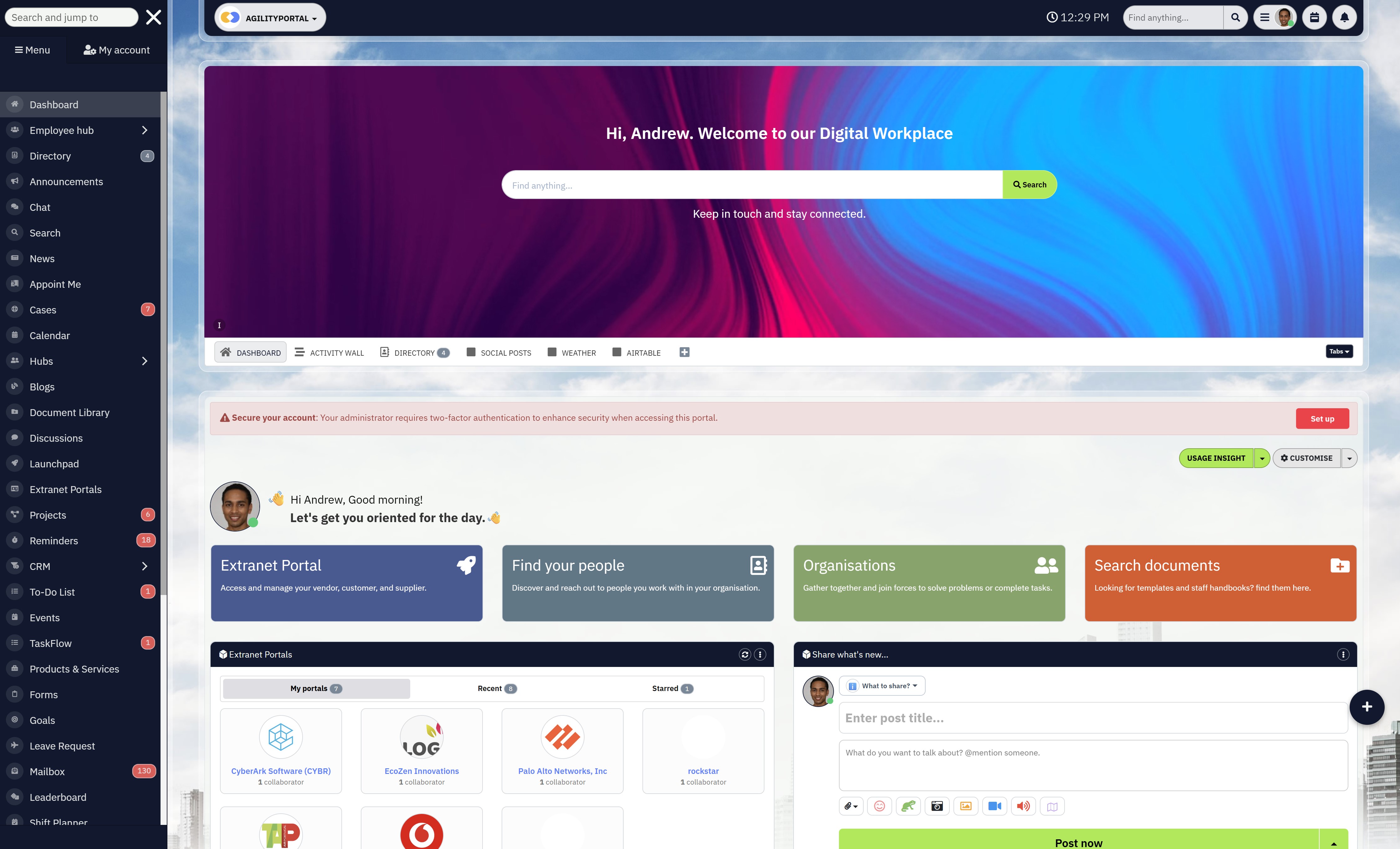
A modern digital workplace platform designed to unify communication, collaboration, engagement, and document management in one structured environment.
AgilityPortal is a unified digital workplace solution built for hybrid, remote, and frontline teams that need more than just chat.
It combines internal communication tools, document and file sharing, task management, engagement analytics, and governance controls into one connected platform.
Instead of stitching together multiple digital workplace tools, organizations can operate inside one centralized system designed for visibility, alignment, and adoption.
Best For- Hybrid organizations
- Frontline and deskless teams
- Mid-sized to enterprise companies
- Organizations replacing fragmented collaboration tools
- Companies looking for structured digital workplace solutions rather than isolated apps
- Unified internal communication hub (Voice and Video, and Chat)
- Document management with structured permissions
- Employee engagement analytics and pulse surveys
- Task and project visibility dashboards
- Mobile-first access for distributed teams
- Governance controls and role-based access
- Collaborate with Partners adn Customers
- Built to reduce tool sprawl
AgilityPortal operates as a complete digital workspace software solution rather than a single-purpose collaboration tool.
Limitations- Requires structured onboarding for maximum adoption
- Organizations heavily locked into a single ecosystem (e.g., full Microsoft stack dependency) may need integration planning
- Competitive SaaS pricing designed for growing organizations. Positioned for companies that want enterprise capability without enterprise complexity.
- 50 to 5,000+ employees.
If you haven't already explored AgilityPortal, it may be time.
This unified digital workplace platform covers everything modern teams need — communication, collaboration, engagement, governance, and visibility — without forcing employees to jump between disconnected apps.
Powerful task management features help teams track projects clearly, while engagement tools like recognition systems, pulse surveys, and analytics give leadership measurable insight into adoption and sentiment.
You'll never be disconnected from your team. With messaging, announcements, shared calendars, document libraries, and mobile access built in, teams can collaborate across offices, time zones, and field locations.
There is no need to rely on multiple systems when one digital workplace solution can bring everything together. Secure cloud-based document management ensures version control and accessibility, while structured dashboards help departments focus on what matters most.
All your digital workplace tools in one place — designed for clarity, scale, and real adoption.
#2. Microsoft Teams
#2. Microsoft Teams
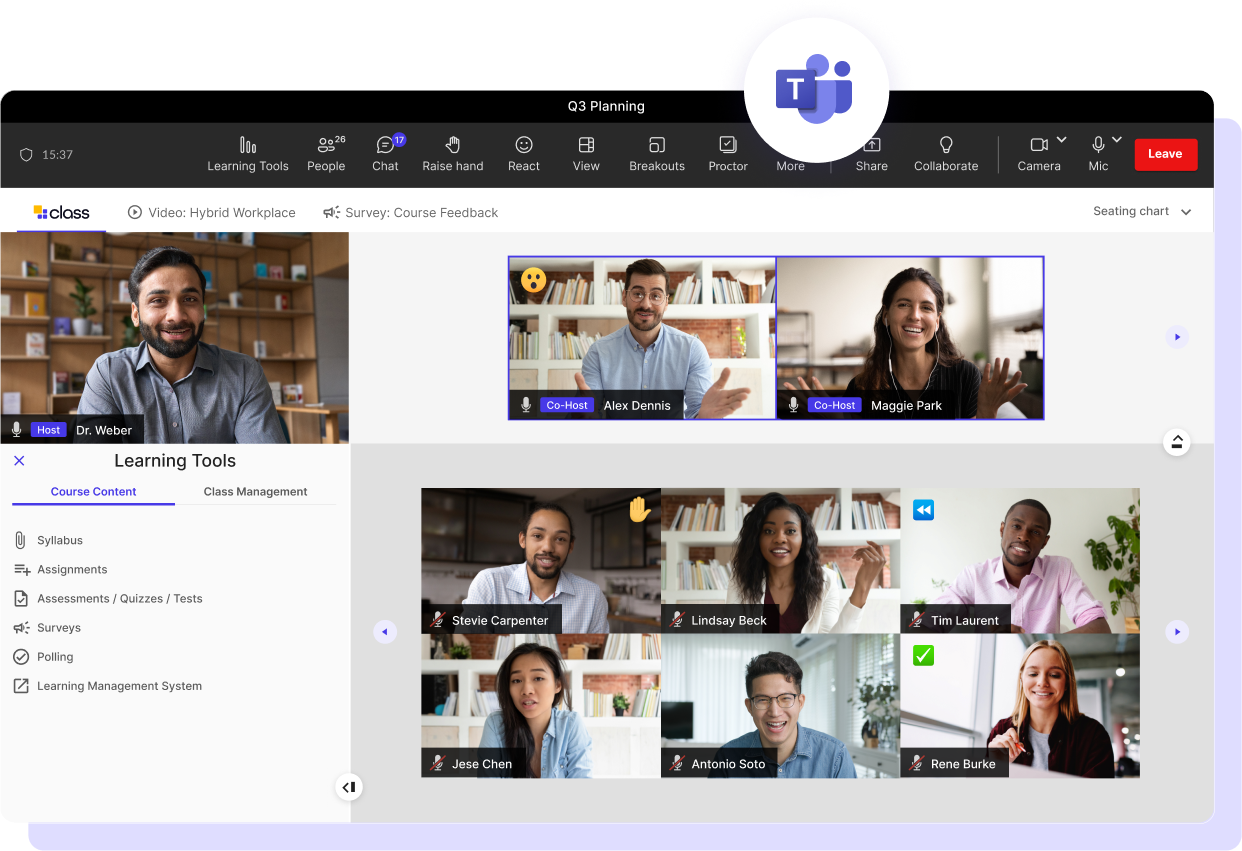
A widely adopted enterprise collaboration system built into the Microsoft ecosystem, combining messaging, meetings, and file sharing inside a single environment.
Microsoft Teams has become a standard workplace communication system for organizations already using Microsoft 365.
It blends team chat, video meetings, file collaboration, and integration with Outlook, SharePoint, and OneDrive into one centralized interface.
Unlike specialist chat tools, Teams is positioned as part of a broader enterprise productivity suite. That makes it powerful — but also complex.
Best For- Enterprises standardized on Microsoft 365
- Corporate IT-led environments
- Large distributed organizations
- Companies needing compliance and enterprise security
- Deep integration with Microsoft 365
- Enterprise-grade security and compliance
- Built-in video conferencing
- SharePoint-powered document storage
- Calendar and scheduling integration
- Structured permissions and admin controls
Microsoft Teams is less of a standalone tool and more of an extension of your Microsoft infrastructure.
Pros- Seamless integration with Outlook and Exchange
- Native meeting scheduling and calendar sync
- Strong compliance and governance controls
- Scalable for enterprise deployment
- Reliable enterprise support
- Can feel cluttered with multiple tabs and channels
- Interface may overwhelm non-technical users
- Requires structured governance to prevent sprawl
- Performance can depend heavily on tenant configuration
- Microsoft Teams is typically bundled within Microsoft 365 subscriptions.
#3. MangoApps
#3. MangoApps
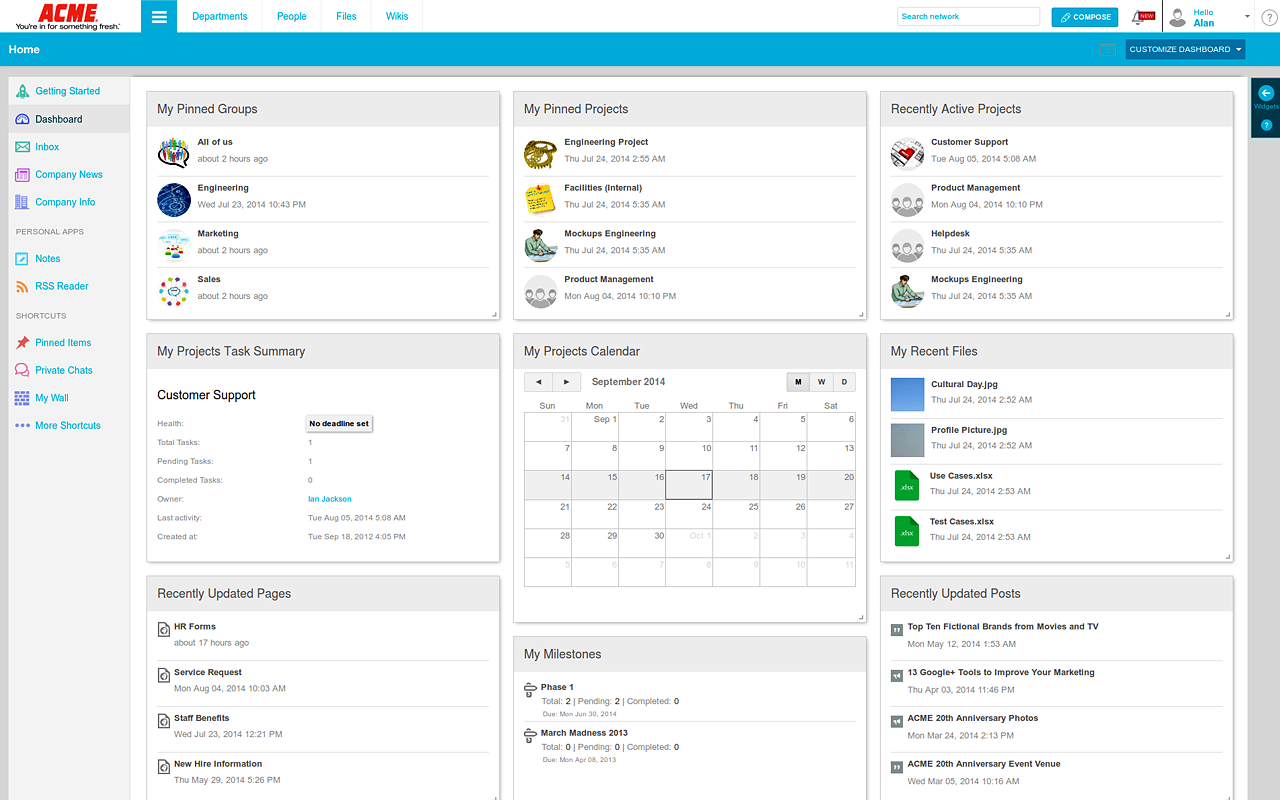
An all-in-one intranet and employee experience platform designed to bring communication, collaboration, and engagement into one structured environment.
MangoApps positions itself as a complete digital workplace solution that combines intranet capabilities, team collaboration, document management, and employee engagement tools.
Unlike chat-first platforms, it focuses heavily on building an internal company hub where employees can access resources, updates, communities, and workflows in one place.
It's more than messaging. It's designed to function as a company-wide operating layer.
Best For- Mid-sized to large organizations
- HR and internal communications teams
- Companies replacing outdated intranet systems
- Businesses prioritizing employee engagement and internal branding
- Social intranet functionality
- Employee communities and discussion forums
- Document and knowledge management
- Workflow automation tools
- Mobile app for distributed teams
- Custom branding options
MangoApps sits closer to a structured digital workplace platform than standalone collaboration tools.
Pros- Strong intranet and internal communications capabilities
- Built-in employee recognition and engagement features
- Customizable dashboards and layouts
- Mobile-friendly experience for frontline access
- Multiple modules in one unified system
- Can require implementation planning for full customization
- May feel feature-heavy for small teams
- Pricing can scale depending on modules and configuration
- MangoApps pricing is typically positioned in the mid-to-enterprise SaaS range. Costs vary depending on features, modules, and number of users.
- Organizations researching MangoApps cost usually compare it against intranet software providers and employee experience platforms rather than simple collaboration apps.
- 200 to 5,000+ employees.
MangoApps is often chosen by organizations looking to modernize their internal communication strategy while also improving engagement. It provides a centralized intranet-style homepage where announcements, communities, documents, and tools live together.
It includes features like employee recognition systems, discussion groups, company news feeds, and workflow management. This makes it appealing to HR and communications teams who want more than just chat.
The mobile app supports distributed and deskless employees, helping extend the workplace beyond office walls.
When it comes to documents, MangoApps includes structured storage and permission controls, allowing teams to organize company knowledge securely.
In short, MangoApps is a structured intranet-focused digital workplace platform with strong engagement features. It's built for organizations that want to combine communication, collaboration, and culture into one system — rather than relying on separate tools.
#4. ClickUp
#4. ClickUp
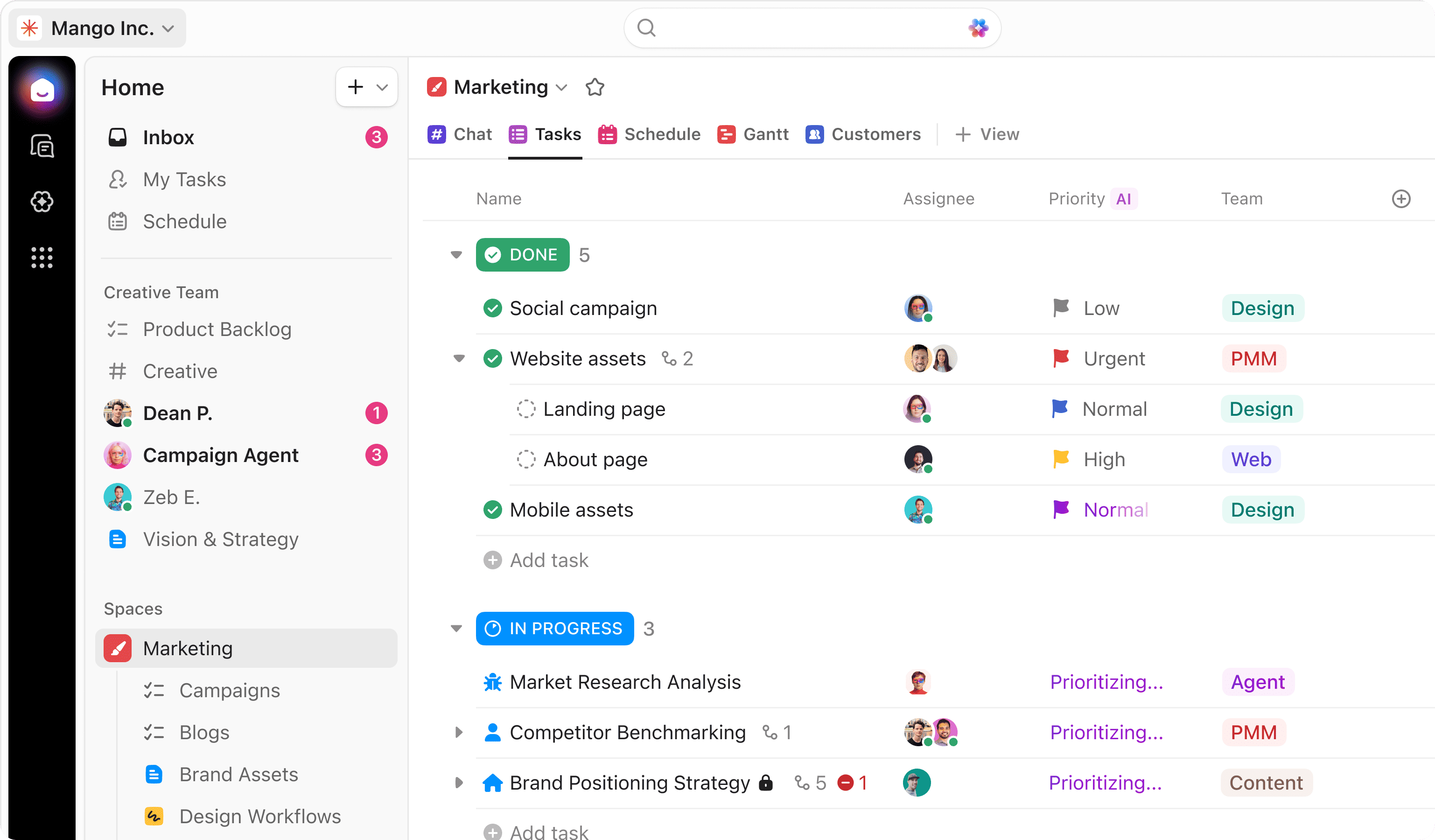
A feature-rich productivity and work management platform designed to centralize tasks, docs, goals, and team collaboration in one system.
ClickUp positions itself as an "everything app for work." It combines project management, document collaboration, time tracking, dashboards, automation, and internal communication into a highly customizable workspace.
Unlike chat-first platforms or intranet-focused systems, ClickUp is deeply task-centric. It's built to manage execution and operational workflows at scale.
Best For- Project-driven teams
- Operations-heavy environments
- Agencies and product teams
- Companies replacing multiple productivity apps
- Advanced task and project management
- Custom dashboards and reporting
- Workflow automation
- Goal tracking and OKR alignment
- Time tracking and workload management
- Docs and internal wiki features
ClickUp is powerful because of its depth. Almost every workflow can be customized.
Pros- Extremely customizable structure
- Strong reporting and analytics capabilities
- Built-in docs and knowledge features
- Automation tools to reduce manual work
- Scales well for structured project environments
- Can feel overwhelming for new users
- Interface complexity may slow adoption
- Engagement and culture features are limited compared to intranet-style platforms
- Requires setup discipline to prevent clutter
- ClickUp offers a free tier with limited functionality.
If you're researching ClickUp pricing or ClickUp cost, you'll find tiered plans based on storage, automation limits, reporting depth, and admin controls. Enterprise features require higher-tier subscriptions.
Ideal Company Size- 10 to 2,000+ employees, especially teams focused on structured project execution.
ClickUp has evolved from a simple task manager into a full-scale work management system. You can build custom views for tasks, timelines, Kanban boards, Gantt charts, and dashboards that track everything from productivity metrics to project velocity.
Its document features allow teams to create internal wikis and knowledge hubs, while automation rules reduce repetitive actions.
However, because of its flexibility, ClickUp works best when organizations define structure early. Without clear naming conventions and workflow standards, the system can become crowded.
In short, ClickUp is a powerful productivity platform built for execution and operational control. It excels at managing work, but it isn't primarily designed as a culture-driven or communication-first digital workplace platform.
#5. Notion
#5. Notion
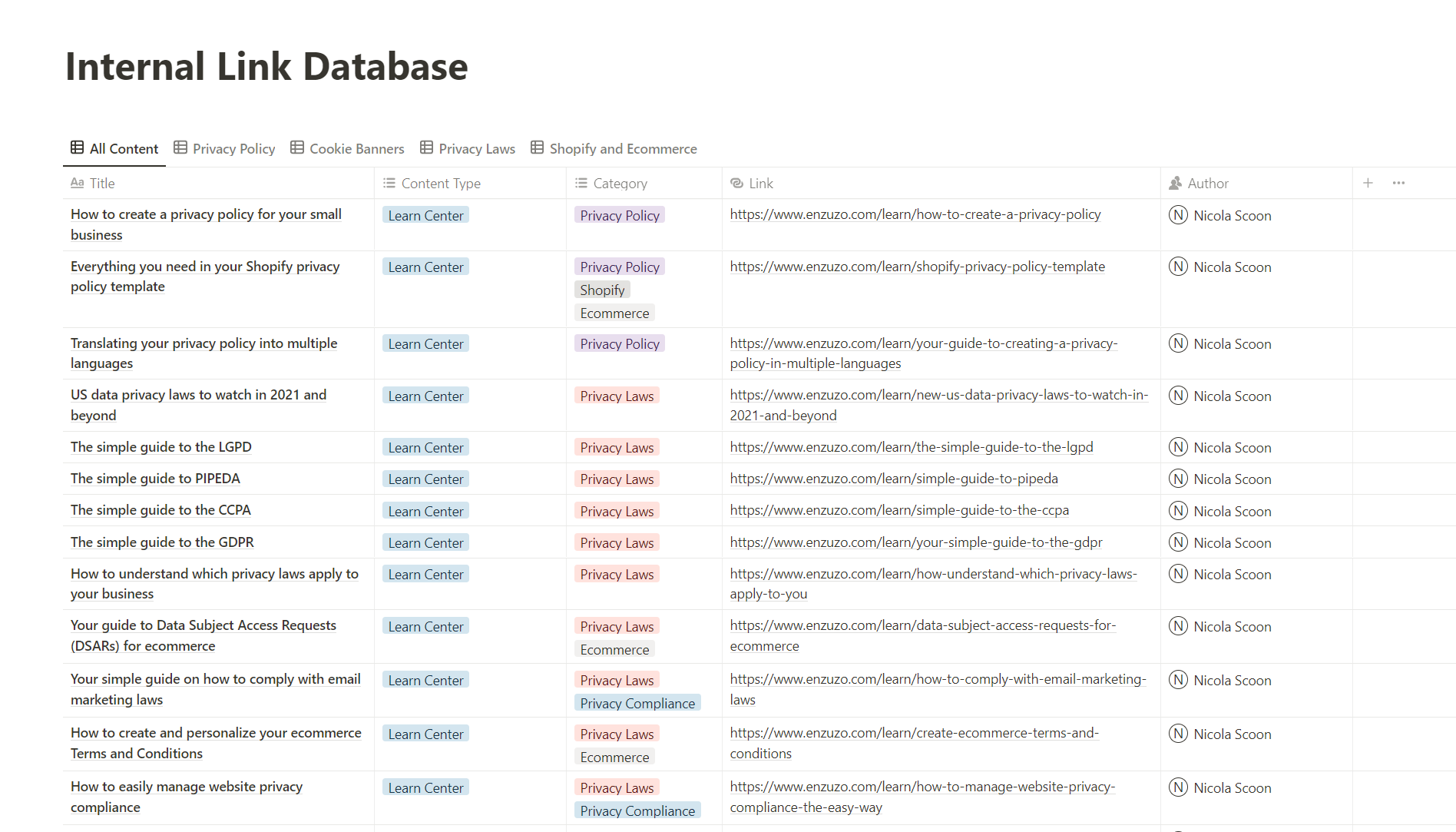
A flexible workspace tool that combines note-taking, databases, documentation, and lightweight project management in one customizable environment.
Notion is built around the idea of modular workspaces. Instead of fixed structures, it gives teams building blocks — pages, databases, templates, boards — that can be arranged however they like.
It's popular with startups, creators, product teams, and small businesses that want a clean, adaptable system without enterprise complexity.
Unlike structured digital workplace platforms, Notion focuses on flexibility over governance.
Best For- Startups and small teams
- Knowledge-heavy organizations
- Product and creative teams
- Companies that prefer custom workflows
Core Strength
- Highly customizable databases
- Clean documentation and wiki capabilities
- Templates for projects, notes, and planning
- Lightweight task tracking
- Strong cross-linking between pages
Notion acts like a digital notebook mixed with a project workspace.
Pros- Extremely flexible structure
- Clean and minimal interface
- Strong internal wiki functionality
- Great for documentation and knowledge management
- Easy to duplicate and customize templates
Cons
- Governance and permission control can be limited at scale
- Advanced reporting is minimal
- Not designed as a full enterprise digital workplace platform
- Can become messy without disciplined organization
Pricing Positioning
- Notion offers a free plan with limitations.
If you're researching Notion pricing or Notion cost, you'll see tiered plans that unlock advanced permissions, admin tools, and collaboration features.
Ideal Company Size
- 5 to 500 employees.
Notion gained popularity because it feels simple and modern. You can build team wikis, project boards, company handbooks, and internal documentation inside one flexible environment.
Instead of rigid menus, everything lives as pages and databases that can link to each other. This makes it powerful for organizing knowledge.
However, as teams grow, structure becomes critical. Without strong naming conventions and permission rules, Notion workspaces can become sprawling and difficult to govern.
It also doesn't include deep employee engagement tools, advanced analytics, or enterprise-grade compliance features that larger organizations often require.
In short, Notion is an excellent flexible workspace tool for documentation and lightweight collaboration. It's ideal for smaller teams that value customization — but it isn't
#6. Google Workspace
#6. Google Workspace
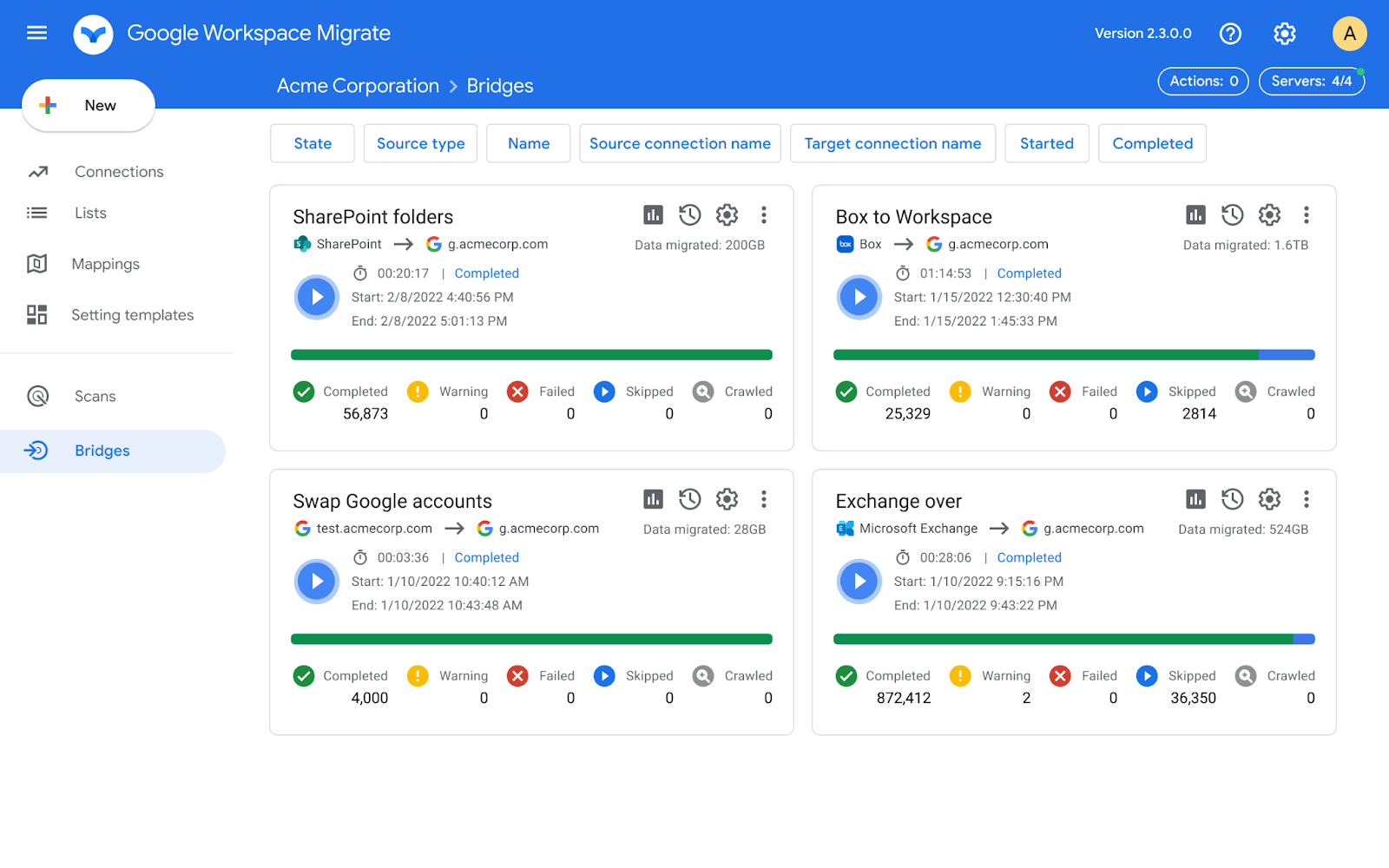
A cloud-based productivity suite focused on real-time document collaboration, email, and shared storage.
Overview
Google Workspace is built around familiar tools like Gmail, Docs, Sheets, Drive, and Meet. It's designed to make collaboration simple and accessible from anywhere with an internet connection.
Unlike structured digital workplace platforms, Google Workspace focuses primarily on productivity and file collaboration rather than centralized engagement or internal culture management.
It's powerful — but it's a toolkit, not a fully unified workplace system.
Best For- Distributed and remote teams
- Small to mid-sized businesses
- Companies prioritizing document collaboration
- Education and professional services
Core Strength
- Real-time document editing
- Cloud-based storage via Google Drive
- Integrated email and calendar
- Built-in video meetings with Google Meet
- Easy file sharing and permission control
- Google Workspace is strong where document collaboration is the priority.
Pros
- Extremely easy to use
- Seamless real-time collaboration
- Accessible from any device with a browser
- Automatic cloud saving and version history
- Minimal setup complexity
Cons
- Limited built-in employee engagement features
- No structured internal communication hub
- Task management is basic without third-party add-ons
- Governance controls may require advanced configuration
Pricing Positioning
Google Workspace pricing is subscription-based per user.
If you're researching Google Workspace cost, plans typically scale based on storage, security features, and administrative controls.
Deployment is simple — there's no heavy installation required. Most users operate through the browser, though offline options are available for certain tools.
Ideal Company Size
- 5 to 1,000+ employees.
Google Workspace has become one of the most widely used cloud productivity environments globally. Teams can collaborate on documents in real time, share files instantly, and host video meetings with minimal friction.
Because everything is cloud-based, version history is automatic, and access can be controlled through user permissions.
However, while Google Workspace excels at document collaboration and communication basics, it does not function as a complete digital workplace platform on its own.
There's no centralized engagement layer, no structured company-wide dashboards, and limited built-in workflow visibility. Organizations often need additional tools to create a cohesive internal workplace experience.
In short, Google Workspace is a powerful productivity suite that simplifies collaboration — but it operates best as part of a broader digital workplace strategy rather than as the strategy itself.
#7. Slack
#7. Slack
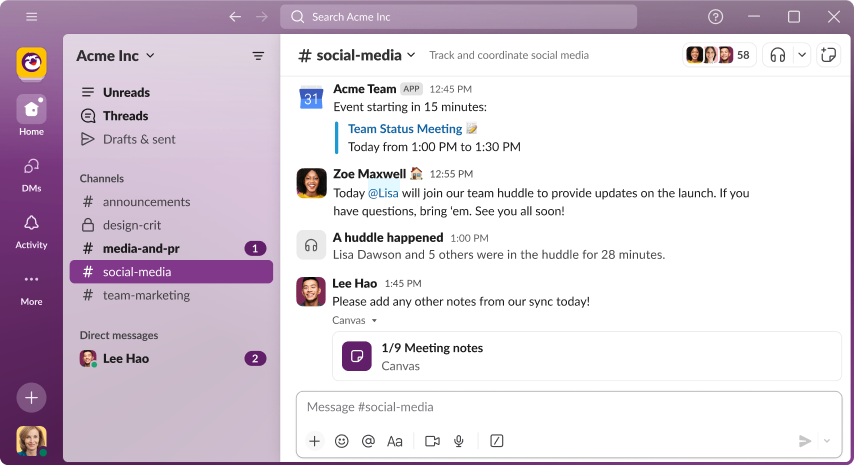
One of the most recognizable digital workplace tools, known for advanced messaging features such as channels, bots, and third-party integrations.
Slack has become the default reference point for real-time team communication. Originally built as a messaging app for internal collaboration, it has evolved into a communication-first digital workplace tool used by startups, remote teams, and enterprise departments alike.
It's not a full digital workplace platform — it's a specialist. And that distinction matters.
Best For- Remote-first teams
- Startups and tech companies
- Fast-moving project environments
- Teams that prioritize instant communication
- Channel-based communication
- App integrations and bots
- Real-time messaging
- Threaded conversations
- Strong mobile experience
- Simple onboarding process
Slack is widely recognized, making onboarding easier for new hires. Many employees are already familiar with it, reducing the learning curve.
Pros- Simple, intuitive interface with in-app guidance
- Easily recognizable for new recruits
- Quick setup and deployment
- Strong ecosystem of integrations
- Can become distracting with too many channels and notifications
- Limited built-in video conferencing compared to some competitors
- File storage exists but is not structured for company-wide document management
- Not designed as a complete cloud-based digital workplace platform
- Slack offers a free tier with limitations.
If you're researching slack pricing or slack cost to see if it works for you, you'll find tiered plans based on features and message history limits. Advanced security, compliance, and full message archives require paid plans.
For teams evaluating slack download, the platform is available across devices, including slack download Windows, macOS, mobile apps, and browser-based access.
Ideal Company Size- 10–500 employees, particularly communication-heavy teams.
Slack has become the go-to tool for instant messaging among remote teams. Anyone you work with likely already knows how to use it. You can set up channels for each team, department, or project and keep conversations structured.
What started as a simple real-time chat app has expanded. Slack now includes voice and video calls for small groups, along with screen sharing. However, larger meetings often require integrations or external tools.
It does store files shared in conversations, but navigation and structured storage aren't its strength. If your organization needs centralized document management at scale, you'll likely rely on integrations with tools like Google Drive or SharePoint.
To put it simply, Slack is excellent for communication and strong for collaboration within chat environments. But it does not provide the complete cloud-based digital workplace platform that unified systems offer.
It's powerful in its lane. Just understand the lane.
#8. SharePoint
#8. SharePoint
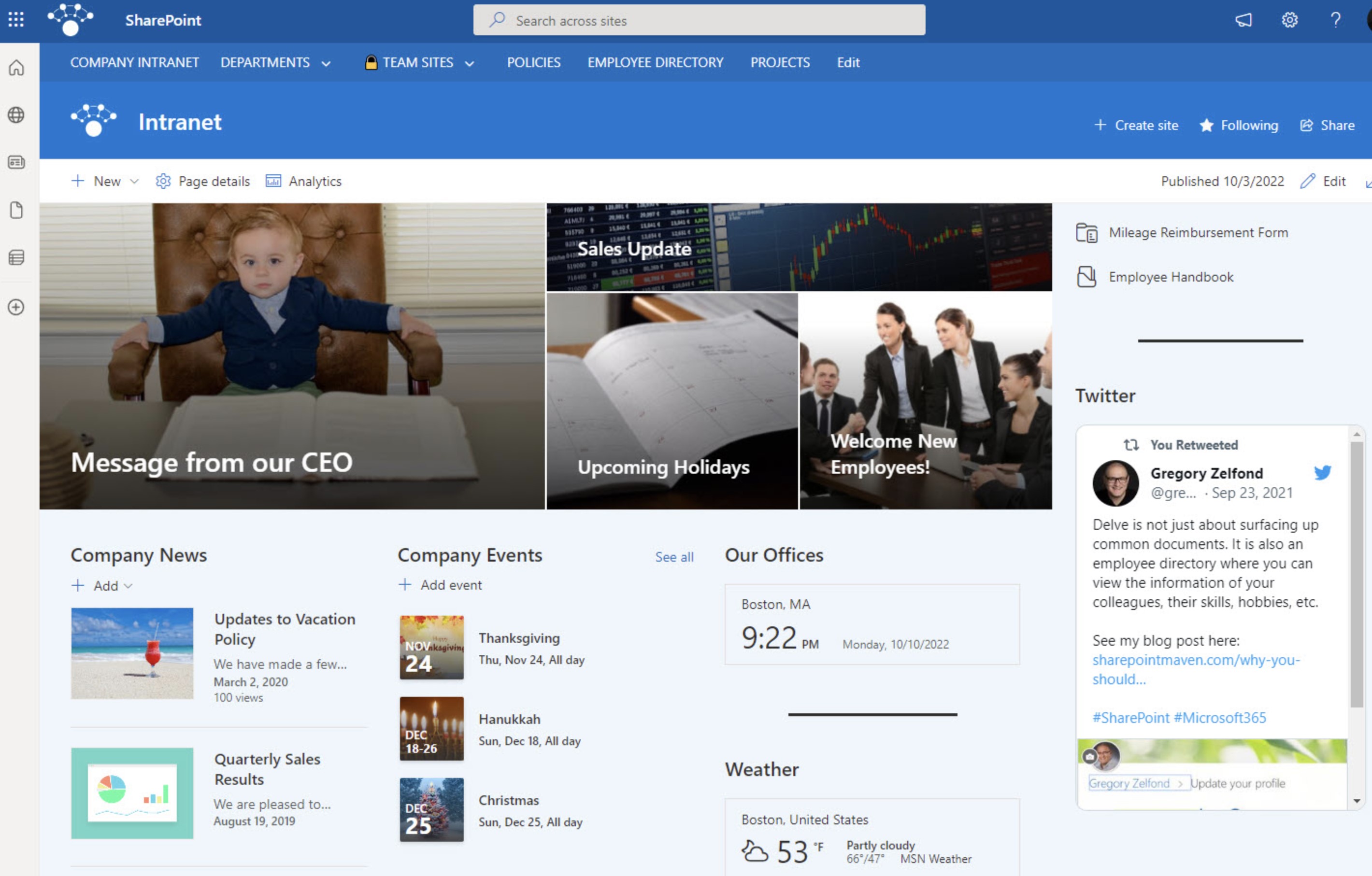
An enterprise content management and intranet system designed for document control, permissions, and structured information sharing.
SharePoint has been around for years and is often seen as the backbone of document management within Microsoft-driven organizations.
It functions primarily as a content management system and intranet solution rather than a communication-first platform.
While many companies refer to it as part of their "digital workplace," SharePoint is fundamentally built around document libraries, permissions, and structured content publishing.
It's powerful — but it's not lightweight.
Best For- Regulated industries
- Large enterprises
- Document-heavy organizations
- Companies deeply integrated into Microsoft infrastructure
Core Strength
- Advanced document management
- Granular permission controls
- Version history and compliance support
- Custom intranet site creation
- Integration with Microsoft 365
- SharePoint excels at storing, organizing, and securing information at scale.
Pros
- Enterprise-grade governance and compliance
- Strong document version control
- Structured intranet page publishing
- Highly customizable site architecture
- Integrates tightly with Microsoft tools
Cons
- User experience can feel outdated without customization
- Adoption often requires training
- Setup and configuration can be complex
- Not designed as a real-time communication hub
Pricing Positioning
SharePoint is typically included within Microsoft 365 enterprise subscriptions.
Organizations evaluating SharePoint cost often assess it as part of a broader Microsoft licensing agreement rather than a standalone tool.
Implementation costs can vary depending on customization, migration, and governance requirements.
Ideal Company Size
500 to 10,000+ employees.
SharePoint is often chosen for its document governance capabilities. It allows organizations to create structured libraries, manage permissions at a granular level, and maintain detailed audit trails — all critical in regulated sectors.
It can also function as a corporate intranet, with customizable pages for announcements, policies, and internal resources.
However, it does not naturally provide the fluid communication experience modern teams expect. Real-time collaboration, engagement tracking, and conversational workflows often require additional tools layered on top.
In short, SharePoint is a powerful enterprise content management system. It works exceptionally well for document control and compliance — but it typically needs complementary tools to operate as a complete modern digital workplace platform.
#9. Asana
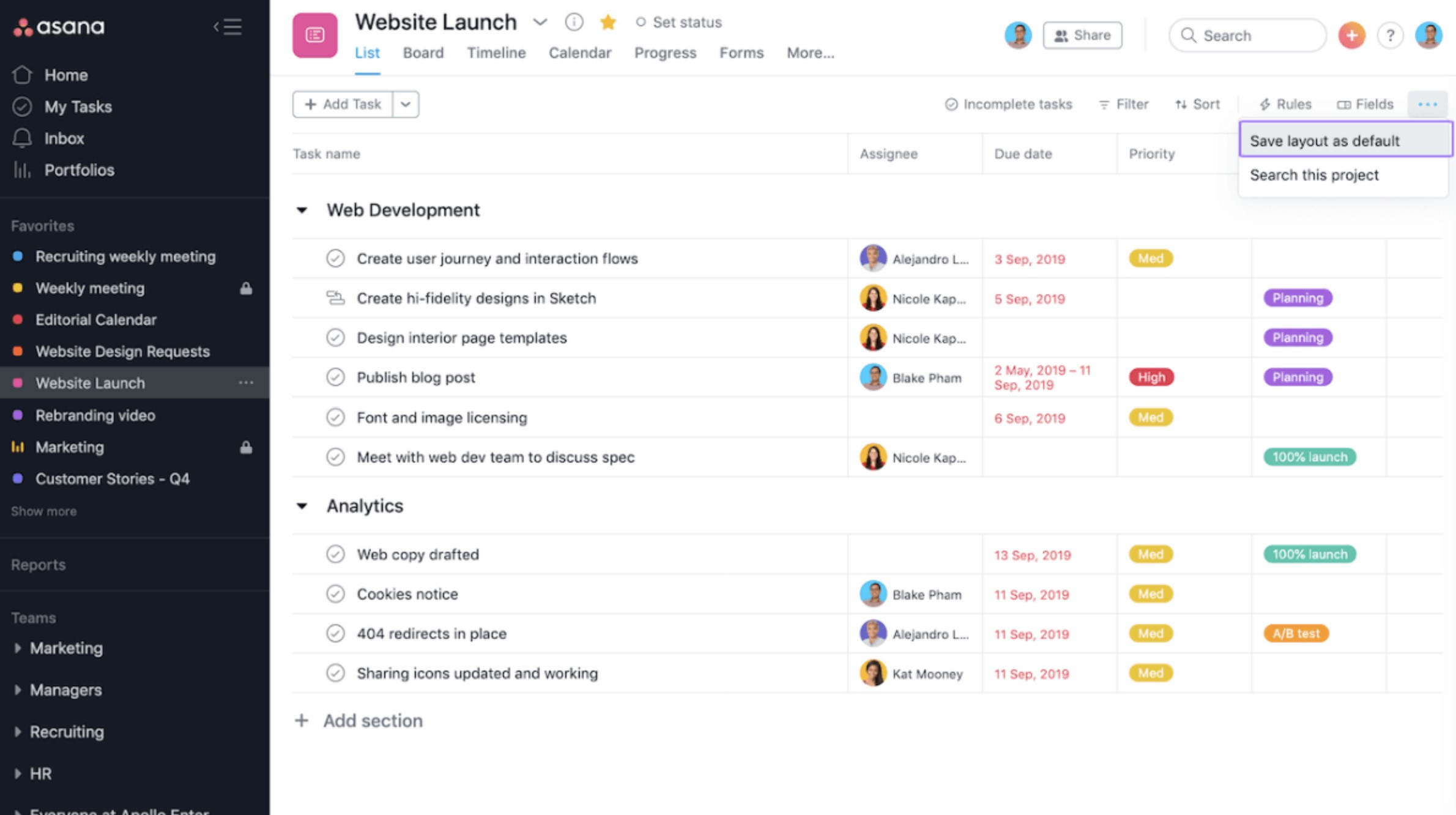
#9. Asana
A structured project and task management platform built to help teams plan, track, and execute work with clarity.
Asana is designed around one primary goal — making work visible. It focuses heavily on task management, timelines, dependencies, and accountability.
Unlike communication-first platforms or intranet-style systems, Asana operates as a work execution engine. It's built to track projects from start to finish with structured workflows and reporting.
It's not trying to be everything. It's trying to manage work properly.
Best For- Project-driven organizations
- Marketing and operations teams
- Product development teams
- Companies focused on execution clarity
Core Strength
- Task and project visibility
- Timeline and Gantt-style planning
- Workflow automation
- Team workload balancing
- Clear accountability tracking
- Asana excels at turning conversations into structured action.
Pros
- Clean and structured interface
- Strong project planning features
- Dependency mapping and milestone tracking
- Good reporting dashboards
- Scales well across departments
Cons
- Limited internal communication features
- No built-in employee engagement layer
- Document management is minimal
- Not designed as a full digital workplace platform
Pricing Positioning
- Asana offers a free plan with limited features.
If you're evaluating Asana pricing or Asana cost, paid tiers unlock advanced reporting, workflow automation, portfolio management, and admin controls.
Ideal Company Size
- 20 to 2,000+ employees.
#10. Monday.com
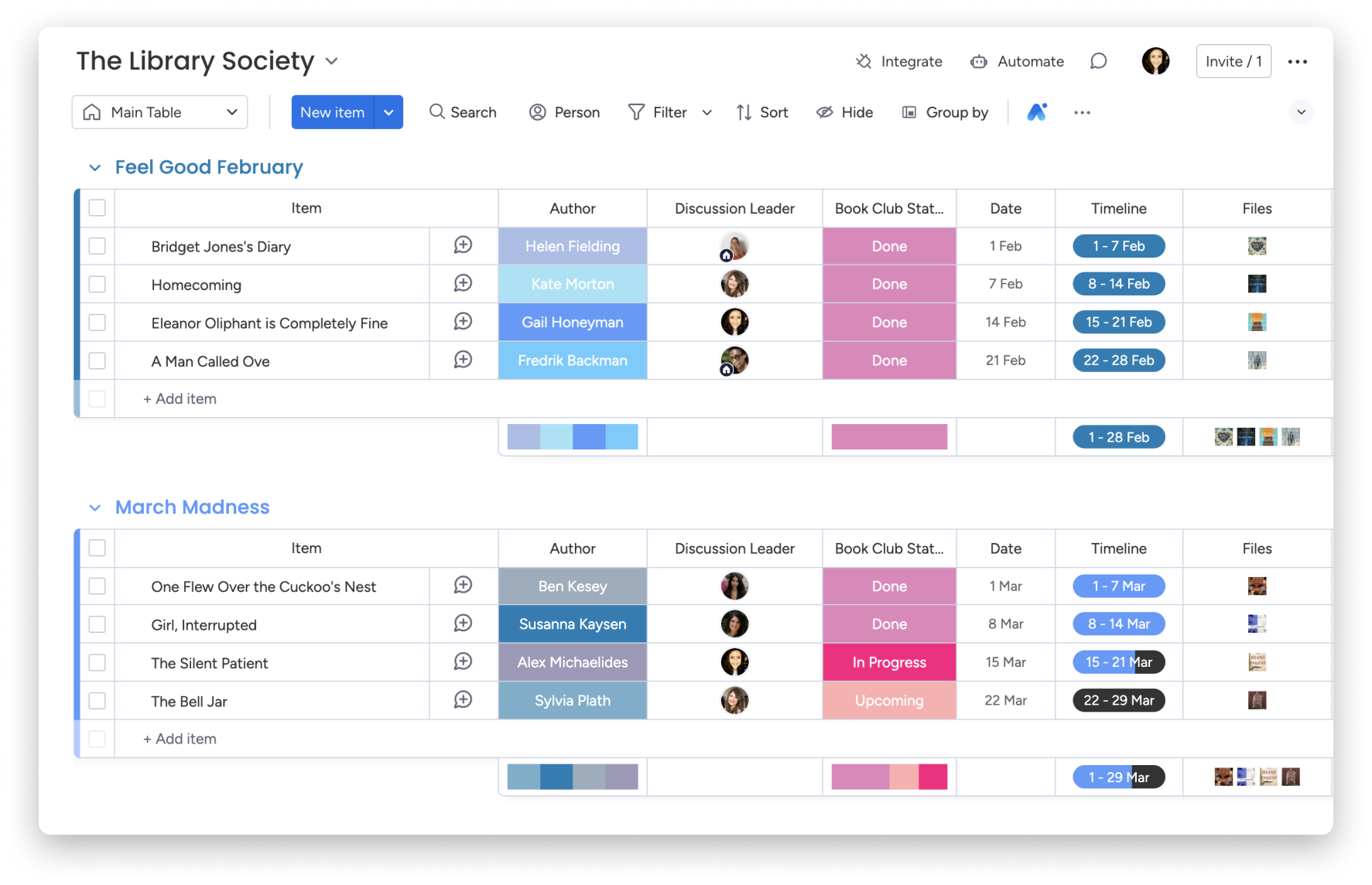
#10. Monday.com
A visual work management system designed to help teams organize projects, workflows, and operational processes with customizable boards.
Monday.com is built around visual workflow tracking. It uses boards, columns, and automation rules to help teams manage projects in a highly customizable way.
Unlike communication-first platforms or document-heavy systems, Monday.com focuses on visibility and structured workflow execution. It's designed to show who is doing what, by when, and at what stage.
It's flexible. But it's primarily a work management system — not a full digital workplace platform.
Best For- Marketing teams
- Creative departments
- Operations teams
- Growing companies needing structured workflows
Core Strength
- Visual project tracking
- Customizable boards and workflows
- Automation rules
- Dashboard reporting
- Process transparency
- Monday.com is strong when clarity of work status is the priority.
Pros
- Highly visual interface
- Customizable workflow layouts
- Automation reduces repetitive tasks
- Strong reporting dashboards
- Easy to adapt to different industries
Cons
- Limited built-in communication features
- No native employee engagement layer
- Document management is basic
- Requires integrations for full workplace functionality
Pricing Positioning
- Monday.com pricing is structured per user with tiered feature levels.
If you're evaluating Monday.com cost, plans vary based on automation limits, integrations, storage, and reporting capabilities.
Ideal Company Size
- 20 to 1,000+ employees.
How to Choose the Right Digital Workspace for Modern Teams
Choosing a platform isn't about picking the one with the longest feature list. It's about solving the right problem in the right way.
Most companies evaluate software emotionally — shiny interface, big brand name, impressive demo. Smart teams evaluate structurally.
Here's a practical decision framework you can use before signing any contract.
Step 1: Define Your Core Problem
Before comparing features, get brutally honest about what's actually broken.
Is it communication?
Is it visibility?
Is it engagement?
Is it operational alignment?
Most organizations fall into one of these categories:
- Communication Breakdown - Teams operate in silos. Important announcements get lost. Employees rely on email chains and fragmented chat threads. If this is your problem, your priority should be structured communication hubs — not just messaging apps.
- Information Overload - Documents are duplicated across drives. Employees spend time searching instead of executing. No one knows where the "single source of truth" lives. Here, you need centralized document management with permissions, search, and governance — not just shared folders.
- Engagement Decline - Low morale. Low participation. No measurable feedback loop. Leadership has no visibility into sentiment. If this is the issue, look for platforms with built-in engagement analytics, pulse surveys, and recognition systems — not just productivity tools.
- Remote Visibility Gap - Leaders can't see progress. Teams don't know who owns what. Hybrid and frontline workers feel disconnected. In this case, structured dashboards and mobile-first access become critical.
Until you define the real problem, you'll end up buying features instead of solutions.
Step 2: Map Stakeholders
A digital workspace decision is never just an IT purchase.
Different departments care about different outcomes.
- HR - Wants engagement, onboarding tools, recognition systems, and communication clarity.
- IT - Cares about governance, compliance, integrations, data security, and scalability.
- Operations - Needs visibility into projects, workflows, and accountability.
- Finance - Looks at cost efficiency, tool consolidation, and ROI.
If one group dominates the decision, the platform will skew toward their needs — and adoption will suffer elsewhere.
Get alignment early.
Step 3: Assess Must-Have Capabilities
Once you know the problem and stakeholders, evaluate platforms against non-negotiables.
Not "nice to have."
Not "we might use that."
Actual operational requirements.
- Mobile-First Access - If your workforce is distributed or includes frontline employees, mobile usability isn't optional.
- Analytics and Reporting - You should be able to measure adoption, engagement, and performance — not guess.
- Integrations - Does it connect to your HR system? CRM? Payroll? Calendar? File storage? Disconnected systems create new silos.
- Governance Controls - Role-based permissions. Audit logs. Structured access. Compliance readiness. Without governance, scale creates chaos.
Be realistic here. If a tool requires heavy third-party integrations to function as a complete environment, you're not buying a platform — you're building a patchwork system.
Step 4: Evaluate Adoption Risk
This is where most decisions fail.
Technology doesn't change behavior. Adoption does.
Ask yourself:
- Is Onboarding Simple? - Can employees log in and understand what to do without training overload?
- Is the UX Intuitive? - Or does it require tutorials just to navigate?
- Is Leadership Ready to Model Usage? - If executives don't use it, neither will teams.
- Do You Have a Change Management Plan? - Communication rollout. Training sessions. Usage guidelines. Governance rules. Without these, even the best digital workplace platform will underperform.
If a system looks powerful but requires multiple add-ons, heavy customization, and long onboarding cycles — factor that into your risk assessment.
The right platform should reduce complexity, not multiply it.
Choose based on structure, alignment, and long-term scalability — not hype.
Because once deployed, switching becomes expensive.
And the cost of getting it wrong isn't just financial. It's cultural.
Common Mistakes When Comparing Digital Workspace Applications
On paper, most platforms look impressive.
Feature grids are packed. Demo environments are polished. Sales decks promise transformation.
But here's the reality — most failed software decisions weren't made because the tool "didn't work." They failed because the evaluation process was flawed.
If you want to avoid expensive regret, avoid these mistakes.
1. Comparing Feature Lists Instead of Outcomes
This is the biggest trap.
Teams line up platforms side by side and start ticking boxes:
- Chat
- File storage
- Video meetings
- Task boards
- Mobile app
Everything looks similar.
But features don't equal results.
The real question isn't:
"Does it have this feature?"
The real question is:
"Will this reduce friction and improve alignment in our organization?"
A messaging tool may have file sharing. That doesn't mean it replaces structured document management.
A task board may look powerful. That doesn't mean it increases accountability across departments.
Outcomes matter more than checklists.
2. Ignoring Total Cost of Ownership
Most teams look at subscription pricing and stop there.
That's a mistake.
True cost includes:
- Implementation time
- Training hours
- Integration setup
- Ongoing administration
- Custom development
- Productivity loss during transition
A platform that appears affordable per user can become expensive if it requires multiple add-ons or parallel tools to function properly.
If you need:
- One system for chat
- One for documents
- One for tasks
- One for engagement
You're not buying one solution. You're buying operational complexity.
Always calculate long-term consolidation impact — not just monthly pricing.
3. Overlooking Integration Complexity
Integrations look simple in marketing materials.
"Connects with everything."
In practice, integrations require:
- API configuration
- Permission mapping
- Ongoing maintenance
- Version updates
- Security review
The more systems you stitch together, the more fragile your environment becomes.
Ask:
- Is this platform reducing integrations or multiplying them?
- Will we rely on third-party connectors?
- Who maintains these connections long term?
Complex integration ecosystems increase technical risk.
4. Underestimating Adoption Friction
Even the most powerful platform fails if people don't use it.
Adoption friction shows up as:
- Employees reverting to email
- Teams creating shadow systems
- Low login frequency
- Leadership not modeling usage
If the interface is confusing, onboarding is unclear, or workflows feel unnatural, adoption slows down.
And once momentum is lost, recovery is difficult.
The right digital workplace platform should:
- Feel intuitive
- Require minimal explanation
- Encourage natural usage
- Provide visible value immediately
If it feels heavy during demo, it will feel heavier after deployment.
Most organizations don't fail because they chose bad software.
They fail because they evaluated it the wrong way.
Compare platforms based on:
- Operational alignment
- Long-term scalability
- Adoption simplicity
- Governance structure
- Consolidation potential
Not just feature density.
Because the goal isn't to buy software.
The goal is to build a digital environment that actually works.
The Benefits of a Digital Workplace App
Let's simplify this.
A digital workplace app isn't just another tool on your stack. It's the operating layer your team works inside every single day.
When implemented correctly, it doesn't just improve communication. It changes how information flows, how decisions are made, and how accountable teams become.
Here's what that actually looks like in practice.
1. Centralized Communication
One of the biggest operational problems in modern organizations is fragmented communication.
Announcements live in email. Updates sit in chat. Files hide in shared drives. Project discussions are buried in threads.
A digital workplace app brings structured communication into one environment:
- Company-wide announcements
- Department channels
- Project conversations
- Targeted messaging
- Searchable history
Instead of chasing updates across platforms, employees know exactly where to go.
Clarity replaces noise.
2. Reduced Tool Sprawl
Most companies accumulate tools over time:
- Chat platform
- File storage
- Task manager
- Intranet
- Engagement survey tool
- Calendar system
Each tool solves a small problem. Together, they create operational friction.
A unified digital workplace platform consolidates these capabilities into one structured system, reducing context switching and cognitive overload.
Fewer systems. Less confusion. Lower cost of ownership.
3. Improved Productivity
Research consistently shows employees spend up to 20–25% of their time searching for information.
That's not laziness. That's fragmentation.
A digital workplace app improves productivity by:
- Centralizing knowledge
- Providing structured dashboards
- Making documents searchable
- Clarifying task ownership
- Reducing duplicate conversations
When visibility increases, execution improves.
4. Better Engagement and Alignment
Engagement drops when employees feel disconnected from leadership or unclear about priorities.
Modern digital workplace apps include:
- Pulse surveys
- Recognition systems
- Activity feeds
- Feedback loops
- Engagement analytics
This creates measurable alignment instead of guesswork.
Leadership can see participation trends. Teams can see progress. Recognition becomes visible.
Culture becomes structured — not accidental.
5. Stronger Governance and Security
As organizations grow, control becomes critical.
A digital workplace app provides:
- Role-based permissions
- Structured access control
- Audit trails
- Secure document storage
- Compliance readiness
Without governance, scale creates chaos.
With governance, scale becomes manageable.
6. Mobile-First Access for Hybrid and Frontline Teams
Not everyone works behind a desk.
Field staff, shift workers, and remote employees need instant access from their phones.
A well-built digital workplace app ensures:
- Updates are accessible anywhere
- Documents are mobile-friendly
- Notifications reach the right people
- Teams stay connected outside headquarters
If your system only works well on desktop, you've already excluded part of your workforce.
7. Data-Driven Decision Making
Many organizations operate blindly when it comes to internal adoption.
A modern digital workplace app provides visibility into:
- Login frequency
- Engagement metrics
- Content reach
- Read acknowledgements
- Participation levels
You're no longer guessing whether communication works. You're measuring it.
And what gets measured improves.
The real benefit of a digital workplace app isn't convenience.
It's structure.
Structure in communication.
Structure in execution.
Structure in accountability.
Structure in visibility.
When everything lives inside one unified digital workplace platform, alignment becomes operational — not aspirational.
That's the difference between a collection of tools and a functioning digital environment.
See AgilityPortal in Action Before You Decide
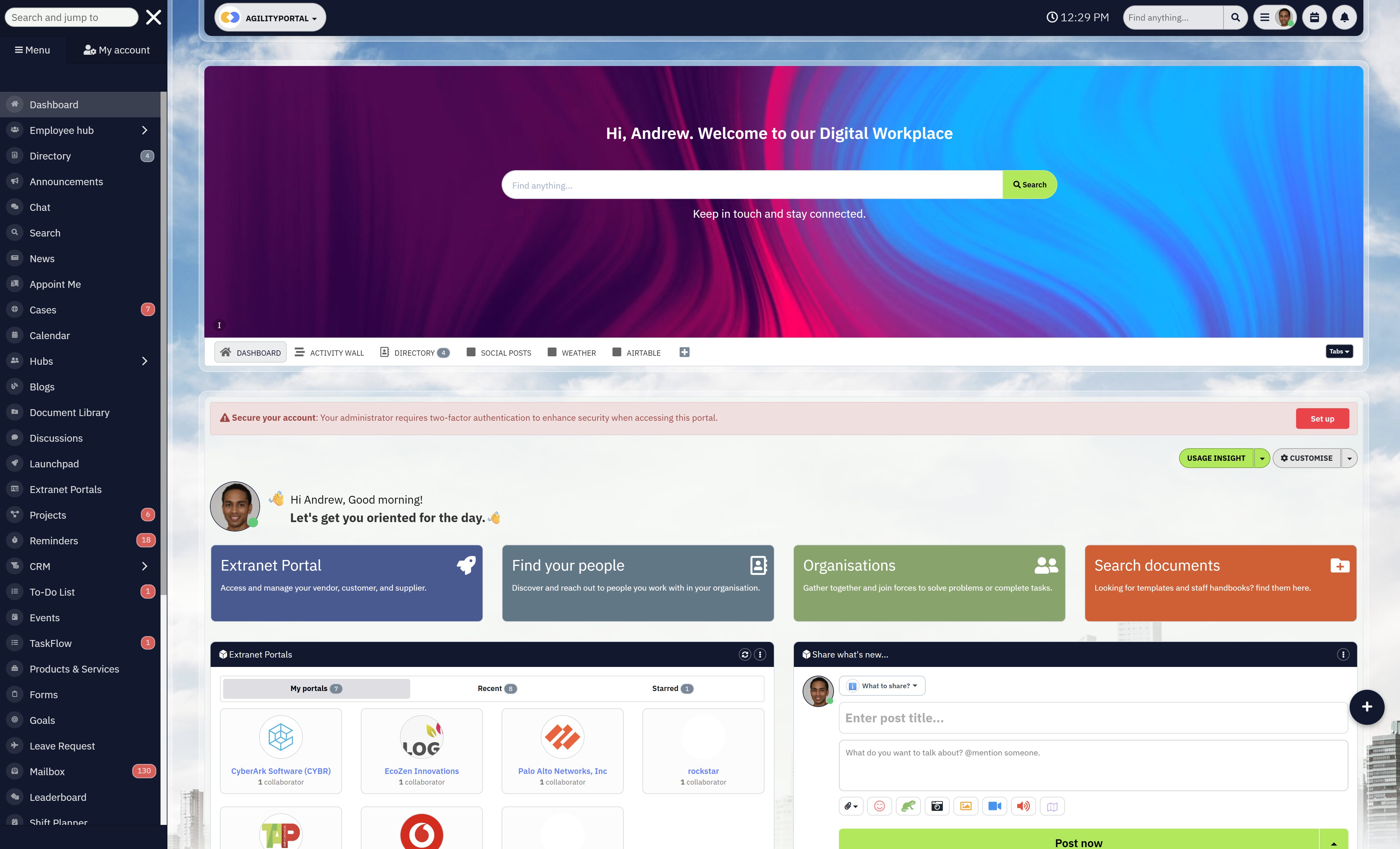
See AgilityPortal in Action Before You Decide
Reading comparisons is smart.
Seeing the platform work inside a real environment is smarter.
If you're evaluating digital workplace platforms, the biggest mistake you can make is choosing based on marketing pages alone. You need to see how communication flows.
How dashboards look. How documents are structured. How engagement data appears. How mobile access works for frontline teams.
That's exactly what a live demo shows you.
When you book a demo, you'll see:
- How internal communication stays structured instead of chaotic
- How documents are centralized and permission-controlled
- How engagement analytics provide measurable insight
- How task visibility eliminates "who's doing what" confusion
- How mobile-first access supports hybrid and frontline teams
- How one unified system replaces multiple disconnected tools
No theory. No feature list overload. Just a practical walkthrough tailored to your organization.
You'll also get the chance to ask direct questions about:
- Scalability
- Governance
- Integration with your existing systems
- Rollout strategy
- Adoption planning
If you're serious about improving productivity, reducing tool sprawl, and building a structured digital workplace, the next logical step isn't another blog article.
It's seeing it live.
👉 Schedule your demo now and see how a unified digital workplace platform can transform the way your team works.
Don't guess. Don't assume. Don't overpay for fragmented tools.
Don't guess. Don't assume. Don't overpay for fragmented tools.
Because the right system doesn't just connect people.
It aligns them.
Wrapping up
Modern teams need more than chat.
Messaging alone doesn't solve alignment. It doesn't fix information overload. And it definitely doesn't replace structured visibility across departments.
If you've made it this far, one thing should be clear — digital workspace software must unify communication, content, and operational visibility in a way that reduces friction instead of creating more of it.
The strongest digital workplace platform isn't the one with the most features. It's the one that fits your structure, supports your scale, and matches your workforce reality.
A startup with 20 employees has different needs than a 2,000-person hybrid organization. A frontline-heavy workforce needs different capabilities than a corporate office environment. Governance requirements vary. Engagement expectations vary. Operational complexity varies.
That's why the "best" platform is never universal. It's contextual.
Choosing correctly does more than improve collaboration.
- Reduces tool sprawl
- Lowers operational noise
- Improves clarity and accountability
- Increases measurable productivity
- Strengthens employee engagement
Choosing incorrectly? It compounds complexity.
The difference between a fragmented tool stack and a unified digital workplace platform is not just technical. It's cultural.
Make the decision based on structure, scalability, and adoption — not hype.
Because once deployed, your digital workspace becomes the operating system of your organization.
Frequently Asked Questions
What is the difference between digital workspace and digital workplace?
A digital workspace typically refers to the technology environment employees use to complete daily tasks — including apps, file storage, communication tools, and workflow systems.
A digital workplace, on the other hand, is broader. It includes the culture, processes, governance, and employee experience layer built on top of those tools.
In simple terms:
- Digital workspace = the technology stack
- Digital workplace = the operating model and experience
Modern organizations often use digital workspace software as the foundation for building a structured digital workplace platform.
What is the best coworking software?
The "best" coworking software depends on what you mean by coworking.
If you're referring to shared office space management, booking and scheduling platforms are typically the right fit.
If you mean virtual coworking or digital collaboration, then platforms offering messaging, task management, document sharing, and real-time collaboration features are stronger choices.
The best coworking software for modern teams usually includes:
- Real-time communication
- Shared calendars
- Project tracking
- Centralized document access
- Mobile access for hybrid teams
Instead of chasing trends, evaluate tools based on workflow clarity and operational visibility.
Is IT what's the best rated platform for managing a digital workforce?
There isn't one universally "best rated" platform.
Software rating sites, software rankings, and software award lists often highlight popular tools, but ratings alone don't guarantee the right fit.
The best rated platform for managing a digital workforce should:
- Centralize communication
- Provide task and performance visibility
- Support frontline and hybrid teams
- Offer governance and security controls
- Reduce tool sprawl
When reviewing best software review platforms or software rating sites, look beyond star scores. Focus on use cases, scalability, and real-world implementation feedback.
What is the best alternative to Google Workspace?
The best alternative to Google Workspace depends on what you're replacing.
If you're looking for stronger governance and enterprise controls, Microsoft-based ecosystems are often considered.
If you're looking for a more unified digital workplace platform that combines communication, engagement, and structured dashboards — not just documents and email — then all-in-one digital workplace platforms are stronger alternatives.
Google Workspace excels at document collaboration. However, it does not function as a complete digital workplace platform on its own. Many organizations layer additional systems on top.
If your goal is consolidation rather than expansion, look for unified platforms instead of separate productivity tools.
How much does digital workspace software cost?
Pricing varies significantly depending on:
- User count
- Enterprise features
- Security and compliance requirements
- Integration needs
- Deployment complexity
There are options for comparing digital workspace software free, including freemium plans and trial versions.
Some vendors also offer digital workplace software programs free with limited functionality.
However, free tiers often lack:
- Advanced governance
- Full analytics
- Security controls
- Enterprise integrations
When evaluating the best digital workplace software programs, focus on long-term consolidation value rather than just upfront pricing.
Cheap tools that require multiple add-ons often cost more in the long run.
AI Summary
- Modern digital workspace software must unify communication, documents, engagement, and task visibility rather than operate as isolated collaboration tools.
- Research shows employees lose up to 20–25% of their workweek searching for information, while over 70% of workplace initiatives underperform due to misalignment and fragmented systems.
- Most digital workplace tools specialize in one core function—chat, file storage, or project management—while only a few qualify as complete digital workplace platforms.
- All-in-one digital workspace solutions reduce tool sprawl, centralize governance, and improve cross-department visibility for hybrid and frontline teams.
- Successful platform selection depends on scalability, adoption planning, mobile accessibility, integration strategy, and governance controls—not feature volume alone.
- The future of digital workplace platforms will prioritize unified environments, engagement analytics, AI-assisted productivity insights, and structured role-based visibility.
Most Popular Posts

Effective communication among team members is vital for the productivity and success of any organization. Surprisingly, 60% of companies lack a long-term internal communication strategy, which p...


Businesses thrive on communication for efficiency, productivity and accomplishment. When the right information is passed from the right designation in the organization, it promotes positivity an...

Categories
Blog
(3210)
Business Management
(395)
Employee Engagement
(235)
Digital Transformation
(218)
Growth
(150)
Intranets
(142)
Internal communications
(107)
Remote Work
(68)
Sales
(53)
Collaboration
(53)
Customer Experience
(33)
Culture
(30)
Knowledge Management
(29)
Project management
(29)
Leadership
(20)
Comparisons
(9)
News
(1)

Related Posts

What happens when a buyer asks Google for the best employee communication platform—and discovers competing brands before reaching your website? Choosing the best link building services can help a digital workplace business strengthen its broade...

Could gaps in digital accessibility be stopping your employees from completing the training they need to do their jobs? Imagine a new starter opening a mandatory course, only to discover they can't follow the audio, navigate the quiz with a keyboard ...

The Amazon advertising agency landscape has changed dramatically over the past two years. With the introduction of AI-powered shopping experiences, Amazon Rufus, advanced attribution reporting, Sponsored Brands Video, and Amazon DSP enhancement...

Why do your remote staff still struggle to work together when they have the apps, laptops and access they need? Often, the problem is the small gaps between people and information. Someone can't open the latest document. An approval gets buried...

An AI coworker could help solve a problem most businesses know well: too much knowledge work and too little time. Employees spend their day searching for information, preparing updates and answering the same questions. Having a system tha...


Jill Romford
I am a digital nomad, lover of exploring new places and making friends.
I love to travel and I love the internet. I take pictures of my travels and share them on the internet using Instagram.
Traveler, entrepreneur, and community builder. I share my insights on digital marketing and social media while inspiring you to live your fullest life.
Ready to learn more? 👍
One platform to optimize, manage and track all of your teams. Your new digital workplace is a click away. 🚀
Free for 14 days, no credit card required.