
Insight Blog
Agility’s perspectives on transforming the employee's experience throughout remote transformation using connected enterprise tools.
47 minutes reading time
(9333 words)
Best VPNs for Remote and Hybrid Teams for 2026

Best VPNs for Remote and Hybrid Teams for 2026
Compare the best VPNs for remote and hybrid teams in 2026. Explore eight options for secure access, team management, deployment and pricing.
Best VPNs for Remote and Hybrid Teams for 2026

Welcome to AgilityPortal's guide to the best VPN for Remote teams.
How do you give employees secure access to company systems when they work from home, the office and everywhere in between?
It's a question more businesses need to answer: 28% of working adults in Great Britain worked in a hybrid arrangement between January and March 2025, according to the Office for National Statistics.
of working adults in Great Britain worked in a hybrid arrangement
More than a quarter of working adults in Great Britain hybrid worked between January and March 2025, according to the Office for National Statistics. For businesses, that means secure access needs to work wherever employees carry out their jobs, whether at home, in the office or on the move.
Source: Office for National Statistics, Who has access to hybrid work in Great Britain?
Choosing from the Best VPNs for Remote and Hybrid Teams for 2026 starts with what your employees need to access.
A small team may want a simple VPN app for safer connections while travelling.
Another may need strict controls over who can reach internal applications, servers or sensitive data. Those needs call for different tools, and the lowest monthly price will not necessarily be the best fit.
In this article, we compare ZoogVPN, NordLayer, Twingate, Tailscale, Proton VPN for Business, Check Point SASE, OpenVPN CloudConnexa and Windscribe ScribeForce.
You'll learn how each option works, where it fits best, what to check before buying, and how to choose secure access that suits your team.
Key Takeaways
- The best VPN for your team depends on what employees need to access: the internet, private applications, servers, or devices.
- ZoogVPN and Windscribe ScribeForce suit teams looking for straightforward VPN apps; NordLayer and Proton VPN for Business add more business management options.
- Twingate focuses on access to specific resources, while Tailscale is particularly useful for connecting developer devices and environments.
- Check Point SASE addresses broader enterprise security needs, while OpenVPN CloudConnexa connects users and private networks through a managed cloud service.
- Compare the full cost and the controls included in each plan. Check SSO, MFA, user removal, device policies, gateways, and connector charges before buying.
First, what does a VPN actually do?
A virtual private network (VPN) creates an encrypted connection between your device and a VPN server.
This helps protect the data travelling over that connection, especially when someone is working from a hotel, café or other shared network.
For a business, a VPN can also let employees reach company systems that are unavailable on the public internet. But a VPN does not automatically decide which files or apps each person should use.
That depends on how the business sets up its access rules and user accounts.
Think of it as a secure route into your workplace systems. You still need to decide who can take that route and what they can access when they arrive.
Why are businesses using VPNs in 2026?
Work no longer happens in one building. Employees sign in from home, visit clients, travel between offices and sometimes use shared networks.
Businesses use VPNs to encrypt connections and give authorised staff a way to reach systems that are not open to the public.
A business VPN can also make access easier to manage.
Instead of setting up a separate connection for every employee, IT can provide accounts, apply access rules and remove access when someone leaves. Some providers add features such as single sign-on, dedicated IP addresses and activity logs, although these vary by product and plan.
The reason to use one depends on what your team needs to do. If employees mainly use cloud apps, your priority may be protecting their connections and managing accounts.
If they need private servers or internal tools, you will need to look closely at how each service controls access to those resources. That is why the eight options in this guide cover more than one type of VPN and secure access tool.
TL;DR: Our Best Pick of VPN's in 2026 at a glance
The right choice depends on what your team needs to access.
Some of these tools provide a familiar VPN app, while others connect employees to specific private resources or bring several security services together.
Here's how the eight options compare.
| Provider | Best for | How it works | Pricing approach |
| ZoogVPN | Small teams that want a straightforward VPN app | Managed apps with a tailored business offering | Business quote; a limited free individual plan is available for testing |
| NordLayer | Organisations that need SSO and central user management | Managed cloud service with an admin console | Per-user plans, with features varying by tier |
| Twingate | Teams that want to limit access to specific internal tools | Connectors provide resource-level access through ZTNA | Per-user plans with a free Starter tier |
| Tailscale | Engineering teams connecting devices and development systems | A WireGuard-based network between authorised devices | Business plans; a separate free Personal plan |
| Proton VPN for Business | Teams prioritising privacy and managed VPN access | Managed VPN with business controls and gateway options | Per-user plans; some setups require an additional dedicated server |
| Check Point SASE | Enterprises bringing private access and web security together | A broader cloud-based security platform | Quote-based pricing |
| OpenVPN CloudConnexa | Teams connecting remote staff to applications across locations | Cloud-delivered access managed through OpenVPN | Plans based on the chosen capacity and features |
| Windscribe ScribeForce | Small teams that want simple account management and billing | Managed VPN apps with a central team account | Per-seat monthly pricing, with a minimum seat requirement |
One distinction matters before you shortlist a provider: Twingate, Tailscale and Check Point SASE do not work in exactly the same way as a conventional VPN app.
And if you want to host an OpenVPN server yourself, look at OpenVPN Access Server rather than CloudConnexa, which is the cloud-delivered product.
What should a VPN for a hybrid team actually do?
A good business VPN should let people work securely from different locations without turning every login into an IT support request.
That matters at scale: 52% of US employees with remote-capable jobs worked in a hybrid arrangement in May 2026, according to Gallup.
of US employees with remote-capable jobs worked hybrid in May 2026
A good business VPN should help people work securely from different locations without turning every login into an IT support request. Gallup found that 52% of US employees with remote-capable jobs worked in a hybrid arrangement in May 2026. For teams choosing secure access tools, ease of use and straightforward account management matter alongside security.
Source: Gallup, Hybrid Work Indicator
When comparing providers, look beyond encryption and ask whether the service can:
- Protect connections on unfamiliar networks. Staff should be able to connect securely when working from a hotel, client site or shared workspace.
- Give people access to the right systems. Someone who needs one internal application should not automatically receive access to every private resource.
- Make joining and leaving simple. IT needs a practical way to add employees, change permissions and remove access promptly when someone leaves.
- Work with your existing setup. Check the devices your team uses, the countries they work from and whether the service connects to your identity provider.
- Help IT spot problems. Admins should be able to see connection failures and relevant access activity without making the service difficult for employees to use.
These are real buying concerns, not just items on a security checklist.
In one online discussion about an eight-person hybrid team, the person asking for advice described a familiar problem: staff were reaching internal resources in different ways, and nobody on the team was dedicated to managing the network.
The replies debated ease of onboarding, maintenance and the cost of a managed service. It is one team's experience, not a survey, but it shows why the easiest tool to run may matter more than the easiest one to install.
of breaches analysed by Verizon began with exploitation of a software vulnerability
Verizon’s 2026 Data Breach Investigations Report says 31% of the breaches it analysed began with exploitation of a software vulnerability. The figure covers breaches across many systems; it is not a VPN-specific statistic. When evaluating remote access, ask how the provider handles security updates and how your team will keep its own devices and applications patched.
Remember: an encrypted connection does not make a stolen account or an unmanaged laptop safe. Check whether the product supports multi-factor authentication (MFA), device checks and access rules that limit what each person can reach.
Keep any VPN gateway and client software updated too: Verizon's 2026 breach report says 31% of the breaches it analysed began with exploitation of a software vulnerability. That figure covers breaches broadly; it is not a VPN-specific statistic.
How we compared these eight tools
This is a research-based comparison of eight products we picked for different remote and hybrid team needs.
We reviewed publicly available product information and pricing; we did not independently test connection speeds or security performance.
Our picks are editorial recommendations, so use them as a starting point for your own evaluation.
What we looked at:- Access model: Does the product protect general internet traffic, connect people to private apps, link devices, or provide a broader security platform?
- Identity controls: Can administrators use single sign-on (SSO), multi-factor authentication (MFA), user groups and a clear process for removing access?
- Device support: Does it work on the operating systems your team uses, and can it check whether a device meets your access rules?
- Setup and maintenance: What will your IT team need to install, configure and look after?
- Everyday use: How easy is it for employees to connect and for administrators to troubleshoot problems?
- Total cost: Beyond the advertised price, are there charges for extra seats, dedicated servers, gateways or support?
Pricing note: We researched prices and plan details in September 2026. They may change, and features can vary by plan, billing term and location. Check the provider's current terms and request a quote where needed before making a purchase.
1. ZoogVPN — best for smaller teams that want a straightforward VPN
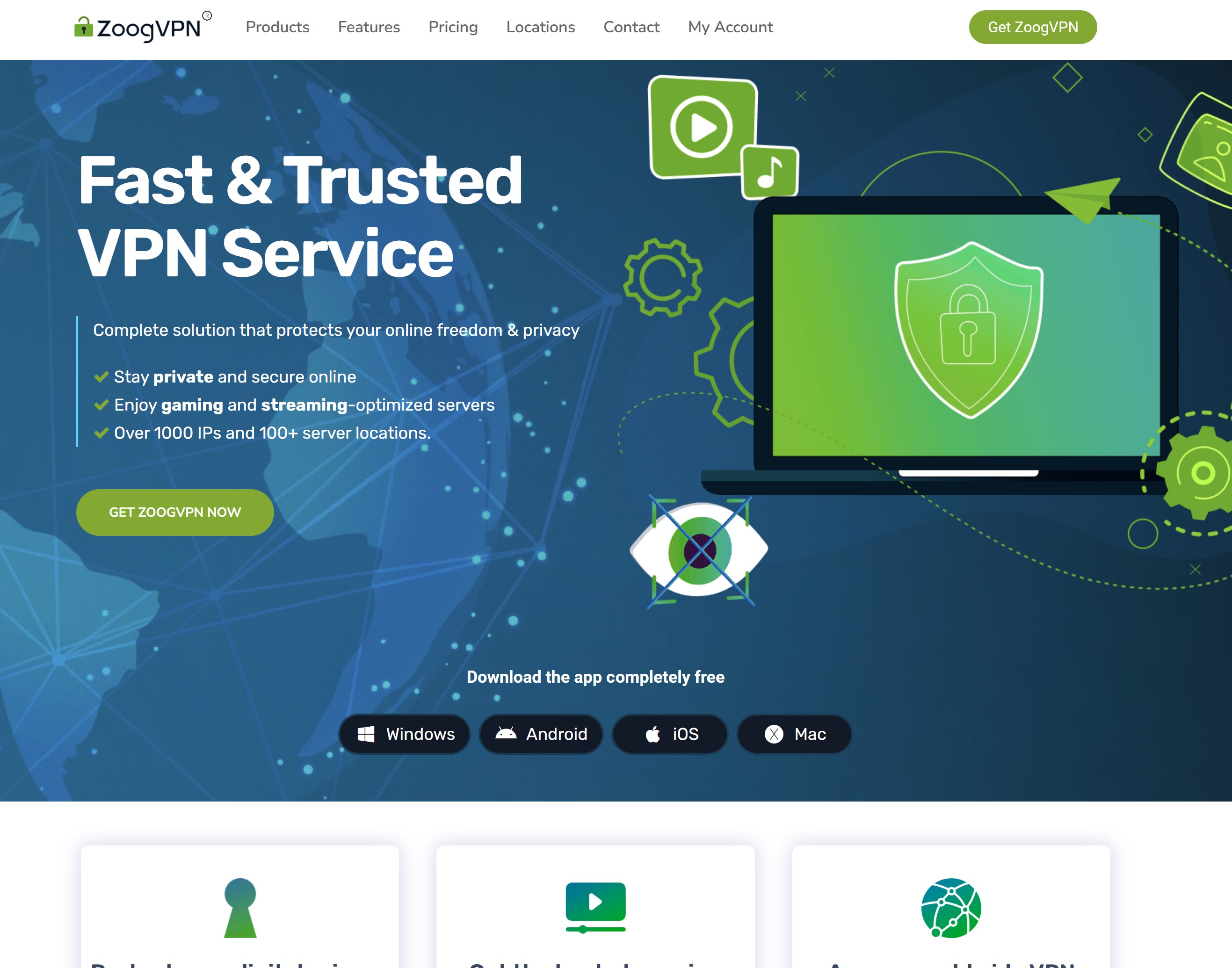
ZoogVPN — best for smaller teams that want a straightforward VPN
- Best for: Small remote or hybrid teams that want VPN apps for employees without setting up their own VPN server.
- What it does well: ZoogVPN offers apps for Windows, macOS, Linux, iOS and Android. Its business offering can be tailored to the number of devices a company needs, while features such as a kill switch, split tunnelling and leak protection give teams useful connection controls. ZoogVPN also advertises server presence across 100+ locations and offers servers intended for streaming. Check the specific locations and performance your team needs before committing.
- Where it may fall short: ZoogVPN's business page describes custom setups but does not clearly spell out whether every business customer gets SSO, central user provisioning, detailed access logs or automated offboarding. Ask for a demonstration if these matter to your IT team. Its free individual plan has a data cap, supports one device at a time and offers limited streaming and torrenting support. Although ZoogVPN advertises a large network overall, check its coverage in the specific parts of Africa and the Middle East where your staff work.
- Deployment and administration: Employees install the relevant app and connect to a VPN location. For a company rollout, ZoogVPN offers tailored setups and says businesses can manage multiple device connections. Confirm how individual accounts are issued, permissions are managed and access is removed when an employee leaves.
- Pricing approach: The business offering requires a custom quote. A free individual plan is available for limited testing, but its restrictions do not reflect the cost or features of a full team rollout.
- Workplace example: A small consulting team travels between client sites and works from hotels. Each employee needs an easy way to connect through a VPN on their laptop or phone, while the business wants one arrangement covering the team's devices.
- Our verdict: ZoogVPN is worth considering if simple apps, broad advertised location coverage and a tailored business setup appeal to your team. Its streaming support and privacy features are useful extras, but the decision for a business should come down to the access controls included in its quote and the performance in the locations your employees actually use.
Need straightforward VPN access for your remote team? Consider ZoogVPN
ZoogVPN offers apps across major desktop and mobile devices, with a tailored business setup for teams that want secure connections without hosting their own VPN server.
- Connect employees working from home or while travelling
- Ask about device coverage and the locations your team needs
- Confirm SSO, user management and offboarding in your business quote
2. NordLayer — best for teams that need central identity controls
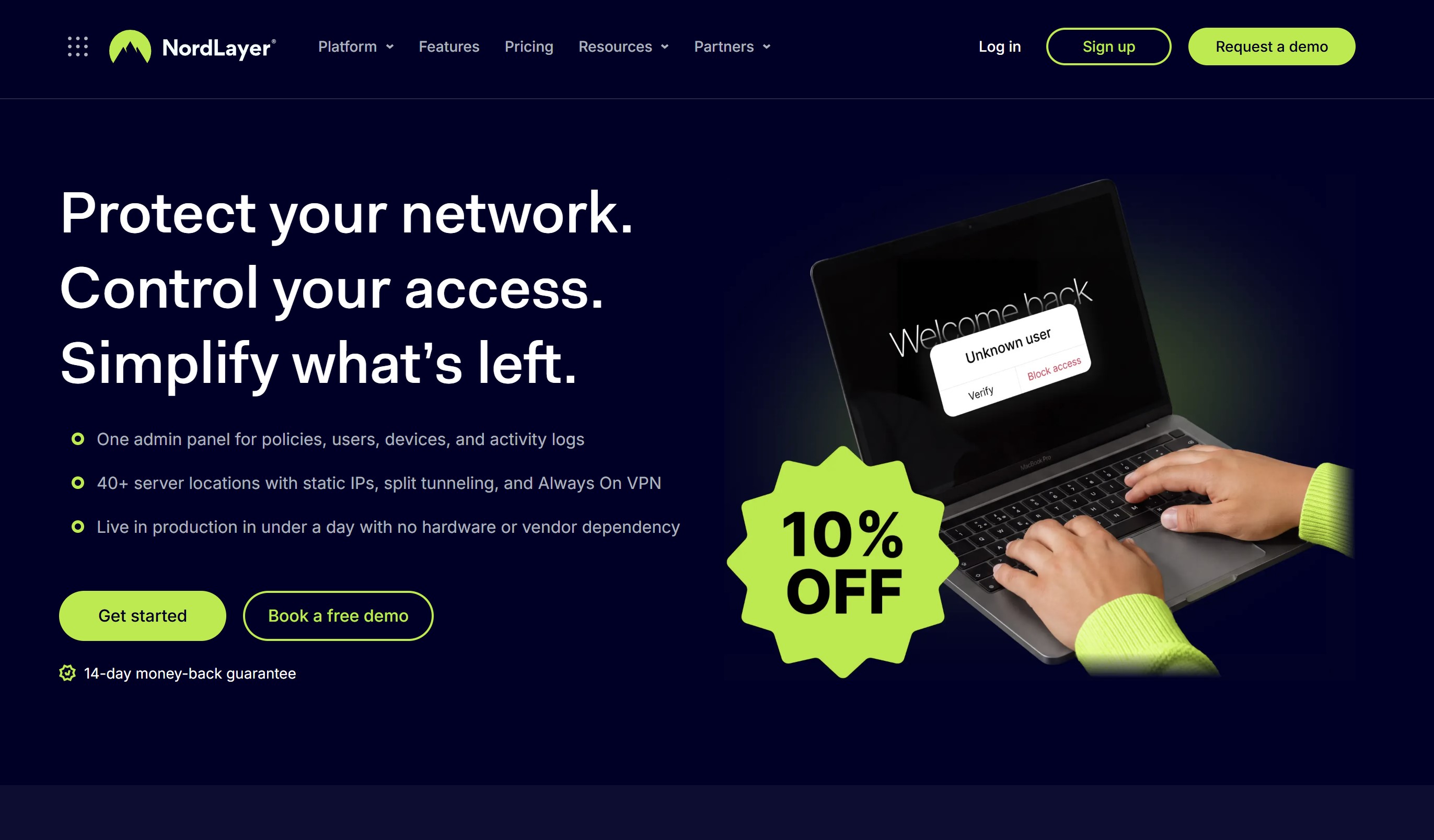
2. NordLayer — best for teams that need central identity controls
- Best for: Growing organisations that want to manage employee VPN access through an existing identity provider, such as Microsoft Entra ID, Okta or Google.
- What it does well: NordLayer combines VPN apps with a central Control Panel for managing users and teams. Its published plans include multi-factor authentication, single sign-on (SSO), connection activity reports and apps for Windows, macOS, Linux, iOS and Android. These are useful when employees frequently join, change roles or leave the business.
- Where it may fall short: The entry-level plan will not cover every access requirement. Features such as dedicated gateways, device posture checks and automated user provisioning depend on the plan or an add-on. That can make the final cost higher than the advertised starting price. Check the exact features your team needs before comparing quotes.
- Deployment and administration: An administrator creates the organisation's account, configures teams and access settings in the Control Panel, and invites employees to install the app. NordLayer supports SSO with several identity providers. Automated onboarding and offboarding through Entra ID or Okta are listed separately in its plan comparison, so confirm whether they are included in your chosen package.
- Pricing approach: NordLayer lists its Lite plan from $8 per user per month, with a five-user minimum. Higher plans and optional features cost more, and applicable taxes are added. These were the published terms when we checked in September 2026; confirm the current price and billing term before buying.
- Workplace example: A company has employees working across several offices and at home. IT uses its identity provider to manage sign-ins, groups staff by access needs, and checks connection reports when someone cannot reach a company resource.
- Our verdict: NordLayer is a strong option when managing employee identities and access is the main concern. Its clear admin features make it easier to evaluate than a VPN sold solely as individual subscriptions. The key question is which plan includes the controls you need: the low starting price is less useful if your rollout also requires dedicated gateways, device checks or automated offboarding.
Managing VPN access for a growing team? Consider NordLayer
NordLayer gives IT a central place to manage employee connections, with single sign-on and multi-factor authentication available across its business plans.
- Manage users and teams through an admin console
- Connect sign-ins to an existing identity provider
- Check which plan includes the gateways and device controls you need
3. Twingate — best for controlling access to specific company resources
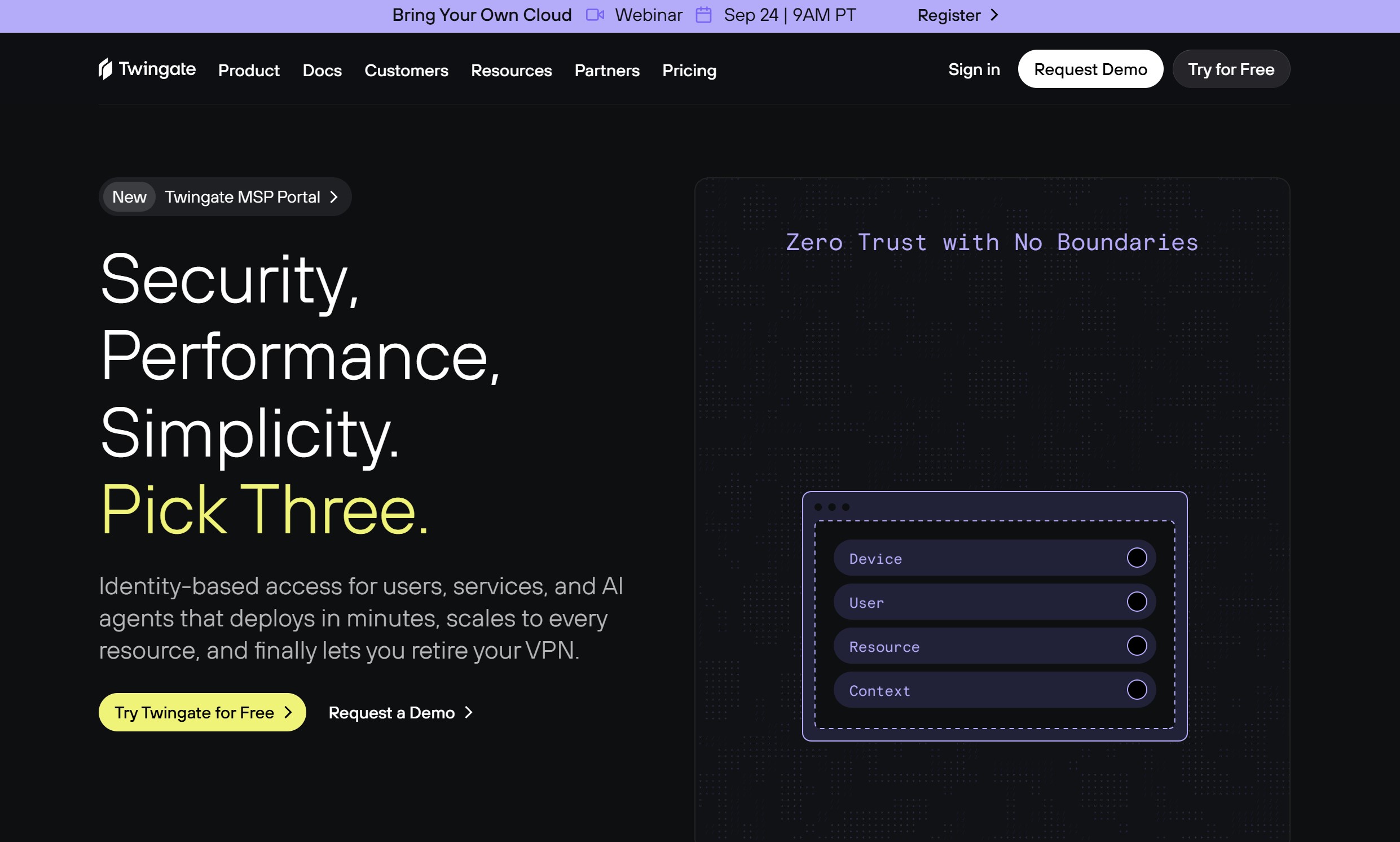
Twingate — best for controlling access to specific company resources
- Best for: Teams that want employees and contractors to reach the internal tools they need without giving them broad access to the company network.
- What it does well: Twingate uses zero trust network access (ZTNA). In practical terms, an administrator can grant someone access to a particular application, server or database rather than opening up an entire network. Access can be tied to the person's identity and device. That makes it especially useful when a hybrid team includes contractors or employees with different responsibilities.
- Where it may fall short: Twingate requires you to identify the private resources people need and set up permissions for them. That initial work is worthwhile if precise access is your goal, but it may be more than a small team needs if employees simply want a VPN app for general browsing. Check the plan carefully too: SSO through Google Workspace is listed on Teams, while broader identity-provider support and automated provisioning are listed on Business.
- Deployment and administration: IT deploys a Twingate Connector near the systems employees need to reach, defines those systems as resources, and assigns access to users or groups. Employees install the Twingate client and sign in. Administrators then manage access through policies rather than distributing a traditional VPN configuration to everyone.
- Pricing approach: Twingate lists a free Starter tier for up to five users. Its published Teams plan starts at $5 per user per month, while Business starts at $10 per user per month and adds controls such as wider SSO support and identity-provider provisioning. These were the published prices in September 2026; check the current billing terms and feature limits before buying.
- Workplace example: A company hires a freelance finance consultant for three months. The consultant needs access to one reporting application but has no reason to reach the development servers or other internal systems. IT grants access to that resource and removes it when the contract ends.
- Our verdict: Twingate is a strong choice when the problem you need to solve is who can reach each private system. Its focused permissions make it a credible alternative to broad VPN access, particularly for mixed employee and contractor teams. Allow time to map your resources and check which identity and device controls your chosen plan includes.
Need to control who can reach each internal tool? Consider Twingate
Twingate lets you grant employees and contractors access to specific applications, servers and databases without giving them broad access to your company network.
- Set permissions for individual private resources
- Manage access based on user identity and device
- Check which plan supports your identity provider
4. Tailscale — best for engineering teams and development environments
- Best for: Technical teams that need secure connections between laptops, servers, development environments and other devices in different locations.
- What it does well: Tailscale creates a private network, called a tailnet, between authorised devices using WireGuard. A developer can reach a test server from home without exposing that server to the public internet. Administrators can set access rules, and the Standard business plan includes user and group provisioning through SCIM, device management options and integrations for checking device status.
- Where it may fall short: You still need someone who understands which devices and services should be connected, and who should be allowed to reach them. Features such as network flow logs and just-in-time access are listed on the higher-priced Premium plan. Tailscale's free Personal plan is a separate option with its own limits; do not assume it includes the administration features needed for a company rollout.
- Deployment and administration: Install Tailscale on the devices you want to connect, bring them into the organisation's tailnet and define access rules for users and resources. IT can then manage the network through Tailscale's admin tools instead of maintaining a traditional central VPN server.
- Pricing approach: Tailscale lists Standard at $8 per user per month and Premium at $18 per user per month. Its free Personal plan allows up to six users, but compare the paid business features against your company's requirements. Tailscale uses seat-based billing, so check how adding users affects your monthly cost. Prices were checked in September 2026 and may change.
- Workplace example: Developers work from home and the office but need to reach staging servers and test devices hosted in several locations. Their IT team gives them access to those resources through one private network, with rules defining who can connect to each system.
- Our verdict: Tailscale is one of the most practical options on this list for teams connecting technical systems across locations. Its strength is making device and infrastructure access easier to set up and manage. Plan the access rules carefully, and budget for Standard or Premium if you need business provisioning, advanced logs or more detailed controls.
Need secure access to servers and development tools? Consider Tailscale
Tailscale connects authorised devices in a private network, making it useful for developers who need to reach staging servers, test devices and other internal resources from different locations.
- Connect laptops, servers and development environments
- Define which users and devices can reach each resource
- Check business plan features for provisioning and activity logs
5. Proton VPN for Business — best for privacy-focused teams
- Best for: Organisations that want managed VPN accounts alongside Proton's privacy-focused approach, with the option to add dedicated gateways and stronger identity controls.
- What it does well: Proton VPN for Business includes a central control panel, a published no-logs policy, a kill switch, DNS leak prevention and support for multiple devices per user. Its Professional plan adds SSO, SCIM provisioning, two-factor authentication enforcement and dedicated servers. That gives buyers a clear choice between a managed VPN for employees and a more controlled setup for company access.
- Where it may fall short: The lower-priced Essentials plan does not list SSO, SCIM or dedicated gateways. If your team needs those features, the Professional plan requires at least one separately charged dedicated server. A privacy-focused VPN also does not make an organisation compliant with a regulation by itself; your policies, devices and wider security practices still matter.
- Deployment and administration: Create a business organisation, add users and assign administrative roles. Employees then use Proton VPN on their devices. Teams choosing Professional can add dedicated servers, create gateways and set up the relevant identity controls. Proton also describes deployment options through device management tools such as Intune and Jamf; confirm that the features you need are included in your chosen plan.
- Pricing approach: Proton lists VPN Essentials at $6.99 per user per month and VPN Professional at $9.99 per user per month. Professional also requires at least one dedicated server, listed at an additional $39.99 per server per month. Published prices exclude tax and were checked in September 2026.
- Workplace example: A consultancy has staff working across several countries with sensitive client documents. It wants centrally managed VPN accounts for everyone, then evaluates the Professional plan so IT can use its identity provider and a dedicated gateway for access to selected company resources.
- Our verdict: Proton VPN for Business is a good shortlist candidate when privacy and straightforward employee VPN coverage are priorities. Essentials covers the basics at a published per-user price; Professional is the more relevant comparison if you need SSO and dedicated access. Include the required server charge when calculating its real cost.
Want managed VPN access with a focus on privacy? Consider Proton VPN for Business
Proton VPN for Business gives remote employees encrypted connections and provides administrators with a central place to manage accounts. Its Professional plan adds identity controls and dedicated gateway options.
- Manage employee VPN accounts from a central control panel
- Compare Essentials and Professional identity features
- Include the required dedicated server in Professional plan costs
6. Check Point SASE — best for enterprises combining access and web security
- Best for: Larger organisations that want one platform for remote access, internet security, SaaS protection and connections between offices or cloud environments.
- What it does well: Check Point SASE brings private access, secure internet access and SaaS security into a broader security platform. IT can manage users, access policies and network connections through a central dashboard. This is useful when a hybrid workforce needs more than a VPN connection to one office. The product was previously called Harmony SASE, so you may still see that name in older reviews.
- Where it may fall short: A full SASE platform takes more planning than rolling out a basic VPN app. An organisation buying it only to protect a handful of travelling employees may find that much of the platform is beyond its needs. Ask which capabilities are included in the proposed package and which require additional licensing.
- Deployment and administration: The security team maps the applications, users, sites and traffic it needs to protect, then configures access and inspection policies. Check Point describes a hybrid architecture with on-device and cloud inspection options, as well as integration with existing infrastructure.
- Pricing approach: Request a tailored quote. Compare the cost of the specific private access, internet access and SaaS security capabilities you need, along with implementation and support. We did not find a single published price that accurately represents every deployment.
- Workplace example: An enterprise has employees at home, several offices and cloud-hosted applications. Its security team wants consistent access rules and web protection across those locations rather than managing separate tools for each connection.
- Our verdict: Check Point SASE belongs on the shortlist when remote access is part of a wider network security project. Its range of controls is the attraction; the trade-off is the work involved in selecting, deploying and managing the right parts of the platform.
Bringing remote access and web security together? Consider Check Point SASE
Check Point SASE combines access to private company resources with internet and SaaS security controls. It is suited to organisations managing employees, offices and applications across several locations.
- Set access rules for remote employees and private resources
- Manage internet and SaaS security alongside network access
- Request a quote for the capabilities and support you need
7. OpenVPN CloudConnexa — best for connecting people and private networks through a managed service
- Best for: Teams that need to connect remote employees to applications spread across offices, cloud environments and private networks.
- What it does well: CloudConnexa is a cloud-delivered service with a central management console and connectors for making internal resources available. Its plans include access policies, and paid tiers add options such as SAML authentication, log streaming and SCIM provisioning. This gives IT a way to build access around the resources employees use without hosting the core service itself.
- Where it may fall short: The setup still requires someone to identify resources, deploy connectors and define sensible access rules. Its pricing also needs a close read: both an active user and a connector consume a seat. If you need to host the VPN server yourself, OpenVPN's separate Access Server product is the one to evaluate.
- Deployment and administration: Create a CloudConnexa environment, add users, place connectors near the private systems they need to reach, and configure access in the console. Staff then connect using the appropriate OpenVPN client. Keep track of connector seats as you add more locations or systems.
- Pricing approach: The free Starter plan includes five seats. OpenVPN lists Essential at $7 per seat per month and Premium at $9.50 per seat per month, with annual discounts and higher tiers available. Calculate seats for active employees and connectors; a team of three employees using two connectors would need five seats. Prices were checked in September 2026 and may change.
- Workplace example: A company has employees working remotely, an application in one office and a database in a cloud environment. IT uses connectors to make those resources reachable and manages employee access from one CloudConnexa account.
- Our verdict: CloudConnexa is a useful choice when you want managed access across several environments. Its pricing is easier to assess once you count every user and connector, and its strongest fit is for teams that can plan which resources should be accessible. Choose Access Server instead if self-hosting is a firm requirement.
Connecting staff to systems across locations? Consider OpenVPN CloudConnexa
CloudConnexa helps remote employees reach private applications across offices and cloud environments through a centrally managed service. Connectors make those resources available without hosting the core service yourself.
- Connect employees to resources across multiple environments
- Manage access policies from a cloud console
- Count both active users and connectors when estimating seats
8. Windscribe ScribeForce — best for small teams that want simple VPN billing
- Best for: Small teams that need managed VPN accounts under one bill and want a clear per-seat starting price.
- What it does well: ScribeForce gives team members Windscribe Pro features while letting an administrator create and manage accounts from one panel. It includes unlimited data, access to Pro locations and central billing. Purchased static IPs can also be shared among team members, which may help when a service allows access from approved IP addresses.
- Where it may fall short: ScribeForce focuses on managing VPN subscriptions for a team. Its published feature list does not describe the same resource-level permissions, identity-provider provisioning or private-network connectors offered by some other products in this guide. If staff need access to internal servers or individual applications, ask Windscribe to demonstrate that specific setup before choosing it.
- Deployment and administration: Set up a ScribeForce team, generate accounts for employees and manage the seats from the team panel. Employees then use Windscribe's apps on their devices. Billing is consolidated rather than handled through separate individual subscriptions.
- Pricing approach: Windscribe lists ScribeForce at $5 per seat per month, with a minimum purchase of five seats. Static IPs, if needed, are a separate consideration. These were the published terms in September 2026; check the current price before buying.
- Workplace example: A small marketing agency has six employees who travel and work from shared spaces. It wants VPN accounts for their laptops and phones, one monthly bill and a simple way to manage team membership.
- Our verdict: ScribeForce is easy to understand and budget for when a small team primarily needs VPN apps and central billing. It is less convincing as a replacement for a system that grants staff carefully scoped access to private company applications. Decide which of those jobs you actually need done before comparing its $5 seat price with a ZTNA or SASE plan.
Need VPN accounts for a small team? Consider Windscribe ScribeForce
ScribeForce puts Windscribe Pro accounts under one team plan, giving administrators a single place to manage members and billing.
- Create and manage VPN accounts for team members
- Keep employee subscriptions under one monthly bill
- Check the five-seat minimum and any static IP costs
Which option should your team choose?
Start with the job you need the tool to do.
If employees mainly want a VPN app while travelling, you are making a different choice from a company that needs to control access to private applications or connect several offices and cloud environments.
| If your main requirement is… | Start by evaluating… |
| A straightforward VPN app for a small team | ZoogVPN and Windscribe ScribeForce |
| SSO and centrally managed business access | NordLayer and Proton VPN for Business |
| Access to specific private applications | Twingate |
| Secure connections between developer devices and services | Tailscale |
| Cloud-managed connections across people and private networks | OpenVPN CloudConnexa |
| A broader enterprise security platform | Check Point SASE |
Pick two options that match your main requirement, then ask both providers to show you the same real task: adding an employee, granting access to the right system and removing that access.
Compare the full price for your team, including any gateways, connectors or dedicated servers. That will tell you more than a long feature list.
VPN vs ZTNA vs SASE: what is the difference?
These terms describe different ways to connect and protect people at work:
- VPN (virtual private network) creates an encrypted connection between an employee's device and a VPN server. A business can use it to provide access to a private network, but what the employee can reach depends on the access rules the business sets.
- ZTNA (zero trust network access) grants access to specific applications or resources based on rules such as the person's identity and device. Twingate is an example from this guide.
- SASE (secure access service edge) brings network access and other security services, such as web protection, into one platform. Check Point SASE is the broadest example on our list.
Imagine an employee needs to open an internal HR system from home. With a VPN, they may connect to the company network first, then open the HR system. With ZTNA, IT can grant them access to the HR system specifically.
A SASE platform can manage that private access alongside rules for their wider internet and cloud app use.
That is why encryption and advertised speed tell only part of the story. Ask which systems the employee can reach after signing in, what checks happen first, and how quickly access can be removed.
The UK National Cyber Security Centre's ZTNA guidance is a useful reference when comparing these access models.
A practical checklist before you buy
Take these questions into every provider demo.
Ask the salesperson to show you the answer in the product, using a realistic employee account and one of the systems your team needs to access.
- What must employees reach? List your cloud apps, private applications, servers and office networks. Check whether the product supports each one.
- Can we limit access by role, device and location? Ask the provider to show what an employee, administrator and contractor can each see.
- Does it work with our identity provider and MFA? Confirm support for the services you already use and whether those features are included in the proposed plan.
- How quickly can we remove access? Watch what happens when an employee's account is disabled. Check whether their existing connections end too.
- What happens if the connection drops? Test whether employees receive a clear warning, whether traffic is blocked or rerouted, and how they reconnect.
- Can contractors and personal devices use it? Ask what checks and restrictions you can apply without giving temporary users too much access.
- What is the full cost at our expected team size? Include users, connectors, dedicated servers, gateways, static IPs, support and any minimum commitment.
Run the same short demo with your two preferred providers.
A product that looks strong on a feature list may feel very different when you add a user, grant access, troubleshoot a failed connection and remove that user again.
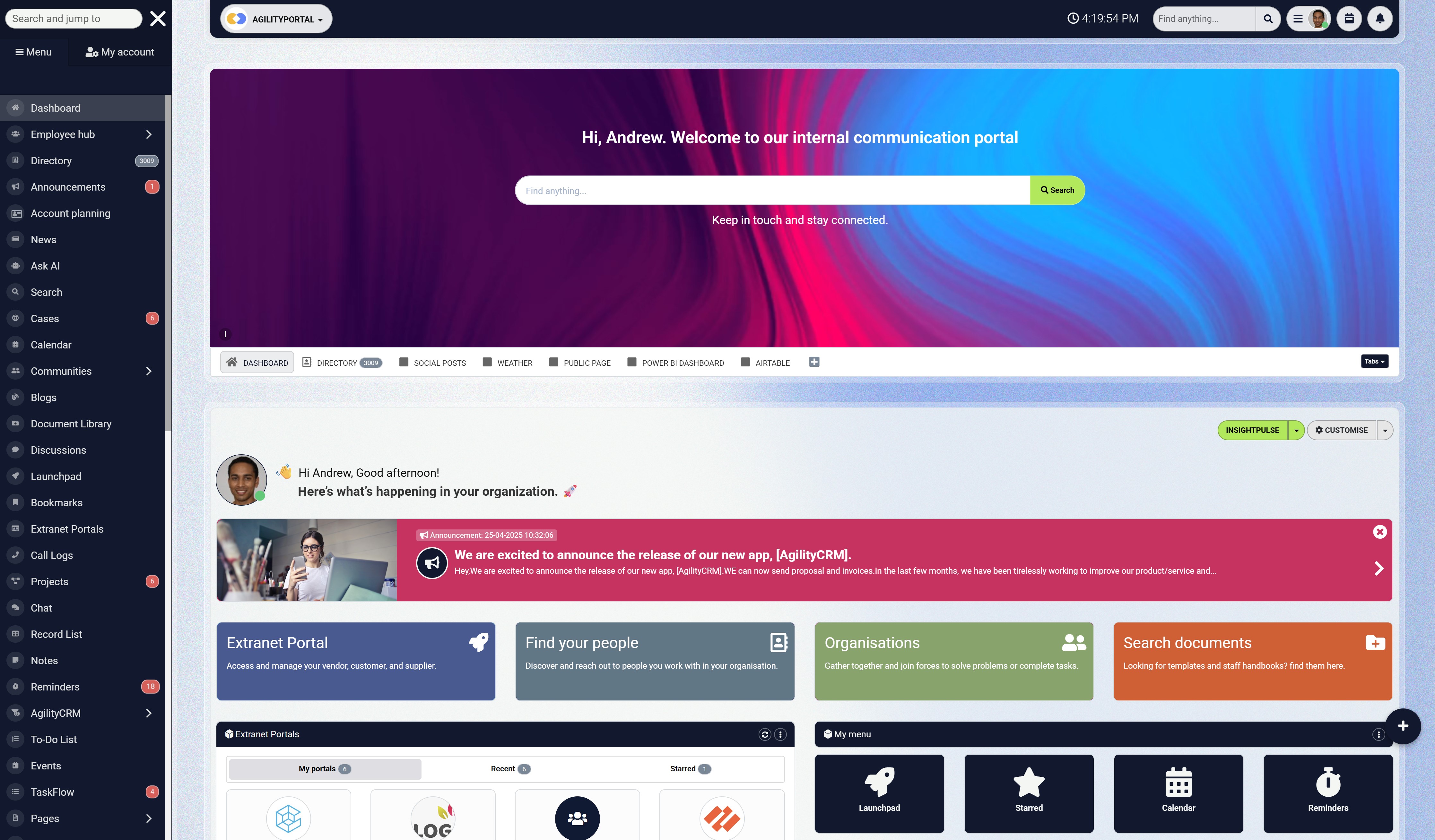
Secure access is the start. Bring the working day together.
Once employees sign in, they still need an easy way to find company updates, documents, conversations and colleagues. AgilityPortal brings those everyday resources together in one digital workplace.
- Share company news and team updates
- Keep documents and knowledge easier to find
- Connect people through conversations and a staff directory
Final verdict
The best choice for a remote or hybrid team comes down to what people need to reach and how much control your IT team needs over that access.
If your employees mainly need a straightforward VPN app while working from home or travelling, ZoogVPN and Windscribe ScribeForce are sensible starting points. ZoogVPN offers a tailored business arrangement, while ScribeForce makes team accounts and billing easier to manage. Ask ZoogVPN to demonstrate its business administration features before treating it as an overall winner.
For organisations that want central user management and single sign-on, compare NordLayer with Proton VPN for Business.
Look beyond the starting price: the plan you need may depend on automated provisioning, device controls or a dedicated server.
If employees or contractors should reach only certain internal applications, Twingate deserves a closer look. Tailscale is a strong fit for engineering teams connecting laptops, servers and development environments.
OpenVPN CloudConnexa suits teams that want to manage connections between people and private networks through a cloud service. For enterprises bringing remote access, web protection and SaaS security into a wider programme, evaluate Check Point SASE.
No provider wins every scenario. A VPN app for travelling staff, resource-level access for contractors and a platform for securing several offices solve different problems. Start by listing the systems your team uses and deciding who should be able to reach each one.
Then shortlist two products that fit your main requirement. Ask both providers to show you the same tasks: add a new employee, grant access to one resource, connect from an employee device, troubleshoot a failed connection and remove access.
Request a full cost breakdown at your expected team size, including seats, connectors, gateways, dedicated servers and support.
That exercise will give you a clearer answer than a headline price or a long list of security features.
Frequently asked questions
Do remote employees need a business VPN?
Not always. A business VPN can help employees reach private company systems or protect traffic on unfamiliar networks.
If your team mainly uses cloud applications, you may need identity controls and MFA more than a traditional VPN. Choose based on the systems employees must access.
Is a free VPN suitable for a company team?
Usually only for a limited trial. Free plans can help you check whether an app works on your devices, but they may restrict data, users or features.
Before a team rollout, check central administration, access removal, support and the full cost of the business plan.
What is the difference between a VPN and zero trust access?
A VPN creates a protected connection; zero trust access makes an access decision for a particular user, device and resource.
A VPN can still have access rules, and the two approaches can work together. Ask each provider exactly which systems an employee can reach after signing in.
Can a VPN protect employees using public Wi-Fi?
Yes, it can encrypt traffic carried through the VPN connection. Employees still need to check that the VPN is connected, use MFA and keep their devices updated.
A VPN cannot make a stolen account or compromised laptop safe.
Which option is easiest to manage as a team grows?
The easiest option is the one that fits your existing identity and device setup. For teams adding and removing staff regularly, compare SSO, user groups, device policies and offboarding in a demo.
A simple app may be quick to deploy, but managing individual accounts can become harder at scale.
Does a VPN make a business compliant with data protection rules?
No. A VPN may support secure data handling, but compliance depends on the risks you face and the technical and organisational measures you put in place.
The UK Information Commissioner's Office says organisations must assess what is appropriate for their processing, including access controls, policies and the ability to demonstrate compliance.
AI Summary
- The best VPN for a remote or hybrid team depends on whether employees need safer internet connections, access to private applications or connections between company devices.
- ZoogVPN is a straightforward app-based option for smaller teams, while Windscribe ScribeForce offers simple team account management and billing.
- NordLayer suits organisations that want central user management and single sign-on. Proton VPN for Business is an option for teams prioritising privacy and managed VPN access.
- Twingate controls access to specific internal resources, while Tailscale is particularly useful for engineering teams connecting devices and development environments.
- Check Point SASE brings private access and wider security services together for enterprises. OpenVPN CloudConnexa provides cloud-managed access across remote users and private networks.
- Before choosing, compare the complete cost and check which plan includes the identity controls, device policies, gateways and user management features your team needs.
Most Popular Posts

Effective communication among team members is vital for the productivity and success of any organization. Surprisingly, 60% of companies lack a long-term internal communication strategy, which p...


Businesses thrive on communication for efficiency, productivity and accomplishment. When the right information is passed from the right designation in the organization, it promotes positivity an...

Categories
Blog
(3190)
Business Management
(394)
Employee Engagement
(235)
Digital Transformation
(217)
Growth
(150)
Intranets
(141)
Internal communications
(106)
Remote Work
(68)
Sales
(53)
Collaboration
(52)
Customer Experience
(32)
Culture
(30)
Knowledge Management
(29)
Project management
(29)
Leadership
(20)
Comparisons
(9)
News
(1)

Related Posts

Welcome to AgilityPortal's guide to the best VPN for Remote teams. How do you give employees secure access to company systems when they work from home, the office and everywhere in between? It's a question more businesses need to answer: 28% of worki...

Have you ever left a meeting thinking everyone agreed on the next step, only to discover a week later that each person remembered something different? Open source meeting transcription can help teams keep a searchable record of the conversation...

The best ai image editors can save a team hours of repetitive work. A marketing manager can remove a distracting background, an HR team can improve a staff event photo, and an online shop can turn a basic product shot into something ready to pu...

Ever opened a PDF just before a meeting and realised you need to edit a page, pull figures from a scanned report, or gather everyone's comments? What should be a quick task can turn into a frustrating search for the right tool. That lost time a...

Looking for a New Job Remotely can feel like a simple next step: update your CV, turn on job alerts and start applying. In reality, the strongest remote job searches start much earlier. You need to be clear about the work you want, the kind of ...


Jill Romford
I am a digital nomad, lover of exploring new places and making friends.
I love to travel and I love the internet. I take pictures of my travels and share them on the internet using Instagram.
Traveler, entrepreneur, and community builder. I share my insights on digital marketing and social media while inspiring you to live your fullest life.
Ready to learn more? 👍
One platform to optimize, manage and track all of your teams. Your new digital workplace is a click away. 🚀
Free for 14 days, no credit card required.