
Insight Blog
Agility’s perspectives on transforming the employee's experience throughout remote transformation using connected enterprise tools.
21 minutes reading time
(4217 words)
Featured
Time Wasted Searching Information: Why It’s Killing Employees Time + Our Biggest Findings

Time Wasted Searching Information: Why It’s Killing Employees Time + Our Biggest Findings
Employees lose hours every week searching for information at work. Learn the causes, business impact, and practical ways to fix it.
Time Wasted Searching Information: Why It’s Killing Employees Time + Our Biggest Findings

Time wasted searching information is one of those problems you don't really notice at first—but it's quietly killing productivity across your entire business.
Think about your own day for a second. How much time do you spend searching for things?
A document you know exists, a message buried in Slack, the latest version of a file, or even just trying to figure out who has the answer. It adds up fast.
The reality is, this isn't a people problem—it's a system problem.
When your information is spread across emails, chats, shared drives, and different tools, you're forced to hunt for answers instead of actually doing your job. And that constant switching? It slows you down more than you realise.
Research backs this up too.
Studies from McKinsey & Company show that knowledge workers spend roughly 20% of their workweek searching for and gathering information.
20%
of the workweek
Studies from McKinsey & Company show that knowledge workers spend roughly 20% of their workweek searching for and gathering information.
Source: McKinsey Global Institute
That's basically one full day every week.
More recent data from Atlassian pushes that even further, suggesting teams can lose up to 25% of their time just trying to find answers.
So if it feels like you're constantly searching instead of working… you're not imagining it.
Key Takeaways
- Time wasted searching for information is one of the biggest hidden productivity drains, with employees losing hours each week just trying to locate documents and answers.
- Disconnected tools and poor knowledge management create time wasters everywhere, increasing the time spent searching and slowing down everyday work.
- Research shows employees can spend up to 20% of their workweek searching for information, highlighting exactly how time is wasted in modern workplaces.
- The time wasted looking for documents is often caused by duplicate files, unclear ownership, and a lack of a single source of truth.
- Platforms with enterprise search, integrations, and centralised access reduce time spent searching and help teams find information faster in one place.
Time Wasted Searching Information: Why It's Killing Workplace Productivity

Time Wasted Searching Information: Why It's Killing Workplace Productivity
What does "time wasted searching information" actually mean?
Let's be honest for a second—how often do you find yourself wasting time looking for documents that you know exist somewhere?
You've probably done it today already.
You check your email… nothing.
Then Slack or Teams… still can't find it.
Then a shared drive… five versions of the same file.
So what do you do next? You message a colleague: "Hey, do you have the latest version?"
That right there—that's the problem.
The time wasted looking for documents isn't just about search.
It shows up in small, frustrating ways all day:
- digging through long email chains trying to find one attachment
- asking coworkers for updates or files they sent last week
- jumping between multiple apps just to answer one simple question
- trying to figure out which version of a document is actually the latest
- not even knowing where important company information is stored
And here's the kicker—it's not your fault.
According to an internal survey conducted by AgilityPortal across its customer base, employees spend between 4 to 6 hours per week on average searching for documents, updates, or internal information. That's nearly a full working day every week… gone.
So if it feels like you're constantly searching instead of actually working, you're not alone.
This isn't a productivity issue. It's a system failure.
When information is scattered across tools, poorly organised, or locked in silos, people don't just lose time—they lose momentum, focus, and the ability to do their job properly.
How much time do employees waste searching for information?
Here's where it gets uncomfortable.
The time wasted looking for documents is not small—it's massive.
Research from McKinsey & Company shows knowledge workers spend around 20% of their workweek just searching for information. That's basically one full day every week.
It gets worse.
Atlassian reports teams can lose up to 25% of their time hunting for answers, and 56% of employees regularly have to ask someone or book a meeting just to find what they need.
25%
time lost weekly
It gets worse. Atlassian reports teams can lose up to 25% of their time searching for answers, while 56% of employees regularly need to ask someone or book a meeting just to find what they need.
Source: Atlassian Workplace Research
Now add this: based on an AgilityPortal customer survey, employees spend 4–6 hours per week specifically on the time wasted looking for documents alone.
So if your team feels slow, it's not a people issue—it's a visibility problem.
4–6h
per week lost
Based on an AgilityPortal customer survey, employees spend 4–6 hours per week looking for documents alone—a major contributor to overall time wasted searching for information.
Source: AgilityPortal Customer Survey
Why this gets worse as companies grow
Here's the part most companies underestimate—the bigger you get, the worse this problem becomes.
At the start, it's manageable. Everyone knows where things are. But as the business grows, so does the time wasted looking for documents.
You add more tools—Slack, Teams, shared drives, project apps. Then more departments come in, each with their own way of storing information. Before long, you've got duplicated files everywhere, and no one knows which version is the right one.
Permissions start getting messy too. People either can't access what they need, or they have access to everything, which makes search even harder. And on top of that, a lot of processes never get documented properly—they just live in someone's head.
So what happens? Simple tasks take longer, and the time spent searching quietly keeps increasing as the company scales.
It usually shows up like this:
- More tools = more places to search
- Duplicate files with unclear "final" versions
- Employees asking the same questions repeatedly
- Information locked inside specific teams or people
- Poor or inconsistent naming of documents
- Access issues slowing everything down
- No clear single source of truth
The real business cost of time wasted searching information
The time wasted looking for documents isn't just annoying—it hits your business where it hurts: productivity, speed, and results.
Reason #1: Lower employee productivity
Every time someone stops to search, they break focus. That 5–10 minute "quick search" happens multiple times a day.
Across a team, that turns into hours lost every week—time that should be spent doing actual work, not hunting for it.
Reason #2: Slower decision-making
When managers can't find the right data, reports, or approvals, everything stalls.
Decisions that should take minutes get pushed to the next meeting—or worse, delayed for days.
Reason #3: Duplicate work
If something can't be found, it gets recreated.
That means your team is literally doing the same work twice, doubling effort and wasting valuable time.
Reason #4: Frustration and burnout
Constant searching creates friction.
Over time, it drains energy, reduces motivation, and makes simple tasks feel unnecessarily hard.
Reason #5: Poor customer and employee experience
When internal teams struggle to find answers, responses slow down.
That delay directly impacts customers—and your reputation.
Why employees waste so much time searching for information

Why employees waste so much time searching for information
Information is spread across too many apps or tools
Email, chat, cloud storage, and apps all hold pieces of the puzzle.
- Employees switch between multiple platforms to find one answer
- Important files get buried in Slack, Teams, or email threads
- No centralised knowledge management system to rely on
- Leads to constant context switching and lost productivity
Poor knowledge management
Without structure, information becomes messy fast.
- Documents are outdated, duplicated, or incorrectly named
- No clear ownership or review process for content
- Teams rely on guesswork instead of a proper knowledge base
- Increases time spent searching and reduces accuracy
No single source of truth
When everything exists in multiple places, nothing is trusted.
- Multiple versions of the same file create confusion
- Employees waste time verifying what's correct
- Delays decision-making and slows workflows
- Impacts overall workplace productivity
Information silos
Departments store information separately without sharing.
- Teams rely on others to access key information
- Knowledge is locked in specific tools or departments
- Causes repeated questions and unnecessary meetings
- Slows collaboration and internal communication
Weak search functionality
Search exists—but it doesn't actually solve the problem.
- Results are irrelevant or incomplete
- Employees still rely on asking colleagues for answers
- No enterprise search across all systems
- Extends the time spent searching unnecessarily
Tribal knowledge
Critical information lives in people, not systems.
- Employees depend on "that one person" for answers
- Knowledge is lost when people leave the business
- Onboarding becomes slower and more difficult
- Increases long-term inefficiency and risk
The role of knowledge management and digital workplace software
Let's be honest—most companies don't have a people problem, they have an information problem.
If you're wondering how is time wasted in your business, it usually comes down to this: your team is constantly switching between tools, digging through emails, and chasing colleagues just to find basic information.
That's where the real time wasted looking for documents happens.
Everything is scattered. Different tools, different versions, different places to check. So instead of doing the work, your team spends more time searching for information than actually using it.
This is exactly where modern knowledge management and digital workplace software step in—and fix the root of the problem.
Instead of chasing files, your team knows exactly where to go.
- Centralised communication and information - When everything lives in one place—updates, documents, and conversations—your team stops wasting time jumping between tools. Instead of digging through emails, chats, and shared drives, they know exactly where to go. This reduces confusion, cuts down the time wasted looking for documents, and creates a true single source of truth across the business.
- Searchable documents and updates - A strong enterprise search changes everything. Instead of asking "where is that file?", employees can instantly find what they need. That means faster access to the latest information, less interruption between colleagues, and far less time spent searching for information every day.
- Role-based access and structure - When people only see what's relevant to them, everything becomes easier to navigate. There's less clutter, fewer distractions, and decisions happen faster. Organising information by role, team, or department helps reduce search time and improves overall workplace productivity.
- Version control and content ownership - One of the biggest causes of wasted time is duplicate or outdated files. With proper version control, everyone works from the latest document, and clear ownership ensures content stays accurate. This removes confusion, reduces rework, and keeps teams moving efficiently.
- Mobile access for frontline teams - Work doesn't just happen at a desk. Giving employees access to information anytime, anywhere means they're not delayed waiting to "get back to a laptop." This is critical for frontline and remote workers, helping speed up communication and reduce downtime.
- Better collaboration across departments - When teams can easily share knowledge, they stop working in silos. Information flows freely, problems get solved faster, and there's less need to chase people for answers. The result is a more connected, efficient workplace with far less wasted time.
When you get this right, something interesting happens…
Your team stops searching—and starts moving faster.
Less friction.
Fewer delays.
More actual work getting done.
What to look for in a tool that fixes this problem
If you're serious about reducing the time wasted looking for documents, you need more than just "another tool."
You need the right capabilities—built to solve how information is actually used at work.
Enterprise search

Enterprise search
A proper enterprise search layer connects all your content—documents, messages, people, and data—so your team doesn't have to jump between tools.
Studies from McKinsey & Company show employees spend up to 20% of their time searching for information, which explains exactly how is time wasted in most organisations. It's not the work—it's the hunting for it.
This is where platforms like AgilityPortal change the game.
Instead of replacing everything, they use connectors and integrations to pull content from tools your business already uses—like Microsoft SharePoint, Jira, Google Drive, and Dropbox.
So rather than searching in five different places, your team searches once—and finds everything.
The impact is simple:
- Less time switching between apps
- Faster access to the right information
- Fewer interruptions asking colleagues
- A significant reduction in the time wasted looking for documents
It's not just better search—it's a completely different way of working.
Centralised document management (Single Source of Truth)

Centralised document management
A central document hub ensures everyone is working from the same version of a file—no confusion, no duplicates, no guesswork.
The reality is, most businesses already have documents spread across platforms like Microsoft SharePoint, Google Drive, and Microsoft OneDrive. The problem isn't where the files are—it's that they're scattered.
That's where platforms like AgilityPortal come in.
Instead of forcing a full migration, they allow you to sync and connect documents from multiple sources into one central view. That means your team can locate files faster, without needing to remember where something was originally stored.
The impact is immediate:
- No more duplicate or outdated versions
- Faster access to documents across systems
- Reduced time wasted looking for documents
- Improved accuracy and decision-making
When everything is accessible in one place, your team stops searching—and starts working.
Internal communications & content distribution
Bringing news, updates, and knowledge into one platform keeps everyone aligned.
Research from Atlassian shows 56% of employees rely on others for information, often because updates are scattered.
Centralised communication reduces interruptions and unnecessary meetings.
Research from Atlassian shows 56% of employees rely on others for information, often because updates are scattered.
Centralised communication reduces interruptions and unnecessary meetings.
Access control and governance
Strong permissions and governance frameworks ensure the right people see the right information—nothing more, nothing less.
Without proper structure, two things usually happen: employees either can't access what they need (which slows them down), or they're overwhelmed with too much irrelevant content (which increases the time wasted looking for documents).
This is a key reason how is time wasted becomes a real issue in growing organisations.
When done properly, governance removes friction instead of adding it.
The impact looks like this:
- Employees find relevant information faster without digging through clutter
- Reduced delays caused by access restrictions or permission issues
- Less risk of outdated or incorrect documents being used
- Improved compliance and control over sensitive data
- Faster decision-making due to clearer, trusted information
Get this right, and you don't just organise information—you make it usable.
Mobile-first accessibility
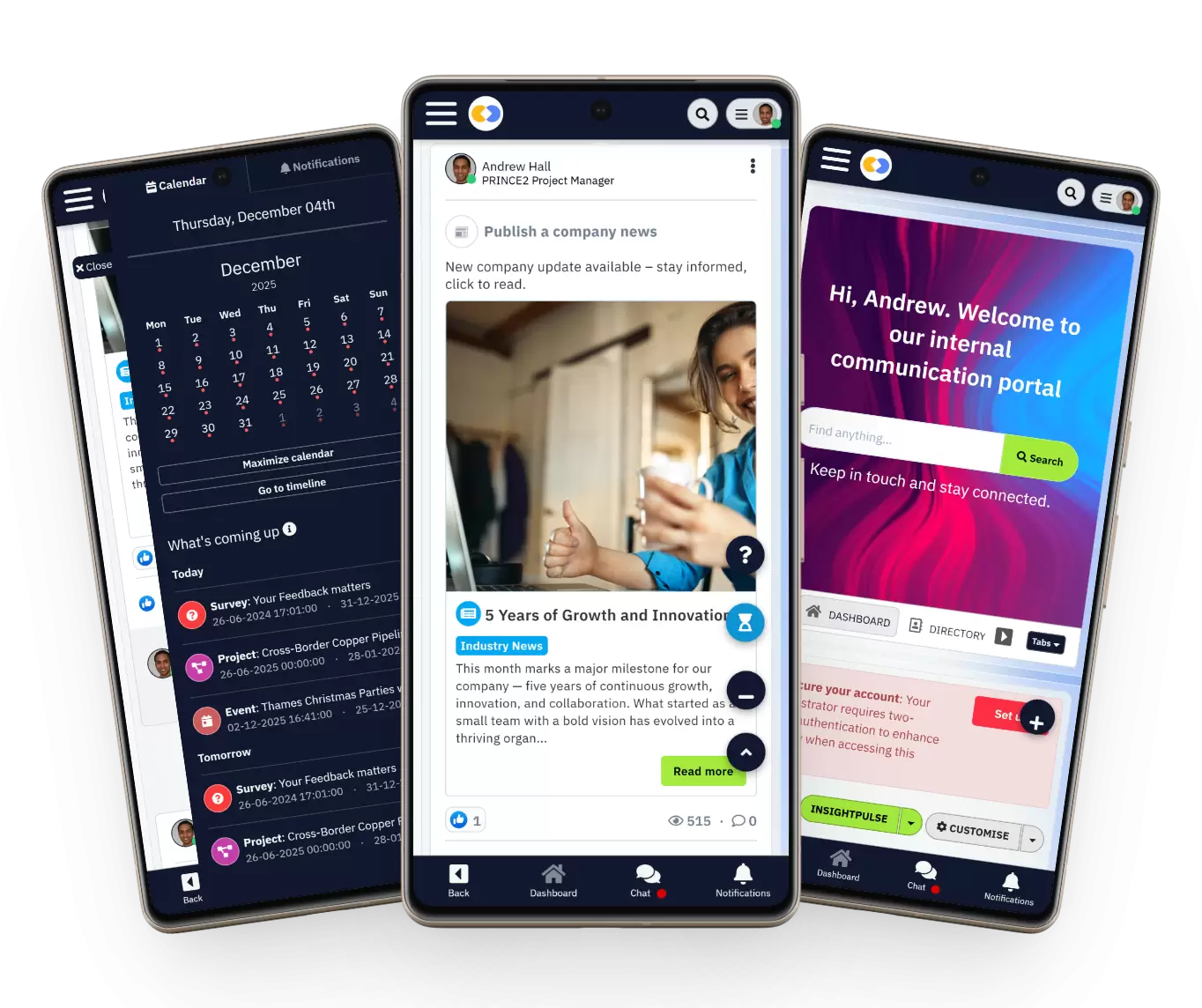
Mobile-first accessibility
- Modern platforms must support mobile and frontline access.
- If employees can't access information instantly, work slows down.
- This is critical for distributed teams and non-desk workers
Integrations with Microsoft 365 & Google Workspace

Integrations with Microsoft 365 & Google Workspace
Seamless ecosystem integrations eliminate silos.
When tools don't connect, employees waste time switching systems and duplicating work.
User adoption and UX
Even the best system fails if people don't use it.
Simple UX and fast onboarding are essential to reduce resistance and ensure teams actually stop wasting time searching.
Get this right, and you don't just improve systems—you give your team back hours every single week.
Boost Productivity: Stop Wasting 50% of Your Time Searching for Documents
Still dealing with time wasted searching for information across emails, chats, and shared drives?
At some point, it stops being a small annoyance and starts costing your business real money.
If your team is constantly asking "where's that document?" or switching between tools just to find answers, it's a sign your systems aren't working the way they should.
That's exactly what we fix.
With AgilityPortal, everything—documents, communication, knowledge, and updates—lives in one place. No more digging, no more duplicate files, no more chasing people for information. Just fast, structured access to what your team actually needs to get work done.
👉 Book a demo and see how you can reduce time spent searching, eliminate time wasters everywhere, and give your team hours back every week.

Boost Productivity: Stop Wasting 50% of Your Time Searching for Documents
AgilityPortal
The Best Knowledge Base Software for Teams Tired of Searching Everywhere
If your team is wasting time digging through emails, shared drives, chat threads, and outdated folders, AgilityPortal gives you a better way to manage company knowledge. It brings documents, policies, SOPs, updates, and internal resources into one searchable digital workplace, so employees can find answers faster without chasing colleagues or switching between tools. Instead of letting information stay scattered across systems, AgilityPortal helps you create a structured, searchable knowledge base that improves productivity, reduces repeated questions, and gives your team a clear single source of truth.
Starts from $99 per 100 users per month
14-day free trial available
No credit card required to get started
Try it free for 14 days – no credit card required
14-day free trial available
No credit card required to get started
Wrapping up
Let's be honest—this isn't about employees being inefficient.
If your team is constantly searching, switching tools, or asking around for answers, the issue isn't effort—it's access. It's a system problem.
The real question isn't "why are people wasting time?" it's how is time wasted in your organisation—and more importantly, why hasn't it been fixed?
When information is scattered, outdated, or hard to find, the time wasted looking for documents becomes unavoidable. And over time, that doesn't just slow people down—it impacts productivity, decision-making, and overall business performance.
The companies that solve this don't just work faster—they work smarter.
They make knowledge easy to find, simple to access, and reliable to use.
And when that happens, something shifts.
Your team stops searching…
…and starts getting real work done.
FAQ
How much time is spent searching for information?
Let's be real—time wasted searching for information is a lot higher than most businesses think.
On average, employees spend 4–6 hours per week on time spent searching for files, messages, or updates. That's a significant chunk of the workweek lost to what should be quick tasks.
How much time is wasted looking for documents?
The time wasted looking for documents alone can take up nearly a full working day each week.
This happens because files are spread across systems, poorly organised, or duplicated—creating time wasters everywhere in daily workflows.
How much time spent searching for information McKinsey?
According to McKinsey & Company, employees spend around 20% of their workweek on time spent searching for and gathering information. That stat alone explains how is time wasted at scale across organisations.
What are three common time wasters in the workplace?
If you're wondering how is time wasted, it usually comes down to a few key areas:
- Time wasted searching for information across multiple tools
- Time wasted looking for documents due to poor organisation
- Interruptions and delays caused by unclear processes
Even things like poorly set up timed search systems or weak search functionality can quietly create inefficiencies.
Fix these, and you don't just remove time wasters everywhere—you give your team hours back every single week.
AI Summary
- Time wasted searching for information is a major productivity issue, with employees spending hours each week trying to locate documents, updates, and internal knowledge across multiple tools.
- Research from McKinsey shows employees can spend up to 20% of their workweek on time spent searching, while Atlassian reports teams can lose up to 25% of their time hunting for answers.
- The time wasted looking for documents is often caused by disconnected systems, poor knowledge management, and a lack of a single source of truth.
- Many organisations underestimate how is time wasted, but it often comes down to scattered tools, duplicate files, weak search functionality, and information silos.
- Modern digital workplace platforms reduce time wasters everywhere by centralising communication, documents, and search into one system with integrations across tools.
- Choosing the right solution depends on reducing time spent searching, improving access to information, and creating a structured, searchable knowledge environment for teams.
Most Popular Posts

Effective communication among team members is vital for the productivity and success of any organization. Surprisingly, 60% of companies lack a long-term internal communication strategy, which p...


Businesses thrive on communication for efficiency, productivity and accomplishment. When the right information is passed from the right designation in the organization, it promotes positivity an...
Categories
Blog
(2976)
Business Management
(373)
Employee Engagement
(223)
Digital Transformation
(192)
Growth
(142)
Intranets
(137)
Remote Work
(63)
Sales
(53)
Collaboration
(48)
Customer Experience
(30)
Culture
(29)
Knowledge Management
(28)
Project management
(28)
Leadership
(20)
Comparisons
(9)
News
(1)

Related Posts

The digital workplace has become the foundation of modern business operations. Whether employees work remotely, in the office, or in a hybrid environment, organizations need effective systems that keep people connected, informed, and productive. This...

If you're searching for a Highspot alternative, you're probably evaluating more than just sales enablement features. Today's organizations need platforms that not only help sales teams find content and engage buyers but also support employee co...

This is why many organizations are investing in a modern client and partner portal to create a centralized, secure environment where external users can access documents, collaborate with teams, complete onboarding tasks, receive updates, and find the...

Partner collaboration has become a critical part of business growth, especially for organizations that rely on distributors, resellers, suppliers, affiliates, consultants, and channel partners to generate revenue. Yet surprisingly, many compani...

Most businesses invest heavily in marketing, advertising, social media, and SEO to attract new customers, but many overlook one of their most valuable marketing assets: their employees. That's where employee engagement comes in. Employee engage...


Jill Romford
I am a digital nomad, lover of exploring new places and making friends.
I love to travel and I love the internet. I take pictures of my travels and share them on the internet using Instagram.
Traveler, entrepreneur, and community builder. I share my insights on digital marketing and social media while inspiring you to live your fullest life.
Ready to learn more? 👍
One platform to optimize, manage and track all of your teams. Your new digital workplace is a click away. 🚀
Free for 14 days, no credit card required.