
Insight Blog
Agility’s perspectives on transforming the employee's experience throughout remote transformation using connected enterprise tools.
21 minutes reading time
(4234 words)
The Hidden Cost of Poor Inventory Management Software and Why Asset Tracking Software for Small Business Fixes It

The Hidden Cost of Poor Inventory Management Software and Why Asset Tracking Software for Small Business Fixes It
Inventory management software and asset tracking software for small business to reduce loss, control stock, and gain real-time visibility fast.
The Hidden Cost of Poor Inventory Management Software and Why Asset Tracking Software for Small Business Fixes It

Here's the uncomfortable truth most small businesses avoid: poor inventory visibility is quietly bleeding your cash, even when sales look fine on the surface.
If you're relying on spreadsheets, manual counts, or gut instinct, you're already behind. Inventory mistakes don't usually show up as one big disaster.
They show up as small leaks — overstock here, missing equipment there, rushed reorders, wasted staff time — and they add up fast.
That's not a "big company problem". Small businesses feel this pain harder because margins are tighter and mistakes hit faster.
This is exactly where inventory management software and asset tracking software for small business come into play.
Not as fancy tech for the sake of it, but as practical tools that give you visibility, control, and fewer nasty surprises.
In this article, we'll break down where the money leaks actually happen, why spreadsheets fail in the real world, and how modern systems fix the problem without adding complexity.
Read this article: : Top 6 AI-Powered Project Management Tools To Use In 2023
What Are Asset Tracking Systems, and Who Are They Actually For?
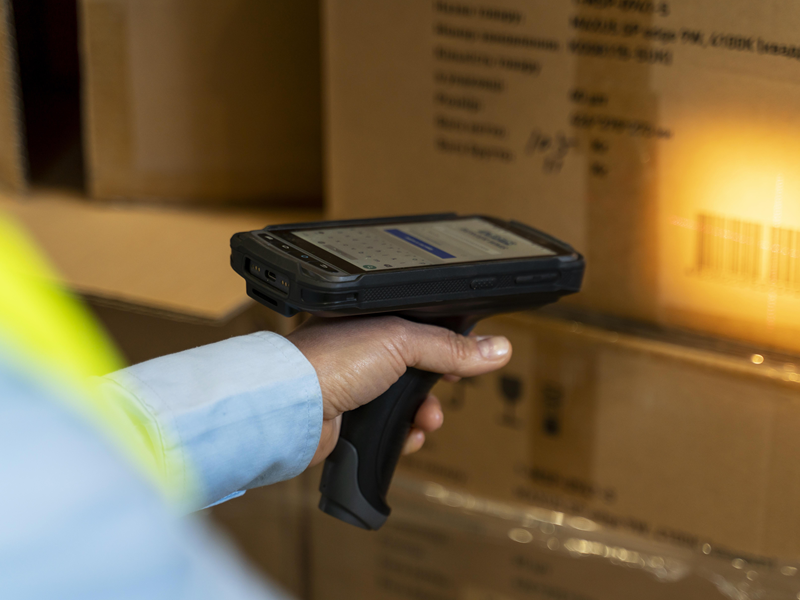
What Are Asset Tracking Systems, and Who Are They Actually For?
Asset tracking system are tools that help businesses keep tabs on the physical things they own — equipment, tools, devices, vehicles, or any high-value item that isn't meant to be sold.
Instead of guessing where something is, who's using it, or whether it's even still in the building, asset tracking systems give you a single source of truth.
At a basic level, assets are tagged (using barcodes, QR codes, or RFID), logged into a system, and then tracked through their entire lifecycle — from purchase, to assignment, to maintenance, and eventually retirement.
The system records location, status, ownership, usage history, and condition in real time. No spreadsheets. No memory games.
This is where asset tracking software for small business differs from simple lists or inventory counts. Inventory is about items you sell or consume.
Assets are about items you reuse, move around, and rely on every day. Treating those two the same is where most businesses mess up.

So, who actually uses asset tracking systems?
- Small businesses that can't afford to lose tools, laptops, or equipment
- Construction and trades teams tracking tools across jobs and vans
- Healthcare clinics managing medical devices and compliance
- Retail and hospitality teams tracking POS systems, tablets, and fixtures
- IT and operations managers responsible for laptops, phones, and hardware
- Growing teams that have outgrown "just ask around" asset management
When asset tracking is paired with inventory management software, businesses finally get full visibility — not just into what's on the shelf, but into what's being used, where it is, and whether it's pulling its weight.
The result is fewer losses, better accountability, cleaner audits, and smarter purchasing decisions.
Basically if your business owns physical equipment that moves, gets shared, or costs money to replace, you need an asset tracking system. Anything else is just hoping nothing goes missing.
Key Features of Cloud-Based Asset Tracking
Cloud-based asset tracking isn't about fancy tech. It's about control without the admin headache.
These systems are designed for real-world teams that move fast, share equipment, and don't have time to babysit spreadsheets. Here are the features that actually matter.
- Real-time asset visibility - The biggest win is knowing what you own, where it is, and who's using it, in real time. Assets are updated instantly when they're checked in, checked out, moved, or reassigned. No waiting for someone to "update the file later". This alone eliminates a huge amount of confusion and unnecessary re-purchasing.
- Centralised, cloud-based access - Everything lives in one secure system, accessible from anywhere. Office, warehouse, job site, or home — the data is always current. This is especially important for growing teams and remote or mobile workers who need access without being tied to a single computer or location.
- Mobile scanning and check-in/check-out - Most cloud systems support barcode or QR scanning via mobile devices. Staff can quickly assign assets, return them, or report issues on the spot. This removes friction, which means people actually use the system — a critical detail most businesses overlook.
- Full asset lifecycle tracking - Cloud-based platforms track assets from purchase to retirement. You can see purchase dates, usage history, maintenance records, depreciation, and replacement timelines in one place. This turns asset management from a reactive task into proactive planning.
- Alerts, reminders, and automation - Automated alerts handle the things humans forget. Maintenance due dates, warranty expirations, missing check-ins, and under-utilised assets all trigger notifications. This reduces downtime and extends the life of expensive equipment.
- Role-based permissions and accountability - Not everyone needs access to everything. Cloud-based asset tracking allows role-based permissions, so employees see only what's relevant to them. More importantly, assets are clearly assigned to individuals, teams, or locations — which instantly improves accountability.
- Seamless integration with inventory management software - The best systems don't operate in isolation. Cloud-based asset tracking works alongside inventory management software, giving businesses a complete picture of both consumables and long-term assets. This connection eliminates blind spots and helps leaders make smarter purchasing and budgeting decisions.
In a nutshell, a cloud-based asset tracking replaces manual effort with visibility, accountability, and automation.
If your assets move, get shared, or cost money to replace, these features aren't "nice to have". They're essential.
What Poor Inventory Management Really Looks Like in Small Businesses
Poor inventory management usually isn't loud or dramatic.
It's messy, quiet, and expensive. Most small businesses don't realise they have a problem until money starts disappearing and no one can explain why.
A classic sign is overordering and stockouts happening at the same time. You've got shelves full of items that barely move, while the products customers actually want are constantly out of stock.
That's not bad luck. That's what happens when there's no real visibility or forecasting behind your inventory management software, or worse, when there isn't any proper system at all.
Then there's the issue of assets that are "missing" but still on the books. Tools, laptops, tablets, medical devices, POS systems.
They're listed in a spreadsheet, but no one can physically find them. In construction, tools disappear between job sites. In healthcare clinics, equipment gets moved between rooms or departments and never logged.
In retail and warehouses, scanners and devices quietly vanish and get replaced without anyone asking why. This is exactly where asset tracking software for small business becomes critical, but it's often overlooked.
Most small teams are still relying on manual tracking, spreadsheets, or outdated systems.
Someone updates a file when they remember. Someone else forgets. Another person creates a second version. Before long, no one trusts the data, so decisions are made on gut instinct instead. That's not a system. That's hope.
The biggest red flag of all is no real-time view of stock or equipment location.
Warehouse staff don't know what's actually available. Managers don't know what's being used or wasted. Owners don't know how much cash is tied up in dead stock or duplicate assets.
Every delay, re-purchase, and fire-drill reorder costs time and money.
Across retail, construction, healthcare clinics, and warehouses, the pattern is always the same.
When inventory and assets aren't clearly tracked, businesses lose control first, then profit. And once things scale even slightly, the chaos compounds fast.
The Hidden Costs Most Businesses Don't Calculate
This is where things get uncomfortable.
Most small businesses know inventory issues are annoying, but they seriously underestimate how much damage they do behind the scenes.
The real costs don't show up neatly on a single line in your accounts.
They're scattered across cash flow, productivity, and risk — which is why they're so easy to ignore until it's too late.
Financial losses that quietly drain cash
Dead stock is one of the biggest silent killers.
Money is locked up in products that don't move, can't be sold quickly, or expire before they're used.
That cash could have gone into marketing, hiring, or growth, but instead it's sitting on a shelf gathering dust.
On the flip side, when stock levels aren't clear, businesses end up placing emergency reorders at premium prices, paying more just to keep things moving.
And when popular items run out unexpectedly, lost sales follow. Customers don't wait around. They go elsewhere.
This is exactly where proper inventory management software earns its keep. Visibility stops guesswork, and guesswork is expensive.
Operational inefficiency nobody budgets for
Then there's the time waste.
Staff spend hours searching for tools, equipment, or devices that should be available. Someone swears it's "around here somewhere".
It never is.
Because there's no clear record, businesses end up making duplicate purchases, buying items they already own but can't locate. That's money spent twice for the same thing.
Manual audits make it worse. Instead of running the business, managers are counting stock, reconciling spreadsheets, and chasing missing items.
This is where asset tracking software for small business makes a real difference, because it replaces chaos with accountability and real-time data.
Risk and compliance issues that creep up fast
Missing assets don't just hurt operations, they create risk. During audits, items can't be accounted for.
Depreciation records are inaccurate because no one knows what's still in use and what's gone. In some industries, that's not just sloppy, it's a compliance problem.
On top of that, poor tracking increases exposure to theft and loss.
When nobody is responsible for assets, everything becomes everyone's problem — which usually means no one's problem at all.
Put simply, these hidden costs stack up faster than most business owners realise.
The longer inventory and assets are poorly tracked, the more money leaks out through cracks you never planned for.
Read this article: : Top 6 AI-Powered Project Management Tools To Use In 2023
Why Traditional Inventory Tracking Methods Fail
On paper, spreadsheets and manual tracking feel "good enough".
They're familiar, cheap, and easy to start with. The problem is they fall apart the moment your business grows, speeds up, or gets even slightly busy.
Spreadsheets don't scale.
What works for 20 items completely breaks at 200.
Multiple versions get created, formulas get tweaked, and suddenly no one knows which file is the truth.
Add more staff, locations, or products, and spreadsheets turn into a liability instead of a tool.
Manual updates are always outdated.
Inventory only works if it's current.
With manual tracking, updates happen after the fact — if they happen at all.
Stock moves, assets get borrowed, items get returned late, and the system never reflects reality.
By the time someone updates the file, the data is already wrong.
There are no alerts, no automation, and no accountability.
Traditional methods don't warn you when stock is running low, when assets go missing, or when maintenance is overdue.
Everything relies on someone remembering to check.
And when everyone is responsible, no one actually is.
This is exactly why businesses outgrow manual methods and move to proper inventory management software.
Data accuracy depends entirely on human discipline — which fails under pressure.
People forget. They rush. They skip steps when things get busy.
That's not a character flaw, it's reality. Systems that rely on perfect human behaviour always fail, especially during peak periods, audits, or staff turnover.
This is why modern businesses shift toward automated systems that reduce human input and increase visibility.
If you want to go deeper, this is a natural place to internally link to content on operational efficiency, workflow automation, or reducing manual admin — because inventory problems are rarely just inventory problems.
They're process problems.
Bottom line: traditional inventory tracking doesn't fail because people are careless. It fails because it was never designed for how businesses actually operate today.
What Inventory Management Software Actually Solves
At its core, inventory management software is simply a smarter way to know what you have, where it is, and when you need more of it — without relying on memory, guesswork, or messy spreadsheets.
Instead of inventory data being scattered across files, notebooks, and people's heads, everything lives in one central system. This becomes the single source of truth for your stock.
When something is sold, used, moved, or received, the system updates automatically. No chasing updates. No conflicting numbers.
One of the biggest problems it solves is not knowing your real stock levels. With real-time updates, you can instantly see what's available, what's running low, and what's already committed.
This stops the classic small-business headache of selling items you don't actually have or overordering items that aren't moving.
Inventory management software also takes care of reordering before problems happen. Automated reorder points trigger alerts when stock drops below a safe level.
That means fewer emergency purchases, fewer rush delivery fees, and far fewer "we've run out" moments. It turns inventory planning from reactive panic into something predictable and calm.
Another underrated benefit is usage history and reporting.
You can clearly see what sells fast, what sits idle, and what drains cash. This data helps you make better buying decisions, reduce waste, and plan for seasonal demand instead of reacting to it. Over time, this alone can save a surprising amount of money.
When paired with asset tracking software for small business, inventory management software completes the picture. Inventory handles the items you sell or consume.
Asset tracking handles the equipment you reuse and rely on daily. Together, they remove blind spots that cost small businesses time, money, and control.
In simple terms, inventory management software doesn't make your business complicated. It removes confusion. And confusion is expensive.
Real-World Use Cases for Small Businesses

Real-World Use Cases for Small Businesses
This is where theory meets reality.
Inventory and asset tracking only matter if they fix day-to-day problems.
Here's how small businesses actually use inventory management software and asset tracking software for small business in the real world.
Retail & eCommerce
Retail lives or dies by accuracy. If your system says an item is in stock and it isn't, you lose the sale and the customer.
With proper inventory management software:
- Stock accuracy improves because updates happen in real time, not after the fact
- Overstock is reduced by showing what actually sells versus what just sits there
- Fulfilment is faster because staff know exactly where items are and what's available
For eCommerce especially, this means fewer cancelled orders, fewer refunds, and happier customers who actually come back.
Construction & Trades
Construction businesses lose money in places most owners don't even look — tools and equipment.
With asset tracking software for small business:
- Tools are tracked across sites, vehicles, and teams, not "last seen somewhere"
- Loss and theft drop because assets are assigned and accountable
- Job costing improves because you know what equipment was used on which project
Instead of constantly replacing missing gear, businesses start controlling what they already own.
Healthcare & Clinics
In healthcare, missing or poorly maintained equipment isn't just inconvenient — it's risky.
With asset tracking and inventory visibility:
- Equipment availability improves, so staff aren't wasting time searching
- Compliance is easier because assets are documented, auditable, and traceable
- Maintenance tracking keeps devices safe and usable, reducing downtime
For clinics and practices, this means smoother operations, fewer compliance headaches, and better patient care.
Across all these industries, the pattern is the same. When businesses stop guessing and start tracking, they gain control. Inventory management software handles what you sell and consume.
Asset tracking software handles what you rely on every day. Together, they remove friction, reduce waste, and protect margins that small businesses can't afford to lose.
What to Look for When Choosing the Right Software

What to Look for When Choosing the Right Software
Not all systems are built for small businesses, even if they claim to be.
The right software should remove friction, not add another layer of complexity.
Here's what actually matters when you're evaluating options.
Cloud-based and mobile-friendly is non-negotiable
If the system only works properly on one computer in the office, it's already outdated.
Cloud-based access means your data is always current, and mobile support means staff can update inventory or assets where the work actually happens — on the shop floor, at a job site, or in a clinic.
If people can't use it easily, they won't use it at all.
Real-time reporting, not end-of-month surprises
You need to see what's happening now, not what happened weeks ago.
Real-time reporting shows current stock levels, asset status, usage trends, and problem areas as they develop.
This is where good inventory management software pays for itself by helping you make decisions before mistakes turn into losses.
Role-based access and clear accountability
Everyone doesn't need access to everything.
Look for systems that let you control who can view, edit, approve, or assign inventory and assets.
This reduces errors, protects sensitive data, and makes responsibility clear.
When assets are assigned to people or teams, loss and misuse drop fast.
Integration with accounting or ERP tools
Inventory and asset data shouldn't live in isolation.
The best systems connect with accounting, ERP, or operational tools so purchases, depreciation, and usage data stay aligned.
This saves hours of manual reconciliation and reduces reporting errors across the business.
Simple onboarding for small teams
If setup takes months or requires consultants, it's the wrong fit.
Small teams need software that's intuitive, quick to deploy, and easy to explain to staff.
Look for clean interfaces, clear workflows, and minimal training requirements.
Complexity kills adoption.
The right system supports how your business actually runs.
If it's cloud-based, easy to use, and designed for real-world operations, it will scale with you instead of slowing you down.
Inventory Management & Asset Tracking Software Comparison (10 Tools)

Inventory Management & Asset Tracking Software Comparison (10 Tools)
Here's the updated comparison table, now including Cisco Spaces Asset Tracking, and tightened so it's actually useful for decision-making.
| Tool Name | Best For | Core Strength |
| Cisco Spaces Asset Tracking | Enterprises & smart buildings | Real-time location via Wi-Fi & IoT |
| AgilityPortal | SMBs needing one platform | Inventory + asset tracking together |
| Zoho Inventory | Small retail & eCommerce | Orders, stock & fulfilment |
| Sortly | Simple asset tracking | Fast setup, QR & barcode scanning |
| inFlow Inventory | SMBs with warehouses | Structured inventory workflows |
| Asset Panda | Asset-heavy operations | Full asset lifecycle & audits |
| Odoo Inventory | Growing businesses | ERP flexibility & modules |
| Fishbowl | Manufacturing & QuickBooks users | Advanced inventory logic |
| EZOfficeInventory | Equipment & IT assets | Utilisation & maintenance tracking |
| Square for Retail | POS-driven retail | Stock sync with POS |
Common Mistakes to Avoid When Implementing Inventory and Asset Tracking
Most inventory and asset tracking projects don't fail because the software is bad.
They fail because of avoidable decisions made early on.
If you want your inventory management software and asset tracking software for small business to actually work, avoid these common traps.
- Buying software without mapping your workflows - This is the biggest mistake. Businesses buy tools first and figure out how to use them later. That's backwards. If you don't understand how stock moves, how assets are assigned, or who's responsible at each step, no system will magically fix that. Software should support your workflow, not force you into a broken one.
- Overcomplicating the setup -More features doesn't mean better results. Many teams try to configure everything on day one — every field, every rule, every report. What happens next is predictable: confusion, resistance, and low adoption. Start simple. Track what matters first. Add complexity only when it earns its place.
- Not training staff properly - If people don't understand why they're using the system, they won't use it consistently. Quick demos aren't enough. Staff need to know how the system helps them do their job faster, not just how to click buttons. Poor training turns good software into expensive shelfware.
- Treating it as "IT software" instead of a business system - This one quietly kills adoption. Inventory and asset tracking aren't IT projects — they're operational systems. When ownership sits only with IT, the people who actually move stock and use assets disengage. The result is outdated data and broken trust in the system.
Get these four things right, and implementation becomes straightforward.
Get them wrong, and even the best software won't save you. The tech matters, but execution matters more.
Final Takeaway: Visibility Is Profit
Poor inventory management isn't a small operational annoyance.
It's a straight-up profit killer. When you don't know what you have, where it is, or how it's being used, money leaks out in ways that never show up as one obvious mistake.
It shows up as wasted stock, missing equipment, rushed purchases, and teams constantly firefighting instead of moving forward.
Here's the hard truth: small businesses don't fail because they don't work hard enough. Most owners and teams are already stretched thin. They fail because they're making decisions without clear, reliable information.
Lack of visibility leads to bad calls, and bad calls compound fast when margins are tight.
That's why inventory management software and asset tracking software for small business aren't "nice to have" anymore. Together, they give you control over what you sell and what you own.
They replace guessing with facts, chaos with accountability, and reactive decisions with planning.
This isn't about chasing shiny tech. It's about running a business where fewer things go missing, fewer mistakes get repeated, and more of your effort actually turns into profit. Visibility doesn't just feel good — it pays.
Frequently Asked Questions About Inventory & Asset Tracking for Small Businesses
What is inventory tracking for small business, and why does it matter?
Inventory tracking for small business is the process of monitoring what stock you have, where it's stored, and how fast it's being used or sold.
The best way to do this today is with a small inventory tracking system rather than spreadsheets.
When inventory isn't tracked properly, businesses overorder, run out of popular items, and tie up cash in stock that doesn't move.
What is simple inventory management software for small business?
Simple inventory management software for small business focuses on the basics: stock levels, usage, reordering, and reporting, without unnecessary complexity.
It's designed for small teams that want visibility fast, not months of setup.
If you're still manually keeping track of inventory for small business operations, simple software is usually the biggest upgrade you can make.
Is there low cost inventory management software for small businesses?
Yes. There are several low cost inventory management software options built specifically for small and growing companies.
These tools typically offer cloud access, basic automation, and reporting at a monthly subscription price, which is far cheaper than the cost of inventory mistakes, duplicate purchases, or lost sales.
What is the best way to track inventory for a small business?
The best way to track inventory for small business use is with cloud-based software that updates in real time.
This removes human error, keeps everyone working from the same data, and scales as your business grows.
Manual methods may work early on, but they break quickly once volume increases.
What is an asset tracking system for small business?
An asset tracking system for small business tracks the physical items you own but don't sell, such as tools, equipment, laptops, or devices. This is different from inventory.
Small business asset tracking helps you know who has what, where assets are located, and when they need maintenance or replacement.
Is asset tracking software worth it for small businesses?
Yes, especially for businesses with shared or mobile equipment.
Best asset tracking software for small business reduces loss, prevents duplicate purchases, and improves accountability.
Even small teams benefit because replacing missing tools or devices costs far more than the software itself.
Can inventory and asset tracking be used together?
Absolutely.
Many modern platforms combine SMB inventory management software with asset tracking.
Inventory handles consumables and products, while fixed asset management software for small business handles long-term equipment.
Using both together gives full operational visibility instead of blind spots.
What is fixed asset tracking software for small business?
Fixed asset tracking software small business tools manage high-value items over their entire lifecycle.
This includes purchase date, depreciation, usage history, maintenance, and retirement.
It's especially useful for audits, compliance, and long-term financial planning.
Are there free inventory management software options for small businesses?
There are inventory management software free small business options, but they usually come with limits on users, features, or data volume.
Some businesses start with best inventory management software for small businesses free, then upgrade as complexity increases.
Free works early on, but paid tools scale better.
What is the best inventory management software for small businesses?
The top inventory management software for small business depends on your needs.
Retail-focused businesses prioritise stock control, while service or trade businesses often need small scale inventory management software paired with asset tracking.
The best tool is one your team will actually use consistently.
What happens if inventory is not managed properly?
When inventory isn't managed properly, businesses lose money quietly.
Stockouts cause lost sales, overstock ties up cash, and poor visibility leads to rushed buying decisions.
Over time, weak inventory tracking slows growth and increases operational stress.
Most Popular Posts

Effective communication among team members is vital for the productivity and success of any organization. Surprisingly, 60% of companies lack a long-term internal communication strategy, which p...


Businesses thrive on communication for efficiency, productivity and accomplishment. When the right information is passed from the right designation in the organization, it promotes positivity an...

Categories
Blog
(3182)
Business Management
(393)
Employee Engagement
(235)
Digital Transformation
(215)
Growth
(150)
Intranets
(141)
Internal communications
(106)
Remote Work
(68)
Sales
(53)
Collaboration
(52)
Customer Experience
(32)
Culture
(30)
Knowledge Management
(29)
Project management
(29)
Leadership
(20)
Comparisons
(9)
News
(1)

Related Posts

Looking for a New Job Remotely can feel like a simple next step: update your CV, turn on job alerts and start applying. In reality, the strongest remote job searches start much earlier. You need to be clear about the work you want, the kind of ...

Hiring globally is easier than employing globally Have you found the right person for a role, only to realise they live in a country where your business has no legal entity? That's where EOR international hiring can be useful. An Employer of Re...

Sales operations and planning are essential to harmonizing sales objectives with operational capabilities, ensuring seamless coordination between departments like sales, marketing, production, and finance. This alignment enables businesses to forecas...

How can a business collect the public web data it genuinely needs without creating avoidable security, privacy or supplier-risk problems? That's the question more teams are now facing. From competitor price monitoring and SEO research to brand protec...

The sales interview is a crucial part of the job search process, as it provides an opportunity for the candidate to showcase their skills, experience, and personality to the hiring manager. In this interview, the candidate is evaluated on their...


Jill Romford
I am a digital nomad, lover of exploring new places and making friends.
I love to travel and I love the internet. I take pictures of my travels and share them on the internet using Instagram.
Traveler, entrepreneur, and community builder. I share my insights on digital marketing and social media while inspiring you to live your fullest life.
Ready to learn more? 👍
One platform to optimize, manage and track all of your teams. Your new digital workplace is a click away. 🚀
Free for 14 days, no credit card required.