
Insight Blog
Agility’s perspectives on transforming the employee's experience throughout remote transformation using connected enterprise tools.
16 minutes reading time
(3162 words)
How Web Requests Travel Across the Internet — And Power Modern Intranets

How Web Requests Travel Across the Internet — And Power Modern Intranets
Learn how web requests travel across the internet and why they matter for modern intranet software, employee portals, and digital workplace performance.
How Web Requests Travel Across the Internet — And Power Modern Intranets

Have you ever clicked a button inside your company intranet and wondered what actually happens behind the scenes?
Whether employees are opening documents, posting announcements, joining chats, or accessing dashboards, every action depends on how web requests travel across the internet.
Most people never think about it — but the speed, reliability, and security of modern intranet software all depend on this invisible process working correctly.
According to research from Google, users start noticing delays when page load times exceed just a few seconds.
In modern digital workplaces, slow employee portals and disconnected systems can directly impact productivity, engagement, and collaboration.
53%
of users leave
According to Google, over 53% of mobile users abandon a website if it takes longer than 3 seconds to load, highlighting how critical fast web requests and infrastructure performance have become for modern digital platforms.
Source: Google Web Performance Research
This article explains the complete journey of a web request in simple terms — from browser to server — and why understanding it matters for businesses using modern intranet platforms and employee communication software.
Key Takeaways
- Web requests power every modern website, employee intranet platform, cloud application, and digital workplace tool used across today’s connected workplaces.
- Modern intranet software depends heavily on fast browser-to-server communication to support employee collaboration, messaging, document access, and real-time workplace communication.
- The web request process involves multiple systems including DNS lookups, APIs, cloud servers, databases, proxy infrastructure, and Content Delivery Networks (CDNs).
- Performance bottlenecks such as slow databases, network latency, outdated infrastructure, and excessive integrations can significantly impact employee experience and intranet performance.
- Businesses increasingly rely on cloud hosting, caching systems, load balancing, API optimisation, and distributed infrastructure to improve web performance, scalability, and workplace productivity.
What Is a Web Request?
A web request is the process that happens whenever a user interacts with a website, web application, employee intranet, or digital workplace platform.
Every time someone clicks a button, opens a document, sends a message, or loads a webpage, their browser sends a request to a web server somewhere on the internet.
For example, web requests happen when employees:
- Open a company news article on an employee intranet
- Upload files to a document management system
- Send chat messages through team collaboration software
- Access a cloud-based employee portal
- View payslips or HR dashboards
- Search an internal knowledge base
- Log into a modern intranet platform
- Use workplace communication tools on mobile devices
Behind the scenes, the browser sends an HTTP or HTTPS request containing information about the user, device, session, and requested content.

What Is a Web Request
This is why businesses prefer to buy http proxies, and have become more common across technical discussions involving cybersecurity, web infrastructure, automation testing, SEO monitoring, and high-volume internet traffic management.
Many businesses and developers use proxy networks to help distribute requests, improve privacy, test applications across different regions, and manage how web traffic flows between browsers, servers, and cloud platforms.
The server then processes the request, retrieves data from databases or cloud systems, and sends a response back to the user's browser.
This response may include:
- Web pages
- Documents
- Images
- Employee data
- Notifications
- Dashboard analytics
- Real-time chat updates
The entire web request process usually happens in milliseconds, allowing modern employee communication platforms and intranet software to feel fast and responsive.
Understanding how web requests travel across the internet is important because every modern digital workplace depends on fast, secure, and reliable browser-to-server communication to keep employees connected, productive, and informed.
Why Web Requests Matter for Modern Intranets
Modern intranet software has evolved far beyond simple internal company websites.
Today's employee intranet platforms operate more like fully connected digital workplace ecosystems that constantly exchange data between browsers, cloud servers, mobile apps, APIs, and third-party business systems.
Every action inside a modern intranet depends on web requests moving quickly and reliably across the internet.
This includes features such as:
- Real-time employee messaging
- Team collaboration tools
- Shared calendars and scheduling
- Cloud document management
- Internal communication feeds
- Employee engagement platforms
- Video meetings and live notifications
- Workflow automation systems
- HR and payroll integrations
- Knowledge management software
- Mobile employee apps
- API-based workplace integrations
Whenever an employee opens a company news post, uploads a document, reacts to an announcement, or searches an internal knowledge base, multiple web requests are triggered behind the scenes.
The challenge is that modern digital workplace platforms rely on dozens — sometimes hundreds — of connected services working together simultaneously.
If even one part of the infrastructure becomes slow, employees quickly notice the impact.
Common performance problems include:
- Slow-loading intranet pages
- Delayed chat notifications
- Broken integrations
- File syncing issues
- Poor mobile responsiveness
- Failed API requests
- Authentication timeouts
- Lag during video collaboration
Over time, these issues create frustration and reduce employee adoption of workplace technology.
This is one reason businesses increasingly focus on web infrastructure optimisation, cloud performance, caching systems, and network routing when deploying modern intranet software.
Technologies like load balancers, content delivery networks (CDNs), proxy servers, and distributed cloud infrastructure all help improve how web requests travel between users and workplace applications.
In large enterprise environments, proxy infrastructure often sits quietly between employees and cloud platforms to help manage security, traffic flow, filtering, and request routing across global networks.
These systems have become especially important as remote work, hybrid teams, and cloud-based employee communication platforms continue to grow.
Step 1: The Browser Sends a Request
Every web request starts when a user interacts with a website, employee intranet, or digital workplace platform. Actions that seem simple to employees instantly trigger browser-to-server communication across the internet.
Common examples include:
- Clicking "Login"
- Opening a company announcement
- Uploading a document
- Searching the knowledge base
- Sending a chat message
When this happens, the browser creates an HTTP or HTTPS request containing important information such as:
- The page URL
- Device and browser details
- User session data
- Authentication tokens
- Cookies and permissions
This helps protect sensitive workplace data from interception while improving security across cloud-based employee communication systems and modern intranet software.
Step 2: DNS Finds the Destination Server
Before the browser can load a webpage or employee intranet, it must first locate the correct server on the internet.
This process is handled by the Domain Name System (DNS), often called the internet's phonebook.
DNS translates human-friendly domain names into IP addresses computers can understand.
For example:
-
portal.company.com -
intranet.business.net -
app.workplace.io
DNS helps browsers locate the correct cloud server, employee portal, or digital workplace platform within milliseconds
Step 3: The Request Travels Across Networks
Once the destination server is found, the web request travels through multiple networks and internet infrastructure layers before reaching its target.
This journey may pass through:
- Internet service providers (ISPs)
- Firewalls and security gateways
- Content Delivery Networks (CDNs)
- Corporate proxy servers
- Cloud infrastructure providers
- Load balancers and routing systems
Modern intranet software relies heavily on this infrastructure to deliver fast employee communication and real-time collaboration across distributed teams.
Step 4: The Server Processes the Request
When the request reaches the server, the application processes the action requested by the employee or user.
The server may:
- Verify login credentials
- Retrieve employee records
- Load company announcements
- Access cloud databases
- Process permissions
- Trigger workflows or notifications
Modern employee intranet platforms often communicate with multiple backend services and APIs simultaneously to deliver a seamless digital workplace experience.
Step 5: The Response Returns to the Browser
After processing the request, the server sends a response back to the user's browser or mobile app.
The response may include:
- Web pages and dashboards
- Employee data
- Documents and images
- Chat messages
- Notifications
- Analytics and reports
The browser then renders everything visually for the employee.
This entire process happens continuously behind the scenes every time someone interacts with modern intranet software or workplace collaboration tools.
Why Speed Matters in Employee Intranet Software
Employees now expect workplace technology to perform with the same speed and reliability as consumer apps like Google, Slack, or Microsoft Teams.
When a company intranet, employee portal, or digital workplace platform becomes slow, employees quickly lose patience and stop relying on the system altogether.
Even small delays can create major productivity problems across organisations.
Slow-loading pages, delayed notifications, failed file uploads, and lagging collaboration tools all impact how employees communicate and work together. Over time, this reduces engagement and weakens adoption of internal communication platforms.
Common issues caused by poor intranet performance include:
- Employees avoiding the platform entirely
- Important company updates being missed
- Reduced collaboration between departments
- Slower document access and search results
- Frustration across remote and hybrid teams
This is why modern intranet software providers invest heavily in cloud infrastructure, CDN optimisation, caching systems, mobile responsiveness, API performance, and load balancing technologies.
Fast web request processing has become critical for modern digital workplaces because employees expect instant access to communication tools, knowledge management systems, and workplace collaboration platforms regardless of location or device.
Common Bottlenecks That Slow Web Requests
Even the best employee intranet software and digital workplace platforms can suffer performance issues if the underlying infrastructure is not properly optimised.
As businesses add more users, integrations, files, and cloud services, web requests become more complex and demanding.
One of the biggest problems is outdated server infrastructure.
Older servers often struggle to handle real-time employee communication, file syncing, and collaboration workloads, especially in modern cloud-based intranet systems.
Third-party integrations can also slow performance.
Many workplace platforms connect with tools like Microsoft 365, Google Workspace, HR systems, CRMs, and project management software. Every integration adds additional API requests and increases processing complexity behind the scenes.
Large file uploads are another common issue.
Uncompressed images, videos, and documents can dramatically increase response times across employee portals and knowledge management systems.
Database performance also plays a major role. Slow queries can affect dashboards, employee directories, search functionality, and internal communication feeds.
Finally, global and hybrid workforces create network latency challenges, particularly when employees access intranet platforms from multiple countries and remote locations.
How Modern Intranet Platforms Improve Performance
How Modern Intranet Platforms Improve Performance
Modern intranet software is built to handle thousands of web requests every second across distributed teams, mobile devices, and cloud environments.
To keep employee communication platforms fast and reliable, businesses now rely on advanced web infrastructure and performance optimisation technologies.
One of the biggest improvements comes from distributed cloud infrastructure, which allows employee intranet platforms to deliver content from multiple server locations instead of relying on a single data centre.
This helps reduce latency for remote and hybrid teams accessing workplace systems globally.
Modern digital workplace platforms also use technologies such as:
- Content Delivery Networks (CDNs)
- Smart caching systems
- API optimisation
- Database indexing
- Load balancing
- Real-time communication protocols
- Mobile-first architecture
These systems help reduce page load times, improve file access speeds, and support real-time collaboration across employee portals and internal communication tools.
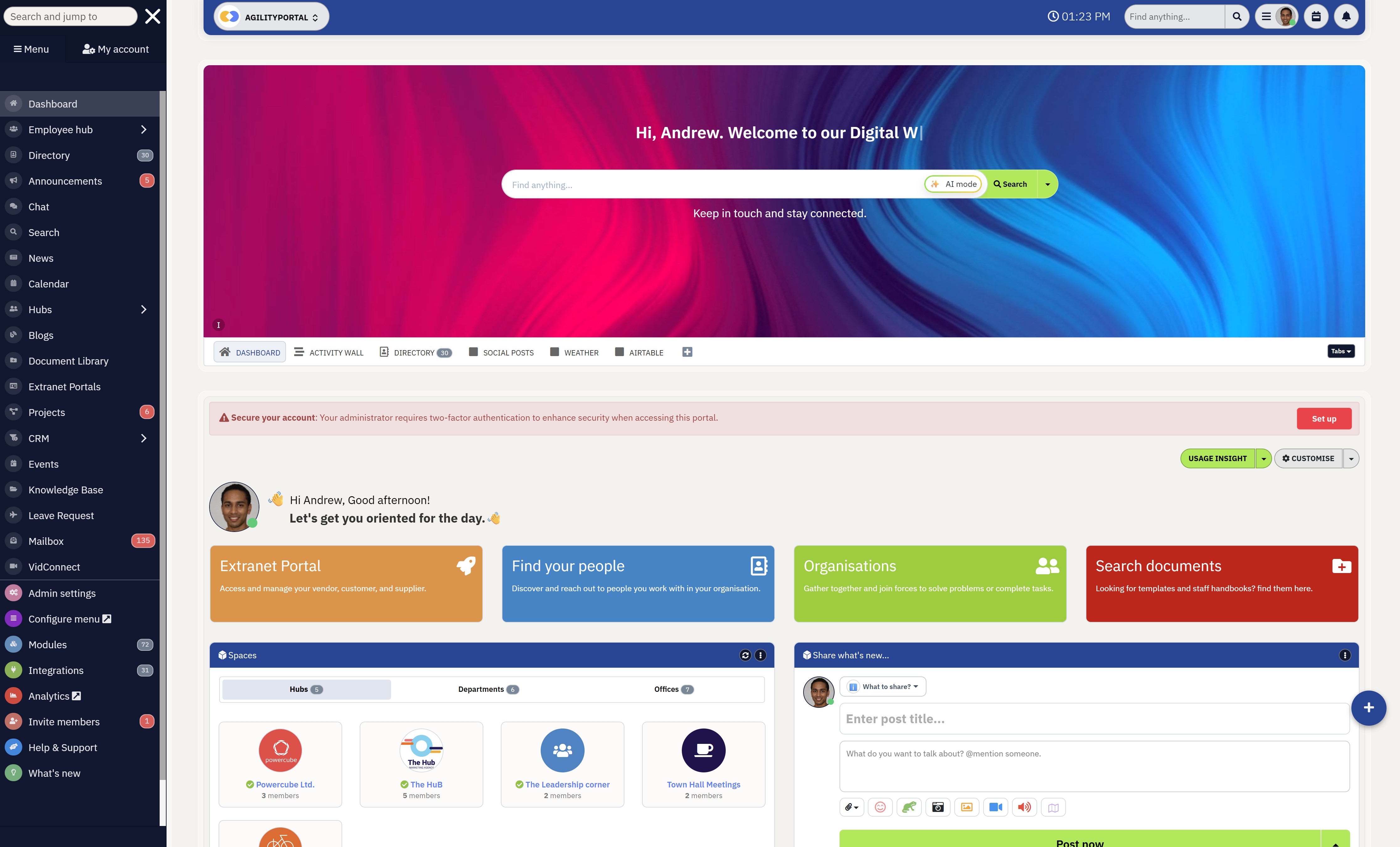
Platforms like AgilityPortal centralise communication, documents, employee engagement, and workplace collaboration into one connected digital workplace platform, helping organisations reduce system fragmentation while improving accessibility and performance across teams.
AgilityPortal
The Modern Intranet Platform Built for Connected Workplaces
AgilityPortal helps businesses centralise employee communication, collaboration, knowledge management, and document sharing into one secure digital workplace platform.
Designed for remote and hybrid teams, the platform combines modern intranet software, employee communication tools, internal news feeds, document management, and collaboration workspaces into one connected employee experience.
14-day free trial. No credit card required.The Future of Web Requests in Digital Workplaces
As workplace technology continues to evolve, web requests are becoming faster, smarter, and far more intelligent than traditional browser-to-server communication models.
Modern digital workplace platforms now depend on advanced infrastructure capable of supporting real-time collaboration, cloud applications, mobile workforces, and global employee communication at scale.
One major shift is the rise of edge computing, where data is processed closer to the user instead of relying entirely on distant cloud servers.
This helps reduce latency and improves the speed of employee intranet software, especially for remote and hybrid teams working across different regions.
Artificial intelligence is also starting to influence how web requests are handled. AI-powered caching and predictive loading technologies can anticipate what users are likely to access next, helping workplace applications load content faster while reducing unnecessary server traffic.
At the same time, technologies such as serverless infrastructure, intelligent API routing, WebAssembly applications, and real-time collaboration engines are helping modern intranet platforms become more scalable, responsive, and reliable.
As businesses continue investing in digital workplace transformation, ultra-fast web infrastructure will become even more critical for employee productivity and communication.
Wrapping up
Most employees never think about how web requests travel across the internet — but every modern intranet platform depends on this process working perfectly.
From DNS lookups and servers to APIs and cloud infrastructure, web requests power every interaction inside modern employee portals and digital workplace systems.
For businesses investing in modern intranet software, performance is no longer just a technical issue — it directly impacts employee experience, productivity, communication, and engagement.
The faster and more reliable the infrastructure becomes, the more connected and efficient the workplace becomes too.
FAQ
What is a web request?
A web request is the communication process that happens whenever a browser, mobile app, employee intranet, or digital workplace platform asks a server for information.
Every time a user opens a webpage, uploads a document, sends a message, or accesses a company portal, a web request is created behind the scenes.
Why are web requests important for intranet software?
Modern intranet software relies heavily on web requests to power employee communication, file sharing, collaboration tools, dashboards, notifications, and cloud integrations.
Without fast and reliable browser-to-server communication, employee portals and digital workplace platforms would become slow and difficult to use.
What slows down web requests?
Several factors can impact web request performance, including outdated hosting infrastructure, slow databases, large file uploads, excessive third-party integrations, network congestion, and poor API optimisation.
Remote and hybrid work environments can also increase latency issues across global teams.
How do modern intranet platforms improve performance?
Modern employee intranet platforms improve speed using technologies such as cloud hosting, caching systems, Content Delivery Networks (CDNs), API optimisation, load balancing, and distributed cloud infrastructure.
These technologies help reduce latency while improving reliability and scalability.
What role does DNS play in web requests?
DNS, or Domain Name System, translates website names into IP addresses so browsers can locate the correct server on the internet.
Without DNS, users would need to manually remember numerical server addresses to access websites and workplace applications.
AI Summary
- Web requests are the foundation of how websites, employee intranet platforms, cloud applications, and digital workplace tools communicate across the internet in real time.
- Every action inside modern intranet software — including logins, document access, messaging, notifications, and collaboration — depends on browser-to-server communication using HTTP and HTTPS requests.
- The web request process typically involves DNS lookups, network routing, cloud servers, APIs, databases, proxies, and content delivery systems working together behind the scenes.
- Modern employee intranet platforms and digital workplace software rely heavily on fast web request processing to support remote collaboration, employee communication, file sharing, and workplace productivity.
- Performance bottlenecks such as slow databases, outdated infrastructure, excessive integrations, network latency, and large file uploads can significantly impact intranet speed and employee experience.
- Businesses increasingly use technologies such as cloud hosting, proxy infrastructure, load balancing, API optimisation, caching systems, and Content Delivery Networks (CDNs) to improve web performance and reliability.
Most Popular Posts

Effective communication among team members is vital for the productivity and success of any organization. Surprisingly, 60% of companies lack a long-term internal communication strategy, which p...


Businesses thrive on communication for efficiency, productivity and accomplishment. When the right information is passed from the right designation in the organization, it promotes positivity an...
Categories
Blog
(2918)
Business Management
(363)
Employee Engagement
(221)
Digital Transformation
(189)
Growth
(139)
Intranets
(133)
Remote Work
(63)
Sales
(52)
Collaboration
(46)
Customer Experience
(29)
Culture
(29)
Knowledge Management
(28)
Project management
(28)
Leadership
(20)
Comparisons
(9)
News
(1)

Related Posts

What Is Portal Software? Have you ever wondered why so many businesses struggle with disconnected systems, scattered documents, outdated intranets, and poor communication between teams? Most organisations today rely on dozens of different tools...

What happens when your systems suddenly stop working in the middle of a busy workday? For growing businesses, downtime is no longer just a technical problem — it is a direct threat to productivity, customer trust, revenue, and daily operations. ...

Despite organisations investing heavily in collaboration platforms, employee apps, and hybrid work technology, many businesses still struggle with disconnected communication, low employee engagement, and poor workforce visibility. According to ...

The communication champion role is a valuable addition to any business. In a large organization, communication champions should be numerous, forming a communication network. They keep track of information and assist others in better collaborating, wo...

Featured
In today's fast-paced hybrid work environment, staying connected isn't just nice—it's necessary. With more than 80% of employees now working remotely at least part of the time, the demand for intuitive, powerful collaboration tools has never be...


Jill Romford
I am a digital nomad, lover of exploring new places and making friends.
I love to travel and I love the internet. I take pictures of my travels and share them on the internet using Instagram.
Traveler, entrepreneur, and community builder. I share my insights on digital marketing and social media while inspiring you to live your fullest life.
Ready to learn more? 👍
One platform to optimize, manage and track all of your teams. Your new digital workplace is a click away. 🚀
Free for 14 days, no credit card required.