
Insight Blog
Agility’s perspectives on transforming the employee's experience throughout remote transformation using connected enterprise tools.
21 minutes reading time
(4109 words)
AI-Powered Visual Optimisation for WordPress: Faster Loading & Better UX

AI-Powered Visual Optimisation for WordPress: Faster Loading & Better UX
WordPress image optimisation, AI website performance, faster WordPress loading, improve WordPress UX, AI performance optimisation
AI-Powered Visual Optimisation for WordPress: Faster Loading & Better UX

Let's be honest — in WordPress Development, speed isn't a "nice to have" anymore.
It's the difference between someone trusting your site… or bouncing without a second thought.
Most WordPress sites don't lose users because the content is bad.
They lose users because the experience feels slow. Images load late.
Layouts jump around. Pages hesitate just long enough for doubt to creep in. And once that doubt hits, users are gone.
Here's the stat that should make you pause: Google data shows that when page load time increases from 1 second to 3 seconds, bounce rate jumps by 32%. At 5 seconds, it spikes by over 90%.
That's not a performance issue — that's a conversion killer.
Slow Load Times Cause Immediate User Drop-Off
Google data shows that when page load time increases from 1 second to 3 seconds, bounce rate jumps by 32%. At 5 seconds, bounce rate spikes by over 90%.
Source: Think with Google (page load time vs bounce rate research)
This is where AI-powered visual optimisation changes the game.
Instead of relying on manual tweaks, static plugins, and guesswork, AI adapts visuals in real time — serving the right images, layouts, and assets based on device, connection, and user behaviour.
The psychological trigger is simple but powerful: people trust what feels instant.
When a site loads smoothly and looks stable, users assume it's professional, credible, and worth their time — even before they read a single word.
That's why AI-driven optimisation isn't just improving WordPress sites.
It's quietly separating the ones users stay on… from the ones they abandon.
● Key Takeaways: AI-Powered Visual Optimisation for WordPress
- Most WordPress performance problems are caused by visual bloat, not hosting, including oversized images, layout shift, and bloated themes.
- AI-powered visual optimisation improves real user experience by adapting image delivery, loading order, and layout stability based on device and network conditions.
- Faster loading and visual stability directly impact trust, engagement, and conversions, with measurable effects on Core Web Vitals and SEO rankings.
- Traditional optimisation plugins rely on static rules, while AI continuously adapts as WordPress sites grow, change, and become more complex.
- Looking beyond 2026, intelligent, adaptive optimisation is becoming essential as performance expectations rise and manual tuning no longer scales.
Read this article: : Top 6 AI-Powered Project Management Tools To Use In 2023
What Is AI-Powered Visual Optimisation (And How It's Different)

What Is AI-Powered Visual Optimisation (And How It's Different)
In AI Web Design and Development, "optimisation" used to mean rules. Compress images.
Minify CSS. Defer JavaScript. Tick a few boxes and move on.
That approach isn't wrong — it's just outdated.
Traditional optimisation tools follow static rules. They treat every visitor the same, whether someone is on a high-end desktop with fibre internet or a budget phone on a shaky mobile connection. Same images. Same layout behaviour. Same loading order.
AI-powered visual optimisation flips that model.
Instead of hard-coded rules, it uses adaptive optimisation engines that respond to real conditions in real time.
The system evaluates:
- Device type and screen size
- Network speed and stability
- User interaction patterns
- What content is actually visible first
Then it adjusts visual delivery on the fly.
That means images are resized based on viewport, not guesswork. Critical visuals load first. Non-essential elements wait their turn. Layout shifts are prevented before they happen — not fixed after the damage is done.
Here's why that matters: Google reports that 53% of mobile users abandon a site if it takes longer than 3 seconds to load. Rule-based tools can't adapt fast enough to prevent that. AI can.
Mobile Users Don’t Wait
Google reports that 53% of mobile users abandon a site if it takes longer than 3 seconds to load.
Source: Think with Google (Mobile site load time statistics)
This is also why "set-and-forget" optimisation finally becomes real.
With traditional WordPress setups, every new page, plugin, or layout change quietly reintroduces performance issues. Someone always has to go back and tweak things again.
AI doesn't need babysitting.
It continuously learns how users behave, which visuals matter most, and where friction occurs — then corrects it automatically. No manual retuning. No fragile configurations.
Soi basically in plain terms:
Rule-based optimisation tries to control performance.
AI-powered optimisation understands it.
And in modern development, that difference is what separates fast, trusted sites from ones users quietly abandon.
The Real Performance Killers on WordPress Sites
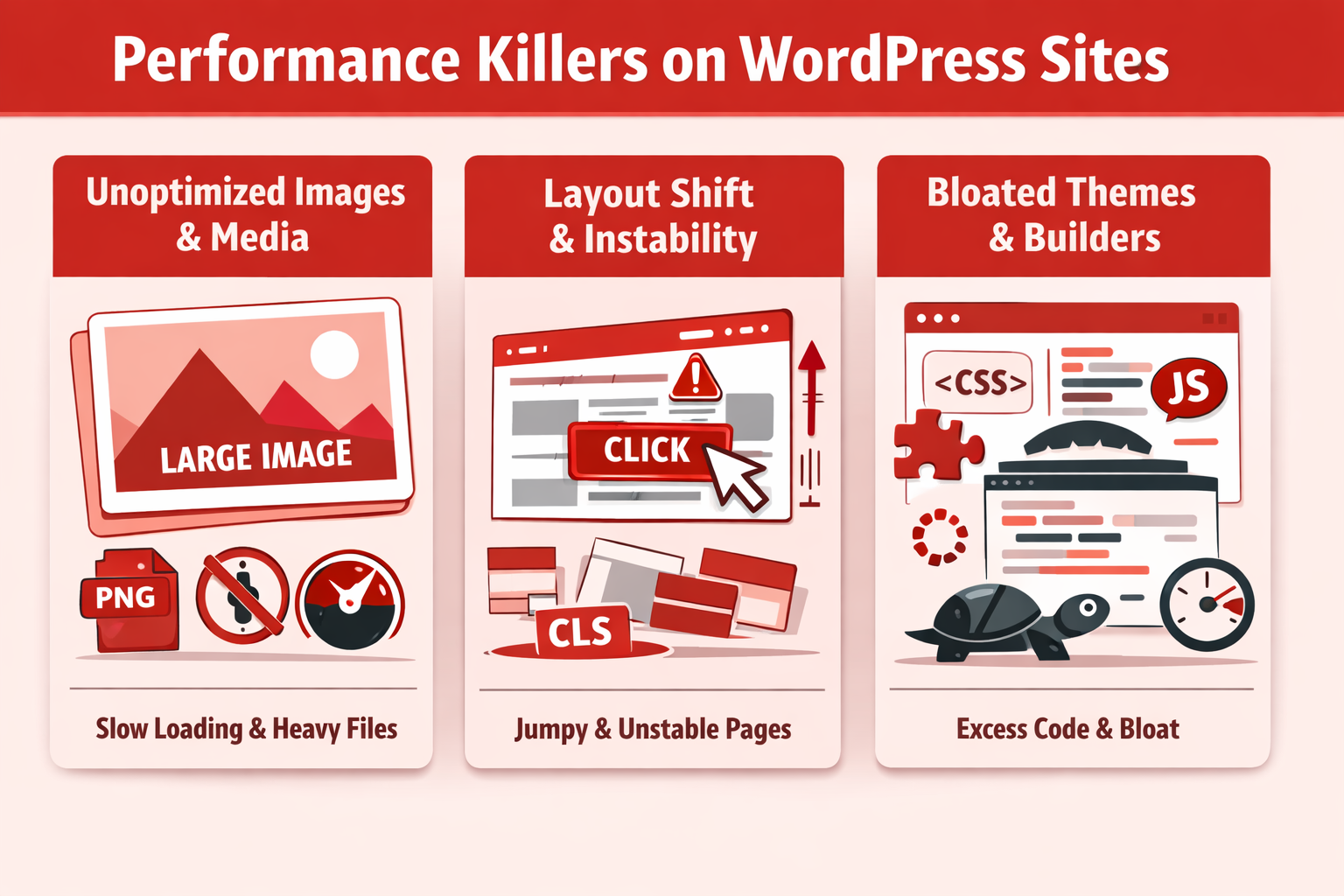
Performance Killers on WordPress Sites
If your site feels slow, clunky, or unstable, chances are the problem isn't your server.
Performance issues almost always come from the front end — specifically how visuals are handled.
Let's break down the biggest offenders.
Bounce Risk Rises Fast When Pages Load Slower
As page load time increases from 1s → 3s, bounce probability rises by 32%. At 1s → 5s, it rises by 90%.
1s → 3s
+32%
1s → 5s
+90%
Source: Think with Google / Google–SOASTA research on load time vs bounce probability.
Unoptimised Images & Media
Images are the number-one performance killer on WordPress sites.
Not plugins. Not hosting. Images.
The most common mistakes:
- Oversized hero images that look great in design mockups but ship at 3–5MB to real users
- Wrong file formats, like PNGs used where WebP or AVIF would cut size by 50–70%
- Missing or poorly implemented lazy loading, causing off-screen images to load immediately
Here's the kicker: images account for over 50% of the average web page's total weight, according to HTTP Archive data.
That means even small inefficiencies add up fast.
In real-world this usually happens because images are uploaded once and reused everywhere — without context, resizing logic, or device awareness.
Layout Shift & Poor Visual Stability
Ever had a page load, then suddenly jump just as you're about to click something?
That's layout shift, and users hate it.
The biggest causes:
- Fonts loading late and pushing content down
- Images without defined dimensions
- Ads, embeds, or dynamic elements injected after initial render
Google tracks this explicitly through Cumulative Layout Shift (CLS) — and yes, it affects rankings.
Why?
Because visual instability breaks trust.
Even if your site loads fast, a jumpy layout feels broken. Google knows that, which is why pages with poor CLS scores are penalised in search visibility.
In short: speed without stability still fails UX.
Bloated Themes & Page Builders
This one hurts — because it's everywhere.
In many cases, these issues arise because sites are built without a long‑term performance strategy. Partnering with an experienced White Label WordPress Development services provider can make a real difference, especially when scalability, clean code, and performance optimization are considered from the outset.
Modern WordPress themes and page builders often ship with:
- Massive CSS files, most of which are never used
- JavaScript for features you didn't enable
- Visual effects loading even when they're off-screen or hidden
The result?
Your site loads code for sliders, animations, icons, and layouts that users never see.
From a WordPress perspective, this creates a silent tax:
- Slower First Contentful Paint
- Heavier DOM size
- Poor mobile performance
And no amount of caching fully fixes it — because the browser still has to download, parse, and evaluate all that junk.
Most WordPress performance problems come from visuals doing too much, too early, for too many people.
Until those visual decisions become adaptive — not static — even well-built WordPress sites will keep leaking users without realising why.
How AI Improves WordPress Visual Performance (Step by Step)
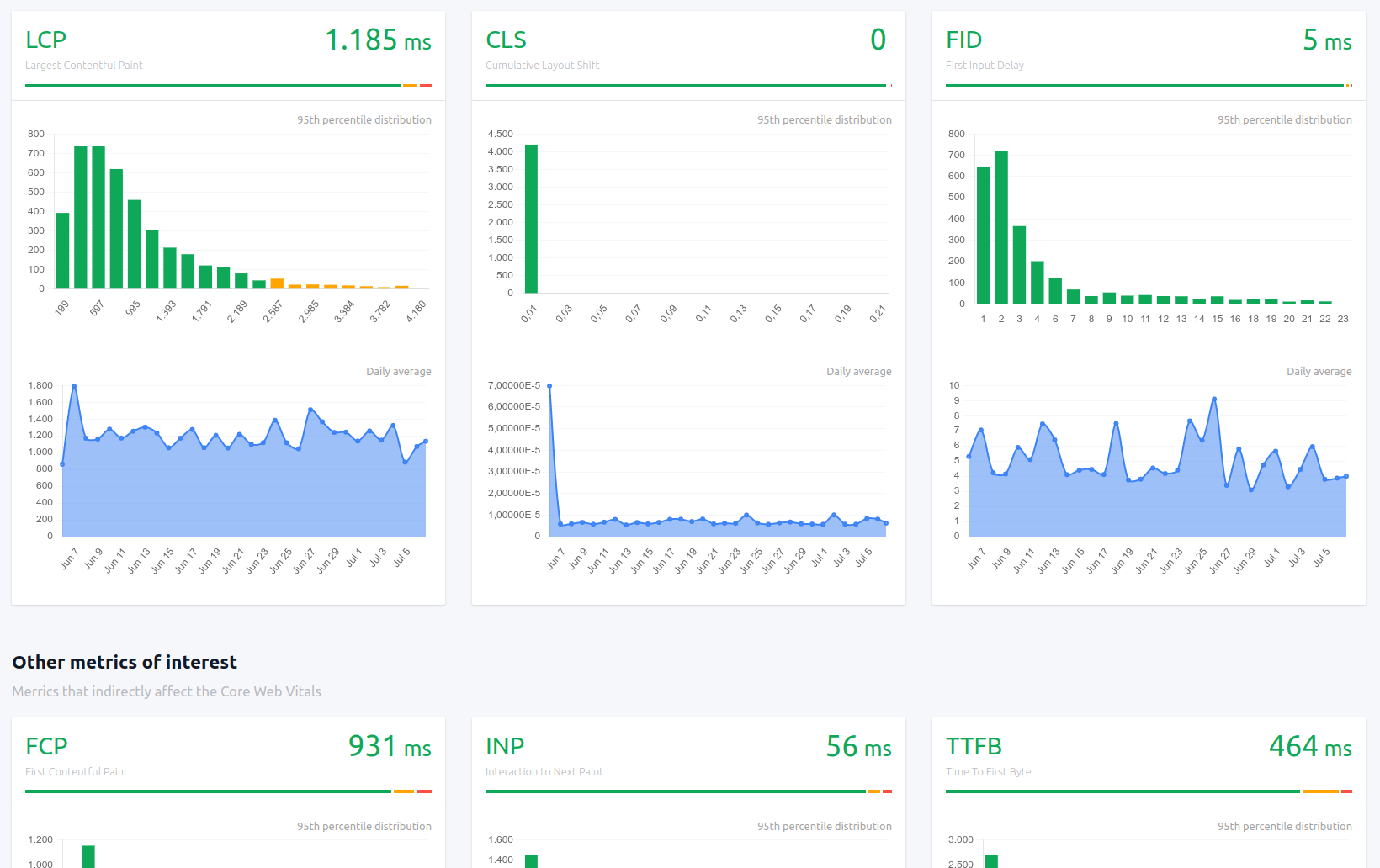
How AI Improves WordPress Visual Performance (Step by Step)
This is where AI-powered optimisation stops being a buzzword and starts doing real work inside WordPress site.
No hype. No magic. Just smarter decisions made faster than humans can manage manually.
Let's walk through what's actually happening under the hood.
Intelligent Image Resizing Based on Viewport
Traditional WordPress setups serve the same image to everyone and hope srcset does enough heavy lifting.
AI goes further.
It analyses:
- Screen size
- Device pixel ratio
- Connection quality
- Whether the image is above or below the fold
Then it delivers the smallest possible image that still looks sharp for that specific user.
Largest Contentful Paint (LCP) — one of Google's most important Core Web Vitals — is often dominated by a single large image. AI reduces image payload before the browser struggles, directly improving LCP scores.
Automatic Format Selection (WebP / AVIF With Smart Fallbacks)
Most sites still rely on blunt rules like "convert everything to WebP."
AI doesn't assume. It detects:
- Browser support
- Device performance
- Rendering capability
Then dynamically serves:
- AVIF when it delivers real gains
- WebP when AVIF adds decoding overhead
- Fallback formats only when necessary
The result: faster visual rendering without compatibility headaches.
This improves both LCP and INP (Interaction to Next Paint) by reducing decoding delays on lower-powered device
Predictive Lazy Loading (Above-the-Fold Prioritisation)
Basic lazy loading works on distance. AI works on intent.
Instead of waiting for scroll position alone, AI predicts:
- Which visuals users are most likely to interact with
- What should load immediately vs what can safely wait
- How scrolling behaviour changes by device type
Critical visuals load instantly. Everything else stays out of the way.
This reduces main-thread congestion, improves INP, and prevents the "everything loads at once" bottleneck that kills perceived speed.
AI-Driven CSS Pruning and Critical CSS Generation
Here's a hard truth:
Most pages use less than 30% of the CSS they load.
AI identifies:
- Which CSS rules are actually used above the fold
- Which styles block rendering
- Which files can be delayed or removed entirely
Then it generates true critical CSS per layout — not a one-size-fits-all file.
This directly improves:
- LCP (faster first render)
- CLS (fewer late style injections)
And unlike manual critical CSS setups, it keeps adapting as layouts change.
Adaptive Font Loading and Rendering Optimisation
Fonts are silent performance killers.
AI optimises fonts by:
- Preloading only fonts that appear above the fold
- Delaying non-essential weights and styles
- Adjusting
font-displaybehaviour to prevent layout jumps
This has a direct impact on Cumulative Layout Shift (CLS) — one of the easiest ways to lose both user trust and SEO visibility.
Stable text = stable layout = better UX.
Why This Actually Works
Each of these optimisations maps directly to Core Web Vitals:
- LCP: Faster image delivery + critical CSS
- CLS: Stable layouts, controlled font rendering
- INP: Reduced main-thread work, smarter loading order
AI doesn't optimise for scores.
It optimises for human behaviour — and the scores follow naturally.
That's the difference between tweaking performance…
and building WordPress sites that feel fast, stable, and trustworthy from the first second.
Read this article: : Top 6 AI-Powered Project Management Tools To Use In 2023
Faster Loading = Better UX (Here's the Proof)
In WordPress, speed isn't just a technical metric — it's a trust signal.
Users don't consciously think, "This site has good performance."
They think, "This feels solid… I'll stay." Or they don't — and they leave.
That reaction happens in seconds.
Speed Directly Affects Trust and Perception
When a page loads instantly and stays visually stable, users subconsciously associate it with professionalism, reliability, and credibility. When it hesitates or shifts around, doubt creeps in.
And once trust is broken, it's almost impossible to win back.
The data backs this up:
- Google research shows bounce rates increase by 32% when load time goes from 1 to 3 seconds
- At 5 seconds, bounce probability jumps by over 90%
That means users are judging your site before they even read your content. Speed is the first impression — and first impressions are brutal.
Visual Smoothness Keeps Users Engaged Longer
Raw speed alone isn't enough. A page can load fast and still feel bad if it jumps, flickers, or loads elements out of order.
Smooth visuals matter because:
- Stable layouts reduce cognitive friction
- Users can scan content without interruption
- Interactions feel intentional instead of accidental
This directly impacts engagement time. Pages that render smoothly keep users scrolling, reading, and interacting — while visually unstable pages push users away, even if they load quickly on paper.
That's why CLS (Cumulative Layout Shift) isn't just a Google metric.
It's a human one.
Mobile-First UX Gains (Especially on Poor Networks)
Here's where things get serious.
Most WordPress sites still optimise for desktop first — but over 60% of global traffic now comes from mobile devices, often on inconsistent networks.
On mobile:
- Large images hurt more
- Extra scripts slow everything down
- Poor visual prioritisation becomes obvious
Smarter visual delivery — serving lighter assets, loading only what matters first, and adapting to connection quality — dramatically improves mobile UX.
And when mobile UX improves, everything improves: bounce rate, time on site, conversions, and rankings.
Accessibility Improves with Smarter Visual Delivery
This part often gets overlooked.
Better performance also means better accessibility:
- Faster rendering helps users on older devices
- Stable layouts support screen readers and keyboard navigation
- Reduced visual clutter lowers cognitive load
In other words, performance optimisation doesn't just help "power users."
It makes your WordPress site easier to use for everyone.
The SEO Impact Is Real (and Measurable)
Google doesn't guess UX quality — it measures it.
Performance signals like:
- Largest Contentful Paint (LCP)
- Cumulative Layout Shift (CLS)
- Interaction to Next Paint (INP)
…are now direct ranking factors.
Sites with better UX performance don't just feel better — they rank better, convert better, and retain users longer.
So when we say faster loading equals better UX, it's not an opinion.
It's observable, measurable, and already influencing who wins in search.
AI Visual Optimisation vs Traditional WordPress Optimisation Plugins
This is where a lot of WordPress conversations get uncomfortable — because once you compare them side by side, the gap is obvious.
Traditional optimisation plugins aren't bad. They're just built for a different era of the web.
They rely on static rules, manual configuration, and assumptions about how users behave. AI-powered optimisation is built around real usage patterns, not guesses.
Here's the clean comparison.
| Feature | Traditional Plugins | AI-Powered Optimisation |
| Image optimisation | Static rules (compress once, reuse everywhere) | Adaptive & contextual (device, screen, network-aware) |
| Lazy loading | Basic scroll-based triggers | Predictive, intent-aware loading |
| CSS handling | Manual minification and pruning | AI-generated critical CSS per layout |
| UX awareness | None | Behaviour-driven optimisation |
| Maintenance | Ongoing tweaking and retesting | Minimal, self-adjusting |
Where Traditional Plugins Fall Short
Traditional plugins optimise assets, not experiences.
They don't know:
- Which images users actually see first
- Which elements cause frustration or hesitation
- How behaviour changes between mobile and desktop
- When a layout change quietly reintroduces performance problems
Every new plugin, page builder update, or design tweak risks undoing your performance gains — and someone has to notice and fix it.
That's why WordPress performance often degrades over time, even on well-built sites.
Why AI-Powered Optimisation Scales Better
AI systems optimise based on what users do, not what developers hope will work.
They continuously:
- Re-evaluate visual priorities
- Adjust delivery as layouts evolve
- Optimise for perceived speed, not just raw metrics
This taps directly into a powerful psychological trigger: effortlessness.
When a site feels effortless to use, users stay longer, trust faster, and convert more often — without consciously knowing why.
Traditional optimisation tries to control performance with rules.
AI-powered optimisation understands performance through behaviour.
And in modern WordPress website, where sites are dynamic, content-heavy, and mobile-first, that difference isn't minor — it's decisive.
If you want, next we can:
- Add a "when traditional plugins are still enough" honesty section
- Or move into real-world use cases and conversion impact
Just say the word.
Real-World Use Cases: Where AI Makes the Biggest Difference
AI-powered visual optimisation really proves its value when WordPress sites grow beyond "simple."
The more pages, users, devices, and interactions you introduce, the faster traditional optimisation starts to crack.
Here's where AI clearly pulls ahead.
Content-Heavy Blogs
Large blogs are performance landmines.
Hundreds (or thousands) of posts. Image-heavy articles. Mixed layouts. Old content sitting next to new designs. Different authors uploading media in different ways.
In traditional WordPress website, this creates a mess:
- Old images never get re-optimised
- New layouts introduce fresh CLS issues
- Popular posts get hammered while long-tail content stays bloated
AI scales better because it doesn't care when content was published.
It continuously evaluates:
- Which posts get the most traffic
- Which visuals are actually seen first
- How devices and network conditions vary
That means your entire archive stays optimised, not just your newest content.
SaaS Marketing Sites
SaaS sites change constantly — and that's exactly why they struggle with performance.
New landing pages. A/B tests. Feature sections added and removed. Animations layered on for "conversion."
Traditional optimisation breaks here because:
- Every new layout needs retuning
- Performance gains disappear after design updates
- UX inconsistencies creep in unnoticed
AI handles this naturally.
It adapts visual delivery as layouts evolve, prioritises above-the-fold content on a per-page basis, and keeps performance stable even while marketing teams experiment.
That's critical, because slow SaaS sites don't just lose traffic — they lose sign-ups.
E-commerce Product Pages
E-commerce pages are brutally unforgiving.
Multiple product images. Galleries. Reviews. Badges. Upsells. Related products. All fighting to load at once.
AI makes the biggest impact here by:
- Prioritising the main product image instantly
- Deferring secondary visuals without breaking UX
- Adapting image quality based on connection speed
This improves perceived speed — which matters more than raw speed when money is involved.
The psychology is simple: faster pages feel safer to buy from.
Membership Portals and Dashboards
Dashboards are where traditional optimisation quietly fails.
They're dynamic. Personalised. Full of widgets. And they're used repeatedly by the same users — which makes performance issues more noticeable over time.
AI shines here because it:
- Learns which components users interact with most
- Prioritises frequently used visual elements
- Reduces load and layout shift inside complex interfaces
As more users, data, and features are added, AI keeps the experience smooth without constant manual intervention.
Why AI Scales Better as Sites Grow
Here's the core difference:
Traditional optimisation assumes your site is static.
AI assumes your site is constantly changing — because it is.
As WordPress sites grow, they add:
- More content
- More layouts
- More users
- More devices
- More complexity
Manual optimisation scales linearly.
AI scales exponentially.
It doesn't just keep up — it improves over time by learning how real users behave.
That's why AI-powered visual optimisation isn't just a performance upgrade.
It's how modern WordPress sites stay fast, stable, and trustworthy as they grow, instead of slowing down quietly in the background.
How to Get Started with AI-Powered Visual Optimisation on WordPress
If you rush this part, you'll get disappointing results and blame the wrong thing.
Optimisation only works when you fix the right problems in the right order.
Here's how to do it properly.
What to Audit First (Before Installing Anything)
Before touching a plugin or AI tool, get clarity. Otherwise, you're optimising blind.
Start with these checks:
- Largest images on key pages (homepage, top posts, landing pages)
- Layout shift issues — pages that jump during load
- Above-the-fold bloat (sliders, animations, unused fonts)
- Mobile performance, not just desktop
Use PageSpeed Insights or Lighthouse as a diagnostic, not a scoreboard.
You're looking for patterns:
- What's blocking the first render?
- What's loading that users don't see immediately?
If you skip this step, AI optimisation will still help — but you won't understand why.
What Features Actually Matter (Ignore the Buzzwords)
A lot of tools shout about "AI" without doing anything intelligent.
What actually matters:
- Adaptive image delivery (viewport + network aware)
- Predictive lazy loading, not just scroll-based
- Critical CSS generation that updates as layouts change
- Font optimisation that prevents layout shift
What doesn't matter nearly as much:
- Fancy dashboards
- Dozens of toggles you'll never touch
- "One-click optimisation" promises
If a tool can't explain how it improves LCP, CLS, or INP, it's marketing — not optimisation.
How to Test Results Properly (Most People Get This Wrong)
Here's the mistake: running one PageSpeed test and calling it a win.
Real testing looks like this:
- Before vs after comparisons (same page, same conditions)
- Mobile-first testing — always
- Multiple runs, not one lucky score
Use:
- PageSpeed Insights for lab + field data
- Lighthouse for diagnosing bottlenecks
- Real-user metrics (when available) to validate improvements
And pay attention to feel, not just numbers.
If the page loads smoother and stays stable, users will notice — even if the score only improves slightly.
Mistakes to Avoid When Enabling AI Optimisation
This is where things usually go sideways.
Avoid these common traps:
- Turning on everything at once and not knowing what broke
- Stacking multiple optimisation tools that fight each other
- Ignoring layout shift because "the score looks fine"
- Forgetting to retest after theme or page builder updates
AI optimisation should reduce maintenance, not add chaos. If it feels fragile or unpredictable, something's wrong.
The Smart Way to Think About It
AI-powered visual optimisation isn't about chasing perfect scores.
It's about building WordPress sites that stay fast as they change.
Audit first. Optimise what matters. Test realistically. Avoid overengineering.
Do that, and AI stops being a buzzword — it becomes a quiet advantage your users feel every time they load your site.
The Future of WordPress Performance - Trends, Growth, and What to Expect in 2026 and Beyond
As we move into 2026 and beyond, WordPress performance is no longer just a technical concern — it's becoming a core business differentiator.
The biggest shift is that optimisation is moving away from manual configuration and toward continuous, intelligent adaptation. Sites are no longer judged only on how fast they load in a lab test, but on how fast and stable they feel to real users, across devices, networks, and contexts.
One major trend shaping development is the rise of AI as a UX decision-maker, not just a speed enhancer.
Instead of developers deciding upfront what should load first, AI systems increasingly make those decisions dynamically, based on real user behaviour.
This aligns with how search engines are evolving.
Google's ranking systems now heavily reward real-world experience signals, not theoretical performance.
As a result, optimisation strategies that don't adapt over time will steadily lose effectiveness.
Growth in mobile usage continues to accelerate, but the bigger change is how people access the web.
More users are browsing on inconsistent networks, older devices, and resource-constrained environments.
This makes static optimisation strategies brittle.
AI-driven visual optimisation is growing because it can respond to these variations automatically, serving lighter visuals when needed and higher fidelity when conditions allow — without requiring constant developer intervention.
Another clear trend is the increasing importance of visual stability.
Metrics like CLS and INP are no longer secondary; they are central to both UX and SEO. Going forward, sites that merely load fast but shift, flicker, or respond slowly to interaction will struggle to compete.
Performance in 2026 is as much about predictability and smoothness as raw speed, and this is an area where AI consistently outperforms rule-based tools.
From a growth perspective, WordPress sites are becoming more complex, not less. More plugins, more integrations, more personalisation, and more dynamic content are the norm.
AI-powered optimisation is growing because it scales with complexity instead of breaking under it.
As sites expand, AI systems improve rather than degrade, learning which visuals matter most and where friction actually occurs.
Looking ahead, the expectation is clear: performance will be invisible when it's done right.
Users won't think about load times — they'll simply trust the site. WordPress sites that embrace intelligent, adaptive visual optimisation will feel effortless to use, even as they grow. Those that rely on manual tuning will increasingly feel slow, fragile, and outdated — even if they technically "pass" performance tests.
In short, 2026 marks the point where WordPress performance stops being a one-time task and becomes a living system. AI isn't replacing good development practices — it's becoming the layer that keeps them working long after the site has changed.
Most Popular Posts

Effective communication among team members is vital for the productivity and success of any organization. Surprisingly, 60% of companies lack a long-term internal communication strategy, which p...


Businesses thrive on communication for efficiency, productivity and accomplishment. When the right information is passed from the right designation in the organization, it promotes positivity an...

Categories
Blog
(3248)
Business Management
(399)
Employee Engagement
(237)
Digital Transformation
(224)
Growth
(151)
Intranets
(142)
Internal communications
(110)
Remote Work
(68)
Sales
(53)
Collaboration
(53)
Customer Experience
(33)
Culture
(30)
Project management
(30)
Knowledge Management
(29)
Leadership
(20)
Comparisons
(9)
News
(1)

Related Posts

Searching for "communal work spaces near me" but unsure which option will actually suit your growing business? By the end of this guide, you'll know how to compare offices to rent, spot extra costs and ask the right questions before committing....

Do you know what happens to your information after you share it with an AI assistant? That question sits at the heart of AI privacy—and it's easy to overlook when you're trying to finish a task. You paste in a customer email, upload a spr...

What would happen if your website moved successfully, but your customers and employees suddenly couldn't reach you by email? Email migration tools can help transfer your messages, but keeping business communication running takes more than copyi...

Does your team still message HR to ask where the holiday policy is? Employee self service should make everyday tasks easier, giving people a straightforward way to find answers, access documents and submit requests. But when policies are buried...

How quickly can a new partner go from signing an agreement to confidently working with your business? If the answer involves chasing documents, forwarding training links and answering the same questions repeatedly, your onboarding process may n...


Jill Romford
I am a digital nomad, lover of exploring new places and making friends.
I love to travel and I love the internet. I take pictures of my travels and share them on the internet using Instagram.
Traveler, entrepreneur, and community builder. I share my insights on digital marketing and social media while inspiring you to live your fullest life.
Ready to learn more? 👍
One platform to optimize, manage and track all of your teams. Your new digital workplace is a click away. 🚀
Free for 14 days, no credit card required.