
Insight Blog
Agility’s perspectives on transforming the employee's experience throughout remote transformation using connected enterprise tools.
24 minutes reading time
(4712 words)
Unlock Agentic AI in the Workplace with Real Agentic AI Examples and Best Practices

Unlock Agentic AI in the Workplace with Real Agentic AI Examples and Best Practices
Learn how Agentic AI works in the workplace with real agentic AI examples, practical use cases, and best practices teams can apply today.
Unlock Agentic AI in the Workplace with Real Agentic AI Examples and Best Practices

Let's be honest. Most people are tired of hearing about AI.
Every tool claims it will save time, boost productivity, and change everything.
But in real workplaces, many AI tools still wait for humans to tell them what to do. That's where Agentic AI is different.
Agentic AI doesn't just respond. It can plan, decide, and take action toward a goal.
Think of it like moving from a calculator to a co-worker who knows the task, watches what's happening, and steps in when needed.
That's why more companies are paying attention to agentic AI tools, not just chatbots.
The numbers back this up.
According to recent industry reports, over 70 percent of businesses experimenting with AI say they want systems that can act on their own, not just give suggestions.
At the same time, nearly 60 percent of employees say current AI tools still create extra work instead of removing it. That gap is exactly why agentic systems are growing fast.
In this article, you'll see clear agentic AI examples used in real workplaces like HR, IT, operations, and customer support.
You'll also learn best practices, common mistakes, and how to use agentic AI without losing control or trust. No hype. Just practical ideas you can actually use as you read on.
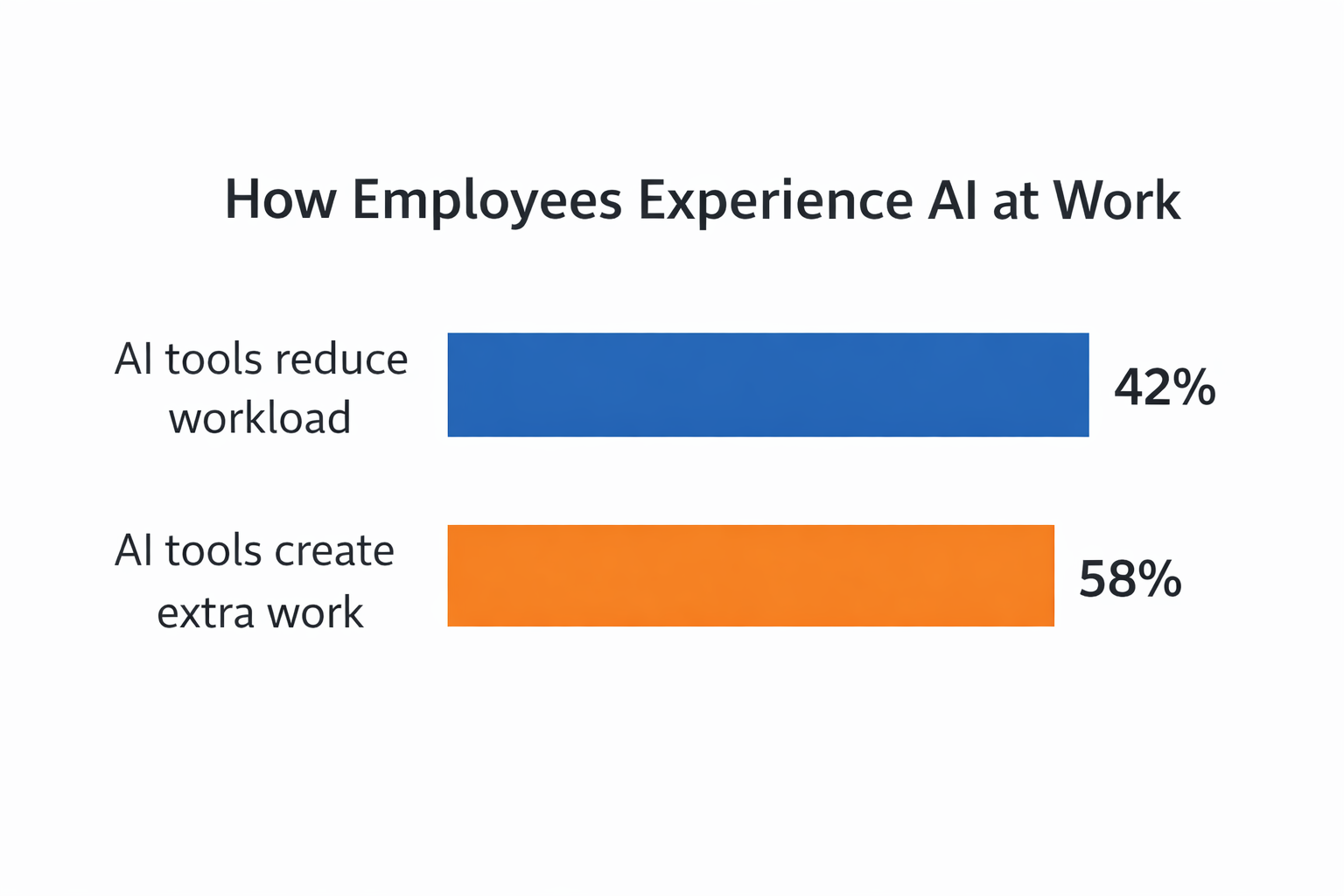
60 percent of employees say current AI tools still create extra work instead of removing it
Read this article: : Top 6 AI-Powered Project Management Tools To Use In 2023
What Is Agentic AI and Why It Matters at Work
Agentic AI is a type of AI that can act on its own to reach a goal.
It does not just wait for instructions like many older AI tools. Instead, it can decide what to do next, take action, and adjust if something changes.
Traditional AI tools usually work like this:- You ask a question
- They give an answer
- Then they stop
Agentic AI works differently. It can keep going until the job is done.
Agentic AI vs traditional AI tools
Here is the simple difference.
- Traditional AI tools respond to commands
- Agentic AI tools can plan and act without being asked every step
- Traditional AI gives suggestions
- Agentic AI makes decisions based on rules and goals
This is why people talk more about agentic ai examples now. These systems do more than talk. They actually do work
How Agentic AI changes daily work
Agentic AI can improve workflows because it handles tasks end to end.
- It sets goals, like finishing a task or fixing a problem
- It decides the next best action
- It checks results and adjusts if needed
For example, instead of reminding a manager about tasks, an agentic system can reorder priorities, notify the right people, and close the task when done. For example, instead of reminding a manager about tasks, an agentic system can reorder priorities, notify the right people, and close the task when done. A Context store helps maintain the information needed to make these decisions consistently across workflows.
This saves time and cuts down on back-and-forth work.
Why Agentic AI matters right now
Workplaces are more complex than before.
Teams are remote. Tools are everywhere. People are overloaded.
That is why agentic ai tools are showing up across many teams.
- In operations, they monitor systems and fix issues early
- In HR, they guide onboarding and flag engagement problems
- In IT, they detect risks and apply rules automatically
- In support, they solve common issues without waiting for humans
Studies show that over 65 percent of companies using AI plan to adopt autonomous agents within the next two years.
The reason is simple. Businesses want AI that reduces work, not adds more steps.
This section sets the stage.
Next, we will break down exactly how Agentic AI works behind the scenes and why some companies succeed with it while others struggle.
How Agentic AI Actually Works in the Workplace
Agentic AI works by following goals instead of waiting for commands.
It watches what is happening, decides what to do next, and takes action until the goal is finished.
This is what makes it different from most AI tools people already use at work.
Many teams are familiar with AI assistants. These tools are helpful, but they stop quickly. You ask a question, get an answer, and then the tool waits. It does not move the work forward on its own.
Agentic AI agents work in a more active way.
They are given a goal, not just a question. From there, they decide the steps needed, take action, and keep going until the task is complete.
That is why many real agentic ai examples feel more like digital workers than chat tools.

Behind the scenes, Agentic AI follows a simple loop. First, it takes in information from systems, messages, rules, or events.
Next, it looks at the goal it has been given. Before AI-generated content is shared or acted upon, an AI text detector can help teams review outputs for authenticity and quality as part of their workflow. Then it takes action, such as sending a message, updating a record, or triggering a workflow.
After that, it checks the result and adjusts if something changes.
This loop helps agentic ai tools improve over time instead of repeating the same mistakes.
Not all Agentic AI works fully on its own. In many workplaces, humans are still part of the process. In early stages, the AI may suggest actions while a person reviews and approves them.
This builds trust and reduces risk. Over time, some tasks can become fully automated, especially simple and repeatable ones, with humans reviewing activity later through logs and reports.
Many companies struggle at the start because they move too fast.
They give agents unclear goals, allow too much freedom, or use poor data. Others skip testing and monitoring altogether.
Research shows that nearly 50 percent of failed AI projects fail because goals were not clearly defined. Agentic AI is powerful, but only when it has clear rules and boundaries. This AI agent blueprint helps businesses successfully transform customer service with AI.
Next, we will walk through real-world agentic ai examples across HR, IT, operations, and customer support, so you can see how this works in everyday workplace situations.
Real Agentic AI Examples in the Workplace
This is where Agentic AI moves from theory into real, everyday work.
These are not experiments or demos.
These are agentic AI examples already being used to reduce manual work, speed up decisions, and remove bottlenecks across teams.
The key difference you'll notice in every example below is this- The AI does not wait to be told what to do next.
- It observes, decides, and acts based on a goal.
Agentic AI Examples used in Operations

Agentic AI Examples used in Operations
In operations, Agentic AI is used to keep work moving without constant human oversight.
Instead of managers chasing updates or reordering tasks manually, agentic systems handle this in real time.
One common use case is auto-prioritizing tasks based on business goals. An agent monitors deadlines, dependencies, system load, and resource availability.
When something changes, like a delay or outage, it automatically reshuffles priorities and notifies the right people. No one has to step in and micromanage the process.
Another powerful example is system monitoring with automatic action.
Agentic AI tools watch performance metrics, logs, and alerts across tools.
When an issue appears, the agent decides whether it can fix it on its own, escalate it, or trigger a workflow. This reduces downtime and prevents small issues from turning into major problems.
Many operations teams report 30 to 40 percent faster resolution times after introducing autonomous AI agents because decisions are made instantly, not hours later.
Agentic AI Examples used in HR and People Ops

HR teams are under pressure to do more with less.
This is where agentic ai tools are starting to make a real impact.
A common agentic AI example in HR is employee onboarding agents. Instead of sending long emails or static checklists, an AI agent guides new hires step by step.
It schedules tasks, checks completion, answers questions, and nudges people when something is missed. If a delay happens, the agent adjusts the plan automatically.
Another growing use case is employee engagement and retention.
Agentic AI systems analyze signals like survey responses, participation levels, time-off patterns, and communication gaps. When risk signs appear, the agent can alert managers, suggest actions, or trigger support workflows early.
This helps companies act before disengagement turns into turnover.
Research shows that companies using AI-driven engagement monitoring see up to 25 percent lower voluntary attrition, especially in distributed teams.
Agentic AI Examples used in Customer Support
Customer support is one of the fastest areas adopting Agentic AI because the value is immediate and measurable.
Instead of chatbots that only answer questions, agentic AI agents for customer service resolve tickets end to end. They read the issue, check user history, gather data from systems, apply fixes, and close the ticket if the problem is resolved. Humans step in only when the issue is complex or sensitive. Businesses looking to deploy these capabilities under their own brand often use Whitelable AI Agents that can be trained on company-specific knowledge, workflows, and support policies.
Agentic AI also improves escalation logic.
The system decides when to escalate, who should handle it, and how urgent it is. This removes the need for supervisors to constantly monitor queues or reassign work manually.
Support teams using agentic AI report higher first-contact resolution rates and shorter response times, while agents focus on complex cases instead of repetitive tasks.
Agentic AI Examples used in IT and Security
In IT and security, speed and accuracy matter more than anything. Agentic AI excels here because it can react instantly.
One key use case is detecting issues and applying fixes automatically.
An agent watches system health, access logs, and configuration changes.
When it detects a problem, like a failed service or risky behavior, it applies a fix, rolls back changes, or isolates the issue without waiting for approval.
Another critical example is policy enforcement and access control. Agentic AI tools monitor permissions, role changes, and unusual access patterns. If a rule is violated, the agent can revoke access, enforce security policies, or trigger audits automatically. This reduces human error and improves compliance.
Security teams using autonomous AI agents often see faster incident response times and fewer policy violations, especially in large or complex environments.
These agentic ai examples show a clear pattern.
Agentic AI works best when it owns a goal, operates within clear rules, and removes repetitive decision-making from humans.
In the next section, we'll look at best practices for using Agentic AI at work, including how to stay in control while letting agents do their job.
Read this article: : Top 6 AI-Powered Project Management Tools To Use In 2023
Best Practices for Using Agentic AI at Work
Autonomous AI agents can bring real value to the workplace, but only when they are set up with care.
Teams that succeed focus on structure, clarity, and control. Teams that rush in often lose confidence quickly and pull the plug before results appear.
Below are proven practices seen across successful deployments of goal-driven AI systems.
Focus on one clear use case first
Trying to apply autonomous agents across the entire business at once is a fast way to fail.
The smartest teams start small.
Pick one task that is repetitive, rules-based, and easy to measure.
Examples include ticket routing, system checks, onboarding steps, or task approvals. When goal-driven AI is focused on a single outcome, it is easier to test, explain, and improve.
Once value is clear, expanding becomes much safer.
Set goals that are specific and measurable
AI agents need clear direction. Broad goals lead to poor decisions.
Instead of vague targets like "improve efficiency," use goals such as "reduce response time" or "close tasks within a set window."
When outcomes are clearly defined, autonomous systems can make better decisions and avoid unwanted behavior.
Industry data shows that unclear objectives are one of the top reasons AI projects stall or fail.
Put limits and guardrails in place early
Self-directed AI should never run without boundaries. Clear rules protect systems, people, and data.
Agents should know:
- Which tools and data they can access
- Which actions are allowed
- When to stop and escalate
Strong guardrails reduce risk and make audits much easier later on.
Keep people involved during early stages
Even advanced AI systems should not operate fully alone at the start.
Most successful teams use a review-first approach.
The system suggests actions and explains its reasoning, while a human approves or adjusts.
This builds confidence and helps teams spot mistakes before they spread.
As trust grows, simple tasks can become fully automated.
Make actions visible and easy to review
Trust disappears when people cannot see what the system is doing.
Every decision and action should be recorded and easy to review.
Teams should understand what happened, when it happened, and why. Transparency supports compliance, improves learning, and speeds up adoption.
Organizations that invest in visibility report higher confidence in AI-driven workflows.
Train systems on real work, not ideal scenarios
Many AI initiatives fail because they are built around perfect processes that do not exist.
Autonomous agents perform best when trained on real data, real delays, and real exceptions.
This helps them handle edge cases and adapt when things do not go as planned.
If a system can manage real-world messiness, it will scale more reliably.
Measure outcomes, not activity
Success is not about how often the AI acts. It is about results.
Review whether tasks are completed faster, errors are reduced, or teams save time.
Focusing on outcomes keeps projects grounded in business value instead of novelty.
Teams that track results consistently see stronger returns and longer-lasting adoption.
Build oversight before expanding
Before rolling out autonomous agents across departments, clear oversight is essential.
This includes ownership, review processes, escalation paths, and accountability.
AI can support decisions, but responsibility must always remain with people.
Strong oversight separates sustainable AI programs from risky experiments.
To keep progress measurable and safe, tie agent deployments to a broader automation strategy with clear goals, governance, and integration standards. This helps teams prioritize high‑impact use cases, align IT and business owners, and build a roadmap that scales without breaking compliance or trust.
When these principles are followed, autonomous AI becomes a dependable part of daily operations rather than a source of concern.
Next, we'll cover common risks and mistakes teams make with self-directed AI systems and how to avoid them before they create real problems.
Risks and Common Mistakes When Using Autonomous AI at Work
Autonomous AI systems can create real value, but they can also cause serious problems if they are used without care.
Most issues do not come from bad technology. They come from poor setup, weak oversight, or unrealistic expectations.
Below are the most common risks, why they matter, and how teams can avoid them.
Risk 1 Giving the system too much freedom too fast
When self-directed AI is allowed to act without limits, small mistakes can spread quickly.
The system may take actions that make sense to the AI but feel wrong to people. This can damage trust and create operational or legal issues.
How to avoid it
- Start with approval steps for important actions
- Limit access to sensitive systems
- Expand permissions slowly as confidence grows
Risk 2 Poor data quality driving bad decisions
Autonomous systems make decisions based on the data they receive.
If that data is outdated, incomplete, or biased, the system will still act, just incorrectly.
Because the system works automatically, the same mistake can repeat many times before anyone notices.
A common example is in customer support automation.
If an AI system is trained on old product information, it may give the wrong fixes, close tickets too early, or escalate issues to the wrong team.
Over time, this leads to frustrated customers and higher re-open rates, even though the system appears to be "working."
Research supports this. Industry studies show that poor data quality costs organizations an average of 15 to 25 percent of revenue each year.
In AI-driven systems, bad data is also one of the top reasons for inaccurate decisions and loss of trust.
How to avoid it
- Clean and review data before use
- Monitor data sources regularly
- Remove or fix unreliable inputs
Risk 3 Unclear goals and changing priorities
If the system does not have a clear target, it will still act, just not in the way you expect. Changing goals mid-way can confuse the system and create inconsistent results.
How to avoid it
- Define clear outcomes before launch
- Keep goals stable during early rollout
- Update goals only after review cycles
Risk 4 No visibility into decisions and actions
When teams cannot see what an autonomous system is doing, trust breaks down fast.
People do not know why decisions were made, which actions were taken, or what data was used.
This makes it almost impossible to audit behavior, fix problems, or meet compliance requirements.
A real example appears in HR automation.
If an AI system changes onboarding steps, access levels, or task assignments without showing why, managers may notice issues only after employees are blocked or confused. At that point, teams waste time undoing changes instead of improving processes.
Data supports this risk.
Surveys show that over 60 percent of employees say they are less likely to trust AI systems when decisions are not explainable. Lack of transparency is also one of the top barriers to AI adoption in regulated industries.
How to avoid it
- Log every decision and action
- Make activity easy to review
- Share clear summaries with teams
Risk 5 Over-automation of human decisions
Not every decision should be automated. Complex, emotional, or high-impact choices still need human judgment. Removing people completely can lead to poor outcomes and resistance from teams.
How to avoid it
- Keep people involved in sensitive areas
- Use AI to support decisions, not replace them
- Clearly define when human review is required
Risk 6 Lack of ownership and accountability
When something goes wrong, teams may blame the system instead of fixing the process. Without clear ownership, issues linger and repeat.
How to avoid it
- Assign clear responsibility for each system
- Define escalation paths
- Review outcomes regularly
Risk 7 Scaling before proving value
Rolling out autonomous AI across departments too early can create chaos instead of efficiency.
When the system has not been fully tested in one area, small issues multiply fast. Errors spread across teams, workflows break, and people lose trust in the technology.
A real example is when companies deploy AI-driven workflow automation across HR, IT, and support at the same time. If the AI misroutes tasks or applies the wrong rules in one department, those mistakes repeat everywhere.
What started as a small configuration issue turns into missed deadlines, frustrated employees, and broken processes.
Industry data backs this up.
Studies show that over 70 percent of AI projects that fail do so during scaling, not during pilots. The technology works in isolation, but breaks down when exposed to real-world complexity across teams.
How to avoid it
- Pilot in one area first
- Measure results before expanding
- Fix issues before scaling
How to Prepare Your Workplace for Agentic AI
Before bringing Agentic AI into the workplace, it's important to prepare the ground properly.
Most failures happen not because the technology is weak, but because the organization is not ready for it.
Preparation starts with people and processes, not tools.
Process readiness comes before technology
Agentic AI works best in clear, repeatable processes.
If your workflows are messy, undocumented, or constantly changing, autonomous systems will struggle and make mistakes.
Before introducing AI, teams should understand how work actually gets done today. This includes who owns each step, where decisions happen, and where delays or errors usually occur.
Simplifying and standardising processes first gives AI a clear path to follow.
Companies that map and clean up workflows before automation are far more likely to see positive results and long-term adoption.
Get data, permissions, and integrations right
Agentic AI depends on access. Without the right data and system connections, it cannot act effectively.
Workplaces should review where key data lives, how accurate it is, and who is allowed to access it.
Permissions must be clearly defined so AI systems can do their job without exposing sensitive information or overstepping boundaries.
Integrations also matter.
Autonomous systems need to connect smoothly with tools like HR systems, ticketing platforms, document libraries, and communication channels. Poor integration leads to partial decisions and broken workflows.
As organizations look to reduce implementation complexity while still enabling powerful automation, no-code approaches are becoming increasingly important. Using a no-code AI agent builder allows teams to design and deploy intelligent agents without writing code, making it easier to connect systems, define workflows, and test automation ideas quickly. This helps businesses move from planning to execution faster while maintaining control over how agents behave across different tools and processes
Strong foundations here prevent security issues and reduce friction later.
Prepare people, not just systems
One of the biggest blockers to Agentic AI is fear.
Employees worry about loss of control, job impact, or decisions being made without context.
Clear communication is critical. Teams should understand what the AI will do, what it will not do, and how humans remain in control. Training helps people see AI as support, not a threat.
Change management should include feedback loops.
Let employees question decisions, flag issues, and suggest improvements. When people feel involved, adoption rises and resistance drops.
Organizations that invest in change management see much higher trust and faster acceptance of autonomous systems.
Why digital workplace platforms matter
Agentic AI needs a strong home.
Digital workplace platforms bring together communication, documents, workflows, permissions, and analytics in one place. This gives AI systems a clear view of how work happens across teams.
Without a central platform, AI agents are forced to operate in silos.
This limits their effectiveness and increases risk. With a unified digital workplace, AI can act with better context, stronger governance, and clearer visibility.
In simple terms, Agentic AI performs best where work is already connected.
Preparing your workplace properly turns Agentic AI from a risky experiment into a reliable capability.
In the next section, we'll compare Agentic AI with automation and AI assistants, so you can see when each approach makes the most sense.
Agentic AI vs Automation vs AI Assistants
These three approaches are often mixed up, but they solve very different problems.
Choosing the wrong one leads to wasted time, poor adoption, and frustrated teams.
Below is a clear breakdown to help you decide what actually fits your workplace.
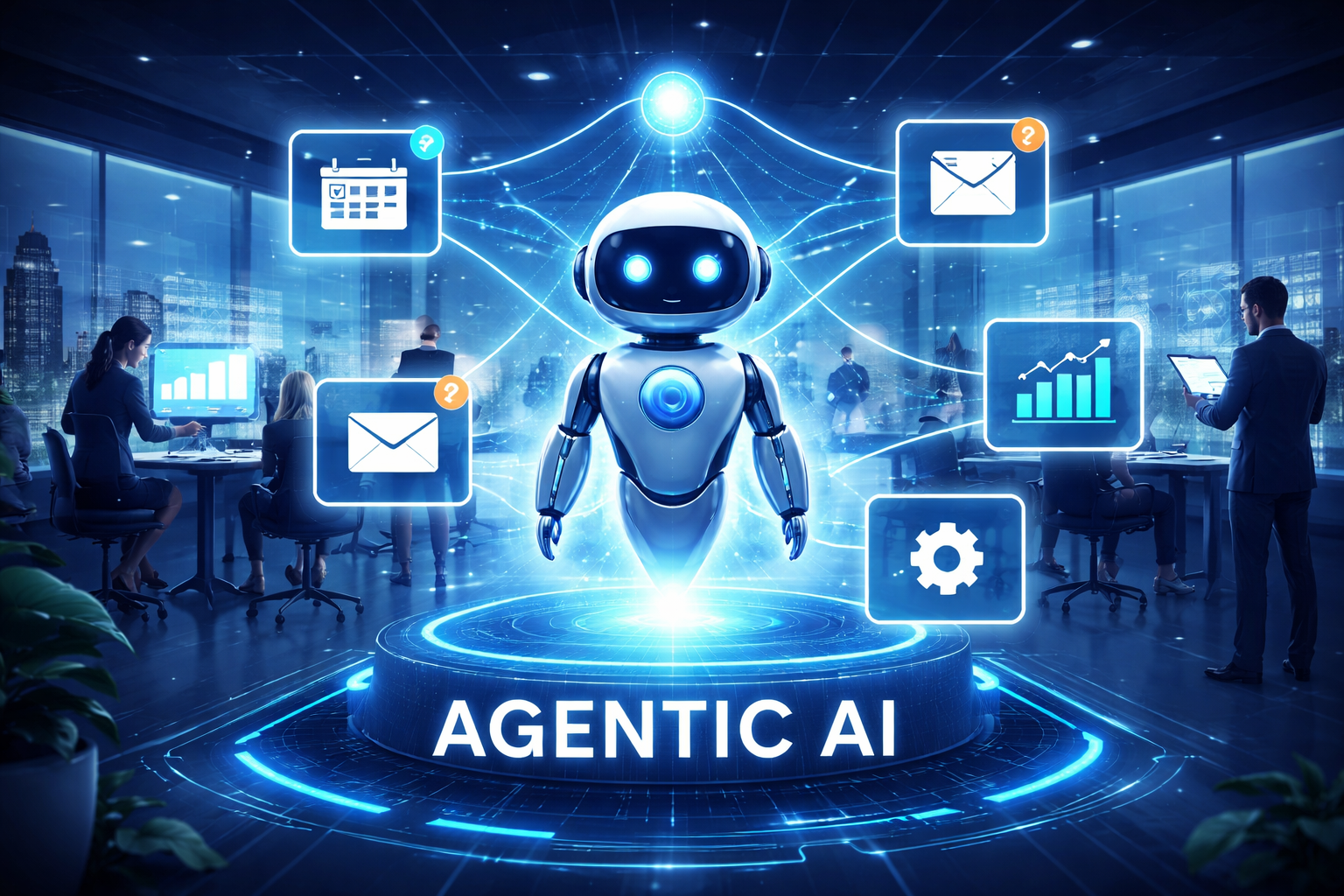
Agentic AI
Agentic AI
Goal-driven systems that can plan, decide, and take action on their own within set rules.
Best used when
- Work involves multiple steps and decisions
- Conditions change often
- You want outcomes, not just task execution
- Human oversight is needed but not constant involvement
Strengths
- Handles end-to-end workflows
- Adapts when situations change
- Reduces decision fatigue for teams
Limitations
- Needs clear goals and guardrails
- Requires strong data and governance
- More complex to implement
Automation

Automation
Rule-based workflows that follow fixed steps exactly as defined.
Best used when
- Tasks are repetitive and predictable
- Rules rarely change
- No judgment or decision-making is required
Strengths
- Fast and reliable
- Easy to understand and audit
- Low risk when well-defined
Limitations
- Breaks when conditions change
- Cannot adapt or learn
- Still requires humans to handle exceptions
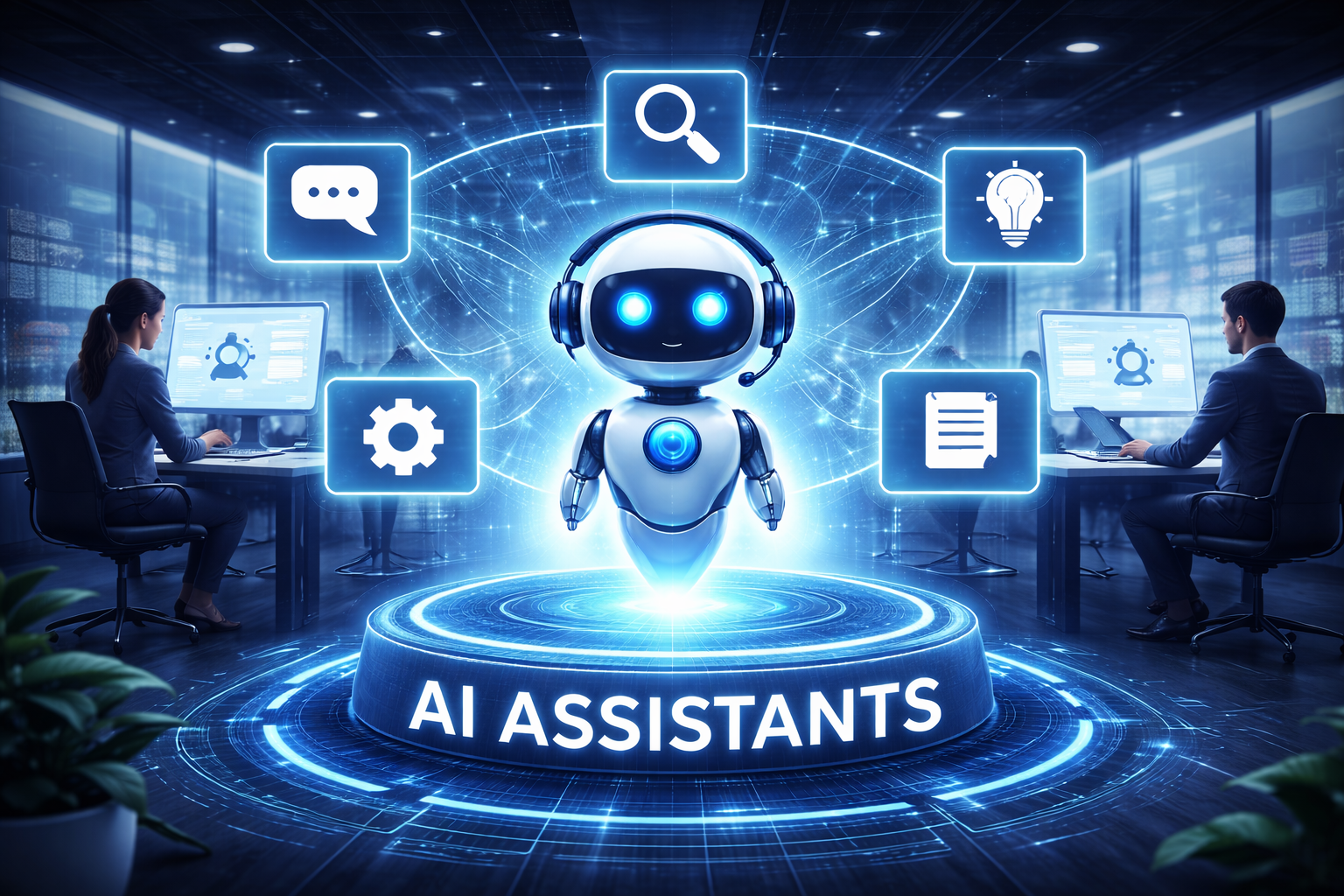
AI Assistants
AI Assistants
Reactive tools that respond to prompts, questions, or requests.
Best used when
- Users need answers, summaries, or suggestions
- Humans stay fully in control
- The AI supports thinking, not action
Strengths
- Easy to deploy
- Low risk
- Helpful for knowledge work
Limitations
- Does not act on its own
- Still creates manual follow-up work
- Stops when the conversation ends
When each approach makes sense
- Use automation for stable, repeatable tasks with clear rules
- Use AI assistants when people need help thinking or writing
- Use Agentic AI when work requires decisions, coordination, and follow-through
Many strong workplaces use all three together, each in the right place.
Why Agentic AI is not always the answerAgentic AI is powerful, but it is not a shortcut.
- It adds risk if goals are unclear
- It fails without good data
- It creates trust issues if actions are hidden
- It is overkill for simple tasks
In many cases, basic automation or an AI assistant will deliver faster value with less effort.
The smartest teams start simple, prove value, and only move to Agentic AI when the problem truly needs autonomy.
Next, we'll wrap up with final thoughts and The Future of Agentic AI in the Workplace so you know exactly how to move forward without overengineering your AI strategy.
The Future of Agentic AI in the Workplace
"Maybe we should just replace half the workflow with AI agents and be done with it."
That's a thought a lot of leaders are quietly having right now. And to be fair, some roles will change fast.
Over the next 12 to 24 months, we're going to see Agentic AI move from side experiments to core business systems.
Not everywhere at once, but in very real ways. Teams will stop using AI just to suggest things and start trusting it to do things. Scheduling work. Routing decisions. Closing loops humans used to babysit.
But here's the part people miss.
The advantage won't come from simply having the most advanced AI agents.
At first, companies will differentiate by having better setups.
Better workflows. Smarter configurations. That edge won't last. Just like with cloud or automation, everyone eventually catches up. You can even imagine a future where AI agents design and optimize other AI agents. At that point, technical advantage alone disappears.
So what actually becomes valuable?
Decision ownership.
Right now, most AI helps with tasks. Draft this. Analyze that. Suggest next steps. Agentic systems are different. They own decisions within boundaries. And once AI starts making decisions that affect customers, employees, or partners, a bigger question shows up fast.
Who is accountable?
That's where governance becomes the real differentiator.
The companies that win won't be the ones with the most autonomous systems.
They'll be the ones that clearly define what AI is allowed to decide, when humans step in, and how trust is maintained. They'll know when automation is fine and when a human must stay involved.
Think about customer experience. You might be perfectly happy letting an AI agent reschedule a meeting or reset a password.
But if something serious goes wrong, a payment issue, a compliance problem, a personal complaint, most people still want a human. Someone who understands context, emotion, and responsibility.
That's not a weakness. That's a strategy.
The future workforce won't win by competing with AI on speed or efficiency.
AI will always win there. The advantage will come from empathy, judgment, relationships, and trust. Companies that design Agentic AI to support those human strengths, not replace them, will stand out.
In the end, the question won't be "How autonomous is your AI?"
It will be "How well does your organization balance autonomy with accountability?"
That balance will define who scales safely and who learns the hard way.
Final Thoughts
Agentic AI is powerful, but it is not forgiving.
When it is set up well, it can remove friction, speed up work, and take real ownership of outcomes.
When it is set up badly, it can create confusion, break trust, and scale mistakes faster than any human ever could.
The companies that succeed will not chase trends or flashy demos.
They will focus on outcomes. Does the system save time? Does it reduce errors? Does it make work easier for people, not harder? Novelty fades quickly. Real results do not.
The smartest path forward is simple. Start small. Pick one clear problem.
Prove that value is real and measurable. Then scale carefully, with clear rules, visibility, and human oversight.
Agentic AI rewards discipline, not speed.
Most Popular Posts

Effective communication among team members is vital for the productivity and success of any organization. Surprisingly, 60% of companies lack a long-term internal communication strategy, which p...


Businesses thrive on communication for efficiency, productivity and accomplishment. When the right information is passed from the right designation in the organization, it promotes positivity an...

Categories
Blog
(3186)
Business Management
(393)
Employee Engagement
(235)
Digital Transformation
(216)
Growth
(150)
Intranets
(141)
Internal communications
(106)
Remote Work
(68)
Sales
(53)
Collaboration
(52)
Customer Experience
(32)
Culture
(30)
Knowledge Management
(29)
Project management
(29)
Leadership
(20)
Comparisons
(9)
News
(1)

Related Posts

The best ai image editors can save a team hours of repetitive work. A marketing manager can remove a distracting background, an HR team can improve a staff event photo, and an online shop can turn a basic product shot into something ready to pu...

Ever opened a PDF just before a meeting and realised you need to edit a page, pull figures from a scanned report, or gather everyone's comments? What should be a quick task can turn into a frustrating search for the right tool. That lost time a...

Looking for a New Job Remotely can feel like a simple next step: update your CV, turn on job alerts and start applying. In reality, the strongest remote job searches start much earlier. You need to be clear about the work you want, the kind of ...

Hiring globally is easier than employing globally Have you found the right person for a role, only to realise they live in a country where your business has no legal entity? That's where EOR international hiring can be useful. An Employer of Re...

Sales operations and planning are essential to harmonizing sales objectives with operational capabilities, ensuring seamless coordination between departments like sales, marketing, production, and finance. This alignment enables businesses to forecas...


Jill Romford
I am a digital nomad, lover of exploring new places and making friends.
I love to travel and I love the internet. I take pictures of my travels and share them on the internet using Instagram.
Traveler, entrepreneur, and community builder. I share my insights on digital marketing and social media while inspiring you to live your fullest life.
Ready to learn more? 👍
One platform to optimize, manage and track all of your teams. Your new digital workplace is a click away. 🚀
Free for 14 days, no credit card required.