
Insight Blog
Agility’s perspectives on transforming the employee's experience throughout remote transformation using connected enterprise tools.
48 minutes reading time
(9662 words)
Slack Alternatives for Internal Communication: Better Tools for Teams That Need More Than Chat

Slack Alternatives for Internal Communication: Better Tools for Teams That Need More Than Chat
Looking for Slack alternatives? Discover the best employee communication tools built for internal teams, collaboration, and productivity beyond chat.
Slack Alternatives for Internal Communication: Better Tools for Teams That Need More Than Chat

Let's be honest for a second… Slack is great when your team is small and everything moves fast.
But once you start scaling, things begin to fall apart.
Conversations get buried, files are scattered across threads, and before you know it, you're jumping between tools just to piece together what's going on.
28%
of the workweek
And it’s not just you. According to McKinsey, employees can spend up to 28% of their workweek searching for information instead of doing meaningful work—often because communication is spread across too many disconnected tools.
Source: McKinsey Global Institute
And it's not just you.
Studies show that employees spend up to 28% of their workweek searching for information instead of actually doing meaningful work.
That's a huge chunk of time lost—often because communication is happening in too many places, without structure.
So if you've been Googling things like slack alternatives free, slack alternatives for small teams, or even slack alternative open source, you're probably already feeling that frustration.
You might be wondering whether tools like Microsoft Teams, Mattermost, or other teams slack alternative options are actually better—or just different.
That's exactly what this article is here to help you figure out.
We're going to break down the best Slack alternatives, including free tools, self-hosted options, and full internal communication platforms, so you can find something that actually fits how your team works today.
Whether you're a small team trying to stay organised or a growing business that's outgrown chat entirely, this guide will help you cut through the noise and choose the right solution.
Key Takeaways
- Slack is effective for real-time messaging, but many teams outgrow it as communication becomes unstructured, noisy, and difficult to manage at scale.
- Businesses searching for slack alternatives often need more than chat, including structured communication, knowledge management, and employee engagement tools.
- Free and open-source options like Mattermost and Rocket.Chat offer control and flexibility, but typically require technical setup and ongoing management.
- Platforms like Microsoft Teams, Workvivo, and Staffbase each solve specific problems, but may still require additional tools to fully support collaboration.
- The best Slack alternative is not just another messaging tool, but a complete platform that centralises communication, reduces tool sprawl, and improves how teams work.
Why Teams Are Looking for Slack Alternatives
Let's be real—most teams don't wake up one day and randomly decide to replace Slack.
It usually starts with small frustrations that slowly build up over time, until communication becomes messy, noisy, and harder to manage than it should be.
If you've ever searched something like "why teams are leaving Slack Reddit" or gone down a slack alternative reddit thread, you'll notice a pattern.
Different companies, different industries—but the same complaints keep coming up again and again.
Why Teams Are Looking for Slack Alternatives
Slack Is Built for Chat—Not for How Teams Actually Work
Slack does one thing really well: fast communication.
But modern teams need more than just messaging.
- There's no structured way to manage announcements, updates, or important information, so everything ends up being treated like a conversation instead of something that should be organised and easy to find later.
- Teams often rely on chat threads to make decisions, but those decisions quickly get buried, making it difficult to track what was agreed or who is responsible.
Over time, Slack becomes the place where work is discussed—but not where work is actually managed.
Knowledge Gets Lost Instead of Organised
One of the biggest issues teams highlight on Reddit is how easily information disappears inside Slack.
- Messages are not documentation, yet many teams treat them that way, which leads to important knowledge being scattered across channels and threads.
- Finding past discussions, files, or decisions becomes time-consuming, especially as the volume of messages grows.
And this isn't just anecdotal—research shows employees spend up to 28% of their workweek searching for information, often because it's buried in tools like chat apps.
28%
of time lost
And this isn’t just anecdotal—research shows employees spend up to 28% of their workweek searching for information, often because it’s buried in tools like chat apps instead of being structured and easy to find.
Source: Industry research & workplace studies
It Lacks Built-In Employee Engagement Features
Slack is designed for communication, not engagement.
- There are no native tools for recognition, surveys, or structured feedback, which means companies have to rely on additional platforms to keep employees engaged.
- For organisations with remote or frontline workers, this becomes a major gap, as communication alone isn't enough to keep teams connected and motivated.
This is why tools likeAgilityPortal and Staffbase have gained traction—they focus on engagement, not just messaging.
You End Up Managing Multiple Tools Just to Fill the Gaps
Another common Reddit complaint is that Slack doesn't replace anything—it just sits in the middle of everything.
- Teams still need separate tools for documents, project management, knowledge bases, and internal announcements.
- This creates a fragmented experience where employees are constantly switching between platforms just to get basic work done.
Instead of simplifying communication, Slack often becomes just one part of a much larger, disconnected tool stack.
Scaling Turns Slack Into Noise
Slack works well for small teams—but as soon as you grow, things start to break.
- Channels multiply quickly, making it harder to know where conversations should happen.
- Notifications become overwhelming, and employees struggle to separate important updates from general noise.
- Valuable discussions get lost simply because there's too much happening at once.
This is one of the most repeated themes in slack alternative reddit discussions:
"It was great at the start… but it doesn't scale."
When you put all of this together, it becomes clear why so many teams start exploring Slack alternatives.
It's not that Slack is broken—it's that it was never designed to handle everything modern teams expect from a communication platform.
And once your business reaches that point, switching isn't just an option…
It becomes a necessity.
What to Look for in a Slack Alternative
What to Look for in a Slack Alternative
If you're actively searching for slack alternatives, it's usually because something isn't working anymore.
The key mistake most teams make is replacing Slack with another chat tool that has the same limitations, just packaged differently.
Instead, you need to think bigger.
The right solution should improve how your team communicates, shares knowledge, and gets work done—not just where messages happen.
Here's what actually matters when choosing the right platform.
Centralised Communication (Not Just Chat)
Chat tools like Slack are great for fast conversations, but they fall apart when you need clarity, visibility, and structure across an organisation.
Messages fly around, but important updates don't stick, and over time, everything starts to feel reactive instead of intentional.
A proper slack alternative should give you more control over how information flows—not just where messages happen.
- A platform should support company-wide announcements, structured updates, and targeted messaging so that critical information is clearly delivered instead of getting buried inside fast-moving conversations
- It should allow different types of communication (news, updates, alerts) to exist separately from chat, giving teams clarity on what actually matters
Built-in Knowledge & Document Management
Built-in Knowledge
One of the most common reasons teams move away from Slack is because it becomes impossible to use as a reliable source of truth.
Messages are not documentation, yet teams end up treating them like they are, which leads to constant searching, repeated questions, and duplicated work.
This is where many slack alternatives free or basic tools still fall short—they improve messaging but don't solve knowledge management.
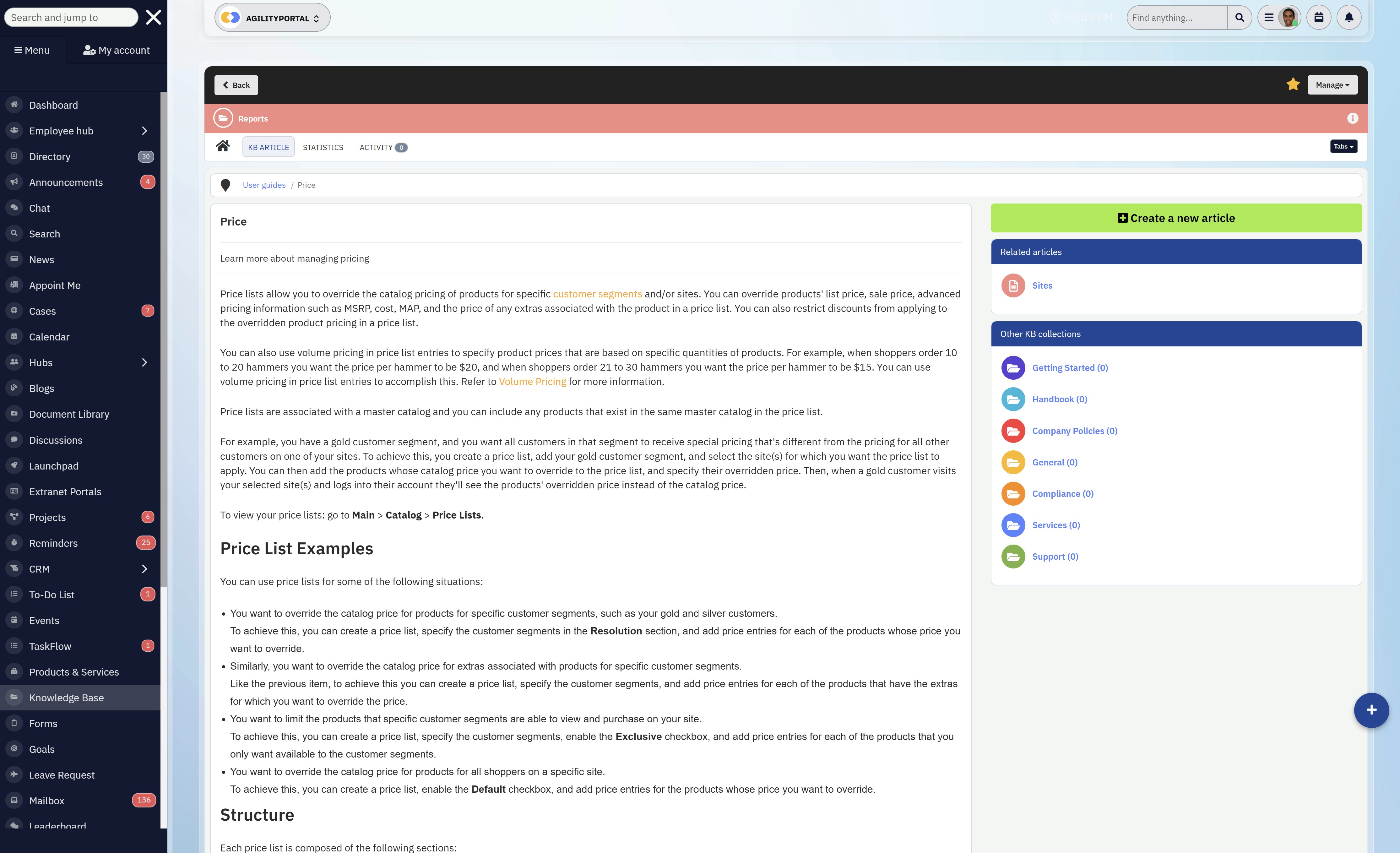
– Look for built-in document management and a structured knowledge base that allows teams to store, organise, and retrieve information without relying on memory or scrolling through old threads
– Strong search functionality is essential, especially as your team grows and the volume of information increases over time
Employee Engagement Features
As teams become more distributed, communication alone isn't enough to keep people aligned and motivated.
This is something Slack doesn't address well, which is why many businesses start exploring more complete platforms.
The best slack alternatives for small teams and scaling organisations recognise that engagement is part of communication, not something separate.
→ Tools like surveys, recognition systems, and feedback loops help create a more connected experience, especially for remote or hybrid teams
→ Without these features, communication becomes one-way and transactional, rather than something that builds culture and alignment
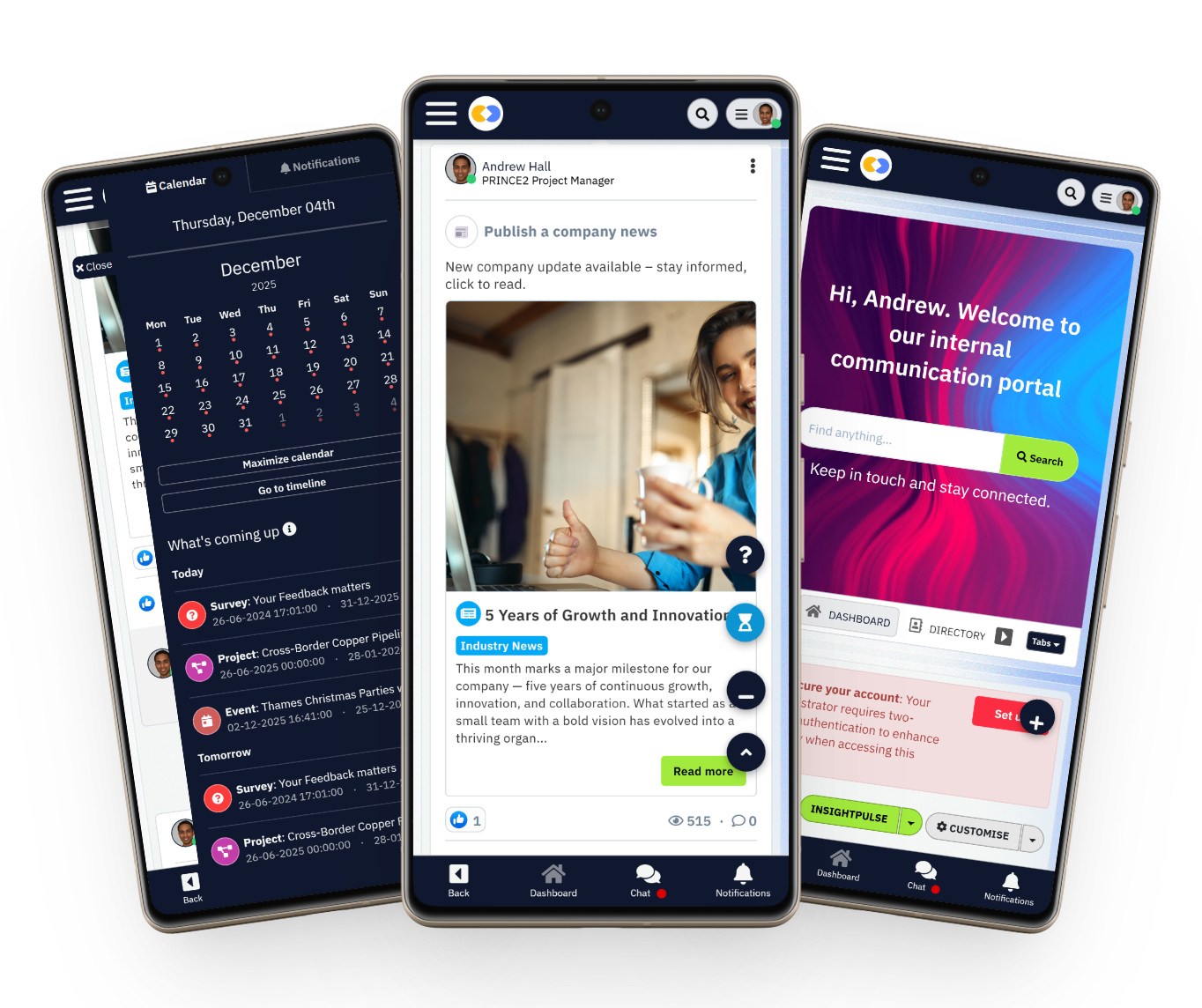
Mobile-First Experience for Frontline Teams
Mobile-First Experience for Frontline Teams
A lot of communication platforms are still designed with desk-based employees in mind, which creates a gap for frontline workers who don't sit in front of a computer all day.
This is where many tools fail completely, even if they work well for office teams.
If you're evaluating a slack alternative, this is something you can't ignore.
- The platform should be designed with mobile in mind from the start, not treated as an afterthought
- Employees should be able to access updates, messages, and important information instantly, without needing to dig through channels or rely on email
- Offline access and simple interfaces make a huge difference in real-world usage
Integrations Without Complexit
Integrations Without Complexit
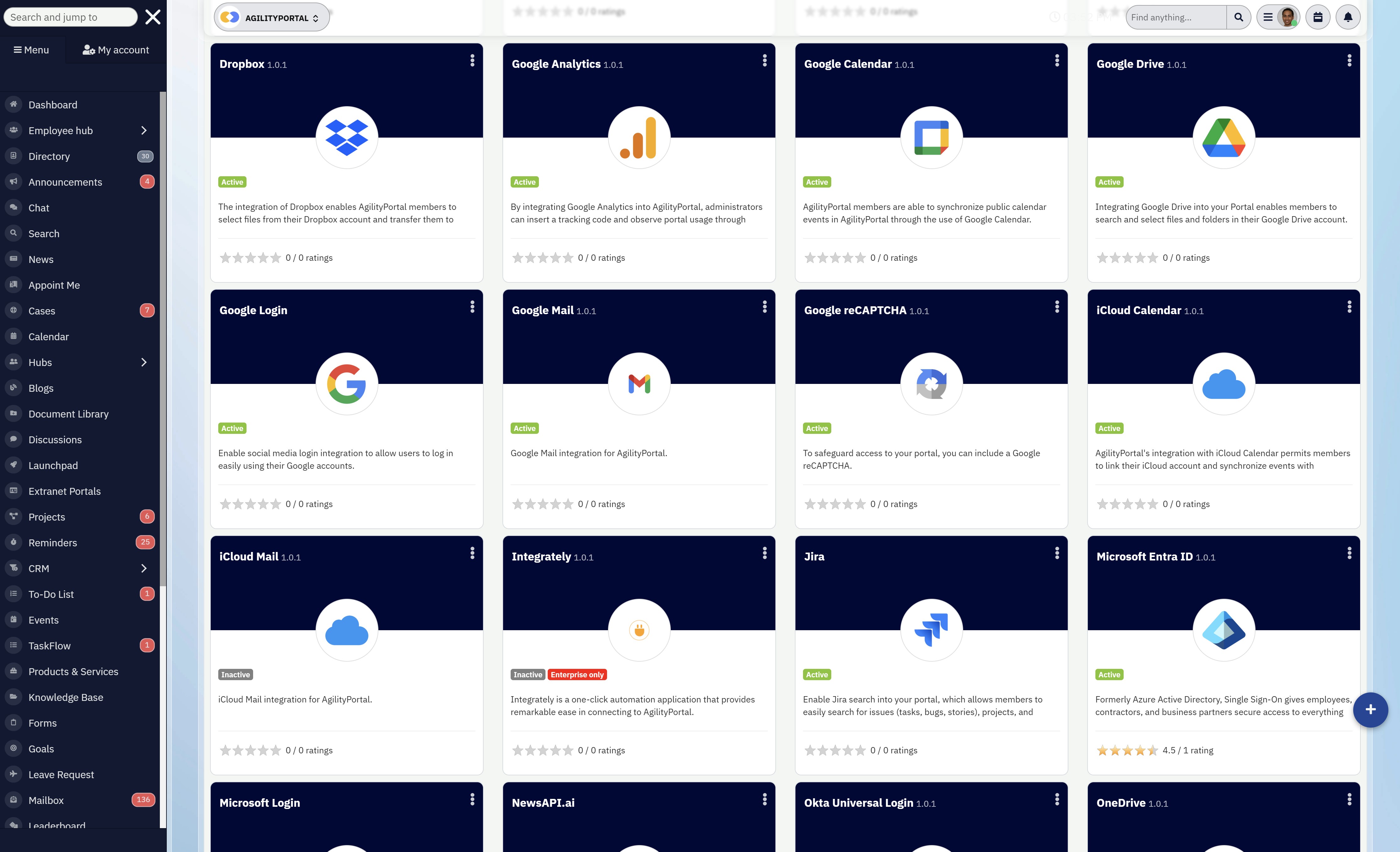
Integrations are often seen as a strength, but in reality, too many integrations can create more problems than they solve.
Instead of simplifying workflows, they can turn your tech stack into a patchwork of disconnected systems.
That's why many teams move from Slack to tools like Microsoft Teams or more complete platforms—but even then, complexity can creep in.
- Look for solutions that integrate naturally with your existing tools without forcing users to constantly switch between platforms
- The goal is to reduce friction, not add more layers to your workflow
- Ideally, your communication platform should replace tools—not depend on them
Not all slack alternatives are built the same.
Some give you better chat.
Others give you better control.
The right one gives you both—and removes the need for everything else.
Slack Alternatives Comparison Table
| Tool | Best For | Core Strength | Biggest Weakness | Key Differentiator |
| AgilityPortal | All-in-one internal communication | Combines chat, intranet, documents, engagement | Requires setup to tailor structure | True "Slack replacement" (not just chat) |
| Microsoft Teams | Microsoft ecosystem users | Deep Office 365 integration | Cluttered UX, hard to manage | Strong for enterprises already in Microsoft |
| Workvivo | Employee engagement & culture | Social-style communication | Weak productivity tools | Best for engagement, not operations |
| Staffbase | Corporate comms teams | Strong internal news & messaging | Limited collaboration features | Built for top-down communication |
| Google Chat | Google Workspace users | Simple and easy chat | Very limited features | Lightweight Slack alternative |
| Bitrix24 | SMBs needing everything | CRM + communication tools | Overloaded, complex UI | Broad feature set beyond chat |
| Mattermost | Security-focused teams | Self-hosted, high control | Requires technical setup | Open-source Slack alternative |
| Rocket.Chat | Customisable chat systems | Flexible & open-source | UI and UX not as polished | Full control over deployment |
| Zoho Cliq | Zoho ecosystem users | Affordable and integrated | Limited advanced features | Budget-friendly option |
| Chanty | Small teams | Simple, clean interface | Not scalable for large orgs | Easy Slack replacement for startups |
Best Slack Alternatives for Internal Communication (Comparison)
If you've started to feel like Slack is no longer keeping up with how your team actually works, you're not alone.
As businesses grow, communication needs become more complex, and simple chat tools often fall short.
That's why more companies are actively exploring Slack alternatives for internal communication—looking for platforms that go beyond messaging and bring structure, clarity, and better collaboration into one place.
In this section, we'll compare the best options available, from lightweight tools for small teams to full digital workplace platforms, so you can find the right fit for your organisation.
#1. AgilityPortal (Best All-in-One Slack Alternative)
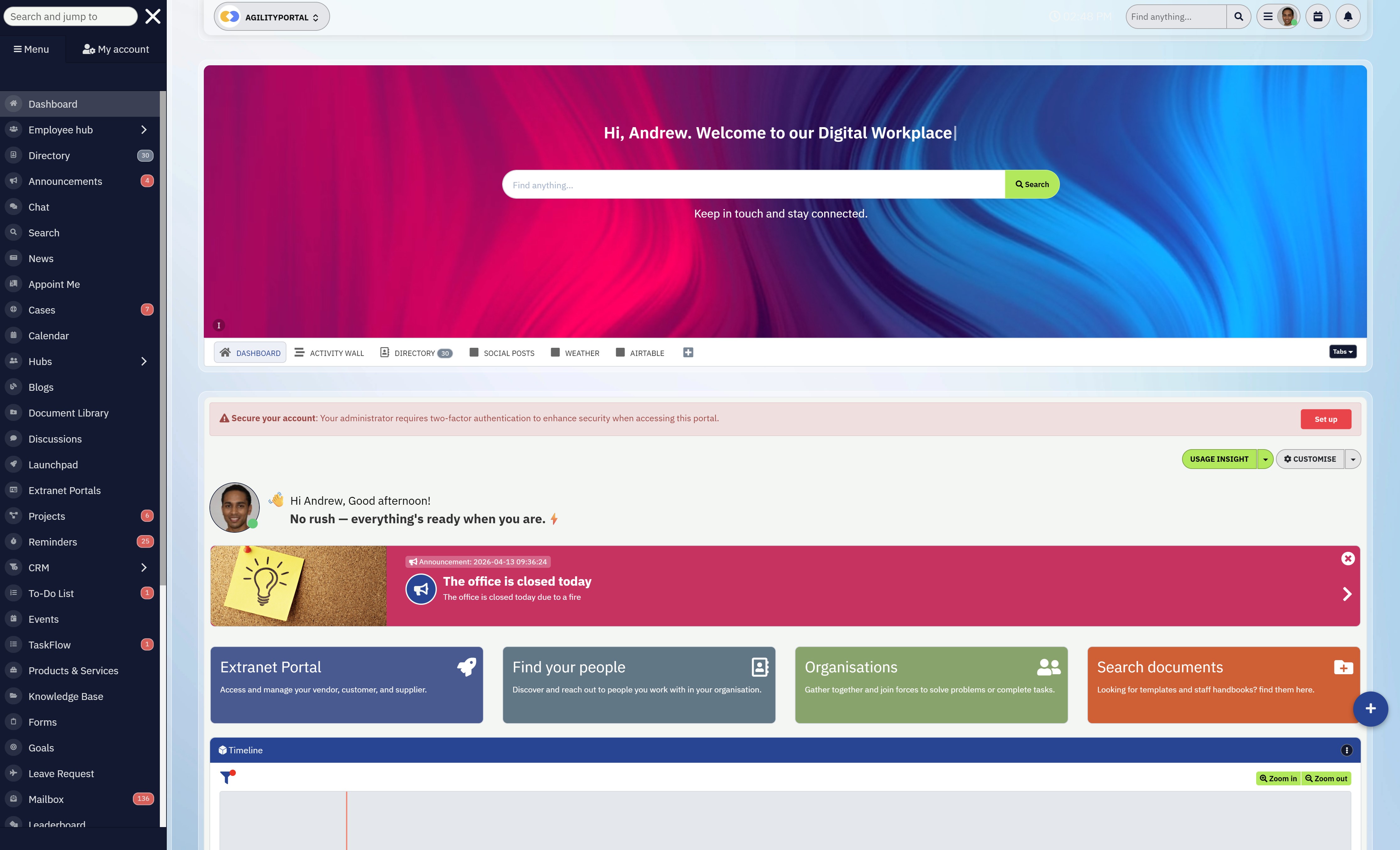
AgilityPortal is an all-in-one employee communication and digital workplace platform designed to centralise communication, collaboration, knowledge, and employee engagement in one place.
Unlike traditional chat tools, it is built to replace multiple systems, making it a powerful Slack alternative for organisations that need more than messaging and want a structured way to manage internal communication at scale.
#1. AgilityPortal (Best All-in-One Slack Alternative)
Best for:
• Businesses looking to replace Slack with a complete communication platform
• Organisations with remote, hybrid, or frontline workforces
• Teams that want to combine communication, collaboration, and engagement in one system
Top Features:
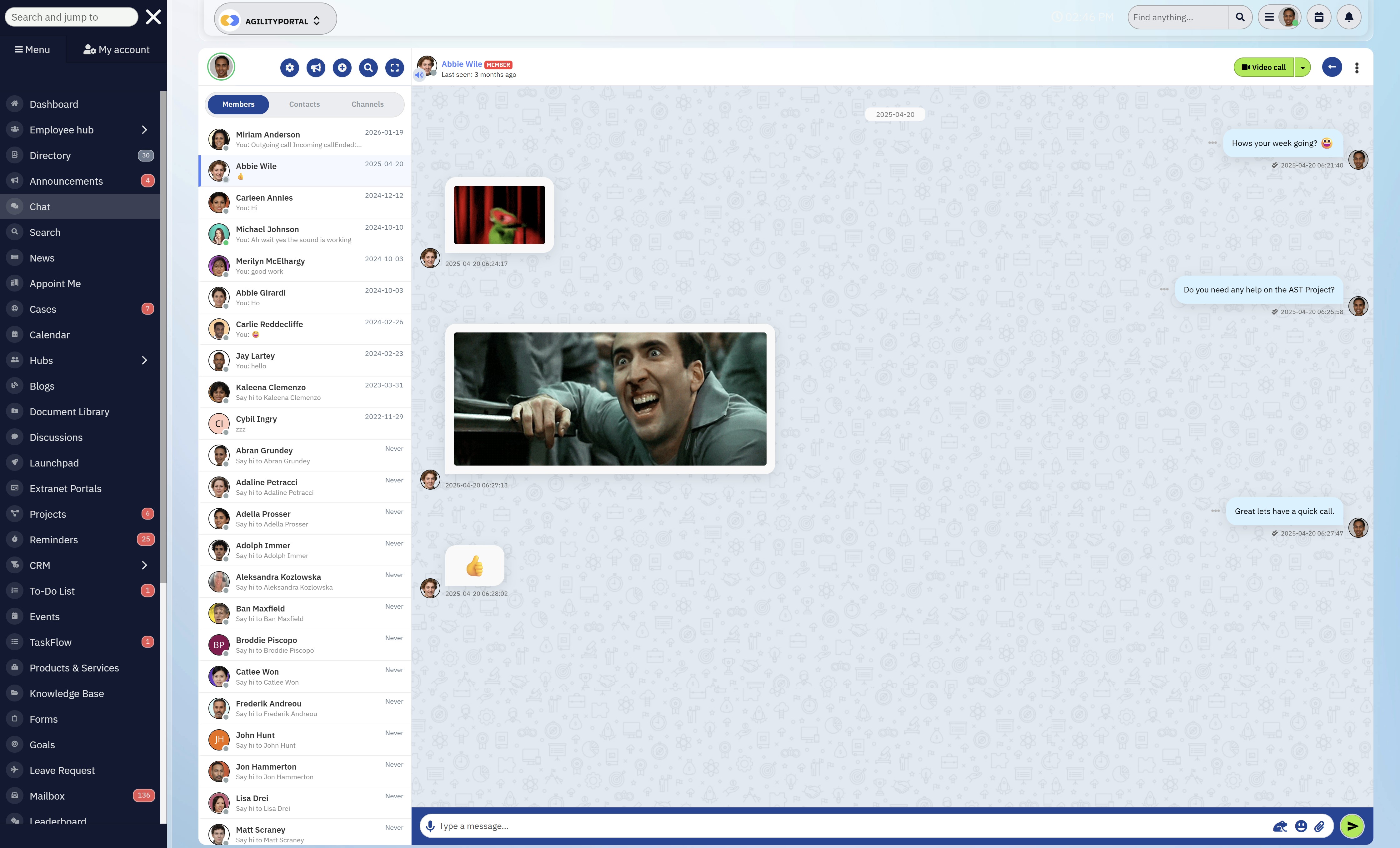
• Company news feed and announcements
• Real-time team chat and messaging
• Document and file management
• Employee engagement tools (surveys, recognition)
• Role-based and targeted communication
• Knowledge base and enterprise search
• Mobile app for frontline workers
• Notifications and alerts
• Integrations with Microsoft and Google tools
• Analytics and engagement tracking
Pros:
• Combines communication, collaboration, and engagement into one platform, reducing the need for multiple tools
• Structured approach to internal communication, making it easier to manage information and avoid message overload
• Strong support for frontline and non-desk employees through mobile-first features
• Faster to implement compared to traditional intranet or enterprise systems
Cons:
• May require initial setup to fully customise for organisational structure and workflows
• More comprehensive than simple chat tools, which can take time for teams to fully adopt all features
• Not ideal for teams that only need basic messaging without additional functionality
AgilityPortal
The Best Slack Alternative for Teams That Need More Than Chat
If Slack is starting to feel limiting, AgilityPortal gives you everything in one place. Instead of juggling chat, documents, intranet tools, and engagement platforms, this brings it all together into a single, structured digital workplace. It’s built for internal communication at scale, helping teams stay aligned, informed, and engaged without switching between multiple tools.
Starts from $99 per 100 users per month
14-day free trial available
No credit card required to get started
Try it free for 14 days – no credit card required
14-day free trial available
No credit card required to get started
#2. Microsoft Teams

#2. Microsoft Teams
Microsoft Teams is a collaboration platform that combines chat, video meetings, file sharing, and integration with Microsoft 365 into one system designed for workplace communication.
It is one of the most widely used Slack alternatives, particularly for organisations already using Microsoft tools, offering a more integrated approach to communication and collaboration across teams.
Best for:• Organisations already using Microsoft 365
• Mid to large businesses needing enterprise-level collaboration tools
• Teams that rely on meetings, file sharing, and structured workflows
• Team chat and messaging
• Channels for departments and projects
• Video meetings and calls
• File sharing and co-authoring
• Deep Microsoft 365 integration
• Calendar and scheduling tools
• Task and workflow collaboration
• Enterprise security and admin controls
• Mobile communication
• Strong integration with Microsoft 365, making it a natural choice for businesses already in that ecosystem
• Combines chat, meetings, and file collaboration in one platform
• Scales well for large organisations with advanced security and compliance needs
• Interface can feel cluttered and complex, especially for new users
• Performance and usability issues can occur depending on setup and usage
• Heavy reliance on the Microsoft ecosystem, limiting flexibility for some organisations
• Can feel overwhelming compared to simpler Slack alternatives
Microsoft Teams
Unified Communication for Chat, Meetings, and Team Collaboration
Microsoft Teams combines chat, meetings, file sharing, and collaboration into one workspace, making it a strong option for organisations already using Microsoft 365.
Paid plans start from £4.60 per user per month (billed yearly)
Free plan available
Free trials available on selected plans
Free plan available
Free trials available on selected plans
#3. Workvivo

#3. Workvivo
Workvivo is an employee experience platform that combines internal communication, social engagement, and company culture tools into one system.
It is often positioned as a another modern Slack alternative for organisations that want to improve employee engagement and build a stronger sense of connection across teams, especially in remote and hybrid environments.
Best for:• Mid to large organisations focused on employee engagement and culture
• Companies looking to improve internal communication and employee experience
• Businesses with remote or hybrid workforces
• Social-style activity feed
• Company news and announcements
• Employee recognition and shoutouts
• Spaces for teams and departments
• Surveys and employee feedback tools
• People directory and profiles
• Broadcast messaging
• Mobile communication
• Strong focus on employee engagement, helping organisations build culture and connection across teams
• Easy-to-use, social-style interface that encourages participation and interaction
• Good mobile experience, making it suitable for frontline and distributed workforces
• Limited productivity and workflow features compared to more comprehensive platforms
• Not designed to replace tools like project management or document systems
• Can require additional tools to fully support day-to-day work and collaboration
• Less suited for organisations that need structured knowledge management
Workvivo
Social-Style Internal Communication for Engagement, Culture, and Connection
Workvivo is an employee communication and engagement platform that combines social-style updates, recognition, spaces, and internal communications in one mobile-friendly hub.
Pricing is quote-based
Billed annually according to G2 pricing information
Contact sales for a custom quote
Billed annually according to G2 pricing information
Contact sales for a custom quote
#4. Staffbase - Internal Comms + Engagement

Staffbase is an internal communications platform designed to help organisations deliver company news, updates, and campaigns across web, email, and mobile.
It focuses on improving how businesses communicate with employees at scale, making it a strong Slack alternative for internal communication, particularly for companies that prioritise top-down messaging and employee engagement.
Best for:• Mid to large organisations with dedicated internal communications teams
• Companies focused on employee engagement and content delivery
• Businesses needing structured company-wide communication
• Internal news and announcements
• Employee mobile app
• Targeted communication and segmentation
• Multi-channel publishing (app, email, intranet)
• Content scheduling and campaigns
• Employee surveys and feedback tools
• Analytics and reporting
• Integrations with enterprise tools
• Strong focus on structured internal communication, making it easier to deliver important updates across the organisation
• Excellent for reaching frontline and non-desk employees through mobile-first communication
• Built-in analytics help measure engagement and communication effectiveness
• Limited real-time collaboration features compared to chat-first tools like Slack
• Not designed as a full all-in-one workplace platform, so additional tools may still be required
• Can be more focused on top-down communication rather than team collaboration
• Pricing is typically quote-based, which may not suit smaller businesses
Staffbase
Internal Communications Platform for Company-Wide Messaging and Engagement
Staffbase is built for internal communications teams to deliver company-wide news, updates, and employee messaging across desktop and mobile.
Pricing is quote-based
Billed annually depending on organisation size and needs
Contact sales for a custom quote
Billed annually depending on organisation size and needs
Contact sales for a custom quote
#5. Google Chat
#5. Google Chat
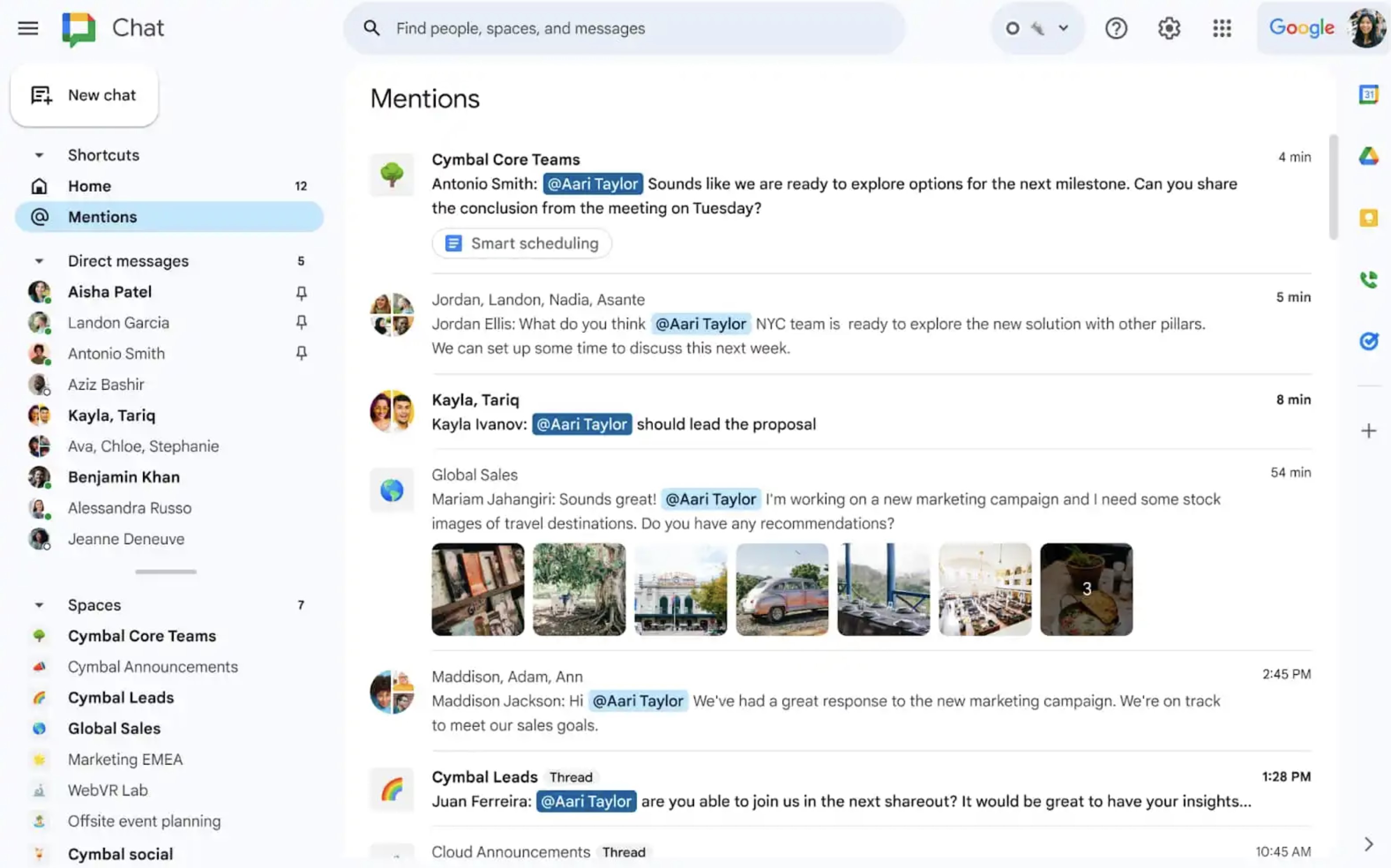
Google Chat is a team messaging platform built into Google Workspace, designed to provide simple communication through direct messages, group chats, and collaborative spaces.
It is often considered a lightweight Slack alternative, particularly for businesses already using Google tools, but it is primarily focused on chat rather than full internal communication or collaboration systems.
Best for:• Businesses already using Google Workspace
• Teams looking for a simple and familiar chat tool
• Organisations that need basic communication without complexity
• Direct messaging and group chat
• Spaces for team collaboration
• Google Workspace integration (Docs, Drive, Meet)
• File sharing via Google Drive
• Threaded conversations
• Basic task management
• Searchable chat history
• Mobile communication
• Seamless integration with Google Workspace tools like Docs, Drive, and Meet
• Simple and easy to use, especially for teams already familiar with Google products
• Included in Google Workspace plans, making it cost-effective
• Limited functionality beyond chat compared to other Slack alternatives
• Lacks advanced internal communication features such as structured announcements or engagement tools
• Not designed to replace multiple tools or act as a full communication platform
• Can feel too basic for growing teams with more complex needs
Google Chat
Simple Team Messaging Built for Google Workspace Users
Google Chat is a lightweight messaging tool designed for teams using Google Workspace, offering simple chat, spaces, and basic collaboration features.
Included with Google Workspace plans
Free version available with limited features
Paid plans depend on Google Workspace subscription
Free version available with limited features
Paid plans depend on Google Workspace subscription
#6. Bitrix24

#6. Bitrix24
Bitrix24 is an all-in-one business platform that combines team communication, project management, document collaboration, CRM, and intranet features into a single system.
It is often considered a broader Slack alternative because it goes beyond messaging, offering a wide range of tools designed to manage both internal communication and business operations in one place.
Best for:• Small to mid-sized businesses looking for an all-in-one platform
• Teams that want chat, tasks, CRM, and collaboration tools in one system
• Organisations trying to reduce the number of tools they use
• Team chat and messaging
• Task and project management
• Document collaboration and file sharing
• Built-in CRM system
• Company intranet features
• Video calls and meetings
• Workflow automation
• Calendar and scheduling tools
• Mobile communication
• Combines multiple business tools into one platform, reducing the need for separate systems
• Includes CRM and project management features, which most Slack alternatives do not offer
• Free plan available, making it accessible for smaller teams
• Interface can feel cluttered due to the large number of features available
• Steeper learning curve compared to simpler tools like Slack or Chanty
• Performance and usability can vary depending on how many features are being used
• Not as focused on internal communication structure or employee engagement as dedicated platforms
Bitrix24
All-in-One Business Platform for Chat, Tasks, CRM, and Team Collaboration
Bitrix24 combines team chat, task management, document collaboration, intranet features, and CRM tools in one platform, making it a broad option for businesses that want more than messaging alone.
Free plan available
Paid plans start from $49 per month for 5 users
Additional paid tiers available for larger teams
Paid plans start from $49 per month for 5 users
Additional paid tiers available for larger teams
#7. Mattermost - An Open-Source Option
#7. Mattermost - An Open-Source Option
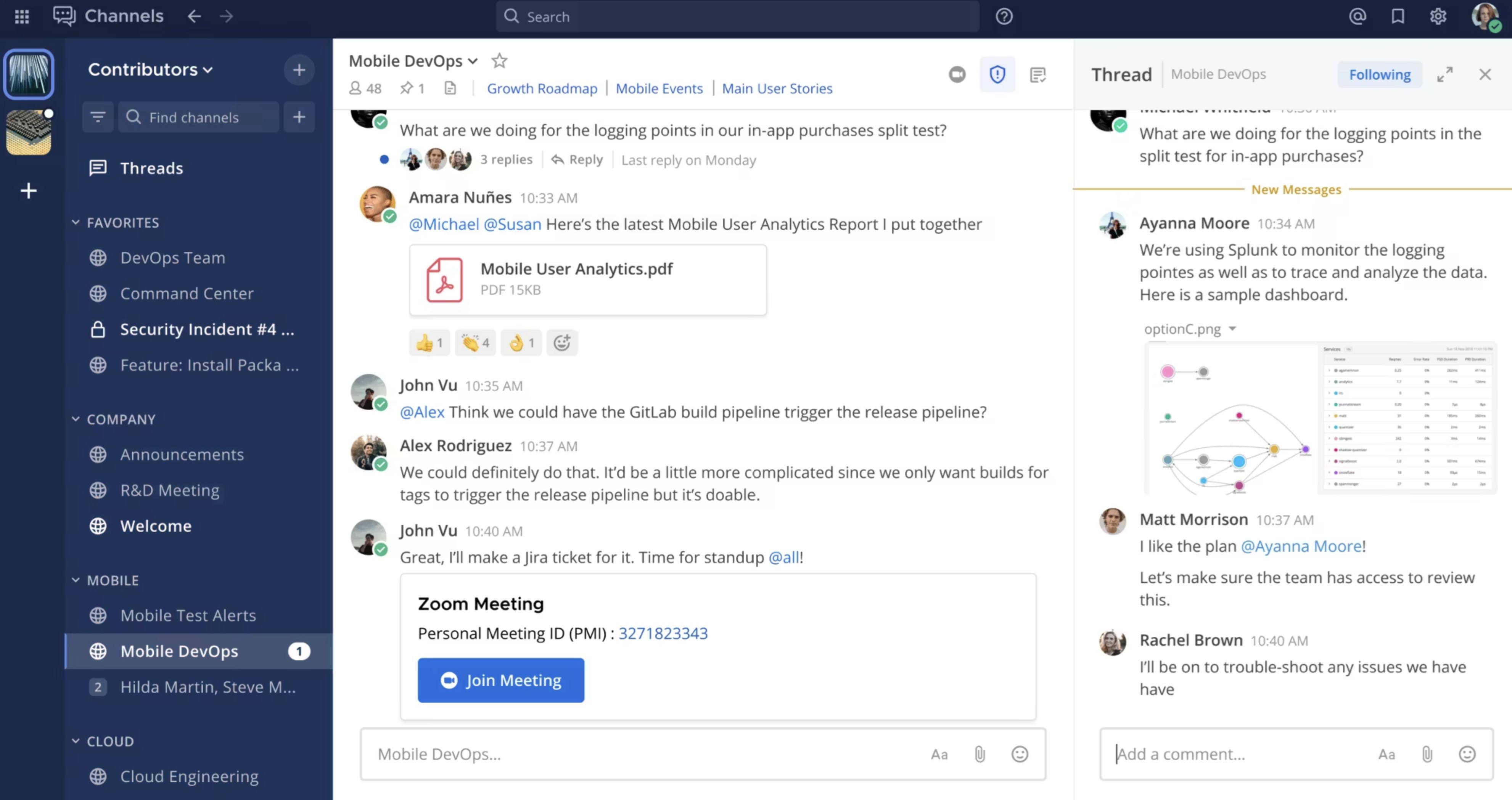
Mattermost is an open-source team communication platform designed for organisations that need secure, self-hosted messaging and full control over their data and infrastructure.
It is widely used as a slack alternative open source, particularly by developers, IT teams, and regulated industries that require high levels of security, compliance, and customisation without relying on third-party cloud services.
Best for:• Organisations looking for slack alternatives self-hosted with full data control
• Developers and IT teams that need customisable communication tools
• Security-focused businesses in regulated industries (finance, healthcare, government)
• Team chat and messaging
• Self-hosted and private cloud deployment
• Channel-based collaboration
• Threaded conversations
• File sharing and integrations
• Workflow automation
• Advanced admin and security controls
• Mobile communication
• One of the strongest open-source Slack alternatives, offering full control over deployment, security, and data ownership
• Highly flexible and customisable, making it ideal for technical teams with specific workflow requirements
• Supports on-premise, private cloud, and hybrid environments for organisations with strict compliance needs
• Requires technical setup and ongoing maintenance, which can be a barrier for non-technical teams
• User experience is less polished compared to commercial tools like Slack or Microsoft Teams
• Limited out-of-the-box features for employee engagement and structured internal communication
• Not ideal for businesses looking for a simple, plug-and-play communication platform
Mattermost
Secure Self-Hosted Messaging for Teams That Need Control, Privacy, and Flexibility
Mattermost is a secure team messaging platform built for organisations that want self-hosting, stronger data control, and flexible deployment beyond standard cloud chat tools.
Starter plan available for free
Professional plans start from $10 per user per month
Enterprise pricing is available on request
Professional plans start from $10 per user per month
Enterprise pricing is available on request
#8. Rocket.Chat
#8. Rocket.Chat
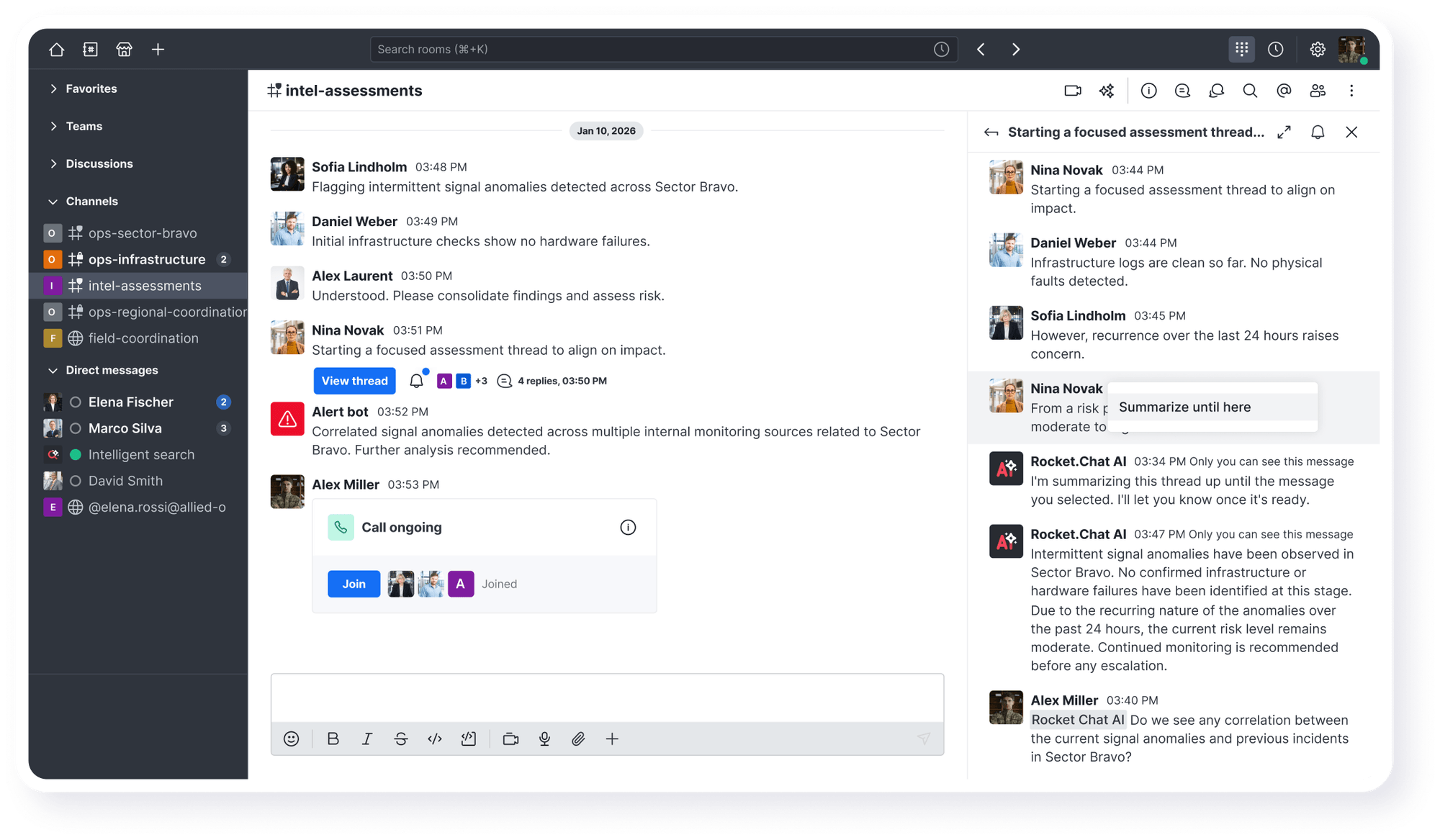
Rocket.Chat is an open-source team communication platform that offers messaging, collaboration, and full deployment control through self-hosted and private cloud options.
Best for:• Organisations that require self-hosted or private cloud communication tools
• Security-focused teams and regulated industries
• Developers and IT teams looking for a customisable Slack alternative
• Team chat and messaging
• Self-hosted and on-premise deployment
• Channel-based communication
• Voice and video calls
• File sharing and integrations
• Workflow automation
• Advanced admin and permission controls
• Mobile communication
• Full control over data and infrastructure, making it ideal for organisations with strict security or compliance requirements
• Open-source flexibility allows teams to customise the platform to fit specific workflows and use cases
• Supports self-hosted, private cloud, and hybrid deployments for greater control
• Requires technical expertise to set up, manage, and maintain compared to plug-and-play tools
• User interface and overall experience can feel less polished than commercial alternatives
• Can become complex to manage as usage scales without dedicated IT resources
• Not ideal for non-technical teams looking for a simple out-of-the-box solution
Rocket.Chat
Flexible Open-Source Messaging for Secure Team Communication and Full Deployment Control
Rocket.Chat is an open-source communication platform built for organisations that need secure messaging, self-hosting options, and more control over how internal communication is deployed and managed.
Free starter plan available
Pro plans start from $8 per user per month billed yearly
Enterprise pricing is available on request
Pro plans start from $8 per user per month billed yearly
Enterprise pricing is available on request
#9. Zoho Cliq
#9. Zoho Cliq
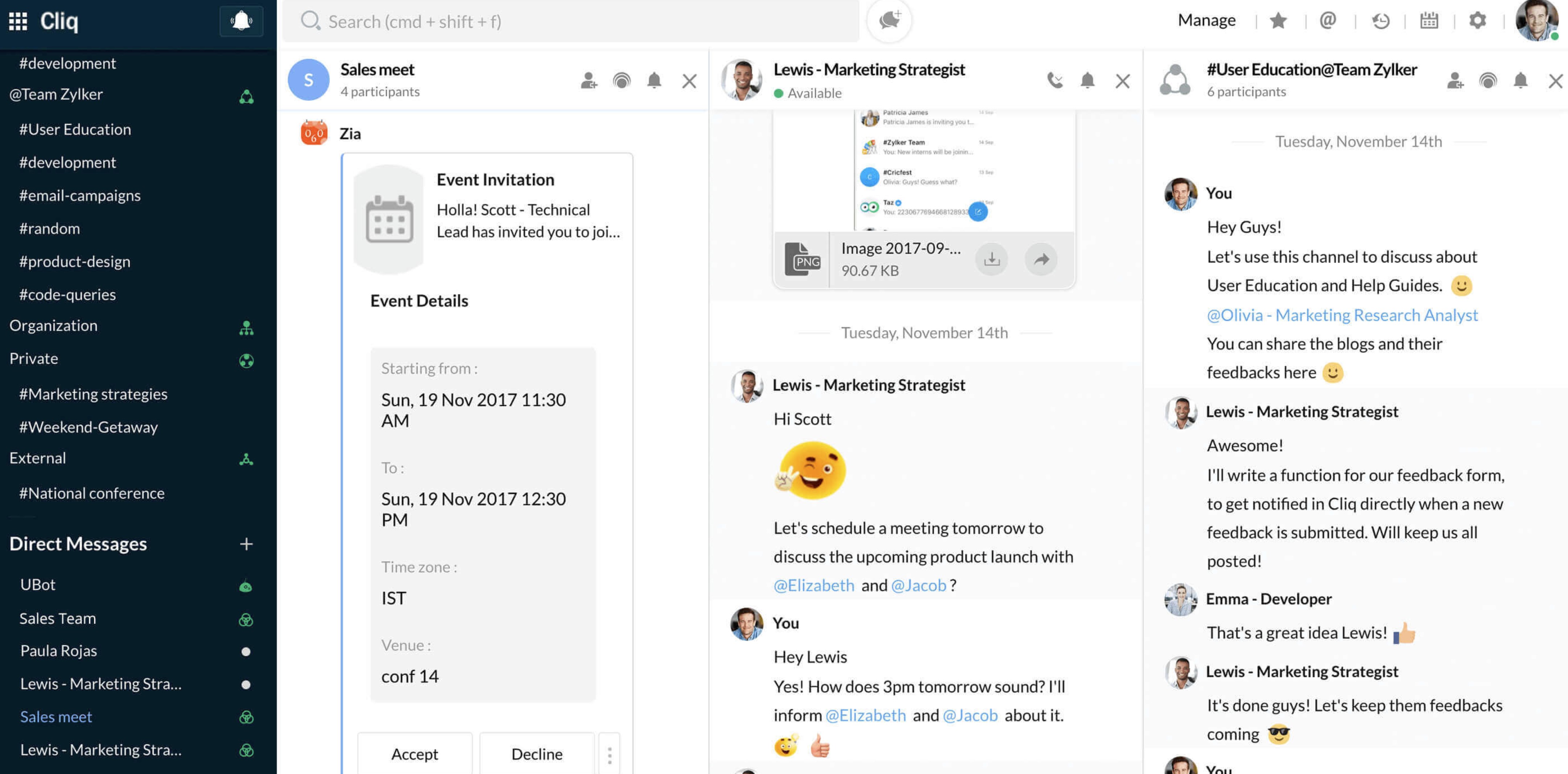
It helps teams streamline conversations, automate simple workflows, and stay connected without needing a complex setup, making it a practical choice for smaller teams or businesses looking for an affordable alternative to Slack.
Best for:• Small to mid-sized businesses already using Zoho products
• Teams looking for an affordable Slack alternative with built-in integrations
• Organisations that need simple chat and collaboration without complexity
• Team chat and messaging
• Channels for departments and projects
• Audio and video calls
• Workflow automation and bots
• Zoho app integrations
• File sharing and searchable history
• Mobile communication
• Strong integration with the Zoho ecosystem, making it seamless for existing Zoho users
• Very cost-effective compared to other Slack alternatives, especially for smaller teams
• Includes automation and bot features that help reduce manual tasks in conversations
• Limited functionality outside of the Zoho ecosystem, which can restrict flexibility for some businesses
• Lacks advanced internal communication features like structured announcements or knowledge hubs
• Not ideal for large organisations that require more scalable communication systems
Zoho Cliq
Affordable Team Messaging Built for Zoho Ecosystem Users
Zoho Cliq is a team communication tool designed for businesses using Zoho products, offering chat, channels, and basic collaboration features at a budget-friendly price.
Free plan available
Paid plans start from around $1 per user per month
Higher tiers available for advanced features
Paid plans start from around $1 per user per month
Higher tiers available for advanced features
#10. Chanty
#10. Chanty
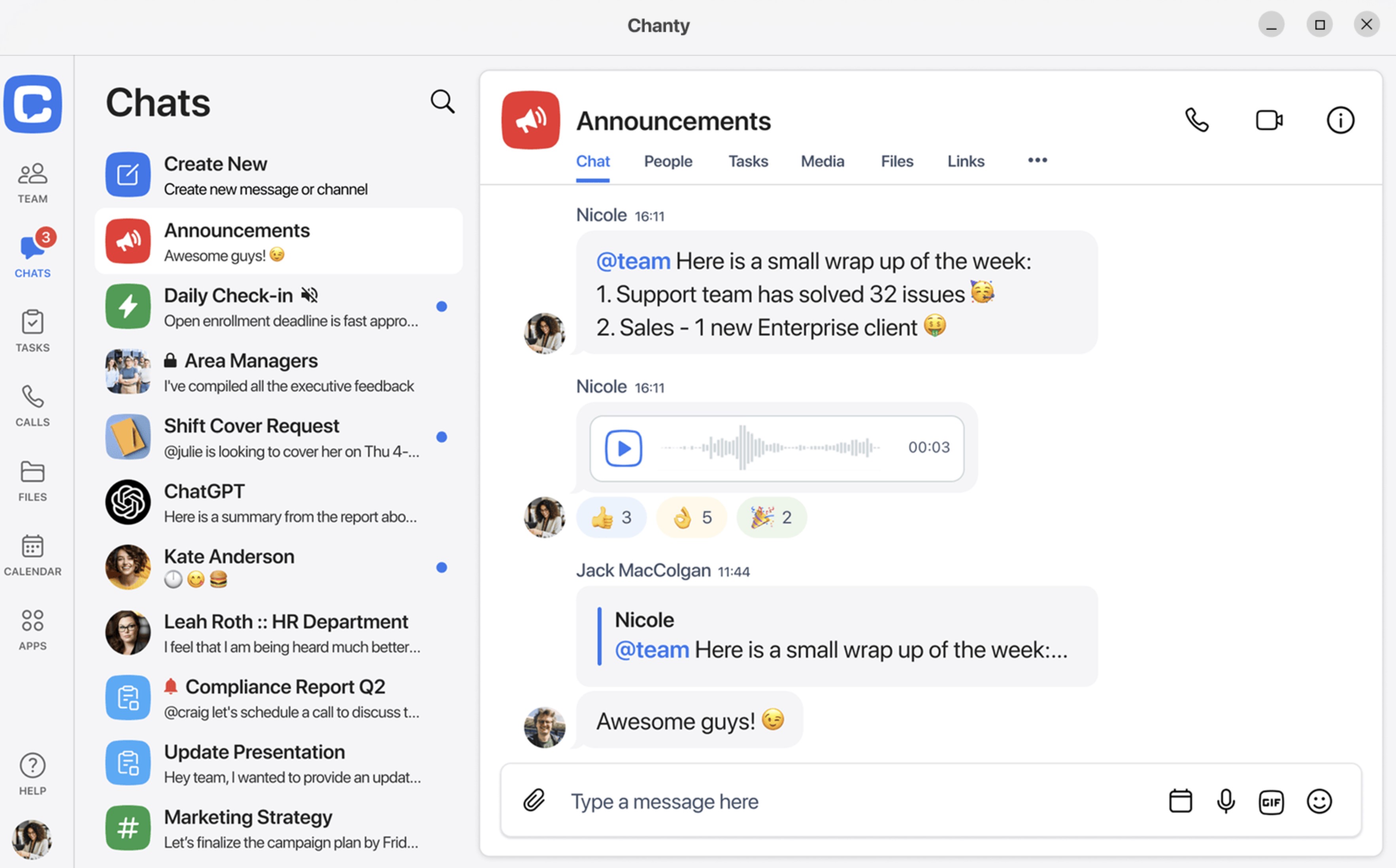
Chanty is a simple team communication app that combines messaging, task management, and collaboration tools in one lightweight platform designed for small teams.
It helps businesses streamline conversations, manage tasks directly from chat, and reduce the need for multiple tools, making it a practical option for teams that want something easy to use without unnecessary complexity.
Best for:• Small teams and startups looking for a simple communication tool
• Businesses that want chat with basic task management built in
• Teams moving away from Slack but not ready for a full digital workplace platform
• Team chat and messaging
• Built-in task management with Kanban view
• Audio and video calls
• File sharing and message history
• Public and private conversations
• Simple integrations with other tools
• Mobile app for team communication
• Very easy to set up and use, especially for small teams that don't want a steep learning curve
• Combines chat and task management in one place, reducing the need for additional tools
• More affordable than many other Slack alternatives, making it attractive for startups
• Lacks advanced features needed for larger organisations or complex workflows
• Limited scalability as teams grow and require more structured communication
• Fewer integrations and ecosystem options compared to more established platforms
• Not designed for enterprise-level internal communication or knowledge management
Chanty
Simple Team Messaging with Built-In Task Management for Small Growing Teams
Chanty is a simple team communication app that combines chat, calls, and built-in task management in one place, making it a practical option for smaller teams that want basic collaboration without extra complexity.
Free plan available for up to 5 team members
Business plan starts from $3 per month
Higher-value collaboration features available on paid plans
Business plan starts from $3 per month
Higher-value collaboration features available on paid plans
When Slack Still Makes Sense
To be fair, Slack isn't a bad tool—it's just often used in situations it wasn't really designed for.
If your team's needs are simple and centred around quick, informal communication, Slack can still be a perfectly good fit without adding unnecessary complexity, especially when compared to some slack alternatives free that may offer more features but also introduce more setup and overhead.
r/
What Reddit Users Say
A positive take on why some teams still prefer Slack
“Why do people say Slack is better than Teams? Mostly because it feels cleaner, faster, and easier for chat. The interface is simpler, threaded conversations are easier to follow, and for small teams it often just works without the extra clutter.”
That’s the upside many users point to: Slack is often praised for its cleaner user experience, stronger chat flow, and fast setup, especially in smaller teams that mainly need messaging and lightweight collaboration rather than a full digital workplace.
Cleaner UI
Faster chat flow
Good for small teams
Strong integrations
For smaller teams, startups, or early-stage businesses, Slack works well because communication is naturally less structured and decisions happen quickly without needing formal processes or documentation.
In these environments, adding a more advanced platform too early can actually slow things down rather than improve productivity.
The key is understanding that Slack works best when it's used as a lightweight messaging layer, not as the central system where all work, knowledge, and decision-making lives.
- Slack makes sense when your team is small, communication is informal, and you don't yet need structured workflows, knowledge management, or a more advanced platform beyond basic messaging—even when exploring slack alternatives free for future scalability
When You Should Switch from Slack
Let's be direct about it—there comes a point where Slack stops being a helpful communication tool and starts actively working against your team's ability to focus, collaborate effectively, and actually get meaningful work done.
If your team has ever felt like it's constantly busy but not productive, Slack is often a big part of the problem.
r/
What Reddit Users Say
When Slack becomes the place where all work starts, stalls, and gets lost
“Does anyone else feel like Slack has quietly become their entire job? Sometimes I look at my day and realise I don’t actually work in Jira, Notion, or Google Docs anymore. Engineers ask for ticket clarifications, designers drop screenshots into threads, support issues land in DMs, and execs send ‘quick’ requests that suddenly change priorities. Slack becomes the place where everything starts, gets debated, and half the time dies there, while the real tools turn into side quests.”
This is exactly why many teams start looking for alternatives. When chat turns into project management, file review, decision-making, and executive escalation all at once, it becomes harder to focus, harder to track accountability, and much easier for important work to fall through the cracks.
Too many pings
Work buried in threads
Context switching
Tools become side quests
You're Talking More Than You're Actually Getting Work Done
One of the biggest issues with Slack is that it creates a false sense of productivity, where constant activity and conversation make it feel like work is happening, even though very little meaningful output is being produced.
- Instead of structured discussions, teams get pulled into endless threads where the same topics are revisited multiple times without clear outcomes or ownership, which slows down decision-making and creates confusion.
- Conversations often drift across channels, meaning important context gets fragmented, forcing people to spend more time catching up than actually executing tasks.
- Over time, teams start to realise they've talked more than they've actually done, which is a clear signal that the tool is driving behaviour in the wrong direction.
Talk is cheap—but execution requires clarity, structure, and focus, none of which Slack is designed to prioritise.
It Has Destroyed Your Ability to Focus and Do Deep Work
Slack is fundamentally built around real-time interruption, and that design directly conflicts with the way productive work actually happens.
- Constant notifications, mentions, and channel activity create an environment where employees feel pressured to respond instantly, even when they are in the middle of important tasks that require sustained attention.
- This leads to continuous context switching, where individuals are forced to jump between conversations and tasks, significantly reducing cognitive performance and increasing the time it takes to complete even simple pieces of work.
- The result is a culture where being "responsive" is valued more than being "productive," and where deep work becomes almost impossible because there is always another ping, message, or alert demanding attention.
This is where you start hearing the same complaint across teams:
👉 "There's no stop pinging—we can't focus anymore."
Important Information Gets Lost Instead of Organised
Slack is excellent at short-term communication, but it completely breaks down when it comes to long-term knowledge management and structured information sharing.
- Important decisions, updates, and files are buried inside conversations, making them extremely difficult to find later, especially as message volume increases over time.
- There is no true system for organising knowledge, which means teams rely heavily on memory or repeated questions just to retrieve basic information.
- As a result, employees waste a significant amount of time searching for information or recreating work that already exists but cannot be easily located.
Instead of becoming a knowledge hub, Slack becomes a black hole of information, where valuable insights go in but rarely come back out.
You've Had to Add Multiple Tools Just to Fill the Gaps
Slack was never designed to be a complete internal communication platform, which is why most organisations end up building an entire ecosystem of tools around it.
- Teams often rely on separate platforms for document management, knowledge bases, project tracking, and employee engagement, which creates fragmentation across the organisation.
- Over time, what started as a simple communication tool turns into a complex stack of disconnected platforms that are difficult to manage, expensive to maintain, and frustrating for employees to use.
This is exactly why many businesses start searching for slack alternatives for small teams, because even smaller organisations quickly realise that Slack alone is not enough to support real collaboration.
It Doesn't Work Well for Frontline or Non-Desk Employees
Slack assumes a very specific type of user—someone who is always online, desk-based, and comfortable managing conversations in a chat-heavy environment.
- For frontline workers, field teams, or shift-based employees, this model simply doesn't work, as they are not constantly connected or able to monitor multiple channels throughout the day.
- Important updates often get missed because they are buried in chat rather than delivered in a structured and visible way.
- This creates a disconnect between different parts of the organisation, where office-based employees are informed and engaged, while frontline teams are left out of critical communication loops.
The Technical Limitations Become More Obvious as You Scale
While Slack works well for smaller teams initially, its limitations become much more apparent as your organisation grows and communication becomes more complex.
- Search functionality becomes increasingly unreliable as message volume grows, making it difficult to quickly locate specific conversations, files, or decisions without manually digging through channels.
- Channel sprawl becomes a major issue, with hundreds of loosely organised channels that lack governance, making it harder for employees to know where to post, where to look, and what is actually important.
- Notifications become overwhelming and difficult to manage, as there is no effective way to prioritise critical communication over general noise, leading to alert fatigue across the team.
- The lack of structured communication tools means that announcements, updates, and key information are treated the same as casual messages, reducing their visibility and impact.
At this stage, Slack stops being a productivity tool and starts becoming a source of operational friction.
The Best Slack Alternative for Internal Communication (Final Verdict)
If your team only needs a place to send quick messages, then Slack can still do the job.
But for most growing organisations, internal communication is no longer just about chat.
It is about making sure important updates are seen, documents are easy to find, employees stay engaged, and teams can work together without constantly jumping between disconnected tools.
That is where AgilityPortal stands out.
Instead of giving you just another messaging app, AgilityPortal brings together the core parts of a modern internal communication system into one platform.
That includes team communication, knowledge management, employee engagement tools, and collaboration features, all in a single place that is built to support remote, hybrid, and frontline teams.
Rather than relying on chat threads to hold everything together, it gives your business a more structured way to share updates, manage documents, connect people, and keep work moving.
This matters because one of the biggest weaknesses with Slack is that it often becomes the centre of activity without becoming the centre of organisation.
Messages move fast, but information gets buried. Conversations happen, but accountability can get lost. Teams stay busy, but not always aligned. AgilityPortal solves that by giving businesses a proper communication hub, not just a chat layer.
So if you are comparing Slack alternatives and your team needs more than messaging, AgilityPortal is one of the strongest options because it combines the things most businesses end up needing anyway: clear communication, searchable knowledge, better engagement, and practical collaboration tools without forcing employees to work across multiple systems.
In other words, if Slack feels too limited for the way your organisation works today, AgilityPortal is the better fit for teams that want one platform to do the job properly.
FAQ
What is the best Slack alternative?
The best Slack alternative depends on your needs.
- For all-in-one communication: AgilityPortal
- For Microsoft users: Microsoft Teams
- For open-source/self-hosted: Mattermost
Why are companies moving away from Slack?
Companies are moving away from Slack because it focuses mainly on chat.
As teams grow, they need structured communication, knowledge management, and engagement tools—things Slack doesn't handle well on its own.
What is the best free Slack alternative?
Some of the best free Slack alternatives include:
- Microsoft Teams (free plan available)
- Mattermost (self-hosted free version)
- Other lightweight tools for small teams
Does Microsoft have something similar to Slack?
Yes—Microsoft Teams is Microsoft's answer to Slack. It offers chat, meetings, and file collaboration, especially for businesses already using Microsoft 365.
Conclusion: Slack Solved Chat—But Not Internal Communication
Slack Solved Chat—But Not Internal Communication
Slack did a great job solving one problem: fast, real-time messaging.
But here's the issue… communication inside a business isn't just chat.
It's announcements that don't get missed.
It's documents that are easy to find.
It's keeping employees engaged, aligned, and actually informed—without jumping between five different tools.
That's where Slack starts to fall short.
Most teams don't realise it at first, but over time, they end up patching the gaps with other platforms—document systems, intranets, engagement tools—until everything becomes fragmented and harder to manage.
If your team is growing and you're starting to feel that friction, it's probably not a usage problem—it's a tool problem.
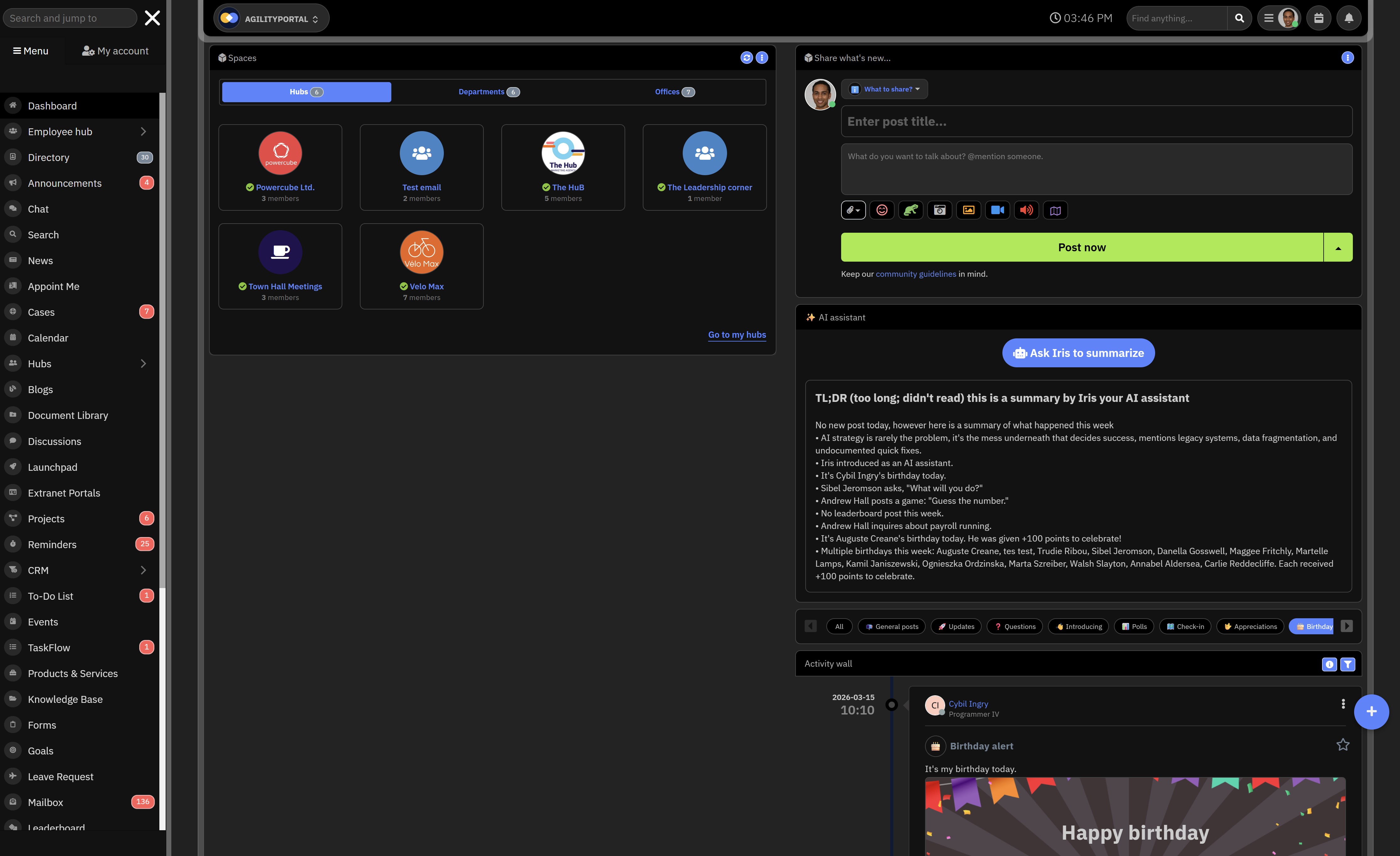
Platforms like AgilityPortal are built differently. Instead of adding more tools, they replace them—bringing communication, collaboration, and engagement into one structured workspace your team will actually use.
AI Summary
- Slack is one of the most popular team chat tools, but many companies start looking for alternatives when communication becomes noisy, unstructured, and difficult to manage at scale.
- Slack alternatives range from free and open-source tools like Mattermost and Rocket.Chat to all-in-one platforms like AgilityPortal that combine communication, collaboration, and employee engagement.
- Small teams often explore slack alternatives free or lightweight apps, while larger organisations need structured communication systems that go beyond chat and support long-term knowledge management.
- Tools like Microsoft Teams, Workvivo, Staffbase, and Bitrix24 offer different strengths, including integrations, employee engagement, and broader workplace functionality depending on business needs.
- Many teams outgrow Slack because it creates constant interruptions, loses important information in threads, and requires multiple additional tools to manage documents, workflows, and internal communication.
- Choosing the right Slack alternative depends on your goals, whether that’s reducing noise, improving focus, supporting frontline workers, or replacing multiple tools with a single platform.
Most Popular Posts

Effective communication among team members is vital for the productivity and success of any organization. Surprisingly, 60% of companies lack a long-term internal communication strategy, which p...


Businesses thrive on communication for efficiency, productivity and accomplishment. When the right information is passed from the right designation in the organization, it promotes positivity an...
Categories
Blog
(2976)
Business Management
(373)
Employee Engagement
(223)
Digital Transformation
(192)
Growth
(142)
Intranets
(137)
Remote Work
(63)
Sales
(53)
Collaboration
(48)
Customer Experience
(30)
Culture
(29)
Knowledge Management
(28)
Project management
(28)
Leadership
(20)
Comparisons
(9)
News
(1)

Related Posts

The digital workplace has become the foundation of modern business operations. Whether employees work remotely, in the office, or in a hybrid environment, organizations need effective systems that keep people connected, informed, and productive. This...

If you're searching for a Highspot alternative, you're probably evaluating more than just sales enablement features. Today's organizations need platforms that not only help sales teams find content and engage buyers but also support employee co...

This is why many organizations are investing in a modern client and partner portal to create a centralized, secure environment where external users can access documents, collaborate with teams, complete onboarding tasks, receive updates, and find the...

Partner collaboration has become a critical part of business growth, especially for organizations that rely on distributors, resellers, suppliers, affiliates, consultants, and channel partners to generate revenue. Yet surprisingly, many compani...

Most businesses invest heavily in marketing, advertising, social media, and SEO to attract new customers, but many overlook one of their most valuable marketing assets: their employees. That's where employee engagement comes in. Employee engage...


Jill Romford
I am a digital nomad, lover of exploring new places and making friends.
I love to travel and I love the internet. I take pictures of my travels and share them on the internet using Instagram.
Traveler, entrepreneur, and community builder. I share my insights on digital marketing and social media while inspiring you to live your fullest life.
Ready to learn more? 👍
One platform to optimize, manage and track all of your teams. Your new digital workplace is a click away. 🚀
Free for 14 days, no credit card required.