
Insight Blog
Agility’s perspectives on transforming the employee's experience throughout remote transformation using connected enterprise tools.
26 minutes reading time
(5219 words)
Still Using a Free Email? Why a Professional Email Address in 2026 Is No Longer Optional

Still Using a Free Email? Why a Professional Email Address in 2026 Is No Longer Optional
Still using Gmail or Yahoo for work? Learn why a professional email address in 2026 builds trust, protects your brand, and boosts credibility fast.
Still Using a Free Email? Why a Professional Email Address in 2026 Is No Longer Optional

In 2026, using a professional email is no longer optional — it's a credibility baseline.
The second someone sees a free email attached to a business, trust drops. Not emotionally — measurably. Clients hesitate, replies slow, and deals quietly die before they even start.
The data backs this up. Studies show that emails sent from free domains like Gmail or Yahoo are up to 35% more likely to be ignored compared to messages sent from a branded business email address.
Even worse, poor email credibility increases spam filtering risk, with nearly 1 in 5 business emails from non-branded domains never reaching the inbox at all.
Security is another hard reality. Over 90% of cyberattacks begin with email, and businesses using unmanaged or personal inboxes are significantly more exposed to phishing, impersonation, and data leaks.
A professional email address tied to your own domain gives you control, authentication, and accountability — three things free email providers simply don't offer.
In fact, studies show that over 75% of users trust businesses more when they see a branded email address (like @yourcompany.com) instead of a generic Gmail or Yahoo account. It's a small detail, but it has a direct impact on credibility, response rates, and whether people take your business seriously.
If you care about growth, perception, and protection, setting up a professional email is one of the fastest and cheapest upgrades you can make. It improves deliverability, reduces spam filtering issues, and supports modern security standards like SPF, DKIM, and DMARC — all of which free email accounts can't properly represent for your brand.
In today's market, a proper business email address doesn't make you look impressive.
Key Takeaways
- A professional email address is a baseline trust signal in 2026 — it influences whether people open, reply, and take your business seriously.
- A proper business email address strengthens branding on every message, while free inboxes reduce credibility and weaken brand recall.
- Email deliverability and reputation are tied to your domain name, so choosing the right domain is foundational, not optional.
- Use domain name search and domain name availability checks early, then verify ownership and history with WHOIS before you buy a domain.
- A professional email id also reduces security risk by supporting authentication and stronger control over access compared to unmanaged personal inboxes.
- AI can help you write clearer emails faster, personalise outreach at scale, and reduce repeat admin — but it works best on top of a properly configured domain-based email.
Read this article: : Top 6 AI-Powered Project Management Tools To Use In 2023
What Is a Professional Email Address (And Why It's Different)
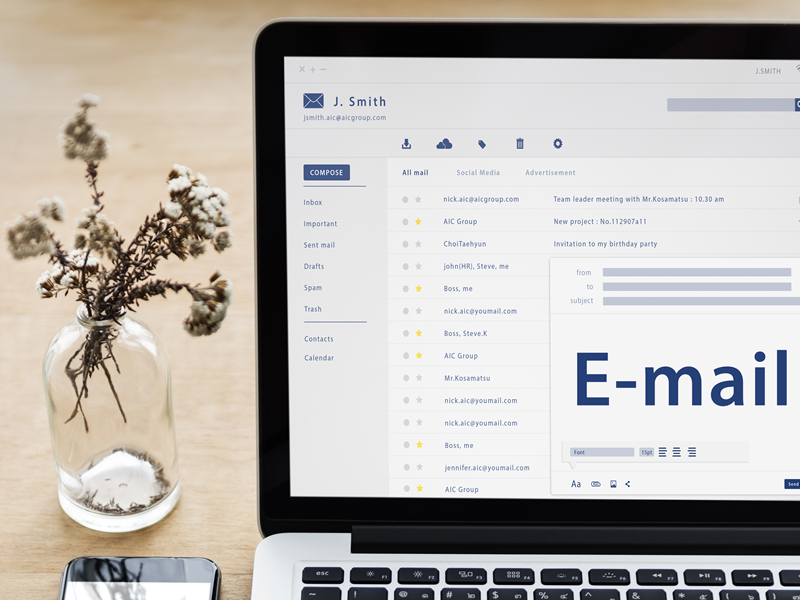
What Is a Professional Email Address
A professional email address is an email tied to your own domain — for example,
It's not about fancy tools or complexity. It's about ownership, control, and how your business shows up the moment someone sees your name in their inbox.
By contrast, emails like
A professional email ID does three things instantly:
- It shows you're operating under a real brand, not a temporary setup
- It confirms legitimacy without needing explanation
- It aligns you with how modern businesses are expected to communicate
Email is still the first trust checkpoint in business.
Before someone visits your website, before they read your proposal, before they book a call — they see your email address. That split-second judgment influences whether they open, reply, or quietly ignore you.
This hasn't changed in years, but the expectations around it have
Key trends shaping professional email in 2026
- Stricter email authentication - Inbox providers now heavily favour domains with proper authentication (SPF, DKIM, DMARC). Branded business email addresses pass these checks more reliably than free accounts, improving inbox placement and trust.
- Rising impersonation and phishing attacks - As email fraud increases, recipients are more cautious. Emails from free domains are more likely to be treated as suspicious — even when the message itself is legitimate.
- Higher brand scrutiny in B2B and nonprofit sectors - Procurement teams, partners, and donors increasingly expect communication from verified domains. A non-branded email is often seen as a risk, not a shortcut.
- Remote and global work norms - With fewer face-to-face interactions, email credibility carries more weight. Your email address now represents your business more than your physical location ever did.
The takeaway is simple: a professional email address isn't about looking polished. It's about meeting modern trust standards.
In today's business environment, using a proper business email address isn't a branding upgrade — it's basic operational hygiene.
Why Free Emails Hurt Your Business in 2026
Why Free Emails Hurt Your Business in 2026
Let's be blunt: free email accounts are a liability in modern business.
In 2026, people make snap judgments. When a message lands in their inbox, they decide within seconds whether it's worth opening, trusting, or replying to. A free email instantly raises doubt.
A proper business email address signals legitimacy before a single word is read. That gap alone can decide whether a conversation moves forward or quietly dies.
Deliverability is another problem most businesses underestimate. Inbox providers are far more aggressive than they used to be.
Emails sent from free domains are more likely to be flagged, filtered, or ignored entirely — even when the content is legitimate. A branded domain-backed setup consistently outperforms free accounts because it passes authentication checks and aligns with how email systems now assess trust.
Security is where free emails really fall apart.
Personal inboxes blur ownership, lack centralized controls, and increase exposure to phishing and impersonation attacks. When staff leave, access often isn't revoked properly.
A professional email id tied to your domain gives you control over access, identity, and accountability — which is now a basic expectation, not an advanced feature.
And then there's perception. Clients, partners, and investors don't see free emails as "lean" or "scrappy." They see risk. They see temporary. They see something that doesn't scale.
The truth is simple: free emails scream side project. A professional setup tells people you're serious — and in today's market, that difference costs or creates opportunities every single day.
Professional Email vs Non-Professional Email: Impact on Business & Branding
| Area | Professional Email ( |
Non-Professional Email (Gmail, Yahoo, etc.) |
| First Impression | Instantly signals legitimacy, stability, and seriousness | Looks temporary, informal, or early-stage |
| Brand Trust | Reinforces your brand every time you send an email | Builds zero brand recognition or authority |
| Credibility with Clients | Treated as a real business from first contact | Often questioned or taken less seriously |
| Email Open & Reply Rates | Higher engagement due to trust and recognition | Lower response rates and more ignored messages |
| Deliverability | Better inbox placement with domain authentication | Higher risk of spam filtering or promotion tabs |
| Security & Control | Full control over access, identity, and data | Limited control; higher phishing and impersonation risk |
| Professional Image | Aligns with modern business expectations | Signals hobby project or side business |
| Scalability | Easy to add team members and role-based inboxes | Difficult to manage as the business grows |
| Compliance & Governance | Easier to meet compliance and audit requirements | Poor fit for regulated or enterprise environments |
| Customer Confidence | Increases confidence in transactions and communication | Creates hesitation around payments and contracts |
| Brand Recall | Domain stays memorable and reinforces brand | Email address is forgotten immediately |
| Long-Term Cost | Low cost, high return over time | Hidden costs from lost trust and missed opportunities |
A professional email doesn't just look better — it changes how your business is perceived and treated. One builds authority, trust, and brand recognition with every message.
The other quietly works against you, even when everything else is done right.
The Psychology Behind Professional Email Trust

The Psychology Behind Professional Email Trust
Psychological trigger: Authority & Risk Reduction
Trust isn't built logically first — it's built instantly and subconsciously. When someone receives an email, their brain makes a snap judgment before they read a single sentence. A branded, professional setup signals authority. A generic email raises questions. That reaction happens whether people admit it or not.
A professional email address tied to a real domain activates two powerful trust cues at once. First, authority. It tells the recipient this sender represents an established organisation, not a temporary operation. Second, risk reduction. It reassures them that the sender is identifiable, accountable, and less likely to disappear or cause problems later.
This matters because email is still a risk surface. People are trained to be cautious. Phishing, impersonation, and fraud have conditioned users to look for legitimacy signals. A business email reduces perceived risk simply by proving ownership of a domain — something scammers and low-effort operators rarely invest in.
That's why enterprises and nonprofits are especially strict. They deal with compliance, data protection, donors, suppliers, and public trust. Many won't even reply to inquiries that come from free or unbranded emails. Not because they're elitist — but because experience has taught them that credibility shortcuts often lead to problems.
All of this feeds directly into results. Emails from branded domains get more opens, more replies, and more serious engagement. Conversations move faster. Objections drop. You're treated like a legitimate party from the start, instead of having to earn basic trust mid-conversation.
The takeaway is simple: a professional email isn't about looking polished. It's about removing doubt. And when doubt disappears, responses go up, deals move forward, and credibility stops being a hurdle you have to overcome.
What You Need Before You Create a Professional Email
Before you create a professional email, there's one non-negotiable requirement: you must own a domain name.
A domain name isn't just a web address. It's the foundation of your digital identity.
Your email, your website, and your brand credibility all sit on top of it. Without one, you're forced into generic email platforms that offer convenience—but zero ownership or control.
Here's the part many people miss: your email reputation is tied directly to your domain name. Inbox providers judge whether your emails are trustworthy based on the history, configuration, and behaviour of that domain.
If the domain looks legitimate and properly set up, your emails are more likely to land in the inbox. If it isn't, they get filtered, delayed, or ignored.
That's why one domain should do all the heavy lifting:
- It represents your brand publicly
- It powers your professional email
- It hosts your website and content
- It acts as a credibility signal across every touchpoint
In simple terms: one domain equals brand, email, website, and trust.
Get that right first, and everything else—from email deliverability to perception—becomes easier. Get it wrong, and no amount of clever wording will fix the damage.
How to Choose the Right Domain Name
Choosing the right domain name isn't just a technical step — it's a branding decision that sticks with you for years.
Your domain will appear in your website URL, your business email address, contracts, invoices, and every email signature you send. Get it wrong, and you'll feel that friction everywhere.
1. Choose the right domain extension
The extension (the part after the dot) still matters.
- .com is the gold standard. It's trusted, familiar, and works globally.
- .co, .io, .net are acceptable alternatives if .com isn't available, especially for tech or startups.
- Country extensions (like .uk or .au) work well if your business is region-specific.
Avoid obscure or gimmicky extensions unless they clearly fit your brand. If people hesitate or misremember it, it's already working against you.
2. Make it memorable and easy to spell
If you have to explain your domain verbally, it's too complicated.
Good domains are:
- Short
- Easy to spell
- Easy to remember
- Easy to type on mobile
Avoid hyphens, numbers, and clever spelling tricks. They cause confusion, lead to mistyped emails, and send traffic to someone else's site.
3. Personal name vs brand name — choose carefully
This decision affects how you scale.
- Personal name domains work well for consultants, coaches, or solo professionals building a personal reputation.
- Brand name domains are better for businesses that plan to grow, hire, sell, or operate independently of one person.
If you're unsure, default to a brand name. It gives you flexibility and avoids being boxed into a single identity later.
4. Check domain name availability properly
Don't guess — verify.
Use a proper domain name search to check:
- Whether the domain is available
- Which extensions are free
- If similar names already exist (to avoid confusion or trademark risk)
Also check social handles at the same time. A great domain loses value if the matching brand name is taken everywhere else.
5. Check the domain's history before buying
Even if a domain looks available, it may have baggage.
- Look for past spam or misuse
- Check whether it was previously blacklisted
- Avoid domains with a shady history that could hurt email deliverability
This step is often skipped — and it's one of the most expensive mistakes people make later.
6. Factor in the real cost (not just year one)
Domains are cheap upfront, but pricing changes after the first year.
Typical costs:
- £8–£15 per year for common extensions like .com
- Premium names can cost significantly more
- Renewals are usually higher than first-year promos
Also factor in:
- Domain privacy protection
- Multi-year registration (recommended for stability)
A good domain is one of the lowest-cost, highest-impact assets your business will ever own. Don't cheap out — but don't overpay for hype either.
Why the wrong domain hurts long-term branding
A bad domain creates constant friction:
- Emails get misdirected
- People forget or mistrust your brand
- Your professional email id looks less credible
- Rebranding later becomes painful and expensive
The right domain does the opposite. It reinforces trust, improves recall, and supports every message you send.
Bottom line: choose a domain that you'll still be confident using years from now — because chances are, you will be.
Read this article: : Top 6 AI-Powered Project Management Tools To Use In 2023
How to Create a Professional Email Address (Step-by-Step)
Creating a professional email address isn't complicated, but it does need to be done properly.
Cut corners here and you'll pay for it later with poor deliverability, security issues, or credibility problems. Follow these steps and you'll get it right the first time.
1. Buy your domain
Everything starts with your domain name. This is what your email will be built on (
Make sure:
- You fully own the domain
- It's registered in your business name
- You have access to DNS settings (this matters later)
Without a domain, you can't create a professional email in any meaningful way.
2. Choose an email hosting provider
Next, you need a service that actually hosts your email. This isn't the same as buying a domain.
Look for an email host that offers:
- Reliable uptime
- Spam and virus filtering
- Business-grade security
- Easy admin controls
Avoid "free-with-a-catch" options. If you're trusting this email with invoices, contracts, or client data, it needs to be stable and secure.
3. Set up your business email address
Once hosting is in place, you can create inboxes.
Common formats include:
-
This email address is being protected from spambots. You need JavaScript enabled to view it. -
This email address is being protected from spambots. You need JavaScript enabled to view it. -
This email address is being protected from spambots. You need JavaScript enabled to view it.
Keep names simple and consistent. This is where your brand shows up every single day, so clarity beats creativity.
At this stage, you officially have a working professional email address — but it's not finished yet.
4. Configure security (SPF, DKIM, DMARC)
This is the step many beginners skip — and it's where most email problems start.
These settings tell inbox providers that your emails are legitimate:
- SPF confirms which servers are allowed to send email for your domain
- DKIM proves messages haven't been altered
- DMARC ties it all together and protects against spoofing
Without these, your emails are far more likely to land in spam or get blocked entirely.
Most email hosts provide simple setup instructions. Follow them exactly.
5. Test deliverability
Before you start emailing clients, test.
Send emails to:
- Gmail
- Outlook
- Yahoo
Check:
- Did they land in the inbox?
- Are they marked as spam?
- Does your domain show correctly?
Fix issues now, not after a missed deal or an unpaid invoice.
To create a professional email, you don't need technical expertise — you need to follow the process in the right order.
A properly set up professional email address improves trust, security, and deliverability from day one.
Skip steps, and you'll feel the consequences quietly but consistently.
Best Practices for Business Email Addresses
A business email address isn't just about having the right domain — it's about using it correctly.
Poor structure creates confusion, weakens trust, and becomes painful to fix as your team grows. Good practices keep communication clean, scalable, and professional.
Use clear, standard naming conventions
Clarity always beats creativity.
Stick to formats people instantly recognise.
Common, proven options include:
-
This email address is being protected from spambots. You need JavaScript enabled to view it. -
This email address is being protected from spambots. You need JavaScript enabled to view it. -
This email address is being protected from spambots. You need JavaScript enabled to view it. -
This email address is being protected from spambots. You need JavaScript enabled to view it.
Avoid nicknames, initials-only addresses, or overly clever aliases.
If someone has to guess who or what the inbox is for, you've already lost efficiency.
Avoid role confusion
One of the most common mistakes is mixing personal and role-based emails.
- Personal inboxes (
firstname@) should belong to one person - Role-based inboxes (
sales@,accounts@) should be shared or centrally managed
Never let a role-based address live inside a single employee's personal inbox without oversight.
When people leave, knowledge disappears, emails get missed, and accountability breaks down.
Plan for scale from day one
Even small teams should think ahead.
Good habits include:
- Creating role-based addresses early
- Using shared inboxes for team functions
- Standardising naming across departments
This makes onboarding easier, prevents duplication, and avoids painful migrations later.
A scalable email structure saves time every time your business adds someone new.
Use consistent email signatures and branding
Your email signature is part of your brand — not an afterthought.
Every business email address should include:
- Full name
- Job title
- Company name
- Website link
- Optional phone number
Consistency matters. A clean, branded signature reinforces credibility and makes your organisation feel established, even in simple day-to-day communication.
A professional setup isn't just about having a domain — it's about structure, clarity, and consistency.
A consistent signature is not just about looks, it reinforces your brand every time you send an email.
Many businesses now use tools to standardize this across teams, especially when scaling communication. For example, using an AI tool for designing email signatures can help you quickly create professional, on-brand signatures that stay uniform across all employees without manual effort.
Follow these best practices and your business email system will scale cleanly, communicate clearly, and reinforce trust with every message sent.
Common Mistakes to Avoid
Most email problems don't come from bad tools — they come from bad decisions made early.
These mistakes look small, but they quietly damage trust, security, and growth over time.
Using free email for invoices or contracts
This is one of the fastest ways to lose credibility without realising it.
When invoices or contracts arrive from a free email address, recipients pause. Finance teams are trained to be cautious, and unbranded emails are a common trait of fraud attempts. That hesitation alone can delay approvals, payments, or signatures — even when everything else is legitimate.
There's also a technical issue. Attachments sent from free email accounts are more likely to be scanned aggressively, quarantined, or blocked, especially by corporate inboxes.
That means invoices don't arrive, contracts never get opened, and you're left chasing people who genuinely never saw the message.
If money, legal documents, or sensitive information are involved, a professional setup isn't about looking polished — it's about being taken seriously and trusted to transact.
Mixing personal and business emails
Using one inbox for everything feels convenient at first, but it quickly becomes operational debt.
Important client emails get buried under newsletters, notifications, and personal messages.
There's no separation between business-critical communication and day-to-day noise. Over time, missed replies and delayed responses become normal — and clients notice.
The bigger issue is control.
When business communication lives inside personal inboxes, the business doesn't truly own its email history. If someone leaves, access often disappears with them. Conversations, approvals, and attachments are lost, and continuity breaks instantly.
Professional email systems exist to create structure, ownership, and accountability. Mixing personal and business communication removes all three.
Poor domain choices
Your domain name shows up in every email you send. If it looks awkward, confusing, or hard to remember, people subconsciously question your legitimacy.
Domains that are too long, filled with hyphens, numbers, or clever spelling tricks cause constant friction:
- Emails get mistyped
- Messages bounce or go unanswered
- People struggle to recall your address later
Even worse, a questionable domain can trigger suspicion. If it looks unofficial or improvised, recipients hesitate — especially when clicking links or opening attachments.
A bad domain choice isn't just a branding issue. It's a daily communication tax that affects trust, recall, and response rates long after the decision is made.
Ignoring email security
Email security isn't optional anymore — it's foundational.
Without proper authentication, inbox providers have no reliable way to verify that emails sent from your domain are legitimate.
That leads to three problems:
- Your emails are more likely to land in spam
- Your domain can be spoofed by attackers
- Recipients are trained to distrust your messages
The danger here is invisibility. You won't get an alert saying "your email reputation is damaged." You'll just notice fewer replies, more delivery issues, and unexplained communication gaps.
Basic email security isn't advanced IT work. It's the minimum required to operate safely and credibly in modern business.
These mistakes rarely cause dramatic failures. Instead, they create quiet losses — delayed payments, ignored proposals, missed follow-ups, and weakened trust that's hard to diagnose after the fact.
Avoiding them doesn't require expensive tools or complex systems.
It requires treating email as what it really is: a core business asset, not a casual convenience. When set up properly, your email works for you. When it isn't, it slowly works against you.
Email Trends in 2026 — And How AI Can Help You Stay Ahead
Email hasn't disappeared. It's evolved — fast. In 2026, the way businesses use email is changing, and the gap between those who adapt and those who don't is getting wider.
Here are the trends that actually matter, and how AI fits into them without overcomplicating things.
1. Inbox providers are getting stricter, not smarter
Email platforms are far less forgiving than they were a few years ago. Authentication, reputation, and consistency now matter more than clever wording.
What this means:
- Poorly set up emails get filtered or ignored
- Inconsistent sending patterns raise red flags
- Trust is assessed automatically before a human ever reads your message
AI tools can monitor deliverability patterns, flag potential spam issues early, and help optimise sending behaviour so your emails stay trusted instead of quietly downgraded.
2. Personalisation is expected — but not manual
Generic emails don't work anymore, but manually personalising every message doesn't scale.
Recipients now expect:
- Context-aware messaging
- Relevance to their role or situation
- Clear intent, not copy-paste templates
AI can analyse past interactions, segment contacts intelligently, and suggest personalised email content without crossing into creepy territory. Used correctly, it saves time while making emails feel more human, not more automated.
3. Email security is shifting from reactive to preventative
Businesses are no longer judged only on whether they respond to breaches — they're judged on whether they prevent them.
Email remains the primary attack surface for:
- Phishing
- Impersonation
- Credential theft
AI-driven security systems can detect unusual sending behaviour, spot impersonation attempts, and flag suspicious activity before damage happens.
This is especially valuable for professional email setups tied to a business domain.
4. AI-assisted writing is becoming normal — but quality still wins
More emails are now drafted with AI support, and recipients know it. What they respond to is clarity, relevance, and tone — not perfect grammar.
The risk:
- Over-polished, robotic emails
- Generic messaging that feels "generated"
How AI helps (when used properly):
AI should assist, not replace. It's best used to:
- Improve clarity
- Tighten structure
- Remove filler
- Adapt tone for different audiences
The final judgment still belongs to the human sending the email.
5. Email is becoming part of a wider trust system
Email no longer stands alone. It's connected to your domain, your website, your branding, and your online presence. Everything needs to align.
AI tools can audit consistency across domains, signatures, messaging, and branding — helping ensure your email supports your business identity instead of weakening it.
In 2026, email isn't about sending more messages. It's about sending credible, secure, relevant ones.
AI doesn't replace a professional email setup — it amplifies it. When combined with a proper domain, good structure, and clear intent, AI helps your email work smarter without sacrificing trust.
Used poorly, AI adds noise.
Used well, it removes friction.
Wrapping up: The Smallest Upgrade With the Biggest Impact
A professional email address is one of the rare business upgrades that costs very little and pays back immediately.
There's no long onboarding, no training curve, and no complex rollout. You set it up once, and it quietly improves how people perceive you every single day.
It works because it's a trust signal you fully control.
You decide the domain, the structure, the security, and the ownership.
Every email you send reinforces legitimacy, reduces doubt, and signals that your business is real, established, and accountable. That matters far more than most people realise — especially before a deal, a payment, or a partnership.
And here's the reality in 2026: not having a professional email doesn't make you look neutral. It actively works against you. It creates hesitation, lowers response rates, and introduces friction you don't see but still pay for in missed opportunities.
This isn't about looking impressive.
It's about removing unnecessary barriers to trust.
For the cost of a domain and basic email hosting, you eliminate doubt at the very first touchpoint — and that's one of the smartest, simplest decisions a business can make.
Professional Email Address FAQs
Below are clear, straight answers to the questions people actually ask when deciding whether to move away from free email. No fluff.
Is a professional email address really necessary?
Yes. In 2026, a professional email address is a baseline expectation, not a bonus. Clients, partners, and suppliers judge credibility instantly based on your email domain.
A free email suggests a temporary setup, while a proper business email address signals legitimacy, accountability, and trust from the first interaction.
Can I use Gmail with a custom domain?
Yes. You can use Gmail's interface while sending email from your own domain (for example,
This still counts as a professional email id because the trust comes from the domain, not the interface. The key requirement is owning the domain and configuring it correctly.
How much does a business email cost?
Less than most people expect.
Typical costs include:
- Domain name: usually low annual cost, depending on availability
- Email hosting: modest monthly fee per inbox
When you factor in the credibility and security benefits, a business email is one of the lowest-cost, highest-impact upgrades a business can make.
Is a professional email better for SEO?
Indirectly, yes.
A professional email address doesn't directly improve rankings, but it supports trust signals that influence user behaviour.
Branded emails improve response rates, brand recognition, and credibility — all of which support stronger engagement and conversions linked to your domain.
Can I change later without losing credibility?
You can, but it's not ideal.
Changing domains later means updating:
- Email addresses
- Website links
- Business cards
- Invoices and contracts
It's far easier to choose the right domain from the start by checking domain name availability, doing a proper domain name search, and reviewing ownership history using WHOIS before you buy a domain.
If you plan to create a professional email, start with the right domain and treat email as a core business asset — not an afterthought. The earlier you set it up properly, the fewer credibility and branding problems you'll have to fix later.
Most Popular Posts

Effective communication among team members is vital for the productivity and success of any organization. Surprisingly, 60% of companies lack a long-term internal communication strategy, which p...


Businesses thrive on communication for efficiency, productivity and accomplishment. When the right information is passed from the right designation in the organization, it promotes positivity an...

Categories
Blog
(3162)
Business Management
(392)
Employee Engagement
(233)
Digital Transformation
(211)
Growth
(149)
Intranets
(139)
Internal communications
(106)
Remote Work
(68)
Sales
(53)
Collaboration
(52)
Customer Experience
(32)
Culture
(30)
Knowledge Management
(29)
Project management
(29)
Leadership
(20)
Comparisons
(9)
News
(1)

Related Posts

Frontline communication used to mean putting an update on a noticeboard and hoping people saw it. But that just doesn't work anymore. If you manage retail staff, care teams, warehouse workers, hospitality employees or people working out in the field,...

Remote work gives businesses access to wider talent and more flexibility, including people working in remote administrative jobs. However, it can also create a familiar problem: employees spend too much time chasing updates, sitting through mee...

How many meetings have started late because someone could not find the link, could not connect to the meeting-room system, or simply could not hear the people sitting around the table? It happens more often than most businesses would like to ad...

If you'd asked me a few years ago what AI could actually do, I'd probably have said, "Answer questions and write a few paragraphs." That was impressive at the time, but it didn't take long before everything changed. Then AI stopped being just a...

Work chat apps have become the everyday communication layer for modern organisations. Teams use them to ask quick questions, share files, coordinate shifts, solve customer issues and keep projects moving without filling everyone's inbox. ...


Jill Romford
I am a digital nomad, lover of exploring new places and making friends.
I love to travel and I love the internet. I take pictures of my travels and share them on the internet using Instagram.
Traveler, entrepreneur, and community builder. I share my insights on digital marketing and social media while inspiring you to live your fullest life.
Ready to learn more? 👍
One platform to optimize, manage and track all of your teams. Your new digital workplace is a click away. 🚀
Free for 14 days, no credit card required.