
Insight Blog
Agility’s perspectives on transforming the employee's experience throughout remote transformation using connected enterprise tools.
26 minutes reading time
(5111 words)
Still Not Using an Online Employee Time Tracker? Here’s What It’s Really Costing You

Still Not Using an Online Employee Time Tracker? Here’s What It’s Really Costing You
Discover how an online employee time tracker prevents payroll errors, improves accountability, and simplifies holiday and shift management.
Still Not Using an Online Employee Time Tracker? Here’s What It’s Really Costing You

Most businesses don't think they have a time-tracking problem — until payroll runs late or overtime suddenly spikes.
Manual spreadsheets, paper clock-ins, and chat-based check-ins feel manageable.
But small tracking errors compound fast.
The data is blunt:
- The American Payroll Association estimates time theft costs employers up to 7% of gross payroll annually.
- The U.S. Department of Labor reports payroll errors affect over 80% of businesses each year.
- Studies show payroll inaccuracies typically drain 1–3% of total payroll, even in well-run companies.
For a 50-person business with a £1.5M payroll, that's potentially £15,000–£45,000 lost every year.
£15K–£45K
per year at risk
For a 50-person business with a £1.5M annual payroll, even a modest 1–3% time tracking inaccuracy can result in £15,000–£45,000 lost every year due to rounding errors, missed clock-outs, and overtime miscalculations.
Based on industry payroll inaccuracy estimates (1–3% annual leakage range)
Most of this isn't fraud. It's:
- Forgotten clock-outs
- Early clock-ins
- Manual rounding
- Admin mistakes during reconciliation
An online employee time tracker isn't about surveillance. It's about visibility.
When work hours are recorded accurately and automatically, payroll becomes predictable, scheduling improves, and managers stop wasting hours correcting avoidable mistakes.
"Sorting it later" quietly erodes profit. Tracking it properly protects it.
Key Takeaways
- Payroll leakage is often caused by time inaccuracies, not dishonesty; even 1–3% in tracking errors can cost thousands annually.
- An online employee time tracker improves visibility into work hours, overtime, and attendance without creating a culture of surveillance.
- Digitized time tracking reduces manual admin, saving managers 5–10 hours per month in payroll corrections.
- Integrating time tracking with shift planning and leave workflows prevents scheduling conflicts and overtime surprises.
- Accurate time data strengthens compliance, protects against disputes, and improves workforce planning decisions.
The Real Cost of Not Tracking Time Properly

The Real Cost of Not Tracking Time Properly
Payroll Errors Add Up Fast
Most payroll issues don't come from fraud.
They come from small, repeated inaccuracies that nobody notices until the numbers don't add up.
Let's break down the common culprits:
- Buddy punching – One employee clocks in for another. Even a few minutes a day compounds over months.
- Rounded hours – Consistently rounding up start or finish times inflates total hours worked.
- Forgotten clock-outs – A missed punch can accidentally create hours of unintended overtime.
- Admin correction time – Managers and HR teams spend hours every pay cycle fixing avoidable mistakes.
7%
of gross payroll
The American Payroll Association estimates that time theft costs employers up to 7% of gross payroll annually, driven by rounding errors, buddy punching, early clock-ins, and unapproved overtime.
Source: American Payroll Association
Now layer in the statistics:
- The American Payroll Association estimates time theft costs employers up to 7% of gross payroll annually.
- Research frequently shows that businesses lose 1–3% of payroll purely due to time rounding and reporting inaccuracies.
- Small business surveys indicate payroll processing errors impact over 80% of companies each year.
Here's the reality: even minor time discrepancies across 20–50 employees quickly become thousands in unnecessary payroll costs.
This is where the difference between manual logs and a web based employee timesheet becomes obvious.
Manual systems rely on trust, memory, and manual review. A digital system:
- Records exact time stamps
- Flags anomalies automatically
- Creates an audit trail
- Reduces human calculation errors
It's not about distrust. It's about removing friction and protecting margins.
When time tracking becomes structured and automated, payroll stops being a monthly fire drill — and starts becoming predictable.
Managers Spend Too Much Time "Chasing Hours"
If you ask most managers where their time goes at the end of the month, it's not strategy — it's admin.
They're:
- Emailing staff to confirm missing punches
- Verifying who actually showed up for shifts
- Double-checking overtime calculations
- Reconciling discrepancies before payroll closes
This back-and-forth adds up.
Research shows managers can spend 5–10 hours per pay cycle correcting time-related issues in small to mid-sized teams.
Automation changes that.
A structured system records timestamps in real time, flags anomalies automatically, and generates clean reports — eliminating the constant "Can you confirm your hours?" messages.
5–10
hours per pay cycle
Research shows managers can spend 5–10 hours every pay cycle correcting time-related errors — including missing punches, overtime miscalculations, and manual spreadsheet adjustments.
Based on small to mid-sized workforce management studies
Holiday & Leave Chaos Creates Team Friction
Time tracking problems don't stop at clock-ins. Leave management often makes things worse.
Common issues include:
- Overlapping leave approvals
- No real-time visibility into who's off
- Approved leave not reflected in payroll
This creates frustration for teams and confusion for finance.
When time tracking integrates with an online employee holiday booking system, leave requests follow a structured workflow.
Approved absences automatically reflect in schedules and payroll calculations, reducing errors and preventing last-minute staffing surprises.
Clear visibility reduces friction — and friction reduction improves performance.
What a Modern Online Employee Time Tracker Should Actually Do
Most businesses think time tracking just means "clock in, clock out."
That's outdated thinking.
A modern online employee time tracker should do far more than record hours. It should remove admin friction, improve visibility, and support real-world operations — especially for hybrid and frontline teams.
Let's break it down.
What a Modern Online Employee Time Tracker Should Actually Do
Mobile & Remote Ready
Work doesn't only happen behind a desk anymore.
A proper system should:
- Support mobile clock-ins
- Function as a phone based time clock
- Offer optional GPS verification for field roles
- Work seamlessly for hybrid and remote teams
If your team is mobile but your time system isn't, you'll constantly deal with missing or delayed entries.
Shift & Availability Coordination
Time tracking shouldn't exist in isolation.
It should connect to scheduling logic, including:
- Built-in staff booking system functionality
- Clear rota visibility for managers
- Real-time updates to prevent overstaffing or understaffing
When managers can see both scheduled hours and actual hours worked, decision-making improves immediately.
Simple Payroll Exports
The goal isn't collecting data. It's simplifying payroll.
A modern solution should provide:
- Automatically calculated total hours
- Clear overtime visibility
- Clean, export-ready reports for payroll processing
No manual calculations. No spreadsheet adjustments. No last-minute corrections.
That's the difference between basic time logging — and operational control.
Do You Really Need the "Best Free Online Time Clock for Small Business"?

Best Free Online Time Clock for Small Business
Let's be honest.
If you've got 5–8 employees, simple shifts, and low overtime, a free tool might work — for now.
Many small teams start by searching for the best free online time clock for small business because cost feels like the biggest concern. That's fair. Cash flow matters.
But here's where free tools usually fall short:
- Limited reporting depth (basic totals, no trend insights)
- No integration with leave or an online employee holiday booking system
- Weak audit trails
- Minimal automation
- Restricted user limits
- No scalability as your team grows
The problem isn't the word "free."
The problem is hidden operational cost.
Studies consistently show small businesses spend 5–10 administrative hours per month reconciling time data manually when systems lack automation.
Multiply that across a year and you're looking at 60–120 hours of lost management time.
Free works when:
- You're very small
- You don't manage complex shifts
- Overtime is rare
- Leave requests are simple
It becomes a bottleneck when:
- Headcount grows past 15–20
- You introduce shift rotations
- Payroll disputes increase
- Managers start chasing corrections
At that point, the real question isn't "Is it free?"
It's "What is inefficiency costing me every month?"
Because cheap tools feel affordable — until growth exposes their limits.
Beyond Time Tracking – Why It Should Connect to Your Employee App Online
Time tracking on its own solves one problem: recording hours.
But it doesn't solve communication gaps, shift confusion, or accountability breakdowns.
If time data lives in one system and everything else lives somewhere else, managers still spend time stitching information together.
Real operational control happens when time visibility connects to the wider workflow.
When clock-ins link to shift schedules, announcements, task updates, and document access, managers can see the full picture — not just hours worked, but context around those hours.
Was the employee scheduled? Were they covering someone? Was overtime approved? That clarity reduces disputes and improves decision-making.
This is where an integrated employee app online ecosystem like AgilityPortal becomes powerful.
Instead of separate tools for time tracking, communication, leave requests, and shift coordination, everything sits in one connected environment.
Platforms like AgilityPortal take this approach by combining time visibility with team messaging, document access, and scheduling logic, creating a structured system rather than isolated features.
Time tracking alone records activity. Connected systems create accountability. And accountability is what actually drives performance.
Common Objections (And the Real Answers)
One of the biggest blockers to implementing structured time tracking isn't price — it's perception.
Leaders worry about morale, complexity, or whether it's "necessary yet." Let's break down the real concerns with context and data.
"My team will feel monitored."
This fear is understandable. No one wants to create a culture of distrust. But there's a major difference between surveillance and transparency.
Modern time tracking systems log hours — not screen activity, not keystrokes, not private behavior. When positioned correctly, they actually protect employees.
Clear time records mean:
- Overtime is paid correctly
- Breaks are documented
- Disputes are resolved quickly
- Favoritism is reduced
Data backs this up. Research from Gallup consistently shows that employees value clarity and fairness in expectations more than informal flexibility. In fact, unclear performance expectations are one of the top drivers of workplace disengagement.
A service company with 30 field staff was experiencing regular overtime disputes. Employees felt underpaid; managers believed hours were inflated.
After introducing structured digital clock-ins, disputes dropped by over 60% within three months — not because people worked less, but because expectations became clear.
Transparency reduces tension. Poor systems create suspicion.
"We're too small for this."
This sounds logical — until growth hits.
Even with 8–10 employees, complexity multiplies quickly:
- Two people request the same day off
- Someone forgets to clock out
- A shift swap happens informally
- Payroll is run based on memory or text confirmations
The U.S. Department of Labor reports that payroll errors affect over 80% of businesses annually. Smaller teams feel the pain more intensely because there's usually no dedicated payroll or HR specialist fixing mistakes.
Surveys show small business owners spend an average of 5–10 hours per month handling payroll corrections and time verification manually. That's more than a full workweek per year lost to preventable admin.
A 12-person retail business assumed they were "too small" for structured time tracking.
Within one year, headcount grew to 18. Overtime disputes increased, leave overlaps caused short staffing, and payroll adjustments became routine. What was manageable at 10 became chaotic at 18 — fast.
Structure early prevents reactive chaos later.
"Spreadsheets work fine."
Spreadsheets work — until they don't.
They rely entirely on:
- Manual entry
- Manual calculations
- Manual approval
- Manual error checking
And humans are inconsistent.
The American Payroll Association estimates time theft costs businesses up to 7% of gross payroll annually. Even if you assume only 1–2% leakage from rounding errors, missed punches, or calculation mistakes, that's still significant.
A 25-person business with a £900,000 annual payroll losing just 2% equals £18,000 per year. That's not a rounding issue — that's profit margin.
Spreadsheets also lack:
- Audit trails
- Automated anomaly detection
- Real-time reporting
- Integrated leave visibility
What feels efficient at 5 employees becomes fragile at 20. And by the time you notice the cracks, you're already paying for them.
Most objections aren't about functionality. They're about change and comfort.
But operational visibility isn't micromanagement. It's maturity. And in growing businesses, maturity is what protects both culture and cash flow.
How to Choose the Right Online Time Tracker Employee Solution
Not all systems are built the same. Some simply record hours. Others actually improve operations.
If you're evaluating an online time tracker employee solution, don't just look at price or interface. Look at operational impact.
Here's the checklist that actually matters.
1. Mobile-First Capability
If your team isn't 100% desk-based, this is non-negotiable.
The system should:
- Work seamlessly on smartphones
- Allow quick clock-ins without complex steps
- Support remote, hybrid, and field staff
- Function reliably as a mobile time clock
Over 60% of employees globally now work in hybrid or frontline roles. If time tracking only works well on desktop, you'll immediately create friction and missed entries.
2. Leave Management Integration
Leave Management Integration
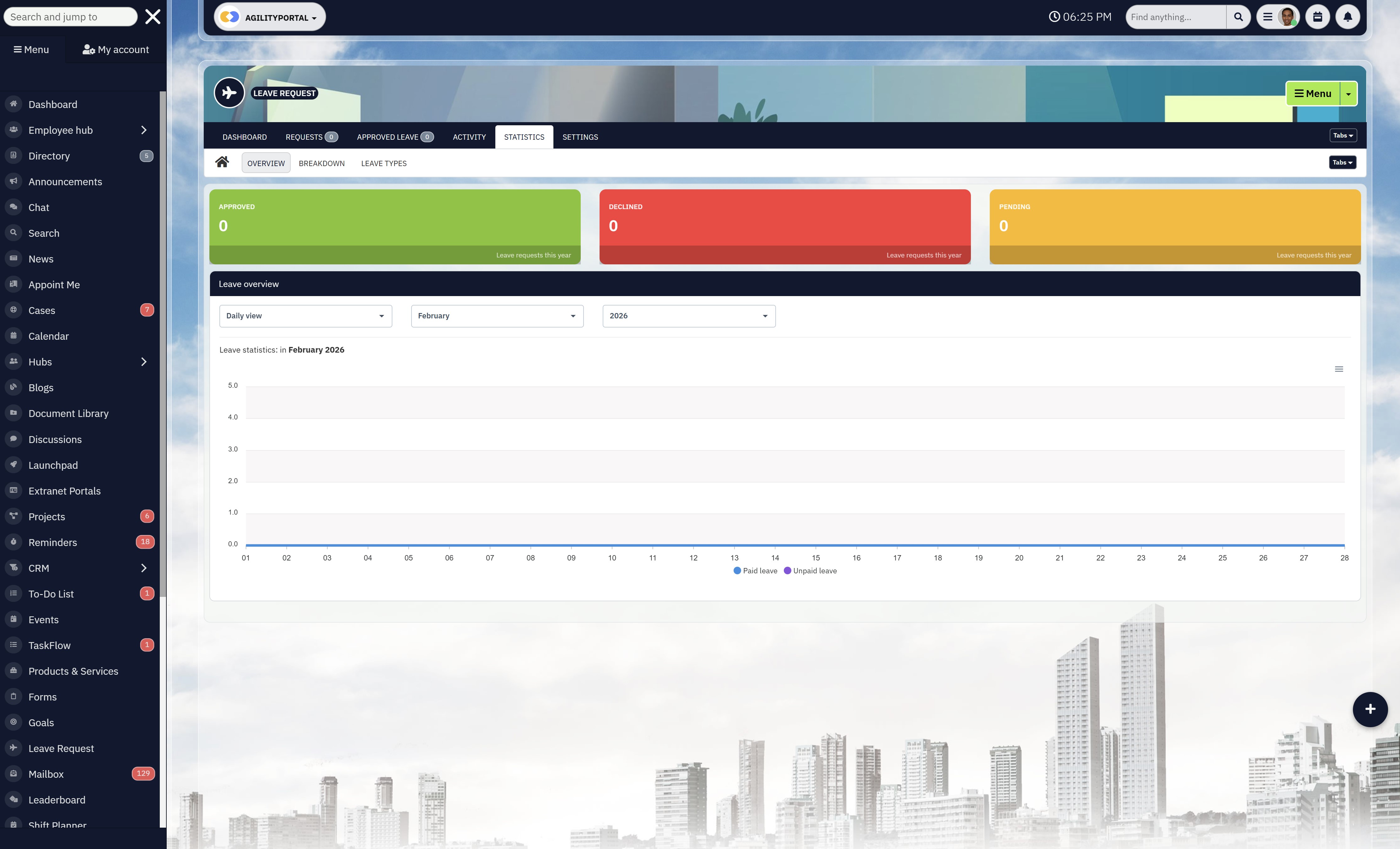
Time tracking without leave visibility creates payroll confusion.
Look for a system that connects directly to an online employee holiday booking system so that:
- Approved leave automatically reflects in schedules
- Absences don't appear as missed shifts
- Payroll calculations remain accurate
Without integration, managers end up manually reconciling leave against worked hours — which defeats the purpose of automation.
3. Shift Coordination Built In
A good solution should connect actual hours to planned hours.
That means:
- Clear rota visibility
- Built-in staff booking system logic
- Overtime alerts when scheduled hours are exceeded
- Coverage visibility before approving leave
Businesses with structured scheduling systems report fewer staffing conflicts and improved productivity because managers can anticipate issues instead of reacting to them.
4. Real-Time Reporting
You shouldn't have to wait until payroll day to discover problems.
Look for:
- Live dashboards
- Overtime tracking
- Department-level breakdowns
- Easy export for payroll processing
Research consistently shows businesses lose 1–3% of payroll annually to time and reporting inaccuracies. Real-time visibility is how you prevent that.
5. Audit Trail & Compliance Protection
Every clock-in, edit, and approval should be traceable.
An audit trail protects you when:
- Employees dispute hours
- Compliance reviews occur
- Overtime approvals are questioned
This isn't about distrust. It's about documentation. In regulated industries especially, proper time records reduce legal and financial risk.
6. Scalability
This is where many businesses get caught.
The system should work just as well at:
- 10 employees
- 25 employees
- 75 employees
If upgrading means migrating data or changing platforms entirely, you'll regret the initial shortcut.
Growth amplifies weaknesses. Choose a system that grows with you instead of one you'll outgrow in 18 months.
The right time tracking solution isn't just about logging hours. It's about reducing admin, protecting payroll, improving visibility, and preparing your business for growth.
Anything less is just digital paperwork.
Simplify Shift Scheduling & Leave Management with AgilityPortal
Simplify Shift Scheduling & Leave Management with AgilityPortal
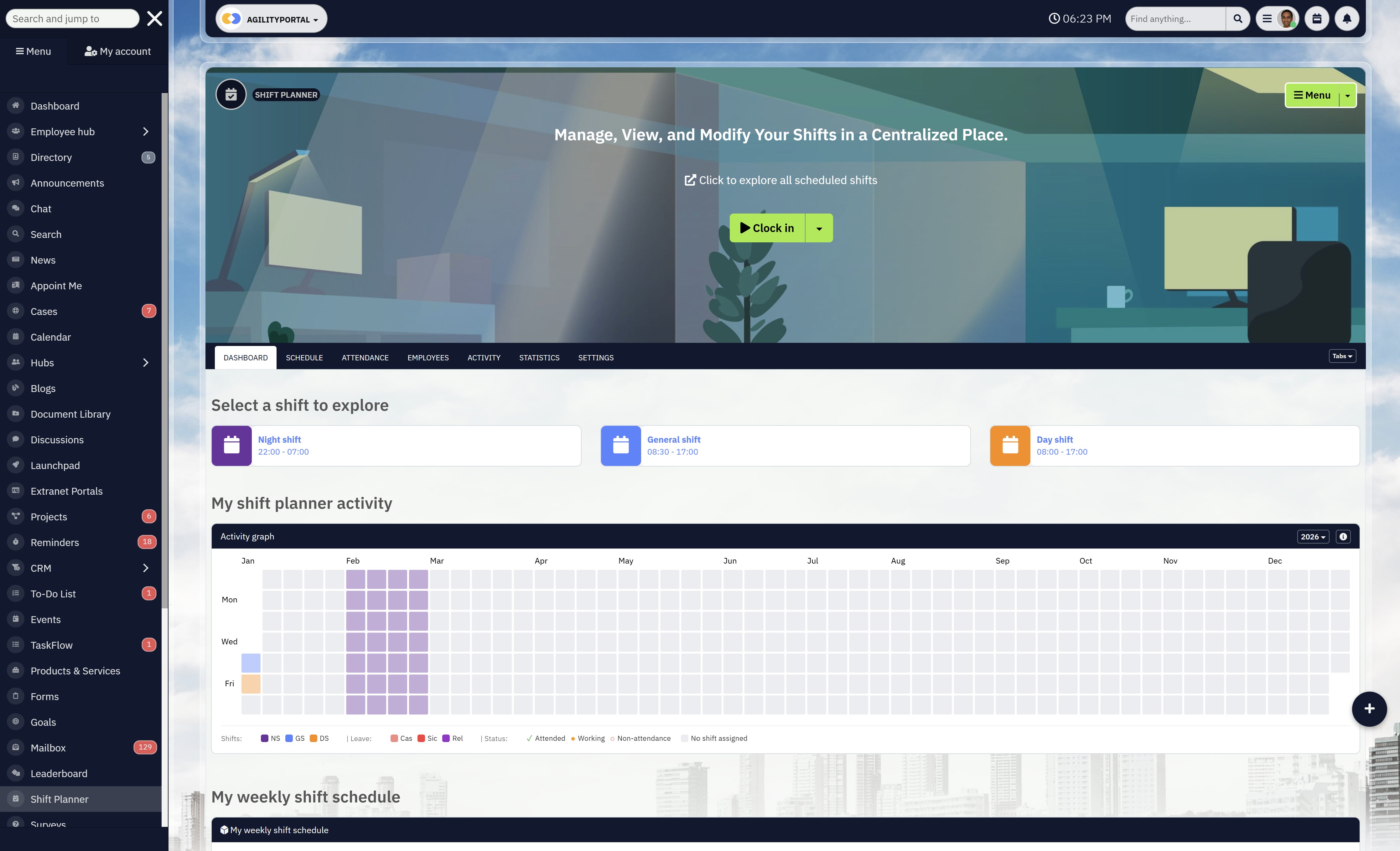
AgilityPortal's Shift Planner removes the chaos from managing shifts and leave. Instead of relying on spreadsheets, emails, and disconnected HR tools, managers get a single, structured system for rota planning, attendance tracking, and absence management.
Everything is visible in one place, reducing errors and eliminating last-minute scheduling surprises.
Shift scheduling becomes clearer and faster.
Managers can instantly see who is working, who is on approved leave, and where coverage gaps may appear.
When a leave request is approved, the schedule updates automatically, preventing double-booking and unnecessary overtime costs.
This level of real-time visibility helps teams stay properly staffed without constant manual adjustments.
Leave management is just as streamlined.
Employees can submit holiday requests digitally, track approval status, and view availability before booking time off. Managers receive structured approval workflows with a clear audit trail, improving transparency and reducing disputes over balances or time owing.
By connecting scheduling with attendance and time tracking, AgilityPortal strengthens workforce control. It supports better labour planning, improves payroll accuracy, and helps maintain compliance standards.
When shifts, leave, and attendance are fully aligned in one system, operations run smoother and managers gain the clarity they need to lead effectively.
Practical Example Scenario
Consider a 35-person facilities and maintenance business operating across multiple sites.
Before introducing structured time tracking, the company relied on paper clock-in sheets at each location and informal WhatsApp messages for leave requests.
Supervisors would collect timesheets weekly, manually enter them into spreadsheets, and then forward them to payroll.
Leave approvals were often buried in chat threads, and overtime calculations were based on rough estimates rather than verified timestamps.
The result? Payroll took nearly two full days to reconcile every month. Managers regularly chased staff to confirm missing hours. Overtime disputes were common.
Even small errors required back-and-forth clarification, slowing down operations.
After implementing a structured digital time tracking system — similar to platforms like Deputy, Clockify, or QuickBooks Time (formerly TSheets) — the company moved to mobile clock-ins with automatic timestamps.
Leave requests were submitted through a centralized workflow instead of chat messages.
Approved holidays automatically reflected in scheduling and payroll calculations.
Within three months, the business saw measurable changes. Admin time spent correcting timesheets dropped by an estimated 6–8 hours per week.
Payroll processing became predictable instead of reactive. Overtime visibility improved, and disputes declined significantly because every entry had a clear audit trail.
This wasn't about installing complicated software. It was about replacing informal processes with structured visibility.
The technology didn't change how people worked — it changed how clearly work was recorded.
The Best Free Online Time Clock for Small Business + Paid
| Platform | Best For | Core Time Tracking Features | Pricing Model |
|---|---|---|---|
| AgilityPortal (Shift Planner + Employee Time Tracker) | Scheduling + time tracking + internal communication | Employee time tracker, mobile clock-in, shift planner, leave approvals, reporting dashboards | Custom pricing (Free trial) |
| Deputy | Shift-based teams | Time clock, GPS tracking, scheduling, payroll export | Paid plans |
| Clockify | Freelancers & SMBs | Web timesheets, timer tracking, dashboards | Free / Paid |
| QuickBooks Time | Payroll-driven businesses | Mobile tracking, GPS stamps, payroll sync | Paid plans |
| Hubstaff | Remote teams | Time tracking, activity monitoring, payroll automation | Paid plans |
| Time Doctor | Productivity-focused teams | Time tracking, productivity analytics, reporting | Paid plans |
| Connecteam | Deskless workers | Mobile time clock, scheduling, GPS tracking | Free / Paid |
| Harvest | Agencies & consultants | Time tracking, invoicing, budgeting | Free / Paid |
| ClickTime | Project-based teams | Timesheets, forecasting, approvals | Paid plans |
| Jibble | SMBs needing biometric tracking | Biometric time clock, GPS tracking | Free / Paid |
| When I Work | Retail & hospitality | Shift scheduling, time clock, messaging | Paid plans |
| Toggl Track | Simple time tracking | Timer tracking, reporting, integrations | Free / Paid |
| Replicon | Enterprise compliance | Time intelligence, compliance automation | Enterprise pricing |
| TimeCamp | Budget-conscious teams | Automatic time tracking, invoicing | Free / Paid |
| Buddy Punch | Small service businesses | Online time clock, PTO tracking | Paid plans |
| OnTheClock | Construction & trades | Employee time tracker, GPS clock-in | Paid plans |
| Paymo | Creative teams | Time tracking, task management, billing | Free / Paid |
| DeskTime | Performance analytics | Automatic tracking, productivity insights | Paid plans |
| Wrike Time Tracking | Project management teams | Integrated time logs, reporting | Paid plans |
| Everhour | PM tool integrations | Time tracking with Asana/Trello integrations | Paid plans |
If relevant, include tools that solve the problem.
For SaaS blogs, this is where you naturally introduce your product:
- "Platforms like AgilityPortal centralize updates, files, and workflows…"
Do it smoothly, not salesy.
Benefits of Having an Employee Time Tracker
An employee tracker — when implemented properly — isn't about surveillance. It's about clarity, control, and operational efficiency.
The right system gives you structured visibility into how work hours are recorded and managed.
Here's what that actually delivers.
1. Reduces Payroll Errors
Manual tracking leads to rounding mistakes, forgotten clock-outs, and calculation errors. Industry data suggests businesses can lose 1–3% of total payroll annually due to preventable time inaccuracies.
A structured employee time tracker:
- Captures exact timestamps
- Calculates overtime automatically
- Creates an audit trail
- Reduces manual corrections
Fewer errors = cleaner payroll.
2. Prevents Time Theft & Buddy Punching
The American Payroll Association estimates time theft can cost businesses up to 7% of gross payroll annually. Even small daily discrepancies add up fast across a team.
Modern trackers reduce this risk with:
- Mobile clock-ins
- GPS verification (if required)
- Unique user authentication
- Real-time reporting
It's not about distrust — it's about removing loopholes.
3. Saves Managerial Admin Time
Managers often spend hours each pay cycle chasing missing entries and correcting timesheets. Surveys show small businesses can spend 5–10 hours per month resolving payroll discrepancies manually.
Automation eliminates:
- Back-and-forth emails
- Spreadsheet corrections
- Overtime guesswork
That time can be redirected toward growth and operations.
4. Improves Workforce Planning
Accurate time data helps you understand:
- Peak workload periods
- Overtime trends
- Understaffed shifts
- Department-level labour costs
With structured reporting, scheduling decisions become proactive instead of reactive.
5. Strengthens Compliance & Legal Protection
If a dispute arises over hours worked, you need documentation.
A digital employee tracker provides:
- Time-stamped records
- Approval workflows
- Historical logs
- Exportable reports
In regulated industries, this reduces legal exposure and protects the business.
6. Increases Transparency & Trust
Clear systems reduce ambiguity.
When employees can see:
- Their recorded hours
- Approved overtime
- Leave balances
Disputes decline. Expectations become clearer. Fairness improves.
Research consistently shows that clarity around expectations is directly linked to higher employee engagement.
7. Supports Remote & Hybrid Work
With hybrid and frontline work now common, traditional punch cards no longer work.
Modern systems allow:
- Mobile clock-in
- Remote verification
- Centralised reporting
This makes distributed workforce management far simpler.
An employee tracker doesn't just record time.
It protects payroll.
It reduces admin.
It improves scheduling.
It strengthens compliance.
And it gives leadership real operational visibility.
Used correctly, it becomes a control system for labour costs — not a monitoring tool for people.
Final Takeaway – Time Visibility Equals Profit Protection
You can't improve what you don't measure. That's not a slogan — it's operational reality.
When time is tracked loosely, decisions are based on assumptions.
Managers guess who's overloaded. Finance estimates overtime. Shift coverage becomes reactive instead of planned. Over time, those small guesses turn into payroll leakage, burnout, and inconsistent performance.
Accurate time data changes that dynamic completely.
It gives managers real visibility into:
- Where labour hours are actually being spent
- Which departments are consistently hitting overtime
- Whether staffing levels match workload demand
- How leave patterns affect productivity
Research consistently shows businesses lose between 1–3% of total payroll to preventable time inaccuracies. For growing companies, that's not admin noise — that's margin erosion.
An online employee time tracker isn't about watching people. It's about protecting profit, improving forecasting, and making labour costs predictable.
In simple terms:
Clear time data leads to better scheduling.
Better scheduling leads to better budgeting.
Better budgeting protects your bottom line.
That's not an expense. That's operational insurance.
AI Summary
- An online employee time tracker provides real-time visibility into work hours, overtime, and attendance across teams.
- Businesses lose an estimated 1–3% of payroll annually due to preventable time inaccuracies, rounding errors, and missed entries.
- The American Payroll Association estimates time theft can cost up to 7% of gross payroll each year.
- Managers spend 5–10 hours per month correcting manual timesheets and resolving payroll discrepancies.
- Digitized time tracking improves compliance, creates audit trails, and reduces disputes over hours worked.
- Modern employee time tracker software integrates shift planning, leave management, payroll exports, and mobile clock-in for hybrid and frontline teams.
Frequently Asked Questions
1. What is an online employee time tracker and how does it work?
An online employee time tracker is a digital system that records when employees start and finish work, tracks breaks, and calculates total hours automatically.
Instead of paper logs or spreadsheets, everything is timestamped and stored securely in a central dashboard.
Modern platforms often include:
- Clock-in via desktop or mobile
- Real-time dashboards
- Overtime alerts
- Reporting exports for payroll
Many systems now offer digitized time tracking, meaning manual entries are replaced with automated timestamps and approval workflows.
2. What is the best app for tracking overtime?
The best app for tracking overtime depends on your team structure. For shift-based teams, platforms with built-in scheduling work best. For remote or hybrid staff, tools with mobile GPS clock-in are stronger.
The key features to look for:
- Automatic overtime calculation
- Weekly threshold alerts
- Overtime approval workflows
- Payroll-ready exports
If overtime is a regular cost driver, automation is essential.
3. Is there a best free timesheet software option?
There are tools marketed as the best free timesheet software, and some offer genuinely useful entry-level plans.
However, free versions typically limit:
- Reporting depth
- User numbers
- Integrations
- Compliance features
For very small teams, free may work. For growing businesses, scalability matters more than zero cost.
4. Can a tracker be used as a timesheet?
Yes. A digital tracker effectively replaces traditional timesheets. In fact, most online employee time sheet systems generate automatic timesheet reports based on recorded hours.
Instead of manually filling in an Excel file, the system:
- Logs hours automatically
- Calculates totals
- Produces downloadable reports
So yes — an employee tracker functions as a dynamic, automated timesheet.
5. How do online time sheets work for employees?
Employees simply clock in and out using:
- Desktop browser
- Mobile app
- Employee clock in app UK compatible systems
The system then:
- Records timestamps
- Calculates hours
- Flags overtime
- Submits entries for approval
Managers review and approve digitally, reducing manual errors.
6. How can I track my work hours if I'm self-employed?
If you're freelance or contract-based, the best time tracking app for self employed users should include:
- Simple timer functionality
- Project tagging
- Invoicing integration
- Weekly summaries
Many solo professionals use lightweight web-based tools that also function as a work log tracker app.
7. How to track employee hours working from home?
Tracking remote hours requires balance. Over-monitoring damages trust. Under-tracking creates payroll risk.
Best practice includes:
- Clear expectations
- Start/stop time recording
- Transparent reporting
- Policy communication
Research shows structured time visibility improves productivity without increasing disengagement when implemented fairly.
8. What's the difference between employee time tracking software and a timesheet system?
Employee time tracker software records activity in real time.
An online timesheet system typically compiles and formats that data for reporting.
Modern platforms combine both:
- Real-time tracking
- Weekly employee tracker summaries
- Workplace time recording logs
- Payroll exports
9. Is employee online down or not working?
If you're searching "is employee online down" or "why employee online not working," issues are usually related to:
- Server downtime
- Login credential errors
- Browser cache conflicts
- Timeout errors
Most enterprise systems provide status dashboards or IT support alerts when outages occur.
10. Does employee online have an app?
Most modern employee time tracking platforms now offer:
- iOS apps
- Android apps
- Browser-based dashboards
If you're asking "does employee online have an app," check whether the provider offers mobile clock-in and remote access support.
11. How do electronic timesheets UK systems differ from manual logs?
Electronic timesheets UK systems comply with local employment and payroll standards.
They provide:
- Digital audit trails
- GDPR-compliant storage
- Overtime transparency
- Exportable payroll data
This reduces compliance risk compared to paper logs.
12. What is monitoring employee time vs monitoring employees?
There's a critical difference.
Monitoring employee time focuses on recorded working hours.
Monitoring employees working from home UK can imply screen surveillance or activity tracking.
The most sustainable approach tracks time transparently — not personal behaviour.
13. Are there online employee time tracker free options?
Yes, many providers offer:
- Free tiers
- Limited-user plans
- Free trials
However, free plans may restrict:
- Integration (e.g., QuickBooks online employee time tracking)
- Reporting depth
- Team size
Free is useful for testing, not always for scaling.
14. How to manage employee time keeping effectively?
Effective staff time tracking requires:
- Clear policy
- Defined overtime rules
- Approval workflows
- Consistent reporting
Technology supports the process — but policy clarity drives success.
15. What should small businesses look for in an online employee time tracker UK?
For UK-based teams, look for:
- GDPR compliance
- Mobile clock-in
- Payroll export compatibility
- Overtime calculation
- Holiday booking integration
An online employee time tracker for small business should simplify operations — not add complexity.
Most Popular Posts

Effective communication among team members is vital for the productivity and success of any organization. Surprisingly, 60% of companies lack a long-term internal communication strategy, which p...


Businesses thrive on communication for efficiency, productivity and accomplishment. When the right information is passed from the right designation in the organization, it promotes positivity an...
Categories
Blog
(2946)
Business Management
(366)
Employee Engagement
(222)
Digital Transformation
(190)
Growth
(142)
Intranets
(134)
Remote Work
(63)
Sales
(53)
Collaboration
(47)
Customer Experience
(30)
Culture
(29)
Knowledge Management
(28)
Project management
(28)
Leadership
(20)
Comparisons
(9)
News
(1)

Related Posts
![Best Free LMS Platforms for Employee Training + Online Learning in 2026 [Expert Picks]](http://agilityportal.io/images/easyblog_articles/1756/b2ap3_thumbnail_Best-Free-LMS-Platforms-for-Employee-Training--Online-Learning-in-2026-.jpg "Best Free LMS Platforms for Employee Training + Online Learning in 2026 [Expert Picks]")
Employee training has changed a lot over the last few years. More businesses are now managing remote teams, hybrid workers, and distributed employees across different locations, which means traditional classroom training simply doesn't work the...

Most people don't realize it, but businesses use some form of a Schedule of Reinforcements every single day — whether it's employee bonuses, praise from a manager, sales commissions, promotions, or even simple recognition during team meetings. ...

AI-assisted software development is rapidly changing how modern businesses build software, and it's happening much faster than many companies expected. From AI coding tools that generate code suggestions in seconds to intelligent testing automation a...

Healthcare teams are under more pressure than ever right now. Between staff shortages, rising patient expectations, admin overload, and longer wait times, many clinics and healthcare organizations are struggling to keep up. That's exactly...

Remote work has completely changed how businesses operate, but it has also created a growing problem many companies did not fully expect: workforce compliance. As more organizations hire employees across different cities, states, and even count...


Jill Romford
I am a digital nomad, lover of exploring new places and making friends.
I love to travel and I love the internet. I take pictures of my travels and share them on the internet using Instagram.
Traveler, entrepreneur, and community builder. I share my insights on digital marketing and social media while inspiring you to live your fullest life.
Ready to learn more? 👍
One platform to optimize, manage and track all of your teams. Your new digital workplace is a click away. 🚀
Free for 14 days, no credit card required.