
Insight Blog
Agility’s perspectives on transforming the employee's experience throughout remote transformation using connected enterprise tools.
19 minutes reading time
(3869 words)
Best Practices for Using Cloud Platforms to Build Highly Collaborative, Productive Teams

Best Practices for Using Cloud Platforms to Build Highly Collaborative, Productive Teams
Learn how cloud platforms for collaboration improve teamwork and productivity. Practical best practices using cloud storage and smarter workflows.
Best Practices for Using Cloud Platforms to Build Highly Collaborative, Productive Teams

Most teams don't struggle with collaboration because people aren't trying hard enough — they struggle because the systems behind the work are broken.
Messages live in one tool, files in another, decisions disappear into inboxes, and suddenly no one knows where the "source of truth" actually is. This is exactly why cloud platforms for collaboration have become critical for modern teams.
But here's the hard truth: simply adopting cloud tools or cloud storage doesn't automatically fix teamwork. In fact, without the right structure, cloud platforms can make collaboration messier, not better.
Recent industry data backs this up.
According to McKinsey, teams using well-implemented collaborative technologies can improve productivity by 20–25%, yet most organisations fail to see these gains because they focus on tools instead of workflows.
That's why so many leaders keep asking the same question: how to improve teamwork and collaboration without adding more meetings, more apps, or more noise.
In this blog, we're going to cut through the hype and focus on what actually works.
We'll break down best practices for using cloud platforms the right way — from structuring collaboration hubs and managing shared cloud storage, to setting clear communication rules and designing workflows teams will actually follow.
The goal isn't just better collaboration on paper, but real, measurable productivity improvements across your teams.
● Key Takeaways: Collaboration Technology and Productivity
- Well-implemented collaboration technologies can increase team productivity by 20–25%, according to McKinsey.
- Most organisations miss these gains because they focus on tools instead of designing effective workflows.
- Productivity improves fastest when collaboration platforms support real work patterns, not just file sharing.
- Clear workflows, visibility, and ownership matter more than adding new collaboration features.
- Digital workplace platforms succeed when they reduce friction, not when they add complexity.
Read this article: : Top 6 AI-Powered Project Management Tools To Use In 2023
What "Collaborative and Productive Teams" Actually Means (Reality Check)

What "Collaborative and Productive Teams" Actually Means (Reality Check)
Let's clear something up first: collaboration does not mean more meetings, and productivity definitely does not mean people working longer hours.
If your team is constantly "busy" but nothing moves faster, you don't have a collaboration problem — you have a systems problem.
Real collaboration shows up in outcomes, not activity.
eams that work well together make decisions quickly, know exactly who owns what, and can see progress without chasing updates.
That's what leaders are really asking when they search for how to improve collaboration between departments or how to work as a team in the workplace. They're not looking for another tool — they're looking for clarity.
This is where cloud platforms can help, but only when used correctly. A shared workspace, shared files, and shared visibility make it easier for teams in different departments to stay aligned.
However, cloud platforms fail when they're treated as nothing more than file dumps or generic Dropbox alternative storage solutions. Storing documents in the cloud doesn't automatically create collaboration if no one knows which file is final, who's responsible, or where decisions live.
True collaboration happens when cloud platforms support how work actually flows — across teams, roles, and departments.
In the rest of this blog, we'll focus on how to use cloud platforms intentionally: not just to store files, but to create shared ownership, improve visibility, and remove the friction that slows teams down in the real world.
Here Are Some Common Mistakes Teams Make With Cloud Platforms
I've seen this play out more times than I can count — and early on, I made some of these mistakes myself.
When I reflect on how did I help my team and others succeed, the biggest lesson was realising that cloud platforms don't fail because of technology.
They fail because of how teams use them.
Tool Overload: Too Many Platforms, Zero Clarity
At one point, my team had chat in one tool, files in another, tasks somewhere else, and "final" decisions buried in email.
Everyone was busy, yet nothing moved faster.
This is one of the biggest killers of team collaboration and productivity in the workplace.
Common symptoms of tool overload include:
- Teams asking "where does this live?" multiple times a day
- The same document stored in three different places
- Decisions made in chat but never recorded
- Tasks discussed but never tracked
- People defaulting back to email out of frustration
More tools don't equal better collaboration — they usually mean more confusion.
No Ownership or Governance
Another mistake I had to fix fast was the lack of ownership. When no one owns a space, a document, or a workflow, everyone assumes someone else is responsible. That's when teams stop trusting the system.
This problem usually shows up as:
- Shared folders with no clear owner
- Documents edited by multiple people with no accountability
- Collaboration spaces that slowly become outdated
- Important updates getting missed or ignored
- Teams creating their own side systems
Clear ownership was one of the simplest ways I helped improve team collaboration — people knew where to go and who to ask.
Poor Onboarding and Training
Cloud platforms are often "rolled out" but never properly introduced.
I learned quickly that if you don't explain why a tool exists and how it fits into daily work, people won't use it consistently.
Typical onboarding gaps include:
- No explanation of when to use which feature
- Assumptions that tools are "self-explanatory"
- Lack of examples tied to real work
- No follow-up after initial rollout
- New hires learning by trial and error
Helping my team succeed meant investing time upfront so collaboration felt natural, not forced.
Treating Cloud Tools Like Storage Instead of Workflows
This one is subtle but deadly. Teams often use cloud platforms like digital filing cabinets. Files go in, but work doesn't move forward.
You'll notice this when:
- Files are stored but never acted on
- Feedback lives in comments with no next step
- Tasks are discussed but not assigned
- Decisions aren't linked to documents
- Progress depends on chasing people
Collaboration only improved when we stopped treating the platform as storage and started designing workflows around real tasks, decisions, and handovers.
Ignoring Frontline and Remote Workers
Finally, collaboration breaks down fast when tools are built only for office-based teams.
If frontline or remote workers can't easily access, contribute, or stay informed, silos form immediately.
Warning signs include:
- Mobile users rarely engaging
- Important updates missed by frontline staff
- Collaboration happening only among "core" teams
- Work duplicated across locations
- Remote workers feeling disconnected from decisions
Making collaboration inclusive across roles was a turning point for improving productivity in the workplace.
These mistakes are common — and fixable. In the next sections, we'll focus on the best practices that actually worked, and how to use cloud platforms intentionally to improve team collaboration, remove friction, and help teams perform better together.
Read this article: : Top 6 AI-Powered Project Management Tools To Use In 2023
Best Practices for Using Cloud Platforms Effectively
Once you've avoided the common mistakes, the next step is getting intentional about how cloud platforms are used day to day.
These best practices are the exact shifts that move teams from "we have the tools" to "this actually makes our work easier."
Choose One Core Collaboration Hub
Fragmentation is one of the fastest ways to kill productivity.
When teams are forced to jump between tools just to follow a single piece of work, collaboration slows down and accountability disappears.
A single core collaboration hub gives everyone a shared home for work.
That doesn't mean every tool has to be replaced, but it does mean there's one place teams instinctively go to communicate, find documents, track tasks, and share knowledge.
The most effective collaboration hubs bring together:
- Communication so conversations don't get lost
- Documents so teams work from the same version
- Tasks so work actually moves forward
- Knowledge so information doesn't walk out the door
Centralised setups usually outperform "best-of-breed" stacks because clarity beats complexity every time.
Design Around Workflows, Not Features
One of the biggest mistakes organisations make is choosing tools based on feature lists instead of how work actually happens. Teams don't work in features — they work in workflows.
Start by understanding how people collaborate on a normal day:
- How work is requested
- How it's reviewed
- How decisions are made
- How tasks move from one team to another
Once those workflows are mapped, cloud platforms can be configured to support them naturally. When tools follow the flow of work, adoption improves without force.
Make Collaboration Visible by Default
Collaboration breaks down when too much work happens in private silos. While some conversations need privacy, most work benefits from visibility.
Shared channels, open documents, and visible timelines reduce friction dramatically.
Teams spend less time asking "where is this?" or "has this been approved?" because the answers are already there.
When collaboration is visible by default:
- Knowledge spreads faster
- New team members ramp up quicker
- Decisions don't get repeated
- Accountability becomes clearer
Visibility isn't about control — it's about momentum.
Set Clear Rules for Communication
Without guidelines, cloud platforms quickly turn into noisy, distracting environments.
Not every message deserves a meeting, and not every update belongs in chat.
Clear communication rules help teams move faster without burning out.
This includes setting expectations around:
- When to use chat versus comments
- When a meeting is actually necessary
- Expected response times
- Where decisions should be recorded
The goal is to reduce noise while keeping speed and clarity high.
Integrate, Don't Stack
Disconnected tools create broken workflows.
When file sharing, calendars, and project tracking live in separate systems that don't talk to each other, teams waste time reconnecting the dots manually.
Smart integrations matter more than more tools.
At a minimum, cloud platforms should integrate:
- File sharing with collaboration spaces
- Calendars with tasks and deadlines
- Project tracking with conversations
This creates a single source of truth, where work, communication, and context stay connected instead of scattered.
Invest in Onboarding and Adoption
The most powerful platform is useless if people don't use it properly. Adoption always beats features.
Successful teams treat onboarding as an ongoing process, not a one-time event.
That includes:
- Short, practical training loops
- Real examples tied to daily work
- Internal champions who lead by example
- Regular optimisation as teams evolve
When people understand why a platform exists and how it helps them personally, adoption takes care of itself.
These best practices are what turn cloud platforms from "just another tool" into a system that genuinely improves collaboration, reduces friction, and helps teams work better together every day.
Best Practices for Using Cloud Platforms Effectively
Once you've avoided the common mistakes, the next step is getting intentional about how cloud platforms are used day to day.
These best practices are the exact shifts that move teams from "we have the tools" to "this actually makes our work easier."
Choose One Core Collaboration Hub
Fragmentation is one of the fastest ways to kill productivity. When teams are forced to jump between tools just to follow a single piece of work, collaboration slows down and accountability disappears.
A single core collaboration hub gives everyone a shared home for work.
That doesn't mean every tool has to be replaced, but it does mean there's one place teams instinctively go to communicate, find documents, track tasks, and share knowledge.
The most effective collaboration hubs bring together:
- Communication so conversations don't get lost
- Documents so teams work from the same version
- Tasks so work actually moves forward
- Knowledge so information doesn't walk out the door
Centralised setups usually outperform "best-of-breed" stacks because clarity beats complexity every time.
Design Around Workflows, Not Features
One of the biggest mistakes organisations make is choosing tools based on feature lists instead of how work actually happens. Teams don't work in features — they work in workflows.
Start by understanding how people collaborate on a normal day:
- How work is requested
- How it's reviewed
- How decisions are made
- How tasks move from one team to another
Once those workflows are mapped, cloud platforms can be configured to support them naturally. When tools follow the flow of work, adoption improves without force.
Make Collaboration Visible by Default
Collaboration breaks down when too much work happens in private silos. While some conversations need privacy, most work benefits from visibility.
Shared channels, open documents, and visible timelines reduce friction dramatically. Teams spend less time asking "where is this?" or "has this been approved?" because the answers are already there.
When collaboration is visible by default:
- Knowledge spreads faster
- New team members ramp up quicker
- Decisions don't get repeated
- Accountability becomes clearer
Visibility isn't about control — it's about momentum.
Set Clear Rules for Communication
Without guidelines, cloud platforms quickly turn into noisy, distracting environments.
Not every message deserves a meeting, and not every update belongs in chat.
Clear communication rules help teams move faster without burning out.
This includes setting expectations around:
- When to use chat versus comments
- When a meeting is actually necessary
- Expected response times
- Where decisions should be recorded
The goal is to reduce noise while keeping speed and clarity high.
Integrate, Don't Stack
Disconnected tools create broken workflows.
When file sharing, calendars, and project tracking live in separate systems that don't talk to each other, teams waste time reconnecting the dots manually.
Smart integrations matter more than more tools.
At a minimum, cloud platforms should integrate:
- File sharing with collaboration spaces
- Calendars with tasks and deadlines
- Project tracking with conversations
This creates a single source of truth, where work, communication, and context stay connected instead of scattered.
Invest in Onboarding and Adoption
The most powerful platform is useless if people don't use it properly. Adoption always beats features.
Successful teams treat onboarding as an ongoing process, not a one-time event.
That includes:
- Short, practical training loops
- Real examples tied to daily work
- Internal champions who lead by example
- Regular optimisation as teams evolve
When people understand why a platform exists and how it helps them personally, adoption takes care of itself.
These best practices are what turn cloud platforms from "just another tool" into a system that genuinely improves collaboration, reduces friction, and helps teams work better together every day.
How Cloud Platforms Directly Improve Team Productivity
How Cloud Platforms Directly Improve Team Productivity
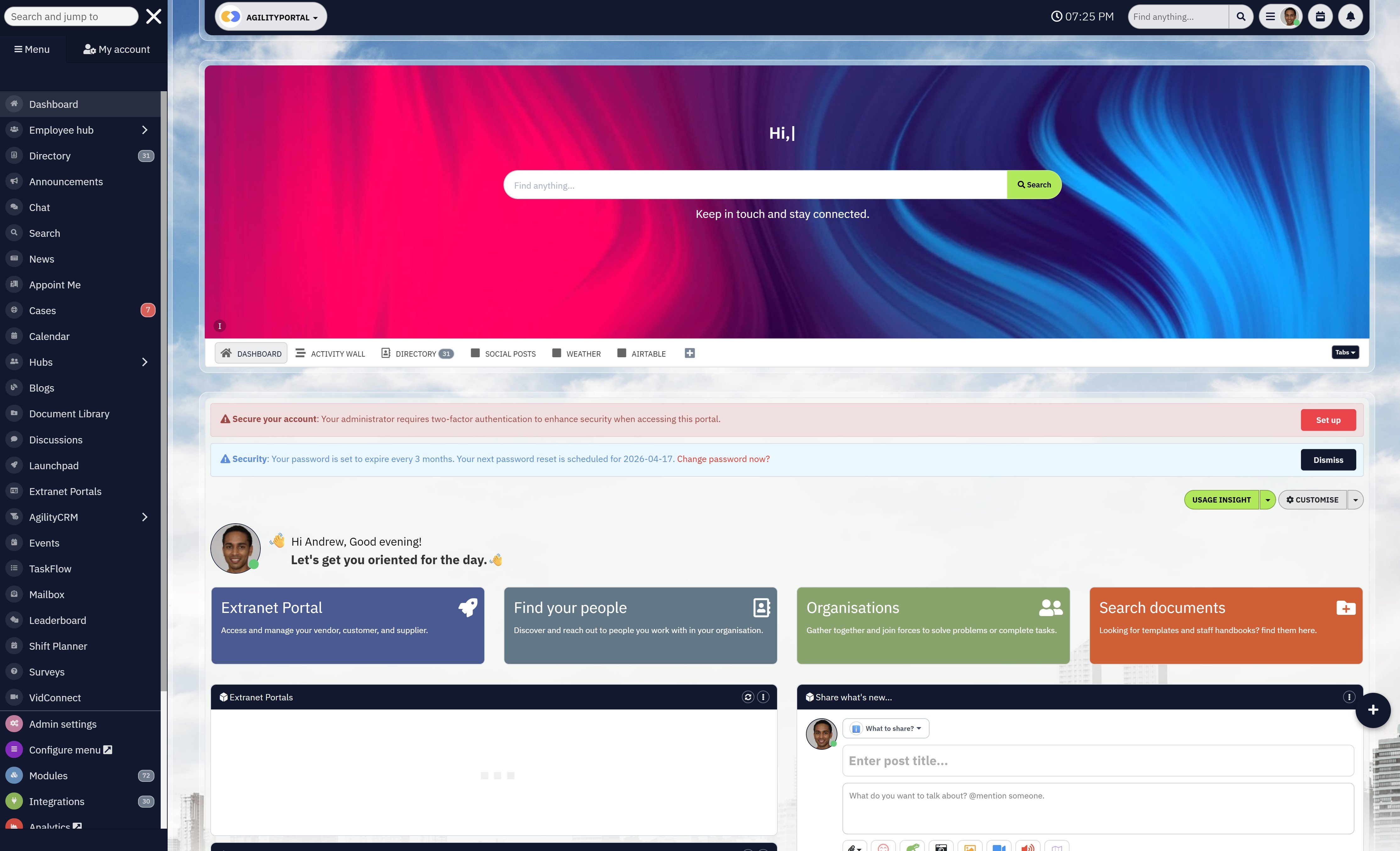
When cloud platforms are implemented properly, the biggest productivity gain comes from faster decision-making. Instead of decisions being delayed by missing information, scattered messages, or endless follow-ups, teams gain shared visibility into conversations, documents, and progress.
Decisions happen closer to the work itself, not weeks later in review meetings.
This shortens approval cycles and keeps momentum high across teams and departments, which is exactly what a modern digital workplace platform is designed to enable.
Another major productivity boost comes from reducing duplicated work. In many organisations, the same tasks are unknowingly repeated because teams don't realise work already exists elsewhere. Centralised cloud platforms make it easy to see what's already been done, what's in progress, and who owns it.
Platforms like AgilityPortal are built around this visibility, ensuring teams don't waste time recreating work that already exists. That transparency alone removes a huge amount of silent inefficiency that drains time and resources every day.
Cloud platforms also reduce context switching, which is one of the most underestimated productivity killers in the workplace.
When work, files, conversations, and tasks live in disconnected tools, people constantly jump between systems just to stay aligned. A well-designed cloud-based digital workplace platform keeps related information connected, allowing teams to stay focused on the task instead of hunting for context. The result is deeper concentration and faster execution.
Accountability improves naturally when collaboration is visible.
Cloud platforms make ownership clearer by showing who is responsible for what, what's been completed, and what's still pending. This removes ambiguity and reduces the need for micromanagement because progress is visible without chasing updates. Teams become more self-managed, which directly improves productivity in the workplace.
Finally, productivity improves because employee engagement improves.
When people feel informed, included, and able to contribute without friction, they're more invested in their work.
Research from McKinsey shows that organisations using effective collaboration technologies can see productivity increases of 20–25%, largely driven by better information flow and stronger engagement.
In other words, when collaboration systems work properly, productivity becomes a natural outcome — not something managers have to force.
This is why cloud platforms, when used intentionally as part of a unified digital workplace platform, don't just help teams work together — they help teams work better.
Cloud Collaboration for Remote and Hybrid Teams
Remote and hybrid work only succeeds when collaboration systems are designed for flexibility, not constant availability.
Cloud platforms play a critical role here, but only when they support how distributed teams actually work across locations, schedules, and roles.
Asynchronous Collaboration That Actually Works
One of the biggest shifts remote teams must make is moving away from real-time dependency.
Asynchronous collaboration allows people to contribute, review, and make progress without needing everyone online at the same time.
Cloud platforms enable this by keeping conversations, documents, and decisions accessible in shared spaces rather than locked inside meetings or private messages.
When work is documented clearly and context is preserved, teams move forward without waiting, which dramatically improves both speed and quality of output.
Time-Zone Friendly Collaboration Across Teams
Hybrid and global teams often struggle because collaboration assumes overlapping working hours.
Cloud platforms remove this friction by creating a persistent workspace where updates, feedback, and approvals don't expire when someone logs off.
Instead of chasing responses or delaying work, teams can hand work over naturally across time zones.
This creates a continuous workflow where progress happens around the clock, not just during a single office window.
Including Frontline and Deskless Workers
Collaboration breaks down quickly when frontline or deskless workers are excluded from the same systems as office teams.
If updates, documents, or decisions are difficult to access on the move, these workers become disconnected from the organisation.
Cloud platforms close this gap by giving frontline teams access to the same information, collaboration spaces, and updates in a format that fits how they work.
When everyone has equal visibility and the ability to contribute, silos disappear and collaboration becomes organisation-wide rather than office-centric.
Why Mobile-First Access Matters
For many remote and frontline workers, mobile devices are the primary way they interact with work systems.
Cloud platforms that aren't designed with mobile-first access in mind create unnecessary friction, leading to low adoption and missed communication.
When collaboration tools are fast, intuitive, and fully functional on mobile, teams stay connected regardless of location.
This accessibility ensures that collaboration happens in real time, decisions aren't delayed, and productivity doesn't depend on being at a desk.
Cloud collaboration for remote and hybrid teams isn't about recreating the office online.
It's about building systems that respect flexibility, support inclusion, and allow work to move forward smoothly—no matter where or when people are working.
How to Measure Collaboration and Productivity Success
Measuring collaboration and productivity isn't about tracking everything — it's about tracking what actually reflects how work gets done.
The right metrics show whether cloud platforms are improving clarity, reducing friction, and helping teams move faster together.
Active Users vs Licensed Users
One of the clearest indicators of collaboration success is adoption.
If a large percentage of licensed users aren't active, the platform isn't supporting real work.
High active usage signals that teams see value in the system and rely on it to collaborate day to day.
When adoption is strong, collaboration becomes habitual rather than forced, which directly supports long-term productivity.
Content Engagement
Collaboration platforms live or die by how content is used.
Measuring content engagement shows whether people are actually reading, contributing to, and updating shared information.
High engagement indicates that knowledge is accessible, relevant, and trusted.
Low engagement often means content is hard to find, outdated, or disconnected from daily workflows, which weakens collaboration across teams.
Cross-Team Participation
True collaboration doesn't stop at department boundaries.
Cross-team participation reveals whether cloud platforms are breaking down silos or reinforcing them.
When teams actively interact outside their own functions — sharing updates, contributing to shared spaces, or collaborating on projects — it shows that the platform is enabling alignment across the organisation.
This is a strong signal of improved collaboration between departments.
Task Completion Speed
Productivity improves when work moves faster with less friction.
Tracking how quickly tasks move from creation to completion highlights whether collaboration tools are helping or slowing teams down.
Faster completion times usually indicate clearer ownership, better visibility, and fewer handoff delays — all signs that collaboration systems are working as intended.
Reduced Internal Email Volume
One often-overlooked metric is the reduction of internal email.
As collaboration improves, conversations shift from inboxes to shared spaces where context is visible and searchable.
A noticeable drop in internal email traffic usually means teams are collaborating more openly, decisions are easier to track, and less time is wasted chasing information.
Taken together, these metrics provide a realistic picture of collaboration and productivity success.
Instead of guessing whether cloud platforms are working, organisations can clearly see how collaboration habits are changing — and where further improvement is needed.
Final Takeaway - Build Systems That Help People Work Better
The biggest mistake organisations make is assuming tools will fix culture.
They won't. Systems do. The way work is structured, how decisions are captured, and how information flows matter far more than which platform is chosen. When systems are unclear, even the best tools struggle.
When systems are intentional, teams naturally collaborate better.
Cloud platforms don't create good habits on their own — they amplify whatever habits already exist. If teams communicate clearly, document decisions, and respect shared ownership, cloud platforms make those behaviours stronger.
If habits are messy or inconsistent, the same platforms will simply scale the chaos. That's why success depends less on features and more on how platforms are used day to day.
The most effective approach is simple and disciplined. Start with a small number of clear workflows. Be consistent about where work happens and how collaboration is handled.
Then optimise continuously as teams grow and needs change. Collaboration isn't something you "roll out" once — it's something you refine over time.
If there's one thing to take away, it's this: build systems that make it easier for people to do good work together.
When collaboration feels natural instead of forced, productivity follows without being pushed.
Most Popular Posts

Effective communication among team members is vital for the productivity and success of any organization. Surprisingly, 60% of companies lack a long-term internal communication strategy, which p...


Businesses thrive on communication for efficiency, productivity and accomplishment. When the right information is passed from the right designation in the organization, it promotes positivity an...
Categories
Blog
(2918)
Business Management
(363)
Employee Engagement
(221)
Digital Transformation
(189)
Growth
(139)
Intranets
(133)
Remote Work
(63)
Sales
(52)
Collaboration
(46)
Customer Experience
(29)
Culture
(29)
Knowledge Management
(28)
Project management
(28)
Leadership
(20)
Comparisons
(9)
News
(1)

Related Posts

What Is Portal Software? Have you ever wondered why so many businesses struggle with disconnected systems, scattered documents, outdated intranets, and poor communication between teams? Most organisations today rely on dozens of different tools...

What happens when your systems suddenly stop working in the middle of a busy workday? For growing businesses, downtime is no longer just a technical problem — it is a direct threat to productivity, customer trust, revenue, and daily operations. ...

Despite organisations investing heavily in collaboration platforms, employee apps, and hybrid work technology, many businesses still struggle with disconnected communication, low employee engagement, and poor workforce visibility. According to ...

The communication champion role is a valuable addition to any business. In a large organization, communication champions should be numerous, forming a communication network. They keep track of information and assist others in better collaborating, wo...

Featured
In today's fast-paced hybrid work environment, staying connected isn't just nice—it's necessary. With more than 80% of employees now working remotely at least part of the time, the demand for intuitive, powerful collaboration tools has never be...


Jill Romford
I am a digital nomad, lover of exploring new places and making friends.
I love to travel and I love the internet. I take pictures of my travels and share them on the internet using Instagram.
Traveler, entrepreneur, and community builder. I share my insights on digital marketing and social media while inspiring you to live your fullest life.
Ready to learn more? 👍
One platform to optimize, manage and track all of your teams. Your new digital workplace is a click away. 🚀
Free for 14 days, no credit card required.