
Insight Blog
Agility’s perspectives on transforming the employee's experience throughout remote transformation using connected enterprise tools.
21 minutes reading time
(4247 words)
Best Website Builder for Large Business: The 2026 List That SaaS Companies are Quietly Using

Best Website Builder for Large Business: The 2026 List That SaaS Companies are Quietly Using
Looking for the best website builder for large business in 2026? See how SaaS companies compare tools like Webflow, Wix Studio, Framer, and more.
Best Website Builder for Large Business: The 2026 List That SaaS Companies are Quietly Using

Choosing the best website builder for large business in 2026 isn't about picking the prettiest templates anymore — it's about supporting real growth.
Enterprise teams are shipping campaigns faster than ever, and 72% of SaaS companies now use a no-code or low-code website platform to keep up with weekly product updates and marketing launches.
When you're running a large operation, nobody has time for tools that slow the team down or require a full dev squad to publish a landing page.
Big organisations in 2026 want speed, scalability, security, and collaboration.
According to HubSpot's 2025 WebOps study, 47% of large companies rebuilt or migrated their website in the last two years because older CMS platforms couldn't keep pace with multi-team workflows or global content demands.
That's why SaaS companies in 2026 are gravitating to modern, scalable website platforms like Webflow, Wix Studio, Framer, and WordPress + Elementor — tools that let marketing, product, and design work together without stepping on each other's toes.
If you're exploring enterprise website builder options, or comparing the best website builder for SaaS startups, this guide will help you figure out which platform actually fits the way your organisation works.
Let's walk through what's changed, what features matter now, and which builders are leading the pack in 2026.
Read this article: : Top 6 AI-Powered Project Management Tools To Use In 2023
Why Businesses Choose Website Builders Instead of a Development Company
A few years ago, going to a development agency was the default.
If you wanted a professional site, you paid a team to design it, code it, and maintain it.
But in 2026, things have shifted — and fast. Most large organisations and SaaS companies now pick a website builder over a full development company for one simple reason: speed is money.
With modern no-code website builders like Webflow, Wix Studio, Framer, and Elementor, teams can launch pages in hours instead of weeks. For a marketing team pushing out new campaigns, that's a game changer.
One Gartner report showed that companies using no-code tools ship digital assets 4–7x faster than teams relying on traditional development cycles. When you're in a competitive SaaS space, that time advantage is massive.
And then there's the cost. A custom-built site can easily hit £20k–£120k depending on complexity — and that's before ongoing maintenance. A scalable website platform costs a fraction of that, with predictable monthly pricing and no surprise "scope creep" bills. For fast-growing SaaS teams, predictable costs matter.
Another big reason?
Control. With an enterprise website builder, your marketing team, sales team, and product team can update content themselves without waiting for developers.
Need to publish a new landing page, update pricing, or add a product feature page? Just log in and do it. That freedom is why 68% of SaaS startups now manage their site internally using website builders (Zapier 2026 report).
You also get built-in SEO tools, hosting, security updates, and performance optimisation out of the box. With a dev agency, you're paying extra for each of those layers.
With a platform like Webflow or Wix Studio, it's all handled for you — freeing your team to focus on growth, not plugins and patches.
In short:
- Faster launch times
- Lower cost
- More team control
- Better scalability
- Fewer technical headaches
That's why in 2026, businesses aren't asking "Should we use a developer or a builder?" anymore.
They're asking, "Which website builder for large business gives us the most speed, flexibility, and long-term control?"
Comparison Table — Best Website Builders for Large Business (2026)
| Website Builder | Best For | Key Capabilities | Starting Price |
| Brizy | Fast SaaS marketing teams | Drag-and-drop, global blocks, Speed of creation | Free / $19+ |
| Webflow | Design-led SaaS | CMS, full customization, Visual control | $14+ |
| Wix Studio | Agencies + SaaS brands | Team roles, responsive tools, Enterprise collaboration | $19+ |
| Framer | Product-led SaaS | Components, AI tools | Free / $10+ |
| WordPress + Elementor | Extensibility | Plugins, hosting control | Varies |
| Squarespace | Simple + fast setup | Templates, CMS | $16+ |
Our Top SaaS Website Builders Choices
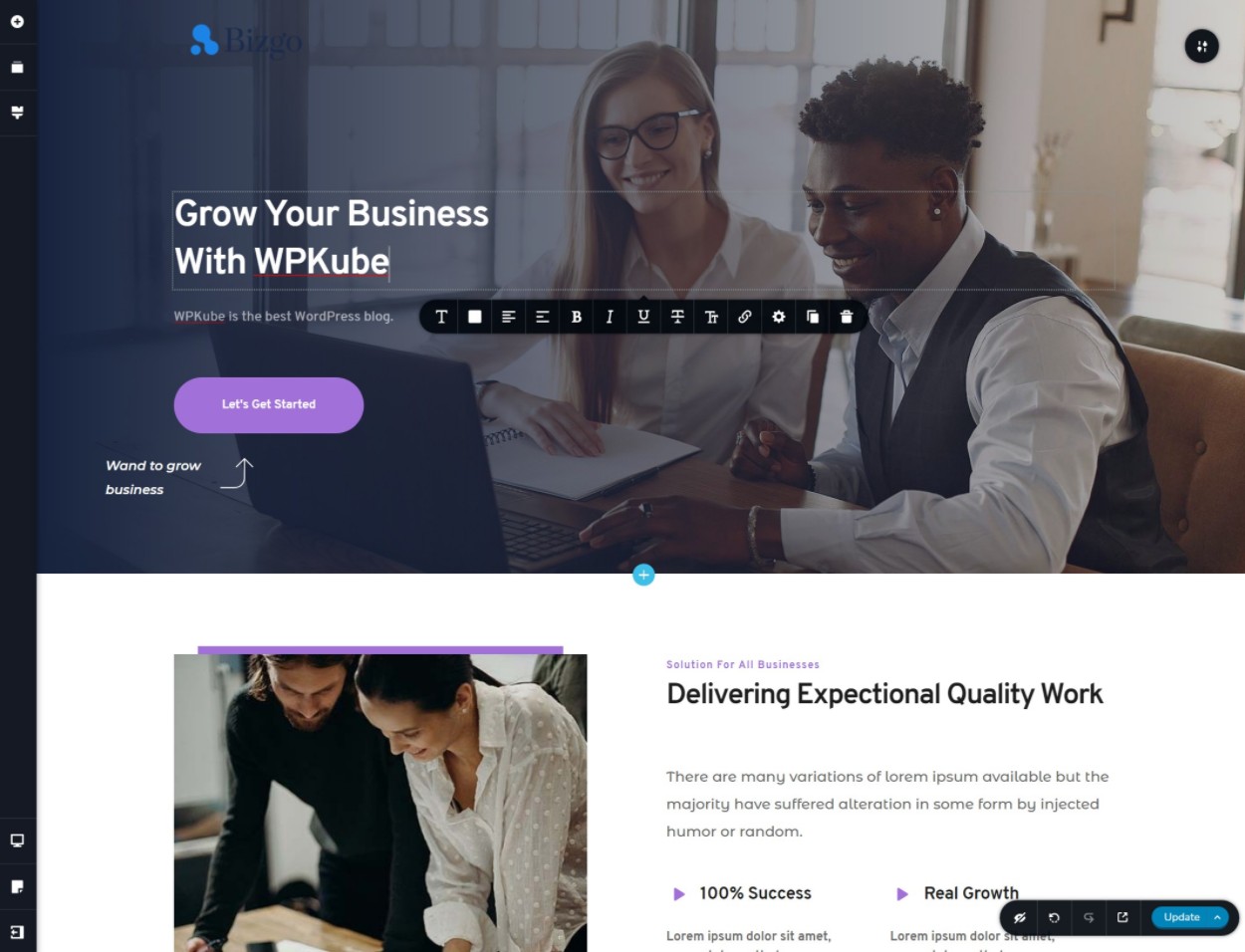
#1. Brizy – Our Hands-On Review for Fast-Moving SaaS Teams
#1. Brizy – Our Hands-On Review for Fast-Moving SaaS Teams
- Starting price: Free (WordPress) or from ~$19 per month (Brizy Cloud)
- AI website builder: Yes
- Read our full Brizy review for more information
Brizy is a modern, drag-and-drop AI website builder designed for SaaS marketing teams that need to move quickly.
It offers a clean editing experience, global styling, and reusable blocks that help teams maintain consistency while shipping new pages fast.
Its global blocks, funnel tools, and white-label capabilities make it versatile for SaaS companies that manage multiple landing pages or partner sites.
Brizy's cloud platform provides hosting and publishing tools, while the WordPress version gives teams more extensibility if they prefer an open-source setup.
SaaS teams use Brizy for landing pages, product launches, and fast marketing experiments where iteration speed matters more than deep custom coding.
✔️ Pros- Extremely intuitive drag-and-drop editor
- Global blocks for consistent branding across pages
- Built-in funnels, popups, and marketing elements
- Very fast setup and publishing
- White-label options for partner programs or agencies
❌ Cons
- Fewer advanced design controls compared to Webflow
- Cloud version lacks deep developer customisation
- Template library is smaller than competitors
How Much Does Brizy Cost?
Bottom Line: Should You Use Brizy?
Brizy is a strong choice if you're a SaaS company that prioritises speed, simplicity, and the ability to launch high-quality pages without developer involvement.
It's ideal for marketing teams running frequent campaigns or partner programs.
If you need deep customisation or enterprise-grade design control, another platform might suit you better — but for fast, consistent execution, Brizy is one of the best tools available.
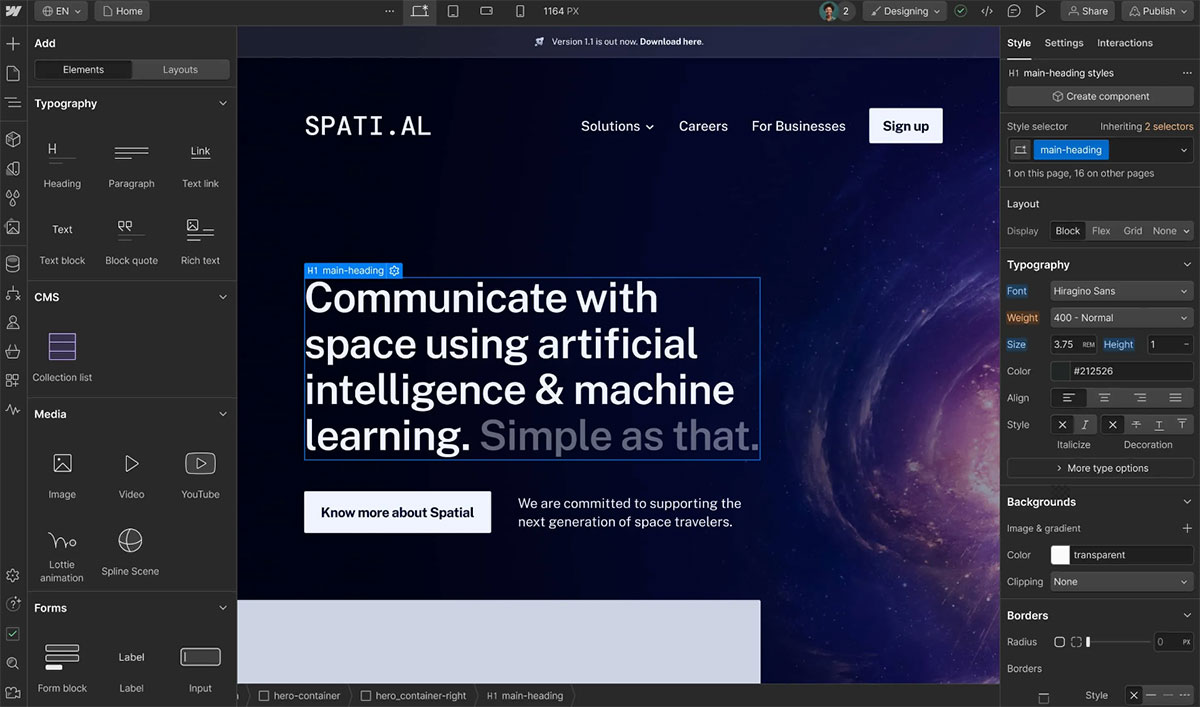
#2. Webflow: Best for Design-Driven SaaS Teams
#2. Webflow: Best for Design-Driven SaaS Teams
- Starting price: From ~$14 per month
- AI website builder: Yes
- Read our full Webflow review for more information
Webflow is the most powerful visual website builder we've tested for SaaS companies that care about brand polish and design control.
It allows teams to create highly customised, responsive sites without writing code, while still offering the flexibility normally reserved for developers.
The visual editor mirrors tools like Figma, making it a natural fit for product-led teams and startups where design consistency is a top priority.
With its CMS, animations, and enterprise-level hosting, Webflow provides a complete system for building marketing websites, documentation hubs, and dynamic content libraries.
✔️ Pros- Full visual control without touching code
- Powerful CMS for blogs, product pages, and dynamic content
- Clean, production-ready output compared to most builders
- Built-in animations and micro-interactions
- Scales well for enterprise-level SaaS sites
❌ Cons
- Steeper learning curve for beginners
- Pricing increases for CMS and large traffic sites
- Fewer third-party plugins than WordPress
- Complex features require time to master
How Much Does Webflow Cost?
Bottom Line: Should You Use Webflow?
Webflow is the best option for SaaS companies that want a polished, design-first website without relying on developers for every update.
If your team values branding, custom layouts, or advanced CMS capabilities, Webflow outperforms most no-code builders.
It's not the easiest tool to learn, but the final result is worth it — especially for fast-growing SaaS brands that need a flexible, scalable, and highly professional web presence.
Read this article: : Top 6 AI-Powered Project Management Tools To Use In 2023
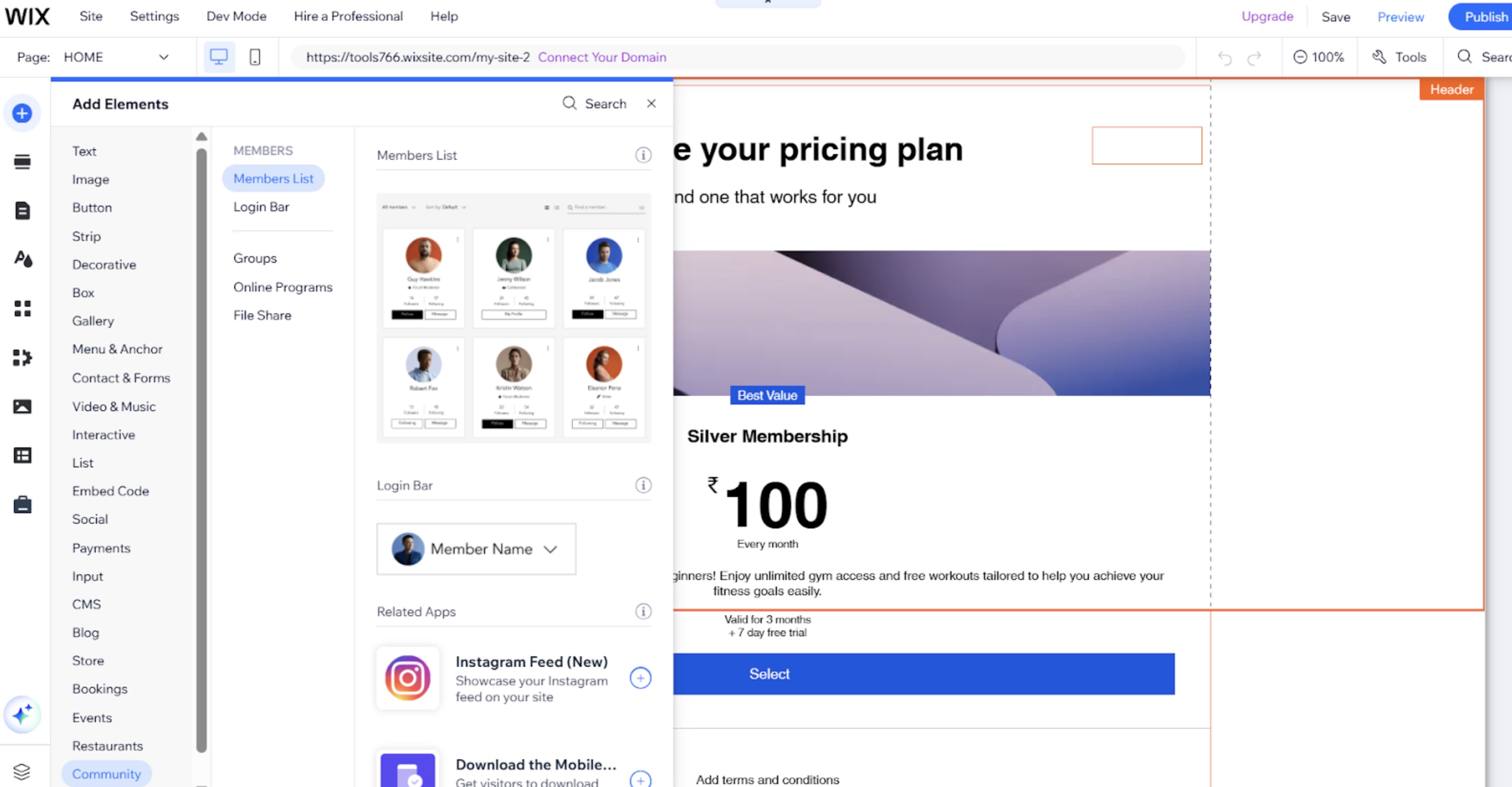
#3. Wix Studio: Best for Agencies and Large SaaS Teams
#3. Wix Studio: Best for Agencies and Large SaaS Teams
- Starting price: From ~$19 per month
- AI website builder: Yes
- Read our full Wix Studio review for more information
Wix Studio is Wix's advanced, agency-focused platform designed for larger teams, SaaS companies, and organisations that need stronger collaboration, responsive control, and workspace management.
Unlike the regular Wix editor, Wix Studio gives you deeper design flexibility, cleaner layouts, and better performance across devices.
During our testing, Wix Studio stood out for its balance between power and usability.
The editor feels more professional than classic Wix, templates are cleaner, and the workspace tools make it easy for teams to manage pages, roles, and approvals.
It's especially useful for SaaS companies running multi-page campaigns or brands with multiple team members contributing to the site.
✔️ Pros- Advanced responsive designer with granular control
- Collaborative workspace with roles and permissions
- Faster performance and cleaner output than standard Wix
- AI tools for layout, content, and SEO
- Ideal for teams and agencies managing multiple sites
- Less flexible than Webflow for advanced customisation
- Can still feel overwhelming due to feature density
- Pricing increases as your site grows
- Limited export capabilities
How Much Does Wix Studio Cost?
Bottom Line: Should You Use Wix Studio?
Wix Studio is an excellent choice for SaaS companies that need a powerful, collaborative builder without the steep learning curve of Webflow.
It offers strong design flexibility, professional templates, team workflows, and reliable performance — all wrapped in an intuitive interface.
If your organisation manages multiple pages, landing funnels, or client-facing content, Wix Studio provides a solid balance of power and ease of use.
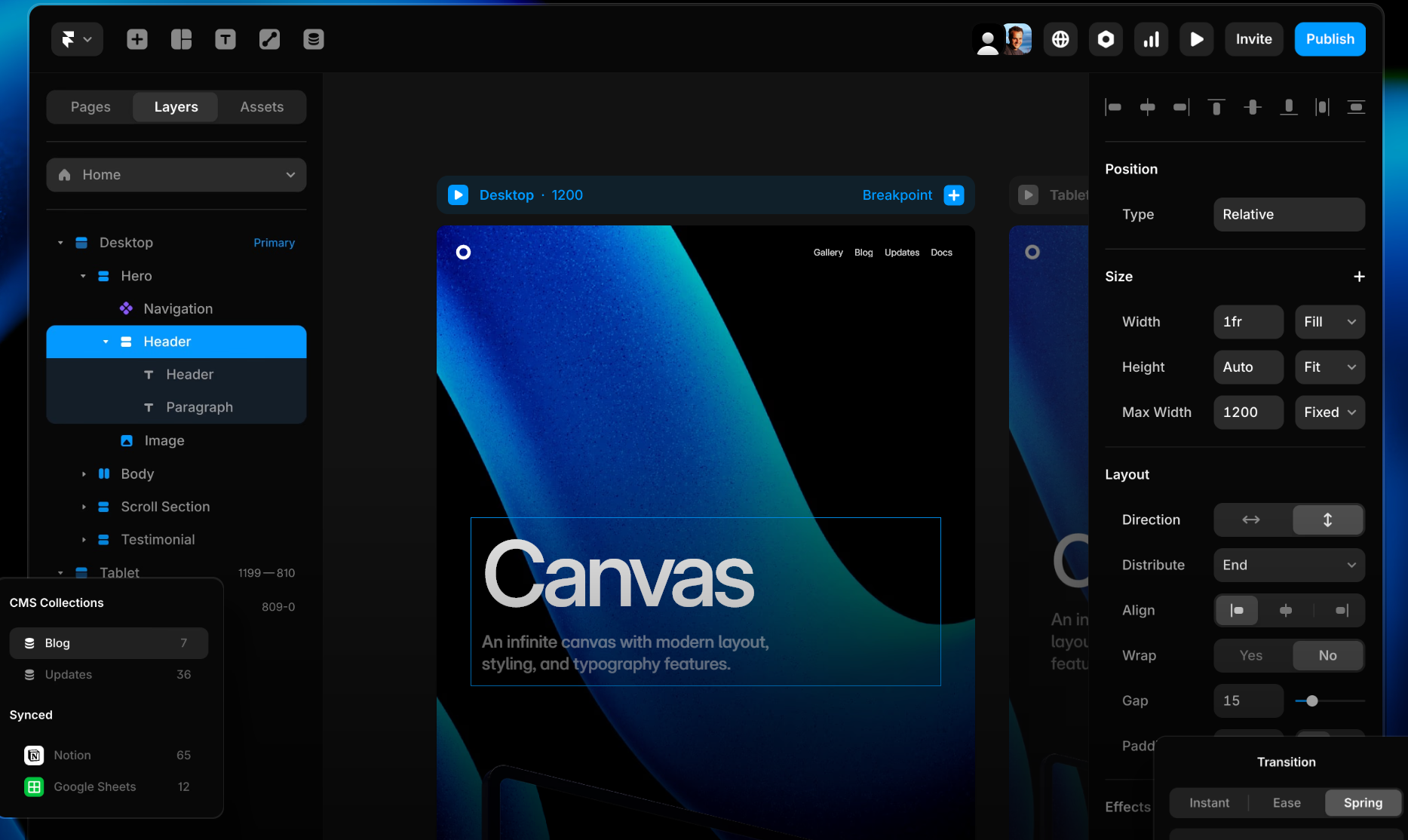
#4. Framer: Best for Product-Led SaaS Teams
#4. Framer: Best for Product-Led SaaS Teams
- Starting price: Free plan available; paid plans from ~$10 per month
- AI website builder: Yes
- Read our full Framer review for more information
Framer has quickly become one of the most popular builders for product-led SaaS teams thanks to its high-fidelity design tools and ability to turn prototypes into production-ready pages instantly.
It feels more like designing in Figma than using a traditional website builder, which makes it a natural fit for teams who value modern layout precision and pixel-perfect control.
In our testing, Framer impressed us with how quickly we could move from wireframe → design → live webpage without any handoff.
The built-in components, animations, and AI layout suggestions make it particularly strong for SaaS landing pages, product showcases, and marketing sites that need a premium, modern aesthetic.
✔️ Pros- Figma-style interface with advanced layout controls
- Extremely fast from concept to live page
- Modern templates with a strong SaaS focus
- AI tools for layout, copy, and page generation
- Great for high-end design and interactive sections
❌ Cons
- Not ideal for heavy CMS or multi-blog setups
- Limited plugin ecosystem compared to WordPress
- Some advanced interactions require a learning curve
- Less suited for large enterprise-level content sites
How Much Does Framer Cost?
Bottom Line: Should You Use Framer?
Framer is a powerful choice for SaaS teams that care deeply about design and want to move from idea to published page with minimal friction.
It excels at producing modern, high-impact marketing pages that look like they were built by a senior designer.
If your focus is speed, creativity, and brand polish — and you don't need a massive CMS — Framer is one of the most impressive tools available in 2026.
#5. Squarespace: Best for Fast, No-Fuss Website Launches
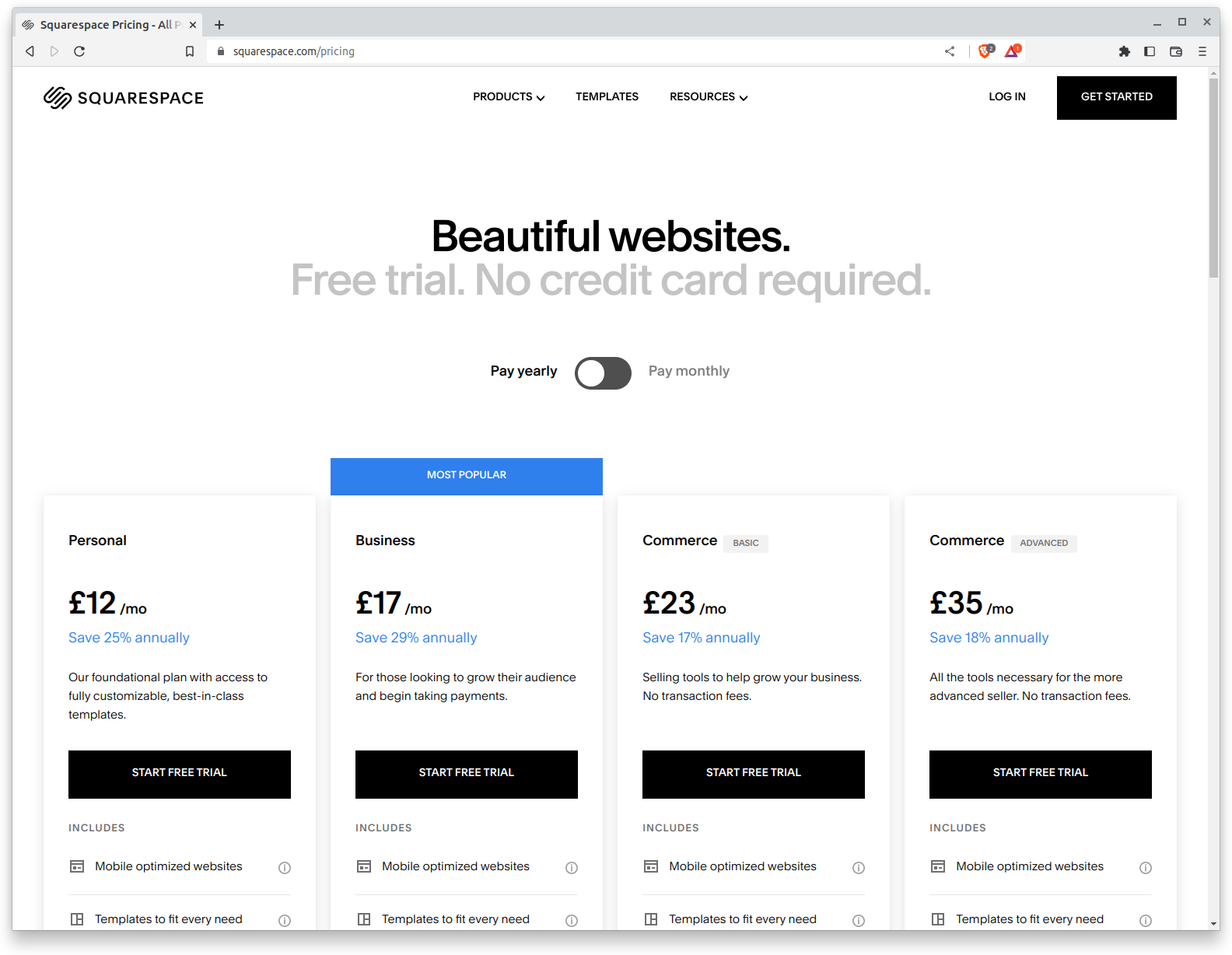
#5. Squarespace: Best for Fast, No-Fuss Website Launches
- Starting price: From ~$16 per month
- AI website builder: Yes
- Read our full Squarespace review for more information
Squarespace has always been known for its simplicity, and after testing the latest version, it's clear why SaaS teams and small marketing departments still rely on it in 2026.
It delivers clean templates, a straightforward editor, and an effortless setup process that gets a site online quickly without technical friction.
Unlike more advanced builders, Squarespace focuses on speed and ease of use rather than deep customization.
This makes it ideal for SaaS companies that need polished microsites, landing pages, and brand hubs without the overhead of complex tools or developer involvement.
Everything you need—hosting, design, scheduling tools, analytics—is built into one streamlined platform.
✔️ Pros- Extremely easy to use, even for non-technical teams
- High-quality templates with excellent mobile responsiveness
- Fastest setup among the builders we tested
- Reliable performance with minimal maintenance
- Limited design flexibility compared to Webflow or Framer
- Fewer integrations and plugins than WordPress
How Much Does Squarespace Cost?
Bottom Line: Should You Use Squarespace?
Squarespace is best suited for SaaS teams that value simplicity and speed.
If your priority is getting a clean, professional website live without complexity, Squarespace is an excellent option.
It won't replace a full-scale CMS or advanced builder, but for straightforward marketing sites, landing pages, and lightweight SaaS use cases, it remains one of the fastest and most reliable all-in-one builders on the market.
#6. WordPress + Elementor: Best for Full Flexibility and Long-Term Scalability
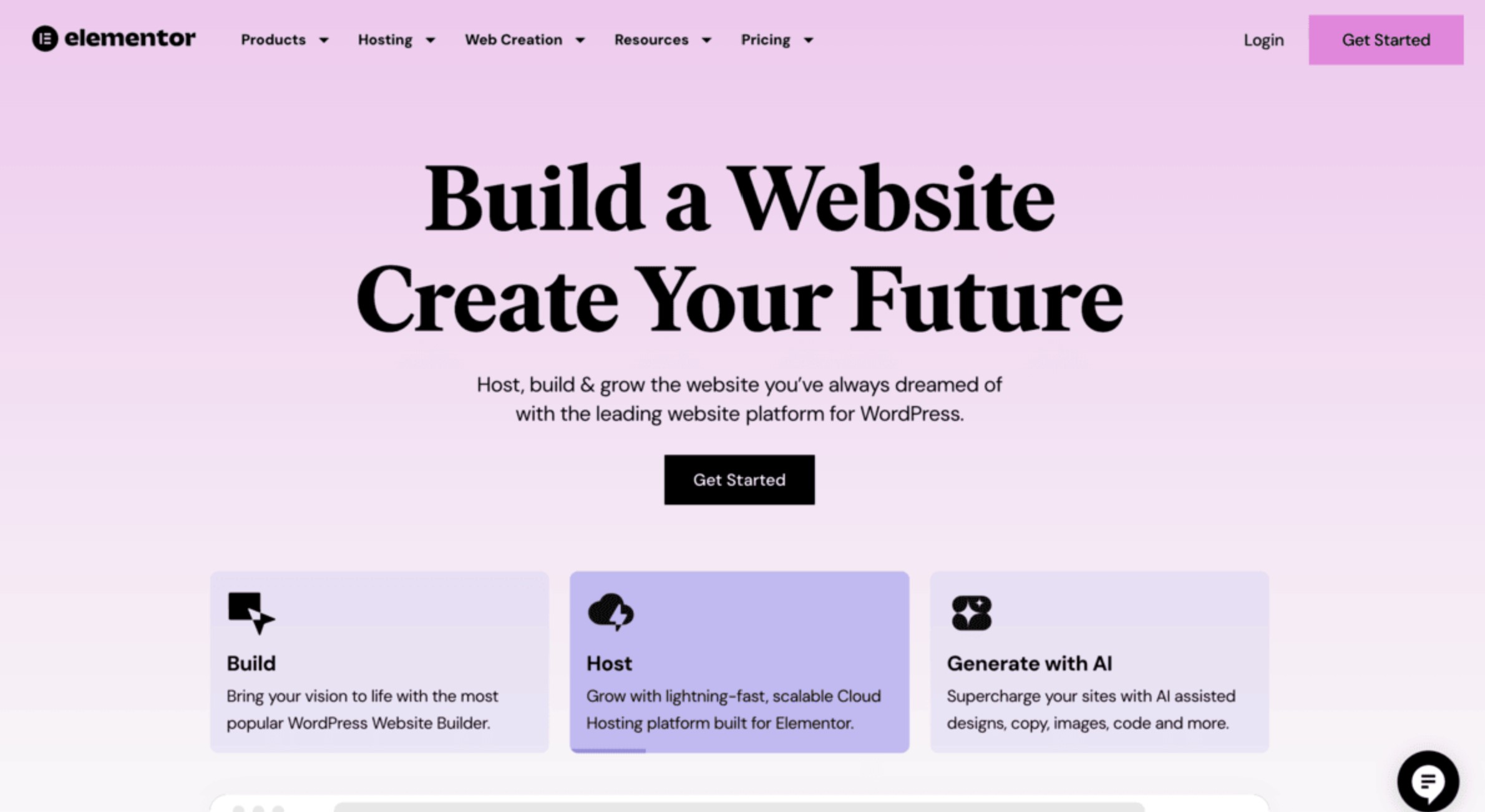
#6. WordPress + Elementor: Best for Full Flexibility and Long-Term Scalability
- Starting price: WordPress is free; Elementor and hosting costs vary
- AI website builder: Yes (Elementor AI)
- Read our full WordPress + Elementor review for more information
WordPress paired with Elementor remains one of the most flexible website-building solutions available, especially for SaaS companies that want full control over their site's structure, plugins, integrations, and hosting environment.
In our testing, this combination offered the deepest extensibility out of all the builders—ideal for teams that want a mix of visual editing and technical freedom.
Elementor's drag-and-drop interface makes WordPress far more accessible to marketing teams, while the WordPress ecosystem provides thousands of plugins, SEO tools, automation add-ons, and customisation options.
This setup does require more maintenance than hosted builders like Webflow or Squarespace, but the trade-off is complete ownership and scalability without platform lock-in.
✔️ Pros- Highest level of flexibility and control
- Massive plugin ecosystem for SaaS features, automation, and integrations
- Elementor's editor is intuitive and powerful for non-developers
- Ideal for large blogs, documentation hubs, and resource libraries
- Full ownership of your site and hosting environment
❌ Cons
- Requires updates, maintenance, and security management
- Hosting quality varies depending on provider
- Performance can suffer if poorly configured
- More technical overhead than fully hosted builders
How Much Does WordPress + Elementor Cost?
Bottom Line: Should You Use WordPress + Elementor?
WordPress + Elementor is the best option if you want full control, advanced customisation, and the ability to scale your site without platform limitations.
It's ideal for SaaS companies that need custom workflows, complex CMS structures, or deep integrations with external systems.
While it requires more maintenance, the flexibility and long-term scalability make it a top choice for teams that want a high level of ownership over their website.
Additional Website Builders to consider (19 Options)
- Shopify
- HubSpot CMS
- Ghost
- Duda
- Tilda
- Carrd
- Squarespace Fluid Engine
- Weebly
- Jimdo
- Zyro
- Strikingly
- Site123
- IONOS Website Builder
- Webnode
- Ucraft
- PageCloud
- BigCommerce
- Bubble.io
- Wix Classic Editor
How to Choose the Right Website Builder for Your SaaS Team
Choosing the right platform can feel overwhelming, especially with so many tools marketed as "all-in-one."
The reality is that the best fit depends on how your SaaS team actually works day to day.
To help you make a confident choice, here's what really matters in 2026 — based on an enterprise website builder comparison across the tools we tested.
This advice applies whether you're a startup hunting for the best website builder for SaaS startups, a scale-up evaluating more scalable website platforms for large companies, or an established SaaS brand preparing to migrate from an older CMS.
1. Understand Your Team Size and Workflow
Your team structure often dictates the right tool more than the features do.
Smaller SaaS teams may prefer simple, intuitive builders like Brizy or Squarespace because they reduce friction and require zero setup.
Larger teams with product, content, and design working together usually benefit from tools like Webflow or Wix Studio that offer roles, collaboration features, and controlled workflows.
- Small teams → fast, no-fuss builders
- Medium teams → hybrid tools with flexible templates
- Large SaaS organisations → advanced builders with governance layers
If multiple people will be making updates, prioritise platforms that support permissions, approvals, and safe publishing.
2. Governance and Brand Consistency Requirements
If brand consistency is important — and it usually is for SaaS — look for features like:
- global styles
- branding tokens
- reusable blocks
- template locking
- version control
Webflow, Wix Studio, and Brizy excel in this area.
For SaaS companies managing partner portals or regional microsites, global components help ensure your brand stays consistent across every page your team ships.
3. Customisation vs. Speed — Pick One (You Can't Max Both)
Here's the trade-off most teams overlook:
- If you want maximum speed, choose a builder like Brizy or Squarespace.
- If you want maximum design control, choose Webflow or Framer.
- If you want maximum extensibility, WordPress + Elementor is the winner.
This balance is crucial when comparing options in any enterprise website builder comparison 2026, because different builders lean heavily toward one strength.
Think about which matters more today:
rapid iteration or perfect design?
No platform delivers both equally.
4. Decide Who Will Maintain the Website Long-Term
This is where SaaS teams often make the wrong call.
Ask yourself:
- Will a marketing team own the site?
- Will product and design be actively involved?
- Do you have in-house developers to support custom features?
- Do you want a hands-off hosting and maintenance setup?
Platforms like Webflow, Wix Studio, and Framer require almost no backend work.
WordPress + Elementor, on the other hand, offers unmatched extensibility but needs more upkeep — plugins, hosting performance, security patches.
Choosing the right builder is essentially choosing the maintenance level your team is willing to commit to.
5. Understand Your SEO and Content Scaling Needs
If your SaaS company publishes a lot of content — blogs, documentation, case studies, resource hubs — choose a platform with a strong CMS.
Webflow offers one of the best CMS experiences for SaaS companies looking for a scalable website platform for large companies.
WordPress remains the strongest option for:
- huge content libraries
- SEO frameworks
- programmatic SEO
- multi-author content
If your content demands are light, simpler builders like Squarespace or Brizy will still perform well.
6. Check Integrations With CRM, Product, and Analytics Tools
Your SaaS website doesn't exist in isolation — it sits at the centre of your GTM engine.
Make sure the builder supports the tools you rely on, such as:
- HubSpot
- Salesforce
- Segment
- Mixpanel
- Zapier
- Google Analytics GA4
- Intercom
- Customer onboarding tools
- Product activation flows
Some builders (like Webflow) offer excellent native integrations.
Others may require workarounds or paid plugins.
If CRM and analytics are part of your growth model, this should be a key factor in choosing the best website builder for SaaS startups as they scale.
The right builder isn't the one with the most features — it's the one that lets your team ship quickly, stay consistent, and scale content without creating bottlenecks.
If you focus on workflow, governance, SEO needs, and long-term maintenance, you'll naturally land on the platform that fits your SaaS model.
Final Verdict: Which Builder Do I Recommend?
After testing all the major platforms and comparing how they perform for real SaaS teams, our top recommendation is Brizy—especially if your business prioritises speed, simplicity, and the ability to ship pages fast without technical bottlenecks.
While platforms like Webflow, Framer, Wix Studio, and WordPress + Elementor all bring impressive capabilities, Brizy stands out for one core reason: it lets SaaS teams execute quicker than almost any other builder we tested.
In a world where campaigns move fast, product updates never stop, and landing pages need to go live immediately, that advantage matters.
Brizy gives you:
- a clean drag-and-drop editor that anyone can use
- global blocks that keep your brand consistent
- marketing-ready components like funnels and popups
- fast setup and instant publishing
- both Cloud and WordPress versions depending on how you want to scale
If your goal is to build a high-performing SaaS website without hiring developers, fighting with complex design tools, or waiting days to publish new pages, Brizy is the most efficient choice.
It's built for teams that value momentum, experimentation, and the ability to iterate quickly across multiple landing pages and campaigns.
If you want the fastest, smoothest, and most practical website builder for SaaS in 2026, Brizy is the one I'd recommend first.
FAQs
What Is a Website Builder?
A website builder is a tool that lets you create a website—often more than one—without writing a single line of code.
It's designed for individuals and businesses who want a professional online presence but don't have the skills or desire to build a site from scratch.
Most website builders come with a library of templates (essentially pre-designed website layouts). You pick the one that fits your style, then customise it using a visual drag-and-drop editor.
You can add your own pages, images, videos, forms, maps, social feeds, and any other elements the builder supports.
A good website builder gives you enough flexibility to create everything from a simple personal site to a full business website or a fully featured online store—without needing a developer.
If you want a deeper breakdown, you can explore our full guide on what a website builder is and how it works.
Which Website Builders Are Free?
A handful of popular website builders offer free plans, which is great if you want to experiment before committing.
Platforms like Wix, Weebly, and GoDaddy all let you build and publish a site at no cost.
That said, free plans come with trade-offs. In most cases, you'll be required to use a platform-branded domain—something like yoursite.wixsite.com—and you'll likely see ads on your pages.
Free tiers also tend to limit storage, templates, and more advanced features.
Free website builders aren't ideal for businesses that want to look polished and professional, but they're perfect for testing the editor, exploring the templates, and deciding whether the platform fits your needs before upgrading.
How Flexible Are Website Builders?
Modern website builders are far more flexible than they used to be.
Years ago, you had to choose between ease of use and creative freedom—if you wanted a simple, no-code tool, you had to accept rigid templates and limited design options. And if you wanted true flexibility, you were forced to build a site from scratch or hire a developer.
That gap has closed.
Today's website builders can be surprisingly powerful.
Depending on the platform you choose, you can customise page layouts, design elements, colour schemes, animations, and even small details like button styles and spacing. Some builders even allow custom code, giving you the freedom to fine-tune the site beyond what the visual editor provides.
The level of flexibility still varies from one builder to another, but overall, modern tools give you enough control to create anything from a basic landing page to a fully polished, custom-designed website—without needing to code.
Can I Switch Website Builders Later?
Switching from one website builder to another can be challenging, and this is one of the biggest drawbacks of using a hosted website platform.
While you're always free to close your account and start fresh somewhere else, moving your actual website is rarely straightforward.
Most builders don't allow you to export your design, template, or site structure. In many cases, key parts of your site—like layout, styling, and built-in functionality—can't be transferred at all.
You may also have limitations around exporting content, forms, or customer data.
If you think there's a chance you'll want to move platforms in the future, it's worth looking into how flexible your chosen builder is when it comes to migration.
Some platforms offer limited export options, while others effectively lock you in. Taking the time to understand this upfront can save you a lot of frustration later.
Are Website Builders Secure?
Yes — most modern website builders include essential security features by default, such as HTTPS and SSL encryption.
These protect the connection between your website and your visitors, ensuring that data being exchanged stays private and secure.
Strong built-in security reassures visitors that your site is safe to use, which is especially important if you're handling personal details, contact forms, or any kind of payment information.
Many builders also include automatic updates, protected hosting environments, and ongoing monitoring, which reduces the amount of technical work you need to manage yourself.
That said, the level of protection varies by platform.
It's always worth checking exactly what security features your chosen website builder provides, especially if your business handles sensitive or high-value data.
Most Popular Posts

Effective communication among team members is vital for the productivity and success of any organization. Surprisingly, 60% of companies lack a long-term internal communication strategy, which p...


Businesses thrive on communication for efficiency, productivity and accomplishment. When the right information is passed from the right designation in the organization, it promotes positivity an...
Categories
Blog
(2970)
Business Management
(372)
Employee Engagement
(223)
Digital Transformation
(191)
Growth
(142)
Intranets
(136)
Remote Work
(63)
Sales
(53)
Collaboration
(48)
Customer Experience
(30)
Culture
(29)
Knowledge Management
(28)
Project management
(28)
Leadership
(20)
Comparisons
(9)
News
(1)

Related Posts

Partner collaboration has become a critical part of business growth, especially for organizations that rely on distributors, resellers, suppliers, affiliates, consultants, and channel partners to generate revenue. Yet surprisingly, many compani...

Most businesses invest heavily in marketing, advertising, social media, and SEO to attract new customers, but many overlook one of their most valuable marketing assets: their employees. That's where employee engagement comes in. Employee engage...

If you're searching for a SharePoint alternative for partner collaboration, you're certainly not alone. As businesses become increasingly reliant on distributors, suppliers, resellers, consultants, franchisees, and strategic partners, the abili...

Partner enablement software has become essential for businesses that rely on distributors, resellers, affiliates, consultants, suppliers, and channel partners to generate revenue. As partner networks grow, many organizations struggle with inconsisten...

Partner enablement is becoming a critical growth strategy for businesses that rely on distributors, resellers, suppliers, franchisees, or strategic partners. As partner networks expand, organizations need a better way to share information, deli...


Jill Romford
I am a digital nomad, lover of exploring new places and making friends.
I love to travel and I love the internet. I take pictures of my travels and share them on the internet using Instagram.
Traveler, entrepreneur, and community builder. I share my insights on digital marketing and social media while inspiring you to live your fullest life.
Ready to learn more? 👍
One platform to optimize, manage and track all of your teams. Your new digital workplace is a click away. 🚀
Free for 14 days, no credit card required.